Hubert Replaces Complex 3D Models With Photo Projections in Blender
Blender
Visual effects achieve photorealism faster when artists project real-world photographs onto primitive geometry rather than manually simulating complex materials and structures.
AI-assisted summary of World Building in Blender - Ian Hubert — original source. Check the original for full context.
Source published:
Key ideas
- Camera projection mapping allows visual effects artists to bypass complex shaders and costly path tracing by projecting real-world photography directly onto low-polygon geometry. (1:30)
- True visual fidelity in 3D relies heavily on functional real-world logic and reference rather than relying solely on mental shortcuts or high polygon counts. (13:31)
- Hybrid production methods that combine physical sets and miniatures with camera-mapped digital extensions can dramatically cut post-production visual effects overhead. (22:17)
- Fast procedural tricks, such as Graph Editor noise modifiers and slicing 3D Voronoi textures, can simulate complex organic phenomena like insect swarms and rain ripples with minimal computational effort. (24:36)
Detailed notes
## Background Published on YouTube by the official Blender channel on October 24, 2019, this presentation captures filmmaker and visual effects artist Ian Hubert speaking at the Blender Conference. The accompanying description promotes supporting core Blender development through the Blender Development Fund.
## TL;DR Ian Hubert presents his pragmatic approach to visual effects, demonstrating how camera projection mapping, photographic textures, and low-poly geometry can bypass tedious shading networks and complex modeling pipelines. Drawing on examples from classic 1990s VFX, his viral 'Lazy Tutorials,' commercial projects, and the feature film Prospect, he explains how quick photographic shortcuts ground scenes in realistic lighting and dirt. Beyond software tricks, Hubert argues that convincing world building relies on sharp real-world observation, where artists study the functional logic and subtle wear of mundane objects instead of relying on flawed mental shortcuts. He concludes with an unreleased, running-commentary preview of his sci-fi series Dynamo Dream, demonstrating that cinematic worlds can be assembled independently out of a garage with open-source tools.
## Atmosphere & style Hubert delivers the talk with a rapid-fire, self-deprecating wit that balances playful irreverence with deep artistic sincerity. His presentation feels like a caffeinated show-and-tell with an obsessive craftsman, swinging effortlessly between hilarious breakdowns of early portfolio blunders and poetic musings on memory, perception, and childhood transmitter towers. The room crackles with infectious, grassroots creative energy, inspiring viewers to abandon perfectionism and immediately start kitbashing the messy physical world around them into 3D art.
## Bulletin - [01:30](https://www.youtube.com/watch?v=whPWKecazgM&t=90s) Camera projection mapping allows visual effects artists to bypass complex shaders and costly path tracing by projecting real-world photography directly onto low-polygon geometry. - [13:31](https://www.youtube.com/watch?v=whPWKecazgM&t=811s) True visual fidelity in 3D relies heavily on functional real-world logic and reference rather than relying solely on mental shortcuts or high polygon counts. - [22:17](https://www.youtube.com/watch?v=whPWKecazgM&t=1337s) Hybrid production methods that combine physical sets and miniatures with camera-mapped digital extensions can dramatically cut post-production visual effects overhead. - [24:36](https://www.youtube.com/watch?v=whPWKecazgM&t=1476s) Fast procedural tricks, such as Graph Editor noise modifiers and slicing 3D Voronoi textures, can simulate complex organic phenomena like insect swarms and rain ripples with minimal computational effort.
## Key takeaways - [00:00](https://www.youtube.com/watch?v=whPWKecazgM&t=0s) Ian Hubert's 'lazy tutorials' distill breakthrough 3D techniques into rapid, bite-sized workflows centered around camera mapping and image textures. - [01:30](https://www.youtube.com/watch?v=whPWKecazgM&t=90s) Camera projection has been a staple of cinema VFX since the 1990s, allowing artists to turn basic 65-polygon meshes into photorealistic backdrops because lighting and detail are already baked into photographs. - [03:39](https://www.youtube.com/watch?v=whPWKecazgM&t=219s) Extruding geometry from single textured planes using 'Import Images as Planes' naturally aligns corner grime and ambient occlusion without hand-painting maps. - [06:33](https://www.youtube.com/watch?v=whPWKecazgM&t=393s) Camera calibration tools like fSpy enable artists to reverse-engineer focal lengths, align perspective, and relight photographic plates in post-production by turning projection meshes into light emitters. - [10:44](https://www.youtube.com/watch?v=whPWKecazgM&t=644s) Projection mapping is fundamentally closer to photo collage than pure architectural drafting, making it a legitimate artistic shortcut rather than 'cheating.' - [11:48](https://www.youtube.com/watch?v=whPWKecazgM&t=708s) Blender is an expressive artistic medium rather than an automated pipeline; software proficiency cannot substitute for observational craft and understanding how real objects function. - [13:31](https://www.youtube.com/watch?v=whPWKecazgM&t=811s) Beginner 3D work often fails by stopping prematurely on flashy geometry while neglecting real-world functional details like structural logic, wear, or access slots. - [15:34](https://www.youtube.com/watch?v=whPWKecazgM&t=934s) World building requires charting the interconnected machinery of an imaginary society, which reframes everyday wear—like dents, skin oil on doors, and fading signs—into vital storytelling clues. - [17:52](https://www.youtube.com/watch?v=whPWKecazgM&t=1072s) Subtle background exposition through weathered reader boards and environmental anomalies is far more engaging than on-the-nose slogans or contrived narrative broadcasts. - [20:09](https://www.youtube.com/watch?v=whPWKecazgM&t=1209s) On the sci-fi film *Prospect*, combining physical miniatures, CAD-built sets, and restricted human-scale camera angles preserved tactile realism while Hubert supervised roughly 2,000 dust passes. - [22:17](https://www.youtube.com/watch?v=whPWKecazgM&t=1337s) Building physical sets inside a decommissioned church allowed Hubert to shoot 90 percent of dialogue coverage practically, reserving camera-projected digital extensions for wide shots. - [24:36](https://www.youtube.com/watch?v=whPWKecazgM&t=1476s) Procedural moth swarms can be animated quickly without keyframes by pairing a dual-shape-key flap with a Graph Editor noise modifier and Boids particle physics targeting a light source. - [28:02](https://www.youtube.com/watch?v=whPWKecazgM&t=1682s) Working purely from imagination defaults to simplified mental caricatures; gathering objective photographic reference is essential to bypass inaccurate mental concepts. - [29:16](https://www.youtube.com/watch?v=whPWKecazgM&t=1756s) Procedural noise and Voronoi textures capture the mathematical order underlying natural chaos, including generating dynamic water ripple displacements from cross-section slices of 3D Voronoi fields. - [32:09](https://www.youtube.com/watch?v=whPWKecazgM&t=1929s) Independent filmmakers can produce feature-caliber sci-fi environments and composited visual effects in a home garage by leveraging Blender alongside practical in-camera tricks like scratched Plexiglas anamorphic flares.
## Detailed walkthrough ### [00:00](https://www.youtube.com/watch?v=whPWKecazgM&t=0s) Introduction and the Philosophy of "Lazy Tutorials"
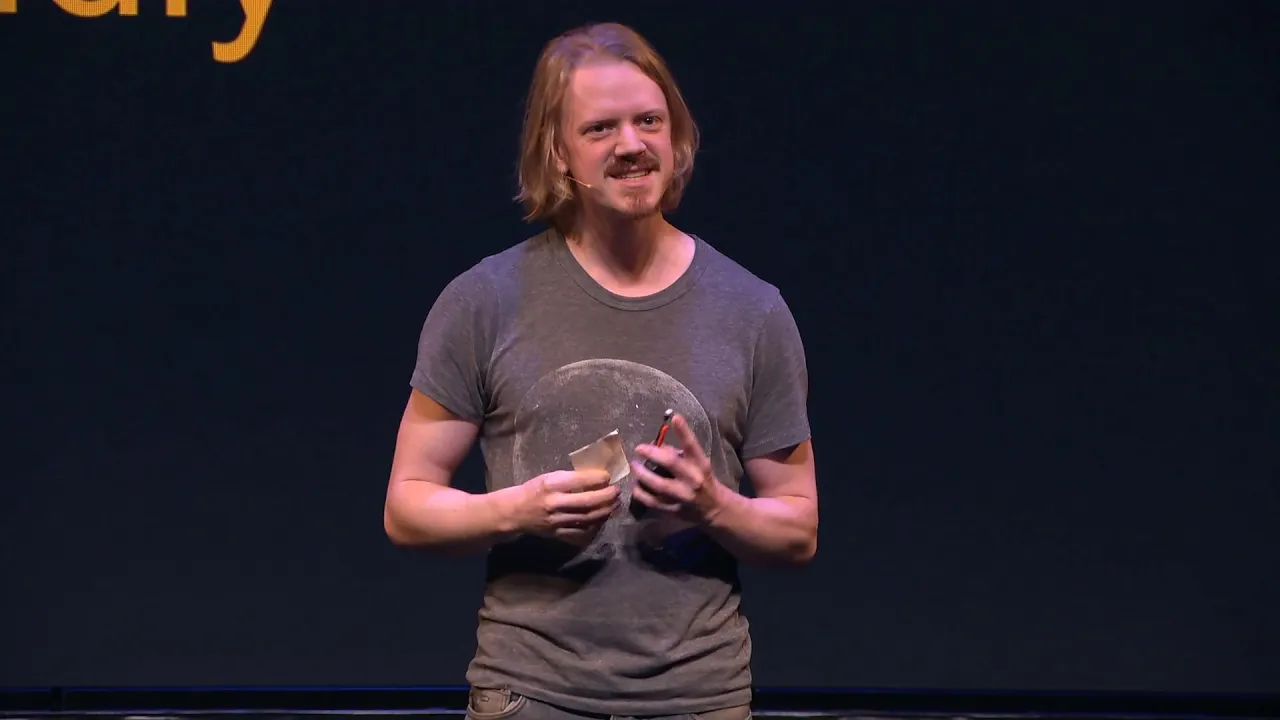
Ian Hubert opens his talk by looking around the room for Blender Foundation chairman Ton Roosendaal, affectionately shouting out that Ton is probably his favorite person on the planet and confessing, “I'm your biggest fan.” Ian introduces himself as someone who has been making visual effects, films, and assorted wacky projects for about 25 years. In 2012, he had the opportunity to collaborate with an extraordinary group of people on the open-movie project *Tears of Steel*. More recently, he began publishing brief, fast-paced “lazy tutorials” online. He explains the driving motivation behind that format: in computer graphics, discovering a simple technique can instantly make an artist feel as though they are leveling up, like realizing the software can simulate cloth automatically. His goal is to compress those breakthrough moments into bite-sized pieces, heavily relying on camera mapping, image textures, and fast workflows.
Displaying a photorealistic environment built directly inside Blender, Hubert jokes about the nature of photorealism: photos look real simply because they are photos. While many artists deliberately pursue non-photoreal styles for stylized games and animations, Ian’s background is rooted firmly in visual effects, where speed and realism are paramount. When explaining why he avoids overcomplicating things, Hubert observes:
> “Still though like photos are photo real because they're they're photos and I love I love image textures and obviously it's not all the time lots of people are making you know beautiful animations or games with these cool styles that we're you know they're not trying to go for photo realism they're not trying to do like quick and dirty but I work mostly in visual effects where that is absolutely the name of the game and they're like they're really common.”
[01:30](https://www.youtube.com/watch?v=whPWKecazgM&t=90s) Camera Projection in 90s VFX and Film History
Hubert reminds the audience that projection mapping—variously referred to over the decades as photogrammetry, camera projection, or projection mapping—underpins many iconic visual effects shots from 1990s cinema. Using photographs mapped onto geometry lets artists bypass computationally expensive path tracing and complex shader networks because the lighting, reflections, and surface details are already baked into the original image. To prove how basic the underlying geometry can be, Hubert showcases a wall asset where a garbage can lid is literally stuck flat onto the polygon, noting that the entire model is composed of roughly 65 polygons.
He points out historical examples of this shortcut, such as the podrace sequence in *Star Wars: Episode I – The Phantom Menace*, where physical miniatures were built, photographed, and projected onto low-poly digital sets. He also points to David Fincher's *Fight Club*, marveling that while the filmmaking craft is incredible, any audience member could easily replicate the shot on their laptop today. Examining these historic shots closely reveals classic projection artifacts: a jug texture reprojected onto another jug behind it, or a thick cable placed on a floor purely to hide a seam where multiple photos were stitched together. Hubert emphasizes that these visible seams are universal in movie VFX, where duplicated background assets and human shortcuts appear everywhere if you pause a frame.
Reflecting on how needlessly intimidating 3D asset creation used to be presented, Ian recalls:
> “Unfortunately there is this guy and he kept me away from UV unwrapping for like literally 15 years because it's like you know you take your psychedelic quilt and then you wrap that around the donut and you export that into like Photoshop and you do your paint over I mean you bring it back and you line it all up and you're like oh that's cool you don't you just take the thing and you just say you just unwrap it.”
```mermaid flowchart TD accTitle: Camera Projection Mapping Workflow accDescr: Diagram showing the pipeline from photo capture through camera alignment, geometry modeling, projection, and final scene integration.
subgraph Capture["1. Capture & Camera Alignment"] A["On-set / Reference Photo"] --> B["fSpy / BLAM Calibration"] B --> C["Align Camera & Perspective"] end
subgraph Modeling["2. Geometry & UV Projection"] C --> D["Import Images as Planes / Primitives"] D --> E["Extrude Edges & Add Loops"] E --> F["Project from View UV Mapping"] end
subgraph Refinement["3. Materials & Scene Integration"] F --> G["Roughness / Clamped Specular Map"] G --> H["Mesh as Emission Light Source"] H --> I["Blend Foreground CG Assets"] end ```
[03:39](https://www.youtube.com/watch?v=whPWKecazgM&t=219s) Rapid Modeling from Planes and Real-World Textures
Hubert praises Blender’s built-in “Import Images as Planes” add-on as an indispensable tool, humorously speculating that some philosophers consider walls to be nothing more than single planar surfaces. Starting with a single textured plane, one can quickly extrude faces, align a ground plane, and cut edge loops. Aligning textures to natural geometry corners captures the subtle dirt and ambient occlusion "micro-biomes" that naturally collect in corners without having to paint them by hand. From there, simple bevels and turning default point lamps into Sun lamps produce a complete scene.
To illustrate, Hubert walks through an environment built from a casual photo snapped in his hallway. He extrudes low-poly meshes, carves window openings, and either assigns them a glossy shader to reflect the room or places another flat image behind the opening to simulate interior parallax. When projecting, he cautions against projecting directly straight-on from an orthographic axis, which introduces extreme stretching or shearing along perpendicular faces. He admits to taking photos in coffee shops and on city streets, loading them as Blender camera backgrounds, and modeling directly over them using "Project from View." For cubic objects, unwrapping is even simpler: matching initial corner vertices and adding edge loops keeps the texture aligned without manually tweaking UV maps, creating reusable assets that can be dropped into background sets indefinitely.
When discussing how to texture these fast assets without hand-painting complex maps, Hubert explains:
> “I worked on that shot a little bit more and somebody asked me if I hand painted the specular Maps it's like no no that's just plugged into the the roughness with a little clamp there so the darker values are reflective which is the you know it's not always the best way to do it but a lot of times they can get you a surprising for far away of the way.”
- **Corner Detail (“Micro-biomes”):** Real-world corners collect dust, grime, and contact shadows that are tedious to texture procedurally but come free when photos are aligned along natural architectural edges. - **Window Depth Options:** Windows can be cut out and given glossy materials to reflect the surroundings, or given a separate background plate placed slightly behind the wall to produce convincing interior depth. - **Shearing Fixes:** When straight-on camera projection shears along perpendicular geometry, reprojecting that specific face from an angled view or remapping it to a similar wood/concrete texture patch fixes the stretch immediately.
[06:33](https://www.youtube.com/watch?v=whPWKecazgM&t=393s) Post-Relighting, Camera Matching, and Practical Production Hacks
One of the most powerful benefits of camera projection is the ability to relight a photographic scene in post-production. Hubert highlights fSpy (formerly known as BLAM), a free standalone tool that calculates the original camera’s focal length and orientation based on vanishing lines. Once aligned, geometry can be modeled around the image, and occlusions can be resolved by sliding faces and reprojecting textures. Because the environment exists as 3D geometry, an artist can cast new digital shadows, introduce dynamic lighting, or set the textured geometry as an emission surface to project realistic bounce light and reflections directly onto synthetic objects.
Hubert shows how this technique allowed him to composite Blender Guru’s Grass Essentials into a living room photo with natural local lighting, and how he used it for dream-like surreal shots in a project created by his girlfriend. He also recounts a commercial job where the production crew failed to film driving footage of a car; by projecting behind-the-scenes still photos back onto a proxy car mesh and layering noise modifiers to simulate road vibration, he generated the missing driving plates entirely from scratch.
Turning to a personal scene involving a floating cabin interior over a snowy tundra, Hubert describes how camera matching allowed him to turn leftover cabin photos into a finished 3D sequence. He explains that human perception works in the artist's favor, as audiences actively try to make visual sense of what they see even if the alignment is slightly off. He wraps up the sequence by highlighting the professional utility of the method, describing how he was recently hired by a well-known television production to recreate a destroyed, iconic physical set using nothing but frame grabs from previously aired episodes.
Describing the late-night bursts of inspiration that fuel both his personal experiments and his commercial gigs, Hubert remarks:
> “I was able to put this whole thing together in a deceptive freetime unit which is the area between when I think I should go to bed and decide to just poke it one more thing and I actually go to bed like three hours later and that's when I get my most of the work done in in my life both personal kind of like this and and professional that's um because people totally pay you to do this too.”
[09:10](https://www.youtube.com/watch?v=whPWKecazgM&t=550s) The Spy Bunker and Ed Sheeran’s "South of the Border"
Ian Hubert discusses a commercial gig he wrapped up about a week and a half prior: the music video for Ed Sheeran’s song “South of the Border.” The project required an underground spy bunker reminiscent of a Batcave. Working late into the night, Ian rapidly assembled the scene using camera-projected textures over cubes, recycling small drawer assets from an earlier cabin project. When he presented the first draft, the director was thoroughly unimpressed: “I show the director and the director was like, ‘I hate it. It looks like the back of a grocery store.’ And I was like, ‘Ouch.’” To rescue the shot, Ian added a brick archway and used the monitors as actual emission light sources to illuminate the environment, which instantly won the director over.
Technically, almost the entire bunker set was generated via camera projection, stitching assets together and applying depth-map displacement onto flat planes. For vehicular movement, Ian utilized the Car-Rig Pro add-on, which lets the artist draw a single path curve while the tool calculates physical body roll and snaps the wheels directly to uneven terrain. Much of the job boiled down to giving the director post-production flexibility to reshape the viewer's experience—rescaling props, repositioning walls, or emphasizing focal elements long after the shoot wrapped.
- Music video: Ed Sheeran – *South of the Border* (features an underground high-tech spy bunker). - Projection technique: Camera projections mapped onto primitive geometry, with depth-map displacement applied to flat backgrounds. - Add-on used: Car-Rig Pro for automated wheel-ground snapping and physics curves. - Director pivot: Transforming a space resembling a supermarket stockroom into a moody spy lair by adding an illuminated brick arch and functional monitor glow.
[10:44](https://www.youtube.com/watch?v=whPWKecazgM&t=644s) The "Cheating" Debate and Blender as an Art Medium
Addressing the fast-and-loose nature of using photo textures and asset kits, Ian tackles the nagging internal question: is this cheating? He readily admits he has never laid a brick, studied architecture, or manually modeled every structural support from scratch; he simply harvests photographs and projects them onto cubes. However, he explains that his goal is never to build a physically accurate architectural model, but rather to craft an evocative 2D image that happens to contain a building.
From Ian’s perspective, the process is closer to photo collage than pure 3D drafting. Moreover, relying on modern software is already inherently unfair: “I’m effectively making a photo collage, and also I’m already cheating because I’m using this mind-meltingly powerful program that can like do 2D animation and simulate water and do characters.” Poking fun at Ton Roosendaal, Ian calls Blender the single greatest software program he has ever encountered—capable of simulating molecules or reconstructing ancient cathedrals—and expresses profound gratitude toward the software engineers whose complex algorithmic thinking makes his artistic shortcuts possible.
[11:48](https://www.youtube.com/watch?v=whPWKecazgM&t=708s) Craft vs. Technology: Lessons from 2011
Stepping back from the technical trickery, Ian cautions the audience against mistaking software button-pressing for artistic understanding. He recalls giving a similar conference presentation back in 2011, after which an attendee approached him looking frustrated. The man insisted that Ian was holding back trade secrets because he had demonstrated *how* to apply the textures without explaining *why* the final scenes looked good.
Ian emphasizes that Blender is not merely an automated pipeline where one presses the right sequence of buttons; it is a genuine, versatile artistic medium governed by the universal rules of craft. He compares learning 3D to learning how to draw: anyone can pick up a pencil—or make a left-click in modern software—and lay down a stroke on a page. The real work consists of the subsequent decades spent hating one's work while rewiring the brain to translate volumetric reality into expressive two-dimensional marks, lighting, and textures. Even when assembling pre-made assets from an external asset library, the final composition must filter through the artist's personal observational instincts.
[13:31](https://www.youtube.com/watch?v=whPWKecazgM&t=811s) Retrospective Failures: Nonsense Pipes and Chrome Space Starfish
To illustrate how technical aptitude without observational logic fails, Ian pulls up his own beginner work from 2002. He shows off an early futuristic city scene constructed out of three buildings and basic Boolean cutouts. With self-deprecating humor, he points out absurd architectural flaws: an exterior electrical box whose conduits crash directly into an open drainage line, a highway overpass running straight into a solid concrete retaining wall at fifty-five miles per hour, and two speed limit signs absurdly planted twenty feet apart. None of these mistakes came from software bottlenecks; they came from sheer laziness and an unwillingness to think through structural function.
```mermaid flowchart TD accTitle: The Trap of Premature Completion accDescr: A diagram illustrating the contrast between stopping early on a flashy model and refining an asset with realistic functional logic.
subgraph BeginnerTrap["Beginner Pitfall"] A["Start with Subsurf & Extrusions"] --> B["Build Flashy Object: Chrome Space Starfish"] B --> C["Stop Immediately & Wonder Why It Feels Off"] end
subgraph WorldBuildingApproach["Observational Approach"] D["Draft Initial Asset Concept"] --> E["Analyze Real-World Function & Plausibility"] E --> F["Add Story Details: Grease, Wear, Dispensing Slots"] F --> G["Grounded, Convincing Environment"] end ```
Ian points out that newcomers often fall into a trap when learning 3D modeling: they apply a Subsurf modifier, extrude random faces, and wonder why the result lacks punch compared to seasoned work. In Ian's eyes: “First of all, you made like this chrome space starfish, this is the dopest thing I’ve seen in my entire life, but also I spent like three days making the exact same thing—like, you just don't get to the point where you think it's done yet.” As another example, he displays an asset meant to be a street vending machine that dispenses paper takeout containers. While it featured emissive lighting, it completely lacked an opening wide enough for the food boxes to actually pass through. Knowing how things operate in reality makes the difference between empty geometry and believable worlds.
- 2002 portfolio critique: Boolean carports, nonsensical industrial piping that ends nowhere, and electrical meters placed directly next to moisture drains. - Roadway absurdities: Speed limit signs repeated every 20 feet and an overpass dead-ending into retaining masonry. - Vending machine flaw: Takeout containers placed next to a dispenser that had no physical slot large enough to eject them.
[15:34](https://www.youtube.com/watch?v=whPWKecazgM&t=934s) World Building and the Obsession with Inane Details
This brings Ian to the core thesis of his presentation: world building. In fiction writing, filmmaking, or series production, world building requires establishing the interconnected machinery of an imaginary society—its governing systems, predominant religions, economy, climate, and level of technology. Once an artist begins thinking in these terms, their brain re-programs how it perceives physical surroundings. Every mundane real-world detail turns into a design clue waiting to be harvested.
```mermaid flowchart LR accTitle: The World Building Observation Loop accDescr: A flowchart depicting how world building transforms everyday observations into 3D environmental assets.
subgraph Reality["The Real World"] A["Notice Inane Details: Dents, Footprints, Door Oils"] B["Question Provenance: Wikipedia, History, Function"] end
subgraph Studio["The Digital Asset"] C["Incorporate Believable Wear & Plausibility"] D["Shared Assets on Blend Swap"] end
A --> B B --> C C --> D D --> A ```
Ian describes how this mindset leads to a manic, hyper-attentive relationship with ordinary objects. You find yourself fixating on the tiny dents on a brass doorknob, divergent wet footprints trailing across a lobby floor, or the dark patina of skin oils deposited on the push-plate of a heavily trafficked door. In an introspective tangent, he reflects on the existential melancholy of hoarding these fleeting sensory details, wondering whether the impulse to preserve everyday life in 3D comes from love or deep-seated fear.
This compulsive observation drives artists down bizarre rabbit holes—such as modeling a municipal fire hydrant, suddenly feeling you have failed to capture its essence, and spending hours reading Wikipedia articles on its historic inventor or searching the internet to buy one. Ian confesses that he may or may not personally own an actual commercial vending machine and half a dozen industrial beacons. He closes the segment by spotlighting roadside marquee reader boards. He adores them because they represent awkward small businesses attempting to speak directly to the public through manual plastic lettering—including one unchanging sign in his hometown that he has monitored for four consecutive years—and mentions that he shared a free reader-board asset pack on Blend Swap so others can indulge the same obsession.
- Core definition: World building is mapping the systemic interplay of currency, politics, climate, and infrastructure within a setting. - Everyday texture cues: Dented doorknobs, evaporated water tracks, and accumulated hand grime on public entryways. - Physical asset collecting: Researching antique fire hydrants and hoarding commercial props (vending machines and rotating beacons). - Reader boards: Small business letter-board signs used as personal storytelling assets; Ian made his custom rig available for free on Blend Swap.
[17:52](https://www.youtube.com/watch?v=whPWKecazgM&t=1072s) Reader Boards, Subtle Exposition, and Pre-Visualizing in Blender
Ian Hubert discusses how signage and physical artifacts “phase in and out of relevance like an old friend.” He shows an image of a weathered local landmark sign from a nearby town—an old reader board where the plastic letters have broken apart and fallen away until the text reads like nonsense, resembling an accidental anagram or mystery. Hubert notes that while modern merchandising has slapped the design onto t-shirts and somewhat ruined its charm, reader boards remain a powerful narrative device for conveying world transitions and exposition. Defining exposition as the contextual information you need the audience to absorb about the narrative world, he jokes about a real-world photo he took in Amsterdam featuring accidental occlusions on a sign that turned a standard travel notice into “weekday anal tours.”
```mermaid flowchart TD accTitle: Narrative Exposition Spectrum accDescr: Visualizing the range of narrative exposition styles from heavy-handed to subtle environmental storytelling.
subgraph Heavy["Heavy-Handed / On-the-Nose"] A["Convenient graffiti slogans on brick walls"] B["TV newscasts reporting only protagonist-relevant crimes"] C["Newspapers stating explicit plot points"] end
subgraph Subtle["Subtle / Environmental"] D["Weathered reader boards losing letters"] E["Accidental real-world sign cutoffs"] F["Audience piecing together mood and tone"] end
Heavy -.->|"Preferred alternative"| Subtle ```
Hubert cautions against clumsy, on-the-nose delivery methods where counterculture groups conveniently spray-paint explicit slogans onto pristine brick walls directly behind characters, or television newscasts happen to report solely on crimes tied to the protagonist. Instead, he favors subtler background cues where the audience has to work slightly harder to absorb the world’s mood. When building out lore, he recommends using personal wikis, coffee-shop notepad doodles, and node-based mind mapping to flesh out world systems. However, while he admires traditional 2D concept art, he finds it far more practical to bypass ink and sketch directly in 3D:
> “I always see such cool concept art and I was thinking man I want to I want to have to make concept art but it turns out the fastest way for me to think is actually mocking stuff up in blender you can just rotate scale flip copy paste and all of that instead of like committing ink to a into a page I just had I don't draw a lot and I never have anything to do with it so I put them all here.”
- Exposition can easily feel forced if backdrops are filled with overly neat, narrative-dictated text. - Brainstorming world lore can begin anywhere—from mock newspapers to interconnected wiki nodes. - Using 3D software for rapid conceptualization allows immediate manipulation (scaling, rotating, duplicating) without the permanence of drawing on paper.
---
[20:09](https://www.youtube.com/watch?v=whPWKecazgM&t=1209s) VFX Supervision on *Prospect*: Tactile Worlds and Practical CG
Reflecting on his role as the visual effects supervisor on the sci-fi feature film *Prospect*, Hubert contrasts its design approach with typical low-budget productions. On ordinary shoots, the art department arrives the day before filming armed with gray paint, four-by-eight plywood boards, and hot-glued discarded motherboards to fake a spaceship interior. For *Prospect*, the production team rented a warehouse for seven months to design every asset from scratch using CAD programs, precision CNC machining, bespoke custom fonts, and fully realized physical sets assembled like interlocking puzzles.
```mermaid flowchart LR accTitle: Prospect Visual Effects Pipeline accDescr: The hybrid approach used on the film Prospect mixing physical miniatures, CAD sets, custom lenses, and CGI.
subgraph Design["Design & Pre-Vis"] A["CAD Modeling & Custom Fonts"] --> B["CNC Cutouts & Set Builds"] C["Blender CG Ship Models"] --> D["4-Foot Physical Miniatures"] end
subgraph Production["Camera & Lighting"] B --> E["Filming Through Windows / Custom Lenses"] D --> E E --> F["Matching Real-World Sunlight Angles"] end
subgraph Post["Post-Production"] F --> G["CG Extensions & In-World Logos"] G --> H["2,000 Dust Particle Passes"] end ```
To preserve immersion, the camera was deliberately constrained to human perspectives. Rather than providing sweeping, cinematic "God’s eye" angles of spaceships, the camera remained trapped inside cockpits looking through dirt-streaked windows, making claustrophobia and danger immediate for the audience. Hubert created 3D digital ship assets that practical modelers turned into four-foot physical miniatures to capture authentic tactile surface responses under studio lights. When building massive CG freighters packed with dense surface greebles, matching real-world lighting required careful study of archival Apollo mission photography, noting that cameras exposed for direct daylight in space capture almost no background stars.
> “This was like 2,000 shots so just adding this constant dust anytime they're out on a planet which if you have a chance to put dust in like 2,000 shots over the period of a summer I I recommend go for it.”
- *Prospect*'s production built full-size practical cockpit foregrounds shot through custom lenses to integrate seamlessly with Hubert's background CG environments. - Freighter shipping containers were detailed with intricate, barely perceptible corporate logos to establish in-universe corporate reality. - Lighting rigs for space scenes utilized physical arms to mirror harsh direct sunlight, requiring meticulous continuity management. - Hubert executed atmospheric dust passes across approximately 2,000 shots throughout a single summer.
---
[22:17](https://www.youtube.com/watch?v=whPWKecazgM&t=1337s) Expanding the *Dynamo* Universe: In-World Maps and Church Studio Sets
Turning to personal projects, Hubert describes reviving and expanding his long-running *Dynamo* universe. He highlights an extensive sci-fi marketplace sequence packed with micro-details, emphasizing how much fun it is to create artifacts that exist natively within the fiction:
> “I love designing maps that exists in world because it's like somebody in the world built this map for other people that are also in the world and it's fun to kind of be able to exist in in that in that zone.”
Hubert explains that mapping a fictional world’s geography or transit systems—such as a complex subway transit chart designed with his collaborator Paul Spooner—gives creators immediate insight into the friction, duration, and sensory texture of a character moving between two locations. He also hides visual Easter eggs within these environments, including the iconic tower asset from the open-source Blender short film *Tears of Steel*.
```mermaid flowchart TD accTitle: Church Studio Hybrid Set Workflow accDescr: The production loop of designing sets in Blender, fabricating them practically, and projecting textures back onto CG geometry.
A["Mock up set dimensions in Blender"] --> B["Construct practical physical set in church studio"] B --> C["Shoot 90% of coverage on practical set backing"] B --> D["Photograph real-world physical set elements"] D --> E["Project photos back onto 3D geometry in Blender"] E --> F["Seamless CG set extensions for wide angles"] ```
To avoid spending endless months stuck in post-production visual effects on green-screen footage, Hubert purchased an old church in the Pacific Northwest woods to build practical film sets. His workflow bridges the physical and digital: sets are mocked up in Blender first, constructed physically with real lumber and found items, and then photographed. Those photographs are camera-projected back onto rough 3D geometry inside Blender. By fully dressing the physical set behind the actors, 90 percent of dialogue close-ups require zero visual effects, reserving CG extensions only for wider pulled-back angles. Green screens placed behind foreground windows are intentionally dressed with natural clutter, using ambient real-world texture as tracking markers alongside practical lighting tricks, such as a silhouetted motorized chicken that casts atmospheric shadows across the set.
- Designing a fictional subway network grounds narrative travel times and enriches character journeys. - Purchasing a decommissioned church provided a large interior staging ground for high-ceiling set construction. - Camera-mapping high-resolution set photography onto primitive 3D models enables effortless perspective matching between real footage and digital extensions. - Keeping green screens deliberately messy and uneven provides organic tracking features, bypassing the need for dedicated tracking markers.
---
[24:36](https://www.youtube.com/watch?v=whPWKecazgM&t=1476s) The "Lazy Tutorials" Phenomenon: Swarming Moths and Personal Resonance
Hubert screens his rapid-fire, viral "Lazy Tutorial" on simulating swarms of moths around light sources in Blender. The tutorial runs through the entire process at breakneck speed: modeling a low-effort moth with wings down, adding a shape key with wings elevated, inserting a noise modifier into the Graph Editor to produce chaotic wing flutter, and duplicating the meshes with offset noise values into a designated collection. He feeds this collection into an emitter particle system using Boids physics, zeroing out the mass and configuring a single behavioral rule in the Boid brain: "Follow the Leader," assigning an omnidirectional scene lamp as the leader target.
```mermaid flowchart LR accTitle: Boid Particle Moth Simulation accDescr: Step-by-step logic of creating a procedural moth swarm around a light source in Blender.
subgraph Mesh["1. Mesh & Rig"] A["Moth base shape key"] --> B["Wings-up shape key"] B --> C["Graph Editor noise modifier"] C --> D["Duplicate 6x with offset noise"] end
subgraph Particle["2. Particle & Boids"] D --> E["Particle Emitter Collection"] E --> F["Physics: Boids"] F --> G["Rule: Follow the Leader"] end
subgraph Target["3. Target & Polish"] G --> H["Leader set to Lamp"] H --> I["Tune personal space & max speed"] I --> J["Organic swarming behavior"] end ```
The tutorial humorously captures Hubert's signature tongue-in-cheek voice:
> “Now that you have this put them anywhere you can make a lazy scene and add moths and people be like wow you've even added moths and you'll be like yeah I did and I taught them to love moths add realism to anything.”
Hubert remarks on the runaway success of the format, noting that while hundreds of thousands of beginners watched the micro-tutorials thinking Blender would be effortless, he had to spend hours in the YouTube comment section answering tech support questions and redirecting newcomers to introductory materials like Andrew Price’s Donut series. He concludes by breaking down the emotional history behind the tutorial's throwaway end scene—a single streetlamp on a grassy hill overlooking a distant city. Though produced rapidly, the shot drew deeply from personal memories: a floor lamp he owned as a child, summer evenings spent at Gas Works Park in Seattle, the aesthetic tone of Hayao Miyazaki's *Kiki's Delivery Service*, and an earlier grass dolly shot he once achieved using a cheap handmade rig that captured the look of a million-dollar production.
- Moths are animated with zero keyframed wing cycles, relying entirely on automated noise modifiers within the Graph Editor. - Boids physics requires minimal property tweaks—primarily mass, max speed, angular velocity, and personal space—to simulate insect flight patterns. - Fast-paced, comedic micro-tutorials can inadvertently mislead beginners about software complexity, requiring clear signposting toward foundational tutorials. - Throwaway visual effects exercises become richer when artists subconsciously ground lighting, composition, and prop choices in real lived experiences.
[26:42](https://www.youtube.com/watch?v=whPWKecazgM&t=1602s) The Aesthetic of Memory, Grass Essentials, and the Neural Network of Experience
Ian Hubert reflects on how visual aesthetics and personal history intertwine in cinematography and 3D art. He points out how shallow depth of field became ubiquitous with the rise of 2012 DSLRs: filmmakers suddenly had the ability to shoot with razor-thin depth of field and thought, "that's the cinematic look," though in hindsight it was simply the "2012 DSLR YouTube look." From a purely technical standpoint, however, shooting at night simply demands opening the aperture to let enough light reach the sensor.
Hubert ties this artistic impulse to his personal projects, recalling a music video he shot four years earlier where he drove across town and jumped around attempting to capture the true essence of grass. He became thoroughly obsessed with recreating it until Andrew Price (Blender Guru) released *The Grass Essentials* asset pack. Hubert jokingly describes the internal crisis that followed: his soul felt at peace, yet his ego protested that he hadn't built it himself, to which his soul replied, “look kid this thing is wild rye uncut learn your place.”
He traces his visual motifs back to specific life memories, such as the radio tower beacons blinking in the background of his scenes. He filmed some at his best friend's brother's wedding, but the fascination originated in childhood: his father worked in radio, taking young Ian out to transmitter buildings. Hubert would sit waiting inside the vans so the transmitter radiation wouldn't fry his brain, staring up at the blinking beacons in the night sky. Drawing from these memories, he argues that individual life history directly informs creative output: “You are a giant neural network and that's why I get excited whenever anybody's saying they're gonna make a film or art or anything because they're gonna be making something that only they can make.”
- **Cinematography:** Shallow depth of field was widely equated with cinematic quality during the early 2010s DSLR boom, but it also serves the practical purpose of capturing low-light nighttime environments. - **Grass Obsession:** Hubert attempted to procedurally model and capture grass variations across town before realizing pre-made assets like Blender Guru's *The Grass Essentials* solved the problem better than reinventing it. - **Childhood Beacon Motif:** Radio transmitter towers and blinking warning lights are recurring background elements derived from waiting in his father's work van as a kid.
---
[28:02](https://www.youtube.com/watch?v=whPWKecazgM&t=1682s) Bypassing Inaccurate Mental Concepts with Direct Reference
Addressing artists who feel overwhelmed or lack decades of observing everyday details like grease smudges on doors, Hubert emphasizes that encyclopedic memory is unnecessary when one uses solid reference material. When people imagine everyday objects—whether a house, an airplane, or a car—they default to a simplified, cartoonish mental shortcut. Consequently, attempts to draw or model that object directly from the imagination result in disappointing work. Hubert argues that this failure is simply “an accurate representation of an inaccurate mental concept.”
```mermaid flowchart TD accTitle: Mental Concept vs Reference Workflow accDescr: Diagram contrasting drawing from an inaccurate mental shortcut against using direct reference to build an accurate model.
subgraph Imagination ["Working Without Reference"] A["Mental Shortcut / Cartoonish Idea"] --> B["Flawed 3D / 2D Attempt"] B --> C["Accurate Representation of an Inaccurate Mental Concept"] end
subgraph Referenced ["Working With Reference"] D["External Observation / Photographic Reference"] --> E["Bypasses Mental Shortcut"] E --> F["Believable CG Scene Breakdown"] end ```
Reference completely bypasses this mental distortion. While Hubert acknowledges that the translation from observation to a personal mental concept is as pure a definition of art as any, actively gathering reference systematically refines and corrects that mental model. Once an artist begins dissecting the natural world to recreate it in Blender, that analytical mindset takes hold everywhere. Nature proves particularly fascinating because it consists of raw randomness bound by strict structural rules—an interplay that Blender's procedural toolsets simulate effectively.
- **Mental Models:** Direct imagination produces simplified caricatures of complex objects; reference acts as an objective reality check. - **Artistic Translation:** Art lies in the pipeline between observation, cognitive processing, and final execution, but accurate observation keeps the foundation grounded. - **Nature's Logic:** Organic environments are ideal for proceduralism because they pair chaotic variation with rigid mathematical systems.
---
[29:16](https://www.youtube.com/watch?v=whPWKecazgM&t=1756s) Procedural Textures, Rainy Parking Lots, and Traffic Sim Disasters
As Hubert delved into procedural textures, he began spotting overlapping math patterns across natural elements—from pinecone spirals and grass distributions to the dappled sunlight filtering through trees. All of these forms can be approximated with procedural noise and Voronoi textures. While stepping out to eat in the middle of preparing his conference presentation, Hubert watched heavy rain hit a parking lot and immediately started reverse-engineering the puddles in Blender. Knowing that Voronoi nodes resemble Swiss cheese in 3D space, he realized that slicing a 2D plane through moving 3D Voronoi spheres could generate expanding and contracting ripples for surface displacement. While he admits this is only a tiny fraction of what dedicated procedural artists accomplish, experimenting with the concept captures the essence of the phenomenon.
```mermaid flowchart LR accTitle: Procedural Rain Ripple Approximation accDescr: Flowchart showing how slicing a 3D Voronoi texture produces displacement for water ripples.
A["3D Voronoi Texture ('Swiss Cheese')"] --> B["Cross-Section Slice via 2D Plane"] B --> C["Expanding / Contracting Displacements"] C --> D["Rain Ripple Illusion"] ```
Hubert applied that same experimental approach to traffic systems, with mixed and humorous results. While moving cars at uniform speeds on a single axis is trivial, adding physics constraints resulted in instant bottlenecks: vehicles jammed at intersections, unable to advance, until he realized he had accidentally simulated real-world road rage. He also experimented with a four-dimensional approach—a dense, intersecting mass of paths dubbed "dark spaghetti" intersected with a boolean cutter—which failed visually despite being conceptually interesting.
He notes a similar principle applies to mass-scale technology and sci-fi greebles: complex machinery can be abstracted because viewers assume that intricate surface detail serves an authentic mechanical purpose, much like the exterior hull of a Star Wars Star Destroyer. Rather than unwrapping complex models by hand, Hubert humorously points out his own past bad habits, such as relying on box-mapping workarounds with sacrificial boundary vertices rather than proper UVs: “don't listen to anything I say because that's that's that's don't do that.”
- **Voronoi Water Ripples:** Moving a 3D Voronoi field through a flat plane produces concentric circular cross-sections that drive displacement maps for falling rain. - **Simulated Traffic Gridlock:** Physics-constrained traffic simulations quickly backed up into angry, gridlocked jams when intersection clearance was omitted. - **Greebles and NASA Scraps:** High-density surface greebles trick the eye into seeing purposeful functional complexity on vehicles and sci-fi structures without requiring bespoke modeling for every component. - **Core Advice Summary:** Observe reality, rely on references, leverage photos and photogrammetry scans instead of reinventing the wheel, and do not be afraid to overthink details—while keeping the process fun.
---
[32:09](https://www.youtube.com/watch?v=whPWKecazgM&t=1929s) Preview of *Dynamo Dream* Project Footage
Hubert wraps up his presentation by screening a raw, three-minute work-in-progress preview of his narrative sci-fi project (later titled *Dynamo Dream*). He warns the audience that the edit is unfinished, featuring temporary audio and scratch tracks where he can be heard directing off-camera. He talks over the footage as it plays, pointing out shots that lean heavily on digital world-building and practical visual tricks alike.
As the sequence unfolds on screen, Hubert provides running commentary on the various elements: - **World Dressing:** Flying birds and intricate canal systems populate the city backdrops, incorporating insect motifs and ant-inspired mechanics. - **Scratched Plexiglass Practical Effect:** Pointing out a sparkling, anamorphic lens flare effect across the screen, Hubert reveals there was no CG involved: “I used sandpaper and I just scraped a piece of Plexiglas” to produce the flares practically in front of the lens. - **Narrative Elements:** A sequence showing merchants and a character saluting plays without the final dialogue pass, which Hubert intentionally muted to avoid spoiling the storyline before release.
Hubert concludes by highlighting that the entire sequence—complete with complex VFX environments, digital doubles, and compositing—was produced independently in a garage using Blender, proving the power of accessible open-source software before thanking the audience: “that's all just done in a garage with like this amazing software so that's that's my talk thank you.”
## Notable quotes > [26:42](https://www.youtube.com/watch?v=whPWKecazgM&t=1602s) You are a giant neural network and that's why I get excited whenever anybody's saying they're gonna make a film or art or anything because they're gonna be making something that only they can make. — Ian Hubert
## Mentioned Blender, Ian Hubert, Ton Roosendaal, Tears of Steel, Star Wars: Episode I – The Phantom Menace, David Fincher, Fight Club, fSpy, BLAM, Andrew Price, The Grass Essentials, Ed Sheeran, South of the Border, Car-Rig Pro, Blend Swap, Prospect, Paul Spooner, Dynamo, Dynamo Dream, Hayao Miyazaki, Kiki's Delivery Service
## Video description Support core Blender development - https://fund.blender.org
[Source](https://www.youtube.com/watch?v=whPWKecazgM)