Dropbox Unveils Cross-Platform File Sync to Replace USB Drives
theragax
Integrating cloud storage directly into native desktop folders eliminates the need for USB drives while binary delta compression cuts bandwidth consumption by over 80 percent.
AI-assisted summary of DropBox Demo — original source. Check the original for full context.
Source published:
Key ideas
- Dropbox provides seamless cross-platform synchronization between Windows and Mac OS X directly through native file system folders without requiring a custom browsing interface. (0:00)
- The platform's delta compression engine uploads only modified binary fragments rather than whole files, saving over 80% of bandwidth during typical image edits. (1:23)
- Accidentally deleted files and prior versions can be restored instantly through the web interface, as Dropbox records a snapshot on every save. (1:23)
- Desktop-level sharing allows users to sync collaborative folders directly across multiple computers or generate instant web links via a dedicated Public folder. (2:14)
Detailed notes
## Background This demonstration was uploaded to YouTube by theragax on September 15, 2008. The page description presents Dropbox as the easiest method for storing and sharing files online, directing viewers to a download link.
## TL;DR In this classic product demo, Drew Houston introduces Dropbox as an effortless, cross-platform alternative to emailing files or carrying USB flash drives. He demonstrates seamless automatic synchronization between Windows and Mac environments directly through standard OS file directories, accompanied by delta-compression algorithms that drastically reduce bandwidth usage. The walkthrough highlights robust safeguards including automated snapshots, version history, and file restoration via the web interface. Houston wraps up by presenting collaborative capabilities like desktop-level shared folders, public link sharing, and an automated online photo gallery generated straight from local directories.
## Atmosphere & style The presentation carries the understated, confident tone of an iconic early Silicon Valley software demo. Speaking in an unhurried, practical, and conversational style, Houston methodically demonstrates complex distributed synchronization with effortless simplicity. The viewing experience feels refreshingly straightforward and revelatory, letting the seamlessness of green checkmark icons and instant cross-device updates speak for themselves.
## Bulletin - [00:00](https://www.youtube.com/watch?v=7QmCUDHpNzE&t=0s) Dropbox provides seamless cross-platform synchronization between Windows and Mac OS X directly through native file system folders without requiring a custom browsing interface. - [01:23](https://www.youtube.com/watch?v=7QmCUDHpNzE&t=83s) The platform's delta compression engine uploads only modified binary fragments rather than whole files, saving over 80% of bandwidth during typical image edits. - [01:23](https://www.youtube.com/watch?v=7QmCUDHpNzE&t=83s) Accidentally deleted files and prior versions can be restored instantly through the web interface, as Dropbox records a snapshot on every save. - [02:14](https://www.youtube.com/watch?v=7QmCUDHpNzE&t=134s) Desktop-level sharing allows users to sync collaborative folders directly across multiple computers or generate instant web links via a dedicated Public folder.
## Key takeaways - [00:00](https://www.youtube.com/watch?v=7QmCUDHpNzE&t=0s) Dropbox differentiates itself from existing storage solutions by eliminating complex setups and operating natively within standard file system folders. - [00:00](https://www.youtube.com/watch?v=7QmCUDHpNzE&t=0s) Installing Dropbox on a secondary machine immediately synchronizes existing files from linked accounts across operating systems. - [00:00](https://www.youtube.com/watch?v=7QmCUDHpNzE&t=0s) Green checkmark icon overlays visually indicate when local files are fully synced with the cloud. - [00:00](https://www.youtube.com/watch?v=7QmCUDHpNzE&t=0s) Local modifications to files propagate almost instantaneously to other connected machines and the web interface. - [01:23](https://www.youtube.com/watch?v=7QmCUDHpNzE&t=83s) The platform replaces manual file management workflows such as carrying USB drives or emailing attachments between personal and work computers. - [01:23](https://www.youtube.com/watch?v=7QmCUDHpNzE&t=83s) The browser interface enables full remote file access and provides safeguards against accidental local file deletions. - [01:23](https://www.youtube.com/watch?v=7QmCUDHpNzE&t=83s) Every file save automatically creates a snapshot, allowing users to revert to any previous version over time. - [01:23](https://www.youtube.com/watch?v=7QmCUDHpNzE&t=83s) Delta sync technology transmits only the altered portions of modified files to dramatically reduce bandwidth consumption. - [02:14](https://www.youtube.com/watch?v=7QmCUDHpNzE&t=134s) Files placed inside the Public folder automatically generate unique web links suitable for sharing via chat, email, or blog posts. - [02:14](https://www.youtube.com/watch?v=7QmCUDHpNzE&t=134s) Users can share entire folders with collaborators by entering their email addresses, synchronizing content directly between participants' desktops. - [02:14](https://www.youtube.com/watch?v=7QmCUDHpNzE&t=134s) Dragging image directories into the native Photos folder automatically builds online photo galleries accessible via shareable secret links. - [02:14](https://www.youtube.com/watch?v=7QmCUDHpNzE&t=134s) The service was launched as an invite-only private beta accessible via signups at getdropbox.com.
## Detailed walkthrough ### [00:00](https://www.youtube.com/watch?v=7QmCUDHpNzE&t=0s) Seamless Cross-Platform Sync and Delta Compression
Drew Houston introduces Dropbox as a straightforward new way to store and share files online, highlighting its core philosophical difference from existing tools: “What makes Dropbox different is that it just works and there isn't any complicated setup or interface to learn.” To demonstrate how the system operates across operating systems, he starts with a Windows PC that already has Dropbox installed and populated with files. He then installs Dropbox on a Mac and links it to his existing account. Within seconds of completing the account connection, the files previously stored on the Windows machine begin downloading directly onto the Mac.
```mermaid flowchart TD accTitle: Dropbox Cross-Platform Sync Architecture accDescr: Diagram showing local file modifications syncing to the Dropbox cloud and propagating to linked client devices.
subgraph Local["Local Clients"] Win["Windows PC<br>(File modification)"] Mac["Mac OS X<br>(Dropbox folder)"] end
subgraph Cloud["Dropbox Infrastructure"] Server["Dropbox Cloud Storage<br>& Delta Engine"] WebUI["Web Interface<br>(Snapshots & File Recovery)"] end
Win -->|"Uploads binary delta"| Server Server -->|"Downloads updates"| Mac Server <--> WebUI ```
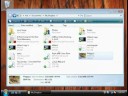
The interface requires zero retraining because it operates directly through a local Dropbox folder in the native file system. Drew explains that the folder looks and acts like any other standard directory, with only two distinct differences: small green checkmark overlay icons indicating that files are fully up to date, and the fact that everything inside the Dropbox folder automatically synchronizes across all linked machines as well as the web. When a modification is made on one machine, it propagates to others almost instantaneously. Drew switches over to his Windows desktop to show that changes made on the Mac are already present. He then opens and edits an image file of a platypus on the PC and clicks save. The updated file begins uploading immediately, and upon toggling back to the Mac desktop, the updated platypus image is reflected in just a few seconds.
- Dropbox operates natively inside Finder and Windows Explorer without requiring a custom browsing interface. - Small green emblems on file icons visually communicate that the local files are synchronized and up to date. - Syncing occurs automatically in the background across Mac, PC, and the cloud web repository.
---
[01:23](https://www.youtube.com/watch?v=7QmCUDHpNzE&t=83s) Web Interface, File Recovery, and Version History
Drew explains the broader utility for anyone accustomed to manual workflows: “The point is if you've ever worked with multiple computers or carried around USB drive or emailed yourself files from work you can see this as a much easier way of managing your stuff and we also protect you from the bad things that can happen to your files.” To demonstrate Dropbox's safeguard mechanisms, he deletes a collection of files locally and opens the Dropbox web interface. This browser portal serves two purposes: it provides access to all stored files when away from a personal machine, and it protects against accidental data loss.
In the web interface, Drew navigates to the "Show deleted files" option, picks a file that was just deleted, and restores it with a couple of clicks, causing it to reappear instantly. The platform is not limited to recovering recently deleted documents; it retains full revision history: “Not only do you have the option of restoring the most recent version but actually any prior version of a file because every time you make a change Dropbox saves a snapshot.” Furthermore, the underlying sync engine avoids uploading duplicate data by calculating binary diffs rather than re-uploading whole files. In the case of the edited platypus picture, transmitting only the altered delta saved over 80% of the bandwidth.
- File snapshots are automatically recorded on every file save, creating a granular version history that users can revert to at any time. - Accidental deletions can be undone directly from the web client in seconds without administrative assistance. - Delta sync algorithms detect and transmit only the modified fragments of changed files, cutting bandwidth usage by more than 80% during typical image edits.
---
[02:14](https://www.youtube.com/watch?v=7QmCUDHpNzE&t=134s) Sharing Files, Shared Folders, and Integrated Photo Galleries
Moving beyond personal backup and synchronization, Drew showcases Dropbox's sharing capabilities. While traditional sharing typically relies on email attachments, Dropbox features a dedicated Public folder where every single placed file is automatically assigned an accessible web address. Users can click to copy the public URL and paste it into an instant message window, an email, or a blog post to grant immediate download access.
```mermaid flowchart LR accTitle: Dropbox Sharing Mechanisms accDescr: Overview of the three sharing methods available in Dropbox: Public folder links, Shared folders, and Photo galleries.
subgraph Methods["Dropbox Sharing Features"] Pub["Public Folder<br>(Generates unique web link)"] Shared["Shared Folder<br>(Syncs directly across users' desktops)"] Photos["Photos Folder<br>(Generates web gallery & secret links)"] end
Pub -->|"Paste link into IM / Email / Blog"| Recipient1["Public Web Downloaders"] Shared -->|"Collaborative multi-user sync"| Recipient2["Colleagues & Friends"] Photos -->|"Auto-publishes album"| Recipient3["Photo Viewers via Secret Link"] ```
For broader collaboration, entire folders can be shared natively between users. A user simply right-clicks any directory, selects the share option, and enters the email addresses of the intended collaborators. Once created, the folder synchronizes directly to the recipients' own desktops. Drew accepts a shared folder invite sent by a friend titled "Dropbox Trade Secrets." As soon as he accepts, the shared directory appears inside his Dropbox containing his friend's files, and any new items Drew drops into that folder appear on his friend's desktop instantly.
Finally, Drew demonstrates photo hosting, emphasizing how desktop integration sets it apart: “Dropbox comes with this built-in photo gallery which is probably a lot like the ones you've seen before except that the difference is ours is tightly integrated into the desktop and I'll show you what I mean.” To publish photos, a user merely drags a standard folder of pictures into the special "Photos" directory in Dropbox. Refreshing the web photo gallery immediately generates an online album bearing the exact same folder name, complete with private, shareable "secret links." Drew concludes by noting that Dropbox is currently in private beta and invites viewers to sign up at www.getdropbox.com.
- Right-clicking any folder enables desktop-level folder sharing, allowing teams to collaborate on project documents, music, and media without relying on FTP or attachments. - The Public folder assigns persistent direct download URLs to individual files for quick distribution via chat, email, or blog embeds. - The Photos system automatically transforms desktop image directories dropped into the "Photos" directory into styled web albums protected by shareable secret links. - The product is operating in an invite-only private beta, with signups hosted at `www.getdropbox.com`.
## Notable quotes > [00:00](https://www.youtube.com/watch?v=7QmCUDHpNzE&t=0s) What makes Dropbox different is that it just works and there isn't any complicated setup or interface to learn. — Drew Houston
## Mentioned Dropbox, Drew Houston, Windows, Mac OS X, Finder, Windows Explorer
## Video description Dropbox is the easiest way to share and store your files online. Download at : http://www.easycommander.com/telecharger/dropbox
[Source](https://www.youtube.com/watch?v=7QmCUDHpNzE)