TeXmacs Combines Live Math Typesetting, Vector Tools in Single Editor
TeXmacs Videos
GNU TeXmacs eliminates separate compilation workflows by integrating real-time mathematical typesetting, native vector illustration, and slide presentation modes into one structured authoring canvas.
AI-assisted summary of A quick tour of TeXmacs — original source. Check the original for full context.
Source published:
Key ideas
- GNU TeXmacs provides a structured, interactive authoring environment that eliminates preamble boilerplate and separate source file compilation for scientific articles. (0:03)
- The platform integrates real-time WYSIWYG mathematical typesetting alongside native image annotation and bibliographic cross-referencing. (0:03)
- An embedded vector drawing tool allows users to build technical schematics and geometric diagrams directly on the document canvas without third-party graphics suites. (1:52)
- Beyond static print layouts and clean HTML export, TeXmacs supports live laptop presentation modes with embedded animations. (1:52)
Detailed notes
## Background Published on June 9, 2021, by the YouTube channel TeXmacs Videos, this software demonstration provides a rapid overview of the primary features of GNU TeXmacs. According to the video description, it showcases starting scientific articles, formula typing, image annotations, citations, integrated technical drawing, document styles, HTML export, presentations, and animations.
## TL;DR The video demonstrates the core scientific authoring workflow within GNU TeXmacs, starting with the interactive setup of an article template, real-time mathematical formula typesetting, image insertion, and reference management. It then explores advanced built-in features, including a native technical vector drawing tool that integrates directly with text and equations. Finally, the showcase highlights the software's adaptability through instant style and font switching, clean HTML web export, and dynamic presentation capabilities featuring embedded animations.
## Atmosphere & style The presentation unfolds as a fluid, music-driven screencast that moves briskly through TeXmacs' interface without spoken narration. Watching it feels focused and efficient, offering a seamless tour of the editor's WYSIWYG workflow and responsive document manipulation. The progression from basic text structuring to complex technical illustrations and interactive lecture slides leaves viewers with an impression of an all-in-one, highly integrated scientific publishing environment.
## Bulletin - [00:03](https://www.youtube.com/watch?v=H46ON2FB30U&t=3s) GNU TeXmacs provides a structured, interactive authoring environment that eliminates preamble boilerplate and separate source file compilation for scientific articles. - [00:03](https://www.youtube.com/watch?v=H46ON2FB30U&t=3s) The platform integrates real-time WYSIWYG mathematical typesetting alongside native image annotation and bibliographic cross-referencing. - [01:52](https://www.youtube.com/watch?v=H46ON2FB30U&t=112s) An embedded vector drawing tool allows users to build technical schematics and geometric diagrams directly on the document canvas without third-party graphics suites. - [01:52](https://www.youtube.com/watch?v=H46ON2FB30U&t=112s) Beyond static print layouts and clean HTML export, TeXmacs supports live laptop presentation modes with embedded animations.
## Key takeaways - [00:03](https://www.youtube.com/watch?v=H46ON2FB30U&t=3s) TeXmacs replaces traditional LaTeX setup requirements by interactively generating title blocks, author metadata, abstracts, and headings directly on the canvas. - [00:03](https://www.youtube.com/watch?v=H46ON2FB30U&t=3s) Direct mathematical typesetting offers real-time visual feedback for complex notation, matrices, and equations while preserving document semantics. - [00:03](https://www.youtube.com/watch?v=H46ON2FB30U&t=3s) External images and figures can be inserted seamlessly into the text layout and annotated within the application. - [00:03](https://www.youtube.com/watch?v=H46ON2FB30U&t=3s) Academic apparatus such as citations, bibliographic anchors, and cross-references are managed natively across sections. - [01:52](https://www.youtube.com/watch?v=H46ON2FB30U&t=112s) A built-in technical drawing tool enables the creation and positioning of vector diagrams without relying on external software. - [01:52](https://www.youtube.com/watch?v=H46ON2FB30U&t=112s) Vector drawings directly interact with surrounding mathematical notation and text, preserving uniform document typography. - [01:52](https://www.youtube.com/watch?v=H46ON2FB30U&t=112s) Users can instantly switch document styles, layouts, margins, and font families without altering underlying content. - [01:52](https://www.youtube.com/watch?v=H46ON2FB30U&t=112s) The editor includes export pipelines to generate clean HTML for web publishing. - [01:52](https://www.youtube.com/watch?v=H46ON2FB30U&t=112s) TeXmacs extends beyond print preparation into interactive presentations designed for laptop screens. - [01:52](https://www.youtube.com/watch?v=H46ON2FB30U&t=112s) Embedded animations run directly within the editor to facilitate dynamic academic talks and lectures.
## Detailed walkthrough ### [00:03](https://www.youtube.com/watch?v=H46ON2FB30U&t=3s) Authoring Scientific Documents and Mathematical Formulas in TeXmacs
The video opens as a visual software demonstration set to background music, showcasing the streamlined workflow of GNU TeXmacs for scientific document preparation. The demonstration walks through the initial steps of starting a structured scientific article from scratch. Rather than requiring users to manually configure preamble boilerplates or manage separate source files as in traditional LaTeX setups, TeXmacs provides an interactive, structured editing environment where title blocks, author metadata, abstract blocks, and section hierarchies are generated directly on the canvas.
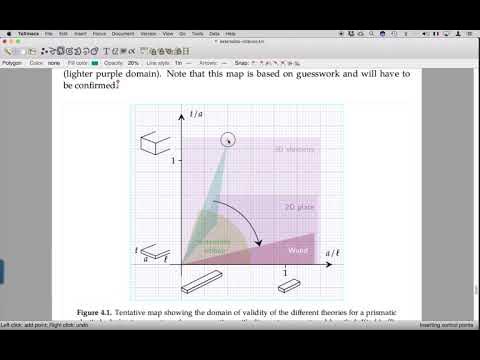
From the initial document setup, the visual walkthrough focuses heavily on typing mathematical formulas and managing academic apparatus. The interface demonstrates real-time mathematical typesetting, displaying complex notation, matrices, and equations with immediate visual feedback while retaining structural document semantics. Alongside direct equation editing, the sequence illustrates how images and figures are inserted directly into the document layout, annotated, and paired with citations and bibliographic cross-references.
- **Scientific document initialization**: Interactive creation of article templates including title, author information, abstracts, and hierarchical headings. - **Direct mathematical typesetting**: WYSIWYG mathematical authoring providing immediate visual rendering of formulas, symbols, and equations. - **Graphics and annotation**: Seamless placement of external figures alongside integrated image annotation. - **Reference management**: Built-in handling of citations, bibliographic anchors, and cross-references across sections.
```mermaid flowchart TD accTitle: Scientific Document Authoring Flow accDescr: Sequence showing template creation, formula editing, figure insertion, and citation linkage in TeXmacs.
subgraph Preparation["Document Setup"] A["New Article Template"] --> B["Metadata & Section Headings"] end
subgraph Content["Content Authoring"] B --> C["WYSIWYG Math Typesetting"] C --> D["Image Insertion & Annotation"] end
subgraph References["Scholarly Apparatus"] D --> E["Citations & Bibliographic Linking"] end ```
[01:52](https://www.youtube.com/watch?v=H46ON2FB30U&t=112s) Technical Illustration, Styling, HTML Export, and Dynamic Presentations
Transitioning into advanced authoring capabilities, the demonstration highlights the integrated technical drawing tool embedded directly inside TeXmacs. Users can create, modify, and position vector diagrams, geometric figures, and technical schematics natively within the document canvas without depending on external vector graphics suites. The video illustrates how these vector drawings seamlessly interact with surrounding text and mathematical notations, maintaining visual and typographic consistency.
The showcase then turns to styling flexibility, document output, and live delivery formats. TeXmacs displays rapid switching between different document styles, layouts, and typography fonts, demonstrating how appearance can be overhauled instantly without altering the underlying content. The demonstration highlights export pipelines—specifically clean HTML export for web publishing—before shifting to interactive use cases. It displays TeXmacs running laptop presentations and rendering embedded animations directly inside the editor, illustrating its scope beyond static print documents into interactive academic lectures and technical talks.
- **Integrated drawing canvas**: Native vector drawing and schematic creation directly within the text layout. - **Style and typography switching**: Instant transitions between distinct document stylesheets, margins, and font families. - **Web publishing**: Native export to clean HTML formats. - **Interactive presentation features**: Dedicated presentation modes optimized for laptop screens alongside support for embedded animations.
## Mentioned GNU TeXmacs, LaTeX, HTML
## Video description This video quickly demonstrates some of the most important features of TeXmacs: * Starting a scientific article * Typing mathematical formulas * Inserting and annotating pictures * Citations and references * Integrated technical drawing tool * Various document styles and fonts * Html export * Laptop presentations * Animations
[Source](https://www.youtube.com/watch?v=H46ON2FB30U)