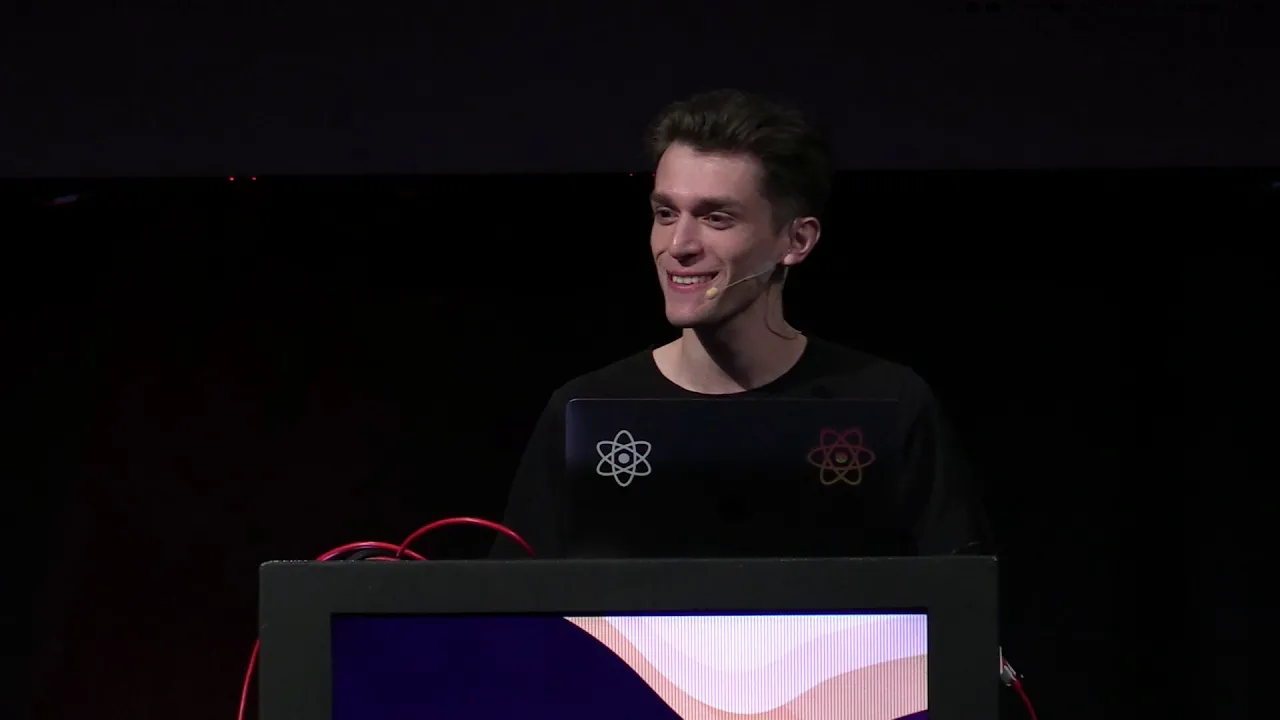
Facebook Unveils React Hooks to Eliminate Class Component Boilerplate
React Conf
React introduces Hooks to solve wrapper hell and bloated components by replacing fragmented class lifecycle methods with granular primitives that co-locate state and side effects.
The React core team introduced React Hooks alongside the alpha release of React 16.7, adding lightweight primitives for state and lifecycle inside function components without breaking existing class APIs. (54:02)
React npm downloads grew by 70% year over year, with Google Chrome DevTools installations reaching 1.25 million active developers and search interest surpassing jQuery for the first time. (2:05)
Hooks eliminate 'wrapper hell' and bloated lifecycle methods by allowing developers to extract and compose stateful logic into custom functions without altering the component tree hierarchy. (49:20)
The useEffect Hook replaces componentDidMount, componentDidUpdate, and componentWillUnmount with a declarative model using dependency arrays and cleanup functions. (67:50)
Detailed notes
## Background
Published on YouTube by React Conf on October 26, 2018, this recording captures the opening three presentations from React Conf 2018 delivered by Sophie Alpert, Dan Abramov, and Ryan Florence. The video description introduces React Hooks as a revolutionary new feature and directs viewers to the official React documentation for further learning.
## TL;DR
Sophie Alpert opens by reviewing React's rapid adoption and detailing three persistent pain points in frontend development: wrapper hell from logic reuse, bloated components with tangled lifecycles, and the friction of JavaScript classes. Dan Abramov introduces React Hooks as an opt-in, non-breaking primitive, demonstrating how functional components can manage state and side effects using useState, useContext, and useEffect. Abramov explains how custom Hooks extract stateful logic into simple functions without modifying component trees or relying on classes. Ryan Florence then delivers a lively practical demonstration, refactoring media queries and a complex accessible carousel to showcase how useState, useEffect, useReducer, and useRef streamline component code and eliminate lifecycle ceremony.
## Atmosphere & style
The presentation carries the electric, historic tension of a major paradigm shift, transitioning from a structured corporate update into an enthusiastic technical revelation. Sophie Alpert and Dan Abramov guide the audience through a thoughtful, step-by-step deconstruction of React's existing limitations, cultivating quiet intrigue that turns into audible delight as clean, single-line Hook primitives replace sprawling class boilerplate. The atmosphere then pivots to vibrant, comedic energy when Ryan Florence takes the stage, playfully defying recommendations against rewriting applications and keeping the room fully engaged with rapid, relatable live refactoring.
## Bulletin
- [54:02](https://www.youtube.com/watch?v=dpw9EHDh2bM&t=3242s) The React core team introduced React Hooks alongside the alpha release of React 16.7, adding lightweight primitives for state and lifecycle inside function components without breaking existing class APIs.
- [02:05](https://www.youtube.com/watch?v=dpw9EHDh2bM&t=125s) React npm downloads grew by 70% year over year, with Google Chrome DevTools installations reaching 1.25 million active developers and search interest surpassing jQuery for the first time.
- [49:20](https://www.youtube.com/watch?v=dpw9EHDh2bM&t=2960s) Hooks eliminate 'wrapper hell' and bloated lifecycle methods by allowing developers to extract and compose stateful logic into custom functions without altering the component tree hierarchy.
- [01:07:50](https://www.youtube.com/watch?v=dpw9EHDh2bM&t=4070s) The useEffect Hook replaces componentDidMount, componentDidUpdate, and componentWillUnmount with a declarative model using dependency arrays and cleanup functions.
## Key takeaways
- [02:05](https://www.youtube.com/watch?v=dpw9EHDh2bM&t=125s) React's adoption reached milestones where its search interest surpassed jQuery and active Chrome DevTools installations climbed to 1.25 million.
- [06:48](https://www.youtube.com/watch?v=dpw9EHDh2bM&t=408s) Prior to Hooks, sharing stateful logic required patterns like Higher-Order Components and render props, leading to deeply nested component trees and 'wrapper hell'.
- [06:48](https://www.youtube.com/watch?v=dpw9EHDh2bM&t=408s) Complex class components tangle unrelated logic across disparate lifecycle methods, while splitting related setup and teardown code across mount and unmount phases.
- [09:56](https://www.youtube.com/watch?v=dpw9EHDh2bM&t=596s) JavaScript classes create friction for developers and tooling alike due to 'this' binding complexity, poor minification, and resistance to compiler optimizations.
- [11:28](https://www.youtube.com/watch?v=dpw9EHDh2bM&t=688s) The three core symptoms—friction in logic reuse, giant components, and class complexity—stem from the lack of a granular, lightweight primitive for state and lifecycle.
- [14:46](https://www.youtube.com/watch?v=dpw9EHDh2bM&t=886s) The Hooks proposal is completely opt-in and additive, designed to run side-by-side with existing class components without deprecations or breaking changes.
- [17:52](https://www.youtube.com/watch?v=dpw9EHDh2bM&t=1072s) The useState Hook lets function components declare independent local state variables directly in scope, eliminating constructor state and monolithic state objects.
- [28:02](https://www.youtube.com/watch?v=dpw9EHDh2bM&t=1682s) The useContext Hook flattens context consumption by replacing deeply nested Context.Consumer render prop wrappers with direct variable assignments.
- [32:23](https://www.youtube.com/watch?v=dpw9EHDh2bM&t=1943s) The Rules of Hooks require hook calls to remain strictly at the top level to guarantee that React associates internal state cells with hooks based on invocation order.
- [33:42](https://www.youtube.com/watch?v=dpw9EHDh2bM&t=2022s) The useEffect Hook synchronizes side effects after rendering, capturing values from component scope and replacing duplicate code across mount and update lifecycles.
- [38:20](https://www.youtube.com/watch?v=dpw9EHDh2bM&t=2300s) Cleanup functions returned from useEffect unify resource setup and teardown, preventing memory leaks caused by split lifecycle listeners.
- [43:20](https://www.youtube.com/watch?v=dpw9EHDh2bM&t=2600s) Custom Hooks enable the extraction of stateful component logic into reusable JavaScript functions without injecting wrapper nodes into the DOM tree.
- [01:07:50](https://www.youtube.com/watch?v=dpw9EHDh2bM&t=4070s) Passing a dependency array to useEffect instructs React to diff values declaratively, replacing manual prevProps and prevState comparisons in componentDidUpdate.
- [01:25:00](https://www.youtube.com/watch?v=dpw9EHDh2bM&t=5100s) The useReducer Hook centralizes complex, interrelated state transitions into a single function, decluttering event handlers in functional components.
- [01:31:26](https://www.youtube.com/watch?v=dpw9EHDh2bM&t=5486s) Combining useRef with useEffect enables imperative operations, such as accessible focus management, within declarative functional component flows.
## Detailed walkthrough
### [00:01](https://www.youtube.com/watch?v=dpw9EHDh2bM&t=1s) Welcome to React Conf 2018 and Conference Logistics
Tom Occhino, the Engineering Director of the React group at Facebook, opens React Conf 2018 by welcoming the attendees in the room as well as developers tuning in from around the world on the live stream. Before turning the stage over to the technical presentations, he runs through basic housekeeping and event logistics. Attendees are reminded to read and adhere to the conference Code of Conduct, which is posted both online and by the registration desk; anyone experiencing an issue is urged to approach Tom directly or find conference staff members wearing purple shirts.
For attendees looking for a quiet moment away from the main auditorium, Occhino highlights designated rooms directly behind the stage, access to the breakfast area, and a dedicated Fiber Arts Circle Knitting Track in the hallway hosted by Jen Luker. Occhino also expresses immense gratitude to the organizers who made the event possible when the Facebook team was worried about bandwidth: Jameson, Matt, and Joe (the organizers behind React Rally and ng-conf), alongside the team at Zero Slope Events. He then introduces the keynote speakers, Sophie Alpert and Dan Abramov, welcoming Sophie to the stage to begin the presentation.
- Event staff can be identified throughout the venue by their purple shirts.
- The Fiber Arts Circle Knitting Track with Jen Luker provides a hands-on break from the stage talks.
- Lunch is scheduled for noon, with operational production supported by Zero Slope Events and the organizers of React Rally and ng-conf.
[02:05](https://www.youtube.com/watch?v=dpw9EHDh2bM&t=125s) React’s Growth and Comparative Popularity
Sophie Alpert (@sophiebits), who manages the React core team at Facebook, takes the stage to kick off the technical announcements. She begins by examining the community's trajectory through multiple growth metrics over the preceding year. React's npm downloads increased by 70% year over year, while the React DevTools extension for Google Chrome reached 1.25 million active developer installations. The list of enterprise adopters continues to grow so extensively that year-over-year corporate slides have become difficult to differentiate.
Alpert turns to Google Trends search data as another indicator of developer engagement, noting with a laugh that higher search traffic hopefully signals adoption rather than growing confusion. In historical search volume, React officially eclipsed jQuery for the first time. Having stumbled into Google Trends comparisons while procrastinating on her talk slides, Alpert demonstrates with visual humor that web searches for React surpassed search interest for renewable energy, orange juice, and even renewable energy and orange juice combined.
```mermaid
flowchart LR
accTitle: React Growth Metrics
accDescr: Three core indicators of React adoption highlighted by Sophie Alpert in 2018.
- React npm download numbers climbed 70% year over year.
- Chrome React DevTools reached 1.25 million developer installations.
- React search interest crossed above jQuery on Google Trends for the first time in history.
[03:56](https://www.youtube.com/watch?v=dpw9EHDh2bM&t=236s) The Core Mission: Simplifying UI Development
Moving past adoption statistics, Alpert reflects on React's fundamental purpose since its open-source release in 2013. When evaluating whether to introduce any new API, the core team maintains a strict rubric: does it unlock previously impossible capabilities, dramatically simplify existing boilerplate to save developer labor and bundle bytes, or actively steer the community toward best practices such as code splitting? She points to `React.lazy`, announced just two days prior to the conference, as a concrete example designed to make code splitting easier and production applications faster.
Alpert outlines the three primary angles through which the team pursues this mission:
1. **Simplifying hard patterns**: Tackling asynchronous orchestration through Suspense, which Dan Abramov previously previewed at JSConf Iceland to streamline data fetching, bundle splitting, and async dependencies.
2. **Framework performance**: Engineering internal runtime speed and scheduling mechanisms like Time Slicing so applications remain responsive without forcing developers to spend endless hours manually optimizing code.
3. **Developer tooling**: Building proactive diagnostic aids, including early development-time warnings, the established DevTools tree inspector, and the dedicated Profiler tab introduced in React 16.5.
She notes that while Suspense, Time Slicing, and the Profiler represent enormous milestones, they will be covered extensively in Andrew Clark and Brian Vaughn’s presentation the following morning. Sophie's keynote aims instead at a more critical appraisal of the developer experience.
As Sophie Alpert sums up: “Ever since React was released in 2013, our overarching goal, our primary mission, has been to make it easier to build great UIs.”
[06:48](https://www.youtube.com/watch?v=dpw9EHDh2bM&t=408s) The Three Big Problems: "What in React Still Sucks?"
Alpert pauses the roadmap recap to address structural pain points in the framework, asking directly: "What in React still sucks?" She identifies three distinct architectural problems that persist across React codebases.
The first challenge centers on sharing stateful logic between components. Because components are React's primary building block, developers rely on patterns like Higher-Order Components (HOCs) and render props to reuse behavior. However, adopting these patterns requires restructuring the component tree, inevitably culminating in deeply nested visual hierarchies often termed "wrapper hell." This nested scaffolding obscures straightforward data flow and makes component trees arduous to inspect and debug.
```mermaid
flowchart TD
accTitle: Lifecycle Logic Splitting
accDescr: Comparison showing how component lifecycle methods split apart related logic while grouping unrelated side effects together.
subgraph Mount["componentDidMount"]
M1["Subscribe to store"]
M2["Send network request"]
M3["Start timer"]
end
subgraph Unmount["componentWillUnmount"]
U1["Unsubscribe from store"]
U2["Cancel network request"]
U3["Stop timer"]
end
subgraph Update["componentDidUpdate"]
UP1["Diff props & synchronize"]
end
The second issue is the phenomenon of monolithic, thousand-line components where logic becomes hopelessly tangled across lifecycle methods. In a standard class component, setup logic (such as subscribing to a store, dispatching an API call, and starting an interval) is bundled together inside `componentDidMount`. The inverse teardown logic is separated and exiled into `componentWillUnmount`, while synchronization checks must be duplicated inside `componentDidUpdate`. This separation forces closely related tasks to live in completely different places, making it nearly impossible to spot memory leaks, forgotten subscriptions, or omitted cleanup handlers.
The third problem is the cognitive and mechanical overhead of JavaScript classes. Adding local state or lifecycle hooks to an existing function component requires rewriting it into a class, introducing significant boilerplate. Both novice and seasoned engineers continually stumble over `this` binding rules and class method scoping. Furthermore, developers face constant hesitation over whether to write a component as a function or a class in anticipation of future state needs.
As Sophie Alpert points out regarding the friction of classes: “If you've ever taken a function component and converted it to a class to add some state, you know that there's a fair amount of boilerplate that's required in order to just define a class component.”
- **Wrapper Hell**: Higher-Order Components and render props force deep tree nesting that confuses data flow.
- **Scattered Lifecycle Logic**: Single coherent tasks (like setup and teardown of an event listener or timer) are split across `componentDidMount`, `componentDidUpdate`, and `componentWillUnmount`.
- **Class Friction**: Understanding `this` binding and refactoring functions to classes creates ongoing developer hesitation and boilerplate overhead.
[09:56](https://www.youtube.com/watch?v=dpw9EHDh2bM&t=596s) Classes are Hard for Humans and Machines
Sophie Alpert wraps up her portion of the keynote by highlighting that classes pose significant challenges not just for human developers, but also for automated tooling and compilers. Inspecting a minified component bundle reveals that method names are consistently left unminified, and dead methods that are never called fail to get stripped out through dead-code elimination. This occurs because it is notoriously difficult at compile time to determine how class methods interrelate and whether they might be invoked dynamically. Furthermore, the React team discovered that classes make hot reloading unreliable and introduce anti-patterns that severely complicate efforts when prototyping optimizing compilers for component performance.
Sophie synthesizes the team's diagnosis into three core problems that plague everyday React development:
1. **Reusing logic**: Developers are forced to nest components repeatedly, resulting in "wrapper hell" from higher-order components and render props.
2. **Giant components**: Unrelated logic becomes scattered and tangled across disjointed lifecycle methods.
3. **Classes**: They create cognitive friction for developers learning JavaScript while resisting machine-level optimizations and tooling.
Announcing that the React team has created a unified solution addressing all three pain points simultaneously, Sophie invites Dan Abramov to the stage to present it.
```mermaid
flowchart TD
accTitle: Three React Problems
accDescr: Three symptoms stemming from a single architectural constraint in React.
subgraph Symptoms["Three Identified Symptoms"]
A["Logic Reuse<br>(Wrapper Hell)"]
B["Giant Components<br>(Split Lifecycles)"]
C["Class Components<br>(Hard for Humans & Machines)"]
end
Root["Underlying Root Cause:<br>Lack of a lightweight, granular primitive<br>for local state and lifecycle"]
Root --> A
Root --> B
Root --> C
```
> “So, here are the three problems that we have: reusing logic, giant components, and classes.” — Sophie Alpert
[11:28](https://www.youtube.com/watch?v=dpw9EHDh2bM&t=688s) Dan Abramov on Three Symptoms of One Core Problem
Dan Abramov takes the stage for his very first React Conf appearance. He observes that trying to tackle logic reuse, giant components, and classes in isolation produces a frustrating cycle where fixing one problem directly exacerbates another. Packing more implementation details into a single component to avoid wrapper hell bloats that component into an un-refactorable giant. Conversely, breaking components down into smaller, reusable building blocks reintroduces layers of JSX wrapping. In both situations, the developer remains saddled with class syntax.
Dan argues that these issues are not independent flaws, but rather three distinct symptoms of a single underlying shortcoming: React has historically lacked a lightweight, granular primitive for adding local state and lifecycle mechanics without paying the overhead of a full class component. Once a class component is introduced, it cannot be decomposed further without wrapping it in another component.
He revisits React’s early history, noting that the framework once provided a mechanism to share stateful behaviors without nesting: mixins. Although existing code utilizing mixins still executes, the team long ago published their blog post *"Mixins Considered Harmful"* explaining why mixins caused far more architectural damage than they solved. Rather than accepting wrapper hell as an intrinsic drawback of React's paradigm, the team set out to find a fundamentally better way to author components.
> “We think that these are three symptoms of one problem. And the problem is that React does not provide a simpler, smaller, lightweight primitive to add state or lifecycle than a class component.” — Dan Abramov
[14:46](https://www.youtube.com/watch?v=dpw9EHDh2bM&t=886s) The RFC Process and a Strictly Additive Proposal
Before walking through code, Dan emphasizes how the React team approaches evolving the library. A year earlier, the team established a formal Request for Comments (RFC) workflow to evaluate substantial modifications and additions through public proposals detailing motivation and technical design.
The solution presented at this conference is accompanied by an official RFC. Dan highlights three crucial operational guarantees:
- **100% opt-in**: Developers adopt it only where and when they choose.
- **Strictly additive**: It introduces new APIs alongside existing ones.
- **Zero breaking changes or deprecations**: Existing class components will continue to function without alteration.
After describing the proposal, Dan prepares for a live coding demo. A brief display mirroring hiccup with the stage projector triggers laughs and encouraging cheers from the audience before Dan restores the feed and quips, “Disaster averted.”
> “And importantly, this proposal does not have breaking changes or deprecations in it. It is strictly additive.” — Dan Abramov
[17:52](https://www.youtube.com/watch?v=dpw9EHDh2bM&t=1072s) Refactoring from Class Component to the `useState` Hook
Dan opens a simple presentation component named `Greeting` that displays an immutable person's name inside a styled `Row`. He begins by implementing an editable input using standard, stable class syntax to reflect how React code is typically written:
Dan encounters the classic friction points of class components: initializing boilerplate constructors, managing binding to preserve `this` context on callbacks, and relying on `this.setState`'s object-merging behavior.
He then challenges the audience: what if developers didn't have to reach for a class just to manage local state? Returning to a plain function component, he constructs the desired behavior from first principles. An editable input needs two closely coupled capabilities: a current value (`name`) and a dedicated mechanism to update that value (`setName`). Pairing them together directly from React yields a brand new API:
```jsx
import React, { useState } from 'react';
export default function Greeting(props) {
const [name, setName] = useState('Mary');
function handleNameChange(e) {
setName(e.target.value);
}
The function executes, seamlessly re-rendering the updated text on every keystroke to applause from the room.
```mermaid
flowchart LR
accTitle: React Hook State Tuple
accDescr: Array destructuring returned by useState to extract state and updater.
subgraph HookCall["useState Hook"]
US["useState('Mary')"]
end
subgraph DestructuredPair["Destructured Array"]
V["name<br>(Current Value)"]
S["setName(nextValue)<br>(Updater Function)"]
end
US --> DestructuredPair
```
Comparing the two paradigms side by side, Dan points out that with hooks:
- There is no need for `this.state.name` because `name` is an ordinary local variable captured in scope.
- There is no need for manual event binding or passing method references through `this`.
- State variables can be plain primitives (strings, numbers, booleans) instead of forcing state to reside within a monolithic object.
- Additional independent state variables, such as a `surname` initialized to `"Poppins"`, do not need to be merged into a single dictionary; developers simply invoke `useState` a second time to declare an isolated state pair.
> “So, where do I get them from? From React local state. So, how do I use React local state from a function component? Well, what if I could just `useState`?” — Dan Abramov
[25:51](https://www.youtube.com/watch?v=dpw9EHDh2bM&t=1551s) Multiple State Hooks in a Single Component
Dan Abramov continues demonstrating Hooks by adding a second state variable to the functional component. He declares `surname` and `setSurname` by calling `useState` with the initial string value `"Poppins"`, explaining that developers can name these variables whatever they like because they are simply local variables within the component function. He duplicates the JSX input row, wires up `value={surname}`, sets the change handler to call `setSurname(e.target.value)`, and verifies in the browser that editing the surname field updates correctly. This confirms that components can invoke Hooks more than once.
```mermaid
flowchart TD
accTitle: Class State vs useState Hooks Comparison
accDescr: Contrasts monolithic class state using this.setState with granular functional state variables declared with useState.
subgraph ClassApproach["Class Component"]
direction TB
CS["Monolithic State Object<br/>{ name, surname }"] --> SetState["this.setState({ surname })<br/>(Merges object fields)"]
SetState --> ReadClass["Read via this.state.surname"]
end
subgraph HookApproach["Hooks Component"]
direction TB
H1["const [name, setName] = useState('Mary')"]
H2["const [surname, setSurname] = useState('Poppins')"]
H2 --> TriggerHook["setSurname('newValue')<br/>(Schedules re-render)"]
TriggerHook --> ReadHook["Direct local variable: surname"]
end
```
Contrasting this with traditional React class components, Dan highlights the structural differences in how state is managed:
- **Class Components:** State is always a single monolithic object containing multiple fields. Updating values requires calling `this.setState()` to merge new data into the object, and reading values requires writing `this.state.something`.
- **Hooks Approach:** Calling `useState` multiple times isolates individual state variables (`name`, `surname`). Calling an updater like `setName` or `setSurname` notifies React to re-render the component. Upon the next render, React passes the current values directly back into local variables, eliminating the need to dereference `this.state`.
[28:02](https://www.youtube.com/watch?v=dpw9EHDh2bM&t=1682s) Reading Context: Render Props vs. `useContext`
Moving beyond local state, Dan explores reading React context, which acts like "global variables for a subtree" to provide values such as visual themes or user locales without manually drilling props through every layer of the tree. He imports pre-declared `ThemeContext` and `LocaleContext`. In the class component, consuming multiple contexts requires nesting `<ThemeContext.Consumer>` and `<LocaleContext.Consumer>` render props. He wraps the UI elements inside these nested render props, applying the theme class name (humorously noting the result looks "very old-timey") and rendering an additional row displaying the active language locale. While acknowledging that React 16.6 introduced a more convenient static `contextType` API for reading a single context inside classes, Dan emphasizes that consuming multiple contexts still forces components into deeply nested render prop patterns.
He then shifts back to the functional component to show how Hooks handle context. After importing `useContext`, consuming both contexts becomes completely flat:
Dan points out that `useContext` does not merely read the values; it also automatically subscribes the component to updates whenever those contexts change. Comparing the two paradigms:
- The render prop pattern is explicit about operations, but it quickly leads to deeply nested code when composing multiple dependencies.
- The `useContext` Hook flattens the hierarchy entirely, extracting values in clean, sequential declarations that can immediately be used in markup.
[32:23](https://www.youtube.com/watch?v=dpw9EHDh2bM&t=1943s) The Rule of Hooks: Call Order and the Linter
Dan addresses an inevitable question that arises from using multiple `useState` or `useContext` calls: how does React know which state variable corresponds to which `useState` call across repeated renders?
The mechanism relies strictly on call order. Because React associates internal state cells with the sequential execution index of Hooks during render, developers must follow a critical rule: Hooks can never be called conditionally, inside loops, or within nested functions—they must always be invoked at the top level of the component. To illustrate, Dan writes a conditional call (`if (props.condition) { useState(...) }`) and notes that the React team created an ESLint plugin specifically designed to detect and flag these invalid invocations. Dan Abramov admits:
> “And we realized that this is an unusual limitation, but it is pretty important for hooks to work correctly, and also to enable certain things that I think will you will like that I will show a bit later.”
[33:42](https://www.youtube.com/watch?v=dpw9EHDh2bM&t=2022s) Side Effects and the `useEffect` Hook
Dan turns to another major reason developers historically rely on class components: lifecycle methods used to perform side effects, such as network requests, imperative DOM updates, or interacting with browser APIs. These operations cannot run during rendering because the DOM has not yet been committed.
To demonstrate in the class component, Dan sets the browser tab title (`document.title`) to show the user's full name (`Mary Poppins`). Implementing this in a class requires writing the synchronization logic twice: first in `componentDidMount()` for the initial display, and again in `componentDidUpdate()` so the title updates as the user types into the input fields:
> “So, by default, useEffect runs both after the initial render and after every update.”
Because it executes by default after both the initial mount and every subsequent update, `useEffect` ensures side effects stay consistent with the rendered output without duplicate code. Dan adds:
- Developers can opt out of running effects on every render for performance reasons or custom logic (a concept Ryan Florence will cover in detail later).
- In classes, logic is fragmented across arbitrary lifecycle names (`componentDidMount`, `componentDidUpdate`), forcing developers to duplicate code or write helper methods that must be called from multiple places.
- In classes, accessing state requires accessing `this.state`, whereas `useEffect` closures naturally capture state and context variables (`name`, `surname`) directly from the surrounding function scope.
[38:20](https://www.youtube.com/watch?v=dpw9EHDh2bM&t=2300s) Window Subscriptions and Class Lifecycle Complexity
To highlight another frequent use case for lifecycle methods, Dan begins implementing an event subscription in the class component: tracking window resizing to display the current viewport width via `window.innerWidth`.
He initializes a `width` property in the component's state (`window.innerWidth`), adds a new row to the JSX displaying `this.state.width` (clarifying with a smile, “This is the width of the window, not the width of Mary Poppins”), and attaches a `resize` listener to the `window` object inside `componentDidMount()` that updates state via a bound `handleResize` method. As he writes this, he begins explaining the tedious overhead required by classes: to prevent memory leaks, developers must remember to split related subscription logic across lifecycle methods, cleaning up the listener in `componentWillUnmount()`.
[40:09](https://www.youtube.com/watch?v=dpw9EHDh2bM&t=2409s) Managing Cleanup with `useEffect`
Dan Abramov demonstrates how to tear down subscriptions to avoid memory leaks. In a traditional React class component, handling event listeners requires scattering related code across different lifecycle hooks: developers set up a listener in `componentDidMount` and must remember to remove it in `componentWillUnmount`. Abramov demonstrates this in the class example by copying the listener setup into `componentWillUnmount` and converting it to `removeEventListener`. Dragging the browser window confirms the state updates in response to resize events, but the setup remains split across two completely different places in the component definition.
```mermaid
flowchart TD
accTitle: Class Lifecycle vs Effect Cleanup
accDescr: Diagram contrasting how subscriptions are split across lifecycle methods in classes versus unified in useEffect.
subgraph ClassComp["Class Component Approach"]
direction TB
C1["componentDidMount()"] -->|"Setup"| L1["window.addEventListener('resize')"]
C2["componentWillUnmount()"] -->|"Cleanup (Split logic)"| L2["window.removeEventListener('resize')"]
end
subgraph HookComp["useEffect Approach"]
direction TB
H1["useEffect() callback"] -->|"Setup"| E1["window.addEventListener('resize')"]
E1 -->|"Returns cleanup function"| H2["return () => window.removeEventListener('resize')"]
end
```
Moving over to the Hooks implementation, Abramov emphasizes that listening to the window resize has nothing to do with updating the document title. Just as developers can call `useState` multiple times for distinct state variables, they can call `useEffect` multiple times to separate unrelated side effects. Inside a dedicated effect, he registers a `resize` listener calling an inline `handleResize` function, pairing it with a separate `useState` call initialized to `window.innerWidth`. To handle teardown, Hooks introduce a built-in mechanism: an effect callback can optionally return a cleanup function that React automatically executes when tearing down or re-running the effect.
- “And just like we could use state more than once to declare multiple state variables, we can use effect more than once to perform different side effects,” Abramov explains.
- An effect specifies its cleanup logic directly within its body: “And if it does return a function, then React will call this function to clean up after the effect.”
- Returning `() => window.removeEventListener('resize', handleResize)` keeps setup and teardown logic colocated within a single unified block.
[43:20](https://www.youtube.com/watch?v=dpw9EHDh2bM&t=2600s) Organizing Code by Purpose Instead of Lifecycle Phase
Comparing the class component on the left pane with the Hooks component on the right, Abramov highlights the fundamental architectural difference in how logic is structured. In class components, related logic is forced apart: setting the document title is split across `componentDidMount` and `componentDidUpdate`, while window resize registration and deregistration are split across mount and unmount methods. Simultaneously, completely unrelated operations end up grouped together inside the same lifecycle method, making isolated testing and reasoning difficult over time.
Hooks discard lifecycle-name grouping entirely in favor of organizing code by what it actually does. One effect exclusively manages the document title, while another handles subscribing and unsubscribing from the window resize event. Abramov acknowledges an optimization question: because effects run after every render by default to preserve consistency (such as when props change and need resubscription), this implementation re-subscribes on each update. He notes that developers can easily opt out of unnecessary re-executions and optimize performance, teasing that Ryan Florence will delve into dependency arrays and effect optimizations in the subsequent talk.
- “Um in with hooks, we separate code not based on the lifecycle method name, but based on what the code is doing,” Abramov summarizes.
- Grouping logic by lifecycle forces developers to synchronize pairs of methods (`componentDidMount` and `componentWillUnmount`) manually.
- Colocating an effect with its cleanup phase guarantees that React cleans up correctly and avoids memory leaks without leaving orphaned listeners.
[45:26](https://www.youtube.com/watch?v=dpw9EHDh2bM&t=2726s) Extracting Custom Hooks: `useWindowWidth` and `useDocumentTitle`
As function components gain more capabilities, they naturally grow larger. Abramov addresses this by showing how easily logic can be shared and extracted. Because components are just functions and Hook calls are just function calls, sharing stateful logic does not require render props or higher-order components—it simply requires extracting code into another standard JavaScript function. To demonstrate, he copies the window width state and effect into an independent function named `useWindowWidth`, returning the current `width` value. Within the component, consumption collapses down to a single line: `const width = useWindowWidth();`.
```mermaid
flowchart LR
accTitle: Custom Hook Extraction Pattern
accDescr: Flow showing how logic extracted into a custom hook is consumed by the main component.
subgraph CustomHook["Custom Hook: useWindowWidth()"]
direction TB
S["useState(window.innerWidth)"]
E["useEffect(resize listener + cleanup)"]
R["return width"]
S --> E --> R
end
subgraph Component["Function Component"]
direction TB
C["const width = useWindowWidth()"]
V["Render width in JSX"]
C --> V
end
Abramov outlines the rationale behind the strict naming convention that custom hooks must begin with the prefix `use`. React does not inspect function strings at runtime, but the convention serves two vital purposes: it enables automated ESLint tooling to enforce the Rules of Hooks (such as unconditional execution), and it signals to developers reading the code that a function is potentially stateful. He then demonstrates extracting document title synchronization into `useDocumentTitle(title)`, illustrating that custom hooks can accept arbitrary parameters and dynamically react to component state like `name + ' ' + surname`.
- “What's interesting though is that hook calls um they are just function calls,” Abramov notes. “And components, they are just functions. So, how do you share logic between two functions? You extract it to a different function.”
- The `use` prefix is an explicit contract: “So, it's important that uh there is a convention and you see, okay, use something, it means that it's potentially stateful.”
- Because custom hooks are standard JavaScript functions, they can accept arguments, return values, or return nothing at all.
[49:20](https://www.youtube.com/watch?v=dpw9EHDh2bM&t=2960s) Building `useFormInput` and Eliminating Wrapper Hell
Taking code reuse even further, Abramov tackles duplicated input-handling logic. Components frequently replicate identical `value` state and `onChange` handlers across text fields, often expanding further to track focus, blur, validation, or submission states. To consolidate this pattern, he creates a custom hook named `useFormInput(initialValue)`. Inside, it manages local state with `useState` and returns an object containing the current `value` and a matching `onChange` handler.
```mermaid
flowchart TD
accTitle: useFormInput Abstraction
accDescr: Diagram illustrating how useFormInput packages value and onChange handlers for direct JSX spreading.
subgraph Hook["useFormInput(initialValue)"]
State["const [value, setValue] = useState(initialValue)"]
Handler["handleChange = (e) => setValue(e.target.value)"]
Ret["return { value, onChange: handleChange }"]
State --> Handler --> Ret
end
subgraph Consumers["Component Call Sites"]
N["const name = useFormInput('Mary')"]
S["const surname = useFormInput('Poppins')"]
JSX1["<input {...name} />"]
JSX2["<input {...surname} />"]
N --> JSX1
S --> JSX2
end
Hook --> N
Hook --> S
```
In the main component, Abramov initializes `const name = useFormInput('Mary')` and `const surname = useFormInput('Poppins')`. Instead of writing manual wiring in the JSX, he uses object spread syntax directly on the inputs: `<input {...name} />`. An audience member laughs as the form code shrinks dramatically while retaining full functionality. Abramov stresses that each call to a Hook maintains completely isolated state because React tracks state purely by the invocation order during rendering.
Reviewing the two approaches one last time, Abramov contrasts the class component—burdened with method binding, fragmented lifecycle logic, and sprawling handlers—with the clean, declarative Hooks version. The Hooks component reads like a high-level summary of its capabilities: using form inputs, subscribing to context, tracking window dimensions, and setting document titles. These custom hooks can be published as npm packages, moved across projects, or inlined as needed. Crucially, custom hooks allow developers to build expressive abstractions without cluttering the component tree with nested wrappers. To wrap up the demonstration, Abramov reveals that the class and function examples on screen are not two separate apps, but are running side-by-side inside the exact same application.
- “So, each time we call a hook, its state is completely isolated,” Abramov points out. “And this is because we just rely on the order of hook calls and not on names or anything.”
- “So, hooks give you custom hooks give you the flexibility to create your own abstractions that are not that do not inflate your React component tree and avoid the wrapper hell,” Abramov emphasizes.
- Classes and Hooks are not mutually exclusive: “So, I have this window open just to demonstrate that classes can work side by side with hooks.”
[54:02](https://www.youtube.com/watch?v=dpw9EHDh2bM&t=3242s) The Hooks Proposal and the 16.7 Alpha Release
Dan Abramov returns to his slides to officially present the React Hooks proposal to the audience. He underscores that while Hooks represent the team's long-term vision for React, there is no desire to introduce breaking changes: classes are not being deprecated and will continue to work. The intention is to cover all existing class use cases with Hooks as soon as possible, with work currently underway on the few remaining gaps. Abramov highlights that Hooks allow developers to extract stateful logic, test it independently, and share it across components without descending into "wrapper hell," all while remaining strictly additive and fully backward compatible.
The React documentation for Hooks has been published online, and Abramov announces the immediate release of React 16.7 alpha to let the community test the APIs firsthand. The team has already run Hooks in production at Facebook for roughly a month, giving them confidence against major internal bugs, though the API surfaces may still evolve based on community feedback. Abramov explicitly urges the audience not to rewrite their existing production applications in Hooks:
> “And I ask you not to write anything like not to rewrite your whole apps and hooks um because first of all, it's it's a proposal and second because personally I I find that it takes a bit of a mind shift to start thinking in hooks.”
He recommends instead that developers experiment with Hooks only on newer code and share their thoughts with the team.
- **Status**: React Hooks is presented as a backward-compatible, strictly additive proposal.
- **Release version**: Released as React 16.7 alpha (a minor alpha release, not a breaking major release).
- **Internal validation**: Tested internally in production across Facebook applications for approximately one month prior to the announcement.
- **Migration advice**: Developers should avoid massive rewrites and instead try Hooks incrementally in new features.
---
[56:46](https://www.youtube.com/watch?v=dpw9EHDh2bM&t=3406s) The Philosophy of React and the Electron Analogy
Abramov frames Hooks not merely as a technical feature, but as a direct reflection of how the React team intends to move the framework forward. The guiding principle is to avoid large-scale rewrites, allowing superior new patterns to coexist peacefully with existing patterns to support gradual adoption.
Reflecting on his personal journey starting with React four years prior, Abramov recalls two early questions: first, why JSX existed, and second, what the React logo had to do with the library. Since React is neither an atom editor nor a physics engine, some assumed the logo was a pun on chemical "reactions" involving atoms. Abramov, however, developed a different mental model based on physics. Just as physical matter is built out of atoms whose properties dictate appearance and behavior, React teaches developers to decompose user interfaces into discrete, independent components.
```mermaid
flowchart TD
accTitle: Analogy between Physics and React Primitives
accDescr: Diagram contrasting matter and atoms with user interfaces, components, and hooks.
subgraph Physics["Physics Mental Model"]
direction TB
P1["Physical Matter"] --> P2["Atoms (Indivisible Unit)"]
P2 --> P3["Electrons (Internal Mechanism)"]
end
subgraph React["React Mental Model"]
direction TB
R1["User Interface"] --> R2["Components (Independent Units)"]
R2 --> R3["Hooks (Internal State/Lifecycle Primitives)"]
end
```
He observes the historical irony in the word *atom*, which literally means "indivisible." Scientists initially assumed atoms were the fundamental building blocks of nature, only to discover smaller subatomic particles—electrons—that ultimately explained how atoms actually function:
> “And I kind of feel the same way about hooks. I don't feel like are a new feature. Rather, I feel that hooks provide me with access to React features that I already know, such as state and context and life cycle.”
To Abramov, Hooks provide a more direct, fundamental representation of React's internal mechanisms, hiding in plain sight like the electron orbits drawn on the React logo itself.
---
[01:00:29](https://www.youtube.com/watch?v=dpw9EHDh2bM&t=3629s) Ryan Florence Takes the Stage: "90% Cleaner React With Hooks"
The conference host wraps up Abramov and Sophie Alpert's keynote by recalling the very first React Conf, where the component was celebrated as a superior primitive over legacy view-model-controller architectures. Introducing Ryan Florence—noted author of React Router and reach.tech—the host jokes that anyone using a router in React owes Florence thanks.
Florence walks on stage, laughs about sharing Abramov's technical display difficulties, and gauges the audience's reaction to Hooks, asking if it feels like the shock of seeing JSX for the first time. Introducing his talk, titled *90% Cleaner with React Hooks*, Florence mentions his background with React Router and React Training, and his current focus at Reach on building accessible React tools, courses, and open source. Contrasting Abramov's measured advice, Florence opens with a cheeky counter-argument:
> “Dan just said uh don't rewrite your apps in hooks. I think you should.”
Florence pivots immediately into live code to demonstrate Hooks under real-world pressures. He examines the current state of complex React code, targeting the deeply nested hierarchies created by render props. While he has loved render props since Cheng Lou demonstrated React Motion at React Europe, Florence has grown tired of what he calls the "syntax disaster" and the "false hierarchy" they impose on unrelated logic, such as multiple independent media query listeners.
---
[01:03:26](https://www.youtube.com/watch?v=dpw9EHDh2bM&t=3806s) Refactoring a Media Query Component: From Classes to `useMedia`
Florence walks through a standard class-based implementation of a media query listener component. In the class version, logic is scattered across lifecycle methods:
- Initial state is set up to track whether the media query matches.
- In `componentDidMount`, a defensive check verifies if the screen size shifted between construction and mount (a real hazard with concurrent features like Suspense approaching), after which an event listener is instantiated and attached to the window.
- In `componentDidUpdate`, the query string must be diffed; if the query prop changed, the old listener is torn down and a new one is subscribed.
- In `componentWillUnmount`, cleanup code runs to remove the listener.
- Finally, the state is passed down through a render prop callback.
In the consuming component, handling two queries (e.g., small and large screens) forces two nested wrapper render-prop components into the JSX tree, giving the illusion of a parent-child relationship where none exists.
Florence begins rewriting this in the consumer application, declaring variables with `let` rather than `const`. He jokes that there haven't been enough semicolon and variable debates lately, and admits that at approaching forty years old, typing three characters (`let`) is easier than typing five (`const`). He replaces the nested JSX wrappers with two direct calls: `useMedia` for the small query and `useMedia` for the large query, stripping away layers of indentation to cheers from the audience.
Moving to implement the custom hook `function useMedia(query)`, Florence migrates the class state into React's new primitives:
```javascript
function useMedia(query) {
let [matches, setMatches] = useState(initialState);
// effect handling to follow...
}
```
He then introduces `useEffect` to replace the mounting logic, explaining:
> “You can think of use effect as component did mount. And a few other things. But for now, just component did mount.”
All of the listener registration logic formerly stranded in `componentDidMount` is moved cleanly into the body of the `useEffect` callback, consolidating the scattered lifecycle pieces into a single, cohesive unit.
[01:06:23](https://www.youtube.com/watch?v=dpw9EHDh2bM&t=3983s) Migrating Media Query Logic to `useEffect` and Cleanup Functions
Continuing his live refactoring of a custom media query hook, Ryan Florence replaces direct references to `this.props.query` with a standard function argument. He points out the long-standing community convention of telling developers to treat props like arguments to a function, remarking: “Well, with a hook, it is an argument to a function.” He eliminates `this.state.matches` in favor of the local `matches` state variable extracted from `useState`, then updates the state updater invocations from `this.setState` to `setMatches`.
```mermaid
flowchart TD
accTitle: Hook-based Media Query Flow
accDescr: Diagram illustrating how useEffect registers an event listener, cleans it up, and runs conditional diffing on query changes.
subgraph EffectSetup["useEffect Lifecycle"]
A["Call useEffect(fn, [query])"] --> B["Create matchMedia listener"]
B --> C["Register listener via addListener"]
C --> D["Return cleanup function: removeListener"]
end
subgraph ReactRuntime["React Internals"]
E{"Did 'query' change or component unmount?"} -->|Yes| F["Execute returned cleanup function"]
F --> G["Re-run effect with new query"]
E -->|No| H["Skip effect execution"]
end
D -.-> E
```
When setting up the listener inside `useEffect`, Ryan emphasizes that developers no longer need to manually track listener references across a class instance to unmount them later. Instead, the effect simply returns a cleanup function: “So, with a hook, instead of having to track this uh this function across our instance, we just get to hand that over to React and say, 'You know what? I don't care when that's supposed to be cleaned up. You figure that out.'”
- Props become plain function parameters rather than properties hanging off `this.props`.
- Instance state reads (`this.state.matches`) collapse into direct reads of the local `matches` binding.
- Returning an unsubscription function from `useEffect` replaces the boilerplate of storing callbacks on `this` for removal in `componentWillUnmount`.
[01:07:50](https://www.youtube.com/watch?v=dpw9EHDh2bM&t=4070s) The Dependency Array and Diffing Props Without Lifecycle Methods
Addressing the replacement for `componentDidUpdate`, Ryan introduces the second argument of `useEffect`: the dependency array. In class components, developers had to compare `prevProps.query!== this.props.query` inside `componentDidUpdate` before tearing down and re-registering event listeners. With `useEffect`, passing `[query]` instructs React to inspect that value across renders and rerun the setup and cleanup only when it changes.
Ryan jokes about the audience's skepticism regarding the dependency array syntax: “Some of you are looking at this thinking, 'I liked hooks until now.' This is the moment. No wonder Dan didn't want to cover that part. We'll let Ryan do it. He bombed React Rally, so he can...” To justify the design, he draws an analogy to standard JSX rendering: when developers pass content or an `innerHTML` string to a `<div>`, they do not manually reconcile DOM mutations; React diffs the elements and handles the DOM updates under the hood. The dependency array behaves similarly by letting React handle diffing mechanics declaratively.
- Class components require manual `prevProps` vs. `this.props` checks inside `componentDidUpdate`, an error-prone pattern Ryan frequently sees broken in his workshops.
- Specifying dependencies in `useEffect` delegates both teardown and re-subscription to React whenever those values change.
- Once the lifecycle methods (`componentDidMount`, `componentDidUpdate`, `componentWillUnmount`) are replaced by a single `useEffect`, the custom hook returns `matches`, cutting away over 90% of the class ceremony.
[01:11:46](https://www.youtube.com/watch?v=dpw9EHDh2bM&t=4306s) Introducing the Real-World Accessible Carousel Demo
To demonstrate hooks in a production-style scenario beyond trivial counters, Ryan transitions to an accessible image carousel displaying Hubble Space Telescope photographs. He notes that building a production-ready carousel requires accommodating mouse users, keyboard navigation, and screen readers, including managing focus shifts from buttons to slide content so that assistive technologies announce slide changes rather than leaving users stranded on the control buttons.
Ryan begins building out state inside the functional component using array destructuring:
He explains that array destructuring has existed in languages like Ruby for a long time and predated object destructuring in JavaScript standards. Next, he wires up previous and next navigation controls, including cyclical boundary math so the slides wrap around using modulo arithmetic.
- The carousel implementation addresses accessibility (screen reader announcements, focus management) alongside UI animations and timers.
- Array destructuring is used to pull the state value and updater function directly from `useState`.
- Cyclical navigation logic wraps around indices using `(currentIndex + 1) % slides.length`, paired with index math sourced humorously from Stack Overflow.
[01:15:23](https://www.youtube.com/watch?v=dpw9EHDh2bM&t=4523s) Adding Auto-Play with `useEffect` and Unconditional Rules of Hooks
Ryan adds automatic playback functionality by triggering slide changes on a timed delay using `useEffect` with `setTimeout` and a predefined `slideDuration`. Because the carousel also requires play and pause controls, he introduces an additional boolean state variable via `useState`:
When wiring the playback state to the UI, he initially notices the timer running even when `isPlaying` is false. Rather than wrapping the hook invocation in an `if` statement, he places the condition inside the effect callback: `if (isPlaying) { setTimeout(...) }`. Ryan reinforces Dan Abramov's earlier rule that hooks must never be called conditionally, landing a crowd-pleasing pun: “It's important, like Dan was talking about, you don't do this outside. Those effects need to be there all the time. Uh, the way to think about that is you actually really, really love hooks. In fact, you love them unconditionally.”
- Side-effect timers (intervals, timeouts) belong in `useEffect` rather than top-level rendering code or lifecycle methods.
- Conditional application behavior should live *inside* the effect function body, preserving top-level unconditional hook execution on every render.
- Play/pause state toggles button rendering and dictates whether the internal timer triggers index updates.
[01:17:46](https://www.youtube.com/watch?v=dpw9EHDh2bM&t=4666s) Staging a Bug and Cleaning Up `useEffect`
Ryan Florence opens with a comedic tangent, revealing that he had contemplated renting a Captain Hook costume on the Las Vegas Strip so he could come on stage, declare, “I’m going to show you how to program with hooks,” and struggle to type with a hook hand for thirty minutes—though they abandoned the idea because costumes found on the Strip might not be safe for work. Returning to his carousel demo, he tests playback controls: clicking play advances the slides, but clicking pause fails to halt execution immediately. In feigned distress, Florence jokes about his lack of experience with hooks, quipping, “I mean, I've only been using these for like 10 minutes,” and asks if Dan Abramov is in the room to rescue him.
He admits the panic was staged to highlight a common pitfall: omitting the cleanup function and dependency array in `useEffect`. Without cleanup, rapid clicking accumulates active timeouts, causing extra slide transitions after playback has been paused because every re-render triggers a new `setTimeout` that never gets canceled. Florence resolves this by returning a cleanup function from the effect:
He then supplies the dependency array `[currentIndex, isPlaying]`, ensuring that React cleans up and re-synchronizes the effect whenever those specific values change.
```mermaid
flowchart TD
accTitle: Effect Lifecycle with Dependencies
accDescr: Diagram illustrating how state changes trigger effect cleanup and re-execution based on dependencies.
subgraph StateTriggers["State Triggers"]
direction TB
S1["currentIndex changes"]
S2["isPlaying changes"]
end
subgraph EffectLifecycle["useEffect Execution"]
direction TB
E1["Run Effect: schedule setTimeout"]
E2["Diff Dependencies: [currentIndex, isPlaying]"]
E3["Cleanup: clearTimeout(timer)"]
end
Addressing audience skepticism about dependency arrays, Florence urges developers to embrace the concept rather than resist it. He emphasizes: “React is already doing diffs for you. It's already doing that in the reconciler. But, we're not rendering elements here. So, this stuff can't participate in that kind of a diff. And so, when we drop this stuff in here, we're saying, 'Okay, plug this effect into the reconciler based on these things.' Just like our elements.” He admits that his insistence stems from his own initial resistance when first encountering the API.
---
[01:21:30](https://www.youtube.com/watch?v=dpw9EHDh2bM&t=4890s) Custom Hooks and Resetting State with Keys
Florence turns his attention to an animated progress bar for the slides. Demonstrating how the component initially relies on a static value, he replaces it directly with an invocation of a custom hook: `useProgress()`. The progress bar immediately springs to life, animating smoothly over time. The transition from a static property to complex stateful behavior requires nothing more than a single hook call, leading Florence to marvel at how hooks eliminate boilerplate.
He reflects on his experience running training workshops over the prior three and a half years, having taught thousands of developers across roughly one hundred sessions without ever losing enthusiasm for React. In the weeks preceding the conference, keeping the upcoming release of Hooks confidential proved nearly impossible. Whenever students complained about the awkwardness of render props or higher-order components, Florence had dropped hints to “just wait two weeks,” prompting one disgruntled student to demand a refund on an exit survey under the belief that everything they had just paid to learn was about to become obsolete.
When the demo shows that the progress bar fails to reset after transitioning slides, Florence addresses how to re-initialize its internal state. While passing dependencies like `currentIndex` down through props into `useProgress` is possible, he prefers leveraging a fundamental, built-in React mechanism:
- Rather than plumbing extra props, assign a composite `key` directly to `<ProgressBar key={`${currentIndex}-${isPlaying}`} />`.
- When either `currentIndex` or `isPlaying` changes, React unmounts the old progress bar instance and mounts a fresh one, wiping out its local animation frame timestamps without requiring imperative resets.
---
[01:25:00](https://www.youtube.com/watch?v=dpw9EHDh2bM&t=5100s) Centralizing State Transitions with `useReducer`
Testing the carousel as a user, Florence attempts to read the slide text about the Eagle Nebula’s pillars bathed in ultraviolet light, only for the autoplay timer to abruptly advance the slide mid-sentence. He notes how frustrating it is when a website’s carousel moves while someone is actively trying to read. The immediate fix would be setting `setIsPlaying(false)` inside every manual interaction handler, but scattering multiple state updates across `next` and `prev` buttons quickly turns components into unmanageable spaghetti.
To colocate related state transitions and handle interconnected actions cleanly, Florence introduces `useReducer`, a hook provided out of the box by React. He declares:
Joking about his historical aversion to JavaScript `switch` statements—admitting he never wrote them until Redux gained popularity and only recently mastered them without looking them up on Stack Overflow—he writes out the reducer actions:
Florence proceeds to replace all scattered `useState` setters throughout the component with declarative calls to `dispatch({ type: 'PROGRESS' })`, `dispatch({ type: 'PLAY' })`, and `dispatch({ type: 'PAUSE' })`. As ESLint flags unresolved variable references, he refactors the JSX bindings to reference `state.currentIndex` and `state.isPlaying`, responding with humor when an audience member grumbles at a small typo in a pause handler: “Whenever you hear the grumble, it's like, 'You did something wrong.' But, you don't know what they said. So, just get nervous.”
[01:29:23](https://www.youtube.com/watch?v=dpw9EHDh2bM&t=5363s) Reducers, Context, and Co-locating Logic
Ryan Florence wraps up the conversion of the slide show navigation handlers to dispatch simple actions rather than orchestrating state updates directly. Instead of setting multiple pieces of state in several places, the handlers now cleanly declare intent by dispatching actions like `{ type: 'PREV' }` and `{ type: 'NEXT' }`. He jokes about the small code snippets he is cleaning up: "Not Sophie bits. These are Ryan bits," drawing an isolated laugh from an audience member that prompts Ryan to remark that he has at least one fan in the room. After verifying that the accessibility announcement logic for screen readers remains intact, he saves the file and the audience breaks into applause.
```mermaid
flowchart TD
accTitle: Action Dispatching to Reducer State Transition
accDescr: Navigation actions trigger a centralized reducer that updates slide index and focus state.
subgraph Actions["Dispatched Actions"]
A["{ type: 'PREV' }"]
B["{ type: 'NEXT' }"]
C["{ type: 'GOTO', index }"]
end
subgraph Store["useReducer Logic"]
R["State Reducer<br/>(Calculates currentIndex & takeFocus)"]
end
subgraph UI["Component Consumption"]
S["Slide Component<br/>(Evaluates focus via useEffect)"]
end
A --> R
B --> R
C --> R
R --> S
```
Ryan playfully teases Mark Erikson and the broader ecosystem regarding state management: "Throw this stuff on context. You can fill in the rest of that statement. Sorry, Mark." He recounts having previously written a blog post titled *The Suspense Is Killing Redux*, joking that he might follow it up with an article called *Redux Gets the Hook*. Turning serious, Ryan emphasizes that he genuinely loves Redux-style reducers because they enforce centralized state transitions, but argues that the React community has historically misunderstood the concept of co-location:
> "Dan talked a whole lot about it where we used to have this kind of stuff spread all over the place in a component. But, we kind of thought like, 'Oh, but it's all in a component, so it's co-located.' But, we didn't realize that if we looked a little bit closer, we had logic spread across our component, and that stuff wasn't co-located. Hooks let us co-locate these effects, co-locate our state, and `useReducer` lets us co-locate the changes to the state in this component."
[01:31:26](https://www.youtube.com/watch?v=dpw9EHDh2bM&t=5486s) Higher-Level State and Focus Management with `useRef` and `useEffect`
With the reducer established, Ryan turns to higher-level interactions by adding a `GOTO` action to jump directly to specific slides via navigation dots or thumbnails. Quipping about programming history, he explains why he chose the name: "We'll call it go to, cuz I'm old enough to know that that's a thing, but young enough to not know what it really was." When wire-framing the click handlers for the slide navigation buttons, he attaches `dispatch({ type: 'GOTO', index })` and demonstrates keyboard navigation across the pagination elements, pointing out the browser focus ring.
Ryan highlights an accessibility challenge: when a keyboard or screen reader user explicitly jumps to a slide using pagination controls, the browser focus should move directly to the newly selected slide container so the user can interact with any slide content (such as embedded forms), rather than leaving the focus ring stuck on the navigation dot. Ryan caveats his solution with characteristic candor:
> "I've been using hooks a little bit longer than the duration of this talk, but not much. So, I'm not sure what the right way to model this focus management is with hooks yet. And so, don't think like, 'Oh, wow, this is cool. That's how I'm going to do it in my apps.' I think we'll eventually figure out a better way to do it. But, for now, this is just kind of the first thing that's come to my mind."
To coordinate focus imperatively, Ryan introduces a `takeFocus` boolean flag into the reducer state:
- Regular `PREV` and `NEXT` actions set `takeFocus: false`.
- The explicit `GOTO` action sets `takeFocus: true`.
- The `takeFocus` state is passed down to the active `<Slide />`.
- Inside the `<Slide />` component, a `tabIndex` attribute is added so the DOM element is programmatically focusable.
- Ryan asks the audience how one might acquire a DOM node reference in this new paradigm: "If we need to use a ref, how might we use a ref?" The crowd calls out `useRef`.
- Ryan pairs `useRef` with `useEffect`: if the slide is both `isCurrent` and `takeFocus` is `true`, it calls `ref.current.focus()`.
Once implemented and tested live, the visual focus ring snaps directly away from the slide nav button onto the slide itself. Ryan declares success to resounding applause: "90% cleaner React. Thank you very much."
[01:35:12](https://www.youtube.com/watch?v=dpw9EHDh2bM&t=5712s) Closing Remarks and Morning Break
The session host takes the stage to thank Ryan Florence, playfully noting: "I like how you snuck in two new hooks in there to introduce to everybody," acknowledging the impromptu introduction of `useRef` and `useReducer` on top of the earlier demonstrations of `useState` and `useEffect`. The host announces that the conference will take a 20-minute morning break until 11:00 AM, inviting the audience to grab coffee and use the restrooms before the next set of presentations resumes.
## Notable quotes
> [43:20](https://www.youtube.com/watch?v=dpw9EHDh2bM&t=2600s) with hooks, we separate code not based on the lifecycle method name, but based on what the code is doing — Dan Abramov
> [49:20](https://www.youtube.com/watch?v=dpw9EHDh2bM&t=2960s) components, they are just functions. So, how do you share logic between two functions? You extract it to a different function. — Dan Abramov
> [11:28](https://www.youtube.com/watch?v=dpw9EHDh2bM&t=688s) React does not provide a simpler, smaller, lightweight primitive to add state or lifecycle than a class component. — Dan Abramov
> [03:56](https://www.youtube.com/watch?v=dpw9EHDh2bM&t=236s) Ever since React was released in 2013, our overarching goal, our primary mission, has been to make it easier to build great UIs. — Sophie Alpert
> [49:20](https://www.youtube.com/watch?v=dpw9EHDh2bM&t=2960s) each time we call a hook, its state is completely isolated. — Dan Abramov
## Mentioned
Tom Occhino, Sophie Alpert, Dan Abramov, Ryan Florence, Andrew Clark, Brian Vaughn, Jen Luker, Cheng Lou, Mark Erikson, Facebook, React Conf 2018, React Rally, ng-conf, Zero Slope Events, Google Chrome, Google Trends, jQuery, React.lazy, Suspense, Time Slicing, React DevTools, ESLint, useState, useContext, useEffect, useRef, useReducer, useWindowWidth, useFormInput, useMedia, useProgress, React Router, reach.tech, Reach, React Training, React Europe, React Motion, Redux, Hubble Space Telescope
## Video description
The first three talks from React Conf 2018 by Sophie Alpert, Dan Abramov, and Ryan Florence.
Learn more about Hooks at https://reactjs.org/hooks.
At React Conf 2018, the React core team introduced React Hooks as a backward-compatible proposal to eliminate the structural friction of class components, lifecycle method fragmentation, and nested patterns like render props and higher-order components.
Architectural Bottlenecks in Existing React Components (6:48)
Sophie Alpert and Dan Abramov highlighted that despite rapid growth—evidenced by a 70% year-over-year increase in npm downloads, 1.25 million Chrome DevTools installations, and search volume eclipsing jQuery—React suffered from persistent architectural issues. Developers attempting to share stateful logic were forced into nested wrapper patterns like Higher-Order Components and render props, creating visual hierarchies termed 'wrapper hell.' Within class components, setup and teardown logic was arbitrarily scattered across disparate lifecycle methods such as componentDidMount, componentDidUpdate, and componentWillUnmount, while completely unrelated concerns were forced together into monolithic functions.
Classes as a Source of Machine and Human Friction (9:56)
The React team identified class components as a major obstacle to both developer comprehension and compiler optimization. Classes require developers to manage constructor boilerplate, bind event listeners, and reconcile mutable this references. For machines and automated tooling, class syntax hinders dead-code elimination and minification because compilers struggle to determine method relationships and dynamic invocations ahead of time. Classes also introduced anti-patterns that complicated performance compiler prototypes and rendered hot reloading unreliable. Abramov argued that these issues stemmed from a single core deficit: React lacked a granular, lightweight primitive for local state and lifecycles.
Core Hook Primitives and Execution Rules (17:52)
Dan Abramov demonstrated replacing class boilerplate with functional primitives. useState allows components to declare independent, isolated local state values and updaters instead of a single merged state object. useContext flattens context consumers into sequential reads while preserving automatic subscriptions. To manage side effects like document titles and window resize listeners, useEffect unifies mount, update, and teardown logic into single declarations that return cleanup functions. Because React tracks hook associations via execution call order rather than names, hooks must adhere to a strict rule: they must execute unconditionally at the top level of a component function, enforced via a dedicated ESLint plugin.
Logic Reusability and Complex State Management (60:29)
Ryan Florence demonstrated how Hooks resolve real-world implementation challenges by refactoring media queries and an accessible carousel. Custom hooks like useMedia, useWindowWidth, or useFormInput extract stateful logic into plain JavaScript functions without JSX hierarchy overhead. Using useEffect's second argument—the dependency array—React handles prop diffing declaratively, running cleanup and setup only when dependencies change. For complex, interdependent state updates such as autoplay timers and focus management, Florence incorporated useReducer to centralize transitions into discrete actions, as well as useRef to manage imperative DOM focus for assistive technologies.
The React team emphasized that the Hooks proposal, released in React 16.7 alpha after roughly a month of Facebook production testing, is 100% opt-in, strictly additive, and introduces zero breaking changes. Abramov cautioned teams against rewriting existing production codebases, while speakers noted that patterns around edge cases like focus management remain open for community exploration as developers adapt to the new paradigm.
## Background
本视频由官方频道 React Conf 于 2018 年 10 月 26 日发布在 YouTube 上。视频完整记录了 React Conf 2018 大会的前三场重磅主题演讲,分别由 Sophie Alpert、Dan Abramov 和 Ryan Florence 呈现,正式向全球开发者公布并详细演示了革命性的 React Hooks 提案。
## TL;DR
Sophie Alpert 首先剖析了 React 长期面临的跨组件逻辑复用困难、类生命周期割裂以及 Class 本身对人和编译机器带来的双重阻碍。随后,Dan Abramov 正式公布并现场编码演示了零破坏性变更的 Hooks 机制,通过 useState、useEffect、useContext 以及自定义 Hook,展示了无需编写 Class 即可优雅管理状态和副作用的扁平化新范式。最后,Ryan Florence 带来实战演示,通过重构包含媒体查询、自动播放与无障碍焦点管理的星系轮播图组件,借助 useEffect 依赖项、useReducer 和 useRef 将复杂的交互逻辑内聚收拢,实现了将代码体积与嵌套层级缩减 90% 的极致净化。
## Atmosphere & style
整场大会的氛围热烈而极具颠覆性,充满了技术突破带来的兴奋与阵阵惊呼。Sophie 的分析直切痛点、严谨务实,Dan 的现场实操演示行云流水,在偶遇投影故障等突发状况时展现出幽默化解的松弛感,每一次极简 Hook 代码的敲定都引发全场掌声雷动。随后登台的 Ryan Florence 则以充满戏剧性、自嘲与调侃的互动式编码风格彻底点燃现场,演讲在轻松欢快的相声式包袱与令人震撼的“逻辑就近”代码重构之间自由切换,让观众切身体验到了前端编程范式迎来剧变的历史性瞬间。
## Bulletin
- [54:02](https://www.youtube.com/watch?v=dpw9EHDh2bM&t=3242s) React 团队在 React Conf 2018 上正式发布 React Hooks 提案及 React 16.7 Alpha 版本,允许开发者在无需编写类(Class)的情况下使用状态、副作用与 Context 等核心功能。
- [09:56](https://www.youtube.com/watch?v=dpw9EHDh2bM&t=596s) 团队将旧有架构痛点归纳为单一根源:缺乏比类组件更轻量的状态与生命周期基元,导致逻辑复用陷入“包装地狱”(Wrapper Hell)、巨型类组件逻辑碎片化以及代码压缩和热重载困难。
- [14:46](https://www.youtube.com/watch?v=dpw9EHDh2bM&t=886s) Hooks 提案完全向后兼容且为纯增量特性(Opt-in),不包含破坏性变更,亦不计划废弃类组件,Facebook 内部已在生产环境稳定试用一个月。
- [01:02:29](https://www.youtube.com/watch?v=dpw9EHDh2bM&t=3749s) Ryan Florence 现场通过哈勃望远镜可访问轮播图实战演示了 useMedia、useState、useEffect、useReducer 与 useRef,展示了 Hooks 如何将散落在各生命周期的逻辑收拢就近存放,大幅净化业务代码。
## Key takeaways
- [02:05](https://www.youtube.com/watch?v=dpw9EHDh2bM&t=125s) React 生态指标保持高速增长,npm 下载量年增 70%,React DevTools 安装量突破 125 万,Google 搜索热度历史上首次超越 jQuery。
- [06:48](https://www.youtube.com/watch?v=dpw9EHDh2bM&t=408s) 传统跨组件逻辑复用方案(HOC 和 Render Props)迫使开发者重构组件树,产生深层嵌套的“包装地狱(Wrapper Hell)”。
- [06:48](https://www.youtube.com/watch?v=dpw9EHDh2bM&t=408s) 类组件强行将同单一业务相关的逻辑割裂在 componentDidMount、componentDidUpdate 和 componentWillUnmount 等不同生命周期中,成为内存泄漏与 Bug 的温床。
- [09:56](https://www.youtube.com/watch?v=dpw9EHDh2bM&t=596s) JavaScript 类的 this 绑定心智成本极高,且编译器无法对未调用类方法进行 Tree-shaking 优化或稳定支持热重载。
- [11:28](https://www.youtube.com/watch?v=dpw9EHDh2bM&t=688s) 表面上分散的“逻辑复用难、组件臃肿、类机制复杂”并非独立问题,而是因为 React 始终缺乏比类更轻量的本地状态与生命周期基元。
- [32:23](https://www.youtube.com/watch?v=dpw9EHDh2bM&t=1943s) Hooks 严格依赖每次渲染中顶层调用的先后顺序来追踪状态,严禁将其嵌套在条件语句、循环或子函数中。
- [33:36](https://www.youtube.com/watch?v=dpw9EHDh2bM&t=2016s) useEffect 默认在每次挂载和更新后都会执行,并支持通过返回清理函数来内聚管理订阅解绑与资源清理。
- [45:26](https://www.youtube.com/watch?v=dpw9EHDh2bM&t=2726s) 自定义 Hook(Custom Hook)是以 use 开头的普通 JavaScript 函数,每次调用都会生成彼此完全隔离的独立状态,彻底摆脱包装地狱。
- [56:46](https://www.youtube.com/watch?v=dpw9EHDh2bM&t=3406s) Dan Abramov 用物理学中的“原子与电子”作隐喻:若组件是构建界面的原子,Hooks 就是解释并驱动组件内部运作的电子。
- [01:07:50](https://www.youtube.com/watch?v=dpw9EHDh2bM&t=4070s) useEffect 的依赖数组让副作用接入协调器(Reconciler)的 Diff 机制,彻底避免了类组件中因忘记比对新旧 Props 而导致的死循环或逻辑不同步。
- [01:21:30](https://www.youtube.com/watch?v=dpw9EHDh2bM&t=4890s) 改变组件的 key 属性是一种优雅的原生重置技巧,它会彻底销毁旧实例并卸载内部 Hook 状态,实现有状态组件的干净重置。
- [01:25:03](https://www.youtube.com/watch?v=dpw9EHDh2bM&t=5103s) 通过 useReducer 统一收拢复杂的状态流转动作,能将碎片化的状态变迁逻辑聚合就近存放(Co-location),配合 useRef 和 useEffect 即可声明式完成可访问性焦点转移。
## Detailed walkthrough
### [00:01](https://www.youtube.com/watch?v=dpw9EHDh2bM&t=1s) 大会开幕与后勤指引:Tom Occhino 的欢迎致辞
在欢呼与掌声中,Facebook React 团队工程总监 Tom Occhino 登上舞台,热情宣布 React Conf 2018 正式开幕。他提到,现场不仅汇聚了来自全美各地的工程师,更有来自世界各地的开发者亲临会场,同时线上直播间也连线了全球观众。在正式进入技术分享之前,Tom 简明扼要地向与会者交代了会务后勤与活动准则。
他首先强调了大会的行为准则(Code of Conduct),指出该准则已张贴在签到处并公布于官方网站上,要求每位参会者严格遵守;现场身着紫色体恤衫的工作人员和 Tom 本人随时准备协助处理各类突发问题。为了让开发者在高强度的技术演讲间隙得到放松,主办方在主会场正后方设立了休息室,早餐区也全天候开放,走廊上甚至还由 Jen Luker 组织了“Fiber Arts 编织区(Knitting Track)”,供大家换换脑子。
Tom 还特别向幕后筹办人员表达了深切感谢。他坦言,主办这样一场大型会议工作量极大,团队此前一度担心今年无法顺利办会,所幸得到了 React Rally 团队的 Jameson、Matt、Joe 以及 Zero Slope Events 团队的大力协助,大会才得以如期呈现。随后,他正式引出了大会首场备受瞩目的联合 Keynote 演讲者:Sophie Alpert 与 Dan Abramov。
- **行为准则与支持人员**:相关规范张贴于现场并发布于线上,身穿紫色 T 恤的工作人员全场提供支持。
- **特色活动区**:除主讲厅和后方休息室外,走廊设立了由 Jen Luker 主持的编织活动区(Fiber Arts Circle Knitting Track)。
- **协办团队**:联合 React Rally 组织者(Jameson、Matt、Joe)与 Zero Slope Events 共同落地本次大会。
---
### [02:05](https://www.youtube.com/watch?v=dpw9EHDh2bM&t=125s) React 的生态现状与趣味数据对比
Sophie Alpert(网名 Sophie Bits,时任 Facebook React 核心团队工程经理)接棒走上讲台。她回顾了 React 社区在过去一年里取得的惊人增长,用数据直观展示了该框架的稳固地位:无论采用何种衡量标准,React 都在飞速前进。React 的 npm 年度下载量同比激增 70%;Chrome 应用商店中的 React DevTools 插件安装量已突破 125 万;至于采用 React 的企业名单,如今已长到难以在幻灯片上一一展示其年度增量。
```mermaid
flowchart LR
accTitle: React 生态指标与热度对比
accDescr: 展示 React 在 npm 下载量、开发者工具安装量以及 Google Trends 搜索热度上的发展里程碑。
subgraph S1["采用与工具指标"]
A["npm 下载量<br/>同比上升 70%"]
B["React DevTools<br/>超过 125 万安装"]
end
subgraph S2["Google 搜索趋势超越"]
C["超越历史标杆 jQuery"]
D["超越可再生能源与橙汁总和"]
end
S1 --> S2
```
在转向 Google 搜索趋势(Google Trends)时,Sophie 调侃道,搜索量持续攀升最好是因为用的人越来越多,而不是因为“框架变得越来越让人迷惑”。数据显示,React 的搜索热度在历史上首次超越了老牌霸主 jQuery,这既是一个历史性的里程碑,也预示着前方仍有广阔的增长空间。为了活跃气氛,Sophie 还在演讲中分享了自己写 PPT 拖延时查到的趣味冷知识:React 的网络搜索热度不仅超过了“可再生能源(Renewable Energy)”,超过了日常极为普遍的“橙汁(Orange Juice)”,甚至比这两者的热度相加还要高。
- **npm 下载量**:年同比增长率达到 70%。
- **开发者工具覆盖**:Chrome 扩展版 React DevTools 的活跃安装量突破 125 万。
- **Google Trends 历史节点**:React 搜索热度首次在历史上超越 jQuery,并幽默地超越了橙汁与可再生能源的搜索量总和。
---
### [03:54](https://www.youtube.com/watch?v=dpw9EHDh2bM&t=234s) React 的核心使命与三大发力维度
玩笑过后,Sophie 将话题收拢到团队自 2013 年开源 React 以来始终坚守的核心使命上。她明确指出,团队在设计任何全新 API 时都极为审慎,绝不盲目扩张特性,必须权衡该特性是否能实现以往无法做到的功能、是否能大幅简化现有组件与库的编写代码、以及能否帮助开发者落地最佳工程实践。
关于团队践行使命的根本动力,Sophie Alpert 严肃地总结道:“Ever since React was released in 2013, our overarching goal, our primary mission, has been to make it easier to build great UIs.”
为了让“构建优秀 UI 变得更简单”,团队长期从三个互补的技术维度进行攻坚:
1. **简化棘手的复杂问题**:通过引入全新的抽象来降低异步处理难度。正如 Dan Abramov 早先在 JSConf Iceland 上预告的 Suspense,其初衷就是彻底简化数据获取(Data Fetching)、代码分割(Code Splitting)以及各种异步数据依赖。就在大会开幕两天前,团队刚刚发布了基于此机制的 `React.lazy` API,以便更平滑地拆分应用体积。
2. **底层运行时性能调优**:如果底层框架足够快,开发者就无需耗费海量精力在业务层死磕优化。除了持续提升渲染引擎的基础吞吐量外,团队正在推进“时间切片(Time Slicing)”机制,确保高优先级的渲染任务优先处理,从而避免主线程因长任务而卡顿(Jank),保证界面的丝滑响应。
3. **完善开发者工具与可视化排障**:React 从诞生起就注重提供详尽的开发期警告,并配套了直观查看组件树状态的 DevTools。在近期发布的 React 16.5 中,团队更是内置了全新的 Profiler(性能分析器)选项卡,让应用的重绘瓶颈与运行开销一目了然。
Sophie 提醒参会者,虽然 Suspense、Time Slicing 和 Profiler 这三项重大特性令人兴奋,但它们是明天上午 Andrew Clark 和 Brian Vaughn 演讲的重头戏;今天她要退后一步,正视框架最根源的瓶颈。
---
### [06:48](https://www.youtube.com/watch?v=dpw9EHDh2bM&t=408s) 灵魂拷问:当前 React 还有哪些致命痛点?
Sophie 画风一转,抛出了一个极具冲击力的问题:“What in React still sucks?”(在当前的 React 中,到底还有哪些地方让人苦不堪言?)她直言不讳地指出了当前组件开发中并存的三大核心硬伤:
#### 痛点一:跨组件复用状态逻辑的“嵌套地狱”
React 应用的基础构建块是组件,但长期以来,跨组件复用非视觉逻辑的主要模式只有高阶组件(HOC)和 Render Props。尽管它们在特定场景下能解决问题,但代价是极其高昂的:为了引入逻辑复用,开发者必须被迫重构组件层级。当业务逻辑变得复杂、涉及多个不同数据源或功能包装时,组件树就会深陷所谓的“包装地狱(Wrapper Hell)”——在 DevTools 里充斥着一层叠一层的 Provider、Consumer 和包装器,层级深不见底,令追踪应用的数据流变得困难重重。
#### 痛点二:巨型组件中支离破碎的生命周期逻辑
千行级别的超大类组件往往是维护者的噩梦。组件内的业务逻辑无法按照“功能关注点”聚合,而是被硬生生切碎散落在不同的生命周期方法中:
| 生命周期方法 | 典型的业务操作(互不相关的逻辑被迫凑在一起) |
|:--- |:--- |
| `componentDidMount` | ① 订阅 Store 数据;② 发起网络请求;③ 启动全局定时器 |
| `componentWillUnmount` | ① 取消 Store 订阅;② 取消未完成网络请求;③ 停止全局定时器 |
| `componentDidUpdate` | 对比新旧 Props,为了保持状态同步,必须再次把上述三套逻辑重新比对并执行一遍 |
即便每步调用仅有一行代码,在真实业务中各任务的初始化与清理细节依然极为复杂。本该属于同一个业务功能(如“定时器维护”或“数据流订阅”)的内聚逻辑,被强行拆散在挂载、更新与卸载三个完全分离的方法里。Sophie Alpert 针对这种现状尖锐地批评道:“In real-world components, you often end up with an even more tangled mess because each individual task has to be split across different life cycle methods.” 这种割裂导致开发者极难直观确认是否遗漏了某种资源的清理,形成了滋生内存泄漏和边界 Bug 的温床。
```mermaid
flowchart TD
accTitle: 类组件生命周期逻辑割裂对比
accDescr: 展现传统 React 类组件中同一业务关注点被拆散在不同生命周期方法中的割裂状态。
subgraph CDM["componentDidMount()"]
M1["订阅 Store A"]
M2["发起请求 B"]
M3["启动定时器 C"]
end
subgraph CWU["componentWillUnmount()"]
U1["退订 Store A"]
U2["取消请求 B"]
U3["清除定时器 C"]
end
subgraph CDU["componentDidUpdate()"]
D1["比对并重绑 A/B/C"]
end
M1 -.->|"属于同一业务"| U1
M2 -.->|"属于同一业务"| U2
M3 -.->|"属于同一业务"| U3
```
#### 痛点三:Class 组件心智模型与学习门槛的困扰
JavaScript 中的类(Class)机制向来复杂晦涩,但在现行体系下,只要开发者需要管理状态(State)或挂钩生命周期,就必须编写类组件。
- **繁琐的样板代码**:将简单的函数组件重构成类组件,必须声明 `class`、继承 `React.Component`、编写构造函数或类字段,并包裹 `render()` 函数。
- **混乱的 `this` 与绑定**:不管是初学者还是经验丰富的资深工程师,频繁被 `this` 的指向陷阱和方法绑定(`bind` 或类箭头函数语法)所困扰,增加了不必要的脑力消耗。
- **组件形态选择的焦虑**:在规划组件时,开发者经常陷入纠结,不知道何时该用函数组件——因为大家心底始终潜藏着一种恐惧,担心这个纯展示的函数组件未来某天一旦需要引入一行局部状态,就得经历痛苦的重写,被迫将其推倒重构成 Class。
### [09:56](https://www.youtube.com/watch?v=dpw9EHDh2bM&t=596s) 类对人与机器的双重困境与三大核心痛点
Sophie Alpert 进一步论述道,类(Class)不仅对人类开发者来说难以理解和使用,对于计算机和机器也同样极具挑战。如果观察一个经过压缩(Minified)的组件文件,就会发现所有的方法名称依然没有被混淆压缩,而且即使某个方法在代码中完全没有被调用,打包工具也无法将其作为无用代码移除(Tree shaking)。这是因为编译器在编译期极难精确分析各个类方法之间是如何相互调用的。
此外,React 团队发现,类组件机制让他们难以稳定、可靠地实现模块热替换(Hot Reloading)。而在团队尝试原型化优化编译器以提升 React 组件性能的过程中,他们还发现类结构会助长某些编程模式,导致底层编译器极难进行深度优化。
Sophie Alpert 将困扰 React 开发的核心挑战总结为三点:“逻辑复用困难、组件体积庞大,以及类组件本身”。高阶组件和 Render Props 容易导致“嵌套地狱”(Wrapper Hell);由于生命周期函数的限制,相关联的业务逻辑被迫拆解在不同的生命周期里,使组件不断膨胀;而类组件的复杂机制则对开发者和编译工具都造成了巨大的负担。团队坚信已经找到了能够同时解决这三大问题的全新解法,并邀请 Dan Abramov 登台正式公布。
```mermaid
flowchart TD
accTitle: React 开发面临的三大症状及根本原因
accDescr: 图表展示了导致包装地狱、庞大组件和类困扰的深层核心原因,即缺乏比类更轻量的状态和生命周期基语。
subgraph Symptoms ["表面暴露的三大症状"]
A["逻辑复用困难<br/>(高阶组件 / 渲染属性导致 Wrapper Hell)"]
B["庞大臃肿的组件<br/>(相关逻辑被割裂在不同生命周期)"]
C["类组件的双重困扰<br/>(人类理解成本高、机器无法良好混淆与优化)"]
end
subgraph RootCause ["单一根源"]
D["React 缺乏比 Class Component<br/>更小、更简单的轻量级状态/生命周期基元"]
end
D --> A
D --> B
D --> C
```
- 类方法名称无法被安全压缩,无用方法无法被死代码消除机制(Dead code elimination)安全剥离。
- 类结构严重阻碍了热重载(Hot Reloading)的稳定性与针对组件性能的编译优化原型实现。
### [11:28](https://www.youtube.com/watch?v=dpw9EHDh2bM&t=688s) 三大症状背后的单一根源与 Mixins 的历史教训
Dan Abramov 首次登上 React Conf 的讲台。他指出,开发者在日常工作中经常会遇到上述三大痛点。如果尝试孤立地去攻克某一个问题,往往会顾此失彼:如果为了摆脱 Wrapper Hell 而把所有复用逻辑直接塞回组件内部,组件就会膨胀得极其庞大且难以重构;反之,若为了拆分组件而提取出更多细碎的抽象层,又会在组件树中产生更多的嵌套层级,重新跌入 Wrapper Hell;更无论这两种做法都无法避开类本身的复杂性。
Dan Abramov 尖锐地指出,这些看似分散的缺陷实际上并非相互独立:“我们认为这并非三个独立的问题,而是一个问题的三种症状。”问题的症结在于:React 始终未能提供一种比类组件更小、更轻量的基元(Primitive)来承载本地状态和生命周期。一旦开发者引入了类组件,就无法在不引入 Wrapper Hell 的前提下进一步拆解其中的逻辑。
回顾 React 的演进历史,早在数年前框架刚诞生时,官方曾提供过一种复用方案——Mixins。Mixins 允许开发者在类之间共享方法,从而避开层层嵌套的包装组件。当 Dan 现场发问是否应该把 Mixins 重新带回 React 时,台下报以明确的否定。Dan 强调,Mixins 编写的代码虽然仍可运行,但正如官方博客文章《Mixins Considered Harmful》所详述的那样,团队的实践经验表明 Mixins 所引发的架构缺陷远远超过了它所解决的问题。为了彻底打破组件模型的内在局限,React 需要一种全新的编写方式。
- Mixins 曾是早期 React 解决逻辑复用的方案,但因隐式依赖、命名冲突等问题被官方判定为弊大于利。
- 团队的核心诉求是寻找一种既不需要层层包装组件、又不必依赖复杂类结构的逻辑抽象机制。
### [14:46](https://www.youtube.com/watch?v=dpw9EHDh2bM&t=886s) RFC 流程与零破坏性变更提案
在正式演示解决方案前,Dan Abramov 阐述了 React 团队评估并引入核心变更的 RFC(Request for Comments)流程。大约在一年前,React 团队建立起这套公开提案机制,规定无论是核心团队还是社区成员,只要计划对 React 引入重大修改或全新特性,都必须撰写包含详尽设计动机、具体实现方案与技术细节的 RFC 提案文档供社区评议。
今天团队公布的这一套旨在解决三大症状的全新方案,正是严格遵循该流程产出的正式提案。Dan Abramov 向开发者郑重承诺,这项新提案具有极高的稳定性保障:“重要的是,该提案不包含任何破坏性变更(Breaking Changes),也没有废弃任何现有 API;它完全是纯增量的,完全由开发者自主选择(Opt-in)。”
虽然为了解决历史遗留缺陷引入了一些全新的 API,但现有的类组件代码仍将完全正常工作。团队原打算仅在 GitHub 上发布 RFC 文档,但借着 React Conf 举办的契机,决定直接在大会现场向全球开发者进行实时编码演示。
- RFC 流程要求重大改动必须阐明设计动机并接受社区公开评审。
- 新方案完全向后兼容,不弃用现有类组件,开发者可自主渐进式采用。
### [16:09](https://www.youtube.com/watch?v=dpw9EHDh2bM&t=969s) 现场排障与类组件的状态实现
Dan Abramov 准备切入代码实操阶段,但舞台投影出现意外故障,无法同步显示电脑屏幕上的演示内容。Dan 幽默地向场下求助:“能找个懂投影仪的人来帮帮我吗?”在技术人员协助排查、台下观众起哄高呼“你可以的!”(You can do it!)的热烈气氛中,屏幕成功亮起,Dan 兴奋地高喊“灾难解除”(Disaster averted),迅速调整好字体大小投入演示。
演示最初展示的是一个基础的纯函数组件 `Greeting`,它仅包含一个带有样式的行容器,负责静态渲染人物的名字。Dan 设定了一个目标:让这个姓名变成可编辑状态。在当前的 React 开发范式下,若要让一个静态组件支持编辑,开发者必须执行一连串机械的重构操作:
将函数改写为继承自 `React.Component` 的类组件,编写基于稳定 ES 语法的构造函数 `constructor(props)`,手动调用 `super(props)`,并将初始状态 `this.state = { name: 'Mary' }` 挂载到实例上。紧接着,必须声明 `render()` 方法,将原来的展示文本替换为一个受控 `<input>`,把输入框的 `value` 绑定为 `this.state.name`。为了响应用户的键入行为,还需要声明类方法 `handleNameChange(e)`,并在方法内部调用 `this.setState({ name: e.target.value })`。然而当在输入框尝试输入时,控制台立刻报错——因为在经典的 JavaScript 类中,必须在构造函数中显式执行 `this.handleNameChange = this.handleNameChange.bind(this)` 来绑定执行上下文。这一套繁琐且样板代码密布的操作,正是每个 React 开发者日常所承受的负担。
- 传统的受控输入框改写步骤:转为类、写构造函数、初始化状态对象、编写 Render、添加事件处理器、绑定 `this`。
- 类的上下文绑定机制使得初学者和老手都极易遭遇运行时的 `this` 指向未定义错误。
### [20:11](https://www.youtube.com/watch?v=dpw9EHDh2bM&t=1211s) 函数组件中的 useState 体验与状态模型对比
完成类组件后,Dan 退后一步引导全场思考:“如果我们想使用状态时,根本不需要写类呢?”顺着直觉,Dan 开始在全新的纯函数组件中尝试编写这个可编辑输入框。既然需要受控 `<input>`,就直接写出 `<input value={name} onChange={handleNameChange} />`。
针对原本依赖类的部分,Dan 展开了自底向上的推导:
1. `name` 需要代表当前状态的值;
2. `setName` 需要代表用于更新此值的函数;
3. `handleNameChange` 只需在触发时调用 `setName(e.target.value)`;
4. 这两个概念彼此高度耦合——一个是状态变量本身,另一个是更新该状态变量的方法。
因此,完全可以将它们合并为一个配对返回的数值元组(Pair of values)。至于如何从 React 内部获取这个状态对,Dan 现场直接引入了一个直观的 API 雏形——“如果我们可以直接 `useState` 呢?”通过编写 `const [name, setName] = useState('Mary')` 并传入初始值,整个函数组件成功运行,现场爆发出热烈的掌声与欢呼。
```mermaid
flowchart LR
accTitle: Class Component 与 useState 的状态管理对比
accDescr: 比较类组件复杂的状态处理链条与 useState 的直接数据流,突出 useState 带来的极简扁平化优势。
subgraph ClassApproach ["Class Component(基于实例)"]
C1["this.state = { name }"] --> C2["render() 访问 this.state.name"]
C2 --> C3["onChange 调用 this.handleNameChange"]
C3 --> C4["必须 bind(this)"]
C4 --> C5["this.setState 对象合并"]
end
subgraph HookApproach ["Hooks / useState(基于函数闭包)"]
H1["const [name, setName] = useState('Mary')"] --> H2["直接读取变量 name"]
H2 --> H3["内联/本地调用 setName(val)"]
H3 --> H4["无需绑定 this,完全解耦"]
end
```
Dan 对比了这两种实现范式:在左侧的类组件中,状态被强制限定为一个 Object 整体,读取时必须层层穿透 `this.state.something`,修改时 `setState` 会对参数对象进行浅合并,并且必须小心翼翼地处理类实例方法上的 `this` 绑定;而在右侧的函数组件中,状态变量就是一个函数作用域内的普通局部常量,不仅省去了所有的 `this` 指向困扰,且无需在构造函数与 Render 之间来回跳转。
更进一步,当组件需要引入第二个独立的状态(例如姓氏 `surname: 'Poppins'`)时,类组件必须把属性塞入同一个庞大的状态对象中并编写多余的绑定逻辑;而使用 Hooks,状态甚至根本不需要是一个对象,开发者完全可以通过再次调用 `useState` 声明第二个完全独立的本地状态变量,实现了状态关注点的高效解耦。
- `useState` 接收初始状态值,并以解构数组形式返回当前状态与对应的更新函数。
- 相比类的对象合并更新,Hooks 允许状态为原始类型(Primitive),并倡导按业务维度独立多次声明。
### [25:51](https://www.youtube.com/watch?v=dpw9EHDh2bM&t=1551s) 在函数组件中多次使用 useState 与状态模型对比
Dan Abramov 接着为表单添加第二个状态变量 `surname`(姓氏)。声明方式完全类似:`const [surname, setSurname] = useState('Poppins')`,传入初始值 `'Poppins'`,并命名好更新函数 `setSurname`。随后他复制输入框渲染行,绑定值与 `onChange` 事件,并在用户输入时调用 `setSurname`。他在现场测试了输入,页面顺利更新,全场也给出反馈:“Yay! It looks like it works.” 这个演示明确验证了一点:在一个组件内部,可以多次调用 Hook。
```mermaid
flowchart TD
accTitle: Class State vs Hooks useState
accDescr: 对比 Class 组件集中式对象 State 与 Hooks 分散式独立变量的更新机制
subgraph ClassApproach["Class 组件模式"]
CState["this.state = { name: 'Mary', surname: 'Poppins' }"]
CSet["this.setState({ surname:... })"]
CMerge["浅合并字段到 state 对象"]
CRead["通过 this.state.surname 读取"]
CState --> CSet --> CMerge --> CRead
end
subgraph HookApproach["Hooks 模式"]
HState1["const [name, setName] = useState('Mary')"]
HState2["const [surname, setSurname] = useState('Poppins')"]
HSet["setSurname(...)"]
HReRender["触发组件重新渲染并传入最新值"]
HRead["直接在作用域中使用 surname"]
HState2 --> HSet --> HReRender --> HRead
end
```
Dan 随即详细对比了 Class 与 Hook 在状态处理机制上的本质区别:
- **Class 组件**:状态始终是一个单一的 JavaScript 对象,包含多个字段。想要更新某个字段,必须调用 `this.setState` 并传入要合并的片段;在读取时,必须通过 `this.state.something` 访问。
- **Hook 组件**:多次调用 `useState` 分别声明独立的局部状态变量(例如 `name` 和 `surname`)。每次调用 `setName` 或 `setSurname`,其作用与 `setState` 相同——告诉 React 需要重新渲染该组件。在下一次渲染执行时,React 会把最新的 `name` 和 `surname` 值传给组件,开发者无需任何像 `this.state` 这样的对象属性链路,直接使用作用域变量即可。
---
### [28:00](https://www.youtube.com/watch?v=dpw9EHDh2bM&t=1680s) 使用 useContext 消除 Render Props 的嵌套地狱
Dan 转向 React 另一个核心能力:读取 Context。Context 类似于组件子树范围内的“全局变量”,常用于跨层级透传视觉主题(theme)或当前语言(locale),避免沿着 props 逐层向下显式传递。为了演示,他引入了事先定义好的 `ThemeContext` 和 `LocaleContext`。在传统的 Class 组件中,尤其是同时消费多个 Context 时,开发者通常依赖 Render Props 模式,即使用 `<ThemeContext.Consumer>` 和 `<LocaleContext.Consumer>`。代码随着多层函数嵌套不断向右缩进:
```jsx
<ThemeContext.Consumer>
{theme => (
<div className={theme}>
<LocaleContext.Consumer>
{locale => (
<Row label="Language">{locale}</Row>
)}
</LocaleContext.Consumer>
</div>
)}
</ThemeContext.Consumer>
```
Dan 调侃这种多层嵌套的 UI 结构“Very old-timey(非常有年代感)”,指出虽然 React 16.6 为 Class 添加了更便捷的 `contextType` API,但当需要同时消费多个 Context 时,Render Props 的深层嵌套依然难以避免。
随后他展示了用 Hooks 改造的写法:直接引入 `useContext`,并分别传入对应的 Context 对象:
```javascript
const theme = useContext(ThemeContext);
const locale = useContext(LocaleContext);
```
该调用不仅能同步获取 Context 的当前值,还会自动订阅其更新;当 Context 变化时,组件会自动重渲染。最关键的是,代码彻底恢复为单层扁平结构。Dan 强调了这两种范式的差异:“So, with hooks, uh it does the same thing, uh but it's flat.”
---
### [32:23](https://www.youtube.com/watch?v=dpw9EHDh2bM&t=1943s) Hooks 的调用顺序依赖与顶层调用规则
在看到多个 `useState` 和 `useContext` 之后,Dan 抛出了台下听众普遍会有的困惑:React 究竟是怎么知道某一个特定的 `useState` 调用对应的是哪一个内部状态变量的?Dan 直接给出了答案:“And the answer is that React relies on the order of these calls. This may be a little bit unusual.”(答案是 React 依赖这些调用的先后顺序。这可能看起来有点不寻常。)
因为 React 在底层依赖调用顺序来正确追踪与恢复状态,所以使用 Hooks 时必须遵守一条铁律:
- **严禁在条件语句、循环或嵌套函数中调用 Hook**:所有的 Hook 调用都必须位于组件函数的最顶层。
- Dan 现场演示了如果写出 `if (props.condition) { useState(...) }` 这样的代码,React 官方提供的 ESLint 插件会立即报错提示。
- Dan 承认:“And we realize that this is an unusual limitation, but it is pretty important for hooks to work correctly, and also to enable certain things that I think you will like that I will show a bit later.”(我们意识到这是一个不寻常的限制,但它对 Hooks 的正确运行至关重要,同时也为我稍后展示的一些大家一定会喜欢的特性打下了基础。)
---
### [33:36](https://www.youtube.com/watch?v=dpw9EHDh2bM&t=2016s) 用 useEffect 统一副作用并消除生命周期冗余
Dan 接着分析 Class 组件的另一大支柱:生命周期方法。生命周期最典型的使用场景是执行副作用(side effects),例如发起网络请求、直接操作 DOM、或调用浏览器原生 API。因为在纯渲染阶段组件尚未挂载到 DOM 上,副作用必须推迟到渲染完成后执行。
以更新浏览器标签页标题为例,Dan 在 Class 组件中展示了痛点:
1. 在 `componentDidMount` 中设置 `document.title = this.state.name + ' ' + this.state.surname;`,此时页面初始显示为 “Mary Poppins”。
2. 但当在输入框输入新内容时,标题并不会自动更新——因为必须在 `componentDidUpdate` 中把同一段代码完整复制一遍,才能确保 DOM 标题与组件最新状态保持同步。这种把逻辑按生命周期名称硬性割裂的做法既繁琐又极易引发不同步的 bug。
转到 Hooks 时,Dan 引入了 `useEffect`。通过给 `useEffect` 传入一个回调函数,告诉 React 在把组件变更推入 DOM 后执行该回调:
```javascript
useEffect(() => {
document.title = name + ' ' + surname;
});
```
```mermaid
flowchart LR
accTitle: useEffect Lifecycle Execution
accDescr: 展示 useEffect 在挂载和每次更新后默认执行的生命周期行为
Render["组件渲染 / 提交 DOM"] --> PostDOM["DOM 提交完成"]
PostDOM --> HookRun["执行 useEffect 回调"]
HookRun -->|"初次挂载"| Title1["设置初始 document.title"]
HookRun -->|"状态更新 (name / surname 改变)"| Title2["同步更新 document.title"]
```
Dan 指出 `useEffect` 的几项关键优势:
- **默认保持状态同步**:“By default, useEffect runs both after the initial render and after every update. So, by default, it is consistent with what you rendered.”(默认情况下,useEffect 既在初次渲染后运行,也在每次更新后运行。因此在默认情况下,它始终与所渲染的内容保持一致。)如果出于性能考虑不需要每次都运行,也可以选择退出这一默认行为。
- **天然捕获函数作用域**:在 Class 中访问状态必须依赖 `this.state`;而在函数组件中,`useEffect` 声明在组件函数体内,闭包直接捕获了上方的局部变量 `name`、`surname` 以及 Context 变量,无需任何辅助访问器。
---
### [38:20](https://www.youtube.com/watch?v=dpw9EHDh2bM&t=2300s) Class 组件中订阅外部事件的模板代码与潜在隐患
Dan 回到 Class 组件,展示生命周期的另一个高频场景:订阅外部数据源。例如通过监听浏览器窗口的 `resize` 事件,动态把窗口宽度 `window.innerWidth` 存入组件的 `state`,并实时渲染到界面中。Dan 开玩笑补充道:“This is the width of the window, not the width of Mary Poppins.”(这是窗口的宽度,可不是玛丽·波平斯本人的身材宽度。)
为了实现该功能,Class 组件必须编写大量繁杂的样板代码:
- 在 `state` 中初始化 `width: window.innerWidth`。
- 在 `componentDidMount` 中调用 `window.addEventListener('resize', this.handleResize)`。
- 定义 `handleResize` 方法,内部调用 `this.setState({ width: window.innerWidth })`。
- 在构造函数或类属性中手动绑定 `this.handleResize = this.handleResize.bind(this)`。
- 在组件卸载时,必须在 `componentWillUnmount` 中调用 `removeEventListener` 取消订阅,否则会造成内存泄漏。Dan 在敲代码时特别强调了这一点:如果不取消订阅,应用就会产生内存泄漏,而这种跨生命周期的拆分也正是 Class 组件复杂度失控的典型根源。
### [40:09](https://www.youtube.com/watch?v=dpw9EHDh2bM&t=2409s) 在 Class 与 Hooks 中处理事件订阅与清理
Dan Abramov 演示了如何在组件中监听窗口大小改变事件。在传统的 Class 组件中,为了在窗口调整大小时更新宽度并在组件销毁时取消订阅,开发者必须在 `componentDidMount` 中添加 `resize` 事件监听器,同时创建一个对应的 `componentWillUnmount` 生命周期方法,把几乎相同的逻辑复制粘贴一份,改成 `removeEventListener`。Dan 边讲解边拖动窗口大小,屏幕上的宽度数值随着拖曳实时变化,证明了 Class 版本的事件监听与清理逻辑能够正常运行。随后,他提出核心问题:我们该如何在 Hooks 中实现同样的逻辑?
从概念层面上看,监听窗口宽度与设置文档标题是完全两码事,Dan 强调:“Listening to the window width has nothing to do with setting the document title.” 正因如此,开发者不应将这两个逻辑混杂在同一个 Effect 中。就像可以使用多次 `useState` 来声明多个独立的状态变量一样,React 也允许调用多次 `useEffect` 来执行互不相干的副作用。Dan 在函数组件中声明了新的状态 `const [width, setWidth] = useState(window.innerWidth)`,并在其独立的 Effect 中调用 `window.addEventListener('resize', handleResize)`。
```mermaid
flowchart LR
accTitle: Hook 副作用生命周期
accDescr: 展示 useEffect 执行副作用并在清理阶段执行返回的清理函数
subgraph EffectPhase["副作用执行阶段"]
A["useEffect 回调"] --> B["window.addEventListener('resize')"]
end
subgraph CleanupPhase["清理阶段 (Unmount / 重新执行前)"]
C["返回清理函数 () => {... }"] --> D["window.removeEventListener('resize')"]
end
EffectPhase --> CleanupPhase
```
为了防止内存泄漏,Effect 必须提供清理机制。Dan 阐述道,清理本质上就是该副作用生命周期的一部分:任何 Effect 都可以选择性地返回一个函数;如果返回了函数,React 就会在清理该副作用时自动调用它。Dan 直接在 `useEffect` 中返回了移除监听器的箭头函数 `() => window.removeEventListener('resize', handleResize)`,并测试确认宽度响应完全正常。
- Class 组件处理订阅需要在 `componentDidMount` 中绑定监听,在 `componentWillUnmount` 中解绑,逻辑被硬生生拆散在两个方法中。
- `useEffect` 允许根据关注点分离代码,每一个独立的副作用都拥有内聚的设置与可选的清理返回函数。
---
### [43:20](https://www.youtube.com/watch?v=dpw9EHDh2bM&t=2600s) 结构对比:生命周期拆分 vs 按功能组织
Dan 将左侧的 Class 组件与右侧基于 Hooks 的函数组件并列对比。在 Class 组件中,相关的逻辑经常被割裂开来:更新文档标题的语句同时散落在 `componentDidMount` 和 `componentDidUpdate` 中;而窗口事件的监听与取消又分置于 `componentDidMount` 与 `componentWillUnmount`。不仅如此,单个生命周期方法(如 `componentDidMount`)内部通常包含两行完全不相干的操作,导致后续难以对单一功能进行隔离测试。尽管这种写法大家早已司空见惯,但它的内在逻辑组织其实并不合理。
而在 Hooks 的世界里,代码拆分的基准完全改变了。Dan 指出:“In with hooks, we separate code not based on the lifecycle method name, but based on what the code is doing.” 一个 Effect 专门用来更新网页标题,另一个 Effect 则专门负责订阅窗口大小并同步更新组件状态;同时,该 Effect 包含自身的清理阶段,确保在需要销毁时被 React 移除以避免内存泄漏。针对细心观众关于“Effect 默认在每次 Render 之后都会重新运行并重新订阅”的疑问,Dan 解释默认保持一致性非常重要(例如当依赖 Props 中的 ID 重新订阅时),但也存在跳过重复订阅的优化手段,下一位演讲者 Ryan Florence 将深入讲解这一细节。
---
### [45:26](https://www.youtube.com/watch?v=dpw9EHDh2bM&t=2726s) 自定义 Hook(Custom Hooks)的抽象与命名规范
随着逻辑丰富,函数组件的代码行数逐渐变多。Dan 表示这完全正常,因为函数组件现在承担了更多能力。但如果想在其他组件中复用、抽取这些逻辑或进行单元测试,Hooks 展现出了极高的简便性。Dan 说明其底层哲学:Hook 调用本质上就是普通的函数调用,而 React 组件也只是函数;在编程中两个函数之间共享逻辑的标准方法,无非就是把逻辑抽离成第三个函数。Dan 顺手将窗口宽度的 `useState` 和包含清理逻辑的 `useEffect` 整个剪切出去,放进了一个名为 `useWindowWidth` 的新函数中,并在最后返回当前 `width`。
回到主组件中,代码被精简为短短的一行 `const width = useWindowWidth()`。Dan 强调,这个看似平平无奇的抽取过程没有使用任何黑魔法,但这套体系包含一个核心约定:这类提取出来的函数被称为“自定义 Hook”(Custom Hook),并且其名称约定必须以 `use` 开头。
Dan 进一步阐明坚持 `use*` 命名前缀的两大核心原因:
- **静态代码检查支持**:React 无法也不会通过读取函数名或 `toString()` 去探查内部结构,但统一的 `use` 前缀能让 ESLint 插件自动校验是否违反了“只能在顶层无条件调用 Hook”的原则。
- **可读性与心智模型**:开发者在浏览组件代码时,一看到以 `use` 开头的函数,就能立刻意识到“该函数内部可能持有状态”,一目了然。
---
### [48:22](https://www.youtube.com/watch?v=dpw9EHDh2bM&t=2902s) 极致复用:抽取 Document Title 与 Form Input
为了展示 Custom Hooks 的灵活性,Dan 现场进一步重构。首先,他将修改页面标题的副作用抽离为一个独立的 `useDocumentTitle(title)` 自定义 Hook。因为自定义 Hook 就是普通的 JavaScript 函数,所以完全可以像普通函数一样接收参数和返回值。重构后,主组件中只需调用 `useDocumentTitle(name + ' ' + surname)`。
紧接着,Dan 瞄准了表单输入字段的重复代码。通常在复杂业务中,表单输入需要跟踪聚焦、失焦、校验或提交状态,而在当前组件中也存在多个结构高度类似的 `onChange` 事件处理函数。Dan 删除其中一个并抽取出通用的 `useFormInput(initialValue)` 自定义 Hook:
```mermaid
flowchart TD
accTitle: useFormInput 封装结构
accDescr: 展示 useFormInput 自定义 Hook 内部状态及返回对象结构
subgraph CustomHook["useFormInput(initialValue)"]
S["useState(initialValue)"] --> V["value"]
S --> SV["setValue"]
SV --> H["handleChange = (e) => setValue(e.target.value)"]
R["return { value, onChange: handleChange }"]
V --> R
H --> R
end
subgraph Component["组件消费"]
R -->|"const name = useFormInput('Mary')"| N["<input {...name} />"]
R -->|"const surname = useFormInput('Poppins')"| SN["<input {...surname} />"]
end
```
在组件内部,原本冗长的受控输入代码缩减为:
```javascript
const name = useFormInput('Mary');
const surname = useFormInput('Poppins');
```
而在 JSX 中,只需使用解构展开属性即可绑定:`<input {...name} />`。Dan 在演示展开语法时台下响起了笑声与赞许。Dan 总结了一个至关重要的原则:“Each time we call a hook, its state is completely isolated.” 因为 React 严格依赖每次渲染中 Hook 调用的固定顺序而非变量名称,所以即便同一个 Hook 被多次调用,每次调用都会获得一份完全属于自己的、彼此隔离的独立本地状态。
---
### [51:56](https://www.youtube.com/watch?v=dpw9EHDh2bM&t=3116s) 终极对比:杜绝“包装地狱”,拥抱平易直观的组合
Dan 进行了最后一次两套代码的完整并排比对。左侧的 Class 组件依然充斥着繁杂的样板代码:庞大的 State 对象、显式的 `bind` 方法调用、被割裂在不同生命周期中的逻辑碎片、随处散落的事件处理器,以及通过嵌套组件(Render Props/HOC)获取 Context。而在右侧,重构后的函数组件呈现出完全不同的风貌:
- 顶层通过清晰的声明组合功能:声明两个表单输入框(`useFormInput`)、获取主题和语言 Context、获取窗口宽度、更新页面标题。
- 业务表达直截了当,任何读者即便利不知晓底层实现细节,也能一眼看懂组件的数据依赖和渲染意图。
- 细节逻辑完全可以向下滚动查看,甚至可以直接打包成 npm 模块供全社区复用。
Dan 热情地阐述自定义 Hook 的深远价值:“So hooks give you—custom hooks give you the flexibility to create your own abstractions that are not—that do not inflate your React component tree and avoid the wrapper hell.” 自定义 Hook 赋予开发者构建抽象的自由,这种抽象不仅不会让组件树层层膨胀,更能从根本上消除困扰 React 开发者已久的“包装地狱(wrapper hell)”。
在进入下一环节前,Dan 特别澄清:屏幕左右两侧并非两个独立的工程,它们运行在同一个应用程序中。这一演示直观地印证了官方的平滑过渡策略——Class 组件与采用 Hooks 的函数组件完全可以无缝并存、协同工作。
### [54:02](https://www.youtube.com/watch?v=dpw9EHDh2bM&t=3242s) Hooks 提案的正式发布与 16.7 Alpha 版
Dan Abramov 正式向大会观众展示了 Hooks 提案。他强调,Hooks 允许开发者在不编写 Class 的情况下使用 React 的所有功能。这并不意味着 Class 会被废弃,而是给开发者提供了一个不写 Class 的选择。React 团队的目标是尽快用 Hooks 覆盖 Class 的所有用例。Hooks 的核心优势在于它能复用有状态逻辑,将其从组件中提取出来并进行单独测试,从而避免了“嵌套地狱”(wrapper hell)。最重要的是,这是一项完全向后兼容、严格渐进新增(strictly additive)的特性,绝非破坏性改变。
为了让社区能够亲身体验,React 团队发布了 16.7 Alpha 版本。Dan 透露,Facebook 已经在生产环境中测试 Hooks 大约一个月了,因此不指望会有重大 Bug,但 API 可能会根据社区反馈进行调整。他幽默地劝诫大家不要急于重构整个应用,因为从 Class 转换到 Hooks 需要一种思维方式的转变(mind shift),如果直接生搬硬套可能会让人感到困惑。他鼓励大家在编写新代码时尝试使用 Hooks。
> “Hooks let you use all the React features without having to write a class.” —— Dan Abramov
* **发布版本**:React 16.7 Alpha(非大版本更新,而是用于测试 Hooks 的次级版本)。
* **官方文档**:Hooks 官方文档已在 `reactjs.org/hooks` 上线。
* **生产验证**:Facebook 已在生产环境中试用 Hooks 约一个月。
---
### [56:46](https://www.youtube.com/watch?v=dpw9EHDh2bM&t=3406s) 隐藏在 React Logo 里的秘密:原子与电子的隐喻
在演讲的尾声,Dan 分享了一段温情的个人感悟。他回忆起自己四年前刚开始学习 React 时的困惑:除了“为什么要用 JSX”之外,他最想不通的是 React 的 Logo 到底和 React 有什么关系?这个项目既不叫 Atom(原子),也不是什么物理引擎。有人说这可能是对“化学反应(reactions)”的谐音双关,因为原子参与化学反应。但随着对 React 的深入理解,Dan 找到了一个更贴切的解释。
物理世界由原子组成,原子的类型和属性决定了物质的外观和行为;同样,React 让我们把 UI 拆分为独立的“组件”,组件的类型和属性决定了 UI 的呈现。讽刺的是,“Atom”在字面上是“不可分割”的意思。当科学家首次发现原子时,以为它是最小的粒子,但后来他们发现了更小的“电子”(electron),而电子恰恰解释了原子是如何工作的。Dan 认为 Hooks 就像是 React 中的电子,它们其实一直隐藏在大家眼皮底下,正如 React Logo 上那些电子轨道一样。
> “I don't feel like hooks are a new feature. Rather, I feel that hooks provide me with access to React features that I already know, such as state and context and lifecycle.” —— Dan Abramov
```mermaid
flowchart TD
accTitle: React Logo 隐喻关系图
accDescr: 展示物理学中的原子与电子关系,如何对应 React 中的组件与 Hooks 关系。
subgraph Physics["物理学世界"]
A["原子 (Atom)\n[曾被认为是不可分割的]"] -->|"内部包含"| B["电子 (Electron)\n[解释了原子如何工作]"]
end
subgraph React["React 框架"]
C["组件 (Component)\n[UI 的基本构建单元]"] -->|"内部使用"| D["Hooks\n[解释并驱动组件内部工作]"]
end
Physics -.->|"概念类比"| React
```
---
### [01:00:29](https://www.youtube.com/watch?v=dpw9EHDh2bM&t=3629s) Ryan Florence 登场与“渲染属性”的语法灾难
主持人对 Dan 和 Sophie 表示感谢,并指出组件作为前端应用的基本构建块,比传统的 MVC 模式(视图、模型、控制器)更为优秀。随后,他引入了下一位演讲嘉宾——React Router 的共同创作者 Ryan Florence。Ryan 登台时也遇到了和 Dan 类似的设备技术故障,他自嘲道这让他感觉像第一次看到 JSX 时那样(有点懵但感觉良好)。针对 Dan 刚刚“不要用 Hooks 重构整个应用”的建议,Ryan 调皮地唱起了反调,引来全场一片笑声。
Ryan 的演讲主题是《使用 React Hooks 减少 90% 的冗余代码》(90% Cleaner React With Hooks)。他指出,虽然自己自 React Europe 看到 Cheng Lou 展示 React Motion 以来就一直很喜欢 Render Props(渲染属性),但他也无法忍受其带来的“语法灾难”(syntax disaster)和“虚假层级”(false hierarchy)。例如,在处理多个媒体查询(Media Query)监听器时,代码会层层嵌套,看起来像是有上下级关系,但实际上它们在逻辑上是完全平级的。
> “Dan just said don't rewrite your apps in hooks. I think you should.” —— Ryan Florence
---
### [01:02:29](https://www.youtube.com/watch?v=dpw9EHDh2bM&t=3749s) 实战重构:将媒体查询 Class 组件转为自定义 Hook
Ryan 展示了一个传统的 Class 组件实现媒体查询的例子。在 Class 版本中,逻辑散落在各处:在构造函数或挂载时初始化状态;在 `componentDidMount` 中创建并添加监听器,还要针对 Suspense 带来的潜在屏幕尺寸变化做额外检查;在 `componentDidUpdate` 中对比查询条件是否改变,以便重新订阅和清理;最后在 `componentWillUnmount` 中移除监听器。
接着,Ryan 开始现场演示如何用 Hooks 重构这段代码。在重构过程中,他开玩笑说自己要用 `let` 而不是 `const`,因为最近关于半角分号的争论变少了,他想挑起一些关于 `let` 的新话题;而且自己快 40 岁了,打 3 个字母(`let`)总比打 5 个字母(`const`)省力。他展示了如何通过自定义 Hook `useMedia` 将这些复杂的生命周期逻辑和状态管理彻底抽离。
> “You can think of use effect as component did mount and a few other things.” —— Ryan Florence
```mermaid
flowchart TD
accTitle: Class 组件生命周期向 Custom Hook 的演进
accDescr: 流程图展示了 Class 组件中分散在各个生命周期方法中的媒体查询逻辑,是如何被统一收拢到自定义 Hook 中的 useState 和 useEffect 里的。
subgraph Class["Class 组件 (逻辑分散)"]
A["state = { matches }"]
B["componentDidMount\n(添加监听器)"]
C["componentDidUpdate\n(对比并重新订阅)"]
D["componentWillUnmount\n(移除监听器)"]
end
subgraph Hook["自定义 Hook: useMedia (逻辑收拢)"]
E["useState(initialState)"]
F["useEffect(执行订阅与清理)"]
end
A --> E
B --> F
C --> F
D --> F
```
### [01:06:23](https://www.youtube.com/watch?v=dpw9EHDh2bM&t=3983s) 从类组件迁移到 Hook:重构监听器与状态绑定
Ryan Florence 继续重构自定义媒体查询 Hook。在函数内部,代码不再读取 `this.props.query`,而是直接读取作为函数形参传入的 `query`。Ryan 调侃道,多年来社区一直向开发者灌输“把 props 看作函数的参数”,但在 Hook 中,它在字面意义上就是函数的参数。同样地,状态也不再通过 `this.state.matches` 获取,而是直接读取解构出来的 `matches` 变量。
在触发更新时,调用不再是 `this.setState`,而是替换为 `setMatches`。Ryan 一边重构代码,一边半开玩笑地提到必须尽量复用现有代码以节省 CPU 周期,并坦白自己前一天晚上专门练习了这些敲代码的动作。面对组件事件监听的清理工作,类组件中传统的 `this` 绑定既繁琐又易出错。Ryan 指出:
> “So, with a hook, instead of having to track this uh this function across our instance, we just get to hand that over to React and say, 'You know what? I don't care when that's supposed to be cleaned up. You figure that out.'”
通过将清理函数直接作为 `useEffect` 的返回值交还给 React,开发者免去了在类实例上手动跟踪监听器函数的麻烦。
```mermaid
flowchart TD
accTitle: Class Lifecycle to Hook Comparison
accDescr: 展现从类组件的三个生命周期方法到单个 useEffect Hook 的简化过渡
subgraph ClassApproach["传统类组件实现"]
direction TB
CDM["componentDidMount<br/>添加监听器"]
CDU["componentDidUpdate<br/>比对 props 并重绑"]
CWU["componentWillUnmount<br/>清理监听器"]
end
subgraph HookApproach["React Hook 实现"]
direction TB
UE["useEffect 统一管理<br/>依赖数组: [query]"]
Cleanup["返回清理函数<br/>自动解绑旧监听"]
UE --> Cleanup
end
ClassApproach -->|"重构简化 90%"| HookApproach
```
---
### [01:07:50](https://www.youtube.com/watch?v=dpw9EHDh2bM&t=4070s) `useEffect` 的依赖数组与 Diff 机制
进入重构 `componentDidUpdate` 的环节时,Ryan 讨论了依赖比对问题。在类组件中,开发者必须手动比对新旧 props(如 `prevProps.query!== this.props.query`),判断是否需要解绑旧监听并重新注册。而在 Hook 中,并没有显式的 `previousArgs`,对应的机制是传递给 `useEffect` 的第二个参数——依赖项数组(dependency array)。
Ryan 将 `[query]` 作为第二个参数传给 `useEffect`,明确告诉 React 只有当 `query` 变化时才重新执行副作用。他注意到台下观众的困惑,打趣说很多人可能看到这里会心想“直到此刻之前我都挺喜欢 Hook 的”,还调侃 Dan Abramov 故意不在第一场演讲里讲这部分细节,留给在 React Rally 上“搞砸过演出”的自己来背锅。为了化解大家对这一 API 的抵触,Ryan 以原生 DOM 属性的比对进行类比:
> “So, before you get too grumpy about this API, you know, and you're probably thinking like, 'Oh, why don't they pass the arguments back into us?' Uh don't don't think of it that way.”
他解释道,就像 React 虚拟 DOM 会比对 `<div dangerouslySetInnerHTML={{__html: query}} />` 中的 `query` 并决定是否操作实际 DOM 一样,React 同样会在底层负责比对依赖数组中的各项。如果依赖变更,React 会先执行上一次留下的解绑函数,再重新执行副作用。这一机制彻底消除了类组件教学工作坊中极其高频的一个 bug——开发者在 `componentDidUpdate` 中漏写 props 比对条件而导致的死循环或状态不同步。
- **依赖数组角色**:告诉 React 哪些外部状态对该 Effect 产生影响,决定何时跳过或重新执行。
- **自动清理流程**:依赖改变或组件卸载时,自动调用先前返回的清除函数,省去手动编写 `componentWillUnmount`。
- **消除样板代码**:原来分散在挂载、更新和卸载三处的媒体查询监听与移除代码,被压缩进单个闭包逻辑中。
---
### [01:10:41](https://www.youtube.com/watch?v=dpw9EHDh2bM&t=4241s) “90% 更干净”与太空轮播图(Carousel)实战准备
完成了所有监听和清理逻辑的替换后,整个自定义 Hook 的末尾只剩下精简的 `return matches`。Ryan 保存代码验证功能,媒体查询顺利生效。屏幕上的代码量剧烈缩减,他感叹道:
> “I don't really like talking about clean code. I like code that works. I don't usually care how clean it is, but I love it when you get an abstraction that actually helps you write code that you don't sort of feel bad about when you uh deploy it.”
尽管他日常开发更在意代码是否稳定运行而非单纯的整洁,但能有一套优雅的抽象让开发者上线时问心无愧,依然令人振奋。为了演示后续对比,他暂时将代码还原为旧版本,随后进入下一个更贴近真实业务的示例。
Ryan 并没有选择常见的计数器或简易窗口宽度追踪,而是决定制作一个用于展示哈勃空间望远镜拍摄的星系照片的完整轮播图(Carousel)。该轮播图设计为完全符合可访问性(Accessibility / a11y)标准,兼顾鼠标点击、键盘导航与屏幕阅读器(Screen Reader)支持。界面包含当前图片索引控制、播放/暂停切换按钮、底部的动画进度条,以及当切换幻灯片时把焦点自动移入幻灯片文本的无障碍焦点管理。
---
### [01:13:21](https://www.youtube.com/watch?v=dpw9EHDh2bM&t=4401s) 使用 `useState` 与 `useEffect` 实现可访问轮播图
进入代码实战,Ryan 首先使用 `useState` 初始化轮播图的核心状态:
```javascript
const [currentIndex, setCurrentIndex] = useState(0);
```
他在此处穿插解释了数组解构语法(Array Destructuring),提到自己在 Ruby 时代就已经接触过解构,且 JavaScript 中的数组解构实际上比对象解构标准化得还要早。
在为上一张/下一张按钮绑定事件时,控制前进和后退需要支持循环滚动。下一张的计算相对直接(`(currentIndex + 1) % slides.length`),而上一张则稍显繁琐。Ryan 开玩笑称自己是从 Stack Overflow 复制来的这段算法,提醒大家“不要盲信别人的代码”,更应该在项目里留下说明注释。
随后,Ryan 开始实现轮播图的自动播放功能。自动播放需要用到定时器,这在传统的类组件中属于典型的 `componentDidMount` 副作用,而在函数组件中则使用 `useEffect` 配合 `setTimeout` 处理。当定时器触发时,调用 `setCurrentIndex` 递增索引。紧接着,他引入播放控制状态:
```javascript
const [isPlaying, setIsPlaying] = useState(false);
```
在测试播放与暂停逻辑时,由于最初的定时器直接执行,即便状态置为 `false` 也依然在轮换。Ryan 发现问题后,在 `useEffect` 回调内部添加了 `if (isPlaying)` 的条件判断,确保只有在播放状态开启时才设定超时器。面对为什么不在外部给 Hook 加条件分支的规则,Ryan 借用了 Dan Abramov 在前一场演讲中强调的原则,并抛出全场大笑的知名双关语:
> “It's important, like Dan was talking about, you don't do this outside. Those effects need to be there all the time. Uh, the way to think about that is you actually really, really love hooks. In fact, you love them unconditionally.”
这句“无条件热爱 Hook”(love hooks unconditionally)不仅生动解释了 Hook 顶层调用、不可置于 `if` 条件语句内的铁律,也成为大会上的高光幽默瞬间。
- **焦点管理目标**:点击切换控制按钮后,光标焦点必须移动到活动 Slide 上,确保屏幕阅读器即时朗读文字,而非停留在原按钮。
- **循环播放索引逻辑**:
- 前进:`setCurrentIndex((currentIndex + 1) % slides.length)`
- 后退:处理负索引溢出的环状滚动算法。
- **Hook 规范提示**:条件分支(如 `if (isPlaying)`)必须包裹在 Hook 函数体内部,Hook 本身不能被嵌套在外部条件判断语句中。
### [01:17:46](https://www.youtube.com/watch?v=dpw9EHDh2bM&t=4666s) 现场演示的插曲与 `useEffect` 的清理机制
Ryan Florence 先是幽默地分享了一个登台前的小插曲:他本想买一套“虎克船长”(Captain Hook)的戏服登台,然后花上 30 分钟笨拙地在键盘上敲代码演示“如何用 Hooks 编程”,他们甚至差点去拉斯维加斯大道买衣服,但考虑到有些服装可能不适合公开场合(not safe for work),最后只得作罢。
回到代码演示,Ryan 开始测试幻灯片的播放与暂停功能。然而,当他点击暂停按钮后,轮播并未如期停止,依然在继续播放。Ryan 故作慌乱地在台上喊道:“Dan 还在这里吗?我才刚用这些东西 10 分钟啊!”他甚至向观众席询问是不是要清除定时器(clearTimeout)。随后他笑着承认这是故意安排的“演出事故”,只是想看看 Dan Abramov 会不会真的冲上台来解围。此时台下的 React 团队成员都在期待他何时才会给 `useEffect` 传入第二个依赖参数。
当前代码虽然能够运行,但存在严重的并发和时序缺陷。最明显的 Bug 表现为:在自动播放过程中狂点“下一张”(next)按钮,由于 `currentIndex` 频繁变动触发组件重复渲染,每次渲染都会产生一个全新的 `setTimeout`;而点击暂停时,残留的最后一个定时器并未被清除,导致轮播还会额外跳动一次。
```mermaid
flowchart TD
accTitle: useEffect 定时器清理与依赖对比流程
accDescr: 展示点击或播放状态变化时,旧定时器如何被 clearTimeout 清理,以及依赖项如何接入协调器
subgraph Problem["未清理副作用的问题"]
A["状态变化 (currentIndex / isPlaying)"] --> B["组件重新渲染"]
B --> C["新建 setTimeout"]
C --> D["旧 setTimeout 残留未清除"]
D --> E["出现额外跳帧或多重并发轮播"]
end
subgraph Solution["使用依赖数组与清理函数"]
F["useEffect 返回清理回调"] --> G["执行 clearTimeout(timeout)"]
H["传入依赖数组: [currentIndex, isPlaying]"] --> I["接入 React 协调器 (Reconciler) 进行 Diff 对比"]
G --> J["状态无变化时不重复触发 Effect"]
end
```
为了彻底解决这一问题,Ryan 在 `useEffect` 的副作用回调中将定时器 ID 赋给局部变量,并返回一个清理函数(`() => clearTimeout(timeout)`)。同时,他在第二个参数中传入了依赖数组 `[currentIndex, isPlaying]`。这样一来,只有当索引或播放状态发生实质性变化时,React 才会介入清理并重置定时器。针对开发者对这个依赖数组的疑虑,Ryan 宽慰大家不要对此感到抵触(“don't get grumpy”):在协调器(reconciler)里,React 原本就一直在对 DOM 元素做 Diff 运算;由于副作用并不是普通渲染元素,无法直接参与虚拟 DOM 的对比,因此提供这个数组只是告诉 React:“请基于这几个变量,把这个副作用挂载进你的协调算法里。”
- “And I know everyone on the React team is like, 'When is he going to pass the second argument to use effect?'” —— Ryan Florence 调侃 React 官方团队都在眼巴巴等着他写出依赖项。
- “And so, when we drop this stuff in here, we're saying, 'Okay, plug this effect into the reconciler based on these things.' Just like our elements.” —— Ryan Florence 解释 `useEffect` 第二个依赖参数的本质作用。
---
### [01:21:30](https://www.youtube.com/watch?v=dpw9EHDh2bM&t=4890s) 自定义 Hook `useProgress` 与利用 `key` 重置状态
接下来进入进度条(Progress Bar)的重构。进度条需要随着幻灯片的自动播放而动态展示进度百分比。Ryan 首先演示了硬编码的静态数值,从 50% 调整到 75%,随后他直接引入了一个自定义 Hook——`useProgress`。仅凭一行简单的函数调用,进度条立刻丝滑地动了起来。台下观众迟疑片刻后爆发掌声,Ryan 打趣道:“你们不知道该不该鼓掌,因为你们完全不知道它是怎么跑起来的。”
Ryan 表达了对这种编程范式的强烈震撼:原本一个需要繁琐类生命周期管理的有状态动画,现在只需要调用一个自定义 Hook 即可完成无缝接入。他在过去三年半时间里主持了上百场培训班、面对数千名开发者讲授 React,却从未对此感到厌倦;而 Hooks 的诞生更是让他兴奋不已。他爆料称在过去两周的培训课上,他为了保守 Hooks 的秘密憋得极其辛苦。当学员抱怨 Render Props 或高阶组件(HOC)太别扭时,他只能神秘兮兮地暗示:“再等两周。”结果一名学员甚至在问卷中写道:“我要退钱,怎么两周后所有东西都要变了!”
然而,当前的进度条并没有在切换幻灯片时重新归零。查看 `useProgress` 内部实现可以发现,其内部基于 `requestAnimationFrame` 计算时间戳,并且只在接收的 `animate` 和 `time` 参数改变时才会重置。虽然可以通过层层传递 `currentIndex` 和 `isPlaying` 来迫使 `useProgress` 内部重置,但 Ryan 提出了一个更加优雅、原生的 React 手段:利用 `key` 属性。
无论是在 Class 组件还是在函数组件中,给组件传递变化的 `key` 都会直接销毁旧实例并卸载其包含的 Hook 状态,进而挂载全新实例。通过将进度条的 `key` 设置为 `currentIndex` 与 `isPlaying` 的组合值,每当图片切换或播放状态改变,进度条组件便会彻底重建,状态瞬间干净利落地重置归零。
- “And to refactor to something stateful is just a function call. Like it's it's still kind of blowing my mind.” —— Ryan Florence 感叹将静态组件重构成有状态逻辑只需一次函数调用。
- “I got a survey result back that was like, 'I want my money back. Everything's changing in 2 weeks.' And I was like, 'Okay.'” —— Ryan Florence 分享培训班学员收到“两周后将有大变革”剧透后的搞笑反馈。
---
### [01:25:03](https://www.youtube.com/watch?v=dpw9EHDh2bM&t=5103s) 状态协同失控与引入 `useReducer`
在幻灯片能够自动播放与重置进度后,Ryan 指出了一个破坏用户体验的实际问题:当用户被幻灯片上的科学内容(例如老鹰星云 / Eagle Nebula)吸引并尝试阅读时,轮播图却擅自跳到下一页。为了提供良好的交互体验,当用户手动点击“上一张”(previous)或“下一张”(next)按钮时,应该自动终止自动播放模式(即设置 `isPlaying` 为 `false`)。
如果继续采用离散的 `useState`,每个交互按钮的点击事件都需要连续调用 `setCurrentIndex` 和 `setIsPlaying(false)`。随着组件需要处理的状态越来越多,这种分散在各处的显式赋值会让逻辑变得极度碎片化和冗长。
为了将所有状态管理逻辑收拢聚合到一处,Ryan 引入了内置于 React 的核心 Hook——`useReducer`。他坦言自己过去在 Redux 出现前极少使用 `switch` 语句,到现在甚至都不确定自己是否真的喜欢这种语法,但至少现在已经不需要去 Stack Overflow 上复制粘贴模版了。
Ryan 现场手写了一个 Reducer 函数,并将初始状态设定为 `{ currentIndex: 0, isPlaying: false }`。他在 Reducer 中迅速补齐了各个 Action 处理分支:
- `case 'progress'`:自动向前轮播,保持 `isPlaying: true`,并将 `currentIndex` 加 1(带循环取模)。
- `case 'next'`:手动翻到下一页,但将 `isPlaying` 置为 `false`,停止轮播。
- `case 'previous'`:手动翻到上一页(做边界防溢出处理),并将 `isPlaying` 置为 `false`。
- `case 'play'` 与 `case 'pause'`:单纯控制 `isPlaying` 的布尔值切换。
随后,Ryan 开始将组件内部原有的 `useState` 替换为解构出的 `[state, dispatch]`。在修补重构引发的代码报错和 ESLint 提示时,台下有观众发出了轻微的咕哝提示,Ryan 停下来笑着致谢,并坦白:“台下只要有人一咕哝,你就知道自己肯定写错了什么,但你又听不清他们具体说了啥,心里只能干紧张。”
- “So, we could say set is playing false, right? And then we could do the same thing up here... But, the more state we get in these components, you kind of end up with this.” —— Ryan Florence 说明多个独立状态交织导致的维护困难。
- “Whenever you hear the grumble, it's like, 'You did something wrong.' But, you don't know what they said. So, just just get nervous.” —— Ryan Florence 调侃现场写代码被观众席咕哝提醒时的紧张心理。
### [01:29:23](https://www.youtube.com/watch?v=dpw9EHDh2bM&t=5363s) 完成 Reducer 派发与“逻辑就近”思考
在把幻灯片组件的状态转移到 Reducer 之后,Ryan Florence 继续清理事件处理函数中的冗余代码。现在组件不再需要手动计算并更新各个独立的状态变量,所有的交互都被简化为语义化的派发动作:在点击“上一张”时只需调用 `dispatch({ type: 'previous' })`,点击“下一张”时同样只需指明意图派发对应 Action。在修改代码的间隙,Ryan 开玩笑说这些代码片段可不是“Sophie 碎片”(Sophie bits),而是“Ryan 碎片”(Ryan bits),引来台下某位观众的欢呼,Ryan 随即打趣道:“看来我有一个铁杆粉丝。”保存代码并看到演示幻灯片恢复正常运行后,台下爆发出一阵热烈的掌声与欢呼。
```mermaid
flowchart TD
accTitle: Reducer 状态管理与焦点控制流程
accDescr: 展示用户通过导航触发 Action 经由 Reducer 改变状态并由 Effect 触发 DOM 聚焦的流程
subgraph UI_Interaction["UI 交互层"]
A["用户点击导航按钮 / 键盘切换"] --> B["dispatch({ type: 'go to', index })"]
end
subgraph State_Management["状态管理 (useReducer)"]
B --> C["Reducer 更新状态"]
C --> D["{ currentIndex: index, takeFocus: true }"]
end
subgraph Focus_Handling["副作用与 DOM 控制 (Slide 组件)"]
D --> E["useRef 捕获 Slide DOM 节点"]
E --> F["useEffect 检测 [isCurrent, takeFocus]"]
F --> G["ref.current.focus() 转移焦点"]
end
```
Ryan 借此谈到了 Redux 与 React 状态管理哲学的演变。他半开玩笑地提到,如果再把这些东西挂到 Context 上,大家都能猜到接下来会发生什么,并隔空向 Redux 维护者 Mark Erikson 致歉。Ryan 坦言自己曾写过一篇题为《悬念正在扼杀 Redux》(*The Suspense Is Killing Redux*)的博客,接下来可能还得再写一篇《Redux 领便当/遇上 Hook》(*Redux Gets the Hook*)。不过玩笑归玩笑,Ryan 强调自己非常推崇 Redux 中的 Reducer 模式,极度喜欢将组件状态收拢到一处统一思考。他指出社区此前对“同地协作/就近放置”(Co-location)的探讨还远远不够:
> “I love reducers from Redux. I love thinking about my state all in one thing. I don't think we talk enough about co-location in the community.” —— Ryan Florence
Ryan 进一步阐述,过去在 Class 组件时代,大家误以为把所有代码塞进同一个组件就是就近放置,但只要仔细观察就会发现,同一套业务逻辑的相关代码实际上被生硬地拆散并遗留在各个生命周期方法中。而 Hooks 的出现真正做到了让副作用就近放置、状态就近放置,并通过 `useReducer` 让同一块业务的状态流转逻辑紧密地内聚在组件内部。
### [01:31:26](https://www.youtube.com/watch?v=dpw9EHDh2bM&t=5486s) 扩展 Action 与无障碍焦点管理设计
有了 Reducer 之后,开发者便能从更高的抽象层次审视整个应用的行为。Ryan 决定扩展一套新的交互逻辑:通过底部的导航小圆点直接跳转到指定幻灯片。他将这个 Action 命名为 `go to`,并幽默地调侃道:“我把这个命名为 go to,因为我的年纪刚好足够知道那是编程历史上的一个概念,但又足够年轻,并不知道它当年究竟是怎么回事。”在该 Action 分支下,Reducer 会直接把 `currentIndex` 设置为 `action.index`。随后他在底部的幻灯片导航栏(SlideNav)中绑定点击事件,派发带目标索引的 `go to` 动作。
当切换到键盘操作时,导航栏中的圆点会获得焦点高亮环。Ryan 指出,在无障碍(Accessibility)场景下,如果键盘用户或屏幕阅读器用户切换了幻灯片,当前幻灯片内部可能包含表单或其他交互控件,此时理想的体验应当是把焦点从导航圆点主动移交到目标幻灯片本身。为了验证焦点转移是否成功,只要看到导航圆点上的外层高亮环消失并聚焦到幻灯片即可。
在着手编写焦点管理代码之前,Ryan 非常坦诚地向全场开发者打了一剂预防针。他坦白自己接触并使用 Hooks 的时间其实只比这场演讲的长度稍微多了一点点而已,因此大家切莫把自己现场写出的方案奉为圭臬:
> “So, I'm not sure what the right way to model this focus management is with hooks yet. Um and so, don't don't think like, "Oh, wow, this is cool. That's how I'm going to do it in my apps." I think I think we'll eventually figure out a better way to do it.” —— Ryan Florence
- 保持对新兴 API 模式的探索态度:Ryan 强调当前展示的焦点管理方案仅仅是脑海中冒出的第一个想法,社区未来一定会探索出更优雅成熟的建模方式。
- 区分操作意图:幻灯片并不是在所有切换时都要抢占焦点,只有在显式的 `go to` 动作时才触发强聚焦,常规切换则无需转移焦点。
### [01:33:02](https://www.youtube.com/watch?v=dpw9EHDh2bM&t=5582s) 实战 useRef 与 useEffect:纯粹的 90% 代码净化
为了实现焦点控制,Ryan 在 Reducer 状态中引入了一个名为 `takeFocus` 的布尔值标记。在普通的“上一张”或“下一张”操作中,`takeFocus` 被显式置为 `false`;而在通过导航直接跳转的 `go to` 操作中,该值被设置为 `true`。随后,该标记跟随状态被传入底层的 `Slide` 组件中。
紧接着,Ryan 向上滚动代码来到 `Slide` 组件内部。组件接收 `takeFocus` 属性,并且本身知道自己是否是当前激活的幻灯片(`isCurrent`)。为了让幻灯片的 DOM 容器能够接收焦点,Ryan 先为其添加了 `tabIndex` 属性。随后他抛出一个问题考问现场观众:若要聚焦一个 DOM 节点,我们需要拿到它的引用(Ref),那么结合今天上午学到的一切,在函数组件中该如何使用 Ref 呢?台下观众异口同声给出了答案。
Ryan 随手敲下了 `useRef` 获取 DOM 实例,并配合 `useEffect` 来处理这个命令式的聚焦副作用:
```javascript
const ref = useRef();
useEffect(() => {
if (isCurrent && takeFocus) {
ref.current.focus();
}
}, [isCurrent, takeFocus]);
```
保存代码并在页面上使用键盘导航点击跳转后,原本留在底部导航小圆点上的蓝色外圈焦点瞬间消失,焦点成功平滑转移到了当前幻灯片主体上。整个原本由庞大 Class 组件、繁琐生命周期和散乱状态构成的幻灯片系统,最终全部被重组成为了高度可读、逻辑内聚的函数与 Hooks。Ryan 兴奋地向全场总结道:“让你的 React 代码整洁 90%!非常感谢大家!”全场报以雷鸣般的掌声与欢呼。
演讲结束后,React Conf 主持人登台向 Ryan 致谢,并笑称 Ryan 实在太狡猾,居然在不知不觉的演示中又顺手给大家夹带介绍了两个全新的 Hook(`useReducer` 与 `useRef`)。主持人随后宣布大会将进入约 20 分钟的茶歇,提醒参会者享用咖啡并稍作休息,上午的后续技术分享将于 11:00 准时继续。
## Notable quotes
> [54:02](https://www.youtube.com/watch?v=dpw9EHDh2bM&t=3242s) Hooks let you use all the React features without having to write a class. — Dan Abramov
> [43:20](https://www.youtube.com/watch?v=dpw9EHDh2bM&t=2600s) In with hooks, we separate code not based on the lifecycle method name, but based on what the code is doing. — Dan Abramov
> [06:48](https://www.youtube.com/watch?v=dpw9EHDh2bM&t=408s) In real-world components, you often end up with an even more tangled mess because each individual task has to be split across different life cycle methods. — Sophie Alpert
> [33:36](https://www.youtube.com/watch?v=dpw9EHDh2bM&t=2016s) By default, useEffect runs both after the initial render and after every update. So, by default, it is consistent with what you rendered. — Dan Abramov
> [03:54](https://www.youtube.com/watch?v=dpw9EHDh2bM&t=234s) Ever since React was released in 2013, our overarching goal, our primary mission, has been to make it easier to build great UIs. — Sophie Alpert
## Mentioned
React, Facebook, React Conf 2018, Tom Occhino, Jen Luker, Sophie Alpert, Dan Abramov, Ryan Florence, Andrew Clark, Brian Vaughn, Cheng Lou, Mark Erikson, jQuery, Google Trends, React DevTools, React.lazy, Suspense, Time Slicing, Profiler, Mixins, useState, useContext, useEffect, useReducer, useRef, Redux, React Router, React Motion, Ruby, JavaScript, ESLint
## Video description
The first three talks from React Conf 2018 by Sophie Alpert, Dan Abramov, and Ryan Florence.
Learn more about Hooks at https://reactjs.org/hooks.
[Source](https://www.youtube.com/watch?v=dpw9EHDh2bM)
Source quotes
[54:02] Dan Abramov: Hooks let you use all the React features without having to write a class.
[43:20] Dan Abramov: In with hooks, we separate code not based on the lifecycle method name, but based on what the code is doing.
[6:48] Sophie Alpert: In real-world components, you often end up with an even more tangled mess because each individual task has to be split across different life cycle methods.
[33:36] Dan Abramov: By default, useEffect runs both after the initial render and after every update. So, by default, it is consistent with what you rendered.
[3:54] Sophie Alpert: Ever since React was released in 2013, our overarching goal, our primary mission, has been to make it easier to build great UIs.
Source quotes
[43:20] Dan Abramov: with hooks, we separate code not based on the lifecycle method name, but based on what the code is doing
[49:20] Dan Abramov: components, they are just functions. So, how do you share logic between two functions? You extract it to a different function.
[11:28] Dan Abramov: React does not provide a simpler, smaller, lightweight primitive to add state or lifecycle than a class component.
[3:56] Sophie Alpert: Ever since React was released in 2013, our overarching goal, our primary mission, has been to make it easier to build great UIs.
[49:20] Dan Abramov: each time we call a hook, its state is completely isolated.
Original transcript
[0:01] Good morning, everyone.
[0:03] Woo! Good morning.
[0:07] Welcome to React Conf 2018. Uh My name
[0:11] is Tom Occhino. I'm the engineering
[0:12] director of the React group at Facebook.
[0:15] I'm really excited to be here. I'm
[0:16] actually really excited to talk to
[0:18] people from all over the country and
[0:19] actually all over the world. Uh and I
[0:21] know joining us on the live stream, we
[0:22] have people from all over the place. So,
[0:24] thank you for being here with us. Before
[0:26] we get started, just a couple of quick
[0:27] logistics.
[0:29] If you haven't read the code of conduct
[0:30] yet, please do so. It's posted by
[0:32] registration. It's posted on the
[0:34] website. Follow it.
[0:36] If you have any issues, please reach out
[0:38] to me or anyone on the staff. The staff
[0:40] is all wearing purple shirts.
[0:42] Uh we got a a great lineup of talks.
[0:45] They're going to be in this room today
[0:47] uh and tomorrow. But, if you need
[0:49] anything else,
[0:51] uh if you need to just get away, if you
[0:53] need to make a phone call, we have room
[0:55] set up actually directly behind me.
[0:57] The breakfast room is available.
[1:00] And in the hallway here, we're going to
[1:01] have the Fiber Arts Circle Knitting
[1:04] Track with Jen Luker. So, check that out
[1:06] as well.
[1:07] If you want to get away from the talks.
[1:09] Uh lastly, there's going to be uh more
[1:11] updates throughout the day. We'll have
[1:12] lunch at noon.
[1:13] Uh but,
[1:15] before uh the rest of the the talks
[1:18] here, I just wanted to give a a a big
[1:21] thank you to the organizers.
[1:23] Uh putting this on is a lot of work. We
[1:25] were a little worried that we weren't
[1:26] going to be able to put it on this year
[1:27] because it is so much work. But, we
[1:29] found the organizers of uh
[1:32] React Rally and G Conf, Jameson, uh
[1:34] Matt, and and Joe, and then uh Zero Slip
[1:37] Events really helped us get this
[1:39] uh put together this year, and I'm
[1:41] really really happy that we were able to
[1:42] do it. Thank you all for being here.
[1:45] The first talk is is our keynote talk
[1:47] with Sophie Alpert and Dan Abramov.
[1:49] Uh we're all really looking forward to
[1:50] this. I'm going to invite Sophie up
[1:52] first to kick things off for us. Thanks.
[2:05] Good morning.
[2:07] See.
[2:09] There.
[2:11] Uh hello, everyone. Welcome to React
[2:12] Conf.
[2:14] I'm really excited to be here. I'm
[2:15] really excited for the stuff that we
[2:16] have to announce
[2:18] uh for you this week.
[2:20] Um
[2:20] my name is Sophie Alpert. I uh Sophie
[2:23] Bits on the internet. Um I manage the
[2:25] React core team at Facebook.
[2:27] By any metric that you use, React is
[2:30] doing great. Our NPM downloads are up
[2:32] 70% year over year.
[2:34] The Chrome DevTools extension for React
[2:37] DevTools has been installed by 1 and 1/4
[2:39] million developers.
[2:41] And I can show you this list of
[2:42] companies that's using React, although
[2:44] at this point it's so long, it's kind of
[2:46] hard to tell how much it changes each
[2:47] year.
[2:48] Um
[2:50] For another point of data, we can look
[2:52] at Google Trends, which shows web search
[2:54] traffic. So, searches for React continue
[2:56] to go up. Hopefully, that means more
[2:58] people are using React, not that it's
[3:00] getting more confusing.
[3:02] Um but for a point of comparison, we can
[3:05] look at uh jQuery, which we have just
[3:08] passed for the first time in history.
[3:16] But, this also shows that we have uh a
[3:18] lot more room to grow.
[3:21] Um I was procrastinating when I was
[3:22] writing this talk, so I was curious to
[3:24] see what else React is more popular
[3:26] than. Whoops.
[3:30] Spoiled my joke. Um
[3:33] but
[3:34] React is more popular, I found out, than
[3:37] renewable energy.
[3:39] It's also more popular than orange
[3:41] juice.
[3:42] Just think about how common orange juice
[3:43] is, right? Um and not only that, it's
[3:45] more popular than renewable energy and
[3:47] orange juice put together.
[3:49] So, I think we have a lot to be proud
[3:50] of.
[3:52] But uh but enough about these numbers.
[3:54] Um
[3:56] what I really like to talk about today
[3:58] is our mission with React.
[4:01] Um ever since React was released in
[4:03] 2013, our overarching goal, our primary
[4:06] mission, has been to make it easier to
[4:09] build great UIs.
[4:11] And so, when we're adding new features,
[4:13] we always try to be very deliberate. We
[4:15] want to consider a bunch of things when
[4:16] deciding whether to add a new API.
[4:19] If it makes it possible to do something
[4:20] you couldn't do before,
[4:22] if it can dramatically simplify the code
[4:23] around React in your components and
[4:26] libraries so that you all have less work
[4:27] to do, and users have less code to
[4:29] download, that's a win.
[4:31] Or if it helps encourage best practices
[4:33] like code splitting. If we make it
[4:34] easier to code split uh your app into
[4:37] multiple bundles, then our hope is that
[4:39] your apps will end up being faster. So,
[4:41] that's why we add things like
[4:42] React.lazy, which we announced 2 days
[4:44] ago. You might have seen it.
[4:46] Um
[4:47] but thinking about this mission, make it
[4:48] easier to great to build great UIs,
[4:51] there are a lot of different ways that
[4:52] we approach this.
[4:54] Uh one way we do this is trying to
[4:56] simplify things that are hard.
[4:58] Um if you saw Dan Dan Abramov's talk
[5:01] from JS Conf Iceland, then you saw a
[5:03] sneak peek at suspense, which is our
[5:05] idea about how to dramatically simplify
[5:08] what's required to do data fetching,
[5:10] code splitting, and any kind of async uh
[5:13] data dependencies in your app.
[5:16] Now, another way we try to improve React
[5:18] is by focusing on performance.
[5:21] If your app runs faster, your users are
[5:23] going to enjoy using it more.
[5:25] Conversely, if your app is laggy, if
[5:27] your app is janky, then there your users
[5:29] aren't going to have a great time.
[5:31] So, we try to spend time on making React
[5:33] itself faster because if React is faster
[5:35] out of the box, you all need to spend
[5:37] less time optimizing your own code.
[5:40] One recent performance-related effort
[5:42] that Dan also talked about in Iceland uh
[5:44] is what we call time slicing. Uh this is
[5:47] going to let you make sure that the most
[5:49] important renders in your app are
[5:51] processed first in order to unblock the
[5:53] main thread and make your apps faster.
[5:57] And a third angle that we approach our
[5:58] mission from is developer tooling
[6:01] to help you debug and understand your
[6:03] app. From the start, React has included
[6:06] developer-friendly warnings to help uh
[6:09] point out problems before you might
[6:10] otherwise notice them. And we've had the
[6:12] React DevTools extension, which lets you
[6:14] inspect and debug your component trees.
[6:17] And in React 16.5, we introduced a new
[6:19] profiler. It's a second
[6:23] I don't know what's up with this
[6:24] clicker. A second tab there, profiler
[6:26] tab, that helps you understand what's
[6:28] happening in your app and optimize it.
[6:32] So, suspense, time slicing, and the
[6:34] profiler are three of the new features
[6:37] that we've been working on over the last
[6:39] year. We're really excited to tell you
[6:40] more about them, but that's actually not
[6:42] what I'm here to talk about. You're
[6:44] going to have to wait till Andrew and
[6:45] Brian's talk tomorrow morning to hear
[6:47] about that.
[6:48] Today,
[6:49] I want to take a step back and focus on
[6:51] something else.
[6:52] What I'd like to ask is what in React
[6:55] still sucks?
[6:57] And I have three problems that I would
[6:59] like to talk through.
[7:01] The first one is reusing logic between
[7:04] multiple components.
[7:05] In React, our main building block for
[7:08] our applications is a component, and
[7:09] components form the foundation of the
[7:11] two main patterns for sharing code in
[7:14] React apps between components, which are
[7:16] higher-order components and render
[7:17] props.
[7:19] Both of these patterns are great for
[7:20] some cases, uh but they also come with a
[7:22] significant downside.
[7:24] Uh you need to restructure your app
[7:25] anytime you want to pull one of these
[7:27] in.
[7:27] In more complicated examples, this leads
[7:30] to what I call wrapper hell.
[7:32] Uh most of us have seen component trees
[7:34] that look something like this.
[7:39] And the the nesting you end up with
[7:41] makes it difficult to follow the data
[7:43] flow through the app. It would be really
[7:45] nice if there was some way to reuse this
[7:47] sort of stateful logic without needing
[7:48] to change the component hierarchy,
[7:50] right?
[7:52] The second problem I would like to talk
[7:53] about is uh giant components whose logic
[7:56] is just sort of a tangled mess. When you
[7:59] look at a thousand-line React component,
[8:00] chances are the logic is going to be
[8:03] split across a lot of different life
[8:04] cycle methods in a way that's pretty
[8:06] difficult to follow.
[8:07] Let's look at an example.
[8:09] Let's say we have a class component, and
[8:11] in its componentDidMount method, it does
[8:13] a few different things. It subscribes to
[8:14] a data store, it sends off a network
[8:16] request, and it starts a timer.
[8:18] Well,
[8:19] if we look at the componentWillUnmount
[8:21] method, then we're going to see
[8:23] basically the exact three opposite
[8:24] things. It needs to unsubscribe from the
[8:26] store. It needs to cancel that network
[8:28] request, and it needs to stop the
[8:29] timers.
[8:30] And when it comes to implementing
[8:31] componentDidUpdate, the logic tends to
[8:34] get even trickier because you need to
[8:35] compare the old and new props and
[8:37] uh and and also mirror again the same
[8:40] tasks that you have in your other life
[8:42] cycle methods.
[8:46] Um in this example, each call here is
[8:49] just one line. So, this is actually a
[8:50] lot simpler than what you normally see
[8:52] in your components. In real-world
[8:54] components, you often end up with an
[8:55] even more tangled mess because each uh
[8:57] each individual task has to be split
[8:59] across different life cycle methods.
[9:01] That makes it hard to tell if, for
[9:03] instance, you forgot to clean up one of
[9:05] the resources when you're unmounting
[9:07] your component. It's pretty hard to see
[9:08] that from the code.
[9:10] And the third thing that sucks
[9:13] is the class uh understanding classes in
[9:17] JavaScript can be pretty tricky, and
[9:18] today we require you to
[9:21] uh use class components in order to
[9:23] access state and life cycles.
[9:26] If you've ever taken a function
[9:27] component and converted it to a class to
[9:29] add some state, you know that there's a
[9:31] fair amount of boilerplate that's
[9:32] required in order to just define a class
[9:35] component.
[9:36] Uh most beginners and many experienced
[9:38] devs also tell us
[9:40] that uh
[9:41] the way binding and this work in classes
[9:43] is pretty confusing. Um it's annoying to
[9:46] have to think about.
[9:47] And we also frequently hear that people
[9:49] don't exactly know when to use function
[9:51] components, partly because there's
[9:52] always this fear
[9:53] that you're going to have to convert it
[9:54] to a class later anyway. And so, you're
[9:56] like, should I should I do it now? I
[9:58] don't know.
[9:59] Um, and so I claim classes are hard for
[10:02] humans.
[10:04] Uh,
[10:05] but it's not just humans. I claim that
[10:07] classes are also hard for machines.
[10:10] Uh, if you ever looked at a minified
[10:11] component file, you'll see that all the
[10:13] method names are still un-minified, and
[10:16] that if you have a method that's
[10:17] completely unused, it doesn't get
[10:19] stripped out. That's because it's hard
[10:21] to tell at compile time exactly how all
[10:23] the methods fit together.
[10:25] We also found that classes make it
[10:27] difficult for us to implement hot
[10:29] reloading reliably.
[10:31] And uh, finally, when we were
[10:33] prototyping an optimizing compiler to
[10:35] improve the performance of React
[10:36] components,
[10:38] we found that classes can encourage some
[10:40] patterns that make it a lot harder for
[10:42] our uh, compilers to optimize.
[10:45] So, here are the three problems that we
[10:47] have: reusing logic, giant components,
[10:50] and uh,
[10:52] and classes. So, reusing logic because
[10:55] you often end up with this wrapper hell,
[10:57] giant components because you have the
[10:59] logic split across different life
[11:00] cycles,
[11:01] and classes, which are difficult for
[11:04] both humans and machines.
[11:06] So, we think we have a solution that can
[11:08] help with all three of these. We're
[11:10] really excited to share it with you.
[11:12] To tell you more about it, I want to
[11:14] welcome up Dan Abramov.
[11:28] Hi.
[11:31] Uh, my name is Dan. I work on the React
[11:34] team.
[11:35] And uh, this is my first time at React
[11:37] Conf.
[11:38] So,
[11:50] And so, Sophie talked about these
[11:52] problems uh, that I think most of you
[11:54] haven't come forward in React
[11:55] development.
[11:57] And of course, we could approach these
[11:59] problems one by one. So, we could try to
[12:01] solve them in isolation.
[12:04] Uh, but it seems like solving one of
[12:06] them makes some other one worse.
[12:09] So, for example, if we try to solve the
[12:11] wrapper hell uh, by putting more logic
[12:14] into components themselves, uh, then our
[12:17] components become larger and harder to
[12:19] refactor.
[12:21] And then on the other hand, if we try to
[12:24] split the components apart into uh,
[12:27] smaller pieces and reuse those,
[12:29] uh, then we end up with more nesting in
[12:31] the component tree, and we get the
[12:32] wrapper hell again.
[12:34] And finally, uh, in either case, uh, we
[12:37] have all the confusion that comes with
[12:39] the classes.
[12:41] So, we think that this is because these
[12:42] are not three separate problems.
[12:45] We think that this is uh, these are
[12:47] three symptoms of one problem.
[12:51] And the problem is that React does not
[12:52] provide a simpler, smaller, lightweight
[12:56] uh, primitive uh, to add state or life
[12:59] cycle than a class component.
[13:03] And so, once you add a class component,
[13:05] uh,
[13:06] you can't split it up further without
[13:09] uh, introducing the wrapper hell.
[13:12] And in fact, it's not a new problem.
[13:15] So, if you used React for like more than
[13:17] a couple of years, you might remember
[13:19] that when React came out, it actually
[13:21] included a solution to this problem. Uh,
[13:24] it was mixins.
[13:26] So, mixins uh, allowed you to reuse some
[13:29] methods between classes, and this way
[13:31] you wouldn't have all these wrappers.
[13:34] So, should we add mixins back to React?
[13:41] That's right. No, no. We're not going to
[13:43] do that. Um, I mean, the code using
[13:46] mixins that runs uh, it's not like it's
[13:48] not broken, but we don't encourage using
[13:50] mixins in React. And if you're curious
[13:53] why, there is a blog post uh, that we
[13:55] wrote called uh, called mixins
[13:57] considered harmful on the React blog,
[13:59] where we explain that uh, we think in
[14:02] our experience uh, the
[14:05] problems that mixins create are worse
[14:07] than the problems that they solve.
[14:10] Uh, so that's why we don't encourage
[14:12] using mixins.
[14:14] So, perhaps we can just can't solve this
[14:16] problem. Maybe it's inherent to the
[14:19] React component model. Maybe we should
[14:21] just accept it.
[14:29] Or maybe
[14:32] there is a Perhaps there is a different
[14:35] way we could write our components
[14:38] that doesn't suffer from either of these
[14:40] problems.
[14:41] And that's what I'm going to talk about
[14:43] today.
[14:46] But before I start, I want to touch a
[14:48] little bit on the way we approach uh,
[14:50] making changes and additions to React,
[14:53] which is uh, a year ago, we set up an
[14:55] RFC process. So, RFC stands for request
[14:58] for comments,
[15:00] and it means that whenever we want to
[15:02] make or somebody else wants to make a
[15:04] substantial change or addition to React,
[15:08] uh, they need to write up a proposal
[15:10] with detailing the motivation and the
[15:13] detailed design of how this should work.
[15:16] And so, uh,
[15:18] that's what we're going to do. Uh, we're
[15:20] excited to announce that
[15:22] we are ready to present a proposal for
[15:25] how we can solve these three problems.
[15:29] And importantly,
[15:32] this proposal does not have breaking
[15:33] changes or deprecations in it.
[15:36] It is strictly additive.
[15:38] It is opt-in.
[15:40] And uh, it adds some new APIs, which
[15:44] happens when you try to solve problems.
[15:46] And we would love to hear your feedback
[15:49] on this proposal, which is why we're
[15:51] um, we're going to publish it today.
[15:54] And we thought about many ways we could
[15:56] share this proposal. So, maybe we just
[15:58] like write up on the write up on the RFC
[16:00] and post it. Um, but since we were going
[16:03] to run React Conf anyway, we just
[16:05] decided to
[16:07] uh, to show it here.
[16:09] And I'm going to do a demo.
[16:23] Okay, it's already mirroring these
[16:25] displays.
[16:28] Um,
[16:30] sorry, technical glitch.
[16:32] Uh,
[16:35] mirror displays.
[16:43] Uh, can somebody who understands
[16:45] projectors help me?
[16:50] Uh,
[16:51] can I make it mirror my desktop?
[16:57] Please.
[17:04] You can do it!
[17:05] Yeah.
[17:11] Okay, but it doesn't show on the screen.
[17:14] I don't see anything.
[17:18] That's that's the problem that I had.
[17:26] WOO!
[17:32] OKAY.
[17:35] DISASTER AVERTED.
[17:41] All right. Um,
[17:44] let me change the font size a little
[17:46] bit.
[17:48] Is this visible?
[17:51] All right.
[17:52] So, um,
[17:53] here is a simple React component
[17:57] uh, that just uh, it is a row. This is
[18:00] just some styling, uh, and it it renders
[18:03] a person's name.
[18:05] And so, let's say that we want this name
[18:07] to be editable.
[18:09] So, how do you do it in React normally?
[18:12] Well, like if you want to add an input
[18:14] there, we need to uh, to turn this
[18:16] component into a class, add some local
[18:18] state to it, and let that state drive
[18:20] the input. So, that's exactly what I'm
[18:22] going to do. Uh, that's what we do
[18:24] today.
[18:25] So, I'm going to do the export default
[18:28] class
[18:29] greeting
[18:31] extends
[18:32] React component.
[18:36] And so, I'm going to use only stable
[18:38] JavaScript syntax. So, constructor,
[18:40] props,
[18:42] super, props.
[18:45] This that state.
[18:48] Going to initialize uh, name to Mary
[18:51] here.
[18:53] And I'm going to declare a random method
[18:57] and copy and paste this.
[19:06] Sorry.
[19:08] Okay.
[19:09] And so, I want this to be uh, instead of
[19:11] just rendering the name, I want this to
[19:13] render an input. So, I'm replacing this
[19:15] by an input.
[19:18] And the value of the input is this that
[19:21] state that name.
[19:24] And if I make a change, I want to call
[19:26] this.
[19:27] handle name change. That's going to be
[19:30] my change handler.
[19:33] And I'm going to declare it here. When
[19:36] the name changes, we call set state like
[19:38] we normally do.
[19:40] And we set the name to e.target.value.
[19:46] Right. So, now if I edit the
[19:49] Okay, so I
[19:51] I need to bind, uh
[19:53] Sorry, uh
[19:56] I need to bind the event handler.
[19:59] Okay. So, now I I can actually edit it,
[20:01] and it works.
[20:03] So, a familiar class component is, uh if
[20:06] you work with React, you probably write
[20:08] a lot of those.
[20:11] But, let's take a step back.
[20:15] What if we didn't have to write a class
[20:18] when we wanted to use state?
[20:21] So, I'm not sure how that's going to
[20:22] work, uh but I'll just start with what I
[20:25] know. I want to render an input. So, I'm
[20:27] going to put an input here.
[20:30] And the input has a value, and that
[20:32] value is the current name. So, I'll just
[20:35] pass name.
[20:36] I don't know where to get name from, so
[20:39] it doesn't come from props.
[20:41] Uh
[20:43] I'll just declare it, and I don't know.
[20:47] I'll fill it in later. Um
[20:49] It's going to have a change handler as
[20:50] well. So, I'm going to declare on change
[20:53] handle name change.
[20:58] And I'm adding a function here.
[21:01] Takes an event.
[21:03] And then here, I want to tell React to
[21:06] set the name to something.
[21:08] But again, I'm not sure how to do that
[21:10] from a function component. So, I'll just
[21:12] call something called set name
[21:15] with the current input value.
[21:20] And I'll just declare it here.
[21:31] All right. So, these two things they're
[21:32] closely related, right? So, one of them
[21:34] is the current value of the name state
[21:37] variable.
[21:39] And the other is a function that lets us
[21:42] set the name state variable.
[21:45] And so, because these things are closely
[21:46] related, I'm actually going to put them
[21:48] together as a pair of values.
[21:53] So, I'm going to get them together from
[21:55] somewhere.
[21:57] So, where do I get them from?
[21:59] From React local state.
[22:02] So, how do I use React local state from
[22:05] a function component?
[22:08] Well, what if I could just use state?
[22:18] And pass the initial state to specified.
[22:25] Let's see if this works.
[22:27] Yeah, it works.
[22:41] So, let's let's compare the two
[22:43] approaches. Um
[22:47] So, on the left, we have a familiar
[22:49] class component. The state has to be an
[22:52] object. Um we bind some event handlers
[22:55] so that we can access this inside the
[22:58] event handler for this.state.
[23:01] When we call setState, uh it actually
[23:03] doesn't just set the state, it merges
[23:06] uh the state uh
[23:07] the argument into the state object. And
[23:10] then when we want to access the state,
[23:12] we do this.state.something.
[23:15] So, in the example uh on the right, we
[23:18] don't need to access
[23:19] this.state.something
[23:22] because the name state variable is
[23:24] already available in the function. It's
[23:26] just a variable.
[23:27] And similarly, when we need to set the
[23:30] state, we don't need to access
[23:31] this.something
[23:34] because uh
[24:56] And I need to bind it.
[25:07] Okay.
[25:08] Mary Poppins.
[25:12] So, we can see that it works. Um
[25:15] So, how do we do the same with hooks?
[25:22] So, one thing we could do is we could
[25:24] make our state an object. As you can see
[25:26] that the state uh
[25:28] with hooks, state doesn't have to be an
[25:29] object, it can be any primitive. We
[25:31] could make it an object if we wanted to,
[25:34] but we also don't have to. So,
[25:36] conceptually, surname is uh is not
[25:39] closely related to state to to the name.
[25:42] So, what we could do is we could declare
[25:44] a second state variable by calling the
[25:48] use state hook again.
[25:51] So, I'll declare surname. I can give it
[25:53] any name, it's just a variable in my
[25:55] code.
[25:56] And set surname.
[25:59] I'm calling use state and passing the
[26:01] initial state for that state variable.
[26:04] Poppins.
[26:06] So, again, go going to copy and paste
[26:07] the row.
[26:10] Saying surname.
[26:13] The value is surname, handle surname
[26:15] change.
[26:18] And when the user add it's the surname,
[26:23] not surname,
[26:26] we want to set the surname.
[26:32] Let's see if this works. Um
[26:38] Yay! It looks like it works.
[26:47] So, we can see that we can use uh
[26:49] hooks more than once in a component.
[26:53] Let's compare the two approaches in more
[26:55] detail.
[26:57] So, on the left, familiar class
[26:59] component, state is always an object,
[27:02] has multiple fields. We call setState,
[27:05] we merge some something into that
[27:07] object. And then when we want to access
[27:10] it, we do this.state.something.
[27:14] On the right, uh in the example using
[27:17] hooks, uh we use the state hook twice.
[27:22] And that declares two state variables,
[27:24] name and surname.
[27:27] And whenever we call set name or set
[27:29] surname, this tells React that it needs
[27:32] to re-render this component, just like
[27:34] if we called setState.
[27:36] And so, the next time React uh renders
[27:39] our components, it's going to pass the
[27:40] current name and the current surname to
[27:44] our component.
[27:46] And then we can use it directly without
[27:48] accessing this.state.something.
[28:00] All right.
[28:02] So, let's go back to our class example.
[28:05] What else What other features of React
[28:07] do we know?
[28:09] So, another thing you might want to do
[28:11] from a component is to read context.
[28:14] So, uh context, in case you're not
[28:16] familiar, it's like a kind of like
[28:18] global variables for a sub tree. So,
[28:21] it's useful for things like uh read the
[28:23] current theme, like visual theme, or the
[28:26] current language that the user is using.
[28:29] Uh and it's useful to avoid passing
[28:31] everything through props if you need all
[28:33] components to be able to read some
[28:35] value.
[28:36] So, we're going to import uh theme
[28:38] context
[28:40] and local context, which I already
[28:43] declared in another file.
[28:45] And the API you're probably most
[28:47] familiar with for consuming context,
[28:49] especially if you have to consume
[28:51] multiple contexts, is the render prop
[28:53] API.
[28:54] And it looks like this. So, I'm going to
[28:57] scroll down here.
[28:58] Uh so, we're going to use theme context
[29:01] consumer.
[29:02] That gives us a theme.
[29:05] In my case, it's just going to be a CSS
[29:07] class.
[29:11] So, I copy this all this code inside the
[29:14] render prop.
[29:18] And I'm going to use class name equals
[29:21] theme.
[29:24] All right. Very old-timey.
[29:28] And uh I also want to show the current
[29:30] language. So, I'm going to use uh
[29:33] local context consumer.
[29:39] And uh
[29:41] it's going to render another row.
[29:45] So, I will copy and paste
[29:47] row.
[29:49] It's going to say language.
[29:52] language
[29:55] And render it here.
[29:57] Okay, we can see that
[29:59] context works.
[30:01] And that's how we normally consume
[30:02] context. Uh we actually added a more
[30:04] convenient API for accessing it in
[30:06] classes in 166.
[30:09] Uh but uh this is how you consume
[30:11] multiple contexts.
[30:14] So, uh
[30:15] let's look at the at how we could do
[30:17] this with hooks.
[30:20] So, as we said that state is a
[30:22] fundamental feature of React, and this
[30:25] is why you can use state.
[30:27] And so, if we want to um
[30:29] use context, I need to import my
[30:32] contexts.
[30:33] So, this is going to be a theme context,
[30:36] local context.
[30:42] And now, if I want to use context from
[30:44] my component,
[30:46] I can use context.
[30:50] And then, to get the current theme,
[30:53] I can use context,
[30:55] theme context.
[30:57] And to get the current local, I can use
[31:00] context,
[31:02] local context.
[31:04] And this doesn't just read the context,
[31:06] it also subscribes the component to
[31:08] updates to this context.
[31:11] But it just gives me the current value,
[31:12] so I can
[31:14] I can put it into my CSS class name.
[31:19] And I can
[31:21] uh add the row
[31:24] says language.
[31:28] And I can put it here.
[31:43] All right, so let's let's compare the
[31:44] two approaches.
[31:47] So, this is the traditional kind of
[31:49] render prop API.
[31:51] Um
[31:53] it is very explicit about what it's
[31:54] doing.
[31:56] Uh but it does get a little bit nested.
[32:00] Uh and you encounter this not just with
[32:02] context, but with any kind of render
[32:03] prop API.
[32:06] So, with hooks, uh it does the same
[32:09] thing,
[32:10] uh but it's flat.
[32:12] So, we just say we use this context and
[32:15] this context, and we get the theme and
[32:17] local.
[32:18] And then, we can use them.
[32:23] So, you might be wondering at this
[32:24] point, how can React possibly know, for
[32:27] example, I have these two use state
[32:29] calls.
[32:30] So, how does it know which state
[32:32] variable corresponds to which use state
[32:34] call?
[32:36] And the answer is that React relies on
[32:39] the order of these calls.
[32:43] This may be a little bit unusual.
[32:46] And uh in order for this to work
[32:48] correctly, there is a rule that you need
[32:50] to follow when you use hooks.
[32:53] And the rule is that uh you cannot uh
[32:56] call hook inside a condition. It has to
[32:58] be at the top level of your component.
[33:01] So, if I do something like if props
[33:03] condition,
[33:06] and then I call the use state hook here,
[33:08] we actually have a linter plugin that is
[33:11] going to complain that this is not the
[33:14] correct way to use hooks.
[33:16] And we realized that this is uh an
[33:19] unusual limitation,
[33:21] uh
[33:22] but it is pretty important for hooks to
[33:25] work correctly, and also to enable uh
[33:27] certain things that I think will you
[33:29] will like that I will show a bit later.
[33:36] All right, so let's go back to our
[33:38] class.
[33:42] So, the other thing you might want to
[33:43] reach uh for the class for is uh life
[33:47] cycle methods. So, the most common use
[33:50] case for life cycle methods is you want
[33:52] to perform some side effect, such as uh
[33:55] firing off a request, performing some
[33:57] kind of uh imperative DOM mutation, uh
[34:00] interfacing with the browser APIs. So,
[34:02] you might want to do something like
[34:03] this, and you can't do during rendering
[34:06] uh because it's it's not rendered yet.
[34:08] Uh so, the way you do uh side effects in
[34:11] React is you declare a life cycle method
[34:15] like component did mount.
[34:18] And then, let's say that uh
[34:20] if um let me show this. So, you see at
[34:22] the top of the screen, it says React
[34:24] app.
[34:26] So, there is actually a browser API that
[34:28] lets us update this. So, let's say we
[34:30] want uh the uh top title to to be the
[34:34] name of the person and change it as I
[34:36] type.
[34:38] And so, to set it initially, I'm going
[34:40] uh there's a browser API to do this is
[34:42] document title equals
[34:44] this.state.name
[34:46] plus space plus this.state.surname.
[34:52] So, now we can see it says Mary Poppins.
[34:56] But then, if I if I edit it,
[35:00] it doesn't get automatically updated
[35:02] because I also need to implement
[35:03] component did update
[35:06] for the uh for the side effects to be
[35:08] consistent with what I rendered.
[35:12] So, I'm going to declare component did
[35:13] update,
[35:14] and just copy and paste this.
[35:20] All right. So, now uh says Mary Poppins,
[35:23] but if I start editing it,
[35:27] the document title updates. And this is
[35:29] how we perform side effects in a class.
[35:40] So, how do we do this with hooks?
[35:45] Well, the ability to perform side
[35:47] effects is another core feature of React
[35:50] components.
[35:52] So, if you want to use an effect
[35:56] from our component,
[35:59] we can import use effect from React.
[36:05] And then, we want to tell React what to
[36:08] do after React has flushed our
[36:09] components to the DOM.
[36:12] So, we pass a function,
[36:13] which is where we perform our effect.
[36:16] So, I'm going to say document title
[36:18] equals name
[36:20] plus space
[36:21] plus surname.
[36:26] You can see it says Mary Poppins here.
[36:31] And if I start editing, it actually
[36:33] updates.
[36:36] So, by default, use effect runs both
[36:39] after the initial render and after every
[36:42] update. So, by default, it is consistent
[36:45] with what he rendered.
[36:47] And you can opt out of this behavior if
[36:50] like for performance reasons and or if
[36:52] you have special logic uh and uh Ryan
[36:55] stocks after me will touch a little bit
[36:57] on this.
[37:00] So,
[37:01] let's compare the two approaches.
[37:06] So, in the uh in the class, we divide
[37:08] method uh we divide the logic based on
[37:10] life cycle method names.
[37:12] So, this is why we have component did
[37:13] mount, component did update. They fire
[37:15] at different times, and we sometimes
[37:17] repeat some logic between them. We could
[37:19] extract it to a function, but still we
[37:21] would have to call it into places and
[37:23] remember to keep it consistent.
[37:26] And with uh with the effect hook,
[37:29] the effects are consistent by default,
[37:32] although there is a way to opt out of
[37:34] that.
[37:35] And notice that in the class, we need to
[37:37] access this.state, so there needs to be
[37:40] a special API to do this.
[37:42] But in the effect example, we actually
[37:44] don't need a special API to access the
[37:47] state variable because it's already in
[37:50] the scope of the function. It is
[37:51] declared right above.
[37:53] And this is why the effect is declared
[37:56] inside the component rather than the
[37:59] rather than outside because this gives
[38:01] us access to state variables, ability to
[38:04] set them, and anything else like the
[38:07] current context value, for example,
[38:10] or any of these contexts.
[38:20] All right, so let's go back to the
[38:21] familiar class example.
[38:25] Uh another thing you might want to use
[38:26] life cycle methods for in a class is
[38:28] subscriptions.
[38:30] So, maybe you want to subscribe to some
[38:32] kind of browser API, and uh it gives you
[38:34] some value, for example, the window
[38:36] size,
[38:37] and you want to update the state in
[38:39] response to changes to this value.
[38:42] And so, the way we could do this in a
[38:44] class, let's say that we want to um
[38:47] that we want to monitor the window
[38:48] width.
[38:50] So, I'm going to put width into state.
[38:54] It's window.innerWidth
[38:56] browser API.
[38:58] And I want to render it.
[39:01] Uh
[39:02] let me copy and paste this.
[39:07] So, this is going to say width,
[39:11] and I'm going to render it here,
[39:12] this.state.width.
[39:16] This is the width of the window, not the
[39:18] width of Mary Poppins.
[39:21] And uh I'm going to add a uh
[39:25] I'm going to add an event listener, so
[39:27] we need to actually listen to changes in
[39:29] the width.
[39:31] So, I'll add window.event
[39:33] uh add event listener.
[39:37] I'll I'm going to listen to the resize
[39:39] event, handle resize.
[39:43] And I need to declare this event. And so
[39:46] this is where we're we're going to
[39:48] update the width state
[39:50] to be window.innerWidth.
[39:55] And we need to bind it.
[40:02] And um
[40:05] And I also need to unsubscribe. So, I
[40:07] don't want a memory leak with like
[40:09] keeping these subscriptions. I want to
[40:11] unsubscribe from this event. So, the way
[40:13] we do this in a class is we create
[40:15] another lifecycle method called
[40:17] componentWillUnmount.
[40:20] And I'm going to copy and paste this
[40:22] logic here, except this will be a remove
[40:25] event listener.
[40:27] So, we set up an event listener and we
[40:29] remove the event listener. And we can
[40:31] verify that this actually works by
[40:33] dragging this. You see the width is
[40:36] changing, so it works.
[40:40] So, let's see how could how we could do
[40:42] this with hooks.
[40:51] So, conceptually
[40:53] uh
[40:54] listening to the window width has
[40:56] nothing to do with setting the document
[40:58] title.
[41:00] So, that's why we're not going to put it
[41:02] in that effect. It's conceptually
[41:04] completely separate effect. And just
[41:06] like we could use state more than once
[41:09] to declare multiple state variables,
[41:11] we can use effect more than once
[41:14] to perform different side effects.
[41:18] So, I want to subscribe to window
[41:21] addEventListener
[41:23] resize
[41:25] handle resize.
[41:29] And I'm going to need to keep uh some
[41:31] state for the current width.
[41:34] So, I'm actually going to declare
[41:35] another state variable.
[41:38] So, I'll say uh width and set width.
[41:44] We get them by using state with
[41:47] window.innerWidth as the initial uh
[41:50] value.
[41:53] And uh now in my handle resize function,
[41:56] I'll just declare it here because it
[41:58] isn't used anywhere else.
[42:00] And it's going to set width to
[42:04] to the current width.
[42:07] Uh I need to render it, so I'll copy and
[42:10] paste this row.
[42:13] I'm going to say width.
[42:20] And finally, I need to clean up after
[42:22] this effect. So, I need to specify how
[42:25] to clean up.
[42:27] And again, conceptually cleaning up is
[42:30] part of this effect. So, this effect has
[42:32] a clean up phase.
[42:35] And the order you uh
[42:37] the way you can specify it is that any
[42:40] effect can optionally return a function.
[42:47] And if it does return a function, then
[42:49] React will call this function to clean
[42:51] up after the effect. So, this is where
[42:54] we unsubscribe.
[43:02] Okay, let's just verify that this
[43:03] actually works.
[43:05] Yay.
[43:20] So, let's compare the two approaches.
[43:25] Uh on the left, we have a familiar class
[43:27] component.
[43:29] Um nothing surprising there. We we have
[43:32] some side effects. Um some related logic
[43:36] is split apart, so we can see that uh
[43:38] document title is being set here, but
[43:40] it's also being set here.
[43:42] And then we subscribe to an effect here,
[43:44] uh sorry, subscribe to the event here,
[43:46] but we unsubscribe here. So, these
[43:48] things need to be in sync with each
[43:51] other. And then this method contains two
[43:54] unrelated method two unrelated lines. Uh
[43:57] so, that may in the in future make it a
[43:59] bit difficult to test them in isolation.
[44:03] Uh but it it looks very familiar.
[44:06] So, that's that's nice.
[44:09] This code probably looks less familiar,
[44:12] uh but let's take another look at what's
[44:13] going on here.
[44:15] Um in with hooks, we separate code not
[44:18] based on the lifecycle method name, but
[44:20] based on what the code is doing.
[44:23] So, we can see that there is one effect,
[44:25] which is we update the document title.
[44:28] That's one thing this component can do.
[44:31] And then there is another effect, which
[44:33] is subscribing to uh to the window
[44:35] resize event and updating the state uh
[44:38] when it changes.
[44:40] And uh this effect has a clean up phase,
[44:43] which means that when it's time to
[44:44] remove this effect, React removes it and
[44:47] avoids the memory leaks.
[44:49] And if you've been carefully watching,
[44:51] you might notice that since effect run
[44:53] after every render, we're just going to
[44:55] keep resubscribing. So, there is a way
[44:57] to optimize this. Uh so, default is to
[45:00] be consistent, uh which is important if
[45:03] you for example use some prop here and
[45:05] need to resubscribe to a different ID
[45:07] from props or something similar. But
[45:09] there is a way to optimize it and opt
[45:11] out of this behavior. And Brian in the
[45:13] next talk will mention how to do it.
[45:26] All right. So, uh there is
[45:29] one more thing that I want to show here.
[45:33] So, this component is getting pretty
[45:35] large.
[45:36] And it's fine.
[45:38] So, we expect that since you now can do
[45:40] more in function components, they will
[45:42] get larger and that's totally okay.
[45:46] Uh but you might want to reuse some of
[45:49] that logic in other components or
[45:50] extract it or test it separately.
[45:54] What's interesting though is that hook
[45:57] calls um they are just function calls.
[46:02] And components,
[46:04] they are just functions.
[46:06] So, how do you share logic between two
[46:08] functions?
[46:10] You extract it to a different function.
[46:13] That's what I'm going to do.
[46:15] I'm going to copy and paste this.
[46:20] And I'm going to create a new function
[46:22] called use window width.
[46:28] I'll just paste it here.
[46:31] And so, we need the width in our
[46:32] component in order to render it.
[46:35] So, I need to
[46:37] return it from this function,
[46:40] which is the current width.
[46:43] And then I can go back up.
[46:48] And I can say const width equals
[46:51] use window
[46:53] width.
[47:08] So, what is this function?
[47:14] We didn't do anything special. We just
[47:16] extracted the function. Um but there is
[47:18] a convention here. So, uh we are calling
[47:22] this function a custom hook.
[47:25] And uh by convention, custom hook names
[47:29] always start with use.
[47:31] And so, there are two reasons for this.
[47:33] Uh we're not going to like read your
[47:35] function name or to string it or
[47:37] anything like this. Uh but it is an
[47:39] important convention because first of
[47:41] all, this lets us lint automatically for
[47:44] violation of the first rule that I
[47:46] described about calling hooks
[47:48] unconditionally.
[47:49] So, if we didn't know if something is a
[47:51] hook, then we won't be able to do that.
[47:54] And another reason is that uh if you
[47:56] just look at the component code, uh you
[47:59] kind of want to know if some function
[48:00] can have some state inside of it. So,
[48:03] it's important that uh there is a
[48:04] convention and you see, okay, use
[48:06] something, it means that it's
[48:08] potentially stateful.
[48:10] Uh and here width gives us the current
[48:12] width and subscribes us to updates to
[48:15] it.
[48:22] So, if we wanted to, we could even go
[48:24] further. It's probably not necessary in
[48:26] this example, but I just want to give
[48:28] you like a sense of what you could do.
[48:31] Um
[48:33] So, let's say like maybe setting the
[48:34] document title was a bit more
[48:35] complicated and you wanted to like
[48:37] extract it or test it separately.
[48:40] So, I could just copy and paste this.
[48:43] And I could write a new custom hook. Uh
[48:46] I'm going to call this one use document
[48:48] title.
[48:52] And so, the name and surname don't
[48:55] really make sense in this hook's
[48:56] context. We just want to call this
[48:58] title. And this is going to be an
[49:00] argument. So, custom hooks are
[49:02] JavaScript functions, so they can take
[49:04] arguments and return values or not
[49:07] return. So, uh it's just going to take
[49:10] title as an argument.
[49:11] And now in my component, I can say use
[49:14] document title.
[49:17] Name plus surname.
[49:20] In fact, I could go even further. So, in
[49:23] this case, it's totally unnecessary, but
[49:25] again, maybe our inputs were more
[49:28] complicated. Maybe we were tracking
[49:30] whether the input was focused and
[49:31] blurred, whether it has been validated,
[49:33] submitted, and so on. So, maybe we had
[49:36] some more logic there. We wanted to pull
[49:38] it out of our components
[49:40] and reduce duplication. And there is
[49:42] already some duplication. So, we have
[49:43] this like almost identical event
[49:46] handlers.
[49:48] So, what if we could just I'm going to
[49:49] delete one of them and extract the other
[49:51] one.
[49:53] I'm going to create a new hook that I'm
[49:55] going to call use form
[49:57] input.
[50:00] So, this is my change handler. I'll I'll
[50:03] also copy and paste this declaration.
[50:08] So, this defines the state
[50:11] for this input. So, it's no longer name
[50:14] and set name. I'll just call it
[50:15] generically value and set value.
[50:19] It's going to take the initial value as
[50:22] an argument.
[50:25] And this is just going to be handle
[50:27] change.
[50:29] And this will set value.
[50:33] So, what do we want to get in order to
[50:35] use this use an input in our component?
[50:38] We want to get the current value and a
[50:40] change handler. These are the things
[50:42] that we attach to the input.
[50:45] So, let's just return them.
[50:47] Return value
[50:48] and on change
[50:50] handle change.
[50:54] So, now if we go back up
[50:57] we can say name equals use form input
[51:02] Mary.
[51:03] So, name is going to be an object with
[51:05] value and on change fields.
[51:08] And surname is use form
[51:11] input
[51:13] Poppins.
[51:16] So, this is now going to be name.value
[51:18] and surname.value because this is where
[51:20] the string is.
[51:23] And so, now I can remove this and I can
[51:25] spread
[51:26] over the name object.
[51:31] Someone is laughing.
[51:35] All right, let's just verify it and
[51:36] break it. Yeah, it works.
[51:39] So, each time we call a hook, its state
[51:41] is completely isolated. And this is
[51:44] because we just rely on the order of
[51:46] hook calls and not on names or anything.
[51:48] So, you can call the same hook multiple
[51:50] times. Each call will get its own local
[51:53] state.
[51:56] So, let's compare the two approaches for
[51:59] the last time.
[52:04] Um
[52:08] So, on the left we have a familiar class
[52:10] component. It has some some state in an
[52:13] object, binds some methods, has some
[52:17] logic spread across different life cycle
[52:19] methods,
[52:20] has a bunch of event handlers,
[52:22] and
[52:24] uses
[52:26] uses some things from the context and
[52:28] renders stuff.
[52:30] Um pretty familiar.
[52:33] And on the right pane, this may not look
[52:36] like the React components we're used to,
[52:40] but it kind of makes sense.
[52:42] Even if you don't know how these
[52:44] functions are implemented, you can see
[52:46] okay, it uses two form inputs,
[52:48] uses some context to get theme and
[52:50] locale, it uses the window width and
[52:53] document title,
[52:55] and it renders a bunch of stuff.
[52:58] And if we want to, we can scroll further
[53:00] and we can see okay, so this is how the
[53:03] input works, this is how setting the
[53:05] document title works,
[53:07] this is how the width window width
[53:09] subscription works.
[53:10] Or maybe this could be an NPM package
[53:13] and you don't actually need to know
[53:14] that.
[53:16] Or we could pull it back into a
[53:17] component or copy and paste between
[53:19] components.
[53:20] So, hooks give you custom hooks give you
[53:23] the flexibility to create your own
[53:25] abstractions that are not that do not
[53:28] inflate your React component tree and
[53:31] avoid the wrapper hell.
[53:48] And importantly,
[53:50] this is not two separate applications.
[53:52] So, this is actually one application.
[53:55] So, I have this window open just to
[53:57] demonstrate that classes can work side
[53:59] by side with hooks.
[54:02] And while hooks represent our vision for
[54:04] the future of React,
[54:07] we don't want to make breaking changes
[54:09] like this. So,
[54:11] we need to keep classes working.
[54:16] Let's go back to the slides.
[54:25] All right, now this is a slide you can
[54:27] actually tweet.
[54:29] We present the hooks proposal to you
[54:33] today.
[54:34] Hooks let you use all the React features
[54:37] without having to write a class. They do
[54:40] not deprecate classes, but you have the
[54:43] option to not have to write them. We
[54:45] intend to cover all use cases for
[54:48] classes with hooks as soon as possible.
[54:51] There are a few that are missing, but
[54:53] we're working on them.
[54:55] And hooks let you reuse stateful logic,
[54:58] extract it out of components, test it
[55:00] separately, reuse it between different
[55:02] components without introducing the
[55:04] wrapper hell. And again, importantly,
[55:07] it's not a breaking change, completely
[55:09] backwards compatible, strictly
[55:12] additive.
[55:14] And you can find the We wrote the
[55:16] documentation for hooks, so you can find
[55:18] it at this URL.
[55:21] Um
[55:23] and we want to hear from you,
[55:26] the React community. Want to hear what
[55:28] you think about hooks,
[55:30] whether you like them or not.
[55:32] And we realize that it's pretty hard to
[55:34] give feedback without actually trying
[55:35] them. So, we built them.
[55:38] And
[55:39] we released 16.7
[55:44] alpha.
[55:45] This is not a major release, it's a
[55:47] minor release, but an alpha where you
[55:49] can try hooks.
[55:51] And we've been
[55:52] trying them in production at Facebook
[55:54] for about a month. So, we don't expect
[55:58] major bugs there, but the APIs
[56:00] themselves may change
[56:03] together with your feedback.
[56:06] And I ask you not to write anything like
[56:09] not to rewrite your whole apps and hooks
[56:11] um
[56:13] because first of all, it's it's a
[56:14] proposal and second because
[56:17] personally I I find that it takes a bit
[56:20] of a mind shift to start thinking in
[56:22] hooks. And it might be a bit confusing
[56:24] if you try to just take a class
[56:26] component and convert it.
[56:28] But I do encourage you to try using
[56:31] hooks in some of the newer code that
[56:33] you're writing and let us know what you
[56:35] think.
[56:38] So,
[56:39] thank you.
[56:46] So, in our view, hooks represent our
[56:49] vision
[56:51] for the future of React.
[56:54] But I think they also represent
[56:57] the way
[56:58] we move React forward.
[57:00] And that is
[57:02] we don't do big rewrites.
[57:05] We want the new patterns that we like
[57:08] better to coexist with the old patterns
[57:12] so that we can have gradual migration
[57:14] and adoption
[57:15] just like you can gradually adopt React
[57:18] itself.
[57:20] And this is almost the end of my talk.
[57:23] I want to end it on a personal note.
[57:34] So, I started learning React about four
[57:37] years ago.
[57:39] And um
[57:41] one of my first questions was why JSX.
[57:45] But
[57:46] my second uh
[57:48] one of the next questions was I can't
[57:50] figure out what does the logo have to do
[57:53] with React?
[57:55] So, the project is not called atom.
[57:58] It's not a physics engine.
[58:01] Um so, one interpretation is that it's
[58:04] kind of a pun on reactions. So, atoms
[58:07] participate in chemical reactions,
[58:09] reactions react.
[58:11] Um but as I started playing with React,
[58:13] I actually got a
[58:15] I found a different interpretation that
[58:17] made more sense to me.
[58:19] And
[58:21] the way I think about it um
[58:24] we know that physical matter consists of
[58:26] atoms.
[58:28] And we've learned that it's the types of
[58:31] these atoms and their properties
[58:34] that determine how the physical matter
[58:36] looks and behaves.
[58:39] And React has taught me something
[58:40] similar that you can take a user
[58:43] interface
[58:44] and you can split it into these
[58:46] independent units called components.
[58:49] And it's the types and properties of
[58:51] these components that can describe how
[58:54] the user interface looks and behaves.
[58:59] What's ironic though is that the word
[59:02] atom
[59:03] it literally means indivisible.
[59:07] So, when scientists just discovered atom
[59:09] for the first time, they thought this is
[59:10] the smallest thing we're going to find.
[59:13] Um but later they discovered an electron
[59:17] which is a smaller particle inside the
[59:19] atom.
[59:20] And it turned out that actually
[59:21] electrons explain a lot about how atoms
[59:25] work.
[59:27] And I kind of feel the same way about
[59:28] hooks.
[59:30] I don't feel like are a new feature.
[59:34] Rather, I feel that hooks provide me
[59:37] with access to React features that I
[59:39] already know, such as state and context
[59:42] and life cycle.
[59:43] And uh
[59:45] I feel like
[59:47] hooks are
[59:49] a more direct representation of React,
[59:52] and that uh
[59:53] they really explain how a component
[59:57] works inside.
[59:59] And I feel like they've been hiding in
[60:00] plain sight for 4 years.
[60:04] And in fact, if you look at the React
[60:06] logo, you can see those electron orbits
[60:08] there.
[60:10] So, maybe hooks have been there all
[60:11] along.
[60:13] Thank you.
[60:29] Dan, thank you so much. Sophie, thank
[60:30] you as well. Uh a couple years ago, one
[60:33] of the things we said at the original
[60:35] React Conf was that we we felt like we
[60:37] found a better model for our the front
[60:39] end of our applications, and that the
[60:41] atomic unit it used to be, you know, you
[60:43] had views and you had models and
[60:44] controllers, and we thought that the
[60:45] component was a a better kind of
[60:47] primitive for that. And I think uh we're
[60:50] really excited that we hope that hooks
[60:52] will make our applications even more
[60:53] maintainable going forward.
[60:55] Uh our next presenter, if you use a
[60:57] router in your React application, he is
[61:00] almost certainly either partially or
[61:02] completely responsible for that. Uh
[61:05] probably needs no further introduction.
[61:07] Welcome Ryan Florence.
[61:12] Thank you.
[61:18] I'm having the same technical
[61:19] difficulties Dan did.
[61:21] So, I'm in good company.
[61:23] How are you feeling?
[61:29] Uh a little bit like when you first saw
[61:31] JSX?
[61:33] Much better.
[61:35] Okay. I was I was honestly not quite
[61:37] sure how people were going to uh respond
[61:39] to it.
[61:41] So, my talk is 90% cleaner with React
[61:44] hooks.
[61:45] Um
[61:47] I used to You might know me from uh
[61:49] React Router. Um I used to work at React
[61:51] Training, uh but now I'm uh running uh
[61:55] reach.tech, where I'm trying to make
[61:57] React accessible
[62:00] for the developers and their users. Um
[62:03] so, I've got open-source there,
[62:04] workshops, online courses, and stuff. Uh
[62:07] take a look, and then also give me a
[62:08] follow on on Twitter. Um Dan just said
[62:11] uh don't rewrite your apps in hooks.
[62:15] I think you should.
[62:19] Um
[62:21] We're just going to We're just going to
[62:22] dig in. We're going to just do a bunch
[62:23] of code here and see uh how hooks feel
[62:26] in a little bit more real-world uh use
[62:28] case.
[62:29] Um so, this is this is kind of this is
[62:31] the state of
[62:33] of of React today, right? We got these
[62:35] render props, and they get all nested.
[62:37] Um I've I've loved these things since uh
[62:40] I saw them at React Europe when Cheng Lu
[62:43] showed us React Motion. Um but I have
[62:45] not loved the syntax disaster, is what
[62:48] I've started calling this. Render props'
[62:50] big trade-off is that syntax disaster.
[62:53] Um Dan and Sophie covered really well uh
[62:56] a lot of the problems that hooks solve
[62:58] with this, so I won't go into any more
[63:00] detail, except one other thing is uh
[63:02] something that's always bothered me
[63:03] about these render props is it gives a
[63:05] false hierarchy.
[63:07] Here, I've got two media listeners,
[63:08] where I'm listening to the media query,
[63:10] and so I can see if this thing matches
[63:14] uh that those two queries.
[63:16] Um and it looks like there's a hierarchy
[63:19] here, but there's actually not. Uh so,
[63:21] let's let's see how this code feels when
[63:24] we switch it over to hooks. Uh here's
[63:26] how it's all implemented.
[63:28] Uh we've got some initial state here. Uh
[63:31] we we set up when the component mounts.
[63:34] Um
[63:35] we do a quick check here, cuz between
[63:37] initialization or construction and
[63:39] mounting, our
[63:41] screen size could have changed,
[63:42] especially with suspense coming. So, we
[63:45] set some state just in case it changed.
[63:47] Create a listener.
[63:49] Add the listener. And then we add remove
[63:52] listener uh to our component instance.
[63:56] Then we've got uh component did update.
[63:59] Uh we do a little diff here, because if
[64:01] our query changes, we want to reset up
[64:03] this listener, resubscribe to it, and we
[64:05] need to clean it up as well.
[64:07] And then when we unmount, we clean it
[64:09] all up, and of course we yield out that
[64:11] state, or callback with that state with
[64:14] the render prop. So,
[64:15] uh let's come to the app and uh and
[64:18] switch this up. Instead, let's say uh
[64:23] uh yeah, I'm going to use let.
[64:25] There haven't been enough like semicolon
[64:27] conversations lately,
[64:29] so I figured
[64:30] we can start some more of those kinds of
[64:32] conversations.
[64:34] And my screen size is kind of small. And
[64:36] I'm getting old, and typing five
[64:38] characters is, you know, I'm pushing I'm
[64:40] getting close to 40.
[64:42] I'd rather just type three characters.
[64:44] But anyway,
[64:46] uh
[64:47] we're going to
[64:49] use media here.
[64:51] Let's uh grab this out.
[64:54] Drop it in there, and then we're going
[64:56] to have uh large, same thing, use media.
[65:00] Grab this.
[65:02] Put it up here. I got some extra quotes
[65:04] now. And then we just get to delete
[65:06] stuff.
[65:10] Yeah, so many little woos out there.
[65:12] Everyone is pumped about this. Uh
[65:16] let's go let's go implement it. So,
[65:18] let's make use media work.
[65:21] Uh so, we're going to say function use
[65:24] media.
[65:26] And we get the query in as an argument.
[65:29] And then up top, we're going to have our
[65:31] uh
[65:32] we're going to have our state. So, we're
[65:33] just going to slide all this code around
[65:35] and see where it moves. So, our state
[65:37] comes in like this.
[65:39] And then we will say let matches equal
[65:43] use state, and we put in that initial
[65:46] state there.
[65:49] And of course, we need that second uh
[65:51] part of the return of uh set matches.
[65:54] So, that's where our state goes.
[65:56] Component did mount, we just call set
[65:58] up. So,
[65:59] there's really nothing to do there, uh
[66:01] but we will use an effect here.
[66:05] You can think of use effect as
[66:07] component did mount.
[66:10] And a few other things. But for now,
[66:12] just component did mount.
[66:13] So, when we mount, we grab all of this
[66:16] stuff and run it. So, we're going to
[66:18] move all of that into the effect.
[66:23] And in here, we're no longer reading
[66:25] this.props.query. Oops, I missed that
[66:27] one as well.
[66:28] We're actually just reading an argument
[66:30] that comes into a function.
[66:32] It's funny, cuz we've said that about
[66:33] React for a long time, right? Think of
[66:35] props like arguments to a function.
[66:37] Well, with a hook, it is an argument to
[66:39] a function.
[66:40] Um
[66:41] we're not going to read from
[66:42] this.state.matches, we're just going to
[66:44] read from matches, cuz we already got it
[66:46] right up here.
[66:48] And then we're not going to call set
[66:49] state, we're going to call Actually,
[66:51] let's reuse as much code as possible.
[66:53] Set
[66:55] matches.
[67:00] It's important to be efficient, no
[67:01] matter what task you're doing.
[67:04] Don't want to
[67:05] waste CPU cycles up here. Um and we've
[67:08] got our listener.
[67:10] We don't call set state. Let's try that
[67:11] again. Set
[67:13] matches.
[67:16] I practiced last night doing that.
[67:20] Uh and then we add the listener. And
[67:23] this this uh not just this, but this
[67:26] this is uh just kind of difficult, as
[67:29] we've seen. You all know that, so I
[67:30] don't need to spend any time talking
[67:31] about that. So, with a hook, instead of
[67:33] having to track this uh this function
[67:36] across our instance, we just get to hand
[67:39] that over to React and say, "You know
[67:41] what? I don't care when that's supposed
[67:43] to be cleaned up. You figure that out."
[67:47] Uh okay, so now we've got our component
[67:48] did mount in there.
[67:50] Component did update. So, this is
[67:52] interesting. Uh
[67:54] when we update, we diff the prop and see
[67:58] if we should remove the listener and
[67:59] then set up again.
[68:04] Do we get like
[68:05] previous art No.
[68:09] Hmm.
[68:13] Previous art No.
[68:19] Where do I do it?
[68:22] There's a second argument here.
[68:24] The second argument, we tell React what
[68:27] stuff matters about this uh hook. So, I
[68:31] just tell it Well, that's almost it.
[68:35] I say, "Hey, the query matters here."
[68:39] Some of you are looking at this
[68:40] thinking, "I liked hooks until now."
[68:45] This is the moment.
[68:47] No wonder Dan didn't want to cover that
[68:49] part.
[68:51] We'll let Ryan do it. He bombed React
[68:52] Rally, so
[68:54] he can
[68:55] Uh all right, so
[68:57] this is a whole lot like component did
[69:00] update as well.
[69:02] So, um
[69:03] React is going to do that diff for us.
[69:05] So, before you get too grumpy about this
[69:07] API, you know, and you're probably
[69:08] thinking like, "Oh, why don't they pass
[69:10] the arguments back into us?" Uh don't
[69:13] don't think of it that way. Don't think
[69:14] of it as these are arguments that I used
[69:16] in here. Think about a div,
[69:18] and if you put We'll do the inner HTML.
[69:20] Maybe we did uh
[69:22] we we put the inner or the query as the
[69:24] HTML of the div. Um we don't think about
[69:27] this, but React is diffing that query. I
[69:30] mean, not really. It diffs the React
[69:31] elements and it does the reconciliation,
[69:33] but conceptually we can think React
[69:36] looks at that query and goes, "Oh,
[69:37] that's different. Now I'm going to go do
[69:39] some DOM node
[69:41] or a DOM node, I guess. Uh, it's the
[69:45] the Twitter egg. Um,
[69:47] and we could change the inner HTML to
[69:49] something new, right? It's going to go
[69:50] do an effect based on when that query
[69:53] changes. So, don't don't get too grumpy
[69:55] about this thing. Uh, we're just we're
[69:58] just letting React do it now.
[70:00] I mean, we had to diff it anyway, and I
[70:02] can't tell you how many bugs there are
[70:03] in my workshops where people forget to
[70:05] diff the prop in component did update
[70:08] and then set things up again. So, React
[70:10] is now going to handle this diff for us
[70:13] and
[70:14] it will actually remove the listener for
[70:16] us.
[70:17] And then it will also set everything
[70:19] back up.
[70:22] Goodbye, component did update.
[70:28] All right. Uh, component will unmount.
[70:30] Well, yeah, also if the query changes,
[70:32] we'll uh unsubscribe. And if the
[70:34] component unmounts, it'll do that.
[70:38] So, all that's left is our return.
[70:41] And then we return
[70:44] matches.
[70:51] Let's save it. Double check our work.
[70:56] Looks like it works.
[71:06] 90% cleaner.
[71:10] Let's see.
[71:15] I mean, even like I've got prettier set
[71:18] to like 52 columns or something like
[71:20] that.
[71:21] And it just it's just kind of like you
[71:22] look at this and you're like, "Ay,
[71:23] yikes." I don't Close your eyes if this
[71:25] makes you dizzy.
[71:27] And now it's all just Ah, man. So
[71:30] cleaned up. I don't really like talking
[71:31] about clean code. I like code that
[71:33] works. I don't usually care how clean it
[71:35] is, but I love it when you get an
[71:37] abstraction that actually helps you
[71:40] write code that you don't sort of feel
[71:42] bad about when you
[71:43] uh
[71:45] deploy it.
[71:46] Uh, I'm going to I'm going to put this
[71:47] back to the
[71:48] to the old way.
[71:50] Cuz we'll look at it again later.
[71:51] Um, let's look at a little bit more
[71:53] real-world example. And what better way
[71:55] to talk about the real world than to
[71:57] look at pictures of the galaxy?
[71:59] Actually, it's not our galaxy. These are
[72:01] These are pictures from the Hubble Space
[72:02] uh Space Telescope.
[72:04] Um, we're going to build a carousel. So,
[72:06] I went and did some research on um how
[72:09] to build an accessible carousel
[72:12] uh for people using the mouse, screen
[72:14] readers, um
[72:15] keyboard navigation, and all that kind
[72:17] of stuff. So, we're going to we're going
[72:17] to do full-blown carousel here.
[72:21] Uh, we're not going to do any half stuff
[72:23] or
[72:24] show Mary Poppins window width.
[72:30] That's a little creepy if you're
[72:31] tracking that, Dan.
[72:35] Okay.
[72:36] So, here is Here's our app. Let me bump
[72:38] up the font a bit.
[72:42] Um,
[72:44] I've got a current index. If I switch
[72:46] this index, you'll notice that the slide
[72:48] uh changes back there.
[72:51] Uh, we've got some the slide nav is
[72:53] right there. Here are the slide
[72:55] controls. This bar down here is actually
[72:57] a progress bar. We're going to animate
[72:59] this thing
[73:00] uh so that we know when the next slide
[73:01] is coming.
[73:02] And then uh when we click these, we're
[73:04] also going to manage focus. So, we're
[73:06] going to move focus from the button that
[73:08] we just clicked to the actual slide so
[73:10] that someone using a screen reader will
[73:12] be able to uh read the text inside the
[73:14] slide. They don't want to just change
[73:16] something and then not read it.
[73:18] Uh, so let's uh let's bring this thing
[73:20] to life.
[73:21] So, we're going to use state here.
[73:27] And then we're going to have our set
[73:29] current index.
[73:32] Um, so this is a lot like object
[73:34] destructuring. Uh, it's kind of new for
[73:35] some people.
[73:37] Uh, array destructuring is in uh it's in
[73:39] other languages It's in Ruby. That's
[73:41] where I first learned destructuring. Um,
[73:43] but yeah, it's just like object
[73:44] destructuring, but it's arrays, and it's
[73:46] actually been around longer than object
[73:48] destructuring in JavaScript.
[73:50] Um,
[73:51] so let's uh what should we do? Let's do
[73:53] the let's do the forward and back
[73:55] buttons first. So, I'm going to uh come
[73:59] down here to our controls, play, pause.
[74:03] Got to have a spacer GIF
[74:06] to have a good app.
[74:08] I told you I was old. Um, half of you
[74:10] don't know what that is.
[74:13] But those that do,
[74:16] uh okay, what do we want to do? We want
[74:17] to say set current index. We're going to
[74:19] go backwards.
[74:21] Um, so we need to do uh
[74:24] we're going to do current index minus
[74:26] one, but we want to cycle through if we
[74:28] get to the first one.
[74:30] Um, so we're going to do a little bit of
[74:31] computer science here.
[74:37] Uh,
[74:39] got from Stack Overflow.
[74:42] Don't trust this code.
[74:49] You sometimes like
[74:50] you look at code and you're like,
[74:51] "That's kind of weird how they did this,
[74:53] but I mean,
[74:54] Ryan wrote it, so I bet he knows what
[74:56] he's doing with it."
[74:58] Nope. So, I encourage more comments like
[75:00] that.
[75:01] Um,
[75:03] then down here, what do we do? We say on
[75:04] click. We're going to set current index
[75:06] here as well. Uh, but this one's a
[75:09] little bit easier, so we're going to do
[75:10] current index plus one and then uh
[75:12] modulus slides.length. So again, this is
[75:14] just so that it'll cycle through.
[75:16] Let's save it.
[75:17] Come over here.
[75:20] Cool.
[75:23] What should we do next? Um, these
[75:25] slideshows usually automatically play,
[75:28] right? So, uh we're not going to be
[75:32] What do we want to do? We want to have
[75:33] like an interval or a set time out or
[75:35] something, right? Um,
[75:37] so we're going to
[75:39] use effect.
[75:42] If you want to put a clock on this page,
[75:44] uh then that's an effect. That's
[75:45] something we would have done in
[75:46] component did mount. So, instead we do
[75:48] it in use effect here.
[75:50] And we will set time out.
[75:53] I've got a slide duration already out
[75:55] there.
[75:56] And um once again, we're going to set
[75:58] current index to current index plus one.
[76:01] I love computer science so much.
[76:04] Uh,
[76:05] okay. Let's save it.
[76:09] It's about 3 seconds.
[76:11] All right.
[76:13] Pretty cool.
[76:15] Um,
[76:17] play, pause. Let's Let's get the Let's
[76:19] get the play button working. We're going
[76:20] to need some more state, so we'll say is
[76:22] playing.
[76:23] I mean, that could work. Is playing
[76:25] nining? Uh,
[76:27] set is playing.
[76:30] We'll use some state.
[76:31] We're not playing yet.
[76:34] Uh, let's come down to our controls.
[76:36] Here's play and pause. So, we'll say is
[76:38] playing.
[76:40] So, if we're playing, then uh let's
[76:42] render the pause button. So, when we
[76:44] pause, we set is playing false.
[76:48] And then when we play,
[76:51] we set is playing
[76:53] to true.
[77:02] Wait a sec.
[77:05] I said false.
[77:09] Ah, if is playing,
[77:11] then set time out.
[77:15] It's important, like Dan was talking
[77:16] about, you don't do this outside. Those
[77:18] effects need to be there all the time.
[77:20] Uh, the way to think about that is you
[77:23] actually really, really love hooks.
[77:26] In fact, you love them unconditionally.
[77:36] Uh,
[77:38] that just that just came to me during
[77:40] Dan's talk, and I'm I'm really glad that
[77:41] landed.
[77:43] Woo. I was actually Jared Palmer told me
[77:46] to get a a Captain Hook outfit
[77:48] and like come up here and be like,
[77:50] "I'm going to show you how to program
[77:51] with hooks." And
[77:53] for 30 minutes try to type on my
[77:55] keyboard.
[77:58] And we almost went to the strip to go
[77:59] get one, but that one might have not
[78:01] been safe for work, so we didn't. Um,
[78:04] okay.
[78:05] So, I am I'm going to save this.
[78:10] So, it's not playing. 1 2 3. Okay, now
[78:13] I'm going to click the play button.
[78:15] 1 2 3.
[78:17] Cool.
[78:21] I'm going to click the pause button.
[78:26] I don't know if I When did I click that?
[78:27] So, I'm going to play again.
[78:31] Okay, now I'm going to pause.
[78:33] And it should stop.
[78:39] Play.
[78:46] What the it is playing is
[78:48] out.
[78:49] Uh,
[78:51] is Dan still in here?
[78:56] I mean, I've only been using these for
[78:58] like 10 minutes.
[79:00] So,
[79:02] clear my time out?
[79:04] Return what?
[79:06] All right, here we go. Sorry, that was
[79:08] staged.
[79:09] Um,
[79:10] I want to see if Dan would actually come
[79:12] up.
[79:14] And I know everyone on the React team is
[79:15] like, "When is he going to pass the
[79:16] second argument to use effect?" Okay, so
[79:19] this this is working right now, but it's
[79:21] it's got all sorts of problems. This is
[79:23] my favorite one.
[79:24] So, it's playing and then I click click
[79:27] click.
[79:29] Click click click.
[79:34] Then I'll stop.
[79:36] I'll get one more.
[79:37] And now it's done.
[79:39] So, we've got to let React know it's got
[79:41] to do that component did update diff,
[79:43] right?
[79:44] And it's got to we need to clear this
[79:47] time out because when I'm when I'm
[79:48] playing and then I hit pause, there's
[79:51] that last time out that's still there
[79:54] that hasn't been cleaned up. So, that's
[79:55] why we get that one extra in there. So,
[79:58] what we need to do is
[80:00] first tell React um
[80:02] that oh, sorry. And then the other bug
[80:04] where the click click click happens is I
[80:06] click next next next and the time out
[80:08] doesn't get cleared and I end up setting
[80:10] multiple time outs because the current
[80:12] index changes and so I get a re-render
[80:14] on every single one. So, I get a set
[80:16] time out on every single one of those.
[80:18] So, I'll come in here and I'll tell it
[80:20] if the current index changes or if is
[80:24] playing changes, then I want you to
[80:27] clean up my mess.
[80:29] So, we'll uh
[80:31] let our
[80:32] time out equal that and then we can
[80:36] clear time out
[80:38] right there.
[80:41] So, now as that state changes over time,
[80:43] React knows when when to clean stuff up.
[80:46] So, we got one transition.
[80:49] I pause it and then it should be done.
[80:54] And again,
[80:55] don't get grumpy.
[80:57] This argument's fine.
[80:59] It's just like it's just like this. Is
[81:02] playing. React is already doing diffs
[81:05] for you. It's already doing that in the
[81:07] reconciler.
[81:08] But, we're not rendering elements here.
[81:10] So, this stuff can't participate in that
[81:12] kind of a diff. And so, when we drop
[81:14] this stuff in here, we're saying, "Okay,
[81:15] plug this effect into the rec link
[81:17] reconciler based on these things." Just
[81:19] like our just like our elements.
[81:25] The only reason I emphasize that is I
[81:27] was so grumpy about these.
[81:30] Okay, what's next? This progress bar.
[81:33] Let's do the progress bar. This thing is
[81:36] really fun. So, down here we've got a
[81:39] progress bar.
[81:40] And we're going to animate if we're
[81:43] playing.
[81:45] So, let's go up to the progress bar and
[81:46] let's see how it works. So, we've just
[81:47] got this value here.
[81:49] And watch it's going to bump up to 75%
[81:52] now. We can put it back down to 50%
[81:55] um
[81:56] and then we could also just use
[81:57] progress.
[82:01] And uh
[82:08] Yeah! I mean, you don't you're not sure
[82:10] if you want to clap cuz you have no idea
[82:11] how it works.
[82:15] I think I like it.
[82:18] This is not built into React. This is
[82:20] this is my own custom hook.
[82:22] Um
[82:23] Isn't that so cool though? It's like I
[82:25] had just a singular value or a static
[82:28] value.
[82:30] And to refactor to something stateful is
[82:33] just a function call. Like it's
[82:36] it's still kind of blowing my mind. Um I
[82:39] haven't gotten bored with React. I've
[82:40] been teaching it at workshops for three
[82:42] and a half years, thousands of people,
[82:44] maybe 100 workshops, and I still don't
[82:46] get bored with it.
[82:48] Uh and now there's this stuff when I'm
[82:50] like a little bit hyper
[82:53] when I talk about it. And I'll tell you
[82:54] what, the last workshops over the last
[82:55] couple weeks have been impossible to
[82:57] keep my mouth shut. Uh
[82:59] there are a couple people here who were
[83:00] at some of them and yeah, it was I'm
[83:03] like, "Yeah, I know render props are
[83:04] kind of weird. Higher to components are
[83:06] kind of weird, but
[83:07] just wait
[83:10] 2 weeks."
[83:13] I got a survey result back that was
[83:14] like, "I want my money back.
[83:16] Everything's changing in 2 weeks." And I
[83:18] was like, "Okay."
[83:21] Like maybe I should not tell them
[83:23] anything at all.
[83:25] Um
[83:28] It's actually not that great. Look.
[83:33] Oh.
[83:34] Didn't reset.
[83:36] Okay, so how do we get these these
[83:39] effects to reset? We just talked about
[83:40] it. It's that second argument, right?
[83:42] So, that React can diff and change it.
[83:43] So, our progress bar
[83:46] down here
[83:48] only knows about time and animate.
[83:50] And then our use progress, let's go look
[83:53] at it.
[83:55] Um
[83:57] Don't worry too much about what's going
[83:58] on here. It's just some request
[83:59] animation frame and and calculating time
[84:01] stamps. But, it it will reset if animate
[84:05] and time change.
[84:07] Um
[84:08] I don't want to have to tell
[84:10] my progress bar
[84:14] all about
[84:16] current index and is playing. If I could
[84:19] pass that stuff in and then I could pass
[84:21] that stuff to use progress and then I
[84:22] can pass that to the argument there.
[84:24] But, React already has a built-in way
[84:27] with our elements to reset state,
[84:28] whether you're using hooks or you're
[84:30] using um
[84:31] a class component.
[84:34] It's the key.
[84:36] So, we can just say if the current index
[84:38] or is playing changes,
[84:40] I want a different instance of a
[84:42] progress bar.
[84:43] And then the state inside of the hook,
[84:46] um
[84:46] I mean, it doesn't get reset. The thing
[84:48] just goes away and then you get a brand
[84:49] new one. You can think about it as this
[84:51] will reset the state of the progress bar
[84:54] whenever those two pieces of state
[84:56] change.
[85:00] Cool.
[85:03] And now I want to read about the Eagle
[85:05] Nebula. Hey, I want to read the Eagle
[85:08] Nebula pillars are bathed in
[85:10] Hey.
[85:11] They ultraviolet light from a grouping
[85:13] of young Oh my gosh.
[85:18] Drives me crazy on websites when like
[85:19] they actually have a carousel that you
[85:21] actually care about
[85:23] and then it just keeps on going.
[85:25] So, how could we fix that?
[85:28] When we click next or previous, we could
[85:29] say
[85:31] uh set is playing
[85:33] false, right? And then we could do the
[85:34] same thing up here on uh here set is
[85:37] playing false.
[85:42] But, the more state we get in these
[85:43] components, you kind of end up with with
[85:46] this.
[85:47] And that's
[85:48] that's fine.
[85:50] Um
[85:51] But, maybe you'd rather do something a
[85:52] little bit more conventional where maybe
[85:54] you've got
[85:56] some state to talk about. And maybe you
[85:58] would like to colocate all of the
[86:00] management of that state with something
[86:03] like, I don't know,
[86:05] dispatch.
[86:06] And to do that, maybe you would like to
[86:08] use
[86:09] a reducer.
[86:14] This is actually
[86:16] built in to React hooks. So, it comes
[86:19] comes straight from React.
[86:20] Uh we pass it some initial state.
[86:23] So, the current index is zero. We pass
[86:25] it is playing
[86:27] false. Um
[86:30] And then in here, I'm just going to I'm
[86:32] just going to write the reducers quick
[86:33] as I can.
[86:34] Um I'm really bad at switch statements
[86:36] though. I didn't use them until Redux
[86:37] came around.
[86:40] I'm still not sure how I feel about
[86:41] switch statements.
[86:42] But, uh
[86:44] I can finally write them without having
[86:46] to stack overflow it.
[86:48] So, uh we've got case progress and we've
[86:50] got case next. And these these basically
[86:53] do the same thing.
[86:55] So, I'm going to return all my state and
[86:57] then I'll say is playing. If I'm
[87:00] progressing from slide to slide, I want
[87:01] to keep playing and so I'll say is
[87:04] playing is action.type.
[87:08] If I could type.
[87:11] Um
[87:12] is progress, so it'll keep on playing,
[87:14] but if I click next, it won't be playing
[87:15] anymore.
[87:16] And then I'll do the current index. Yes,
[87:18] more computer science.
[87:24] Almost forgot what to do at the end
[87:25] there.
[87:26] And then okay, so that's What are we
[87:28] yelling about?
[87:29] We want a default case. All right.
[87:31] Default.
[87:33] Return our state.
[87:34] So, we've got next and progress. Let's
[87:37] copy this and do previous.
[87:42] And um
[87:43] oops.
[87:44] So, we're going to subtract from there
[87:47] plus slides.length.
[87:49] And then is playing is false.
[87:52] And then what else we got? We've got
[87:54] case
[87:55] uh play.
[87:58] So, when we play,
[88:00] we want to say is playing true.
[88:02] And then we've got pause.
[88:06] And is playing false. 1 2 3 4 5. All
[88:09] right. So, that is all of them. I'm
[88:12] going to delete this stuff.
[88:15] And then uh we're going to have some
[88:18] some disasters right here. So, let's
[88:21] let's fix all of these bugs.
[88:25] And what else we got? If is playing, so
[88:27] it's state is playing.
[88:30] Almost.
[88:31] Um so, we're not going to set current
[88:33] index here. We're going to dispatch
[88:36] progress.
[88:39] And then down here, more putting state
[88:42] on there.
[88:45] What else you got, ESLint? What else you
[88:47] got?
[88:49] State current index.
[88:54] We're getting close.
[88:57] We don't say is playing. We dispatch
[89:00] a type
[89:02] play.
[89:04] And then down here, same thing. Oops.
[89:07] This one should be pause.
[89:09] I heard somebody grumble over here.
[89:11] Thank you.
[89:12] Whenever you hear the grumble, it's
[89:13] like, "You did something wrong." But,
[89:15] you don't know what they said.
[89:18] So, just just get nervous.
[89:20] Um
[89:21] So, previous slide we won't do all that
[89:23] anymore. We just dispatch.
[89:25] Type is uh previous.
[89:28] Same thing here. We don't have to do
[89:30] that those two things. We just got to
[89:31] say what we're doing.
[89:34] Go to next.
[89:36] Uh couple more bits here.
[89:39] Not Sophie bits. These are Ryan bits.
[89:42] Um
[89:43] and then
[89:45] I got one fan.
[89:48] Um
[89:49] And then this Oh, we already covered
[89:51] this. That's uh for the screen reader to
[89:52] know that something's happening. Okay.
[89:54] Is Is your slide happy?
[89:56] Try not to make you dizzy sliding up
[89:58] here.
[89:59] I think it's I think it's happy. Let's
[90:01] save that.
[90:06] Woohoo!
[90:08] Yeah.
[90:18] Throw this stuff on context.
[90:25] You can fill in the rest of that
[90:26] statement.
[90:29] Sorry, Mark.
[90:30] Um
[90:32] I wrote a blog post called The Suspense
[90:33] Is Killing Redux.
[90:35] Um
[90:36] I might write another one called Redux
[90:38] Gets the Hook.
[90:42] I'm just kidding.
[90:44] Uh but no, I I love I love reducers from
[90:47] Redux. I love thinking about my state
[90:48] all in one thing. I don't think we talk
[90:50] enough about co-location in the
[90:51] community.
[90:52] Um and and we're seeing it now. Dan
[90:54] talked a whole lot about it where we
[90:56] used to have um this kind of stuff
[90:59] spread all over the place in a
[91:01] component. But, we kind of thought like,
[91:02] "Oh, but it's all in a component, so
[91:04] it's co-located." Uh but, we didn't
[91:06] realize that if we looked a little bit
[91:07] uh closer, uh we had logic spread across
[91:10] our component, and that stuff wasn't
[91:11] co-located.
[91:13] Um so, hooks let us co-locate these
[91:15] effects, co-locate our state, and uh use
[91:18] reducer lets us co-locate uh the changes
[91:22] to the state in this component.
[91:24] Um
[91:26] We're almost done. Let's uh
[91:28] Let's get these things to work and
[91:29] manage some focus. So, I'm going to come
[91:31] down to those. Uh actually, let's Now
[91:33] that we have a reducer, we can actually
[91:34] think about our our app in a little bit
[91:36] higher level. Uh so, we could say What
[91:39] should we call this one? We'll call it
[91:41] go to, cuz I'm old enough to know that
[91:43] that's a thing, but young enough to not
[91:45] know what it really was.
[91:47] Um
[91:49] We'll have a current index, and that
[91:50] will be on action.index.
[91:54] And so then we'll come down to our slide
[91:56] nav. Here it is.
[91:59] And we'll say on click,
[92:02] let's dispatch type
[92:04] um
[92:05] go to
[92:07] index.
[92:10] I can use my keyboard now. Notice the uh
[92:12] down down here how it's it's
[92:14] highlighted.
[92:16] So, I'm using my keyboard to navigate
[92:17] around. And so, uh what we actually want
[92:20] to do here for a screen reader is and
[92:23] and a keyboard user, maybe this slide
[92:24] has a form in it or something, uh we
[92:27] actually want to move the focus up to
[92:28] that uh element.
[92:30] And so, we'll know that we did it right
[92:32] if this isn't uh doesn't have that extra
[92:35] circle around it.
[92:36] Now, I got to say here,
[92:38] I've been using hooks a little bit
[92:39] longer than
[92:41] the duration of this talk, uh but not
[92:43] much.
[92:45] So, I'm not sure what the right way to
[92:47] model this focus management is with
[92:49] hooks yet. Um and so, don't don't think
[92:53] like, "Oh, wow, this is cool. That's how
[92:54] I'm going to do it in my apps." I think
[92:55] I think we'll eventually figure out a
[92:56] better way to do it. But, for now, uh
[92:59] this is this is just kind of the first
[93:00] thing that's come to my mind. So,
[93:02] uh I'm going to have some extra state
[93:04] here and call it take focus.
[93:07] And then in each one of these actions,
[93:09] I'm going to say take focus false.
[93:13] Um
[93:14] then
[93:16] on all of them except for go to. In this
[93:19] one,
[93:19] I'm going to say true.
[93:21] So, I want to take focus when we're
[93:23] going uh to something specifically.
[93:26] And then down here,
[93:29] where's our slide nav or our slides?
[93:32] So, our slide we can pass in
[93:34] uh state. Take focus.
[93:38] And now let's go up to our slide.
[93:42] Sorry. Little bit of bouncing around.
[93:44] So, here's the slide. It gets that prop.
[93:45] It also knows if it's the current slide.
[93:48] Uh we throw a tab index on there
[93:52] um so that we can actually focus it. And
[93:54] to focus an element, we need our ref.
[93:58] Hm. So, with everything we've seen this
[94:00] morning, where do you think we can get a
[94:01] ref from? If we need to use a ref,
[94:05] how might we use a ref?
[94:11] Yep.
[94:14] And then,
[94:16] if we need to focus,
[94:18] we use effect.
[94:21] And we want to change the focus
[94:24] depending on if we're current
[94:27] and if we should take focus.
[94:29] We'll say if we're current and we should
[94:31] take focus,
[94:33] ref.current.focus().
[94:43] Notice the circle moves off of there.
[94:46] So, there we go.
[94:57] 90% cleaner React. Thank you very much.
[95:12] Ryan, thank you so much. I like how you
[95:14] snuck in two new two new hooks in there
[95:16] to introduce to everybody.
[95:18] Uh we're going to take a short break,
[95:19] about 20 minutes. Be back in here at uh
[95:22] 11:00. We'll commence with the the
[95:23] talks. But, for now, have some coffee.
[95:25] If you need to use the restroom, that's
[95:26] good, too. Thank you.