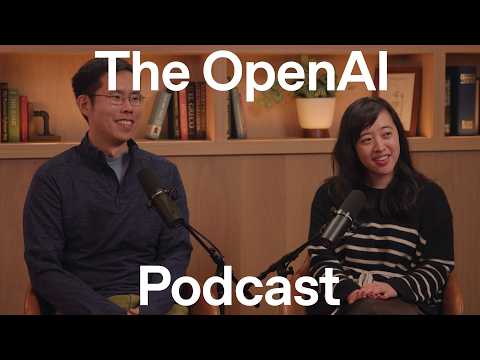
OpenAI Launches ImageGen 2.0 to Drive AI Productivity Over Haul
OpenAI
The platform shifts image generation from casual entertainment to a critical workplace tool by enabling multi-image consistency, precise text rendering, and direct integration with Codex code generation.
## Background
Published on YouTube by OpenAI on May 14, 2026, this episode of the OpenAI Podcast features product lead Adele Li and researcher Kenji Hata discussing the launch of Images 2.0. The page description notes that they join host Andrew Mayne to explore new use cases, trends—such as over 1.5 billion weekly generations in ChatGPT—and the technological evolution toward advanced creative assistants.
## TL;DR
The discussion details the massive paradigm shift brought by ImageGen 2.0, highlighting breakthroughs in text rendering, multilingual support, photorealism, and native aspect ratio flexibility. The guests outline how the tool has transitioned from a novel creative outlet into a powerful productivity asset used widely for infographics, educational content, and internal presentations. They also explore the viral synergy of pairing ImageGen with Codex for game and app design, enhanced character consistency for long-form storytelling, and the future evolution of the technology into highly personalized 'creative agents.'
## Atmosphere & style
The conversation carries an enthusiastic, forward-looking energy, feeling like an inside look into a landmark tech transition. Host Andrew Mayne fosters a collaborative and conversational dynamic, matching the guests' technical pride with mutual marvel over how quickly the technology has advanced from the 'stone ages' of early DALL-E. It feels grounded yet deeply inspiring, balancing data-driven milestones with a genuine appreciation for artistic taste and the whimsical ways users express themselves through AI.
## Key takeaways
- [00:00](https://www.youtube.com/watch?v=bH2nP-aCFjk&t=0s) ImageGen 2.0 has experienced massive post-launch engagement, growing over 50% in weekly usage within two weeks and contributing to over 1.5 billion images generated weekly on ChatGPT.
- [03:16](https://www.youtube.com/watch?v=bH2nP-aCFjk&t=196s) The model represents a major paradigm shift by significantly improving text rendering, adding multilingual support, and dramatically advancing photorealism.
- [03:16](https://www.youtube.com/watch?v=bH2nP-aCFjk&t=196s) Grid scaling tests demonstrate steady intelligence growth, with ImageGen 2.0 successfully rendering over 100 distinct objects in a grid compared to fewer than 10 in DALL-E 3.
- [07:31](https://www.youtube.com/watch?v=bH2nP-aCFjk&t=451s) Native support for any aspect ratio enabled the release of a 360-degree rendering feature on web and mobile, allowing users to create immersive panoramic environments.
- [07:31](https://www.youtube.com/watch?v=bH2nP-aCFjk&t=451s) A notable trend toward 'imperfect' and nostalgic art styles highlights a consumer preference for authenticity, requiring advanced model intelligence to intentionally mimic human imperfection.
- [10:51](https://www.youtube.com/watch?v=bH2nP-aCFjk&t=651s) Post-training heavily emphasized human taste, aesthetics, and token efficiency to teach the model how to construct genuinely beautiful and realistic imagery without excessive compute.
- [14:05](https://www.youtube.com/watch?v=bH2nP-aCFjk&t=845s) The core strength of the model lies in its ability to parse incredibly vague user prompts and distill them into high-quality, surprising visual outputs.
- [17:08](https://www.youtube.com/watch?v=bH2nP-aCFjk&t=1028s) The paradigm has shifted from strict prompt engineering toward creative direction, where domain expertise, artistic vocabulary, and human judgment serve as the ultimate creative amplifiers.
- [17:08](https://www.youtube.com/watch?v=bH2nP-aCFjk&t=1028s) Users can upload visual reference materials directly into the model, allowing the AI to capture the aesthetic spirit and technische control of the source context seamlessly.
- [18:59](https://www.youtube.com/watch?v=bH2nP-aCFjk&t=1139s) Alpha testing with educators demonstrated high scientific and diagrammatic accuracy, proving capable of perfectly rendering complex graduate-level biology textbooks.
- [21:04](https://www.youtube.com/watch?v=bH2nP-aCFjk&t=1264s) The model possesses a sophisticated understanding of composition and layout design, which has driven an internal adoption rate where over 50% of the team's presentation slides are designed using ImageGen.
- [22:15](https://www.youtube.com/watch?v=bH2nP-aCFjk&t=1335s) The long-term roadmap focuses on transitioning the system into a collaborative 'creative agent' that acts as a personalized assistant for multi-step design, planning, and architecture tasks.
- [23:55](https://www.youtube.com/watch?v=bH2nP-aCFjk&t=1435s) ImageGen 2.0 functions as a multidisciplinary synthesis tool, blending deep structural knowledge of science, art, and architecture to make outputs practical for industries like real estate and video production.
- [25:19](https://www.youtube.com/watch?v=bH2nP-aCFjk&t=1519s) Integrating ImageGen with Codex enables zero-shot application and game design, allowing developers to generate layout concepts and character sprite sheets that are instantly coded into functional software.
- [26:50](https://www.youtube.com/watch?v=bH2nP-aCFjk&t=1610s) Unprecedented multi-image consistency allows creators to generate character sheets as anchor references to maintain stable features across long-form projects like 10-page comic books.
- [28:11](https://www.youtube.com/watch?v=bH2nP-aCFjk&t=1691s) Accessing ImageGen through 'thinking' or pro models unlocks advanced reasoning capabilities, web search, and file analysis, which results in superior image composition when guided by open-ended prompting.
## Detailed walkthrough
### [00:00](https://www.youtube.com/watch?v=bH2nP-aCFjk&t=0s) From PE Investing to Image Generation
Andrew Mayne introduces researcher Kenji Hata and product lead Adele Li to discuss the launch of ImageGen 2.0. Adele shares her unconventional path to OpenAI, having spent her entire career as an investor in private equity and at Redpoint Ventures focusing on AI and software. When she joined OpenAI over two years ago, she initially worked on data and compute infrastructure before transitioning to the product side. Over the last six months, she has focused on ImageGen, navigating a highly competitive landscape that has evolved dramatically since the release of ImageGen 1.0.
Kenji Hata also joined OpenAI about two years ago, starting on a "random audio project" before helping out with ImageGen 1.0 prior to its launch. He gradually transitioned to the project full-time. Since launching ImageGen 2.0, the team has seen a massive surge in engagement.
- **50% Increase:** Weekly usage of the model has grown by more than 50% in the two weeks post-launch.
- **1.5 Billion Images:** Over 1.5 billion images are generated every single week on ChatGPT.
- **Viral Global Trends:** Different regions are embracing distinct styles, from color analysis and stickers in Asia to crayon and scribble aesthetics in the US.
---
[03:16](https://www.youtube.com/watch?v=bH2nP-aCFjk&t=196s) The Capabilities of ImageGen 2.0
The transition to ImageGen 2.0 represents a massive paradigm shift in capability. Adele explains that the team set out to improve visual communication across several key dimensions. First, text rendering has achieved much higher fidelity, ensuring that words on a page actually make sense. Second, the model is fully multilingual, which has driven immediate resonance with users in Asia and Europe. Third, the team made a concerted effort to improve photorealism, addressing user feedback that previous models produced unrealistic outputs or distorted faces and bodies.
Kenji notes that the research team is particularly excited about productive use cases like infographics and detailed text. While image generation was once viewed as a tool for "fun and maybe unproductive things," it has now stepped firmly into the realm of productivity.
- **Grid Scaling Progress:** Kenji illustrates the steady, predictable growth of the model's intelligence by comparing how many random objects it can successfully render in a grid:
- **DALL-E 3:** 5 to 8 objects.
- **ImageGen 1:** Around 16 objects.
- **ImageGen 1.5:** 25 to 36 objects consistently.
- **ImageGen 2.0:** Over 100 objects correct in internal testing.
---
[07:31](https://www.youtube.com/watch?v=bH2nP-aCFjk&t=451s) Emerging Features and the Appeal of Imperfection
One of the unexpected, emergent capabilities of ImageGen 2.0 is its ability to render images in any aspect ratio, which led to users creating incredibly long panoramas and skinny bookmarks. This inspired the team to add a 360-degree rendering feature, which is now live on ChatGPT for web and mobile. Andrew shares his own experience using the feature to create a 360-degree version of "dogs playing poker," making him feel like he was sitting right at the table.
Interestingly, users are also leveraging this highly advanced model to create intentionally "janky" art, such as Microsoft Paint-style drawings, crayons, and nostalgic, imperfect images. Adele notes that "it takes a lot of intelligence to actually create something that is imperfect." This trend highlights a consumer desire for authenticity, nostalgia, and playful self-expression through AI.
---
[10:51](https://www.youtube.com/watch?v=bH2nP-aCFjk&t=651s) The "Aha!" Moment and Post-Training Taste
Kenji recalls the exact moment he knew the model was ready. During training, the team took a checkpoint, sampled an image—which he recalls was a woman overlooking a seaside—and compared it directly to ImageGen 1.0. The leap in photorealism was so stark and obvious that there was "no question" they had a major breakthrough. Andrew reminisces about the early days of DALL-E when images had "wispy" tendrils and GANs required users to squint to identify objects, marveling at how quickly the technology has advanced.
To achieve these speeds and capabilities without requiring hours of compute, the team focused heavily on token efficiency. Additionally, the post-training phase required deep contemplation of human taste and aesthetics. The researchers had to teach the model not just world knowledge, science, and math, but also what makes an image genuinely beautiful and realistic to a human observer.
---
[14:05](https://www.youtube.com/watch?v=bH2nP-aCFjk&t=845s) Personal Benchmarks and Vague Prompts
The guests share their favorite personal evaluation tests for the model. Adele uses what she calls the "me, me, me eval," which consists of 100 photos of herself, her friends, and her family in goofy positions or on birthday cards. Because people know the faces of their loved ones best, this serves as an excellent test for photorealism and personalization. It also tests whether ChatGPT can remember personal context—like what her family members look like and what they enjoy—and accurately insert those details into the generated images.
Kenji and Andrew discuss other classic benchmarks, such as rendering a woman holding a jug of orange juice, or a glass of wine filled exactly to the rim. Andrew also recalls testing the model's promptability by successfully commanding it to draw pixel art inside a strict 64 by 64 grid. Adele points out that because most users approach ImageGen with incredibly vague prompts like "make me look better" or "make me cuter," the model's true power lies in its ability to distill those vague desires into surprising, high-quality visual outputs.
[17:08](https://www.youtube.com/watch?v=bH2nP-aCFjk&t=1028s) The Shift from Prompt Engineering to Creative Direction
The transition from early image generation models to modern systems has fundamentally changed how users interact with AI. Reflecting on the early days of DALL-E, the host recalls feeling like a skilled "prompt engineer" after successfully generating a simple image of a raccoon in space. However, that pride quickly faded when watching actual artists—who lacked formal prompting experience but possessed deep domain expertise—use their professional language to achieve truly breathtaking results. This division of skill has held true over time, proving that genuine artistic background and vocabulary remain the ultimate creative amplifiers.
To bridge this gap, the development team worked hand-in-hand with a close group of artists, designers, and marketers. The goal was to distill the best practices and unique approaches of these creative professions directly into the way users interact with the model. One highly effective "hack" that has emerged is the ability to upload inspiration or context directly into the model. The AI exhibits an incredible capacity to capture the spirit of that reference material and translate it into the final output, giving artistically inclined users unprecedented control over technical elements like depth of field.
- **Creative Collaboration**: The model's design was heavily inspired by direct feedback and workflows from professional artists, designers, and marketers.
- **Context Uploading**: Users can upload visual references to guide the aesthetic direction, allowing the model to seamlessly mimic the "spirit" of the source material.
- **Taste over Technique**: Having creative direction, taste, and judgment remains the most effective way to push the model to its absolute limits.
[18:59](https://www.youtube.com/watch?v=bH2nP-aCFjk&t=1139s) Seamless Style Shifts and Educational Impact
One of the most exciting aspects of the new ImageGen model is how effortlessly it expands creative outlets by moving across wildly different visual vectors. The model can seamlessly transition from generating highly technical architectural diagrams to capturing the whimsical aesthetics of a children's book. This versatility has proven incredibly powerful for creating infographics and diagrams, which has caught the attention of researchers and educators.
During internal testing in an alpha channel dedicated to educators ranging from elementary school teachers to graduate-level professors, the model's accuracy was put to the test. In one notable instance, a biology professor uploaded graduate-level textbook renderings of highly complex scientific concepts. To the team's delight, the professor reported that the model's output was "perfectly accurate." This ability to distill complex, dense topics into easily digestible visual representations is one of the model's greatest strengths, opening up massive opportunities for personalized learning.
- **Versatility**: Seamlessly shifts styles between technical blueprints, infographics, and children's book illustrations.
- **Educational Alpha Channel**: Tested by educators across all academic levels to create study guides and personalized classroom content.
- **Scientific Accuracy**: Capable of rendering highly complex graduate-level biology diagrams with precise accuracy.
[21:04](https://www.youtube.com/watch?v=bH2nP-aCFjk&t=1264s) Visual Communication and Presentation Design
The power of a well-crafted infographic lies in its ability to command attention and convey dense information at a glance, much like the classic classroom posters of the pre-multimedia era. This visual-first approach is rapidly changing how people communicate internally. In fact, a massive visual shift has occurred within the development team itself: over 50% of the slides in their internal presentations are now created using ImageGen.
This high level of adoption highlights how powerful image-based communication is when trying to explain abstract concepts or illustrate specific ideas. The model's "superpower" lies not just in its text rendering capabilities, but in its sophisticated understanding of composition—knowing both what to say and exactly how to present it on the page. Looking ahead, the team is actively exploring ways to improve composition further, expand output variety, and make the generated images directly editable within the product.
- **Internal Adoption**: Over 50% of slide decks for internal presentations are now designed using ImageGen.
- **Composition Superpower**: The model understands layout design, determining the optimal placement of text and visual elements.
- **Future Roadmap**: Active development is focused on improving composition, output variety, and introducing direct image editability.
[22:15](https://www.youtube.com/watch?v=bH2nP-aCFjk&t=1335s) The Rise of the Creative Agent and Aspect Ratio Flexibility
When looking toward the future, the development team is focused on moving beyond static image generation and entering the era of the "creative agent." The ultimate goal is to build an agent that works alongside the user as a collaborative assistant. This agent will understand individual preferences, workflows, and desired outcomes, essentially acting as a "personal interior designer, personal architect, personal wedding planner, et cetera, all in one."
The practical utility of the current model is already apparent in everyday tasks. The host shares an anecdote about needing to update social media headers for a book release. By simply asking the model to find the book cover and generate an appropriately sized header for platforms like X (formerly Twitter) and Facebook, the model delivered the perfect layout on the "first shot." This seamless handling of aspect ratios was a key focus during the model's initial de-risking phase, where the team trained it to adapt to any requested dimensions from the start.
- **The Creative Agent**: A future product ecosystem designed to act as a highly personalized, collaborative assistant for design, architecture, and planning.
- **Aspect Ratio Training**: Engineered from the ground up to natively support and generate images in any user-specified aspect ratio.
- **Automated Research**: The model can independently research context (such as finding a book cover) to generate relevant promotional materials without explicit design instructions.
[23:55](https://www.youtube.com/watch?v=bH2nP-aCFjk&t=1435s) Professional Workflows and the Generative Renaissance
The practical applications of ImageGen are rapidly permeating a vast array of professional industries. Real estate agents are using the model to stage apartments and create eye-catching listings, while YouTube creators rely on it to design high-performing thumbnails and promotional content. Even top-tier artists are leveraging the tool to find new ways to connect with their fanbases. For anyone working in a visual or creative field, the model has quickly become an indispensable "hack" in their professional toolkit.
This leap in capability represents a massive paradigm shift in generative AI. As the guest enthusiastically notes, "if DALL-E was the stone ages, ImageGen 2.0 is the Renaissance." This new era is defined by a model that does not just generate aesthetically pleasing images, but successfully incorporates deep knowledge of science, art, and architecture into a single cohesive output. This rich contextual understanding makes the results far more trustworthy and practical for real-world applications.
- **Industry Adoption**: Active use cases span real estate staging, YouTube thumbnail creation, and professional artist workflows.
- **The "Renaissance" Paradigm**: ImageGen 2.0 represents a massive leap forward by blending aesthetic beauty with deep structural and scientific knowledge.
- **Multidisciplinary Synthesis**: The model simultaneously references principles of art, science, and architecture to construct highly coherent scenes.
[25:19](https://www.youtube.com/watch?v=bH2nP-aCFjk&t=1519s) Integrating ImageGen with Codex for App and Game Design
One of the most powerful technological intersections currently unfolding is the combination of ImageGen and Codex. By pairing a highly sophisticated aesthetic model with robust coding capabilities, users can now "zero shot" incredibly complex applications and websites from scratch. The host shares a personal experience of taking their website, asking ImageGen to generate a contact sheet of four different design concepts, selecting the top-right option, and watching Codex immediately bring that visual concept to life.
This powerful synergy is also taking the game design world by storm, particularly through the creation of sprite sheets. When developers use Codex and ask for visual assets—such as a sprite of a raven—Codex seamlessly pulls up the ImageGen tool to iterate and generate the necessary assets. This workflow has quickly gone viral among indie game developers who are using the tools to build entirely new virtual worlds.
- **Zero-Shot App Design**: Combining aesthetic image generation with Codex allows users to design and code functional apps in a single workflow.
- **Contact Sheets**: Users can generate multi-image layout options to compare design concepts before initiating code generation.
- **Sprite Sheet Virality**: Game designers are widely adopting the tool to generate consistent character sprites and environmental assets.
[26:50](https://www.youtube.com/watch?v=bH2nP-aCFjk&t=1610s) Multi-Image Consistency and Character Sheets
Maintaining visual consistency across multiple generated images has historically been a major pain point for creators, often requiring complex and "janky" workarounds. ImageGen addresses this challenge directly by offering unprecedented consistency in characters and aesthetics. This capability has allowed users to successfully create cohesive 10-page comic books with stable storylines, as well as highly consistent multi-page slide presentations.
Just as a massive context window revolutionized text models like ChatGPT and aided complex coding tasks, the ability to reliably reference previous visual outputs has transformed image generation. Creators can now generate a comprehensive character sheet featuring a character in various poses, feed that sheet back into the model as a reference, and easily command the character to perform new actions. While the system is not yet perfect, building this seamless visual creation layer remains a top priority for the development team.
- **Visual Consistency**: The model natively maintains character features, clothing, and art styles across multiple sequential images.
- **Character Sheets**: Creators can generate a single sheet of poses and use it as a reliable reference anchor for future generations.
- **Long-Form Storytelling**: Enables the creation of multi-page projects, such as comic books and cohesive slide decks, without style drift.
[28:11](https://www.youtube.com/watch?v=bH2nP-aCFjk&t=1691s) Pro Tips for Prompting and ImageGen Thinking
For users looking to get the absolute most out of the platform, the guest shares a valuable insider tip: utilize "ImageGen thinking" by navigating to the thinking or pro models. This experience unlocks a significantly more powerful version of the image generator. Under the hood, this model has the unique ability to search the web, analyze uploaded files, and leverage advanced tools, resulting in vastly superior image quality and composition.
When prompting this advanced model, the best strategy is to remain open-ended. Rather than over-specifying every detail, users should allow the model to explore, reason, and gather relevant information on its own. Additionally, grounding the prompt in a specific aesthetic style yields highly fruitful results. The host adds his own preference, noting that he loves to specify "minimalist infographics" to keep the outputs clean, sharp, and uncluttered, preventing the model from becoming too visually dense.
- **Thinking & Pro Models**: Accessing ImageGen through these modes allows the AI to search the web and analyze files to optimize the final image.
- **Open-Ended Prompting**: Allowing the model room to reason and explore on its own typically results in superior composition.
- **Aesthetic Grounding**: Specifying a clear style, such as "minimalist," helps guide the model's density and ensures a clean, professional look.
## Notable quotes
> [07:31](https://www.youtube.com/watch?v=bH2nP-aCFjk&t=451s) it takes a lot of intelligence to actually create something that is imperfect. — Adele Li
> [14:05](https://www.youtube.com/watch?v=bH2nP-aCFjk&t=845s) me, me, me eval — Adele Li
> [14:05](https://www.youtube.com/watch?v=bH2nP-aCFjk&t=845s) make me look better — Adele Li
> [14:05](https://www.youtube.com/watch?v=bH2nP-aCFjk&t=845s) make me cuter — Adele Li
> [22:15](https://www.youtube.com/watch?v=bH2nP-aCFjk&t=1335s) personal interior designer, personal architect, personal wedding planner, et cetera, all in one. — Adele Li
> [23:55](https://www.youtube.com/watch?v=bH2nP-aCFjk&t=1435s) if DALL-E was the stone ages, ImageGen 2.0 is the Renaissance. — Kenji Hata
> [25:19](https://www.youtube.com/watch?v=bH2nP-aCFjk&t=1519s) zero shot — Andrew Mayne
> [28:11](https://www.youtube.com/watch?v=bH2nP-aCFjk&t=1691s) ImageGen thinking — Kenji Hata
> [28:11](https://www.youtube.com/watch?v=bH2nP-aCFjk&t=1691s) minimalist infographics — Andrew Mayne
## Mentioned
OpenAI, Adele Li, Kenji Hata, Andrew Mayne, ChatGPT, Images 2.0, DALL-E, Codex, Redpoint Ventures, ImageGen 2.0, ImageGen 1.0, DALL-E 3, ImageGen 1.5, Microsoft Paint, GANs, X
OpenAI product lead Adele Li and researcher Kenji Hata argue that ImageGen 2.0 marks a transition for generative vision from an experimental novelty into a structured productivity medium, driven by advances in photorealism, layout comprehension, and cross-system workflows.
Scaling Model Capacity and Visual Fidelity (3:16)
The rollout of ImageGen 2.0 precipitated a sharp increase in user activity, with weekly usage expanding by more than 50% in the two weeks following launch to reach over 1.5 billion generated images per week on ChatGPT. Technical gains are evident across multilingual text rendering, photorealism, and geometric handling. To quantify underlying intelligence scaling, Kenji highlights an internal grid benchmark measuring how many discrete objects a model can correctly depict: while DALL-E 3 reliably managed 5 to 8 objects and ImageGen 1.5 handled 25 to 36, ImageGen 2.0 exceeded 100 objects.
The architecture also unlocked emergent layout flexibility by natively supporting arbitrary aspect ratios without requiring fixed dimensions. This native capability enabled users to generate extreme panoramic compositions and narrow vertical formats, prompting the release of a 360-degree rendering mode. Concurrently, post-training optimization prioritized token efficiency and aesthetic alignment, training the system to render high-fidelity human anatomy as well as intentionally degraded styles like crayon drawings and low-fidelity digital sketches.
Creative Direction and Taste Over Prompt Engineering (17:08)
Interaction design has shifted away from rigid prompt engineering toward genuine creative direction. Early systems rewarded esoteric prompt phrasing, but modern workflows increasingly mirror professional design critiques, benefiting from domain-specific vocabulary and reference-based guidance. By consulting professional artists, designers, and marketers, the development team integrated reference-upload features that allow users to anchor technical variables—such as depth of field and color palette—directly to source imagery.
This architectural flexibility addresses the reality that most consumer prompts are inherently ambiguous, such as requests to make a subject look better. Personal evaluation suites, including Li's benchmark of 100 family and personal photographs, test whether the system can correctly maintain facial identity, individual context, and nuanced human preferences. The guests emphasize that steering modern generative systems depends far more on creative judgment and contextual reference than on mechanical prompt syntax.
Productivity Adoption in Education and Enterprise (18:59)
Image generation has broadened from casual entertainment into functional enterprise and educational applications. An alpha testing channel for educators demonstrated that the model could accurately illustrate complex scientific concepts, including graduate-level biological diagrams submitted by university faculty. This capacity to parse dense technical concepts and organize visual hierarchies enables automated generation of accurate study materials and infographics.
Internally at OpenAI, this structural capability has altered daily operations: over 50% of the slides in internal presentation decks are now generated with ImageGen. Rather than merely synthesizing decorative imagery, the system optimizes composition by determining spatial layouts and legibility. Commercial adoption reflects this functional shift, with real estate agents staging properties, content creators generating video thumbnails, and educators replacing static posters with custom diagrams.
Visual Consistency and Multi-Tool Synthesis (25:19)
Historic barriers around character drift and stylistic discontinuity have lessened through improved multi-image coherence. Creators can generate character model sheets depicting consistent figures across multiple poses and re-feed those assets back into the model, supporting multi-page narratives such as ten-page comic books and multi-slide corporate decks without visual divergence.
Simultaneously, the combination of ImageGen with Codex supports zero-shot application and video game development. Developers can prompt the image model to produce multi-panel contact sheets or sprite sheets, which Codex immediately imports into code to build functional software interfaces and interactive assets. For complex compositional tasks, the guests note that routing requests through pro or thinking models allows the system to deliberate, run web searches, and inspect uploaded files before rendering.
OpenAI aims to evolve ImageGen into collaborative 'creative agents' capable of handling end-to-end design, architecture, and event planning tasks, though direct in-canvas image editability and completely seamless visual persistence remain active areas of ongoing development.
[7:31] Adele Li: it takes a lot of intelligence to actually create something that is imperfect.
[14:05] Adele Li: me, me, me eval
[14:05] Adele Li: make me look better
[14:05] Adele Li: make me cuter
[22:15] Adele Li: personal interior designer, personal architect, personal wedding planner, et cetera, all in one.
[23:55] Kenji Hata: if DALL-E was the stone ages, ImageGen 2.0 is the Renaissance.
[25:19] Andrew Mayne: zero shot
[28:11] Kenji Hata: ImageGen thinking
[28:11] Andrew Mayne: minimalist infographics
Original transcript
[0:00] Hello, I'm Andrew Mayne, and this is the
OpenAI Podcast.
[0:03] On today's episode, we're talking about
Images 2.0 with researcher Kenji
[0:07] Hata and product lead Adele Li.
[0:10] They'll discuss why the new model
represents such a major leap forward, the
[0:14] evaluations that mattered most during
development, and what people are
[0:16] creating with it now that it's widely
available.
[0:17] If DALL-E was the Stone Ages, ImageGen 2.0
is the Renaissance.
[0:23] It's not only great artistically and
aesthetically,
[0:26] but it also incorporates science, art,
architecture, all in one image.
[0:30] We looked at it and we're like, all right,
this is better than ImageGen 1.
[0:36] Adele, tell me a little bit about how you
became a product manager here.
[0:39] So I joined OpenAI a little over two years
ago.
[0:42] And before OpenAI, I was an investor my
entire career.
[0:45] Oh, wow.
[0:46] So I was in private equity and spent three
years at Redpoint
[0:48] Ventures investing in AI and software
companies.
[0:52] And when I first joined OpenAI, it was for
a completely different role.
[0:55] I was thinking about how do we build out
our data and compute
[0:57] infrastructure. And over time, made my way
over to the product side.
[1:01] And for the last six months, have been
working on ImageGen.
[1:04] It's interesting how you style yourself
going from one role, then finding
[1:08] yourself into this space here, which is
kind of cool to think about the idea
[1:11] that you have this sort of ability to be
useful in different ways.
[1:14] Absolutely. And I think the role of a
product manager is just to do the job
[1:18] that needs to be done, no matter what it
is.
[1:22] And for ImageGen in particular, it's been
really awesome to flex a lot of
[1:25] different muscles when it comes to
building products, working with
[1:28] researchers like Kenji, but also thinking
about what is the gap in the
[1:32] market today that we want to fill and what
is the opportunity that we want
[1:36] to grasp here. It's not the same market
that it was a year ago when we
[1:40] first released ImageGen 1.0.
[1:42] Now it's a very different landscape.
[1:44] There are multiple image generation makers
out there.
[1:47] And ChatGPT is a very different company
and product itself too.
[1:51] And so really thinking about the evolution
of ImageGen and its role within
[1:55] ChatGPT has been really, really exciting
to me.
[1:58] Kenji, how did you end up working on
images?
[2:01] Actually, like when I first started at
OpenAI, I also started about two
[2:05] years ago. I was working on like some
random audio project initially.
[2:11] It was my first project. And then at the
time, I just found my way just
[2:16] working on helping them work on ImageGen
1.0 prior to the launch.
[2:22] And so gradually I moved more and more
onto the project and then I became
[2:25] full time on it, basically.
[2:26] What has the reception been like right now
for
[2:29] the model?
[2:30] In the last two weeks since we launched
the model, usage is up
[2:33] more than 50%. More than 1.5 billion
images are generated every week on
[2:38] ChatGPT. And we've seen viral trends
emerge across the world.
[2:42] All the way from trends in Asia for color
analysis and stickers to US where
[2:48] crayon and scribble are going viral.
[2:51] but also a lot of people exploring
emergent use cases.
[2:54] And I think it shows the dynamic range of
the model, but also how people are
[2:59] able to visually grasp the advancement of
the model almost immediately.
[3:03] I think the visual communication reaction
that we've seen from our users for
[3:08] them to say, hey, this is the best,
highest fidelity, highest quality in a
[3:12] static model that we've seen has been
really awesome.
[3:16] This felt like a really big shift, almost
worthy of me not even being images
[3:20] too, but almost like just a new paradigm
because just the capabilities are
[3:24] through the roof. What made that possible?
[3:28] When we started working on this project, I
think we sat down and we
[3:31] discussed what is the step change of
capability and use cases that we wanted
[3:36] to build towards.
[3:38] And we believe that image generation has
the ability to do so much more than
[3:43] what it does today. you could distill
every single output or visual content
[3:48] that you see today into an image.
[3:51] And so that was the mandate that we sought
out to improve.
[3:54] And with this 2.0 model, we've improved on
various different dimensions.
[4:00] One is text rendering. The ability for
text on a page is so much better
[4:04] fidelity. The language and words actually
make sense in their actual words.
[4:10] The second of all is multilingual.
[4:12] So we've really focused on making this
model work in various different
[4:15] languages. And we're already seeing that
people across the world in Asia and
[4:20] Europe are really resonating with these
advancements.
[4:24] The third is photorealism. I think we
really saw a lot of feedback from our
[4:28] previous models that the output wasn't
very realistic or altered their face
[4:32] or their bodies. And so one of our
mandates was how do we actually make the
[4:37] image feel like more like yourself?
[4:39] And so all the things that you think that
the model knows, it does because
[4:44] it has imbued the knowledge of the world
into its conscience and is able to
[4:48] visually communicate that back to you as a
user.
[4:52] And so putting that all together, I think
we really get a state-of-the-art
[4:56] image generation model that is the best
aesthetic model out there on the
[5:00] market right now. That really represents a
new paradigm for image
[5:05] generation, which is a huge part of, I
think, AI progress at large.
[5:09] that we have an opportunity to work on
here.
[5:11] We often listen back, listen to feedback
on social media too.
[5:15] So we kind of just take all these things
and basically are just aware of it
[5:19] and try to make sure that they're
mitigated or completely fixed in some
[5:23] cases in the next iteration.
[5:25] What kind of use cases are you seeing?
[5:27] What are you seeing people do with this
now?
[5:29] I think one that's particularly
[5:30] close to like the research team as a
general is like infographics, text.
[5:35] I think text in images is like so much
better nowadays.
[5:38] So I think it just opens up a lot more
productive use cases.
[5:43] And from the research side, we kind of
think image generation used to
[5:48] always be about fun and maybe unproductive
things.
[5:52] But now we're really seeing steps forward
into productivity and image
[5:56] generation for any type of use case that
you can imagine it for.
[6:00] So you mentioned text. I remember the
early models, no disrespect to
[6:04] chimpanzees, but getting to dispel like
OpenAI even looked like a chimp did
[6:08] it. And then now I'm looking at pages of
text and finely detailed stuff.
[6:12] And I know that as models get smarter,
variable binding, the ability to put
[6:16] things next to each other improves.
[6:18] But this was just a big improvement.
[6:20] Yeah. But I don't think it's completely
unexpected.
[6:25] I think you see a lot of growth in
between.
[6:29] Well, first you see between DALL-E 3 and
GPT Image 1.
[6:34] If you ask for a grid of random objects,
you go from maybe
[6:40] like 5 to 8 in DALL-E 3 to maybe around 16
in Images 1.
[6:45] And then with 1.5, we went to about 25 to
36 consistently.
[6:51] And I think now we could probably do over
100.
[6:54] I think this is like a test that we might
do internally.
[6:57] It's just we just ask GPT, give me a list
of 100 random objects.
[7:02] And then we just send that to our image
generator and see how many are
[7:07] correct. And usually, you know, it'll get
almost all 100 correct.
[7:12] And that's, but you see the constant
growth over time.
[7:17] So I don't think it's like completely
unexpected. It's just a steady pace.
[7:20] That was a test I used to use for like the
really old models back with
[7:23] like Ada, Babbage, and Curie, like list
100 science fiction books.
[7:26] And then some of them would get, by the
time it got to like 22, we'd
[7:28] just start repeating stuff. So we realize
the model reached the end of it.
[7:31] So we've seen stuff too, like 360, 360
degree panoramas.
[7:35] How did that happen?
[7:36] Yeah, that really came from the emerging
capability of
[7:38] the model, which is the ability to render
images in any aspect ratio.
[7:42] We discovered that people were generating
really long, amazing panoramics,
[7:47] skinny bookmarks as well. And one of the
cool capabilities of the model is
[7:52] that not only were you able to generate
images in this panoramic aspect
[7:56] ratio, but you could also render images in
the style of 360.
[8:00] And we saw that it was really fun to
actually view these images in a 360
[8:05] world itself. And so that was a really fun
feature that we ended up adding
[8:09] into the product and it's available on
ChatGPT on web and mobile right now.
[8:13] First thing I did was I made a version of
dogs playing poker.
[8:15] Put that in there so you could sit there
like you're one of the dogs looking
[8:18] around in there, which was not something I
expected, but it's fun.
[8:21] Yeah. I mean, it's really awesome to see
how people are exploring new use
[8:26] cases and fun things that they're creating
with the model, even far beyond
[8:30] what we expected users to be using it for.
[8:32] I think when we were designing the model,
we were really deliberate in
[8:36] understanding what people really wanted to
see from image generation.
[8:40] There was a lot of latent demand in image
generation.
[8:43] People were mostly using it for personal
use cases, but we definitely saw a
[8:47] lot of inklings of people wanting to push
the model in certain directions
[8:51] that the model wasn't good at. So text
rendering was definitely one of those
[8:55] dimensions that we really wanted to
improve on.
[8:58] Multilingual is another. And I think world
understanding generally is so
[9:01] much better in this model. And that
typically means that now people online
[9:06] are sharing a bunch of examples of them
creating image done for all
[9:09] different kinds of use cases that we
didn't even think existed out there.
[9:14] So I think the model's understanding of
aesthetic beauty across
[9:19] multiple different outputs, whether that
it's like a fun meme, an image for
[9:23] a five-year-old versus a professional
consulting deck.
[9:28] The expansion of opportunity and outputs
has been amazing to see in this
[9:32] latest model. It's funny too how one of
the things that was trending
[9:36] was taking popular images or photos of
people and then having the model make
[9:42] like kind of janky looking Microsoft Paint
versions of that.
[9:45] Yes.
[9:46] And did you think that was something you
would see was that people are
[9:48] going to use this incredibly capable tool
to then go make, you know, these
[9:51] silly looking things?
[9:52] Yeah, it's funny because it takes a lot of
[9:55] intelligence to actually create something
that is imperfect.
[9:58] That's what I tell people all the time.
Yeah.
[10:00] And it's definitely very interesting in
the viral trends that we're seeing
[10:03] online right now. One thing that I think
people are really striving for is
[10:09] authenticity, imperfection, nostalgia.
[10:12] We're seeing that in the Microsoft Paint
prompt, crayons, all different
[10:16] kinds of generations that people are
creating.
[10:19] And that really feels like the theme of
consumers is they want to interact
[10:23] with AI in a very authentic, imperfect
way.
[10:26] They want to show their imperfections and
use AI to help make them look
[10:30] good, but also show a more fun and goofy
side of themselves.
[10:34] And I think that's self-expression via AI
is something that we're really
[10:37] excited about. And, you know, I think it's
really part of our mission as a
[10:41] company to make it easier for people to
learn more and distribute that
[10:44] intelligence, but also letting them
express a version of themselves that
[10:48] maybe wasn't possible before.
[10:51] Kenji, was there a moment with this model
where you're saying to yourself,
[10:55] wow, I think this is ready to go?
[10:57] You know, as it's training, we take a
checkpoint and then we just sample
[11:00] from it, right? And just see, okay, how
good is this thing?
[11:03] And I think we just sampled a model, an
image, and we looked at it and
[11:07] we're like, all right, this is better than
ImageGen 1.
[11:11] We were just like, okay. I remember
watching the iteration of one of the
[11:15] early versions of DALL-E and how at first
it was sort of the wispy sort of
[11:19] weird sort of the tendril sort of thing
and talking to one of the
[11:23] researchers like, is that going to go
away?
[11:26] It's like, I think two, probably two runs
away from that.
[11:28] And then just like that, the ability to
predict that was amazing to me.
[11:31] And all of a sudden everything got crisp
and clear. Yeah.
[11:33] And then also like looking at, you know,
years ago I'd played with like, you
[11:36] know, GANS and like doing those things.
[11:39] You have to squint and say, I think it's a
pickup truck or something like
[11:41] that. Yeah. So it's interesting what you
see is you say, okay, this just all
[11:44] of a sudden got much better. Yeah.
[11:46] I mean, it was just very obvious. You just
take the early checkpoint.
[11:50] You just sample an image from it.
[11:51] And then you just sample an image from,
you know, ImageGen 1.
[11:55] And you just look at the two and you're
just, there's just.
[11:59] Why do I like this garbage? I forgot what
the image was.
[12:02] It might have just been like a picture of
like a woman on the seaside.
[12:06] Like, you know, overlooking a seaside.
[12:08] We just looked at it and we're like, all
right.
[12:09] It was like no question. Yeah. That was
the big jump was the photorealism of
[12:13] going from something that looked that was
more of a glossy, idealized
[12:17] magazine cover to something that looked
like a really good photograph.
[12:22] So help me understand, like besides just
more compute, how did this happen?
[12:26] How did you get a model that's much better
and also that doesn't take an
[12:29] hour to generate an image?
[12:30] The times are still, I remember in the
DALL-E
[12:33] days, like we would literally have to, you
know, tell us what you want.
[12:37] And then an hour later, it'd be on
Instagram to now these things are in
[12:41] ChatGPT and it's faster. How is it getting
both more intelligent and you're
[12:45] maintaining the same speeds?
[12:46] I think we learned a lot in each release,
like between 1 and 1.5, now 2.
[12:53] And so we take each of the learnings that
we've made and we've, you know,
[12:57] like, for example, speed, right?
[12:59] You know, one of the things is like, oh,
can we make the model more token
[13:02] efficient or something like that?
[13:04] And we did a lot of work to make it
produce very good images with less
[13:10] tokens. I think the post-training for this
model was very interesting in the
[13:16] sense that we really had to think about
not only does the model understand
[13:20] world knowledge and how things look in
science, concepts, math, etc.
[13:25] in an image, but also what is the taste
that will resonate with users?
[13:30] What makes the model or output beautiful?
[13:33] How do you make it look realistic?
[13:35] These are all questions that we had to
grapple with when we were
[13:39] post-training this model. Because I think
that one of the things that was
[13:43] really important for us was that this
model was the strongest aesthetic
[13:48] model out there right now, which means
that it has more creativity in
[13:52] various different outputs, no matter what
that output is, if it's a
[13:55] professional output or a personal output.
[13:59] And so that range of training and the
range of use case, I think, made
[14:02] training this model a very interesting
problem.
[14:05] Do you have any personal favorite
benchmark tests you like to do, things you
[14:09] say, I want to see it make an image of
this?
[14:11] I have an eval that I call the me, me, me
eval.
[14:14] Okay. It's essentially 100 photos of
myself and my friends and my family.
[14:21] And I put everyone in goofy positions.
[14:24] I have about a card or a birthday for
every single person.
[14:29] And I think it's a really great eval in
the sense that you only know the
[14:33] people around your faces the best.
[14:37] You also want to create funny things with
the model and do things that are
[14:40] relevant. And so one thing for me as a
product manager that I'm testing is
[14:45] not only is the raw capability of the
model really great, but also does
[14:49] ChatGPT understand what I want in that
context?
[14:53] You know, ChatGPT remembers, you know,
that I have a brother, that I have a
[14:58] mom and dad and what they like to do.
[15:00] And so does the model accurately know how
to insert pieces of
[15:04] personalization in the moments that matter
in the images?
[15:08] These are things that I'm testing for. How
about you?
[15:10] Besides the grid one I mentioned earlier,
that's probably the one I've used
[15:14] the most. For a while, I think Divya and I
were doing a lot about
[15:18] photorealism. We're trying real hard to
push on that.
[15:22] Just basically, I know Divya's favorite
one was like a woman holding a jug
[15:28] of orange juice. I don't know if you've
seen this.
[15:31] There's like so many images of a woman
holding a jug of orange juice.
[15:35] Well, I actually feel like the researchers
had a more standard set of images
[15:39] than they like to lead on. Yeah, and you
get like the standard.
[15:41] Can it do somebody writing with their left
hand or watching on their right
[15:44] hand and a clock showing this?
[15:46] I think the big leap of the images, like
[15:48] probably 1 or 1.5, was like a half full
glass of wine.
[15:52] The wine glass folded the rim. Yeah,
folded the rim.
[15:54] Yeah, exactly. And there were ways I was
able to prompt it to do it, but
[15:58] it was really – had to get a really
descriptive, like, you know, red liquid
[16:02] inside this. This one is so fun to prompt.
[16:04] There was a thing people said, oh, can it
do, like, you know, can it do,
[16:07] like, pixel accurate pixel image style
art?
[16:09] And somebody was like, no, it can't.
[16:11] And when I hear that, I'm like, okay,
let's try.
[16:13] And I found out if I gave it, like, a 64
by 64 grid and I
[16:17] said, go draw the art in there.
[16:19] It did. It just was able to put art into
there.
[16:21] And that was amazing to see those kinds of
results.
[16:24] And that's the promptability of this is
insane.
[16:27] How do you plan for that? Does it just
happen?
[16:29] You're like, oh, wow, this is better
understanding this?
[16:32] People come to ImageGen with very vague
prompts.
[16:35] Yeah. Make it better. Make me look better.
[16:40] You know, make me cuter. All these things
are really vague.
[16:43] And I think it's really the job of the
model and the harness to distill that
[16:48] into actually what users want.
[16:50] And I think that's a personality of the
model that we've trained over time
[16:54] that we've really harnessed the power for.
[16:56] And honestly, I think it also yields a lot
of really surprising results that
[17:00] people may not expect. And that surprise
is just part of the fun of using
[17:04] ImageGen. I've seen like two kinds of
prompting sort of emerge.
[17:08] And I remember back with DALL-E, I thought
like, oh, I'm a prompt engineer.
[17:12] I'll be great at this. Like, I'll be
really good at this.
[17:14] And I'd make a raccoon in space and be
like, feel proud.
[17:17] And I'd see an artist, somebody who wasn't
a prompt engineer, somebody who
[17:20] actually came from that world.
[17:21] And I'd watch them use their language.
[17:24] And they were doing amazing things. Yeah.
[17:25] And that seems like that's still holding
true.
[17:28] Definitely. I mean, we work with a group
of artists very closely when we
[17:32] develop this model. And we're very
inspired by artists, designers,
[17:36] marketers, all these different professions
that I think have a different way
[17:40] of approaching their profession.
[17:42] And one of the things that was very
important for us is we wanted to take
[17:46] the inspiration as well as the best
practices for those professions and
[17:50] distill that into the way that people
interact with the model.
[17:54] And so that's something we've deliberately
tried to focus on.
[17:57] One hack that I've seen work really well
is the ability to upload
[18:01] inspiration or context into the model.
[18:05] And the model has an incredible ability to
take the spirit of that context
[18:08] and translate it into the output.
[18:11] But it's interesting because I think that
a lot of people worry that, oh, I
[18:14] just push in a button, I get something
beautiful.
[18:16] And each model, that gets better.
[18:19] It's easier, as you said, to not have to
put a lot of effort into it.
[18:22] But when people do put effort into it,
they are getting even more amazing
[18:25] results. And it seems like actually that
if you're artistically inclined,
[18:29] you're getting even greater control
because now, like you said, it
[18:32] understands more about what you're talking
about when you talk about depth
[18:35] of field and these other things or
whatever you're trying to do.
[18:38] And as you mentioned, it was exciting to
see with earlier models, artists
[18:42] who said, oh, I gave it my originals and
it gave me these variations and I
[18:45] know which one works.
[18:47] And just seeing that as this real creative
amplifier.
[18:50] Yeah, definitely. I think having creative
direction or taste or judgment and
[18:54] bring that to the model is the best way to
push it further.
[18:59] I think one thing about this model that
I'm really excited about is how it
[19:03] expands the creative outlet for people.
[19:06] I think the ability to create multiple
different styles or types or
[19:11] variations has never been easier than with
this ImageGen model.
[19:15] And I think it's also understanding of
different contexts, like the way that
[19:21] it's able to shift what it's like to be
generating an architectural diagram
[19:26] all the way to the aesthetics of a
children's book.
[19:30] The ability for it to move so seamlessly
across these vectors has been
[19:34] really awesome. The ability to do great
infographics and diagrams is very
[19:38] powerful. What kind of feedback have you
been getting from people in
[19:41] research and education?
[19:43] We actually have an internal alpha channel
where we
[19:46] test our models.
[19:49] And in that, there's like a sub-channel
dedicated specifically towards
[19:53] educators of any level, like elementary
school students all the way up to
[19:57] graduate level. One of the coolest things
I saw was there was a biology
[20:03] professor and he put like these graduate
level textbook rendering pages of
[20:08] things I had no clue about. And he said it
was perfectly accurate.
[20:12] I think the ability for this model to
distill very complex topics into
[20:17] something that is really easy to
understand within an image is one of its
[20:22] strongest capabilities.
[20:25] And we've seen this with students, with
teachers who are using ImageGen to
[20:30] learn different concepts, to also help
them create study guides, to help
[20:35] also create personalized content.
[20:37] I think personalized learning is a huge
trend that we're very passionate
[20:40] about. And I think the ImageGen model
helps you as a teacher create
[20:44] something that every kid can understand in
their own language and their own
[20:49] preference. And that is something that
we're really excited about.
[20:53] We're thinking about this in the context
of also how do we bring more of the
[20:57] elements of ImageGen into ChatGPT at large
so that when people are trying to
[21:01] learn concepts, we're teaching them with
ImageGen.
[21:04] I remember when I was in school and kind
of prior to a lot of kind
[21:07] of multimedia blowing up, posters were a
big thing, classroom posters
[21:10] explaining stuff. This really reminded me
of how powerful an infographic can
[21:16] be because it allows you to bring as much
attention as you want to it.
[21:21] And you can spend the time looking at it
and seeing it, and you can put
[21:24] a lot more detail into it. I think one
really awesome visual shift that I've
[21:29] seen with ImageGen is that now in internal
presentations, over 50% of the
[21:34] slides are created with ImageGen.
[21:36] Wow. And that permeation of communication
via images is so powerful when
[21:41] you're trying to explain your concepts or
illustrate what you mean.
[21:46] And I think infographics and the text
rendering capability, as well as the
[21:50] composition of the text on the page, is
incredibly powerful with this model.
[21:54] The model's understanding of not only what
to say, but how to present it is
[21:59] a superpower. And I'm really excited about
future explorations of this,
[22:03] where we can think about how do we make
this even better?
[22:07] How do we improve the composition, the
different kinds of outputs, and also
[22:11] make it editable in the product?
[22:13] These are directions that we're really
excited about.
[22:15] How do you see the progression of this?
[22:17] This is great, but typically anytime I
talk to somebody to open an eye about
[22:20] what they're working on, they're like,
yeah, this is good, but.
[22:23] I think we're still super early in
exploring all the different use cases
[22:27] that people are really trying to push the
model with.
[22:30] And so one of the things that we're really
excited about is what is that
[22:35] next stage for ImageGen, which is to
create the creative agent.
[22:39] Ultimately, the agent that can work
alongside you, be your creative
[22:44] assistant, and really understand how you
work, what your preferences are,
[22:49] what is the output that you want to get
to, and build the product and model
[22:54] ecosystem that helps users kind of have a
personal interior designer,
[22:59] personal architect, personal wedding
planner, et cetera, all in one image.
[23:05] I'll tell you another thing that was kind
of amazing was like, all right,
[23:07] books. And so every now and then I have a
book come out, I've got to
[23:09] change my social media headers. And I just
went and I said, oh, find my book
[23:13] cover and create an appropriate size
social media header that I can put on X
[23:18] or Facebook or whatever. I'm like, well,
let's see.
[23:21] First shot. First shot. Right aspect
ratio.
[23:23] Everything. We basically did that from the
start or trained the models to be
[23:27] good at that from the start. I remember I
worked on the initial de-risk of
[23:32] basically it could do any aspect ratio
that you ask.
[23:37] Yeah. Yeah, you can now really just easily
specify the outcome that you
[23:41] want. Yeah. Like in the case of yourself,
you're like, I want promotional
[23:45] material. I don't have an idea. I didn't
specify exactly what I wanted.
[23:49] But the model was able to do the research
and then give it to you in
[23:52] the style and aspect ratio that was
relevant to you.
[23:55] And that's super powerful. We're already
seeing this.
[23:59] you know you're an author I've talked to
real estate agents who are using
[24:03] ImageGen to help them create listings for
their apartments or stage their
[24:08] listings YouTube creators have talked to
me about using ImageGen for their
[24:12] thumbnails and promotional content I've
talked to top artists who want to
[24:17] use ImageGen to connect with their fans
and I think the ability for all
[24:20] different kinds of professions to start to
use ImageGen to help them with
[24:25] visual creation is super powerful
especially if you're working in a visual
[24:29] and a creative industry, ImageGen is such
a hack in your professional
[24:32] toolkit. I think it has to be a part of
everyone's everyday workflow in the
[24:36] future. This does feel like the, I think
it feels like the first time where
[24:40] anything I can reasonably come up with, it
does a pretty good job of it.
[24:44] We think it's a new paradigm for image
generation altogether.
[24:47] Like if, you know, we set this in the
launch video, if DALL-E was the stone
[24:50] ages, ImageGen 2.0 is the Renaissance.
[24:53] Yeah. And I think that is so true because
the model, It's not only great
[24:58] artistically and aesthetically, but it
also incorporates science, art,
[25:03] architecture, all in one image together.
[25:06] And I think that composition and knowledge
that the model has just means
[25:10] that the outputs are so much more
trustworthy, are more powerful, and enable
[25:15] so many more use cases. I think that
ImageGen and Codex is also an amazing
[25:19] intersection of the capabilities that
we're setting out to create with both
[25:23] ImageGen as well as coding agents.
[25:26] So many people are using ImageGen as a
first step to designing a new website
[25:31] or creating a new app. And I think that
intersection of having a really
[25:36] strong aesthetic model, which is image
generation, in combination with
[25:40] strong coding abilities, means that now
you're able to zero shot really
[25:45] amazing apps from scratch with both of
these tools.
[25:48] Yeah, I asked it in Codex. I said, I took
my website.
[25:51] I said, could you make me, I had the
ImageGen.
[25:53] Could you create me some different
concepts for it?
[25:56] And I did these contact sheets. I asked
for contact sheets to that.
[25:58] Give me like four images there. And I
said, oh, the one on the upper right.
[26:01] Can you go make that?
[26:02] And I watched Codex go make that, which
was like, this
[26:05] feels like magic. And then they've
implemented as part of pets.
[26:10] And so like if you're using Codex and you
say, hey, I want to have like
[26:13] I have like I love Raven. So I have like a
Raven.
[26:15] I said, can you make a Raven? And then I
watched it pull up the ImageGen
[26:18] tool and iterate and make the sprites for
it.
[26:20] Yeah. Sprite sheets are going viral.
[26:22] Yeah. Same with game design.
[26:24] People are loving. using ImageGen to help
them create new worlds.
[26:28] Any hints on how to do better sprite
sheets?
[26:31] I mean, I've tried to make, you know, GIFs
internally.
[26:34] And I think if I just use, like, the
thinking mode or Codex, and you
[26:38] basically just ask it to generate one
initial sprite, it's really good.
[26:43] And then you can just say, can you make
the rest?
[26:46] The consistency across multi-images has
been amazing.
[26:51] We've seen a lot of people try creating
10-page comic books with consistent
[26:56] storylines, multi-page slides.
[26:59] I think that consistency of characters and
aesthetics
[27:03] is completely unique to this model.
[27:05] That was an example too, where there were
a lot of workflows out there for
[27:09] working with image models that were kind
of janky, but you had to figure out
[27:14] how to do. And it's great now because I
can do stuff where I can create
[27:20] characters and say, make a character sheet
with the different poses and
[27:23] stuff and just go feed it back in and say,
okay, now doing this, now doing
[27:26] that, now doing that. And that's just such
a – often, sometimes what we need
[27:31] is obviously a smarter model, but context
length did so much for ChatGPT,
[27:36] did so much for coding. And with an image
model, it's able to reliably
[27:40] reference these references.
[27:42] It's incredibly capable. Yeah, for sure.
[27:45] And we're still trying to improve that as
well.
[27:47] It's not perfect today. We're really
trying to develop this visual creation
[27:53] layer for people because every single
person you have an aesthetic or
[27:57] personal style or preference.
[28:00] And we're really trying to imbue that into
the product that we're building
[28:04] so that people can get to the output that
they're wanting easier and faster
[28:08] with ImageGen. Any parting prompt tips for
people?
[28:12] Well, one of the things I would suggest
people try is ImageGen thinking.
[28:17] So if you navigate to the thinking or pro
models, we have a more powerful
[28:21] version of ImageGen in that experience.
[28:24] And in that model, you actually are able
to search the web, analyze files,
[28:29] leverage tools under the hood, which then
yields a better quality and higher
[28:35] composition photo.
[28:37] And the suggestion that I have for
prompting that experience is be
[28:41] open-ended. I think the model will go and
do the exploration itself to
[28:46] understand and try to reason and find
information that matters.
[28:51] And I also think giving it a sense of an
aesthetic is also super helpful.
[28:56] Using and grounding that in a style has
been really fruitful for a great
[29:00] result. Good one. Good one.
[29:02] I think just being very particular about
the
[29:04] style or like what you like in general.
[29:07] Like for me, I like minimalist
infographics.
[29:10] Sometimes I think the model can be a
little dense.
[29:12] And so I just maybe I'm just a simplistic
kind of guy so I just like
[29:17] very very clean a very clean look so I
like that.
[29:20] Adele, Kenji, thank you very much.