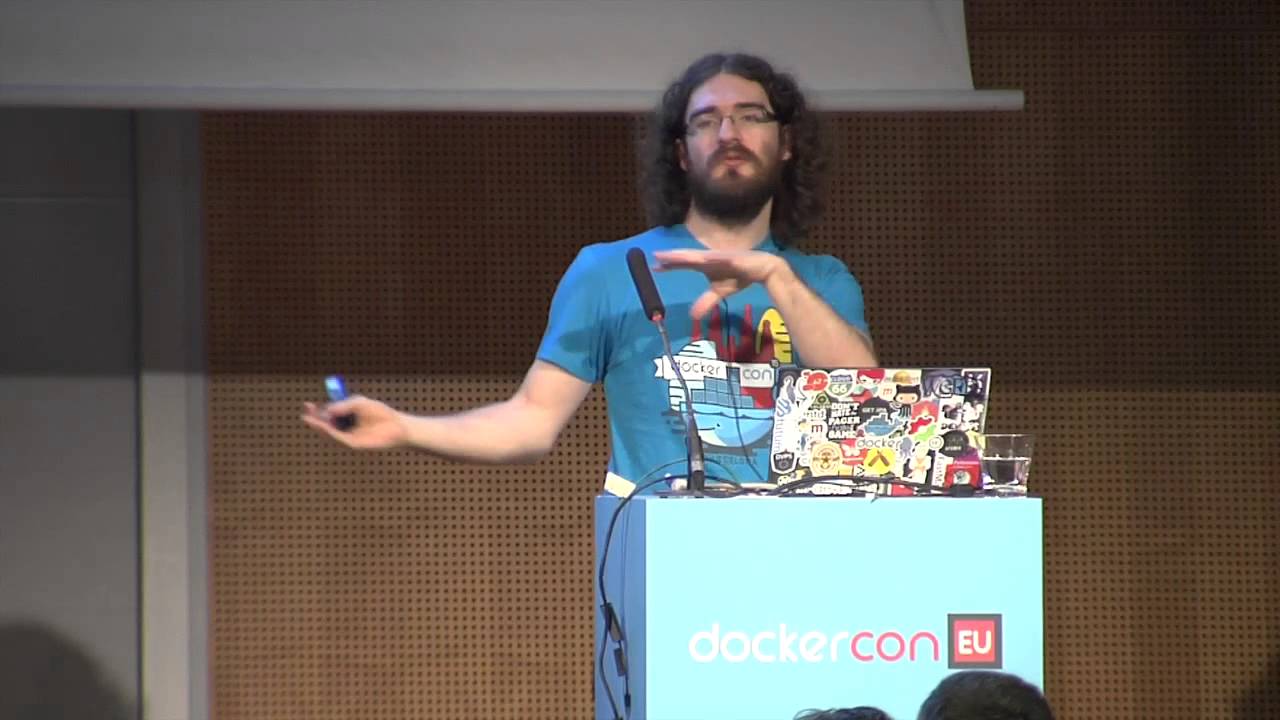
Docker's Petazzoni Warns Against DIY Engines as Runtimes Match Speed
Docker
Because all namespace-based container engines rely on the exact same Linux kernel primitives, execution performance is identical across runtimes, making custom in-house tools an unnecessary operational trap.
Linux containers do not exist as a single unified kernel concept, but are composed of orthogonal building blocks: cgroups for resource metering and limits, namespaces for qualitative visibility boundaries, and copy-on-write storage. (2:40)
Memory cgroup tracking introduces a global performance overhead set at boot time that impacts system-wide page movements between free and used pools, regardless of whether containers are running. (12:42)
Performance across namespace-based runtimes like LXC, Docker, runC, and rkt is architecturally identical because all execute on the exact same underlying Linux kernel primitives. (35:37)
Copy-on-write filesystem storage is the critical pillar that transformed containers into a developer-friendly paradigm by eliminating the requirement to clone gigabytes of root filesystem data on every invocation. (31:25)
Detailed notes
## Background
Published on YouTube by Docker on December 3, 2015, this presentation features Jérôme Petazzoni explaining the discrete Linux kernel features that power containers. The page description notes that the session covers mechanisms like cgroups, namespaces, and SELinux in depth, demonstrates how to manually assemble a container, and compares various container runtimes.
## TL;DR
In this presentation, Jérôme Petazzoni demystifies containers by explaining that they are not lightweight virtual machines, but rather processes isolated by Linux kernel primitives like control groups (cgroups) and namespaces. He details how cgroups manage resource limits (memory, CPU, block I/O) while namespaces restrict visibility (PID, network, mount), alongside the essential role of copy-on-write storage and security capabilities. After comparing various container runtimes such as LXC, systemd-nspawn, runC, and rkt, Petazzoni performs a live, step-by-step demonstration building a functional container from scratch using raw terminal commands. He concludes by advising organizations to use established container engines like Docker rather than attempting to build and maintain their own custom runtimes.
## Atmosphere & style
The presentation is highly engaging, blending deep technical expertise with a lighthearted, humorous, and self-deprecating narrative style. Petazzoni establishes an approachable vibe through playful jokes about his resume and the "House of Bash," which keeps the audience entertained even during complex explanations of kernel internals. The live demonstration introduces a sense of playful tension as he manually manipulates system mounts and network interfaces, creating an exciting "don't try this at home" atmosphere that demystifies the magic of containerization.
## Bulletin
- [02:40](https://www.youtube.com/watch?v=sK5i-N34im8&t=160s) Linux containers do not exist as a single unified kernel concept, but are composed of orthogonal building blocks: cgroups for resource metering and limits, namespaces for qualitative visibility boundaries, and copy-on-write storage.
- [12:42](https://www.youtube.com/watch?v=sK5i-N34im8&t=762s) Memory cgroup tracking introduces a global performance overhead set at boot time that impacts system-wide page movements between free and used pools, regardless of whether containers are running.
- [35:37](https://www.youtube.com/watch?v=sK5i-N34im8&t=2137s) Performance across namespace-based runtimes like LXC, Docker, runC, and rkt is architecturally identical because all execute on the exact same underlying Linux kernel primitives.
- [31:25](https://www.youtube.com/watch?v=sK5i-N34im8&t=1885s) Copy-on-write filesystem storage is the critical pillar that transformed containers into a developer-friendly paradigm by eliminating the requirement to clone gigabytes of root filesystem data on every invocation.
## Key takeaways
- [02:40](https://www.youtube.com/watch?v=sK5i-N34im8&t=160s) Containers behave like 'chroot on steroids' rather than lightweight virtual machines, executing standard processes directly on a shared host kernel separated by kernel-enforced visibility barriers.
- [05:12](https://www.youtube.com/watch?v=sK5i-N34im8&t=312s) Every process on a Linux host inherently runs inside a control group hierarchy; even bare-metal, uncontainerized workloads exist inside a root cgroup with unlimited resource constraints.
- [10:35](https://www.youtube.com/watch?v=sK5i-N34im8&t=635s) Running multiple services inside a single container is an operational antipattern because breaching hard memory limits causes the kernel OOM killer to terminate arbitrary processes within that cgroup.
- [13:37](https://www.youtube.com/watch?v=sK5i-N34im8&t=817s) Flat percentage caps on CPU consumption are architecturally unviable due to dynamic clock frequency scaling and complex instruction decomposition, prompting the kernel scheduler to enforce relative share weights instead.
- [16:33](https://www.youtube.com/watch?v=sK5i-N34im8&t=993s) The cpuset cgroup provides core pinning that stabilizes cache locality and avoids severe latency regressions caused by crossing NUMA domain interconnects on multi-socket hardware.
- [17:48](https://www.youtube.com/watch?v=sK5i-N34im8&t=1068s) Asynchronous disk flushing through the Linux page cache complicates blkio write limits, allowing buffered file writes to return instantly while throttling disk writeback in the background.
- [22:21](https://www.youtube.com/watch?v=sK5i-N34im8&t=1341s) The freezer cgroup bypasses the limitations of sending manual SIGSTOP signals by cleanly halting and thawing entire process trees at the kernel level for crowd control and live container migration.
- [24:46](https://www.youtube.com/watch?v=sK5i-N34im8&t=1486s) While cgroups limit the quantity of resources a container can consume, namespaces limit qualitative visibility across PIDs, network interfaces, mount tables, UTS identities, and IPC queues.
- [28:50](https://www.youtube.com/watch?v=sK5i-N34im8&t=1730s) User namespaces decouple container UID 0 from host root, allowing developers to execute as root internally while mapping to an unprivileged UID externally to achieve usable security.
- [31:25](https://www.youtube.com/watch?v=sK5i-N34im8&t=1885s) Namespace references can be preserved even after all contained processes terminate by bind-mounting their corresponding pseudo-files located in /proc/<pid>/ns to the host filesystem.
- [31:25](https://www.youtube.com/watch?v=sK5i-N34im8&t=1885s) Copy-on-write storage engines like AUFS, OverlayFS, and Btrfs were essential to Docker's mass adoption, enabling instant container launches and efficient image layering.
- [33:14](https://www.youtube.com/watch?v=sK5i-N34im8&t=1994s) Linux capabilities carve monolithic root authority into granular permission bits, allowing runtimes to drop dangerous system privileges while selectively granting safe capabilities like CAP_NET_ADMIN.
- [39:21](https://www.youtube.com/watch?v=sK5i-N34im8&t=2361s) Unlike older monolithic multi-tenant technologies such as Solaris Zones, FreeBSD Jails, and OpenVZ, modern Linux container primitives are completely orthogonal and can be used independently without a full runtime stack.
- [45:01](https://www.youtube.com/watch?v=sK5i-N34im8&t=2701s) Manually assembling containers via raw primitives requires complex mount manipulations like pivot_root and lazy unmounting to avoid hierarchical leaking, justifying the adoption of standardized production runtimes.
## Detailed walkthrough
### [00:07](https://www.youtube.com/watch?v=sK5i-N34im8&t=7s) Introduction and the Origins of Containers
An introducer welcomes the audience to the Barcelona session, recalling that when he started learning Docker two years prior, Jérôme Petazzoni’s presentations were the best resource available for understanding cgroups and namespaces. Jérôme takes the stage with a quick greeting: “*¡Hola Barcelona!*” He jokes that this represents the entirety of his Spanish, but he always tries to speak a little bit of the local language wherever he goes—even if it is just to apologize for not speaking it, as he did when Andrei invited him to Russia.
Jérôme introduces himself as working at Docker headquarters in San Francisco. Having joined dotCloud before it morphed into Docker, he jokes about his resume: “So I have like five, six years of experience with a project that is only two and a half years old. That's very convenient.” Whenever recruiters ask for five years of Docker experience, he can honestly reply that he qualifies. He describes himself as a member of the "House of Bash" alongside colleagues like Jessie Frazelle: “So we put things in containers and we replace people with tiny shell scripts. That's what we do.”
The outline for the session covers four main topics:
- A baseline definition of what a container really is.
- The underlying kernel building blocks: namespaces, cgroups, and copy-on-write storage.
- A comparison of different container runtimes (both those built on namespaces and those that are not).
- Hands-on, "crazy demos" to illustrate how the pieces assemble.
[02:40](https://www.youtube.com/watch?v=sK5i-N34im8&t=160s) Virtual Machines, Chroot, and Searching the Kernel
Addressing the nature of containers, Jérôme confronts the common analogies. People often describe a container as a lightweight virtual machine, only to immediately backtrack and warn that thinking of it as a VM puts you in the wrong mindset. From a user perspective, it certainly *feels* like a virtual machine: you can get a shell inside it, install packages, run system services, and use tools like `top`, `htop`, or `ip address` while seeing only your own localized processes and network interfaces.
Yet underneath, it is really more like "`chroot` on steroids." Unlike a true virtual machine, a container runs normal processes directly on a normal host kernel. Running `ps` on the host reveals all processes running across every container. You cannot boot a distinct operating system or run a different kernel inside a container. Instead, the kernel simply builds "little walls" between processes so that each lives in an isolated world where it can only view its own environment.
Recalling his early days at dotCloud nearly five years ago, Jérôme explains how he attempted to understand container mechanics by using `grep` across the Linux kernel source code to find where `lxc` was implemented. He found absolutely nothing. Searching for the word `container` yielded plenty of matches, but none of them were container virtualization:
- ACPI containers (unrelated kernel abstractions).
- Generic data structures such as lists or container objects.
He questioned whether containers actually existed at all before realizing he was searching in the wrong place. Containers do not exist as a single, unified first-class concept in the Linux kernel; instead, the kernel provides discrete primitives: control groups (cgroups) and namespaces.
[05:12](https://www.youtube.com/watch?v=sK5i-N34im8&t=312s) Anatomy of Control Groups (cgroups)
Control groups provide metering and limits on the resources consumed by collections of processes. Jérôme explains that cgroups allow operators to count and restrict memory, CPU usage, block I/O, and network I/O, alongside enforcing device node access controls (ACLs) and managing process groups through what he terms "crowd control."
In cgroup architecture, each resource subsystem (such as CPU, memory, or block I/O) maintains its own independent hierarchy structured as a tree. Every process on the system belongs to exactly one node within each subsystem hierarchy:
```mermaid
flowchart TD
accTitle: Cgroup Subsystem Hierarchies
accDescr: Diagram showing separate hierarchical trees for the CPU and Memory subsystems with PID assignments.
When a Linux system boots up, each subsystem begins with a single root node containing PID 1, and all spawned processes inherit that group by default. Because of this default behavior, non-containerized workloads are technically still running inside a container framework: “Even when you're not in a container, you are in a container. That's how it works.” Running applications bare-metal on the host does not bypass the cgroup subsystem; it merely places them in a root container with unlimited resources.
[07:07](https://www.youtube.com/watch?v=sK5i-N34im8&t=427s) The Memory Subsystem: Tracking, Pools, and Limits
Turning specifically to the memory cgroup, Jérôme details how memory is accounted for and regulated:
- **Granularity and Page Types:** Memory accounting operates strictly at page granularity—typically 4 KB chunks rather than individual bytes. Pages are divided into two primary categories:
- *File-backed pages:* Pages that map directly to an on-disk location because they were read from a filesystem. If the kernel experiences memory pressure, file pages can be reclaimed immediately without writing to swap, as they can be re-read from disk later.
- *Anonymous memory:* Memory allocated dynamically via calls like `malloc()`, which does not correspond to a backing file. Reclaiming anonymous memory requires the kernel to push it into swap space first.
- **Active vs. Inactive Pools:** The kernel sorts pages into active and inactive sets. By default, newly touched pages are placed in the active list. As memory tightens, pages are shifted to the inactive list unless they are accessed again.
- **Billing Mechanics:** When multiple cgroups share access to the same memory page, they do not split the charge evenly. Instead, a single group is billed for the page, leaving it invisible to the balance sheets of the other sharing groups. If the billed group's processes terminate, the kernel reassigns the charge to another group sharing that page.
- **Soft vs. Hard Limits:** Cgroup limits are optional, and are configured as either soft or hard limits. Under standard Linux behavior, a host that runs completely out of memory invokes the out-of-memory (OOM) killer, which terminates processes semi-randomly (often knocking out crucial services like MySQL). Hard limits bring this mechanism down to the cgroup level: if a container breaches its designated hard memory ceiling, the OOM killer steps in specifically inside that container group rather than bringing down host processes.
[10:35](https://www.youtube.com/watch?v=sK5i-N34im8&t=635s) Memory Cgroups: Soft Limits, Types, and OOM Handling
Jérôme Petazzoni begins by circling back to why running a single service per container is considered best practice in the container ecosystem. When a container runs multiple distinct services and hits an out-of-memory condition, the kernel OOM killer terminates an arbitrary process within that container rather than hunting through the wider host system. Because of this, Petazzoni cautions, “Try not to put multiple services in the same container. That way you can have a good granularity and you avoid the scenario where this process went away because this process was out of memory.”
Beyond hard limits, the memory cgroup controller provides soft limits. Soft limits are not strictly enforced during normal operations, allowing a container to burst above its threshold without immediate penalty. Instead, their behavior changes under memory pressure. When the host system realizes RAM is growing critically scarce, the kernel inspects the cgroups exceeding their soft limits. The higher a cgroup sits above its designated threshold, the more aggressively the kernel reclaims its pages.
Memory limits can be scoped to distinct categories of consumption rather than treated as a single monolith:
- **Physical RAM:** Restricts actual resident memory consumption.
- **Total Memory (RAM + Swap):** Limits physical memory alongside swap space usage.
- **Kernel Memory:** Enforces caps on internal kernel allocations such as directory entries (dentries) and inode structures, preventing misbehaving processes from exhausting host resources through kernel-space abuse.
```mermaid
flowchart TD
accTitle: Cgroup OOM Handling Architecture
accDescr: Flowchart contrasting classic OOM killer behavior with the modern OOM notification workflow.
subgraph Trigger["Memory Pressure Trigger"]
A["Container Hits Memory Limit"]
end
subgraph Classic["Classic Kernel Action"]
B["Kernel OOM Killer"]
C["Kills Random Process Inside Container"]
end
subgraph Modern["Cgroup OOM Notification System"]
D["Freeze Cgroup Processes"]
E["Send OOM Event Notification"]
F["Userspace Supervisor Decides"]
G1["Kill Entire Container"]
G2["Dynamically Expand Memory"]
G3["Migrate Container to Another Host"]
end
A --> B
B --> C
A --> D
D --> E
E --> F
F --> G1
F --> G2
F --> G3
```
The handling of OOM conditions has evolved substantially. Under the modern cgroup OOM notification mechanism, the kernel can halt execution across the entire control group rather than killing an arbitrary internal process. The notification is delivered to an external supervisory process, which can then take contextual actions such as tearing down the container cleanly, allocating additional memory on the fly, or migrating the workload to a machine with available capacity.
[12:42](https://www.youtube.com/watch?v=sK5i-N34im8&t=762s) The Global Performance Overhead of Memory Tracking
Enabling the memory cgroup subsystem introduces an unavoidable performance trade-off. Whenever the kernel allocates a memory page to a container or reclaims one, it must update internal accounting counters. This tracking creates a performance overhead on the movement of pages between the system's free pool and used pool, rather than on low-level user-space `malloc` and `free` operations directly.
Petazzoni warns that administrators cannot avoid this penalty simply by refraining from launching containers: “This is a global thing set at boot time and even if you don't use containers, if this is enabled, then this operation will happen and you will pay this overhead.” Because this accounting behavior is determined globally across the entire machine at boot time rather than enabled per individual cgroup, turning it off requires altering the kernel boot parameters and rebooting the entire host.
[13:37](https://www.youtube.com/watch?v=sK5i-N34im8&t=817s) The HugeTLB and CPU Cgroup Controllers
The `hugetlb` cgroup subsystem controls how processes access huge pages. By default, any process utilizing huge pages can consume all available HugeTLB memory on the host. The HugeTLB controller allows administrators to partition and constrain this memory across groups, ensuring that a single process cannot monopolize the pool.
Turning to the `cpu` cgroup controller, Petazzoni explains that it provides a mechanism to aggregate and monitor CPU usage across collections of processes or threads. Performing operations on an individual process is straightforward in Linux, but coordinating and monitoring groups of related processes without cgroups is difficult or practically impossible.
However, attempting to set a simple percentage cap on CPU consumption often leads to user confusion. Petazzoni humorously channels this frustration: “The first time you're like hey I would like to limit uh that group to 10% of CPU but you can't. So you're like why the f did they not implement that?” He insists that a flat percentage cap makes no architectural sense:
- **Dynamic CPU Frequency Scaling:** Modern processors conserve energy by throttling clock speeds down when load is light. If a workload capped at 10% needs additional power, the CPU downclocks, shifting what "10%" represents in absolute work capacity and destabilizing the limit.
- **Instruction and Cycle Diversity:** Measuring raw instruction counts or cycle volume fails because modern CISC architectures (such as x86) break complex instructions down into varying numbers of internal micro-operations. A simple register load executes rapidly, whereas an arithmetic instruction that references multiple memory addresses through registers decomposes into several slower sub-operations.
- **Relative Shares vs. Hard Caps:** Consequently, the kernel scheduler prefers relative CPU weights rather than rigid raw percentage boundaries.
[16:33](https://www.youtube.com/watch?v=sK5i-N34im8&t=993s) CPU Pinning, NUMA Topology, and the CPUset Controller
The `cpuset` cgroup controller provides the ability to pin groups of processes to a specific CPU core or a designated mask of cores. This core pinning prevents the kernel scheduler from shifting threads between different cores, which keeps latency low and stabilizes cache locality for critical tasks.
This feature becomes essential on Non-Uniform Memory Access (NUMA) systems, where multi-socket hardware pairs specific blocks of RAM directly to specific CPU sockets. When a thread running on one socket accesses memory wired to another, access latency spikes because requests must traverse the interconnect between processors:
- Pinning a process and its allocations to a local NUMA node keeps memory operations local and fast.
- NUMA misconfigurations explain why systems occasionally exhibit degraded performance after hardware upgrades; as Petazzoni notes, administrators running large databases like MySQL often find that expanding a system from 60 GB to 150 GB of RAM unexpectedly slows down query execution when memory spans multiple NUMA domains.
[17:48](https://www.youtube.com/watch?v=sK5i-N34im8&t=1068s) Block I/O Accounting and Asynchronous Write Pitfalls
The `blkio` controller tracks and restricts block I/O consumption by cgroups on a per-device basis. It monitors read versus write operations, along with synchronous versus asynchronous I/O calls:
- **Synchronous I/O:** The issuing syscall blocks until the storage layer returns the requested data immediately.
- **Asynchronous Writes via the Page Cache:** When applications write to disk, data is committed directly into the Linux page cache in system RAM, and the syscall returns instantly. The kernel later flushes dirty pages down to physical storage asynchronously.
This asynchronous flush mechanism produces surprising behavior for operators setting write limits. Setting an I/O ceiling of 1 MB/s and attempting to write a 10 MB file will appear to succeed instantly because the full 10 MB lands immediately in the page cache. The kernel then throttles the subsequent disk flush to the configured 1 MB/s rate in the background.
Petazzoni notes that `blkio` limits work predictably when workloads perform direct I/O (such as running virtual machines inside containers using `O_DIRECT`), but setting write ceilings on applications that rely on the standard page cache will often yield unexpected results.
[19:08](https://www.youtube.com/watch?v=sK5i-N34im8&t=1148s) Network Traffic Shaping and the Devices Cgroup
Network bandwidth management cannot be configured through simple bandwidth caps inside cgroups. The available controllers, `net_cls` (network classifier) and `net_prio` (network priority), do not directly restrict throughput. Users who expect to run a command like `echo 1MB >...` to throttle bandwidth will be disappointed. Instead, these cgroups tag or classify the network packets leaving a container. Operators must then configure the Linux `tc` (Traffic Control) subsystem and set up queuing disciplines (qdiscs) on the host to shape the tagged traffic.
Finally, the `devices` cgroup controls which device nodes a container's processes are permitted to read, write, or create via `mknod`. This subsystem prevents containers from opening raw host storage devices such as `/dev/sda` and overwriting underlying disks. Container runtimes configure the devices cgroup to expose only safe pseudo-devices:
- Safe standard nodes include `/dev/tty`, `/dev/zero`, and `/dev/null`.
- `/dev/random` requires unique consideration because it relies on the kernel entropy pool, which gathers randomness from unpredictable hardware timings like disk and network activity. Reading heavily from `/dev/random` will deplete the host system's entropy pool, causing read requests to block once available entropy is exhausted.
[20:57](https://www.youtube.com/watch?v=sK5i-N34im8&t=1257s) Device Cgroups, Entropy Depletion, and Hardware Passthrough
Jérôme Petazzoni explains that handling devices inside containers requires care, particularly regarding pseudo-devices like `/dev/random`. On a physical machine, the kernel refills its entropy pool via keyboard strokes, mouse movements, or disk I/O, but inside containers, generating large volumes of cryptographic keys can swiftly exhaust the host's `/dev/random`. When developers notice key generation crawling to a halt, they mistakenly blame container overhead: “No it's not because you're in a container that's because you end up with thousands of uh key being generated and depleting your entropy pool.”
Beyond standard storage devices, the device cgroup enables powerful hardware passthrough and isolation techniques:
- Exposing `/dev/net/tun` allows running VPN clients or servers inside a container without cluttering or modifying the host network stack.
- Passing FUSE (`/dev/fuse`) allows running custom userspace filesystems inside containers.
- Exposing `/dev/kvm` makes it possible to run virtual machines inside containers, joking: “hey dog I know you like containers so I put like Docker in Docker in a VM in Docker.”
- Passing GPU interfaces like `/dev/dri` and `/dev/video` enables GPU-intensive workloads such as Bitcoin mining, supported by images released by NVIDIA to streamline setup.
---
[22:21](https://www.youtube.com/watch?v=sK5i-N34im8&t=1341s) The Freezer Cgroup: "Crowd Control" and Process Migration
Petazzoni describes the freezer cgroup as a tool for "crowd control," serving as a kernel-level equivalent of sending `SIGSTOP` to an entire container at once. While one might intuitively consider sending `SIGSTOP` manually to every process inside the container, this approach has notable drawbacks: processes can detect when they receive `SIGSTOP`, and the signal can conflict or interfere with tracing tools like `ptrace`.
The freezer cgroup eliminates these side effects by transparently freezing the entire container at the kernel level and allowing it to be thawed later. This capability is useful for job scheduling and forms the foundation of container migration: operators can halt a running container, transfer its state across machines, and thaw it on the destination host cleanly.
---
[23:22](https://www.youtube.com/watch?v=sK5i-N34im8&t=1402s) Cgroup Management: sysfs, Moving Tasks, and the "Cgroup Wars"
In Linux, cgroups form a hierarchical tree where the initial system process (`init` or `systemd`) resides at the root node. Every child process inherits the cgroup of its parent by default. Moving processes across cgroups is exposed via the virtual sysfs filesystem, typically mounted under `/sys/fs/cgroup`. To constrain an application—such as enforcing a memory ceiling—an operator creates a new directory in that hierarchy and writes the target PID into the special `tasks` file inside that folder.
Despite this simplicity, Petazzoni touches on the friction known as the "cgroup wars." Because direct sysfs manipulation requires all competing daemons to coordinate cleanly—such as dedicating CPU core #3 exclusively to a latency-sensitive Redis instance—having arbitrary scripts write directly to sysfs causes conflicts. Higher-level managers like `systemd` or `cgmanager` stepped in to act as central arbiters, guaranteeing exclusive access to reserved resources across the entire system.
```mermaid
flowchart TD
accTitle: Cgroup Assignment and Control Flow
accDescr: Diagram showing how init seeds root cgroups and how processes move or get managed by systemd.
[24:46](https://www.youtube.com/watch?v=sK5i-N34im8&t=1486s) Introducing Namespaces: Limiting What You Can See
Petazzoni transitions to the second foundational building block of containers: namespaces. While cgroups enforce quantitative resource limits, namespaces restrict qualitative visibility: “cgroups were about limiting what you can use but like in quantity namespace are limiting what you can view.”
Every process on the system resides in exactly one namespace of each category simultaneously:
- **PID (Process ID)**: Restricts visibility so a process sees only other processes within its own PID namespace. Each namespace has its own local `PID 1`. From the host's perspective, container processes remain visible under their host PIDs; consequently, a process has multiple PIDs depending on which nested namespace layer it is inspected from.
- **Network (net)**: Gives each container its own private loopback interface (`lo`), `eth0`, routing tables, iptables rules, `ipvs` configurations, and sockets. Virtual Ethernet pairs (`veth`) act like an invisible crossover cable, with one end anchored inside the container and the other plugged into a bridge acting as a virtual switch on the Docker host. Network interfaces can also be moved dynamically between network namespaces.
- **Mount (mnt)**: Isolates filesystem mount tables so mounts inside one container remain invisible to others. A practical use case is providing each user with their own private `/tmp` mount, eliminating the classic security risk of malicious users front-running temporary file creation in a shared global directory.
- **UTS**: Isolates the node hostname and domain name, allowing each container to declare its own host identity.
- **IPC**: Isolates System V IPC and POSIX message queues, semaphores, and shared memory segments. Previously, unnamespaced IPC mechanisms led to resource collisions between databases (such as PostgreSQL versions prior to 9.x) running on the same host.
---
[28:50](https://www.youtube.com/watch?v=sK5i-N34im8&t=1730s) User Namespaces and "Usable Security"
The user namespace allows mapping internal UIDs to different UIDs on the host. Inside the container, a process operates as UID 0 (root), with full perceived privileges to configure local environments; outside the container, the host kernel treats that same process as an unprivileged user (e.g., UID 1234).
Petazzoni connects this feature to the keynote's theme of "usable security." He observes that security mechanisms fail when they are excessively punitive or cumbersome: “awesome security, okay, that's great, but if it's not usable, people will just work around it.” Without user namespaces, running as a non-root user requires tedious UID and file-permission mapping. User namespaces let developers feel like root inside the container while keeping the host host secure.
Petazzoni pushes back against critics who complained that Docker took 18 months to ship the feature after promising it:
> “I'm going to give you another version is that one and a half years ago, we knew that username spaces would be a great security feature, but it just took a while for username spaces to be really usable.”
Early implementations of user namespaces exposed numerous kernel-level security bugs that needed upstream remediation before production use. Having finally landed in Docker Experimental, Petazzoni urges the audience to test user namespaces extensively and file bug reports to accelerate their path to stable releases.
---
[30:58](https://www.youtube.com/watch?v=sK5i-N34im8&t=1858s) Namespace Manipulation via procfs
Creating namespaces occurs primarily during process creation by supplying specific clone flags (such as `CLONE_NEWPID` or `CLONE_NEWNET`) to the `clone()` system call. Once spawned, a process operates within its own set of isolated kernel subsystems. Petazzoni notes that administrators can inspect the specific namespaces attached to any running process by examining the symbolic links located under `/proc/<PID>/ns/`.
[31:25](https://www.youtube.com/watch?v=sK5i-N34im8&t=1885s) Retaining Namespaces and the Crucial Role of Copy-on-Write
Under `/proc/<pid>/ns`, the Linux kernel exposes pseudo-files that represent each namespace associated with a process. Under normal circumstances, when the final process running inside a specific namespace terminates, that namespace is destroyed automatically by the kernel. However, an administrator can preserve a namespace across process lifecycles by bind-mounting its corresponding pseudo-file into another path on the filesystem. This technique allows someone to configure an entire network namespace—setting up routing tables, firewall rules, and virtual interfaces—and keep it alive in the kernel's reference table even after the container has exited and its memory has been entirely reclaimed, ready for reuse by a future process.
Beyond namespaces and cgroups, copy-on-write (CoW) storage forms the third indispensable pillar of modern containerization. Jérôme Petazzoni jokes that diving into copy-on-write properly would require an entire 45-minute presentation of its own, which he cannot fit inside his existing 45-minute slot unless the audience is prepared for an *Inception*-style nested dream machine. While engineers often assume that combining control groups with namespaces yields a complete container system, Petazzoni stresses that copy-on-write is what actually made Docker viable for mass adoption. Without copy-on-write storage, instantaneous commands like `docker run` or rapid image layers during `docker build` and `docker commit` would be impossible, as every container invocation would require duplicating gigabytes of root filesystem data onto disk.
“Copy-on-write was really essential for the adoption of Docker and containers generally speaking and so that's why when you think about building blocks of containers copy-on-write should be on your mind as well,” Petazzoni explains. A broad ecosystem of storage drivers fulfills this role, each with distinct trade-offs: AUFS, OverlayFS, Btrfs, ZFS, and Device Mapper (though Petazzoni quips that builds can be significantly slower if Device Mapper is your backend).
```mermaid
flowchart TD
accTitle: Core Building Blocks of Container Engines
accDescr: Diagram showing cgroups, namespaces, and copy-on-write storage feeding into container execution.
subgraph KERNEL["Kernel Primitives"]
CG["cgroups<br/>(Resource metering & limits)"]
NS["namespaces<br/>(Isolation of system views)"]
end
subgraph STORAGE["Layered Storage"]
COW["Copy-on-Write (CoW)<br/>(AUFS, OverlayFS, Btrfs, ZFS, devicemapper)"]
end
KERNEL --> RUNTIME["Container Execution Engine<br/>(Instant start, isolated, metered)"]
STORAGE --> RUNTIME
```
[33:14](https://www.youtube.com/watch?v=sK5i-N34im8&t=1994s) Orthogonality, Capabilities, and Security Profiles (SELinux and AppArmor)
A foundational architectural virtue of these Linux kernel features is orthogonality: every single mechanism can be used completely independently of the others. System administrators do not need to adopt an all-in-one container framework if their problem only requires a single isolated primitive. Petazzoni warns humorously: “If for some reason you're like I hate containers, I don't want to use them, well first I'm going to warn you the next five years in computing are going to suck for you.” Even so, anyone can write a few lines of shell script or code in their language of choice to attach a single standalone memory cgroup or an isolated network namespace to an existing daemon without taking on the rest of the container baggage.
Beyond resource limits and namespaces, fine-grained access control relies heavily on Linux capabilities. The traditional Unix security model is notoriously binary: a process is either `root` and wields absolute omnipotence, or it is an unprivileged user and can perform virtually no administrative actions. Capabilities dismantle this all-or-nothing paradigm by carving root privileges into individual permission bits. Loading raw kernel modules is a catastrophic security risk, whereas binding to a privileged network port below 1024 is relatively benign. By default, containers drop the vast majority of dangerous capabilities so that an in-container root process cannot compromise the host kernel, while still permitting specific capabilities to be added back selectively—such as granting `CAP_NET_ADMIN` to a container running a VPN client so it can manipulate its own network interfaces.
- **Mandatory Access Control (MAC):** For true isolation, kernel mechanisms like SELinux and AppArmor are necessary; without them, containers do not genuinely contain malicious workloads.
- **Jessie Frazelle's Bane:** Writing custom AppArmor profiles historically carried high friction, particularly for Ubuntu deployments where SELinux is inconvenient. Jessie Frazelle created a tool named Bane to generate fine-grained custom AppArmor profiles with simple configuration syntax.
[35:37](https://www.youtube.com/watch?v=sK5i-N34im8&t=2137s) Comparing Container Runtimes: LXC, systemd-nspawn, Docker, runC, and rkt
Because cgroups and namespaces are standard Linux features, multiple runtimes leverage them in different ways. LXC (LinuX Containers) arrived as an early userland toolkit built directly on these primitives. While LXC proved that containerization was possible, it lacked built-in copy-on-write image management and had no convenient distribution mechanism like `docker push` or `docker pull`. Administrators had to hand-craft 50-line configuration files for every container—a workflow suitable for seasoned sysadmins, but a non-starter for developers.
Around the same time, `systemd-nspawn` was introduced by the systemd project as a lightweight debugging, testing, and building harness positioned as a more capable version of `chroot`. It implements what the documentation calls the "container interface" (an interface systemd appears to be the only project implementing). Petazzoni observes with amusement that the systemd maintainers treated Docker almost like a supernatural threat when adding support for Docker images: “Apparently the systemd developers are so afraid of Docker, they think it's like Beetlejuice: if you say Docker three times in the codebase, then it will go boom and rewrite itself in Go.” In fact, the patch deliberately obscured the name as `dkr` or similar source file names to keep the literal string "Docker" out of the codebase.
The Docker Engine itself grew from early iterations that shelled out directly to LXC commands into an autonomous daemon controlled by a REST API, eventually replacing LXC with Docker's in-house `libcontainer` library. As Docker added broad image-building and clustering capabilities, portions of the community demanded smaller, stripped-down execution runtimes focused strictly on plumbing. This gave rise to runC and CoreOS's rkt (Rocket):
- **runC:** Formed by stripping away Docker's HTTP daemon, REST API, build subsystem, and volume tooling until only the standalone execution logic remained. It uses `libcontainer` to execute containers directly from a local filesystem directory bundle and pioneered advanced capabilities such as checkpoint/restore live migration.
- **rkt (Rocket):** CoreOS's alternative engine, driven by the AppC specification, adhering to the same minimalist philosophy of simply fetching and running container images without an omnipotent daemon.
Petazzoni points out that when engineers ask which of these namespace-based engines delivers the best raw runtime performance, the question misses the architecture: “Under the hood, they all use the same kernel features, so there will be no difference at all.” The choice between them comes down to developer usability, ecosystem tooling, and operational integration rather than speed.
[39:21](https://www.youtube.com/watch?v=sK5i-N34im8&t=2361s) Non-Cgroup Runtimes: OpenVZ, FreeBSD Jails, Solaris Zones, and Demo Intro
Alternative container runtimes exist outside the mainstream Linux cgroup and namespace architecture. Inside the Linux ecosystem, OpenVZ represents a much older, highly hardened containerization stack. Because it was developed specifically for multi-tenant web hosting, its isolation model was battle-tested against real-world adversaries: Travis CI famously granted untrusted builds root access inside OpenVZ containers for years without experiencing escapes. OpenVZ pioneered powerful features including `ploop` (which Petazzoni describes as “Device Mapper, but in a good way”) as well as native checkpoint-restore mechanisms for seamless live migration across physical machines, with many of its conceptual breakthroughs gradually making their way into mainline Linux.
Outside of Linux, FreeBSD Jails and Solaris Zones offered mature container models long before Linux containers gained prominence:
```mermaid
flowchart LR
accTitle: Architectural Comparison of Hosting Runtimes versus Linux Namespaces
accDescr: Compares monolithic hosting containers (Jails, Zones, OpenVZ) with modular Linux namespaces and cgroups.
subgraph HOSTING["Monolithic Hosting Containers"]
A["FreeBSD Jails / Solaris Zones / OpenVZ"] --> B["All-in-one boundary<br/>(Security from day one)"]
B --> C["Rigid isolation model<br/>(Optimized for multi-tenant VPS hosting)"]
end
subgraph LINUX["Modular Linux Architecture"]
D["Namespaces + cgroups"] --> E["Orthogonal primitives<br/>(Capabilities, CoW, separate unshare)"]
E --> F["Flexible developer tooling<br/>(docker run -ti ubuntu)"]
end
```
The fundamental contrast between these older systems and the modern Linux container stack lies in orthogonality and target audience. OpenVZ, Jails, and Zones were architected from day one as monolithic, secure barriers built by and for multi-tenant hosting providers. They delivered exceptional security, but never prioritized unbundling their primitives: an administrator could not casually extract just the network namespace or just the memory throttle. As a result, attempting to achieve the effortless developer experience of a command like `docker run -ti ubuntu` inside Jails, Zones, or OpenVZ required dozens of complex configuration lines and complex tooling.
Turning toward the live demonstration, Petazzoni prepares to manually construct a container from scratch using raw Linux primitives. He opens with an explicit warning: “Don't do this at home: you're likely to burn the carpet and make horrible things happen.” While assembling these kernel mechanisms by hand is not intended for production systems, walking through the process step-by-step demystifies the illusion of containers and exposes how namespaces, cgroups, and storage drivers intersect in real time.
### [41:24](https://www.youtube.com/watch?v=sK5i-N34im8&t=2484s) Building a Container from Scratch
Jérôme Petazzoni begins a live demonstration of constructing a container using raw Linux kernel primitives. He starts by ensuring his mount points are private to prevent cross-contamination, explaining that otherwise, mounts performed inside containers would "bleed out" to the host system. Using Btrfs, he creates separate directories for images and containers, pulling a base Alpine image to use as a filesystem template. He creates a snapshot named "Tupperware," noting humorously, "So now we have a Tupperware container. Best container ever."
To verify the separation, he creates a marker file inside the new filesystem. He then initiates the container environment using `unshare` to isolate namespaces (mount, PID, network, etc.), excluding only the user namespace. He notes the initial confusion when running `ps` inside the new namespace: the PIDs appear to reflect the host system because the `/proc` filesystem is still pointing to the host's `/proc`. He explains, “That's because /proc is still the /proc of the system. So I still have the view of the system.” By mounting a new `/proc` instance, he successfully isolates the process view.
### [45:01](https://www.youtube.com/watch?v=sK5i-N34im8&t=2701s) File System Isolation and Pivot Root
The transition into the container’s filesystem requires the `pivot_root` command. Petazzoni highlights the "quirks" of this process, noting that it is notoriously difficult because it is sensitive to the mount hierarchy. He explains that without specific bind-mounting techniques to get to the top of the hierarchy, the command simply fails without clear error messages. “By the way, those kind of little weird quirks explain why stuff like LXC, Docker, and everything is not easy. It’s because there are ton of little funny things like that all over the place,” he remarks.
After successfully performing the `pivot_root` and cleaning up unnecessary host mounts—including using the "magic" flag for lazy unmounting to resolve "device is busy" errors—he establishes a functional, isolated environment. He acknowledges that the manual nature of these operations is exactly why production-grade runtimes are necessary.
### [47:29](https://www.youtube.com/watch?v=sK5i-N34im8&t=2849s) Networking and the "Handoff"
Petazzoni attempts to bridge the container to the host network by creating a pair of virtual ethernet interfaces (`veth` pairs). He moves one interface into the container's namespace and renames it to `eth0`. Despite the live demo tension, he successfully assigns an IP address and default route inside the container. He explains the significance of the "handoff" between the runtime and the container process, specifically regarding the shell. He points out that while he was running `bash` during the setup, Alpine does not actually contain `bash`. He emphasizes, “The last step, the very last step before really like handing off control to the container is to do this chroot /sh and when I do that probably with exec then I'm really in the container.”
- **Key Manual Operations:**
- `unshare`: Isolates namespaces (mount, PID, network).
- `pivot_root`: Changes the root directory for the process.
- `veth pair`: Connects the container network namespace to the host.
- `chroot`: Switches the process root to the container's filesystem.
### [51:52](https://www.youtube.com/watch?v=sK5i-N34im8&t=3112s) Beyond the Demo: Why Not Build Your Own?
As the demo concludes, Petazzoni lists several advanced security and resource management features he didn't have time to implement, such as Cgroups, device restrictions (to prevent raw disk access), and SELinux. He delivers a firm recommendation against building custom container runtimes for production use. He recounts a story about the "Google of Russia" (Yandex), which once considered building their own runtime but ultimately chose to adopt Docker instead. “If the Google of Russia prefers to use a container engine developed by a team of 10 engineers on the other side of the world, maybe you can too, especially after two years,” he states.
The session ends with a brief Q&A regarding `seccomp` integration. Petazzoni references an open pull request by Jesse Frazelle and suggests attendees consult her directly for the most current information, acknowledging that the pace of development in the Docker ecosystem is extremely rapid.
[54:03](https://www.youtube.com/watch?v=sK5i-N34im8&t=3243s) Wrapping Up and Final Questions
As the presentation draws to a close, the speaker opens the floor to the audience for any final questions. Because of the venue's lighting and size, the speaker instructs the crowd to make themselves highly visible, saying, “If you have a question like wave your arms so we can see you and otherwise it's no going once going twice.”
With no waving arms or hands appearing in the crowd, the speaker quickly and humorously concludes the Q&A session. Seeing no takers, the session is officially wrapped up, and the speaker thanks the audience as the presentation ends to a warm round of applause.
## Notable quotes
> [10:35](https://www.youtube.com/watch?v=sK5i-N34im8&t=635s) Try not to put multiple services in the same container. That way you can have a good granularity and you avoid the scenario where this process went away because this process was out of memory. — Jérôme Petazzoni
> [31:25](https://www.youtube.com/watch?v=sK5i-N34im8&t=1885s) Copy-on-write was really essential for the adoption of Docker and containers generally speaking and so that's why when you think about building blocks of containers copy-on-write should be on your mind as well — Jérôme Petazzoni
> [33:14](https://www.youtube.com/watch?v=sK5i-N34im8&t=1994s) If for some reason you're like I hate containers, I don't want to use them, well first I'm going to warn you the next five years in computing are going to suck for you. — Jérôme Petazzoni
> [28:50](https://www.youtube.com/watch?v=sK5i-N34im8&t=1730s) awesome security, okay, that's great, but if it's not usable, people will just work around it. — Jérôme Petazzoni
## Video description
with Jérôme Petazzoni, Tinkerer Extraordinaire, Docker
Linux containers are different from Solaris Zones or BSD Jails: they use discrete kernel features like cgroups, namespaces, SELinux, and more. We will describe those mechanisms in depth, as well as demo how to put them together to produce a container. We will also highlight how different container runtimes compare to each other.
Learn more about Docker http://www.docker.com/what-docker
--
Docker is an open platform for developers and system administrators to build, ship and run distributed applications. With Docker, IT organizations shrink application delivery from months to minutes, frictionlessly move workloads between data centers and the cloud and can achieve up to 20X greater efficiency in their use of computing resources. Inspired by an active community and by transparent, open source innovation, Docker containers have been downloaded more than 700 million times and Docker is used by millions of developers across thousands of the world’s most innovative organizations, including eBay, Baidu, the BBC, Goldman Sachs, Groupon, ING, Yelp, and Spotify. Docker’s rapid adoption has catalyzed an active ecosystem, resulting in more than 180,000 “Dockerized” applications, over 40 Docker-related startups and integration partnerships with AWS, Cloud Foundry, Google, IBM, Microsoft, OpenStack, Rackspace, Red Hat and VMware.
Docker engineer Jérôme Petazzoni explains that containers are not monolithic kernel objects or lightweight virtual machines, but rather an assembly of orthogonal Linux primitives: control groups for resource metering, namespaces for visibility isolation, and copy-on-write storage for rapid distribution.
Cgroups for Resource Metering and Enforcement (5:12)
Control groups (cgroups) manage and meter host resource consumption across process trees, handling memory, CPU, block I/O, network classification, and device nodes. In memory cgroups, tracking occurs at page granularity (typically 4 KB chunks), distinguishing between file-backed pages that can be reclaimed under pressure and dynamic anonymous allocations. When soft limits are exceeded, the kernel reclaims memory progressively during host shortages; when hard limits are breached, the out-of-memory (OOM) killer triggers specifically inside the container. To prevent unpredictable terminations among co-located services, Petazzoni recommends running a single service per container, or relying on modern cgroup OOM event notifications that freeze the group so userspace supervisors can migrate or upscale the workload.
Petazzoni emphasizes that CPU regulation relies on relative shares rather than rigid percentages because dynamic frequency scaling and micro-operation variations distort percentage-based calculations. Controllers such as `cpuset` provide core pinning and NUMA node alignment to prevent latency degradation across multi-socket memory interconnects. Meanwhile, `blkio` limits can produce unexpected behavior due to asynchronous writes committing directly to the page cache, and network subsystems (`net_cls` and `net_prio`) require integration with Linux Traffic Control (`tc`) queues rather than simple bandwidth configuration.
Namespaces and Capabilities for Process Isolation (24:46)
While cgroups quantify what a workload can consume, namespaces isolate what it can view. Every Linux process belongs to categories of namespaces simultaneously, including PID (granting an internal PID 1), network (`net`, provisioning private interfaces, routing tables, and virtual Ethernet pairs), mount (`mnt`), UTS (hostname), and IPC (message queues and shared memory). User namespaces allow a containerized process to act as root (UID 0) inside its boundary while mapping to an unprivileged UID on the host, advancing usable security despite early kernel vulnerability challenges. Namespace configurations can outlive their processes if their pseudo-files under `/proc/<PID>/ns/` are preserved via bind mounts.
Security isolation further depends on Linux capabilities and Mandatory Access Control (MAC). Traditional Unix binary permissions are dismantled by dropping dangerous root capabilities—such as loading kernel modules—while selectively preserving benign ones like `CAP_NET_ADMIN`. Petazzoni notes that tools like SELinux and AppArmor (supported by profile generators like Jessie Frazelle's Bane) remain necessary to ensure genuine isolation against malicious host compromise.
The Crucial Role of Copy-on-Write Storage (31:25)
Petazzoni identifies copy-on-write (CoW) storage as the critical third pillar that enabled Docker's widespread adoption over earlier tooling. While combining cgroups and namespaces creates an isolated runtime, raw filesystem duplication would require copying gigabytes for each container launch. CoW storage drivers—such as AUFS, OverlayFS, Btrfs, ZFS, and Device Mapper—make operations like image layering, container commits, and near-instant execution viable by sharing baseline image data and only recording delta modifications.
Runtime Differences and the Risks of Custom Implementations (35:37)
Linux container runtimes such as LXC, Docker Engine, runC, and CoreOS's rkt share the same underlying kernel primitives, meaning they deliver identical raw runtime execution performance. Their differences lie strictly in management abstractions, developer tooling, and image distribution formats. Older hosting runtimes like FreeBSD Jails, Solaris Zones, and OpenVZ provided hardened multi-tenant isolation from their inception, but lacked the modular orthogonality that lets Linux developers adopt individual primitives independently.
During a live assembly using `unshare`, Btrfs snapshots, and `pivot_root`, Petazzoni demonstrates the edge cases inherent in manual setup, including unmounting host leaks, configuring `/proc`, and managing virtual network handoffs. Citing companies like Yandex that abandoned in-house container engines to adopt standard platforms, Petazzoni cautions against building proprietary runtimes for production environments when standardized tooling already handles these low-level kernel quirks.
Modern containers succeed not because the Linux kernel provides a single container abstraction, but because orthogonal mechanisms—cgroups, namespaces, and layered storage—can be composed programmatically. As advanced features like user namespaces stabilize, organizations should leverage standardized runtimes rather than attempting to navigate the low-level maintenance burden of custom isolation engines.
[10:35] Jérôme Petazzoni: Try not to put multiple services in the same container. That way you can have a good granularity and you avoid the scenario where this process went away because this process was out of memory.
[31:25] Jérôme Petazzoni: Copy-on-write was really essential for the adoption of Docker and containers generally speaking and so that's why when you think about building blocks of containers copy-on-write should be on your mind as well
[33:14] Jérôme Petazzoni: If for some reason you're like I hate containers, I don't want to use them, well first I'm going to warn you the next five years in computing are going to suck for you.
[28:50] Jérôme Petazzoni: awesome security, okay, that's great, but if it's not usable, people will just work around it.
Original transcript
[0:07] Hi hi everybody. Thanks for coming to
[0:10] that session. Uh when I started learning
[0:12] about Docker two years ago and I started
[0:14] digging into it. Uh really one of the
[0:17] best resources I found were Jerome's
[0:20] presentation at the time uh to learn
[0:22] about what was like croups and
[0:25] namespaces and how you play with that.
[0:27] So today we have a another session in
[0:30] depth with Jean Petadoni from Docker
[0:33] about
[0:34] name spaces croups and what containers
[0:37] are made from
[0:40] [applause]
[0:46] hola Barcelona
[0:48] that's what I know in Spanish so I will
[0:50] have to continue in English but I made a
[0:52] point when I go to some place to start
[0:55] speaking a little bit in the local
[0:56] language Even if it's just to say,
[0:58] "Hello, I'm Jerome and I don't speak
[1:00] your language. I'm sorry." I did that in
[1:02] Russia when Andre that you saw just
[1:04] before invited me there. So I had to
[1:06] learn a few words of Russian. That was
[1:07] hard. So I'm here to talk about
[1:09] containers and what they made from
[1:12] namespaces, croups, a little bit of copy
[1:14] and write. Yes. So short intro for those
[1:18] who don't me yet. So I'm Jerome. I work
[1:21] for Docker. I'm based in the Docker HQ
[1:23] in San Francisco. Um, and I was uh lucky
[1:27] enough to be with Docker before it was
[1:29] Docker. So I have like five, six years
[1:32] of experience with a project that is
[1:34] only two and a half years old. That's
[1:36] very convenient. So when I have
[1:37] recruiters calling me, hey, we're
[1:38] looking for someone with five years of
[1:40] Docker experience. Say, yeah, I can do
[1:41] that maybe. So I was part of the team
[1:44] who that built cloud the past that we
[1:47] had and eventually became Docker. Uh,
[1:50] and I also I'm a member of the house of
[1:52] Bash. We have a few members. Jesse is
[1:55] also a member of the house of bash even
[1:57] if she doesn't know about it. So we put
[1:59] things in containers and we replace
[2:01] people with tiny uh shell scripts.
[2:03] That's what we do. Um so [clears throat]
[2:06] the outline for today first I will have
[2:08] a really quick thing about what's a
[2:10] container. I guess that most of you know
[2:12] about containers but I just want to make
[2:14] sure we are on the same page. Then I
[2:16] will talk about those container building
[2:17] blocks. So name spaces, croups, copy and
[2:20] rights. Then I will talk about different
[2:22] container runtimes. Some that are based
[2:25] on several namespaces and other that are
[2:27] not based on those things. And uh
[2:30] finally we will do a little bit of crazy
[2:34] demos because no talk would be complete
[2:37] without some crazy demos. So first what
[2:40] is a container? So you know like there
[2:42] is this high level approach where we say
[2:45] well a container is a little bit like a
[2:47] lightweight virtual machine and then we
[2:49] also say well but a container is not a
[2:52] light virtual machine. Stop thinking
[2:53] that because that puts you in the wrong
[2:56] mindset but when you really don't know
[2:58] it gives you a little idea of what to
[3:00] expect it feels like a VM like you could
[3:03] get a shell into it. You could SSH into
[3:05] it but don't uh you can have your own
[3:08] processing. So when you do pstop, htop,
[3:11] you only see your own processes. You do
[3:13] if config or IP address, you only see
[3:16] your local network interface. So it
[3:18] really feels like a VM. You can you can
[3:20] install uh packages in it. You can run
[3:22] services. Great. But at the same time,
[3:25] it's also more like choot on steroids
[3:27] because it's not a VM. It's just a bunch
[3:30] of normal processes running on a normal
[3:33] kernel. And if you are on a machine that
[3:36] has Docker or another container runtime
[3:38] installed and you do ps, you will see
[3:40] all the processes inside uh all the
[3:43] containers. So it's more transparent
[3:46] than a VM. You can't do stuff like
[3:48] having a different kernel for your
[3:50] container or having a different OS
[3:52] because it's only one kernel and then
[3:55] then you put little walls between the
[3:57] processes. Each process is living is its
[4:01] nice little world where it can only see
[4:03] its own environment and not the rest of
[4:05] the machine. So how is it implemented?
[4:09] Almost five years ago, a little bit
[4:11] after joining cloud, I was starting to
[4:13] debug some problems and I wanted to
[4:15] understand how containers worked. So I
[4:17] took the best tool I had back then which
[4:20] means GP and I started to look in the
[4:22] kernel source code. Okay, where is
[4:24] alexe? It's nowhere. There is no single
[4:29] reference to elixy in the whole Linux
[4:31] kernel. It's like what? So you look for
[4:34] containers. Then you have tons of
[4:36] things, but those containers are not the
[4:38] containers that you're looking for.
[4:40] Those containers are like SCPI
[4:42] containers. I have no idea what it is,
[4:43] but after a few hours looking on that,
[4:45] it's not those containers. Um, or you
[4:47] have containers like lists. So it's a
[4:50] kind of container like in data
[4:52] structures, but not the container we're
[4:54] looking for neither. So at some point
[4:56] I'm like okay do container really exist?
[4:59] Uh and so after digging a little bit
[5:02] more uh I realized that I was looking in
[5:04] the wrong place. Containers are not in
[5:07] the kernel. What is in the kernel
[5:09] however is those famous croups and
[5:12] namespaces. So let's start with control
[5:14] groups. Control groups uh let you
[5:17] implement ming and limiting on the
[5:20] resources used by processes. So you can
[5:23] count the memory and limit it. Do the
[5:25] same with CPU with IO either block IO or
[5:29] network IO. You can also set some kind
[5:32] of SCL kind of permission management on
[5:35] device nodes. And you can also do what I
[5:38] call crowd control. I will explain what
[5:40] it is in a few slides. So some big
[5:43] generalities about croups with croups.
[5:46] Each subsystem so like CPU, memory and
[5:48] so on and so on has its own hierarchy
[5:51] which looks like a tree with nodes and
[5:54] each process belongs to one node in each
[5:58] hierarchy. So a given process will be in
[6:01] one node for the CPU thing in one node
[6:03] for the memory thing in one node for the
[6:05] block IO thing and so on and so on. In
[6:07] the beginning when the machine boots you
[6:10] only have one node so it's a tree of one
[6:12] node and the first process is in the
[6:14] first node. So it looks like it it looks
[6:16] like there is nothing special which by
[6:19] the way means that even if you're not
[6:21] using containers on your machine you
[6:23] still are in containers. Your your whole
[6:25] machine is a container with no limits
[6:28] and everything but it's still in a
[6:30] container. So if you think you can go
[6:32] faster by like not being in containers,
[6:34] nope. Because you're still in a
[6:36] container. Even when you're not in a
[6:37] container, you are in a container.
[6:38] That's how it works. All right. This is
[6:41] a little example with just like two
[6:43] hierarchies CPU and memory. So you can
[6:46] have sub things. So for instance in CPU
[6:49] we said we're going to have real-time
[6:51] jobs and then batch jobs and for memory
[6:54] we will just have like one subcategory
[6:56] for databases and then in each group we
[6:59] can have more subgroups and then the
[7:01] numbers are P ids. So that's a fictous
[7:05] example. Now let's talk about those
[7:07] different C groupoups. So um first the
[7:10] memory C group. So as I said we can do a
[7:13] counting. So we can count how much
[7:15] memory is used uh by each process or
[7:18] rather a group of processes. So we can
[7:21] keep track of every single memory page
[7:24] used by a group of process. Um the
[7:27] granularity is a memory page. So it's
[7:29] not down to one bite at a time. It's a
[7:31] memory page of 4 kilobytes on on most
[7:34] architectures and those pages are sorted
[7:37] between different groups. Uh so there is
[7:39] like file and anonymous. File pages are
[7:43] ones that you can track down to one
[7:45] specific location on disk. Like if there
[7:48] is somewhere some something on disk that
[7:51] corresponds to that page because
[7:53] basically that page that memory page was
[7:55] loaded from disk then it's counted as a
[7:57] disk page. And why is this important?
[7:59] Because if at some point you're like in
[8:01] a rush and you need some memory quick,
[8:03] you can remove that page because you
[8:04] know it's still on disk. So you don't
[8:06] have to swap it out. Now you have
[8:09] anonymous memory which is not related to
[8:11] the tour project that Jesse talked about
[8:13] this morning. Um but which is the memory
[8:16] that does not correspond to something on
[8:19] disk like when you do a maloc or like to
[8:21] to simplify things. It will come from
[8:24] anonymous memory which is a little bit
[8:26] more annoying when you want to reclaim
[8:28] that memory because you have to swap it
[8:30] out first. All right. And then the
[8:33] kernel will put those two things in two
[8:36] pools. There is like active memory and
[8:38] inactive memory. It's completely
[8:40] arbitrary. It's not like uh oh this is
[8:42] an active page, this is an inactive
[8:44] page. It's more like by default we put
[8:46] everything into active and then when we
[8:48] are kind of getting a little bit out of
[8:50] memory then we start to put things into
[8:53] inactive almost arbitrarily but each
[8:56] time you touch a page it goes back to
[8:58] active. So it's a very simple mechanism
[9:00] that will put the pages that are
[9:02] accessed often into the active set and
[9:04] the ones that are not accessed often
[9:06] into the inactive set. Each page is
[9:09] charged so to speak to to to a group
[9:13] when multiple uh groups are using the
[9:16] same page. They don't exactly split the
[9:18] bill. That was changed some time ago. So
[9:20] basically there is only one group that
[9:23] pays for the page. That means if you
[9:26] look at the memory usage of all the
[9:27] groups, okay, that page is accounted for
[9:30] that group. So in the other groups, the
[9:32] page is invisible. But if that group
[9:34] goes away because the process is
[9:36] terminated or something like that
[9:38] happens, then the the cost is moved to
[9:41] another group. So when you have pages
[9:42] shared between groups, it's a little bit
[9:44] tricky. Now you can set limits. So each
[9:48] group can have its own individual limits
[9:51] or not. The limits are purely optional.
[9:53] And you have two kinds of limits, soft
[9:55] and hard. So the soft limits are not
[9:58] strictly enforced. In fact, I will first
[10:00] explain the hard limits because that's
[10:02] slightly easier. Hard limits is if you
[10:04] go above your hard limit, the process
[10:06] gets killed. Like the maybe you see what
[10:08] what happens when you're on a Linux
[10:10] machine and you're out of memory and
[10:12] then the out of memory killer triggers
[10:14] and it will just like randomly remove
[10:17] processes. uh and then people are like
[10:19] oh that's pretty bad because suddenly my
[10:21] SQL disappeared or that process
[10:23] disappeared because I was out of memory.
[10:25] Uh so the hard limits for croups will do
[10:28] that but on the croup level. So no now
[10:31] that means that if one specific
[10:33] container goes out of memory instead of
[10:35] randomly killing a process somewhere
[10:37] else it killed the process in that
[10:39] container. Which by the way is why we
[10:42] say all the time put one service per
[10:45] container. Try not to put multiple
[10:46] services in the same container. That way
[10:48] you can have a good granularity and you
[10:50] avoid the scenario where this process
[10:52] went away because this process was out
[10:55] of memory. Soft limits. So they are not
[10:57] enforced. So you can go above your soft
[11:00] limits just fine. So what's the point of
[11:02] soft limits? Is that when the memory
[11:04] pressure starts to be really strong when
[11:06] the machine is like okay I I need memory
[11:08] because soon I'll be out of memory and
[11:10] it will be really bad. Then it will look
[11:13] at the the processes or rather the C
[11:15] groupoups that are above their soft
[11:17] limit and the more you are above your
[11:19] soft limit and the the most likely you
[11:21] are to get pages taken from you by the
[11:24] kernel. All right. You can also set
[11:27] those limits for different kinds of
[11:29] memory. You can set limits for the
[11:31] physical memory. So like physical RAM
[11:33] but also total memory. So physical plus
[11:35] swap. And you can also set limits for
[11:38] kernel memory. So all like the D entries
[11:41] and all the internal kernel structures
[11:43] because at some point yeah we have
[11:45] limits for uh you know resident size and
[11:49] swap and everything but one process
[11:51] could still use the kernel well abuse
[11:53] the kernel in ways that it would use
[11:55] lots of memory and that was bad. So now
[11:57] we can also set limits on that. So I
[12:00] talked about like the out ofmemory
[12:02] killer and so this improved uh a lot.
[12:06] Now you can set an out ofmemory
[12:08] notification system so that when a
[12:10] container or a memory croup technically
[12:12] speaking is out of memory instead of
[12:15] randomly killing something inside that
[12:17] croup we can say okay let's stop all the
[12:20] things so we kind of freeze uh that
[12:22] croup and then you have a notification
[12:25] and a program can handle the
[12:27] notification and can decide between
[12:30] killing the container or maybe giving
[12:32] more memory because we have more memory
[12:34] right now or move the container to
[12:37] another machine. That's the kind of
[12:38] thing we can do. Some little details. Uh
[12:42] so each time that the kernel gives a
[12:45] page to a container or reclaims a page
[12:47] from a container, it has to update those
[12:49] counters and that has a performance
[12:52] cost. So uh this performance cost means
[12:55] that when this is enabled uh you have a
[12:57] little bit of performance hit on not
[13:00] exactly memory alloc and free but more
[13:02] like this action of moving pages between
[13:05] the free pool and the used pool which is
[13:07] not exactly the same thing. So again you
[13:09] can think haha I will not use containers
[13:11] because that way I don't have this
[13:12] overhead. No, no, this is a global thing
[13:14] set at boot time and even if you don't
[13:16] use containers, if this is enabled, then
[13:19] this operation will happen and you will
[13:21] pay this overhead. This is one little
[13:24] unfortunate thing. It's not something
[13:26] you can set per C group. It's uh it's
[13:29] global on the whole machine. So you
[13:30] either boot with it or not and then
[13:33] that's it. If you want to change it, you
[13:34] have to reboot. Next C group, the huge
[13:37] TLB C group. So who here knows about the
[13:40] huge pages? Well, yeah, a bunch of
[13:43] people. Great. So, you know what this is
[13:44] about. So, this is a way to limit the
[13:47] the amount of memory uh given by the
[13:50] huge TBS in for for processes because by
[13:53] default a process can use all the TB
[13:55] amount all the huge pages uh that that
[13:58] he wants. Uh that way we can have
[14:01] multiple process using huge pages uh and
[14:04] not one single one um uncomparatively
[14:09] eat everything. Now the CPU C groupoup.
[14:11] So this lets us track CPU usage u but on
[14:15] the granularity of a whole croup. So
[14:17] that's a kind of an improvement over
[14:19] just checking one single process. There
[14:22] are a lot of croup features that are
[14:24] here because when you want to track
[14:26] things uh you want to track a group of
[14:29] processes or a group of threads and
[14:31] there are operations that you can do on
[14:33] a single process easily but if you want
[14:35] to do them on a group of process it's
[14:37] harder and sometimes even impossible. So
[14:40] did gives a super easy way to say okay
[14:42] I'm putting those processes here and I
[14:44] now I have a super easy way to track how
[14:46] much CPU usage they use from the
[14:49] machine. So you can set weights as well
[14:52] uh but you can set limits which is often
[14:54] extremely annoying the first time you're
[14:56] like hey I would like to limit uh that
[14:58] group to 10% of CPU but you can't. So
[15:01] you're like why the f did they not
[15:03] implement that? The answer is because it
[15:05] doesn't make sense. So at first you're
[15:06] like wait a minute of course it makes
[15:08] sense when I run top I see that I have
[15:10] something using 10% of CPU so I just
[15:12] don't want it to go above 10%. No, it
[15:15] really doesn't make sense. Trust me.
[15:17] Because if you are using only a small
[15:19] amount of CPU percentage and you have
[15:21] tons of like CPU cycles available, a
[15:25] modern decent machine will slow down the
[15:28] CPU because save the planet and
[15:30] everything. So yeah, so if you only use
[15:34] 10% of the CPU, the CPU slows down and
[15:36] then if you want the same amount of CPU,
[15:38] you should use more, but then the CPU
[15:40] will speed up and then that's kind of a
[15:42] mess. So you could say okay okay let's
[15:44] count the number of cycles that a given
[15:48] uh group is using okay maybe the
[15:49] percentage of CPU doesn't make sense
[15:51] fine let's count the cycles number of
[15:53] instructions that doesn't make sense
[15:55] neither because most machines even if
[15:58] under the hood they are risk machines
[16:00] outside it's CIS so some instructions
[16:02] like loading something in a register
[16:04] would be super fast some instructions
[16:06] like taking something at the address
[16:08] indicated by a register multiplying by
[16:10] the address well the content of
[16:12] something at the address of another
[16:13] register and storing that at the address
[16:15] pointed by the third register. This is
[16:17] broken down into like half a dozen
[16:19] instructions and that will be much
[16:21] slower. So counting number of
[16:23] instructions would not work neither. So
[16:25] well you can set CPU usage in person.
[16:30] Um next thing the CPU set croup. So CPU
[16:33] set allows you to pin groups of
[16:35] processes to one CPU or to a set of
[16:39] CPUs. And so that lets you dedicate CPUs
[16:43] to specific tasks. That allows you to
[16:46] for instance avoid processes that are
[16:48] constantly being moved to one CPU to the
[16:50] other. Like you can, if you want, you
[16:52] can dedicate a CPU to one specific
[16:54] process because it's super important
[16:56] that the latency is as best as possible.
[16:58] It's also great on numa systems, not
[17:01] only for memory architecture. That's
[17:03] when you have like multiple CPUs, well
[17:05] multiple sockets and you have bunch of
[17:08] memories that that just are kind of
[17:10] connected to a specific CPU each time.
[17:13] So when that CPU want to talk to the
[17:15] memory up there, it's slower because it
[17:17] has to go to the the other CPUs. And in
[17:20] that case, it's like super convenient to
[17:22] be able to say, okay, this process or
[17:24] those processes will stay there on this
[17:27] CPU and the memory that goes with it. Uh
[17:30] that's that's why for instance sometime
[17:32] people are seeing stuff like that's
[17:33] weird. I'm running this huge MySQL
[17:36] database server and if I only have 60
[17:39] gigs of RAM it's super fast but when I
[17:41] have 150 gig is slower that doesn't make
[17:44] sense that because of that kind of numa
[17:46] considerations.
[17:48] Blockio so block IO lets you measure and
[17:52] limit uh the amount of block IO done by
[17:56] C groupoups and containers. So it will
[17:58] keep track of the IO for each group and
[18:01] per block device. It will keep track of
[18:04] reads versus writes and also synchronous
[18:07] versus asynchronous operations.
[18:08] synchronous being where like I'm I'm
[18:10] doing this sys call and I'm getting the
[18:12] the result right away and asynchronous
[18:14] being basically almost all rights
[18:17] because when you write it goes to the
[18:18] page cache and later the kernel is like
[18:21] okay we have to write this thing and and
[18:23] then it's an asynchronous write which by
[18:25] the way means that if you try to set a
[18:28] write limit and then you try to write a
[18:31] file you be like that doesn't work I
[18:32] said one megabyte per second and I wrote
[18:35] 10 megabytes instantaneously so that
[18:37] doesn't
[18:38] It did it. It brought the 10 megs in
[18:40] memory immediately. But then flushing
[18:42] those 10 megs to the block device will
[18:44] be done at one meg per second, but it
[18:46] will be done slower. So this is
[18:48] absolutely great and works wonderfully
[18:51] uh either if you are actually running
[18:53] VMs in your containers because then the
[18:55] block layer will typically do direct IO
[18:58] or if you are doing direct IO yourself
[19:01] because you know what you're doing. But
[19:03] otherwise sitting right limits um that's
[19:05] a good way to have some surprises. So IO
[19:08] is not only disk there is also network.
[19:11] So here you have net cls for classifier
[19:14] and net prio for priority. Um and you so
[19:18] here it's a little bit of a
[19:19] disappointment generally because people
[19:21] think that they will do echo 1 megabyte
[19:23] per second to this and I get a 1
[19:26] megabyte per second limit in my
[19:28] container. That doesn't work like that.
[19:30] What you can do with those croups is to
[19:32] tell the kernel to put a kind of a tag a
[19:36] kind of mark on the traffic that comes
[19:38] from a specific container and then you
[19:41] still have to use uh TC traffic control
[19:43] for instance and queuing disciplines and
[19:45] things like that so that the traffic
[19:47] that has been marked in specific ways
[19:49] will be shaped accordingly. So you still
[19:51] have to do some extra work.
[19:54] U next thing devices group. So that one
[19:57] lets you control uh which container can
[20:00] read or write on which device. Thanks to
[20:04] this croup, a random container can't
[20:07] like open your /dev/ sda disc device and
[20:11] randomly read and write which would be
[20:13] pretty bad. Uh this is used to prevent
[20:16] the container from just screwing up
[20:18] everything on the machine. So generally
[20:20] what you want to do is to allow like the
[20:23] um harmless devices like devty dev zero
[20:26] dev null dev random is a little bit
[20:29] special because you might know that on a
[20:31] Linux machine dev random is fed with
[20:33] entropy. Entropy happens when you have
[20:36] like random stuff happening like disk
[20:38] access network access thing that you
[20:40] know there is some a random element in
[20:43] the timing of that. So you gather some
[20:44] entropy. It means that if you're trying
[20:47] to generate strong random numbers with
[20:50] your machine, typically you will get
[20:52] like 100 bytes of random things and then
[20:54] it will stop and you will need to move
[20:57] the mouse or if it's a remote server um
[20:59] try to do some disio or anything to
[21:01] refill that. So generally in a container
[21:03] you might want to have a something here
[21:06] instead of dev random. that that's a a
[21:09] known problem for people doing crypto
[21:11] and by crypto I mean not just encryption
[21:14] but generating keys for instance in
[21:16] containers is that you can quickly
[21:17] deplete dev random and then you're like
[21:20] well that's weird generating keys in
[21:22] containers takes a long time. No it's
[21:24] not because you're in a container that's
[21:25] because you end up with thousands of uh
[21:29] key being generated and depleting your
[21:32] entropy pool. There are some really
[21:34] interesting stuff you can do with the
[21:35] device C group. can expose devet tune.
[21:39] So that that's the thing to make like
[21:41] virtual network interfaces often often
[21:43] used by VPN stuff so you can have a VPN
[21:46] client or server in a container super
[21:48] easily without polluting the network
[21:50] stack of the host fuse so you can have
[21:53] custom file systems in containers
[21:55] so you can have VMs in containers and
[21:58] then it's like the hey dog I know you
[22:00] like containers so I put like Docker in
[22:02] Docker in a VM in Docker. Yay. Um and
[22:05] you can even expose like the uh GPUs
[22:08] with um devdri and dev video. So you can
[22:12] do bitcoin mining or any kind of uh GPU
[22:15] intensive application in containers.
[22:17] Nvidia recently released a bunch of
[22:19] containers to to make that easy. By the
[22:21] way the freezer C groupoup. So that's
[22:23] what I call earlier crowd control
[22:25] because the freezer croup can say okay I
[22:27] have a container and I want to do the
[22:30] equivalent of a six stop to the whole
[22:31] container. I want to stop to freeze that
[22:33] container. So you might wonder why do we
[22:35] need that? Can't can't we just like do
[22:38] six stop on all the processes in the
[22:40] container? Well, we could but that would
[22:42] be slightly different because if you
[22:44] want to do six stop uh a process cannot
[22:49] stop six stop but uh it can know that it
[22:52] has been stopped and if you are pracing
[22:54] a process it will there will be some
[22:57] kind of uh interferences between prace
[23:00] and between six stop. So the the freeze
[23:03] croup lets you work around that. That
[23:05] way you can freeze the whole container
[23:07] then unfreeze it later. And that's great
[23:09] to do like job scheduling. That's also
[23:12] great to do process migration because
[23:14] you can freeze the whole container, move
[23:16] it and then unfreeze and and and
[23:19] everything is fine and there is no side
[23:20] effect at all. Subtools. So the first
[23:24] process that you create on the machine.
[23:26] So basically init or systemd uh is
[23:29] created at the top node of each croup
[23:32] and then when a new process is created
[23:35] it's created in the same group as its
[23:38] parent process. If you want to move so
[23:41] basically if you do nothing special all
[23:42] the processes are in the same croup but
[23:45] you can move processes around and it's
[23:47] extremely easy you can do that to the
[23:49] sudoi system which is typically on cf
[23:52] croup and if you want to create a croup
[23:54] like if you want to limit the memory of
[23:56] something you just create a directory
[23:59] and then you echo the p of the process
[24:01] that you want to limit uh to the task
[24:04] special file there that's all you have
[24:06] to do so there is something I call the
[24:09] croup walls which is that people think
[24:11] that this interface is not so great. So
[24:14] and also well the no the real reason is
[24:16] that if you want to do stuff like I want
[24:18] to reserve one CPU for an application uh
[24:21] all the other users of that interface
[24:24] have to agree okay CPU number three will
[24:27] be to that super fast radius instance
[24:29] and nothing else has to use it. So by
[24:31] using a a higher level interface that
[24:33] you say okay every everything will go
[24:35] through systemd or CG manager then you
[24:37] can say uh this CPU is reserved uh and
[24:41] you can make sure that nobody else will
[24:42] be using it. Next big building block
[24:46] namespaces so croups were about limiting
[24:49] what you can use but like in quantity
[24:52] namespace are limiting what you can
[24:55] view. Uh so it's more like uh in in in
[24:59] quality. Yeah, quality versus quantity.
[25:02] Um, so there are multiple namespacer
[25:04] here as well. So P I net ment IPC user
[25:08] and again each process is in exactly one
[25:12] name space of each kind. So a given
[25:15] process will be in that P namespace and
[25:18] that other net name space and the other
[25:20] Mnt name space and so on and so forth.
[25:23] Let's review them. So the P name space
[25:25] is the thing that will let a given
[25:28] process see only the other processes in
[25:30] its own P namespace. And when you are in
[25:33] a P name space, there is a local P1 uh
[25:37] which is different from the P1 machine
[25:39] obviously. But remember what I said
[25:41] earlier uh when you are in the machine
[25:44] you can see the processes inside the
[25:46] containers which means that when you are
[25:48] in a container you can see P1 and that
[25:51] P1 in the container could be something
[25:53] else outside the container. So you end
[25:56] up with a process that actually have
[25:57] multiple P ids depending on the level
[26:00] that you are in and if you do containers
[26:02] and containers and containers in
[26:03] containers in containers at each level
[26:06] you have a P for this level. So that can
[26:08] be a little bit confusing. Um the
[26:11] network name space, the network name
[26:13] space is the thing that lets each
[26:15] container have its own network
[26:17] resources, its own local host, its own
[26:20] ETH0, its own routing tables, its own IP
[26:23] table rules, its own ipvs routing things
[26:25] because IPvs has been network namespace
[26:28] aware for like five plus years. Uh its
[26:30] own sockets and everything. uh there is
[26:33] something really nice that you can move
[26:35] uh an a network interface from one
[26:38] network name space to the other. So you
[26:40] can create a network interface somewhere
[26:42] and then you can move it to another
[26:45] container. So you can have a container
[26:46] that sets up some VPN thing and then we
[26:49] move the that VPN interface to another
[26:52] container if you want to. The typical
[26:53] use case for containers is to use the
[26:55] VET uh virtual interfaces. So that's two
[26:59] virtual interfaces that are just like
[27:02] connected with a crossover cable between
[27:04] them. And so you you put one of those
[27:06] interfaces in the container and the
[27:08] other stays on the machine on the on the
[27:11] bridge. Uh and so you have a virtual
[27:13] switch inside your Docker machine or
[27:15] container host and then all the
[27:17] containers are connected to that switch.
[27:20] the mnt name space. Uh so that's
[27:23] basically the thing that lets each uh
[27:25] single container be able to mount
[27:28] something but not have that something
[27:30] being visible in the other containers.
[27:33] Um that's a few nice examples of that
[27:35] are like if you want to have each user
[27:38] on the machine have their own /tmp.
[27:41] Normally SLTMP is global for the whole
[27:44] machine and it's a big security risk
[27:46] because when you create a temporary file
[27:48] if someone is really smart they could
[27:50] create it just before you and bad things
[27:52] could happen. Uh if you if you're using
[27:55] Mnt name spaces per user each user has
[27:58] their own SLTM and you reduce the
[28:00] security risk a lot. The UTS namespace
[28:03] that's just the thing that lets a
[28:05] container have its own host name. So
[28:07] that's pretty simple. The IPC namespace.
[28:10] All right. So um who knows about IPC
[28:13] here? Okay, still a few hands. Who cares
[28:16] about IPC? Oh, still a few people. Okay,
[28:19] so I have to talk about it. [laughter]
[28:21] So that's the thing that let's have IPC
[28:24] resources. So simors, share memory, uh
[28:28] message cues because in the beginning
[28:30] that was not namespaced. So it means
[28:32] that one process typically like posgress
[28:35] up to 9 something was using IPC
[28:38] resources and so without the IPC name
[28:41] space you could have like posgress
[28:42] server colliding with colliding with
[28:45] resources from another. So now that's
[28:47] that's safe the username space that's
[28:50] super interesting. It allows to map
[28:52] UIDs. So basically you can be UID zero
[28:55] in your container. That's great. I'm
[28:56] root. I can do everything. But outside
[28:58] the container, you're really user one,
[29:00] two, three, four. And so you can't do
[29:02] anything. But as long as you are inside
[29:05] the container, it looks like you can do
[29:07] everything. And so everything kind of
[29:09] works. That's is really great uh for
[29:12] security improvements, but it's more in
[29:15] the line of usable security. Remember
[29:18] what we said this morning during the
[29:19] keynote? Uh awesome security, okay,
[29:22] that's great, but if it's not usable,
[29:24] people will just work around it. uh and
[29:26] they will put like passwords on post-it
[29:28] notes because you ask them to put like
[29:30] 15 character passwords and nobody can
[29:32] remember a 15 character password except
[29:34] maybe Rand man and even then I'm not
[29:35] sure. So username spaces is a lot about
[29:39] usable security by letting you have okay
[29:42] you can be root inside the container so
[29:44] everybody is like oh my god you're in
[29:45] the container that's terrible but
[29:47] outside you're not root and that's just
[29:49] fine. So it's easy to use because you
[29:51] don't have to deal with UIDs and
[29:53] remapping and everything but outside
[29:55] it's still safe. Um user name spaces. So
[29:59] there are two ways to see that. I saw a
[30:00] security presentation a while ago and
[30:02] somebody said well those docker people
[30:04] really suck. It's been like almost one
[30:06] and a half years since they said that
[30:08] username spaces would provide good
[30:09] security and they still don't have
[30:11] username spaces. I'm going to give you
[30:13] another version is that one and a half
[30:14] years ago, we knew that username spaces
[30:16] would be a great security feature, but
[30:18] it just took a while for username spaces
[30:20] to be really usable. Yeah. Because as we
[30:23] started to get username spaces into
[30:25] Docker, people realized there were tons
[30:27] of security problems with username
[30:29] spaces. So those problems had to be
[30:32] fixed first. So username spaces just
[30:34] landed in Docker experimental. Uh please
[30:37] if you are among those people that were
[30:40] completely worried when they saw that
[30:42] you had root containers and everything
[30:44] test docker experimental file bug
[30:47] reports talk to us tell us what works
[30:49] what doesn't we need you to make sure
[30:51] that it lends to stable as soon as
[30:53] possible if you don't test it it will
[30:55] take longer than if you do namespace
[30:58] manipulation so how do we deal with
[31:00] namespaces
[31:01] u basically you create namespaces when
[31:04] you create a new process when you create
[31:06] a new process, you give extra flags to
[31:08] say I want this new process to be in new
[31:11] name spaces and then the process has its
[31:14] own things. Um you can view kind of the
[31:18] name spaces of a process by looking in
[31:21] /pro slash p number ns. In this
[31:25] directory you have sudo files
[31:26] corresponding to the name spaces. So
[31:29] normally when a process like when the
[31:31] last process of a given namespace goes
[31:34] away then all the name spaces go away
[31:37] too. But if you want you can do bind
[31:39] mounts to retain a namespace like you
[31:41] say okay I have this network name space
[31:44] I'm setting up routes and everything but
[31:46] I want to reuse it later then you can do
[31:48] a bind mount and even when the uh when
[31:51] the container has gone away and there is
[31:53] like freed up all the memory and
[31:55] everything the kernel can retain a
[31:57] reference on that name space so you can
[31:59] reuse it later right the last building
[32:02] block is copy and write and here I'm
[32:04] going to be uh really quick because copy
[32:06] and write could be a full 45 minute talk
[32:10] and so I I can't do a 45m minute talk
[32:12] within a 45 minutes talk except if we do
[32:15] inception but I don't have the dream
[32:17] machines and everything so we'll skip
[32:18] that. Um, copy on the right is super
[32:21] important and it took me a while to
[32:23] really realize that. But if you just
[32:24] take croups and name spaces, you could
[32:26] say, okay, that's done. We have
[32:28] containers. We can go home. Nope.
[32:30] Because one of the things that make
[32:32] containers really great is the fact that
[32:34] you can do docker run something and
[32:37] boom, you have your container almost
[32:38] instantly. And this is thanks to copy
[32:40] and write. You can do docker commit blah
[32:43] blah blah or docker build and the build
[32:45] process can be super fast except if
[32:47] you're using device mapper but then
[32:48] maybe well anyway u so copy and write
[32:52] was really essential for the adoption of
[32:54] docker and containers generally speaking
[32:56] and so that's why when you think about
[32:58] building blocks of containers copy and
[33:00] write should be on your mind as well
[33:01] there are tons of options available UFS
[33:03] overlay better ZFS device mapper and so
[33:06] on and so on if you want to know more
[33:07] about that just look for a deep dive
[33:09] into docker storage drivers and you will
[33:12] have a full talk on this topic. Other
[33:14] details so something pretty important is
[33:17] orthogonality which is that all those
[33:19] features can be used independently. So
[33:22] like if you for some reason you're like
[33:24] I hate containers. I don't want to use
[33:26] them. Well first I'm going to warn you
[33:28] the next five years in computing are
[33:29] going to suck for you. But that being
[33:31] said, uh if if you say I don't want to
[33:34] use containers, but I just want this
[33:35] memory cgroup thing or this network C,
[33:38] this network namespace thing, that's
[33:40] just fine. If you want, you can
[33:42] cherrypick one of those single features
[33:44] and use it super easily like you just
[33:46] write a few lines of shell or your fing
[33:49] language and you can use those features
[33:51] without like having everything uh coming
[33:53] with it. Some missing bits. So some
[33:56] things that I did not talk about but are
[33:58] really important capabilities.
[34:00] Capabilities are this mechanism to break
[34:03] down root into multiple things because
[34:06] by default on Unix either you're root
[34:08] and you can do everything you want or
[34:10] you're not root and you can do nothing.
[34:12] With capabilities you say well some
[34:14] things are more important than others
[34:17] like the ability to uh load a kernel
[34:20] module that's serious. The ability to
[34:23] bind to a network port below 1024 maybe
[34:26] not that critical. So with capabilities
[34:28] we can break that down into multiple
[34:31] permission bits. And so here again the
[34:33] idea is okay you are root in the
[34:35] container but we strip all the
[34:37] capabilities and so you can't do any of
[34:39] the evil things that root could do if it
[34:42] were so inclined. But then you can
[34:43] reenable some things like hey this
[34:45] container is going to have a VPN so
[34:47] we're going to give it a capnet admin
[34:49] and stuff like that so that it can
[34:51] configure network interfaces for
[34:53] instance. On the topic of security, SC
[34:55] Linux and Aparm uh well, if you want
[34:58] containers that actually contain, you
[35:00] need to use that. Again, that would be a
[35:02] whole talk on the topic and there will
[35:04] be a talk on security a little bit
[35:05] later, I think. Um, something really
[35:08] nice until recently, if you wanted to do
[35:10] like custom security uh with containers
[35:13] and Docker, it was mostly Linux until
[35:17] Jesse wrote something called Bane, which
[35:19] lets you easily write custom upper armor
[35:22] profiles. That's great especially if
[35:24] your servers are on Ubuntu and you're
[35:26] like well I could use a selinux but then
[35:28] onu that's going to really be tricky now
[35:30] you can use that to generate profiles
[35:33] for your containers uh if you want some
[35:35] really fine grain permissions
[35:37] all right container runtime so here I
[35:40] want to talk not only about docker so by
[35:42] the way everything I said up to now
[35:44] applies to a bunch of container runtimes
[35:47] not only docker so there are container
[35:50] runtimes that are based on say groups
[35:53] Croups and namespaces. So including
[35:55] Docker and then some others that are
[35:57] completely different. So those based on
[36:00] croups and namespaces. Elixy. So it's
[36:03] one of the first ones. It started as a
[36:05] bunch of userland tools. That what I
[36:06] said. Elixe is not in the kernel. Elixe
[36:09] is a set of user tools that leverage on
[36:12] Couproups and namespaces. Uh so the
[36:15] early versions of Elix. So that was
[36:17] great because it was uh at least it
[36:19] existed. So we could use it. you could
[36:21] create containers and it was super
[36:22] flexible but it had no built-in support
[36:25] for copy and write no easy way to move
[36:27] images around like the equivalent of
[36:28] docker push docker pull uh and you still
[36:31] need to really understand how things
[36:33] work and write container profiles and
[36:35] everything everything which was great
[36:37] for cis admins but terrible for
[36:39] developers which is why a lot of cis
[36:41] admins initially were like do we really
[36:43] need docker can't we just write 50 lines
[36:45] of configuration for each container the
[36:47] answer is in the question I think Next
[36:50] one, systemd and spawn. So that's
[36:52] something belonging to systemd. So the
[36:54] man page of systemd says it's for
[36:56] debugging, testing and building a little
[36:58] bit like choot but more powerful. It
[37:00] implements the container interface. I
[37:02] don't know what is the container
[37:03] interface but anyway systemd seems to be
[37:05] the only thing implementing it. So it
[37:07] positions itself at plumbing. Uh but
[37:10] it's kind of weird like recently, well
[37:12] not that recently, but they added
[37:14] support for Docker images. But
[37:16] apparently the systemd developers are so
[37:18] afraid of Docker. They think it's like
[37:19] Beetlejuice. If you say Docker three
[37:21] times in the codebase, then it will go
[37:23] boom and rewrite itself in Go. Because
[37:25] this was in the patch. It's like instead
[37:27] of they didn't want to put Docker in the
[37:29] code. So they put DO some command C.
[37:32] That's for real. If anybody knows why, I
[37:36] really would like to know because that
[37:37] really provokes doubts on like their
[37:40] mental sanity or something. Anyway, the
[37:43] Docker engine, so we know what it is.
[37:45] Big demon controlled by REST API, ton of
[37:48] features, so you can build movie images
[37:49] and everything. The first versions of
[37:51] Docker, for those of you who started
[37:53] Docker a while ago, know that it used to
[37:54] shell out to Elixy. And then eventually
[37:57] we wrote lip container to be able to run
[37:59] without elixy. Uh so some people said
[38:02] okay uh Docker does way too many things.
[38:05] We want something smaller that we can
[38:07] kind of put into our own system and
[38:09] that's how systems like uh rocket and
[38:12] run appeared. Uh it's kind of let's get
[38:14] back to the basics. So the idea here
[38:17] like if you take run you it's the docker
[38:20] engine but you remove the API you remove
[38:22] the build system you remove uh a bunch
[38:25] of other things until you only have the
[38:28] thing to run a container. So runc is
[38:31] using lip container the same library as
[38:34] do the docker engine. It just takes a
[38:36] bunch of files in the local directory
[38:38] and it starts your container and it has
[38:40] some very unique features that uh docker
[38:44] doesn't have yet like live migration.
[38:45] Rocket has the same idea but is is built
[38:48] on top of a different specification but
[38:50] the key idea is okay I just want
[38:52] something to stop my container and
[38:53] everything else. Nope. So if you're like
[38:56] okay which one is the best? Well,
[38:57] obviously it's Docker, but [laughter]
[38:59] now joke on the side, if you're like
[39:00] thinking, okay, I have this workload
[39:02] where performance is really important.
[39:04] Should I use this or that? Well, under
[39:07] the hood, they all use the same kernel
[39:09] features. So, there will be no
[39:10] difference at all. So, you shouldn't
[39:12] think about like performance, but more
[39:14] about usability and what you need and
[39:16] how it will uh integrate in the rest of
[39:19] your system. Now, there are also uh
[39:21] runtimes that are not based on name
[39:24] spaces and croups. Uh so open v so
[39:27] that's also in Linux it's older it's
[39:30] super robust uh security story solid
[39:34] because like if you use traci you get
[39:36] root inside of open v containers and
[39:38] nobody ever managed to break out so it
[39:41] should be pretty solid. Uh it has tons
[39:43] of really cool features like p loop
[39:45] which is like device mapper but in a
[39:48] good way. Uh checkpoint restore so that
[39:50] you can do live migration of containers
[39:52] and so on and so on. And even though
[39:54] it's old, it's still maintained, still
[39:56] actively maintained. Uh and uh there are
[39:59] features that are slowly trickling from
[40:01] OpenV to the other containers. Now
[40:05] outside of the Linux world, uh jails and
[40:08] zones on FreeBSD and Solaris. So the the
[40:12] the key thing with OpenV with Jails with
[40:15] zones is that uh the the the first
[40:18] concern was okay, we want a container to
[40:21] securely run processes. So security was
[40:23] there from the beginning. However,
[40:25] orthogonality like this thing of I just
[40:28] want this feature, I just want this name
[40:29] space that was never a concern from
[40:32] those systems. Those systems were built
[40:35] by or for people doing hosting. So if
[40:38] you are a hosting provider, that's
[40:40] great. If you are there is some echo. If
[40:44] you are not a hosting provider, if you
[40:46] are just a developer looking for a
[40:48] container runtime, it's not so great
[40:50] because it will be less flexible. For
[40:52] instance, the the the proof is that if
[40:55] you're looking for the equivalent of
[40:57] Docker run-ti Ubuntu, if you're using
[41:00] Jails, zones or OpenV, that's going to
[41:03] be way more complicated and way more
[41:06] lines of codes building our own
[41:09] containers. So that's the demo part.
[41:12] First uh warning uh don't do this at
[41:14] home. You're likely to burn the carpet
[41:17] and make horrible things happen. Uh this
[41:20] is not for production use. But we will
[41:24] actually build containers. So okay,
[41:27] that's my shell. Good.
[41:30] Right.
[41:32] All right. So I have an empty better FS
[41:36] volume here. uh and uh we're going to
[41:40] make containers with that. So first I'm
[41:43] going to make sure that my mount point
[41:45] are private because otherwise when I'm
[41:47] going to do mount in my containers they
[41:49] will bleed out to the host system and
[41:52] that would be pretty bad. All right. Now
[41:54] I'm going to create uh directories for
[41:56] images and containers. And now I'm going
[41:59] to uh create uh uh an alpine image uh
[42:06] bitible create. Yeah, that's better. And
[42:09] now I'm going to use docker here just to
[42:12] get that base image just to get a a
[42:15] plain table of that image just because
[42:17] I'm lazy. So docker run-d alpine uh
[42:20] true.
[42:22] uh and then I can use uh so I have a
[42:25] container here that has the Alpine base
[42:27] image and I'm going to use docker export
[42:30] so that will give me a tarble of that
[42:32] container and I'm going to unpack this
[42:35] inside the alpine image all right so now
[42:39] in images alpine uh I have a a tiny
[42:42] container image that I can use but
[42:44] before using it I will make a snapshot
[42:46] using better fs so I am I'm not going to
[42:48] actually do anything in that image but I
[42:51] will create a snapshot. So verif
[42:55] snapshot images alpine containers
[42:58] tupperware.
[43:00] Right. So now we have a Tupperware
[43:01] container. Best container ever. Uh and
[43:04] just to kind of uh keep track of where
[43:06] we are, I will create a file here like
[43:08] this is Tupperware.
[43:11] And now if I look in the Tupperware
[43:14] image, yep, I have this file here that
[43:17] will let us know that we are in the
[43:19] container indeed. So, I will do a little
[43:21] choot. Um,
[43:24] all right. So, yep, I'm in this alpine
[43:28] thing. I could do APK if I wanted.
[43:30] That's great. All right. So, now I'm
[43:32] going to um use namespaces. So, I do
[43:34] unshare d-mount-sip-talk.
[43:42] So that like okay give me all the name
[43:43] spaces except the username space and
[43:47] okay so it looks like nothing happened.
[43:50] Uh but really it did like if I do o name
[43:53] Tupperware and then exec bash. Yep. I'm
[43:57] in my Tupperware container. Everybody
[43:59] can see even from the back. Yep. Okay
[44:02] cool. All right. So now I'm in the
[44:05] beginning of a container. It's not
[44:06] exactly a container yet. We just have
[44:08] name spaces. And if I do ps, I should
[44:11] only see the processes inside my
[44:13] container. And yep, I see that. But
[44:16] look, there is something weird. The P
[44:18] ids are like not P1. What's going on? So
[44:22] that's expected actually. That's because
[44:24] slash proc is still the slash proc of
[44:26] the system. So I still have the view of
[44:29] the system. And um if I want I could do
[44:34] uh something like uh let's see uh look
[44:38] at this
[44:40] p I off and share okay if I try to kill
[44:43] this process it will tell me no such
[44:45] process because I'm in the name space
[44:47] and that's P doesn't exist in this name
[44:50] space but if I mount proc
[44:54] if I mount proc and then I do ps
[44:57] now I only see the processes inside.
[44:59] Okay, good.
[45:01] So, let's remove this /rock thing. So,
[45:04] now I want to get into the file system
[45:06] of my container. So, I'm going to go to
[45:09] better FS container stopware and I'm
[45:12] going to use pivot root. So, basically
[45:15] you read the man page of pivot root and
[45:17] it says you okay you have to create the
[45:18] old root directory and then you do pivot
[45:21] root from the thing that will be the new
[45:23] route to old root and it should works
[45:25] and then it doesn't and then you read
[45:27] the man page again and again. And you're
[45:28] like what the is going on and you're
[45:30] like okay there is some completely
[45:31] undocumented thing which is that the
[45:34] that you should be uh almost at the top
[45:36] of the file system hierarchy otherwise
[45:38] it doesn't work. Okay fine. So we will
[45:40] use a bind mount to make that happen. Um
[45:44] so I'm going to bind mount to well to
[45:46] make better fs containerware that to
[45:50] transform that into a mount and that
[45:52] works better if I don't typo and then I
[45:54] will mount that to almost the top of the
[45:57] hierarchy. So, by the way, those kind of
[45:59] little weird quirks explain why stuff
[46:02] like elixy docker and everything is not
[46:04] easy. It's because there are ton of
[46:06] little funny things like that all over
[46:08] the place. All right. Now, I can go to /
[46:10] better fest. So, that's my Tupperware
[46:13] container. Fine. And now I can do pivot
[46:16] root. Root. Okay. Uh so, right. Let's
[46:22] let's finish the job. So, I'm in my
[46:24] topware container. Let's mount proc.
[46:30] And uh now if I do ps, yep, all is good.
[46:34] Uh and now if I do mount, I still have
[46:37] tons of mounts from the host system. So
[46:40] we have to get rid of that. So I'm going
[46:41] to do unmount everything. Okay.
[46:47] But it also removes slprock. So let's
[46:51] remount proc again.
[46:53] Uh right. And I still have old root. I
[46:56] have to get rid of it. So I can try a
[46:59] mount. But it says is busy. So here
[47:01] again I have to use a magic flag to say
[47:03] let's like do a lazy and mount. Right
[47:06] now it's clean. We have something that
[47:08] looks like a container. That's great. Uh
[47:11] and uh we could do something like you
[47:14] know install something in the container.
[47:16] Uh so let's see if we have network. Well
[47:19] obviously not. We are in a container
[47:21] with a new network name state. So we
[47:22] don't have no network. So, we need to go
[47:25] to the host. Um, okay.
[47:29] And in the host, uh, I'm going to find
[47:33] the P ID of my container. And I'm going
[47:36] to create, uh, a pair of virtual network
[47:40] interfaces.
[47:41] So, uh, the container P is 6902. Okay.
[47:47] So, I'm going to do okay. IP link add um
[47:51] H6902
[47:54] type VTH P name 6 C692.
[47:58] So now I have a pair of interfaces. So I
[48:02] will move one of them to the container.
[48:04] So IP link. So just to see what's
[48:05] happening here. If I do if config I just
[48:09] have hello and it's down. Now I do IP
[48:12] link set C
[48:15] um P ID nets CP ID
[48:21] right typos all over the way and now if
[48:24] I do this again okay my interface just
[48:27] showed up in the container see how easy
[48:29] it was super convenient um [laughter]
[48:32] really then [snorts] I'm going to take
[48:34] the other interface like the the one
[48:36] that is still in my machine and I'm
[48:38] going to put it in the Docker
[48:40] So here I didn't go through all the way
[48:43] of creating the bridge and so on and so
[48:44] forth. I'm just reusing uh Okay. So what
[48:47] did I forget here? IP link set. Uh yeah.
[48:53] All right. Um and now I'm going to go to
[48:59] the container and in the container I
[49:00] will set up the network. IP link set.
[49:02] Hello up
[49:04] IP link set. So C692
[49:08] I will call it ETH0. All right. And I
[49:11] will give it uh an IP address. So
[49:15] I'm just picking like a random address
[49:17] in the docker range. Uh okay,
[49:23] good. And then I'm adding a default
[49:25] route.
[49:28] Uh
[49:31] all right. And now if I do this,
[49:35] that should have worked. So I'm wired on
[49:38] the No, I'm not wired on the network. So
[49:40] I might be tempted to blind the Wi-Fi,
[49:42] but that would be really crappy. So
[49:44] let's just make sure that it's not
[49:46] another IP address somewhere.
[49:50] Can I at least ping my
[49:55] um
[49:57] Yeah, I probably forgot something. So my
[49:59] interface is up here. Uh,
[50:06] and here, yep, I have an interface and
[50:08] it's still and it's up. So, that's good.
[50:11] Um, what's the address of my Docker
[50:14] interface,
[50:21] that's Yep.
[50:25] Right. I can ping my local machine, but
[50:27] I can go out. So, let's check.
[50:30] Yeah. So, that should have worked. If it
[50:32] doesn't,
[50:34] uh, let me double check my address.
[50:37] 17217423.
[50:41] Yeah, I might need an extra IP rule or
[50:44] something. I'm almost out of time. So,
[50:46] the last step I want to show here is
[50:48] that, and that's one the important part
[50:50] is that if you know the Alpine image,
[50:53] you know that it there is no bash in it.
[50:55] There is just like the basic sh. But
[50:58] here in my container, I'm still running
[51:01] bash. And that's one of the really
[51:03] important bits when you are setting up
[51:06] your own containers is that the last
[51:09] step, the very last step before really
[51:11] like handing off control to the
[51:13] container is to do this choot slash sh
[51:18] and when I do that probably with exec
[51:21] then I'm really in the container. Before
[51:23] doing that, I was still running bash
[51:26] which is not installed in the container.
[51:28] That's really important. And there is a
[51:30] kind of complicated handoff that has to
[51:33] happen uh between your container runtime
[51:36] and your container because all those
[51:38] operations like the manual stuff I was
[51:39] doing here. Okay, IP this, IP that and
[51:42] so on and so forth. This is done by the
[51:43] container runtime and so it doesn't need
[51:46] cooperation from the things inside the
[51:49] container. Uh so that's the one of the
[51:52] uh the really important bits and that's
[51:54] one also one of the complicated things
[51:57] uh that um that docker and other
[51:59] runtimes are doing. Um I won't go all
[52:02] the way to show like cgroups and
[52:04] everything because we are out of time
[52:06] but just to give you a list of the
[52:08] things that we haven't touched in in the
[52:10] demo. So croups devices like this
[52:13] container you could access to dev SDA
[52:16] and corrupt the whole disk if you wanted
[52:17] to capabilities SC Linux or more and a
[52:21] bunch of other little things including
[52:23] automating all that stuff. So what I
[52:26] wanted to show here is that yeah if we
[52:28] want to just with bash and like maybe 20
[52:31] lines of scripting we can do our own
[52:33] containers but just because we can do it
[52:36] doesn't mean that we should do it. And
[52:38] if you think oh we will do our own
[52:40] container runtime I strongly advise you
[52:44] against it and uh Andre who was speaking
[52:47] just before me the first time we met he
[52:49] told me okay I've seen the docker early
[52:52] project it was like 0.5 like more than
[52:54] two years ago and the the Yandex team
[52:57] was about to build their own container
[52:59] runtime and they came to the conclusion
[53:01] that it would be less work uh to take
[53:04] this docker project and just use it for
[53:07] their needs. rather than reimplementing
[53:09] that from scratch. So if the Google of
[53:11] Russia prefers to use a container engine
[53:15] developed by a team of 10 engineers on
[53:17] the other side of the world, maybe you
[53:19] can too, especially after two years.
[53:21] That's all I got and we can maybe answer
[53:23] a couple of questions before the next
[53:25] session. Thank you. [applause]
[53:36] Hi, a quick question. Maybe you can tell
[53:39] a couple of sentences about the new SEC
[53:42] integration and whether it's going to be
[53:44] possible to put your own SEC profiles.
[53:47] So, what about the SEC comp integration
[53:50] and extensibility of it?
[53:52] Uh Jesse has an open pull request for
[53:54] that. though I haven't seen it yet
[53:57] because I know it's super recent but I
[53:59] recommend to go to one of her talks and
[54:01] ask her directly. She will be able to
[54:03] tell you exactly. Yeah.
[54:07] If you have a question like wave your
[54:08] arms so we can see you and otherwise
[54:11] it's no going once going twice. Thank
[54:14] you. [applause]