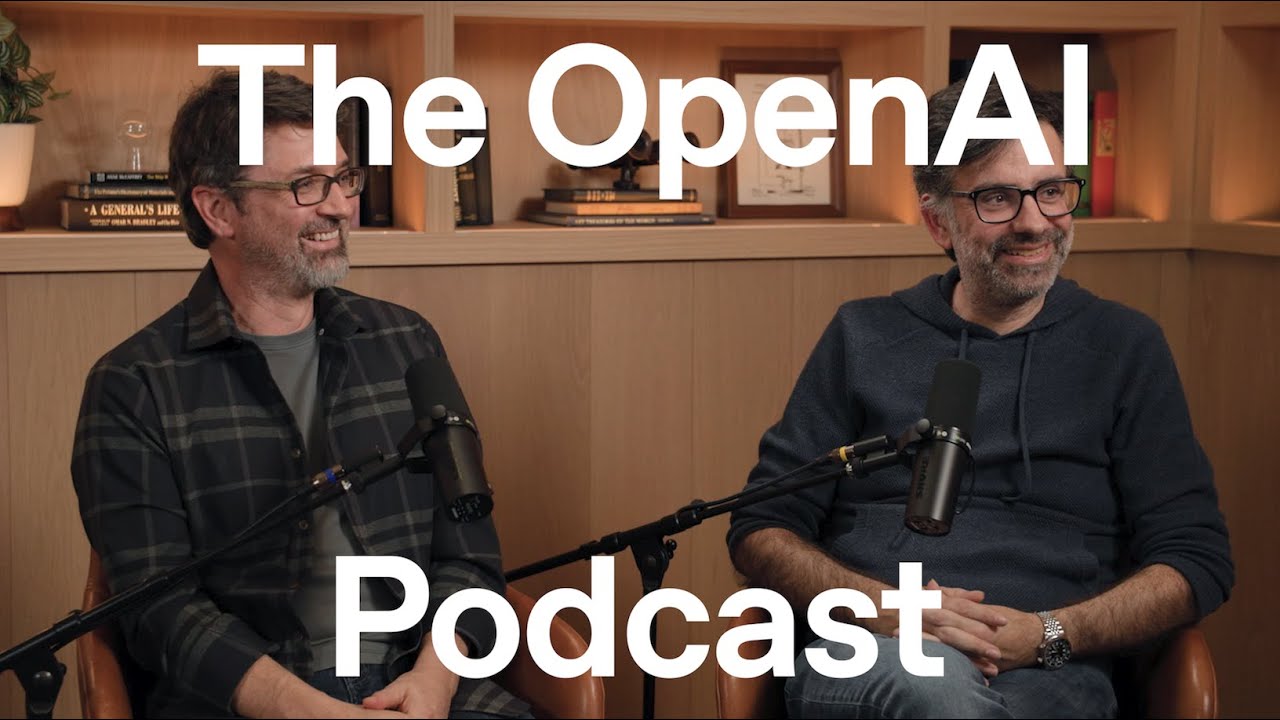
OpenAI Builds Custom AI Browser Atlas to Automate Web Work
OpenAI
The open web will survive the rise of artificial intelligence because autonomous agents require its decentralized fabric to aggregate data and execute complex tasks on behalf of users.
## Background
Published by OpenAI on YouTube on November 14, 2025, this video features the ninth episode of the OpenAI Podcast. The program's description highlights a conversation detailing the creation of ChatGPT Atlas, an AI-native web browser designed to transform user interaction through tabs you can talk to and autonomous agentic assistance.
## TL;DR
Host Andrew Mayne sits down with browser development veterans Ben Goodger and Darin Fisher to unpack the architecture, features, and philosophy behind ChatGPT Atlas. Built natively on Chromium while utilizing an out-of-process architecture called OWL, the browser integrates a personalized ChatGPT directly into the core user experience to enable contextual natural language commands, memory retention, and a powerful 'agent mode' that can manipulate complex web interfaces. The creators also discuss practical design choices like the 'Omnibox'-inspired single box interface, safety controls including a manual stop mechanism, and a long-term five-year vision where AI agents handle the repetitive grunt work of the internet while reinforcing the open web as a vital publishing primitive.
## Atmosphere & style
The podcast maintains an enthusiastic, deeply technical, yet highly accessible conversational tone, feeling less like a rigid corporate interview and more like a passionate brainstorming session between veteran engineering peers. Host Andrew Mayne guides the dialogue with genuine curiosity, which pairs naturally with the nostalgic, proud reflections of Goodger and Fisher as they bridge their past legacies on Chrome and Firefox into this new AI era. There is a palpable sense of internal excitement and creative energy, balancing granular engineering 'nerding out' with a shared, visionary optimism about the future of computing.
## Key takeaways
- [00:45](https://www.youtube.com/watch?v=WdbgNC80PMw&t=45s) ChatGPT Atlas is a new web browser built from the ground up with AI at its core, designed to let users navigate and take action on the web using natural language.
- [02:00](https://www.youtube.com/watch?v=WdbgNC80PMw&t=120s) The maturity of large language models and computer-use technology created a sweet spot that made developing a dedicated AI browser a logical next step.
- [03:40](https://www.youtube.com/watch?v=WdbgNC80PMw&t=220s) The open web remains incredibly durable and resilient, serving as an operating system for life where anyone can publish and consume content without gatekeepers.
- [08:51](https://www.youtube.com/watch?v=WdbgNC80PMw&t=531s) AI acts as a modernized user agent, allowing users to express their goals in plain language rather than requiring developers to build perfectly structured, machine-readable websites.
- [14:12](https://www.youtube.com/watch?v=WdbgNC80PMw&t=852s) To go beyond the limits of standard sidebars or extensions, the team built a custom embedding of Chromium called OWL to weave AI directly into the browser's core architecture.
- [16:44](https://www.youtube.com/watch?v=WdbgNC80PMw&t=1004s) Atlas integrates user memories across the browsing experience, enabling the browser to automatically remember preferences like a user's preferred airline to streamline future tasks.
- [19:24](https://www.youtube.com/watch?v=WdbgNC80PMw&t=1164s) In Agent Mode, ChatGPT can act on the user's behalf to complete multi-step background tasks, such as generating charts in a spreadsheet or commenting inside document editing systems.
- [25:29](https://www.youtube.com/watch?v=WdbgNC80PMw&t=1529s) To keep users in control during agent operations, Atlas features a sensitive mode for confidential tasks and a prominent safety button to instantly halt all automated actions.
- [22:00](https://www.youtube.com/watch?v=WdbgNC80PMw&t=1320s) Using advanced AI tools like GPT-5 and Codex radically accelerated the browser's development cycle, allowing engineers, product managers, and designers to rapidly submit pull requests.
- [22:00](https://www.youtube.com/watch?v=WdbgNC80PMw&t=1320s) The team is building the Windows version of Atlas using Swift, utilizing ChatGPT to translate code from languages like .NET or generate tedious WinRT C code.
- [35:38](https://www.youtube.com/watch?v=WdbgNC80PMw&t=2138s) The Atlas new tab page streamlines the user interface into a single input box that handles conversations, navigation, and traditional search seamlessly.
- [41:48](https://www.youtube.com/watch?v=WdbgNC80PMw&t=2508s) The optional scrolling tabs feature changes how tabs accumulate and scale, allowing users to keep thousands of tabs open without performance penalties or interface clutter.
- [45:23](https://www.youtube.com/watch?v=WdbgNC80PMw&t=2723s) The Ask ChatGPT sidebar functions as a highly versatile assistant capable of summarizing pages, executing translations, and automating complex workflows like creating Google Forms.
- [48:40](https://www.youtube.com/watch?v=WdbgNC80PMw&t=2920s) To preserve battery life and resources, Atlas adopts a mobile browser playbook by limiting active background tabs and utilizing a clever caching algorithm to shut down unused pages.
- [52:45](https://www.youtube.com/watch?v=WdbgNC80PMw&t=3165s) The architectural separation between the Swift-based Atlas frame and the OWL Chromium engine ensures that the browser remains responsive even if a heavy webpage crashes.
- [58:40](https://www.youtube.com/watch?v=WdbgNC80PMw&t=3520s) OpenAI views Atlas as a long-term investment, with plans to expand the browser to Windows and mobile platforms based on continuous weekly updates and user feedback.
- [01:05:26](https://www.youtube.com/watch?v=WdbgNC80PMw&t=3926s) In a five-year vision, a vast majority of internet traffic may be agentic, with AI systems performing data aggregation and research while humans remain in the loop for final choices.
- [01:10:01](https://www.youtube.com/watch?v=WdbgNC80PMw&t=4201s) AI models act as a powerful bridge to connect users to publishers and web apps rather than replacing the open web fabric, which will remain the core primitive for publishing content.
## Detailed walkthrough
### [00:00](https://www.youtube.com/watch?v=WdbgNC80PMw&t=0s) Introducing ChatGPT Atlas
The OpenAI podcast, hosted by Andrew Mayne, opens with a nod to a wave of major releases from the company, including GPT 5.1, Sora, and ChatGPT Atlas. To discuss Atlas—a new browser built from the ground up with artificial intelligence at its core—Mayne sits down with team members Ben Goodger and Darin Fisher. The creators explain that Atlas is designed for an era where people interact with technology using natural language. Rather than treating ChatGPT as a mere add-on or a separate tab, Atlas integrates the AI directly into the heart of the browsing experience to help users make sense of content, take action, personalize their journeys, and tackle long-term tasks that span days or weeks.
- **Core Concept**: Atlas is a browser designed to let users "just tell the computer what you want" in natural language.
- **Key Feature**: The browser remembers user context over time, allowing people to easily return to ongoing research or tasks they haven't worked on in a while.
### [02:00](https://www.youtube.com/watch?v=WdbgNC80PMw&t=120s) Why Now? The Slope of AI Innovation
The timing for Atlas is driven by the rapid, compounding progression of AI models. Goodger points out that we have reached a "sweet spot" where large language models (LLMs) and computer-use technologies have matured enough to deliver highly compelling user experiences. Fisher reflects on the pace of innovation, noting how OpenAI's "Operator" tool earlier in the year hinted at the potential of agentic capabilities, whereas Atlas is already vastly faster and more capable. For Fisher, putting ChatGPT at the core of the browser is a natural evolution because it aligns with how people actually want to start their digital journeys.
- **The Innovation Curve**: The rapid improvement of models over the past year made a dedicated AI browser a logical next step.
- **Platform Expansion**: The team is highly motivated by the foundation they have built and is excited to bring Atlas to more platforms in the future.
### [03:40](https://www.youtube.com/watch?v=WdbgNC80PMw&t=220s) The Durability of the Browser
Mayne highlights that Goodger and Fisher share a deep history in browser development, having worked on Netscape, Firefox, and Chrome. Despite a 30-year history of incremental changes, the browser remains incredibly durable. Fisher notes that even when mobile devices emerged and people questioned the future of laptops and desktops, the web browser remained the primary conduit for substantive work, research, and accessing the world's information. Goodger adds that the web's resilience is proven by the fact that ChatGPT itself originally launched as a web application.
- **An Open Platform**: The web remains uniquely powerful because it is an open platform with "no gatekeepers," allowing anyone to publish and consume content freely.
- **The Evolution of Web Apps**: Fisher reminisces about the early 2000s dot-com era and the launch of Google Maps, marveling at how revolutionary it felt to pan and scroll effortlessly. This paved the way for complex web apps like Gmail, YouTube, and Google Docs, turning the browser into an "operating system for your life."
### [08:51](https://www.youtube.com/watch?v=WdbgNC80PMw&t=531s) Making Computing Accessible
Goodger shares a childhood anecdote about trading shareware with school friends on floppy disks, recalling how bizarre and difficult it was to remember command-line prompts just to run an unzip tool. For him, the early web was a refreshing alternative because it allowed users to explore simply by clicking, without needing to understand the underlying machine. He believes AI assistants will make computing even more accessible to non-experts. Instead of needing to understand how an operating system, a browser, or even a specific website works, users can express their intent naturally, and the system will figure out how to accomplish it.
- **Natural Expression**: AI allows users to express goals in plain language rather than navigating complex user interfaces or technical commands.
- **Meeting Users Where They Are**: Rather than forcing developers to build perfectly structured, machine-readable sites, AI models are designed to navigate the web exactly like humans do—using visual layout and natural language.
### [11:58](https://www.youtube.com/watch?v=WdbgNC80PMw&t=718s) Supercharging the "User Agent"
The conversation turns to the historical concept of the "user agent"—the original term for a browser. In the early days of the web, the user agent was meant to take machine-readable content and apply the user's personal presentation preferences, such as custom fonts or colors. Fisher explains that back in Netscape, sophisticated users could write custom style sheets, a concept that later evolved into browser extensions. Empowering an LLM to act as a user agent is the natural continuation of this philosophy, supercharging the browser's ability to act on the user's behalf.
- **Historical Precedents**: Early internet tools like Gopher, Watson, and Sherlock hinted at a more proactive, agentic web experience.
- **Invisible Complexity**: Fisher notes that browsers are surprisingly complex, containing an "inordinate amount of complexity" that remains completely invisible to the average user.
[14:12](https://www.youtube.com/watch?v=WdbgNC80PMw&t=852s) The Complexity of the Modern Browser and the Architecture of ChatGPT Atlas
The modern web browser is far more than a simple document viewer; it is "basically like an app platform or a mini operating system that's running on your desktop." Every discipline of computer science is represented within it, allowing engineers to deeply "nerd out" on various aspects of its design. Darin Fisher recounts a recent lunch conversation with a team engineer regarding "OWL"—their out-of-process embedding of Chromium—which led to a discussion on how the rendering model has evolved from the early days of Google Chrome, through the advent of GPU-accelerated rendering, to how it operates today.
Andrew Mayne points out that the intense competition of the browser wars unexpectedly birthed technologies like Node.js on servers, pushing efficiency to levels no one originally anticipated. This deep architectural control is critical for ChatGPT Atlas. Rather than building a simple sidebar or a browser extension—which have strict limitations—the team wanted to design an entire browsing experience with ChatGPT at its core. Ben Goodger estimates that only "two to five percent of what we want to do is there today," but owning the entire browser surface allows them to weave "ChatGPT magic" throughout. For example, users can invoke a personalized ChatGPT on any text field to help them write, and because it knows them from their broader history, it can seamlessly sign an email in their voice.
- **OWL**: The team's custom embedding of Chromium that runs out of process.
- **Personalization**: The browser-level integration allows ChatGPT to leverage its memory of the user to perform highly contextual tasks, like writing emails in the user's specific style.
---
[16:44](https://www.youtube.com/watch?v=WdbgNC80PMw&t=1004s) Memory, Recall, and the Agent's Workspace
A foundational benefit of putting ChatGPT at the core of the browser is the integration of features like "memories." This solves the ubiquitous human frustration of trying to recall a previously viewed piece of content. Instead of manually digging through browser or YouTube histories to find a specific tweet, video, or "the third Buffalo Wings recipe" looked at over the weekend, users can simply ask ChatGPT to find it.
The most significant advantage of this end-to-end design, however, is how it handles agent capabilities. In a standard browser, a window is simply a collection of user-opened tabs. In ChatGPT Atlas, the agent itself can have its own collections of tabs. A user might have five different agent instances running in the background on different problems, each working through its own set of tabs to gather information, click elements, and take action.
- **Background Tab Management**: Agent tabs do not clutter the user's main tab strip, preventing the experience from feeling "discombobulating."
- **Tabular Results**: Once an agent completes a background task, it presents the accumulated work to the user in a clean, tabular format, allowing them to review the intermediate steps or simply accept the final outcome.
---
[19:24](https://www.youtube.com/watch?v=WdbgNC80PMw&t=1164s) What is Agent Mode?
Andrew Mayne asks for a clear distinction between a standard ChatGPT task and an "agent task." Ben Goodger explains that entering "agent mode" is essentially "inviting ChatGPT to take action on the web on your behalf." If a user is looking at a complex web application—such as a spreadsheet—and wants to generate a pie chart but does not know how, they can ask the agent in natural language to "make a pie chart with this data." The agent will then take over, moving the mouse and navigating the software to complete the task.
This interaction also serves an educational purpose, as users can watch the agent perform the actions and learn how to use the software themselves. The team shares various ways they use this internally:
- **Document Review**: Users have the agent review a document and leave comments directly inside the document editing system's native commenting tool "as if it was a collaborator."
- **Code Critiques**: Software engineers use the model to critique code. Darin Fisher notes that while early versions were hit-or-miss, the current model regularly uncovers "amazing nuggets" that prevent bugs from shipping.
- **Repetitive Tasks**: Andrew Mayne shares a personal anecdote of using the agent to generate a complex system for decks of cards using card emojis, sparing him from tedious manual pasting.
---
[22:00](https://www.youtube.com/watch?v=WdbgNC80PMw&t=1320s) Accelerated Development Cycles and Swift on Windows
The team's development cycle has been radically accelerated by using their own advanced AI tools, such as GPT-5 and Codex. Ben Goodger notes that one of the top Codex users at OpenAI is on their team, and their pull request (PR) productivity is "off the charts." These tools allow experienced engineers to rapidly explore new ideas, apply their judgment, and execute. It has also democratized development across disciplines: product managers and designers on the team are actively submitting PRs because of these tools.
Darin Fisher shares an anecdote where he spent a week manually refactoring code to unlock a feature. When faced with a second, similar refactoring task of the same scale, he asked Codex to do it, guiding it to follow the pattern of his previous work. Codex completed the entire project "within an hour" in an almost "one-shot" fashion.
This cross-language capability is also powering their current effort to bring ChatGPT Atlas to Windows. Although they are targeting Windows, the team is building the application using Swift because they are a team of Swift experts who want a shared, common codebase.
- **Swift on Windows**: The team is actively using Swift to build their Windows application, relying on ChatGPT to translate code from languages like.NET or to generate highly tedious WinRT C code filled with GUIDs.
- **Codex CLI**: Andrew Mayne recalls using Codex CLI to spin up a working Swift app out of the box without ever opening Xcode.
---
[25:29](https://www.youtube.com/watch?v=WdbgNC80PMw&t=1529s) Safety, Control, and the "Big Red Button"
When running tasks in agent mode, the browser balances autonomy with user control. For highly sensitive tasks—such as when the agent is reading a user's email—the browser enters a "sensitive mode" that requires the user to keep their active focus on the tab. Ben Goodger compares this to the driver-monitoring camera in a semi-autonomous car: "It's helping me drive, but it's not gonna let me like check my phone or... take a nap."
To reinforce this sense of control, the browser features a prominent safety mechanism at the bottom of the tab. "If you've ever been in a machine shop, you'll know that the machines there have these big red buttons on them," Goodger explains. If the agent begins doing something unexpected, the user can "whack that button" to instantly halt all actions.
- **Signed-Out Agent Mode**: Users can run the agent in an unauthenticated session without cookies. This allows them to safely test how the agent works before granting it access to sensitive personal accounts like email.
- **Onboarding**: The very first time a user runs the agent, an onboarding screen explains these choices and control mechanisms in detail.
- **Email Management**: Andrew Mayne jokes that with his half-million unread emails, he is ready to go "full auto" and let the agent take over, though he notes the agent has already been incredibly helpful for finding specific emails when standard keyword searches fail.
[28:14](https://www.youtube.com/watch?v=WdbgNC80PMw&t=1694s) Visualizing the Agent and the "Beautiful Chaos" of the Web
Ben Goodger expresses pride in how visually compelling the team made the agent's operations, complete with "sparkles and pixie dust" that appear around the interface as it works. Andrew Mayne shares this excitement, comparing watching the agent solve problems to a live stream of "How It's Made," but for computers. He wonders what the ecosystem will look like when most browser tabs are opened by agents rather than humans, and how companies will try to capture user attention. Goodger clarifies that the agent currently only runs in response to direct user requests. Furthermore, agent-controlled tabs have built-in safety limitations; they are blocked from triggering annoying pop-ups, such as requests for notification permissions. While users can manually grant these permissions on their own tabs, the agent will never do so on their behalf.
The conversation shifts to the philosophy of the internet. Mayne laments that the early web's serendipity has been "weaponized against the user," making it difficult to accomplish simple tasks without being trapped. Darin Fisher points out that while most websites try to keep users locked in their specific lane to serve ads, the ChatGPT side chat "makes the web bigger for you." It allows users to ask questions about a site and receive answers that bridge them to entirely different, more useful websites. Goodger calls this the "beautiful chaos of the web." He compares the experience to going on a multi-hour Wikipedia rabbit hole, noting that the Ask ChatGPT sidebar brings that scale of exploration to the entire internet.
- **Agent Visuals:** Features "sparkles and pixie dust" to make the background processes visually engaging.
- **Safety Controls:** Agent-driven tabs are strictly blocked from accepting or prompting notification permissions.
- **The Wikipedia Effect:** The Ask ChatGPT sidebar allows users to pivot from a single product page or website to the broader web, breaking down artificial site silos.
---
[32:03](https://www.youtube.com/watch?v=WdbgNC80PMw&t=1923s) Browser Memories and Personalization
Goodger explains how ChatGPT's popular personalization features extend directly to browsing activity in Atlas through "browser memories." This feature helps the browser remember user preferences and history to make future interactions seamless. For example, as a United Mileage Plus member, Goodger frequently searches for flights on United. Instead of having to explicitly instruct the agent to "always use United Airlines" every single time, the browser leverages its memories to automatically prioritize United. Fisher notes that this context-awareness makes forward queries highly efficient, saving users from repetitive typing. For users concerned about privacy, Goodger highlights that Atlas includes robust controls to view, manage, or entirely disable these personalization memories.
Mayne asks about the inclusion of search-engine-like tabs for images and news on the landing page, questioning if OpenAI is heading toward building its own search engine. Fisher explains that because search and browsing are deeply connected in users' minds, they brought familiar navigational controls to the `chatgpt.com` landing page. This design choice ensures users do not have to learn entirely new paradigms to be successful. By presenting quick-link "chips" and familiar tabs alongside the model's responses, Atlas gently introduces users to the "superpower" of an AI-driven browser during their normal, everyday journeys.
- **Browser Memories:** Automatically remembers user preferences (e.g., preferred airlines) to streamline agent tasks.
- **Privacy Controls:** Users can view, edit, or completely turn off personalization and memory features.
- **Familiar UI Elements:** Includes search chips and tabs (Images, News) on the landing page to bridge the gap between traditional search and AI.
---
[35:38](https://www.youtube.com/watch?v=WdbgNC80PMw&t=2138s) The "One Box" Philosophy and Transforming Computing
Mayne recalls his first day using Atlas, describing a "special moment" when he realized the browser and the LLM were deeply integrated rather than just glued together. He asked the browser to "add a bookmark for Amazon," and a moment later, the bookmark appeared. Goodger is incredibly excited about this conceptual shift, stating, "we're moving to a world where you can just tell the computer what you want" in the simplest way possible. He ties this back to OpenAI's core mission of making AGI beneficial to all of humanity, noting that making computing accessible through natural language is a profound step forward.
Fisher shares his own journey with AI, recalling how he used to write poorly formed questions in ChatGPT to help him figure out what search terms to type into Google, before realizing he could just use ChatGPT directly. He notes that humans are creatures of habit, but Atlas's default integration of ChatGPT in the address bar eliminates friction. Goodger agrees, mentioning that using other browsers now feels slow because he has to manually find his ChatGPT tab.
This leads to a discussion on simplifying the user interface. Fisher reminisces about the early days of web browsers when users had to install separate search toolbars, resulting in one box for URLs and another for search queries. When Fisher and his team built Google Chrome, they pioneered the "Omnibox"—combining them into a single box. However, even Chrome's new tab page still features two boxes (the address bar and the central Google search box). With Atlas, the team pushed themselves to design a new tab page with strictly "one box" to handle conversations, navigation, and search seamlessly.
- **Deep Integration:** The LLM can execute browser actions directly, such as creating bookmarks via natural language commands.
- **The Evolution of the Address Bar:** Atlas features a single input box on its new tab page, simplifying the dual-box layout common in other modern browsers.
- **The "Omnibox" Legacy:** Darin Fisher draws on his experience co-creating Google Chrome to explain the design philosophy behind simplifying user input.
### [41:48](https://www.youtube.com/watch?v=WdbgNC80PMw&t=2508s) Rethinking Browser Primitives: The Scrolling Tabs Feature
Darin Fisher explains that while people are generally accustomed to their browsers exactly as they are, building a new browser offers a rare opportunity to rethink core primitives. One of the key features he worked on is "scrolling tabs." This feature stemmed from the realization that tab management could be significantly improved if new tabs were handled differently. In traditional browsers, users who pin tabs (an advanced but common use case) see them pinned on the left. If they click a link within a pinned tab like Gmail, the new page opens adjacent to it. However, if they click the "+" button, the new tab opens all the way on the right. Over the course of a day, this behavior causes old, unused tabs to accumulate in the middle, creating a cluttered mess that is painful to clean up.
Scrolling tabs solves this clutter by changing how tabs accumulate and scale. While not strictly an AI feature, it unlocks powerful capabilities when combined with AI. Because the system allows users to accumulate thousands of tabs without them being "in your face," users can easily search across their entire active history using a familiar shortcut like `Cmd + Shift + A` (tab search). Ben Goodger notes that he personally has well over a thousand tabs open in his browser, something that would normally be a massive performance problem, but is made seamless because the system manages the memory automatically.
- **Tab Search Shortcut:** `Cmd + Shift + A` allows users to quickly search and find any open tab.
- **Default Settings:** The scrolling tabs feature is not turned on by default because the team wanted to avoid overwhelming users with too many new interface paradigms all at once.
- **AI Integration:** Having thousands of tabs open means the AI model's "working set" becomes massive. The model can "see" these tabs, allowing users to ask the model to retrieve or interact with information from tabs they may have forgotten about.
### [45:23](https://www.youtube.com/watch?v=WdbgNC80PMw&t=2723s) The Power of the Ask ChatGPT Sidebar
Ben highlights the "Ask ChatGPT" sidebar in Atlas as a basic but incredibly high-value feature that he uses every single day. He uses it to summarize long pages, extract how a specific article matters to him, or conduct research to return quick stats, facts, and figures. He has even used it to compare deals while online shopping, automate productivity workflows, and generate Google Forms to survey his coworkers on feature designs. Darin recalls how Ben used the sidebar to first outline the survey questions and then simply asked, "can you just put it into a Google form for me?"—which it did seamlessly.
The sidebar acts "like having ChatGPT sitting on your shoulder," ready to assist anywhere on the web. Darin shares a simple everyday example: while using Slack, he encountered text in another language, highlighted it, right-clicked to ask the sidebar, and received an instant translation without having to copy and paste.
Andrew Mayne shares his favorite use case involving the browser's "agent mode." He used it to investigate a confusing monthly bill from a major cloud provider. Instead of reading through documentation that felt "like reading a Soviet tractor manual," Andrew asked the agent to help. He watched the agent navigate the cloud provider's website, locate the active services, explain what they were doing, and shut them down, saving him $100 a month. Ben shares a similar personal anecdote about using the sidebar to translate complex medical jargon from a patient portal into plain English while waiting for a doctor's response.
### [48:40](https://www.youtube.com/watch?v=WdbgNC80PMw&t=2920s) Adoption, Habits, and Mobile-Inspired Memory Management
Andrew compares the current state of AI browsers to the early days of the iPhone, when it took users a long time to realize they constantly had a camera and a flashlight in their pocket. Similarly, many people do not yet realize the full capabilities of these new browser tools. Ben agrees, stating that Atlas is in a stage where the team has built a powerful tool but doesn't yet know all the ways people will use it. They released it early to see how users interact with it, learn where it "sucks," and figure out how to make the "magic real" without requiring users to constantly think about when to ask questions. Darin points out that humans are creatures of habit who use computers the way they always have, and it takes a "tipping point" for early adopters to show others the best ways to utilize these tools.
Andrew admits he still struggles with the habit of manually closing tabs because he grew up in an era of browsers warning that "too many browser tabs" were open. To address this, Darin explains that Atlas took a page out of the mobile browser playbook. Because laptops have limited battery life, Atlas limits how many tabs are backed by a live web page. Instead of trying to mitigate the background cost of unused pages, Atlas simply closes them down. If a user clicks back onto an old tab, it reopens.
- **Smart Caching:** Atlas uses a clever caching algorithm to keep the tabs a user cares about in memory while freeing up system resources.
- **Parallel Startup:** Atlas restarts incredibly fast because the UI process is separate from the "OWL" process (their embedding of Chromium). The two start in parallel, meaning Atlas can restore the window and tab list instantly without waiting for the web pages themselves to load.
- **Swift Architecture:** Atlas is built as a thin Swift application that controls OWL, which projects the rendered web pages into the Atlas UI.
### [52:45](https://www.youtube.com/watch?v=WdbgNC80PMw&t=3165s) Why Chromium? The Layer Cake of Browser Tech
When Andrew asks why they chose to build on Chromium, Darin explains that the primary reasons are web compatibility and extensions. Unfortunately, many major websites are designed to work exclusively with Chromium, and certain features simply do not exist on non-Chromium browsers. Furthermore, Chromium extensions are incredibly popular, and building on Chromium ensures that users can bring their favorite extensions with them.
Ben adds that while there is always excitement in the community for new rendering engines, a new browser with a small user base needs the web to "just work." He notes that even when they were starting Chrome, they had the same concerns. The Chromium rendering engine (Blink) originally diverged from WebKit (Safari's engine), which itself was based on KHTML from the Linux world. Ben points out that open-source projects constantly fork and branch, noting that there is even code in Chromium that dates back to the Mozilla project in the 1990s.
Darin describes browsers as a "layer cake of technology" built up over decades. The team wanted to innovate on the next layer up—where the AI model interacts with these foundational layers. Unlike most browsers that fork Chromium's UI but run in the same process, Atlas keeps its UI process completely separate from OWL. This means that even if Chromium is busy rendering a heavy webpage, the Atlas application remains responsive and can work in parallel. If the OWL process crashes, the main Atlas browser application remains unaffected.
[56:06](https://www.youtube.com/watch?v=WdbgNC80PMw&t=3366s) Resilient Architecture and First-Day Code Merges
Ben Goodger and Darin Fisher reflect on how the architectural separation between Atlas (the lightweight Swift-based outer frame) and OWL (the Chromium-based engine) creates a highly resilient system. Goodger recalls the early design days of Google Chrome, where the prevailing philosophy was that individual web pages might crash, so the browser itself needed to remain standing. Today, Chromium has evolved into an incredibly sophisticated and heavy platform. By wrapping it in Atlas, OpenAI has built a lightweight frame focused strictly on core productivity and the ChatGPT sidebar, ensuring that both components are resilient to each other's failures.
This architectural split also yields a massive, unexpected benefit for onboarding new engineers at OpenAI. Because Chromium is a gargantuan codebase, checking it out and building it on a local machine is a notoriously slow and complicated process. However, because Atlas is decoupled, new hires can check out the Swift-based Atlas code and build it almost instantly. As a result, every single engineer starting at OpenAI is able to merge code and ship features on their very first afternoon, bypassing the typical multi-day setup bottleneck.
- **Swift & SwiftUI:** Atlas is built natively for macOS using Xcode, Swift, and SwiftUI, making it instantly familiar to iOS and Mac developers.
- **Onboarding Efficiency:** New engineers avoid the massive build times of Chromium on day one by focusing their initial changes on the Atlas side.
---
[58:40](https://www.youtube.com/watch?v=WdbgNC80PMw&t=3520s) A Long-Term Investment in the Future of Browsing
Addressing external skepticism about whether ChatGPT Atlas is just another temporary experiment, Goodger emphasizes that OpenAI views the browser as a "long-term investment." He compares the current release to the "Netscape 1.0" of a brand-new era of web browsing. The team is actively working on a robust roadmap driven by user feedback and close collaboration with OpenAI's research division. This includes expanding the browser to other platforms, as a frequent request from users is to have the experience available on Windows and mobile devices.
Fisher shares that the internal excitement at OpenAI reached a point where employees were constantly asking, "Why haven't you shipped it yet?" because the product felt incredibly polished and they had stopped receiving new categories of critical feedback. Since launching, the reception has been highly rewarding, with Fisher sharing an anecdote about his son's school friends loving the browser's AI features, and his wife being "giddy" during friends-and-family testing while using the side chat to research tasks.
- **Weekly Updates:** The browser is designed to get progressively better every week through continuous, iterative updates.
- **Cross-Platform Demand:** Windows and mobile versions are highly requested and actively being planned to ensure users have a continuous experience across all their devices.
---
[01:01:44](https://www.youtube.com/watch?v=WdbgNC80PMw&t=3704s) The Power of Context and Building Trust with AI
Andrew Mayne shares a personal story about his wife's reaction to Atlas, noting that on the night it was released, she sat in bed and declared, "I can't stop thinking about ChatGPT Atlas." For her, it was a massive unlock as her first real experience with an agentic system. Fisher explains that the magic lies in removing the tediousness of research; because the model is right there alongside the browser, it naturally inherits the context of whatever website the user is viewing, allowing for seamless follow-up questions.
Goodger points out that having a persistent AI assistant helps users tackle complex web tasks, such as figuring out how to visualize data in a web-based spreadsheet. He believes that exposing these capabilities in a browser helps demystify the technology and build user trust. Even if OpenAI developed a perfect model tomorrow that solved every problem instantly, users would still want to "come along for the ride" to understand how decisions are being made before they feel comfortable fully delegating highly complex tasks.
- **Familiar Patterns:** Atlas integrates the model directly into standard user habits, such as showing model responses alongside traditional links on the new tab page.
- **Incremental Delegation:** The UI allows users to dial their model usage up or down, helping them transition from manual browsing to agentic assistance at their own pace.
---
[01:05:26](https://www.youtube.com/watch?v=WdbgNC80PMw&t=3926s) Mobile Explorations and the Five-Year Vision
When asked about the future of mobile browsing—where screen real estate is limited and shifting a search bar is considered a major UX change—Fisher reveals a "fun fact": some of OpenAI's earliest explorations for this project actually started on mobile. The core question has always been about "how can we bring the web to the model" and vice versa. While the mobile form factor is different, the goal is to allow users to seamlessly transition tasks from their laptops to their phones. Goodger notes that on mobile, his personal use case is heavily focused on quick information retrieval, such as using the ChatGPT camera to ask questions about his physical surroundings.
Looking five years into the future, Goodger envisions a world where users no longer have to think about the specific mechanics of the tools they are using. Instead, they will simply express what they want, and a smart system will handle the rest. He predicts that a vast majority of future internet traffic may actually be agentic, driven by AI systems performing the "toil" and "grunt work" of scouring the web, leaving humans to make the final, high-level decisions.
- **Agentic Internet Traffic:** In five years, agents may perform most of the clicking, searching, and data aggregation on the web.
- **Human-in-the-Loop Decision Making:** Instead of spending hours planning a vacation, an agent will present the user with curated choices (e.g., hotel options), keeping the human in control of the final decision.
[01:10:01](https://www.youtube.com/watch?v=WdbgNC80PMw&t=4201s) Navigating the Future of Search, Agents, and the Open Web
The conversation shifts to the broader implications of LLMs and agents interacting with the web. Andrew Mayne asks what advice or direction should be given to publishers and creators as LLM-powered browsers and autonomous agents become the norm. Darin Fisher points out that modern models have gotten incredibly good at deciding when to search the internet to answer a query. He views these models not as a replacement for the web, but as a powerful bridge to connect users to publishers and web apps. Whether providing a snippet with a citation for deeper reading or directly fulfilling a navigational intent, the goal is to get the user where they want to go.
With Atlas, the team has been actively exploring how to better serve these navigational intents. Darin explains that if a user comes to a browser with the explicit intent of buying a product on a specific site, the browser's job is simply "to get you there as fast as possible." In other cases, the user wants to probe the model's knowledge, requiring the model to autonomously invoke a palette of tools—including actuating the browser itself—without the user needing to be highly prescriptive about which tool to use.
- **Navigational Intent:** Atlas is designed to recognize when a user wants to go directly to a specific site and aims to streamline that journey.
- **Dynamic Tool Use:** The future of browsers involves models drawing from an "incredible palette of tools" to research and act on behalf of the user.
[01:11:51](https://www.youtube.com/watch?v=WdbgNC80PMw&t=4311s) Will Web Pages Exist in Ten Years?
When Andrew asks the provocative question of whether we will still be using web pages in ten years, Ben Goodger answers with a definitive "I think so." Darin agrees, describing the web as the "core primitive" of how people publish content, calling it an "open fabric" and the "internet superhighway" that is unlikely to disappear. Ben reinforces this by calling the web "the world's largest... most open platform," noting that its inherent openness will always make it highly attractive for creators.
Rather than destroying this ecosystem, Darin argues that AI tools will enhance it by understanding this open fabric and connecting people to the content they need. Whether a publisher is hosting a shopping gallery or sharing information, the browser's role is to help users find and engage with that content.
- **The Web as a Primitive:** The open web remains the most resilient and attractive platform for publishing due to its decentralized, open nature.
- **AI as a Connector:** AI is viewed as a tool to better understand web content and guide users through their online journeys, rather than a wall shutting publishers out.
[01:13:08](https://www.youtube.com/watch?v=WdbgNC80PMw&t=4388s) Power User Tips and Final Thoughts
As the discussion wraps up, Andrew asks for any final suggestions or power user tips for those trying out Atlas. Ben and Darin both enthusiastically point to the "scrolling tabs" feature as a personal favorite. Ben challenges users to push the boundaries of their curiosity while browsing: "challenge yourself with your curiosity on any given page. Ask a question on more pages that you visit, and you might be surprised with what you come up with."
Darin closes by inviting the community to share their experiences, emphasizing that they are eager for user feedback to help shape the product's evolution. Andrew thanks both guests for sharing their insights into the future of browsing.
- **Favorite Feature:** Both Ben and Darin highlight the scrolling tabs feature as a must-use.
- **User Challenge:** Users are encouraged to actively ask questions on a wider variety of pages to discover unexpected insights.
## Notable quotes
> [00:45](https://www.youtube.com/watch?v=WdbgNC80PMw&t=45s) just tell the computer what you want — Ben Goodger
> [03:40](https://www.youtube.com/watch?v=WdbgNC80PMw&t=220s) operating system for your life — Darin Fisher
> [14:12](https://www.youtube.com/watch?v=WdbgNC80PMw&t=852s) two to five percent of what we want to do is there today — Ben Goodger
> [14:12](https://www.youtube.com/watch?v=WdbgNC80PMw&t=852s) ChatGPT magic — Ben Goodger
> [19:24](https://www.youtube.com/watch?v=WdbgNC80PMw&t=1164s) inviting ChatGPT to take action on the web on your behalf — Ben Goodger
> [19:24](https://www.youtube.com/watch?v=WdbgNC80PMw&t=1164s) make a pie chart with this data — the user
> [19:24](https://www.youtube.com/watch?v=WdbgNC80PMw&t=1164s) as if it was a collaborator — Ben Goodger
> [25:29](https://www.youtube.com/watch?v=WdbgNC80PMw&t=1529s) It's helping me drive, but it's not gonna let me like check my phone or... take a nap. — Ben Goodger
> [25:29](https://www.youtube.com/watch?v=WdbgNC80PMw&t=1529s) whack that button — Ben Goodger
> [28:34](https://www.youtube.com/watch?v=WdbgNC80PMw&t=1714s) sparkles and pixie dust — Ben Goodger
> [28:34](https://www.youtube.com/watch?v=WdbgNC80PMw&t=1714s) makes the web bigger for you — Darin Fisher
> [28:34](https://www.youtube.com/watch?v=WdbgNC80PMw&t=1714s) beautiful chaos of the web — Ben Goodger
> [45:23](https://www.youtube.com/watch?v=WdbgNC80PMw&t=2723s) like reading a Soviet tractor manual — Andrew Mayne
> [52:45](https://www.youtube.com/watch?v=WdbgNC80PMw&t=3165s) layer cake of technology — Darin Fisher
> [01:01:44](https://www.youtube.com/watch?v=WdbgNC80PMw&t=3704s) I can't stop thinking about ChatGPT Atlas — Andrew Mayne's wife
> [01:11:51](https://www.youtube.com/watch?v=WdbgNC80PMw&t=4311s) open fabric — Darin Fisher
> [01:11:51](https://www.youtube.com/watch?v=WdbgNC80PMw&t=4311s) internet superhighway — Darin Fisher
> [01:13:08](https://www.youtube.com/watch?v=WdbgNC80PMw&t=4388s) challenge yourself with your curiosity on any given page. Ask a question on more pages that you visit, and you might be surprised with what you come up with. — Ben Goodger
## Mentioned
ChatGPT Atlas, OpenAI, Ben Goodger, Darin Fisher, Andrew Mayne, GPT 5.1, Sora, ChatGPT, Operator, Netscape, Firefox, Chrome, Google Maps, Gmail, YouTube, Google Docs, Gopher, Watson, Sherlock, OWL, Chromium, Google Chrome, Node.js, GPT-5, Codex, Windows, Swift, .NET, WinRT C, Codex CLI, Xcode, Wikipedia, United Airlines, United Mileage Plus, Amazon, Google, Omnibox, Slack, Blink, WebKit, Safari, KHTML, Linux, Mozilla, SwiftUI, macOS, Netscape 1.0, Google Forms
OpenAI开发定制AI浏览器Atlas以实现网络工作自动化
开放网络将在人工智能的崛起中存续,因为自主智能体需要其去中心化的架构来聚合数据并代表用户执行复杂任务。
主持人 Andrew Mayne 与浏览器开发资深专家 Ben Goodger 和 Darin Fisher 展开对谈,深入剖析了 ChatGPT Atlas 背后的架构、功能与理念。该浏览器基于 Chromium 原生构建,并采用了名为 OWL 的进程外架构,将个性化的 ChatGPT 直接集成到核心用户体验中,以实现上下文自然语言指令、记忆保留以及能够操作复杂网页界面的强大“智能体模式”。开发者们还探讨了诸如受“Omnibox”启发的单一输入框界面等实用设计选择、包含手动停止机制在内的安全控制措施,以及长达五年的长期愿景——让 AI 智能体承担互联网上重复繁琐的杂务,同时强化开放网络作为至关重要的发布基石的地位。
OpenAI 推出以 AI 为核心的全新网页浏览器 ChatGPT Atlas,旨在让用户能够直接使用自然语言在网络上导航并执行复杂操作。 (0:00)
为突破常规侧边栏和扩展程序的限制,团队构建了名为 OWL 的 Chromium 进程外嵌入技术,将 AI 深度融入浏览器的底层核心架构。 (14:12)
在 Agent Mode(智能体模式)下,ChatGPT 能代表用户在后台自主处理多步骤任务,例如在网页表格中自动绘制图表或在文档协作系统中留下评论。 (19:24)
Atlas 引入了浏览器记忆功能,可跨网页会话记住用户的偏好设置(如常用航司),从而大幅简化未来任务的交互流程。 (32:03)
为保障自动化操作的安全性与可控性,Atlas 提供了处理敏感任务的专注模式,并在标签页底部配备了可随时一键中止所有操作的安全停止按钮。 (25:29)
Reading summary
OpenAI browser engineers Ben Goodger and Darin Fisher explain that ChatGPT Atlas is built to transform the web browser from a passive document viewer into an agentic 'user agent' driven by natural language and persistent memory.
Native AI Integration and Persistent Context (0:00)
Rather than relying on sidebars or extensions with limited access, ChatGPT Atlas integrates artificial intelligence directly into the browser core. This architecture lets the system remember user context across extended sessions, execute direct commands like creating bookmarks from natural language prompts, and retain preferences such as frequent-flyer memberships without repeated instructions. Users retain privacy controls to view, edit, or disable these saved memories.
Autonomous Agent Mode and Safeguards (19:24)
Atlas introduces an 'agent mode' in which the model acts directly on web applications—navigating interfaces, manipulating spreadsheets, or leaving native comments in documents. To prevent workspace clutter, agents run their background processes in dedicated sets of tabs rather than the user's primary strip, presenting completed work in structured tabular summaries. Goodger and Fisher note safety constraints are embedded into these autonomous flows: the browser triggers a driver-monitoring-style 'sensitive mode' during tasks like reading email, features an immediate emergency-stop button, blocks automated tabs from accepting notification prompts, and supports signed-out testing sessions without cookies.
Decoupled Architecture and Memory Management (14:12)
Architecturally, Atlas separates its user interface from the rendering core. The application frame is written natively in Swift, which runs out of process from OWL, the team's custom Chromium embedding. This separation ensures the UI remains responsive and intact even if Chromium encounters heavy loads or crashes. It also accelerates engineering cycles, enabling new hires to build and merge Swift code on their first afternoon without compiling the Chromium codebase. For performance, Atlas adopts mobile-style tab suspension, limiting live background web pages while retaining fast restoration via parallel process startup.
Long-Term Outlook for the Open Web (70:01)
Addressing concerns over the displacement of digital content, Goodger and Fisher argue that the open web remains an irreplaceable, decentralized publishing primitive. Instead of cordoning off websites, AI assistants function as connective tissue that routes users toward authoritative sources according to navigational intent. Goodger forecasts that within five years, automated agents could conduct the bulk of tedious browsing, searching, and data collation across the internet, while human users retain final authority over key decisions.
OpenAI views Atlas as an iterative, long-term foundation rather than an experiment, with Windows and mobile expansions currently underway. However, the creators acknowledge that unlocking the browser's potential still depends on overcoming entrenched user habits and testing how audiences interact with agentic computing in everyday environments.
精炼阅读摘要
OpenAI 团队成员 Ben Goodger 与 Darin Fisher 认为,随着大语言模型和计算机使用技术的成熟,ChatGPT Atlas 代表了浏览器从传统文档与应用展示平台向以自然语言为核心的“智能体交互界面”演进。该产品将 ChatGPT 深度置于底层而非外挂插件,旨在让用户直接用自然语言表达目标,并在保留用户最终控制权的前提下自主执行复杂的跨网页与长期任务。
自然语言交互与“用户代理”重塑 (11:58)
Goodger 与 Fisher 回溯了早期网络中“用户代理”(User Agent)的概念,指出最初的浏览器旨在代表用户解析内容并应用偏好。团队认为,Atlas 的核心逻辑正是这一理念的延续,让用户无需适应复杂界面或记忆指令,直接用自然语言与计算机交互。界面上,团队承袭了 Fisher 早年参与打造 Chrome“Omnibox”的思路,将新标签页整合为统一的“单一输入框”(One Box),消除了地址栏与独立搜索框的分隔,无缝汇聚对话、导航与检索意图。
这种底层集成突破了传统扩展的功能上限。Goodger 坦言当前产品仅实现其愿景的 2% 到 5%,但拥有完整控制面后,ChatGPT 能在任意文本框内调用历史上下文辅助写作,甚至模仿用户语气回复邮件。针对日常浏览,Atlas 配备“Ask ChatGPT”侧边栏,支持即时摘要长文、跨语言翻译,并打破单一商业网站构建的流量闭环,将单点内容与互联网关联知识桥接起来,重新激发用户探索开放网络的潜力。
智能体模式与安全可控的人机协作 (19:24)
Goodger 将 Atlas 的“智能体模式”(Agent Mode)定义为邀请 ChatGPT 代表用户在网络上自主执行操作。用户提出高阶需求(如基于在线电子表格生成饼图)后,智能体即可接管界面、移动鼠标并完成软件交互,同时让用户在旁观中学习操作方法。团队已将该模式用于协同文档批注、审查代码以拦截缺陷及重复性数据整理;主持人 Andrew Mayne 则分享了借助智能体查阅云服务账单、定位闲置服务并关停,从而每月节省 100 美元的案例。
针对智能体自主操作的安全与隐私隐患,系统构建了分层约束。处理阅读个人邮件等敏感任务时,浏览器会自动激活“敏感模式”,要求用户保持对该标签页的实时关注,类似半自动驾驶汽车监控驾驶员的摄像头。标签页下方设有醒目的“红色大按钮”,允许用户在操作异常时一键紧急中止。此外,用户可在未携带 Cookie 的未登录环境中测试智能体,且系统明确禁止智能体标签页代用户申请或授权网站通知等权限。
进程解耦与 Swift 原生架构工程 (14:12)
在底层工程上,团队未采用在单进程内分叉 Chromium 界面的常规方案,而是构建了基于 Swift 的轻量原生外壳框架,通过名为“OWL”的进程外组件嵌入 Chromium 渲染引擎。Fisher 指出,采用 Chromium 的核心考量在于保障主流网页兼容性并直接继承庞大扩展生态。通过将 Swift 原生 UI 进程与 OWL 渲染进程完全隔离并并行启动,浏览器重启时可瞬间恢复窗口与标签列表;即使渲染重度网页发生卡顿或 Chromium 崩溃,Atlas 自身的界面与 ChatGPT 侧边栏依然保持独立响应。
这种架构解耦增强了系统容错弹性,并大幅降低了开发协作门槛。面对本地编译庞大 Chromium 代码库耗时极长的问题,Atlas 允许新入职工程师仅通过 Xcode 构建基于 Swift 和 SwiftUI 的前端界面,实现入职首日下午即可合并代码并发布功能。此外,团队正借助 Swift 并结合 Codex 推进 Windows 版本开发;利用模型跨语言迁移与生成复杂 WinRT C 代码的能力,以往需资深工程师手动重构一周的工作,模型可在约一小时内单次生成完成。
记忆系统、标签重构与开放网络未来 (16:44)
Atlas 深度融合了“浏览器记忆”(Browser Memories)机制,能跨会话记录长期偏好(例如特定航司常客身份),在后续任务中自动应用上下文,并提供完整的查看、编辑与停用隐私设置。在多任务协作方面,Atlas 将智能体在后台运行的任务标签页与用户的主标签栏完全隔离,并在完成后汇总为整洁的表格呈现。借鉴移动操作系统经验,Atlas 限制活动网页进程数量,通过智能缓存自动释放闲置页面内存并在点击时重新加载。
针对重度用户堆积数千个标签的痛点,Fisher 打造了非默认开启的“滚动标签”(Scrolling Tabs)机制,配合快捷键 Cmd + Shift + A 检索,使堆积标签转化为可供 AI 随时感知与调用的“工作集”。面向网络生态前景,Goodger 与 Fisher 明确反驳了“网页即将在十年内消亡”的观点,强调去中心化的开放 Web 依然是创作者发布内容的核心基石;AI 并非取代网站,而是作为智能导流桥梁。Goodger 预测,未来五年内互联网的大量日常检索与数据聚合流量将由智能体代理完成,人类将聚焦于对结构化结果进行高层级决策。
OpenAI 团队将 Atlas 定位为新浏览时代的“Netscape 1.0”并视其为长期投资,计划通过每周迭代将体验延伸至 Windows 及移动平台。然而,用户固有使用习惯的转变仍是核心挑战:从手动搜索与多标签管理的惯性,到真正信任并主动调用智能体代劳存在认知门槛;在拓展智能体自主权与维持用户知情权、安全掌控感之间如何建立长久平衡,仍需在真实的跨设备应用与长期反馈中持续探索。
Source quotes
[0:45] Ben Goodger: just tell the computer what you want
[3:40] Darin Fisher: operating system for your life
[14:12] Ben Goodger: two to five percent of what we want to do is there today
[14:12] Ben Goodger: ChatGPT magic
[19:24] Ben Goodger: inviting ChatGPT to take action on the web on your behalf
[19:24] the user: make a pie chart with this data
[19:24] Ben Goodger: as if it was a collaborator
[19:24] Darin Fisher: amazing nuggets
[25:29] Ben Goodger: It's helping me drive, but it's not gonna let me like check my phone or... take a nap.
[25:29] Ben Goodger: whack that button
[28:34] Ben Goodger: sparkles and pixie dust
[28:34] Darin Fisher: makes the web bigger for you
[28:34] Ben Goodger: beautiful chaos of the web
[45:23] Andrew Mayne: like reading a Soviet tractor manual
[52:45] Darin Fisher: layer cake of technology
[61:44] Andrew Mayne's wife: I can't stop thinking about ChatGPT Atlas
[71:51] Darin Fisher: core primitive
[71:51] Darin Fisher: open fabric
[71:51] Darin Fisher: internet superhighway
[73:08] Ben Goodger: challenge yourself with your curiosity on any given page. Ask a question on more pages that you visit, and you might be surprised with what you come up with.
Original transcript
[0:00] Andrew Mayne: Hello, I'm Andrew Mayne and welcome to the OpenAI podcast.
[0:03] Andrew Mayne: There have been a lot of exciting releases from OpenAI recently, including GPT 5.1,
[0:09] Andrew Mayne: Sora, and one of my favorite new applications, ChatGPT Atlas.
[0:13] Andrew Mayne: Today we're going to be talking to the team behind it, Ben Goodger.
[0:18] Andrew Mayne: and Darin Fisher and explore some of the reasons for why OpenI decided to make a browser, what the future of agentic capabilities mean, and where everything's headed next.
[0:28] Darin Fisher: The time is right because it's actually how people should be starting their journey.
[0:32] Ben Goodger: We're moving to a world where you can just tell the computer what you want.
[0:35] Darin Fisher: So I think it's kind of powerful this idea that it
[0:37] Darin Fisher: the agent has its own workspace.
[0:39] Ben Goodger: My view for this has always been that this is like a long-term investment.
[0:45] Andrew Mayne: Let's begin with
[0:47] Andrew Mayne: What is Atlas and why?
[0:50] Ben Goodger: So Atlas is a new kind of browser for an era of the web where people are
[0:57] Ben Goodger: Interacting with new technology in natural language.
[1:01] Ben Goodger: And so it's a the kind of browser where you can just tell it what you want, whether it's to find the next outfit that you're gonna buy or to help you solve a really hard problem.
[1:09] Ben Goodger: and then it can help you harness the web to get a bunch of stuff done.
[1:13] Ben Goodger: and so central to this this idea is that
[1:18] Ben Goodger: If we take ChatGPT and make it the heart of your browser, not just an add-on, it's something that can actually help you make sense of the content that you're seeing on the web.
[1:27] Ben Goodger: It's something that can help you take action on the web.
[1:30] Ben Goodger: It's something that can learn from your browsing to personalize your experience and help you with tasks that aren't just done in a few minutes but might take days or weeks or months or just generally help you
[1:42] Ben Goodger: become a more curious, more effective person.
[1:48] Darin Fisher: And it can help you come back to a test that maybe you've
[1:51] Darin Fisher: not had a chance to work on in a while because it will remember what you were doing for you and help help you get right back into where you were.
[2:00] Andrew Mayne: Why now?
[2:01] Ben Goodger: I think the the progression of
[2:04] Ben Goodger: Technology, you know, with with these AI models has been really stunning to watch over the past couple of years.
[2:10] Ben Goodger: And it feels like
[2:12] Ben Goodger: We're at this sort of sweet spot where the capabilities of of not just the LLMs that have powered ChatGPT, but also sort of this new area of computer use and some of the other surrounding technology.
[2:25] Ben Goodger: Is at a point where we can build some really compelling experiences for people.
[2:30] Ben Goodger: So we wanted to give it a shot.
[2:31] Darin Fisher: You know, like Ben said, the models have gotten so much
[2:34] Darin Fisher: better and they continue to get better and you see the slope of innovation there and the pace of of improvement.
[2:38] Darin Fisher: If you look back at the beginning of the year when Operator first came out, for example, and it sort of like hints at some of the potential.
[2:46] Darin Fisher: And now you fast forward to where Atlas is with agent agent and how much faster it is, how much more capable it is.
[2:53] Darin Fisher: Just look at that slope and you start to project.
[2:55] Darin Fisher: What about next what's it going to look like next year, five years out, etc.
[2:59] Darin Fisher: ?
[2:59] Darin Fisher: And to get the sort of get that foundation in place.
[3:02] Darin Fisher: That's what we were excited about.
[3:04] Darin Fisher: And it felt like the right time.
[3:06] Darin Fisher: For me personally, you know, I I felt like I know I had made that transition to seeing how ChatGPT makes so much sense in my life to and how much I was using it and feeling like putting ChatGPT at the core of a browser, not just another tab that you have to
[3:20] Darin Fisher: go to to but to have it be at the core and part of that flow the time is right because it's actually how people should be starting their journey.
[3:29] Darin Fisher: And so we want to make that just so natural and easy.
[3:34] Darin Fisher: So I'm really excited to that we've been able to bring Atlas up and I'm excited to bring it to more platforms.
[3:40] Andrew Mayne: You two have quite a bit of history working in browsers, Netscape.
[3:44] Andrew Mayne: you've worked on Firefox and Chrome.
[3:47] Andrew Mayne: And I'd like to kind of understand
[3:50] Andrew Mayne: Where do you think we are right now with browsers?
[3:53] Andrew Mayne: We've got like over a 30-year history of these and now it seems like they seem like they'd been changing a little bit incrementally and then all of a sudden now we're adding AI to it, et cetera.
[4:02] Andrew Mayne: And how do you look at the browser landscape?
[4:04] Ben Goodger: Well, I think we have entered this really exciting time on the web where we've added this this very
[4:13] Ben Goodger: Han form of interaction in the form of these large language models that you can just speak to the software and have it do the right thing for you.
[4:21] Ben Goodger: And so I think that's really gonna transform the way that people get stuff done online.
[4:25] Ben Goodger: We've gone from a world where you've had to remember website addresses, you've had to go and search for them, and now you're just gonna be able to ask for the task that you want to get done and you're gonna see it.
[4:34] Ben Goodger: Get done.
[4:35] Andrew Mayne: I've noticed that a lot of people were thinking like, well, we still have browsers.
[4:39] Andrew Mayne: That was a question.
[4:39] Andrew Mayne: Are we going to have browsers?
[4:40] Andrew Mayne: And it seems like browsers are going to be here to stay for a while.
[4:42] Andrew Mayne: Is that something you both feel?
[4:44] Darin Fisher: It's a tool that people reach for a lot.
[4:47] Darin Fisher: You get a lot of things done on the web and using a browser.
[4:49] Darin Fisher: It's it's hard to imagine that not being a a big part of how how people use their computers.
[4:56] Darin Fisher: I think that
[4:58] Darin Fisher: You know, I've been we've been through many phases of the internet and many phasers phases of browser development.
[5:05] Darin Fisher: There was a time when, you know, here comes mobile, why why would anybody use their
[5:09] Darin Fisher: their laptop anymore.
[5:10] Darin Fisher: Why would anybody use a desktop computer?
[5:12] Darin Fisher: And yet people continue to use desktop computers.
[5:14] Darin Fisher: They reach for it for very different things, maybe.
[5:17] Darin Fisher: And now that they can also reach for their phone for certain things.
[5:20] Darin Fisher: But the the web browser continues to be like a such an important tool.
[5:24] Darin Fisher: on your computer for how you get work done, how you do research tests, how you look for information and do that kind of work.
[5:31] Darin Fisher: You know, substantive work happens within the browser, happens on the web.
[5:35] Darin Fisher: Don't really see that changing.
[5:36] Darin Fisher: If anything, I see that growing.
[5:38] Darin Fisher: , because it's a it's just like conduit to all the world's information.
[5:42] Darin Fisher: It's such an easy platform for people to bring experiences
[5:46] Darin Fisher: and make it available to everybody.
[5:48] Darin Fisher: And the browser just makes that so easy.
[5:51] Ben Goodger: There's something sort of interesting about it where like every
[5:55] Ben Goodger: Of all of the sort of technological advancements that we've had over the past you know 25, 30 years, you know, with the web, , there's something very durable durable about the browser where like even if you look at this most recent wave of generative AI.
[6:08] Ben Goodger: you know, with with ChatGPT launching, it launched on the web.
[6:11] Ben Goodger: It's you know, I think very powerful reflection of the capabilities of this platform.
[6:15] Darin Fisher: And the platform itself is amazing.
[6:17] Darin Fisher: I don't really need to recount all of the ways it's amazing, but the fact that it's this very inherently open platform.
[6:23] Darin Fisher: you know, content is published to an an open platform, an open internet where anybody can stand up a browser to conse that content.
[6:32] Darin Fisher: There are real no gatekeepers when it comes to the web, which is a really remarkable aspect to it.
[6:36] Darin Fisher: So people can freely publish information and peop people can freely go and find that information.
[6:41] Darin Fisher: And so it's it's allows it to just blossom and grow and evolve in different ways.
[6:46] Darin Fisher: And then it's very natural that you might want to take something like an LLM and point it at it because now it can, on your behalf, try to understand it and help you navigate it.
[6:55] Darin Fisher: So the idea that
[6:56] Darin Fisher: it can do all that means it just makes it so much easier when you're trying to take advantage of all that information that's out there as a user.
[7:02] Darin Fisher: Here it is.
[7:03] Darin Fisher: It can go and find it for you or understand it for you or explain it to you.
[7:07] Darin Fisher: I just want to say I think it's been really interesting to see the evolution of the web.
[7:10] Darin Fisher: You know, we got started in an era where, you know, it was the coming off of the dot com boom, right?
[7:15] Darin Fisher: the the the the needs of the browser back then were different.
[7:18] Darin Fisher: The kinds of things people were doing on the internet were different.
[7:20] Darin Fisher: They weren't totally exploring.
[7:22] Darin Fisher: And then over the course of time, as we've worked on browsers, the kinds of things people tried to do in the browser was just so much more.
[7:29] Darin Fisher: If you go back to like
[7:30] Darin Fisher: early two thousands you had the evolution of like these more advanced web applications.
[7:36] Darin Fisher: Like you you know, I remember marveling at Google Maps when it first launched.
[7:41] Darin Fisher: The fact that you could just scroll and pan through a map so effortlessly.
[7:45] Darin Fisher: And then goes on from there, you know, all the different kinds of web apps that people take for granted.
[7:50] Darin Fisher: Things like YouTube or, you know, I'm gonna list a lot of Google apps because I worked at Google, but you know, Gmail, Google Docs, all these things, the kinds of things that
[7:57] Darin Fisher: I mean I can do all of that in my browser.
[8:00] Darin Fisher: It's kind of amazing.
[8:01] Ben Goodger: It's becomes sort of like this this operating system for your life on your laptop kind of deal.
[8:06] Darin Fisher: Yeah, and it pushes the what the browser needs to be able to do, right?
[8:10] Darin Fisher: And so this
[8:11] Darin Fisher: Era that we you know developed Chrome in was an era where people were already pushing the boundaries of what
[8:19] Darin Fisher: you could do inside of a browser.
[8:21] Darin Fisher: But they had good reason to do it because the web being this platform where it's so easy to put new experiences onto the internet meant there was a lot of motivation to do that.
[8:29] Darin Fisher: And you want to, you know, developers are being very creative and how they could push the bounds of the what the browser could do.
[8:35] Darin Fisher: But fast forward to today, and it's it's like you have all that.
[8:38] Darin Fisher: That's this foundation.
[8:39] Darin Fisher: And now just think about like
[8:42] Darin Fisher: how m you know it's got the world's gotten more complicated.
[8:45] Darin Fisher: You know, I think there's a lot of opportunity for it to feel overwhelming, the amount of complexity for people.
[8:51] Ben Goodger: Well actually I think you know even going back a few years
[8:54] Ben Goodger: Like I remember when I was a kid and my my school friends and I we'd trade shareware with each other on floppy disks as you did back at that point.
[9:03] Ben Goodger: and my mind is just not meant to retain certain types of information.
[9:07] Ben Goodger: And so all of the things like the command line for how to to run like your unzip tool or, you know, however that worked, this just it was just something that felt entirely bizarre to me.
[9:16] Ben Goodger: And so in that sense, the web was
[9:18] Ben Goodger: kind of a really refreshing take on that.
[9:20] Ben Goodger: It was something where I could just go and click on things and and explore without having to sort of understand the underlying nature of the machine.
[9:27] Ben Goodger: And view source.
[9:28] Ben Goodger: That's that's true.
[9:30] Ben Goodger: But what I
[9:32] Ben Goodger: What I find with , you know, where the future of technology is going is that , you know, when we have these AI assistants
[9:41] Ben Goodger: that are attached to your computer, I think we'll find that we make that computing capability much more accessible to more people who aren't necessarily experts.
[9:49] Ben Goodger: You know, even in
[9:50] Ben Goodger: you know, maybe not just even in terms of like how an operating system works or how a browser works, but even how individual websites work.
[9:57] Ben Goodger: You can express yourself more naturally as to like how your intent what what your intent is, what your goal is, and then the system can kind of figure out.
[10:04] Ben Goodger: you know how best to accomplish that for you.
[10:07] Andrew Mayne: Yeah it seems like there was a lot of ideas about what the web could be and and part of it is that
[10:14] Andrew Mayne: A lot of standards were things that were sort of decided after the fact or we had to sort of go here and do that.
[10:19] Andrew Mayne: And then there was things that would have been nice to have like the semantic web if we made sure that everything was sort of annotated and you did that, but just in the real world and corporate world, it's often hard to do that.
[10:28] Darin Fisher: And now did you think you'd see a world where, hey, we could have LLM sort of understand this and make that Well, I think it's amazing to see this is like kind of the magic of of these modern AI models is that they are really able to interact with
[10:41] Darin Fisher: things the way we interact with them.
[10:43] Darin Fisher: So systems and that's that's that's of course the world is designed for people with eyeballs and and mouth and on the com on the online people with
[10:52] Darin Fisher: mice to click on things or, you know, fingers to tap on things.
[10:56] Darin Fisher: And so when you talk about the semantic web, of course it would be really nice if people would publish websites that were more
[11:01] Darin Fisher: you know, inherently understandable by machines, but their motivation is to go where the users are.
[11:06] Darin Fisher: And as much as we we make a push for websites that are more accessible and
[11:11] Darin Fisher: and you know to screen readers and whatnot, the reality of course is that that's just not where developers spend their energy first and foremost, right?
[11:21] Darin Fisher: And it's usually an afterthought to make sure that you make everything extremely accessible.
[11:25] Darin Fisher: So kind of the beauty of these AI models is that they kind of meet the technology where it where where users are.
[11:32] Darin Fisher: You know, technology that's designed for people to conse.
[11:36] Darin Fisher: So you take a look at the way that it interacts with language and understands language, it can interact with language the way we interact with language.
[11:42] Darin Fisher: self-driving cars, they can interact with the roads and the and the systems of transit the way that we interact with them.
[11:48] Darin Fisher: And I think that's kind of the beauty of these AI models is that they can they can be developed to
[11:53] Darin Fisher: for this world that was designed for hans.
[11:55] Darin Fisher: And so that extends naturally to the browser.
[11:58] Ben Goodger: I think it's it's not necessarily that we predicted exactly 100% how all of this would play out, but there's some very powerful ideas in that original internet.
[12:07] Andrew Mayne: Mm-hmm.
[12:07] Ben Goodger: where like there was this idea that it was, you know, structured data that would be read and interpreted by a machine and then presented to the user in some way.
[12:16] Ben Goodger: And so with the original web, there was this idea
[12:19] Ben Goodger: of a user's agent, a user agent, and that's a browser.
[12:22] Ben Goodger: And then that you know takes that that machine readable content and then applies some presentation preferences to it.
[12:28] Ben Goodger: Maybe you like your font to be a little bit bigger so it's easier to read.
[12:31] Ben Goodger: Maybe you like it a certain style or weight or other stuff like that.
[12:34] Ben Goodger: And it doesn't.
[12:35] Ben Goodger: That was back in the original web was that idea.
[12:38] Ben Goodger: And so I think that that carries forward in today's era actually very, very well.
[12:42] Ben Goodger: And you can view where we are today as just sort of the natural
[12:45] Ben Goodger: endpoint or a continuation of that that journey.
[12:49] Darin Fisher: Evolution of the user agent, right?
[12:50] Darin Fisher: So back in the day you even in Netscape browser you could write a cut what was called a custom style sheet or a user agent style sheet.
[12:57] Darin Fisher: You could override
[12:58] Darin Fisher: the colors of any website and people who maybe were who were more sophisticated would know how to do that.
[13:04] Darin Fisher: Later on browser extensions kind of made that a more universally available kind of thing.
[13:08] Darin Fisher: People could write an extension, share it with other people more easily.
[13:11] Darin Fisher: But it just makes a lot of sense now to like empower an LLM to be able to go and on your behalf, as as Ben said, to really supercharge that user agent.
[13:21] Darin Fisher: To be able to do more things on your behalf.
[13:22] Andrew Mayne: Yeah, there's there were a lot of interesting ideas, I think, going back at kind of at the dawn of all of this.
[13:27] Andrew Mayne: And you look even the names of some of the tools like Gopher and Watson and Sherlock and whatnot, and how it was kind of more proactive, the idea that, as you mentioned, these are sort of tools that don't just
[13:36] Andrew Mayne: aren't docent viewers.
[13:37] Andrew Mayne: And I think that we kind of take the browser for kind of granted in the idea that it just sort of like it just shows me the website.
[13:43] Andrew Mayne: And I can see where it's helpful for
[13:46] Andrew Mayne: You two probably haven't spent most of your careers working in the space of browsers and trying to understand that.
[13:50] Andrew Mayne: And it seems like there's like an inordinate amount of complexity there that's invisible.
[13:55] Andrew Mayne: Could you give me an example of like, you know, the kinds of things you have to deal with when you're trying to figure out how to make something work?
[14:01] Darin Fisher: Oh man, browsers are maybe surprisingly complex.
[14:05] Darin Fisher: I don't even know where to begin.
[14:06] Darin Fisher: I'm I'm amazed at how much
[14:09] Darin Fisher: work there is and how much technology goes into building a browser.
[14:12] Ben Goodger: It's basically like a an app platform or a mini operating system that's running on your desktop.
[14:17] Ben Goodger: So
[14:17] Ben Goodger: Everything, every discipline of computing, it feels like there is like you can nerd out on some aspect of the browser.
[14:24] Darin Fisher: I was just having a conversation over lunch with one of the engineers on our team explaining how
[14:28] Darin Fisher: our OWL works, which is our embedding of chromium that runs out of process.
[14:34] Darin Fisher: I was explaining the rendering model for this and it kind of led to a conversation about
[14:39] Darin Fisher: how Chrome first worked when we first built it and then how the advent of GPU accelerated rendering evolved and now fast forward to the way it all works today and what we're trying to do with OWL.
[14:52] Darin Fisher: and just sort of the depth of complexities there and and you know I could go on and on actually.
[14:58] Andrew Mayne: Well it it is interesting because I think that people kind of overlook like
[15:02] Andrew Mayne: Kind of the browser wars led to technologies like running node on servers to actually do stuff, which is I think nobody even thought would happen, but because just trying to make these things much more efficient and faster.
[15:15] Andrew Mayne: And I again I kind of you know marvel that anything works at all.
[15:21] Andrew Mayne: And looking at some of the technical stuff you have released on ChatGPT Atlas.
[15:28] Andrew Mayne: and understanding that it's not just a plugin, it's not just a thing that adds a ChatGPT sidebar.
[15:33] Andrew Mayne: Could you explain a little bit more about the architecture?
[15:36] Ben Goodger: So from a design perspective, I would say that
[15:39] Ben Goodger: We wanted to imagine the entire experience with ChatGPT at the heart of this thing.
[15:43] Ben Goodger: Not just, I mean, you know, we have a ChatGPT extension as well that you can install in Chrome, for example, but there's some limits to what that can do.
[15:50] Ben Goodger: And so when we approach this from a design perspective, we wanted to just be really empowered to look across the entire browsing surface.
[15:58] Ben Goodger: And I think, you know, maybe like
[15:59] Ben Goodger: you know, two to five percent of what we want to do is there today.
[16:03] Ben Goodger: but we think that this being able to to own the whole browser experience in this way gives us the opportunity to to weave that ChatGPT magic.
[16:11] Ben Goodger: in throughout.
[16:12] Ben Goodger: And that includes things, for example, like on any text field you can sort of invoke ChatGPT and have it help you write.
[16:22] Ben Goodger: And then as it is helping you write
[16:24] Ben Goodger: That is, you know, your personalized ChatGPT.
[16:26] Ben Goodger: You know, it can sign your email as you because it knows you from your other use of ChatGPT.
[16:32] Ben Goodger: And so being able to build it in a way that enables these very like richly integrated use cases it felt very important to have a browser as opposed to
[16:42] Ben Goodger: you know, just an add-on for for an existing app.
[16:44] Darin Fisher: And it gets to some of like the foundational stuff.
[16:46] Darin Fisher: When ChatGPT is at the core of this thing and you you enable things like the memories feature, it means that
[16:53] Darin Fisher: you can ask this thing, "hey, what was that thing I was looking at again?"
[16:57] Darin Fisher: And it's going to know.
[16:58] Darin Fisher: And it's going to help you.
[16:59] Darin Fisher: Like who hasn't had this this sort of experience of
[17:03] Darin Fisher: Oh yeah, "I remember I saw some video or I saw something.
[17:06] Darin Fisher: What was that again?
[17:07] Darin Fisher: How do I get back to it?
[17:08] Darin Fisher: I want to share it with somebody else."
[17:10] Darin Fisher: Traditionally you might go through your browser history or your YouTube history and scroll through there trying to find it or you're like, what was that?
[17:17] Darin Fisher: tweet again that I saw or I I was looking at a recipe with my son on the weekend.
[17:22] Darin Fisher: It was what was the third Buffalo Wings recipe that we found that I wanted to make.
[17:27] Darin Fisher: How do I find it again?
[17:28] Darin Fisher: And just to be able to easily recall it, because this thing is able to do that so effortlessly, it's a side effect of it just being there.
[17:35] Ben Goodger: Probably the most in probably the
[17:38] Ben Goodger: Probably what I would say is the biggest advantage for doing this, and especially in the way that we've done it, is how we thought about integrating this agent capability.
[17:49] Ben Goodger: And this is really where having our own concept of browser, including what it means to have a collection of tabs.
[17:55] Ben Goodger: If you think of your regular browser window, that's a collection of tabs.
[17:59] Ben Goodger: Then you can also imagine that your agent has a collection of tabs.
[18:02] Ben Goodger: Maybe each instance of the agent that you have chosen that you've asked to go off and do something for you, you might have like five of them each running on different problems.
[18:10] Ben Goodger: And each one of those has its own collection of tabs.
[18:12] Ben Goodger: And of course they're not showing up on your top tabs because you didn't open them, but it nonetheless has them and it's working through them and it's getting information from them and it's processing it and taking action on your behalf and clicking on things and all that sort of stuff.
[18:25] Ben Goodger: That is the sort of functionality that you can have when you go and you design a system like this sort of end-to-end.
[18:32] Ben Goodger: You can invent all these abstractions.
[18:33] Darin Fisher: And you had this in the very, very first version.
[18:36] Darin Fisher: I remember when when I
[18:37] Darin Fisher: joined Ben to work on this and he had already had sort of this idea the this idea that we would be able to segment tabs between the tabs that are the user's tabs.
[18:46] Darin Fisher: and that tabs that are that the agent is working on for your behalf.
[18:51] Darin Fisher: And that kind of shows up in the product today when you start an agent task.
[18:55] Darin Fisher: you go out it goes off and it's gonna work on whatever you asked it to work on and it might need to open some additional tabs.
[19:01] Darin Fisher: And instead of those tabs just appearing in your tab strip and and perhaps
[19:06] Darin Fisher: feeling a little discombobulating because like where are all these what are all these tabs?
[19:11] Darin Fisher: it it has just sort of acculated some work in the background and when it's done then it presents it to you and it
[19:17] Darin Fisher: Tabular form, you can go and click through and see what it actually did, or you're just happy with the outcome and you really didn't need to see all the intermediate steps.
[19:24] Darin Fisher: And so I think it's kind of powerful this idea that it the agent has its own workspace
[19:28] Andrew Mayne: I would say for many people using this on the surface it seems pretty easy to understand.
[19:32] Andrew Mayne: I've got a browser, I've got ChatGPT, but we also have agent mode.
[19:37] Andrew Mayne: What is an agent task?
[19:38] Andrew Mayne: What is not?
[19:39] Andrew Mayne: What would be a ChatGPT task?
[19:40] Andrew Mayne: Could you explain that?
[19:41] Ben Goodger: Yeah.
[19:41] Ben Goodger: So
[19:43] Ben Goodger: Agent mode is basically you're inviting ChatGPT to take action on the web on your behalf.
[19:49] Ben Goodger: And so maybe you are looking at a website and you would like to do something on that site, but you're not quite sure how to do it.
[19:55] Ben Goodger: What you can do is you can just ask ChatGPT directly.
[19:58] Ben Goodger: If you're, let's say, you're on a spreadsheet and you want to synthesize a pie chart and you don't know how to do that.
[20:03] Ben Goodger: You can just say, hey, make a pie chart with this data.
[20:05] Ben Goodger: and it will go off and it will figure out how to use that software.
[20:08] Ben Goodger: Now if you can think about sometimes some of the software that you use, it can be pretty complicated.
[20:12] Ben Goodger: So just being able to ask in natural language in your own words what you want to see.
[20:17] Ben Goodger: And then you could just sort of sit sit back and watch it take over and it starts moving the mouse around and doing stuff like that for you.
[20:22] Ben Goodger: It's pretty, pretty amazing.
[20:24] Darin Fisher: And and and you could see how it's going to do it.
[20:26] Darin Fisher: So actually you can learn how to now make that pie chart because it's going to show you.
[20:31] Darin Fisher: Which is pretty cool.
[20:32] Andrew Mayne: I found it pretty useful.
[20:34] Andrew Mayne: Like I like I like to study memory methods and stuff and I have to do a thing where you have to have like a system for decks of cards and stuff.
[20:39] Andrew Mayne: And I didn't want to have to paste in a bunch of like
[20:42] Andrew Mayne: card emojis.
[20:43] Andrew Mayne: And I'm like, can you just go do this for me?
[20:45] Andrew Mayne: And it's like magic.
[20:48] Andrew Mayne: It's like witchcraft.
[20:49] Ben Goodger: One of the fun fun things I've seen people do around the office is they'll have written a doc and then they'll ask it to take a review pass on their doc and like add some comments.
[20:58] Ben Goodger: And so it'll actually go into your doc and it can use sort of the integrated commenting tool of whatever docent editing system you're using and it will just add comments as if it was a collaborator.
[21:07] Ben Goodger: Yeah, it's really amazing.
[21:08] Darin Fisher: I mean, just we of course being software engineers, we experienced the model critiquing our code.
[21:13] Darin Fisher: And over the past year, just amazing to see how much better it's gotten at that.
[21:18] Darin Fisher: Like in the beginning, and it was not always the case that it would find things that were useful.
[21:22] Darin Fisher: But it's these days I'm like, this thing is sharing important, like amazing nuggets that are saving me from you know shipping bugs.
[21:29] Darin Fisher: And I can just, you know, I can see the analogy to like reviewing any docent that I might have and just asking it to to go and give me some some style feedback or, you know, maybe some grammar suggestions or like
[21:42] Darin Fisher: you know, tone suggestions and I I just it's very exciting to think about how any tool you're using on the internet you could ask this invoke this agent and ask it to interact with that in the same way that I would or somebody else would
[21:55] Darin Fisher: And just see what it would do.
[21:56] Darin Fisher: And maybe you learn from it or whatnot.
[22:00] Andrew Mayne: One of the things that's come up a lot during my conversations with the the teams inside OpenAI is how much they're using
[22:09] Andrew Mayne: the tools.
[22:10] Andrew Mayne: You know, they're using GPT-5, GPT-5 Codex to do that.
[22:13] Andrew Mayne: And how has that affected you?
[22:16] Andrew Mayne: And do you think that's going to create an accelerated product cycle?
[22:18] Ben Goodger: So absolutely.
[22:20] Ben Goodger: Couple a couple of anecdotes on this one.
[22:22] Ben Goodger: you know one of the top Codex users at the company is on our team and
[22:27] Ben Goodger: They're just sort of like raw productivity in terms of like PR output is like off the charts, you know, but as a result of using this tool.
[22:35] Ben Goodger: And I'm, you know, it's really exciting to see what
[22:37] Darin Fisher: With good PR output.
[22:39] Ben Goodger: Yes.
[22:39] Ben Goodger: So it's really exciting to see what experienced engineers can do with these tools because they can it can both sort of explore an area, help you explore an area, decide if something is worth doing.
[22:49] Ben Goodger: and then you apply your judgment, you kind of tell it what you want it to do, and it goes off and does it.
[22:54] Ben Goodger: And then for folks like me who maybe spend less time coding than I used to,
[22:58] Ben Goodger: I can also have it go off and and prove some stuff out.
[23:01] Ben Goodger: So like everyone on our team is able to contribute.
[23:03] Ben Goodger: You know, our product managers are producing PRs, our designers are producing PRs.
[23:07] Ben Goodger: because of these tools.
[23:09] Ben Goodger: And so I'm like a true believer.
[23:11] Darin Fisher: Yeah.
[23:11] Darin Fisher: I did a for before GA, I did this week-long refactoring to try to unlock a certain feature that we were trying to ship.
[23:19] Darin Fisher: And then I had one more to do.
[23:20] Darin Fisher: And this time I asked Codex to do it, and it was done within the whole project was done within an hour.
[23:25] Darin Fisher: And it was of similar scale.
[23:26] Darin Fisher: And I was able to tell it, hey, just do this other one kind of like I did that one.
[23:30] Darin Fisher: So I had shown it the way and I just asked it to do this other task that was very similar.
[23:35] Darin Fisher: And it was it was almost one shot.
[23:38] Andrew Mayne: One of the the promises of really capable code tools that are able to write multiple languages, porting code from one language to another.
[23:47] Andrew Mayne: We saw with Sora and how, you know, they said, hey, Android's.
[23:50] Darin Fisher: Bring it into Android.
[23:51] Andrew Mayne: Yep.
[23:51] Andrew Mayne: Yeah.
[23:51] Andrew Mayne: And people were like, oh great.
[23:52] Andrew Mayne: When will that?
[23:53] Andrew Mayne: Oh like, oh no, it shipped.
[23:54] Andrew Mayne: No, no.
[23:54] Darin Fisher: I mean actually ChatGPT's been amazing at doing cross-language translation for quite a while.
[24:00] Darin Fisher: I mean coding languages.
[24:01] Darin Fisher: So and you know we're building bringing this product to Windows now and we're actually going to be using Swift, which because we are a bunch of the team is full of Swift experts and We we we are excited to have a shared common code base and
[24:12] Andrew Mayne: Swift in Windows?
[24:18] Ben Goodger: Yeah, Swift on Windows.
[24:19] Darin Fisher: And so
[24:21] Darin Fisher: I'm not I'm you know I think it's very in my pr past experience I've s I've been I was marveling even years ago at just how good ChatGPT was at being able to essentially generate code for me in Swift that was
[24:35] Darin Fisher: that did not exist on the internet.
[24:37] Darin Fisher: So it was taking code that maybe was written for .
[24:41] Darin Fisher: NET and could could translate it to Swift.
[24:44] Darin Fisher: for me and I was just I was marveling at its capability or or to generate a bunch of obscure WinRT code that's norm normally a very tedious C code with lots of
[24:55] Darin Fisher: GUIDs and all kinds of things that are very detailed, , but it was all just spitting out this code and saving us just an enormous amount of time.
[25:04] Andrew Mayne: Yeah, I
[25:05] Andrew Mayne: had Codex CLI spin up a Swift app without ever having to go into Xcode to paste anything in and it was work just right out of the box.
[25:12] Andrew Mayne: It really impressed me.
[25:13] Darin Fisher: So it's it I mean it
[25:15] Darin Fisher: It's it's like kind of like one of the strengths of these models.
[25:18] Darin Fisher: So the fact that you know if you can ask the right question, get the right prompt, and it can and if it's on the right path and like how to build something, it can do it in any language.
[25:27] Darin Fisher: That's really not a problem.
[25:29] Andrew Mayne: So I've been using this and I've been switching it to agent mode to do stuff.
[25:33] Andrew Mayne: And I know sometimes I can just leave a tab and go off and do something else.
[25:37] Andrew Mayne: And sometimes it's like, hey, if you leave this tab, I'm gonna pause.
[25:40] Andrew Mayne: What's going on there?
[25:41] Ben Goodger: Yeah, so this is
[25:42] Ben Goodger: Sometimes you'll have asked the agent to do something that's very sensitive.
[25:46] Ben Goodger: You know, an example is it's looking at your email.
[25:48] Ben Goodger: and we would like you to keep your eyes on the road, so to speak.
[25:52] Ben Goodger: You know, I have a car that has a sort of an auto drive feature and it wants me to pay attention to the road.
[25:58] Ben Goodger: It's helping me drive, but it's not gonna let me like check my phone or you know take a nap or something like that.
[26:03] Ben Goodger: And so it has a little camera that's watching my eyes, is making sure that I'm paying attention.
[26:07] Ben Goodger: So you can kind of view this sensitive mode and in agent mode as kind of like that.
[26:12] Ben Goodger: It wants me to pay attention to this tab while it completes, just so that I feel like I have a good level of control over it.
[26:17] Ben Goodger: And in fact, if you look at the bottom of the tab.
[26:20] Ben Goodger: you'll see that there's a little bar that has a big red stop button in it.
[26:23] Ben Goodger: And if you've ever ever been in a machine shop, you'll know that the machines there have these big red buttons on them.
[26:28] Ben Goodger: If suddenly it starts to do something that you don't want it to do, you just whack that button and it stops
[26:32] Ben Goodger: And so that's the idea.
[26:34] Ben Goodger: Just just just keep an eye on it, watch it go, and you can always take over if you want to do it yourself.
[26:41] Darin Fisher: Yeah, we put a lot of thought into making sure that these features
[26:46] Darin Fisher: help you feel in control of the experience and take away some of that maybe uncertainty when you want to go use them.
[26:52] Darin Fisher: For example, on top of what Ben mentioned, there's also the signed out
[26:56] Darin Fisher: method of using agent.
[26:58] Darin Fisher: So if you want to start without it being in an authenticated session, meaning it doesn't have the cookies required to even access your email, you could do that.
[27:06] Darin Fisher: And I think that can be a great way to kind of try some things and do it where you're learning, like how does this thing actually work?
[27:12] Darin Fisher: And you might then hit a point where in order to take the next step with agent, well actually it would be helpful if it were authenticated.
[27:21] Darin Fisher: And so then you might try doing a task where it does benefit from having your cookies.
[27:26] Ben Goodger: You might not remember the probably the first time you actually run agent
[27:30] Ben Goodger: It shows the screen, it explains how all of this stuff works for you.
[27:33] Ben Goodger: So you can like if you read through that, you'll see sort of the choices that you have and you'll learn about how to use them.
[27:38] Andrew Mayne: Yeah.
[27:39] Andrew Mayne: I have about a half million unread email.
[27:41] Andrew Mayne: I'm ready to go full auto.
[27:42] Andrew Mayne: It can't do a worse job than I have so far.
[27:45] Ben Goodger: You might find it just hit select all archive.
[27:48] Andrew Mayne: Yeah.
[27:50] Andrew Mayne: Declare bankruptcy.
[27:51] Andrew Mayne: Yeah, I could have somebody to blame.
[27:53] Andrew Mayne: , but it has been it's been super helpful for me because there've been times when I'm trying to surface an email and the keywords just don't work or the results are too many and just being able to go in and say
[28:04] Andrew Mayne: find this thing about that.
[28:07] Andrew Mayne: It's saved me nerous times.
[28:09] Ben Goodger: And so one of the other things that we did with Agent as well, because there are times when you'll want to keep an eye on it.
[28:14] Ben Goodger: is that we and I'm I'm pretty proud of what the team was able to come up with here is to make it like very visually compelling.
[28:20] Ben Goodger: and so there's, you know, all of the little little sparkles and and pixie dust and so on that appear around it as it as it's working.
[28:27] Ben Goodger: it's pretty cool.
[28:28] Ben Goodger: so yeah, love to to see more people try it out.
[28:31] Andrew Mayne: Yeah, it's fun to watch that.
[28:32] Andrew Mayne: And in also with ChatGPT too in agent mode, I've I've said that I could probably watch a live stream of just watching these systems solve problems because it's it's like how it's made, but watching
[28:43] Andrew Mayne: computers do it.
[28:45] Andrew Mayne: It's exciting to see where this headed.
[28:46] Andrew Mayne: I also sort of wonder what's it going to be like when you know there's going to be a lot of different AI-powered browsers out there.
[28:53] Andrew Mayne: And also if we have to think about like what is what is the ecosystem like when most of my tabs are opened by my agent and not me and somebody's trying to capture my attention.
[29:03] Ben Goodger: The way agent works right now is that it's only good it's only like running in response to your request.
[29:10] Ben Goodger: and so if the agent is doing something, it's because you know at some level you asked for it.
[29:18] Ben Goodger: Pages that it opens actually have some limitations.
[29:21] Ben Goodger: so like you might be used to browsing around the web and you'll see some page, you know, show a pop-up window saying, give me like notifications permission so that I can sort of spam you with updates.
[29:31] Ben Goodger: Never click.
[29:32] Ben Goodger: on that anybody.
[29:33] Andrew Mayne: Nobody's ever intentionally clicked on that.
[29:34] Ben Goodger: Yeah.
[29:35] Ben Goodger: The agent tabs can't do that.
[29:38] Ben Goodger: They're actually blocked from doing so there's a bunch of stuff like the design of the system to avoid you accidentally ending up in that
[29:44] Ben Goodger: that state.
[29:45] Ben Goodger: Now of course you're free, you know, when you browse to a website and you're asked for a notification permission, if you want to receive updates from that site, it might be your calendar.
[29:53] Ben Goodger: Right.
[29:53] Ben Goodger: You're free as a user to go and like say, yes, I want this, but the agent won't ever do that on your behalf.
[29:59] Andrew Mayne: It's an interesting world where we think about part of the beauty of the early web was the serendipity.
[30:04] Andrew Mayne: Oh, I found this other thing.
[30:05] Andrew Mayne: I found these other links.
[30:06] Andrew Mayne: But I think then that kind of got sort of weaponized against the user where basically
[30:11] Andrew Mayne: you try to do a thing and it's hard to do a thing.
[30:13] Andrew Mayne: And I think we got to ask you.
[30:14] Darin Fisher: Yeah, actually it's really interesting.
[30:16] Darin Fisher: I don't know if this is where you're going with that, but like a lot of websites want to just keep you on their website.
[30:20] Darin Fisher: Maybe they'll run ads which would take you off.
[30:22] Darin Fisher: But otherwise they kind of keep you in that lane.
[30:25] Darin Fisher: One of the amazing things about the side chat or the model being present there and the agent even is just that you can ask it questions about that site where the answer might be something on a different site.
[30:37] Andrew Mayne: Mm-hmm.
[30:37] Darin Fisher: And so it makes the web bigger for you.
[30:39] Darin Fisher: It helps you not just be stuck down that that rabbit hole that you were on, but to
[30:44] Darin Fisher: help bridge you to something more useful to you maybe or more helpful.
[30:48] Darin Fisher: Yeah, I know you have some good stories on this.
[30:49] Ben Goodger: There's something just wonderful about the
[30:52] Ben Goodger: I call it beautiful chaos of the web where you kind of don't want to always be stuck in the same place.
[30:58] Ben Goodger: You want to be able to embrace the diversity of the web and all of the content that's on it.
[31:01] Ben Goodger: So yeah, I love that.
[31:02] Ben Goodger: I love that you can do it as well without having to leave the site.
[31:06] Ben Goodger: You know, you can do it right there on the side and then you can choose to go somewhere else.
[31:09] Ben Goodger: But it it's sort of
[31:11] Ben Goodger: There's this aspect of I know with Wikipedia, you can go on these like multi-hour journeys through content.
[31:16] Ben Goodger: that's really only a that's like a feature of Wikipedia, whereas I feel like the Ask ChatGPT sidebar gives you that ability for like the web at scale.
[31:23] Ben Goodger: And so it gives you the ability to ask questions about random sites and then go off in different directions and that sort of thing.
[31:29] Darin Fisher: I mean, this is extremely useful if you're looking for certain kinds of products and you find yourself onto one product page for one company.
[31:35] Darin Fisher: or one you know vendor but now you can be like well what else is out there and the model can say well here there's some other sites to go check out that is related to this and off you go now your your world has gotten bigger right
[31:47] Andrew Mayne: I've had some more.
[31:48] Andrew Mayne: Wonderful discoveries with both videos and books that I couldn't find through the YouTube search engine or the Amazon search engine.
[31:53] Andrew Mayne: I found places where I
[31:55] Andrew Mayne: Because ChatGPT understood a bit more about what I was looking for, what I was really trying to find.
[32:00] Andrew Mayne: And that was like it gave me more utility out of those sites.
[32:03] Ben Goodger: That's actually another
[32:05] Ben Goodger: Like so I for ChatGPT as a whole, like the personalization features, the fact that it sort of learns more about you the more you use it.
[32:13] Ben Goodger: has been like a super popular feature of ChatGPT.
[32:17] Ben Goodger: With Atlas, you know, this extends to to this your browsing activity, like your your sort of web history.
[32:24] Ben Goodger: And this and so this allows the browser to create these these browser memories, which Darren pointed out before is kind of something you can use to help you get back to a site if you kind of can't remember it later.
[32:35] Ben Goodger: But it also helps in situations like with the agent.
[32:39] Ben Goodger: You know, I'm a United Mileage Plus member and so I tend to like to look for flights on that site.
[32:45] Ben Goodger: it would be very tedious if every time I asked the agent to go and do something like that.
[32:50] Ben Goodger: if I had to tell it and always use United Airlines.
[32:53] Ben Goodger: But it kind of knows from my browsing my browser memories that I'm a frequent user of United.
[32:59] Ben Goodger: And so it will just go there.
[33:00] Darin Fisher: Yeah.
[33:00] Darin Fisher: It helps you in the forward queries.
[33:02] Darin Fisher: Yeah.
[33:02] Darin Fisher: Because it's it's like now this search experience has so much more context about what matters to you.
[33:09] Darin Fisher: So it just it ends up being a lot more efficient.
[33:12] Darin Fisher: Right.
[33:12] Darin Fisher: Saves you a bunch of time because you don't have to tell it as much again and again.
[33:15] Ben Goodger: So I feel like that's something that helps me a lot.
[33:17] Ben Goodger: I think some people probably have, you know, different preferences around th these things as well.
[33:21] Ben Goodger: So there are controls where people can go and see and control what
[33:25] Ben Goodger: What memories are are used to personalization and you can turn it off entirely.
[33:29] Andrew Mayne: And you also have too when you use it, and I don't go into these tabs as much.
[33:33] Andrew Mayne: I'm starting to do that more because I realize they're there, is I can go to images, I can go to news, and I have kind of like a search engine.
[33:39] Andrew Mayne: And that's the the
[33:40] Andrew Mayne: The thing I'm trying to sort of understand is it's a browser, but is also opening eye heading towards its own search engine.
[33:46] Darin Fisher: Well, part of that comes from the fact that when you're building a browser.
[33:50] Darin Fisher: people come to that browser with existing intents, like navigational intents, or the the the idea that they do want to look for images, right?
[33:57] Darin Fisher: Or they want to see a certain kind of
[33:59] Darin Fisher: subset of information.
[34:01] Darin Fisher: And so we brought those those controls into the the landing page of chatgpt.
[34:06] Darin Fisher: com so that it would be both familiar to people but also useful in the way that they're they're used to, right?
[34:13] Darin Fisher: We want to make sure people didn't feel like they're so out of , you know, that that that we didn't want people to have to learn so many new things in order to be successful using this product.
[34:22] Darin Fisher: We wanted them to have a lot a good dose of familiar
[34:25] Darin Fisher: tools and familiar sorts of things and but and anyways these are just useful.
[34:29] Darin Fisher: For many people, search and browser just very connected, almost one of the same.
[34:33] Darin Fisher: And
[34:34] Darin Fisher: You know, it's so it's very important to to internalize that as we're building this experience.
[34:39] Darin Fisher: I think it's very powerful that, and I was touching on this before, that as people
[34:44] Darin Fisher: search and use the browser in maybe a very normal way, they're also learning about that there's a model there that's going to respond to them.
[34:51] Darin Fisher: So you get the a set of chips across the top, which is like quick links to go to where you were trying to go perhaps.
[34:58] Darin Fisher: These these different tabs where you can click on to see like familiar different kinds of subsets of information, but also this model response coming in
[35:05] Darin Fisher: And so you start to, using a product in a normal way, you start to learn that there's a there's another way or that there's a superpower that this thing's providing.
[35:14] Darin Fisher: And it's some of it is just the normal ChatGPT experience that people are used to.
[35:18] Darin Fisher: But not everybody's using ChatGPT to the fullness.
[35:21] Darin Fisher: And so when you and when it's core and central to the experience, we have an opportunity to present that to people as part of their normal journey.
[35:29] Darin Fisher: And I think that's really cool, similar to side chat.
[35:32] Darin Fisher: Of course you have to activate it, but it's right there.
[35:34] Darin Fisher: Ask ChatGPT and you might be curious and now you kind of unlock the superpower.
[35:38] Darin Fisher: But it's right there.
[35:40] Andrew Mayne: Interesting experience for me was the the very first day when I started using it.
[35:45] Andrew Mayne: And I look at this and I'm under trying to understand, okay, this is basically it's it's an app that has a browser and ChatGPT.
[35:52] Andrew Mayne: It's not like we just sort of
[35:54] Andrew Mayne: glued those things together.
[35:55] Andrew Mayne: It's sort of like they're both there and there's a deep connection to the ChatGPT.
[35:58] Andrew Mayne: And I asked it to, could you add a bookmark for, you know, Amazon?
[36:03] Andrew Mayne: And then a moment later the bookmark appeared.
[36:06] Andrew Mayne: And that was a really kind of special moment to sort of understand what happens when you're the LLM deeply understands the system and is able to make those kinds of changes.
[36:18] Ben Goodger: Very excited about this.
[36:19] Ben Goodger: I think from a just like a conceptual transformation point of view, we're moving to a world where you can just tell the computer what you want.
[36:28] Ben Goodger: in like whatever way you want to tell it.
[36:30] Ben Goodger: Simplest way possible.
[36:31] Ben Goodger: Just tell it.
[36:32] Ben Goodger: And so what this means for making computing more accessible to more people is just like really profound.
[36:37] Ben Goodger: And that's like the company's mission is to make AGI beneficial to all of hanity.
[36:41] Ben Goodger: And we take that really seriously.
[36:42] Ben Goodger: And I think being able to transform computing in ways like this that might seem very small on on face of it, they add up to something, you know, far more profound.
[36:52] Ben Goodger: and so yeah, that we're we're excited about that kind of thing.
[36:54] Darin Fisher: Some of my first experiences with ChatGPT as a user was really this idea Ben's talking about.
[36:59] Darin Fisher: You know, I was comfortable, happy just sitting there doing my Google searches, but sometimes I didn't quite know what Google query to type in.
[37:06] Darin Fisher: And , you know, when I when I realized I could ask sort of a really poorly formed question to ChatGPT and it would come back with
[37:13] Darin Fisher: makes some sense of what I asked what I said and it would it would give me something that maybe now I could query Google for.
[37:20] Darin Fisher: That's how I first started using ChatGPT.
[37:22] Darin Fisher: And then I started to realize over time that like
[37:25] Darin Fisher: Well, why am I not just asking it in the first place?
[37:28] Darin Fisher: You know, and and it's sort of, I think for people, they all have like a, there's like a bit of a journey with new technology, right?
[37:34] Darin Fisher: We're all creatures of habit.
[37:36] Darin Fisher: We're used to the things, the way we work, and and it works well for us, the things we're used to.
[37:40] Darin Fisher: We're used to it, so it's not a problem.
[37:42] Darin Fisher: And but as you maybe explore something new, you start to see, oh, there actually is a better way.
[37:47] Darin Fisher: And for everybody that journey is a little different.
[37:49] Darin Fisher: And so for me, one of the things I was most excited about with Atlas was this idea that when you're typing into the address bar that that the default is ChatGPT because for me
[38:00] Darin Fisher: that actually makes sense for most of what I'm gonna do.
[38:02] Ben Goodger: And this is one of these things where I feel like now when I don't have access to that, correct, I feel like there's like this little bit of friction.
[38:10] Ben Goodger: Like it takes longer now because then I've got to oh I've got to go find my ChatGPT tab in another browser and like figure out how to get at that and do that.
[38:17] Ben Goodger: Whereas with Atlas you can just like open a new tab and start typing.
[38:20] Darin Fisher: The old way was a much more manual way.
[38:22] Darin Fisher: This way is a much more I don't have to be as like clever about what I ask.
[38:26] Darin Fisher: I can just give some I have a problem.
[38:29] Darin Fisher: Yeah, I have a problem.
[38:30] Darin Fisher: I can say it in a much more simple way.
[38:31] Andrew Mayne: I know that I'm still having trouble kind of context switching and understanding that it's not just a URL search bar or just an empty keyword search, whatever that literally I can ask it for things and not just have
[38:43] Andrew Mayne: you know, you know, well what is the capital of Nepal and not just have that pop into a Google search box.
[38:48] Andrew Mayne: Right.
[38:49] Andrew Mayne: And that's the thing now and be like, oh yeah, when I go type in the thing, if I type in the URL, I get the URL, but I can also type in kind of my query.
[38:55] Andrew Mayne: And do that, but that's still taking me time to adjust.
[38:58] Ben Goodger: Well, just as a like a general rule, like I find sometimes modes can be
[39:04] Ben Goodger: a reflection of some of the limitations of the system underneath that that, you know, at the end of the day, hans don't understand.
[39:12] Ben Goodger: And so I think the North Star for us with so much of this stuff is can we just help you arrive at the right place?
[39:17] Ben Goodger: You know, regardless of you needing to know, I should put it in this mode or I should put it in that mode.
[39:21] Ben Goodger: Like that is sort of the struggle.
[39:23] Ben Goodger: It comes down to like how do you want to use this tool?
[39:26] Ben Goodger: And so we want to make this thing something that you know if you just go in as Darren was saying before.
[39:31] Ben Goodger: you know you can just kind of tell it what you want, maybe this half-formed thought, and it will will give you something good.
[39:37] Ben Goodger: It will help you figure out the problem.
[39:39] Ben Goodger: Now of course there are ways that, you know, if you are our
[39:42] Ben Goodger: a user that understands some of the underlying capabilities of the system.
[39:45] Ben Goodger: We want to give you the option to invoke those too to bring them down and help you.
[39:49] Ben Goodger: And that that's sort of an efficiency gain that you can get.
[39:52] Ben Goodger: But this certainly the system shouldn't require
[39:55] Ben Goodger: that you know all of those sort of incantations.
[39:58] Ben Goodger: It should be able to just take what you say to it and give you something good.
[40:01] Darin Fisher: Yeah, I think it it reminds me back to like the early days of browsers in the era when people would install like a toolbar for their search engine.
[40:10] Darin Fisher: And y you know, and that meant they had yet another box on their browser, right?
[40:14] Darin Fisher: And Firefox had a dedicated search box for doing your web search.
[40:18] Darin Fisher: But back then, as much as people were very used to that and very comfortable with it, you know, you have one box to type URLs and one box to type search queries.
[40:28] Darin Fisher: when we were working on Chrome, we were like, why why have two boxes?
[40:31] Darin Fisher: Why do people have to stop and think about which box to type it into?
[40:34] Darin Fisher: Just give them one box.
[40:36] Darin Fisher: Now if you look at Chrome, that's what its URL bar looks like, right?
[40:39] Darin Fisher: Just one box, and that's become the industry standard.
[40:42] Darin Fisher: But even on Chrome's new tab page, there's actually two boxes.
[40:45] Darin Fisher: There's one for
[40:46] Darin Fisher: the address bar at the top and then there's this box in the middle that's the maybe comfortable, familiar Google box, right?
[40:53] Darin Fisher: What we wanted to do and we kind of pushed ourselves with is like this whole topic of like, hey, you might have a conversation you want to start with the model, you might
[41:00] Darin Fisher: Be interested in in navigation, navigational query, but really you might not make up your mind about what your intent is until you start typing.
[41:08] Darin Fisher: And just one box is a lot simpler.
[41:10] Darin Fisher: And so when you open up Atlas, you just have one box on the new tab page.
[41:13] Darin Fisher: And that was something from a design perspective that we really tried to achieve.
[41:18] Darin Fisher: And I think we were able to, and it keeps the whole system a little bit simpler for people.
[41:22] Darin Fisher: It might be a little unusual and and not what people are used to, but I think over time they'll they'll get to like it.
[41:28] Andrew Mayne: What was
[41:30] Andrew Mayne: Some of your favorite features, some of the things you're glad you're able to implement.
[41:34] Darin Fisher: Oh man.
[41:35] Darin Fisher: You know, it's interesting whenever you get a chance to build a new browser.
[41:40] Darin Fisher: you had have having having worked on quite a few, you get a chance to sort of start over and reset on certain things.
[41:48] Darin Fisher: Not everything, because I think one of the core tensions is that people are used to their browser the way it is.
[41:54] Darin Fisher: But you do have a chance to rethink some things.
[41:57] Darin Fisher: So one of the features I worked on was
[41:58] Darin Fisher: the scrolling tabs feature.
[42:00] Darin Fisher: It kind of came from an insight of that you know life tab life could be a little better if maybe new tabs all started all were inserted on the left or just on one side.
[42:13] Darin Fisher: You know, if you're a user who pins tabs in your browser, which is a pretty advanced use case, maybe a lot of people don't know that you can pin tabs to the tab strip in Chrome or Safari or other browsers, but it is a common thing.
[42:24] Darin Fisher: And if you pin a tab.
[42:25] Darin Fisher: It'll be pinned on the left side.
[42:27] Darin Fisher: And whenever, suppose that was like a Gmail tab.
[42:29] Darin Fisher: When you click links, those new web pages would open just adjacent to that pinned tab.
[42:34] Darin Fisher: But if you press the plus button, the new tabs would appear off to the right.
[42:39] Darin Fisher: And what ends up happening is you're working throughout your day.
[42:41] Darin Fisher: You're going to Gmail, opening a a URL from there, you're
[42:45] Darin Fisher: Hitting the plus button, opening buttons, tabs on the right, and you're sort of acculating old tabs in the middle.
[42:51] Darin Fisher: And so it becomes a little bit painful to
[42:55] Darin Fisher: close all of the tabs to the right from the middle, you know, to to to clean up those tabs because and you just end up with a lot of clutter.
[43:03] Darin Fisher: So
[43:03] Darin Fisher: Scrolling tabs was one of the innovations that we worked on to try to make tab management better.
[43:08] Darin Fisher: And it's like it's not an AI feature, but it's like when you have this opportunity to rethink browsers,
[43:15] Darin Fisher: It's an opportunity to rethink some of these primitives and try some different things.
[43:23] Darin Fisher: Really exciting.
[43:23] Ben Goodger: Yeah.
[43:24] Darin Fisher: And we think about one of the things that I came to realize and appreciate only later is that if you have a browser that more naturally scales to having tons and tons of tabs.
[43:33] Darin Fisher: It means that certain kinds of things get unlocked for you.
[43:36] Darin Fisher: So everybody's, or many people are probably familiar with the ability to search for a specific tab that you might have open.
[43:42] Darin Fisher: There's a command shift A or a button for that in many browsers.
[43:47] Darin Fisher: What with our with our system that a lot with scrolling tabs, the fact that it can allow for a lot of tabs to be
[43:56] Darin Fisher: acculate it without them all being in your face, you can still search across them and find these old tabs.
[44:02] Darin Fisher: So in a way it's like this this history of things you've done in your browser is there for you to search in a very
[44:09] Darin Fisher: familiar way because it's your it's command shift a it's right there and it you can have that capability without it being cluttered.
[44:15] Ben Goodger: Darin is talking about tab search. Sometimes
[44:17] Ben Goodger: search over your tabs you can just type and that will find the tab that you want.
[44:20] Ben Goodger: But I think the most interesting thing about this feature is the fact that you don't need to close tabs.
[44:25] Ben Goodger: And so you can end up having, you know, my I think my browser, I've got like well over a thousand tabs open.
[44:29] Ben Goodger: And I just wouldn't think
[44:30] Ben Goodger: To for that to be possible.
[44:32] Darin Fisher: Or for you might think that that'd be a problem, right?
[44:34] Darin Fisher: But it's not.
[44:35] Ben Goodger: No.
[44:35] Ben Goodger: Because the system manages the memory for you.
[44:37] Ben Goodger: Yeah.
[44:37] Darin Fisher: Now this is the scrolling tabs feature that is not on by default.
[44:40] Darin Fisher: And part of the reason why it's not on by default, as much as we think it's magical, and I'm a huge fan of this thing we built.
[44:46] Darin Fisher: It is also a little different than what people are used to.
[44:48] Darin Fisher: And we wanted people to not have to learn so many new things all at once when they're approaching this browser that is, you know, bringing all these AI capabilities.
[44:57] Darin Fisher: But
[44:58] Darin Fisher: One of the amazing things when you have allow for thousands of tabs to be open means not only do you get to access it again with tab search, but the model can see them.
[45:09] Darin Fisher: The model can see these tabs.
[45:11] Darin Fisher: It means your working set can be very large, larger than what you might keep in your head naturally.
[45:15] Darin Fisher: But you know that there was something there, so you're going to ask the model for it, and it can go and interact with those tabs again.
[45:21] Darin Fisher: And I think that's actually pretty amazing.
[45:23] Ben Goodger: I would be remiss if we didn't if I didn't mention for this question as well just the basic feature of Atlas, which is the Ask ChatGPT sidebar.
[45:31] Ben Goodger: This is something I get some value out of every single day.
[45:34] Ben Goodger: is I use the browser.
[45:36] Ben Goodger: I pull that thing open, I ask it to smarize a page if it's too long or I want to figure out like if I'm reading an article, like
[45:43] Ben Goodger: how it really matters to me in particular.
[45:46] Ben Goodger: Or if I have a question about something that's going on in the world, it can go off and do some research for me and come back with stats and facts and figures.
[45:52] Ben Goodger: I've used it when I'm online shopping to make sure I'm looking at what really is the best deal on something that I'm looking at.
[45:58] Ben Goodger: I've used it to help spin up agent tasks to go off and automate some of my productivity workflows.
[46:04] Ben Goodger: I've had it build
[46:05] Ben Goodger: you know, Google Forms for me to help me like quiz my coworkers on the best way to design new features for the browser.
[46:11] Darin Fisher: I really like that example because if I remember correctly you said you also asked you asked Side Chat to help you
[46:16] Darin Fisher: come up with the outline of the right of the survey.
[46:19] Darin Fisher: And then you said, hey, can you just put it into a Google form for me?
[46:22] Darin Fisher: And it did it.
[46:22] Darin Fisher: And I started really cool.
[46:24] Ben Goodger: Yeah.
[46:24] Ben Goodger: So it's just, you know, we talked before about
[46:27] Ben Goodger: bringing the power of ChatGPT with you everywhere you go on the web.
[46:30] Ben Goodger: And I think that sidebar really it's it's like having ChatGPT sitting on your shoulder, just right there to help, you know, give you some advice wherever you might need it.
[46:38] Darin Fisher: And sometimes even just simple things.
[46:40] Darin Fisher: Like I was in Slack and there was some some somebody shared some text that was in another language, so I just selected it.
[46:49] Darin Fisher: And I right click and ask Side Chat about it and it translated it for me.
[46:54] Darin Fisher: And it was so much easier than having to you don't have to sit there and copy paste, right?
[46:59] Andrew Mayne: My favorite
[47:00] Andrew Mayne: use of that so far with the in the agent mode.
[47:03] Andrew Mayne: And I won't name the cloud provider, but it's a very big company that often you find out you run a lot of services and you forget what those services are and at the end of the month you get a bill.
[47:12] Andrew Mayne: And it's a very confusing bill because you're trying to figure out I thought I shut this down.
[47:16] Ben Goodger: Isn't this all of them?
[47:17] Andrew Mayne: Or yeah.
[47:17] Andrew Mayne: Well some of them are a little bit or maybe been around longer and trying to parse through that's like reading a Soviet tractor manual.
[47:24] Andrew Mayne: And I went in
[47:26] Andrew Mayne: And I said, hey, I got this bill.
[47:27] Andrew Mayne: I think I shut it in.
[47:29] Andrew Mayne: I don't know what's going on.
[47:30] Andrew Mayne: Can you help me with it?
[47:31] Andrew Mayne: And I watched it navigate through the website, go to the page, find the different things I was doing, explain to me what the service was doing.
[47:37] Andrew Mayne: I'm like, can I shut this down?
[47:38] Andrew Mayne: I'm like, yeah.
[47:39] Andrew Mayne: Shut it down and that was like a hundred dollar a month bill that was just saved through the Wow.
[47:43] Ben Goodger: That's really that's awesome.
[47:45] Ben Goodger: Another one I had
[47:47] Ben Goodger: as well.
[47:48] Ben Goodger: I was actually I had some some medical tests done recently and sometimes it can take a while.
[47:56] Ben Goodger: for the doctor to come back and explain to you like what they mean.
[47:59] Ben Goodger: And then me in the meantime, you have the patient portal there and you can access the sort of doctor language stuff there.
[48:05] Ben Goodger: And I can't read that.
[48:06] Ben Goodger: It's not written in English, normal English.
[48:08] Ben Goodger: And you can have the thing you can ask and that will tell you kind of like what what that means for you.
[48:13] Ben Goodger: And I found that to be really helpful.
[48:16] Ben Goodger: So saving you money, helping you get some answers, this thing feels very, very I like I'm pretty convinced that this is the way increasingly the way that people will interact with information.
[48:27] Darin Fisher: very popular yet complicated HR tool or something like this.
[48:31] Darin Fisher: And you're like, where's that thing again?
[48:33] Darin Fisher: And it and it it of course has studied the manual for you and can go and show you the way.
[48:38] Darin Fisher: It's kind of remarkable.
[48:40] Andrew Mayne: I feel like it it took me a long time to realize that once I had, you know, an iPhone that I always had a camera and a flashlight in my pocket.
[48:47] Andrew Mayne: And there are many situations where I'm like, ah, what was the name of this thing I saw in the store?
[48:51] Andrew Mayne: It's like, you could have taken a photo, you know, or man, it's dark.
[48:54] Andrew Mayne: It's like you've got a flashlight.
[48:55] Andrew Mayne: And I feel with these tools, there's a lot of capability there that
[48:59] Andrew Mayne: We even saw that too a search.
[49:01] Andrew Mayne: You know, some of us were power users of search and other people are was a complete mystery.
[49:05] Andrew Mayne: And do you think we'll see a faster acceleration here that people are going to start sharing and understand how to use this?
[49:10] Ben Goodger: Yeah, I think th the stage that we're in with Atlas right now.
[49:14] Ben Goodger: is we think this is a really powerful tool, but we don't know all the ways in which people will use it.
[49:19] Ben Goodger: And and that's kind of like the internet in that sense
[49:22] Ben Goodger: and so one of the reasons why we wanted to get this out, you know, when we did is we will just want to see how people use it and hear from people, you know, where it works well, where it sucks and needs to get improved.
[49:32] Ben Goodger: You know, , but I think over the course of time we'll get a better feel for that.
[49:35] Ben Goodger: I also think we'll need to help explain in more cases, like when the right time to use it could be.
[49:42] Ben Goodger: Because I think there's a part of building something that feels like magic in sort of making that magic real for more people in more situations.
[49:49] Ben Goodger: And we don't want to have to have rely on people to always think I should ask this question at this time.
[49:54] Darin Fisher: Yeah, it's really easy to just we're creatures of habits.
[49:56] Darin Fisher: We use the browser the way we use the browser.
[49:59] Darin Fisher: We use our computers the way we use them.
[50:02] Darin Fisher: We don't always realize when there's a better way to do something or a more efficient thing that we could be doing.
[50:07] Darin Fisher: I f I feel this way about when I, you know, the process of learning how to use ChatGPT in the first place.
[50:12] Darin Fisher: It's like it's just like realization, oh, I should just ask the model for that.
[50:16] Darin Fisher: it'll save me time, but I it takes a little while and there's a bit of a tipping point for people where they start at some point in their journey they're gonna learn that how to use these tools.
[50:26] Darin Fisher: And there might be some people who are early adopters and they can show the way and figure things out and share those ideas, but but also it's it's kind of like I think a lot of people haven't yet found found their way to how to use these tools in the best way.
[50:39] Andrew Mayne: I find myself still trying to shut down tabs because I'm still, you know, I started using browsers in the era of getting the pop-up message you haven't many, too many browser tabs open.
[50:50] Andrew Mayne: Yes.
[50:50] Andrew Mayne: And now the you know compute and the capability and the management internally of these things is way advanced.
[50:55] Andrew Mayne: And so I think about like you know, I'm not optimized in many ways to use it.
[51:02] Darin Fisher: say non-AI feature of our browser was that we we kind of took a took a page out of the playbook of of mobile browsers, recognizing that , you know, your laptop's computing resources are not really limited.
[51:14] Darin Fisher: You have a battery you care about.
[51:17] Darin Fisher: You know, so we put a limit on how many tabs would actually be backed by a live web page.
[51:24] Darin Fisher: Instead of trying to maybe the more traditional approach that desktop browsers would take, which is to just try to mitigate the cost of those background web pages that you haven't used in forever.
[51:34] Darin Fisher: we will just close them down.
[51:37] Darin Fisher: And if you go back to that tab, it'll get reopened.
[51:39] Darin Fisher: And we keep a reasonable limit there and we apply, you know, somewhat of a
[51:45] Darin Fisher: clever-ish caching algorithm to try to be smart about keeping making sure that the tabs you care about are kept in memory so s so as to sort of lessen the burden on your computer
[51:56] Darin Fisher: you might notice also with Atlas that it restarts super fast.
[52:01] Darin Fisher: when you restart Atlas because of the way it's structured.
[52:04] Darin Fisher: the OWL process is separate from the Atlas process, OWL being our embedding of chromium.
[52:11] Darin Fisher: So the two can start up in parallel.
[52:13] Darin Fisher: We can restart Atlas very quickly with all your tabs and the data associated with them, but the web pages aren't loaded yet.
[52:21] Darin Fisher: And when you click on them, it'll bring those web pages back.
[52:24] Darin Fisher: But this way the whole system can stay fast, lightweight.
[52:27] Darin Fisher: And as we were able to build Atlas as a separate application from this from OWL.
[52:34] Darin Fisher: Atlas is controlling OWL.
[52:36] Darin Fisher: OWL is projecting data into the rendering of web pages into Atlas, but Atlas itself can stay a relatively thin Swift application.
[52:45] Andrew Mayne: Why chromium?
[52:47] Darin Fisher: That's a fantastic question.
[52:50] Darin Fisher: I answered this question on on on the site formerly known as Twitter by saying that you know
[53:00] Darin Fisher: Web compatibility.
[53:01] Darin Fisher: So it turns out, unfortunately, or for better or worse, a lot of websites are only really designed to work with chromium.
[53:09] Darin Fisher: There are features of major websites which I won't get into the naming names, but that are just not present if you're not using chromium-based browser.
[53:17] Darin Fisher: And the other reason is chromium extensions.
[53:21] Darin Fisher: Extensions built on top of chromium are very popular.
[53:24] Darin Fisher: And when you build your browser on top of chromium, it means those extensions will just work.
[53:28] Darin Fisher: And so we wanted to make sure that we were building a browser that, first off, works for people, that all the websites they care about will be supported and all the features of those websites will be supported.
[53:38] Darin Fisher: And we want to make sure that they could install any of the extensions that they care about and that they're used to using in their browser.
[53:44] Andrew Mayne: And it seems like there's also you know we you know kind of non-technical people they hear Chrome and they hear chromium, but not understand there's like a
[53:52] Andrew Mayne: a really deep lineage that even goes further back, you also have WebKit and KDE and whatnot.
[53:57] Ben Goodger: So what I'd say is and you know I think there's like a lot of excitement.
[54:00] Ben Goodger: for, you know, from among the community for for to see like new rendering engines come about.
[54:05] Ben Goodger: And that's certainly been part of the DNA of the web too over over the years.
[54:09] Ben Goodger: At the same time, just like Darin said, you know, when you build a new browser and you don't have that many people using your product just yet, it's it's you kind of just want the web to work as people know it today.
[54:19] Ben Goodger: And actually back when we were starting working on Chrome, we had the same concern.
[54:23] Ben Goodger: Like the, you know, chromium today, you know, has Blink, which is sort of its own rendering engine that's sort of
[54:29] Ben Goodger: Diverged from from that lineage.
[54:31] Ben Goodger: , but at that point, like there wasn't much appetite for taking risks like that.
[54:35] Ben Goodger: and so that
[54:36] Ben Goodger: the chromium rendering engine is based on WebKit, which is the Safari rendering engine, which is open source, and that itself was based on an earlier rendering engine from the Linux Linux world called KHTML.
[54:49] Ben Goodger: and so yeah, it's really interesting to go back in time.
[54:49] Ben Goodger:
[54:51] Ben Goodger: So you can see how these sort of open source projects fork and branch and so on.
[54:55] Ben Goodger: Yeah.
[54:55] Ben Goodger: There's code in chromium that comes from the Mozilla project too.
[54:59] Ben Goodger: Going back to the 1990s, , you can find this.
[55:03] Ben Goodger: This is true.
[55:03] Ben Goodger: It's lineage.
[55:05] Darin Fisher: So, you know, browsers are this sort of this layer cake of technology that's been built up over time.
[55:11] Darin Fisher: And you know, really where we are wanting to innovate is that next layer.
[55:15] Darin Fisher: where the the AI model comes in and how it's articulating and interacting with the foundational layers.
[55:21] Darin Fisher: And so far as building on top of chromium is like gives us this well-known foundation.
[55:26] Darin Fisher: we built on top of chromium in a very different way than normally browsers would.
[55:30] Darin Fisher: Most browsers are just taking chromium and forking the UI.
[55:34] Darin Fisher: or layering another you know UI on top of chromium but running right in the same process as chromium.
[55:41] Darin Fisher: what that means is that if chromium's doing work, your application's not doing work.
[55:46] Darin Fisher: And so in the the structure that we we set up with OWL, , it means that Atlas is able to work in parallel with the rest of the
[55:54] Darin Fisher: all the activities related to rendering the web and and producing web pages, which is pretty cool.
[55:59] Andrew Mayne: So if the browser part crashes.
[56:01] Darin Fisher: Yeah, if the if the OWL part crashes, if something goes wrong with that piece.
[56:06] Darin Fisher: Then you Al sorry, Atlas can restart OWL.
[56:10] Ben Goodger: So that's actually a really interesting thing.
[56:11] Ben Goodger: So I remember back when we were originally doing the design of Chrome.
[56:14] Ben Goodger: there was this thought of like, well, the web page might crash and therefore your browser should be around.
[56:18] Ben Goodger: And then because, you know, chromium has sort of become this very sophisticated platform for web pages, it itself has become super complicated and now like Atlas is this very lightweight
[56:29] Ben Goodger: frame around the outside that really is about like that core productivity use case of using a browser with ChatGPT kind of as this tool that you can bring down on onto any page and that's really where its focus is.
[56:42] Ben Goodger: Whereas like the chromium, i.
[56:44] Ben Goodger: e.
[56:45] Ben Goodger: OWL piece, is able to focus on being that platform and then both parts are not.
[56:50] Ben Goodger: really th they're resilient to each other's, you know, difficulties that they might run into.
[56:56] Ben Goodger: This is true.
[56:57] Ben Goodger: in that sense.
[56:58] Ben Goodger: yeah, just actually like another fun fact about like open AI and the benefit of the system that that we built.
[57:05] Ben Goodger: , every engineer that starts at OpenAI merges code on their first day.
[57:10] Ben Goodger: And if you think about how massive chromium is as a platform.
[57:14] Ben Goodger: You know, it's it's really super powerful, but it it's a lot of code.
[57:18] Ben Goodger: It takes a while to get all that code onto your device.
[57:21] Ben Goodger: Just a little bit complicated.
[57:22] Ben Goodger: Yeah, and and it takes a while to build it all.
[57:24] Ben Goodger: and so
[57:25] Ben Goodger: We tend to get our new hires in the afternoon as they've gone through all of their onboarding training.
[57:30] Ben Goodger: and then they have to merge a change.
[57:33] Ben Goodger: so to be able to check out all of that code and build it and then make a change to the code in your first afternoon can be pretty tough if you have to do all of that.
[57:40] Ben Goodger: But because we have structured this in a way that they don't have to
[57:43] Ben Goodger: You can go and make a change to the Atlas side, get that checked out and built very, very quickly.
[57:49] Ben Goodger: Our engineers are able to be productive right away.
[57:52] Ben Goodger: Merge code on their first day and like ship features in their first day.
[57:55] Darin Fisher: Related to this, so
[57:57] Darin Fisher: Always when you're starting a new project, you get to make new technology choices.
[58:00] Darin Fisher: You get to when we were starting Chrome, we got to say, what is the latest and greatest way to build code?
[58:05] Darin Fisher: Right.
[58:06] Darin Fisher: fast forward to starting Atlas, we're like, what's the latest and greatest way to build a native app on Mac OS?
[58:12] Darin Fisher: So of course we're going to be using Swift.
[58:14] Darin Fisher: We're going to be using Swift UI where where it makes sense.
[58:17] Darin Fisher: And we're gonna be, you know, using all these , you know, the app is built in Xcode and just done in a very familiar way.
[58:23] Darin Fisher: So people who are are used to doing Swift development, maybe because they're building iOS apps, they can come in and just be instantly productive because this is
[58:31] Darin Fisher: Not a foreign code base, not a foreign system, you know.
[58:34] Darin Fisher: And and yet it's it's harnessing the power of chromium at the same time, which is super complicated.
[58:40] Andrew Mayne: When you look at this from the outside, a lot of people draw comparisons to go, well, you know, there was operator, now they're doing
[58:48] Andrew Mayne: ChatGPT Atlas, you know, is this going to be a real thing for them or is this another experiment?
[58:54] Ben Goodger: So a browser
[58:56] Ben Goodger: You know, I think it's a it's a super core tool for productivity.
[59:02] Ben Goodger: and it's something that you need to be able to count on.
[59:05] Ben Goodger: And so my view for this has always been that this is like a long-term investment.
[59:09] Ben Goodger: And so that's the way that we're approaching it.
[59:12] Ben Goodger: There's a set of functionality that we've launched, which is sort of like the first phase.
[59:15] Ben Goodger: If I come back to browser history, I sort of say it's the Netscape 1.
[59:20] Ben Goodger: 0, if you like, of this new era of web browsing.
[59:24] Ben Goodger: So there's going to be a lot of future improvements to come, features that we're building because people have told us about it from the initial set of feedback, things that we come up with, you know, through our partnership with research.
[59:35] Ben Goodger: whole host of new functionality that will come out over the course of time.
[59:39] Ben Goodger: The other thing that we hear from folks is they want to see this across different platforms.
[59:43] Ben Goodger: Yeah basically this browser isn't available for my Windows device or on my phone or that sort of thing.
[59:48] Ben Goodger: So these are things that we are
[59:50] Ben Goodger: we're thinking about and and and working on.
[59:51] Ben Goodger: So there's like a a long roadmap of enhancements.
[59:55] Ben Goodger: And so we want people to
[59:57] Ben Goodger: Both feel confidence that this will get better over the course of time.
[60:01] Ben Goodger: It actually gets better every week when we push an update.
[60:04] Ben Goodger: And they will see it increasingly on more of the surfaces where they are.
[60:08] Ben Goodger: So definitely a long-term investment for us.
[60:10] Darin Fisher: Yeah, we got this app to the point where internally the users at OpenAI were we were seeing them enjoy this product.
[60:19] Darin Fisher: And you know, and we wanted to we were at a point where the kind of feedback we were getting was, you know,
[60:28] Darin Fisher: "Why haven't you shipped it yet?
[60:31] Darin Fisher: Yeah, why haven't you shipped it yet?"
[60:32] Darin Fisher: Is exactly what I was thinking.
[60:34] Darin Fisher: Because it's like we weren't getting new feedback.
[60:36] Darin Fisher: Yeah.
[60:36] Darin Fisher: We we were we and we realized we're ready to ship this.
[60:39] Darin Fisher: We want to share this with the world.
[60:41] Darin Fisher: We wanna we wanna hear how other people are experiencing it.
[60:44] Darin Fisher: And I think that you know this feedback's been all kinds of amazing.
[60:47] Darin Fisher: you know, obviously there's been you know people who have their pet feature that's missing or like when Ben said, you know, how come I can't act?
[60:54] Darin Fisher: You know, where's Windows Windows when?
[60:56] Darin Fisher: but you know the other day my my poor
[60:59] Darin Fisher: year old son came back and he's like, oh man, my friends at school, they love this browser, you know, kind of a thing.
[61:04] Darin Fisher: And I was asking, like, really?
[61:06] Darin Fisher: What do they love about it?
[61:06] Darin Fisher: And he's and then they just he just was like talking about all the different AI features that they were checking out.
[61:12] Darin Fisher: I think it's really interesting to see that sort of spark of fascination from people, whether it's kids or you know people we work with or friends as as they sort of share their experiences with this thing.
[61:24] Darin Fisher: I don't know, I just love to see how people my wife was so giddy when she got first got to try Atlas when it when we did the friends and family testing.
[61:33] Darin Fisher: And just to be able to go and explore researching some task and asking
[61:38] Darin Fisher: the the side chat about what she was looking at and it's just she had so much fun with it.
[61:43] Andrew Mayne: My wife loves it.
[61:44] Andrew Mayne: This is not a lie or an exaggeration.
[61:46] Andrew Mayne: The night that it came out, we're sitting in bed, I'm reading and I look over, how are you doing?
[61:50] Andrew Mayne: She says, I swear to you, I swear to you goes
[61:52] Andrew Mayne: I can't stop thinking about ChatGPT Atlas because for her, it was her first use of an agentic system like this.
[61:58] Andrew Mayne: And to be able to go do these things, it was a huge unlock.
[62:01] Andrew Mayne: It was her favorite tool is ChatGPT now connected to the browser.
[62:05] Darin Fisher: Yep, exactly.
[62:06] Darin Fisher: Because just the tediousness that it takes away when you you're I'm looking at this website or I'm doing some research and I can just ask it now about the thing I was talking about it to it before, and now it can take this as context.
[62:18] Darin Fisher: And we can kind of keep going and research and whatever the topic is, it just becomes a lot easier when the AI m when the model is right there with you.
[62:26] Ben Goodger: I think a lot of folks like struggle with
[62:27] Ben Goodger: you know how to do you know e you know sometimes like what seem like very complex tasks on certain websites.
[62:33] Ben Goodger: You know, one of those websites I think is you know if I'm on a spreadsheet on like a web-based pick your favorite web-based spreadsheet program.
[62:39] Ben Goodger: How do I visualize this data in a certain way?
[62:41] Ben Goodger: If you just have a tool there that you can ask, you know, drop in and help in a very consistent way.
[62:46] Ben Goodger: I think that's really
[62:47] Ben Goodger: really interesting.
[62:48] Ben Goodger: yeah the other piece that I think is interesting, you know, related to to your wife's reaction is this is
[62:56] Ben Goodger: a lot of net new capability, I think, for a lot of folks in the world.
[63:00] Ben Goodger: I'm what I'm really excited about with this tool is that
[63:04] Ben Goodger: You know, our our model capabilities are always evolving.
[63:08] Ben Goodger: so at any given point in time, it's not like sort of the ultimate state of it
[63:12] Ben Goodger: but we kind of get to show people how this stuff works.
[63:15] Ben Goodger: and I think it with that build some more understanding, some more trust about
[63:21] Ben Goodger: you know, how this this this technology is working on on your behalf.
[63:24] Ben Goodger: And I think it's it you know, even if we came up with the world's best model tomorrow that solved every problem perfectly in the way that you personally would have wanted that problem solved.
[63:35] Ben Goodger: you probably would still want to be able to come along for the ride and understand how that was actually happening.
[63:41] Ben Goodger: Just, you know, front for your own education.
[63:43] Ben Goodger: I think over time, I think when as your trust level builds, eventually you'll be you'll feel comfortable fully delegating very complex tasks to this technology.
[63:51] Ben Goodger: But we're not at that stage yet.
[63:53] Ben Goodger: And so I think one of the things I'm really happy really happy and excited about is that people are able to come and observe the sort of the next step of this technology and you know watch it, see how it does, you know, tell us, you know, yellow dust when it doesn't work, you know, that kind of thing.
[64:06] Ben Goodger: But I think you can kind of get a feel for how it works.
[64:08] Ben Goodger: And as a result, like you will know like what it what it's going to be capable of and you'll kind of know what the controls are, like where you want it to stop doing something or you want to do something differently.
[64:17] Ben Goodger: You can just tell it
[64:18] Ben Goodger: And so on.
[64:19] Darin Fisher: I think you can kind of dial up and down how much you use the model and the ways you use it in this product, but it's kind of like right there.
[64:24] Darin Fisher: It's easy to try again.
[64:26] Darin Fisher: And I think sometimes the magic, the magic I've felt with ChatGPT is
[64:29] Darin Fisher: is when it when it really works ever so well that I I'm like, oh I'm gonna go back for that, right?
[64:35] Darin Fisher: It's you have an you have those magic moments where it's like
[64:38] Darin Fisher: Oh my gosh, I'm gonna change my habits because of how this works, right?
[64:42] Darin Fisher: And I think I think in this case it's like easy for people to
[64:46] Darin Fisher: use familiar patterns, right?
[64:48] Darin Fisher: I open the new tab page, I do a search, it lands me into an experience that includes some links I can click on, but there's also the model response.
[64:56] Darin Fisher: And so you start to learn that like maybe instead of that website I was looking for that was going to answer my question.
[65:04] Darin Fisher: It's just right there.
[65:05] Darin Fisher: And I can go and explore that and I can ask it another question.
[65:08] Darin Fisher: You start to learn the power of this model just by virtue of using the product in a familiar normal way.
[65:15] Darin Fisher: And so I for me that's that's kind of exciting to see how people it might open the door to people starting to realize just
[65:24] Darin Fisher: you know, w what the capabilities of this model are.
[65:26] Andrew Mayne: Looking to the future, and first let's start short term.
[65:30] Andrew Mayne: I can understand how a Windows version you're gonna pretty much want parity of what you have right now in the Mac version.
[65:35] Andrew Mayne: But when you talk about mobile, and it's one thing when I have a lot of desktop space and I can put a sidebar and have the chat thing there, but when you're talking on
[65:45] Andrew Mayne: Mobile browsing, as you you guys know, especially, is a very tricky thing and moving a search tab from the top to the bottom or whatever seems like a revolutionary change.
[65:54] Andrew Mayne: how are you thinking about that?
[65:56] Andrew Mayne: The mobile experience and also is it gonna maybe
[65:59] Andrew Mayne: Or are we going to be thinking more agentically in how we use these things?
[66:02] Darin Fisher: Looks like so maybe fun fact, some of our initial explorations were actually on mobile.
[66:07] Darin Fisher: And part of the way we were thinking about it was really what does it mean to bring the model to the web?
[66:12] Darin Fisher: Right?
[66:12] Darin Fisher: And that can take many different forms.
[66:14] Darin Fisher: And of course, ChatGPT is exists as an app on your phones.
[66:19] Darin Fisher: You can imagine ways in which you might
[66:22] Darin Fisher: share to that the kinds of memories that have been generated by using Atlas, right?
[66:29] Darin Fisher: So there's a lot of different flavors and forms in which mobile could come or how this could manifest on mobile, but at the basic level it's like
[66:37] Darin Fisher: What are some interesting you know we're gonna be looking at like how can we bring the web to the model and what does that make what makes sense on mobile?
[66:44] Ben Goodger: The UX you know may look a little bit different.
[66:46] Ben Goodger: You know, obviously as you point out there's sort of a different form factor there
[66:50] Ben Goodger: We've got very talented designers though, I'm sure that they'll come up with a good way to solve some of this stuff.
[66:55] Ben Goodger: definitely I think on mobile, or at least I noticed through my own use.
[67:01] Ben Goodger: Like my use case is far more information retrieval.
[67:04] Ben Goodger: Like I have a question, you know, I actually I use the ChatGPT app a lot if I have a question about something I'm around or I point the camera at the thing and like, what is this?
[67:11] Ben Goodger: You know, that type of thing.
[67:13] Ben Goodger: So I think that there are a whole host of
[67:16] Ben Goodger: situations like that where there is web content that is part of that journey and we want to make sure that that that user flow that you have with Atlas, where you can view some web content, where you can ask follow-up questions and then go back and look at the content again, that that feels
[67:30] Ben Goodger: Very good.
[67:31] Ben Goodger: , that's something that we're sort of in the midst of figuring out right now.
[67:34] Ben Goodger: And so, you know, like not too much more thought on it than that.
[67:38] Ben Goodger: Other than that, it's something that we're gonna want to make sure is like very feels very good.
[67:43] Darin Fisher: Yeah, I think we hear from people that the the importance of mobile, because , you know, they are doing work on their laptop and they want to continue in some fashion on their phone.
[67:52] Darin Fisher: Right.
[67:53] Darin Fisher: So you can start to imagine the kinds of space of possibilities there.
[67:57] Andrew Mayne: Where are we going to be in five years with how we're using the web and how we use tools like this?
[68:02] Ben Goodger: So I would
[68:04] Ben Goodger: Love to be in a place where people think less about the particulars of the tools they're using and are more just expressing what they want to the system.
[68:15] Ben Goodger: And then the system is smart enough.
[68:18] Ben Goodger: to understand how to respond to that in a good way.
[68:21] Ben Goodger: And so in that sense, we can be, as you know, as hans, we can be focused on
[68:26] Ben Goodger: the the highest you know the the questions the highest order piece which is like what is the most interesting for me to do you know the model maybe can take over an agent can drive
[68:38] Ben Goodger: Maybe the less appetizing part of the work, the more more I use the word toil to describe some of that sort of grunt work of pulling information from a bunch of different sources.
[68:47] Ben Goodger: Maybe it can do on do a bunch of things that just seem very difficult to you because you you've not done them before.
[68:52] Ben Goodger: It sort of knows how to do those things.
[68:54] Ben Goodger: And then you can be focused on the things that you want to do.
[68:57] Ben Goodger: so I imagine a world where actually there may be a lot of internet traffic in the future that is that is agentic.
[69:04] Ben Goodger: That may even be most of the internet traffic.
[69:06] Ben Goodger: I still see
[69:08] Ben Goodger: people as generating a bunch of traffic as well.
[69:13] Ben Goodger: But that should be you know it should be efficient.
[69:17] Ben Goodger: It should be people should be focused on doing the things that they want to do and delegating more of this work.
[69:22] Ben Goodger: to more of this toil really to to agents that can take on a lot of that that other stuff.
[69:28] Ben Goodger: And then like if you have to
[69:30] Ben Goodger: Make a decision on a project and maybe your agent comes back to you and and gives you some choices.
[69:34] Ben Goodger: You know, if you're gonna take a vacation, do you wanna stay at this hotel or that hotel?
[69:37] Ben Goodger: You can pick.
[69:38] Ben Goodger: Between them, you get to make a choice.
[69:41] Ben Goodger: But all of the sort of grungy clicking around and scouring the internet for these things, maybe it it took the first pass and presented you some choices.
[69:49] Andrew Mayne: We've talked a bit about how as users and developers of this tool you look at it.
[69:54] Andrew Mayne: If I was somebody who had an e-commerce site, if I was looking at I'm going to be putting information on the web and I know that
[70:01] Andrew Mayne: One, there'd been conversations, you know, for a while like what happens when LLMs go search the web and now we get into the world of agents when agents are using this and plus, you know, LLM-powered browsers.
[70:11] Andrew Mayne: What advice, what direction would you be telling people to think?
[70:15] Darin Fisher: You mean the publishers?
[70:16] Andrew Mayne: Yeah.
[70:17] Darin Fisher: Yeah.
[70:18] Darin Fisher: I mean I think that it's really interesting.
[70:20] Darin Fisher: Like in some ways I think about the the
[70:23] Darin Fisher: Maybe a little bit related to what Ben was talking about.
[70:25] Darin Fisher: Like , you know, you see the more recent models, they've they've learned how to based on the query decide, hey, I should actually look at the internet to to to answer your question, right?
[70:37] Darin Fisher: And so I think it's really interesting how these models can help you connect to publishers or in web apps and whatever content that's out there.
[70:47] Darin Fisher: Either
[70:48] Darin Fisher: , you know, giving you , you know, a snippet and like a citation to it so you can go deeper or or even just connecting you to it because that's actually what you, you know, if your intent was to navigate to a site, then it can help you get there.
[71:00] Darin Fisher: I think one of the things we've been
[71:01] Darin Fisher: exploring with Atlas is how to, for example, better handle and better serve navigational intents.
[71:07] Darin Fisher: Sometimes people come to their browser with absolutely the intent of, I want to buy this product on this site.
[71:14] Darin Fisher: You know, and that's our job just to get you there as fast as possible.
[71:17] Darin Fisher: And so it's been actually an element of building Atlas was making sure we're serving those kinds of queries well.
[71:23] Darin Fisher: Other times you just want to probe the knowledge the knowledge of the model and have it go and research something for you.
[71:30] Darin Fisher: And sometimes that involves it needing to invoke tools to do that on your behalf.
[71:34] Darin Fisher: And so again, sort of to Ben's.
[71:36] Darin Fisher: what Ben was talking about.
[71:37] Darin Fisher: It's I you know I imagine a world in the future when you don't have to be so prescriptive about what tool you want the model to use, but rather it
[71:44] Darin Fisher: has this incredible palette of tools that it can draw upon.
[71:47] Darin Fisher: And some of them can be, you know, actuating your browser, things like this.
[71:51] Andrew Mayne: Are we going to be using web pages in 10 years?
[71:54] Ben Goodger: I think so.
[71:55] Darin Fisher: I you know it's kind of a
[71:59] Darin Fisher: It's kind of this this fabric of like of this world where people are publishing through this this this this it's the core primitive how people are putting content out there, right?
[72:08] Darin Fisher: So it's kind of the
[72:10] Darin Fisher: you know, the the the internet superhighway, all that kind of those analogies, but it is like this this open fabric for on which people can publish and I don't see that changing.
[72:19] Ben Goodger: It's the world's largest, you know, as you mentioned before, most open platform.
[72:22] Ben Goodger: And I think some of that power of openness is always gonna make it attractive for people to
[72:28] Ben Goodger: put content on.
[72:29] Darin Fisher: The way I look at it is these tools, yes, they are able to understand that fabric, understand that internet, understand the content that's out there, but they're also able to bring that content to people and connect people to that content.
[72:41] Darin Fisher: And that can be very powerful.
[72:42] Darin Fisher: And again, it's all in service of what is that user's intent.
[72:45] Darin Fisher: I think it's fairly interesting to think about how we can do a better and better job of that, really serving the needs of those users.
[72:51] Darin Fisher: And ultimately, as people are putting content out there that's intended for people, if you're you're you're putting out content that's your, you know, it's a gallery for somebody to go shopping or something like this.
[73:01] Darin Fisher: We want to help people find that, help people get connected to that, help people with the journey that they're on.
[73:07] Darin Fisher: And whatever that may be.
[73:08] Andrew Mayne: This is exciting.
[73:10] Andrew Mayne: Thank you for sharing this.
[73:11] Andrew Mayne: Any last suggestions, any power user tips?
[73:15] Ben Goodger: Yeah, definitely definitely the scrolling tabs teacher is like a favorite for both of us.
[73:21] Ben Goodger: Yeah, I would just say like
[73:22] Ben Goodger: challenge yourself, like I said at this point, very early stage, but challenge yourself with your curiosity on any given page.
[73:29] Ben Goodger: Ask a question on more pages that that you visit, and you might be surprised with what you come up with.
[73:35] Ben Goodger: Awesome.
[73:36] Darin Fisher: And we'd love to hear from everybody about how they're experiencing the product.
[73:39] Darin Fisher: So please keep the feedback coming.
[73:41] Darin Fisher: Exactly.
[73:42] Andrew Mayne: Ben, Darren, thank you very much.
[73:43] Darin Fisher: Thank you.
[73:43] Darin Fisher: Thank you.