Chrome Launches Tool to Stop AI Models Emitting Bloated Web Code
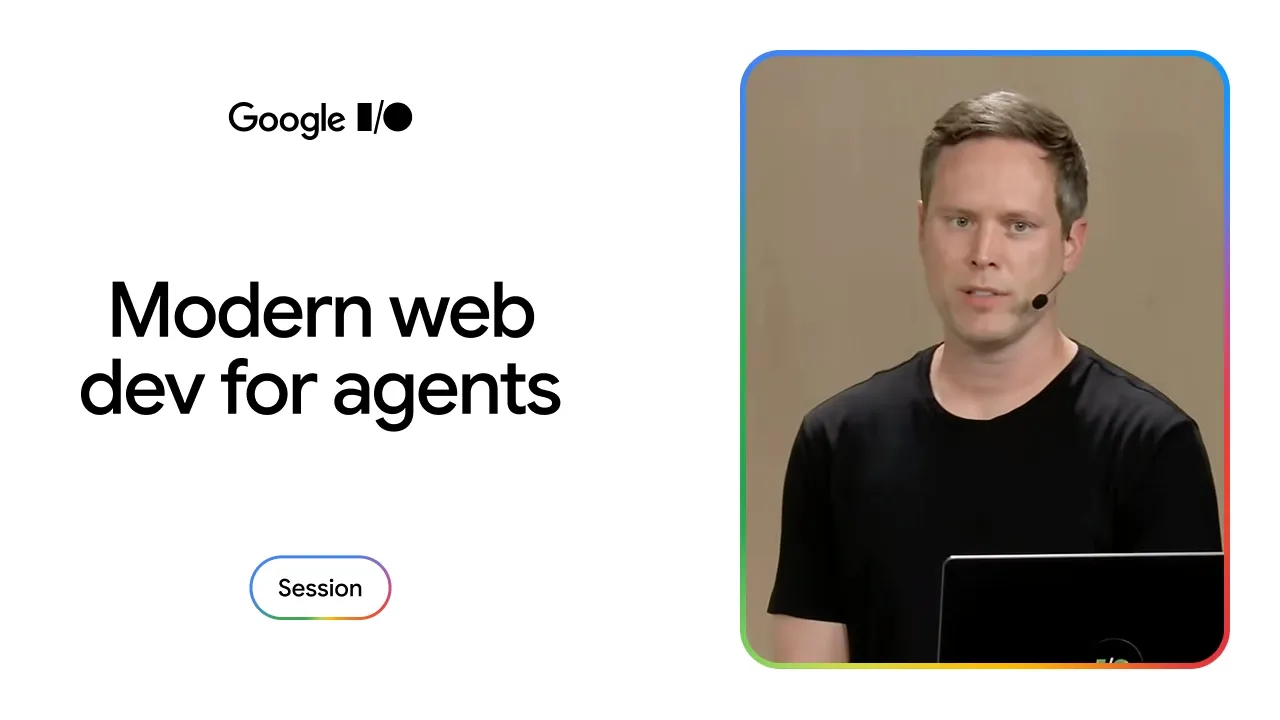
Chrome for Developers
AI coding assistants default to bloated, obsolete JavaScript because their training data reflects legacy browser constraints, requiring browser-directed guidance to deploy native platform primitives.
AI-assisted summary of Unlock modern web capabilities in your AI coding workflows — original source. Check the original for full context.
Source published:
Key ideas
- AI coding agents routinely default to outdated, bloated implementations—such as generating 172 KB of JavaScript for a dropdown menu that modern web platform primitives can deliver in under 3 KB with zero JavaScript. (0:00)
- Chrome launched Modern Web Guidance (`npx modern-web-guidance install`), an open, framework-agnostic skill package that indexes Chrome-vetted best practices into developer coding agents via local semantic search. (5:47)
- The guidance architecture couples cutting-edge platform primitives with Baseline-driven cross-browser fallbacks, allowing agents to automatically emit or omit fallbacks based on targets declared in `AGENTS.md`. (13:05)
- Chrome validates the guidance library daily against frontier models (Gemini 3.1, Claude Opus 4.7, and GPT 5.5) across 554 assertions, planning to deprecate specific guides once unguided models reliably internalize modern patterns. (14:31)
Detailed notes
## Background Presented by Philip Walton for Chrome for Developers at Google I/O 2026 and published on YouTube on May 21, 2026, this session addresses the gap between cutting-edge web platform capabilities and the code generated by AI assistants. The talk details how Chrome is equipping coding agents with up-to-date platform guidance, browser support baselines, and tailored fallback strategies so developers receive modern, project-appropriate code.
## TL;DR Philip Walton demonstrates how contemporary AI coding agents default to bloated legacy code—such as generating 172 KB of JavaScript for a dropdown menu that modern CSS can achieve in under 3 KB—due to outdated training data, knowledge cutoffs, and overcautious compatibility assumptions. To solve this, Chrome introduced Modern Web Guidance, an open CLI tool that semantically matches developer prompts against a vetted library of task-oriented guides with modern standards and Baseline-aware fallbacks. The system is validated through a daily 554-assertion evaluation testbed against frontier models like Gemini 3.1, Claude Opus 4.7, and GPT 5.5. Through live side-by-side demos in Antigravity, Walton shows how guided generation replaces clunky JavaScript listeners with native scroll-driven animations, view transitions, and scroll snap points, producing touch interactions that feel indistinguishable from native apps on both Android and iOS devices.
## Atmosphere & style The presentation blends the technical depth of an engineering deep-dive with the spontaneous energy of a live Google I/O keynote. Walton speaks with an easygoing, self-deprecating wit—laughing off phone buzzes about picking up his son from preschool while openly acknowledging the perils of live AI code generation. The narrative arc builds an engaging contrast between the frustrating, unnatural feel of generic AI-generated interfaces and the satisfying, tactile breakthrough of watching native-grade 60fps gestures snap smoothly into place across real physical hardware.
## Bulletin - [00:00](https://www.youtube.com/watch?v=bo3i0FzDUYo&t=0s) AI coding agents routinely default to outdated, bloated implementations—such as generating 172 KB of JavaScript for a dropdown menu that modern web platform primitives can deliver in under 3 KB with zero JavaScript. - [05:47](https://www.youtube.com/watch?v=bo3i0FzDUYo&t=347s) Chrome launched Modern Web Guidance (`npx modern-web-guidance install`), an open, framework-agnostic skill package that indexes Chrome-vetted best practices into developer coding agents via local semantic search. - [13:05](https://www.youtube.com/watch?v=bo3i0FzDUYo&t=785s) The guidance architecture couples cutting-edge platform primitives with Baseline-driven cross-browser fallbacks, allowing agents to automatically emit or omit fallbacks based on targets declared in `AGENTS.md`. - [14:31](https://www.youtube.com/watch?v=bo3i0FzDUYo&t=871s) Chrome validates the guidance library daily against frontier models (Gemini 3.1, Claude Opus 4.7, and GPT 5.5) across 554 assertions, planning to deprecate specific guides once unguided models reliably internalize modern patterns.
## Key takeaways - [01:54](https://www.youtube.com/watch?v=bo3i0FzDUYo&t=114s) Current AI coding agents suffer from three structural failures: legacy code training bias, knowledge cutoff drifts on renamed specs, and overly conservative cross-browser compatibility defaults. - [01:54](https://www.youtube.com/watch?v=bo3i0FzDUYo&t=114s) Models exhibit overconfidence on APIs they believe they know, generating obsolete drafts like `interesttarget` (renamed to `interestfor`) that fail silently in modern browsers without triggering live search. - [08:07](https://www.youtube.com/watch?v=bo3i0FzDUYo&t=487s) Modern Web Guidance uses a local CLI semantic search across over 100 curated guides rather than dumping raw Markdown files into model context, preserving prompt tokens and retrieval accuracy. - [09:59](https://www.youtube.com/watch?v=bo3i0FzDUYo&t=599s) Guides are authored around concrete developer use cases and user-facing intent rather than abstract API syntax, matching how engineers naturally prompt coding agents. - [11:40](https://www.youtube.com/watch?v=bo3i0FzDUYo&t=700s) Each guide begins with an unconstrained, ideal modern implementation, followed by explicit fallback paths for features not yet categorized as Baseline Widely Available. - [13:05](https://www.youtube.com/watch?v=bo3i0FzDUYo&t=785s) Configuring project browser requirements in `AGENTS.md` enables agents to cleanly discard legacy fallbacks when target runtimes (such as modern Electron releases) already support the modern APIs. - [14:31](https://www.youtube.com/watch?v=bo3i0FzDUYo&t=871s) Daily automated evaluations spanning 554 assertions demonstrate that guided agents consistently outperform unguided frontier models on implementing modern web standards. - [17:44](https://www.youtube.com/watch?v=bo3i0FzDUYo&t=1064s) Chrome commits to shipping AI guidance documentation concurrently with every new platform feature reaching Chrome stable, collaborating with other browser vendors on cross-engine coverage. - [19:35](https://www.youtube.com/watch?v=bo3i0FzDUYo&t=1175s) While mobile web interfaces frequently look polished, they rarely feel native because unguided AI code uses abrupt event listeners rather than tracking continuous touch gestures. - [23:38](https://www.youtube.com/watch?v=bo3i0FzDUYo&t=1418s) Pairing CSS scroll-driven animations with CSS scroll snap points converts UI elements into scroll containers, unlocking native browser momentum, hardware acceleration, and touch-pinned physics without heavy JavaScript libraries. - [26:49](https://www.youtube.com/watch?v=bo3i0FzDUYo&t=1609s) Guided agents can orchestrate complex native app patterns—such as stack drilldown transitions, interactive swipe-to-back gestures, and parallax message headers—from high-level natural language prompts. - [31:25](https://www.youtube.com/watch?v=bo3i0FzDUYo&t=1885s) Real-device testing on Android and iOS confirms that modern CSS and view transition primitives deliver indistinguishable 60fps native feel across mobile engines without platform-specific code. - [33:32](https://www.youtube.com/watch?v=bo3i0FzDUYo&t=2012s) New browser platform APIs only benefit end users when deployed in production; equipping AI coding agents with modern platform knowledge bridges the gap between standards and real-world codebases.
## Detailed walkthrough ### [00:00](https://www.youtube.com/watch?v=bo3i0FzDUYo&t=0s) The 172 KB vs. 3 KB Mystery: How Modern AI Coding Recommends Legacy Web Code
Philip Walton opens with a direct visual comparison between two screen recordings of identical web demos. Both demos feature smoothly animated dropdown menus that slide in and out, boast full keyboard accessibility, support light dismiss, and work flawlessly across Chrome, Firefox, and Safari. Both were generated by an AI coding agent using the exact same underlying model and identical prompts. However, inspect the Network panel in Chrome DevTools and the architectural gap is startling: the default, out-of-the-box AI configuration delivered 172 kilobytes over the wire—minified, gzipped, and with production optimizations enabled, composed almost entirely of JavaScript. The alternative demo, created with one extra enhancement installed, shipped under 3 KB and executed entirely without JavaScript.
Walton concedes that the setup is somewhat contrived since production applications are rarely just isolated settings menus, and adding real-world application logic naturally requires JavaScript. Yet the core dilemma remains troubling for frontend engineering. Walton poses the central question of the talk:
> “Why are AI coding agents recommending a solution that requires almost 172 kilobytes of JavaScript when the same exact solution can be built in a way that requires no JavaScript at all and still works across browsers?”
[01:54](https://www.youtube.com/watch?v=bo3i0FzDUYo&t=114s) Three Fundamental Failures of Current AI Coding Agents
While AI has transformed software development by letting engineers ship code at unprecedented speeds, Walton highlights the darker side of frontend generative AI. Many prominent web developers across social platforms routinely criticize the subpar HTML and CSS produced by popular agents. Despite rapid advancements across web standards over recent years, models almost never default to the newest web platform primitives. Most AI training corpuses reflect an era when engineers still had to account for legacy runtimes like Internet Explorer, entrenching obsolete workarounds into model weights.
Beyond historical bias, modern agents suffer from two additional structural defects: severe knowledge cutoffs and overly conservative cross-browser support logic. When Chrome launched more than 50 web platform features in a single year, models with older knowledge limits remained blind to them. While Retrieval-Augmented Generation (RAG) and search tools can offset unknown terms, models exhibit dangerous overconfidence on tasks they mistakenly believe they already master. Rather than querying the web, they spit out deprecated implementations or hallucinated drafts. Walton points to an agent attempting to implement a tooltip via the new Interest Invokers API: the model output `interesttarget`, a spec attribute proposed in 2023 that was renamed to `interestfor` shortly before shipping in Chrome, causing the code to fail silently in the browser. Furthermore, models avoid modern primitives out of exaggerated compatibility concerns, completely ignoring tools like Baseline that catalog cross-engine viability.
Walton summarizes the core diagnostic failures:
> “AI coding agents frequently recommend legacy patterns, even though better, more modern alternatives exist.”
- **Legacy pattern bias**: Training datasets heavily weighted toward historical codebases result in bloated JavaScript wrappers where modern HTML/CSS primitives suffice. - **Knowledge cutoffs and drift**: New or renamed standards (such as `interestfor` replacing `interesttarget`) fail silently because models generate obsolete syntax without performing retrieval. - **Overly defensive compatibility**: Agents deliver generic, one-size-fits-all recommendations instead of tailoring output to real-world browser support baselines.
[05:47](https://www.youtube.com/watch?v=bo3i0FzDUYo&t=347s) Introducing Modern Web Guidance
To resolve these platform hurdles, the Chrome team created Modern Web Guidance—an expert-vetted package designed to feed Chrome's engineering standards and platform best practices directly into coding agents. Instead of tethering developers to a specific proprietary vendor, it operates as an open skill set compatible with any AI coding assistant or environment. The tool can be installed immediately via the command line or integrated through supported IDEs:
```bash npx modern-web-guidance install ```
Walton acknowledges developer fatigue surrounding the deluge of AI skills hitting the market, emphasizing that many recent community releases amount to low-quality "slop." Modern Web Guidance represents more than six months of dedicated engineering by Chrome team members alongside contracted external subject-matter experts, backed by a long-term maintenance commitment from Google.
Walton underscores the fundamental design goal behind the tool's breadth:
> “And because these guides focus on core web platform features, they will work regardless of whatever framework or stack you're using, or anything like that.”
- **Broad compatibility**: Agnostic across front-end frameworks (React, Vue, Svelte, or vanilla web components). - **Two tiers of expertise**: Combines macro-level domain skills (accessibility, performance, UX, security) with granular platform feature guides. - **Ecosystem integration**: Available via standard npm invocation or native installation within leading developer IDEs.
```mermaid flowchart TD accTitle: Modern Web Guidance Agent Workflow accDescr: Diagram showing how a developer prompt triggers a local semantic search across guides before querying the model.
subgraph InputStage ["Input Stage"] U["Developer Prompt"] end
subgraph GuidanceLayer ["Modern Web Guidance CLI"] S{"Local Semantic Search<br/>(100+ Guides)"} M["Match Found:<br/>Append Relevant Guides to Context"] NM["No Match:<br/>Pass-through"] end
subgraph ModelStage ["AI Model Processing"] LLM["AI Model / Coding Agent"] OUT["Modern, Optimized Code Output"] end
U --> S S -->|"Matches Use Case"| M S -->|"No Matches"| NM M --> LLM NM --> LLM LLM --> OUT ```
[08:07](https://www.youtube.com/watch?v=bo3i0FzDUYo&t=487s) Architecture: Local Semantic Search Over Markdown Sprawl
Walton breaks down the runtime architecture that differentiates Modern Web Guidance from ordinary skills packages. Typical AI skills rely on exposing individual, unindexed `SKILL.md` files directly to the model context. Because Modern Web Guidance contains over 100 dedicated guides—with plans to expand into hundreds more—stuffing separate Markdown files into the agent's top-level prompt context would rapidly overwhelm token windows and degrade retrieval performance.
Instead, the package provides a unified entry-point skill coupled with a local Command-Line Interface (CLI). When an engineer enters a prompt, the CLI performs a local semantic search over the guidance repository to pinpoint guides matching the requested use case. If relevant documentation is matched, only those specific guides are injected into the agent's active context window before generation occurs; if no guide matches, the agent responds normally.
Furthermore, Walton highlights a novel design choice in how low-level feature guides are written. Rather than organizing guides around raw API syntax or abstract browser specifications, each guide is anchored to a concrete user-facing use case unlocked or simplified by platform features. For instance, rather than simply documenting the View Transitions API in isolation, the guide centers explicitly around patterns like:
> “Visually connect persisting elements across different page [...]”
[09:59](https://www.youtube.com/watch?v=bo3i0FzDUYo&t=599s) Structuring Guidance Around Real-World Developer Prompts
Philip Walton explains that developers rarely prompt coding agents with specific API names; rather, they prompt tools to accomplish practical tasks. To illustrate this, he points out that a guide might describe the goal as smoothly morphing an element's size, position, or styling properties across state changes or page navigations—such as expanding a thumbnail image in a product list into a full-bleed hero image in a product details view. Noticeably, this description never mentions the View Transition API directly. The guide instead mirrors developer intent: “And this is really important because developers don't generally prompt their coding agents to use specific features.” Developers often have no idea a specific API exists, which is why guides must match the actual language developers use when asking AI agents for help.
Beyond matching intent, the guides are intentionally authored for AI consumption rather than human reading. Walton emphasizes that they are concise, get straight to the point, and contain strictly the minimum context required for an AI agent to execute correctly. Relying on an agent to perform live web searches is inherently inefficient: even if the model discovers accurate information—which is far from guaranteed—it wastes valuable tokens digesting bloated web pages just to isolate relevant snippets. In contrast, the Modern Web Guidance files live locally on the user's machine, scoped directly to the use case, pre-vetted, and thoroughly tested.
```mermaid flowchart TD accTitle: Guided vs Web Search Flow for Coding Agents accDescr: Comparison between standard web search and Modern Web Guidance local files.
subgraph Search["Standard Web Search"] S1["Agent runs live web search"] --> S2["Consumes large token count reading results"] S2 --> S3["Risk of inaccurate or outdated APIs"] end
subgraph Guided["Modern Web Guidance"] G1["Task-based local prompt matching"] --> G2["Concise, pre-vetted local guide"] G2 --> G3["Optimized implementation with fallback strategies"] end ```
[11:40](https://www.youtube.com/watch?v=bo3i0FzDUYo&t=700s) Modern Implementations and Cross-Browser Fallbacks
Walton considers the cross-browser fallback architecture to be the absolute best feature of Modern Web Guidance. Each guide begins with the ideal implementation using the most modern solution available, deliberately ignoring browser support constraints in this initial stage. This ensures full support for developers building Electron applications, browser extensions, internal company tools, or greenfield experiments where cross-browser limitations are irrelevant. Walton highlights Google's stance on tool enablement: “We don't want AI tools to prevent people from using new APIs if their situation allows for it.”
If any feature in that ideal modern implementation is not yet Baseline Widely Available, the guide supplies a vetted cross-browser fallback recommendation. Exceptions are rare and limited to APIs like WebMCP where no practical cross-browser fallback exists; in those cases, the guide explicitly indicates partial support and instructs the agent on proper feature detection. This layered approach—pairing an ideal cutting-edge implementation with explicit fallback branches—enables the coding agent to configure code specifically to a project's needs rather than defaulting to lowest-common-denominator legacy patterns.
- Ideal solutions assume zero browser support constraints to empower modern development environments. - Features not categorized as Baseline Widely Available include explicit fallback instructions. - Missing fallbacks (such as WebMCP) mandate standard feature-detection blocks. - Coding agents select between modern paths and fallback branches based on project configuration.
[13:05](https://www.youtube.com/watch?v=bo3i0FzDUYo&t=785s) Baseline Integration and Project-Level Support Targets
To translate browser targets into precise code generation, Modern Web Guidance hooks directly into the Baseline standard. This capability requires two specific inputs: clear project browser support targets and granular compatibility data within the guides. While agents can occasionally infer target environments from existing project configuration files, Walton strongly recommends declaring support targets explicitly within the project's `AGENTS.md` file. In the absence of an explicit declaration, agents default to Baseline Widely Available.
Each guide embeds comprehensive compatibility metadata. When an agent reads project targets from `AGENTS.md`, it evaluates whether a fallback is actually needed. For instance, an Electron app configured to require Chrome 144 or newer does not need legacy JavaScript fallbacks for scroll-driven animations, which shipped back in Chrome 115. The agent identifies this compatibility overlap and discards the fallback entirely, keeping the codebase modern and clean.
```mermaid flowchart LR accTitle: Baseline Target Resolution Architecture accDescr: How AGENTS.md dictates whether the agent emits modern features or fallbacks.
A["AGENTS.md Configuration"] --> B{"Agent Checks Compatibility"} B -->|"Target exceeds feature milestone\n(e.g., Chrome 144 >= 115)"| C["Emit Modern Implementation Only"] B -->|"Target requires broader coverage\nor unspecified"| D["Emit Cross-Browser Fallback"] ```
[14:31](https://www.youtube.com/watch?v=bo3i0FzDUYo&t=871s) Rigorous Daily Evals Across Major AI Models
To prove that Modern Web Guidance delivers real value, Walton addresses practical validation through rigorous evaluations. The Chrome team established a daily evaluation suite composed of 554 distinct assertions spanning their guidance library, targeting full coverage ahead of their stable release later in the year. The evaluation suite runs every single day against leading frontier models, including Gemini 3.1, Claude Opus 4.7, and GPT 5.5.
Walton presents aggregate performance metrics contrasting "guided" versus "unguided" agent performance. The guided pass rate shows agents performing meaningfully higher on assertions than unguided models across the board. While the pass rate has not reached 100% yet, both the evaluations and the guides are continually refined. Demonstrating an individual evaluation on scroll progress indicators, Walton shows how the test asserts that code uses scroll-driven animations rather than legacy scroll-event listeners; in that specific run, the guided agent passed every assertion, whereas the unguided agent failed completely.
Because browser ecosystems and model training sets change constantly, the team tracks pass rates over time to prune the library. Walton explains the lifecycle strategy: “Our plan here is to watch this closely, monitor the results, and then remove use cases once we start noticing that the unguided version is consistently performing as well as the guided version in all of the popular models.” Trimming guides once models internalize modern features ensures the package stays lightweight and token-efficient.
- The eval testbed currently features 554 distinct assertions covering guidance use cases. - Evaluations run daily against Gemini 3.1, Claude Opus 4.7, and GPT 5.5. - Guided models show a significant, measurable performance uplift over unguided baselines. - Guides will be deprecated dynamically once models reliably produce modern implementations unguided.
[17:44](https://www.youtube.com/watch?v=bo3i0FzDUYo&t=1064s) Future Roadmap and Live Demos
Modern Web Guidance launches its early preview with roughly a dozen high-level discipline guides and over 100 detailed use-case guides. Walton outlines an aggressive goal for the future: Chrome intends to provide guidance coverage for every single new web platform feature by the time it reaches Chrome stable. With Chrome shipping substantial platform additions in every release milestone on chromestatus.com, achieving this requires continuous authoring, and the team is collaborating with other browser vendors to incorporate cross-browser features as they emerge.
Summing up the core value proposition, Walton reiterates three key points: AI models exhibit knowledge gaps that default to legacy solutions; Modern Web Guidance fills those gaps with Chrome-engineered recommendations and cross-browser fallbacks; and Chrome will maintain these guides continuously so AI coding stays aligned with platform progress. Turning to the audience, Walton asks, “And with that, who wants to see some demos?” As the crowd erupts into applause, Walton laughs off an interrupting phone buzz, joking that his phone was going off because he was apparently supposed to be picking up his son from preschool right at that moment.
- Launch preview includes around 12 high-level discipline guides and more than 100 use-case guides. - The project commits to shipping AI guidance simultaneously with Chrome stable feature releases. - Chrome is actively coordinating with other browser engines to expand vendor coverage.
[19:35](https://www.youtube.com/watch?v=bo3i0FzDUYo&t=1175s) The Mobile Web Dilemma: Looking Good vs. Feeling Good
Philip Walton begins his live demonstration on an actual phone, presenting an email client application he has been building. While testing the display focus on the monitor, he explains that the specific application type does not matter as much as the broader goal: building a mobile web application that feels just as smooth, polished, and seamless as a native app on a smartphone. Reflecting on the evolution of front-end development over the past decade and a half, he highlights a persistent shortcoming across the industry. As Philip Walton puts it:
> “I think, as an industry—mobile first came out 15 years ago, and we got really good at building interfaces that look good on a mobile screen size. But we haven't really got good at building interfaces that feel good on a mobile screen size.”
To demonstrate the gap, Walton shows an interface modeled after Gmail, generated using Antigravity and Gemini. When he prompted the AI to build a sidebar navigation drawer with a hamburger menu that slides out on click, it generated a visually sound menu complete with all the expected links. However, the breakdown happens on touch interaction: placing a thumb on the drawer and attempting to swipe it closed fails completely. While virtually every native mobile app supports touch-driven swipe-to-close interactions, almost no mobile websites do. Simply asking the AI repeatedly for gesture controls rarely produces the desired default behavior, which sets the stage for using Modern Web Guidance to solve the problem.
[21:41](https://www.youtube.com/watch?v=bo3i0FzDUYo&t=1301s) Setting Up the Guided vs. Unguided Head-to-Head
Transitioning over to his laptop, Walton sets up a controlled head-to-head comparison to evaluate how AI handles the problem with and without structured guidance. He runs two distinct instances of the Antigravity editor side by side, branched off the exact same initial codebase: - An **unguided** version running in dark mode. - A **guided** version running in light mode.
In the guided workspace, Walton opens the integrated terminal and installs the guidance package by running `npx modern-web-guidance install`. Accepting the recommended installation defaults inside the project populates a `.agents` directory—a structure familiar to developers working with agent Skills—containing Modern Web Guidance. The unguided branch, by contrast, has no special skills or guides configured. He also launches two local dev servers in separate browser windows (one dark, one light) to test interactions in real time. Noting that the Antigravity environment had just been updated that morning following announcements at Google I/O, Walton decides to run both instances using the newly released Gemini 3.5 Flash, remarking that if the fast new model encounters issues, he can always fall back to Gemini 3.1.
```mermaid flowchart TD accTitle: Guided vs Unguided Architecture Setup accDescr: Diagram illustrating the two parallel Antigravity setups used to compare code generation with and without Modern Web Guidance.
subgraph UnguidedSetup ["Unguided Setup (Dark Mode)"] A1["Baseline Codebase"] --> B1["Antigravity Editor"] B1 --> C1["Gemini 3.5 Flash<br/>(Standard Prompts)"] C1 --> D1["Dev Server<br/>(Dark Window)"] end
subgraph GuidedSetup ["Guided Setup (Light Mode)"] A2["Baseline Codebase"] --> B2["npx modern-web-guidance install"] B2 --> C2[".agents Skills Directory"] C2 --> D2["Gemini 3.5 Flash<br/>(Guided Searches)"] D2 --> E2["Dev Server<br/>(Light Window)"] end ```
[23:38](https://www.youtube.com/watch?v=bo3i0FzDUYo&t=1418s) Prompt 1: Implementing a Native-Feeling Swipe-to-Close Drawer
Walton feeds an identical prompt into both the unguided and guided instances: *"The Navigation Drawer in this app looks fine, but I don't like that it can't swipe to close it. Can you fix that?"* Watching the guided editor's output console, Modern Web Guidance immediately triggers an `npx modern-web-guidance` search across its curated database, discovers a guide titled `navigation drawer`, and begins applying its architectural patterns. Both versions finish writing and building their code rapidly due to the speed of Gemini 3.5 Flash.
Testing the unguided implementation first, Walton admits the risk of live AI demos. When he opens the hamburger menu and drags his finger, the sidebar eventually closes, but the physical feel is noticeably unnatural. The unguided model simply hooked up a basic gesture listener: once a dragging threshold was reached, it fired a programmatic `close()` function, snapping shut while his finger was still held down against the glass rather than pinning the drawer directly to the movement of his thumb.
When Walton tests the guided implementation, the contrast is stark. As he clicks and drags, the drawer stays tightly pinned to his cursor and slides smoothly back and forth, earning cheers and applause from the audience. Walton breaks down the underlying modern web primitives that the guidance system injected into the prompt: - The backdrop smoothly dims and lightens in direct response to touch tracking via **CSS scroll-driven animations**. - The physical dragging interaction is managed using **CSS scroll snap points**, converting the drawer into an actual scrollable container. - Because it relies on native scrolling primitives, the interaction automatically inherits default browser physics, momentum, and hardware-accelerated rendering on the GPU without relying on heavy JavaScript drag-and-drop libraries.
[26:49](https://www.youtube.com/watch?v=bo3i0FzDUYo&t=1609s) Prompt 2: Stack Drilldown Navigation and Parallax
Moving quickly to a second interaction pattern, Walton submits another shared prompt to both environments: > “Now add a message view drilldown so that, when I click an email link in the inbox, it drills down into the full email message view with a Back button so that I can return to the inbox view. The message should also have standard email action buttons like Archive, Reply, Star, et cetera. But don't hook those up yet, just get the Back button working.”
In the guided terminal, Modern Web Guidance searches for relevant architectural patterns and retrieves a use-case guide labeled `stack-drill-down`. When Walton tests the unguided version upon completion, clicking an email loads the detailed view and the Back button returns to the inbox, but the transition is an abrupt, harsh visual jump lacking any mobile app polish or fluidity.
In the guided version, the experience mirrors native mobile operating system behavior. Clicking an email causes the message pane to slide in with a fluid view transition. Tapping Back reverses the transition cleanly. Furthermore, the interface supports an interactive swipe-to-go-back gesture: as Walton drags the view to navigate back, the incoming view exhibits an authentic parallax motion beneath the active sheet, powered entirely by scroll-driven animations. The implementation also synchronizes seamlessly with browser history, updating the URL bar on forward navigation and restoring the correct state on swipe or back navigation. Surprised by the depth of functionality produced without manual intervention, Walton highlights how the workflow removes implementation friction:
> “I didn't have to know how any of this stuff worked. I just typed it into the prompt.”
With both core interactions successfully matching native mobile behavior, he accepts the generated changes and prepares to layer on one final polish feature.
[29:46](https://www.youtube.com/watch?v=bo3i0FzDUYo&t=1786s) Implementing Swipe Gestures: Unguided vs. Guided Comparison
Philip Walton moves to the next capability demo for his email client interface, entering a prompt to add swipe actions directly into the message list: “In the Inbox view, make it so that I can quickly archive or snooze messages by swiping them left or right without having to open each one individually.” Walton jokes with the audience about how he handles overflowing inboxes, relating to anyone who deals with constant email clutter. He explains that rather than clicking into messages one by one, he spends most of his time in mobile mail applications just swiping through unread messages to dismiss them quickly.
```mermaid flowchart TD accTitle: Guided vs Unguided Swipe Gesture Handling accDescr: A comparison of how the unguided agent and the guided agent handle swiping gestures on inbox list items.
subgraph Unguided["Unguided Implementation"] U1["Detect swipe gesture"] --> U2["Trigger action on gesture end"] U2 -.-> U3["Card does not track or pin to finger"] end
subgraph Guided["Guided Implementation (Modern Web Guidance)"] G1["Track touch drag"] --> G2["Item pinned to finger in real time"] G2 --> G3{"Drag distance past 50% threshold?"} G3 -- "Yes" --> G4["Snap to end & trigger archive/snooze"] G3 -- "No" --> G5["Snap back to origin (native physics)"] end ```
When checking the unguided AI agent's output first, Walton notices familiar shortcomings. While the unguided tool successfully detects the swiping gesture itself and triggers the actions, the visual card does not stay pinned to the finger or drag smoothly during the interaction. Walton chuckles that while this attempt is surprisingly decent compared to previous test runs, it still falls short of modern expectations: “I've done this demo a bunch. This is maybe the best the unguided has ever done, but it's still not—it's still not exactly what I want.”
Switching over to the implementation generated with Modern Web Guidance, the resulting behavior mirrors production mobile mail clients like Gmail. Dragging from one side triggers a close or archive action, while dragging from the opposite edge activates snooze. The list items track touch movements cleanly rather than executing a disconnected gesture animation.
- **Prompt provided to both agents:** "In the Inbox view, make it so that I can quickly archive or snooze messages by swiping them left or right without having to open each one individually." - **Unguided agent behavior:** Successfully detects swipe triggers, but fails to pin the message card to the dragging finger. - **Guided agent behavior:** Implements directional swiping (archive to one side, snooze to the other) with interactive dragging comparable to Gmail.
---
[31:25](https://www.youtube.com/watch?v=bo3i0FzDUYo&t=1885s) Real-Device Testing: Native Physics on Pixel and iPhone
To truly demonstrate the difference that modern web capabilities make in touch feel and physics, Walton shifts from the desktop emulator to physical hardware, pulling out a Google Pixel phone connected to the presentation display. Working around the stage light reflections on the screen, he tests the swiping gesture interactively. He highlights how the implementation uses native-style scroll-snap physics: if an email is dragged less than halfway across the viewport and released, it immediately springs back to its starting position; if dragged past the halfway mark, it snaps completely to its destination snap point and dismisses the message.
Walton proceeds to test the broader navigation stack on the Pixel. He taps into an individual message view and performs the system-level Android predictive back swipe from the edge of the device to pop back into the inbox smoothly. To prove that these experiences are fully responsive and cross-browser rather than Chrome-only tricks, Walton pulls out an iPhone and reloads the identical web application. Swiping messages, tapping into individual emails, and triggering parallax header transitions all respond with identical fluid 60-plus-frames-per-second fidelity. Looking at the device, Walton remarks: “It feels like I can't tell this is not a native app as I'm using it, other than seeing the address bar down here at the bottom.”
- **Scroll-snap physics:** Pulling an email less than halfway springs it back to its original slot; pulling past 50% completes the snap action. - **System gesture compatibility:** Works seamlessly with native operating system navigation gestures, including the Pixel edge-swipe back gesture. - **Cross-platform verification:** Demonstrated back-to-back on Android (Google Pixel) and iOS (Apple iPhone) with zero divergence in touch responsiveness or parallax animations.
---
[33:32](https://www.youtube.com/watch?v=bo3i0FzDUYo&t=2012s) Improving the Web Platform: Introducing Modern Web Guidance
Walton transitions back to the slide deck to wrap up the presentation with the broader philosophical mission behind the project. He emphasizes that the Chrome team invests heavily in expanding web platform standards specifically to empower developers and help web-based businesses succeed. However, he stresses that shipping new APIs in the browser engine does not solve real-world problems unless those primitives actually make their way into production web codebases.
Walton articulates the team's core realization about bridging platform standards and real-world deployment: “We have to actually improve the web because users don't visit the web platform, they visit the web, as it exists today, on the websites that they actually visit.” Because developers increasingly rely on AI coding assistants that default to outdated patterns, Chrome created Modern Web Guidance to inject current web platform best practices directly into AI development workflows. Walton invites all attendees and developers watching to experiment with the early preview, test it against their project use cases, and submit feedback via the provided resource links to help shape the future of modern web development.
- **The deployment disconnect:** Upgrading browser engine capabilities alone does not improve end-user experiences until websites implement those capabilities. - **Mission of Modern Web Guidance:** Provide AI coding agents with accurate, up-to-date platform context so they generate modern, high-performance web code out of the box. - **Call to action:** Developers are encouraged to test the early preview of Modern Web Guidance, report missing use cases, and contribute feedback at `https://goo.gle/4uaZsJt`.
## Notable quotes > [01:54](https://www.youtube.com/watch?v=bo3i0FzDUYo&t=114s) AI coding agents frequently recommend legacy patterns, even though better, more modern alternatives exist. — Philip Walton
> [33:32](https://www.youtube.com/watch?v=bo3i0FzDUYo&t=2012s) We have to actually improve the web because users don't visit the web platform, they visit the web, as it exists today, on the websites that they actually visit. — Philip Walton
> [00:00](https://www.youtube.com/watch?v=bo3i0FzDUYo&t=0s) Why are AI coding agents recommending a solution that requires almost 172 kilobytes of JavaScript when the same exact solution can be built in a way that requires no JavaScript at all and still works across browsers? — Philip Walton
> [19:35](https://www.youtube.com/watch?v=bo3i0FzDUYo&t=1175s) I think, as an industry—mobile first came out 15 years ago, and we got really good at building interfaces that look good on a mobile screen size. But we haven't really got good at building interfaces that feel good on a mobile screen size. — Philip Walton
> [11:40](https://www.youtube.com/watch?v=bo3i0FzDUYo&t=700s) We don't want AI tools to prevent people from using new APIs if their situation allows for it. — Philip Walton
## Mentioned Philip Walton, Chrome, Firefox, Safari, Internet Explorer, Interest Invokers API, Baseline, Modern Web Guidance, View Transitions API, WebMCP, Electron, Gemini 3.1, Claude Opus 4.7, GPT 5.5, Gemini 3.5 Flash, Antigravity, Google Pixel, Apple iPhone, Gmail, Google I/O 2026, Google
## Video description Discover how Chrome is bridging the knowledge gap for AI tools, ensuring your coding agents have up-to-date guidance on what features are available and how to use them properly. Equip them to understand the user and browser support requirements of your project, so you can go beyond one-size-fits-all answers to bespoke solutions tailored to your specific needs.
Resources: Modern Web Guidance → https://goo.gle/4uaZsJt
Speakers: Philip Walton
Watch the Chrome sessions from Google I/O 2026 → https://goo.gle/Chrome-at-IO2026
Subscribe to Chrome for Developers → https://goo.gle/ChromeDevs
#GoogleIO
Event: Google I/O 2026
Products Mentioned: Web, Chrome, AI/Machine Learning
[Source](https://www.youtube.com/watch?v=bo3i0FzDUYo)