Google Integrates AI Agents with Flutter DevTools to Automate Testing
Flutter
Standardizing code architecture through the Model Context Protocol allows AI agents to perform complex debugging and testing tasks without hallucination.
AI-assisted summary of How to write really good Flutter code — original source. Check the original for full context.
Source published:
Key ideas
- The Flutter team advocates for a seven-technique framework to enhance code quality, focusing on constraints-based layout, architectural separation, and automated testing. (0:45)
- The integration of Model Context Protocol (MCP) servers allows AI coding agents to access real-time Flutter DevTools and up-to-date documentation, significantly reducing hallucination risks. (2:38)
- Maintaining a strict separation of concerns via the MVVM (Model-View-ViewModel) pattern and Repository pattern ensures data sources are isolated and testable. (7:48)
- Flutter's new `checks` package provides a more robust, strongly typed alternative to the traditional `matcher` package for unit testing. (12:08)
Detailed notes
## Background This session, titled 'How to write really good Flutter code', was published by the Flutter YouTube channel on May 21, 2026. The content serves as a guide to writing high-quality, maintainable Flutter applications, highlighting the integration of modern tooling like Widget Previews, DevTools, and AI-powered MCP server skills.
## TL;DR The presentation outlines seven practical engineering principles for building scalable and testable Flutter apps, using a demo e-commerce app called the Dash Shop as a case study. The speakers demonstrate how to implement responsive layouts, utilize the MVVM architecture, and enforce the Repository pattern to decouple logic from presentation. Additionally, they show how AI agents can assist developers by leveraging Flutter-specific skills and real-time documentation through the Model Context Protocol (MCP). The session concludes by emphasizing a rigorous, multi-tiered testing strategy to ensure long-term application stability.
## Atmosphere & style The tone is professional, collaborative, and highly practical, mirroring the clear-cut, instructional style of a Google I/O developer session. There is a palpable sense of forward-looking optimism as the speakers—Mariam Hasnany, Eric Windmill, and John Ryan—balance traditional software engineering rigor with the excitement of AI-assisted workflows. The dynamic between them is fluid and supportive, creating an atmosphere that feels like an encouraging, expert-led workshop designed to make complex architectural concepts feel approachable and attainable.
## Bulletin - [00:45](https://www.youtube.com/watch?v=O0UjId1VoRU&t=45s) The Flutter team advocates for a seven-technique framework to enhance code quality, focusing on constraints-based layout, architectural separation, and automated testing. - [02:38](https://www.youtube.com/watch?v=O0UjId1VoRU&t=158s) The integration of Model Context Protocol (MCP) servers allows AI coding agents to access real-time Flutter DevTools and up-to-date documentation, significantly reducing hallucination risks. - [07:48](https://www.youtube.com/watch?v=O0UjId1VoRU&t=468s) Maintaining a strict separation of concerns via the MVVM (Model-View-ViewModel) pattern and Repository pattern ensures data sources are isolated and testable. - [12:08](https://www.youtube.com/watch?v=O0UjId1VoRU&t=728s) Flutter's new `checks` package provides a more robust, strongly typed alternative to the traditional `matcher` package for unit testing.
## Key takeaways - [00:45](https://www.youtube.com/watch?v=O0UjId1VoRU&t=45s) Responsive layout design should follow a three-stage methodology: abstracting data, measuring constraints, and branching UI widgets. - [00:45](https://www.youtube.com/watch?v=O0UjId1VoRU&t=45s) Developers should avoid fixed sizes; using `LayoutBuilder` and `MediaQuery` ensures widgets are resilient across different screen form factors. - [02:38](https://www.youtube.com/watch?v=O0UjId1VoRU&t=158s) Flutter DevTools should be used for diagnosing layout overflow issues instead of relying on trial-and-error manual adjustments. - [02:38](https://www.youtube.com/watch?v=O0UjId1VoRU&t=158s) The Dart and Flutter MCP server allows AI assistants to ingest raw runtime errors and control the inspector to resolve layout bugs automatically. - [04:30](https://www.youtube.com/watch?v=O0UjId1VoRU&t=270s) Reusable widgets must be decoupled from business logic; they should only display data and forward interactions through callbacks. - [04:30](https://www.youtube.com/watch?v=O0UjId1VoRU&t=270s) Widget Previews enable testing components in isolation across different visual states without needing to launch the entire application. - [06:14](https://www.youtube.com/watch?v=O0UjId1VoRU&t=374s) Flutter-official AI agent skills are validated using a public evals framework at `github.com/flutter/evals` to ensure model reliability. - [07:48](https://www.youtube.com/watch?v=O0UjId1VoRU&t=468s) MVVM architecture acts as a gatekeeper, where ViewModels transform domain models for UI consumption while delegating mutations to the data layer. - [07:48](https://www.youtube.com/watch?v=O0UjId1VoRU&t=468s) ViewModels should extend `ChangeNotifier` to notify the UI of state changes without directly executing data persistence logic. - [09:19](https://www.youtube.com/watch?v=O0UjId1VoRU&t=559s) The Repository pattern establishes a single source of truth and encapsulates data source implementation, whether local or remote. - [09:19](https://www.youtube.com/watch?v=O0UjId1VoRU&t=559s) Repositories significantly improve testability by allowing developers to swap real implementations for mock objects during unit tests. - [10:13](https://www.youtube.com/watch?v=O0UjId1VoRU&t=613s) MCP integration allows AI agents to perform real-time searches of `pub.dev` documentation, ensuring code uses current API versions. - [12:08](https://www.youtube.com/watch?v=O0UjId1VoRU&t=728s) Testing is tiered into three levels: unit tests for isolated functions, widget tests for UI components, and integration tests for complete user journeys. - [12:08](https://www.youtube.com/watch?v=O0UjId1VoRU&t=728s) The `checks` package improves the unit testing experience by providing strong typing and superior IDE integration over the legacy `matcher` package. - [12:08](https://www.youtube.com/watch?v=O0UjId1VoRU&t=728s) AI agents can be utilized to automate the migration of existing test suites from `matcher` to the newer `checks` package. - [12:08](https://www.youtube.com/watch?v=O0UjId1VoRU&t=728s) Flutter integration tests can be recorded and generated by AI agents using the Flutter Driver to reproduce user interaction sequences.
## Detailed walkthrough ### [00:00](https://www.youtube.com/watch?v=O0UjId1VoRU&t=0s) Seven Techniques for High-Quality Flutter Code
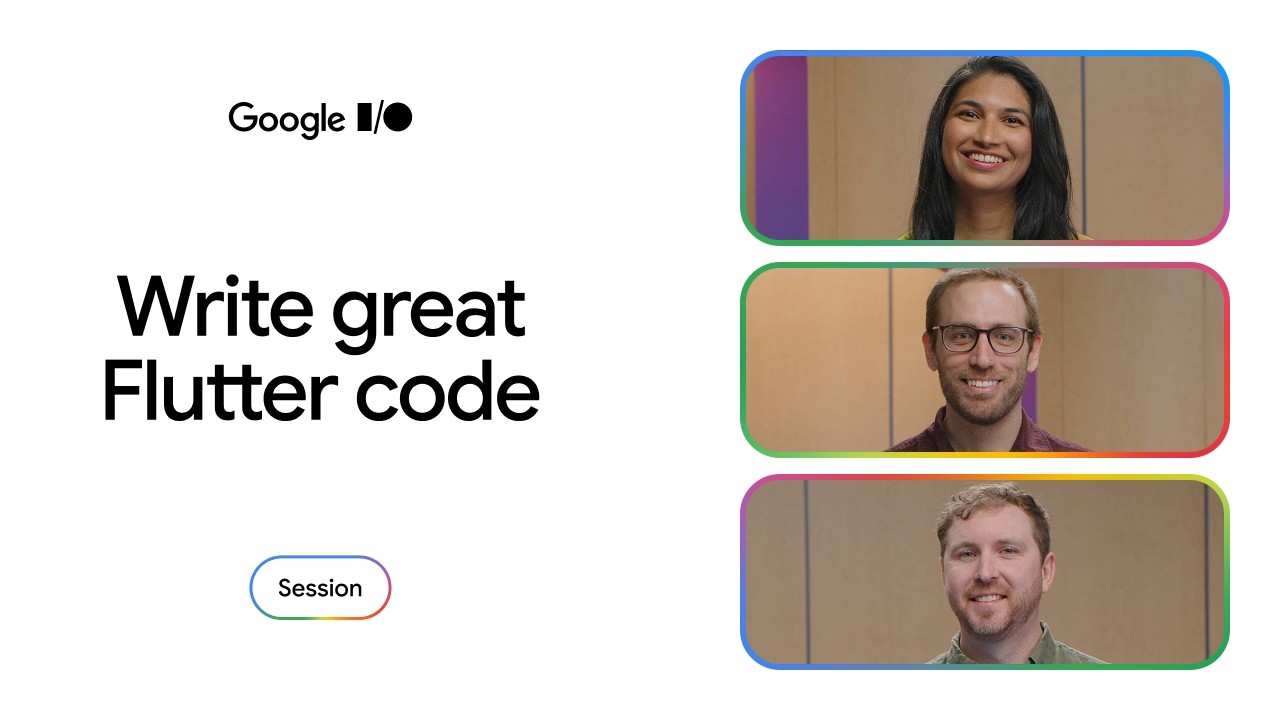
Mariam Hasnany opens the session alongside Eric Windmill and John Ryan to walk through practical engineering principles for creating readable, scalable, and testable Flutter applications. Rather than discussing abstract theory, the team grounds their recommendations in a concrete demo application called the Dash Shop—an exclusive e-commerce storefront offering Dash-themed merchandise ranging from plush stuffies to custom mechanical keyboards.
Throughout the presentation, the speakers examine the architectural foundation of the app’s checkout flow while demonstrating how modern developer workflows combine classical software engineering patterns with assistive artificial intelligence. As Eric Windmill emphasizes, the goal is long-term stability: “These techniques will help you build your Flutter app with a scalable and maintainable app architecture so it can go the distance.” John Ryan adds that tooling and AI agents can seamlessly assist developers throughout the implementation cycle when codebases follow these structured conventions.
[00:45](https://www.youtube.com/watch?v=O0UjId1VoRU&t=45s) Technique 1: Design Using Constraints, Not Fixed Sizes
When building multiplatform applications, Flutter enables a single codebase to run across mobile, desktop, and web screen form factors. However, cross-platform adaptability demands careful layout discipline. Mariam warns against hardcoded, fixed dimensions, quipping: “With ease comes responsibility, as a wise bird once told me.” Designing with constraints ensures widgets remain flexible, reusable, and resilient against unexpected screen dimensions.
Eric breaks down responsive layout design into a three-stage methodology: abstract, measure, and branch. While standard flex widgets such as `Row`, `Column`, and `Flex` accommodate proportional resizing, drastic layout shifts are required when a screen becomes too cramped or leaves excessive unused whitespace.
```mermaid flowchart LR accTitle: Responsive Layout Strategy accDescr: Three-step process showing Abstracting data, Measuring constraints, and Branching UI widgets. A["Abstract Data<br/>(Pass via constructor)"] --> B["Measure Display<br/>(LayoutBuilder / MediaQuery)"] B --> C["Branch Layout<br/>(Return adaptive widgets)"] ```
To implement this technique: - **Abstract**: Isolate shared data from presentation logic. In the Dash Shop cart screen, data required for rendering is passed purely as constructor parameters. As Eric Windmill points out: “The widget shouldn't care about where the data comes from, just that it needs to display it.” - **Measure**: Evaluate available viewport dimensions. Use `MediaQuery.sizeOf(context)` when inspecting the full application window, or drop in a `LayoutBuilder` to determine localized constraints for reusable nested components. - **Branch**: Evaluate incoming box constraints provided by `LayoutBuilder` and conditionally return completely different widget hierarchies tailored for compact, medium, or expanded viewports.
[02:38](https://www.youtube.com/watch?v=O0UjId1VoRU&t=158s) Technique 2: Diagnose and Resolve Layouts with DevTools and MCP
Layout bugs frequently lead developers into frustrating trial-and-error cycles. Mariam illustrates the common anti-pattern where an engineer repeatedly tweaks a container's height, hot reloads, tweaks it again, and reloads once more. Instead of guessing, developers should use Flutter DevTools to gain direct visibility into the exact layout constraints enforced by parent widgets.
To demonstrate, John modifies the checkout cart inside the Antigravity editor to enlarge text and product images for accessibility. Triggering a hot reload immediately triggers the classic yellow-and-black striped layout overflow exception. By opening the Flutter DevTools Inspector, the offending `Row` widget is highlighted immediately.
```mermaid flowchart TD accTitle: AI Debugging with Flutter MCP Server accDescr: Architecture connecting Antigravity AI Agent to Flutter DevTools via MCP Server. subgraph IDE["Antigravity Editor"] Agent["AI Assistant (Gemini)"] MCP["Dart & Flutter MCP Server"] end subgraph App["Running Flutter App"] DT["DevTools Inspector"] RT["Runtime & Widget Tree"] end Agent <-->|"Queries errors & controls"| MCP MCP <-->|"Get Runtime Errors / Hot Reload"| DT DT <--> RT ```
Rather than troubleshooting manually, John leverages the Dart and Flutter Model Context Protocol (MCP) server: - As John Ryan explains: “The MCP server makes Flutter's developer tools available to AI assistants.” - The MCP server is installed directly from the Antigravity agent panel by searching under additional server options for Dart. - Once connected to a live running application, the assistant invokes tools like `Get Runtime Errors` to ingest raw layout diagnostics. - Because layout overflow stack traces contain rich structural context that models like Gemini excel at interpreting, the agent inspects the layout tree, applies the fix, triggers hot reload, and calls `Get Widget Tree` to verify that the overflow has been resolved.
[04:30](https://www.youtube.com/watch?v=O0UjId1VoRU&t=270s) Technique 3: Build Reusable Widgets and Leverage Widget Previews
A frequent pitfall in UI development is tangling business logic with rendering code, resulting in deeply nested, unmaintainable `build()` methods. Mariam stresses that separating business logic from interface presentation is essential for maintainability: “By separating your business logic from your UI, your widgets become easier to reuse, modify, and test.”
Eric outlines the strict boundaries of a truly reusable widget: its only responsibilities are displaying received configuration data and forwarding user interactions back up the tree. It should never perform data formatting, initiate HTTP calls, or talk to local databases: - “As a rule of thumb, if your widget is importing low-level libraries, making remote requests, or interacting with the database, it's probably not reusable,” warns Eric Windmill. - In the Dash Shop cart, clicking the "Purchase" button does not directly trigger payment APIs inside the widget; instead, the action is passed upward through an `onPurchase` callback parameter defined on the widget constructor.
Pure, decoupled widgets unlock developer tools such as Widget Previews. Complementing hot reload, Widget Previews allows engineers to view and interact with isolated components across diverse visual states without launching the entire application, logging in, or navigating to nested screens. To streamline preview authoring, the Flutter team provides an official agent skill—`flutter:add-widget-previews`—instructing AI assistants on how to automatically generate preview catalogs for components.
[06:14](https://www.youtube.com/watch?v=O0UjId1VoRU&t=374s) Grounding AI Skills and Validating with Public Evals
John explains that coding agent skills authored by the Flutter team are distributed via their official skills repository on GitHub. These skills translate human best practices into repeatable, structured instructions for AI coding assistants. Each skill includes explicit metadata descriptions so agents only ingest instructions when actively relevant to the current coding task.
To avoid model hallucinations and out-of-date patterns, skills are tightly grounded in Flutter's official documentation as the ultimate source of truth. Mariam notes that releasing AI skills requires the same software engineering rigor applied to framework code: “We've rigorously validated it with our evals framework to ensure it consistently works across use cases.”
- **Continuous Validation**: As foundation models evolve and MCP tools update, the team monitors whether AI-generated code meets quality benchmarks across realistic developer scenarios. - **Open-Source Transparency**: The evaluation harnesses and benchmark suites are developed publicly at `github.com/flutter/evals`, allowing the community to inspect, reproduce, and build upon their evaluation pipelines. - **Widget Cataloging**: Applying the verified preview skill enables agents to generate consistent widget catalogs, ensuring comprehensive UI coverage across light, dark, and localized states.
[07:48](https://www.youtube.com/watch?v=O0UjId1VoRU&t=468s) Technique 4: Bake a Layer Cake with MVVM Architecture
Moving from individual UI components to system design, Mariam introduces layered application architecture under the metaphor of baking a layer cake. Structuring apps through layered patterns like Model-View-ViewModel (MVVM) provides clear separation of concerns across three distinct tiers: the UI layer, the logic layer, and the data layer.
Within MVVM, views (widgets) handle rendering, while ViewModels manage presentation state and user actions. Describing this architectural boundary, Mariam Hasnany notes: “Viewmodels act as a gatekeeper between the UI and the data layer.”
```mermaid flowchart TD accTitle: MVVM Layered Architecture accDescr: Flow diagram showing UI View passing actions to ViewModel, which updates ChangeNotifier and delegates to Data Layer. subgraph UILayer["UI Layer (View)"] CartView["Cart Screen Widget"] end subgraph LogicLayer["Logic Layer (ViewModel)"] CartVM["CartViewModel<br/>(ChangeNotifier)"] end subgraph DataLayer["Data Layer"] Repo["Data Repository"] end
CartView -->|"Invokes callbacks (onPurchase)"| CartVM CartVM -->|"Notifies listeners / updates state"| CartView CartVM -->|"Delegates persistence / mutation"| Repo ```
Eric elaborates on the three explicit responsibilities assigned to a ViewModel: 1. Transforming domain models into data structures ready for UI consumption (e.g., computing a formatted `subtotal` from `cartItems`). 2. Instructing the data layer when user actions require mutations. 3. Notifying the UI when internal state changes occur by extending Flutter’s built-in `ChangeNotifier`.
In the Dash Shop implementation, when a customer taps "Purchase," the `CartViewModel` immediately toggles an internal `isLoading` flag and calls `notifyListeners()`, which causes the cart screen to display a progress indicator. However, the ViewModel never executes payment transactions directly; it delegates data persistence and mutation downstream to the underlying data layer.
[09:19](https://www.youtube.com/watch?v=O0UjId1VoRU&t=559s) Technique 5: Centralize Access with the Repository Pattern
Handling external network connections, database transactions, and hardware plugins directly within state management code creates brittle dependencies. Mariam introduces the Repository pattern as the fifth technique to centralize and abstract data access. Repositories sit firmly inside the data layer, mediating between external endpoints and the ViewModels.
Eric emphasizes that a repository enforces strict data boundaries: “This pattern is used to establish a single source of truth per data source in your app and should be the only object that can fetch from or write data to an external source.”
Key architectural guarantees of the Repository pattern include: - **Single Source of Truth**: Consolidates read and write operations for a specific domain model into a unified contract, preventing conflicting data across screens. - **Encapsulated Data Sources**: Hides whether information originates from an in-memory cache, local SQLite database, or remote REST/gRPC backend. - **Enhanced Testability**: Allows unit tests to swap concrete network implementations with mock repositories without modifying ViewModel or UI logic. - **AI-Assisted Architecture**: Developers can apply these patterns using the official Flutter architecture skill published on GitHub, configuring their coding agents to structure application layers automatically.
### [10:13](https://www.youtube.com/watch?v=O0UjId1VoRU&t=613s) Managing Platform-Specific Features with MCP The speakers transition into the challenge of cross-platform development, specifically when data layers must interact with native platform features like payment systems. While Flutter is built on Dart, functionality on Android and iOS often requires interfacing with Kotlin and Swift APIs. John Ryan explains that the vast ecosystem of plugins on pub.dev simplifies this by abstracting implementation details, allowing developers to maintain consistent Dart code across platforms.
John demonstrates how a coding agent, paired with an MCP (Model Context Protocol) server, streamlines the search for these packages. By asking the agent to implement a checkout experience using Apple Pay and Google Pay, the MCP server allows the agent to search pub.dev in real-time and pull current documentation directly into the workspace. John notes, “Because the MCP server searched the package docs, the code correctly uses the latest API version rather than relying on training data.” This approach ensures that the generated code is accurate and up-to-date.
- **MCP Benefits:** Enables real-time searching of package documentation and provides the agent with workspace-specific context to generate better, more reliable code. - **Workflow:** If the agent’s suggestion is not ideal, developers can reject the changes and provide further context to refine the output.
### [12:08](https://www.youtube.com/watch?v=O0UjId1VoRU&t=728s) The Importance of Testing Mariam Hasnany introduces testing as the seventh essential technique, describing it as the necessary "vegetables" of the development process that ensures long-term reliability. John outlines a three-tiered testing strategy, noting that a well-architected app makes this process significantly easier.
The testing approach is broken down as follows: * **Unit Tests:** John emphasizes that these are for validating individual classes or functions in isolation. He highlights the new `checks` package, which provides strong typing and IDE integration compared to the traditional `matcher` package. He mentions there is even an agent "skill" available to automate the migration from `matcher` to `checks`. * **Widget Tests:** These verify Flutter UI components without needing a physical device or emulator, allowing for rapid execution while still interacting with the UI. * **Integration Tests:** These verify the complete user journey on a real device. John shows how an agent, equipped with a dedicated "Flutter integration testing skill," can interact with the app via Flutter Driver to record steps and generate a reproducible test script.
“With the checks package, everything is strongly typed, so your IDE knows which checks are valid for the data type you're testing,” says John Ryan, underscoring the developer experience improvements in the testing workflow.
### [14:30](https://www.youtube.com/watch?v=O0UjId1VoRU&t=870s) Recap and Best Practices The session concludes with a summary of the seven techniques discussed for writing high-quality Flutter code. Mariam and John reiterate that whether developers are coding manually or using AI assistance, these principles remain the foundation for scalable and maintainable applications.
```mermaid flowchart TD subgraph Techniques A["Design for constraints"] B["Debug with DevTools"] C["Reusable widgets"] D["Layered architecture"] E["Repository pattern"] F["Multi-platform design"] G["Comprehensive testing"] end
A --> B B --> C C --> D D --> E E --> F F --> G
accDescr: A summary of the seven core principles for Flutter development presented in the session. ```
The speakers emphasize that these tools—from the MCP server to testing skills—are designed to make code more "readable, scalable, testable, and faster than ever." They direct the audience to flutter.dev for further documentation and best practices.
## Notable quotes > [00:45](https://www.youtube.com/watch?v=O0UjId1VoRU&t=45s) The widget shouldn't care about where the data comes from, just that it needs to display it. — Eric Windmill
> [04:30](https://www.youtube.com/watch?v=O0UjId1VoRU&t=270s) By separating your business logic from your UI, your widgets become easier to reuse, modify, and test. — Mariam Hasnany
> [10:13](https://www.youtube.com/watch?v=O0UjId1VoRU&t=613s) Because the MCP server searched the package docs, the code correctly uses the latest API version rather than relying on training data. — John Ryan
> [09:19](https://www.youtube.com/watch?v=O0UjId1VoRU&t=559s) This pattern is used to establish a single source of truth per data source in your app and should be the only object that can fetch from or write data to an external source. — Eric Windmill
> [07:48](https://www.youtube.com/watch?v=O0UjId1VoRU&t=468s) Viewmodels act as a gatekeeper between the UI and the data layer. — Mariam Hasnany
## Mentioned Flutter, Google I/O 2026, Mariam Hasnany, Eric Windmill, John Ryan, Dash Shop, Gemini, Dart, Flutter DevTools, Model Context Protocol (MCP), Antigravity editor, pub.dev, Android, iOS, Apple Pay, Google Pay, SQLite
## Video description Explore the principles of writing high-quality, maintainable Flutter code, and how tooling like Widget Previews, DevTools, MCP server and Skills make it easier than ever to write high-quality code.
Resources: Flutter Evals Docs → https://goo.gle/4uvFN6X Flutter Evals GitHub → https://goo.gle/4uvnlLM Flutter Skills GitHub → https://goo.gle/4uPSdXB Flutter Docs - Create with AI → https://goo.gle/42hY23B
Watch the Flutter sessions from Google I/O 2026 → https://goo.gle/Flutter-at-IO26 Watch the cloud sessions from Google I/O 2026 → https://goo.gle/Cloud-at-IO2026
Subscribe to Flutter → http://goo.gle/FlutterYT
#GoogleIO
Speakers: Mariam Hasnany, Eric Windmill, John Ryan Event: Google I/O 2026 Products Mentioned: Cloud, Flutter, Mobile
[Source](https://www.youtube.com/watch?v=O0UjId1VoRU)