OpenClaw + Windows: Microsoft Build 2026
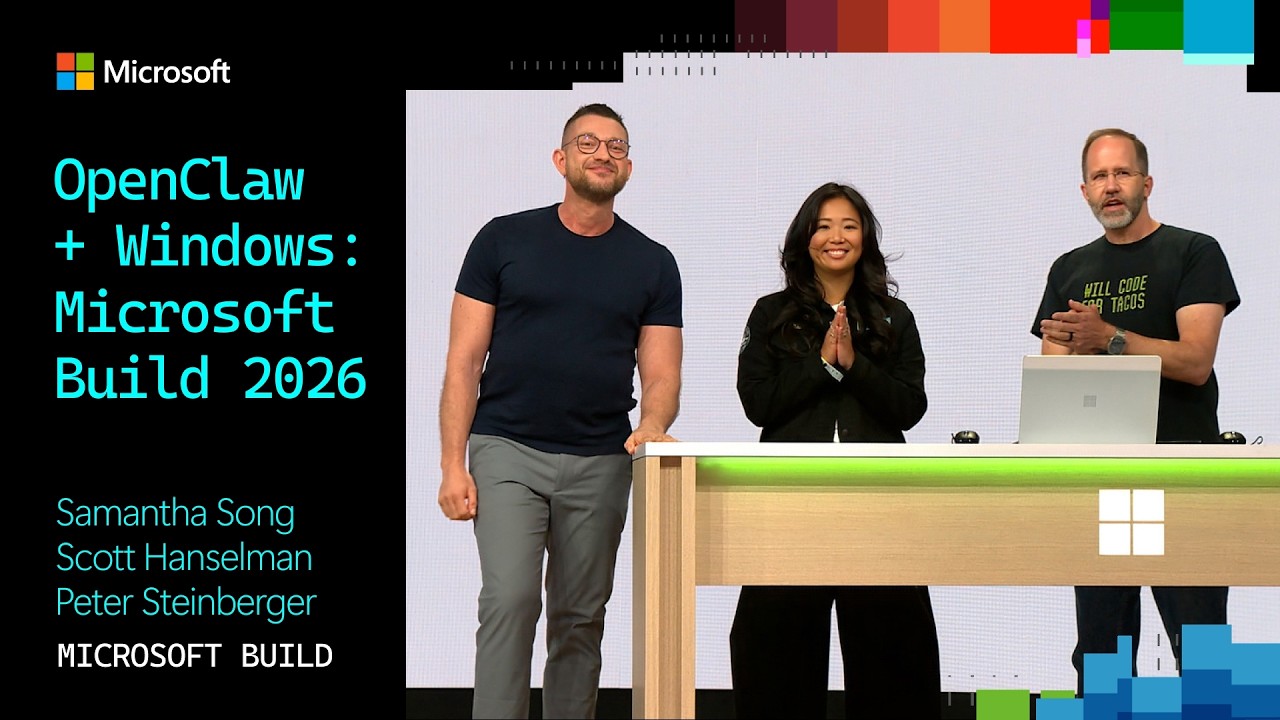
Microsoft Developer
AI-assisted summary of OpenClaw + Windows: Microsoft Build 2026 — original source. Check the original for full context.
Source published:
Key ideas
- Microsoft announced that OpenClaw is officially running on Windows, using Microsoft Execution Containers (MXC) for operating-system-level process isolation and sandboxing. (0:02)
- An open-source WinUI 3 companion app developed on GitHub provides cluster monitoring, session management, and granular permission controls for Claws hosted on Windows or WSL. (1:44)
- In a live adversarial test with agent guardrails disabled, OpenClaw was blocked from deleting 94 desktop files by MXC's strictly enforced read-only policy. (1:44)
- OpenClaw creator Peter Steinberger unveiled an enterprise-ready pluggable harness supporting Copilot and Codex, alongside the establishment of the non-profit OpenClaw Foundation. (5:13)
Detailed notes
## Background Published on YouTube by the Microsoft Developer channel on June 3, 2026, this presentation highlights OpenClaw running on Windows at Microsoft Build 2026. The video features hosts Samantha Song and Scott Hanselman demonstrating new Windows integrations alongside special guest Peter Steinberger, creator of OpenClaw.
## TL;DR Scott Hanselman and Samantha Song showcase the integration of OpenClaw on Windows via a native WinUI 3 companion app backed by Microsoft Execution Containers (MXC). Through a live adversarial demonstration, they illustrate how MXC process isolation serves as a hardened operating-system-level sandbox, preventing an autonomous agent from deleting desktop files even when internal guardrails are disabled. Creator Peter Steinberger joins the stage to detail OpenClaw's evolution from an unconstrained enthusiast script into an enterprise-ready runtime featuring pluggable harnesses, granular access controls, and deep observability. Steinberger also introduces the OpenClaw Foundation, a dedicated non-profit organization established to maintain vendor-neutral, multi-model, and multi-OS governance.
## Atmosphere & style The presentation carries an energetic and playful keynote atmosphere, fueled by Scott Hanselman and Samantha Song's warm comedic banter regarding hidden desktop clutter and personal life automations. The tone seamlessly transitions from casual developer humor to technical triumph when Steinberger arrives, candidly noting how earlier builds would have easily wiped the machine. It feels vibrant and forward-looking, blending the grassroots excitement of open-source agent experimentation with the reassurance of hardened enterprise infrastructure.
## Bulletin - [00:02](https://www.youtube.com/watch?v=J7ol1VDkg7w&t=2s) Microsoft announced that OpenClaw is officially running on Windows, using Microsoft Execution Containers (MXC) for operating-system-level process isolation and sandboxing. - [01:44](https://www.youtube.com/watch?v=J7ol1VDkg7w&t=104s) An open-source WinUI 3 companion app developed on GitHub provides cluster monitoring, session management, and granular permission controls for Claws hosted on Windows or WSL. - [01:44](https://www.youtube.com/watch?v=J7ol1VDkg7w&t=104s) In a live adversarial test with agent guardrails disabled, OpenClaw was blocked from deleting 94 desktop files by MXC's strictly enforced read-only policy. - [05:13](https://www.youtube.com/watch?v=J7ol1VDkg7w&t=313s) OpenClaw creator Peter Steinberger unveiled an enterprise-ready pluggable harness supporting Copilot and Codex, alongside the establishment of the non-profit OpenClaw Foundation.
## Key takeaways - [00:02](https://www.youtube.com/watch?v=J7ol1VDkg7w&t=2s) OpenClaw officially arrived on Windows through an engineering collaboration with Microsoft, powered by Microsoft Execution Containers (MXC). - [00:02](https://www.youtube.com/watch?v=J7ol1VDkg7w&t=2s) Demonstrated personal workflows included Scott Hanselman's proactive blood sugar monitoring with heartbeat alerts and Samantha Song's Strava-linked triathlon coaching agent. - [00:02](https://www.youtube.com/watch?v=J7ol1VDkg7w&t=2s) An open-source companion app on GitHub was introduced to streamline onboarding and manage Claws running directly on bare-metal Windows or WSL. - [01:44](https://www.youtube.com/watch?v=J7ol1VDkg7w&t=104s) The companion app is built natively in WinUI 3, displaying gateway status, connected cluster nodes, active sessions, and live token metrics. - [01:44](https://www.youtube.com/watch?v=J7ol1VDkg7w&t=104s) Granular administrative controls allow users and IT departments to govern specific capabilities, including network egress, clipboard access, and directory mount states. - [01:44](https://www.youtube.com/watch?v=J7ol1VDkg7w&t=104s) MXC provides process isolation sandboxing that operates beneath OpenClaw's own internal safety checks to enforce system-level containment. - [01:44](https://www.youtube.com/watch?v=J7ol1VDkg7w&t=104s) A live desktop purge stress test demonstrated that even with internal agent guardrails disabled, MXC's read-only enforcement prevented the deletion of 94 files. - [05:13](https://www.youtube.com/watch?v=J7ol1VDkg7w&t=313s) OpenClaw was originally designed with unbounded, always-on system access, creating versatility for power users but significant governance challenges for enterprise IT. - [05:13](https://www.youtube.com/watch?v=J7ol1VDkg7w&t=313s) Engineering partnerships with Microsoft, GitHub, OpenAI, and NVIDIA helped introduce enterprise-grade observability pipelines, permission modes, and scoped folder access. - [05:13](https://www.youtube.com/watch?v=J7ol1VDkg7w&t=313s) The execution harness is now an extensible plugin, enabling organizations to bring their own models and compliance boundaries such as GitHub Copilot or OpenAI Codex. - [05:13](https://www.youtube.com/watch?v=J7ol1VDkg7w&t=313s) OpenClaw supports persistent memory, continuous heartbeat mechanisms, and native embedding into communication platforms like Slack and Microsoft Teams. - [05:13](https://www.youtube.com/watch?v=J7ol1VDkg7w&t=313s) Peter Steinberger announced the OpenClaw Foundation, a formal non-profit organization designed to ensure vendor neutrality across platforms and model providers. - [05:13](https://www.youtube.com/watch?v=J7ol1VDkg7w&t=313s) The keynote demo marked the first public demonstration of OpenClaw executing on a Surface Laptop Ultra.
## Detailed walkthrough ### [00:02](https://www.youtube.com/watch?v=J7ol1VDkg7w&t=2s) Bringing OpenClaw to Windows via MXC
The presentation opens with the announcement that OpenClaw is officially running on Windows, powered under the hood by Microsoft Execution Containers (MXC). Deep engineering collaboration between Microsoft and the OpenClaw team has focused on optimizing performance and system integration, leading into an on-stage demonstration led by Scott Hanselman and Samantha Song. Reflecting on the platform's meteoric trajectory since its launch in November of the previous year, Hanselman shares how deeply integrated his personal Claw agent has become in his daily routine over recent months. He relies on it to actively monitor his health and manage his blood sugar—receiving proactive notifications driven by an ongoing heartbeat mechanism—while delegating everyday cognitive overhead such as personal email triaging, tracking GitHub issues, monitoring package deliveries, and even purchasing movie tickets.
Song reveals her own specialized deployment: she configured her OpenClaw agent as a dedicated personal triathlon coach. Faced with an upcoming race in September for which she felt unprepared, her "Coach Claw" established an adaptive workback schedule, pulling live training telemetry directly from her Strava account to assess milestone progress and issue accountability alerts whenever her training regimen begins to slip. Emphasizing that these personal productivity breakthroughs motivated their partnership with OpenClaw, the hosts announce an open-source collaboration on GitHub to build the official OpenClaw Windows companion app. The companion is designed to streamline onboarding, connect seamlessly to new or pre-existing Claws running directly on Windows or within the Windows Subsystem for Linux (WSL), and enforce strict sandboxing around agent tool calls.
- OpenClaw originally launched in November of the prior year. - Hanselman's personal Claw handles blood sugar tracking with heartbeat alerts, GitHub issue management, package tracking, and automated movie ticket purchases. - Song's "Coach Claw" integrates directly with Strava data to enforce accountability for an upcoming September triathlon. - The project is being developed in the open on GitHub as a native companion app supporting instances hosted on bare-metal Windows or WSL.
[01:44](https://www.youtube.com/watch?v=J7ol1VDkg7w&t=104s) The WinUI 3 Companion App and MXC Sandboxing Demo
Launching into the live environment, Hanselman pulls up the OpenClaw Windows companion app running in the system tray, pointing out that it is implemented as a fully native WinUI 3 application. The interface exposes comprehensive runtime visibility, including gateway status, connected machines in the user's Claw cluster, active sessions, and live token usage metrics, alongside single-click navigation to chat interfaces, the canvas, and the primary dashboard. Inspecting the companion settings pane reveals full chat functionality with integrated tool-calling capabilities, flanked by fine-grained permissions controls and sandbox toggles. The isolation boundary is provided by Microsoft Execution Containers (MXC), utilizing process isolation with additional platform-level containment mechanisms planned for upcoming Windows builds. Beyond global security presets, the settings permit granular access governance over system resources, including network egress, clipboard accessibility, and specific directory mounts.
```mermaid flowchart TD accTitle: OpenClaw on Windows Architecture with MXC Sandboxing accDescr: Diagram showing user and enterprise interaction with OpenClaw via the WinUI 3 companion app and MXC isolation layer.
subgraph Interface ["Presentation & Client Layer"] UI["WinUI 3 Companion App"] Chat["Chat & Canvas Interface"] UI --> Chat end
subgraph Core ["Agent Runtime Layer"] Gateway["OpenClaw Gateway (Windows / WSL)"] Harness["Extensible Harness Plugin (Copilot / Codex)"] UI --> Gateway Gateway --> Harness end
subgraph Security ["Containment Layer (MXC)"] MXC["Microsoft Execution Containers"] Policies["IT & User Governance Policies"] Isolation["Process Isolation Sandbox"] Policies --> MXC MXC --> Isolation end
subgraph Resources ["Protected System Resources"] FS["File System (Read-Only Desktop)"] Net["Network Access"] Clip["Clipboard Access"] Isolation -->|"Tool Call Interception"| FS Isolation -.->|"Blocked / Monitored"| Net Isolation -.->|"Blocked / Monitored"| Clip end
Gateway -->|"Sandboxed Tool Execution"| MXC ```
To demonstrate the runtime containment guarantees, Song configures Hanselman's desktop folder as read-only and deliberately attempts an adversarial action: prompting OpenClaw to purge every file from his desktop. A humorous exchange ensues when Song exposes that Hanselman hid his chaotic desktop icons prior to walking on stage. Hanselman defends his organizational style by declaring: “You know, Sam, I need to make sure that you're clear that a messy desktop is an organized mind.” To create an uncompromising stress test, the hosts disable OpenClaw's internal safety guardrails, leaving the host's integrity entirely in the hands of the underlying MXC container. As the command executes, the audience watches the agent loop through persistent deletion attempts, checking the folder and repeatedly re-trying the purge. Because the MXC container strictly enforces read-only access, the command repeatedly fails, leaving all 94 JPEG images on Hanselman's desktop completely intact.
- The companion interface is constructed natively with WinUI 3, displaying gateway node states, cluster machines, and session resource usage. - Sandboxing utilizes Microsoft Execution Containers (MXC) process isolation, acting as an operating-system-level backstop beneath OpenClaw's own safety layer. - Granular administrative controls permit specific policy configurations for file systems (read-only, read/write, hidden), clipboard data, and internet connectivity. - During the adversarial purge test, the agent persistently tried and failed to delete 94 desktop JPEGs due to the read-only sandbox policy enforced by the OS. - Hanselman notes the entire development stack on stage runs on a Windows developer rig using WSL, containers, and GitHub Copilot with multi-model support.
[05:13](https://www.youtube.com/watch?v=J7ol1VDkg7w&t=313s) Peter Steinberger on Enterprise Readiness and the OpenClaw Foundation
Transitioning from the technical demo, Hanselman recounts how the collaboration originated over the holiday season via an unexpected direct message from OpenClaw creator Peter Steinberger, affectionately referred to as the "Claw Father." Steinberger takes the stage, joking about Hanselman revealing his private DMs, and celebrates seeing the destructive terminal commands bounce harmlessly off the Windows sandbox. Reflecting on the platform's early vulnerabilities, Steinberger remarks: “Watching a Claw try to delete all your desktop files and just fail made me really happy. Because six months ago that totally would have worked.” He explains that OpenClaw was architected from inception to enjoy unbounded, always-on access across personal files, operating systems, and communication channels, which made it exceptionally versatile for enthusiasts but inherently terrifying for enterprise IT departments.
To resolve the tension between autonomous agency and corporate compliance, the OpenClaw team spent the prior months collaborating alongside industry partners—including Microsoft, GitHub, OpenAI, and NVIDIA. They implemented deep telemetry observability, automated permission modes, and granular file access topologies, allowing organizations to selectively restrict folders to read-only, write, or completely hidden states. Announcing that OpenClaw is now enterprise-grade and production-ready inside corporate environments, Steinberger reveals that the execution harness itself has been re-architected as an extensible plugin. Companies can plug in their established models and security governance boundaries—such as GitHub Copilot or OpenAI Codex—while layering OpenClaw features like long-term persistent memory, automated heartbeats, and conversational agents embedded inside Slack and Microsoft Teams.
To safeguard the future of the ecosystem, Steinberger announces the formation of the OpenClaw Foundation, a formal non-profit organization established to guarantee platform neutrality across all operating systems and model providers. As Steinberger steps off stage, Hanselman concludes the demonstration by spotlighting that this session marks the first public demonstration of OpenClaw running on a Surface Laptop Ultra. The presentation concludes with host remarks celebrating the arrival of unmetered, long-running personal intelligence backed by hardened operating system security.
- Enterprise adoption blockers were resolved through engineering alliances with Microsoft, GitHub, OpenAI, and NVIDIA. - New enterprise features include comprehensive observability pipelines, automated permissions ("auto mode"), and modular folder-level scoping (read-only, read/write, hidden). - The agent execution harness operates as a pluggable abstraction, allowing organizations to "bring your own" model or compliance harness (such as Copilot or Codex). - OpenClaw embeds natively into enterprise communication tools like Microsoft Teams and Slack, retaining persistent memory and continuous heartbeat routines. - Steinberger established the OpenClaw Foundation as a formal non-profit entity dedicated to maintaining vendor-neutral, multi-model, multi-OS open-source governance. - The live demonstration was executed on a Surface Laptop Ultra.
## Mentioned OpenClaw, Windows, Microsoft Execution Containers, Scott Hanselman, Samantha Song, Peter Steinberger, GitHub, Strava, Windows Subsystem for Linux, WinUI 3, GitHub Copilot, OpenAI, NVIDIA, OpenAI Codex, Slack, Microsoft Teams, OpenClaw Foundation, Surface Laptop Ultra
## Video description Samantha Song and Scott Hanselman demo OpenClaw on Windows, and are joined on stage by Peter Steinberger, the Claw Father himself, to talk about the latest in OpenClaw, at Microsoft Build 2026.
[Source](https://www.youtube.com/watch?v=J7ol1VDkg7w)