Microsoft Deploys MAI-Code-Flash MoE Model to GitHub Copilot
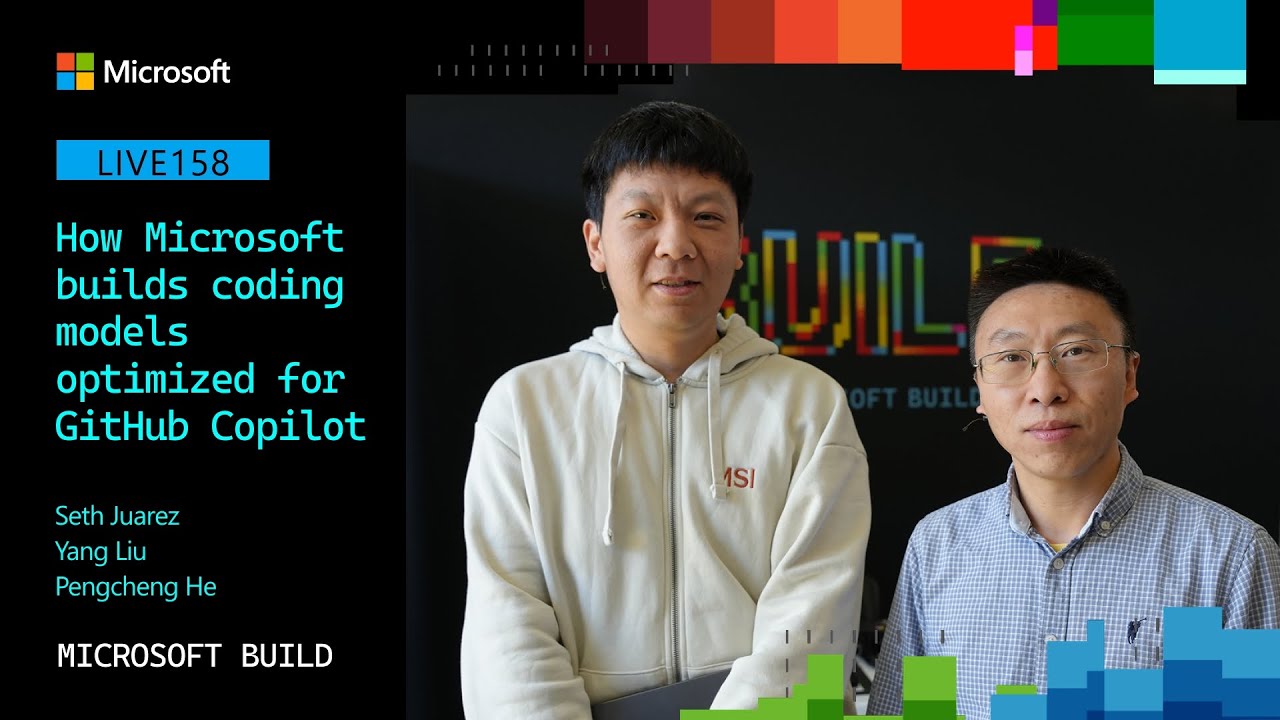
How Microsoft AI builds coding models optimized for GitHub Copilot | LIVE158 — Visual Studio Code

Visual Studio Code

Microsoft claims purpose-built models trained directly inside editor harnesses match frontier coding quality at lower latency by activating only 5 billion parameters per token.

AI-assisted summary of How Microsoft AI builds coding models optimized for GitHub Copilot | LIVE158 — original source. Check the original for full context.

Source published:

Key ideas

  • Microsoft AI introduced MAI-Code-Flash, a specialized coding model purpose-built from the ground up for GitHub Copilot and Visual Studio Code rather than adapted from a general-purpose base model. (0:12)
  • MAI-Code-Flash uses a Mixture-of-Experts architecture featuring 137 billion total parameters, but activates only 5 billion parameters per token inference to maximize throughput and minimize latency. (5:27)
  • The model's training pipeline integrates directly into real developer harnesses, using multi-stage curriculum learning and reinforcement learning grounded in actual VS Code environments rather than purely synthetic benchmarks. (2:48)
  • Microsoft demonstrated agentic multi-model orchestration by combining MAI-Code-Flash with MAI-Transcribe and MAI-Voice to execute voice-driven code changes, server management, and automated testing. (13:03)

Detailed notes

## Background Published by Visual Studio Code on YouTube on June 5, 2026, as part of Microsoft Build 2026, this session goes behind the scenes with Microsoft AI to examine how purpose-built coding models are engineered for GitHub Copilot. The session covers the training, evaluation, architectural design, and practical developer workflows that distinguish code-specialized models from generic LLMs.

## TL;DR Host Seth Juarez speaks with Microsoft AI research leads Yang Liu and Pengcheng He about MAI-Code-Flash, a specialized coding model engineered specifically for GitHub Copilot and Visual Studio Code. Rather than adapting an off-the-shelf base model, the team developed a multi-stage training pipeline encompassing cold-start supervised fine-tuning, curriculum learning, and reinforcement learning aligned directly within the live VS Code harness. The model uses a Mixture-of-Experts architecture with 137 billion total parameters and 5 billion active parameters per token, balancing low latency and cost with high intelligence across routine multi-language development tasks. Live demonstrations showcase rapid front-end application generation and an experimental multi-model agent system that combines speech recognition, voice synthesis, and autonomous coding agents to execute full-stack developer tasks.

## Atmosphere & style The broadcast blends high-energy developer enthusiasm with grounded, pragmatic machine learning engineering discussions. Host Seth Juarez brings an inquisitive, playful dynamic—trading jokes with the booth crew and pressing into real-world trade-offs—while researchers Yang Liu and Pengcheng He deliver clear, candid technical breakdowns. The conversation feels like an authentic engineering deep dive rather than marketing polish, highlighting the practical thrill of responsive coding tools while remaining honest about parameter scaling limits.

## Bulletin - [00:12](https://www.youtube.com/watch?v=Agc6Ik00R1g&t=12s) Microsoft AI introduced MAI-Code-Flash, a specialized coding model purpose-built from the ground up for GitHub Copilot and Visual Studio Code rather than adapted from a general-purpose base model. - [05:27](https://www.youtube.com/watch?v=Agc6Ik00R1g&t=327s) MAI-Code-Flash uses a Mixture-of-Experts architecture featuring 137 billion total parameters, but activates only 5 billion parameters per token inference to maximize throughput and minimize latency. - [02:48](https://www.youtube.com/watch?v=Agc6Ik00R1g&t=168s) The model's training pipeline integrates directly into real developer harnesses, using multi-stage curriculum learning and reinforcement learning grounded in actual VS Code environments rather than purely synthetic benchmarks. - [13:03](https://www.youtube.com/watch?v=Agc6Ik00R1g&t=783s) Microsoft demonstrated agentic multi-model orchestration by combining MAI-Code-Flash with MAI-Transcribe and MAI-Voice to execute voice-driven code changes, server management, and automated testing.

## Key takeaways - [00:12](https://www.youtube.com/watch?v=Agc6Ik00R1g&t=12s) Purpose-built coding models are designed specifically for end-user development scenarios rather than adapted late from off-the-shelf generalist foundations. - [00:12](https://www.youtube.com/watch?v=Agc6Ik00R1g&t=12s) MAI-Code-Flash emphasizes repository-level context, native tool invocation, low latency, and direct code editing over unnecessary reasoning loops. - [02:48](https://www.youtube.com/watch?v=Agc6Ik00R1g&t=168s) The training pipeline moves through cold-start supervised fine-tuning, curriculum learning from simple to complex tasks, and product-harness reinforcement learning. - [02:48](https://www.youtube.com/watch?v=Agc6Ik00R1g&t=168s) Reinforcement learning is aligned directly against the production VS Code environment, real developer prompts, and authentic toolsets. - [05:27](https://www.youtube.com/watch?v=Agc6Ik00R1g&t=327s) The Mixture-of-Experts design balances compute cost, speed, and intelligence by activating only 5B of its 137B parameters per token inference. - [10:08](https://www.youtube.com/watch?v=Agc6Ik00R1g&t=608s) MAI-Code-Flash is rolling out progressively to developers directly within the standard Visual Studio Code model picker menu. - [11:16](https://www.youtube.com/watch?v=Agc6Ik00R1g&t=676s) Evaluating developer models relies heavily on live online A/B testing—tracking task completion, engagement, and cancellation rates—over theoretical benchmark scores. - [11:16](https://www.youtube.com/watch?v=Agc6Ik00R1g&t=676s) While matching frontier models on standard daily engineering tasks across multiple languages, smaller parameter footprints naturally face constraints on deep reasoning and non-coding tasks like creative writing. - [13:03](https://www.youtube.com/watch?v=Agc6Ik00R1g&t=783s) A multi-model agent demo combined MAI-Transcribe, MAI-Voice, and MAI-Code-Flash to autonomously manage local servers, adjust UI styles, and generate unit tests via voice commands. - [15:14](https://www.youtube.com/watch?v=Agc6Ik00R1g&t=914s) MAI-Code-Flash represents the compact, low-latency end of Microsoft AI's model roadmap, with larger high-capacity coding models planned for future release.

## Detailed walkthrough ### [00:12](https://www.youtube.com/watch?v=Agc6Ik00R1g&t=12s) Introducing MAI-Code-Flash and Purpose-Built Design for GitHub Copilot

Host Seth Juarez opens the session celebrating the announcements at Microsoft Build, noting that while roughly seven MAI models were released, the one that stands out most to him as a developer is MAI-Code-Flash. Joining him to face "the hard-hitting questions" are research leads Yang Liu and Pengcheng He. Seth asks what it truly means when they claim MAI-Code-Flash was built specifically with GitHub Copilot and Visual Studio Code in mind, rather than functioning like an off-the-shelf model.

Pengcheng He explains that a purpose-built model does not follow the traditional route of taking an arbitrary base model and retrofitting it for programming tasks at the finish line:

> “As to me the purpose building model means we didn't take a general purpose model and adapted it for code at the end.”

Instead, the team designed and optimized the model from the ground up for the GitHub Copilot user scenario. Rather than merely spitting out isolated snippets of generic code, the model understands repository-level context, calls tools appropriately, grasps the developer's intent, executes targeted edits, and responds with low latency. Yang Liu adds that being purpose-built means looking far beyond standard synthetic benchmarks: in a real coding environment, the model interacts appropriately, answering simple user queries without unnecessary, elongated thinking loops, and automatically triggering unit tests and diagnostics at the correct moment in the workflow.

[02:48](https://www.youtube.com/watch?v=Agc6Ik00R1g&t=168s) Multi-Stage Training Pipeline and Real-World Reinforcement Learning

Seth probes deeper into the training pipeline, comparing traditional ML—shoving data through linear algebra and calculus—with the specialized approach used for MAI-Code-Flash. Yang and Pengcheng outline how reinforcement learning (RL) and multi-stage alignment operate directly inside the real developer harness. The model trains against the actual VS Code environment, real daily software engineering tasks, real developer prompts, and the identical toolsets used in production, evaluating actions through a tailored reward model.

```mermaid flowchart TD accTitle: MAI-Code-Flash Training Pipeline accDescr: A four-stage progression from cold-start instruction following to in-environment reinforcement learning.

subgraph SFT["Supervised Fine-Tuning Stages"] A["Cold Start SFT<br/>(Instruction format & tools)"] --> B["Curriculum Training<br/>(Simple to complex tasks)"] end

subgraph RL["Environment-Aligned Alignment"] B --> C["Reinforcement Learning<br/>(Real VS Code harness & tools)"] C --> D["Custom Production Benchmark<br/>(Identical workflow testing)"] end ```

Pengcheng He details the progression across the multi-stage training pipeline, emphasizing how alignment spans the entire lifecycle:

> “The final stage is that we use reinforcement to make the model to learn in the real environment as a productive.”

- **Cold Start & Supervised Fine-Tuning (SFT):** The model starts out merely predicting next tokens; an initial "cold start" teaches it instruction following, proper output formatting, and basic tool use. - **Curriculum Learning:** The team trains the model incrementally with diverse datasets, stepping from kindergarten-level simple coding exercises up through complex architectural problems. - **Product-Harness Reinforcement Learning:** The terminal alignment stage places the model into the exact GitHub Copilot and VS Code harness, aligning training, evaluation, and production within the identical workflow.

[05:27](https://www.youtube.com/watch?v=Agc6Ik00R1g&t=327s) Architecture: Mixture-of-Experts and Token Efficiency

Seth raises the paradox of model scaling: developers often believe bigger is inherently better, yet large monolithic models introduce unbearable latency and computational costs. Pengcheng and Yang break down the architecture of MAI-Code-Flash, explaining that while it boasts an aggregate capacity of 137 billion parameters, it relies on a Mixture-of-Experts (MoE) design where only 5 billion parameters are actively engaged per token inference.

Yang Liu explains how this structural balance directly addresses production trade-offs:

> “I think model size plays a very important role here is like it can have a trade off between the model intelligence, the speed and the cost.”

- **Parameter Profile:** 137 billion total parameters across the MoE architecture, but only 5 billion active parameters route through any individual inference step. - **Sub-Network Routing:** Rather than executing the query through a single isolated expert, the MoE dynamically routes tokens across a mixture of experts, keeping compute slim while preserving broad capacity. - **Token & Model Efficiency:** By pairing fast parameter activation with prompt- and token-efficient reasoning paths, the model avoids wasting tokens on prolonged deliberations, acting as an agile "beast at its size."

[09:20](https://www.youtube.com/watch?v=Agc6Ik00R1g&t=560s) Live VS Code Front-End Demo

Moving from technical architecture to practical execution, the team transitions to an on-screen demonstration within Visual Studio Code. Yang Liu shows MAI-Code-Flash generating a complete front-end web application from scratch.

Yang Liu emphasizes the model's throughput and environment familiarity as it streams code directly into the editor:

> “You can see the model is very fast you give it a problem, it do a lot of things like the token on the fly is super quick.”

The model leverages its native VS Code tooling hooks and specialized training to emit code, edit files, and spin up an attractive, fully functional web application in seconds. Yang then previews a second demonstration, prompting the model to construct an application with a distinct retro style.

[10:08](https://www.youtube.com/watch?v=Agc6Ik00R1g&t=608s) Real-World Grounding and Rollout in VS Code

The team wraps up a look at a game demonstration, pointing out that significant effort went into improving the model’s front-end capabilities alongside native training partners so that UI elements render cleanly and efficiently. The hosts highlight that this specialized model—MAI-Code-Flash—is actively making its way into the hands of real developers. Rollout is taking place gradually; users who have received access will spot the model directly inside the VS Code model picker dropdown.

```mermaid flowchart LR accTitle: Real-World Workflow Alignment Pipeline accDescr: Diagram showing how developer feedback and grounding tasks feed directly into model optimization for GitHub Copilot. subgraph Inputs["Inputs & Signals"] A["Real Developer Workflows"] B["10-Minute Grounding Tasks"] end subgraph Optimization["Model Tuning"] C["MAI-Code-Flash Optimization"] end subgraph Delivery["VS Code Integration"] D["Model Picker in VS Code"] E["GitHub Copilot Engine"] end A --> C B --> C C --> D C --> E ```

When asked what has been the most exciting or surprising lesson from training a frontier model targeted at such an exact domain, Pengcheng He emphasizes that optimizing for synthetic benchmarks alone falls short compared to grounding the model in actual programming routines. Pengcheng He reflects on this directly: “Well, learning I think users real workflow is important for us to optimize their model for users purpose, yeah instead of another benchmark.” Without training against real developer scenarios—such as a developer sitting down to ground themselves in a code base during an intensive ten-minute coding window—the model would never have reached the quality bar it demonstrates today within GitHub Copilot.

- **Rollout Mechanism:** Distributed progressively to developers through the standard model picker menu within VS Code. - **Workflow Grounding:** Prioritizes end-user interaction patterns over theoretical scorecards, using real coding sessions to guide training.

---

[11:16](https://www.youtube.com/watch?v=Agc6Ik00R1g&t=676s) Evaluation, Online A/B Testing, and Daily Performance

Evaluating code models requires looking well beyond traditional public benchmarks. While the team notes that the model achieves state-of-the-art results for its parameter class across standard evaluations, the real test occurs in production. The team relies heavily on live online A/B testing to measure genuine user satisfaction: tracking whether the model successfully completes developer requests, whether users stay engaged with its completions, and whether cancellation rates drop.

When discussing how MAI-Code-Flash feels in day-to-day software engineering, the developers describe it as noticeably snappier and faster than giant general-purpose LLMs. For common everyday software engineering—spanning back-end logic, front-end design, and multiple programming languages—its output matches today's massive frontier models. However, the team is candid about the physical realities of parameter scale. Pengcheng He explains: “To me, I think for most of the task, it’s comparable to today’s frontier big models.” He clarifies that while scaling laws mean smaller models still face hurdles on exceptionally deep or complex reasoning challenges, MAI-Code-Flash handles routine daily engineering workflows smoothly. Furthermore, because it is hyper-specialized for code, users should not expect it to write poetry or handle creative prose; specialized tasks outside the developer domain are best left to broader generalist models.

- **Online Evaluation Metrics:** Monitored via active A/B tests focusing on task fulfillment, sustained user engagement, and minimal cancellation clicks. - **Task Strengths:** Multi-language development, front-end user interfaces, and back-end application logic. - **Trade-offs:** Smaller parameter footprints naturally encounter constraints on ultra-challenging reasoning tasks and non-coding tasks like creative writing.

---

[13:03](https://www.youtube.com/watch?v=Agc6Ik00R1g&t=783s) Multi-Model Agent Demo: Combining Transcribe, Voice, and Code Flash

To showcase how specialized models can orchestrate complex tasks together, the team presents a live interactive agent system that features voice-controlled coding agents. Before rolling the demonstration, Seth Juarez checks in with the production booth to ensure the feed audio is configured properly, joking that “Tom's awesome” as the sound team gives the green light.

```mermaid flowchart TD accTitle: Multi-Model Agent Interaction Flow accDescr: Flowchart illustrating the speech-to-code-to-voice pipeline combining MAI-Transcribe, MAI-Code-Flash, and MAI-Voice. subgraph SpeechIn["Audio Input Processing"] U["Developer Voice Request"] --> T["MAI-Transcribe"] end subgraph Execution["Agentic Orchestration"] T --> C["MAI-Code-Flash Agents"] C --> V["Vite Dev Server (Approval Required)"] C --> G["UI Styling (Blue & Green Gradient)"] C --> N["NPM Unit Tests (Profile Header)"] end subgraph SpeechOut["Spoken Feedback"] C --> S["MAI-Voice Synthesis"] S --> R["Spoken Agent Status to Developer"] end ```

The recorded demo illustrates an autonomous developer workflow managed entirely via speech:

1. **Local Server Setup:** The user verbally requests to run the web application locally. The system replies aloud, asks for human approval to boot up the Vite development server, and confirms once it is listening on `localhost`. 2. **Dynamic UI Modification:** The developer commands the assistant to change the web application's background color into a gradient of blue and green; the agent processes the code changes and immediately confirms project files are updated. 3. **Automated Testing:** The developer asks the agent to inspect existing unit tests, identify gaps, and generate the missing coverage. The assistant checks the suite, requests permission to run `npm test`, and synthesizes new unit tests for the application's profile header component. 4. **Agent Inspection:** When the user asks for a real-time status update on what the background agents are doing, the voice agent checks the workspace state and reports that three distinct agents are actively analyzing the application structure, with one planning to refactor components into a reusable architecture.

Yang Liu explains that this experiment was built as a weekend project uniting Microsoft AI's specialized portfolio: “We combined our latest state of art MAI-Transcribe model, MAI-Voice model and MAI-Code-Flash model for this fun project.” By pairing high-fidelity audio transcription, low-latency synthetic speech, and rapid code generation, the system provides a glimpse into the agentic workflows developers could soon use to delegate multi-step software tasks.

---

[15:14](https://www.youtube.com/watch?v=Agc6Ik00R1g&t=914s) Developer Takeaways and the Roadmap Ahead

Wrapping up the session, the team shares their core perspectives on where AI-assisted development is heading next. Pengcheng He highlights the sheer pace of iteration, noting that developer imagination is vital because significantly more advanced capabilities will emerge in the immediate months ahead. Yang Liu reinforces the team's commitment to developer-specific models: “I think my takeaway is we are seriously creating the best model for our product, the best code and other product, and this is just the beginning of our journey.”

Seth Juarez urges developers to experiment with MAI-Code-Flash in their editors and continuously submit feedback through VS Code and Copilot channels. The engineering team relies on telemetry and user sentiment to pinpoint gaps and refine future iterations. As a final preview of what is in store, the team reminds the audience that MAI-Code-Flash represents the compact, highly optimized end of their architecture. Pengcheng He leaves viewers with an eye toward the future: “Just stay tuned for some more powerful beasts.” Seth closes out the broadcast by thanking the researchers and expressing his nerd excitement for the future of developer tooling.

## Notable quotes > [00:12](https://www.youtube.com/watch?v=Agc6Ik00R1g&t=12s) As to me the purpose building model means we didn't take a general purpose model and adapted it for code at the end. — Pengcheng He

## Mentioned GitHub Copilot, MAI-Code-Flash, MAI-Transcribe, MAI-Voice, Microsoft AI, Microsoft Build, Pengcheng He, Pierce Boggan, Seth Juarez, Vite, Visual Studio Code, Yang Liu

## Video description Go behind the scenes with Microsoft AI to learn how to build and optimize coding models for GitHub Copilot. This session will explore what makes code-focused models different—from training and evaluation to performance, safety, and real-world developer feedback. You’ll hear how Microsoft AI is advancing model quality for the workflows developers care about most, and how those innovations show up in GitHub Copilot experiences used by millions of developers.

To learn more, please check out these resources: * https://aka.ms/MAI/GHCP * https://aka.ms/GHCP/automodel

𝗦𝗽𝗲𝗮𝗸𝗲𝗿𝘀: * Seth Juarez * Pierce Boggan * Yang Liu * Pengcheng He

𝗦𝗲𝘀𝘀𝗶𝗼𝗻 𝗜𝗻𝗳𝗼𝗿𝗺𝗮𝘁𝗶𝗼𝗻: This is one of many sessions from the Microsoft Build 2026 event. View even more sessions on-demand and learn about Microsoft Build at https://build.microsoft.com

LIVE158 | English (US)

Broadcast Stage

#MSBuild

Chapters: 0:00 - Introduction and Microsoft Build AI Model Overview 00:00:28 - Introducing the Mai Code Flash Team and Project Goals 00:01:00 - Purpose-Built Model for GitHub Copilot and VS Code 00:02:48 - Reinforcement Learning for Real Developer Workflows 00:03:50 - Multi-Stage Training Pipeline and Environment Alignment 00:05:27 - Model Size and Mixture-of-Experts Architecture Explained 00:10:20 - Demonstration of Mai Code Flash in VS Code 00:13:06 - Interactive AI Agents Demo Combining Multiple Mai Models 00:15:16 - Developer Takeaways and Future Model Enhancements 00:16:07 - Closing Remarks and Call for User Feedback

[Source](https://www.youtube.com/watch?v=Agc6Ik00R1g)

Reading summary

Microsoft AI designed MAI-Code-Flash specifically for GitHub Copilot and Visual Studio Code by combining a sparse Mixture-of-Experts architecture with in-editor reinforcement learning. According to research leads Pengcheng He and Yang Liu, grounding the model in actual developer harnesses yields rapid, production-grade code editing without the computational latency of massive general-purpose models. Purpose-Built Design and In-Harness Training (0:12) Rather than adapting a general-purpose model for coding tasks after pre-training, the team engineered MAI-Code-Flash from the ground up for developer scenarios. The model is built to understand repository context, execute localized edits, handle tools, and trigger unit tests or diagnostics without entering prolonged deliberation loops. The researchers argue that traditional synthetic benchmarks fail to capture real coding friction, leading them to optimize against real developer workflows, such as intensive ten-minute grounding sessions. The training pipeline spans supervised fine-tuning and in-environment reinforcement learning. After cold-start instruction training and a curriculum progressing from basic exercises to complex architecture problems, the terminal alignment phase embeds the model directly within the VS Code and GitHub Copilot harness. Actions are evaluated via custom reward models using production toolsets, matching the training environment to the developer's actual daily workflow. Mixture-of-Experts Architecture and Efficiency (5:27) To counter the latency and operational costs of large monolithic models, MAI-Code-Flash employs a Mixture-of-Experts (MoE) structure. Although the model holds an aggregate capacity of 137 billion parameters, dynamic sub-network routing activates only 5 billion parameters per token inference step. Yang Liu notes that this parameter profile strikes a practical balance among intelligence, inference speed, and serving costs. By pairing sparse activation with prompt-efficient reasoning, the model limits token overhead during everyday developer tasks while retaining the capacity of a high-parameter network. Production A/B Evaluation and Capability Boundaries (11:16) The team evaluates MAI-Code-Flash primarily through live online A/B testing rather than standalone scorecards. Telemetry tracks genuine developer satisfaction metrics, including task fulfillment, sustained user engagement, and reductions in cancellation rates. Rollout occurs progressively through the standard model picker dropdown inside VS Code. In daily engineering—such as full-stack UI construction, back-end logic, and multi-language support—the researchers state the model's speed and output are comparable to giant frontier systems. However, Pengcheng He acknowledges physical scaling boundaries: the compact active footprint still encounters constraints on exceptionally deep, complex reasoning tasks, and its hyper-specialization means it is unsuitable for non-programming domains such as creative prose. Voice-Directed Autonomous Multi-Agent Workflows (13:03) To demonstrate multi-model orchestration, the team integrated MAI-Code-Flash with MAI-Transcribe and MAI-Voice into an experimental voice-directed coding assistant. The multi-agent workflow processes verbal commands, asks for human approval before executing shell operations like launching a Vite development server, modifies UI styling, and synthesizes missing component tests following automated `npm test` runs. During live testing, the system reported multiple background agents operating concurrently on the workspace, including agents analyzing structure and refactoring code into reusable architectures. This setup illustrates how low-latency code generation combined with speech models can automate multi-step development cycles under user supervision. MAI-Code-Flash represents the lower-latency, highly compact tier of Microsoft AI's coding suite, with researchers indicating that more capable models are slated for release. Future quality improvements will depend heavily on developer telemetry and feedback gathered through the VS Code and Copilot rollouts.

Source quotes

[0:12] Pengcheng He: As to me the purpose building model means we didn't take a general purpose model and adapted it for code at the end.

Original transcript

[0:12] Hello, my friends, We are back and I I love [0:14] AI and at build Microsoft build this year, there was [0:18] a ton of models released. [0:19] I think there were seven Mai models released, but one [0:22] of the ones that was super interesting to me because [0:25] I'm a dev is Mai code flash and I have [0:28] some of the researchers here with us. [0:30] We're going to ask the hard hitting questions and I'm [0:32] going to try not to sound dumb because these are [0:34] the smart, smart dudes. [0:35] Why don't you tell us who you are and why [0:36] don't you do? [0:37] We'll start with. [0:38] You. [0:38] Hi everyone. [0:38] I'm young. [0:39] I'm the. [0:40] Research lead part. [0:42] Of this model. [0:44] Hey, I'm Hunter, a leader. [0:45] The different in my coder. [0:48] Yeah, that model. [0:49] So this particular model was specifically built with GitHub copilot [0:55] in mind, is that right? [0:57] So Peng, why don't we start with you? [0:58] What does that actually mean? [1:01] Yeah. [1:01] As to me the purpose building model means we didn't [1:05] take a general purpose model and adapted it for code [1:09] at the end. [1:10] But actually we build from a very beginning for GitHub [1:15] capacity scenario and we optimize it for GitHub compiler experience [1:21] from very beginning. [1:23] So for for those that are like thinking like OK [1:26] MAIMAI code Flash was optimized with VS Code Copilot in [1:31] mind, what does that mean for people? [1:34] What you mean is it's not just the genetic code [1:36] snippets. [1:37] It will understand the the positive context that use tools, [1:41] understand the users intent and make a targeted edits and [1:45] they respond quickly. [1:47] Especially for GitHub capacity users, we will optimize for the [1:52] real user workflow. [1:53] I see. [1:54] So why don't you tell us more about how what [1:56] that looks like in practice when you optimize for BS [1:58] code? [1:59] Yes, so I think. [2:00] It means it's not just good at some benchmarks, it's [2:03] definitely good at many benchmark, but in the real suite. [2:06] Of. [2:06] Code engine. [2:07] It also means like it interacts with you in your [2:10] proper. [2:11] Way it asks your. [2:12] Questions without long thinking. [2:14] For some simple questions, do the unit test at the [2:17] correct time. [2:18] At the right time it. [2:19] Do the proper. [2:20] Testing. [2:21] So it basically. [2:23] Optimize for the best user experience in US code. [2:26] So tell me more about that because like I, I, [2:29] I was trained in machine learning and effectively what I [2:32] understand models to be is it's this huge structure, you [2:35] push a lot of data through it, some linear algebra [2:37] and calculus to optimize it. [2:39] Tell me about the data that you're specifically pushing through [2:43] it to make this model super good for VS Code [2:45] users. [2:46] That's a very. [2:46] Good question, SO. [2:48] That's why reinforced. [2:49] Learning plays a very important role here. [2:51] So which means in this training with last model interact. [2:54] With the real. [2:55] Product partners with. [2:56] Real web code. [2:57] With the same 2 sets that. [2:59] Developer use every day. [3:00] With the same prompts you use. [3:02] Every day. [3:03] And you can interact. [3:04] With the web. [3:04] Wall with the environment like daily sweet tasks and we [3:07] can create a reward model with a lot. [3:09] Of like Easter tasks for field for you. [3:13] And. [3:13] Does it like have very proper product behavior? [3:16] And also many things that you think the model should [3:19] do the best. [3:20] For your daily task. [3:22] And it's all be done by very reinforcement with real [3:26] product harness. [3:27] I see. [3:27] So there's a base model and then you're doing reinforcement [3:31] learning on top of it to adapt the behavior. [3:34] Is that right? [3:35] Tell us what? [3:35] About that is multiple stages. [3:37] The universe learning is the last stage to make the [3:40] model perfectly aligned with user exchange in GitHub. [3:43] So tell me more. [3:44] So you're doing, you're actually when you're training the model, [3:46] you're training it with the actual BS code stuff. [3:49] Is that right? [3:49] Tell me about the stage. [3:50] When we train that model, we have multiple stages. [3:53] We started with supervised fun tuning to make the model [3:56] follow user instruction and response with aligned format. [4:00] And then we gradually train the model with a lot [4:03] of diverse data in a criminal way from simple task, [4:07] simple coding task to complex coding task stage by stage. [4:11] And the final stage is that we use reinforcement to [4:14] make the model to learn in the real environment as [4:16] a productive. [4:18] So and the real scenario, real environment, as they say, [4:22] close to product. [4:23] So that we make the training evaluation and the production [4:27] in the same same workflow. [4:30] So that that's the difference from our model that's depends [4:33] on our model from like you know, the purpose model. [4:36] And this is so cool because I want to, I [4:37] want to restate this because I, as I'm hearing this, [4:39] it's it's kind of super cool. [4:41] You basically have a base model and you do supervised [4:44] fine tuning first with simple tasks, then with more complex. [4:49] It's almost like it's you're taking it to school on [4:51] how to be a good programmer. [4:52] Simple task, more complex tasks, and then you test benchmarks [4:56] over the top of that. [4:58] Is that right? [4:58] Yes, and this benchmark is not another benchmark. [5:01] So this benchmark is customized to use the same environment [5:05] as a product use the same harness. [5:08] So it's a it's a it's a purpose built model [5:10] for people that use this harness. [5:13] Yes, that that's really cool. [5:14] So this is cool. [5:16] Tell me about the model size, because one of the [5:18] things I tell people is, hey, if you're doing a [5:21] generic task and you're not sure you got to use [5:23] a pretty big model and then learn and then make [5:25] a fine-tuned small model. [5:27] Tell me about the model size here and why that [5:30] particular that particularly matters. [5:32] Yeah, Mai code 1 flash is a 5B mode active [5:36] parameter model, but it actually Moe model. [5:39] So the total capacity is about. [5:41] 137 billion parameter. [5:43] So which is fairly. [5:44] Large I think model site plays a very. [5:47] Important role here is like. [5:48] It cannot have a trade off between the model intelligence, [5:51] the speed and the cost. [5:52] That's the. [5:53] Three things that we care about. [5:55] And with this large Moe model but with more active [5:58] parameters. [5:59] It actually achieved. [6:00] A balance point or sweep point? [6:02] For your daily sweep tasks, you. [6:04] Don't. [6:04] Need to waste a lot of. [6:05] Tokens but you. [6:06] Still have very. [6:07] Powerful models for. [6:09] Your daily work. [6:11] Yeah. [6:12] So tell me more about that because you said a [6:14] 5 billion parameter model, but you're using a mixture of [6:16] experts. [6:17] So tell me how that works. [6:18] So for people that haven't heard that, what does that [6:20] look like? [6:21] So basically. [6:23] I imagine it's a neural model and you have a [6:26] lot of parameters, but in each token inferred only need [6:29] to activate a part of them and that part of [6:32] them will. [6:33] Serve a task. [6:33] The rest of them can be activated. [6:36] For other tasks, other tokens. [6:38] So which means the each inference only part of networks [6:41] activated and. [6:42] This saves a lot of costs. [6:44] Yeah, so, so the model total model is only 5 [6:47] billion parameters or? [6:48] No. [6:48] Total model is 137 parameters. [6:52] But only active at a single time is the 5 [6:53] billion because of the mixture of experts. [6:56] And this is the this is the cool part that [6:58] people that I love about this machine learning has gotten [7:02] so good that what a mixture of extra effectively shuts [7:05] off an entire part of the model using nice vector [7:08] calculus and it pushes the exact query through one of [7:11] the experts so that you're actually getting super fast inference [7:14] speed. [7:15] So effective model size is 5 billion parameters. [7:17] Yeah, not just one expert inside mixed on many. [7:21] Experts, yeah. [7:21] That's amazing. [7:22] So what does that mean for speed and accuracy? [7:26] So if you look at our blog, our model, you [7:27] can. [7:28] See the. [7:29] Latency of the model is super good comparing with the [7:32] same quality and intelligence. [7:34] And also I think when I mentioned we also optimize [7:37] model for token. [7:37] Efficiency so. [7:38] If you combine model efficiency and token efficiency, you will [7:41] find it. [7:42] Just a beast at its size. [7:44] It's just fat. [7:45] Yeah. [7:45] Because it's like, it's like a big model with little [7:48] models that together make it a little bit faster. [7:51] So what what has been the most exciting part for [7:53] you and challenging parts of building of building this model? [7:58] Actually, there's a lot of change, as I said, from [8:01] beginning the model, just put the next token so it [8:03] can actually follow user instruction or to use tools. [8:07] So we need to do something called a code start [8:09] to make the model can follow user instruction and do [8:12] some simple reasoning task. [8:14] So basically it can just like children, we start from [8:18] a very, very young baby and make it graduate, go [8:22] up to a post doctor. [8:24] So that's a good deal. [8:25] The first step is kindergarten, right? [8:29] That's good to start. [8:30] And after that we can keep the model, make the [8:34] model keep climbing and to the higher level. [8:37] Yeah. [8:37] So a lot of folks when I look and this [8:39] I fall into this trap because maybe, I don't know, [8:42] we like biggie sizing things. [8:44] Sometimes we fall into this trap of thinking that a [8:47] bigger model is going to be better at specific tasks [8:49] and that's not always the case. [8:51] Sometimes a smaller model can be even better. [8:53] Why is that the case in in for Mai flash? [8:57] So I think model size matters a lot of intelligent, [9:00] but not all of it. [9:01] We take good careful. [9:02] Training. [9:03] We use the same harness. [9:05] Of very proper. [9:06] Design data for this model to make sure the model [9:08] can always climb on its reward in training. [9:11] So I think the outcome is very good. [9:13] It's not. [9:15] It's not just limited to its size. [9:16] Very powerful model. [9:17] OK. [9:18] So I think you've brought something to show us. [9:20] Can you show us what we've got? [9:22] So we're going to go to the screen here and [9:24] you brought a little bit of something to show us [9:26] in action. [9:27] Is that right? [9:28] Yes, yes. [9:29] So. [9:29] What I'm showing is a demo we just made. [9:33] This is using our model in West code developing a [9:36] front end web app. [9:37] You can see the model. [9:38] Is very fast you. [9:40] Give it a problem, it do a lot of things [9:41] like the token on the fly is. [9:43] Super quick. [9:44] And use the customer training with W code to it [9:47] and use the native West. [9:48] Code very efficiently. [9:49] And in the end you can. [9:50] See. [9:51] It developed a. [9:53] Very nice looking app in a very short time and [9:58] I think here's another demo. [10:01] It's a bit. [10:02] Different the model is prompted to build. [10:07] AI will say a ritual style. [10:08] Game and you can see this. [10:12] The UI is pretty good, we do put a lot. [10:14] Of efforts on improving the models front end ability and [10:19] with the native partners in training. [10:23] Yeah, you should use it. [10:25] Pretty efficiently, yeah. [10:26] Yeah. [10:26] And this is pretty cool because now this particular model [10:30] is available in VS Cover people to use. [10:32] Is that right? [10:33] We are. [10:34] Rolling out the model gradually and you can. [10:38] Use if you. [10:40] Got the model, you will see your model picker. [10:42] So what has been the funnest part about building this [10:45] model? [10:45] Because like in this case, it's, you're building a frontier [10:49] model, but for a very specific use case. [10:52] What are some learnings that you've had along the way? [10:55] Well, learning I think users real workflow is important for [10:59] us to optimize their model for users purpose, yeah instead [11:04] of another benchmark. [11:05] So without using the capacity 10 minute grounding task, we [11:10] cannot even make them model work as perfect as today [11:14] in compiler. [11:16] And can you tell us a little bit about how [11:18] you test these models so folks get a sense for [11:20] because you're not just like doing weights, but you're testing [11:22] these models as they go. [11:23] Tell us about the testing process. [11:25] So definitely we have very good benchmark results if you [11:27] look at the. [11:28] Broad across. [11:29] Many benchmarks we, I think it's frontier model at this [11:33] size. [11:35] As Pauline said, we also. [11:36] Care a lot about your user experience. [11:38] So that's why. [11:38] We do a lot. [11:39] Of AB testing online to make sure the model. [11:42] Fulfill your task. [11:43] Your engagement with models is crap. [11:45] You don't cancel too much for the model. [11:47] So if you've used this model, tell us what the [11:50] experience has been like using this model. [11:52] You said it's a little snappier, it's a little faster. [11:54] Tell us about the experience. [11:56] To me, I think for most of the task, it's [11:59] comparable to today's frontier big models. [12:02] But just for some challenge tasks, we must recognize this [12:07] deal that's getting low. [12:09] We cannot disability that's getting a small model still has [12:12] some limited for challenge, but for most of the daily [12:16] work I think this work works good for me. [12:19] So generally when we go from a bigger model to [12:21] a smaller model, it it gets very focused on the [12:24] particular task that you fine-tuned it for. [12:27] What are some things that like people should not expect [12:30] it to be? [12:30] You know what I'm saying? [12:31] Because I don't, I don't want people to use the [12:33] model and be like, wow, it's not writing poems for [12:35] me or something. [12:36] Tell us about what are some things that are super [12:38] good at and what are some things that maybe you [12:40] should use other models for? [12:43] So I will say for most of our daily. [12:45] Suite tasks. [12:46] Back end from the end different program language. [12:50] It's a very good model, but the writing poem do. [12:54] A lot of like creative. [12:56] Writing things, we are not optimized for that, but I [12:59] can still do something. [13:00] But maybe you should ask our models. [13:02] Yeah. [13:03] Cool, so I hear you have one more demo. [13:06] Can you show us that one and this one? [13:08] Does this one have audio? [13:09] This one has audio. [13:12] OK, so are we equipped for audio Tom on this [13:14] one? [13:15] We are ready for it. [13:16] OK, they're ready for it. [13:17] By the way, Tom's awesome. [13:18] This is for fun can. [13:22] You maximize it. [13:25] I can start coding agents, give them tasks. [13:28] That sounds cool. [13:29] Can you run the web app locally so we can [13:31] start testing? [13:33] I got it. [13:33] Let me work on that. [13:35] I need your approval to start the week development server. [13:38] Sure, I approve. [13:41] The development server started on local host app. [13:44] Thanks. [13:44] Can you now change the background color of the web [13:48] app to a gradient of blue and green? [13:51] I got it. [13:52] Let me work on that. [13:57] The agent updated the project. [13:58] Thanks, Now can you check what kind of unit tests [14:01] we have and see if there's any missing and cleared [14:04] them? [14:06] I got it. [14:07] Let me work on that. [14:08] The test suite is ready to run. [14:09] I need your approval to execute the NPM. [14:12] Sure, I approve. [14:15] The agent added unit tests for the profile header. [14:19] What's going on with the agents right now? [14:22] One moment checking. [14:24] All three agents are actively checking the current app structure. [14:27] One is planning to refactor components into a RE, so [14:31] why don't we just tell us what we just looked [14:35] at? [14:35] So this model is kind of especially our weekend apart. [14:39] We combined our latest state of art Mai Transcribe model, [14:44] Mai Voice model and Mai Code Flash model for this [14:48] fun project. [14:49] And that's kind of cool because now that you now [14:51] that you have specific purpose built bottles, you can start [14:54] to put them together and do some some really, really [14:57] cool things. [14:57] Tell us about how you came up with this. [15:00] I think it's very natural when Mai comes all these [15:03] seven models. [15:04] Together, so it's. [15:05] Kind of natural to think how we can combine and [15:08] how we can imagine. [15:09] The suite developers in the future. [15:12] So that's very natural project. [15:14] So what should developers take away from all of this? [15:16] We'll start with you and then we'll come to you. [15:18] Take away. [15:19] I think imagination is important. [15:22] We can imagine in the coming few months we have [15:24] even better sense come out. [15:26] Fantastic. [15:27] What about you? [15:28] I think my take away. [15:29] Is we are. [15:30] Seriously, treating the best model. [15:32] For our product the best. [15:33] Code and other product. [15:34] And this is just the beginning of our journey. [15:37] Please stay tuned and looking. [15:38] Forward to what? [15:39] Will happen next. [15:40] That's amazing. [15:40] And so as developers try this out, make sure you [15:43] give us feedback because I'm sure you want feedback on [15:45] how the models. [15:46] Work. [15:46] Yes, yes. [15:47] Feedbacks are very. [15:48] Welcome a lot of feedback. [15:49] And you're going to continue to improve this model and [15:52] do work. [15:52] Is that right? [15:53] Tell me about the future of this. [15:56] So definitely I want to mention we need feedback so [15:59] we can improve the model and this is a mini [16:02] sized model. [16:04] Just stay tuned for some more powerful beasts. [16:07] Awesome. [16:08] Well, thank you so much for spending some time with [16:10] us. [16:10] It's been amazing. [16:11] I'm a nerd. [16:11] I love this stuff. [16:12] So thank you so much. [16:13] And we'll be back right after this. [16:15] We'll see you.