Steve Sanderson Runs Zero-Code Operating System on AI HTML Diffs
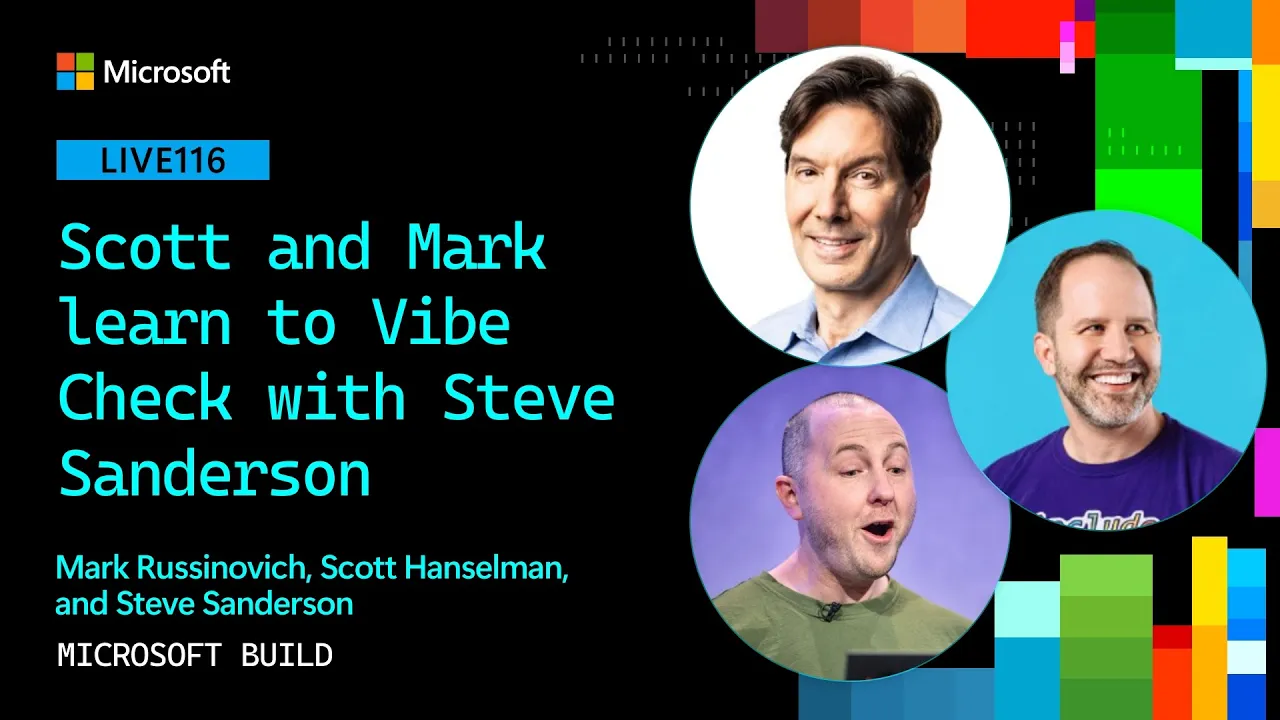
Microsoft Developer
Interactive user interfaces can maintain full state without underlying application code by routing DOM click events to language models that return real-time HTML diff patches.
AI-assisted summary of Scott and Mark learn to Vibe Check with Steve Sanderson | LIVE116 — original source. Check the original for full context.
Source published:
Key ideas
- Steve Sanderson demonstrated Vibe OS, a fully hallucinated operating system running inside a 1.3 GB Hyper-V virtual disk where desktop applications contain zero human-written or AI-generated application logic. (2:00)
- After experiments using Stable Diffusion bitmaps and Qt-based DSLs failed due to latency and poor model fluency, Sanderson built the OS using isolated iframes powered by plain HTML and CSS generated via the Copilot SDK. (8:18)
- Statefulness is sustained without a backend by directing the LLM to output unique IDs for interactive elements, which return user clicks back to the session so the model can generate targeted DOM diff patches. (9:50)
- Scott Hanselman and Mark Russinovich praised the 5-to-6-hour prototype as 'intentional slop,' highlighting that sophisticated AI-augmented software engineering was required to achieve the illusion. (10:24)
Detailed notes
## Background Published by Microsoft Developer on YouTube on June 5, 2026, this session from Microsoft Build 2026 features Scott Hanselman and Mark Russinovich hosting a live 'vibe check' showcase. The presentation puts AI-assisted projects and prototypes through rigorous technical evaluation to determine where their seams lie and whether they represent production-ready engineering or clever experiments.
## TL;DR Steve Sanderson presents 'Vibe OS,' a tongue-in-cheek hallucinated operating system running inside a Hyper-V virtual machine without any backing application logic or traditional UI code. Through on-demand prompts, the system simulates classic applications like Calculator, Internet Explorer, and custom parodies such as a Mark Russinovich Encarta edition and an abusive command prompt. Pulling back the curtain, Sanderson reveals that each app runs in an iframe connected to a Copilot SDK session where an LLM generates raw HTML and stateful diff updates in response to clicked element IDs. Hanselman and Russinovich celebrate the project as sophisticated 'intentional slop' and award Sanderson for blending playful vibes with genuine AI-augmented software engineering.
## Atmosphere & style The session has the energetic, warm, and playful banter of seasoned engineering colleagues geeking out on a live stage. Sanderson delivers wildly absurd, fabricated UI demos with straight-faced deadpan comedic timing, prompting infectious laughter from Hanselman and Russinovich as they request ridiculous apps on the fly. As the presentation pivots to the architectural breakdown, the mood shifts seamlessly into genuine technical admiration for Sanderson's clever harness design, ending on a celebratory and appreciative high note.
## Bulletin - [02:00](https://www.youtube.com/watch?v=zh6fMtL_cSM&t=120s) Steve Sanderson demonstrated Vibe OS, a fully hallucinated operating system running inside a 1.3 GB Hyper-V virtual disk where desktop applications contain zero human-written or AI-generated application logic. - [08:18](https://www.youtube.com/watch?v=zh6fMtL_cSM&t=498s) After experiments using Stable Diffusion bitmaps and Qt-based DSLs failed due to latency and poor model fluency, Sanderson built the OS using isolated iframes powered by plain HTML and CSS generated via the Copilot SDK. - [09:50](https://www.youtube.com/watch?v=zh6fMtL_cSM&t=590s) Statefulness is sustained without a backend by directing the LLM to output unique IDs for interactive elements, which return user clicks back to the session so the model can generate targeted DOM diff patches. - [10:24](https://www.youtube.com/watch?v=zh6fMtL_cSM&t=624s) Scott Hanselman and Mark Russinovich praised the 5-to-6-hour prototype as 'intentional slop,' highlighting that sophisticated AI-augmented software engineering was required to achieve the illusion.
## Key takeaways - [00:00](https://www.youtube.com/watch?v=zh6fMtL_cSM&t=0s) Steve Sanderson unveiled Vibe OS at Microsoft Build as an exploration of software engineering beyond human- or AI-written code. - [02:00](https://www.youtube.com/watch?v=zh6fMtL_cSM&t=120s) The entire operating system runs inside a 1.3 GB VHDX disk image in Hyper-V, booting into a functional, retro desktop environment. - [02:24](https://www.youtube.com/watch?v=zh6fMtL_cSM&t=144s) Standard utilities like Calculator and Notepad function correctly despite having zero underlying computational routines, UI controls, or event handlers. - [03:07](https://www.youtube.com/watch?v=zh6fMtL_cSM&t=187s) Vibe OS runs an Internet Explorer clone that hallucinates search engines and websites on the fly, including a completely fabricated Wikipedia page for Scott Hanselman. - [04:19](https://www.youtube.com/watch?v=zh6fMtL_cSM&t=259s) Users can generate custom software on demand via natural language, including a rude command prompt and a Mark Russinovich-themed edition of Encarta 98. - [06:34](https://www.youtube.com/watch?v=zh6fMtL_cSM&t=394s) Live requests produced a hallucinated Microsoft Money 95 showing negative checking balances and an iOS simulator rendering with Windows CE buttons. - [08:18](https://www.youtube.com/watch?v=zh6fMtL_cSM&t=498s) Early attempts to render the OS with Stable Diffusion bitmaps failed due to slow generation speeds and an inability to map coordinate clicks to state updates. - [08:18](https://www.youtube.com/watch?v=zh6fMtL_cSM&t=498s) Using native UI frameworks like Qt proved unsuccessful because LLMs lacked the fluency needed to assemble robust native layouts dynamically. - [08:18](https://www.youtube.com/watch?v=zh6fMtL_cSM&t=498s) Plain HTML and CSS inside iframes became the viable architecture because models have encountered massive volumes of web markup during training. - [08:18](https://www.youtube.com/watch?v=zh6fMtL_cSM&t=498s) Each running application window is backed by an independent Copilot SDK session initialized with specialized simulation system prompts. - [09:50](https://www.youtube.com/watch?v=zh6fMtL_cSM&t=590s) The model generates HTML with unique IDs on interactive components, allowing the client harness to report user click targets back into the prompt context. - [09:50](https://www.youtube.com/watch?v=zh6fMtL_cSM&t=590s) Instead of full page reloads, the Copilot session returns targeted HTML diffs that the client applies directly to mutate the active DOM. - [09:50](https://www.youtube.com/watch?v=zh6fMtL_cSM&t=590s) Application state and session continuity are maintained entirely within the conversation history of the active Copilot context window. - [10:24](https://www.youtube.com/watch?v=zh6fMtL_cSM&t=624s) Hanselman and Russinovich classified the demonstration as 'intentional slop,' noting that deep architectural discipline is necessary to make generative AI behave predictably. - [10:24](https://www.youtube.com/watch?v=zh6fMtL_cSM&t=624s) Sanderson engineered the prototype across several evenings, spending roughly 5 to 6 hours testing and refining the diff-driven simulation loop.
## Detailed walkthrough ### [00:00](https://www.youtube.com/watch?v=zh6fMtL_cSM&t=0s) Introduction of Steve Sanderson and the Vision of Vibe OS
Scott Hanselman opens the session by welcoming viewers to "Scott and Mark learn to vibe check" alongside Mark Russinovich, introducing their first guest, Steve Sanderson. Sanderson is widely celebrated in the developer community for creating Knockout.js and his foundational work on Blazor. Scott sets up the demo by noting that nobody on the team has seen Sanderson's creation beforehand:
> “We don't know if he wrote it in a caffeinated copilot session. It could be slop. It could be vibes. It could be AI augmented software engineering.”
Sanderson frames his project with tongue-in-cheek grandeur, mapping human milestones from stone tools and culture to mathematics and computing, claiming humanity had not reached its true pinnacle until today. While others obsess over shifting from humans writing code to AI writing code, he argues he is already looking a step beyond:
> “I know that that probably feels like quite a big deal to Mark and Scott, but for a true visionary like myself, I'm already thinking about where we're going next.”
He unveils "Vibe OS," dubbed the world's first completely hallucinated operating system. Running as a roughly 1.3-gigabyte VHDX file inside Hyper-V (which he notes could run on bare metal, though he chose not to), it boots quickly into a vintage-looking graphical desktop.
---
[02:24](https://www.youtube.com/watch?v=zh6fMtL_cSM&t=144s) The Zero-Code Illusion: Running Calculator and Internet Explorer
To demonstrate, Sanderson opens standard classic desktop accessories: Notepad, Calculator, and Internet Explorer. He points out the core paradigm shift: there is zero code written by humans or generated by AI backing the logic of any of these apps. There are no UI controls, no event handlers, and no underlying calculation routines. When he clicks `5 / 3 =`, the interface correctly reflects `1.6`.
> “The thing that's unique here, the thing that you will never have seen before, is that in these applications there is no code at all.”
Next, he switches to Internet Explorer. Unlike conventional browsing where users wonder whether the web content they are reading is authentic or AI-generated, Sanderson jokes that Vibe OS removes all ambiguity because the answer is always yes. To demonstrate, he navigates to Google and runs a search for "Hanselman Wikipedia." The model hallucinates the search engine interface and live results, returning an article accompanied by a completely fabricated, bizarre portrait that triggers immediate laughter from the hosts.
---
[04:19](https://www.youtube.com/watch?v=zh6fMtL_cSM&t=259s) On-Demand Hallucinated Applications and Live Audience Requests
Sanderson shows that users are not confined to preconfigured apps; Vibe OS can invent any hypothetical program on the fly via search. He enters a query for "Encarta 98, but it's all about Mark Russinovich." The system immediately synthesizes an authentic Encarta interface stocked with invented Russinovich trivia, including the humorous line that "Russinovich has a talent for turning internals into footlights."
He follows up with another prompt: "Command.com / CMD.EXE, but it's always rude to you." When Sanderson attempts to run `bash`, the prompt snaps back with an insult claiming the user has somehow offended it.
The hosts then propose their own custom apps:
- **Microsoft Money 95 for Scott Hanselman:** Scott quips that software "peaked at Microsoft Money 95" and requests a version showing his finances. The system generates "Hanselbank" checking account records showing negative balances, prompting Scott to joke, "Where are the tacos?" - **Microsoft Paint:** The hosts request Paint pre-loaded with a drawing of Scott. The app opens displaying a strange doodle labeled a "very normal picture of Scott Hanselman," which Scott jokes looks like a cage he is being kept inside. - **Nested Simulators:** Scott asks how many layers deep the hallucination can go, inquiring about an Altair 8080 running inside a terminal or an iOS simulator. Sanderson opens an iOS simulator, which comically renders iPhone software decorated with Windows CE-style buttons.
---
[08:18](https://www.youtube.com/watch?v=zh6fMtL_cSM&t=498s) The Technical Reveal: From Image Generation to HTML Iframes
When asked how he defines "hallucinated operating system" and what powers it under the hood, Sanderson opens the codebase and explains the architectural evolution of the project.
```mermaid flowchart TD accTitle: Vibe OS Architecture Evolution accDescr: Diagram tracing Steve Sanderson's experimentation from diffusion bitmaps to structured HTML iframes backed by the Copilot SDK.
subgraph Abandoned["Abandoned Approaches"] A["Stable Diffusion Bitmaps<br/>(Slow, coordinate-only clicks)"] B["Custom DSLs & Qt Wrappers<br/>(Poor model fidelity)"] end
subgraph Shipped["Shipped Architecture (Vibe OS)"] C["Desktop Window Shell"] --> D["Independent <iframe> per App"] D --> E["Copilot SDK Session"] E --> F["LLM Hallucinates Plain HTML/CSS"] end ```
Sanderson details the three technical iterations he explored before arriving at a viable design:
1. **Pure Bitmaps:** His first attempt used Stable Diffusion to produce raw desktop frame captures. This failed because generation was far too slow, and sending user mouse-coordinate clicks back to an image generator could not reliably express state updates. 2. **Native UI DSLs:** He attempted feeding domain-specific languages (DSLs) and native UI frameworks like Qt (Cute) to language models, but the models lacked sufficient fluency to compose robust interfaces dynamically. 3. **Plain HTML and Iframes:** He realized LLMs are trained on vast amounts of web content, making raw HTML the most resilient target:
> “The thing that really suddenly was able to do a great job was when I switched it to just be plain HTML. Because, you know, these models have seen so much HTML, they can make that up very, very easily.”
Every application window running in Vibe OS is an isolated `iframe`. Upon launch, each window spawns its own Copilot session via the Copilot SDK, receiving system prompts that instruct the LLM to emit functional HTML and CSS in response to user actions.
[09:50](https://www.youtube.com/watch?v=zh6fMtL_cSM&t=590s) The Mechanics of Fake Statefulness: Simulating UIs via Diff Updates
Steve Sanderson pulls back the curtain on how his zero-code operating system interface actually functions behind the scenes. Rather than running a traditional software stack with local event listeners and application state, the entire visual layout and its behavior are orchestrated directly through an ongoing Copilot prompt session. The setup instructs the AI model to simulate an application interface by generating raw HTML representation, with a strict directive to assign distinct ID attributes to every interactive element on the screen.
When a user interacts with the rendered interface by clicking on a button or menu, the host harness captures that DOM event and passes it right back to the model as a natural-language event prompt. Steve explains the lightweight interaction loop: “And then whenever the user clicks anything, all we do is we send a message back to the AI saying, 'The user has clicked the element with ID R1 or whatever. Now produce a diff that I can apply to the HTML.'” The model then generates a precise diff patch, the client applies the update directly to the existing document, and the interface mutates on the fly. Because every click, mutation, and context update resides within the memory of the single, running Copilot session, the application maintains a convincing illusion of statefulness without writing a single line of traditional backend or client-side application logic.
```mermaid flowchart TD accTitle: AI UI Simulation Loop accDescr: Architecture diagram showing how user clicks trigger HTML diffs inside a continuous Copilot session. subgraph Browser["Client Browser UI"] DOM["Rendered HTML<br/>(Elements have unique IDs)"] Click["User Clicks Element<br/>(e.g., ID 'R1')"] Patch["Apply Diff to HTML"] end
subgraph Copilot["Copilot AI Session"] Prompt["System Prompt:<br/>'Simulate application UI'"] DiffEngine["Compute HTML Diff Patch"] end
Prompt --> DOM DOM --> Click Click -->|"Report clicked ID"| DiffEngine DiffEngine -->|"Return diff"| Patch Patch --> DOM ```
- **ID-driven DOM Generation:** The AI assigns unique element IDs to every interactive HTML component it creates, allowing precise target tracking. - **Diff-based Mutations:** Instead of regenerating complete web pages on each user click, the model outputs targeted diffs that mutate the existing HTML tree in place. - **Session-bound State:** The simulated OS maintains memory and responsive context purely through the conversational history of an active Copilot context window.
[10:24](https://www.youtube.com/watch?v=zh6fMtL_cSM&t=624s) "Intentional Slop" and the Vibe Check Award
Scott Hanselman and Mark Russinovich marvel at the delightful contradiction sitting at the core of the demonstration. While the web is increasingly flooded with careless generative code, Steve Sanderson applied advanced software craftsmanship to build an operating system out of intentional synthetic chaos. Scott breaks down the humor and technique on display, noting, “See the irony here, and this is where Steve is very clever, is that he is using his AI augmented software engineering abilities and skills to create slop.” Mark enthusiastically agrees, laughing and branding it brilliant, highly sophisticated “intentional slop” that requires the deep expertise of a veteran AI engineer to pull off convincingly.
When asked about the effort required to produce such an elaborate prototype, Steve reveals that it was not a trivial, five-minute prompt experiment. He spent a few evenings experimenting with different architectural strategies, putting in an estimated total of five to six hours of hands-on tweaking and multitasking. Hearing the level of deliberate engineering that went into shaping the simulation, Scott observes, “I would say this is two notches past vibes heading towards AI augmented software engineering.” To commemorate the accomplishment, Scott steps across the stage to present Steve with a physical award for his inventive project, congratulating him on bringing “amazing vibes” to the Microsoft Build showcase before sending the broadcast out to a sponsor break.
- **Development Time:** Built over several evenings in approximately 5 to 6 hours of iterative testing across multiple architectural approaches. - **Spectrum of AI Coding:** Scott differentiates between superficial "vibe coding" and disciplined "AI augmented software engineering," placing Steve's diff-driven UI prototype firmly in the engineering realm. - **Showcase Accolade:** Steve Sanderson is officially presented with the stage award as the opening demonstrator of the live event.
## Mentioned Scott Hanselman, Mark Russinovich, Steve Sanderson, Microsoft Build, Knockout.js, Blazor, Vibe OS, Hyper-V, Notepad, Calculator, Internet Explorer, Google, Wikipedia, Encarta 98, Command.com, CMD.EXE, Microsoft Money 95, Microsoft Paint, Altair 8080, iOS, Windows CE, Stable Diffusion, Qt, Copilot SDK
## Video description AI can turn an idea into a working demo faster than ever. But can that demo survive two experts who have seen every trick in the book? In this live Build showcase, developers present AI-assisted apps, agents, tools, and workflows to Mark Russinovich and Scott Hanselman. Mark and Scott will ask how it works, where the seams are, what the AI actually built, and whether the result is clever prototype, production-ready software, or something unexpectedly magical. Come for the demos. Stay for the technical reveal.
𝗦𝗽𝗲𝗮𝗸𝗲𝗿𝘀: * Scott Hanselman * Steve Sanderson
𝗦𝗲𝘀𝘀𝗶𝗼𝗻 𝗜𝗻𝗳𝗼𝗿𝗺𝗮𝘁𝗶𝗼𝗻: This is one of many sessions from the Microsoft Build 2026 event. View even more sessions on-demand and learn about Microsoft Build at https://build.microsoft.com
LIVE116 | English (US)
Broadcast Stage
#MSBuild
Chapters: 0:00 - Discussion on AI evolution in software development 00:03:07 - Demonstration begins – showing UI functioning without any written code 00:03:17 - Introduction of Internet Explorer within Vibe OS 00:04:19 - Demonstration: AI can generate any requested app on demand 00:06:34 - Discussion about creating paint app featuring Scott’s image 00:07:02 - Display of generated image labeled as 'normal picture of Scott Hanselman' 00:07:54 - Viewing fully functional OS simulation with Windows CE interface 00:10:12 - Model produces diff updates for stateful UI simulation 00:11:22 - Presentation of award for innovative AI-augmented project
[Source](https://www.youtube.com/watch?v=zh6fMtL_cSM)