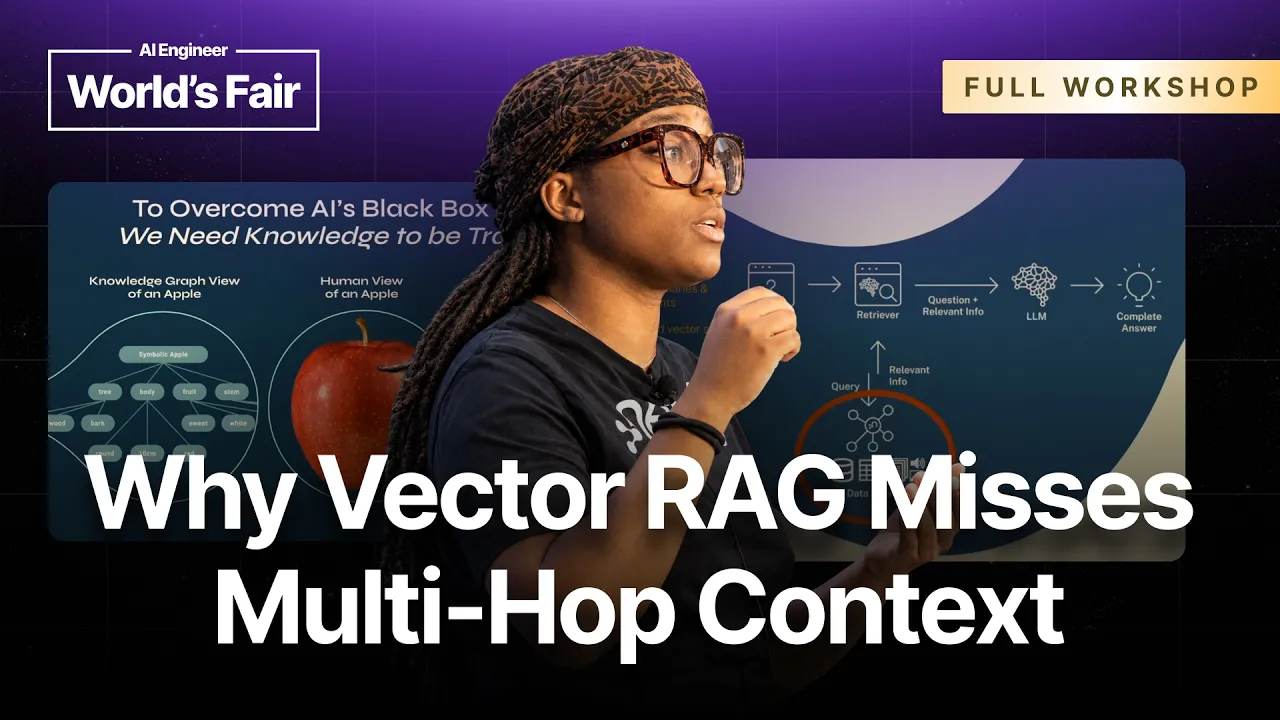
Neo4j Links Vectors to Knowledge Graphs to Solve Multi-Hop AI Queries
AI Engineer
Vector-only retrieval fails on multi-hop reasoning and aggregations because embeddings lack relational structure, requiring explicit knowledge graphs to provide auditable decision paths.
Pure vector search breaks down on multi-hop questions requiring three or more relational steps, making hybrid GraphRAG necessary to trace explicit intermediate connections and retain explainability. (13:00)
Providing an explicit schema of predetermined node and relationship types guides the LLM during knowledge graph extraction, preventing the model from hallucinating arbitrary graph structures. (47:55)
Global aggregation queries such as counting course lessons expose vector search limitations and highlight the necessity of inspectable graph databases to catch errors like duplicate ingestions. (45:48)
Neo4j Aura agents combine vector similarity search with custom Cypher traversal queries to return connected subgraphs alongside relevant text chunks. (39:59)
Detailed notes
## Background
Published on YouTube by AI Engineer on October 11, 2026, this workshop features Nyah Macklin, a senior software engineer and developer advocate at Neo4j. The session guides developers through building a GraphRAG retrieval pipeline with Neo4j, demonstrating how combining vector similarity search with an inspectable knowledge graph equips AI agents with connected, explainable context.
## TL;DR
Macklin presents a foundational walkthrough contrasting standard vector-based retrieval with GraphRAG, explaining why multi-hop reasoning and explainability require explicit graph relationships rather than opaque embeddings alone. Participants set up a cloud-hosted Neo4j Aura database, configure a Python Codespace, and run an automated pipeline that uses an LLM guided by a strict schema to extract entities and typed relationships from educational text into a knowledge graph. She then configures an autonomous agent inside the Aura console, pairing vector search over text chunks with a custom Cypher query that traverses connected graph nodes. Testing the agent on conceptual questions and aggregation queries highlights how graph-backed retrieval produces grounded answers with visible, verifiable source attribution.
## Atmosphere & style
The workshop has a collaborative, hands-on, and accessible atmosphere, blending informal banter with practical systems engineering. Macklin maintains an energetic and reassuring dynamic with the audience, cracking jokes about avoiding 'vibe banking' and offering conference swag while her Neo4j colleagues circulate the room to troubleshoot setup blockers. The transition from abstract architectural slides to live Codespace terminal commands and Aura database visualizations gives the session an engaging, real-time problem-solving feel.
## Bulletin
- [13:00](https://www.youtube.com/watch?v=LJ2a9nX3vlo&t=780s) Pure vector search breaks down on multi-hop questions requiring three or more relational steps, making hybrid GraphRAG necessary to trace explicit intermediate connections and retain explainability.
- [47:55](https://www.youtube.com/watch?v=LJ2a9nX3vlo&t=2875s) Providing an explicit schema of predetermined node and relationship types guides the LLM during knowledge graph extraction, preventing the model from hallucinating arbitrary graph structures.
- [45:48](https://www.youtube.com/watch?v=LJ2a9nX3vlo&t=2748s) Global aggregation queries such as counting course lessons expose vector search limitations and highlight the necessity of inspectable graph databases to catch errors like duplicate ingestions.
- [39:59](https://www.youtube.com/watch?v=LJ2a9nX3vlo&t=2399s) Neo4j Aura agents combine vector similarity search with custom Cypher traversal queries to return connected subgraphs alongside relevant text chunks.
## Key takeaways
- [07:07](https://www.youtube.com/watch?v=LJ2a9nX3vlo&t=427s) Vector embeddings represent data as high-dimensional float arrays that are machine-readable but opaque, making them difficult for humans to inspect or audit.
- [07:07](https://www.youtube.com/watch?v=LJ2a9nX3vlo&t=427s) Knowledge graphs represent data through labeled nodes, directed edges, and properties, disambiguating entities with identical names that vectors might conflate.
- [09:13](https://www.youtube.com/watch?v=LJ2a9nX3vlo&t=553s) Relational databases degrade in query performance when executing deep, multi-table JOIN operations, whereas graph databases traverse relationships as first-class elements.
- [10:38](https://www.youtube.com/watch?v=LJ2a9nX3vlo&t=638s) In regulated industries such as healthcare, finance, and legal compliance, graph traversal produces an auditable decision trail that prevents ungrounded agent hallucinations.
- [13:00](https://www.youtube.com/watch?v=LJ2a9nX3vlo&t=780s) GraphRAG is not intended to replace vector search; optimal architectures combine semantic similarity matching with graph structural context.
- [14:56](https://www.youtube.com/watch?v=LJ2a9nX3vlo&t=896s) Retrievers act as intermediaries fetching data from multiple sources, including live APIs, document stores, full-text indexes, and graph databases.
- [20:21](https://www.youtube.com/watch?v=LJ2a9nX3vlo&t=1221s) Extracting knowledge graphs from unstructured text with an LLM relies on structured prompting that outputs typed entities and relationships formatted as JSON.
- [23:08](https://www.youtube.com/watch?v=LJ2a9nX3vlo&t=1388s) Building the workshop pipeline requires configuring environment variables for Neo4j Aura cloud instances and OpenAI embedding models.
- [29:26](https://www.youtube.com/watch?v=LJ2a9nX3vlo&t=1766s) Cypher pattern matching allows engineers to inspect, query, and verify graph structures visually as data is ingested in real time.
- [37:41](https://www.youtube.com/watch?v=LJ2a9nX3vlo&t=2261s) Configuring similarity search inside Neo4j Aura agents requires creating an underlying vector index, such as chunk_embedding, using Cypher.
- [39:59](https://www.youtube.com/watch?v=LJ2a9nX3vlo&t=2399s) Aura agent tools incorporate custom Cypher queries binding similarity scores and retrieved nodes to traverse and return connected subgraph data.
- [43:38](https://www.youtube.com/watch?v=LJ2a9nX3vlo&t=2618s) Combining similarity search with natural language-to-Cypher tools allows an autonomous agent to handle both broad semantic questions and deterministic graph queries.
- [45:48](https://www.youtube.com/watch?v=LJ2a9nX3vlo&t=2748s) Aggregation queries struggle in vector-only RAG because chunk embeddings lack global corpus awareness, whereas direct graph inspection surfaces exact entity counts.
- [47:55](https://www.youtube.com/watch?v=LJ2a9nX3vlo&t=2875s) Constraining LLM extraction pipelines with predefined node labels, relationship types, and allowed triple patterns keeps enterprise knowledge graphs consistent and clean.
## Detailed walkthrough
### [00:13](https://www.youtube.com/watch?v=LJ2a9nX3vlo&t=13s) Workshop Introduction and Audience Background
Nyah Macklin welcomes the audience to the workshop, titled *"RAG Needs a Map: Using GraphRAG to Retrieve Connected Context."* As attendees continue trickling into the room, she kicks off with a quick informal show of hands to gauge everyone's background. First, she asks who in the room is already implementing regular vector-based RAG pipelines, which prompts a broad show of hands. Next, she asks who is already using graph-based RAG in their pipelines; only a sparse few hands go up, indicating people are “still working on it.” Macklin then humorously checks whether anyone using GraphRAG could actually explain it to the room. When met with hesitant, “sort of” murmurs, she reassures them that this session is purposefully designed as a foundational, GraphRAG 101 workshop to level-set expectations and ground everyone in the essentials, regardless of prior experience.
Macklin introduces herself as a senior software engineer and senior developer advocate at Neo4j. Her research interests center around graph theory, graph algorithms, and context engineering, with a particular emphasis on deciphering the optimal architectures for building autonomous agents. Much of her effort targets dismantling the opacity of current systems:
> “My research focuses on graph theory, graph algorithms as well as context engineering while all trying to understand the many architectures that are in place to build out agents, but also which architectures are best suited to break open this black-box phenomenon to be able to decipher and trace and explain how artificial intelligence systems work.”
Bringing roughly a decade of experience to this domain, Macklin notes that AI governance, safety, and explainability are deeply intertwined with how an agent constructs its context and makes decisions. To support attendees throughout the hands-on session, she introduces her Neo4j colleagues roaming the room to assist: Jeremy Adams Castanas in the front row, Ryan Knight, and special guest Zach, an AI research engineer at Neo4j who led the preceding session. She instructs participants to raise their hands at any point if they hit snags so the team can jump in directly at their tables.
[03:07](https://www.youtube.com/watch?v=LJ2a9nX3vlo&t=187s) GraphAcademy and Workshop Setup
Transitioning to housekeeping and practical tooling, Macklin introduces Neo4j’s GraphAcademy, the platform that will guide the day's interactive exercises. She asks if anyone in the audience has signed up for or heard of the platform before, finding that virtually no one has. She clarifies that GraphAcademy is Neo4j’s completely free online learning resource, hosting self-paced tracks on agent building, agentic memory, and context graphs. She emphasizes that these courses diverge sharply from passive formats:
> “These are not sit back and listen to a lecturer speak courses. These are hands-on keyboard start building type of courses.”
Macklin directs the entire room to navigate to `graphacademy.neo4j.com` to register an account so they can follow along with the exercises. To streamline the setup process, she displays a centralized notes URL containing the exercise deck, links, and configuration details at `dev.neo4j.com/workshop-genai-notes`.
- **Primary learning portal:** `graphacademy.neo4j.com`
- **Workshop resource notes:** `dev.neo4j.com/workshop-genai-notes`
- **Support staff:** Jeremy Adams Castanas and Ryan Knight circulate through the room distributing QR codes linking directly to the setup resources for late arrivals.
[05:18](https://www.youtube.com/watch?v=LJ2a9nX3vlo&t=318s) Create an Aura Database
Macklin pulls up the resource document on screen to walk everyone through provisioning the necessary backend infrastructure. Attendees need to register for Neo4j Aura, the hosted cloud database platform. She offers an emphatic warning to avoid accidental charges, urging attendees to choose the free tier rather than commercial professional instances, as every exercise in the workshop is designed to run entirely free of charge. Provisioning this free cloud instance is what will later allow them to integrate with Aura Agent tools directly inside the cloud environment.
Acknowledging that developers always appreciate avoiding API costs, she reveals that the setup notes supply a shared OpenAI API key to power their retrieval-augmented builds. Macklin jokes about API security hygiene:
> “Now I know people love a good free API key. Don't worry, I did not leak my API key here.”
She warns that while the shared key eliminates friction for getting started, it does feature usage limits to prevent anyone from running up the bill unchecked. She reminds participants to copy and store the API key and instance credentials locally so they are easily accessible once hands-on coding commences.
```mermaid
flowchart LR
accTitle: Workshop Cloud Infrastructure Setup Flow
accDescr: Three prerequisite steps showing how GraphAcademy, Neo4j Aura free instance, and the shared OpenAI API key connect into the Aura Agent environment.
subgraph Prereqs["Prerequisites Setup"]
A["GraphAcademy Account"]
B["Neo4j Aura Free Instance"]
C["Shared OpenAI API Key"]
end
subgraph Runtime["Agent Runtime"]
D["Aura Agent Platform"]
end
A --> D
B --> D
C --> D
```
[07:07](https://www.youtube.com/watch?v=LJ2a9nX3vlo&t=427s) Vectors and Graph Context
While the room finishes provisioning accounts and databases, Macklin transitions into an architectural primer addressing the root causes of the black-box problem in generative AI. She explains that overcoming model opacity requires structural transparency in the underlying data representations. To illustrate, she displays three side-by-side representations of a simple real-world object: an apple.
1. **Human View (Center):** The physical, visual representation of an apple that humans instinctively recognize.
2. **Vectorized View (Right):** A high-dimensional array of floating-point numbers. While capable of mathematically representing any entity on Earth in latent space, it is fundamentally opaque:
> “For the vectorized view of an apple you see this series of numbers here, right? It's floats for those who are engineers themselves. But these are not necessarily human readable and human understandable vectors, unless you've actually memorized the vector view of an apple yourself.”
3. **Knowledge Graph View (Left):** A structured, semantic web of explicitly labeled nodes and relationships. The graph explicitly shows that an `Apple` comes from a `Tree`, exhibits specific visual traits like being `Round` and `Red`, and belongs to the conceptual category `Fruit` (disambiguating it completely from Apple the corporate tech entity).
Macklin emphasizes that knowledge graphs effectively bridge machine utility and human cognition. They translate real-world semantics into an inspectable, deterministic structure that machines can traverse programmatically while human engineers can read, audit, and debug without deciphering dense float arrays.
| Representation | Format | Human Readability | Disambiguation & Context |
|:--- |:--- |:--- |:--- |
| **Human View** | Sensory / Visual | Immediate | Natural context recognition |
| **Vector View** | Floating-point arrays (floats) | Extremely low (opaque) | Implicit similarity; prone to semantic collision |
| **Knowledge Graph** | Nodes, edges, properties | Very high (transparent) | Explicit relationships (e.g., fruit vs. corporation) |
[09:13](https://www.youtube.com/watch?v=LJ2a9nX3vlo&t=553s) Relationships and Explainability
Macklin contrasts knowledge graphs with traditional relational structures, noting that most enterprise systems currently persist data either as tabular relational rows or as vector embeddings. In relational databases, resolving inter-entity connections requires chaining multiple complex `JOIN` operations across disparate tables. These operations degrade query performance exponentially as schemas expand and join depths increase.
She points out the conflict between slow relational joins and contemporary engineering culture:
> “And we often understand that that is going to drastically slow down the performance of our application. And we can't have that, especially most of us deal with the San Francisco mentality: move fast and break things, right? Just get it working halfway and then push it to production. We'll figure out any issues going forward. So this is the slowest way to do things. We don't have time for that, right? We have to move fast. We have to be accurate and we have to be explainable.”
By structuring the exact same underlying business data as a knowledge graph, entities, relationships, and groupings turn into first-class graph elements. An autonomous agent does not need to compute costly table joins or guess implicit proximity within an uninterpretable vector space; instead, it can physically hop from one node (circle) to the next along directed, labeled relationships (lines). This traversal preserves precise context, allows deterministic multi-hop reasoning, and produces an auditable, step-by-step path that makes the agent's logic transparent and traceable.
[10:38](https://www.youtube.com/watch?v=LJ2a9nX3vlo&t=638s) Explainability, Agent Memory, and Regulated Domains
Nyah Macklin highlights how traversing nodes in a graph introduces traceable context for agent decision-making. While noting she has an entire separate talk dedicated to breaking down agent memory, she emphasizes that having structured memory allows teams to understand exactly how an AI system arrived at a past decision. This capability becomes critical in high-stakes, highly regulated industries such as healthcare, legal services, and finance, where unstructured hallucinations can lead to catastrophic outcomes.
```mermaid
flowchart LR
accTitle: Graph Traversal for Agent Explainability
accDescr: An agent traverses connected nodes across multiple hops to produce explainable and verifiable output.
subgraph Memory ["Agent Memory & History"]
A["Agent Action"] --> B["Node Hop 1"]
B --> C["Node Hop 2"]
C --> D["Target Entity"]
end
subgraph Outcome ["Decision Context"]
D --> E["Explainable Decision Path"]
E --> F["Audited Regulatory Output"]
end
```
Macklin jokes with the room about avoiding unchecked automated systems: “Y'all don't want vibe banking, right? Nobody wants vibe banking.” She warns against giving autonomous agents direct access to institutional funds without governance, observing, “You don't want your agent just having access to your money and then spending all of your money.” In contrast, a knowledge graph representation grounds the system in a traceable audit trail, making accurate and verifiable responses achievable across complex workflows.
- **High-impact domains:** Financial services, medicine, legal frameworks, and regulatory compliance.
- **Core benefits of graph-backed memory:** Explainability, traceability, and historical grounding of agent decision paths.
---
[11:45](https://www.youtube.com/watch?v=LJ2a9nX3vlo&t=705s) Standard RAG vs. GraphRAG Architecture
Macklin outlines the standard baseline for vector retrieval before contrasting it with a GraphRAG pipeline. In standard vector-based RAG, documents (such as PDFs) are split into chunks, converted into vector representations using an embedding model, and indexed in a vector store. When a query arrives, the system runs a similarity search with the same embedding model to pull the top-$k$ nearest chunks, which are then passed into a large language model (LLM) to generate a response.
```mermaid
flowchart TD
accTitle: Vector RAG versus GraphRAG Architecture
accDescr: Flow diagram contrasting the vector-only retrieval path with a GraphRAG path that combines vector search and knowledge graph traversal.
GraphRAG fundamentally preserves this retrieval-augmented pattern, but alters the pipeline so that the retrieval path incorporates a knowledge graph. As Macklin explains, “GraphRAG is where the retrieval path actually includes a knowledge graph.” Rather than discarding vector search, the graph adds structural connections, explicit entity relationships, and intermediate facts that vector similarity alone fails to represent.
- **Vector-only baseline:** Chunk text $\rightarrow$ generate embeddings $\rightarrow$ perform top-$k$ vector retrieval $\rightarrow$ prompt LLM.
- **GraphRAG extension:** Retrieval queries access both unstructured text chunks and explicit graph relationships to assemble connected context.
---
[13:00](https://www.youtube.com/watch?v=LJ2a9nX3vlo&t=780s) When Connected Retrieval and Multi-Hop Reasoning Matter
Addressing when teams should choose GraphRAG over pure vector search, Macklin offers a practical rule of thumb: simple questions that can be answered by basic search engines are well-suited for vector retrieval. However, when answering a query requires navigating multiple relational steps across disparate records, vector-only systems break down. “If you're trying to do these multiple hops or at least three hops, then that's when GraphRAG actually becomes imperative,” she notes, because the system can trace and inspect the sequence of intermediate connections.
Macklin emphasizes that GraphRAG is particularly valuable for complex tasks such as source code dependency analysis, supply chain mapping, and queries requiring data aggregation or concatenation across distinct documents. Rather than pitting graphs against vector stores as competing alternatives, she advocates for a unified hybrid approach: “Using both is actually the key here. We want to use both graph and vector.” The knowledge graph does not replace the vector index; instead, layering them together combines semantic text matching with graph topology.
- **Vector RAG sweet spot:** Semantic similarity search, broad lookup questions, and single-document answers.
- **GraphRAG sweet spot:** Multi-hop queries (three or more hops), supply chain tracing, codebase dependency graphs, and cross-document aggregations.
- **Design principle:** Complement vector search with graph traversal rather than attempting to replace vectors entirely.
---
[14:56](https://www.youtube.com/watch?v=LJ2a9nX3vlo&t=896s) Navigating GraphAcademy and Understanding Retrievers
Transitioning into the interactive portion of the workshop, Macklin directs participants to open the workshop module on GraphAcademy (`graphacademy.neo4j.com/courses/workshop-genai`). She resets her completed course progress and advises the room to skip introductory material like general generative AI overviews so they can focus on the technical GraphRAG implementation.
Checking the audience's familiarity with core components, she asks how many attendees know what a retriever is and finds fewer hands than expected. To make the concept accessible, she uses an intuitive analogy: “A retriever is some is uh if you would think of this golden retriever likes to go and fetch the necessary information.” In technical terms, the retriever sits between the user interface and the backend data stores, accepting unstructured natural language prompts and fetching relevant context from structured or semi-structured storage.
```mermaid
flowchart LR
accTitle: Multi-Source Retriever Architecture for a News Chatbot
accDescr: A retriever coordinates across live APIs, knowledge graphs, and document stores to feed context to an LLM.
A["User Chatbot Query"] --> B["Retriever Orchestrator"]
B --> C["News API\n(Latest Headlines)"]
B --> D["Knowledge Graph\n(Historical Relations)"]
B --> E["Document DB\n(Full Text Reports)"]
C --> F["Synthesized Context"]
D --> F
E --> F
F --> G["LLM Response"]
```
Macklin points out that Neo4j natively supports several retriever mechanisms:
- **Full-text search:** Keyword and lexical indexing.
- **Vector search:** Approximate nearest-neighbor matching using embeddings.
- **Text-to-Cypher retrievers:** Translating natural language queries into executable Cypher graph queries.
She illustrates this with a hypothetical news agency chatbot: a live news API pulls breaking headlines, a knowledge graph maps thematic and historical relationships between subjects, and a document database supplies the full article text. The retriever coordinates across these stores to supply the LLM with grounded facts.
---
[18:42](https://www.youtube.com/watch?v=LJ2a9nX3vlo&t=1122s) Knowledge Graph Fundamentals and Entity Extraction
Before launching the hands-on graph construction pipeline, Macklin gauges the audience's hands-on experience, asking how many have built a knowledge graph before. Finding only a handful of attendees who have built one beyond a basic "Hello World," she sets the foundational definitions so everyone starts from the same baseline.
At its core, a knowledge graph is an organized representation of real-world entities and the relationships between them. She illustrates this by pointing to herself and a colleague in the room: “If I am a node, right, I'm a circle, I'm a node, and then my colleague Jeremy is a node as well. Yes, Jeremy, we are nodes. And then we actually have relationship that we are colleagues and we are friends.” These nodes can expand outward to connect other team members—such as colleagues Zach and Ryan—creating an interconnected web of typed relationships and properties.
```mermaid
flowchart LR
accTitle: Simple Entity-Relationship Graph Example
accDescr: Minimal knowledge graph demonstrating how individuals form nodes with typed relationships between them.
N -->|"COLLEAGUE"| J
N -->|"FRIEND"| J
J -->|"COLLEAGUE"| Z
N -->|"COLLEAGUE"| R
```
Moving into the "Knowledge Graph Construction" section of the course, Macklin explains that the workshop will focus on transforming unstructured text into structured graph elements using an LLM. The pipeline begins by gathering raw source data, parsing it into manageable segments, and extracting entities and explicit relationships according to a defined schema.
- **Nodes:** Represent entities (e.g., people, concepts, lessons, source documents).
- **Edges/Relationships:** Represent typed, directed connections between entities (e.g., `COLLEAGUE`, `FRIEND`, `PREREQUISITE_FOR`).
- **Upcoming pipeline task:** Use an LLM to automatically parse unstructured text, identify key entities, and materialize them as nodes and edges in Neo4j.
[20:21](https://www.youtube.com/watch?v=LJ2a9nX3vlo&t=1221s) Extracting Entities, Relationships, and Generating the Graph
Nyah Macklin breaks down the conceptual flow of building a knowledge graph from unstructured source text, using the Neo4j Wikipedia entry as a concrete illustration. The pipeline starts by gathering raw text from the source page and splitting that text into smaller, discrete chunks. Each chunk is vectorized to generate embeddings for semantic similarity, but the process does not stop at standard vectorization. An LLM is introduced to parse out the underlying semantic structure. Macklin explains that while a human could theoretically comb through text by hand, “using an LLM can cut down on the amount of time that it takes in order to do that extraction.”
```mermaid
flowchart LR
accTitle: Unstructured Text to Knowledge Graph Pipeline
accDescr: Pipeline showing raw text split into chunks, processed via vectorization and LLM entity extraction into JSON, and ingested into a Neo4j knowledge graph using Cypher.
subgraph Ingestion["Text Processing"]
A["Source Text\n(e.g., Wikipedia)"] --> B["Text Chunks"]
end
subgraph Extraction["Dual Pipeline"]
B --> C["Generate Embeddings\n& Vectors"]
B --> D["LLM Extraction\n(Structured Prompt)"]
end
subgraph GraphGen["Graph Construction"]
D --> E["JSON Output\n(Entities & Relations)"]
E --> F["Parse JSON\nvia Cypher"]
C -.-> G[("Neo4j Knowledge Graph")]
F --> G
end
```
To guide the language model, Macklin shares a sample prompt instructing the model to act as a structured extraction engine:
> *“Your task is to identify the entities and the relationships requested with the prompt from a given text. And then you must generate the output in a JSON format containing a list with JSON objects.”*
Once the model produces the JSON objects containing the identified entities and relationships, that data is parsed and ingested directly into Neo4j using Cypher, Neo4j’s declarative query language optimized for graph traversal. Macklin polls the room to see who has worked with Cypher before, noting only a couple of hands go up, and uses the opportunity to ramp up audience participation with a promise of conference swag: “If you're brave enough to answer one of my questions live—it's also being live streamed, but live—then I have free unique swag for you.” She details that the swag stash includes exclusive t-shirts and socks unavailable anywhere else.
She then displays a finished fragment of the generated graph as an example: a node representing the `Neo4j` graph database connects via a `DEVELOPED_BY` relationship to a company node representing `Neo4j`, which in turn is connected to `Java` as its implementation language. Macklin wraps up the conceptual walkthrough with a piece of company trivia: the name Neo4j originated as an homage combining Neo from *The Matrix* with Java (“Neo for Java”).
---
[23:08](https://www.youtube.com/watch?v=LJ2a9nX3vlo&t=1388s) Environment Setup: GraphAcademy, Codespaces, and Aura
At the bottom of the hour, the session shifts decisively from presentation to live coding. Macklin’s co-presenter steps in to point attendees toward the workshop materials hosted on GraphAcademy. In the left-hand sidebar, attendees navigate to the **GraphRAG for Python** link, which introduces Neo4j's open-source Python package designed for knowledge graph construction, retrieval pipelines, and agentic workflows.
The instructions direct participants to scroll down and click **Open in GitHub Codespaces**. Macklin walks through the setup sequence: attendees sign into GitHub, leave the default system configurations unchanged, and initialize the codespace environment. Because Codespaces takes a few moments to provision its container, dependencies, and folder structure over conference Wi-Fi, Macklin explains the credential configuration steps while waiting:
- Locate the `.env.example` template file in the repository.
- Duplicate or rename the template to create a working `.env` file.
- Populate the environment variables with connection details and API keys.
Macklin highlights that users need credentials for a Neo4j instance and an OpenAI API key. While GraphAcademy provides embedded credentials pointing to a pre-configured sandbox instance, Macklin encourages attendees to spin up their own free-tier Neo4j Aura cloud database. Her co-presenter clarifies the options for anyone encountering delays: “Don't feel bad if for whatever reason you aren't able to create the Aura instance in time. It'll be ideal for the last part of the exercise if you can. But those other credentials we saw in GraphAcademy, they're in a small free instance that's within GraphAcademy itself.”
Macklin retrieves her connection URI, username, and password from her downloaded Aura text file, pastes them into the `.env` file in Codespaces alongside the OpenAI key from the workshop notes, and saves the file.
---
[27:32](https://www.youtube.com/watch?v=LJ2a9nX3vlo&t=1652s) Verifying Connections and Running the Structured Builder
With the `.env` file configured, Macklin emphasizes the importance of validating connectivity before triggering downstream graph-building scripts. Inside the Codespaces workspace, she opens `test_environment.py` and runs it through the terminal:
- The script checks network connectivity to the specified Neo4j Aura database.
- It validates that the OpenAI API key responds and has appropriate permissions.
- The terminal output confirms that five out of five test assertions pass, establishing a clean, verified baseline.
Her co-presenter cautions attendees troubleshooting failed tests: “If you do, make sure you've actually created a `.env` file and you're not still just in the example.”
Macklin then directs attendees into the directory structure under `workshop.genai`. The workspace houses raw source text data, reference solution files, agent implementations, and two builder variants: `knowledge_graph_builder.py` and `knowledge_graph_structured_builder.py`. She opens `knowledge_graph_structured_builder.py` and runs it. This script reads the workshop data, chunks the content, submits structured extraction calls to the LLM, and writes the resulting nodes and relationships into the connected Neo4j Aura database.
---
[29:26](https://www.youtube.com/watch?v=LJ2a9nX3vlo&t=1766s) Inspecting Graph Nodes and Relationships in Aura
Because running LLM-based entity extraction and ingestion across an entire dataset takes several minutes live, Macklin switches over to the Neo4j Aura console where she has already pre-populated the target instance. Running the builder against an existing database will trigger deduplication logic, ensuring duplicate nodes and edges are merged rather than appended blindly.
Within the Aura Query interface, Macklin types out a basic Cypher pattern matching statement to inspect the graph contents:
```cypher
MATCH p = ()-->()
RETURN p;
```
After correcting a minor syntax slip on the assignment operator (`MATCH p =...`), she executes the query, zooms in on the visualization canvas, and displays an intricate cluster of color-coded nodes and directed relationship edges. Macklin emphasizes to the audience that this interface is functional rather than merely cosmetic: “This is not just a visualization tool, but it's also specifically a query tool, a way that you can query your data itself.”
She points out that while the attendees' live graphs will initially appear sparse as their background jobs start writing entities, re-executing the match query periodically will reveal the graph expanding in real time as the structured pipeline processes text chunks into nodes, attributes, and explicit relationships.
[03:14](https://www.youtube.com/watch?v=LJ2a9nX3vlo&t=194s) Enabling Generative AI Assistance and Aura Agents
As the knowledge graph builder executes, the underlying graph continuously expands. Nyah Macklin points out that running the ingestion query simply pulls back the full graph state: “It's just in the query in general is just saying like show us all the nodes, right? Show us all the nodes and relationships.” With the base knowledge graph generating inside Neo4j, the next phase is setting up an autonomous retrieval agent.
```mermaid
flowchart TD
accTitle: Neo4j Aura Agent Configuration Flow
accDescr: Step-by-step setup enabling Aura GenAI features, creating the vector index via Cypher, configuring similarity search with OpenAI embeddings, and building the final GraphRAG agent.
subgraph AuraSettings["1. Neo4j Aura Console"]
A["Neo4j Organization Settings"] --> B["Enable Generative AI Assistance"]
B --> C["Enable Aura Agent"]
end
subgraph VectorSetup["2. Cypher Query Interface"]
D["Paste Cypher Index Script"] --> E["Create Vector Index: chunk_embedding"]
end
subgraph AgentConfig["3. Aura Agent Builder"]
F["Create Agent: GraphRAG Fundamentals Agent"] --> G["Add Similarity Search Tool: Search Lesson Content"]
G --> H["Model: text-embedding-3-small (1536 dims)"]
H --> I["Connected Graph Retrieval Cypher Query"]
I --> J["Add Natural Language to Cypher Tool"]
end
Before attendees can create an agent, they must enable the appropriate feature toggles inside the Neo4j Aura console. Attendees who do not see an "Agents" tab must navigate to the top-level organization menu, open settings, and activate two specific toggles that are grayed out by default: Generative AI Assistance and Aura Agent. Macklin checks the room to ensure assistants are circulating to help anyone stuck on this administrative step.
- Feature prerequisite: Organization settings must have both "Generative AI assistance" and "Aura agent" toggles turned on.
- Workspace navigation: Return to the specific organization instance, open query mode to see the nodes and relationships, and select the newly unlocked "Agents" tab.
[03:39](https://www.youtube.com/watch?v=LJ2a9nX3vlo&t=219s) Initial Agent Creation and Vector Index Prerequisites
Macklin initiates the agent setup by creating a new agent from scratch, tied directly to the active Aura instance. She names the agent "GraphRAG fundamentals agent" and prepares a system description stating that it provides Neo4j GraphRAG information grounded specifically in the GraphAcademy course material.
To make copy-pasting seamless for attendees, Macklin switches back and forth between her presentation and the shared workshop notes document to drop in the description and instruction text. However, when proceeding to add retrieval tools, the interface requires an underlying vector index before similarity search can be configured. Macklin realizes the database does not yet have its chunk embeddings indexed, meaning attendees must run a Cypher command first.
- Agent Name: `GraphRAG fundamentals agent`
- Grounding: Dedicated course material from Neo4j GraphAcademy.
- Tool blocker: Configuring similarity search requires a pre-existing vector index in the Neo4j instance.
[03:41](https://www.youtube.com/watch?v=LJ2a9nX3vlo&t=221s) Creating the Vector Index in Cypher
To set up the index, Macklin shares a link from the Neo4j GraphRAG documentation in the workshop notes. Confused for a moment about where in the UI the index creation script belongs, she turns to her colleague Jeremy, who clarifies: “Yes. Right. Right in as the Cypher query window.”
Macklin explains the workflow choice: participants must either open a second browser window with the Aura query interface or briefly step out of the agent builder back to the query editor. Running the Cypher snippet creates the vector index named `chunk_embedding`. Because Macklin had already created it in her own database earlier, the command returns confirmation that the index already exists. Once the index is verified in the database, users can navigate back into the agent creation wizard.
- Cypher query execution: Run directly in the Aura query console window.
- Index name created: `chunk_embedding`
- Error/State handling: Running the creation script on an existing index safely confirms it is already present without corrupting state.
[03:59](https://www.youtube.com/watch?v=LJ2a9nX3vlo&t=239s) Configuring Similarity Search and Connected Graph Queries
Returning to the agent builder, Macklin repopulates the agent details and opens the "Add Tool" menu to configure "Similarity Search". She names the tool "Search lesson content" with the goal of querying course insights without manually combing through every page. She selects the newly built `chunk_embedding` index and sets the retrieval count to return the top five chunks.
The embedding provider is configured as OpenAI, using the `text-embedding-3-small` model with its default 1536 dimensions. Macklin stresses the most critical step of GraphRAG retrieval: enabling the option to return connected graph data. Rather than relying solely on pure text similarity chunks, the tool injects a custom Cypher retrieval query:
> “And then we want to make sure that we are returning this connected graph data which is very very important especially because we're using this graph interface.”
Responding to an audience question about readability, Macklin increases the font size and pastes the exact Cypher query into the notes document. She emphasizes that the query must balance both semantic scores and graph connections: “So nodes and then scores or similarity and so we can see that this Cypher query specifically uses nodes and scores within its query.”
- Search Tool Name: `Search lesson content`
- Embedding specs: Provider `OpenAI`, Model `text-embedding-3-small`, Vector Dimensions `1536`.
- Retrieval parameters: Top 5 chunk candidates fetched by similarity.
- Retrieval query structure: Custom Cypher query binding `nodes` and similarity `scores` back to adjacent nodes across the graph.
[04:38](https://www.youtube.com/watch?v=LJ2a9nX3vlo&t=278s) Finalizing the Agent and Launching the Chat Interface
With the Similarity Search tool configured and connected graph traversal embedded in the query, Macklin adds a complementary "Natural language to Cypher" tool. The agent now possesses dual capabilities: unstructured chunk similarity paired with structured graph traversals and aggregations.
She selects the "Internal" hosting mode (which is free of charge during the workshop) and clicks create. The completed "GraphRAG fundamentals agent" appears in the Aura dashboard. Macklin notes that whenever further data is ingested or the knowledge graph grows, users simply click "Update agent" to sync its grounding with the graph. The agent is now ready to take queries directly inside the Aura chat panel.
- Assembled tools: Similarity search on lesson content (with connected graph retrieval) and Natural Language to Cypher.
- Agent lifecycle: Knowledge graph updates can be reflected immediately by selecting the "Update agent" button in the dashboard.
[44:29](https://www.youtube.com/watch?v=LJ2a9nX3vlo&t=2669s) Testing the Agent: Conceptual Queries and Source Attribution
Nyah Macklin returns to the newly configured agent interface in Neo4j Aura to put the retrieval pipeline to work. Now that the agent is grounded strictly in the underlying Neo4j knowledge graph, users can ask targeted questions about the course material and rely on retrieval confined strictly to the graph rather than generic foundation model weights. Nyah demonstrates this by submitting a conceptual query: *"How does temperature affect an LLM?"*
```mermaid
flowchart TD
accTitle: Agent Retrieval Flow
accDescr: Pipeline querying Neo4j knowledge graph with vector search and Cypher expansion to generate grounded answers with sources.
subgraph IN["Input"]
Q["User Query: 'How does temperature affect an LLM?'"]
end
subgraph KG["Neo4j Aura Knowledge Graph"]
direction TB
V["Vector Search on Lessons"]
C["Connected Subgraph Expansion"]
V --> C
end
subgraph OUT["Agent Response"]
A["Answer: Controls randomness (high vs. low)"]
S["Exact GraphAcademy Lesson Sources"]
end
Q --> V
C --> A
C --> S
```
Jeremy notes the self-referential design of the setup: the files in the `data/` directory are drawn directly from GraphAcademy's *Introduction to Generative AI* course. “So we trained this on Graph Academy in Graph Academy. Kind of meta but it works,” Jeremy remarks, underscoring that the demonstration is entirely dogfooded on Neo4j's own instructional content.
The agent processes the question and generates a synthesized answer explaining that temperature serves as a hyperparameter controlling randomness in model output—distinguishing between higher temperature (greater diversity and randomness) and lower temperature (more deterministic output). Alongside the prose, the agent surfaces the exact GraphAcademy source citations and lesson references, giving learners a transparent, verifiable audit trail back to the primary material.
[45:48](https://www.youtube.com/watch?v=LJ2a9nX3vlo&t=2748s) Aggregation Queries and Graph Verification
Moving past semantic retrieval, Nyah shifts to a class of questions that notoriously breaks traditional chunk-and-embed RAG pipelines: aggregation and counting. She prompts the agent with, *"How many lessons are there in this course?"* Traditional vector search struggles with this because embeddings compute similarity across small, arbitrary text spans rather than counting structural entities across a whole corpus.
The agent returns an answer stating there are 30 lessons. Nyah immediately spots why: the actual course consists of 15 lessons, but running the knowledge graph builder script a second time during the live environment setup created a duplicate batch of nodes. To verify the ground truth, Nyah steps outside the chat interface and inspects the database in the Aura workspace. Jeremy offers a shortcut: “And you can even just click on the lesson node type on the left as well, for the cheat code.” Looking at the node labels directly in the Aura schema viewer confirms the 15 distinct lessons representing the actual GraphAcademy course structure, illustrating why visible, inspectable graph storage is essential when validating agent outputs against raw database state.
- Vector similarity searches match semantic fragments, whereas global aggregation (counts, totals, completeness) requires graph traversals or explicit Cypher counts.
- Re-executing an ingestion pipeline without deduplication or an `idempotent MERGE` strategy can cause entity duplication that directly impacts downstream LLM answers.
- Inspecting node counts in the Aura UI provides instant, visible verification without having to guess what the model retrieved.
[47:55](https://www.youtube.com/watch?v=LJ2a9nX3vlo&t=2875s) Under the Hood: The Knowledge Graph Builder Pipeline
Jeremy notes that having seen the end-to-end journey—ingesting raw files into a graph and querying it via vector plus Cypher in an Aura agent—audience members want to see the code driving the pipeline. Nyah opens `knowledge_graph_structured_builder.py` in the workspace to walk through its core architecture.
The script imports components from the `neo4j-graphrag` Python library, OpenAI drivers, and Neo4j's core driver:
```mermaid
flowchart LR
accTitle: Structured Knowledge Graph Builder Architecture
accDescr: Pipeline showing data files being chunked, extracted using an LLM guided by a strict schema, and saved via the Neo4j driver.
The script configures the following key elements:
- **Neo4j Driver**: Acts as the central connection engine dispatching writes to the Aura graph instance.
- **LLM and Embeddings**: Uses OpenAI models paired with OpenAI embedding models for vector representations.
- **Chunking Strategy**: A `FixedSizeSplitter` configured with a `chunk_size` of 500 characters and a token overlap to preserve continuity across boundaries.
- **Predetermined Node Types**: Specific semantic labels including `Technology`, `Concept`, `Example`, `Process`, `Challenge`, and `Benefit`.
- **Relationship Schema**: Explicit relation predicates such as `RELATED_TO`, `PART_OF`, and `USED_IN`.
- **Triple Patterns**: Canonical graph triples, for example `(:Technology)-[:RELATED_TO]->(:Technology)` or `(:Example)-[:USED_IN]->(:Technology)`.
Jeremy highlights the core design rationale behind specifying strict node labels, relationship types, and patterns in the extraction schema: “And that's really a cool part here is that of course we did Graph Academy data here and a schema appropriate for that, but most of you will be using like a bunch of documents from your business or whatever. And you can use the LLM to help you figure out the right schema. But once you got it, using that schema like that will guide the LLM so it won't just make up new node and relationship types. It'll stick to that.”
The builder iterates across the lesson PDFs and accompanying CSV files in the `data/` directory, extracts the structured triples constrained by the schema, and commits the resulting nodes and edges directly into Neo4j Aura.
[51:07](https://www.youtube.com/watch?v=LJ2a9nX3vlo&t=3067s) Wrap-Up, Community Resources, and Upcoming Meetups
Concluding the workshop, Nyah summarizes the overarching advantages of adopting GraphRAG over pure vector pipelines: substantially higher response accuracy, simpler iterative application development, and clear explainability via inspectable paths and Cypher queries.
She points attendees to GraphAcademy for free, self-paced, hands-on tracks covering Neo4j fundamentals, Cypher fundamentals, and advanced context graph construction. She also invites the audience to upcoming in-person events:
- **San Francisco Graph Meetup**: Taking place on Tuesday/Wednesday (July 1st) from 5:00 PM to 8:00 PM at the Digital Garage in San Francisco.
- **Meetup Focus**: "Teaching the why behind decisions" through context graphs and transparent retrieval architectures.
- **Attendees & Experts**: Neo4j Founder and CEO Emil Eifrem, along with engineers and developer advocates including Nyah Macklin, Jeremy, and Zach, will be on hand to discuss production enterprise architectures.
- **Conference Presence**: Attendees can connect directly with the team at Booth P3, located right next to the Microsoft booth on the exhibition floor.
## Notable quotes
> [13:00](https://www.youtube.com/watch?v=LJ2a9nX3vlo&t=780s) If you're trying to do these multiple hops or at least three hops, then that's when GraphRAG actually becomes imperative — Nyah Macklin
> [13:00](https://www.youtube.com/watch?v=LJ2a9nX3vlo&t=780s) Using both is actually the key here. We want to use both graph and vector. — Nyah Macklin
> [11:45](https://www.youtube.com/watch?v=LJ2a9nX3vlo&t=705s) GraphRAG is where the retrieval path actually includes a knowledge graph. — Nyah Macklin
## Mentioned
Nyah Macklin, Jeremy Adams Castanas, Ryan Knight, Zach, Emil Eifrem, Neo4j, Neo4j Aura, GraphAcademy, OpenAI, GitHub Codespaces, Cypher, Python, Microsoft, Digital Garage, text-embedding-3-small, SimpleKGPipeline, FixedSizeSplitter
## Video description
An agent answering questions about a course needs more than the five chunks closest to a query. It also needs the connections between lessons, concepts, and the sources behind its answer. Nyah Macklin builds that retrieval path with Neo4j, combining vector search with a knowledge graph that people can inspect and query. The workshop starts with the difference between semantic similarity and relationships, then walks through GraphAcademy, an Aura database, and a Python environment. An LLM extracts entities and relationships from course material, embeddings support similarity search, and Cypher exposes the resulting structure. Vectors remain part of the system; the graph adds connected context and a way to answer questions that require traversal or aggregation.
The hands on build moves from a knowledge graph pipeline to an agent in Aura. Macklin creates a vector index, configures a lesson search tool, adds a retrieval query that returns related graph data, and enables natural language questions through text to Cypher. The agent answers a question about temperature using course content and displays its sources. A lesson count prompts a closer check of the underlying database query, showing why visible evidence matters even after the pipeline works. The final code walkthrough covers chunking, entity types, relationship types, and a schema that guides extraction rather than leaving the model to invent the graph's structure.
Timestamps:
0:00 - Workshop introduction
3:07 - GraphAcademy and workshop setup
5:18 - Create an Aura database
7:07 - Vectors and graph context
9:13 - Relationships and explainability
11:38 - From RAG to GraphRAG
13:00 - When connected retrieval helps
16:11 - Retriever types and architecture
18:42 - Knowledge graph fundamentals
20:18 - Extract entities and relationships
23:08 - Python package and Codespace setup
27:32 - Test the environment
28:40 - Run the knowledge graph builder
30:53 - Inspect nodes and relationships
32:16 - Enable and create an Aura agent
36:51 - Create the vector index
40:14 - Configure lesson similarity search
42:22 - Return connected graph data
44:12 - Test the agent and inspect sources
45:48 - Check a lesson count against the graph
47:55 - Walk through the pipeline code
51:07 - Further learning and wrap up
---
Watch along with the corrected transcript, summary, timestamps and resources on this talk's official AIE page:
https://ai.engineer/talks/LJ2a9nX3vlo-youtube-cf62a92c82ed1de99233
Join our upcoming AI Engineer conferences (see https://ai.engineer landing page):
- AIEi Shanghai, November 5–6 — the first for meeting top Chinese labs and engineers
- AIE CODE in SF, November 10–12 — the top AI Coding conference returns
- AIEi Sydney, December 7–8 — the first AIEi run alongside NeurIPS 2026 in Sydney
In a Neo4j workshop, Nyah Macklin argues that standard vector-based retrieval-augmented generation (RAG) fails at complex multi-hop reasoning and explainability, and should be coupled with knowledge graphs to provide deterministic, auditable context for autonomous agents.
Vectors, Relational Joins, and Knowledge Graphs (7:07)
Macklin contrasts three ways to represent data: human-readable visual forms, vectorized high-dimensional float arrays, and structured knowledge graphs. While vectors mathematically map concepts into latent space, they are opaque and prone to semantic collisions, such as confusing Apple the fruit with Apple the corporation. Conversely, knowledge graphs make entities and relationships explicit and human-inspectable.
Limitations of Vector-Only RAG in Multi-Hop Queries (13:00)
Standard vector RAG chunks source text, runs top-k similarity searches, and feeds retrieved fragments into an LLM. While effective for simple lookups and single-document answers, Macklin notes that this setup falters when answering questions requiring cross-document aggregation or navigation across multiple relationships. When queries require tracing three or more relational hops—such as in supply chain mapping or codebase dependency tracking—graph traversal becomes critical.
Explainability and Governance in Regulated Domains (10:38)
Structuring agent memory as a graph allows organizations to audit the precise sequence of node hops that led to a specific decision. Macklin emphasizes that this deterministic trail is vital for high-stakes, regulated industries like healthcare, finance, and legal services, where ungrounded generative hallucinations pose significant compliance and financial risks. Graph-backed systems enable developers to trace, debug, and explain outputs instead of relying on opaque model weights.
Automated Graph Construction and Schema Enforcement (20:21)
Building a knowledge graph from unstructured documents combines text chunking, embedding generation, and LLM-assisted entity and relationship extraction. In the workshop demonstration, a structured extraction script splits source text using a FixedSizeSplitter (500-character chunks with overlap) and applies an LLM guided by a strict schema containing predefined labels (such as Technology and Concept) and relationships (like RELATED_TO). Jeremy Adams Castanas points out that enforcing a predefined schema prevents the LLM from inventing arbitrary entity types while processing enterprise documents.
Hybrid Retrieval via Aura Agents and Cypher
The demonstrated architecture deploys a hybrid retrieval mechanism inside Neo4j Aura rather than replacing vectors entirely. An Aura agent combines a similarity search tool—leveraging a Cypher-created vector index (chunk_embedding) with OpenAI's text-embedding-3-small model—with a Natural Language to Cypher tool. A custom Cypher query links the top five similarity chunks back to their connected nodes in the graph, feeding enriched context into the LLM.
Handling Aggregation and Ingestion State Verification (45:48)
Testing the deployed agent highlights the distinct capabilities of graph storage. While conceptual questions yield grounded answers with exact source citations, an aggregation query asking for the total number of course lessons exposed a data ingestion flaw: the agent reported 30 lessons instead of the actual 15 because the builder script had run twice without deduplication. Because the graph state was directly inspectable in the Neo4j console, the engineers could verify the underlying 15 distinct lesson nodes immediately, underscoring how visible graph storage helps catch data duplication and aggregation errors that vector search alone cannot resolve.
Macklin concludes that combining vector similarity with graph traversal delivers higher response accuracy, simpler iterative debugging, and transparent explainability, though successful implementation requires careful attention to idempotent data ingestion and strict extraction schemas.
Source quotes
[13:00] Nyah Macklin: If you're trying to do these multiple hops or at least three hops, then that's when GraphRAG actually becomes imperative
[13:00] Nyah Macklin: Using both is actually the key here. We want to use both graph and vector.
[11:45] Nyah Macklin: GraphRAG is where the retrieval path actually includes a knowledge graph.
Original transcript
[0:13] Hello everyone. Thank you so much for
[0:15] coming today and welcome to rag needs a
[0:18] map using graph rag to retrieve
[0:21] connected context. So before we get
[0:24] started today and I know there are
[0:25] people who are trickling in but before
[0:26] we get started today I just wanted to do
[0:28] a quick little poll to see who is
[0:30] already using rag in their pipelines
[0:32] regular vector-based rag. Okay cool
[0:35] perfect are there people who are already
[0:36] using graphbased rag in their pipelines.
[0:39] Okay
[0:42] >> got it still working on it. So I see
[0:44] just a few people. Um and for those who
[0:48] um are already using graph-based rag in
[0:50] their pipelines, could you explain what
[0:52] graph rag is?
[0:56] A couple
[0:58] sort of. Okay. People are like sort of
[0:59] that's perfectly okay. Um what we're
[1:01] going to do is for those who are new to
[1:03] the concept um this will be a sort of
[1:05] one-on-one graph rag um talk. So, if
[1:08] you're already an expert, this you'll
[1:10] already know what we're talking about
[1:12] just so that you can um level set. But,
[1:15] um all in all, I want to make sure that
[1:17] people know what we're going to be
[1:19] talking about today. So, just to shortly
[1:22] introduce myself, my name is Ny Mlin and
[1:24] I'm a senior software engineer and
[1:26] senior developer advocate here at Neo4j.
[1:29] Um my research focuses on graph theory,
[1:32] graph algorithms as well as uh context
[1:34] engineering while all trying to
[1:36] understand um the many architectures
[1:38] that are in place um to build out agents
[1:41] but also which architectures are best
[1:43] suited to break open this blackbox
[1:45] phenomenon um to be able to decipher and
[1:49] trace and explain how artificial
[1:51] intelligence systems work. So I um spend
[1:54] a lot of time thinking about AI
[1:55] governance and safety as well which also
[1:58] turns out to matter a lot when uh
[2:00] thinking about how your agent is making
[2:01] its decisions and how your agent is
[2:03] built. Um but I've been doing this work
[2:05] for about a decade now and I'm excited
[2:08] to bring you all bring us all back to
[2:10] basics to try and understand uh graph
[2:13] rag and so this is a graph rag 101 type
[2:15] of workshop for those who are newer to
[2:17] the concept.
[2:20] So today I have two incredible team
[2:22] members who are joining me as well as
[2:24] another team member who's joining me
[2:26] today. I have my colleagues uh Jeremy
[2:29] Adams Castanas who is here in the front.
[2:31] Jeremy's waving to everyone. If you have
[2:33] any questions whatsoever, please ask
[2:35] Jeremy. Um I also have my colleague Ryan
[2:37] Knight who is here I think somewhere. Oh
[2:40] great. Hey Ryan, great to see you. So
[2:43] Ryan's going to be joining me and I also
[2:45] have a special guest, the uh the speaker
[2:47] for the previous session as well, Zach,
[2:49] who is in the back. He's an incredible
[2:51] AI research engineer on the Neo Forj
[2:53] team. He is also here to join us and to
[2:55] help out with any questions that you
[2:56] need. So if you have any questions, just
[2:58] raise your hand during the uh the
[3:00] workshop and one of my colleagues will
[3:02] um will join you at your table and help
[3:05] you work through this.
[3:07] So, just a couple um uh housekeeping
[3:11] notes before we even get started. Today,
[3:13] we're going to be using this platform
[3:15] called Graph Academy in order to proceed
[3:17] through this workshop. Has anyone signed
[3:19] up or used Graph Academy before or even
[3:21] heard of Graph Academy? Okay. No, not at
[3:24] all. That's perfectly fine. So, Graph
[3:26] Academy is our completely free forever
[3:29] free online learning platform where you
[3:32] can learn about all the concepts that
[3:33] I'm going to be talking about today. It
[3:35] takes you through building out agents.
[3:38] It takes you through learning about
[3:39] agentic memory, about context graphs, if
[3:42] you've all heard of that phrase as well.
[3:44] Um, there are lots of different free
[3:45] courses that are online and completely
[3:47] available. These are not sit back and
[3:50] listen to a lecturer speak courses.
[3:52] These are handson keyboard start
[3:54] building type of courses. So, that's the
[3:57] main goal for Graph Academy and it's an
[3:59] absolutely excellent resource for you to
[4:01] use. Again, completely free at any time.
[4:03] So, we're going to be using that today.
[4:05] And what I want you all to do just so
[4:07] that we can start off is because we're
[4:09] using Graphacademy, I want you to create
[4:11] a Graphacademy account for me. And so,
[4:14] it should be a quick process. You're
[4:15] going to go to graphacademy.ne4j.com
[4:20] and then you can start to create this
[4:22] account. Um, and again, these are free
[4:25] resources. So you can take this and go
[4:27] um throughout your time either here at
[4:29] AI engineer or as you continue to learn
[4:31] about graph and rag.
[4:34] I also have a link here for all of the
[4:36] links that we are going to be talking
[4:38] about today. All of the um all of the
[4:41] notes that we have. I will also at the
[4:44] end be able to present with you all the
[4:45] slides from this deck. Um but um you'll
[4:49] go to dev.neforj.comworkshop-genai
[4:50] neo4j.comworkshop-genai-notes
[4:57] and that has all of the information that
[4:59] we need. I'm going to go to it right now
[5:01] actually.
[5:03] And you'll see here
[5:05] if I can I always have to fight with
[5:07] these things. So you'll see here this is
[5:09] what uh the document that you go to um
[5:12] if you actually click that link the dash
[5:14] notes. So here we have um a couple links
[5:18] that you'll see after you sign up for
[5:20] graphacademy.com.
[5:22] I also want you to create a Neo Forj
[5:25] Aura instance. This is our hosted cloud
[5:27] platform. We're doing this all for free.
[5:29] So please do not um uh click the
[5:31] instances that you're paying for. I want
[5:33] you to click the free instance. Um and
[5:36] so again remember that we're trying to
[5:38] do all this all for free. Click the free
[5:39] instance. If you want to have more um
[5:41] more tools in the future, then you can
[5:43] feel free to click the uh the
[5:44] professional instance or or what have
[5:46] you. But um we're going to create a free
[5:48] instance um and this will allow you to
[5:51] to hook up to what we are going to be
[5:54] diving in today, Aura agents as well. So
[5:56] building out or building out agents
[5:59] within the Aura platform. But you can
[6:02] see here now I know people love a good
[6:04] free API key. [laughter]
[6:06] Don't worry, I did not leak my leak leak
[6:09] my API key here. But we do have a um
[6:12] OpenAI API key that's going to give you
[6:14] access to be able to build today. So, we
[6:17] wanted to make this as simple as
[6:18] possible for you all and is easy to get
[6:20] started. So, we're giving you a free API
[6:22] key that you can use um in order to
[6:24] build. And um we do have limits on that.
[6:27] You can't just run up run up the bill,
[6:30] but um please do copy down that API key
[6:33] or save it on your computer. again it'll
[6:35] be here on this document as you view it
[6:38] um so that you can have access to it
[6:40] later but I just wanted to show off this
[6:42] uh this document for you all um there's
[6:45] some different ways in order to get
[6:46] started with Neoforj but that's all okay
[6:52] so while you all are working on um
[6:54] creating those instances and creating
[6:56] those accounts
[6:59] what we will do is just get started with
[7:02] some of the material that we're going to
[7:03] be talking about today and I'm just
[7:05] going to give you a a short primer and
[7:07] then we'll actually dive into what we'll
[7:09] be talking about in graph academy.
[7:13] So first of all and this will be uh
[7:16] something that many of you have already
[7:18] heard of because you're already working
[7:19] within uh rag and within vectorbased rag
[7:22] but to overcome this AI's blackbox
[7:24] problem right we often need knowledge
[7:27] itself and data itself to actually be
[7:29] transparent. So we can see here that we
[7:32] have a human view of an apple right in
[7:35] the center. And then we also have to the
[7:38] right the vectorzed view of an apple.
[7:42] And so for the vectorzed view of an
[7:43] apple you see this series of numbers
[7:45] here, right? It's floats for those who
[7:47] are engineers themselves. Um but these
[7:50] are not necessarily human readable and
[7:52] human understandable um uh vectors uh
[7:55] unless you've actually memorized the
[7:56] vector view of an apple yourself. Um but
[7:59] every single object you can represent
[8:02] both as a vector or or as data itself.
[8:05] Um but every single object that exists
[8:08] on earth can be represented here. But
[8:11] then on the left we see a knowledge
[8:13] graph view of an apple. Right? So this
[8:16] apple we can see that the apple itself
[8:18] it comes from a tree that the apple um
[8:21] has a specific body and a specific look.
[8:24] The apple is round. um this particular
[8:28] apple is red. Um and an apple itself is
[8:32] a fruit. We're not talking about the
[8:33] company. So knowledge graphs can make
[8:36] what is understood by humans also
[8:39] understood by machines and it creates
[8:42] knowledge graphs oftentimes create a
[8:45] fusion of both. So you're able to
[8:48] understand both this is both machine
[8:50] readable and human readable graph a view
[8:54] of an apple.
[8:56] And if you're coming in late and you
[8:57] don't have access to these uh the
[8:59] materials, Jeremy and Ryan are coming
[9:01] around. They have the QR codes. Um just
[9:04] raise your hand and they'll come around
[9:05] and give you the QR code for the
[9:07] materials that I had just had up on the
[9:09] slide.
[9:13] But most people right now you can either
[9:16] you'll either have your data structured
[9:18] as a um uh actually in structured as
[9:22] tables and rows or you might have your
[9:24] data structured in vectors like I had
[9:26] shown before. But if you're structuring
[9:28] your data in tables and rows, then you
[9:30] have to oftent times do a number of
[9:32] different complex joins on that data um
[9:35] in order to figure out how these rows
[9:37] and these tables are all related to and
[9:39] then we often understand that that is
[9:42] going to drastically slow down the
[9:45] performance of our application. And we
[9:47] can't have that especially mo most of us
[9:49] um deal with the uh the San Francisco
[9:52] mentality move fast and break things,
[9:53] right? just get it working halfway and
[9:56] then push it to production. We'll figure
[9:58] out, you know, we'll figure out any
[10:00] issues going forward. So, this is the
[10:02] slowest way to do things. We don't have
[10:03] time for that, right? We have to move
[10:05] fast. We have to be accurate and we have
[10:07] to be explainable. So, if you were to
[10:10] structure all of that same data in a
[10:12] knowledge graph, then the relationships
[10:14] and the connections and the groupings
[10:16] actually become much more clear. So now
[10:19] your agent can physically hop right from
[10:23] one node and when I say node I mean one
[10:25] circle to the next circle through this
[10:28] relationship that we see right and the
[10:30] line is the relationship. We can hop
[10:32] from one node to the next node um of
[10:35] information and be able to trace and
[10:38] explain what happened in the past.
[10:40] That's a massive improvement, right?
[10:42] Once you're being able to hop through
[10:44] nodes through things like agent memory,
[10:46] which I'm actually not going to get into
[10:48] in this talk. I have a whole another
[10:49] talk that talks that breaks down agent
[10:51] memory. But through this this concept of
[10:53] agent memory, you can now have this
[10:55] memory and have this context of how did
[10:59] that agent come to create the decision
[11:01] that it made in the past. And so that's
[11:04] that's incredible for dealing like uh
[11:06] dealing in regulated domains um like
[11:10] financial use cases. Um, y'all don't
[11:12] want Vibe Vibe banking, right? Nobody
[11:15] wants Vibe banking. You don't want your
[11:16] agent just having access to your money
[11:18] and then spending all of your money.
[11:19] I've seen those things happen before.
[11:21] But things like medicine as well,
[11:22] regulated spaces, legal spaces, this is
[11:25] where that um that uh context and that
[11:28] history and that memory is actually very
[11:30] very important. But once you have a
[11:33] knowledge graph representation, your
[11:35] possibilities for your agent to give you
[11:36] that explainable, traceable, and
[11:38] accurate responses actually become much
[11:41] more improved and some might say
[11:43] endless.
[11:45] So again, because this is a one-on-one
[11:47] workshop, I wanted to make sure that
[11:48] people understand the architecture of a
[11:51] graph-based rag system. So in a normal
[11:53] rack pipeline, you are not using
[11:55] knowledge graphs, right? in in the basic
[11:58] rag pipeline. Um in a normal rag
[12:00] pipeline, you could take a few PDFs, for
[12:02] example, and then chunk them and then
[12:04] index those chunks using a text
[12:06] embedding model. Um and then when it's
[12:09] time to query those text chunks, you get
[12:11] that same embedding model. Then you try
[12:13] to fetch the top k or top x number of
[12:16] relevant documents and you pass that in
[12:18] to an LLM. And then your LLM is going to
[12:20] give you back the final answer from
[12:22] those documents. and and that's what the
[12:24] pipeline looks like for that poker
[12:26] usually um most likely used to right
[12:30] but graph rag on the other hand
[12:33] is fundamentally it is rag but it's
[12:36] where the retrieval path actually
[12:38] includes the knowledge graph so graph
[12:40] rag is where the retrieval path actually
[12:42] includes a knowledge graph and so you'll
[12:45] see here the architecture is just
[12:46] slightly different so in the rag
[12:48] pipeline illustration that I showed
[12:50] before the normal rag pipeline did not
[12:51] use a knowledge graph But you see here
[12:53] down here, we actually have a knowledge
[12:56] graph incorporated into that space. So
[12:58] when people ask me when to use rag
[13:00] versus graph rag, usually I like to say
[13:03] that we're if you're trying to answer a
[13:04] question that can be solved um with a
[13:07] either a search engine, then uh for and
[13:10] that's the simplest term, right? Then
[13:12] vector-based rag is actually usually
[13:14] sufficient. However, if you want to ask
[13:17] a question that includes what we call
[13:19] these multiple hops. So we saw the act
[13:21] the example of a knowledge graph before
[13:23] we saw the nodes. If you're trying to do
[13:25] these multiple hops or at least three
[13:28] hops, then that's when graph rag
[13:29] actually becomes imperative because
[13:31] you're able to then see and able to then
[13:34] decipher where the agent had to um had
[13:38] to hop in order to get to its answer.
[13:41] But um if you're trying to do something
[13:43] for example source code analysis or if
[13:45] you're trying to have a supply chain
[13:47] question or anything that requires
[13:49] aggregation or concatenation of data
[13:52] then uh from different documents then
[13:54] that's when this graph rack actually be
[13:57] really helpful
[13:59] and I'm not going to necessarily knock
[14:01] vectorbased rag. think it is incredibly
[14:03] powerful for most of our use cases. But
[14:05] here are some of the examples where
[14:07] vector only um rag and vector only
[14:10] databases they might fall short with
[14:12] when it comes to these things where
[14:14] graph and being able to traverse nodes
[14:16] and get that that historical context um
[14:19] can be beneficial. I'm not going to go
[14:21] through all of these but I wanted people
[14:22] to be able to see where um where the
[14:25] differences might lie.
[14:29] And so all in all, when you're going to
[14:31] be when people ask, okay, should we use
[14:33] graph rag versus vector-based rag? I say
[14:35] that using both is actually the key
[14:37] here. We want to use both graph and
[14:39] vector. Um and uh graph we we're not
[14:42] saying that graph is going to completely
[14:44] um uh completely replace your vector
[14:46] layer. We're saying that if you use
[14:48] both, then you the benefits of both. So
[14:50] let's add on, right? Let's make sure
[14:51] that our agents are being as uh
[14:53] beneficial as possible. Okay. So, I'm
[14:56] going to pause there and we are going to
[14:58] go into uh Graphacademy. So, for
[15:01] Graphacademy, the first link,
[15:04] graphacademy.com, we're going to go into
[15:06] this workshop um.ji
[15:09] and what I want us to do
[15:13] is to we're going to skip the first few
[15:16] sections of this. So, um I have of
[15:19] course already done the course, but I
[15:21] can reset it. So, we're going to
[15:23] continue that course and what we're
[15:25] going to do is we're going to skip over
[15:26] some of this um more introductory stuff
[15:28] like what is generative AI. We don't
[15:30] need to know that. If you do need to
[15:31] know that, that's perfectly fine as
[15:33] well. Um but uh for this conversation,
[15:35] we're just going to skip down. We're
[15:36] going to skip down to the to the graph
[15:38] rag section.
[15:40] All right. So, we already went through
[15:42] the graph rag um the retrieval process
[15:44] and the differences between normal rag
[15:46] versus graph rag process. We're seeing
[15:49] that we're first of all we we see the
[15:51] typical process here which I already
[15:54] went through. You have your retrievers,
[15:55] your user, your application and your LLM
[15:58] and then your data store which is
[16:00] normally um a vector store. Um but then
[16:03] if we go down then we see a little bit
[16:05] of the difference um as well.
[16:08] And what I did want to touch upon here
[16:11] is this concept of retrievers. Many of
[16:13] you already know what retrievers are.
[16:14] Just get a quick hand so I don't have to
[16:16] go over it. Okay, well actually not as
[16:19] many as I thought. So that's okay.
[16:20] That's that's totally okay. Let's
[16:22] actually go over it then quickly. So a
[16:24] retriever is a key component of the rag
[16:26] process, right? A retrieval is actually
[16:28] responsible for searching and retrieving
[16:30] relevant information from your external
[16:32] data sources. And what I like to say,
[16:34] okay, let's let's make this um bigger.
[16:37] Thank you so much. Um what I like to say
[16:40] often or ways that I like to remember
[16:42] what retrievers are um the simple way um
[16:45] is that retrievers are the golden
[16:47] retriever, right? We we all know about
[16:49] golden retrievers, they like to catch
[16:50] balls. They like to catch things. So a
[16:53] retriever is some is uh if you would
[16:55] think of this golden retriever likes to
[16:56] go and fetch the necessary information.
[16:59] Um, and so the retriever usually takes
[17:02] in unstructured input like a question or
[17:04] a prompt like when we're using chat bots
[17:07] and then it searches the structured data
[17:09] to provide the context for the answer.
[17:12] And so this is just a little bit about
[17:13] what Neoforj specifically report
[17:15] supports full text search vector search
[17:17] and then uh text or cipher retrievers as
[17:19] well. And then we have a number of
[17:21] different data sources as well. So those
[17:24] data sources in uh regular rag pipelines
[17:26] and processes can vary um documents,
[17:29] APIs, knowledge graphs as well. Um but
[17:33] um if we were to use uh this uh this
[17:36] news agency chatbot for example, then
[17:38] the process would look like this, right?
[17:40] A news API is going to be used to
[17:42] retrieve the latest articles and
[17:44] headlines. The knowledge graph is then
[17:46] going to be used to understand the
[17:47] relationships between different topics
[17:50] um such as how they relate to each other
[17:51] in a historical context. And then the
[17:54] document database is going to store and
[17:56] retrieve uh articles or reports or
[17:58] textual information as well.
[18:01] So we that's just an example and a um
[18:04] architecture of what that could look
[18:06] like. But let's keep going, right?
[18:10] There's lots of different benefits to
[18:11] using graph rag. I'll touch upon this
[18:13] really quickly, but one of those is um
[18:15] having uh richer context specifically
[18:18] and then improved accuracy,
[18:20] explanability like we had actually seen
[18:22] within that knowledge graph. If you're
[18:24] able to actually um if you're able to
[18:27] traverse your knowledge graph um and
[18:29] then use that plus things like agent
[18:31] memory, then you can get this rich
[18:33] historical context that's really
[18:35] necessary and really beneficial for
[18:37] building out your agents. So, let's keep
[18:40] going.
[18:42] And then I heard a couple people um and
[18:44] my colleague had went through the line a
[18:46] little bit earlier to see like have
[18:47] people built knowledge graphs before.
[18:49] Can I get a couple hands to see has
[18:51] anyone built out knowledge graphs? Just
[18:53] a few. Okay. Just a few. Okay. A little
[18:55] bit. Yeah. Okay. Okay. Hello world.
[18:58] That's perfectly fine. No problem. This
[19:00] is why we're all here to learn more. Um
[19:03] so, uh just um making sure that we
[19:05] understand what is a knowledge graph. We
[19:07] went through this a little bit in the in
[19:09] the example, but a knowledge graph in
[19:10] general is a um organized representation
[19:13] of real world entities and their
[19:15] relationships. So if I am a node, right,
[19:17] I'm a circle, I'm a node, and then my
[19:19] colleague Jeremy is a node as well. Yes,
[19:21] Jeremy, we are nodes. And then we
[19:23] actually have relationship that we are
[19:24] colleagues and we are friends. So we
[19:26] have two different relationships here.
[19:28] Um but um that is that's the simplest
[19:31] architecture of a um of a knowledge
[19:34] graph. And then we can be connected to
[19:36] different people as well. We have our
[19:38] colleague Zach and then another
[19:40] colleague Ryan. There's so many
[19:41] different um ways, but that's just a
[19:43] represent. It's just a representation of
[19:45] data in its most simplest form. Um so uh
[19:48] what is a knowledge graph? You can see
[19:50] here another example of that knowledge
[19:52] graph. And so in the interest of time,
[19:54] I'm just going to skip down
[19:56] and we're going to get into this
[19:58] knowledge graph construction piece. So
[20:00] for everyone who's following um we're in
[20:03] the um knowledge graph construction
[20:05] section. So let's build out a knowledge
[20:07] graph quickly.
[20:10] So constructing knowledge graphs. In
[20:11] this lesson we'll review the process of
[20:13] constructing knowledge graphs from
[20:14] unstructured tests using an LLM.
[20:18] So the overall process is making sure
[20:19] that we're gathering data sources and
[20:21] then we're chunking that information and
[20:24] chunking that data. We're of course
[20:25] going to vectorize that data as well and
[20:28] then um extracting nodes and
[20:30] relationships from that and then
[20:33] generating the graph of course. So in
[20:35] this example, if we wanted to construct
[20:37] a knowledge graph based on the Neo Forj
[20:39] Wikipedia page, which we can see here,
[20:41] we're going to gather text from that
[20:43] page, right? Take all the text and then
[20:45] we're going to split that text into
[20:47] chunks. As you can see here, we would
[20:49] generate embeddings and vectors from
[20:51] each of those chunks and then extracting
[20:54] the entities and the relationships using
[20:56] an in LLM. Now, you can do that manual
[20:59] extraction if you wish. Um but we think
[21:02] that um using it in an LLM can cut down
[21:04] on the amount of time that it takes in
[21:05] order to do that extraction. Um and so
[21:08] we would send the LLM to with an
[21:10] appropriate prompt um a prompt example
[21:13] here. Your task is to identify the
[21:14] entities and the relationships requested
[21:16] with the prompt from a given text. And
[21:19] then you must generate the output um in
[21:21] a JSON format containing a list with
[21:24] JSON objects. And then we would paste oh
[21:27] sorry parse those um entities and
[21:29] relationships. the output into the LLM,
[21:32] paste that into as JSON, and then we
[21:34] would generate the graph from all of
[21:37] that. So, we see here we see here
[21:39] Cipher, which is a query language that's
[21:42] optimized for graphs. Has anyone used
[21:44] Cipher before?
[21:46] A couple. Okay. All right. A couple
[21:47] people. Um, so if you're a cipher
[21:50] expert, [laughter]
[21:51] then I have um uh if you answer some of
[21:54] my questions here, I have swag as well.
[21:56] So people as um as you are going through
[21:58] this workshop I want it to be more
[22:00] interactive than a normal workshop. So
[22:02] I'll be asking questions and if you're
[22:04] brave enough to answer one of my
[22:05] questions live it's also being live
[22:07] streamed but live then I have free uh
[22:09] unique swag for you. So that includes
[22:12] t-shirts that includes um uh special
[22:15] swag that you cannot get anywhere else
[22:17] as well socks etc but um special swag on
[22:20] top of that. So, um, thank you all for,
[22:23] uh, being willing to put yourself out on
[22:24] a limb and answer some questions that we
[22:26] might have.
[22:28] But you'll see here, uh, lastly, an
[22:30] example of a generated graph. So, we
[22:32] have a graph database was, uh, developed
[22:34] by Neo Forj, which is a company. Um,
[22:37] and, uh, Neo Forj didn't, uh, develop
[22:39] graph databases all in general, but just
[22:41] Neo Forj is the graph database that was
[22:44] developed by Neo Forj with the company.
[22:46] And then that's implemented in Java. And
[22:48] quick side note, Neo for J the name
[22:51] comes from Neo who is matrix. All right,
[22:53] those who know the matrix and then Neo
[22:55] for Java. So for those who have that
[22:58] quick little piece, you'll know that
[22:59] that note about Neo forj. So we can
[23:02] continue.
[23:08] >> Ah yes. Yes.
[23:11] >> Go for it.
[23:12] >> Yeah. Yeah, let's do it.
[23:14] >> Okay. So um because we're at half past
[23:16] the hour, we want you to get the most
[23:18] out of this. And people wanted to do
[23:20] building of the knowledge graph. There
[23:22] is a on your left sidebar it says graph
[23:24] rag for Python.
[23:25] >> That's right.
[23:27] >> That link there. So kind of navigate to
[23:30] that. That will take you if you scroll
[23:32] down. Um this is going to talk a little
[23:34] bit about the the graph rag for Python
[23:36] package an open source package that
[23:38] Neo4j provides for knowledge graph
[23:40] building and retrieval and agentic work
[23:43] and also on this page are all the
[23:46] credentials you'll need for all the
[23:48] examples we'll be using and then um Nia
[23:52] you want to take it away and talk about
[23:53] the credentials and the GitHub code
[23:55] space.
[23:55] >> Absolutely. So let's start off uh for
[23:58] let's start off. So, we had mentioned
[23:59] we're in the graph for Python section
[24:01] now and we want to um go scroll down and
[24:05] then click open in GitHub code spaces.
[24:07] Once we open that, we're um you you're
[24:09] going to have to sign into GitHub if
[24:11] you're not already, but once we open
[24:12] that, we're just we're going to leave
[24:14] all of these um uh system prompts the
[24:17] same. And then we're going to create the
[24:18] code space. It's going to take a little
[24:20] bit of time. So, we're going to do a
[24:21] little bit a couple of things ahead of
[24:23] um not necessarily ahead of time, but
[24:25] while this is generating.
[24:28] And so while this is generating, I just
[24:30] wanted to show you all that we're going
[24:31] to be creating this setup environment.
[24:34] And so we're going to create a copy of
[24:35] this m.example. And you can just click
[24:38] copy here. And we're going to actually
[24:40] create that um within our um code spaces
[24:44] section. And so this will continue. Of
[24:48] course, Wi-Fi is not always fun, but
[24:50] this will continue. Eventually, it's
[24:51] going to have an entire setup for the um
[24:54] uh for the folder structure, and it'll
[24:56] have a uh M.ample folder. So, we're
[25:00] going to instead create a M file, and
[25:02] we're going to paste all of these um uh
[25:06] um all these credentials in. And
[25:08] actually what we're going to do, we're
[25:10] not going to paste those exact
[25:11] credentials because what we want to do
[25:13] specifically is to and I had this in the
[25:17] notes is to create a Neo Forj Aura
[25:20] instance. And so I had that in the notes
[25:21] for us to get started on. So create a
[25:24] Neo Forj Aura instance. And again I
[25:26] mentioned we should be creating a free
[25:28] instance specifically for this workshop.
[25:30] You can create a professional instance
[25:31] as well. Um, but I already have one
[25:33] that's set up. And so this instance is
[25:36] um instance number three here. Um, yours
[25:39] should say type um aura I think or free.
[25:43] Um, but what we will do is that we're
[25:46] going to actually connect to set
[25:48] instance. And so um once you do create
[25:51] that instance actually you'll um have a
[25:53] the connection details that you'll be
[25:55] download directly to your computer so
[25:57] you don't lose it. And um uh what we'll
[26:00] do is then um connect that here.
[26:04] >> Yeah. And um so really there's a a fork
[26:07] in the road here. Don't feel bad if for
[26:09] whatever reason uh you aren't able to
[26:12] create the Aura instance in time. Um
[26:14] it'll be ideal for the last part of the
[26:18] exercise if you can. But those other
[26:20] credentials we saw in Graph Academy,
[26:22] they're in a a small uh free instance
[26:26] that's within Graph Academy itself. So
[26:28] you can use those. Either way, we want
[26:31] to have the connection details to a
[26:34] Neo4j database because that's where
[26:36] we're going to build that knowledge
[26:38] graph.
[26:38] >> That's right.
[26:40] >> Perfect.
[26:41] So, what I'm doing right now is I'm
[26:43] grabbing my um instance information and
[26:46] then I'm just going to paste that here
[26:48] into our um our graph. So, perfect. We
[26:52] see that there. And then I will also
[26:55] grab the open AI key. Yeah. And I'll
[26:57] make this bigger as well.
[27:05] Move this terminal down.
[27:09] Move this out the way.
[27:11] Perfect. So, we want that OpenAI key
[27:16] as well that we had C that we had
[27:18] grabbed and we'll grab that directly
[27:20] from the notes.
[27:23] So, just copy and paste the key
[27:26] and place it.
[27:32] Dope. All right. So, this will save
[27:36] uh if you have autosave or you have to
[27:37] save it yourself. And now we have this.
[27:39] And so once we have that M file, then
[27:41] we're actually going to want to test our
[27:43] environment really quickly. So we'll go
[27:45] down to um test environment. py and
[27:47] we'll just run this environment. You can
[27:49] actually if you're using VS Code and you
[27:51] can run it using this or you'll use run
[27:53] it using your um uh hopefully a Python
[27:55] virtual environment as well. But let's
[27:58] make sure we do it. Okay. So we can see
[28:00] down here it's trying to connect.
[28:02] Perfect. It ran five tests and it's
[28:03] positive. We're okay. So,
[28:08] >> anyone hitting a snag there? If you do,
[28:11] make sure you're actually you've
[28:13] actually created av file and you're not
[28:15] still just in the example.
[28:17] >> That's right.
[28:18] >> And uh you can rename the file or create
[28:20] a new one. And um that will essentially
[28:24] now we know we're connecting to the
[28:25] Neo4j database and our open AI key uh is
[28:28] successful.
[28:32] >> Perfect.
[28:34] So,
[28:36] Now um that the test environment is run.
[28:40] This is successful. Now we can take a
[28:43] look and we can see here um if you go
[28:47] under workshop.jai you can see here that
[28:50] we have a number of different solutions.
[28:52] So we have the d the raw data itself. We
[28:54] have solutions itself and then the agent
[28:56] and then the knowledgeraph builder and
[28:58] knowledger graph structured builder as
[28:59] well. So we're going to click on this
[29:01] knowledge graph structured uh builder
[29:03] and it's going to build out this
[29:05] knowledge graph right in our Aura
[29:07] instance. And so if you're again in VS
[29:09] code then we can just um p uh play that
[29:13] and then this process is going to take a
[29:15] little bit but it's actually going to
[29:17] generate the knowledge graph and we can
[29:18] see it populating live within the doj
[29:21] aura um aura instance and so let's go
[29:24] over
[29:26] back to aura and what I've done as well
[29:29] as um within here so again I'm going to
[29:31] connect we're going to go to query
[29:37] And we can see I've already done this.
[29:39] So I've already pre-populated it just
[29:40] because it'll take some while. So it's
[29:42] going to probably do some dduplication
[29:44] um based on the fact that I've already
[29:46] run it. Um however um all of that
[29:49] information is going to u populate
[29:51] within here. And then we can query this
[29:54] um and see what's uh what exists within
[29:57] the um within the instance. And we can
[29:59] see that this knowledge graph it will
[30:01] the more times you query you'll see um
[30:03] that it actually will uh continue to
[30:05] populate. So just right now we're just
[30:07] going to see what um relationships and
[30:11] um uh u and nodes are actually here
[30:15] already. So we have P and then so match
[30:20] P
[30:37] done a little syntax here. Oh, thank
[30:39] you.
[30:41] Match P equals. There we go.
[30:53] Beautiful.
[30:57] So now we can see and I'll sc I'll zoom
[30:59] in so that we can actually see what's
[31:01] going on here.
[31:04] But now we can see all of these
[31:06] different nodes and relationships just
[31:08] based on the data that we had um that we
[31:11] had ingested into the knowledge graph.
[31:15] And you can click on this data and you
[31:17] can inspect the data as well. This is
[31:19] not just a visualization tool, but it's
[31:21] also specifically a query tool, a way
[31:23] that you can um query your data itself.
[31:27] But this is the finished um knowledge
[31:29] graph. Your knowledge graph will be much
[31:31] smaller. And then the more times you run
[31:33] this particular query, match p equals um
[31:36] empty like a node actually. So empty
[31:39] node uh d-mpt node then return that p.
[31:42] Um you'll if the more times you run
[31:44] that, the more times you'll see that
[31:45] that knowledge graph grow. It's just uh
[31:47] in the query in general is just saying
[31:49] like show us all the nodes, right? Show
[31:51] us all the nodes and relationships.
[31:56] Wonderful.
[31:59] Okay.
[32:02] So once we've got that um those nodes
[32:07] and relationships and and uh for anyone
[32:09] who's having problems with that process
[32:12] um uh feel free to throw up your hand
[32:14] and we have colleagues who are who will
[32:16] come in and help you. Um but once you
[32:19] got that um that knowledge graph
[32:22] beginning to generate then what we want
[32:24] to do is actually go in and create an
[32:27] agent. Oh I see a couple hands right
[32:28] behind. Um, so you might not already see
[32:32] this agents um section. If you do not,
[32:34] let me see your hand in your um thing.
[32:37] Okay? But I do know a couple people
[32:39] probably are not there yet. Um, but if
[32:42] you don't see this agent section, what I
[32:44] want you to do is to go to your
[32:46] organization, your NearJ organization.
[32:48] Um, and then we're going to click all
[32:50] organizations. And what we're going to
[32:52] do is we're just going to enable um,
[32:53] Jedi um, capabilities onto this
[32:56] organization here. And so we're in this
[33:00] new organization.
[33:03] Then we'll go to settings. I already
[33:04] have it enabled, but for those who don't
[33:06] know how to enable it or have never used
[33:08] Neo forj A or before, um here we have um
[33:13] you're going to click these two. They'll
[33:14] be um they'll be grayed out, but I want
[33:17] you to click them in order to enable
[33:18] them. So generate AI assistance,
[33:21] generative AI assistance, and then Aura
[33:23] agent specifically because we're going
[33:24] to be building out an agent today.
[33:29] So,
[33:31] oh, got a couple hands. Perfect.
[33:36] So, once we have that organization,
[33:38] we're going to go back to our specific
[33:39] organization. We're going to go back to
[33:41] our instance.
[33:44] We're going to open our instance within
[33:46] query mode.
[33:49] See our agent um see our knowledge graph
[33:52] populating.
[33:54] And then we're going to click here,
[33:55] agents. and this agent here.
[33:59] So, I already have an agent here, but
[34:01] what we're going to do is you are going
[34:02] to create an agent. So, I'm going to
[34:04] create an agent from scratch
[34:08] and we're going to tie that agent to
[34:10] this specific instance. It should autoop
[34:12] populate based on the latest instance
[34:13] that you had created
[34:17] and we will configure.
[34:25] And so what we want this agent to do,
[34:28] uh, we're going to call this agent,
[34:30] we're going to call it a, um, uh, genai
[34:35] fundamentals.
[34:37] Um,
[34:39] actually, we'll call it graph rag
[34:40] fundamentals.
[34:43] Graph rag fundamentals agent.
[34:51] Perfect. And then for the description
[34:55] uh to describe this agent, we're going
[34:57] to say that this agent provides
[35:00] um
[35:02] forj graph rag
[35:08] information grounded
[35:12] in this specific graph academy course
[35:14] that we have.
[35:25] So we have this agent and again for
[35:28] those who are following along
[35:30] it's going to uh provide neo forj graph
[35:32] information grounded in this specific
[35:34] graph academy course
[35:39] and then lastly we're going to um
[35:41] provide the instruction for that agent
[35:43] here. So um that instruction will be
[35:46] that um and we can really just copy
[35:48] paste and what I'll do is I'll also
[35:50] include this in the geni notes section
[35:52] so that you can all see it.
[35:57] I'll go over to the notes.
[36:04] But this is an easy way to um create
[36:07] your agent
[36:11] agent description
[36:13] for you all so that you can copy and
[36:15] paste it and have your agent actually be
[36:16] working with us here.
[36:19] And if you have questions, please feel
[36:20] free to put up your hands. Okay. So,
[36:23] we'll just copy that over to our agent
[36:25] as well. We have the um instruction and
[36:28] then we're going to keep everything
[36:30] pretty much the same. the instance um
[36:32] agent location as well and then internal
[36:36] and what we want to do.
[36:42] Perfect. Is um create that agent.
[36:51] But actually, do we want to Yeah. Okay.
[36:54] So, before we create that agent, we're
[36:55] actually going to try and um add
[36:57] similarity search to it. So if you don't
[37:00] already have um um similarity search
[37:03] added to your agent or vector search or
[37:05] vector insects is specifically added to
[37:08] your agent then we actually have to do
[37:10] that in order for this u this prompt to
[37:12] come up. So you'll get a separate prompt
[37:14] that says um vector search is necessary
[37:17] in order to um to do that. So, where we
[37:19] get a good a good place to get that
[37:21] information, we're going to close out
[37:23] this. Oh, we can keep it open. But what
[37:25] we're going to do is we're going to go
[37:26] to um the Python
[37:30] um Python section. There is another
[37:34] let's see in the graph for Python
[37:36] section.
[37:37] Here we go. And I'm going to paste this
[37:39] into the uh notes for you all as well.
[37:45] I gotta love being in full screen mode.
[37:48] Come on. Come on.
[37:51] I'mma just I might just exit out full
[37:53] screen. Okay.
[37:56] And let me paste this for you all. So,
[37:57] we're going to create a vector index.
[37:59] So, we want to go to this link here.
[38:03] Create vector index. Cool. And that's
[38:07] what you're going to do. You want to
[38:09] click that link and that allows you to
[38:11] um that just gives you a sample code um
[38:13] in order to create the vector index. And
[38:14] I'll show you where we're going to put
[38:15] that information right now.
[38:18] So we have this create a vector index
[38:20] here. You're just going to copy that
[38:28] and then we're going to include that.
[38:35] So for the vector index and I'm going to
[38:37] ask Jeremy, do you remember where oh
[38:39] where we put our um vector index?
[38:41] >> Yes. Right. Right in as the cipher query
[38:44] window.
[38:45] >> Yes, you're right. You're absolutely
[38:46] right. Okay. So, let's go back.
[38:54] So, we'll go out of here. So, this will
[38:58] depend on which instance you're using.
[39:00] If you're using an Aura instance, you're
[39:02] going to go in your Aura console into
[39:04] the query interface. So, you might want
[39:07] to either open another window.
[39:09] >> Yep.
[39:10] >> So, you can leave your agent or you'll
[39:11] have to close your agent for a minute
[39:13] and go to query,
[39:14] >> right? And then you can create that
[39:16] vector index.
[39:17] >> So just like Jeremy had mentioned, we're
[39:19] going to actually paste that vector
[39:20] index right here in the cypher query
[39:22] window. And so you'll run that and then
[39:25] you will see that we'll um extend this.
[39:29] Okay, this command and this I think it's
[39:33] this is specifically because I had
[39:34] already no successful. Oh yeah, it
[39:36] already exists. Exactly. Because I had
[39:37] already run this. What you're going to
[39:39] do, you're going to create, you're going
[39:40] to run that command and then it will
[39:42] actually show you the vector index that
[39:44] has been created. So once you have that
[39:46] vector index already created, then you
[39:48] can then go into the um agent section
[39:52] and then uh access that prompt that we
[39:54] saw there.
[39:56] So I'm going to do the same thing again.
[39:58] Create from scratch,
[40:01] configure,
[40:03] and we're going to do the same thing.
[40:07] Graph rag. Great. Autopop populate.
[40:10] Beautiful description. Yep.
[40:13] Beautiful. And then we have that same
[40:14] prompt.
[40:22] Sweet. And then we're going to do the
[40:24] add tool section. Now, similarity
[40:27] search. Now you should be able to see
[40:29] this uh the same prompt.
[40:32] But for this similarity search tool,
[40:35] we're going to create this tool which
[40:36] will say we're going to search this
[40:38] lesson content and be able to actually
[40:40] gather insights from this lesson without
[40:42] having to take the lesson.
[40:44] Search lesson content.
[40:48] Um and then we have a description that
[40:50] I'll also paste as well.
[40:57] And I'll paste that. Make sure that you
[40:59] all have that description as well.
[41:04] Similarity search
[41:07] description.
[41:12] Perfect. So now it's in the notes so
[41:13] that you can also use it.
[41:19] And then we're going to select the V
[41:20] vector index specifically that we had
[41:22] just created that is chunk embedding.
[41:24] We're going to say we're going to use
[41:25] about the top five um uh as well. And
[41:29] then we're going to select our embedding
[41:31] provider that's open AI. The embedding
[41:33] model we're just going to use text
[41:35] embedding three small. It's perfectly
[41:37] fine. And then the default dimensions is
[41:39] 1536. And then we want to make sure that
[41:42] we are uh returning this connected graph
[41:44] data which is very very important
[41:46] especially because we're using this uh
[41:49] graph interface. So we're going to
[41:51] return this graph data and what you want
[41:53] to do we can use natural language here
[41:55] but you can also use cipher specifically
[41:57] but um cipher for this cipher query um
[42:02] we have there's a cipher query that we
[42:04] already have. I'm trying to remember
[42:06] where it is.
[42:08] Oh is there a light mode? That's a great
[42:10] question. Oh, because it is so hard to
[42:12] see.
[42:14] Yeah, let make it bigger.
[42:18] Awesome.
[42:22] So, for this cipher query,
[42:29] we're going to take this cipher here,
[42:30] and I'll make sure to paste it for you
[42:33] all.
[42:35] This is the cipher query that we're
[42:37] going to use.
[42:47] So, it's it's um Oh, actually, I should
[42:50] just paste the actual cipher query
[42:52] itself, not just a link to the cipher
[42:54] query. Cool.
[42:58] All right. So, here's the cipher that
[43:00] we're going to include in our agent.
[43:03] And what we're going to do is we're
[43:04] going to paste that in our Aura agent
[43:05] here. same cipher query don't change
[43:08] anything but the the point here is if
[43:11] you look at the cipher query we need
[43:13] that cipher query to include nodes you
[43:16] can see here nodes and then scores as
[43:19] well so nodes and then scores or
[43:21] similarity and so we can see that this
[43:24] cipher query specifically uses nodes and
[43:27] scores within its query um but this is a
[43:30] very helpful query and I'll also make
[43:32] sure that I link where we got that query
[43:35] as well for you small just so you can
[43:37] have it for later.
[43:40] Perfect. All right. Now, we can create
[43:42] this agent, right? Or we can add this
[43:44] specific tool.
[43:47] All right. So, we have everything here.
[43:50] We're going to use internal which is for
[43:52] free. Um, we have these two tools,
[43:54] search lesson content, and then the
[43:55] similarity search and then the natural
[43:58] language for cipher tool. And we're
[44:00] going to create the agent.
[44:02] So we can see graph fundamentals agent
[44:04] right here.
[44:09] So we no longer have to configure it.
[44:12] But if you need to um as we were
[44:14] building out that knowledge graph, you
[44:15] can update that agent. You can press
[44:17] that update agent which will take in all
[44:18] the information from the knowledge
[44:19] graph. So now we can have a chat with
[44:22] that specific agent and we can ask
[44:24] different uh questions with regard to um
[44:28] that agent. And I wish I can slide this
[44:29] over but I can't but that's okay. So
[44:31] these particular questions we can ask
[44:33] lots of different questions um and um
[44:36] you can now learn anything that is
[44:38] actually in the graph academy course. So
[44:40] for example, we have information about
[44:43] um how does um temperature for example
[44:48] uh affect a LLM
[44:53] and this will take in all the
[44:54] information based on the knowledge graph
[44:56] that we had created within Neo4j and
[44:58] only that information within the
[44:59] knowledge graph in order to um give you
[45:02] an answer. And I'll make sure that I
[45:06] >> Here we go.
[45:06] >> The fun thing is uh for folks that go
[45:08] back later and look in that data
[45:09] directory, you'll notice that all those
[45:10] PDF files were from an intro to Genai
[45:15] course in Graph Academy. That's right.
[45:17] >> So we trained this on Graph Academy in
[45:20] Graph Academy. Kind of meta but
[45:21] >> exactly it works.
[45:22] >> No, that's perfect. And like like Jeremy
[45:25] had mentioned, all this information is
[45:27] trained on Graph Academy. So you have
[45:29] all the information within graph academy
[45:30] at your fingertips here within this
[45:32] agent itself. But it answered that um
[45:35] temperature is a parameter that controls
[45:36] the amount of randomness in the
[45:38] generated text. Right? You have tire
[45:39] temperature, lower temperature and what
[45:41] that um is based on and then as well as
[45:44] the sources of information where you can
[45:46] learn more um within graph academy as
[45:48] well. But you don't you not only are
[45:50] able to ask about the content of the
[45:51] graph academy but you're able to do
[45:53] things like get that aggregated
[45:54] information um based on graph academy as
[45:57] well. Um, so we can ask questions um
[46:00] like how many lessons are there in this
[46:05] course and so usually when you're
[46:07] building out agents they or when you're
[46:09] building out rag pipelines they're often
[46:10] pretty bad at doing this like I had
[46:12] mentioned this aggregation and
[46:14] concatenation piece but um let's see we
[46:18] can see that within this specific course
[46:19] there are 30 different lessons and it's
[46:22] actually 15 lessons but it's counting 30
[46:24] right now because I had rerun run the um
[46:28] uh the knowledge graph builder which had
[46:31] the initial 15 lessons and then I reran
[46:33] that builder which created the 30
[46:34] different lessons. So if we were to um
[46:38] then check within Aura
[46:42] make sure where we are.
[46:45] Oh yeah. So, if we were to go back and
[46:47] just uh query, right, we're outside of
[46:50] this and we were to just like figure out
[46:53] how many lessons,
[46:55] then we could see that it would actually
[46:57] give us the correct number.
[46:59] >> And you can even just click on the
[47:00] lesson no type on the left as well.
[47:03] >> That's right,
[47:04] >> for the cheat code.
[47:06] >> So, we'll see the correct answer, which
[47:08] is the 15 lessons here within this
[47:10] space. And then the um uh the because I
[47:15] had reran that but I did not repopulate
[47:17] that within the within the thing. So it
[47:19] says 15 lessons which is how many
[47:21] lessons are in the um or within this
[47:24] graph academy course.
[47:26] >> So Nia I had some folks that were
[47:28] wondering now that we've gone kind of
[47:30] end to end we built a knowledge graph
[47:32] from some raw data. We were hooked up an
[47:35] agent that can use this now using graph
[47:38] rag combination of vector and cipher
[47:41] queries. They were wondering could we
[47:43] look at the code that does this really
[47:46] quick
[47:47] >> and so um could we look at the code of
[47:50] that knowledger graph structured builder
[47:52] file
[47:53] >> and just just do a quick walk through
[47:55] just so we see the elements of it.
[47:57] >> Absolutely. So let's go into our um
[48:01] knowledge graph structured builder.
[48:02] Perfect. So here is all the code that's
[48:05] that's creating and generating this
[48:07] knowledge graph in itself. So we're
[48:08] seeing and I'll try to make it as big as
[48:11] possible without also cutting. I would
[48:12] like to do a word wrap. Um
[48:14] >> I think you can hide the uh the left
[48:16] hand.
[48:16] >> Oh yes, absolutely.
[48:19] Perfect. All right. So we can see that
[48:21] here um that we are importing all of our
[48:24] necessary um uh portions. So OpenAI LLM,
[48:27] the OpenAI embeddings, the simple KG
[48:30] pipeline which is our simple knowledge
[48:31] graph pipeline. um as well as fixed size
[48:34] splitter. But we have here which is our
[48:36] Neo Forj driver which is pretty much
[48:39] your um your core and when we say driver
[48:42] we really do mean driver the thing
[48:43] that's generating all of this right. So
[48:45] we're connecting to our um our graph
[48:48] database using that Neoraj driver. It's
[48:50] the simplest way in order to get
[48:51] connected. But then we see here that we
[48:53] have the LLM. We're stating that that
[48:55] LLM is actually the OpenAI LLM that we
[48:58] have here. We have our embedders here as
[49:00] well which is those open AI embeddings.
[49:02] And then we are of course going to use
[49:04] that text splitter fix um fixed size um
[49:07] splitter and we have that chunk size
[49:09] being um 500 and then a choke overlap
[49:12] just in case we miss anything from those
[49:14] specific chunks. And then we have some
[49:16] sample node types. So those node types
[49:18] here remember nodes are the circles um
[49:20] and then we have relationships but the
[49:22] nodes here are technology concept
[49:24] example process um challenge and
[49:26] benefit.
[49:28] And then we have relationship types that
[49:30] we think are really important to this uh
[49:33] this knowledge graph. So these
[49:35] relationship types we are populating but
[49:37] we want those relationships to focus on
[49:39] this related to piece the part of used
[49:42] in etc. And then we can see that these
[49:45] patterns these patterns um which is this
[49:48] node relationship node pattern that
[49:50] we're seeing here. Um and so we have for
[49:53] example technology related to specific
[49:55] technology right or example used in
[49:59] specific uh technology. So then after we
[50:03] we've put all of that sample information
[50:05] we can see that this knowledge graph
[50:07] builder is taking in this knowledge
[50:09] graph pipeline and all the information
[50:10] in order to generate the knowledge graph
[50:12] itself. I mean, and that's re really a
[50:16] cool part here is that of course we we
[50:18] did Graph Academy data here and a schema
[50:21] appropriate for that, but most of you
[50:22] will be using like a bunch of documents
[50:24] from your business or whatever. And you
[50:26] can use the LLM to help you figure out
[50:27] the right schema. But once you got it,
[50:30] that using that schema like that will
[50:32] guide the LLM so it won't just make up
[50:34] new node and relationship types. It'll
[50:37] stick to that.
[50:38] >> That's right. Excellent. So then we can
[50:40] see that we're taking in those uh CS we
[50:43] have different CSV files within our data
[50:45] as well right under data a different CSV
[50:48] file as well as all the general PDFs
[50:50] from um this lesson and then it's going
[50:53] to parse that CSV um and then create and
[50:56] generate that knowledge graph all in
[50:57] all. So that's the background behind
[51:00] this builder this knowledge graph
[51:01] builder that's using graph rag on the
[51:03] back end in order to create the
[51:05] knowledge graph that we saw within um
[51:07] Aura.
[51:08] Perfect. All right.
[51:11] Yeah. Um, so that is what we wanted to
[51:14] show you all today um, for Genai. I'll
[51:17] finish off with a couple last slides and
[51:19] a couple calls to action as well. These
[51:21] are some last some benefits of using
[51:23] graph rag. Again, I had mentioned higher
[51:25] accuracy, easier development, and then
[51:27] explanability. But all in all, the best
[51:29] places to learn more about graph and
[51:31] graph rag is Graph Academy where you'll
[51:33] see all of these different um, resources
[51:35] completely free and hands-on courses. um
[51:38] cipher fundamentals if you want to
[51:40] become an expert at cipher um and uh
[51:43] building out knowledge graphs and
[51:44] context graphs. And then on Tuesday or
[51:47] yes on Tuesday of this week um we are
[51:50] actually going to be or Wednesday um but
[51:53] on July 1st we're going to be having a
[51:55] meetup down at the digital garage in San
[51:57] Francisco from 5 to 8. Please feel free
[51:59] to join us and please feel free to
[52:00] register. Just make sure you come by our
[52:02] booth if you want to register for that
[52:04] meetup. We're going to have some
[52:05] incredible experts within the graph and
[52:07] knowledge graph space including our
[52:09] founder and CEO Emil Efim who is going
[52:11] to be there and you can ask him
[52:13] different questions about building
[52:14] knowledge graphs as well as the
[52:16] technical team myself Jeremy Zach um
[52:18] we're all going to be there to answer
[52:19] your questions about your use cases. Um
[52:22] but this specific talk is about teaching
[52:24] the why behind decisions. So context
[52:26] graph decisions that are being made. And
[52:29] then please feel free to come by and see
[52:31] us at booth um P3 which is right by the
[52:33] Microsoft booth. Um we'll be there to
[52:35] answer any questions that you have. And
[52:37] thank you so much for coming today. We
[52:39] appreciate it. [applause] Thank you.
[52:56] >> [music]