Microsoft Tests Show GPT-5.5 Outperforms Rivals on Live Agent Tasks
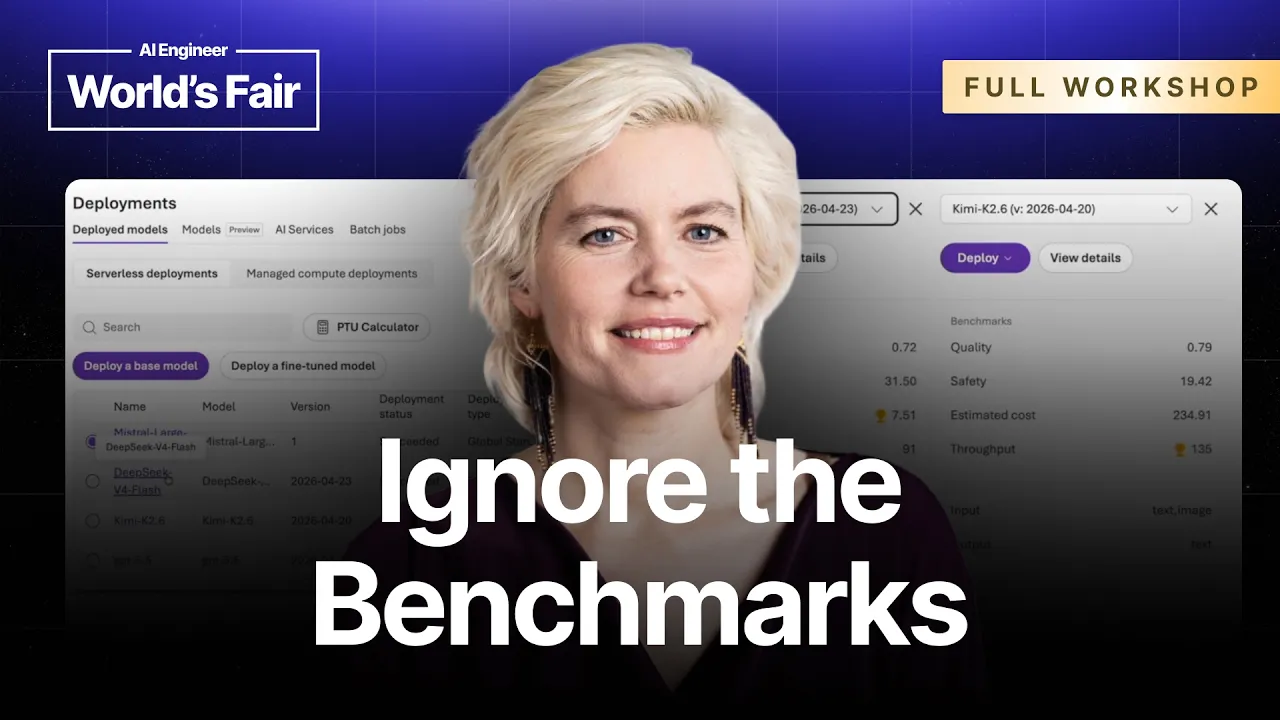
The Model Swap Workshop: GPT-5.5 vs Kimi vs DeepSeek vs Mistral — Pamela Fox, Microsoft — AI Engineer

AI Engineer

Standard benchmarks fail to predict production application performance because prompt engineering cannot bridge multimodal perception gaps or agent execution breakdowns, requiring spec-driven evaluation frameworks and automated prompt compilers to safely deploy cheaper models.

AI-assisted summary of The Model Swap Workshop: GPT-5.5 vs Kimi vs DeepSeek vs Mistral — Pamela Fox, Microsoft — original source. Check the original for full context.

Source published:

Key ideas

  • Standard AI benchmarks fail to predict application behavior; model capabilities diverge sharply on basic tasks like letter counting, where GPT-5.5 and Kimi K2.6 succeeded while DeepSeek V4 Flash and Mistral Large 3 failed on direct prompts. (5:18)
  • Multimodal vision perception cannot be fixed through prompt engineering: either a vision model possesses the resolution and OCR accuracy to resolve an image or it fails entirely. (13:03)
  • In multi-turn agentic workflows, model efficiency diverges dramatically; GPT-5.5 executed flight and hotel searches in parallel, while Kimi and DeepSeek ran sequential tool calls and Mistral dropped execution halfway through. (26:17)
  • Microsoft Research's ASSERT tool automates test generation by constructing stratified user scenarios and judging behavioral rule violations across full intermediate agent traces. (40:07)
  • DSPy and the Genetic Pareto Algorithm (GEPA) allow developers to compile model-specific prompts from declarative Python constraints, enabling cheaper or open-weights models like Mistral to meet strict formatting specs. (45:52)

Detailed notes

## Background Published by the AI Engineer channel on YouTube on October 19, 2026, this video documents a hands-on technical workshop delivered by Pamela Fox, Principal Cloud Advocate at Microsoft, at the AI Engineer World's Fair in San Francisco. According to the page description, the session explores how models behave when swapped inside real applications—comparing GPT-5.5, Kimi K2.6, DeepSeek V4 Flash, and Mistral Large 3 across tasks like letter counting, RAG groundedness, vision, tool calling, automated evaluations, Microsoft's ASSERT framework, and DSPy prompt optimization.

## TL;DR Pamela Fox walks developers through live model-swapping experiments on Microsoft Foundry to demonstrate why published benchmarks fail to reflect real-world application performance. Beginning with basic letter counting and RAG groundedness tests, she illustrates how models diverge significantly in hallucination tendencies, vision perception, and tool-calling loops within a LangChain travel agent. She demonstrates that while prompt engineering can fix some text reasoning gaps, multimodal perception limits are hard barriers, and agentic workflows require rigorous evaluation. The workshop culminates in automated evaluation methodologies, comparing deterministic string checks and LLM-as-a-judge architectures before introducing Microsoft's ASSERT for spec-driven synthetic test generation and DSPy for automated prompt compilation.

## Atmosphere & style The workshop carries an engaging, pragmatic, engineer-to-engineer tone that feels unvarnished and thoroughly grounded in real production pains. Pamela speaks with candid humor and casual confidence, freely joking about her hatred of YAML, managing live API rate limits, and poking fun at models trying to do mental math. The atmosphere feels like sitting in an active conference room where code is tested on the fly, providing an authentic look at the iterative, trial-and-error reality of building and evaluating AI systems.

## Bulletin - [05:18](https://www.youtube.com/watch?v=UGjk3Uk0MxM&t=318s) Standard AI benchmarks fail to predict application behavior; model capabilities diverge sharply on basic tasks like letter counting, where GPT-5.5 and Kimi K2.6 succeeded while DeepSeek V4 Flash and Mistral Large 3 failed on direct prompts. - [13:03](https://www.youtube.com/watch?v=UGjk3Uk0MxM&t=783s) Multimodal vision perception cannot be fixed through prompt engineering: either a vision model possesses the resolution and OCR accuracy to resolve an image or it fails entirely. - [26:17](https://www.youtube.com/watch?v=UGjk3Uk0MxM&t=1577s) In multi-turn agentic workflows, model efficiency diverges dramatically; GPT-5.5 executed flight and hotel searches in parallel, while Kimi and DeepSeek ran sequential tool calls and Mistral dropped execution halfway through. - [40:07](https://www.youtube.com/watch?v=UGjk3Uk0MxM&t=2407s) Microsoft Research's ASSERT tool automates test generation by constructing stratified user scenarios and judging behavioral rule violations across full intermediate agent traces. - [45:52](https://www.youtube.com/watch?v=UGjk3Uk0MxM&t=2752s) DSPy and the Genetic Pareto Algorithm (GEPA) allow developers to compile model-specific prompts from declarative Python constraints, enabling cheaper or open-weights models like Mistral to meet strict formatting specs.

## Key takeaways - [02:23](https://www.youtube.com/watch?v=UGjk3Uk0MxM&t=143s) Model swapping is an essential discipline for AI engineers because public benchmarks do not reflect real-world application performance, and access to any specific model provider can change unexpectedly. - [07:48](https://www.youtube.com/watch?v=UGjk3Uk0MxM&t=468s) Failure modes on elementary arithmetic and symbol tracking can often be salvaged with structured chain-of-thought prompt engineering, such as forcing word-by-word decomposition. - [10:00](https://www.youtube.com/watch?v=UGjk3Uk0MxM&t=600s) In Retrieval-Augmented Generation (RAG), models vary substantially in groundedness: GPT-5.5 and DeepSeek admit missing knowledge, whereas Mistral Large 3 answers from parametric weights even under negative constraints. - [13:03](https://www.youtube.com/watch?v=UGjk3Uk0MxM&t=783s) Unlike text reasoning, poor visual perception cannot be resolved with prompt modifications; if a vision model misreads fine details or low-resolution tables, structural prompting provides minimal benefit. - [16:18](https://www.youtube.com/watch?v=UGjk3Uk0MxM&t=978s) Evaluating multimodal vision in languages other than English introduces compounding errors due to simultaneous visual processing and cross-lingual lexical interference. - [17:13](https://www.youtube.com/watch?v=UGjk3Uk0MxM&t=1033s) Writing JSON schemas for tool calling is a fundamental form of prompt engineering, where parameter names and descriptions dictate whether models extract arguments accurately. - [21:03](https://www.youtube.com/watch?v=UGjk3Uk0MxM&t=1263s) When running tool calls inside loops, models display vast differences in execution efficiency: GPT-5.5 consolidated a multi-step word problem into a single call, while DeepSeek required four sequential round-trips. - [26:17](https://www.youtube.com/watch?v=UGjk3Uk0MxM&t=1577s) Evaluating multi-turn agents is notoriously difficult because models differ in their ability to parallelize independent tool calls, maintain context across turns, and avoid dropping early instructions. - [30:00](https://www.youtube.com/watch?v=UGjk3Uk0MxM&t=1800s) Deterministic string-check evaluations on tool call arguments offer a lightweight, fast baseline for regression testing, but test suites should incorporate edge cases like date math and multilingual slang. - [30:00](https://www.youtube.com/watch?v=UGjk3Uk0MxM&t=1800s) Because LLMs struggle with mental calendar arithmetic across boundaries and leap years, developers should provide a dedicated tool for date math rather than forcing the model to calculate in-context. - [35:12](https://www.youtube.com/watch?v=UGjk3Uk0MxM&t=2112s) Evaluating fuzzy outputs or RAG groundedness requires the LLM-as-a-judge paradigm, configured with a binary pass/fail verdict and an explicit reasoning trace to calibrate against human domain experts. - [35:12](https://www.youtube.com/watch?v=UGjk3Uk0MxM&t=2112s) Decoupling application generation from judge evaluations reduces operational expense and allows engineers to iterate on judging prompts without repeatedly re-running primary app inference. - [43:32](https://www.youtube.com/watch?v=UGjk3Uk0MxM&t=2612s) Generic evaluators like fluency and coherence provide zero diagnostic value for modern LLMs; production test suites require custom evaluators aligned with functional business constraints. - [45:52](https://www.youtube.com/watch?v=UGjk3Uk0MxM&t=2752s) DSPy transforms prompt engineering into a compilation process where declarative constraints in Python are automatically optimized via genetic hill climbing into model-specific prompts. - [49:22](https://www.youtube.com/watch?v=UGjk3Uk0MxM&t=2962s) Anthropic's Claude models feature native structured citation extraction within their Messages API, providing programmatic text offsets for verified citations without custom regex parsing.

## Detailed walkthrough ### [00:00](https://www.youtube.com/watch?v=UGjk3Uk0MxM&t=0s) Workshop Setup and the Case for Model Swapping

Pamela Fox kicks off the guided workshop by sharing access details for a hands-on GitHub repository preconfigured with Microsoft Foundry model deployments. Because her workshop proposal was accepted on very short notice, she warns attendees that rate limits (HTTP 429 errors) are a distinct possibility if everyone hits the token capacity simultaneously. To mitigate this, the downloadable `.env` file includes multiple commented-out endpoints and keys that participants can toggle between if they encounter limits, including a dedicated endpoint reserved for Anthropic models due to differing project terms. Pamela's colleague Cedric is on hand in the room to assist participants with setup issues and share links.

```mermaid flowchart TD accTitle: Workshop Environment Setup Flow accDescr: Participants set up their local environment or launch a browser-based Codespace, configure credentials, sync dependencies, and call Microsoft Foundry endpoints.

subgraph Prep ["Environment Setup"] A["Clone Repo or Launch GitHub Codespace"] --> B["Download & Populate.env Credentials"] B --> C["Run 'uv sync' for Python Dependencies"] end

subgraph Runtime ["Execution Flow"] C --> D["Python Script using OpenAI SDK"] D --> E{"Microsoft Foundry Project"} E --> F["GPT-5.5 / Kimi K2.6"] E --> G["DeepSeek V4 Flash / Mistral Large 3"] E -.->|"Fallback on 429 Errors"| H["Alternate Deployment Endpoints"] end ```

To run the sample code, participants using a local machine need Python and `uv`; running `uv sync` installs all required project dependencies. Alternatively, users can launch a GitHub Codespace directly from the repository page to get a preconfigured VS Code environment in the browser without local setup friction. After polling the room on who uses `uv` versus standard Python, Pamela underscores why model swapping has become a vital discipline for AI developers:

> “And I think this is a really important thing for all us to be doing as AI engineers because, you know, as you've seen, like there's so many new models that come out all the time.”

Engineers must retain architectural flexibility and maintain options, especially because access to any given model provider could be restricted or disrupted at any point.

- **Primary Models Deployed on Microsoft Foundry:** - **GPT-5.5** (baseline high-capability model) - **Kimi K2.6** (recent high-performing model) - **DeepSeek V4 Flash** (fast/lightweight model) - **Mistral Large 3** (frontier open-weights model) - **Tooling:** Python SDK for OpenAI (`openai`), `uv` package manager, and GitHub Codespaces.

---

[05:00](https://www.youtube.com/watch?v=UGjk3Uk0MxM&t=300s) Benchmarks vs. Reality, Test 1: Counting Letters

Pamela points out that while standard quality, safety, throughput, and pricing benchmarks give an approximate sense of model tiering, they do not reflect actual application behavior. As Pamela emphasizes:

> “...you don't really know how good a model is until you use it for your particular scenario.”

To demonstrate baseline differences, the workshop starts with a classic limitation test: counting letter frequencies. Every example file defaults to a `model` variable set to `GPT-5.5` and calls the Foundry endpoint using the standard OpenAI Python SDK. The test prompt submitted to each model is:

> *"How many times does the letter E appear in the following sentence? The elderly gentleman eagerly entered the elevator. COUNT CAREFULLY."*

When executed via `uv run`, **GPT-5.5** correctly counts 13 instances of the letter "E", reflecting strong arithmetic and symbol-level tracking capabilities that Pamela notes colleagues have observed across internal finance benchmarks. Switching the active model string to **Kimi K2.6** yields the exact same correct count of 13. However, running the prompt through **DeepSeek V4 Flash** fails significantly, returning an answer of 6 (missing more than half the occurrences). **Mistral Large 3** fares slightly better but still falls short, returning 8.

| Model Tested | Output on Direct Prompt | Correct (13 E's)? | |:--- |:--- |:--- | | **GPT-5.5** | 13 | Yes | | **Kimi K2.6** | 13 | Yes | | **DeepSeek V4 Flash** | 6 | No | | **Mistral Large 3** | 8 | No |

---

[07:48](https://www.youtube.com/watch?v=UGjk3Uk0MxM&t=468s) Fixing Failure Modes with Prompt Engineering

Faced with a model that fails on a direct instruction, developers do not necessarily have to abandon it; prompt engineering can often bridge the performance gap. Pamela alters the counting prompt on the fly to enforce step-by-step chain-of-thought reasoning:

> *"Break the sentence into words. Count per word. And sum. Show your reasoning."*

Rerunning the updated prompt against **Mistral Large 3** completely resolves the arithmetic shortfall. By explicitly forcing the model to decompose the sentence token-by-token, count each word individually, and display its intermediate tally, Mistral arrives at the correct answer of 13. This simple demonstration establishes a core thesis of the workshop: model limitations can often be mitigated with structured prompt adjustments, but developers must test scenarios directly to identify which prompts require extra scaffolding.

---

[08:38](https://www.youtube.com/watch?v=UGjk3Uk0MxM&t=518s) Test 2: RAG, Groundedness, and Hallucination Risks

Moving from toy counting prompts to real-world architectures, Pamela examines Retrieval-Augmented Generation (RAG). She argues that almost all production LLM workflows—including autonomous agents—are fundamentally variations of RAG, where an LLM must answer questions strictly based on supplied external context.

The central challenge in RAG across varying model tiers is **groundedness**: ensuring the model restricts its answers entirely to the provided retrieved sources without confabulating details drawn from its pre-training weights. Pamela notes that smaller or less capable models are far more prone to pulling unverified facts from internal parameters and presenting them as if they were part of the retrieved text.

To test this behavior, Pamela sets up an asymmetric retrieval scenario: - **Test Context:** A factual document containing information strictly about **carpenter bees**. - **User Question:** *"What are the key differences between how honey bees and carpenter bees build their nests?"* - **Target Grounded Behavior:** The model should extract and explain the nest-building habits of carpenter bees from the context, and explicitly refuse to answer regarding honey bees because that information is absent from the provided source material. - **Instructional Prompt:** Instructs the model to answer based solely on the sources and cite them, establishing clear guardrails against ungrounded external knowledge.

[10:00](https://www.youtube.com/watch?v=UGjk3Uk0MxM&t=600s) RAG Groundedness and Model Hallucinations

Testing Retrieval-Augmented Generation (RAG) performance across models begins with a baseline scenario where a basic search query is executed against a local dataset. When evaluating a prompt about honeybee nest construction, the source documents deliberately omit this specific information. Pamela Fox notes that GPT-5.5 correctly admits the omission, responding that the dataset does not provide details on honeybee nest construction: “GPT-5.5 is very good at knowing what it doesn't know.” Skipping full runs on every model for time, she tests DeepSeek V4 Flash, which also cleanly reports that the provided sources lack clear information.

```mermaid flowchart TD accTitle: RAG Groundedness Behavior Comparison accDescr: Visual flowchart comparing how GPT-5.5, DeepSeek, and Mistral handle queries when retrieval sources lack the requested information.

subgraph Input["Retrieval Query"] Q["User Query: Honeybee nest construction"] --> S["Vector / Text Search"] S --> D["Retrieved Docs: Carpenter bees only (No honeybee data)"] end

subgraph Evaluation["Model Groundedness"] D --> M1["GPT-5.5 & DeepSeek V4 Flash"] D --> M2["Mistral Large 3 (Baseline)"] D --> M3["Mistral Large 3 (Constrained Prompt)"] end

subgraph Output["Observed Behavior"] M1 --> R1["Refuses: Data not in source"] M2 --> R2["Hallucinates from parametric weights"] M3 --> R3["Marks 'no source provided' but still generates answer"] end ```

The contrast appears immediately when switching to Mistral Large 3 (prompting an aside to audience member Cedric on the proper French pronunciation of "Mistral"). Unlike GPT-5.5 and DeepSeek, Mistral Large 3 falls back into its parametric weights and provides an answer despite the facts not being present in the context:

> “So this is an example where a model went into its weights even though we didn't want it to do.”

Attempting to curb this behavior through prompt engineering, Pamela adds strict formatting requirements: forcing the model to state "no source provided" for any claim absent from the context, strictly forbidding fabricated answers, and demanding that every assertion be tied back to source evidence. While Mistral Large 3 reflects the new instruction by outputting `"no source provided"` alongside the details, it still insists on supplying the information from its weights rather than refusing outright. Pamela underscores that this gap is critical because models must be thoroughly vetted on whether they admit ignorance or fabricate missing context before being placed into production RAG pipelines.

- **GPT-5.5**: Refuses cleanly when source context lacks the requested data. - **DeepSeek V4 Flash**: Successfully refuses without hallucinating. - **Mistral Large 3**: Defaults to answering from internal training weights; strict prompt modifications cause it to label assertions as `"no source provided"`, but it still outputs the parametric data instead of remaining silent.

---

[13:03](https://www.youtube.com/watch?v=UGjk3Uk0MxM&t=783s) Multimodal Image Input and Prompting Limits

Moving beyond text, the evaluation tests multimodal vision capabilities across three local images: 1. A photograph of an aurochs (wild cattle). 2. A photograph of Costa Rican crocodiles taken by Pamela. 3. A low-resolution screenshot of a plant price table with small typography.

Because DeepSeek V4 Flash only accepts text, it is excluded from image evaluation, leaving GPT-5.5, Kimi K2.6, and Mistral Large 3.

| Image Challenge | GPT-5.5 Result | Kimi K2.6 Result | Mistral Large 3 Result | |:--- |:--- |:--- |:--- | | **Aurochs Identification** (Check if unicorn) | Rejects unicorn; accurately recognizes an aurochs | Rejects unicorn; accurately recognizes an aurochs | Rejects unicorn; fails to recognize it as an aurochs | | **Crocodile vs. Alligator Snout** | Correctly identifies crocodiles via snout shape | Correctly identifies crocodiles | Fails; guesses alligators | | **Cheapest Plant Table Search** | Extracts the true cheapest plant ($0.58) | Extracts the true cheapest plant ($0.58) | Fails; extracts a plant priced at $2.30 |

GPT-5.5 and Kimi K2.6 successfully identify the aurochs, spot the crocodile snout features, and parse the low-resolution plant catalog down to the 58-cent item. Mistral Large 3, however, struggles across the board: it knows the animal is not a unicorn but fails to name the aurochs, misclassifies the crocodiles as alligators, and pulls a $2.30 plant from the table.

Pamela highlights a fundamental rule for multimodal architectures: you cannot easily prompt-engineer your way around poor visual perception:

> “Now, here's the thing. When it comes to multimodal understanding, you can't really do much prompt engineering because either the model understands that image or it doesn't.”

While specialized domains (like scientific graphs) can benefit from textual structural hints, vision models either have the OCR and visual resolution to resolve the data, or they fail.

---

[16:18](https://www.youtube.com/watch?v=UGjk3Uk0MxM&t=978s) Cross-Lingual Vision Failures

Evaluating vision models in languages other than English introduces compounding errors. When the crocodile picture is queried in Spanish—asking whether the animals are *"caimanes o cocodrilos"*—models that succeeded in English stumble.

Pamela explains that the model faces a double hurdle: it must simultaneously parse fine-grained biological snout geometry and navigate cross-lingual lexical interference. In Spanish, *"caimán"* often translates to or overlaps with alligator, distinct from the specific caiman species found in Florida habitats. The cognitive load of mapping visual features to language-specific taxonomies causes the model to guess incorrectly. Given that applications built in regions like California often require bilingual support for English and Spanish speakers, models must be benchmarked directly across target languages rather than assuming English vision performance carries over.

---

[17:13](https://www.youtube.com/watch?v=UGjk3Uk0MxM&t=1033s) Raw Tool Calling and Schema Prompt Engineering

Tool calling (function calling) serves as the core foundation for all agentic workflows, relying on LLMs explicitly fine-tuned to accept structural definitions and return argument payloads. Pamela sets up a low-level, bare-metal demonstration without higher-level agent frameworks to inspect the exact JSON structures exchanged with the models.

```mermaid flowchart LR accTitle: Low-Level Tool Calling Execution Flow accDescr: Sequence diagram showing how user input and JSON schema prompt the LLM to emit a structured tool call payload.

subgraph Preparation["Schema & Context"] S["JSON Schema: create_calendar_event"] P["System Prompt: Today is Monday, June 29"] U["User: Team sync tomorrow at 1:30 PM"] end

subgraph LLM_Inference["Model Evaluation"] M["LLM (GPT-5.5 / DeepSeek)"] end

subgraph Emitted_Payload["Tool Invocation"] A["Tool Call: function name + arguments JSON"] C["Client Application: Executes actual code"] end

S & P & U --> M M --> A A --> C ```

The model is supplied with a JSON schema defining `create_calendar_event`, specifying property fields, types, and descriptions for arguments such as title, attendees, date, time, and meeting medium. Pamela emphasizes that creating this JSON schema is itself a primary form of prompt engineering: parameter names, type constraints, and descriptions directly dictate how reliably the model generates arguments.

The test inputs a conversational scheduling request: - **User input:** *"Can you throw something on my calendar? It's a platform Team Sync. Me, Sarah from Eng, Marcus, the new PM Priya. Tomorrow at 1:30 PM, it's virtual on Microsoft Teams."* - **System context:** *"You are a calendar assistant. Today is Monday, June 29. Use the available tools to process the user's request."*

Examining the emitted JSON, Pamela highlights that the model itself never runs the function; it only emits the requested name and arguments payload for the host application to run. Comparing the actual generated payload to the expected baseline, GPT-5.5 maps the attendees, relative date (June 30), and platform correctly, though it redundantly lists `"me"` as an attendee. The stage is then set to evaluate how DeepSeek handles identical function schemas and argument extraction.

[20:00](https://www.youtube.com/watch?v=UGjk3Uk0MxM&t=1200s) Tool Calling Ambiguity and Argument Constraints

Evaluating individual tool calls reveals whether a model strictly adheres to provided schemas and constraints. When testing DeepSeek, Pamela Fox points out that it failed to respect the exact instructions: it listed "you" as an attendee, and for the meeting location, it output `"virtual (Microsoft Teams)"` instead of following the requested format. When models deviate like this, it exposes ambiguities in the prompt that require immediate tightening:

> “So once I see this, I can start to realize, like, okay, there's some ambiguity, right? And, you know, if it called it with the wrong arguments, that means there's ambiguity, I need to go back into my descriptions and say, you know, don't include me or you just to, named attendees.”

Iterating on descriptions—such as explicitly requiring full names or specifying exact format rules—allows developers to clarify expectations before re-evaluating across diverse test cases.

[21:03](https://www.youtube.com/watch?v=UGjk3Uk0MxM&t=1263s) Tool Calling in a Loop: Efficiency in Word Problems

Moving toward agentic architectures requires tool calling inside an execution loop where the model repeatedly invokes functions until reaching a stated objective. Fox sets up an experiment with a simple `calculate` function that evaluates a mathematical string expression to solve a store sale word problem (e.g., purchasing three shirts, applying discounts, and factoring in sales tax). To prevent models from cheating by doing mental math, she enforces a strict system prompt rule:

> “The only system prompt is do not do math in your head. OK. So let's see. That one's really for GPT-5.5, 'cause it's so proud of its math abilities that it's always trying to do it in its head, like, come on.”

This setup directly measures execution efficiency: - **GPT-5.5** proves to be the most efficient: it bundles the full multi-step word problem into a single, comprehensive arithmetic expression, completing the entire operation in exactly one tool call. - **DeepSeek V4 Flash** reaches the correct answer but requires four separate sequential tool calls, creating significant latency overhead because each call translates to an extra network request. - **Kimi K2.6** matches GPT-5.5's quality most of the time, but Fox notes its tendency to enter redundant loops:

> “Yeah, the other day when I did Kimi, it got the right answer on the first try and then decided to check its work with the four other calls. I was like, no, you're good, you're good.”

```mermaid flowchart TD accTitle: Single-Turn vs Multi-Turn Tool Calling accDescr: Diagram contrasting how GPT-5.5 solves math in one compound call versus DeepSeek solving it across multiple steps.

subgraph Problem["Word Problem Input"] P["Store Sale & Tax Query"] end

subgraph Efficient["GPT-5.5 Pattern (1 Round-Trip)"] G1["Batch full expression"] --> G2["Single calculate() call"] end

subgraph Iterative["DeepSeek Pattern (4 Round-Trips)"] D1["Sub-calc 1"] --> D2["Sub-calc 2"] D2 --> D3["Sub-calc 3"] D3 --> D4["Sub-calc 4"] end

P --> Efficient P --> Iterative ```

[23:58](https://www.youtube.com/watch?v=UGjk3Uk0MxM&t=1438s) Building Agents: LangChain v1 Travel Agent

To demonstrate full agent loops, Fox uses a travel planner scenario, selecting LangChain v1 after taking an informal audience vote over PydanticAI and other agent frameworks. The agent connects to Microsoft Foundry models and exposes four specific tools: 1. `search_flights` 2. `search_hotels` 3. `check_budget` (determines if the combined flight and hotel stay fit the allowance) 4. `search_activities` (discovers local events using remaining funds)

Custom middleware inspects and logs the tool interactions in real time. The agent receives a scenario-specific prompt: a user planning a 3-night trip from San Francisco (SF) to New York City (NYC) next month with a total budget of $600, requiring direct flights and an activity suggestion within the leftover budget.

[26:17](https://www.youtube.com/watch?v=UGjk3Uk0MxM&t=1577s) Parallel Tool Calling and Model Discrepancies

The travel planner run highlights major differences in how models handle parallelization, context length, and instruction following over multi-turn interactions. Evaluating these differences is notoriously difficult:

> “And you can start to see why it's hard, because everybody asks me, like, how do you evaluate agents? Agents are the hardest to evaluate because there's so much going on. There's so many different things that are happening along the way. It's like, is it calling the right tools? Is it calling them efficiently? Is it calling things in parallel?”

| Model | Parallel Execution | Execution Breakdown | Result / Failure Mode | |:--- |:--- |:--- |:--- | | **GPT-5.5** | **Yes** | Turn 1: parallel calls to `search_flights` and `search_hotels`. Turn 2: `check_budget`. Turn 3: `search_activities`. | Achieved maximum efficiency by parallelizing independent search operations. | | **Kimi K2.6** | **No** | Turns 1–2: calls `search_flights` and `search_hotels` sequentially. Turns 3–4: calls `check_budget` twice. Turn 5: calls `search_activities`. | Required two extra round-trips; did not invoke independent tools in parallel. | | **DeepSeek V4 Flash**| **No** | Sequential execution across four single tool calls. | Reasonably efficient with no extra redundant calls, but lacks parallelism. | | **Mistral Large 3** | **No** | Called `search_flights` and `search_hotels` sequentially, then stopped. | Forgot subsequent instructions; failed to call `check_budget` or `search_activities`. |

Fox points out that as context windows fill up across agent turns, models like Mistral can drop early instructions and require external steering to finish their work:

> “So Mistral decided to only search flights and search hotels, and then not do anything else. So it did, it kind of gave up there. So that's an example where, okay, we'd have to do some additional steering there to be like, hey, are you sure that you have everything, right? You could use something like the Ralph loop. Jeff Huntley is here today. He made the Ralph loop.”

[30:00](https://www.youtube.com/watch?v=UGjk3Uk0MxM&t=1800s) Bulk Automated Evaluations and String-Check Evals

Pamela Fox concludes her agent discussion by observing that across different agent frameworks, whether in LangChain or elsewhere, the underlying mechanics remain essentially the same: “I tend to think most agent frameworks are, you know, more similar than they are different at this point.” She shifts the workshop focus toward evaluations, moving away from manually executing prompts and eyeballing outputs toward building bulk, automated test suites that can reliably compare model performance in production.

```mermaid flowchart TD accTitle: Single Tool Call String-Check Evaluation Pipeline accDescr: Test inputs flow into the candidate model, producing tool call arguments that are validated using string comparisons against ground truth expectations.

subgraph Inputs ["Test Suite"] TC["Test Cases<br>(Date math, slang, multilingual)"] end

subgraph Execution ["Model Under Test"] M["Model executes<br>create_calendar_event"] end

subgraph Verification ["Deterministic Assertions"] SC{"String Checks"} Pass["Pass"] Fail["Fail"] end

TC --> M M --> SC SC -->|"Matches expected values"| Pass SC -->|"Missing or incorrect args"| Fail ```

Fox begins with the simplest form of evaluation: deterministic string checks on structured tool calls. Using the `create_calendar_event` tool, she demonstrates how to inspect whether the model invoked the expected tool and populated arguments correctly—such as verifying that a meeting location was returned as `"virtual"`. She stresses that real-world test suites need dozens or hundreds of test cases and must be easy to update once production users inevitably uncover edge cases. Once an application is live, user traffic exposes unforeseen failure modes, requiring continuous updates to the evaluation dataset to prevent evaluation drift.

- **Date Math Vulnerabilities**: Fox deliberately incorporates date math edge cases because LLMs consistently struggle with mental arithmetic across calendar boundaries, especially during leap years. Her concrete engineering recommendation: “So another tip, if you're doing dates, just give them a tool to do date math, okay? Because it's too hard to do date math in your head.” - **Diverse Edge Cases**: The test suite includes ambiguous durations, multilingual prompts (such as queries in Spanish), and informal slang inputs like: *"Yo, can you book the big comp room?"* - **Execution Strategy**: While production workflows typically run evaluations on a single model and compare against historical benchmarks, Fox runs the entire test suite across all four models concurrently to display comparative pass/fail rates in real time. - **CI/CD Practicalities**: Fox warns against treating LLM evaluations like standard unit tests in pytest: “Now, here's the thing about evals, is that you don't want to just have these like, just be part of like your pytest like your test suite because these are slow these are expensive.”

---

[33:42](https://www.youtube.com/watch?v=UGjk3Uk0MxM&t=2022s) Q&A: Evaluation Frameworks and Observability Tools

An audience member asks whether existing frameworks handle evaluations more elegantly than basic string comparisons, particularly for parallelization and complex assertions. Fox jokes in response, “You don't like my string checks,” before detailing the modern ecosystem of evaluation and observability tooling.

She notes that nearly all major observability platforms come equipped with built-in evaluation capabilities. Teams using LangFuse, LangSmith, Arize Phoenix, or LangChain can leverage native evaluation primitives. Within the Microsoft Foundry ecosystem, developers have access to both the Azure AI Evaluation SDK and `openai.evals` from the OpenAI package. Other notable libraries include DeepEval and Promptfoo (the go-to evaluation framework for JavaScript and TypeScript developers). An audience participant mentions VALL-E / Vally, which Fox acknowledges as one of many emerging tools. However, she points out that for straightforward string assertions on single tool arguments, rolling lightweight custom checks avoids unnecessary framework complexity.

---

[35:12](https://www.youtube.com/watch?v=UGjk3Uk0MxM&t=2112s) LLM-as-a-Judge for Fuzzy Outputs and RAG Groundedness

As evaluation requirements advance beyond exact string matches to unstructured text and fuzzy outputs, Fox introduces the LLM-as-a-judge paradigm. When evaluating conversational responses or RAG groundedness, simple string checks break down, requiring an evaluator LLM to reason over the outputs.

```mermaid flowchart TD accTitle: LLM-as-a-Judge Architecture for Groundedness accDescr: An application query and context yield a model response, which is fed alongside the context and query into a judge model to produce a structured pass or fail verdict with a reasoning trace.

subgraph AppRun ["Inference Run (App)"] Q["User Query"] CTX["Retrieved Context"] M["Model Under Test"] Q & CTX --> M M --> R["Model Response"] end

subgraph JudgeRun ["Evaluation Run (Judge)"] JM["Judge Model<br>(GPT-5.5)"] Q & CTX & R --> JM JM --> JOUT["JSON Output<br>Verdict: Pass / Fail<br>Reason: Detailed Explanation"] end ```

To configure an LLM judge effectively, Fox puts the evaluator model into judge mode with clear system instructions: it must return a binary pass/fail verdict along with a mandatory, explicit reasoning trace explaining its judgment. For groundedness evaluations, the judge must receive the user query, the candidate model's response, and the retrieved context documents. Evaluating more complex interactions like agentic tool use requires providing full execution traces, tool definitions, and intermediate state transitions.

- **Dual-Call Latency and Expense**: In LLM-as-a-judge pipelines, every single evaluation requires at least two separate inference calls—one to generate the application response and another for the judge model to evaluate it. Running multiple specialized evaluators (such as groundedness, relevance, and safety) multiplies the number of LLM invocations per test case. - **Production Dataset Sizes**: Fox highlights that a robust production evaluation dataset for RAG requires a minimum of 200 test cases, often scaling to 800 or more, making full runs across multiple models time-consuming and costly to execute on every commit. - **Decoupling Generation from Evaluation**: Fox recommends pre-running and caching application questions, contexts, and answers. Decoupling data generation from evaluation allows engineers to iterate on and refine the judge prompt independently without re-invoking the primary application pipeline. - **Judge Calibration**: When evals fail, engineers face a core dilemma: “So that's what you have to figure out when you're doing LLM as judge, you have to figure out like, wait, is the problem my app? Or is the problem my judge, right?” Fox stresses that automated judges must be calibrated against human domain experts who label ground truth and validate whether the judge's pass/fail verdicts align with human standards. - **Model Groundedness Results**: In Fox's live run using GPT-5.5 as the evaluator judge, most evaluated models scored 2 out of 3 on the test cases, while Mistral achieved only 1 out of 3, demonstrating remaining gaps in grounded response adherence. - **Community Resources**: Fox highlights Hamel Husain (`hamil.dev`) as an essential industry resource for learning LLM evaluations, course material, practical debugging methodologies, and evaluation memes.

[40:07](https://www.youtube.com/watch?v=UGjk3Uk0MxM&t=2407s) ASSERT: Generating Evals and Test Sets from a Spec

Pamela recommends following Hamel Husain and taking his course to learn industry best practices for crafting effective evaluations, pointing out how difficult it is to engineer realistic test sets before going into production. To address this exact problem, Microsoft Research recently released an evaluation tool called ASSERT, which automatically constructs LLM-as-a-judge rubrics and generates synthetic user test sets directly from a high-level application specification. Pamela demonstrates how the tool was applied to the LangChain travel planning agent shown earlier in the workshop, working from a YAML configuration file stored under the `assert_eval` directory.

The configuration file defines the context of the agent, specifies the judge model, and establishes the behavioral dimensions under test. A core capability highlighted by Pamela is stratification: developers can explicitly define user segments—such as categorizing budget pressure into ample budget, tight budget, or infeasible budget—or allow ASSERT to derive the stratification automatically. Because hand-authoring evaluation specifications can be tedious, an agent skill is provided to help generate the YAML file. When ASSERT executes, it hooks into the LangChain travel planner and traces every intermediate tool call, since full trace visibility is essential for judging whether an agent followed instructions or violated constraints.

```mermaid flowchart TD accTitle: ASSERT Spec-to-Eval Pipeline accDescr: Pipeline showing how ASSERT turns a YAML spec into stratified scenarios, runs agent traces, and evaluates behavioral rule violations. subgraph Specification ["1. Spec Definition"] A["YAML Spec & Context"] --> B["Stratification & Dimensions<br/>(e.g., Budget Pressure)"] end subgraph Generation ["2. Test Generation"] B --> C["Synthetic User Scenarios<br/>(Allowed vs. Disallowed Behaviors)"] end subgraph Evaluation ["3. Trace & Audit"] C --> D["LangChain Travel Agent Run<br/>(Full Tool Call Tracing)"] D --> E["Violation Scoring & Rubric Dashboard"] end ```

Running ASSERT takes significant compute time, so Pamela walks through pre-computed evaluation runs displayed in ASSERT's dedicated frontend viewer. The tool derived distinct behavioral categories, such as budget and feasibility rules, direct flight preference violations, and required tool usage compliance. To simulate real-world traffic, ASSERT generated an extensive, colorful test set of synthetic user scenarios with distinctly LLM-generated titles, including "scenario 65 red eye before the installer walked through the coach with six parent text one weekend to see ama" and "coach with the clipboard."

“What I realized about YAML is that I might hate YAML, but it's also better than everything else for what I need it for, so there we go,” Pamela jokes while inspecting the configuration. Explaining the fundamental challenge the tool solves, she emphasizes: “You go into production but you want to have evals before you go into production right so how do you figure out you know what your test set is going to be and so this assert framework helps a lot with making that test set and bootstrapping your evals.”

- **Tool Origins**: ASSERT was open-sourced by Microsoft Research approximately one week prior to the workshop. - **Spec Stratification**: Supports pre-stratification or automatic stratification across application-specific variables (e.g., budget levels from ample to mathematically impossible). - **Trace Auditing**: Evaluators inspect the full execution trace and tool calls rather than grading only the final text output.

---

[43:32](https://www.youtube.com/watch?v=UGjk3Uk0MxM&t=2612s) ASSERT Results Across Models

Pamela displays the comparative ASSERT benchmark results for the travel planner across DeepSeek, Kimi, and GPT-5.5. The metric reported in this evaluation suite tracks the total number of rule and constraint violations across scenarios, meaning lower scores indicate superior performance. In this trial, GPT-5.5 outperformed the other models by a wide margin, registering the lowest number of violations. Pamela admits she was surprised by the gap, as her earlier interactive tests throughout the day suggested that Kimi was performing roughly on par with GPT-5.5.

Reflecting on broader evaluation practices in the developer community, Pamela observes a pervasive antipattern: teams either avoid running evaluations entirely, or they rely exclusively on generic out-of-the-box metrics like coherence and fluency. She warns the audience against relying on these superficial checks, explaining that modern frontier models are universally fluent and coherent by default. While standard groundedness and relevance evaluators have utility in retrieval-augmented generation (RAG) pipelines, genuine agent validation requires bespoke evaluators tailored to the application's actual business rules and safety boundaries.

“Never run those,” Pamela warns regarding default coherence and fluency metrics. “Like, LLMs are great at being coherent. You never have to check if an LLM is coherent. If they're not, like something really bad has happened.” She underscores the necessity of targeted evaluation: “You need custom evaluators to really see if your agent is doing a good job, and but you know you need some help bootstrapping those custom evaluators.”

- **Scoring Direction**: Metrics measure behavioral rule violations; lower numerical scores represent better agent compliance. - **Model Standouts**: GPT-5.5 achieved the fewest rule violations, beating DeepSeek and Kimi on the travel planner test suite. - **Eval Traps**: Off-the-shelf fluency/coherence evaluators provide zero signal on agent correctness; only custom evaluators aligned with functional constraints reveal failures.

---

[45:52](https://www.youtube.com/watch?v=UGjk3Uk0MxM&t=2752s) Prompt Optimization with DSPy

With only a few minutes remaining on the workshop timer, Pamela addresses the friction of prompt engineering across different model families. Manually rewording instructions every time an application swaps its underlying model is labor-intensive, particularly because developers rarely know the idiosyncrasies of every alternative model. To demonstrate programmatic prompt discovery, she introduces DSPy, a framework that flips traditional prompt development: instead of hard-coding prompts, developers write declarative program constraints and evaluation checks, allowing an optimization algorithm to compile and optimize the prompt automatically.

```mermaid flowchart TD accTitle: DSPy Prompt Compilation Pipeline accDescr: Diagram illustrating how DSPy compiles programmatic constraints into model-specific prompts via genetic hill-climbing algorithms. subgraph Codebase ["1. Declarative Code"] A["Task Constraints & Spec"] --> B["Deterministic Checks & Assertions"] end subgraph Optimizer ["2. Hill-Climbing Loop"] B --> C["GEPA / Genetic Pareto Optimizer"] C <-->|"Student Model + Reflection Model"| D["Iterative Prompt Mutation"] end subgraph Artifact ["3. Output System Prompt"] D --> E["Optimized Model-Specific Prompt<br/>(e.g., Mistral Large)"] end ```

Pamela demonstrates a complex formatting challenge: prompting a model to produce a numbered list where every individual line matches an exact word count and the first letter of each line forms an acrostic spelling a target word. In DSPy, these requirements are expressed as deterministic Python validation functions. DSPy then runs an optimization loop using GEPA (Genetic Pareto Algorithm), which pairs a student model with a reflection model to perform hill-climbing search across candidate instructions until it finds a prompt that satisfies the constraints.

On this test task, the DSPy compilation process ran for approximately six minutes and successfully produced an optimized system prompt tailored specifically for Mistral Large—the model that had struggled most during the workshop's manual tests. Pamela notes that major tech companies like Dropbox and Shopify have shared talks documenting how they use DSPy alongside GEPA to migrate production workloads from expensive flagship models to substantially cheaper, smaller models deployed on private infrastructure without sacrificing output quality.

“You kind of have to rewrite your whole code because now instead of checking your, like, your prompt isn't in your code,” Pamela explains. “Your constraints are in your code. Your spec is your code. The prompt is an output from this DSPy process.” Highlighting the cost benefits of automated prompt compilation, she adds: “So especially when using smaller models, this means we can use the cheapest model and still get the results we need, right?”

- **Paradigm Shift**: The system prompt is treated as a compiled artifact rather than source code; the program source contains only the input/output signatures and validation tests. - **Optimization Engine**: Employs GEPA (Genetic Pareto Algorithm) to mutate and hill-climb candidate instructions evaluated against defined test assertions. - **Cost Reduction**: Enables developers to systematically unlock baseline performance on cheap, open, or self-hosted models (such as Mistral) that fail on unoptimized zero-shot prompts.

---

[49:22](https://www.youtube.com/watch?v=UGjk3Uk0MxM&t=2962s) Anthropic Native Citations and Ollama Local Models Wrap-Up

In her final remarks, Pamela highlights a notable feature of Anthropic's Claude models that distinguishes them from standard OpenAI-compatible endpoints: native, structured citation extraction. Although Anthropic requires using a separate Messages API rather than the unified OpenAI chat completions format used throughout the workshop, their models are natively trained to handle structured source inputs. When a developer provides text documents in Anthropic's structured source format and enables citations, the model returns response blocks paired with precise, programmatic citation offsets, making it straightforward to render clickable source links in user interfaces without post-hoc parsing hacks.

Pamela concludes by letting attendees know that the workshop GitHub repository will remain available for them to continue experimenting with model swapping. However, she warns that the API keys currently embedded in the repository's `.env` file will be rotated immediately, joking that she trusts the audience, but not enough to leave live credentials active after being scolded by her colleague Cedric. To encourage free, private experimentation without hosted cloud keys, she notes that she added Ollama support to the codebase the previous day; developers can point the workshop examples at a local Ollama server simply by adjusting the base URL and model identifiers.

“With Anthropic, they actually have this notion of citations built into the models,” Pamela explains, detailing their unique API architecture. “So you say, hey, this is my source. It's a document. It's text. Here's the text of it and then you enable citations and then Anthropic models are actually trained to return back blocks of text with citations.” Addressing the workshop credentials, she quips: “I do need to rotate the keys that I put in that.env because I mean I trust you but I don't know how much I trust you and Cedric already said I was bad for doing that.”

- **Anthropic Native Citations**: Accepts structured document payloads via the Messages API and returns machine-readable text blocks tied to citation references. - **Local Testing via Ollama**: The entire workshop repo supports local model execution by pointing client instances to an Ollama server running compatible endpoints. - **Key Rotation**: Exposed workshop `.env` keys are actively revoked; users must supply their own hosted endpoint keys or run locally via Ollama.

## Notable quotes > [13:03](https://www.youtube.com/watch?v=UGjk3Uk0MxM&t=783s) When it comes to multimodal understanding, you can't really do much prompt engineering because either the model understands that image or it doesn't. — Pamela Fox

> [05:00](https://www.youtube.com/watch?v=UGjk3Uk0MxM&t=300s) you don't really know how good a model is until you use it for your particular scenario. — Pamela Fox

> [43:32](https://www.youtube.com/watch?v=UGjk3Uk0MxM&t=2612s) LLMs are great at being coherent. You never have to check if an LLM is coherent. — Pamela Fox

> [30:00](https://www.youtube.com/watch?v=UGjk3Uk0MxM&t=1800s) I tend to think most agent frameworks are, you know, more similar than they are different at this point. — Pamela Fox

## Mentioned Pamela Fox, Cedric, Jeff Huntley, Hamel Husain, Microsoft, Microsoft Foundry, Microsoft Research, Anthropic, GPT-5.5, Kimi K2.6, DeepSeek V4 Flash, Mistral Large 3, Claude, LangChain, PydanticAI, DSPy, ASSERT, GEPA, uv, Python, GitHub Codespaces, OpenAI SDK, Ollama, Dropbox, Shopify, LangFuse, LangSmith, Arize Phoenix, DeepEval, Promptfoo, Azure AI Evaluation SDK, pytest

## Video description Benchmarks won't tell you how a model behaves in your app. Swapping it in and testing will.

Pamela Fox, Principal Cloud Advocate at Microsoft, runs the same scenarios against GPT-5.5, Kimi K2.6, DeepSeek V4 Flash and Mistral Large 3 on Microsoft Foundry so you can see where models differ and what you can do about it. She works up from a letter-counting prompt to RAG groundedness, image input, multilingual pitfalls, tool calling, tool calling in a loop and a LangChain v1 travel agent, then moves to evaluation: string-check evals, LLM-as-a-judge, Microsoft's new ASSERT tool for generating test sets from a spec, and DSPy prompt optimization that finds a prompt the cheapest model can satisfy.

In this video: - Where top models differ: counting, groundedness, vision, tool calls and parallel tool calling - How prompt engineering closes some gaps but not image understanding - Bulk evals with string checks and LLM-as-a-judge - Generating test sets with ASSERT and optimizing prompts with DSPy

SPEAKER Pamela Fox, Principal Cloud Advocate, Microsoft X: https://x.com/pamelafox LinkedIn: https://www.linkedin.com/in/pamela-s-fox GitHub: https://github.com/pamelafox

LINKS ASSERT (GitHub): https://github.com/responsibleai/ASSERT

CHAPTERS 0:00 Workshop setup 2:23 Why you need to be able to swap models 3:08 The four models 5:18 Benchmarks vs your scenario 5:38 Test 1: counting letters 7:48 Fixing it with prompt engineering 8:38 Test 2: RAG and groundedness 13:03 Test 3: image input 16:18 Switching languages 17:13 Test 4: tool calling 21:03 Test 5: tool calling in a loop 23:58 Agents with LangChain v1 26:17 Parallel tool calls 30:27 Evals with string checks 33:42 Q&A: eval frameworks 35:12 LLM as a judge 40:07 ASSERT: evals from a spec 43:32 ASSERT results across models 45:52 Prompt optimization with DSPy 47:52 A DSPy prompt for Mistral 49:22 Anthropic and citations 50:32 Wrap-up

Recorded at the AI Engineer World's Fair 2026 in San Francisco. Subscribe for more talks from the engineers building with AI.

AI Engineer: https://ai.engineer YouTube: https://www.youtube.com/@aiDotEngineer X: https://x.com/aiDotEngineer LinkedIn: https://www.linkedin.com/company/aidotengineer/

#LLM #Evals #AIEngineer

[Source](https://www.youtube.com/watch?v=UGjk3Uk0MxM)

Reading summary

Microsoft's Pamela Fox argues that AI engineers must adopt a strategy of 'model swapping'—maintaining architectural flexibility to switch between providers—to navigate the rapid release of new models and mitigate provider-specific disruptions. She asserts that standardized benchmarks fail to predict how a model will perform in specialized production scenarios, necessitating rigorous, scenario-specific testing. The Gap Between Benchmarks and Performance (5:00) Fox demonstrates that standard quality and safety benchmarks often overlook granular functional failures. For example, in a letter-counting task, GPT-5.5 and Kimi K2.6 succeeded, while DeepSeek V4 Flash and Mistral Large 3 failed. These results show that even high-tier models can struggle with symbol-level tracking and arithmetic. However, Fox notes that model limitations are not always fatal; they can often be remediated through prompt engineering, such as using chain-of-thought instructions to force step-by-step reasoning. Developers must perform direct, empirical testing in their specific environments to determine when a prompt requires extra scaffolding or when a model simply cannot meet the task requirements. RAG Groundedness and Hallucinations (8:38) In Retrieval-Augmented Generation (RAG) workflows, maintaining 'groundedness'—where models answer strictly based on provided context—is a critical challenge. Fox observes that while GPT-5.5 and DeepSeek V4 Flash successfully admit when data is missing from retrieved sources, Mistral Large 3 tends to draw from its internal parametric weights, effectively hallucinating information. Even with strict formatting constraints, Mistral Large 3 continued to output internal data alongside labels like 'no source provided.' Fox concludes that developers must vet models for their ability to admit ignorance before deploying them in production RAG pipelines, as failing to do so introduces risks of unverified content. Multimodal and Tool-Calling Reliability (13:03) Multimodal and tool-calling capabilities often reveal significant discrepancies in model performance that cannot be corrected by prompting. Fox reports that while GPT-5.5 and Kimi K2.6 excelled at visual tasks like OCR and object identification, Mistral Large 3 struggled significantly, suggesting that if a model lacks native visual perception, prompt engineering is largely ineffective. Similarly, regarding function calling, models demonstrate varying levels of efficiency. GPT-5.5 can often collapse multi-step word problems into a single tool call, whereas other models might initiate inefficient loops or redundant network requests. Fox emphasizes that developers must inspect the raw JSON schemas and tool-call payloads to identify ambiguities in their system prompts, as minor deviations can disrupt downstream agentic workflows. Automating Evaluations and Agentic Evals (30:00) Fox argues that manual evaluation is insufficient for complex agentic systems. She warns against relying on generic metrics like 'coherence' or 'fluency,' which she labels as 'eval traps' because modern models are usually coherent by default. Instead, she advocates for 'LLM-as-a-judge' pipelines, where a stronger model evaluates the responses of the candidate model based on specific business rules. To address the difficulty of building robust test sets, Fox highlights the ASSERT framework, which constructs synthetic user scenarios and rubrics from high-level specifications. This approach allows developers to identify behavioral rule violations through trace auditing rather than just final output checking. She further notes that frameworks like DSPy can optimize prompts programmatically, potentially allowing developers to achieve high performance on smaller, cheaper models by compiling prompts that satisfy specific deterministic constraints. Fox concludes that while frameworks and observability tools exist, the most effective path forward is to build custom, dataset-driven evaluation suites that align with specific functional constraints. She notes that while LLM evaluations are currently expensive and slow, they are essential for production safety, and she encourages developers to leverage open resources to bootstrap these custom rubrics.

Source quotes

[13:03] Pamela Fox: When it comes to multimodal understanding, you can't really do much prompt engineering because either the model understands that image or it doesn't. [5:00] Pamela Fox: you don't really know how good a model is until you use it for your particular scenario. [43:32] Pamela Fox: LLMs are great at being coherent. You never have to check if an LLM is coherent. [30:00] Pamela Fox: I tend to think most agent frameworks are, you know, more similar than they are different at this point.

Original transcript

[0:00] Terima kasih. Terima kasih. Terima kasih. Alright, since it's already like 11-12, I want to start talking about the workshop. So I'm going to do this as a guided workshop, so I'll go through all the examples up here on screen, but you can also... dan berjalan menikmati So the repo is there, the environment variables are there, uh So the environment variables give you access to a bunch of foundry models that I've deployed on a Microsoft foundry project. dan mereka punya kemampuan kemampuan kemampuan It is possible that we are going to go over the token capacity in this session. I only got found out very recently that this workshop was accepted, so I tried to get as much resource as I could in a small period of time. So in that EMV file, there is actually multiple... POSSIBLE ENVIRONMENT VARIABLES YOU CAN COMMENT IN OR COMMENT OUT. IF WE START GETTING 429s, RATE LIMIT EXCEEDED ERRORS. So yeah, so... I'm hoping that there's enough capacity for all of you to be able to try out those models and we will see. I also have my colleague Cedric here. Jadi Cedric akan berjalan dengan saya bercakap, jadi mungkin akan bisa membantu dengan masalahnya juga. In terms of setting up the code, if you already have Python and UV on your machine, then you can do a git clone of the repo and run UVsync, and that should have everything you need to run the examples once you have that .env. Otherwise, you can make a GitHub Codespace Basically a VS Code in the browser that has everything set up for you. Who here uses UV? Cedric wants to know. Okay, so it's not number one yet. But the other question here, who uses Python? Alright, there are more people. Okay. Oh, did you count the overlap? Alright, so if you didn't take a picture of that screen yet, just take a picture of it now. Otherwise, Cedric also has a picture of it on his phone, so he can go around if you need those links. So the goal of this workshop is to be able to get a feel for the differences between the different top-of-the-line models and see how they differ and what you can improve about them. So I've set up a bunch of different examples and also evaluations and optimizations that we can do to improve our experience across models. And I think this is a really important thing for all us to be doing as AI engineers because, you know, as you've seen, like there's so many new models that come out all the time. at any point could cut off access to a model. So we need to like, we need to have options, right? So we need to be able to kita bisa menemukan AI kemudian kemudian model dan harusnya berkara atau bisa memperbaikan. Jadi, kita menerima kemudian, untuk mendapatkan lebih banyak models. Jadi, ini adalah models yang saya lakukan di Microsoft Foundry. So I've got GBD55, that's a standard one I use all the time. But then I've got Kimi K2.6, that's a more recent one that's quite good. I've got DeepSeq V4 Flash. And then I have mistral large three. So these are the four models that we'll be comparing in this workshop. So I'm saying you can... In order to set up the workshop, here's the repo that that URL went to. So if you don't have Python on your machine, you can just click on the code button and there'll be a big button here that says create code space. So you click on that. It'll make a code space So then here's the code space, and then this has, I've already put the .env, but then you go, dan kamu menambah itu URL that I put up there to get the EMV, that goes to this file here. You download it. You open that, and then you create a .env. dengan contensi, ok? So, ini adalah pindah-pindah yang mempunyai sebuah model yang mempunyai. As I was saying, it has token limits, so if we start getting rate limits, you can try these other models that also have the four product deploys. And then I have a separate one specifically for Anthropic, just because it has different terms. for that project. Terima kasih. Alright. So yeah, and then once you've got that set up, then UV sync will sync all the packages that you need for Python. Alright, so that's the setup. Now I'm going to actually go through it and do it up here so that you can hopefully follow along if you want, or you can just watch what I'm doing. [5:00] I do. So we do have the four models, and you can compare models just doing benchmarks. You're like, oh, you know, this one has good quality benchmarks and good safety benchmarks. You can also look at, you know, the cost and thoroughbred and stuff like that. And you can get this approximate notion for how good these models are. but you don't really know how good a model is until you use it for your particular scenario. Because there's so many different ways of using models, and a particular benchmark isn't really going to tell you how it's going to work for your scenario. So that's what we have in this repo here, is a ton of different scenarios, And we can try out these models for each of them. So we're going to start really, really basic. So just a single LLM call that asks the LLM to do something. So what you see for each of these files is that they all start off with the model variable. And they default to GBD 5.5. That's kind of our baseline. Obviously, it's a very good model. But then if we want to try a different model, we can just uncomment that line, and that will be the model that gets used. So this file here-- is connecting using the opening IPython SDK to the Foundry URL and passing in the key from the environment. And the prompt we're doing here is how many times does the letter E appear in the following sentence? The elderly gentleman eagerly entered the elevator. COUNT CAREFULLY. ALL RIGHT. SO THEN WE SEND THAT TO THE OPEN AIRESPONSE API AND SAY, HERE, USE THIS MODEL WITH THIS PROMPT AND THEN LET'S SEE THE OUTPUT, RIGHT? So we're doing the classic thing of asking LLMs to count. And so we'll see how well they're able to do. So I'm going to say uv run. Examples. with the name of this file name here. And this is all in the readme, So we're just going through. One by one, so you can just copy and paste from there. All right, so GVD55 is actually very good at math, surprisingly good at math. My colleagues have been running a lot of finance benchmarks on it lately, and they're like, "Oh my God, like it does so much math in its head." So it does actually get this correct that there are 13 E's in this sentence, right? So now let's try-- now we just change it, right? So OK, let's say we want to try Kimmy. And we changed to Kimi and now Kimi will be the model that's used. And we say, okay, can Kimmy count as well as GPT 5.5? And it does, it gets 13. All right, now you're thinking, oh, is this just too easy? Let's try DeepSeq v4 Flash. And this time it gets six. OK, so it missed out on seven of the E's, right? So we can immediately see that there's definitely a difference between DeepSeq v4. in those first two models. And then finally we'll try Mistral. And this one gets eight. So when we see there's a difference here. All right, so when you see this and you're like, well, I wanna be able to use all these models, then you start doing some prompt engineering. You're like, okay, what if I say, you know, break the sentence into words. count per word. And some show your reasoning, right? Let's try that, right? And you know, we can fix our typos, not that it matters. All right, so let's try it with Mistral and see, with a little bit of prompt engineering, can we get a better response here? All right, and it got it, right? So, you know, by breaking it up, doing a little chain of thought here, it was able to come up with the correct answer, right? So, we can see that there's obviously differences across models, and if we change prompts, you know, we can get different outputs. All right, so now let's get more interesting and go to more real-world scenarios. So let's look at RAG. So RAG is still one of the big uses. Arguably, really, everything is RAG. Agents are RAG, too. Um... So RAG is when you ask an LLM to answer a question based off some context. Right? And the thing that's important for RAG is that you want it to answer the question and stay grounded in the context. You don't want it to make up anything. that is just from its weights, right? You're trying to force it to stick to the context, right? And that's what I find really varies across the models, is that the smaller models, the less powerful models are actually much more likely to go to their weights and pretend it was part of the context. So what we have here is we have a data set about carpenter bees, and we ask it a question, what are the key differences between how honey bees and carpenting bees build their nests? But this data set only has carpenter bee information. So it should only actually be able to answer about carpenter bees. So a good response in this case would tell me the carpenter bee information and then say, sorry, I can't tell you about honey bees, I don't know. So we tell it like hey your job is to answer based on the sources cite the sources Here's your here's your question. Here's your sources. All right, so let's go ahead and try that out and see what we get and Mm-mm-mm. Thank you. [10:00] Thank you. Thank you. All right. And it's yes. And when it's doing a search first, a very basic search. OK, so it's sending Did the search. All right. And what we see... And it says the data set does not provide details on honey bee nest construction. So this is what we actually want to see. This is from GP55. GP55 is very good at knowing what it doesn't know. So now let's try switching, Kimmy's also good as well. So I'm not gonna show every model every time now, just for sake of time. So let's try DeepSeq, right? 'Cause we've already seen that there's a distinction here. Now, DeepSeq once again says provided sources do not clear information. All right, so DeepSeq did a good job here. And now let's go to Mistral. or Mistral, sorry. Cedric, how do we say Mistral? It's French, right? French company? Mr. Cedric's going to be my French translator. Every time I need to say it, you're just going to say it. Now, Miss Thrall... I'm different. Yeah, okay. Ms. Traul. So Ms. Traul, we do see that Ms. Traul actually answered from its weight, even though that information was not in the sources. So this is an example where a model went into its weights even though we didn't want it to do. Right? Now, We can try to force it. Once again, we can try to do prompt engineering. We can say... Wait, actually, so it would say... If the answer for a bit of info is not in sources, Say... No source provided. I think this is what I got. It's in work. Uh, oh, and we'll try that and do not make up an answer. All right, let's try this. Thank you. Uh-uh-uh. Thank you. So we're trying to force it to realize when it's giving us information that's not in the weights. And sometimes if you force it to say, "Hey, for every bit of information, that you're giving back in your answer you have to prove that you got that from the sources, right? So here I'm trying to have it associate each of the things in that answer with a source and... And maybe that will force it to realize, oh, wait a second, that wasn't actually in my answers here. Thank you. All right, it's still going out. It's thinking really Hard about it here. Okay, and there we go. Honey bee details are no source provided beyond interactions with carpenter bees. So it definitely knew when things were not source provided. It still gave the information. So we got a little closer, but as you can see, this is definitely a difference that I see with RAG, and RAG is what I work with the most. So it's something you want to evaluate when you're looking at models to use with RAG is, are the models willing to admit what they don't know? How likely are they to make stuff up? All right, so now let's move to image input. A lot of these models are multimodal, so they will accept images as input. And, you know, there's lots of really cool situations you can do with image input. So here... We've got some files locally and we're just going to send them to the LLMs and ask them some questions about the files, right? I'll show you the files, examples, image input. Okay. All right, so the files we have here are this picture. This is an aurochs, not a unicorn. This picture, this is of some crocodiles that I saw in Costa Rica that I was very afraid of. And then also we have... This picture, which is a list of plants, Basically like a screenshot of a table with some really small fonts in it. So, We're asking each of the LLMs to interpret each of the images. So first we say, oh, is this a unicorn? That should be easy to say it's not a unicorn. Great. Then we say, hey, are these alligators or crocodiles? That's a bit tricky. They are actually crocodiles because of their snout. I've spent a lot of time reading the Wikipedia page about crocodiles. And you look at their snout, and then you know. Luckily, GPT-55 has also been on a Wikipedia binge. And so it knows that when it sees that snout, then that is crocodiles. And then the cheapest plant, it correctly found the cheapest plant in that like fairly small text screenshot of a table. So that's pretty impressive that GBD55 could do that. So now let's try it with-- now for these models, We can't use DeepSeq because DeepSeq only accepts text. It's not a multimodal model. So we're only going to try Kimi and Mistral. Thank you. So, you know, it figured out the aurochs. Okay, good. Just making sure it works. All right, and then for crocodiles, it does say crocodiles correctly. And then cheapest plant, it got the cheapest plant. [15:00] - You're doing a great job as well. And then finally, let's go to Mr. Rowe. here. Let's see. All right. So it knows it's not a unicorn. It didn't know it was an aurochs. This one, it wasn't sure It thinks they're alligators. So it's having a harder time looking at the image. It thinks that they're alligators. And then for the plants, it pulled out a plant that's $2.30, which is way more expensive than the cheapest plant. It was supposed to find one 58 cents. So the Mistral isn't able to answer these kind of images. Now, here's the thing. When it comes to multimodal understanding, you can't really do much prompt engineering because either the model understands that image or it doesn't. You might be able to do some prompt engineering if you know you're in a very particular domain and there's some hints that you can give to it about how to read a particular kind of graph. But really with image input, it's about figuring out you know, for the kind of images that you're going to send to the LLM, does the LLM understand those images? Is it going to, you know, is it going to work for that scenario, right? Because it may be that, you know, maybe Mish Thrall is really good at particular kinds of image tasks, but just not this, right? So it's all figuring out what is the task you want to do, and is the model going to do a good job at it? Now what's interesting with the multimodal too is that a lot of these also depend on the language. Right here I'm using English. Remember all these models are super English centric, but if you switch to a different language, Like if I ask in Spanish if they're caimanes or cocodrilos, it actually thinks it gives the wrong answer because it's getting so confused in its head between these different words and how they map across English. Like it just becomes too hard of a task to both understand the difference between alligators and crocodiles and also remember that caiman means alligator in Spanish and is not the same thing as the caiman that we have in like Florida. Anyway, it's like it's fascinating to see that once we switch to Spanish, it fails at the task. So that's another thing to keep in mind, especially we're in California. A lot of times when we develop applications here, they are bilingual because a lot of, you know, 50% Spanish speaking here. So, you know, you're Your mileage may vary as you change languages. Okay, so now let's go on to function calling, also known as tool calling. So tool calling is in fact the basis of like All agents, all agents are based off of tool calling. And this is a capability that the LLMs are trained with specifically during the training process. So they are trained to be able to look at a definition of a function or multiple function definitions and look at the user input and say, OK, based off that user input, I want to call this function with these arguments and then just return that So, in this example here, I'm defining a function using JSON schema. This is what the LLMs understand. So I say, OK, here's my function. It has a name, create calendar event. It has this description and these are the parameters it takes. It takes a title, that's a string, here's a description, Right. And all of this. is all going to get sent to the llm so we send this full json schema to the llm and say hey here's the function you got to decide whether you're going to call this and how you're going to call it right so this is in fact even though this is like an object this is prompt engineering here everything here is actually like me deciding what is going to be the best for the llm right what type should i use what descriptions should i have here what should be the names of these parameters Because the LLM is going to decide, based on all that information, how it's going to call this function. So then we have a user message. So the user's like, oh, can you throw something on my calendar? It's a platform Team Sync. Me, Sarah from Eng, Marcus, the new PM Priya. Tomorrow at 1:30 PM, it's virtual on Microsoft Teams. So then we tell the LLM, hey, you're a calendar assistant. Today is Monday, June 29. Use the available tools to process the user's request. and we send it the tools. And so now the LLM is looking at the user request, looking at the tools, and in this case it just has that create calendar event, and it's going to decide, hey, is there a tool here I can use to answer the user? And then we're just going to go through and see what tool calls it decides to make. So there we go. So in this is like really low level tool calling here. Once we build an agent, we're going to abstract on top of this, but I wanted to start with the most low-level... tool calling we can do. And the LLM just responds back with, here's the name of the function and here's the arguments that I want you to send. The LLM itself doesn't call the function. That's up to us to do. All right, so what we can see is that I put the expected on the left just so you can see and we can see the actual. So GBD55 did add me as an attendee, which I didn't really want. But it did pretty good otherwise. So let's try... DeepSeq, and see how DeepSeq does with this one. When we're doing tool calling, we want to see is it calling the right tool? [20:00] And is it passing in the arguments that we expect, right? We have certain arguments we expect. In this case, DeepSeq put you as an attendee. And then for the location, it said virtual parentheses Microsoft Teams, which is not what I asked for, right? So it's not adhering to my argument constraints as much. Let's try Mr. All as well. and see how it does. So once I see this, I can start to realize, like, okay, there's some ambiguity, right? And, you know, if it called it with the wrong arguments, that means there's ambiguity, I need to go back into my descriptions and say, you know, don't include me or you just to, named attendees. You could say first and last if provided. So you start to see what you haven't been specific enough about and start to clarify that ambiguity and then evaluate all the different inputs and see how it's doing. All right, so that was a basic tool calling. The next thing we want to do, we're building up to agents here, the next thing is to do tool calling in a loop, right? So when we have an agent, it's calling tools in a loop until it reaches a goal. So we're going to demonstrate using this just a function calculate. So this calculate takes a mathematical expression and returns back the output, right? And we have basic support for evaluating these mathematic expressions. So we're giving it basically a word problem. It's like, oh, the store is having a sale. If I buy three shirts and pay this much tax, what's my total? And this can be done several different ways. It can be done with multiple tool calls to that calculator call, with one little expression at a time, like do this, and then this, and do this, and this. Or if the LM is very clever, it could batch all that into one long expression and do a single tool call. So here we're testing efficiency, right? where there's a lot of times once you have tool calling in a loop, The differences between the models is their efficiency. Are they able to get to the goal faster? Can they accomplish the same goal? with less tool calls, right? So that's what we're going to say. The only system prompt is do not do math in your head. OK. So let's see. That one's really for GP55, 'cause it's so proud of its math abilities that it's always trying to do it in its head, like, come on. All right, so GP55. Indeed, does the entire calculation in one expression. So it only required one tool call. to get to the final result. So that's good. That's good. That's fast. It saves us time. So now let's try with... DeepSeq, the only reason I skip Kimmy all the time is because it's actually a very good model, and so it does pretty much on par with GPT-55. for much of these. Okay, so now we can see with DeepSeq, It is going through and it's doing and it's doing like so many, how many? It did like four. It did four tool calls, right? So it still got to the correct answer, but it took four tool calls and every one of those tool calls is another network request, right? And so, you know, when we're evaluating two models, we wanna both look at the final answer but also how how long did it take to get to that final answer right um actually kimmy did do something really interesting the other day let's see if it does it again with this one because Kimi most of the time works quite well, but Kimi does sometimes get into weird loops. Um... when it's kind of like double checking itself. Okay, this time it did well. Yeah, the other day when I did Kimmy, it got the right answer on the first try and then decided to check its work with the four other calls. I was like, no, you're good, you're good. So that's what we're looking at here, is how many calls does it actually need to get to the end? All right, so next we can go to Agent loops. Okay, I'm actually going quite fast through this now, actually. Okay, good. All right. So now we've got the basis, right? We've seen tool calling, tool calling in a loop. So now we can actually build like a proper agent. And for this, we usually use an agent framework. I've gone ahead and put three different agent frameworks in here so that you can pick your favorite. So we have LinkChain, Pydantic AI, and agent framework. I'm sure there's other Asian frameworks as well that I missed, but hopefully you can find one that you like there. So these are all the same idea. All right, which one do we want to show? Someone vote. Linkchain, all right. Linkchain is still very popular and hopefully some Linkchain folks here today. at the conference. All right. So with link chain, we are using link chain v1, which is a nice new SDK version of theirs if you haven't tried it in the last year. And so we connect to the Foundry models from LinkChain, and what we have here is a [25:00] Tribal Planning Agent, which is a classic example, So it has tools, so we have a tool for search flights, search hotels, and check budget to check if a certain flight and hotel fits within the budget. And then search activities within a city. Then I've got some middleware, which is just for me to see what tools are happening. And then we have the actual agent call. So the agent has a system prompt that says you're going to help users find flights and hotels. You know, it has some rules here like search for both flights and hotels, prefer direct flights, yada, yada. Always check budget and then ask for activities at the end based off the remaining budget. Then we have the user message. I need to fly from SF to New York City next month for three nights. My total budget is $600. and I want direct flights and an activity. all right so we have all that and then we are running the agent There's some additional code here that's just logging out the tool calls so that we can see it. So let's go ahead and try that out. Thank you. OK. And so this is going to log out the tool calls that happen. We're starting off with GPT-55 here. Now, what's interesting here, you'll see turn one-- let me make this bigger. Turn one, it says, is parallel. So one thing you can do with LLMs is, many LLMs support parallel tool calling, where if you give them a bunch of tool definitions, they can suggest multiple tools that can be called at the same time in the same turn. And this is really good from a performance perspective, because on your server, you can send off requests in parallel to two different databases, right? So as long as they're independent of each other, this is a great thing that LLMs can do is say, hey, these two things can be done in parallel. Why don't you do them? So, GB55 on the first turn said, hey, search for hotels in New York City and search for flights. from SF to New York City because it's decided that there wasn't a dependency between them. And then once that came back, once it had all the options, it did a check budget based off of the flight costs and the hotel costs that it got back from that call. And then it saw what the remaining budget was, and then it did a call for search activities with that remaining budget. So this is probably the most efficient agent that we can have for this scenario. So let's see if we get similar results when we change models here. Doo doo doo. Thank you. And of course here you can even change and compare across both models and frameworks, right? Because every framework has a slightly different tool calling loop. We also call it the harness, right? So a lot of times you want to compare both models and harnesses and you'll see there's interesting differences across them. All right, so this time we're with Kimmy, and Kimmy is not paralyzing as well. I don't know if that's because Kimmy doesn't support parallel tool calling, or it's just deciding not to in this case. So this time, it did the same... actually, it did even more... so it did... Search flight and search hotels, it did over two turns, so that's already less efficient, 'cause it didn't parallelize. Then it decided to do two calls to check budget, 'cause I think it was checking like one more option. And then it did the final thing. So this one took two extra tool calls, and it took longer because it didn't parallelize that first set of turns. All right, let's see how we do with DeepSeq. Mm-mm. Thank you. And you can start to see why it's hard, because everybody asks me, like, how do you evaluate agents? Agents are the hardest to evaluate because there's so much going on. There's so many different things that are happening along the way. It's like, is it calling the right tools? Is it calling them efficiently? Is it calling things in parallel? In this case, you know, this one, It didn't do any paralyzing, but at least it only did four tool calls. So you know, reasonably efficient. And then Mistral, Mistral often forgets the very last step. And so we'll see. You know, that's the other problem with agents. Sometimes agents, when they get to the, like, once their context window fills up, they might forget some earlier instructions. They may not be as thorough. with paying attention to what the original steps were. And sometimes you have to like kind of prompt them along the way to, to remember like, oh wait, you're supposed to finish up with this final step here, right? Thank you. Okay, so it didn't do parallel. So what we're going to see is GBD55 is very good at parallel tool calling. The other ones aren't doing it. Okay, so Mistral... decided to only search flights in search hotels, and then not do anything else. So it did, it kind of gave up there. So that's an example where, okay, we'd have to do some additional steering there to be like, hey, are you sure that you have everything, right? You could use something like the Ralph loop. Jeff Huntley is here today. He made the Ralph loop. [30:00] You can force agents to be more aggressive instead of just using the default loop. Thank you. Thank you. All right, okay, so that was an agent example of saying we also have agent examples in the other frameworks. But what you see is the code is really similar across them. I tend to think most agent frameworks are, you know, more similar than they are different at this point. But you're welcome to check them out. Thank you. All right, so now we can talk about evaluations, right? So we've been doing everything just, you know, manually running them and observing the results. That's nice to get a feel for the kind of differences that you can see. But when you're actually gonna be doing something for production, you do want to actually have bulk automated evaluations that you can reliably run and compare results, right? So the first step that we can do is just doing evals for-- without-- you know, just using string comparison, right? So the example I have here is with that create calendar event tool call. Because what we can do is, like, we're actually getting back the arguments, we can actually just do a straight string comparison and say, hey, did it give back virtual? Right? We wanted virtual for this. Did it give back virtual? So when you're testing a single tool call, you can just check to see, did it call the right tool, and did it use the right arguments? So that's what we're going to do in this one. And we set up a bunch of test cases, right? Because when you're running evals, you want to have lots and lots of test cases. You also want it to be easy to add more test cases because once you're... "App" is in production. You're gonna see how users really use it, and you're like, "Oh, okay, thank you. "Everything's broken." No, and then you're gonna go and add those new cases of user input to your evaluations to make sure that you don't drift. This is called model drift or-- your your um your drift away from it so you don't want your evals to drift away from your user input so once they're in production you want a good system for getting new user inputs into your eval cases so here what i do is i've got like lots of different um you know cases here, like here's a user message, here's the checks. And these checks are just doing really string comparison. uh some list comparison and we check different things right we check the date math I always check LLMs on date math because usually they're kind of bad at it. So another tip, if you're doing dates, just give them a tool to do date math, okay? Because it's too hard to do date math in your head. Especially on leap years. I was evaluating an LLM on a leap year. That was hard. Then we had, okay, ambiguous durations. I did one in Spanish, right? It's nice to test across different languages, whichever languages you're going to support. This one I guess is written real slangy. Yo, can you book the big comp room? Okay, all right, so we have various edge cases there, right? And now I'm gonna run these evals. Mm-mm-mm. Okay, and these evals, in this case, I'm going to run it across Each of the models and the use cases, a lot of times, in reality, when I'm running evals, I'm just running it on a single model, and then I'm comparing it to a previous run where maybe I'd done a different model. But for today, since we are actively comparing across models, I'm going to run it across all the models so we can see For each of them, it's doing the tool call, checking the ARGs that come back, and deciding if it's a pass or a fail. Now, here's the thing about evals, is that you don't want to just have these like, just be part of like your pie test like your test suite because these are slow these are expensive yeah question role, you know, strength against. Do you know if any frameworks do this a bit more elegantly. You don't like my string checks. Yeah, so framework-wise for evals, a lot of, sort of all, most observability providers have evals built in, right? So if you're doing LangFuse, LangSmith, LangChain, Arise, like, They all have their own framework built in. For Foundry, we have two different frameworks for it. And I actually-- I do have the examples in the repo. of those ones, there's Azure AI evaluation SDK, open AI.evals from the open AI package. So there's a bunch of frameworks, there's also deep eval, and prompt, prompt for in JavaScript if you're a JavaScript person. In which one? Vale. VALY? VALY. OK. V-A-L-L-Y. OK. I haven't even used that one. So there's a number of eval frameworks. I'm going to use a fancier one soon. But for string check, here's the thing. For string check, you don't really have to do a fancy one. because you're like, looking. specifically to do the paralyzation Yeah, yeah. So, for tool calls, yeah, that's where you're going to get a bit fancier. Yeah. Yeah. So, I wanted to start with the basic, but, you [35:00] Most of the time we can't get away with just the basic, right? Oh, they did actually really well this time. Wow, nice. So usually we're going to have to move to fancier evaluation. So that's when we start to bring in LLM as a judge. So this is because a lot of times, you know, the output is a lot fuzzier. And we need to use an LLM to help us reason about that fuzziness. And there's many frameworks that do wrap this. For this example, I just decided to write it entirely in the code so you could see. So the idea when you use an LLM as a judge, is that you need to give it, you know, put the LLM in judge mode and say, okay, you are an evaluator, this is what you're evaluating. And you need to either say, does it pass or does it fail? Right? We're trying to force the LLM to say, does this pass or fail? And we also want it to give a reason, right? It's really, really helpful to have a given reason. So we want pass, fail, and a reason. And then we give it the query, we give it the response. And for groundedness, we also want to give it the context, because that helps to actually reason about it. So sometimes, in order to really evaluate, you do need access to more information. So like tool calls, if you're trying to evaluate whether it was an efficient user of tool calls, You have to give it everything. You have to give it the tool call definitions. You have to give it the traces of the tool calls it made, right? So to build really good evaluators, a lot of times you're not just giving it the input output, you're giving it everything that happened along the way, everything that was shown. So here we tell the LLM, hey, we're going to use the judge model of GPT-55. It's a pretty good judge model. And we're going to ask for it to output some JSON that we can look at. So let me go ahead and run this LLM as a judge. Now here's the thing, this is going to be even slower because now each time we're running an eval we're both running our own code which is using a model And we're then using another LLM to judge that code. Right? So every single eval case is actually two LLM calls. And then many times you actually run multiple LLMs as a judge. Like you'll have like five different evaluators that you're running. Each of those is going to be a separate LLM call, right? Um, so that, that's what is tricky about evals is that you can't just run them all the time. You can't necessarily run them on every single CI, uh, and every single commit because they are fairly slow to run. Because normally in production, like for RAG, when I'm evaluating RAG, you usually want like 200 test cases, at least, maybe 800. And that's like a lot of calls to an LLM, right? So that takes some amount of time. Thank you. So you do want to think about how often you're going to be running eval. So you can see that it's going through, it's got a bunch of different test cases, different questions and answers. and it's it's looking at the results now in this case what i did was that i like pre-ran the questions and answers. This is a common way of doing it too. Like get, you know, get all your Get your context for the evaluator beforehand Because then you can change your evaluator independently from your app, right? And that's more efficient. Because a lot of times what you realize is that your evaluator is incorrect, right? Like that you haven't written a good evaluator. So that's what you have to figure out when you're doing LLM as judge, you have to figure out like, wait, Is the problem my app? Or is the problem my judge, right? And you also want to calibrate your judges with human input as well. So it definitely helps me working on a domain you know, or work with a domain expert that can help you label your data and say, do they agree with your LLM as a judge? Was it actually a pass or a fail? So here we get the results back. and we can see you know the model um And there are scores. Most of them got like two out of three. Mistral got one out of three. You know, so they have some work to do on being more grounded here. Thank you. So that is the generator of using LM as a judge. As I was saying, there's quite a few frameworks that make it, you know, that have built-in LLM as a judge, that make it easier to do it. But I want to show that you can also do it yourself. Oh, also I should recommend If you're interested in evaluation, Hamill.dev, I don't know if he's at the conference this week, but he has the most amazing resources and he teaches courses all the time about evals, and also He's very good memes. I actually used these last night. So if you're ever chatting with someone about e-bells and you need an e-bell meme, What was what I was doing last night? Yeah, building an LLM as a judge is hard. So very important resource here. How can we trust the LLM judge? You have to calibrate your LLM judge. Okay. All right, so that was LLM as a judge. So now, but then as I was saying, it is hard to build judge evaluators, right? Like you have to like, [40:00] - Follow Hamal on Twitter and take his course and learn all these best practices for how you write a good eval. So we have this new tool from Marksoft Research. It's very new, like the last week. It's called Assert. And Assert helps you write the judges based off of a spec. So you write a spec. You say, hey, this is the agent I'm building. And this is, you know, roughly what I wanted to be doing, my idea about how it should work and what kind of users it's just support. And then it will generate lots of test cases, it'll flesh out your spec into actual judging rubrics, and figure all of that out for you based off of, you know, all the, it's very based in research, right? So we've done that for the travel planner already in here. So here's the, so it's under this assert eval, okay. So what you can see is that we write a YAML file, 'cause we all wanted more YAML in our life. What I realized about YAML is that I might hate YAML, but it's also better than everything else for what I need it for, so there we go. So in this YAML, we describe... the context and we describe, okay, we're gonna use this judge model. These are the kind of dimensions we care about is budget, you know, budget pressure. So we can give it more information if we know, like, oh, we care about ample budget, tight budget, invisible. So you can stratify it, this is called stratification. You can pre-stratify if you want, or you can just have it come up with a stratification. And then we have more dimensions here. And there's also a skill, an agent skill, that helps you write this YAML file so that you don't have to write it yourself. Because No one wants to write it, right? And then we have the actual thing that's evaluating. This is the lane chain travel planner that we saw before. So it's just making sure that it's tracing everything. 'Cause I'm saying when you are doing evaluations, you do wanna see every single tool call so that you can really properly do these evaluations. All right, so then it runs it all, and then we can see the results. It does take a decent amount of time, so we've already got the evals in here. So I've got them running. There's like a little like front end that you can use to view them. Okay. All right, so here is the results of this assert evaluation. So basically, you know, it came up with the different behavior categories, right? So making like budget and feasibility, direct flight preference rule violation, required tool use, right? So It comes up with what behaviors are allowed or not allowed, and then it comes up with the test set the test set is really is pretty fun um and here we go scenario 65 red eye before the installer walked through the coach with six parent text one weekend to see ama i really like that these are obviously lm generated titles right so it came up with all of these coach with the clipboard um it can it comes up with all these scenarios based off that that yaml to try and simulate users right because the whole thing it's really hard you go into production but you want to have evals before you go into production right so how do you figure out you know what your test set is going to be and so this assert framework helps a lot with making that test set. and bootstrapping your evals. - So it has prompts and scenarios. And then we have the results. Okay, so for the results, it ran it across DeepSea, Kimi, and GPT-55. and came up with the numbers here. And in this case, the lower numbers are better. And so we can see that GPT-55 did way better than the other ones. I was actually surprised, because we've seen that Kimmy has generally been quite good today and I was thinking it was kind of on par, but at least for this scenario, Judy five five had the lowest number of violations and so it is it's scoring the best here um so so yeah so this is a cert i will say i'm i'm brand new to assert since it only came out like a week ago um so this is all i've i've used it so far but the idea here is that it's helping you to build those evaluators to build that test set and to follow the best practices and bootstrap your eval start off with some really good evals. 'Cause what we're seeing is that we keep telling people, like, you gotta run evals, you gotta run evals, and then no one's running evals, or they're running like the default evals, like coherence and fluency. Never run those. Like, LLMs are great at being coherent. You never have to check if an LLM is coherent. If they're not, like something really bad has happened, - I do sometimes use the groundedness and relevance evaluators for my RAG things, but most of the times the built-in evaluators are not what you want. [45:00] Want to build custom evaluators and that's what this is helping you with is like, okay, You need custom evaluators to really see if your agent is doing a good job. and but you know you need some help bootstrapping those custom evaluators. All right. Oh, we have three minutes left. I've been blabbing. Okay. Finally, you know, earlier we were talking about prompt engineering, like, okay, how can we tweak this prompt in order to work better for these models? That's pretty painful, right? If you have to tweak the prompt every time you switch models and like rerun evals, that's like, A lot of work. Oh, there's a little timer. Thank you. Okay. So if you, yeah, if you have to tweak the model every time, that's a lot of work and you don't know which way to tweak the model, right? You don't know the details of every single model, what's going to really work well for it. So what I've added is this as a final example is using D-SPY. Has anyone used D-SPY here? Cool, couple people. So DSPY, the idea of DSPY is that you declare your program, like you say, "Hey, I'm making this program that's expecting to take user input and then turning it into a structured calendar event." So you declare the constraints of your program, and then DSPY is going to figure out the prompt that adheres to those constraints. So D spy is going to write your prompt. So you're basically checking your spec in and then having D spy by write the prompts based off of doing evaluations and saying, hey, what prompt is going to satisfy those constraints. And it actually uses this cool algorithm called GEPA, Genetic Pareto Algorithms, It can use these genetic algorithms in order to come up with the next best prompt to try, which is really, really cool to watch it do that. So that's ADRFD SPY. And so basically we have to set, so it's very different, right? You can't just take your standard code and just use it. You kind of have to rewrite your whole code because now instead of checking your, like, Your prompt isn't in your code. Your constraints are in your code. Your spec is your code. The prompt is an output from this dSPY process. So here I'm asking it to generate a numbered list where each line has exact word count, and the first letter of the line spelled a target word. So this is the kind of input. And then we have a bunch of constraints that are checking to see, is the result correct? Right? So you need to set up your spec and then set up like checks, test to see, hey, does the output satisfy this constraint? And that way, dSPI can keep iterating hill climbing, right? So we say hill climbing until it finds a prompt. that satisfies those constraints, right? So you give it the student model, the reflection model, then it runs this JEPO optimizer, which tries to find the best prompt, and then we get back the result. So the results, I have it stored here so we can see it. It does take a fair amount of time. It took like six minutes on this task. um but here this result is the actual instruction so let me add word wrap into there. right so this is the system prompt that it came up with based off of those constraints and uh those you know those checks right and so this is nice because this is a system prompt that works with mistrawl because i i picked mistrawl because that was the one we were having the hardest time with right So especially when using smaller models, this means we can use the cheapest model and still get the results we need, right? So there's been some great talks by like Dropbox, Shopify, about how they've used DSPY plus JEPA so that they can move off the larger models and use the smaller models, like maybe even deployed on their infrastructure, and get the same results. But the key was trying to, you know, using this in order to figure out what that optimal prompt is. So this is definitely a different way of writing your apps. And it can feel a little different to have the prompt be the output of this process. But it's also potentially really powerful way of writing it and can give you a lot more model independence and more flexibility to be able to use more of these models. So I wanted to make sure that people knew about that as an option as well. Okay. All right, so yeah, so that was all the things that I wanted to show. As you can see, there's lots of differences between models, different ways you can improve the model output, and then evaluate it, and then improve it. I do encourage you, like, yeah, just tinker with the models. I always learn so much whenever I, you know, try out different models. and see how different they are. Oh, I never showed Anthropic. I meant to show Anthropic. Okay. I do have some Anthropics deployed as well. With Anthropic, you do have to use a different API. That's why I wasn't using Anthropic most of the time. But of course you might be interested in Anthropic. They use the messages API instead. So you do have to switch your code around. But I actually specifically like it for RAG, because here's the interesting thing is that With anthropic, they actually have this notion of citations built into the models. So you can actually you provide the sources in this structure [50:00] format. So you say, hey, this is my source. It's a document. It's text. Here's the text of it and then you enable citations And then anthropic models are actually trained to return back blocks of text with citations. So you can extract those in a programmatic way, which is really nice when you're building frontends. You can just link your citations. So that's really cool. So that's even another thing to look at is, you know, whole different ways of calling models, too. Okay, all right, and yeah, we're kind of at time here. The repo will stay up, so you're welcome to keep working on the repo. I do need to rotate the keys that I put in that dot EMV because I mean I trust you but I don't know how much I trust you and Cedric already said I was bad for doing that. So I won't be able to keep those keys up for much longer. But hopefully with the repo you can try it out. You can also try it out with Olama. I added Olama support yesterday so if you do want to try Olama too if you're doing local models. You basically just change the examples to point at the local Olama server, and you just have to change the model names as well. Right. But generally they should all work with the olama as well. Because it's the same API. All right. Thank you, everyone. Oh, and there's stickers.