Browserbase Automates Agent Training to Bypass Web Obstacles
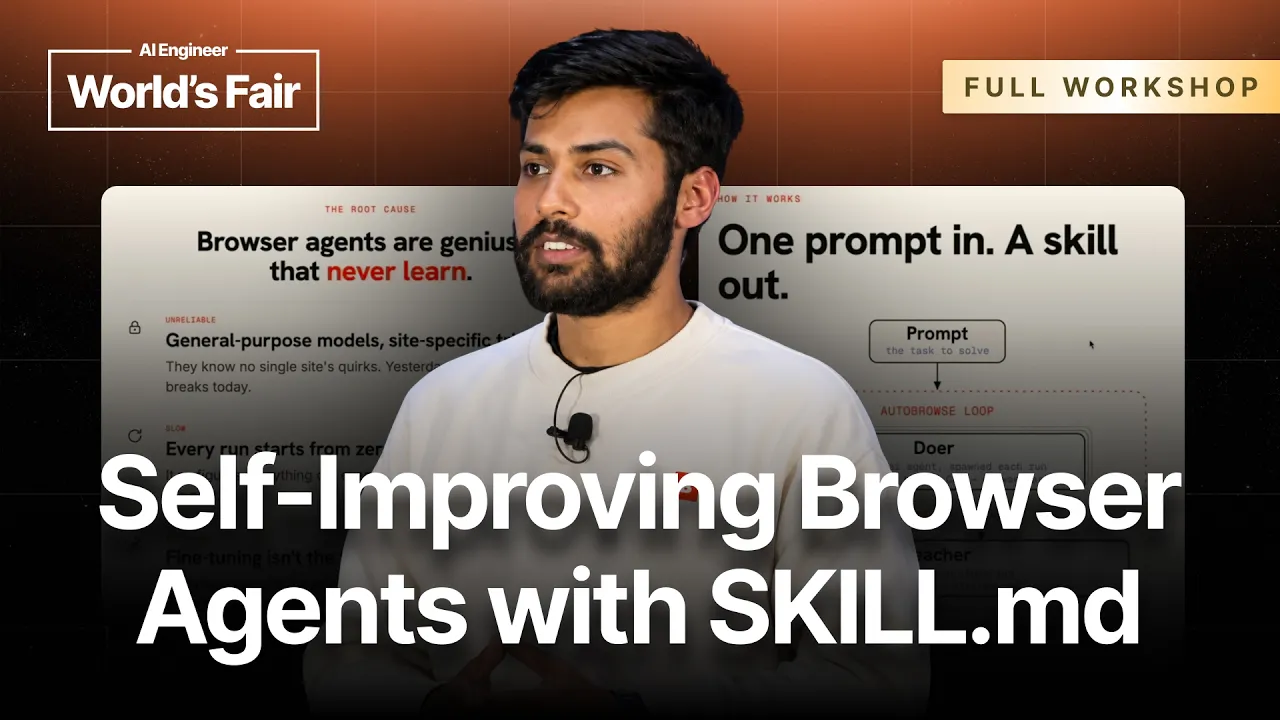
AI Engineer
Persistent strategy files enable agents to learn from execution traces, slashing operating costs and bypassing anti-bot defenses without retraining model weights.
AI-assisted summary of Hill-Climbing Skills: Improve Agents Without Changing the Model — Shubhankar Srivastava, Browserbase — original source. Check the original for full context.
Source published:
Key ideas
- Browserbase introduced AutoBrowse, an architecture pairing a 'doer' agent with a 'teacher' agent that inspects run traces and updates an external strategy file, enabling agents to hill-climb and learn without retraining model weights. (6:17)
- Persisting execution lessons across runs achieved 3x to 16x cost reductions across production tasks, such as dropping a Google Flights search from $12 to $3 and an OpenTable reservation from $6.22 to $0.51. (11:26)
- Porting the AutoBrowse loop to non-browser domains such as coding or deep research requires two fundamental prerequisites: a fully replayable environment and a verifiable outcome. (20:28)
- Graduated browsing skills are stored as portable Markdown files decoupled from vendor tooling, allowing direct execution inside alternative harnesses like Anthropic's Claude Code CLI. (45:19)
Detailed notes
## Background Published on YouTube by AI Engineer on October 11, 2026, this talk features Shubhankar Srivastava of Browserbase presenting in the final workshop session of the day. The presentation covers how browser agents can improve reliability without modifying model weights by using an AutoBrowse loop—pairing a browser-driving doer agent with a reflective teacher agent that extracts lessons into strategy files and graduates them into reusable skills.
## TL;DR Srivastava introduces an iterative hill-climbing framework inspired by Andrej Karpathy's auto-research loop to overcome the reliability bottlenecks of browser agents. By pairing a doer agent executing browser actions with a teacher agent reviewing traces and screenshots, the system captures selectors, URL shortcuts, and anti-bot workarounds into persistent strategy files rather than starting every task from scratch. Demonstrations across Google Flights, OpenTable, and conference agendas illustrate cost reductions between 3x and 16x and show how accumulated knowledge stabilizes into portable, reusable markdown skills. The session also addresses the prerequisites for extending the framework to other domains, managing website drift via automated repair loops, and deploying layered security controls against prompt injection.
## Atmosphere & style The workshop has the energetic, pragmatic vibe of an experienced practitioner demystifying the messy edge cases of autonomous browser automation. Srivastava delivers an engaging, conversational presentation characterized by candid commentary on agent blunders, transparent live demos where intermediate runs bounce between success and failure, and enthusiastic audience banter over Slido. It feels like an open-ended engineering post-mortem combined with a live hacking session, emphasizing the iterative grind required to turn fragile web agents into hardened production tools.
## Bulletin - [06:17](https://www.youtube.com/watch?v=p7gaxmCUiIU&t=377s) Browserbase introduced AutoBrowse, an architecture pairing a 'doer' agent with a 'teacher' agent that inspects run traces and updates an external strategy file, enabling agents to hill-climb and learn without retraining model weights. - [11:26](https://www.youtube.com/watch?v=p7gaxmCUiIU&t=686s) Persisting execution lessons across runs achieved 3x to 16x cost reductions across production tasks, such as dropping a Google Flights search from $12 to $3 and an OpenTable reservation from $6.22 to $0.51. - [20:28](https://www.youtube.com/watch?v=p7gaxmCUiIU&t=1228s) Porting the AutoBrowse loop to non-browser domains such as coding or deep research requires two fundamental prerequisites: a fully replayable environment and a verifiable outcome. - [45:19](https://www.youtube.com/watch?v=p7gaxmCUiIU&t=2719s) Graduated browsing skills are stored as portable Markdown files decoupled from vendor tooling, allowing direct execution inside alternative harnesses like Anthropic's Claude Code CLI.
## Key takeaways - [02:41](https://www.youtube.com/watch?v=p7gaxmCUiIU&t=161s) Production browser agent failures stem from an amnesia problem: agents start from scratch every run without episodic memory to learn from execution traces. - [06:17](https://www.youtube.com/watch?v=p7gaxmCUiIU&t=377s) The AutoBrowse architecture pairs a doer agent executing browser commands with a teacher agent that evaluates traces and writes lessons into an evolving strategy.md file. - [07:13](https://www.youtube.com/watch?v=p7gaxmCUiIU&t=433s) Embracing Rich Sutton's 'Bitter Lesson,' the system allows iterative compute and trial-and-error to discover unintuitive shortcuts, such as encoding search parameters directly into URLs. - [13:06](https://www.youtube.com/watch?v=p7gaxmCUiIU&t=786s) Autonomous trial-and-error can uncover environmental workarounds, such as appending specific query parameters to bypass OpenTable's anti-bot 'Access Denied' barriers. - [11:13](https://www.youtube.com/watch?v=p7gaxmCUiIU&t=673s) Once performance stabilizes, accumulated strategy files graduate into permanent, reusable skill files that eliminate exploratory costs in production runs. - [15:48](https://www.youtube.com/watch?v=p7gaxmCUiIU&t=948s) AutoBrowse workflows amortize generation costs—typically between $30 and $40 per skill—across thousands of production runs, yielding consistent 3x to 16x operational savings. - [20:28](https://www.youtube.com/watch?v=p7gaxmCUiIU&t=1228s) Extending hill-climbing architectures to other domains requires a replayable, grindable environment that can easily reset state, alongside a quantifiable verification metric. - [26:52](https://www.youtube.com/watch?v=p7gaxmCUiIU&t=1612s) Running a cheaper model like Claude 3.5 Sonnet over more iterations often matches or exceeds the quality of fewer Opus runs at a lower total generation cost. - [42:38](https://www.youtube.com/watch?v=p7gaxmCUiIU&t=2558s) Solving anti-bot barriers and CAPTCHAs natively at the custom Chromium binary layer avoids burdening LLM token budgets or reasoning cycles. - [39:26](https://www.youtube.com/watch?v=p7gaxmCUiIU&t=2366s) Teacher agents can be configured for diverse objectives, including optimizing pure reliability, minimizing turn counts, or discovering raw HTTP endpoints to bypass DOM interaction entirely. - [37:54](https://www.youtube.com/watch?v=p7gaxmCUiIU&t=2274s) Website drift is handled through hybrid maintenance: lightweight health checks monitor critical paths, while production failures trigger automated repair loops that open pull requests. - [45:19](https://www.youtube.com/watch?v=p7gaxmCUiIU&t=2719s) Graduated skills export as human-readable Markdown files detailing navigation rules and selectors, making them completely vendor-agnostic and runnable in any agent framework. - [47:30](https://www.youtube.com/watch?v=p7gaxmCUiIU&t=2850s) Defending browser agents against prompt injection requires layered controls: pre-harness query validation, automated skill security reviews, and infrastructure-level network sandboxing.
## Detailed walkthrough ### [00:00](https://www.youtube.com/watch?v=p7gaxmCUiIU&t=0s) Improving Browser Agents Without Changing Model Weights
Opening the final workshop of the day, Shubhankar Srivastava introduces the core thesis of his presentation: improving autonomous agents without modifying underlying model weights or retraining models. Shubhankar, who works on the sales engineering team at Browserbase, spends his day-to-day helping enterprise customers build and deploy browser agents in production environments. Before diving into technical mechanics, he gauges the room with a quick show of hands to see how many attendees are familiar with browser agents or have actively built them using available tooling.
To establish common ground, Shubhankar defines a browser agent simply as an autonomous agent that uses a web browser as an execution tool. Rather than interacting purely through text completions, the agent drives browser actions through an interface—whether a Command Line Interface (CLI), the Model Context Protocol (MCP), or programmatic scripts. Through these control hooks, the agent issues low-level commands such as clicking a specific button, triggering a page refresh, capturing screenshots, or taking snapshots of the site's accessibility tree. Browserbase acts as the underlying cloud infrastructure platform for these workflows, providing the remote browser environments, SDKs, CLIs, and execution skills necessary to run browser automation reliably at scale.
- **Speaker Role:** Shubhankar Srivastava, Sales Engineering at Browserbase. - **Audience Context:** Final workshop session of the conference day, featuring an interactive Slido QR code for live audience Q&A. - **Core Technology Stack:** Browser automation tools, MCP connectors, low-level browser CLIs, and Browserbase remote browsing infrastructure.
---
[02:41](https://www.youtube.com/watch?v=p7gaxmCUiIU&t=161s) The Reliability Crisis: Geniuses That Never Learn
Moving to the central pain point of modern web automation, Shubhankar highlights that reliability remains the single biggest hurdle preventing browser agents from succeeding in production. Developers routinely see agents get stuck in infinite interaction loops, trigger anti-bot or CAPTCHA challenges, drop context mid-task, or simply exhibit "laziness" by giving up before reaching the goal. While recent foundation models like Claude Opus demonstrate immense raw intelligence, Shubhankar emphasizes that making them dependable cannot be solved by model intelligence alone; it requires robust scaffolding, tooling, and execution skills around the model.
To illustrate how fragile agents are today, Shubhankar walks through two common failure modes. In one example, an agent navigating Google Flights attempts to adjust flight departure times using a slider element. Because dragging a physical slider requires precise coordinate targeting or specific JavaScript drag events, the agent becomes utterly confused, fails to isolate the underlying HTML elements, and ultimately abandons the booking. In another scenario, an agent attempting to reserve a date night dinner on OpenTable crashes headfirst into an anti-bot "Access Denied" barrier.
When diagnosing the root cause, Shubhankar argues that the fundamental flaw is that agents possess no episodic memory or persistence across attempts. Fine-tuning models on specific sites like OpenTable is inherently unscalable because websites change constantly and new tasks emerge continuously. Instead, agents must be given a mechanism to learn directly from their production execution traces.
> "Essentially, there's no learning happening. Every agent run is a start from scratch run and it's not learning from its production traces." — Shubhankar Srivastava
- **Google Flights Breakdown:** Drag-and-drop time filters confuse computer-use agents that rely on standard click/type primitives. - **OpenTable Breakdown:** Common anti-bot defenses instantly block generic headless browser sessions and naive agent scripts. - **Core Diagnosis:** Agents act as "geniuses that never learn" because every single execution starts completely from zero.
---
[06:17](https://www.youtube.com/watch?v=p7gaxmCUiIU&t=377s) The AutoBrowse Architecture: Doer and Teacher Agents
To solve this amnesia problem without model fine-tuning, Shubhankar draws inspiration from Andrej Karpathy's "auto-research" loop concept—an autonomous experimentation framework that repeatedly tackles verifiable problems, inspects execution traces, and hill-climbs toward better performance. Adapting this concept to web navigation yielded the "AutoBrowse" architecture, built using two paired Claude Agent SDK agents: a "doer" agent and a "teacher" agent.
```mermaid flowchart TD accTitle: AutoBrowse Dual-Agent Hill-Climbing Architecture accDescr: The doer executes browser actions, while the teacher evaluates execution logs and writes updated instructions into a strategy file for the next iteration.
subgraph Execution ["Execution Stage"] A["Doer Agent (Claude SDK)"] -->|"Drives Browser via CLI"| B["Remote Browser (Browserbase)"] B -->|"Produces Screenshots & Logs"| C["Execution Traces"] end
subgraph Evaluation ["Evaluation & Learning Stage"] C -->|"Analyzes Failures & Hits"| D["Teacher Agent (Claude SDK)"] D -->|"Writes Lessons & Selectors"| E["strategy.md"] E -->|"Supplies Prior Context"| A end
subgraph Graduation ["Final Output"] E -.->|"Converges on Max Tricks"| F["skill.md (Reusable Skill)"] end ```
The doer agent's sole responsibility is driving the browser via the Browse CLI, issuing page interactions, clicking elements, and capturing accessibility trees and screenshots. Once the doer completes or fails an attempt, the teacher agent analyzes the resulting logs, screenshots, and reasoning traces to diagnose what worked and what stalled. Crucially, the system does not impose arbitrary constraints such as strict loop counts, token caps, or hardcoded timeouts; it embraces Rich Sutton's "Bitter Lesson" by allowing compute and iterative trial-and-error to discover optimal paths.
The bridge connecting individual runs is an evolving Markdown file titled `strategy.md`. When the teacher spots an error—such as an agent fruitlessly clicking an inaccessible calendar widget—it writes specific instructions and site-specific insights into `strategy.md`. The subsequent attempt begins with this document loaded directly into context, ensuring the next agent starts with cumulative operational knowledge rather than a blank slate.
> "After every iteration, the teacher thinks about what happened, looks at the screenshot, looks at the logs, and then thinks, 'Oh, you did not click on this button. You should actually click on this button instead, and it puts that in the strategy.md file.'" — Shubhankar Srivastava
---
[07:13](https://www.youtube.com/watch?v=p7gaxmCUiIU&t=433s) Live Demonstration: Discovering URL Shortcuts on Google Flights
Shubhankar launches a live demonstration of AutoBrowse in action. He supplies the system with a multi-constraint prompt: navigate to Google Flights and find a morning business class flight from San Francisco (SFO) to New York (NYC) for the upcoming Saturday, traveling with one carry-on bag. A remote Browserbase cloud session spins up on screen, with real-time reasoning traces showing the doer agent attempting to click through individual form controls and apply the business class dropdown filter.
During the first iteration, the agent stumbles and fails to execute the sequence efficiently. However, the teacher agent reviews the trace and uncovers a non-obvious shortcut: instead of clicking through fragile interactive calendar widgets and form fields, Google Flights encodes flight parameters directly into URL query strings. For iteration two, the teacher instructs the doer to bypass form navigation entirely and construct a direct query parameter URL. Shubhankar points out that while URL manipulation seems obvious in hindsight, human scriptwriters rarely take the time to map out full URL schemas manually.
As the loop continues through subsequent iterations, the teacher refines interactions, JavaScript snippets, and selector strategies until performance converges. Once the strategy stabilizes, the accumulated knowledge in `strategy.md` graduates into a permanent, reusable `skill.md` file. This finalized skill artifact serves as an optimized, deterministic blueprint that future production agents can execute immediately without repeating the trial-and-error discovery phase.
> "The agent was smart enough in this instance to think, oh, I'm wasting so many tokens and I'm wasting so much time clicking around where I could just use Google Flight's query parameter." — Shubhankar Srivastava
- **Live Flight Query:** SFO to NYC, upcoming Saturday departure, business class cabin, morning departure window, 1 carry-on bag. - **Iteration 1 Insight:** Scraping and clicking date pickers wastes excessive tokens and execution time; constructing URL query parameters directly avoids fragile UI elements entirely. - **End Product:** Conversion of `strategy.md` into `skill.md`, packaging verified selectors, navigation shortcuts, and custom JavaScript workarounds for future agents.
[11:26](https://www.youtube.com/watch?v=p7gaxmCUiIU&t=686s) Persisting Browser Tricks in the Strategy File
Shubhankar Srivastava details the concrete instructions that start accumulating in the strategy file after an agent runs into friction. Instead of wasting tokens and turns, the file explicitly encodes tactical workarounds: mandatory pre-filled URLs so the agent avoids clicking through calendar UI elements, warnings about known calendar reopen bugs, and instructions to inject JavaScript directly to drag a time-slider rather than attempting clumsy mouse-drag operations. By persisting these lessons across runs, future iterations avoid starting from scratch, resulting in massive gains in execution speed, reliability, and cost.
Returning to the live flight search run, Shubhankar notes that iteration two passed successfully. A real-time chart generated during the execution shows an immediate 4x drop in cost: while the initial baseline attempt cost $12, iteration two dropped to $3, despite running heavyweight Claude 3 Opus models for both the doer and the teacher. Iteration three arrives shortly after, showing fewer turns and lower latency, but it registers a failure due to an overcorrection. Shubhankar explains that this bounce is normal—iteration four is expected to ingest the failure, adjust the rules, and stabilize.
- **Persisted Tactical Lessons**: - Require pre-filled URLs instead of clicking calendar buttons. - Avoid known calendar reopen bugs. - Use JavaScript injection instead of mouse actions to move time-slider handles. - **Iteration Economics**: Cost fell from $12 in run 1 to $3 in run 2 (a 4x cost reduction) while using Claude 3 Opus for both the doer and teacher agents.
```mermaid flowchart TD accTitle: Strategy File Iteration Loop accDescr: The cycle of doer execution, trace evaluation by teacher, strategy updates, and cost reductions.
subgraph Execution["Execution Loop"] D["Doer Agent (Opus)"] -->|"Runs browser tasks"| T["Traces & Screenshots"] T -->|"Analyzed by"| TE["Teacher Agent (Opus)"] TE -->|"Writes tactics & fixes"| S["Strategy File"] S -->|"Guides next run"| D end
subgraph Metrics["Performance Trajectory"] M1["Run 1: $12 (Baseline)"] --> M2["Run 2: $3 (4x Savings)"] M2 --> M3["Run 3: Overcorrection Failure"] M3 --> M4["Run 4: Self-Correction"] end
S -.-> Metrics ```
---
[13:06](https://www.youtube.com/watch?v=p7gaxmCUiIU&t=786s) Conference Schedules and Circumventing OpenTable Blocks
Shubhankar walks through earlier test runs conducted prior to the presentation to show how the loop operates on varied web targets. In one example, the agent was tasked with navigating the AI Engineer conference schedule to identify talks and workshops discussing "hill climbing." Across successive iterations, replays captured via Browserbase showed cost improvements between 4x and 7.4x, even though every single run passed. The resulting skill distilled precise navigational rules: navigate directly to `/schedule`, do not retry blindly on errors, insert search keywords into the session filter input, add explicit brief waits to let dynamic content render, and parse the resulting session cards.
He then presents a more striking run on OpenTable, which initially threw an immediate `Access Denied` blocker on turn one. The teacher agent diagnosed that the block was an environmental anti-bot measure triggered by visiting certain route structures. By iteration two, the agent uncovered a URL shortcut: passing explicit query parameters (including latitude, longitude, and metro IDs) completely bypassed the bot-detection gates. The strategy codified explicit negative rules: never navigate directly to `/r` (which triggers access denied) and do not reload `/s`. Running with these parameters dropped task latency from 189 seconds down to 27 seconds, and reduced cost from $6.22 to just $0.51.
Reflecting on how the model bypassed defensive web infrastructure through trial and error, Shubhankar remarks: “Now these are the kind of learnings where a human could never have done but you just sort of embrace the bitter lesson and a let agents do the job and they will find these tricks for you.”
- **Conference Schedule Task**: Achieved up to 7.4x cost reductions across runs by learning to bypass homepages, wait for dynamic card hydration, and inject search keywords directly into session filters. - **OpenTable Bot Evasion**: - Initial error: Immediate `Access Denied` on turn one. - Workaround: Construct targeted search URLs using explicit query parameters (`latitude`, `longitude`, `metroId`). - Strict negative constraints: Never call `/r` or reload `/s`. - Efficiency delta: Execution time dropped from 189s to 27s; task cost plunged from $6.22 to $0.51.
---
[15:48](https://www.youtube.com/watch?v=p7gaxmCUiIU&t=948s) Production Reliability, Graduation, and the browse.sh Catalog
Shubhankar highlights that browser reliability is the primary roadblock for enterprise deployments. From a sales perspective, customers will not buy until an agent executes deterministically in production. Across client workloads, the AutoResearch loop routinely drives cost reductions ranging from 3x to 16x. Returning to the live flight demo, the teacher marks the skill as fully graduated. The agent runs end-to-end without further exploration, retrieving the requested one-way business class flight from San Francisco to New York for July 4th (8:00 AM departure, $649, with carry-on included). Shubhankar describes seeing the agent reverse-engineer complex web workflows as an absolute turning point: “When I first started looking at the the results here this was like my moment of like this is the mythos moment for browser agents you know like just reverse engineering the hell out of things.”
Instead of having human engineers spend hundreds of hours manually scripting interactions and scraping logic for individual targets, customers are embedding these loops into automated CI/CD pipelines. When production websites change and an agent breaks, self-healing loops trigger automatically, generate patches, and open pull requests against the skill repository.
To scale this beyond bespoke scripts, Shubhankar introduces `browse.sh` alongside an open-source `browse` CLI. Framing it as the modern “Yellow Pages for browser agents,” Browserbase has run these training loops across hundreds of popular web domains (such as Amazon, AllTrails, and Weather.gov), absorbing all model token costs so engineers can pull pre-baked skills directly into their agent architectures. Users can also enter any URL or workflow into browse.sh to asynchronously generate and receive a custom skill via email.
- **Customer ROI**: Production workloads consistently exhibit 3x to 16x reductions in execution cost once skills converge. - **Automated Skill Maintenance**: Broken production tasks trigger self-healing loops that patch skills and open automated pull requests without developer intervention. - **browse.sh Platform**: A public catalog of pre-trained web execution skills, accessible through the `browse` CLI or an online skill generator.
---
[20:28](https://www.youtube.com/watch?v=p7gaxmCUiIU&t=1228s) Extending Hill-Climbing to Coding, Research, and Verifiable Domains
Shubhankar argues that the pattern of persisting execution strategies across iterations applies far beyond web browsers. He points to common friction points in other agent domains: - **Coding Agents**: Frequently waste context and cycles relearning repository layouts, project conventions, and linting rules on every interaction instead of updating persistent instruction files like `AGENTS.md` or `CLAUDE.md`. - **Deep Research Agents**: Internal research agents repeatedly re-discover sources, pulling from Wikipedia while ignoring required company-preferred databases because they fail to retain navigational traces from previous runs. - **Internal Ops**: Enterprise workflows navigate internal dashboards and databases blindly because agents lack persistent memory of which tools or endpoints are functional and preferred.
He emphasizes that successfully porting the AutoBrowse methodology to any other domain relies strictly on two non-negotiable architectural requirements: 1. **A Replayable Environment**: A sandbox or runtime that can be reset and run repeatedly across multiple attempts. 2. **A Verifiable Outcome**: A quantifiable metric or deterministic signal that confirms whether an iteration succeeded or failed.
An audience member asks how an operator can trust that the AutoResearch loop is genuinely converging on valid behavior rather than hallucinating success. Shubhankar acknowledges the challenge of verification outside of pure machine learning research: “For Karpathy, it was quite easy because he was looking at the log loss of the experiment when he was training neural networks. Right? So it's very easy to see whether your log loss is going down or up.” In non-deterministic environments like web navigation, establishing reliable ground-truth verifiers is the central design problem.
[23:20](https://www.youtube.com/watch?v=p7gaxmCUiIU&t=1400s) Loop Design, Failure Resiliency, and Grindable Environments
Shubhankar Srivastava begins by contrasting simple optimization targets with the realities of web automation. In synthetic benchmarks or clean machine-learning runs, tracking whether loss has decreased is mathematically straightforward. In the messy world of browser agents, success criteria are rarely clean binary flags: knowing whether a flight ticket was successfully purchased might be clear-cut, but determining whether an agent found the "best flight options" is inherently fuzzy and subjective.
Addressing an audience question about whether a single mistake during the autoresearch loop could derail the entire optimization run, Shubhankar explains that non-monotonic progress is completely normal. Even after an agent achieves a successful run, subsequent iterations can and do fail. The secret lies in designing a resilient loop harness that does not overindex on transient mistakes or suffer from the machine-learning equivalent of exploding gradients. Borrowing an insight from Andrej Karpathy, Shubhankar notes that auto-research can be applied recursively: one can perform auto-research on the auto-research architectures themselves to discover whether a doer-teacher pair, a broader multi-agent harness, or an alternative setup works best across different problem domains.
```mermaid flowchart TD accTitle: Resilient AutoBrowse Optimization Loop accDescr: The loop alternates between a Doer agent operating in the environment and a Teacher agent extracting learnings to update strategy files. subgraph Run["Execution Phase"] A["Doer Agent"] -->|"interacts via browser"| B["Replayable Environment"] B -->|"produces logs, snapshots & traces"| C["Run Results & Failures"] end subgraph Learn["Refinement Phase"] C -->|"inspects traces"| D["Teacher Agent"] D -->|"extracts lessons / ignores blips"| E["strategy.mmd / SKILL.md"] E -->|"seeds next run"| A end ```
Beyond quantifiable metrics and verifiable outcomes, Shubhankar highlights a frequently overlooked ingredient: creating a "grindable" and replayable environment. Citing an idea discussed with Darko, he emphasizes that agents must be able to fail repeatedly and grind through iterations to fix themselves. Coding agents have a natural advantage because they can effortlessly snapshot state and replay execution using Docker containers or clean Amazon EC2 instances. Knowledge work, by contrast, is plagued by messy human-in-the-loop dependencies that make rewinding to an exact point in time difficult.
- Verifiable outcomes and quantifiable metrics are foundational, but an environment that cannot be reset easily cripples iteration. - Coding tasks excel because environments can be checkpointed and restored from a specific Docker image or EC2 state. - In domains where automated resets are hard, investing heavily into the replay environment yields massive returns for agent self-correction.
> “If your agent cannot grind through failures, it will be difficult for it to go for multiple iterations and fix itself.” — Shubhankar Srivastava
---
[26:52](https://www.youtube.com/watch?v=p7gaxmCUiIU&t=1612s) Open-Source Artifacts, Convergence Costs, and Browserbase Infrastructure
Transitioning to practical tooling, Shubhankar shares QR codes linking to the public AutoBrowse GitHub repository and the reusable skill definition on skills.sh. Using Claude Code or Codex, developers can invoke `/auto browse` directly, configure the models (such as running Claude 3.5 Sonnet or Opus 4.8 across the teacher and doer roles), and generate a browser skill automatically.
Addressing audience questions on Slido regarding how to optimize for convergence and manage iteration expenses, Shubhankar reframes the economics of LLM evaluation. While developers often worry that long iterative loops will become prohibitively expensive, empirical testing shows that running a cheaper model like Claude 3.5 Sonnet over more iterations often achieves the same final quality as a smaller number of expensive Opus runs, while remaining cheaper overall. A typical complex AutoBrowse generation run costs between $30 and $40, reaching $100 only in extreme edge cases—an upfront cost amortized over thousands of reliable production executions.
When asked how the concept transitioned from Karpathy’s autoresearch into AutoBrowse, Shubhankar recalls his experience working with Browserbase customers:
> “The way I solve it for them is I go into their office, I sit with them very forward-deployed, and I try to sort of just brute force and reverse engineer this. This is what I do. So I am the teacher agent. Can you automate me out of the process and create a loop borrowing from Karpathy and build the same thing?” — Shubhankar Srivastava
He adds that infrastructure directly dictates agent success in adversarial environments. Running on Browserbase enables agents to log into authenticated services, persist session cookies across runs, and integrate residential IP proxies to bypass CAPTCHAs and anti-bot protections without forcing the agent to solve login flows on every single attempt.
- AutoBrowse repository and skills are available via GitHub and skills.sh for Claude Code/Codex integration. - Cost tradeoffs show that running Claude 3.5 Sonnet across higher iteration counts often outperforms fewer runs of Opus at a lower total cost. - Complete AutoBrowse loops generally cost between $30 and $40 (capping around $100 for very intricate workflows), amortized over production usage. - Browserbase platform capabilities—session persistence, saved cookies, and residential proxy pools—shield the agent from repeated authentication friction and anti-bot defenses.
---
[30:56](https://www.youtube.com/watch?v=p7gaxmCUiIU&t=1856s) Code Anatomy: Evaluating Traces and Stepping Through Strategy Files
Shubhankar dives into the codebase, walking through `evaluate.mjs` to demonstrate how the teacher-doer iteration functions step-by-step. The process is strictly sequential: the doer runs a browsing session, after which the teacher analyzes the execution logs, UI snapshots, and interaction traces to write fresh learnings into a persistent `strategy.mmd` file.
Examining a real Google Flights execution run, Shubhankar points out the progressive refinements captured by the teacher: 1. **Iteration 1:** Discovers initial page mechanics and baseline search flow. 2. **Iteration 2:** Explicitly notes that dates must follow a strict ISO format. 3. **Iteration 3:** Flags that the agent wasted three unnecessary turns opening a bare page, reading the current date, and manually clicking the UI calendar, instructing the doer's executor to compute target dates programmatically instead.
He then pulls up an OpenTable reservation task targeting "The Big B's" restaurant. At turn one, the doer issues a `browse_open` command. At turn two, it executes `browse_snapshot`, which dumps the accessibility tree rather than raw HTML. Shubhankar explains that while this machine-readable accessibility tree looks like dense code to a human, the teacher agent ingests it alongside step-by-step screenshots, determines what went right or wrong, and outputs a clean markdown summary that updates `strategy.mmd`.
```mermaid flowchart LR accTitle: OpenTable Trace Analysis Pipeline accDescr: Step-by-step trace capture where browser actions produce accessibility trees and screenshots that feed into teacher summaries. subgraph Browser["Browser Turn Execution"] T1["Turn 1: browse_open"] --> T2["Turn 2: browse_snapshot"] T2 --> OUT["Accessibility Tree & Screenshot"] end subgraph Analysis["Teacher Synthesis"] OUT --> TRACE["evaluate.mjs Trace Evaluator"] TRACE --> SUM["Iteration Summary"] SUM --> MMD["strategy.mmd Update"] end ```
- `evaluate.mjs` drives the core loop, alternating between doer execution and teacher critique. - Traces capture granular accessibility trees (`browse_snapshot`) and screenshots rather than unstructured DOM dumps. - `strategy.mmd` functions as the persistent memory, accumulating step-by-step execution rules derived from past turn failures.
---
[33:54](https://www.youtube.com/watch?v=p7gaxmCUiIU&t=2034s) Task-Specific vs. Universal Skills and the Role of Harness Engineering
An audience member asks whether practitioners should build fine-grained, dedicated skills for individual tasks or attempt to train a single, monolithic, general-purpose browser skill. Shubhankar argues that agent reliability is fundamentally a software harness engineering problem rather than a model constraint. Whether one chooses specialized skills or a universal skill depends on user requirements and rigorous evaluation across candidate strategies.
To illustrate, Shubhankar uses the challenge of booking a dinner date. A developer could build separate, highly optimized skills for OpenTable, Resy, and Google Reservations. A well-engineered harness can interpret the high-level intent, dynamically summon all three platform skills, and orchestrate them to secure the best reservation:
> “The harness should be able to figure out which tools to use to get the job done. That’s like how I would go about it: figure out what are the most common use cases that your customers have, for those use cases what’s the best skill files, prompts, tools... and eval across all of these strategies and let the harness figure it out.” — Shubhankar Srivastava
When an audience member points out the philosophical parallel between this automated prompt-and-skill refinement loop and Stanford's DSPy framework, Shubhankar agrees enthusiastically. He observes that early declarative optimization frameworks like DSPy were years ahead of their time in treating prompt compilation and harness optimization as structured engineering disciplines.
- Reliability stems from harness architecture and evaluation rather than solely relying on larger foundation models. - Harnesses can dynamically compose narrow, high-reliability domain skills (e.g., OpenTable + Resy) to execute complex, ambiguous user goals (e.g., planning a date night). - The AutoBrowse iterative skill compilation approach shares foundational principles with early algorithmic prompt optimization frameworks like DSPy.
[36:15](https://www.youtube.com/watch?v=p7gaxmCUiIU&t=2175s) Verifiers, Skill Storage, and Cloud Deployment
Addressing questions around evaluation and optimization frameworks like DSPy, Shubhankar Srivastava highlights Browserbase’s ongoing research partnerships, including collaborative work with Microsoft on designing the right verifiers for autonomous agents. While running initial evaluations is often straightforward, teams quickly hit a meta-level dilemma regarding evaluation reliability and labor costs. To address this, Browserbase co-authored research exploring whether expensive human verification can be substituted with robust, automated verifier agents without compromising benchmark quality. Srivastava offers to link these research papers in the project's GitHub repository for practitioners looking to formalize their validation pipelines.
```mermaid flowchart LR accTitle: Skill Storage and Deployment Flow accDescr: Pipeline showing local markdown skill files deploying to production agent loops or Vercel Blob storage for browse.sh. subgraph Storage ["Storage Layer"] A["Local /skills Folder"] --> B["Vercel Blob Storage (browse.sh)"] end subgraph Consumption ["Agent Execution"] B --> C["On-Demand Agent Retrieval"] A --> D["Production Agent Loop"] end ```
Moving to how generated browsing skills are stored and served at scale, Srivastava shares his screen to show his local development setup. In the repository, each skill is represented as an individual Markdown file within a local directory—including a recipe searcher he built the evening before when planning dinner. For production systems, these files can be checked directly into version control and baked into the agent loop. In public multi-tenant environments like Browserbase's `browse.sh` catalog, the skills are stored in Vercel Blob storage, allowing agents to retrieve and invoke specialized site procedures on demand over the cloud.
- Running evaluations appears simple until teams face the recursion problem: “I think running evals is straightforward until you start questioning okay how should I eval my eval right like do I need to put all these humans to verify all these runs or is there a good verifier that I can build here and all of that uses the learnings from these papers as well.” - Browserbase published joint research with Microsoft exploring automated agent verification methodologies. - The reference AutoBrowse repository persists generated skills as plain Markdown files in a local `/skills` directory. - Production and public deployments (such as `browse.sh`) host skill files on Vercel Blob storage for dynamic, on-demand agent consumption.
[37:54](https://www.youtube.com/watch?v=p7gaxmCUiIU&t=2274s) Website Drift and Failure-Triggered Repair Loops
An audience member asks how teams can monitor websites that update their markup or layouts frequently and keep existing browsing skills from breaking. Srivastava explains that continuously running the full auto-research loop on a daily cron schedule burns an unnecessary amount of tokens on sites that have not changed. Instead, the preferred production strategy relies on reactive self-healing triggered directly by runtime errors. When an agent experiences an execution failure in production, the failure event automatically initiates an AutoBrowse research loop to diagnose the UI drift, regenerate the strategy, and open a pull request with the updated skill for human review.
For teams requiring tighter guarantees, Srivastava describes a hybrid schedule where lightweight sample runs execute every two or three hours to test skill integrity without full retraining. Deciding between proactive cron jobs and reactive repair loops comes down to cost and accuracy trade-offs. Working directly with enterprise customers on this problem, Srivastava points out that real-world engineering constraints vary wildly: some organizations refuse to pay for continuous 100% synthetic uptime checks when an occasional failure-driven patch delivers a ten-fold reduction in operational costs.
- The optimal maintenance model balances proactive checks against reactive healing: “The current working theory that we have right now is you don't want to waste tokens running auto research every day.” - When an agent encounters an unrecoverable failure in production, it triggers an AutoBrowse loop that generates a pull request containing the updated skill for an engineer to approve. - Periodic health checks (e.g., executing test runs every two to three hours) offer an intermediate trade-off between constant polling and purely reactive repairs. - Enterprise priorities often diverge from benchmark goals; many production teams prefer a 10x cost reduction over maintaining 100% continuous validation accuracy across every workflow.
[39:26](https://www.youtube.com/watch?v=p7gaxmCUiIU&t=2366s) Optimization Objectives and WebMCP Programmability
When asked about the criteria the teacher agent uses beyond basic task completion, Srivastava emphasizes that the auto-research loop's objective function is completely configurable. While some implementations stop as soon as a task succeeds, production teams frequently optimize for latency or context efficiency. In latency-sensitive real-time applications, the loop aggressively prunes navigational overhead. In fact, Srivastava notes that teacher agents sometimes discover they do not need browser automation at all: the doer reverse-engineers the site's internal network requests, allowing the final skill to fire raw HTTP API calls directly and complete the task in under 500 milliseconds.
```mermaid flowchart TD accTitle: AutoBrowse Optimization Modes accDescr: Three paths of optimization an AutoBrowse teacher agent can target: pure reliability, execution speed, or minimal context turns. A["AutoBrowse Objective"] --> B["Pure Reliability"] A --> C["Latency Reduction"] A --> D["Context Efficiency"] B --> E["Iterate until stable success regardless of cost"] C --> F["Bypass DOM: Reverse-engineer backend API (500ms)"] D --> G["Minimize conversational turns & token footprint"] ```
Srivastava addresses whether the loop can leverage emerging browser standards like WebMCP (Web Model Context Protocol), a mechanism recently integrated into Google Chrome that lets websites expose programmable actions—such as booking interfaces—directly to agents. Browserbase recently added WebMCP support to its SDKs and published tools for webmasters, though broad consumer site adoption remains early. When evaluating task success, Srivastava relies on crisp binary outcomes (such as finding the cheapest Google Flights itinerary or securing an OpenTable reservation) and avoids heavily engineered constraints.
- Teacher agents can discover shortcuts that circumvent browser rendering entirely: “What I've seen sometimes these auto research loops are so smart they realize that browsers are not needed at all and they just reverse engineer the API and they fire the API and that's the fastest that you'll ever get to.” - AutoBrowse optimization profiles include pure reliability (iterating until confident), context minimization (reducing interaction turns), and raw speed (reaching sub-second runtimes). - WebMCP standardizes browser-level programmability, allowing websites to expose native structured actions directly to browser agents. - Browserbase shipped WebMCP capabilities in its core SDK and built webmaster deployment tooling, though live web adoption remains in its infancy. - Adhering to the "Bitter Lesson," Srivastava prefers minimal guardrails and simple binary success evaluations over heavily hand-crafted heuristic rules.
[42:38](https://www.youtube.com/watch?v=p7gaxmCUiIU&t=2558s) Real-World Environments vs. Mocked Side Effects and CAPTCHAs
An audience question from Ravish asks whether Browserbase has considered offering a "verifier as a service" that mocks downstream side effects, such as completing checkout transactions on platforms like Amazon. Srivastava clarifies that while synthetic reinforcement learning environments (like mocked Salesforce or SAP instances) are popular for academic benchmarks, Browserbase intentionally avoids synthetic mocks in favor of interacting directly with live, production websites. By handling proxies, fingerprinting, and session infrastructure at scale, Browserbase focuses on providing agents with reliable access to the real web rather than simulated sandboxes.
Turning to security obstacles, Srivastava answers an inquiry about whether advanced edge challenges and CAPTCHAs (like Google reCAPTCHA) consume large token budgets or impede generated skills. He explains that CAPTCHA handling does not burden the agent's language model because it is resolved entirely at the infrastructure layer. Browserbase intercepts and solves these challenges natively within custom Chromium binaries, ensuring that agents and skills do not waste reasoning cycles or context tokens attempting to parse security puzzles visually.
- Browserbase prioritizes direct production execution over synthetic mocks: “We try to rely more on real world websites.” - While enterprise workflows on platforms like Salesforce and SAP are often trained in simulated sandboxes, Browserbase designs its stack to operate on live portals. - CAPTCHA handling requires zero LLM token consumption: “We don't really need to use an AI to solve a CAPTCHA. It's solved at the Chrome binary layer.” - Infrastructure-level interception solves bot challenges out of the box before DOM states are passed to the agent.
[45:19](https://www.youtube.com/watch?v=p7gaxmCUiIU&t=2719s) Evaluation Mechanics, Traces, and Skill Portability
Srivastava explains how the teacher evaluates the doer's performance across iterations. During every run, the system creates a dedicated iteration folder containing structured JSON trace logs. The teacher agent, powered by the Claude Agent SDK, reads these execution traces alongside the global system prompt and the active `strategy.md` file. By comparing the intended goal against the exact browser actions recorded in the trace, the teacher identifies points of failure or inefficiency and edits the strategy file to guide the subsequent iteration until the skill reaches a stable graduation threshold.
```mermaid flowchart LR accTitle: Teacher Evaluation and Skill Graduation Loop accDescr: The iterative feedback loop where doer traces inform teacher updates until graduating to an agnostic Markdown skill. subgraph Iteration ["Evaluation Cycle"] A["Doer Run Traces (JSON)"] --> B["Teacher Agent (Claude Agent SDK)"] B --> C["Update strategy.md"] C --> A end subgraph Output ["Graduation"] C -->|"Converged"| D["Universal Skill (.md)"] D --> E["Claude Code / Stagehand / Custom SDKs"] end ```
Responding to a live question regarding platform lock-in, Srivastava demonstrates that graduated skills are universally portable. Because a skill is simply a human-readable Markdown file detailing navigational steps, URL structures, and DOM strategies, it can run in any agent framework. He demonstrates running a skill inside Anthropic's Claude Code CLI to locate San Francisco events without relying on Browserbase or its Stagehand automation framework, underscoring that the output artifact remains independent of any specific infrastructure provider.
- The teacher refines execution strategies by analyzing structured run outputs: “It reads the traces, it has the system prompt, it has the previous strategy, and it comes up with a better strategy.” - Execution data is captured in per-iteration folders storing JSON traces that record every network call, DOM interaction, and error state. - Graduated skills are completely decoupled from Browserbase tooling: “It need not use Browserbase. It need not use Stagehand. It is essentially a skill. It is a portable artifact you can use in any agent or any SDK.” - Srivastava validated portability by feeding an exported skill directly to Claude Code to plan an itinerary for upcoming San Francisco events.
[47:30](https://www.youtube.com/watch?v=p7gaxmCUiIU&t=2850s) Layered Defenses Against Prompt Injection and Malicious Web Content
The session concludes with an in-depth discussion on defending browser agents against prompt injection attacks, where malicious websites embed hidden adversarial text designed to poison the auto-research loop or hijack production agents. Srivastava outlines a multi-tiered defense architecture that starts at the network perimeter. Browserbase enforces an infrastructure feature called Safe Mode, which restricts outgoing network traffic via firewalls, limits agents strictly to whitelisted domain boundaries, and restricts the types of actionable DOM events agents can execute on untrusted portals.
To counter subtler threats—such as an attacker embedding hidden prompt injection payloads inside a public Amazon product listing—Browserbase implements an automated audit phase for newly synthesized strategies. Before any skill is published to the public `browse.sh` registry, it must pass an independent security reviewer agent that inspects the generated Markdown for unexpected redirections, exfiltration attempts, or unsafe execution patterns. Srivastava strongly advises developers building consumer-facing automation to maintain comprehensive prompt injection guardrails around all inputs, untrusted page content, and output actions.
- Mitigating adversarial injection requires hardware and network controls before the model ever reads page content: “At the infrastructure layer, at the network firewall, we control things.” - Browserbase Safe Mode provides strict domain whitelisting, preventing agents from being lured to unauthorized third-party URLs. - Generated skill files undergo automated auditing by a security reviewer agent before being released into public catalogs. - Unstructured consumer portals (e.g., e-commerce marketplaces containing untrusted merchant text) represent high-risk attack surfaces that require strict input/output guardrails.
[49:05](https://www.youtube.com/watch?v=p7gaxmCUiIU&t=2945s) Layered Guardrails and the Threat Vector of the Open Web
Addressing the severe security hazards inherent in autonomous web browsing, Shubhankar emphasizes that protecting agents requires active collaboration with customers to implement robust guardrails before any instruction ever reaches the execution harness. He articulates a defense-in-depth model structured across three distinct tiers. The first defense sits at the entry point of the surface area, validating and sanitizing queries before they touch the agent. The second defense operates at the skill layer, ensuring that the synthesized strategy cannot be hijacked or tricked by adversarial text, hidden prompts, or untrusted DOM content encountered across arbitrary web pages. The third defense sits at the underlying infrastructure layer, imposing hard network restrictions and fine-grained action permissions.
At the infrastructure level, developers can establish granular privilege policies analogous to the approval mechanisms found in developer tools like Codex or Claude Code—such as setting operations to always allow, allow once, or require explicit confirmation for specific mutating actions. He notes that Browserbase offers this type of protection out of the box through Safe Mode, which prevents unconstrained access to sensitive vectors. Recognizing the open internet as an uniquely volatile operating environment, Shubhankar warns developers never to underestimate the attack surface of automated browsing: “I know browser is a crazy threat vector when you think about it like it has access to anything on the wild web.” He stresses that teams must treat this reality with the utmost urgency: “Uh and take that super seriously from a prompt injection POV.”
```mermaid flowchart TD accTitle: Three-Layer Browser Agent Security Architecture accDescr: Diagram showing user query entering input guardrails, passing to the skill layer, and executing under infrastructure sandbox controls. subgraph InputTier ["1. Surface Entry Tier"] Query["Incoming User Instruction"] --> PreHarness["Input Guardrails & Validation"] end subgraph SkillTier ["2. Skill Strategy Tier"] PreHarness --> SkillExec["Hardened Skill Instructions"] SkillExec --> DOMSanitize["Adversarial Prompt & DOM Shielding"] end subgraph InfraTier ["3. Infrastructure & Runtime Tier"] DOMSanitize --> SafeMode["Browserbase Safe Mode Sandbox"] SafeMode --> NetControl["Strict Network Allow/Deny Lists"] SafeMode --> ActionControl["Action Restrictions (Always / Once / Deny)"] end ```
- **Entry Surface Controls:** Rigorous pre-harness query filtering designed to prevent adversarial instructions from initiating untrusted runs. - **Skill-Level Hardening:** Strategy logic crafted to withstand indirect prompt injection buried in dynamic page text and malicious page elements. - **Infrastructure Sandboxing:** Browserbase Safe Mode enforces network boundaries and configurable action approval tiers (allow once, always allow, or block).
---
[50:33](https://www.youtube.com/watch?v=p7gaxmCUiIU&t=3033s) Monitoring Website Drift and Triggering Self-Healing Loops
As the Q&A session nears its conclusion, an audience question explores how teams should handle operational drift—specifically when target websites change their DOM markup, introduce layout redesigns, or upgrade anti-bot detection systems. Shubhankar explains that long-term skill maintenance relies on automated monitoring paired with event-driven repair routines. In his own workflows, he leverages Anthropic managed agents connected to scheduled cron jobs that test production skills proactively rather than waiting for user-facing breakage.
By running these jobs on an ongoing cadence—such as executing a designated browsing skill daily at 9:00 AM—the team establishes an automated health check. If the scheduled task completes successfully, the system logs the run and continues as normal. If the task fails due to a layout change or an anti-bot obstacle, the failure dispatches an automated notification that immediately kicks off an iterative healing loop. Under this healing regime, the teacher-doer architecture re-inspects the failed run's artifacts and replays, diagnoses the new obstacles, and updates the skill strategy file to restore reliability. Shubhankar explains: “What you could do is like I used uh Anthropic managed agents quite a bit. Uh so I would run a cron job on managed agents where I would say use this skill every day at 9:00 am to do this job and if this is a success all good if this is a failure send me a notification here that will trigger a healing loop uh so that's how I sort of can bake in uh checks and balances around websites changing antibots changing etc.” Concluding the talk, he flashes the repository QR code back on screen and invites attendees to continue the conversation in person at the Browserbase conference booth.
- **Scheduled Drift Probing:** Daily cron execution (e.g., Anthropic managed agents running tasks at 9:00 AM) verifies that target website selectors and flows remain functional. - **Automated Healing Loops:** Run failures trigger immediate alerts that feed failure traces, screenshots, and logs back into the teacher agent to repair the skill file. - **Resilience Against Bot Mitigations:** Systematic monitoring isolates failures caused by anti-bot changes or layout shifts without demanding manual code rewrites from scratch.
## Notable quotes > [23:20](https://www.youtube.com/watch?v=p7gaxmCUiIU&t=1400s) If your agent cannot grind through failures, it will be difficult for it to go for multiple iterations and fix itself. — Shubhankar Srivastava
> [02:41](https://www.youtube.com/watch?v=p7gaxmCUiIU&t=161s) Essentially, there's no learning happening. Every agent run is a start from scratch run and it's not learning from its production traces. — Shubhankar Srivastava
> [42:38](https://www.youtube.com/watch?v=p7gaxmCUiIU&t=2558s) We don't really need to use an AI to solve a CAPTCHA. It's solved at the Chrome binary layer. — Shubhankar Srivastava
> [33:54](https://www.youtube.com/watch?v=p7gaxmCUiIU&t=2034s) The harness should be able to figure out which tools to use to get the job done. — Shubhankar Srivastava
## Mentioned Shubhankar Srivastava, Browserbase, Claude, Claude Opus, Claude 3 Opus, Claude 3.5 Sonnet, Claude Code, Claude Agent SDK, Andrej Karpathy, Rich Sutton, Google Flights, OpenTable, Resy, Google Reservations, Amazon, AllTrails, Weather.gov, Salesforce, SAP, Microsoft, Stanford, DSPy, Vercel Blob, WebMCP, Google Chrome, Chromium, Stagehand, browse.sh, Browse CLI, AutoBrowse, EC2, Docker
## Video description An agent succeeds at a flight search, then fails on its next iteration. Shubhankar Srivastava uses that uneven progress to show how browser agents can learn a task without changing model weights. His AutoBrowse loop pairs a doer that operates the browser with a teacher that reads screenshots, traces and results after each run. The teacher writes lessons into a strategy file, and the next attempt starts with those lessons instead of starting from zero. The flight demo discovers that a URL can encode the search directly, avoiding repeated calendar clicks and an awkward time filter.
The final artifact is a skill file that future agents can reuse. Earlier runs on a conference schedule and restaurant search show how the file preserves navigation choices, waiting behavior and site specific constraints, while replays make the claimed results inspectable. Srivastava then explains what another domain would need to use the same approach: an environment that can be replayed and an outcome that can be verified. Questions expose the limits of that requirement, especially when finding an acceptable flight is easier to judge than finding the best one. The discussion explores task specific versus general skills, different optimization goals, iteration costs and how to measure the verifier itself. For changing websites, he describes monitoring and failure triggered repair loops that produce changes for human review. Prompt injection adds another constraint: generated skills need scrutiny alongside controls on inputs, allowed actions and destinations.
Speaker info: - https://shubhankar.xyz/ - https://github.com/shubh24/ai-engineer-autobrowse
Timestamps: 0:00 - Improve the skill instead of model weights 1:39 - Browser tools and reliability 3:30 - Time filters, blocks, and repeated failures 5:07 - Why each run starts from zero 6:17 - Borrow the autoresearch loop 7:13 - Live Google Flights task 8:08 - Doer and teacher architecture 9:32 - Persist lessons in a strategy file 9:59 - A failed run discovers a URL shortcut 11:13 - Graduate the strategy into a reusable skill 12:07 - Success followed by another failure 13:06 - Conference schedule and restaurant examples 16:46 - Inspect the completed flight search skill 18:20 - A catalog of browsing skills 20:28 - Apply the approach to other domains 21:39 - Replayable environments and verifiable outcomes 22:39 - Who verifies the loop's judgments? 25:40 - Invest in the replay environment 27:41 - Convergence, iteration costs, and infrastructure 30:56 - Read the implementation and traces 33:54 - One skill per task or a general skill? 36:31 - Verifiers, storage, and skill maintenance 39:26 - Choose an optimization objective 41:06 - WebMCP and outcome questions 45:09 - Evaluation, graduation, and portability 47:30 - Prompt injection and layered controls 50:33 - Monitor drift and trigger repairs
---
Watch along with the corrected transcript, summary, timestamps and resources on this talk's official AIE page: https://ai.engineer/talks/p7gaxmCUiIU-youtube-b87810eee05e8ebc7f29
Join our upcoming AI Engineer conferences (see https://ai.engineer landing page):
- AIEi Shanghai, November 5–6 — the first for meeting top Chinese labs and engineers - AIE CODE in SF, November 10–12 — the top AI Coding conference returns - AIEi Sydney, December 7–8 — the first AIEi run alongside NeurIPS 2026 in Sydney
---
[Source](https://www.youtube.com/watch?v=p7gaxmCUiIU)