Anthropic Limits Claude Multi-Tenant Data Isolation to Workspaces
AI Engineer
Enterprise developers must provision separate workspaces per customer via continuous-integration pipelines to guarantee data segregation, as Claude Managed Agents enforces security boundaries only at the workspace level rather than inside shared sessions.
AI-assisted summary of Claude Managed Agents Q&A: Evals, CI/CD and Multi-Tenancy (Part 4 of 4) — Anthropic — original source. Check the original for full context.
Source published:
Key ideas
- Anthropic manages durable agent definitions declaratively as YAML files in source control, deploying them via an internal infrastructure-as-code CLI wrapper called ant. (0:13)
- Internal evaluation harnesses at Anthropic spin up over 10,000 parallel cloud agent sessions to validate prompt changes and pre-release model weights against curated benchmark datasets. (2:45)
- Claude Managed Agents enforces strict execution pausing during custom tool resolution; dispatching new user messages during this blocked phase triggers an HTTP 400 error unless handled via a coordinator-subagent architecture. (1:10)
- Specialized compute, including GPU acceleration and expanded memory limits, requires connecting external self-hosted sandboxes such as Modal, E2B, or Daytona rather than relying on default cloud infrastructure. (12:10)
Detailed notes
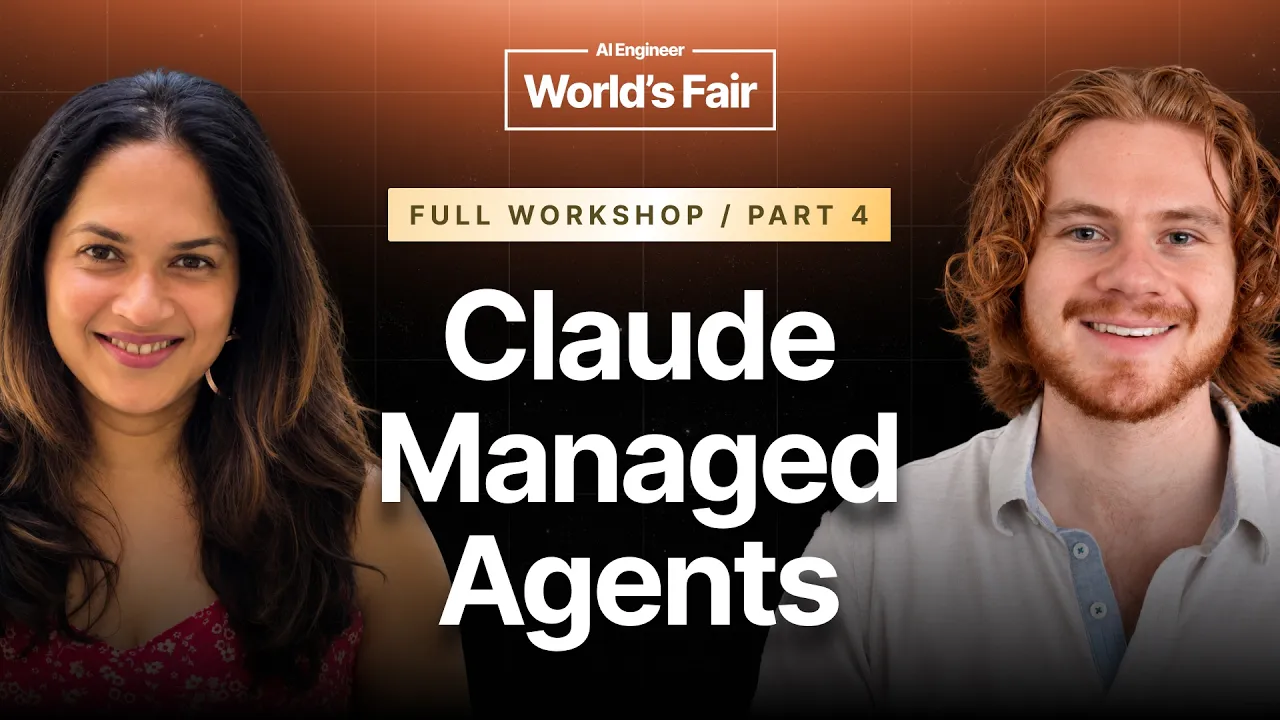
## Background Published on YouTube by AI Engineer on October 12, 2026, this video documents the final segment of Anthropic's four-part Claude Managed Agents workshop held at the AI Engineer World's Fair in San Francisco. The session features Anthropic technical staff members Priyanka Phatak and Gabe Cemaj fielding audience Q&A on managing agent configs via CI/CD, tenant isolation, custom compute, evals, and handling asynchronous tool calls.
## TL;DR In this closing Q&A, Gabe Cemaj and Priyanka Phatak outline architectural patterns and operational best practices for deploying Claude Managed Agents at scale. They explain how teams can manage configurations declaratively via the `ant` CLI in CI/CD, enforce customer tenant boundaries across workspaces or session metadata, and connect self-hosted sandboxes (like Modal or Daytona) for GPU-heavy tasks. They also share Anthropic's internal eval methodologies, explore automated pull request reviews, and detail a coordinator subagent pattern that prevents HTTP 400 blocking errors when handling long-running custom tools.
## Atmosphere & style The session carries the candid, highly pragmatic energy of a technical conference deep dive led by the engineers who actually built the platform. Gabe Cemaj and Priyanka Phatak trade answers seamlessly, speaking in a direct, unvarnished style that treats edge cases, API quirks, and platform boundaries with absolute transparency. It feels like an open office-hours discussion where complex enterprise architecture problems are swiftly distilled into actionable design patterns.
## Bulletin - [00:13](https://www.youtube.com/watch?v=QSeaZ6qHyXs&t=13s) Anthropic manages durable agent definitions declaratively as YAML files in source control, deploying them via an internal infrastructure-as-code CLI wrapper called ant. - [02:45](https://www.youtube.com/watch?v=QSeaZ6qHyXs&t=165s) Internal evaluation harnesses at Anthropic spin up over 10,000 parallel cloud agent sessions to validate prompt changes and pre-release model weights against curated benchmark datasets. - [01:10](https://www.youtube.com/watch?v=QSeaZ6qHyXs&t=70s) Claude Managed Agents enforces strict execution pausing during custom tool resolution; dispatching new user messages during this blocked phase triggers an HTTP 400 error unless handled via a coordinator-subagent architecture. - [12:10](https://www.youtube.com/watch?v=QSeaZ6qHyXs&t=730s) Specialized compute, including GPU acceleration and expanded memory limits, requires connecting external self-hosted sandboxes such as Modal, E2B, or Daytona rather than relying on default cloud infrastructure.
## Key takeaways - [00:13](https://www.youtube.com/watch?v=QSeaZ6qHyXs&t=13s) Agent configurations can be version-controlled in YAML files and synced across environments in CI/CD pipelines using the ant CLI. - [01:10](https://www.youtube.com/watch?v=QSeaZ6qHyXs&t=70s) Dispatching messages to an agent awaiting custom tool output produces an HTTP 400 error because the execution loop pauses to guarantee message ordering. - [02:45](https://www.youtube.com/watch?v=QSeaZ6qHyXs&t=165s) Anthropic tests pre-release models by spinning up over 10,000 parallel cloud agent sessions across both generic and coding benchmarks. - [03:42](https://www.youtube.com/watch?v=QSeaZ6qHyXs&t=222s) Poorly framed agent evaluation benchmarks often yield deceptive 100% pass rates, making real-world session logs the preferred foundation for test datasets. - [04:42](https://www.youtube.com/watch?v=QSeaZ6qHyXs&t=282s) Platform workspaces serve as the primary security boundary; all API keys inside a given workspace share access to its agents, memory banks, and MCP tools. - [06:29](https://www.youtube.com/watch?v=QSeaZ6qHyXs&t=389s) Anthropic automates pull request reviews by running multi-session agent swarms to catch regressions and post line-by-line diff commentary. - [07:29](https://www.youtube.com/watch?v=QSeaZ6qHyXs&t=449s) Live network tunneling into hosted sandboxes is unsupported, so Claude conducts QA autonomously via in-sandbox browser automation and returns visual artifacts. - [08:48](https://www.youtube.com/watch?v=QSeaZ6qHyXs&t=528s) Claude Managed Agents operates purely as a managed cloud service with no on-premises deployment tier. - [10:00](https://www.youtube.com/watch?v=QSeaZ6qHyXs&t=600s) Multi-tenant data isolation can be achieved either by scoping separate workspaces via CI/CD pipelines or by using a shared workspace segmented by session metadata. - [12:10](https://www.youtube.com/watch?v=QSeaZ6qHyXs&t=730s) Heavy compute workloads requiring GPUs or custom memory configurations must be offloaded to self-hosted sandbox providers such as Modal, E2B, or Daytona. - [13:21](https://www.youtube.com/watch?v=QSeaZ6qHyXs&t=801s) Multiplayer Slack integrations work best when threads are mapped to individual sessions with distinct user identity tags, or by dedicating single agents to specific channels. - [13:34](https://www.youtube.com/watch?v=QSeaZ6qHyXs&t=814s) To keep Slack channels clean, agents should be given an explicit tool to post messages rather than continuously streaming raw output. - [14:34](https://www.youtube.com/watch?v=QSeaZ6qHyXs&t=874s) Managed agent sessions have no artificial six-hour timeout and can sustain long autonomous runs using outcome rubrics and custom milestone status tools. - [16:30](https://www.youtube.com/watch?v=QSeaZ6qHyXs&t=990s) The coordinator subagent pattern decouples responsive chat agents from blocking custom tool executions by delegating long-running tool calls to subagents.
## Detailed walkthrough ### [00:13](https://www.youtube.com/watch?v=QSeaZ6qHyXs&t=13s) CI/CD for Agent Configs and Custom Tool Blocking
An audience member asks Gabe Cemaj and Priyanka Phatak how teams should manage CI/CD pipelines for their agent configurations. Gabe explains that Anthropic provides a dedicated tool called the ant CLI (`ant`), which acts as an API wrapper designed for infrastructure-as-code workflows. Developers can define durable, long-term agent resources as YAML files within their own git repositories, mirroring the declarative style of tools like Terraform. Whenever changes are merged, automated CI/CD jobs execute the ant CLI using those YAML files to synchronize and update the resources on the platform. Gabe Cemaj confirms that Anthropic uses this exact workflow internally: “Yeah, that's how if if we need to build durable long-term resources, we just we can check them in.”
Another attendee follows up regarding message delivery timing, specifically asking whether an end user or application can still push new messages while the model is actively waiting on the output of a custom tool call. Gabe clarifies that the execution lifecycle explicitly halts during that phase to guarantee message ordering: “Not when it's waiting for a custom tool result. We basically pause execution uh at that time.” While the system normally permits callers to queue incoming messages while Claude is busy running other tasks, attempting to dispatch a message while an unresolved custom tool request is pending results in an immediate HTTP 400 Bad Request error.
- **Agent configuration deployment:** Managed declaratively using YAML manifests and the ant CLI tool inside CI/CD workflows. - **Custom tool blocking behavior:** The execution loop strictly pauses awaiting tool output; queuing regular messages during this specific window is rejected with an HTTP 400.
---
[02:06](https://www.youtube.com/watch?v=QSeaZ6qHyXs&t=126s) Workshop Repositories and Anthropic's Eval Practices
Addressing an audience question about companion slides and additional hands-on code examples found across Anthropic's workshop repositories, Gabe Cemaj and Priyanka Phatak clarify that many of those materials originated from Anthropic’s Code with Claude developer conference held roughly a month earlier in London. Gabe notes that those recorded conference sessions are accessible on YouTube and that the public GitHub READMEs are designed to be largely self-explanatory and closely align with the current session.
The conversation then shifts to evaluation harnesses and how Anthropic maintains quality for Claude Managed Agents (CMA). Gabe details how Anthropic approaches internal testing, emphasizing that the managed platform team tests upcoming model weights and capabilities well ahead of public availability. Because the platform runs in the cloud, Anthropic can effortlessly spin up 10,000 parallel agent sessions across curated benchmark datasets. This automated harness evaluates model behaviors, tests prompt adjustments, and prunes obsolete operational assumptions across generic tasks, not just coding workloads.
```mermaid flowchart LR accTitle: Anthropic Managed Agents Evaluation Loop accDescr: Diagram illustrating how internal datasets feed parallel cloud sessions to optimize prompts and assumptions before model release. subgraph Input ["Data & Models"] A["Pre-release Model Weights"] B["Curated Benchmark Datasets"] end subgraph Execution ["Parallel Cloud Harness"] C["Spin up 10,000+ Parallel Agent Sessions"] end subgraph Evaluation ["Refinement Loop"] D["Score Session Outputs"] E["Tune Prompts & Harness Assumptions"] end
A --> C B --> C C --> D D --> E E -->|"Iterate Harness"| C ```
When asked what concrete eval strategies external developers should adopt for their own custom agents, Gabe emphasizes data quality over complex scaffolding, warning: “I think Claude code is pretty good at building an eval for you, but garbage in, garbage out.” He recounts that early internal attempts sometimes scored deceptive 100% pass rates simply because the evaluation scenarios were poorly defined or overly simplistic. Priyanka adds a pragmatic recommendation for teams starting from scratch: inspect existing production session logs, score the actual historical performance of the agent, and construct an empirical benchmark dataset from those real-world interactions.
- **Scale of internal testing:** Anthropic routinely executes 10,000+ concurrent cloud sessions to test model updates and prompt alterations across diverse non-coding and coding domains. - **Eval harness pitfall:** Ill-defined benchmarks frequently produce false 100% success metrics without reflecting true operational capability. - **Practical dataset generation:** Builders can curate representative eval suites by pulling historical session transcripts and scoring real historical outputs.
---
[04:42](https://www.youtube.com/watch?v=QSeaZ6qHyXs&t=282s) Multi-Tenant Resource Boundaries and Workspace Permissions
A participant who uses Claude extensively asks about permission boundaries across large organizations. Specifically, they want to know whether assets like agents, memory stores, and Model Context Protocol (MCP) channels can be shared selectively across internal departments or if entire stacks must be exposed at once. Priyanka explains that resources are anchored to the platform workspace level: “They're bound to your workspace. So, any API key within your workspace can have access to the resources that are in it.”
Priyanka explains that organizational control begins with the Claude platform administrator, who provisions top-level organizations and partitions them into specific workspaces. If teams want to segregate access to specific resources, they should map distinct teams or trust domains to separate workspaces. When the attendee asks about partial sharing—such as sharing access to a specific memory bank with one team while keeping an MCP connection restricted—Priyanka and Gabe explain that fine-grained access control lists (ACLs) do not natively exist inside CMA. Instead, application developers must manage granular permissions within their own integration layer by controlling which API keys and workspace credentials their internal systems invoke.
| Organizational Layer | Administrative Control | CMA Resource Access & Isolation | |:--- |:--- |:--- | | **Organization (Org)** | Platform Administrator | Top-level corporate tenancy; groups all workspaces and global billing. | | **Workspace** | Designated Admin / Team Leads | Primary security boundary; all API keys inside a workspace share its agents, memory stores, and MCP channels. | | **Integration Layer (Custom Code)** | Application Developer | Enforces fine-grained permissions, sub-resource slicing, and user-level access checks before calling CMA. |
---
[06:29](https://www.youtube.com/watch?v=QSeaZ6qHyXs&t=389s) Reviewing Agent-Generated Code and Automated QA Sandboxes
Highlighting the sheer volume of code generated by autonomous agents, an attendee asks how teams can overcome the review bottleneck before merging changes, wondering if Anthropic deploys code to ephemeral environments for testing. Gabe reveals that the original concept for this workshop was centered specifically on building automated code review agents: “Internally, we have these sorts of agents do a lot of the uplift for us, and we've seen that that enables us to reduce the amount of time we need to spend on a per PR basis and reduce the number of bugs and keep the quality high.” He explains that whenever a pull request is opened, an integration triggers multiple CMA sessions with specialized subagents that analyze the diff, detect subtle bugs, and post line-by-line review comments. Gabe Cemaj admits that this remains an industry-wide challenge: “This is partially an open question of now we've removed the boundary of typing and exploded the number of PRs we can make per day, hour, second.”
Addressing how to ensure the reviewed code actually functions at runtime, Gabe and Priyanka explain that the agent's environment itself serves as an automated QA testbed. Claude can start the local development server inside its hosted sandbox, interact with the service, run test suites, and execute self-validating checks. When the audience asks if engineers can open long-running tunnels into these sandboxes to manually test user interfaces, Gabe clarifies that live user network tunneling is not supported today. Instead, Claude functions as the QA tester directly: it can spin up browser automation inside the sandbox, interact with the UI, validate the visual and functional behavior, and return summary artifacts—such as screen recordings or video logs—back to human engineers for final verification.
- **PR review automation:** Anthropic kicks off automated multi-session agent swarms on incoming PRs to handle first-pass code reviews and surface regressions. - **In-sandbox QA execution:** Claude launches applications directly within its compute sandbox to test and validate runtime behavior rather than relying solely on static analysis. - **Tunneling limitations:** Direct developer tunneling into active CMA sandboxes is currently unsupported; testing is driven by Claude operating browsers and returning output artifacts such as videos.
---
[08:48](https://www.youtube.com/watch?v=QSeaZ6qHyXs&t=528s) Enterprise Tenant Isolation Models
An enterprise attendee asks how to enforce strict data segregation across hundreds of distinct corporate customers, noting they had heard CMA does not yet support on-premises deployments. Gabe confirms that on-premise deployments are unsupported, but emphasizes that cloud isolation can be modeled flexibly depending on the enterprise's architectural and regulatory needs. Priyanka explains that developers have multiple isolation tiers at their disposal: “You can define an agent per customer, and then that way the data will be segregated, or you can use a workspace per customer if you want like true isolation you could do an org per customer.”
Priyanka points out that builders must track the mapping between internal tenant identifiers and CMA assets on their own backend. Teams can isolate data logically by scoping an individual agent to each customer, isolate by API access boundaries by provisioning a workspace per tenant, or isolate entirely by assigning distinct customer organizations for enterprise accounts that demand complete operational and administrative separation. As the attendee begins formulating a follow-up scenario regarding multi-customer deployments, the session transitions deeper into isolation architectures.
- **On-premise support:** Claude Managed Agents is strictly a managed cloud service; on-premises hosting is not offered. - **Tenancy options:** Segregation can be structured via distinct agent instances, dedicated platform workspaces, or isolated top-level organizations. - **Mapping ownership:** The application backend is responsible for tracking tenant-to-agent and tenant-to-workspace routing tables.
[10:00](https://www.youtube.com/watch?v=QSeaZ6qHyXs&t=600s) Multi-Tenant Architecture and Data Segregation
An audience member asks how to build an agent definition once and deploy it across multiple clients when serving two or more customers. Gabe Cemaj and Priyanka Phatak lay out two primary architectural patterns depending on regulatory and security constraints. The first approach relies on configuration-as-code: developers define the agent as a template (comprising system prompt, model name, and tool definitions) in a YAML file in their code repository. Continuous integration (CI) tooling then synchronizes this single configuration across multiple workspaces, keeping them identical. The alternative approach hosts all customers within a single workspace, using a single agent definition while maintaining an application-level mapping of which customer owns which execution session.
```mermaid flowchart TD accTitle: Multi-Tenant Agent Deployment Models accDescr: Comparison between isolating customers by workspace via CI/CD sync versus sharing a workspace using session metadata.
subgraph Isolated["Workspace-per-Customer Pattern"] Repo["Agent Config (YAML in CI)"] Repo -->|"Sync"| WS1["Workspace A (Customer 1)"] Repo -->|"Sync"| WS2["Workspace B (Customer 2)"] end
subgraph Shared["Single-Workspace Pattern"] SingleAgent["Single Agent Definition"] SingleAgent --> S1["Session (Metadata: Cust_ID A)"] SingleAgent --> S2["Session (Metadata: Cust_ID B)"] end ```
When the attendee presses further on how strict data segregation requirements can be satisfied if customer data is lumped into one workspace, Gabe clarifies that legal and compliance boundaries dictate the deployment model. If customers have strict contractual or legal guarantees forbidding shared resources, separate workspaces must be provisioned because resource allocations and data boundaries are enforced at the workspace boundary.
“If you care about data segregation, then you need to put them in individual workspaces, and the resources are allocated per workspace,” Gabe Cemaj explains.
- **CI/CD Synchronization:** Tools provided by Anthropic allow developers to push updates from a centralized YAML configuration to all targeted workspaces in automated deployment pipelines. - **Session Metadata:** For shared workspaces, each session supports custom metadata fields (such as `customer_id`) to map sessions back to specific client tenants.
---
[12:10](https://www.youtube.com/watch?v=QSeaZ6qHyXs&t=730s) Custom Compute, Higher Memory, and GPUs via Self-Hosted Sandboxes
An audience member asks whether Claude Managed Agents allows users to modify the underlying sandbox compute environment—specifically requesting beefier memory limits or GPU acceleration for compute-heavy workloads. Gabe explains that Anthropic’s managed sandbox infrastructure currently provides a uniform, standardized environment. To run jobs requiring specialized hardware, developers must decouple the agent loop from default infrastructure and rely on self-hosted sandboxes.
“Today, if you want to do custom resource allocations for your sandbox, you would use self-hosted sandboxes,” Gabe Cemaj explains.
Priyanka notes that Anthropic maintains first-party integrations, documentation, and cookbooks illustrating how to wire up external sandbox providers such as Modal, E2B, and Daytona. By offloading execution to an external provider like Modal, teams can provision custom GPU slices and expanded memory envelopes while retaining Claude Managed Agents' orchestration features.
---
[13:21](https://www.youtube.com/watch?v=QSeaZ6qHyXs&t=801s) Architecting Multiplayer Slack Agents
A participant asks how to use Claude Managed Agents to build a multiplayer conversational experience in chat channels, referencing team collaboration tools like Claude Tag. Gabe explains that the system naturally supports multiplayer interaction by mapping an individual chat thread to a single agent session. When multiple users participate in the thread, incoming messages are injected into the session as discrete user messages labeled with the respective author's identity (such as noting whether a prompt came from Gabe or Priyanka).
“You don't necessarily want to just mirror whatever the agent is responding,” Gabe Cemaj cautions, noting that rather than streaming raw internal chatter back to the channel, developers should equip the agent with an explicit communication tool (like a Slack posting action) so Claude actively decides when and what to post.
Priyanka adds that for experiences modeled after channel bots, the cleanest pattern is dedicating one agent per Slack channel. This topology guarantees that each agent maintains isolated memory scoped strictly to the conversation history and context of that specific room.
---
[14:34](https://www.youtube.com/watch?v=QSeaZ6qHyXs&t=874s) Running Multi-Hour Sessions and Tracking Checkpoints
An attendee asks about building long-running agents that operate autonomously for hours at a time, such as six-hour execution spans, and how to track progress without losing visibility. Gabe points back to the outcome-driven rubric architecture demonstrated earlier in the workshop as the premier pattern for sustained autonomous execution. Instead of hardcoding steps, developers supply clear exit criteria, allowing Claude to iterate continuously and evaluate its own artifacts until the target standard is satisfied.
“The outcome system that I demoed is the best way to do really long sessions because you define an exit criteria and Claude will just keep going until it meets that criteria,” Gabe Cemaj states.
Priyanka points out that there are no built-in artificial timeouts preventing a session from running longer than six hours; it will continue executing until completion. To monitor progress and observe checkpoints during long runs, developers can listen to the session's underlying Events API. Gabe also recommends a practical software design pattern: provisioning a custom tool such as `update_status_for_human`, which Claude can invoke periodically whenever it achieves significant milestones to keep external operators informed.
---
[16:30](https://www.youtube.com/watch?v=QSeaZ6qHyXs&t=990s) The Coordinator Subagent Pattern for Custom Tool Waits
The workshop closes with a question addressing edge-case concurrency: if an agent triggers a custom tool that pauses for human-in-the-loop input, attempting to post another user message to that session produces an HTTP 400 error. The attendee asks how to keep an agent responsive to incoming user messages while still awaiting an asynchronous external tool result. Priyanka and Gabe suggest adopting a coordinator subagent architecture.
```mermaid flowchart TD accTitle: Coordinator Subagent Pattern for Custom Tools accDescr: A main coordinator agent receives user messages while delegating long-running custom tools to a subagent thread.
subgraph Session["Unified Core Session"] User["User / Client Chat"] -->|"Sends message"| Main["Main Coordinator Agent (Idle / Chatty)"] Main -->|"Delegates task"| Sub["Subagent B"] Sub -->|"Emits custom tool call"| HITL["Custom Tool / Human-in-the-Loop"] HITL -.->|"Tool result"| Sub end ```
Under this pattern, developers define a primary coordinator agent alongside worker subagents. The primary agent remains unencumbered and available to receive inbound user chat, while an assigned subagent executes the custom tool. Because the Managed Agents API automatically routes events and tool results based on internal IDs, the main thread remains idle and ready to chat even while worker threads are blocked waiting for external tool returns.
“So if you're trying to do something where you want like the main agent to be always chatty, then I think the coordinator pattern works pretty well for that,” Gabe Cemaj explains.
With the session time expired, Gabe and Priyanka thank the audience, offer to continue discussions outside the hall, and conclude the workshop to applause.
## Notable quotes > [02:06](https://www.youtube.com/watch?v=QSeaZ6qHyXs&t=126s) I think Claude code is pretty good at building an eval for you, but garbage in, garbage out. — Gabe Cemaj
> [08:48](https://www.youtube.com/watch?v=QSeaZ6qHyXs&t=528s) You can define an agent per customer, and then that way the data will be segregated, or you can use a workspace per customer if you want like true isolation you could do an org per customer. — Priyanka Phatak
## Mentioned Claude, Claude Managed Agents, Anthropic, Gabe Cemaj, Priyanka Phatak, ant CLI, Terraform, Code with Claude, Claude Code, Model Context Protocol, Modal, E2B, Daytona, Slack, Claude Tag, AI Engineer World's Fair 2026
## Video description How to version agent configs, isolate customers, add GPUs and keep a long-running agent responsive.
NEXT UP: AI ENGINEER CODE SUMMIT Join us in SF for the second annual AIE CODE Summit, Nov 10–12, our last flagship summit of 2026. Applications live now: https://aie.codes
The workshop closes with audience Q&A for Priyanka Phatak and Gabe Cemaj: syncing agent configs in CI/CD with the ant CLI, what happens when you message an agent waiting on a custom tool, how Anthropic runs evals, sharing resources across a workspace, code-review agents, tenant isolation, GPUs via self-hosted sandboxes, modeling a multiplayer Slack agent, and a coordinator pattern that keeps the main agent free while a subagent handles custom tools.
This is part 4 of 4 of the Claude Managed Agents workshop from Anthropic.
In this video: • Keeping agent definitions in YAML and syncing them in CI/CD • Isolating tenants by workspace, org or session metadata • Self-hosted sandboxes for GPUs and extra memory • A coordinator pattern for custom tools
SPEAKERS Priyanka Phatak, Member of Technical Staff, Anthropic (leads the Claude Managed Agents engineering team)
Gabe Cemaj, Member of Technical Staff, Anthropic GitHub: https://github.com/gcemaj
LINKS Claude Managed Agents docs: https://platform.claude.com/docs/en/managed-agents/overview Scaling Managed Agents: Decoupling the brain from the hands: https://www.anthropic.com/engineering/managed-agents
CHAPTERS 0:00 Q&A: CI/CD for agent configs 1:10 Q&A: messages during custom tool waits 2:06 Q&A: other workshop repos 2:45 Q&A: Anthropic's eval practices 4:42 Q&A: sharing resources across an org 6:29 Q&A: reviewing agent-written code 8:48 Q&A: tenant isolation 9:54 Q&A: one agent, many customers 12:10 Q&A: custom compute and GPUs 13:20 Q&A: a multiplayer Slack agent 14:34 Q&A: very long-running sessions 16:30 Q&A: coordinator pattern for custom tools 18:30 Closing
Recorded at the AI Engineer World's Fair 2026 in San Francisco. Subscribe for more talks from the engineers building with AI.
AI Engineer: https://ai.engineer YouTube: https://www.youtube.com/@aiDotEngineer X: https://x.com/aiDotEngineer LinkedIn: https://www.linkedin.com/company/aidotengineer/
#Claude #AIAgents #AIEngineer
[Source](https://www.youtube.com/watch?v=QSeaZ6qHyXs)