Fireworks AI Unifies Train-Deploy Stack to Replace Closed Model APIs
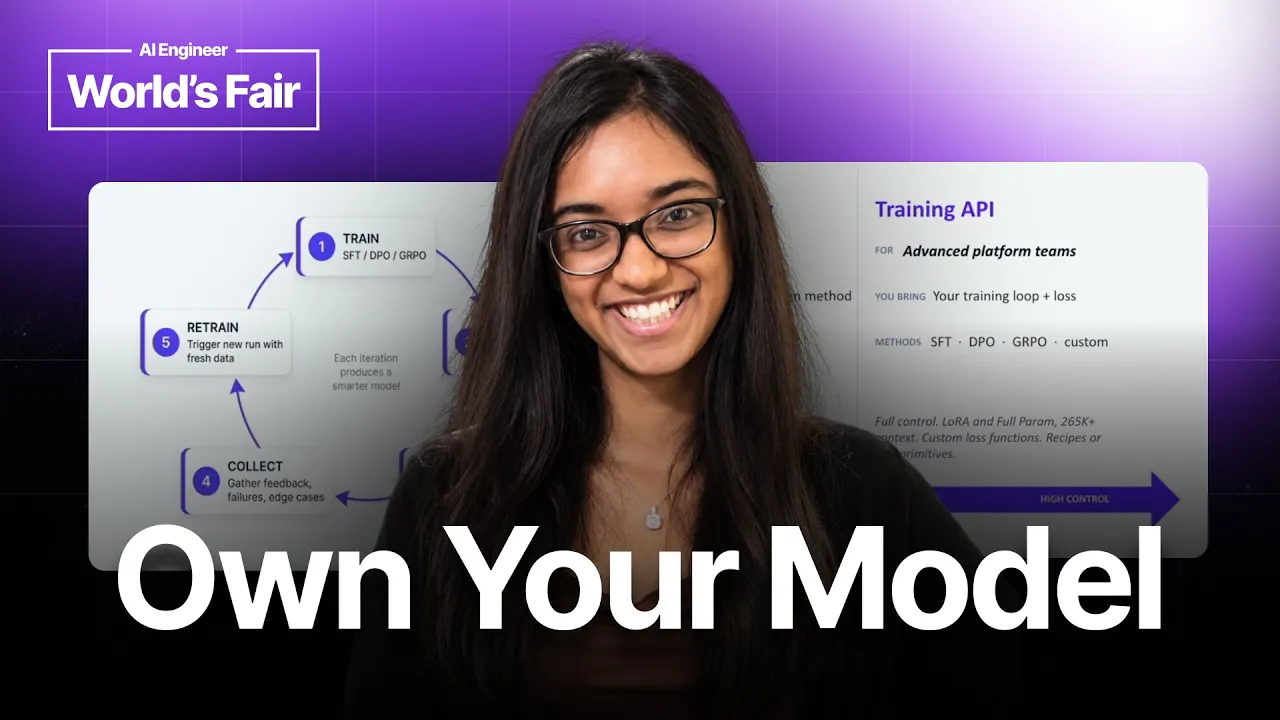
AI Engineer
Splitting model training and inference across separate cloud platforms degrades output quality through numerical mismatches, making a co-located train-to-deploy loop essential for open models to beat proprietary alternatives.
AI-assisted summary of Stop Renting Intelligence: The Train-to-Deploy Loop for Specialized AI — Fireworks AI — original source. Check the original for full context.
Source published:
Key ideas
- Fireworks AI processes over 30 trillion tokens across 10,000+ customer organizations with a concurrent scale of approximately 200,000 requests per second. (3:12)
- Custom inference optimization using proprietary CUDA kernels and speculative draft models yielded a 13x speedup for Cursor's Composer 2 and a 40x latency reduction for Vercel. (3:47)
- To prevent quality loss and precision degradation, Fireworks unifies training and inference under matching numerics alongside zero-downtime weight hot-loading. (12:42)
- Fireworks supports three distinct training paths: an autonomous Training Agent for automated model and hyperparameter selection, Managed Training with UI observability, and a code-level Training API for custom loops and loss functions. (7:22)
Detailed notes
## Background Published on YouTube by AI Engineer on October 11, 2026, this talk features Jetashree Ravi, Tech Lead Manager of Applied ML at Fireworks AI, speaking at the AI Engineer World's Fair in San Francisco. The page description outlines how teams can migrate away from expensive closed models toward specialized open-source alternatives through continuous training, low-level inference optimizations with FireAttention, and zero-downtime deployment pipelines.
## TL;DR Jetashree Ravi argues that engineering organizations can overcome the escalating costs of proprietary APIs by customizing production-ready open models within a continuous train-and-deploy loop. She illustrates how Fireworks AI supports massive scale for clients like Cursor, Vercel, and Genspark using custom CUDA kernels, speculative decoding, and reinforcement fine-tuning (RFT). The presentation breaks down three training approaches—an autonomous Training Agent, Managed Training, and a granular Training API—while emphasizing that co-locating training and inference prevents numerical drift and enables zero-downtime weight hot-loading. Ravi concludes with live platform walkthroughs demonstrating automated fine-tuning planning and one-click production serving profile configurations.
## Atmosphere & style The talk has a crisp, pragmatic, and engineering-focused tone, beginning with an empathetic audience poll acknowledging the sharp cost spikes of proprietary AI before moving swiftly into technical solutions. Ravi presents with calm, measured authority, balancing massive platform metrics with granular technical details on CUDA kernels, precision degradation, and speculative decoding. Watching the session feels like attending a hands-on architectural briefing, reinforced by straightforward UI demonstrations that demystify fine-tuning workflows for practicing machine learning engineers.
## Bulletin - [03:12](https://www.youtube.com/watch?v=13YZ1EB9hjU&t=192s) Fireworks AI processes over 30 trillion tokens across 10,000+ customer organizations with a concurrent scale of approximately 200,000 requests per second. - [03:47](https://www.youtube.com/watch?v=13YZ1EB9hjU&t=227s) Custom inference optimization using proprietary CUDA kernels and speculative draft models yielded a 13x speedup for Cursor's Composer 2 and a 40x latency reduction for Vercel. - [12:42](https://www.youtube.com/watch?v=13YZ1EB9hjU&t=762s) To prevent quality loss and precision degradation, Fireworks unifies training and inference under matching numerics alongside zero-downtime weight hot-loading. - [07:22](https://www.youtube.com/watch?v=13YZ1EB9hjU&t=442s) Fireworks supports three distinct training paths: an autonomous Training Agent for automated model and hyperparameter selection, Managed Training with UI observability, and a code-level Training API for custom loops and loss functions.
## Key takeaways - [00:12](https://www.youtube.com/watch?v=13YZ1EB9hjU&t=12s) Rising costs from closed-source model providers are pushing teams to customize open-source foundation models to match or exceed proprietary capabilities. - [01:27](https://www.youtube.com/watch?v=13YZ1EB9hjU&t=87s) Modern open models such as GLM-4.7 and GLM-5.2 have reached baseline production readiness, especially on complex software engineering benchmarks. - [02:22](https://www.youtube.com/watch?v=13YZ1EB9hjU&t=142s) The operational paradigm has shifted from deploying static model checkpoints to building continuous, iterative train-and-infer feedback loops on live production data. - [03:47](https://www.youtube.com/watch?v=13YZ1EB9hjU&t=227s) Genspark overcame quality plateaus when migrating off closed models by applying reinforcement fine-tuning (RFT) with custom evaluators, achieving a 12% quality improvement. - [05:27](https://www.youtube.com/watch?v=13YZ1EB9hjU&t=327s) The FireAttention engine writes custom low-level CUDA kernels co-designed around specific customer sequence lengths, token ratios, and prompt cache hit rates. - [06:27](https://www.youtube.com/watch?v=13YZ1EB9hjU&t=387s) Speculative decoding on Fireworks allows teams to train their own custom draft models, accelerating token generation speed without sacrificing end-model quality. - [07:22](https://www.youtube.com/watch?v=13YZ1EB9hjU&t=442s) Fireworks structures its training platform into three personas: a guided Training Agent, a point-and-click Managed Training service, and an open Training API for custom code. - [10:07](https://www.youtube.com/watch?v=13YZ1EB9hjU&t=607s) While Supervised Fine-Tuning (SFT) and Direct Preference Optimization (DPO) are widely supported, Reinforcement Fine-Tuning (RFT) requires specialized dataset curation and custom reward evaluation setups. - [12:42](https://www.youtube.com/watch?v=13YZ1EB9hjU&t=762s) Zero-downtime hot-loading, developed originally for Cursor, lets teams hot-swap active model weights on live endpoints without interrupting user requests or draining clusters. - [13:22](https://www.youtube.com/watch?v=13YZ1EB9hjU&t=802s) Training on one platform and serving on another frequently creates numerical mismatches that cause model regressions; co-locating both stages guarantees mathematical fidelity. - [14:22](https://www.youtube.com/watch?v=13YZ1EB9hjU&t=862s) The autonomous Training Agent inspects user training and validation data, formulates an execution plan, selects appropriate architectures (e.g., Qwen 38B), and runs tuning runs upon approval. - [16:17](https://www.youtube.com/watch?v=13YZ1EB9hjU&t=977s) Deploying fine-tuned models from Managed Training is handled in one click via preconfigured operational profiles tuned for latency, high throughput, or time to first token.
## Detailed walkthrough ### [00:12](https://www.youtube.com/watch?v=13YZ1EB9hjU&t=12s) The Shift from Closed to Open Models
Jetashree "Jet" Ravi opens her talk by surveying the audience: she asks how many in the room currently rely on closed-source models such as ChatGPT or Anthropic, and how many are finding that those models are becoming extremely expensive very quickly. Seeing a large show of hands, she points out that companies and developers across the industry are facing the exact same pressure. Teams are actively looking to transition away from proprietary systems toward open-source models for both cost efficiency and raw performance. The central question is how to make the quality and operational performance of open-source models match or beat their closed-source counterparts.
```mermaid flowchart TD accTitle: The Continuous Train-to-Deploy Cycle accDescr: Diagram illustrating the shift from static single-model serving to an iterative train-and-inference feedback loop. subgraph SFT_RFT["Training Phase"] A["Custom Domain Data"] --> B["Training Job (SFT / RFT / DPO)"] end subgraph Deploy["Serving Phase"] B --> C["FireAttention Inference Engine"] C --> D["Production Workload at Scale"] end D -->|"Continuous Telemetry & Data Collection"| A ```
Ravi frames the discussion around three fundamental truths shaping today's AI ecosystem: - First, modern open-source models are genuinely production-ready right out of the box, as evidenced by models like GLM-4.7 and GLM-5.2, particularly when applied to challenging coding tasks. - Second, whenever an open-source model falls short of a closed model, customization is the equalizer: “if open source models don't like beat or match the quality of close source models, the differentiating factor comes from how you customize, train and improve these open source models to match the performance and quality of closed source models.” - Third, the overarching AI engineering stack has undergone a structural shift; instead of deploying a model once as a static artifact, organizations are moving to a continuous train-and-infer loop that continuously refines weights on fresh application data. Fireworks AI positions itself as the infrastructure layer designed to handle both ends of this continuous loop cheaply and at massive scale.
---
[03:12](https://www.youtube.com/watch?v=13YZ1EB9hjU&t=192s) Fireworks at Scale: Cursor, Vercel, and Genspark
To demonstrate what this looks like in practice, Ravi shares Fireworks' operational metrics and customer case studies. Fireworks currently handles over 30 trillion tokens in production, a figure recorded prior to the release of GLM-5.2 that has since surged by at least 5 trillion tokens per day. The platform supports more than 10,000 companies globally, sustaining concurrent traffic of roughly 200,000 requests per second. Backing this footprint, Fireworks has raised around $327 million across funding rounds, including a recent Series C, and operates with a team of approximately 200 people.
Ravi highlights three concrete customer deployments demonstrating the platform's production impact: - **Cursor:** Cursor's Composer 2 model is both trained and hosted on Fireworks. Leveraging the custom FireAttention runtime, Composer 2 delivers 13x faster inference speeds. - **Vercel:** Fireworks helped Vercel fine-tune and host their specialized models on the platform, unlocking a 40x improvement in latency. - **Genspark:** Operating in the prompt-driven system-generation space alongside platforms like Lovable, Genspark hit a strict quality bottleneck when attempting to migrate off closed-source models. Fireworks partnered with them to run reinforcement fine-tuning (RFT), clean their training datasets, and craft dedicated evaluator functions, yielding a 12% end-to-end quality improvement.
---
[05:27](https://www.youtube.com/watch?v=13YZ1EB9hjU&t=327s) The FireAttention Engine and Inference Optimization
Achieving extreme speedups like Vercel's 40x latency reduction relies on Fireworks' proprietary inference engine, known as FireAttention. Ravi explains that between a high-level model architecture and the underlying physical GPUs sits a hardware translation layer of CUDA kernels. Instead of using off-the-shelf primitives, Fireworks writes and maintains its own custom CUDA kernels. When customers arrive with defined Service Level Objectives (SLOs), Fireworks tunes the entire inference stack—from the kernel up—to fit the specific workload profile.
| Optimization Layer | Implementation Details | Customer / Operational Benefit | |:--- |:--- |:--- | | **Custom CUDA Kernels** | Built specifically for the FireAttention runtime layer on GPUs | Low-level execution tuned for exact sequence shapes | | **Workload Co-design** | Tailored to fixed ratios of input tokens, output tokens, and prompt cache hit rates | Meets strict target latency budgets at reduced compute cost | | **Serving Techniques** | Implements disaggregation, quantization, and speculative decoding | Higher per-GPU throughput and sustained concurrency | | **Custom Draft Models** | Users train specialized draft models using their own dataset uploads | Accelerates primary model token generation without quality regression |
As Ravi summarizes the engineering relationship with clients: “most of the time customer like versel in the previous slide come to us and tell us they have x input tokens y output tokens they have zprompt to prompt cache hit rate and they want to meet so and so latency targets and we help them optimize this whole inference stack including that cuda kernel so that we can serve this model at a cheaper price but also at a that can meet their performance target and for their specific workload itself.”
Beyond kernel optimizations, FireAttention incorporates system-level techniques including disaggregation, quantization, and speculative decoding. Fireworks uniquely allows customers to train custom draft models directly on the platform by uploading targeted datasets. A well-trained, specialized draft model dramatically accelerates the main model's decoding velocity, driving up overall throughput while honoring latency caps.
---
[07:22](https://www.youtube.com/watch?v=13YZ1EB9hjU&t=442s) Three Flavors of Training: Agent, Managed, and Training API
While latency optimization becomes critical once a model is deployed, Ravi reiterates that the initial roadblock when moving away from closed APIs is almost always model quality. Fireworks tackles this by providing three distinct training modalities aimed at different engineering personas:
```mermaid flowchart LR accTitle: Three Training Offerings at Fireworks AI accDescr: Chart contrasting the Training Agent, Managed Training, and Training API paths. subgraph UI_Driven["Automated / UI"] A["Training Agent"] -->|"Upload dataset & goal"| B["Auto data cleaning, model selection & HP tuning"] end subgraph Managed["Managed Service"] C["Managed Training"] -->|"API or Dashboard UI"| D["Manual HP, loss curves & W&B sync"] end subgraph Advanced["Code-First"] E["Training API"] -->|"Custom script"| F["Custom training loops, losses, SFT / RFT / DPO"] end ```
1. **The Training Agent:** Geared toward product managers and newer AI builders, the agent is accessed via the web UI. Users provide a natural language description of their objective and link their uploaded dataset. The agent automatically selects an appropriate base model, sanitizes and prepares the dataset, and performs hyperparameter exploration to remove the guesswork from fine-tuning. 2. **Managed Training:** The most popular tier across Fireworks' existing customer base. Accessible via both a REST API and a dashboard UI, users select their model, set hyperparameters, supply their dataset, and initiate the run with a single button click. The platform includes full observability dashboards tracking epoch-by-epoch loss progression, and features native integration with Weights & Biases (W&B) by accepting an API key to stream metrics directly to external dashboards. 3. **The Training API:** Designed for ML engineers who require granular control. “this particular offering of the product lets ML engineers define their own training loop and loss functions,” giving teams the freedom to construct non-standard training routines beyond the constraints of standard managed workflows.
These training tiers support Supervised Fine-Tuning (SFT), Direct Preference Optimization (DPO), and Reinforcement Fine-Tuning (RFT). Ravi observes that RFT has surged in demand, though she notes that the automated Training Agent does not yet support RFT datasets or reward tuning; those complex workflows—such as dataset curation and evaluator reward function construction—are currently supported via managed services and bespoke team engagements, directly setting up the live walkthroughs of each tool.
[11:08](https://www.youtube.com/watch?v=13YZ1EB9hjU&t=668s) The Continuous Train-to-Deploy Flywheel
Jetashree Ravi frames the continuous train-to-deploy loop as the defining operating model for modern AI systems. Rather than treating training as a static, one-time exercise, teams build a dynamic pipeline where live production feedback directly informs iterative retraining. As she observes: “I know in the first slide I was talking to you about the realities of AI today where most people prefer doing a continuous loop where they train host train host as they get new and new data and feedback from their users and that is what we are trying to make more seamless on our platform and that's also why we have different training products different offerings as well as making it easier uh for you to host and make it also cheaper and faster for you to host those models at scale itself.”
```mermaid flowchart TD accTitle: The Continuous Train-and-Deploy Flywheel accDescr: A cyclical flow diagram illustrating the loop from training to one-click deployment, monitoring, and retraining from checkpoints. subgraph Cycle["The Train-to-Deploy Loop"] Train["Model Training<br>(SFT, RFT, DPO)"] Deploy["1-Click Production Deployment<br>(Hot-loading weights)"] Monitor["Live Monitoring<br>(Cache hit rate, speculator metrics)"] Collect["Feedback & Metric Collection"] Train -->|"One click"| Deploy Deploy -->|"Telemetry"| Monitor Monitor -->|"Gathers data"| Collect Collect -->|"Retrain from checkpoint"| Train end ```
The execution flow begins the moment training wraps up: the user is a single click away from rolling the trained model into a production environment. Once live, the platform exposes detailed operational telemetry, tracking key serving metrics such as aggregate token volume, KV cache hit rate, and the performance and acceptance efficiency of speculative decoding draft models. These production metrics and user interactions feed back directly into retraining cycles, allowing engineers to pick up from an existing checkpoint and produce updated model weights without friction.
- **GPU Partnerships:** Fireworks AI secures access to large GPU fleets by partnering across multiple major public clouds and specialized neocloud providers. - **Continuous Feedback:** The loop closes by taking real-world inputs, model evaluations, and draft-model speculator statistics to trigger incremental checkpoint retraining.
---
[12:42](https://www.youtube.com/watch?v=13YZ1EB9hjU&t=762s) Hot-Loading and Numerical Fidelity
Two foundational infrastructure capabilities make this tight loop practical without degrading developer velocity or model behavior: zero-downtime hot-loading and strict numerical fidelity across the boundary between training and serving. Ravi reveals that hot-loading originally came out of engineering work with Cursor before becoming a core public capability: “Another thing is we offer is hotloading and this has become really popular especially when we were training models for cursor and this was actually a feature we implemented specifically for cursor and then we thought would be useful for general public while they were training models as well.” When iterating rapidly, waiting for new infrastructure or draining existing serving clusters disrupts user traffic; hot-loading swaps out active weights under an existing endpoint instantly so traffic cutovers happen with zero downtime.
Equally critical is numerical fidelity. A common antipattern across the industry is training a model on Platform A and then converting or migrating the weights to serve on Platform B, which often introduces subtle quality regressions and degraded performance. Explaining why this unified setup matters, Ravi explains: “A lot of the time customers use platform A for training and host on platform B. But what happens when you do that is you'll have issues in quality of the model. And the reason you have those issues is humix is not always compatible when you train on a different platform and host on a different platform. So that's why we offer training and inferencing on the same platform and ensure that uh you won't find any numerical differences after you finish training and once you decide to host this particular model on the platform itself.” Unifying both stages on a single engine ensures arithmetic and kernel consistency throughout.
- **Zero-Downtime Hot-Swapping:** Engineers can swap model weights on an active endpoint with a single click, completely eliminating redeployment delays and service interruptions. - **Kernel & Numerics Alignment:** Co-locating training and FireAttention inference guarantees identical mathematical behavior, preventing precision bugs caused by cross-platform weight translation.
---
[14:22](https://www.youtube.com/watch?v=13YZ1EB9hjU&t=862s) Demo: The Training Agent in Action
Ravi shifts into the first live walkthrough, showcasing the autonomous Training Agent designed to abstract away manual configuration for supervised fine-tuning. The user initiates the process by pointing the agent to two datasets stored in the platform: the training dataset and the evaluation/test dataset. Rather than forcing the practitioner to guess optimal hyperparameters, the user delegates model selection and parameter tuning entirely to the agent.
Once the prompt is submitted, the agent generates an explicit execution plan. It details its supervised fine-tuning (SFT) strategy, explains why it selected a specific base model—in this demonstration, Qwen 38B—and outlines its selected hyperparameter configuration alongside a high-level timeline. The human practitioner reviews the reasoning and hits approve. The agent then executes the run autonomously through discrete phases, printing status milestones as step two and step three complete successfully. Upon conclusion, it renders an end-to-end retrospective covering the final training configuration, performance metrics including accuracy and F1 score, and actionable algorithmic next steps for subsequent iterations.
- **User Inputs:** Pointers to the primary training dataset and the evaluation/test split within Fireworks storage. - **Model Choice:** In the demo run, the agent automatically selects Qwen 38B based on dataset characteristics. - **Structured Plan:** Outlines the SFT plan, justifies the architecture, specifies learning rates and training settings, and requests user approval before provisioning compute. - **Post-Run Telemetry:** Outputs validation loss curves, final accuracy, and F1 scores alongside automated suggestions for follow-up runs.
---
[16:17](https://www.youtube.com/watch?v=13YZ1EB9hjU&t=977s) Demo: Managed Training UI and Production Deployment
For teams that want direct control over their training setup without having to write boilerplate pipeline code, Ravi walks through the Managed Training UI. The user uploads their custom dataset, chooses a base model architecture, points to an evaluation set, and opens optional fine-grained settings to manually override hyperparameter controls. Clicking "Create" kicks off the job immediately, populating the job dashboard where developers can track live loss convergence curves and execution metrics. If a team wants to run quick ablation studies, the UI allows them to clone previous runs directly and tweak individual settings without starting from scratch.
```mermaid flowchart LR accTitle: Managed Training and Serving Deployment Flow accDescr: Step-by-step UI pipeline showing dataset selection, fine-tuning run creation, performance inspection, and one-click deployment using latency/throughput profiles. A["Select Base Model<br>& Upload Data"] --> B["Configure Evaluator<br>& Hyperparameters"] B --> C["Click 'Create'<br>(Kick off training job)"] C --> D["Inspect Loss Curves<br>& Metrics / Clone Run"] D --> E["Select Custom Model<br>in Deployment Section"] E --> F["Apply Serving Profile<br>(Throughput / Fast / Minimal)"] ```
Once the model satisfies performance expectations, turning it into a production endpoint requires no specialized infrastructure work. In the deployment panel, the engineer picks their newly trained custom weights and selects an operational serving profile tailored to specific SLAs:
- **Deployment Presets:** Pre-optimized serving profiles—including *Throughput*, *Fast*, and *Minimal*—allow users to instantly tune deployment clusters based on latency requirements, raw throughput, or time to first token (TTFT). - **Run Reproducibility:** Every managed job logs its exact data manifest, hyperparameter dictionary, and loss progression, letting teams clone and re-run experiments with modified variables. - **Developer Cookbooks for Training APIs:** While Ravi notes that an end-to-end demo for the raw Training API is omitted because enterprise pipelines vary widely, she highlights that Fireworks provides extensive cookbook examples for users writing custom loss functions, training loops, and reinforcement learning scripts.
Ravi concludes the session by reiterating that keeping training and inference inside one tightly coupled ecosystem lowers production costs, eliminates cross-platform quality loss, and lets specialized models match or beat closed models in real-world software.
## Notable quotes > [00:12](https://www.youtube.com/watch?v=13YZ1EB9hjU&t=12s) if open source models don't like beat or match the quality of close source models, the differentiating factor comes from how you customize, train and improve these open source models to match the performance and quality of closed source models. — Jetashree Ravi
## Mentioned Jetashree Ravi, Fireworks AI, Cursor, Composer 2, Vercel, Genspark, Lovable, ChatGPT, Anthropic, FireAttention, GLM-4.7, GLM-5.2, Qwen 38B, Weights & Biases
## Video description Closed models are getting expensive fast. Open models can match them, if you keep training them on your own data.
Jetashree Ravi, who leads part of the applied machine learning team at Fireworks AI, explains how teams move from closed models to open ones without losing quality. Her three truths: open models like GLM 5.2 are production-ready, customization closes the remaining quality gap, and the AI stack is shifting to a continuous train-and-serve loop. She shares Fireworks' scale (about 30 trillion tokens, 10,000+ companies) and customer results: Cursor's Composer 2 trained and hosted on Fireworks with 13x faster inference, a 40x latency improvement for Vercel, and 12% better quality for Genspark with reinforcement fine-tuning. She covers the FireAttention engine and its custom CUDA kernels, speculative decoding with custom draft models, and three ways to train (a training agent, managed training, and a training API for SFT, RFT and DPO), then the flywheel: one-click deploys, monitoring, hot-loading new weights with no downtime, and matching numerics between training and serving. She ends with demos of the training agent and managed training.
In this talk: • Why open models plus customization can match closed ones • FireAttention, custom kernels and speculative decoding • Training agent, managed training and the training API • Hot loading and numerical fidelity for a continuous train-and-deploy loop
SPEAKER Jetashree Ravi, Tech Lead Manager, Applied ML, Fireworks AI LinkedIn: https://www.linkedin.com/in/jetashree-ravi/ GitHub: https://github.com/jraviS2023
LINKS Fireworks AI: https://fireworks.ai Managed fine-tuning docs: https://docs.fireworks.ai/fine-tuning/managed-finetuning-intro Supervised fine-tuning docs: https://docs.fireworks.ai/fine-tuning/supervised-fine-tuning
CHAPTERS 0:00 Intro 1:27 Three truths about open models 2:22 Where Fireworks fits 3:12 Fireworks at scale 3:47 Cursor, Vercel and Genspark 5:27 FireAttention and custom kernels 6:27 Speculative decoding and draft models 7:22 Three ways to train 8:22 Managed training 9:27 Training API 10:07 SFT, RFT and DPO 11:07 The data flywheel 12:42 Hot loading new weights 13:22 Numerical fidelity 14:22 Demo: training agent 16:17 Demo: managed training and deploy 18:42 Wrap-up
Recorded at the AI Engineer World's Fair 2026 in San Francisco. Subscribe for more talks from the engineers building with AI.
AI Engineer: https://ai.engineer YouTube: https://www.youtube.com/@aiDotEngineer X: https://x.com/aiDotEngineer LinkedIn: https://www.linkedin.com/company/aidotengineer/
#FineTuning #OpenSourceAI #AIEngineer
[Source](https://www.youtube.com/watch?v=13YZ1EB9hjU)