Google DeepMind Cuts Text Pipelines with Native Gemini Audio Model
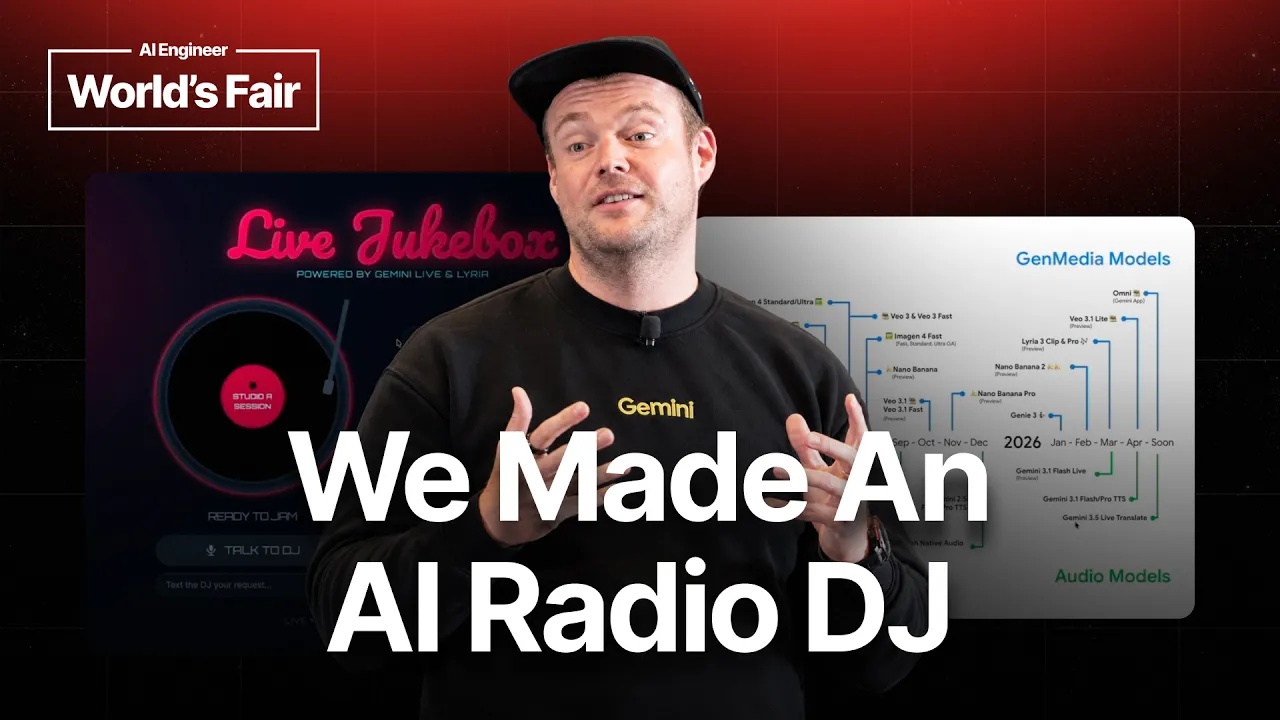
Can Your Agent Hear You Now? Building Live Voice Agents with Gemini — Thor Schaeff — AI Engineer

AI Engineer

Replacing traditional speech-to-text pipelines with native audio processing eliminates latency bottlenecks, allowing real-time voice agents to manage multilingual interruptions and external tool calls directly.

AI-assisted summary of Can Your Agent Hear You Now? Building Live Voice Agents with Gemini — Thor Schaeff — original source. Check the original for full context.

Source published:

Key ideas

  • Google DeepMind's new Nano Banana Light model enables real-time image generation with a latency of approximately two to three seconds. (5:15)
  • The Gemini Interactions API facilitates stateful chaining of multimodal generations, allowing models to maintain visual and stylistic consistency across consecutive calls. (9:02)
  • Gemini 3.5 Live Translate provides near real-time, bidirectional translation with automatic language detection, supporting 90 languages. (7:07)
  • The Gemini Live API utilizes a native audio model, bypassing traditional speech-to-text and text-to-speech pipelines to reduce latency and improve conversational fluidity. (14:36)

Detailed notes

## Background This talk was published by the AI Engineer channel on YouTube on October 11, 2026, and features Thor Schaeff, a developer experience engineer at Google DeepMind. The session provides an overview of building live voice agents, showcasing how to leverage Gemini’s real-time capabilities to create interactions that see, hear, and speak in various languages.

## TL;DR Thor Schaeff demonstrates the latest capabilities of the Gemini API, focusing on real-time voice and multimodal integration. He showcases practical applications like a narrative-driven story canvas using the Interactions API, real-time multilingual translation, and a reactive AI radio DJ powered by Lyria 3. The presentation explains the shift from traditional speech-to-text pipelines to native audio models, highlighting features like native interruption support, Google Search grounding, and stateful context management.

## Atmosphere & style The session feels like an energetic, high-stakes tech demonstration performed in front of a live, tech-savvy audience at the AI Engineer World's Fair. Thor balances technical expertise with a lighthearted, slightly improvisational stage presence, using humor and live demo hiccups to maintain a dynamic and engaging tempo. The atmosphere is optimistic and forward-looking, characterized by a sense of rapid innovation where even the speaker’s own slides are humorously rendered obsolete by the speed of new model releases.

## Bulletin - [05:15](https://www.youtube.com/watch?v=xfPVBzDYjH4&t=315s) Google DeepMind's new Nano Banana Light model enables real-time image generation with a latency of approximately two to three seconds. - [09:02](https://www.youtube.com/watch?v=xfPVBzDYjH4&t=542s) The Gemini Interactions API facilitates stateful chaining of multimodal generations, allowing models to maintain visual and stylistic consistency across consecutive calls. - [07:07](https://www.youtube.com/watch?v=xfPVBzDYjH4&t=427s) Gemini 3.5 Live Translate provides near real-time, bidirectional translation with automatic language detection, supporting 90 languages. - [14:36](https://www.youtube.com/watch?v=xfPVBzDYjH4&t=876s) The Gemini Live API utilizes a native audio model, bypassing traditional speech-to-text and text-to-speech pipelines to reduce latency and improve conversational fluidity.

## Key takeaways - [01:12](https://www.youtube.com/watch?v=xfPVBzDYjH4&t=72s) Gemini TTS offers highly expressive, steerable vocal delivery with low-latency streaming capabilities suitable for production-grade audio pipelines. - [03:45](https://www.youtube.com/watch?v=xfPVBzDYjH4&t=225s) Omni Flash is a new model released by Google DeepMind designed specifically for video generation and editing workflows. - [03:45](https://www.youtube.com/watch?v=xfPVBzDYjH4&t=225s) The Nano Banana story canvas demo shows how voice agents can issue tool calls to dynamically generate accompanying imagery in real time. - [05:42](https://www.youtube.com/watch?v=xfPVBzDYjH4&t=342s) The `previous_interaction_id` parameter is critical for developers to maintain context, character mood, and aesthetic fidelity across sequential image generations. - [06:47](https://www.youtube.com/watch?v=xfPVBzDYjH4&t=407s) The Interactions API acts as a unified stateful gateway that connects foundation models, generative media, and agent runtimes. - [07:07](https://www.youtube.com/watch?v=xfPVBzDYjH4&t=427s) Gemini 3.5 Live Translate handles autonomous language detection, allowing users to switch languages mid-conversation without manual toggling. - [10:21](https://www.youtube.com/watch?v=xfPVBzDYjH4&t=621s) Gemini 3.1 Flash Live serves as the core conversational engine for real-time voice agents, supporting complex tool execution. - [10:56](https://www.youtube.com/watch?v=xfPVBzDYjH4&t=656s) Lyria 3 enables voice agents to generate custom musical tracks on demand, demonstrating the potential for complex agent-to-tool coordination. - [15:07](https://www.youtube.com/watch?v=xfPVBzDYjH4&t=907s) Native audio models allow for interruption (barge-in) and more natural, responsive conversations compared to cascading pipeline architectures. - [14:36](https://www.youtube.com/watch?v=xfPVBzDYjH4&t=876s) The Live API operates over WebSockets, maintaining persistent state throughout the duration of the conversational session. - [16:06](https://www.youtube.com/watch?v=xfPVBzDYjH4&t=966s) For enterprise-grade scaling of real-time media, developers are encouraged to utilize partnership integrations like LiveKit and Pipecat. - [16:25](https://www.youtube.com/watch?v=xfPVBzDYjH4&t=985s) Google AI Studio is the recommended primary interface for developers to test and configure the Live API with features like Google Search grounding.

## Detailed walkthrough ### [00:12](https://www.youtube.com/watch?v=xfPVBzDYjH4&t=12s) Guess the Model: Gemini TTS

Thor Schaeff opens the session with self-deprecating humor about scheduling confusion, welcoming the small group of attendees who “wandered in” and apologizing to anyone who accidentally showed up expecting a quiet co-working lounge. Setting up a talk focused on voice and agentic experiences using the Gemini API, he kicks off by playing an expressive, theater-announcer audio clip:

> “Welcome one and all to the grandest stage on Earth. You're standing right at the heart of the largest AI engineer World's Fair in history. Let's build the future together, shall we?”

He immediately challenges the room to guess the underlying model. After disqualifying a colleague who already knows the answer and dropping a hint that “it starts with G,” audience members guess Gemini and Gemini Live. Thor clarifies that while it is indeed Gemini, it is not Live—it is Gemini TTS (Text-to-Speech). He explains that the model excels at expressive, steerable vocal delivery through inline audio controls, and its latency has dropped substantially enough to make it a prime candidate for developers building high-quality audio pipelines.

- **Model identified**: Gemini TTS (expressive speech with inline audio steerability and low-latency streaming). - **Speaker**: Thor Schaeff, Developer Experience team at Google DeepMind (focusing on the Gemini API and Google AI Studio), joined by colleague Philip, who works on managed agents.

---

[03:15](https://www.youtube.com/watch?v=xfPVBzDYjH4&t=195s) What Shipped Today: Omni Flash and Nano Banana Light

Thor highlights the rapidly expanding capabilities of Gemini’s multimodal foundation and media generation stack. He quips that his slides are already obsolete because Google DeepMind shipped two new models just that morning: Omni Flash and Nano Banana Light. While Omni Flash addresses video generation and editing, Nano Banana Light focuses directly on slumping the latency of image generation and image modification.

To illustrate how these modalities snap together, Thor introduces a prototype he built: the Gemini Nano Banana story canvas. The goal is to conduct an improv-style storytelling session driven conversationally by Gemini Live, which subsequently issues tool calls to Nano Banana Light to dynamically generate accompanying illustrations in real time.

- **Omni Flash**: New model for video generation and video editing. - **Nano Banana Light**: High-speed image generation and editing model engineered to cut rendering latency down to roughly two to three seconds.

---

[03:45](https://www.youtube.com/watch?v=xfPVBzDYjH4&t=225s) Demo: An Illustrated Story Canvas

Stepping into an impromptu theater mode, Thor invites the audience to throw out a narrative seed. Setting the scene in 1980s Taipei, Gemini Live begins narrating with atmospheric flavor:

> “The neon lights of Taipei's night market pulsed with an almost magical energy reflecting off the wet pavement and the chrome of passing scooters. Rain had just passed, leaving a humid mist that hung in the air. Amidst the throng of shoppers and vendors, a young woman clutched a small, strangely glowing object under her jacket.”

Thor steers the narrative further, nudging the agent to bring in the iconic 1980s Taiwanese invention: bubble tea. The voice agent seamlessly picks up the cue, describing a vendor vigorously shaking a frothy metal cup and serving a customer who marvels at the chewy tapioca pearls at the bottom. As the voice agent narrates, it fires tool calls in the background to render canvas art corresponding to the scene.

```mermaid flowchart TD accTitle: Story Canvas Flow with Interactions API accDescr: Gemini Live triggers tool calls into the stateful Interactions API to generate consistent imagery via Nano Banana Light.

subgraph UserInteraction ["User Voice Input"] VoiceIn["Audience / User Prompt"] end

subgraph GeminiLiveSession ["Real-Time Agent"] GLive["Gemini Live (Voice Agent)"] ToolCall["Tool Call: generate_image"] end

subgraph MediaBackend ["Generative Media"] InterAPI["Stateful Interactions API"] NanoB["Nano Banana Light"] end

VoiceIn --> GLive GLive -->|"streams speech"| VoiceOut["Spoken Story"] GLive -->|"triggers tool"| ToolCall ToolCall -->|"passes previous_interaction_id"| InterAPI InterAPI --> NanoB NanoB -->|"renders scene (2-3s)"| CanvasUI["Consistent Story Canvas"] ```

---

[05:42](https://www.youtube.com/watch?v=xfPVBzDYjH4&t=342s) The Interactions API: Stateful Context Chaining

As the canvas images materialize within two to three seconds each, Thor dives into the technical mechanism powering character and style coherence: the Gemini Interactions API. Rather than treating each creative generation as an isolated, stateless request, the Interactions API keeps persistent context across calls.

The first generation executes without a reference ID, but every subsequent call forwards the `previous_interaction_id`. Thor explains:

> “The interactions API is exciting because it is a stateful API which means we can chain our interactions very seamlessly.”

Because the model retains stylistic awareness and character features from the prior turn, it does not invent an entirely new visual language for each story beat. Thor emphasizes that the Interactions API functions as a unified gateway across all Google DeepMind models and managed agents, giving builders a coherent foundation for chained multimodal workflows.

- **Key parameter**: `previous_interaction_id` to maintain character, mood, and aesthetic fidelity across sequential generations. - **Unified role**: Serves as the single stateful interface spanning generative media, foundation models, and agent runtimes.

---

[07:07](https://www.youtube.com/watch?v=xfPVBzDYjH4&t=427s) Demo: Near Real-Time Translation with Gemini 3.5 Live Translate

Turning to real-time audio, Thor pivots to Gemini 3.5 Live Translate. He pulls up a live translation session on screen and displays a QR code, instructing audience members to scan it with their smartphones, plug in their headphones, and pick their native or preferred language.

As Thor speaks English into his microphone, the platform processes the incoming stream, derives contextual meaning on the fly, and broadcasts synthetic audio simultaneously in attendees' chosen languages. To prove the model's bidirectionality and autonomous language detection, Thor pauses, switches into German mid-stride, and watches the engine automatically detect the change in source tongue without manual toggling. Attendees confirm through hand signals that their German and Chinese audio streams are arriving crisp and clear.

> “Gemini Live Translate is a really incredible model. It's near real-time translation. So as I'm speaking, as soon as the model is recognizing kind of the context of what I'm speaking about, it will then start translating in real time to your desired language.”

- **Model**: Gemini 3.5 Live Translate, exposed directly via the Gemini API. - **Capabilities**: Zero-configuration automatic language detection, streaming translation, context-aware sentence translation, and synchronized multilingual broadcast to connected client devices.

---

[10:21](https://www.youtube.com/watch?v=xfPVBzDYjH4&t=621s) Gemini 3.1 Flash Live & The Lyria 3 Radio DJ Demo

Thor transitions to conversational voice agents, confirming that the underlying engine driving real-time interaction in the official Gemini consumer app is Gemini 3.1 Flash Live. To show how a voice agent coordinates external tools, Thor displays a retro-themed "live jukebox" project built in Google AI Studio.

The concept recreates classic call-in radio shows where listeners phoned the host to request custom tracks. Here, Gemini 3.1 Flash Live acts as an energetic, British-accented radio DJ. When a request is finalized, the agent calls an external API tool powered by Google DeepMind's Lyria 3 music generation model to generate custom tracks on demand.

When Thor connects to the live jukebox, the DJ jumps in:

> “Well, hello there. You're live on the live jukebox right now. What absolute banger are we cooking up for you today, mate?”

Thor requests a high-energy reggaeton track celebrating the AI Engineer World's Fair in San Francisco. The DJ matches his banter, playfully asking whether to include specific tech terminology or lean into festival energy before confirming:

> “Prepare for a huge musical surprise generating that track right now. Mixing that reggaeton rhythm with the tech buzz for the World's Fair. It's going to blow your headphones off.”

Lyria 3 immediately compiles the request and starts outputting an upbeat reggaeton groove complete with dynamic synth stabs, pulsing bass, and generated vocals singing about neural networks firing up and tech pioneers mingling on the conference floor.

[12:36](https://www.youtube.com/watch?v=xfPVBzDYjH4&t=756s) Building and Architecting with the Live API

Thor Schaeff transitions from the live demonstrations to explaining the underlying mechanics of the Gemini Live API. He emphasizes that while the specific example of a radio DJ might be niche, the core components—multilingualism, real-time capability, and tool calling—are essential building blocks for any modern conversational agent. He notes that the same infrastructure used for the music demo can be applied to business-critical tasks like querying a CRM or creating backend support tickets.

The Live API operates as a stateful WebSocket session. Unlike traditional voice pipelines that rely on a disjointed flow of speech-to-text, an LLM, and text-to-speech, the Gemini Live model is native audio. This architecture bypasses the need for intermediate text conversion, allowing for significantly lower latency and more natural interaction. "So if you've worked with voice agents before, this is a little bit different from kind of your cascading voice agent pipeline because this is a native audio model," Schaeff explains. "So the model itself does not go through text, but rather the intelligence is baked into the audio model."

* **Core Capabilities:** * **Native Audio:** The model processes and generates audio directly, supporting fluid transitions. * **Multilingual Support:** Currently supports 90 languages. * **Interruption (Barge-in):** Users can interrupt the model while it is speaking. * **Tool Use:** Allows the model to execute functions, such as searching Google or triggering external APIs like Lyria 3. * **Ecosystem Partners:** Schaeff recommends using tools like LiveKit and Pipecat to handle the complexities of scaling real-time media.

```mermaid flowchart LR A["User Input (Audio/Video/Text)"] -->|WebSocket| B["Gemini Live Model"] B -->|Native Audio Generation| C["Audio Output"] B -->|Transcript| D["Text Output"] B -->|Function Call| E["Tools/Google Search"] E -->|Data| B style B fill:#f9f,stroke:#333 ```

[16:25](https://www.youtube.com/watch?v=xfPVBzDYjH4&t=985s) Live Demonstrations and Conclusion

Schaeff guides the audience through the practical starting point for developers: Google AI Studio. He humorously acknowledges the investment Google has made in their domain names, encouraging attendees to utilize the AI Studio platform to experiment with the Gemini 3.1 Flash Live model. Within this interface, developers can toggle features such as Google Search grounding, which allows the model to retrieve real-time information for dynamic queries, such as current weather or historical facts.

In a final demonstration, Schaeff tests the model's vision and multilingual capabilities in real-time. He probes the model to identify his clothing and sweatshirt branding, then switches to Mandarin to engage the agent in a conversation about its "dietary habits" as a digital entity. He concludes the session by inviting attendees to follow up during a deeper-dive workshop scheduled for the following day.

* **Key Resources Mentioned:** * **Google AI Studio:** `ai.studio` (or `ai.dev`) for testing the Live API. * **Configuration:** Users can select specific model variants (e.g., Gemini 3.1 Flash Live) and choose from different voice personas (e.g., "Puck"). * **Grounding:** Enabling Google Search allows the model to function with external, up-to-date knowledge.

Regarding the technical advantage of the native model, Schaeff notes: "So this is what allows us to to switch very fluidly between different languages." He wraps up the talk by thanking the audience and offering an invitation for further collaboration: "If you want to learn more about building with Gemini and the Gemini Live API, join me tomorrow morning in room 2009."

## Notable quotes > [05:45](https://www.youtube.com/watch?v=xfPVBzDYjH4&t=345s) The interactions API is exciting because it is a stateful API which means we can chain our interactions very seamlessly. — Thor Schaeff

> [07:07](https://www.youtube.com/watch?v=xfPVBzDYjH4&t=427s) Gemini Live Translate is a really incredible model. It's near real-time translation. So as I'm speaking, as soon as the model is recognizing kind of the context of what I'm speaking about, it will then start translating in real time to your desired language. — Thor Schaeff

## Mentioned Thor Schaeff, Google DeepMind, Gemini, Gemini Live, Gemini TTS, Omni Flash, Nano Banana Light, Interactions API, Gemini 3.5 Live Translate, Lyria 3, Gemini 3.1 Flash Live, LiveKit, Pipecat, Google AI Studio, AI Engineer World's Fair

## Video description An agent that hears you, sees you, and answers in your language, in real time. Here's how to build one with Gemini.

Thor Schaeff, who works on developer experience at Google DeepMind, runs a set of live demos of Gemini's real-time and media models. He builds an illustrated story with Gemini Live and a fast Nano Banana image model, using the stateful Interactions API to keep characters and style consistent between images. He has the audience scan a QR code to hear the talk in their own language with Gemini 3.5 Live Translate, then calls up an AI radio DJ that uses Lyria 3 to generate a reggaeton track on request. He explains how the Live API works: a stateful WebSocket session that takes in text, audio and video and streams back audio plus a transcript, using a native audio model rather than a speech-to-text and text-to-speech pipeline. It supports 90 languages, interruptions, tool calls and Google Search grounding. He ends with a voice and vision demo in Google AI Studio.

In this talk: • Chaining image generations with the stateful Interactions API • Near real-time speech translation with Gemini 3.5 Live Translate • A voice agent that calls tools, like Lyria 3 for music • How the Live API works: native audio, barge-in, tools and 90 languages

SPEAKER Thor Schaeff, Developer Experience, Google DeepMind LinkedIn: https://www.linkedin.com/in/thorwebdev/ X: https://x.com/thorwebdev GitHub: https://github.com/thorwebdev

LINKS Gemini Live API docs: https://ai.google.dev/gemini-api/docs/live Interactions API docs: https://ai.google.dev/gemini-api/docs/interactions-overview Gemini 3.5 Live Translate: https://blog.google/innovation-and-ai/models-and-research/gemini-models/gemini-live-3-5-translate/ Lyria 3 for developers: https://blog.google/innovation-and-ai/technology/developers-tools/lyria-3-developers/ Google AI Studio: https://aistudio.google.com

CHAPTERS 0:00 Intro 0:56 Guess the model: Gemini TTS 2:01 Meet Thor 3:15 What shipped today 3:45 Demo: an illustrated story canvas 5:42 The Interactions API 7:07 Demo: Gemini Live Translate 10:21 Gemini 3.1 Flash Live 10:56 Demo: an AI radio DJ with Lyria 3 14:13 How the Live API works 15:07 Native audio, not a pipeline 16:06 Partners: LiveKit and Pipecat 16:31 Try it in AI Studio 17:55 Demo: voice, vision and Mandarin 19:42 Wrap-up

Recorded at the AI Engineer World's Fair 2026 in San Francisco. Subscribe for more talks from the engineers building with AI.

AI Engineer: https://ai.engineer YouTube: https://www.youtube.com/@aiDotEngineer X: https://x.com/aiDotEngineer LinkedIn: https://www.linkedin.com/company/aidotengineer/

#Gemini #VoiceAI #AIEngineer

[Source](https://www.youtube.com/watch?v=xfPVBzDYjH4)

Reading summary

Thor Schaeff of Google DeepMind demonstrates how Gemini's native audio architecture and stateful APIs shift conversational AI away from disjointed text-cascading pipelines toward low-latency, multimodal agent experiences. By processing speech directly and coordinating external generative tools, these models enable real-time voice interaction, simultaneous translation, and dynamic asset generation. Native Audio Replaces Cascading Voice Pipelines (12:36) Traditional conversational voice systems rely on cascading separate services for speech-to-text, large language model inference, and text-to-speech. Schaeff explains that the Gemini Live API operates differently by using a native audio model over a stateful WebSocket session. Because intelligence is embedded directly into the audio model rather than routed through intermediate text representations, the system achieves substantially lower latency and fluid conversational pacing. The Gemini 3.1 Flash Live model powers this real-time interaction, featuring native support for 90 languages and user interruptions, also known as barge-in. Schaeff also notes that Gemini TTS offers expressive, steerable vocal delivery with inline audio controls. To manage the networking and infrastructure demands of real-time audio and video streams at production scale, he points developers toward ecosystem frameworks like LiveKit and Pipecat. Stateful Chaining Across Media Generations (5:42) Multimodal agents often struggle with stylistic drift across sequential outputs. DeepMind addresses this through the Gemini Interactions API, a stateful gateway that maintains context across calls using a previous interaction identifier. Passing this parameter ensures that subsequent generations preserve aesthetic coherence, character features, and narrative tone rather than inventing a new visual language on each turn. Schaeff illustrated this capability using an illustrated story canvas prototype driven conversationally by Gemini Live. As the voice agent narrated an improvised story set in 1980s Taipei, it initiated background tool calls to Nano Banana Light—a model engineered to generate and edit images within two to three seconds. Schaeff noted that DeepMind also released Omni Flash for video generation and editing, with the Interactions API serving as the unified context layer across these foundation models. Coordinating External Tools and Generative Audio (10:21) Beyond conversational speech, the Live API functions as an orchestration layer that triggers external functions and retrieves real-time knowledge. In a demonstration mimicking a call-in radio show, Gemini 3.1 Flash Live adopted a British DJ persona, engaged with an audience music request, and executed an API tool call to DeepMind's Lyria 3 music generation model to instantly synthesize a custom reggaeton track. Schaeff emphasized that the underlying orchestration architecture is model-agnostic regarding utility. The same tool-calling mechanics that generated custom music on the fly can be directed toward enterprise backends, such as querying a CRM database or creating customer support tickets. Developers can also enable Google Search grounding to supply the model with dynamic, verified external information. Zero-Configuration Streaming Multilingual Translation (7:07) To highlight low-latency audio processing without manual language switching, Schaeff demonstrated Gemini 3.5 Live Translate. Attendees connected their mobile devices via a QR code to receive concurrent synthetic audio streams in their chosen languages as the speaker spoke into a microphone. The translation engine operates in near real time by interpreting conversational context on the fly rather than waiting for complete sentence boundaries. When Schaeff switched from English to German mid-sentence without adjusting settings, the system automatically detected the change in source language and maintained synchronized, continuous broadcast audio across connected client streams. Schaeff directs developers to Google AI Studio to configure Gemini Live models, test voice personas, and implement search grounding, while highlighting that production voice agents require pairing native audio models with robust real-time transport infrastructure.

Source quotes

[5:45] Thor Schaeff: The interactions API is exciting because it is a stateful API which means we can chain our interactions very seamlessly. [7:07] Thor Schaeff: Gemini Live Translate is a really incredible model. It's near real-time translation. So as I'm speaking, as soon as the model is recognizing kind of the context of what I'm speaking about, it will then start translating in real time to your desired language.

Original transcript

[0:12] Can you hear me? Fantastic. Hello [0:15] everyone. Well, hello couple people that [0:18] wandered in. Um, [0:21] I'm sorry the schedule has been changing [0:23] around. I'm sorry you didn't find the [0:26] quiet working area you were looking for. [0:29] All right. Um, we are looking at some [0:32] agents with Gemini API. Now, before we [0:36] kick off, [0:38] let's have a little listen to this. [0:41] Welcome one and all to the grandest [0:44] stage on Earth. You're standing right at [0:47] the heart of the largest AI engineer [0:50] World's Fair in history. Let's build the [0:53] future together, shall we? [0:56] Does anyone know what model that is? [1:01] Yeah. You you you you're not allowed. [1:04] Anyone else? Anyone know which model? [1:07] No. Any guesses? [1:11] It starts with G. [1:17] Gemini. Yes, it is a Gemini model. But [1:21] which one? [1:24] No, it's not life. That's incorrect. [1:28] Yes. This is Gemini TTS. Is that what [1:31] you were about to say? No. Okay. Um, so [1:34] Gemini text to speech. Uh, actually a [1:37] really incredible model for expressive [1:40] speech. You have inline audio text you [1:43] can steer it with. Um, you can stream [1:45] the speech. It's a lot lower latency now [1:47] than it used to be. So uh if you are in [1:51] the market for some speech uh text to [1:55] speech that is Gemini TTS is a good [1:58] model. [1:59] Now let's have a look at uh some of the [2:03] things we're doing today. Uh first of [2:05] all my name is Thor. I work on the [2:08] developer experience at Google DeepMind. [2:11] So that mostly includes Gemini API and [2:14] Google AI Studio. So if you're using the [2:17] Gemini models through the API, uh you [2:21] know, let me know if you have any [2:22] feedback. I have my colleague Philip [2:24] here as well, uh who's working on [2:26] managed agents on the API. So if you're [2:28] using that, uh let us know as well. [2:32] So this is a bit of a a prelook at the [2:36] workshop we're doing tomorrow. Um so [2:39] tomorrow we'll do kind of Gemini API [2:41] especially focused on um live agents uh [2:45] conversational agents real time uh [2:48] conversational agents multimodal [2:50] real-time conversational agents we're [2:52] just packing everything in there um and [2:55] so what we can look at actually there's [2:58] uh been a lot of things that shipped and [3:00] so specifically what we want to look at [3:03] is the multimodality of Gemini and the [3:06] gen media models [3:07] Uh so actually this slide is already out [3:09] to date because this morning we shipped [3:12] a new model uh that is called anyone [3:15] know which model did we ship? We shipped [3:18] Omni Flash which is uh a video [3:21] generation and editing model and we [3:24] shipped Nano Banana Light. So Nano [3:26] Banana Light is a really exciting model [3:28] because it cuts down the latency of [3:31] image generation and image editing quite [3:34] significantly. And so what I've done, [3:36] we'll we'll do a couple demos here. Uh [3:39] and one of the demos is um this example [3:42] here, which I call the uh Gemini [3:46] Nanobanana story canvas. Uh and I just [3:49] VIP code this up uh just recently and [3:52] I'm having some trouble with my mouse [3:54] here. Um but so what we can do is we can [3:58] come up with a story with um Gemini Life [4:02] and then have it use Nano Banana Light [4:04] to to illustrate that story for us. So [4:07] anyone you know this is a little bit [4:09] like improv theater now. Anyone has a [4:11] story line they want to start with? [4:15] Where are we [4:18] somewhere? Okay, let's say um [4:23] we're in Taipei in the 1980s. [4:27] The neon lights of Taipe's night market [4:29] pulsed with an almost magical energy [4:32] reflecting off the wet pavement and the [4:34] chrome of passing scooters. Rain had [4:36] just passed, leaving a humid mist that [4:38] hung in the air. Amidst the throng of [4:41] shoppers and vendors, a young woman [4:43] clutched a small, strangely glowing [4:45] object under her jacket. [4:48] Something very exciting happened in [4:50] 1980s Taipei. A new kind of drink [4:52] emerged. [4:54] She paused at a stall where a man was [4:56] vigorously shaking a metal cup, creating [4:59] a frothy, milky concoction. He handed a [5:01] cup to a customer who took a long sip [5:04] with wide eyes, savoring the strange [5:06] tapioca pearls at the bottom. This was [5:08] the birth of bubble tea, and its sweet, [5:11] chewy magic was spreading like wildfire. [5:18] So what you can see here is uh from the [5:20] tool call. So Gemini Life is getting a [5:22] tool call [5:25] um and then it's using the Gemini [5:27] interactions API to generate an image on [5:30] the fly. Now it still takes kind of you [5:33] know two to three seconds for the actual [5:35] image generation but that is um pretty [5:38] impressively fast. And um what you can [5:41] look at is if you're looking at the code [5:43] here uh we're using the interactions [5:45] API. And so the interactions API is [5:48] exciting because it is a stateful API [5:51] which means we can chain our [5:53] interactions very seamlessly. So you [5:55] could see here the first image [5:58] generation that we were doing uh it [6:00] didn't have a previous interaction ID [6:03] but then the next generation that we [6:05] were doing we're passing this previous [6:07] interaction ID to the interactions API [6:11] which means that we have the previous [6:13] context of the previous interaction and [6:16] we can continue that in the generation. [6:18] So what that means specifically for our [6:20] demo here is that you can see is our [6:23] first you know interaction uh it [6:25] generated an image with a very specific [6:28] kind of visual feeling and also with [6:30] characters right and so we can continue [6:33] that interaction and so we can keep the [6:35] same consistency kind of across these [6:38] generations. So if you haven't tried out [6:40] the interactions API, uh it is our [6:42] unified API for interacting with all of [6:45] the Google DeepMind models as well as [6:47] agents. Uh and so do try that out. It is [6:50] a it is a really really cool um way to [6:53] interact with everything that Google [6:55] DeepMind has. [6:57] Okay, so this was you know a bunch of [7:00] things that happened. Um so this was [7:02] kind of on the Gen Media side. We [7:04] shipped uh Nano Banana Light this [7:06] morning. Now, we also recently shipped [7:09] on the audio side our live translation [7:11] model. Has anyone tried out Gemini 3.5 [7:15] live translate? [7:18] Yes. Okay, a couple folks. Uh, that's [7:20] fantastic. So, what we can do is uh we [7:23] can try that out as well. We can play uh [7:25] a little demo. And so what I'm going to [7:28] do here is I'm going to create this live [7:30] translation session [7:32] and I want you to scan [7:36] uh this QR code on your phone. [7:39] And so what this is doing here is if I [7:42] now enable um my microphone. So this is [7:46] getting the the microphone of my speech [7:49] um here into the session. And now if you [7:52] go in and you select your preferred [7:55] language. So we're seeing here we're [7:57] getting some German. So someone is [7:59] listening to me now speaking in German. [8:02] And so if you are uh now listening to [8:04] this, so you probably need some [8:06] headphones. So if you have some [8:08] noiseancelling headphones, [8:10] you can now listen into this talk in [8:13] your preferred language. And so Gemini [8:15] live translate is a really incredible [8:18] model. It's near realtime translation. [8:20] So as I'm speaking, as soon as the model [8:23] is recognizing kind of the context of [8:26] what I'm speaking about, uh it will then [8:28] start translating in real time to your [8:31] desired language. So I see someone is [8:34] listening in there. Do do you get some [8:36] audio out? Can you hear it? Yeah. Does [8:38] it sound good? Fantastic. See, um, so [8:42] this is this is really exciting because [8:44] you know in a conference like this [8:46] obviously we have a very very [8:48] international audience and so I can [8:51] speak in my preferred language. So I [8:53] could switch to German now for example. [9:11] the powerful Gemini live translates. Um, [9:15] it is a a really incredible model. Um, [9:18] it automatically detects the language [9:20] the speaker is speaking and then [9:22] translates it in real time uh into our [9:25] preferred language. Okay, we have uh a [9:27] very international crowd here today. Uh, [9:30] who's listening in in uh Chinese? [9:33] Are you listening in Chinese? [9:37] Oh, okay. I didn't understand that, but [9:43] okay. Um, so that is Gemini live [9:47] translate. Um, if you want to try it [9:50] out, you can add it to your um [9:53] applications now. It is available on the [9:55] Gemini API. So, do try that out. uh it [9:58] is a really incredible model and uh [10:01] would love to hear kind of what you're [10:02] what you're building with that. Now [10:06] obviously we're looking at uh agents, [10:08] right? Can your agents uh what's it the [10:11] title of this talk? Gemini made up this [10:13] title. So I uh can your agent hear me [10:16] now? I think that that is the title. So [10:19] our most recent real time conversational [10:22] model is called Gemini 3.1 Flash Life. [10:26] Now, if you've talked to Gemini before [10:29] in the Gemini app, that is exactly the [10:31] model that you're speaking to. And so, [10:34] we can do a little demo here. So, this [10:36] demo was vipcoded by Gemini in Google AI [10:40] Studio. And if you remember the good old [10:43] times, you know, when you were listening [10:45] to radio, [10:46] you know, not too long ago, you could [10:48] phone up the the the radio host and you [10:51] could ask for a song, right? You could [10:54] wish for a song. So, it's the same idea [10:57] here. We're using Gemini Life to be our [10:59] radio DJ and then we're giving Gemini [11:02] Life an API, a function call to the [11:06] Gemini API to then use LIA 3, which is [11:09] our music generation model to then [11:12] generate some music for us on demand. [11:14] Okay, let's uh try this out. We're we're [11:18] just going live demo to live demo here. [11:20] Let's let's see. Well, hello there. [11:23] You're live on the live jukebox right [11:25] now. What absolute banger are we cooking [11:27] up for you today, mate? To get this [11:29] track properly sorted, I need a bit more [11:31] of an idea. What genre are we thinking? [11:33] Upbeat synth pop, smooth jazz, something [11:35] with a bit more well. And what's the [11:37] vibe lyrics-wise? Give us some details. [11:39] >> Yeah. Can we get like a really high [11:42] energy ragaton, please? About the AI [11:45] engineering world's fair here in San [11:48] Francisco. [11:50] >> Now that sounds like a proper belter, [11:52] mate. high energy regaton about the AI [11:54] engineering world's fair. Brilliant. [11:56] Right. To make this absolutely top of [11:58] the pops, any specific bits of tech or [12:00] big names you want thrown in, or are we [12:02] just going for that huge festival vibe? [12:05] >> Yeah, just surprise me, please. [12:09] You got it, my friend. Prepare for a [12:11] huge musical surprise generating that [12:13] track right now. Mixing that regaton [12:16] rhythm with the tech buzz for the [12:17] World's Fair. [12:19] It's going to blow your headphones off. [12:21] Fair. What a feeling. Let's go [12:24] on the floor. Neural networks firing up. [12:26] Groundbreaking for sure. Clever [12:28] algorithms dancing. [12:30] Tech pioneers mingling. This is [12:32] innovation. Baseline is pulsing heavy. [12:34] Can you feel the heat? Sin stabs [12:36] electrifying. Move in your feet. [12:41] This is how we are. [12:50] Yeah, that that was pretty cool. You [12:51] went multilingual there as well. Nice [12:54] one. Cheers. [12:57] >> Cheers, mate. Glad you like the flavor. [12:59] Keep those big ideas coming. This [13:00] jukebox never sleeps. What are we [13:02] spinning next then? Feeling. [13:04] >> All right. Um, yes, you can try this out [13:07] yourself. Uh, it is is a a demo that was [13:11] built in Google AI Studio. Uh so if you [13:14] want you can fork this in AI studio and [13:17] continue yourself. Um I know this [13:20] application might not necessarily be [13:22] that useful for your business context, [13:25] you know, if that's something you're [13:27] looking to do, but I think the [13:28] individual components are definitely [13:31] useful. So if you're building real-time [13:33] conversational agents, [13:35] uh you know, you want them to be [13:37] multilingual, you want them to have [13:39] capabilities, uh tool calls. So in this [13:42] example, we were just giving the agent a [13:44] tool call to generate music with LIA 3 [13:47] uh on demand. Now obviously this could [13:50] also just call out to your CRM and get [13:52] some you know customer information or it [13:55] could create you know a new ticket on [13:57] the back end. Um so you know really what [14:00] I want you to take away is kind of this [14:02] real time multimodal conversational uh [14:05] experience that you can build. And so [14:08] the way that you can build with this [14:11] model, so the the Gemini 3.1 flash [14:14] real-time conversational model is [14:16] through the life API. So the life API is [14:20] a low latency real time voice and vision [14:24] uh API. So you can build multiodal uh [14:28] life real-time interactions. And so what [14:31] this means is you have this stateful [14:33] websocket API where you create a session [14:37] and then over this websocket you can [14:39] send in real time text, audio and video [14:43] frames to the model and the model will [14:46] then respond in real time back in audio [14:49] chunks. And these audio chunks you can [14:51] then stream uh in your application. Uh [14:54] and in addition to the audio, you also [14:57] get the transcript of what was said. So [15:01] if you've worked with voice agents [15:03] before, this is a little bit different [15:04] from kind of your cascading voice agent [15:07] pipeline because this is a native audio [15:10] model. So the model itself does not go [15:13] through text, but rather the [15:15] intelligence is baked into the audio [15:18] model. So the audio model can understand [15:21] the speech naturally [15:24] and natively and can then respond back [15:27] in any of the 90 supported languages. So [15:30] this is what allows us to to switch very [15:32] fluidly between different languages. [15:36] Um so kind of the key features here, [15:38] yeah, multilingual support. So 90 uh [15:41] different languages currently supported [15:43] in the preview. Um we can barge in, we [15:45] can interrupt the model, right? If our [15:47] DJ is talking a bit too lengthy, uh we [15:50] we can we can barge in, interrupt it, we [15:52] can give it uh the tools and we have the [15:55] audio transcription as well. Now, if [15:58] you're building real time conversational [16:00] applications or real-time um multimodal [16:03] applications, [16:05] uh you know, real-time media can be [16:07] quite challenging to scale. So, we have [16:09] a great lineup of partners. So, you [16:12] know, LifeKit, Pipecat, they all [16:14] actually here in the expo as well. I [16:16] recommend you go visit them. They do [16:18] some really really cool stuff to allow [16:20] you to get up and running quickly with [16:22] the Gemini Life API. [16:25] Okay, so if you're now um you know, [16:28] you're like, "Okay, this sounds great. I [16:30] want this." Um the easiest way to try [16:33] this out is through Google AI Studio. So [16:37] we spend a lot of money on this domain, [16:39] AI.studio. So I do appreciate if you use [16:42] that one. Um so we can get some ROI [16:45] there. So ai.studioife. [16:48] You can try out the model. You can talk [16:49] to it and you can understand the [16:52] capabilities that are available. [16:54] So let's do that now. Uh so we're just [16:57] going to AI.dev. [16:59] We also have AI.dev. Um yeah, please do [17:03] use that as well. That one was was also [17:05] not not so cheap. Uh there we go. [17:08] AI.devlife. [17:10] And so here uh we can also try out the [17:13] live translate model if you want to. Uh [17:16] but we can here select our Gemini 3.1 [17:19] flash uh live model. We can select a [17:22] different voice. Uh for example, I like [17:24] puck here. And then also we can enable [17:27] grounding with Google search. So [17:30] obviously the model is trained on a lot [17:32] of information but it does not have [17:34] access to real time information, right? [17:37] And so by giving it access to Google [17:40] search, it can actually go off and it's [17:42] basically like a built-in function call. [17:45] And if we ask it about today's weather [17:47] or you know why Germany played so well [17:50] in the World Cup, uh we can we can do [17:53] that and it can use Google to to look [17:55] that up. Okay, let's give this a try. [17:58] >> Hey, can you hear me? [18:01] >> Yes, I can hear you perfectly. How can I [18:03] help you today? [18:04] >> Can you see me? [18:07] Yes, I can see you clearly. You're [18:09] wearing a black shirt and a black hat [18:11] sitting in front of a blue background. [18:13] Anything specific you wanted to show me? [18:15] >> Yeah. What does it say on my sweatshirt? [18:18] >> I can see the word Gemini printed in [18:20] yellow letters. Anything else you'd like [18:22] me to identify? [18:44] Uh, okay. I think my uh my Mandarin [18:48] didn't work out so well there. Uh, can [18:50] you also speak Mandarin, please? [18:53] >> Yes, I can speak Mandarin, too. What [18:55] would you like to say now? [19:06] What's about? [19:13] >> All right. If you don't read Mandarin, I [19:16] do apologize. I was just asking the [19:18] model what it has eaten, and I just said [19:20] it doesn't need to eat because it's it's [19:22] a model. So, uh, yeah, there we go. All [19:27] right. So this is the easiest way for [19:31] you to get started with uh Gemini [19:34] ai.studiolife. [19:37] If you want to learn more about building [19:39] with Gemini and the Gemini live API, [19:43] join me tomorrow morning in uh room [19:47] 2009, I think. Check the schedule. It it [19:50] does change every once in a while. Uh [19:53] but other than that, Dankur, [19:56] thank you. Cheers.