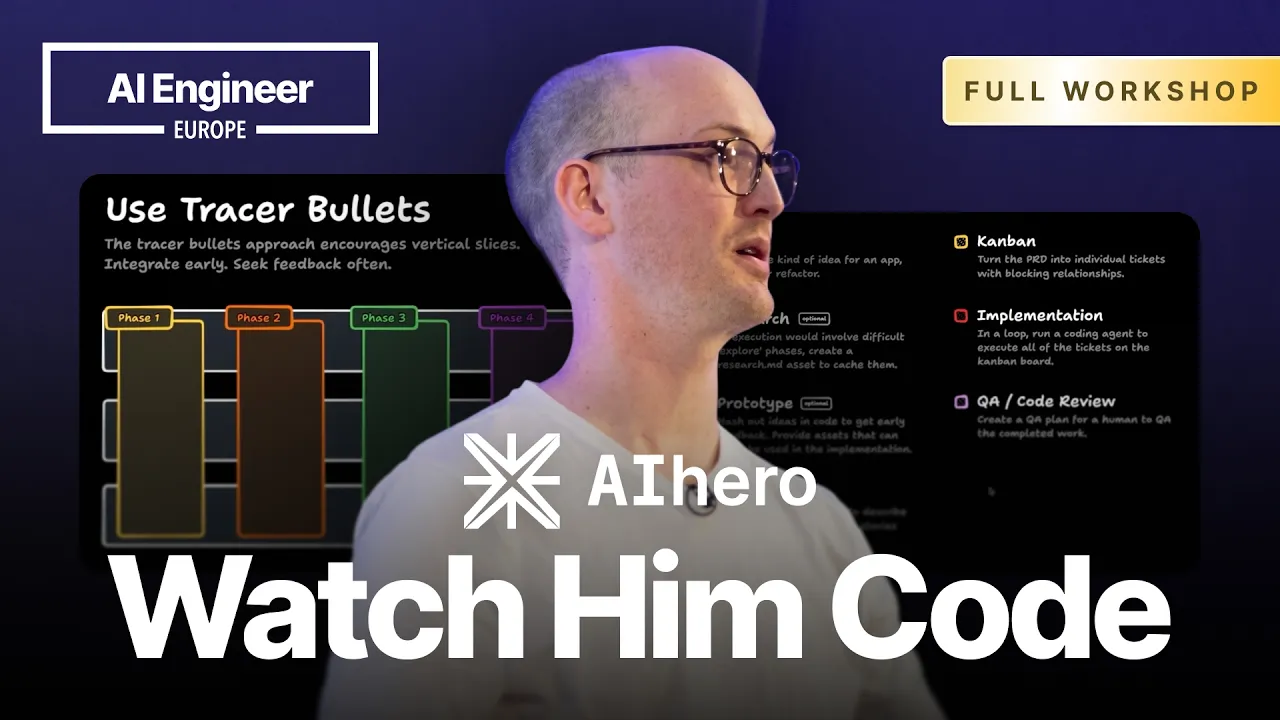
Matt Pocock presents an end-to-end framework for autonomous AI coding, arguing that traditional software engineering principles apply directly to managing agents and avoiding low-quality code generation. (0:15)
Coding agents face cognitive degradation beyond roughly 40% of their context window (around 100,000 tokens), necessitating frequent context resets and small, self-contained task scopes rather than sprawling conversational histories. (3:00)
Engineering workflows should split into a human-in-the-loop 'Day Shift' for requirements grilling and PRD creation, and an autonomous, away-from-keyboard (AFK) 'Night Shift' running TDD implementation loops. (24:59)
Automated test-driven feedback loops serve as the hard ceiling for agent quality, while architectures structured around deep modules prevent brittle, mock-heavy implementations. (68:35)
Detailed notes
## Background
Published by AI Engineer on YouTube on April 24, 2026, this 96-minute workshop features Matt Pocock demonstrating a complete end-to-end workflow for AI-assisted software development. According to the page description, the session covers turning ambiguous requirements into agent-ready PRDs, slicing work into vertical tracer bullets, driving autonomous coding agents with TDD, and architecting codebases to maximize agent performance.
## TL;DR
Matt Pocock argues that successful AI-assisted development depends on classic software engineering fundamentals rather than treating AI as a magical 'spec-to-code compiler.' He details an operating framework divided into a human-driven 'Day Shift'—featuring rigorous interactive grilling sessions, tightly scoped PRDs, and vertical tracer-bullet issue slicing—and an autonomous 'Night Shift' where agents execute TDD implementation loops inside isolated sandboxes. Throughout the workshop, Pocock warns against context degradation in the 'dumb zone,' documents techniques for preventing doc rot, and advocates for deep module architecture over shallow abstractions to maintain fast feedback loops and human code comprehension.
## Atmosphere & style
The workshop feels intensely practical, grounded, and refreshingly skeptical of pure AI hype, punctuated by Pocock's wry humor and candid admissions about tool limitations. Juggling live terminal workflows, automated agent execution, and Slido audience interactions, Pocock maintains a dynamic, conversational pacing that captures the real friction of modern engineering—complete with runtime debugging, architectural second-guessing, and thoughtful detours into foundational computer science literature. Watching it feels less like a polished vendor presentation and more like sitting beside a seasoned senior engineer who has spent hundreds of hours in the trenches stress-testing autonomous agents against real-world repositories.
## Bulletin
- [00:15](https://www.youtube.com/watch?v=-QFHIoCo-Ko&t=15s) Matt Pocock presents an end-to-end framework for autonomous AI coding, arguing that traditional software engineering principles apply directly to managing agents and avoiding low-quality code generation.
- [03:00](https://www.youtube.com/watch?v=-QFHIoCo-Ko&t=180s) Coding agents face cognitive degradation beyond roughly 40% of their context window (around 100,000 tokens), necessitating frequent context resets and small, self-contained task scopes rather than sprawling conversational histories.
- [24:59](https://www.youtube.com/watch?v=-QFHIoCo-Ko&t=1499s) Engineering workflows should split into a human-in-the-loop 'Day Shift' for requirements grilling and PRD creation, and an autonomous, away-from-keyboard (AFK) 'Night Shift' running TDD implementation loops.
- [01:08:35](https://www.youtube.com/watch?v=-QFHIoCo-Ko&t=4115s) Automated test-driven feedback loops serve as the hard ceiling for agent quality, while architectures structured around deep modules prevent brittle, mock-heavy implementations.
## Key takeaways
- [00:15](https://www.youtube.com/watch?v=-QFHIoCo-Ko&t=15s) Core software engineering fundamentals matter just as much when directing AI agents as they do when collaborating with human engineers.
- [03:00](https://www.youtube.com/watch?v=-QFHIoCo-Ko&t=180s) LLMs operate between a 'smart zone' and a 'dumb zone', suffering cognitive and reasoning degradation once conversational context exceeds roughly 100,000 tokens.
- [07:27](https://www.youtube.com/watch?v=-QFHIoCo-Ko&t=447s) Iterative chat compacting introduces lossy conversational sediment; clearing context entirely establishes a clean, deterministic base state for subsequent agent tasks.
- [11:06](https://www.youtube.com/watch?v=-QFHIoCo-Ko&t=666s) The 'specs to code' concept of exclusively editing requirements without owning codebase architecture is unviable in production environments.
- [13:48](https://www.youtube.com/watch?v=-QFHIoCo-Ko&t=828s) A dedicated interrogation command like /grill-me systematically uncovers edge cases and aligns mental models before committing to a PRD.
- [24:59](https://www.youtube.com/watch?v=-QFHIoCo-Ko&t=1499s) Requirements discovery and architectural alignment must remain strictly human-in-the-loop, while code implementation can be delegated to autonomous AFK loops.
- [36:00](https://www.youtube.com/watch?v=-QFHIoCo-Ko&t=2160s) Large 1-million-token context windows expand retrieval capacity rather than logical coding acuity, leaving the practical smart zone threshold unchanged.
- [41:47](https://www.youtube.com/watch?v=-QFHIoCo-Ko&t=2507s) Work breakdowns should prioritize vertical 'tracer bullet' slices over horizontal architectural layers to provide early end-to-end feedback across schemas, services, and UI.
- [49:31](https://www.youtube.com/watch?v=-QFHIoCo-Ko&t=2971s) Organizing tasks into Directed Acyclic Graphs (DAGs) on Kanban boards allows multiple non-blocking tickets to run in parallel across isolated agents.
- [53:37](https://www.youtube.com/watch?v=-QFHIoCo-Ko&t=3217s) The AFK implementation loop executes autonomous scripts inside container sandboxes, enforcing test-driven development to prevent agents from writing biased tests for broken code.
- [01:04:49](https://www.youtube.com/watch?v=-QFHIoCo-Ko&t=3889s) Automated code review should run in fresh context windows to evaluate diffs within the model's high-acuity smart zone rather than an exhausted implementation session.
- [01:08:35](https://www.youtube.com/watch?v=-QFHIoCo-Ko&t=4115s) Fast automated feedback loops, including type checking and unit test suites, represent the absolute ceiling of autonomous agent effectiveness.
- [01:13:39](https://www.youtube.com/watch?v=-QFHIoCo-Ko&t=4419s) Adopting John Ousterhout's 'deep module' design pattern gives agents simple interfaces with rich internal logic, eliminating brittle, heavily mocked unit test suites.
- [01:23:15](https://www.youtube.com/watch?v=-QFHIoCo-Ko&t=4995s) Storing specifications in issue trackers rather than persistent repository markdown files avoids 'doc rot' that misleads future agent tasks.
- [01:27:40](https://www.youtube.com/watch?v=-QFHIoCo-Ko&t=5260s) Coding standards should follow a pull model for implementer agents to conserve token budget, but be pushed explicitly to reviewer agents.
- [01:29:47](https://www.youtube.com/watch?v=-QFHIoCo-Ko&t=5387s) Parallel AFK pipelines like Sandcastle leverage distinct models for separate tasks, balancing execution speed via Sonnet with rigorous review via Opus.
## Detailed walkthrough
### [00:15](https://www.youtube.com/watch?v=-QFHIoCo-Ko&t=15s) Kickoff and the Core Thesis of AI Coding
With the workshop room packed to capacity, Matt Pocock decides to kick off early rather than wait 25 minutes for an arbitrary scheduled start time. He introduces himself as a teacher who now focuses on teaching AI, and sets expectations for a practical, two-hour session using exercises linked on screen. Laying out the operating philosophy that has guided his work over the prior six months, Pocock challenges the widespread assumption that AI represents a completely foreign paradigm. While acknowledging that AI is transforming development, he argues that the craft has not discarded its past. As Pocock puts it: “When we talk about AI being a new paradigm, we forget that actually software engineering fundamentals, the stuff that's really crucial to working with humans, also works super well with AI.”
Before diving into technical details, Pocock runs an informal hands-up poll to gauge audience experience, jokingly asking participants to “share those armpits with the world.” Virtually the entire room raises a hand to having coded with AI; a significant portion keeps their hands up for coding with AI every single day, and almost everyone keeps their hands raised when asked if they have ever felt frustrated while doing so. Pocock also acknowledges attendees watching via live stream in the overflow Gielgud room. To avoid standard Q&A sessions where only the most talkative people dominate, he directs everyone to an asynchronous voting board where participants submit and upvote questions, ensuring the most valuable queries bubble to the top.
- **Audience engagement check:** A unanimous show of hands for having coded with AI and having experienced deep frustration with AI tools.
- **Session logistics:** A two-hour deep dive supported by online exercise materials, streamed concurrently to the Gielgud room.
- **Democratic Q&A:** Questions are collected and upvoted asynchronously to prevent the loudest voices from monopolizing discussion time.
---
[03:00](https://www.youtube.com/watch?v=-QFHIoCo-Ko&t=180s) The LLM Constraints: The Smart Zone vs. The Dumb Zone
Pocock shifts to the foundational mechanical quirks of large language models that dictate how developers must structure their workflows. He highlights a mental model popularized by Dex Horathy of HumanLayer: models operate within a distinct "smart zone" and a "dumb zone." At the very beginning of a conversation, when context is pristine and starting from scratch, the model performs at its absolute best because token attention relationships are under the least strain. Pocock illustrates the mathematics with a sports analogy: adding a single token to a context window is like adding an extra team to a football league—the required matchups between all existing entities explode quadratically due to bidirectional positional and semantic attention calculations.
```mermaid
flowchart LR
accTitle: LLM Performance Across Context Utilization
accDescr: Diagram showing the degradation of LLM reasoning from the Smart Zone below 100K tokens into the Dumb Zone as context fills up.
subgraph SZ["The Smart Zone"]
A["Fresh Context Window\n(0 to ~100K tokens)"]
B["High Attention Accuracy\nOptimal Reasoning"]
A --> B
end
subgraph DZ["The Dumb Zone"]
C["Saturated Context\n(Quadratic Token Attention Load)"]
D["Degraded Decision-Making\nSediment & Hallucination"]
C --> D
end
B -->|"Context accumulation\n(~40% capacity)"| C
```
Regardless of whether an engineer has a 200,000-token or a 1,000,000-token context window, reasoning degradation routinely sets in at around 40% capacity, or roughly 100,000 tokens. Beyond this threshold, the model steadily enters the dumb zone, losing nuanced instructions and making erratic architectural mistakes. Pocock connects this constraint directly to foundational software literature, noting that works like Martin Fowler’s *Refactoring* and *The Pragmatic Programmer* have always warned human developers not to bite off more than they can chew. The exact same psychological safety rule applies to language models: tasks must remain small and scoped tightly to ensure the agent never crosses into dumb-zone reasoning.
- **Attention scaling:** Token attention relationships expand quadratically, straining the model's ability to maintain coherent cross-token focus.
- **The Smart Zone threshold:** Reasoning quality begins degrading around 40% of context capacity, or roughly around the 100K token mark.
- **Classic engineering parallels:** Scoping AI tasks small parallels classic human refactoring discipline from Martin Fowler and *The Pragmatic Programmer*.
---
[05:01](https://www.youtube.com/watch?v=-QFHIoCo-Ko&t=301s) Breaking Down Large Tasks: Multi-Phase Plans and the Ralph Wiggum Pattern
When tasked with large, complex engineering goals—such as cloning an entire platform or executing major codebase rewrites—engineers face a strategic dilemma: how to keep every unit of execution inside the smart zone. Pocock criticizes the naive default encouraged by AI providers, where an engineer allows a conversation to run indefinitely, sinks into the dumb zone while racking up massive per-request token costs, triggers a context compaction summary, and repeats the cycle. Each compaction step leaves behind lossy "sediment" that degrades output quality over time.
Instead, Pocock describes the approach he relied on until late 2024: breaking down massive work items into explicit multi-phase plans. Once an engineer has phases one through four, the realization dawns that this is fundamentally an algorithmic loop. Rather than writing brittle linear phases, the workflow can be abstracted into an arbitrary loop over *Phase N*, where a background plan is continually executed and updated until the acceptance criteria are satisfied. He contrasts this with the "Ralph Wiggum" software pattern, in which an engineer simply provides a product requirements document (PRD) detailing the final end state and prompts the AI to repeatedly make incremental changes toward that goal without intermediate scaffolding. While Pocock acknowledges that the Ralph Wiggum approach works passably, he stresses that enterprise-grade feature delivery requires significantly more rigid structure and boundaries.
- **Context compaction pitfalls:** Continually filling context windows and compacting creates accumulated conversational "sediment" that impairs reasoning.
- **Multi-phase loops:** Shifting from manual linear phases (1, 2, 3, 4) to an automated execution loop running against an active plan.
- **The Ralph Wiggum technique:** Pointing an agent at a target PRD with open-ended iterative nudges versus enforcing explicit structural slicing.
---
[07:27](https://www.youtube.com/watch?v=-QFHIoCo-Ko&t=447s) Context Dynamics: The Memento Problem and Session Lifecycle
Pocock introduces another fundamental constraint: large language models operate like the amnesiac protagonist in the movie *Memento*, constantly resetting to zero whenever a session restarts. Navigating an infinite canvas in tldraw instead of rigid slide decks, he maps out the four recurring stages that occur in every AI coding session:
1. **System Prompt (Base State):** The persistent instructions and framing provided to the agent.
2. **Exploration:** The coding agent reads directory trees, searches files, and analyzes existing architectures.
3. **Implementation:** The agent writes, edits, and refactors application source code.
4. **Testing and Feedback Loops:** Running test suites, type-checkers, and linters to verify changes.
Pocock warns that the persistent system prompt must be kept as lean as possible. If an engineer stuffs 250,000 tokens of rules, documentation, and boilerplate into the persistent system prompt—a mistake he has observed in production teams—the agent begins its very first interaction already trapped in the dumb zone before doing any actual work. Clearing context wipes away all exploration, implementation, and testing logs, snapping the model straight back to the base system prompt.
Switching to a live terminal running Claude Code, Pocock increases his terminal font size for the back rows and demonstrates his personal environment. He points out a custom status line displaying real-time session token consumption, emphasizing that keeping exact token counts visible is essential for preventing silent context bloat. He notes that while he happens to use Claude Code during the demonstration, the underlying patterns are tool-agnostic, and he references an article on his website, AI Hero, detailing how developers can configure similar token monitoring in their own setups.
> “When you clear the context, you go right back to the system prompt. Oof, you go right back there. So, you delete everything that's come before.” — Matt Pocock
[09:52](https://www.youtube.com/watch?v=-QFHIoCo-Ko&t=592s) Token Budgets, Compacting, and the Memento State
Monitoring token consumption in every session is essential to avoid degrading model intelligence. As Pocock explains, keeping an eye on context length directly signals when the model is approaching degraded performance: “this is essential information on every coding session cuz you need to know exactly how many tokens you're using so that you know how close you are to the dumb zone.”
When managing a conversation's context window, engineers face two primary choices: clear the session entirely back to a blank slate, or run a compaction command. Compacting compresses the entire interaction history down into a much smaller, condensed summary:
```mermaid
flowchart LR
accTitle: Conversation History Compaction Flow
accDescr: Raw conversation turns are squeezed into a small written history record.
subgraph S1["Session History"]
A["Full Interaction Tokens"]
end
subgraph S2["Compacted State"]
B["Compressed Record / History"]
end
A -->|"compact"| B
```
While developers frequently reach for compaction to retain historical context, Pocock strongly warns against it, expressing a distinct preference for zeroed-out state resets: “devs love compacting for some reason, but I hate it. I much prefer my AI to behave like uh the guy from Memento because this state is always the same.” Clearing guarantees that the starting conditions are deterministic and reproducible every time.
- Working with LLMs requires navigating two strict operating constraints: the divide between their "smart zone" and "dumb zone," and treating them like the protagonist of *Memento* who starts fresh without baggage.
- Resetting context completely avoids context pollution and keeps agent behavior predictable across iterations.
---
[11:06](https://www.youtube.com/watch?v=-QFHIoCo-Ko&t=666s) Workshop Repo and the Critique of "Specs to Code"
Moving from theory into the hands-on coding portion, Pocock introduces the workshop repository: a course management CMS called Cadence designed for instructors and students. The planned workflow tracks the journey from an initial raw idea to a Product Requirements Document (PRD), slicing issues, and eventual agent implementation. Attendees are directed to follow along with the exercises or simply watch the live walkthrough.
Before starting implementation, Pocock dismantles the popular "specs to code" concept. In that paradigm, engineers attempt to write exhaustive specification documents, feed them into an AI to output code, and refuse to touch the actual codebase when errors occur. Instead, they continually re-tweak the written specifications in a feedback loop. Pocock characterizes this as nothing more than rebranded vibe coding:
```mermaid
flowchart TD
accTitle: The Flawed Specs to Code Loop
accDescr: A specification document generates code, and any bug sends the engineer back to edit specs instead of touching code.
subgraph SpecLoop["Vibe Coding / Specs to Code Loop"]
A["Write Spec Document"] --> B["AI Generates Code"]
B -->|"Bug / Failure"| C["Edit Spec Document"]
C --> B
end
```
Pocock dismisses this approach as unviable for serious software delivery, stressing: “I tried this. I really tried it. And it sucks. It doesn't work. Because you need to keep a handle on the code. You need to understand what's in it. You need to shape it because the code is your battleground.”
- The demonstration project, Cadence, serves as a realistic target codebase with existing progress schemas and UI features.
- Successful AI-assisted engineering requires developers to know their architecture deeply rather than outsourcing implementation entirely to blind specification prompts.
---
[13:48](https://www.youtube.com/watch?v=-QFHIoCo-Ko&t=828s) The "Grill Me" Skill and Aligning on the Design Concept
To kick off work, Pocock opens a mock brief located at `client brief.md` in the repo root. It contains an ambiguous Slack message from a client—humorously named "Sarah Chen" because Claude invariably selects that name:
> *"In Cadence, our course platform, our retention numbers are not great. Students sign up to a few lessons then they drop off. I'd love to add some gamification to the platform."*
Faced with a vague request, many developers instinctively trigger agent "plan mode." But plan mode often attempts to synthesize an end-to-end plan before key assumptions have been vetted. Rather than rushing to generate a plan, Pocock executes a custom slash-command: `/grill-me client brief.md`.
```mermaid
flowchart TD
accTitle: The Grill Me Alignment Process
accDescr: An ambiguous brief runs through sequential interview questions and recommendations to establish a shared mental model.
A["Vague Client Brief"] --> B["/grill-me Prompt"]
subgraph Iteration["Relentless Interview"]
B --> C["Question 1 + Recommended Default"]
C --> D["User Answers / Approves"]
D --> E["Question 2 + Edge Cases"]
end
Iteration --> F["Shared Design Concept"]
```
The underlying prompt of the skill is compact but strict:
- *"Interview me relentlessly about every aspect of this plan until we reach a shared understanding."*
- *"Walk down each branch of the decision tree resolving dependencies one by one."*
- *"For each question provide your recommended answer."*
- *"Ask the questions one at a time..."*
Pocock invokes Frederick P. Brooks's *The Design of Design* to explain the philosophy behind this technique: software requires a unified mental model shared among collaborators. Pocock stresses that this applies just as much to working with an LLM: “I needed to reach a shared understanding. need an asset, I didn't need a plan, I needed to be on the same wavelength as the AI, as my agent. And this is an extremely effective way of doing it.”
---
[17:35](https://www.youtube.com/watch?v=-QFHIoCo-Ko&t=1055s) Sub-Agent Exploration and the Points Economy
When `/grill-me` runs, it spins up an isolated background sub-agent to inspect the workspace. In this run, the sub-agent consumed 93,700 tokens on Claude 3 Opus mapping out the codebase, yet the parent agent's context window remained lean. Pocock explains sub-agents as isolated worker calls: a task is delegated out to a separate instance with its own context, and it merely feeds an executive summary back up to the primary orchestrating agent.
Following the exploration phase, the agent presents its first architectural question regarding the points economy:
- **Topic:** What specific actions earn points, and what are their values?
- **AI Recommendation:** Keep the system simple at launch with two points sources; omit video-watch events because they are noisy and easy for users to exploit.
- **Decision:** Pocock accepts the recommendation directly ("Looks good, pal"), noting that he typically dictates responses using voice tools, though he is typing here because Windows prevented his setup on a new laptop.
- **Next Dilemma:** The AI immediately poses a difficult edge case: *"Should points be retroactive? There are existing lesson progress records with completion timestamps."* This forces the engineer to resolve whether to write complex backfill migrations before any implementation work begins.
[19:51](https://www.youtube.com/watch?v=-QFHIoCo-Ko&t=1191s) Interactive Grilling: Edge Cases, Alignment, and Conversation as an Asset
Matt Pocock works through an edge case presented by Claude Code during the "Grill Me" session: whether gamification progress should be awarded retroactively for existing lesson progress events. He highlights that this is precisely the sort of requirement that must be explicitly aligned before building, noting that neither he nor the imaginary stakeholder, Sarah Chen, had originally thought about it. Pocock turns to the room for an impromptu show of hands on whether they should backfill all the records or leave them un-backfilled, and seeing a sea of hesitant hands, he jokes about the fence-sitters before electing to accept the model's recommendation out of sheer convenience.
```mermaid
flowchart TD
accTitle: The Grill Session Alignment Loop
accDescr: An iterative loop where an agent queries a human or domain expert on requirements until edge cases are resolved into conversation history.
subgraph GrillSession ["The Grill Me Session"]
C["Agent Identifies Edge Cases"]
D{"Human in the Loop\nReview & Decision"}
C -->|"Prompt with questions"| D
D -->|"Clarification / Decisions"| C
end
subgraph Asset ["Validated Context Asset"]
E["Structured Conversation History\n(~25k-100k Tokens of Decisions)"]
end
A --> C
B --> C
D -->|"Session complete"| E
```
Pocock stresses how rapid back-and-forth interactions keep an engineer locked into the problem space without drifting off to distractions like Twitter. The conversation can be lengthy—ranging from 40 to 80, or even 100 questions over an hour-long chat—but the resulting context log becomes a high-value asset capturing the design concept. He suggests recording meetings with domain experts or stakeholders, piping the transcript into meeting tools or Claude, and then running a grilling session against those raw notes to systematically flush out unstated assumptions.
- **Sample Edge Cases Tested:** Retroactive backfilling of historical user progress, defining progression curves across levels, and isolating streak logic from point totals.
- **Workflow Pipeline:** External inputs (briefs, stakeholder meetings) $\rightarrow$ automated transcript extraction $\rightarrow$ iterative grilling session $\rightarrow$ finalized design context asset.
- **Quote:** “This is a kind of question that you need to be aligned on if you're going to fulfill the feature properly. This is not something I considered and Sarah Chen certainly didn't consider.” — Matt Pocock
---
[22:10](https://www.youtube.com/watch?v=-QFHIoCo-Ko&t=1330s) Slido Q&A: Inversion of Control in the Planning Stack
While attendees test the exercise on their local machines, Pocock initiates a brief Q&A session using Slido, taking a quick moment to address room logistics like the background noise, the closed door, and the stage lighting. He picks up a popular audience question asking whether he has evaluated structured alternatives such as Spec Kit, Open Spec, or Taskmaster rather than writing his own custom `Grill Me` skill, and whether those alternatives feel too verbose.
Pocock acknowledges that multiple off-the-shelf frameworks exist to structure planning, but he advises engineers to own their entire planning stack directly. In an era where AI development has no single consensus winner or canonical workflow, relying too heavily on an opaque external tool leaves engineers stranded when it inevitably misbehaves. He advocates for an "inversion of control," arguing that when you assemble and control your own prompts, skills, and observability pipeline, you understand precisely how to debug and repair the workflow when tasks go off track. An audience member's quiet suggestion to bypass a feedback prompt prompts laughter from the room when Pocock jokingly scolds them for not wanting to give Claude good feedback.
- **Stack Ownership:** Engineers must avoid adopting opaque, heavy abstractions that obscure where agent decisions break down.
- **Quote:** “I personally believe you at at this stage, when there's no clear winner, when there's no kind of like one true way and when things are changing all the time, you need to own as much of your planning stack as you possibly can.” — Matt Pocock
---
[24:59](https://www.youtube.com/watch?v=-QFHIoCo-Ko&t=1499s) AI Mob Programming and Human-in-the-Loop vs. AFK Work
Responding to a question about whether the business and product questions surfaced by the Grill Me skill belong with a developer or a Product Owner (PO), Pocock polls the audience about their experience with pair programming, and then with AI pair programming. He argues that using an AI model as an inquisitorial "third person in the room" transforms team dynamics. If developers hit domain ambiguity, the PO or domain specialist should sit in on the session; if it is an architectural impasse, fellow engineers should join, resulting in an effective AI-assisted mob programming environment.
Pocock then establishes a foundational dichotomy for software engineering in the AI era: human-in-the-loop tasks versus AFK (away-from-keyboard) tasks. While downstream code implementation can be delegated to autonomous agent loops that execute tests and write code unattended, planning cannot be automated away. A team must sit at the keyboard and deliberate through trade-offs to reach true alignment.
| Task Category | Human Role | Typical Activities | Automation Capability |
|:--- |:--- |:--- |:--- |
| **Human-in-the-Loop** | Active driver / decision-maker | Planning, requirements drilling, edge case resolution, domain alignment | Cannot be looped or automated; requires human judgment |
| **AFK (Away From Keyboard)** | Asynchronous reviewer | Code generation, TDD cycles, running test suites, mechanical refactoring | Fully delegable to autonomous loops running in the background |
- **Team Composition:** Pair or mob programming with AI brings developers, POs, and domain experts together to clear blockers flagged by the agent.
- **Quote:** “Implementation, as we'll see, can be turned into an AFK task. But planning, this alignment phase, has to be human in the loop. Has to be.” — Matt Pocock
---
[27:33](https://www.youtube.com/watch?v=-QFHIoCo-Ko&t=1653s) Prompting Workarounds, Claude Code Tooling, and the Two Documents
Confronted with the real-time constraints of a live workshop, Pocock bypasses manually answering dozens of follow-ups by prompting the model directly: *"Give me a long list of all your recommendations. I'm running a workshop right now, so I artificially need you to pull more weight."* He also addresses why he avoids Claude Code's built-in `ask_user_question` tool, explaining that while the specialized terminal UI looks slick on first glance, it frequently breaks and frustrates workflow efficiency. He underscores that his broader engineering methodology remains completely agnostic to the specific CLI or underlying foundation model.
Pocock outlines the conceptual bridge connecting the interrogation phase to autonomous execution. A successful grilling session generates a dense, high-signal conversational transcript (roughly 25,000 tokens in his demo run) that maps out the project's boundaries. To turn this raw alignment into discrete agent actions, engineers must synthesize two distinct documents: one defining the final destination (the Product Requirements Document, containing all user stories and definitions of done) and one defining the step-by-step journey (the implementation issues and vertical slices).
- **Token Economy:** A single detailed grilling session yields approximately 25,000 tokens of high-value architectural and feature decisions.
- **The Core Artifacts:**
1. **The Destination:** A PRD capturing user stories, acceptance criteria, and the definition of done.
2. **The Journey:** An issue breakdown establishing the vertical slices and execution sequence for the agent.
- **Quote:** “We need something to document the destination, and we need something to document the journey.” — Matt Pocock
[30:25](https://www.youtube.com/watch?v=-QFHIoCo-Ko&t=1825s) Generating the PRD Destination Document
After grilling the user to exhaustively define requirements, the next step in the workflow is summarizing everything into a "destination document" known as the Product Requirements Document (PRD). The exact shape or template of the document does not matter—teams can use whatever format their company standardizes—because its core function is simply to anchor the summarized design concept that human and agent established during the grill session. Pocock kicks off the step in his terminal by issuing the command `write a PRD`.
The `write a PRD` skill executes a structured sequence. While it can be run standalone from scratch—in which case it will ask for a long description, inspect the repository, and grill the user itself—Pocock prefers running the dedicated grill session first before generating the artifact. The resulting document is built around a standard template: a clear problem statement describing user friction, the proposed solution, a list of user stories (which can be formatted in Gherkin/Cucumber syntax or plain text), concrete implementation decisions, and explicit testing decisions.
```mermaid
flowchart TD
accTitle: PRD Generation Flow
accDescr: Progression from the grilling session to the generated PRD structure.
subgraph Input ["Discovery & Alignment"]
A["Problem Description"] --> B["Grill Session / Interview"]
end
subgraph PRD ["PRD Template Structure"]
B --> C["Problem Statements & Solution"]
C --> D["User Stories (18 Stories)"]
D --> E["Implementation Decisions"]
D --> F["Testing Decisions"]
end
subgraph CodeTarget ["Code Alignment"]
E --> G["Target Modules to Modify"]
end
```
- **Problem Statements & Solution**: Summarizes user friction points alongside the planned high-level resolution.
- **User Stories**: Granular functional requirements (in this run, producing 18 discrete user stories).
- **Technical Guardrails**: Implementation decisions (e.g., leveling thresholds) and explicit testing strategies.
[32:46](https://www.youtube.com/watch?v=-QFHIoCo-Ko&t=1966s) Keeping Code Architecture in Mind and Reviewing the PRD
Before outputting the final file, the tool identifies the specific codebase modules it proposes to modify. Pocock pauses to wrestle briefly with his operating system, quipping, “I don't know why I bought a Windows laptop. I think I just I like the challenge.” He stresses that this step is not a naive "specs-to-code" handoff where architecture is ignored until the prompt finishes; rather, the underlying code structure must remain front of mind throughout the entire design loop. In this demonstration, the agent notes that the `gamification` service is the only deep module containing meaningful logic, recommending focused unit tests for it.
To keep the workshop setup simple, Pocock configures the tool to write markdown issues locally inside an `issues/` directory. In his everyday production workflow, however, he pipes them directly into GitHub Issues. He references his own production project, `course-video-manager` (`github.com/mattpocock/course-video-manager`), which he uses to produce video content: having recorded roughly a thousand videos through it, the repository contains 744 closed issues representing past PRDs and granular implementation tickets.
When the local PRD file is written—complete with 18 user stories and leveling thresholds—Pocock asks the audience whether he should read and review the document. When attendees raise their hands, Pocock counters that he never reads them:
> “I know that LLMs are great at summarization cuz they are. They're really good at summarization. I have reached the same wavelength as the LLM, right? Using the grill me skill, we have a shared design concept. So, if I have a shared design concept, all I'm doing is I'm just essentially checking the LLM's ability to summarize.”
Because the failure modes he cares about were already eliminated during the interactive interrogation, reviewing the synthesized text offers little practical value.
[36:00](https://www.youtube.com/watch?v=-QFHIoCo-Ko&t=2160s) Q&A: Claude Code, Deep TypeScript Knowledge, and the 1M Token "Dumb Zone"
Pocock pauses for an audience Q&A before taking a five-minute comfort break. When asked what tool he actually prefers if he has criticisms of Claude Code, he draws a political parallel:
> “Have you ever heard the phrase um democracy is the worst way to run a country apart from all the other ways? That's how I feel about Claude Code.”
An attendee asks whether software engineers still need to deeply understand TypeScript now that automated fixing tools make fewer mistakes. Pocock argues forcefully that deep technical understanding is more critical than ever, articulating a recurring theme of the talk:
> “I believe that code is very important and this is kind of going to feed through the whole session and that bad code bases make bad agents. If you have a garbage code base, you're going to get garbage out of the agent that's working in that code base.”
Another attendee asks whether developers should leverage the newly expanded 1-million-token context windows, noting that the "dumb zone" seems smarter lately. Pocock recounts releasing his Claude Code course on a 200k window only to have Anthropic announce 1M tokens on launch day. In his view, expanding the window didn't automatically make the agent smarter at complex tasks; rather, “They shipped a lot more dumb zone to you essentially.” While massive context is great for needle-in-a-haystack retrieval across massive texts—like searching across five copies of *War and Peace*—it remains unreliable for deep coding logic. He considers roughly 100k tokens to be the realistic boundary of the "smart zone" for coding agents today.
[38:51](https://www.youtube.com/watch?v=-QFHIoCo-Ko&t=2331s) Transitioning from PRD to Kanban Task Slices
Returning from the break, Pocock addresses a humorous audience question about the top three disciplines recommended for modern software engineering. After joking about Taekwondo and reacting to an audience member shouting "Plumbing!"—quipping that the plumbers he hires are rarely disciplined—he refocuses the room on Phase 4: slicing the work into executable units.
Having established the PRD as the destination, the engineering challenge is executing the journey without overwhelming the model's context window. Most developers instinctively ask the model to generate a linear multi-phase plan, but Pocock finds that approach brittle. Instead, he translates the requirements into a Kanban board model consisting of discrete tickets with explicit blocking relationships:
- **Context Preservation**: Avoids flooding the agent's context window into the "dumb zone" by keeping task scopes narrow.
- **Dependency Graphing**: Identifies blocking and non-blocking relationships between tickets rather than forcing artificial sequential phases.
- **Five-Task Breakdown**: The tool automatically analyzes the generated PRD and slices the initial scope into five distinct implementation issues.
[40:44](https://www.youtube.com/watch?v=-QFHIoCo-Ko&t=2444s) Reviewing the Initial Issues and AFK Work
Matt reviews the task breakdown generated by the model for the gamification feature. The initial list includes setting up the schema and the gamification service, which is blocked by nothing and flagged as an "AFK" (away-from-keyboard) task. Matt reminds the audience of the distinction between human-in-the-loop and AFK tasks: an AFK item is self-contained enough to pass directly to an autonomous agent to do its job without constant human supervision.
```mermaid
flowchart TD
accTitle: Initial Proposed Task Dependencies
accDescr: Dependency graph showing the AI model's initial proposed tasks, where the service layer blocks downstream tasks.
T1 --> T3
T2 --> T3
T1 --> T4
T1 --> T5
T2 --> T5
T3 --> T5
T4 --> T5
```
The model also plans out streak tracking, wiring points and streaks into lesson/quiz completions (blocked by tasks 1 and 2), a retroactive data backfill (blocked only by task 1), and a final wrap-up task blocked by all preceding work. Matt addresses an obvious objection from the room: if the agent generates such a clean breakdown, why not automate issue creation completely without human review? He explains that reviewing this output is extraordinarily cheap and fast once the PRD is complete, and a manual glance immediately uncovers critical architectural flaws in how the AI wants to execute the work.
[41:47](https://www.youtube.com/watch?v=-QFHIoCo-Ko&t=2507s) Horizontal Layering vs. Tracer Bullets
Matt highlights a major failure mode in autonomous coding: artificial intelligence naturally prefers to build horizontally across system layers rather than cutting vertical slices through them. Real-world systems contain distinct deployable units—a database living in one place, an API service near it, and a frontend hosted on a CDN—as well as internal architectural layers like dedicated services. In the workshop codebase, for example, services include a quiz service, team service, user service, coupon service, and core service, all maintaining dependencies on one another. Left to its own devices, an agent approaches the project phase by phase: first implementing all database tables and schemas, next building the API endpoints, and only then touching the frontend UI.
When Matt asks the audience why horizontal slicing is dangerous, an attendee points out the lack of feedback loops. Matt strongly agrees, underscoring that horizontal development deprives you of end-to-end feedback until the final phase. Until phase three begins, you cannot verify whether the integrated system actually functions across its boundaries. To solve this, developers must apply the concept of "tracer bullets" (or vertical slices) from *The Pragmatic Programmer*:
> “Traceable bullets really transformed the way I think about actually getting AI to pick its own tasks.” — Matt Pocock
He borrows the classic military metaphor to explain the intuition: an anti-aircraft gunner firing conventional rounds into a pitch-black night sky cannot see where the shots land, but loading every sixth round with phosphorus illuminates a glowing trajectory through the sky, providing immediate visual feedback to correct aim. Slicing work into vertical tracer bullets ensures that every individual phase creates an integrated, demonstrable path through the database, service layer, and frontend, eliminating the risk of the model coding completely blind.
```mermaid
flowchart LR
accTitle: Horizontal Layering vs Vertical Tracer Bullet
accDescr: Visual contrast comparing horizontal layer-by-layer coding against an end-to-end vertical slice.
subgraph Horizontal["Horizontal Layering (Agent Default)"]
direction TB
H1["Phase 1: All Database & Schema"]
H2["Phase 2: All API & Services"]
H3["Phase 3: All Frontend UI"]
H1 --> H2 --> H3
end
subgraph Vertical["Tracer Bullet (Vertical Slice)"]
direction TB
V1["Minimal Schema Changes"]
V2["Minimal Service Logic"]
V3["Minimal Dashboard UI"]
V1 --- V2 --- V3
end
```
[44:04](https://www.youtube.com/watch?v=-QFHIoCo-Ko&t=2644s) Reprompting the Agent for Vertical Slices
Matt examines the prompt configuration in his `PRD to issues` skill, which instructs the model to break a PRD into independently grabbable markdown issues using vertical slices. Despite these instructions, the model's first proposed ticket was still an isolated horizontal layer: building out the gamification service in a vacuum. Matt emphasizes what he actually demands from the opening ticket:
> “What I want to see in the first vertical slice especially is I want to see the schema changes or some schema changes. I want to see some new service being created and I want a minimal representation of that on the front end.” — Matt Pocock
Resisting the urge to waste tokens scolding the agent ("I'm going to give the AI a rollicking... No, I'm not. I'm not going to waste tokens just being just naming"), he inputs a direct, compact correction: *"The first slice is too horizontal."* He points out that software engineering classics from twenty years ago already refined the English vocabulary needed for effective software design prompts. The revised output from the agent satisfies his criteria: *"Award points for lesson completion visible on dashboard."* This single slice spans schema adjustments, service logic, and immediate UI visibility, giving the agent a tangible baseline upon which future autonomous runs can iterate.
[47:11](https://www.youtube.com/watch?v=-QFHIoCo-Ko&t=2831s) Audience Q&A: Grilling Stop Points and Plan Conciseness
While the agent writes the local Markdown issue files, Matt fields questions from the audience:
- **Operating System:** When asked when he will stop using Windows, Matt deadpans, *"Never."*
- **Tuning Grilling Intensity:** An attendee asks how to prevent the model from asking relentless, incessant questions during requirements gathering. Matt explains that skills can be edited directly to introduce hard stop points or temper the interrogation if the user finds the session overly aggressive.
- **The "Sacrifice Grammar for Concision" Rule:** An attendee asks if Matt still uses a prompt rule he recommended five months earlier: *"When talking to me, sacrifice grammar for the sake of concision."* Matt explains that he used to inject this into his global instruction file (`CLAUDE.md`) to keep multi-step execution plans short and scannable. However, he has completely abandoned the technique:
> “I've since dropped this idea in preference to a grilling session because what I noticed with it just I didn't want to read the plans. I wanted to get on the same wavelength as the LLM. I wanted it to ask aggressive questions to me. And when I stopped reading the plans, I stopped needing them to be concise.” — Matt Pocock
He now treats the generated plan as a destination document defining the end-state implementation rather than an intermediate memo for human review.
- **Role Convergence:** Asked about the future convergence and "Mexican standoff" between product managers and engineers, Matt declines to speculate, remarking that he is not an industry pundit.
[49:31](https://www.youtube.com/watch?v=-QFHIoCo-Ko&t=2971s) Parallelizing Work with Directed Acyclic Graphs (DAGs)
Once approved, the skill generates local Markdown files for each issue. These issues are explicitly structured to be "independently grabbable," turning what would normally be a linear Kanban board into an optimal Directed Acyclic Graph (DAG) of task dependencies.
```mermaid
flowchart LR
accTitle: Directed Acyclic Graph of Issue Slices
accDescr: Directed acyclic graph showing an initial phase one foundational vertical slice branching into parallel phase two execution.
subgraph Phase3["Phase 3"]
D["Issue 4: Downstream Integration"]
end
A --> B
A --> C
B --> D
C --> D
```
In this architecture, after a single foundational vertical slice (Phase 1) is completed, multiple downstream tickets branch out independently. Multiple distinct AI agents can be launched simultaneously in parallel to pick up separate tickets (Phase 2) without colliding, before converging on subsequent downstream milestones (Phase 3). Matt polls the audience to see who has experimented with parallelizing work across agents, underscoring that proper issue decomposition into a dependency graph is the prerequisite for running autonomous multi-agent engineering workflows.
[50:51](https://www.youtube.com/watch?v=-QFHIoCo-Ko&t=3051s) Sequential Plans vs. Parallel Kanban Boards
Matt Pocock emphasizes the structural advantage of using a Kanban-style breakdown over a rigid sequential roadmap when organizing work for autonomous agents. Looking at a diagram divided into phases, he explains that in a sequential plan, phase one must occur before phase two, and phase three builds directly on top of that. While that works for a single execution loop, it fundamentally restricts development because “a sequential plan can really only be picked up by one agent.” In contrast, breaking requirements down into modular cards across a Kanban board unlocks powerful parallelization, allowing multiple agents to grab independent slices of work simultaneously without blocking one another.
```mermaid
flowchart TD
accTitle: Workflow comparison between Sequential Plans and Parallel Kanban Boards
accDescr: A diagram contrasting a single-agent sequential execution against a multi-agent parallel Kanban architecture.
While attempting to generate the individual task issues, the AI agent accidentally tries to publish them directly to GitHub rather than storing them in the project workspace. Matt halts the model, jokingly chiding it: “Oh, no. You fool. Create them in issues instead. No. That's not precise enough. Uh you fool. Create them in local markdown files instead, referencing the local version.” Once the tool properly outputs local Markdown files, the human's role changes entirely. All the preceding steps—interrogating the initial concept through a grill session, turning it into a PRD destination document, and slicing that document into a Kanban board—are strictly human-reviewed. Moving into implementation, however, marks the boundary where the human steps out of the loop and hands execution over to the agent.
Matt frames this transition through an analogy of two distinct operational shifts:
- **The Day Shift (Human):** Grilling ideas, researching, drafting PRDs, and refining backlog issues into structured Markdown files.
- **The Night Shift (AI Agent):** Running AFK (away-from-keyboard) loops to process issues, write code, run tests, and open commits without active supervision.
---
[53:37](https://www.youtube.com/watch?v=-QFHIoCo-Ko&t=3217s) The Architecture of the AFK "Ralph Loop"
Matt turns to the final exercise of the module: running an AFK implementation loop, colloquially dubbed the "Ralph loop." To explain the mechanism, he opens `once.sh`, a lightweight shell script that serves as a single-step, human-in-the-loop harness before scaling up into full automation. The script reads all local Markdown issues from the `issues/` directory, concatenates them into a single shell variable, grabs the last five Git commits for immediate context, and feeds everything directly into Claude Code with the flag `--permission-mode accept-edits`. Running this standalone version allows developers to observe the agent's behavior and fine-tune prompt instructions before letting it run autonomously.
```mermaid
flowchart LR
accTitle: Single-run implementation harness architecture
accDescr: A step-by-step pipeline showing how once.sh compiles context into Claude Code.
A["Markdown Issues (issues/*.md)"] --> D["issues variable"]
B["git log -n 5"] --> E["commit history"]
C["System Prompt"] --> F["claude code --permission-mode accept-edits"]
D --> F
E --> F
F --> G["Code & Test Execution"]
```
The full autonomous AFK version wraps these interactions inside a Docker sandbox to prevent stray filesystem modifications or unsafe commands. Matt notes that the workshop participants will not run the Docker container locally to avoid overwhelming the venue: “I don't want you to install Docker on your laptops because we're just going to be like, 'You need to download a special image and we're going to tank the conference Wi-Fi if we do that.'” He demonstrates the execution from his own machine instead. Inside the core prompt, the model is instructed to tackle only issues flagged as AFK-ready, to output a distinct sentinel string (`no more tasks`) once finished, and to prioritize its task queue systematically:
Once a task is selected, the prompt directs the agent to inspect the codebase, follow Test-Driven Development (TDD) by writing tests first, implement the necessary logic, and evaluate automated feedback loops before completing the run.
---
[57:33](https://www.youtube.com/watch?v=-QFHIoCo-Ko&t=3453s) Live Execution and Code Review Bottlenecks
After clearing his terminal, Matt launches the process with `./ralph/once.sh`. With the agent actively reading files and writing code in the background, he opens the floor to audience questions submitted through Slido and in-person attendees.
Addressing a Slido question about preserving rejected ideas from earlier planning, Matt points to the PRD structure: “There's a very simple answer, which is the in the PRD uh write a PRD section, there is a stuff at the bottom, a section of the things that are out of scope. So, the things we're not going to tackle in this PRD, which is very important for giving a definition of done.”
He then confronts a pressing paradox raised by an attendee: if agents drastically accelerate code output, how do engineering teams avoid drowning in code review? Matt asks the audience to raise their hands if they feel they are already reviewing far more code than they used to, prompting widespread agreement across the room. He admits there is no easy fix for the sheer volume of review work created by autonomous pipelines:
> “I think we just need to be ready to be doing more code review, essentially.”
He highlights the structural tension between agent autonomy and modern software engineering norms. Best practices dictate opening small, self-contained pull requests, yet running autonomous agents over multiple backlog items naturally yields larger multi-task changes. Creating deep stacks of pull requests creates administrative overhead without reducing cognitive load. As Matt observes, because implementation is the only part that is truly AFK, QA and code review inevitably remain human-bound friction points.
An audience member then asks how this clean, linear progression—from initial idea to PRD, Kanban board, and QA—survives the chaos of real-world teams where competing bugs intrude and no single person sees the whole picture. Matt agrees that team alignment occurs upstream: the entire journey of stress-testing an idea and forging the destination document is inherently collaborative team work designed to reach consensus before any agent begins coding.
[01:01:22](https://www.youtube.com/watch?v=-QFHIoCo-Ko&t=3682s) Prototypes, Front-End Multimodality, and Architecture Constraints
When stepping through a project's early stages, encountering questions that cannot be readily answered requires looping the team back into the conversation. Sometimes this means stepping back from formal planning to build a quick prototype that domain experts can interact with, or conducting research into third-party libraries and external services. Information gathered during these exploratory spikes is routinely fed back into the initial idea phase. All assets leading up to the Product Requirement Document (PRD) are meant to be shared, reviewed, and debated across continuous request-for-comments loops. Once alignment is achieved, the work transitions into Kanban board task implementation, though teams should expect to bounce between these phases as new edge cases emerge.
```mermaid
flowchart TD
accTitle: Feedback loop between idea, prototype, and PRD phases
accDescr: Shows how prototypes and research feed back into the idea and PRD phases before moving to implementation.
Idea --> Grill
Grill -->|"Unanswered questions"| Proto
Proto -->|"Feedback & research"| Idea
Grill -->|"Aligned requirements"| PRD
PRD -->|"Sliced tracer bullets"| Kanban
```
Addressing an audience question about whether prototypes require their own PRDs, Matt Pocock clarifies that prototypes are meant to be messy tools for rapid early feedback rather than polished artifacts. This lightweight approach is particularly relevant for front-end development, which is fundamentally sensitive to human visual judgment:
> “AI doesn’t really have any eyes. It can look at code, but it—front end is multimodal.”
Tools like agent browser integrations or Playwright MCP can feed rendered screenshots back to models, but AI still struggles to design polished interfaces inside mature, established codebases on its own. Instead, an effective workflow is to ask the agent to spin up three throwaway prototype variations on a temporary route, click through them to pick the strongest visual direction, and feed that asset back into the grilling session for refined feedback. When another audience member asks how to enforce existing API contracts, architectural standards, and security constraints, Matt notes that while this is critical, he plans to dive deep into architecture rules later in the workshop.
---
[01:04:49](https://www.youtube.com/watch?v=-QFHIoCo-Ko&t=3889s) AI-Powered Code Review and Managing the Context Window
While monitoring the agent as it explores the codebase repository and prepares to tackle issue two, an audience member asks why teams should not simply use AI to QA and test everything. Matt enthusiastically supports automated reviews as a mandatory step of implementation. Token costs are negligible, and models perform exceptionally well as code reviewers, often catching subtle logic flaws and edge cases before a human reviewer ever inspects the diff.
However, running a review inside the exact same execution context that produced the code introduces a severe cognitive bottleneck:
```mermaid
flowchart LR
accTitle: Context window degradation versus fresh context review
accDescr: Compares an exhausted token context running in the dumb zone against a fresh cleared context operating in the smart zone.
subgraph ExhaustedContext ["Single Session (Degraded Context)"]
direction TB
ImpA["Implementation Phase<br/>(Uses Smart Zone Tokens)"]
ReviewA["Review Step<br/>(Falls into 'Dumb Zone')"]
ImpA --> ReviewA
end
If an agent expends a significant portion of its token budget implementing complex logic, forcing it to review its own work in that same conversation pushes it into the "dumb zone," meaning the reviewer is cognitively degraded compared to the initial implementer. Clearing the context window before kicking off the review phase resets the agent into the "smart zone," allowing an unburdened model to evaluate the fresh diff with high acuity.
---
[01:06:42](https://www.youtube.com/watch?v=-QFHIoCo-Ko&t=4002s) Driving Autonomous Agents with Test-Driven Development (TDD)
Matt highlights test-driven development (TDD) as the single most critical practice for keeping autonomous agents on track. The agent's workspace includes an explicit skill definition instructing it on the red-green-refactor cycle. The agent writes a single failing test first to specify the expected behavior, runs the test suite to confirm the failure (red), writes the minimal implementation necessary to pass (green), and then cleans up the result (refactor).
> “TDD I found is absolutely essential for getting the most out of agents.”
When models attempt to implement an entire feature and write tests afterward, they frequently cheat by tailoring the test suite to mirror whatever bugs or shortcuts they just coded. By forcing the agent to instrument and assert requirements prior to implementation, it cannot easily fabricate passing assertions. For example, during the live run, the agent sets up a test database, asserts a gamification service requirement, confirms a red failure because the module does not yet exist, and requests permission to run `npx vitest` to prove its implementation turns the suite green.
- TDD prevents the AI from writing superficial, cheating tests that merely affirm flawed implementations.
- The red-green cycle provides a deterministic contract that proves the module was genuinely missing before the code was written.
- Structuring entire agent workflows around TDD dramatically improves the reliability of autonomous runs.
---
[01:08:35](https://www.youtube.com/watch?v=-QFHIoCo-Ko&t=4115s) Inspecting the Commit and the Prerequisite of Fast Feedback Loops
Matt calls for a brief comfort break to escape the stifling heat of the room, promising to return shortly to dive into module design and codebase architecture. Before breaking, the agent finishes its loop on issue two, producing a clean commit alongside an execution summary detailing what was built.
Because the task was sliced as a tracer bullet with clear feedback loops, the result is immediately reviewable and ready for QA testing. The agent adjusted the dashboard, executed its database migrations, and successfully verified its own changes against both unit tests and static TypeScript compiler types. Matt stresses that automated feedback loops represent the hard ceiling of what an AI agent can accomplish:
> “If your codebase doesn’t have feedback loops, you’re never, ever, ever going to get decent output out of AI.”
Without unit tests, type checkers, and linters, an agent is coding completely blind. Whenever an agent consistently generates poor, broken code, the root cause is almost always low-fidelity or missing feedback loops in the underlying repository. Elevating the responsiveness and strictness of those verification tools directly increases the quality of the agent's work.
[01:10:35](https://www.youtube.com/watch?v=-QFHIoCo-Ko&t=4235s) Code Review, TypeScript Magic, and Manual QA
Reviewing the agent's work, Matt Pocock notes that it executed `npm run test` and `npm run typecheck`. The type check surfaced a single TypeScript error that the agent resolved cleanly using `typeof levelThreshold` mapping to `number`. Joking about his background as a well-known TypeScript educator, Matt remarks, “You see why I stopped teaching TypeScript cuz just AI knows everything now.” With the fix in place, all tests passed, bringing the test suite up to a total of 284 tests across the repository.
```mermaid
flowchart TD
accTitle: AI Implementation Verification Workflow
accDescr: Steps showing how the agent runs automated checks followed by human manual quality assurance.
subgraph AutoChecks["Automated Verification"]
A["npm run test"] --> B["npm run typecheck"]
B --> C{"Type Error Found?"}
C -- "Yes" --> D["AI fixes type issue"]
D --> B
C -- "No" --> E["284 Tests Passing"]
end
subgraph HumanReview["Human-in-the-Loop Review"]
E --> F["Review Tests First"]
F --> G["Review Service Code"]
G --> H["Manual Browser QA"]
end
```
Testing front-end UI directly remains notoriously difficult, so the agent focused its efforts on testing the newly introduced `GamificationService`. Matt outlines his inspection hierarchy: first, review the test files to confirm they verify reasonable behaviors, and only then evaluate the actual implementation code to ensure it avoids bizarre patterns. Turning to the browser to manually test the feature, he logs into the application dashboard as a student named Emma Wilson, navigates to the "Introduction to TypeScript" course, resumes learning, and clicks to complete a lesson. The app fails immediately with a runtime SQLite error:
```
SQLite error: no such table: point_events
```
Matt notes that `point_events` is an unusual naming choice by the agent and attempts to suspend the process to run database migration commands (`npm run db:migrate` or `npm run db:push`). Rather than forcing the audience to sit through debugging commands, he highlights the lesson: manual quality assurance is the irreplaceable step where the developer forces the system to conform to human standards. Fully autonomous teams that attempt to remove humans from research, prototyping, and QA inevitably ship broken products that lack discernment. As Matt puts it: “You need a human touch when you're building this stuff because without that, you just end up with slop.”
- The test suite reached 284 passing tests after the gamification service was generated.
- Front-end code remains difficult to test in isolation, making service-layer tests the primary automated safety net.
- A missing database table (`point_events`) slipped past the automated tests, illustrating why manual browser QA remains mandatory.
---
[01:13:39](https://www.youtube.com/watch?v=-QFHIoCo-Ko&t=4419s) Shallow vs. Deep Modules and Test Boundaries
Transitioning into codebase architecture, Matt addresses the common challenge of navigating an existing, overly complex repository where both human engineers and AI models struggle to produce clean work. To explain why AI falters in messy codebases, he references John Ousterhout's book *A Philosophy of Software Design* and contrasts shallow modules with deep modules.
```mermaid
flowchart LR
accTitle: Shallow Modules vs Deep Modules
accDescr: Visual comparison between fragmented shallow modules with complex interdependencies and deep modules with small interfaces hiding large functionality.
subgraph Deep["Deep Architecture (Easy for AI)"]
direction TB
D1["Simple Interface"] --> D2["Rich Internal Implementation & Logic"]
T3["Unified Test Boundary"] -.-> D1
end
```
In a shallow module architecture, code is fragmented into dozens of tiny files exporting minimal logic. These files become entangled in complex, spiderwebbed dependency graphs where one small module relies on another, which in turn calls a third. AI agents struggle inside this structure because tracking execution flow requires traversing the entire graph, and establishing clean test boundaries is nearly impossible. When an agent attempts to write tests for shallow codebases, it routinely wraps each microscopic function in isolated unit tests and stubs out dependencies, leading to brittle tests that miss ordering bugs and real integration failures:
| Metric / Characteristic | Shallow Modules | Deep Modules |
|:--- |:--- |:--- |
| **Interface Surface Area** | Large relative to functionality; many tiny exports | Small, concise, and simple |
| **Internal Implementation** | Thin; splits simple operations across files | Substantial and self-contained |
| **Dependency Graph** | Dense, tangled, and difficult for AI context to map | Clear boundaries between major components |
| **Test Boundary Strategy** | Fine-grained, requiring extensive mocking | Single coarse boundary around public interface |
| **AI Success Rate** | Low; models misplace logic and mangle call order | High; agents easily test inputs and outputs |
Deep modules, by contrast, expose a compact, intuitive public interface while encapsulating rich, self-contained functionality. Placing a test boundary around a deep module captures substantial business logic in realistic conditions without mocking hell. Matt warns that without explicit guidance, AI agents naturally default to generating fragmented, shallow architectures.
---
[01:18:11](https://www.youtube.com/watch?v=-QFHIoCo-Ko&t=4691s) Designing Interfaces and Delegating Implementation
To keep the agent from creating shallow spaghetti code, architectural boundaries must be explicitly codified into the Product Requirements Document (PRD) before implementation begins. Inspecting the PRD generated for the gamification feature, Matt shows how it deliberately defined the `GamificationService` as a dedicated deep module with an exact interface, specified test boundaries, and enumerated precisely which adjacent components (such as `ProgressService`, the lesson route, and the dashboard route) were permitted to change.
Pausing to survey the workshop attendees, Matt asks for a show of hands on two realities of modern development:
1. How many feel they are working harder than ever before since adopting AI coding tools? (A substantial number of hands go up).
2. How many feel they know their own codebase less well than they used to? (Hands go up across the room again).
Matt validates this anxiety, warning that when teams accelerate without clear mental models, they surrender understanding of their system: “Because we're moving fast, because we're delegating more things, we end up losing a sense of our code base. And if we lose the sense of our code base, we're not going to be able to improve it, and we're essentially delegating the shape of it to AI.” The solution is not to slow down, but to elevate where human attention is spent. Developers should actively design the broad shapes and interface contracts of their deep modules, leaving only the internal plumbing and implementation details to the agent.
[01:20:28](https://www.youtube.com/watch?v=-QFHIoCo-Ko&t=4828s) Deep Modules, Gray Boxes, and Improving Architecture
Matt Pocock describes how thinking about codebase architecture in terms of "deep modules" or "gray boxes" helps developers retain a high-level mental model without drowning in low-level trivia. With this approach, you define clear shapes, public interfaces, and expected behaviors under specific conditions, while delegating the underlying internal implementations entirely to the AI agent. This eliminates the need to scrutinize every internal line during code review. As Matt Pocock explains:
> “I found that has been a really nice way to retain my sense of the codebase while preserving my sanity.”
To transition shallow architectures into deep, robust modules, Pocock introduces an automated skill called `improve-codebase-architecture`. When executed, this skill scans the repository, maps out existing components, and actively identifies opportunities to deepen modules and expand test boundaries.
Pocock illustrates the impact of this skill using an example from his own course video manager application, which includes an in-browser video editor—a complex, hardcore piece of engineering. Working on a browser-based video editor with AI can be brutal without comprehensive test boundaries. Using the skill, he created a unified module wrapping the entire pipeline from front-end interactions down to back-end persistence, bridged by a discriminated union. This setup enabled end-to-end testability from the outside, allowing the AI coding agent to observe, modify, and test full vertical flows.
```mermaid
flowchart LR
accTitle: Deep Module Testing Architecture
accDescr: Front-end UI actions connect across a discriminated union boundary to the back end within a single testable deep module.
subgraph DeepModule["Deep Module (Gray Box)"]
FE["Browser Video Editor UI"]
DU["Discriminated Union Boundary"]
BE["Back-End Processing"]
FE --> DU
DU --> BE
end
TestRunner["External Test Harness / AI Agent"] -->|"Exercises behavior from outside"| DeepModule
```
- Matt Pocock urges attendees: “If you take one thing away from today, just try running this skill on your repo and see what happens.”
- Deep module abstractions allow AI agents to navigate and update complex full-stack features without breaking internal edge cases.
---
[01:23:15](https://www.youtube.com/watch?v=-QFHIoCo-Ko&t=4995s) Doc Rot, Ticket Lifecycles, and Plan Optimization
Switching to audience questions via Slido and the room, Pocock addresses whether markdown plans, PRDs, and task issues should be permanently kept in the repository once implemented. An audience poll shows split opinions between archiving documents in-repo and deleting them immediately upon completion. Pocock strongly warns against keeping old PRDs inside the project files due to the risk of "doc rot."
When a feature like a gamification system is updated weeks or months later, an agent scanning the repository may latch onto the outdated markdown PRD. Over time, file names, data schemas, code structures, and user requirements drift significantly from that original design. If an LLM assumes that obsolete document represents ground truth, it produces incorrect code based on stale assumptions. To avoid this, Pocock prefers removing internal markdown specifications as soon as work finishes. In his setup, specifications live in GitHub Issues; once implemented, issues are marked closed, giving the agent a clear visual signal that the task is finished while keeping the active repository clean.
When an audience member asks whether database migrations should similarly be squashed or deleted to prevent rot, Pocock acknowledges the parallel but notes that database migrations serve as a deterministic, sequential historical record rather than conversational guidance. Another attendee asks whether developers should use long-thinking reasoning models (like deep-thinking LLMs running for an hour) to endlessly optimize a PRD before implementation. Pocock cautions against over-optimizing the planning stage:
> “I don't think there's a lot of value in that, because I think the journey is really just sort of a hint of where you want to go, and the place that you need to be putting the work is in QA.”
- Stale documentation rots inside the repository, misleading LLM agents when they search for context on future modifications.
- Keeping requirements in external issue trackers like GitHub Issues allows the AI to fetch closed tickets if explicitly needed without polluting the immediate context window.
- Alignment with the model is best achieved upfront during the interactive grilling session, while engineering rigor is best spent on automated testing and quality assurance rather than endlessly refining a spec.
---
[01:27:40](https://www.youtube.com/watch?v=-QFHIoCo-Ko&t=5260s) Enforcing Coding Standards: Push vs. Pull Architectures
The discussion turns to how engineers can enforce their preferred architectural patterns, frameworks, and coding standards on an agent so the resulting implementation looks familiar during review. Pocock categorizes context ingestion into two fundamental mechanisms: **Push** and **Pull**.
```mermaid
flowchart TD
accTitle: Push versus Pull Context Pattern
accDescr: Diagram contrasting pull-based context for implementation agents with push-based context for code review agents.
subgraph ImplementationPhase["Implementation Phase (Pull)"]
DevAgent["Implementation Agent"]
RepoSkills["Context Skills / Docs"]
RepoSkills -.->|"Pulled on demand"| DevAgent
end
Push context occurs when instructions are unconditionally injected into the model's prompt on every turn—such as placing a directive in `CLAUDE.md` telling the agent to write in a specific style. This continuously consumes token budget regardless of task relevance. Pull context occurs when information is made available on demand via descriptive skills or indexed documentation in the repository, allowing the agent to fetch instructions only when necessary.
Pocock outlines his optimal split across development roles:
1. **For the Implementer Agent:** Rely primarily on a **Pull** model. Provide modular skills in the repository with clear description headers so the model can pull specific conventions or domain rules when it needs answers, keeping its working context clean.
2. **For the Reviewer Agent:** Rely on a **Push** model. When an automated code review runs, explicitly push both the generated code diff and the project's coding standards directly into the reviewer's prompt. This gives the reviewer the exact rules required to verify that the implementation adheres to the team's conventions.
Taking advantage of a question fresh in his mind, Matt Pocock walks through a tool he built over the course of about a week called **Sandcastle**. Having grown dissatisfied with existing tools for running AI agents AFK ("away from keyboard"), he designed Sandcastle as a TypeScript library built to execute autonomous coding loops. It creates an isolated Git worktree, sandboxes the environment inside a Docker container, and runs prompts within that workspace. Because each worktree functions as an ordinary Git branch, code can be verified and merged later cleanly.
```mermaid
flowchart TD
accTitle: Sandcastle Agent Pipeline Architecture
accDescr: Parallel execution flow from planner through sandboxed implementers to code review and automated merging.
subgraph Planning ["1. Issue Selection"]
Plan["Planner Agent (Backlog Analysis)"]
end
Opening `main.ts` in the Sandcastle repository, Pocock explains how this evolves the sequential Ralph loop shown earlier into a parallelized execution system. The orchestration flows across several specialized roles:
1. **Planner Agent:** Inspects the issue backlog, respects blocking relationships established on a Kanban board, determines execution phases, and selects an unblocked batch of issues to process simultaneously.
2. **Implementer Agent:** For every assigned issue, Sandcastle spins up an isolated Docker sandbox worktree, passing in the issue number, title, and branch name to run the implementation loop.
3. **Reviewer Agent:** If the implementer produces new commits, the reviewer inspects the work. Pocock answers an audience question about handling coding conventions: “in the reviewer I would push the coding standards. In the implementer, I would allow it to pull.”
4. **Merger Agent:** Receives the merge prompt, source branches, and issue context, merging them together into the primary branch and automatically resolving any type-check failures or broken tests that emerge from the integration.
To balance cost, speed, and reasoning depth, Pocock distributes model usage strategically: “I'm actually using Sonnet for implementation and Opus for reviewing cuz I consider reviewing sort of I need I need the smarts then.”
Pocock pivots back to the background command run earlier (`improve code base architecture`), noting how chaotic live demonstrations feel when running complex tasks concurrently: “We sort of zooming everywhere in this talk because I'm kind of having to run things in parallel.” The analysis has finished executing and produced several concrete architectural improvement candidates, identifying tightly coupled module clusters that would benefit from isolated unit testing.
The primary target flagged by the tool is the `quiz scoring service`, accompanied by extracted question-reordering logic. The tool categorized its dependencies as local and substitutable, suggesting an in-memory SQLite test database. Most critically, the report highlighted that the quiz scoring service currently has zero tests, identifying it as the single biggest gap in the project's architectural safety net.
---
[01:33:39](https://www.youtube.com/watch?v=-QFHIoCo-Ko&t=5619s) Final Takeaways: Intentional Architecture and Classic Engineering
With roughly 17 minutes left on the clock, Pocock notes that both he and the audience are exhausted, deciding to wrap up the formal presentation and reserve remaining time for open Q&A. Reflecting on the entire end-to-end workflow, he emphasizes that AI-assisted software delivery is fundamentally not about handing blind trust to a black-box generator:
> “This is not a spec to code compiler. This is not an AI that's sort of just like churning out code. We are being very intentional with the kind of modules and the shape of the code base that we want.”
He summarizes the complete operating model:
- **Grill Session Alignment:** Aggressively interrogate and hammer out the initial concept to achieve clear alignment upfront without over-indexing into bloated, multi-page PRDs that no human will thoroughly read.
- **Parallel Issue Slicing:** Break specifications down into vertical tracer-bullet issues managed with clear dependency relationships on a Kanban board.
- **Continuous QA and Defect Capture:** Use human QA during agent implementation not merely to verify finished features, but to spin out new blocking issues onto the Kanban board dynamically.
- **Team Code Reviews:** Keep the local inner loop driven by one or two engineers operating agent swarms, polishing the codebase until it meets team standards before submitting final pull requests.
In his closing advice, Pocock urges attendees to step away from AI-generated hype and revisit foundational software literature: “What I recommend if you take one thing away from this session is that you should head back, you should head to Amazon and just buy a ton of those old books because I mean, I just found it so enlightening reading them.” He thanks the room for enduring the sweltering heat of the venue, closing to warm applause from the audience.
## Notable quotes
> [01:08:35](https://www.youtube.com/watch?v=-QFHIoCo-Ko&t=4115s) If your codebase doesn’t have feedback loops, you’re never, ever, ever going to get decent output out of AI. — Matt Pocock
> [36:00](https://www.youtube.com/watch?v=-QFHIoCo-Ko&t=2160s) If you have a garbage code base, you're going to get garbage out of the agent that's working in that code base. — Matt Pocock
> [00:15](https://www.youtube.com/watch?v=-QFHIoCo-Ko&t=15s) When we talk about AI being a new paradigm, we forget that actually software engineering fundamentals, the stuff that's really crucial to working with humans, also works super well with AI. — Matt Pocock
> [01:06:42](https://www.youtube.com/watch?v=-QFHIoCo-Ko&t=4002s) TDD I found is absolutely essential for getting the most out of agents. — Matt Pocock
## Mentioned
Matt Pocock, Dex Horathy, HumanLayer, Martin Fowler, Ralph Wiggum, Claude Code, Claude 3 Opus, Claude 3.5 Sonnet, Anthropic, AI Hero, Cadence, Frederick P. Brooks, The Pragmatic Programmer, John Ousterhout, A Philosophy of Software Design, Spec Kit, Open Spec, Taskmaster, Slido, Gherkin, Cucumber, GitHub, GitHub Issues, course-video-manager, TypeScript, Docker, vitest, SQLite, Playwright, Sandcastle, Git, Amazon
## Video description
A hands-on workshop covering the full lifecycle of AI-assisted development, from turning ambiguous requirements into agent-ready plans to running autonomous coding agents that ship production features.
You'll learn to stress-test vague briefs into structured PRDs, slice work into thin "tracer bullet" vertical slices, and run an AI agent with TDD. You'll watch it select tasks, write tests, implement code, and commit. You'll then refine your prompts based on where it struggles, graduate to fully autonomous (AFK) runs, and learn to design codebases that maximize agent effectiveness.
You'll walk away knowing how to:
- Turn ambiguous requirements into agent-ready issues
- Slice work into vertical tracer bullets an agent can grab independently
- Run AI agents human-in-the-loop and autonomously with TDD
- Design codebase architectures that AI agents love to work in
For: Engineers ready to move beyond chat-based AI assistance and build a real workflow for shipping features with autonomous coding agents.
Timestamps:
00:00:00 - Introduction
00:00:14 - The Thesis of AI Engineering
00:04:20 - Phase 1: Research & Prototyping
00:12:45 - Phase 2: The Grill Session
00:22:10 - Phase 3: Writing the PRD
00:35:50 - Phase 4: Slicing Work into Issues
00:48:15 - Phase 5: Implementation with AI Agents
01:05:30 - Phase 6: Human-in-the-Loop Review
01:18:45 - Phase 7: Deployment & Monitoring
01:28:10 - Designing Codebases for AI Effectiveness
01:34:06 - Final Takeaways & Summary
---
Explore this talk's slides, transcript, key takeaways and resources on its official AI Engineer page:
https://ai.engineer/talks/-QFHIoCo-Ko-ai-coding-workflow
Software educator Matt Pocock argues that high-performance AI coding requires applying traditional software engineering fundamentals rather than treating generative AI as a speculative 'specs-to-code' compiler. Developers must actively shape codebase architecture, maintain rigorous automated feedback loops, and strategically manage the mechanical constraints of model context windows.
Context Window Limits: Smart vs. Dumb Zones (3:00)
Pocock highlights that large language models face inherent degradation as conversation histories expand, popularized by Dex Horathy as the distinction between the 'smart zone' and the 'dumb zone.' Because bidirectional attention calculations grow quadratically with each added token, cognitive accuracy and reasoning routinely decline when context utilization reaches approximately 40% capacity, or roughly 100,000 tokens. Expanding context windows up to 1 million tokens does not resolve this issue for complex programming tasks, as it largely extends the range of the dumb zone.
To prevent degraded decision-making, Pocock advises against conversation compaction summaries, arguing that compaction leaves behind lossy 'sediment.' Instead, engineers should treat the model like the protagonist of the movie Memento by resetting sessions to a pristine, deterministic base state. Persistent system prompts must also remain lean, as loading hundreds of thousands of tokens of persistent documentation pushes the model into the dumb zone before implementation even begins.
Interactive Requirements Discovery with Grill-Me (13:48)
Rather than drafting long specifications or relying on unstructured agent planning modes, Pocock initiates work through an interactive 'Grill Me' loop. In this phase, an agent interrogates the human developer sequentially, navigating decision trees one branch at a time and proposing default recommendations. This human-in-the-loop process surfaces implicit domain edge cases—such as whether gamification points should be awarded retroactively—before any code is written, generating a high-signal conversational transcript of roughly 25,000 tokens.
Once requirements are aligned, this context is distilled into a Product Requirements Document (PRD) serving as the project destination. Pocock rejects the concept of 'specs to code,' which he equates to 'vibe coding,' where engineers continually tweak written specifications in response to bugs instead of directly managing code. He also warns against keeping completed PRDs within repository files; stale markdown files suffer from 'doc rot' and mislead future agents into assuming outdated requirements are ground truth.
Vertical Tracer Bullets and Parallel Kanban Graphs
AI agents left to break down tasks naturally favor horizontal layering—building entire database schemas, then API endpoints, and finally user interfaces—which eliminates feedback loops until late in the lifecycle. To counter this, Pocock insists on structuring tasks as 'tracer bullets' or vertical slices, drawing on concepts from The Pragmatic Programmer. The initial task slice must cut through schema changes, service logic, and a minimal frontend representation to provide an immediate baseline for automated validation.
Transforming the PRD into a Kanban board structured as a Directed Acyclic Graph (DAG) allows work to scale across multiple agents. While sequential multi-phase plans restrict execution to a single agent loop, a DAG of independently grabbable tickets allows multiple sandboxed worker instances to build features in parallel once the foundational vertical slice is established.
Test-Driven Development and Deep Module Boundaries (66:42)
Automated verification loops form the upper limit of an agent's code quality. Pocock identifies Test-Driven Development (TDD) as an essential practice for autonomous implementation. Forcing agents into a red-green-refactor cycle prevents them from writing cheating tests that merely affirm flawed, pre-existing code. Furthermore, using a fresh, cleared context window for code reviews ensures the reviewer agent is operating in its smart zone rather than within the degraded context of the implementation run.
To keep codebases maintainable for both humans and AI, Pocock draws on John Ousterhout's A Philosophy of Software Design, contrasting shallow modules with deep modules. Shallow architectures fragment logic into webs of tiny files that force agents to navigate complex dependency graphs and write brittle, heavily mocked tests. By designing deep modules that encapsulate complex logic behind simple, stable interfaces, engineers retain a high-level mental model of the system while delegating internal plumbing to autonomous loops.
Accelerated agent output shifts the primary engineering bottleneck toward code review, where automated review swarms and strict pull-based context models help manage developer cognitive load. Pocock concludes that the key to productive AI engineering is not waiting for more capable models, but mastering classic software architecture, modular interface design, and deterministic testing harnesses.
Source quotes
[68:35] Matt Pocock: If your codebase doesn’t have feedback loops, you’re never, ever, ever going to get decent output out of AI.
[36:00] Matt Pocock: If you have a garbage code base, you're going to get garbage out of the agent that's working in that code base.
[0:15] Matt Pocock: When we talk about AI being a new paradigm, we forget that actually software engineering fundamentals, the stuff that's really crucial to working with humans, also works super well with AI.
[66:42] Matt Pocock: TDD I found is absolutely essential for getting the most out of agents.
Original transcript
[0:07] [music]
[0:15] >> Yeah, we're good.
[0:17] Okay, folks.
[0:18] We're at capacity.
[0:20] Let's kick off. I don't want you waiting
[0:22] here for 25 more minutes before we some
[0:24] arbitrary deadline.
[0:26] So,
[0:27] welcome.
[0:28] My name's Matt,
[0:30] I'm a teacher, and I suppose now I teach
[0:32] AI.
[0:33] Um
[0:35] We have a link up here, if you've not
[0:37] already been to this, which is has the
[0:38] exercises for the um stuff we're going
[0:41] to do today.
[0:41] This is going to be around 2 hours, so
[0:43] we might just sort of kick off 2 hours
[0:45] from now. Is that all right, Mike?
[0:47] Yeah, perfect.
[0:49] Um and
[0:51] the theory behind this talk, or at least
[0:52] the thesis under which I've been
[0:53] operating for the last kind of 6 months
[0:55] or so, is that
[0:59] we all think that AI is a new paradigm,
[1:01] right? AI is obviously changing a lot of
[1:03] things. You guys are obviously
[1:04] interested in this, and that's why
[1:05] you've come to this talk.
[1:07] And
[1:09] I feel that
[1:12] when we talk about AI being a new
[1:14] paradigm, we forget that actually
[1:17] software engineering fundamentals, the
[1:19] stuff that's really crucial to working
[1:21] with humans, also works super well with
[1:24] AI.
[1:25] And this is what my keynote is on
[1:27] tomorrow, really. I'm going to sort of
[1:28] be fleshing that out a lot more.
[1:30] And in this workshop, I'm hopefully
[1:32] going to be able to direct your
[1:33] attention to those things, and
[1:35] uh hopefully show you
[1:38] that I'm right. But we'll see.
[1:40] Um can I get a quick heads-up first? How
[1:43] many of you guys um are coding have ever
[1:46] coded with AI? Raise your hand if you've
[1:48] ever coded with AI. Perfect. Okay. Uh
[1:51] keep your hand raised.
[1:53] Uh
[1:54] let's all uh share those armpits with
[1:56] the world. Um
[1:58] how many of you code every day with AI?
[2:01] Cool. Okay. Uh right, keep your hand
[2:04] raised if you've ever been frustrated
[2:05] with AI.
[2:07] Okay, very good.
[2:09] You can put your hands down.
[2:11] Thank you for that show of obedience. I
[2:12] really appreciate that. And we are also
[2:14] being live-streamed to the Gilgood room
[2:16] as well. I've not
[2:17] uh
[2:18] Did we send someone up to the Gilgood
[2:19] room to just check they're okay?
[2:21] Don't know.
[2:22] But I see you,
[2:24] and there is a way that you can
[2:25] participate, which is we have the um a
[2:28] Q&A. We're going to be doing kind of
[2:30] have a sort of hatred of Q&As cuz
[2:31] they're not very democratic. They're
[2:33] mostly the sort of
[2:34] um most talkative people get to um
[2:37] get to participate and share. And so,
[2:40] we're going to be going through this um
[2:42] Q&A here. So, why do we have to wait
[2:43] till 3:45? The room is packed, the doors
[2:45] are closed. 100% agree.
[2:47] And so, if you want to uh ask a
[2:49] question, we're going to be I would like
[2:50] you to pile into this async, and then we
[2:53] can vote on each other's questions, and
[2:54] hopefully get the best questions
[2:56] surfaced so the for the entire room to
[2:58] enjoy.
[3:00] So, I want to talk about first the kind
[3:02] of weird constraints that LLMs have.
[3:06] And
[3:07] those weird constraints are sort of what
[3:09] we have to base a lot of our work
[3:11] around.
[3:12] Now,
[3:14] there's a guy called Dex Hardy who runs
[3:16] a company called Human Layer, and he
[3:17] came up with this idea, which is that
[3:21] when you're working with LLMs, they have
[3:23] a smart zone
[3:25] and a dumb zone.
[3:27] When you're first kind of like
[3:29] working with an LLM, and it's like
[3:31] you've just started a new conversation,
[3:33] you start from nothing, that's when the
[3:35] LLM is going to do its best work.
[3:37] Because in that situation, the attention
[3:38] relationships are the least strained.
[3:40] Every time you add a token to an LLM,
[3:43] it's kind of like you're adding a team
[3:44] to a football league. You think of the
[3:46] number of matches that get added every
[3:49] time you add a team to a football
[3:50] league, it just goes
[3:52] it scales quadratically. And that's
[3:54] because you have attention relationships
[3:55] going from essentially each token to the
[3:57] other that are positional and the sort
[4:00] of meaning of the individual token.
[4:02] And so, this means that by around sort
[4:04] of 40% or around I would say around 100K
[4:07] is kind of my new marker for this. Cuz
[4:09] it doesn't matter whether you're using 1
[4:11] million
[4:12] uh context window or 200K,
[4:15] it's always going to be about this.
[4:17] It starts to just get dumber.
[4:20] So, as you continually keep adding stuff
[4:22] to the same context window, it just gets
[4:24] dumber and dumber until it's making kind
[4:26] of stupid decisions. Raise your hand if
[4:27] that feels familiar to you.
[4:30] Yeah, cool.
[4:31] So, this means that we kind of want to
[4:33] size our tasks in a way that sticks
[4:37] within the smart zone.
[4:38] Right? We don't want the AI to bite off
[4:41] more than it can chew. This goes back to
[4:43] old advice like Martin Fowler in
[4:45] refactoring. Uh like uh the pragmatic
[4:48] programmer talks about this. Don't bite
[4:49] off more than you can chew. Keep your
[4:51] tasks small so that you as a developer,
[4:54] a human developer, don't freak out and
[4:56] don't start acting and going into the
[4:58] dumb zone.
[5:01] But
[5:02] how do you tackle big tasks? How do you
[5:04] take a large task like I don't know,
[5:07] cloning a company or something, or just
[5:09] doing something crazy,
[5:11] and how do you break it into small tasks
[5:13] so they all fit into the dumb zone?
[5:16] One way, of course, you could do is I
[5:17] mean, kind of what the AI companies
[5:19] maybe want you to do, or the natural way
[5:21] of doing it is just keep going and going
[5:22] and going, you end up in the dumb zone,
[5:24] charging you tons of tokens per request.
[5:26] You then compact back down.
[5:28] We'll talk about compacting properly in
[5:29] a minute. And you keep going, keep
[5:31] going, keep going, compact back down,
[5:33] keep going, keep going, keep going.
[5:35] And I think that's doesn't really work
[5:37] very well because the more sediment I
[5:39] we'll talk about that in a minute.
[5:41] So, the theory here is then, and this is
[5:43] what I was doing for a while,
[5:45] is I would use these kind of
[5:47] um multi-phase plans.
[5:49] Where I would say, "Okay, we have this
[5:51] sort of number four thing here, this
[5:53] large large task. Let's break it down
[5:55] into small sections so that we can then
[5:57] kind of chunk it up and do each little
[6:00] bit of work in the smart zone." Raise
[6:02] your hand if you've ever used a
[6:03] multi-phase plan before.
[6:05] Yeah, really common practice, right?
[6:07] This is kind of how we've been doing it.
[6:09] Certainly, this is how I was doing it up
[6:11] until December last year, really.
[6:14] And any developer worth their salt will
[6:16] look at this and go, "This is a loop."
[6:19] Right? This is a loop. We've just got
[6:21] phase one, phase two, phase three, phase
[6:23] four. Why don't we just have phase N?
[6:27] Right?
[6:29] Phase N. Where we essentially just say,
[6:31] "Okay,
[6:32] we have, let's say, a plan operating in
[6:34] the background, and then we just loop
[6:35] over the top of it, and we go through
[6:37] until it's complete."
[6:38] And this is where um
[6:40] Raise your hand if you've heard of Ralph
[6:41] Wiggum as a software practice.
[6:44] Okay, cool. Raise your hand if you've
[6:45] not heard of Ralph Wiggum as a software
[6:46] practice, actually. That's more like it.
[6:48] Okay. So, there's this idea called Ralph
[6:49] Wiggum, uh which is kind of um
[6:52] sort of based on this,
[6:54] which is essentially
[6:56] all you need to do is sort of specify
[6:58] the end of the journey,
[7:00] where you just say, "Okay, we create a
[7:01] PRD, a product requirements document, to
[7:03] say, 'Whoa, okay, let's describe where
[7:05] we're going.'" And then we just say to
[7:07] the AI, "Just make a small change. Make
[7:10] a small change that gets us closer and
[7:11] closer to that."
[7:13] And
[7:14] Ralph works okay, but I prefer a little
[7:15] bit more structure.
[7:17] So, that's kind of where we got to in
[7:19] terms of thinking about the smart zone,
[7:21] and that's
[7:22] kind of where I want you to first start
[7:25] thinking about here.
[7:27] Another weird constraint of LLMs is LLMs
[7:29] are kind of like the guy from Memento,
[7:31] right? They just continually forget.
[7:32] They could just keep resetting back to
[7:34] the base state.
[7:36] Let me pull up this diagram.
[7:38] I sort of I
[7:39] I I really should use slides, but I just
[7:41] prefer just like randomly scrolling
[7:43] around a
[7:44] uh infinite uh TL draw canvas. Thank
[7:46] you, Steve.
[7:48] Um
[7:49] So, let's say another concept I want you
[7:52] to have is that every session with an
[7:53] LLM kind of goes through the same
[7:55] stages.
[7:56] You have, first of all, the system
[7:57] prompt here. This gray box here is
[8:00] essentially the stuff that's always in
[8:02] your context. You want this to be as
[8:04] small as possible. Cuz if you have a ton
[8:07] of stuff in here, if you have 250K
[8:09] tokens, like I have seen people put in
[8:11] there, then that you're just going to go
[8:13] straight into the dumb zone without even
[8:15] being able to do anything.
[8:17] So, you want this to be tiny.
[8:19] >> [snorts]
[8:19] >> You then go into a kind of exploratory
[8:21] phase. This blue sort of where the
[8:23] coding agent is going out and exploring
[8:25] the code base.
[8:26] Then you go into implementation.
[8:28] And then you go into testing.
[8:30] And sort of making sure that it works,
[8:32] running your feedback loops and things
[8:33] like this.
[8:34] Raise your hand if that feels familiar
[8:36] based on what you've done. Yeah. Sort of
[8:38] the like the the main cornerstones of
[8:40] any session.
[8:42] And when you clear the context, you go
[8:44] right back to the system prompt.
[8:46] Oof, you go right back there. So, you
[8:48] delete everything that's come before.
[8:51] And
[8:53] raise your hand if you've heard of
[8:54] compacting, as well.
[8:56] Yeah, okay. There are some people who've
[8:57] not heard of compacting. So, let's just
[8:58] quickly show what that means.
[9:00] For instance,
[9:02] I've just been having a little chat with
[9:03] my LLM.
[9:06] Uh
[9:07] I want to make sure we sort of, you
[9:09] know, just cover the basics so we're all
[9:10] sort of on the same wavelength here.
[9:12] I've just been having a chat with my
[9:13] LLM.
[9:14] I've been talking about a thing that I
[9:16] want to build. How's the font size?
[9:17] Should I bump it up?
[9:19] Folks in the back?
[9:20] Bump. Bump.
[9:22] Bump. Bump. Bump. Oh.
[9:24] I'm using Claude Code for this session,
[9:25] but you don't need to use Claude Code.
[9:27] Uh
[9:28] in fact, it's often nice not to use
[9:29] Claude Code.
[9:30] Um
[9:32] so, I've been having a chat with the
[9:33] LLM, just sort of planning out what I'm
[9:34] going to do next. It's asking me a bunch
[9:35] of questions, and I can
[9:38] I highly recommend you do this.
[9:40] There's this tiny little status line
[9:42] here that tells me how many tokens I'm
[9:44] using, the exact number of tokens I'm
[9:46] using. Um I have a article on my website
[9:49] AI Hero if you want to copy this. This
[9:52] is
[9:53] Oh, wow, that is that shakes, doesn't
[9:54] it? Um
[9:56] this is essential information on every
[9:59] coding session cuz you need to know
[10:00] exactly how many tokens you're using so
[10:02] that you know how close you are to the
[10:03] dumb zone.
[10:05] Absolutely essential.
[10:06] And so let's watch it.
[10:08] So I've got two options. I can either
[10:09] clear
[10:11] wrong and go back to nothing or I can
[10:14] compact.
[10:15] And when I compact then it's going to
[10:18] squeeze all of that conversation, which
[10:19] admittedly isn't very much, into a much
[10:22] smaller space.
[10:24] And this in diagram terms kind of looks
[10:26] like this.
[10:27] Where you take all of the information
[10:28] from the session and you essentially
[10:30] create a history out of it, a written
[10:32] record of what happened.
[10:36] And devs love compacting for some
[10:37] reason, but I hate it.
[10:40] I much prefer my AI to behave like
[10:43] uh the guy from Memento because this
[10:45] state
[10:46] is always the same. Always the same
[10:48] every time you do it. You clear and you
[10:50] go back to the beginning. And so if
[10:51] you're able to do that and you're able
[10:53] to optimize for that then you're in a
[10:54] great spot.
[10:56] So that's kind of the two things I want
[10:58] you to think about with LLMs, the two
[10:59] constraints that we're working with.
[11:01] They have a smart zone and a dumb zone
[11:03] and they're like the guy from Memento.
[11:06] So let's take a look at the first
[11:08] exercise.
[11:09] And I'm while I'm doing this, the way I
[11:11] want this to work is I'm going to sort
[11:13] of show you how um I'm going to be sort
[11:15] of walking through it up here and I want
[11:17] you folks to be kind of like tapping
[11:19] away and doing things as well. So that
[11:21] was just a little lecture bit. Let's now
[11:23] actually get and do some coding.
[11:25] For anyone who arrived late or anyone in
[11:27] the Gilgud room uh go to this link
[11:32] this link up here
[11:35] to see the exercises and clone the repo.
[11:38] You absolutely do not have to, you can
[11:39] just watch me do it if you fancy it.
[11:41] But let's go there myself and let's see
[11:42] what exercises await us.
[11:45] So essentially I've built a um this is
[11:47] from my course.
[11:49] This is a uh a course management
[11:52] platform essentially, a kind of CMS for
[11:55] instructors, for students, and this is
[11:56] what we're going to be building a
[11:57] feature in. So I'm going to take you
[12:00] from essentially the idea for the
[12:02] feature all the way up to building a PRD
[12:04] for the feature, all the way up to
[12:06] implementing the feature.
[12:08] And hopefully you can take inspiration
[12:09] from this process and use it in your own
[12:11] work.
[12:12] So
[12:14] uh let's kick off. So
[12:17] we're going to start by using a a skill
[12:19] which is very close to my heart.
[12:21] It's the grill me skill.
[12:23] And this grill me skill is wonderfully
[12:27] small wonderfully tiny and it helps
[12:30] prevent one of I think the main issues
[12:32] when you're working with an AI, which is
[12:34] misalignments.
[12:37] The uh
[12:39] the sort of silent idea that I'm talking
[12:41] against here, that I'm arguing against,
[12:43] is the specs to code movement. Has
[12:45] anyone heard of the specs to code
[12:46] movement? Raise your hand. It's not
[12:48] really a movement I suppose, it's just
[12:49] sort of people saying specs to code.
[12:51] Um
[12:53] what it is is people say, "Okay, you can
[12:55] write a program or you want to build an
[12:57] app the best way to build that app is to
[13:00] take some specifications
[13:02] so to write some sort of like document
[13:05] and then turn that document into code."
[13:09] So they just turn it into code. How do
[13:10] you do that? You pass it to AI. If
[13:12] there's something wrong with the
[13:13] resulting code, you don't look at the
[13:15] code, you look back at the specs. You
[13:17] change the specs and you sort of just
[13:19] keep going like this. This is kind of
[13:21] like vibe coding by another name where
[13:22] you're essentially ignoring the code.
[13:25] You don't need to worry about the code.
[13:27] You just sort of keep editing the specs
[13:28] and eventually you just keep going. And
[13:30] I tried this. I really tried it. And it
[13:32] sucks. It doesn't work.
[13:34] Because you need to keep a handle on the
[13:36] code. You need to understand what's in
[13:38] it. You need to shape it because the
[13:40] code is your battleground. And so
[13:44] this is again is where we're going.
[13:45] Let's let's get some exercises.
[13:47] So
[13:48] what I'd like you to do is go to this
[13:49] page, the the grill me skill.
[13:51] And inside the repo here
[13:54] we have a slack message
[13:56] from our pal. Uh where is it? It's in
[13:59] the root of the repo and it's under
[14:03] bur bur bur bur
[14:04] Oh, where is it?
[14:06] Mhm mhm client brief.md.
[14:09] It's a slack message from Sarah Chen.
[14:11] For some reason the Claude always
[14:12] chooses Sarah Chen as the name. I don't
[14:13] know why.
[14:14] Um it's saying that in cadence, our um
[14:18] course platform, our retention numbers
[14:20] are not great. Students sign up to a few
[14:22] lessons then they drop off. I'd love to
[14:24] add some gamification to the platform.
[14:26] And so when you're presented with an
[14:28] idea like this, you need to find some
[14:30] way of turning it into reality. Let's
[14:31] say Sarah Chen is your client, you're on
[14:33] a tight budget, you need to get this
[14:34] done fast. How do you go and do it?
[14:37] Um
[14:38] raise your hand if you would um
[14:40] enter plan mode when you're doing this.
[14:43] Anyone a big user of plan mode? Yep.
[14:45] Um let's actually shout out quickly any
[14:47] other ideas about what you would do with
[14:49] this or any Raise your hand if you
[14:51] what what would be your first port of
[14:52] call?
[14:54] Yep. Ask for more info.
[14:55] Sorry? Ask for more
[14:57] info to verify what is the purpose and
[14:59] where our current standing is. Yes,
[15:00] exactly. Let's imagine that Sarah Chen's
[15:02] gone on holiday, you have no idea,
[15:03] right? Uh she's just posted this thing,
[15:05] you need to action it before you go.
[15:07] Well, my first port of call is I go for
[15:10] this particular skill. I'm going to
[15:11] clear my context.
[15:15] I'm going to
[15:16] uh get rid of
[15:18] you, you don't need to be there.
[15:20] And I'm going to say
[15:22] um I'm going to invoke a skill
[15:25] which is the grill me skill. Let's
[15:27] quickly check.
[15:28] Raise your hands if you don't know what
[15:29] this is.
[15:31] Cool.
[15:32] Oh, sorry sorry. Let me be more
[15:33] specific. Raise your hands if you don't
[15:36] know what I'm doing here when I
[15:38] uh do a forward slash and then type
[15:40] something.
[15:41] Anyone Everyone kind of understand what
[15:43] that is?
[15:44] I'm invoking a skill. I'm invoking the
[15:45] grill me skill.
[15:47] And what I'm going to do is I'm going to
[15:49] say grill me and I'm going to pass in
[15:51] the client brief.
[15:54] So now
[15:55] the LLM really has only a couple of
[15:58] things here. It just has the skill and
[16:00] it has the description of what I want to
[16:01] do.
[16:04] And this is virtually how I start every
[16:06] piece of work with AI.
[16:08] And while it's exploring the code base
[16:11] I'm just going to show you what the
[16:12] grill me skill does.
[16:14] So this is inside the repo so you can
[16:15] check it out.
[16:17] It's extremely short.
[16:19] "Interview me relentlessly about every
[16:21] aspect of this plan until we reach a
[16:22] shared understanding. Walk down each
[16:24] branch of the decision tree resolving
[16:26] dependencies one by one. For each
[16:28] question provide your recommended
[16:29] answer.
[16:30] Ask the questions one at a time uh blah
[16:33] blah blah."
[16:34] What this does and what I noticed when I
[16:36] was working with AI, especially in plan
[16:38] mode actually
[16:40] is it would
[16:42] really eagerly try to produce a plan for
[16:44] me.
[16:45] It would say, "Okay, I think I've got
[16:46] enough. I'm just going to poof plan
[16:48] plan."
[16:49] And what I found was that
[16:53] I was really trying to find the words
[16:55] for this, for for what I wanted instead
[16:57] of that.
[16:58] And Frederick P. Brooks in The Design of
[17:01] Design, he has a great quote uh talking
[17:03] about the design concept.
[17:05] When you're working on something new
[17:07] with someone
[17:08] when you're uh all trying to build
[17:10] something together
[17:12] then there's this shared idea that's
[17:14] shared between all participants and that
[17:16] is the design concept. And that's what I
[17:18] realized I needed with Claude. I needed
[17:22] I needed to reach a shared
[17:24] understanding. need an asset, I didn't
[17:26] need a plan, I needed to be on the same
[17:28] wavelength as the AI, as my agent. And
[17:31] this is an extremely effective way of
[17:33] doing it. So hopefully
[17:35] Here we go. Nice. It has done its
[17:37] exploration first of all.
[17:39] It's invoked a sub agent which spent
[17:42] 97 93.7k tokens
[17:45] on Opus.
[17:47] Um
[17:48] and it's asked me the first question.
[17:50] Cool.
[17:51] We can see that even though the sub
[17:53] agent burned a a ton of tokens I haven't
[17:55] actually um
[17:57] uh increased my token usage that much.
[17:59] Raise your hand if you don't know what
[18:01] sub agents are. It's important question.
[18:04] Everyone kind of clear what sub agents
[18:05] are? Okay, I'll give a brief definition.
[18:07] Which is that this this sub agents thing
[18:10] here, this explore sub agent it has
[18:12] essentially gone and called another LLM
[18:14] which has an isolated context window.
[18:18] And then that LLM has reported a summary
[18:20] back. So a sub agent is kind of like a
[18:22] delegation. You're delegating a task to
[18:24] a sub agent. It goes eagerly does all
[18:26] the thing, explores a ton of stuff and
[18:28] then just drip feeds the important stuff
[18:30] back up to the orchestrator agent.
[18:33] To the parent agent. So okay. So
[18:35] hopefully you guys have seen the same
[18:36] thing. It's done an explore.
[18:38] And we now have our first question.
[18:41] Points economy. What actions earn points
[18:43] and how much? Ooh, okay.
[18:45] At this point you can ask it by the way
[18:47] questions to um deepen your
[18:49] understanding of the repo. I obviously
[18:50] know this repo really well cuz I wrote
[18:52] it, but you might not um
[18:54] know what's going on.
[18:55] So let's say my recommendation, keep it
[18:58] simple, two point sources to start.
[19:00] What's so nice about this is that not
[19:02] only does it give us a question that
[19:04] kind of aligns us here, we get a
[19:06] recommendation too. And often what I'll
[19:08] find is the AI's recommendations are
[19:09] really good.
[19:11] And so I'll just say
[19:12] skip video watch events, they're noisy
[19:14] and gameable. I agree.
[19:16] Sarah's asked we'll keep the lessons in
[19:17] the bread and butter.
[19:20] Yeah.
[19:21] Looks good, pal.
[19:24] >> [snorts]
[19:25] >> Now what I usually do is I usually
[19:26] dictate to the AI. I'm usually actually
[19:28] chatting to the AI instead of uh typing
[19:31] here, but uh this is a relatively new
[19:33] laptop and I couldn't get my dictation
[19:35] software working on it um because
[19:37] Windows is crap. Um
[19:40] So, should points be retroactive? There
[19:43] are existing lesson progress records
[19:45] with completion at timestamps. This is a
[19:47] really nasty question, right? Should we
[19:49] actually go back and backfill all of the
[19:51] lesson progress events? This is a kind
[19:53] of question that you need to be aligned
[19:55] on if you're going to fulfill the
[19:57] feature properly. This is not something
[19:58] I considered and Sarah Chen certainly
[19:59] didn't consider.
[20:01] Do I want it to be retroactive? Hmm.
[20:04] Let's actually do a vote inside here.
[20:07] Should we go back and backfill all the
[20:08] records? Raise your hand if you think we
[20:09] should backfill all the records.
[20:13] Raise your hand if you think we
[20:14] shouldn't backfill all the records.
[20:17] There are a lot of fence-sitters in the
[20:19] room. I'm going to say
[20:22] you know, this is the kind of discussion
[20:23] you're sort of having with the AI.
[20:24] You're getting further aligned. Yes, I'm
[20:25] just going to go with his recommendation
[20:27] cuz I'm lazy.
[20:31] Notice too how I'm able to keep in the
[20:33] loop here with AI. I'm not you know,
[20:35] it's it's pinging me these questions
[20:36] pretty quickly.
[20:39] I'm not having to go off and check
[20:40] Twitter or something.
[20:42] Levels. What's the progression curve?
[20:44] Yeah, that looks about right. For
[20:46] instance, yes, okay.
[20:47] So hopefully you should be able to go
[20:49] and um
[20:50] kind of work through this with the AI.
[20:52] >> [clears throat]
[20:52] >> And essentially
[20:54] try to reach an alignment. And this
[20:56] grill me skill, this can last a long
[20:58] time. This can I've had it ask me 40
[21:00] questions. I've had it ask me 80
[21:02] questions. I've had some people that
[21:03] asks 100 questions too. Literally you're
[21:06] sat there for an hour chatting to the
[21:08] AI.
[21:09] And what you end up with is essentially
[21:11] this conversation history
[21:13] that works really nicely and works
[21:15] really nicely as an asset of the design
[21:17] concept that you're creating.
[21:19] This can also function like this. You
[21:21] can
[21:22] have a meeting with someone who's a
[21:24] maybe a domain expert. Maybe I have a
[21:25] meeting with Sarah. I feed that meeting
[21:28] transcript into
[21:30] I don't know, Gemini meetings or
[21:32] whatever you guys are using. You take
[21:34] that, you feed it into a grilling
[21:36] session and you grill through the
[21:37] assumptions that you didn't have.
[21:39] So this ends up being a really nice kind
[21:41] of
[21:41] um
[21:43] a really nice way of just taking inputs
[21:45] from the world and then just turning and
[21:47] validating them.
[21:49] So okay.
[21:51] Let's see. I really want to get to the
[21:53] end of this, but I also don't want to
[21:54] just like be sat here talking to the AI
[21:56] in front of you for uh
[21:58] a thousand days. So I'm just going to
[21:59] say yes.
[22:03] Let's see what happens.
[22:05] So I'll tell you what, um while you guys
[22:07] sort of have a little fiddle with this
[22:08] locally, let's start a little Q&A
[22:10] session now.
[22:11] And
[22:13] let's see. How's this going to work?
[22:15] Can we keep the door closed or turn up
[22:16] the microphone? It's quite noisy.
[22:19] Uh
[22:20] let's see. Mike, can we uh
[22:22] door closed. Oh it has been closed. Mark
[22:24] has answered. Beautiful.
[22:26] So what I'd like you to do
[22:28] is there any air con? Yeah, there is
[22:30] some air con, I think.
[22:32] There is some air con.
[22:34] You guys aren't being lit here. I'm
[22:35] being fro I'm being fried alive here.
[22:38] Uh so what I'd like you to do is go on
[22:40] to the Slido, which you can join here.
[22:42] Have a if if you're not taking the
[22:44] exercise, go on to the Slido, have a
[22:46] little fiddle and vote on some good
[22:47] questions. I'm just going to chat to the
[22:49] AI for a second
[22:51] uh until we reach a stopping point. So
[22:53] do streaks earn points?
[22:56] Um
[22:57] streaks are standalone.
[23:06] Let's see what else it comes up with.
[23:13] Where does gamification UI live?
[23:15] Let's have it in the dashboard.
[23:19] I'm just going to scan these and blast
[23:20] through them basically.
[23:21] So how are we doing with our Slido?
[23:24] Okay.
[23:26] Have I tried Spec Kit, Open Spec or
[23:28] Taskmaster instead of the Grill Me
[23:30] skill? Do I find them more verbose or a
[23:32] structured alternative? This is a great
[23:33] question. So there are a ton of
[23:35] different frameworks out there that
[23:36] allow you to um sort of build up this
[23:39] planning process for you. I personally
[23:42] believe you at at this stage, when
[23:44] there's no clear winner, when there's no
[23:46] kind of like one true way and when
[23:48] things are changing all the time, you
[23:50] need to own as much of your planning
[23:52] stack as you possibly can.
[23:54] What I've noticed and a lot of my
[23:56] students
[23:57] is
[23:59] they tend to overuse a certain stack.
[24:03] They get into trouble
[24:05] and they because they don't own the
[24:06] stack and they don't have observability
[24:08] over the whole thing, they just go
[24:10] this isn't working. This sucks. Whereas
[24:13] if
[24:14] um
[24:14] if you have control over the whole
[24:16] thing, then at least you know how to fix
[24:19] it or potentially know how to fix it.
[24:21] So I'm even though I'm sort of giving
[24:24] you uh a stack basically, I believe in
[24:28] inversion of control and you should be
[24:29] in control of the stack.
[24:32] So bur bur bur.
[24:33] Can I press zero, please?
[24:38] Sorry?
[24:40] Sorry, that was a lot of sort of
[24:41] mumbling. Can I
[24:48] Thank you.
[24:50] I'm so sorry.
[24:50] >> [laughter]
[24:51] >> What you didn't want to give Claude good
[24:53] feedback? What is what is wrong with
[24:54] you?
[24:57] Uh okay, cool.
[24:59] Uh many of the questions asked by the
[25:01] Grill Me skill are not necessarily
[25:02] appropriate for a developer, rather a
[25:03] PO. In larger teams, who should use it?
[25:05] Yeah.
[25:06] Um
[25:07] Raise your hand if um
[25:10] you've ever done pair programming.
[25:12] Anyone ever done pair programming?
[25:13] Right. I keep Put your hands down and
[25:16] raise your hand again if you've ever
[25:17] done a pair programming session with an
[25:18] AI.
[25:20] Right.
[25:21] How did it go? Was it good? You enjoy
[25:23] it? I think pair programming sessions
[25:25] with AI is a great idea because you've
[25:27] got a third person in the room who will
[25:28] relentlessly quiz you and ask you
[25:30] questions. It should If you don't know
[25:32] the answer, it should be you, the domain
[25:33] expert and the AI in the same room. If
[25:36] you're have a question about
[25:37] implementation, it should be you, a
[25:39] fellow developer and the AI in the same
[25:41] room, you know. You can be sort of
[25:42] working through these questions in your
[25:44] team. And I think actually
[25:47] we're going to look at implementation in
[25:48] a bit and we're going to see how you can
[25:50] make implementation so much faster.
[25:52] And but I think the really crucial
[25:54] decisions, the ones you need humans for
[25:57] you actually need a lot of humans and it
[25:59] doesn't really matter how many humans
[26:00] are in there. You can actually throw a
[26:02] bunch like a kind of like mob
[26:04] programming with AI essentially.
[26:07] Uh what's my favorite meta prompting
[26:08] tool? I think I kind of answered that.
[26:10] Uh there's no air con. Let's just live
[26:12] with it. Uh
[26:14] how do I use the conversation as an
[26:15] asset after the Grill Me session? Well,
[26:18] we're going to get there.
[26:20] Um okay, so I really want to
[26:24] I want to speed this up sort of
[26:25] artificially.
[26:28] Just what
[26:29] I This is the thing. So someone just
[26:31] said okay, Ralph loop this. But this is
[26:33] crucial because I can't loop over this,
[26:36] right? I can't um
[26:39] I think of there is being two types of
[26:41] tasks in the AI age.
[26:43] Where you have human in the loop tasks,
[26:46] where a human needs to sit there and do
[26:48] it.
[26:49] Which is this.
[26:50] We are the human in the loop, with
[26:51] multiple humans in the loop. And there
[26:53] are AFK tasks. There are tasks where the
[26:55] human can be away from the keyboard and
[26:57] it doesn't matter. Implementation, as
[26:59] we'll see, can be turned into an AFK
[27:01] task. But planning, this alignment
[27:04] phase, has to be human in the loop. Has
[27:07] to be.
[27:09] So I've got to do it, unfortunately.
[27:11] Um
[27:12] I don't know.
[27:13] Uh
[27:14] give me a long list of all your
[27:18] recommendations.
[27:20] I'm running a workshop right now.
[27:24] So I artificially
[27:26] need you to
[27:28] pull more weight.
[27:31] So let's see what it does.
[27:33] Uh let's answer a couple more questions
[27:34] while it's doing its thing.
[27:37] What is my opinion on PMs or other
[27:39] non-dev roles vibe coding task?
[27:42] Hmm.
[27:45] Um I'm going to return to this later, I
[27:48] think. I'm going to leave this
[27:48] unanswered.
[27:51] A bit of mystery.
[27:53] I notice I'm not using the ask user
[27:55] questions UI for Grill Me. Why? Um
[27:57] there's a specific uh
[27:59] UI that you can bring up in Claude Code.
[28:01] I'll answer this just quickly.
[28:03] Uh ask me a question using the ask user
[28:08] question tool.
[28:10] >> [snorts]
[28:10] >> And this UI um is just sort of broken in
[28:13] Claude and I really hate it.
[28:17] You notice I'm using Claude, but I don't
[28:19] like Claude very much. Like you you
[28:20] really are free with this method to
[28:22] choose any um system you like. And this
[28:24] is what the UI looks like.
[28:26] It's very pleasing when you first
[28:27] encounter it, but then you realize it is
[28:28] actually broken in a ton of different
[28:29] ways.
[28:32] All right, what did it come back with?
[28:33] Oh blimey.
[28:35] Oh no.
[28:37] So
[28:40] while this is doing its thing, let me do
[28:41] some teaching in the meantime.
[28:43] The plan here is that we take our Grill
[28:46] Me skill
[28:47] and we need to essentially find some way
[28:49] of turning it into
[28:51] a destination.
[28:53] We need to go down to the
[28:56] uh
[28:57] We essentially need to
[28:58] we're figuring out the shape of this.
[29:01] That's what we're doing. We're figuring
[29:02] out the shape of the tasks during the
[29:03] grilling session.
[29:05] And in order to
[29:08] turn it into a bunch of actionable
[29:10] actions for the AI
[29:12] we essentially need to figure out the
[29:13] destination. We need to know where we're
[29:15] going. We need to know the shape of this
[29:16] entire thing.
[29:18] So I think of there is being two
[29:20] essential documents that we need.
[29:22] We need a document that
[29:24] documents the destination.
[29:27] Oh no.
[29:29] It's so not bright enough. There we go.
[29:33] Still not brighter. There we go.
[29:35] We need something to document the
[29:36] destination.
[29:38] And we need something to document the
[29:39] journey.
[29:41] In other words, we need something a
[29:42] document that's going to
[29:44] figure out what this even looks like in
[29:46] all of its user stories and figure out a
[29:48] definition of done
[29:50] and then we need to figure out what the
[29:51] split looks like.
[29:53] So, that's where we're going to go to
[29:54] next.
[29:55] So, once we finish with the grilling
[29:57] session,
[29:59] yeah, it looks great. Fantastic. I love
[30:01] it. It answered
[30:02] it answered 22 of its own questions.
[30:04] There you go. That's quite
[30:05] representative of what a grilling
[30:06] session looks like.
[30:09] So, at this point now,
[30:12] I have used 25k tokens and all of that
[30:16] or loads of that stuff is gold. I want
[30:18] to keep that around. I've I've got 25k
[30:22] great tokens there.
[30:24] And what I want to do is kind of
[30:25] summarize it in some kind of destination
[30:27] documents.
[30:28] So, this is um the next exercise
[30:31] where we're going to
[30:35] uh we're going to write a product
[30:37] requirements document.
[30:39] And the the product requirements
[30:40] documents or the PRD
[30:43] is essentially
[30:44] that's its function. It's the
[30:46] destination documents. And it's sort of
[30:48] doesn't matter what shape it is. I've
[30:51] got a shape that I prefer and I quite
[30:53] like.
[30:54] But, you can just choose your own shape
[30:56] or whatever your company uses.
[31:00] And all we're really doing is I'm not
[31:03] too worried about that.
[31:05] All we're really doing is summarizing
[31:07] the design concept that we have so far.
[31:10] And
[31:12] the So, let let's try this.
[31:15] So, I'm going to initiate this. I'm
[31:16] going to say
[31:17] zoom all the way to the bottom.
[31:19] All I'm going to do is just say write a
[31:20] PRD.
[31:23] And we can take a look at that skill
[31:24] now.
[31:26] Write a PRD.
[31:29] So, this skill
[31:31] it does a few things.
[31:34] It first asks the user for a long
[31:35] detailed description of the problem. You
[31:36] can use write a PRD without grilling
[31:38] first, but I just like to grill first
[31:40] and then write the PRD afterwards.
[31:42] Then you can um get it to install the
[31:45] repo which we've kind of already done.
[31:47] Then we get it to
[31:49] interview the user relentlessly so we
[31:50] have a kind of grilling session again
[31:52] and then we start um putting together a
[31:55] PRD template. So, this is available in
[31:57] the repo if you want to check it out.
[31:59] And essentially this is what it looks
[32:00] like. We've got some problem statements,
[32:02] the problem the user is facing, the
[32:04] solution to the problem and a set of
[32:06] user stories. And these user stories
[32:08] sort of define what this is. You know,
[32:10] as
[32:11] you you guys have probably seen things
[32:12] like this if you've been a developer at
[32:13] all. Um you know, there are cucumber is
[32:16] a language you can use to write these in
[32:17] or we just sort of
[32:18] um
[32:20] uh write them ourselves essentially.
[32:22] Then we have a list of implementation
[32:23] decisions that were made and list of
[32:25] crucially testing decisions, too.
[32:28] So,
[32:31] I'm going to run this. Okay. And so,
[32:33] it's finished its thing.
[32:35] Ah!
[32:37] Windows, let me close the thing. Thank
[32:39] you.
[32:40] I don't know why I bought a Windows
[32:41] laptop. I think I just
[32:43] I like the challenge. Um
[32:46] >> [clears throat]
[32:46] >> So, the first thing that it's going to
[32:47] give me
[32:49] are a set of proposed modules it wants
[32:51] to modify.
[32:54] Now, there's a deep reason why I'm
[32:55] thinking about this. So, this is
[32:58] at this stage
[33:00] we have an idea, we have sort of specked
[33:02] out the idea, we've reached a sort of
[33:05] understanding of what we're trying to do
[33:07] and then we need to start thinking about
[33:09] the code
[33:10] because at this point we need to
[33:13] this is not specs to code. This is not
[33:15] where we're ignoring the code. We
[33:17] actually keep the code in mind
[33:18] throughout the whole process.
[33:20] And
[33:21] the way I like to do this is I like to
[33:23] just sort of think about a set of
[33:24] proposed modules to modify. We're going
[33:26] to return to this this idea of
[33:28] continually designing your system and
[33:31] keeping your system in mind.
[33:33] So, it's it's saying recommend tests for
[33:34] the gamification service is the only
[33:36] deep module with meaningful logic. These
[33:38] modules look right. Yeah.
[33:41] Looks good.
[33:44] And it's going to hang out a PRD.
[33:48] Now, for ease of setup
[33:50] I've got it so that it creates a set of
[33:52] issues locally.
[33:54] So, it's just going to create
[33:55] essentially a PRD inside this issues
[33:57] directory.
[33:59] But, the way I usually do it
[34:01] and you can check this out yourself is
[34:04] you can go to my um essentially what I
[34:05] consider my work repo
[34:07] which is GitHub um dot com forward slash
[34:10] Matt Pocock forward slash course video
[34:13] manager up here.
[34:15] And in here, this is essentially a app
[34:17] that I create um that I use all the time
[34:20] to record my videos and things like
[34:21] this. I think I've recorded like
[34:24] I pulled out the stats. I think I've
[34:25] recorded like a thousand videos in here
[34:27] or something nuts.
[34:28] Um and you can see here that it's got
[34:30] 744 closed issues.
[34:32] And this is essentially all of the uh
[34:35] PRDs and all of the implementation
[34:37] issues that I've put into here. So, this
[34:39] is how I usually like to do it.
[34:40] >> [clears throat]
[34:42] >> So, that's what I'm doing with the There
[34:45] we go. Yeah, I'm just going to say yes
[34:47] and uh
[34:49] and get that issue out.
[34:51] Let's see. It is inside here.
[34:53] So, we've got the problem statements.
[34:55] People signing up for courses.
[34:57] Uh the solution, the user stories, uh 18
[35:00] user stories looks nice, some
[35:02] implementation decisions, level
[35:03] thresholds, etc. This is enough
[35:05] information. We've kind of clarified
[35:07] where we're going and what we're doing.
[35:09] So, that's what we do. We essentially
[35:11] have a grilling session and we've
[35:12] created an asset out of it. Now, raise
[35:14] your hand.
[35:16] Should I be reviewing this document?
[35:19] Raise your hand if you think I should be
[35:20] reviewing the documents.
[35:23] Yeah, I don't I don't look at these.
[35:24] I don't look at these.
[35:26] The reason I don't look at these is
[35:27] because what am I testing at this point?
[35:30] What am I Like when I read it,
[35:33] what am I testing? What am I What are
[35:34] the failure modes I'm trying to test
[35:35] for?
[35:36] I know that LLMs are great at
[35:37] summarization
[35:39] cuz they are. They're really good at
[35:40] summarization.
[35:41] I have reached the same wavelength as
[35:44] the LLM, right? Using the grill me
[35:45] skill, we have a shared design concept.
[35:48] So, if I have a shared design concept,
[35:49] all I'm doing
[35:51] is I'm just essentially checking the
[35:53] LLM's ability to summarize.
[35:56] So, I don't tend to read these.
[36:00] Let's have Let's have a Q&A cuz I can
[36:02] feel you guys are itching for it. And I
[36:03] think we might have like
[36:05] I don't know, just a 5-minute comfort
[36:07] break just to uh rest my voice and so
[36:08] you can catch up with the exercises for
[36:09] a minute if that's all right. So, let's
[36:11] have a little Q&A sesh.
[36:14] Uh
[36:15] If I don't like Claude Code, which one
[36:16] do I actually like? Um
[36:19] uh
[36:20] Have you ever heard the phrase um
[36:23] uh democracy is the worst way to run a
[36:24] country apart from all the other ways?
[36:27] That's how I feel about Claude Code.
[36:30] Uh we've answered that one.
[36:33] Uh
[36:34] What's your thoughts on developers
[36:36] needing to very deeply understand
[36:37] TypeScript now that fix the TS make no
[36:40] mistakes exist? I don't understand the
[36:42] phrasing of this,
[36:43] but I think I understand meaning,
[36:46] which is that
[36:48] I believe that code is very important
[36:50] and this is kind of going to feed
[36:52] through the whole session and that bad
[36:54] code bases make bad agents. If you have
[36:57] a garbage code base, you're going to get
[36:59] garbage out of the agent that's working
[37:01] in that code base. We'll talk more about
[37:02] that in a bit.
[37:03] And so, I think understanding these
[37:05] tools very deeply, understanding code
[37:07] deeply is going to make you a much much
[37:10] better developer and get more out of AI.
[37:14] Uh and that answers that question, too.
[37:16] Sweet.
[37:19] Uh
[37:20] Get out of there. There you are.
[37:24] Now that we have 1 million tokens
[37:25] available, do we ever actually want to
[37:27] take advantage of that?
[37:30] I've noticed that the dumb zone has
[37:31] become less dumb lately. Okay, great
[37:33] question. This goes back to our kind of
[37:35] initial idea on the dumb zone.
[37:41] Uh
[37:43] I am I recorded my Claude Code course
[37:46] using a 200k context window and on the
[37:48] day that I launched the course they
[37:50] announced the 1 million context window.
[37:53] My take on this is that what Claude Code
[37:54] did is they essentially just did this.
[37:56] Wee!
[37:58] They shipped a lot more dumb zone to you
[38:01] essentially. Now, this is good for tasks
[38:03] where you want to retrieve things from a
[38:05] large context window. If you want to
[38:07] pass five copies of War and Peace or
[38:09] something to it and you want to find out
[38:11] all the things that uh
[38:14] uh I can't remember a character from War
[38:15] and Peace. Uh
[38:17] Why did I start with that?
[38:18] It's good for retrieval.
[38:19] It's less good for coding.
[38:21] So, I consider that it is about 100k at
[38:26] the moment is the smart zone. The smart
[38:28] zone will get bigger and that will be a
[38:31] really nice improvement.
[38:33] So, folks, we're going to take it like a
[38:34] 5-minute comfort break if that's all
[38:36] right just for my voice and to maybe you
[38:38] can have a little move around or
[38:39] something or grab a drink. I can just
[38:41] notice some sleepy eyes and I want to
[38:42] make sure that we're awake for the next
[38:44] bit if that's all right. So, we'll take
[38:45] 5 minutes and I will see you back here
[38:49] then. All right?
[38:51] So, we have
[38:53] our PRD
[38:55] which I'm not going to read, our kind of
[38:56] destination document. Let's quickly scan
[38:58] for any good questions before we zoom
[39:00] ahead.
[39:02] And
[39:05] Rediscovering the role of software
[39:06] engineering today's world, top three
[39:08] disciplines you recommend.
[39:10] Um
[39:11] Taekwondo is good, I've heard. I've no
[39:13] I've no idea how to answer this
[39:14] question. Um
[39:16] thank you for asking it though. Um Top
[39:18] three disciplines I recommend.
[39:20] I mean
[39:21] Sorry? Plumbing. Plumbing is a good one.
[39:23] Yeah, yeah, yeah. I don't know if that's
[39:25] a discipline. I the plumbers I've hired
[39:26] are not usually very disciplined.
[39:28] Um
[39:30] Right.
[39:32] So, okay. We now have our destination,
[39:34] okay? Um
[39:37] Perfect.
[39:38] So, how do we actually get to our
[39:40] destination? How do we We have a sort of
[39:42] vague PRD? How do we split it so that we
[39:46] don't put things into the dumb zone?
[39:48] In other words, we have our number four,
[39:50] how do we split it into this kind of
[39:52] multi-phase plan? Well, probably what
[39:54] you would do at this point is you would
[39:55] say, "Okay, Claude, give me a
[39:57] multi-phase plan that gets me to this
[39:59] destination, right?" That sort of makes
[40:00] sense. This is what we've been doing
[40:01] before.
[40:03] But I have um
[40:04] a sort of better way of doing it now,
[40:05] which is that
[40:08] I like
[40:10] creating a Kanban board out of this.
[40:13] Raise your hand if you don't know what a
[40:15] Kanban board is.
[40:17] Mm, cool. Okay. A Kanban board is
[40:19] essentially just a set of tickets that
[40:21] you put on the wall that have blocking
[40:23] relationships to each other. So, we're
[40:25] going to see what it kind of looks like
[40:26] here. This is how we've worked um
[40:29] as developers for a long time, really
[40:31] since Agile came around. And what it
[40:34] does, we can see it here,
[40:36] it has proposed that we split this setup
[40:39] into
[40:41] um five different tasks here.
[40:43] We have the first one, which is the
[40:44] schema and the gamification service.
[40:47] Yeah, well, that looks pretty good. This
[40:48] is blocked by nothing.
[40:50] And we can even see here that it's a
[40:52] it's given it a type of AFK, too. You
[40:54] remember I talked about human in the
[40:55] loop and AFK earlier? This is an AFK
[40:57] task. This is something we can just pass
[40:59] off to an agent to do its thing.
[41:01] Streak tracking, okay, that looks good.
[41:04] Uh
[41:05] then wire points and streaks into
[41:07] lessons quiz completion. This is blocked
[41:08] by one and two.
[41:10] Retroactive backfill. This is blocked
[41:11] only by one.
[41:13] And then this one here is blocked by all
[41:15] of the tasks. Cool.
[41:19] Hmm.
[41:20] Now, I consider this you could say, "Why
[41:23] don't we just make this sort of
[41:24] generation of the issues, why don't we
[41:26] just hand that over to the AI? Why do I
[41:28] need to be involved here, right?" Cuz
[41:30] it's given us quite a good selection of
[41:31] tools here. Why do I need to review this
[41:34] and sort of
[41:35] figure out what's next?
[41:37] Now, my take here is that this is really
[41:39] cheap to do, like very quick to do once
[41:42] I've done the PR, and I can immediately
[41:43] see some issues here.
[41:47] There's a really, really important
[41:49] technique when you're kind of figuring
[41:51] out what the shape of this journey
[41:53] should look like.
[41:55] And
[41:57] it sort of comes to this very classic
[42:00] idea, uh which comes from the Pragmatic
[42:02] Programmer called traceable bullets or
[42:04] vertical slices.
[42:07] And traceable bullets really transformed
[42:09] the way I think about actually
[42:11] getting AI to pick its own tasks.
[42:14] Systems have layers, right?
[42:17] There are layers in your system.
[42:19] These might be different deployable
[42:20] units. You might have a database that
[42:22] lives somewhere. You might have an API
[42:23] that lives maybe close to the database
[42:25] but in a separate bit. You might have a
[42:27] front end that lives somewhere totally
[42:28] different like a CDN.
[42:30] Or within these deployable units, you
[42:32] might have different layers within
[42:34] those. In for instance, the code base
[42:36] that we're working in, we have a ton of
[42:38] different services. Service. We have a
[42:41] quiz service, a team service, a user
[42:43] service, coupon service, core service.
[42:45] And these services have dependencies on
[42:47] each other. So, they're kind of like
[42:48] individual layers.
[42:50] Well,
[42:51] what I noticed is that AI loves to code
[42:55] horizontally.
[42:57] So, it loves to code layer by layer.
[43:00] So, in other words, in phase one, it
[43:01] will do all of the database stuff, all
[43:03] of the schema, all of the you know, all
[43:05] the stuff related to that unit. Then it
[43:08] will go into phase two and do all of the
[43:10] API stuff. Then it will add the front
[43:12] end on top of that.
[43:14] Does Can anyone tell me what's wrong
[43:16] with that picture? Why is that not a
[43:18] good thing to do? Raise your hand if you
[43:20] have an answer.
[43:21] Yeah.
[43:21] >> have that whole feedback loop.
[43:23] Exactly. You don't get feedback on your
[43:26] work until you've
[43:28] really started or completed phase three.
[43:32] So,
[43:33] what you really need to do is you you're
[43:34] not until you get to phase three, you're
[43:36] not actually testing that all the layers
[43:38] work together.
[43:41] You haven't got an integrated system
[43:42] that you can test against.
[43:44] And so,
[43:45] instead you need to think about vertical
[43:47] layers. You need to think about thin
[43:49] slices of functionality that cross all
[43:52] of the layers that you need to.
[43:54] And this is a much better way to work,
[43:57] much better way for the AI to work, too,
[43:59] because it means at the end of phase one
[44:00] or during phase one it can get feedback
[44:02] on its entire flow.
[44:04] So, what this means to me
[44:07] is inside the PRD to issues skill up
[44:11] here,
[44:12] I have got break a PRD into
[44:15] independently grabbable issues using
[44:17] vertical slices traceable bullets
[44:18] written as local markdown files.
[44:19] [snorts]
[44:21] We first locate the PRD.
[44:23] Uh again, explore the code base if this
[44:25] is a fresh session. We draft vertical
[44:27] slices.
[44:28] So, we break the PRD into traceable
[44:30] issues. A traceable bullet, by the way,
[44:32] is uh
[44:34] essentially when you're like an
[44:35] anti-aircraft gunner. It's quite a
[44:37] violent idea, actually. Uh
[44:39] and you're looking up in the sky and
[44:40] it's night. If you're just shooting
[44:42] normal bullets, you have no idea what
[44:44] you're firing at, right? You could just
[44:45] be you know, you you see the plane but
[44:47] you don't see where your bullets are
[44:48] going.
[44:48] Traceable bullets is they attach a tiny
[44:50] bit of phosphorescence or phosphor or
[44:52] something to make it glow as it goes.
[44:55] So, this means that every sixth bullet
[44:57] or something you actually see a line in
[44:58] the sky. So, you have feedback on where
[45:01] you're aiming. So, this is what this is
[45:03] the idea here is that we increase our
[45:05] level of feedback and we get near
[45:07] instant feedback on what we're building.
[45:09] Cuz without that the AI is kind of
[45:11] coding blind until it reaches the later
[45:12] phases.
[45:14] We got some vertical slice rules. We
[45:15] quiz the user.
[45:17] And then we create the issue files. So,
[45:20] what I see here
[45:21] is that even though
[45:23] I've I've told it to do vertical slices,
[45:26] it's proposing to
[45:29] create the gamification service
[45:32] first on its own. That's just one slice
[45:34] there. And that to me feels like a
[45:36] horizontal slice. What I want to see in
[45:38] the first vertical slice especially is I
[45:40] want to see the schema changes or some
[45:42] schema changes. I want to see some new
[45:45] service being created and I want a
[45:46] minimal representation of that on the
[45:48] front end. So, I want it to go through
[45:50] the vertical slices, not just the
[45:52] horizontal. Does that make sense?
[45:54] Okay. So, I'm going to give the AI
[45:57] a rollicking.
[45:58] Uh bad boy. No, I'm not.
[46:01] I'm not going to waste tokens just being
[46:04] just naming. Um
[46:06] So, the first slice is too horizontal.
[46:10] I'll just start with that and see if it
[46:11] picks it up.
[46:12] Does that make sense as a concept?
[46:14] And I think having that um
[46:17] what I really like about going back to
[46:18] those old books is that we're really
[46:21] trying to in this day and age like get
[46:24] uh
[46:25] verbalize best software practices in
[46:27] English.
[46:29] And these books, 20-year-old books, have
[46:31] already done that. And it's an absolute
[46:33] gold mine if you want to throw that into
[46:34] prompts. But even with that, it's not
[46:36] going to um not going to do a perfect
[46:38] job each time.
[46:39] So,
[46:40] award points for lesson completion
[46:42] visible on dashboard. Yes, that's a
[46:44] beautiful vertical slice because it's
[46:47] definitely a big chunk of stuff. It's
[46:48] doing a lot of stories there, but we're
[46:51] going to see something visible at the
[46:52] end and the AI will then just be able to
[46:54] add to that. You see why that's
[46:56] preferable to the first one. Cool.
[46:58] Uh looks great.
[47:01] So, we're getting closer now. Anyone
[47:03] following at home as well, you know, not
[47:05] at home but you get the idea.
[47:06] Um will hopefully see the same thing,
[47:09] too, and start developing the same
[47:10] instincts.
[47:11] Let's open up for questions just while
[47:13] I'm still creating these GitHub issues.
[47:16] Uh ba ba ba ba Oh, not GitHub issues. Uh
[47:18] local issues.
[47:20] When will I stop using Windows? Never.
[47:22] What is your Okay, we'll get to that
[47:24] later.
[47:25] How does AI um decide when to stop
[47:27] grilling? Cuz AI can ask incessantly,
[47:30] can we have a smarter way to decide the
[47:31] stop point? Yeah, it does tend to really
[47:34] um
[47:34] those grilling sessions can be super
[47:35] intense. And the thing about these
[47:37] skills is you can tune them if you want
[47:39] to. If you feel like the AI is just
[47:41] absolutely hammering you, hammering you,
[47:42] hammering you, then you can just
[47:44] tell it to just pull back a little bit
[47:46] or get it to do, you know, stop points
[47:48] and that kind of thing. So, if that's a
[47:49] failure mode that you run into a lot,
[47:51] then you just, you know, change the
[47:52] skill.
[47:55] Uh do I still use uh be extremely
[47:57] concise, sacrifice grammar for the sake
[47:58] of concision? Um there was a tip that I
[48:00] gave folks um
[48:03] 5 months ago, which is that
[48:05] to basically increase the readability of
[48:07] your plans. So, when you're using plan
[48:09] mode,
[48:10] then you can put it in your Claude.md
[48:13] and you can say, "Okay, yeah, approve
[48:15] that."
[48:17] Let's open up Claude.md.
[48:21] Uh do I have a Claude.md? Maybe I don't.
[48:23] I I really don't use Claude.md very
[48:24] much. I'm just going to put a dummy
[48:26] inside here.
[48:28] Um when
[48:30] No.
[48:31] When talking to me,
[48:33] uh sacrifice grammar for the sake of
[48:34] concision.
[48:40] And this um prompt was uh really useful
[48:43] to me when I was reading the plans
[48:45] because it meant that the plans would
[48:46] come out and they would be very concise,
[48:48] really nice, easy to read, often very
[48:50] concise. But I've
[48:53] since dropped this idea in preference to
[48:56] a grilling session because what I
[48:57] noticed with it just I didn't want to
[48:59] read the plans. I wanted to get on the
[49:01] same wavelength as the LLM. I wanted it
[49:03] to ask aggressive questions to me. And
[49:04] when I stopped reading the plans, I
[49:06] stopped needing them to be concise.
[49:08] So, I think of the plans really in the
[49:09] destination document as uh the end
[49:12] state. And I don't need that end state
[49:13] to be concise.
[49:15] Hopefully that answers your question.
[49:19] Uh
[49:20] What do I think will be the outcome of
[49:22] the Mexican standoff of future roles of
[49:23] PMs and other roles converging? Uh I've
[49:25] no idea. I'm not a pundit. I've no idea.
[49:29] Uh okay.
[49:31] So, we should
[49:33] uh after a couple of approvals,
[49:37] uh end up with a set of issues.
[49:39] Now,
[49:40] these issues that we're creating,
[49:42] they're designed to be independently
[49:44] grabbable,
[49:45] which means that this Kanban board ends
[49:48] up looking kind of like this.
[49:51] Where you have
[49:53] essentially a set of tickets with a
[49:55] whole load of independent relationships.
[49:57] So, this one needs to be done before
[49:58] this one. This one needs to be done
[50:00] before this one.
[50:01] And this one, let's say we got another
[50:03] one over here.
[50:05] This one needs to be done before this
[50:05] one.
[50:06] This means that you can start to
[50:09] parallelize.
[50:10] You can start to get agents working at
[50:13] the same time on these tasks. Because
[50:15] yeah, this one needs to be done first.
[50:18] And then
[50:19] these two
[50:21] can be grabbed at the same time by
[50:24] independent agents.
[50:26] Raise your hand if you've done any kind
[50:27] of parallelization work with agents.
[50:30] Okay, cool. So, this allows you
[50:33] um to turn those plans into to optimally
[50:35] kind of like into a directed acyclic
[50:38] graphs essentially, where you just are
[50:40] able to um
[50:42] essentially have three phases here.
[50:45] Where you have
[50:46] phase one.
[50:48] Uh let me grab move that.
[50:51] Uh
[50:52] above this line here,
[50:55] you do this one.
[50:56] Then phase two, you do the two below it.
[50:58] And then phase three, you do this third
[51:00] one and add it onto that.
[51:02] And when you think about there could be
[51:04] This could This is a relatively simple
[51:06] plan, but you could have many different
[51:08] plans operating all at once. It means
[51:10] that you can do really nice
[51:11] parallelization. And we'll talk more
[51:12] about that in a bit. But that's why I
[51:14] prefer a Kanban board set up like this
[51:18] to a sequential plan. Because a
[51:20] sequential plan can really only be
[51:21] picked up by one agent.
[51:24] So, this
[51:26] Where did it go? Over here.
[51:29] Yeah, this plan here
[51:31] This is really only one loop, right?
[51:33] Only one agent can work on these because
[51:36] we have numbered phases and they're not
[51:38] parallelizable. Does that make sense?
[51:40] Cool.
[51:42] So, we've got our issues. Ah, come on.
[51:44] Stop asking me for I know it's creating
[51:46] them on GitHub. I really don't want
[51:47] that.
[51:49] Oh, no.
[51:51] You fool.
[51:53] Create them in issues instead.
[51:57] No.
[51:58] That's not precise enough.
[52:00] Uh you fool.
[52:01] Create them in local markdown files
[52:05] instead, referencing the local version.
[52:11] Sorry about this.
[52:15] So, once we get to this point,
[52:17] we [clears throat] have a bunch of
[52:18] issues locally
[52:20] that we can start um looping over and
[52:24] implementing. And it's at this point
[52:26] that the human leaves the loop.
[52:28] So, so far
[52:31] Let me pull up a a proper overview of
[52:33] this kind of flow that we're exploring
[52:35] here.
[52:37] So far
[52:40] we have taken an idea.
[52:43] I'll zoom this in a bit for the folks at
[52:44] the back.
[52:46] And we've grilled ourselves about the
[52:49] idea.
[52:51] We can skip over research and prototype,
[52:52] but we turn that into a PRD, into a
[52:54] destination document.
[52:56] We then turn that PRD into a Kanban
[52:59] board. And all of those steps
[53:01] are human reviewed.
[53:03] And now
[53:05] the implementation stage, we step back.
[53:08] And we let an agent um work through that
[53:10] Kanban board or multiple agents work
[53:12] through the Kanban board.
[53:15] Now, what this means is that yeah, we
[53:17] spent a lot of time planning here, but
[53:19] it means that we've queued up a lot of
[53:20] work for the agent. We can think of this
[53:23] as kind of like the day shift and the
[53:24] night shift. This is the day shift for
[53:26] the human, right? Planning everything,
[53:28] getting all the all the stuff ready. And
[53:30] then once we kick it over to the night
[53:32] shift, the AI can just work AFK. But
[53:35] what does that look like?
[53:37] Well,
[53:39] so I'm just going to Oh, yeah. Just
[53:40] allow it. It's perfect.
[53:42] So, this looks like
[53:44] if we head to the next exercise,
[53:47] which is
[53:51] uh in fact, the last exercise here,
[53:52] running your AFK agent.
[53:55] Now,
[53:57] I've called this uh Ralph really cuz it
[53:59] is a it is essentially a Ralph loop.
[54:02] And this prompt here, I want to walk
[54:04] through this really closely.
[54:06] The first thing it's doing here is we're
[54:08] essentially going to run Claude
[54:10] and we're going to basically try to
[54:11] encourage it to work um
[54:14] completely AFK.
[54:16] I'll show you what the sort of script
[54:17] for this looks like in a minute.
[54:19] But you say, "Okay, local issue files
[54:21] from issues are provided at the start of
[54:22] context."
[54:24] The way we do that is if you look inside
[54:26] once.sh here inside the repo,
[54:29] we have
[54:31] uh it's essentially just a bash script,
[54:34] where we grab all of the issues,
[54:36] um [clears throat] which are inside
[54:38] markdown files, and we cat them into a
[54:40] local variable. So, that issues variable
[54:42] contains all of the issues that are in
[54:45] our entire backlog.
[54:47] Then we grab the last five commits. I'll
[54:50] explain why in a minute.
[54:52] And then we grab the prompt and we just
[54:54] run Claude code with permission mode
[54:56] accept edits.
[54:57] And then just essentially just pass it
[55:00] all of the information.
[55:02] This is what the implementer looks like.
[55:04] So, that's what a very very simple
[55:05] version of this sort of loop looks like.
[55:08] And of course, this is not a loop. This
[55:09] is just running it once.
[55:12] The loop
[55:13] is in the AFK version up here,
[55:15] which is uh a fair bit more complicated.
[55:18] And the crucial part here is we're
[55:20] running it in Docker sandbox as well.
[55:22] So, I I don't want you to install Docker
[55:25] on your laptops because we're just going
[55:26] to be like, "You need to download a
[55:28] special image and we're going to tank
[55:29] the conference Wi-Fi if we do that." So,
[55:31] I'm I am going to demo this to you, but
[55:33] you um
[55:34] won't need to run this yourself, but
[55:35] I'll talk through this in a minute. But
[55:37] essentially, this once loop here,
[55:41] and ba ba ba ba boom.
[55:44] We're just essentially running one
[55:46] version of the thing that we're going to
[55:48] loop again and again and again. So, this
[55:50] is kind of like the human in the loop
[55:51] version. And this is essential. Running
[55:54] this again and again is essential
[55:55] because you're going to see what the
[55:56] agent does and see how it ends up
[55:58] working. And any tuning that you need to
[56:01] add to the prompt, then you can do that.
[56:03] Let's go to the prompt.
[56:06] Um
[56:09] So, local issue files are being passed
[56:11] in.
[56:12] You're going to work on the AFK issues
[56:13] only. That makes sense.
[56:15] If all AFK tasks are complete, output
[56:17] this no more tasks thing.
[56:19] And then the next thing, pick the next
[56:21] task.
[56:23] So,
[56:26] what we're doing here is we're
[56:27] essentially running a backlog or
[56:30] curating a backlog that our AFK agent is
[56:32] going to pick up. That's the purpose of
[56:34] all of these um setups in the beginning.
[56:38] In this uh
[56:39] all the way to this Kanban board here,
[56:41] we're just essentially creating a
[56:43] backlog of tasks for the night shift to
[56:45] pick up.
[56:46] And the night shift, this sort of Ralph
[56:49] prompt here, it's got its own idea about
[56:52] what a good task looks like to next pick
[56:54] up.
[56:56] I'm I did talk about parallelization. I
[56:58] will show you this later, but this is
[56:59] essentially a sequential loop here.
[57:01] We're just going to run one coding agent
[57:03] at a time. This is a good way to just
[57:04] sort of um get your feet wet
[57:06] essentially.
[57:08] So, it's prioritizing critical bug
[57:10] fixes, development infrastructure, then
[57:12] trace bullets,
[57:14] then polishing quick wins and refactors.
[57:17] And then we just have a very simple kind
[57:19] of instruction on how to complete the
[57:20] task.
[57:21] So, we explore the repo.
[57:23] Use TDD to complete the task. I'll get
[57:25] to that later.
[57:27] And
[57:28] we then run some feedback loops. So,
[57:30] let's let's just try this and let's just
[57:31] see what happens.
[57:33] So, good. It's created the issue files.
[57:34] We should be good to go. I'm going to
[57:36] cancel out of this.
[57:38] I'll clear and I'm going to run
[57:40] uh
[57:41] Where is it? Ralph
[57:43] once.sh. And you can feel free if you're
[57:45] following along to do the same thing.
[57:48] So, we can see it's just running Claude
[57:50] inside here
[57:51] with the prompt and with all of the
[57:53] issues that have been passed in.
[57:56] And while it's doing its thing,
[57:59] you probably have some questions about
[58:01] this setup and about the decisions that
[58:03] I've made to essentially
[58:05] delegate all of my coding to AI, right?
[58:08] So, let's let's do a quick Q&A while
[58:10] it's getting its feet under it.
[58:14] Uh okay. Ba ba ba ba ba.
[58:17] I'm going to just
[58:19] remove those.
[58:23] How do you retain negative decisions,
[58:25] things that you decided against, and
[58:26] rationales when persisting the results
[58:28] from the grill me session? Uh great
[58:30] question.
[58:31] There's a very simple answer, which is
[58:33] the in the PRD uh write a PRD section,
[58:37] there is a stuff at the bottom, a
[58:39] section of the things that are out of
[58:40] scope. So, the things we're not going to
[58:42] tackle in this PRD, which is very
[58:44] important for giving a definition of
[58:45] done.
[58:47] Feel free to ping on the Slido if you've
[58:48] got any more questions.
[58:51] Uh what's my front end workflow? Okay,
[58:53] it's a great question. I'm going to I'm
[58:55] going to answer that in a minute, I
[58:56] think.
[58:58] How to deal with agents producing more
[59:00] code that we can review? How to properly
[59:02] parallelize and use multiple agents
[59:05] separate way. Okay, that's That's two
[59:06] questions there.
[59:08] Um
[59:09] Raise your hand
[59:10] if you feel like you're doing more code
[59:12] review now than you used to.
[59:16] Yeah, definitely.
[59:18] Um
[59:18] I don't think there's a way to avoid
[59:20] this.
[59:22] If we delegate all of our coding to
[59:25] agents,
[59:27] you notice that the implementation here
[59:29] is really the only AFK bit. We then also
[59:32] need to QA the work and code review the
[59:34] work, right?
[59:36] And if we are
[59:38] running these loops where it's
[59:39] essentially going to implement four
[59:40] issues in one,
[59:42] it's hard to pair that with the dictum
[59:45] that you should keep pull requests small
[59:47] and self-contained, right? Like small
[59:49] self-contained pull requests means
[59:52] you're needing to do fewer loops or
[59:55] shorter loops or something.
[59:57] Or maybe you do like a big stack of PRs,
[59:58] but that seems horrible as well. That's
[60:00] still just more separated code to
[60:02] review. I don't honestly know what the
[60:04] answer to this yet.
[60:06] I think we just need to be ready to be
[60:07] doing more code review, essentially.
[60:10] Which is not fun. That's not fun thing
[60:11] to say. That's not like I don't know. I
[60:13] don't feel good saying that, but I do
[60:15] think it's probably the
[60:17] the way things are going.
[60:18] It's a great question.
[60:21] Uh
[60:23] Can we grab a couple of questions from
[60:25] the room as well? Let's not We won't do
[60:27] the mic, but uh raise your hand if
[60:28] you've got a question for me
[60:29] immediately.
[60:31] Yeah.
[60:32] So, the approach is very linear from an
[60:34] idea to uh QA code review. Of course,
[60:38] the real world is a lot more messy. So,
[60:40] you have all these ideas that are in
[60:42] parallel and
[60:43] nobody has the full picture. And
[60:46] uh while you're working on something,
[60:47] something else comes in as
[60:49] a bug. Yeah. How do you deal with the
[60:50] messiness? How do you tighten that
[60:52] feedback loop? Great question. So, the
[60:54] question was
[60:55] if this all looks great if you're a solo
[60:57] developer, but actually how do you
[60:58] implement this in a team? How do you
[61:00] gather team feedback on this?
[61:02] And my answer to that is that if you
[61:04] have an idea up there
[61:06] and
[61:07] essentially the sort of journey from the
[61:10] idea to the destination
[61:12] is something you need to figure out with
[61:13] the team, right? So, all of this stuff
[61:16] up here, this is kind of like team
[61:17] stuff, you know what I mean? This So, if
[61:20] you have an idea and you do a grilling
[61:22] session on it and you have a question
[61:23] that you don't know how to answer, then
[61:25] you need to loop in your team as we
[61:27] described before. Then you might need to
[61:29] go, "Okay, like we just need to build a
[61:30] prototype of this. We need to actually
[61:32] hash this out. We need something that
[61:33] the domain experts can fiddle with."
[61:36] Or okay, we might need to integrate a a
[61:38] third-party library into this. We might
[61:39] need to do some research. We might need
[61:41] to actually kind of like um
[61:44] ping this back and forth and find a
[61:45] third-party service that we can get the
[61:46] most out of. We might need to go back
[61:49] with the information that we gathered
[61:50] there to the idea phase. So, all the way
[61:53] up to the sort of PRD in the journey,
[61:55] that's something you need to involve
[61:56] your team with. That's something where
[61:58] these assets are going to be shared over
[62:01] and you're going to have requests for
[62:02] comments on them and that that loop is
[62:05] going to just keep grinding and grinding
[62:07] until you figure out where you're going.
[62:09] Once you figure out where you're going,
[62:11] then you can start doing the Kanban
[62:12] board implementation. But this is
[62:14] essentially super arguable and the
[62:16] you'll be bouncing back and forth
[62:17] between the phases. Does that make
[62:18] sense? Yeah.
[62:20] Would you not need a
[62:21] PRD for your prototype?
[62:23] Say again, sorry. Would you not want to
[62:24] have a PRD for your prototype? The
[62:26] question was, do you want to go through
[62:27] this whole session just to sort of
[62:29] create a prototype? You don't need a PRD
[62:31] for your prototype as well. Let's just
[62:33] quickly talk about prototypes for a
[62:34] second.
[62:35] Um there was a question about how do you
[62:36] make this work for front end?
[62:39] Like how do you cuz front end is like
[62:41] really sensitive to human eyes. You need
[62:43] human eyes looking at the front end all
[62:45] the time to make sure that it looks
[62:47] good.
[62:48] AI doesn't really have any eyes. It can
[62:51] look at code,
[62:52] but it front end is multimodal.
[62:55] And so my experiences with trying to
[62:58] plug AI into um let's say agent browser
[63:02] or Playwright MCP to give it
[63:04] You can give it tools to allow it to
[63:06] look through a front end and sort of
[63:07] look at images, but in my experience the
[63:10] um it's not very good at that yet and it
[63:12] can't create a nice front end in a
[63:15] mature code base. It can sort of spit
[63:17] one out. But what it can do is you say,
[63:20] "Okay, uh I want some ideas on how uh
[63:22] this front end might look. Give me three
[63:24] prototypes um that I can click between
[63:27] in a throwaway uh
[63:29] throwaway route that I can decide which
[63:31] one looks best." And you take the asset
[63:33] of that prototype and you then feed it
[63:35] back into the grilling session or you
[63:37] get feedback on it, blah blah blah blah
[63:38] blah.
[63:39] Answer your question kind of thing?
[63:41] The prototype is just, you know, it's
[63:42] messy. It's supposed to give you
[63:44] feedback earlier on the process.
[63:46] So, that's a great way of working with
[63:47] front end code, great way of looking at
[63:48] software architecture in general. Let's
[63:50] go one more question here. Yes.
[63:52] >> [clears throat]
[63:52] >> In your system, how do you integrate
[63:54] respecting an architecture and design
[63:57] with API contracts and fitting with your
[63:59] larger system?
[64:01] Uh security constraints, all kinds of
[64:03] constraints like that.
[64:04] Yeah.
[64:05] There's a lot in that question. The
[64:07] question was, how do you conform with
[64:08] existing architecture? How do you do um
[64:12] how do you make it conform to the code
[64:13] standards
[64:14] like of your code base or Yeah, the
[64:17] architecture design APIs, Yeah. security
[64:19] rules that constrain your design. Yeah.
[64:23] I'm going to answer that in a bit.
[64:25] That's okay.
[64:26] So, hopefully we have started to get
[64:28] some stuff cook cooking. Uh it's just
[64:32] pinging on the explore phase here.
[64:36] Hmm, tempted to just start running it
[64:38] AFK.
[64:40] Maybe I will, maybe I won't.
[64:43] Um
[64:44] What it's essentially doing is it's
[64:45] exploring the repo. It's going to then
[64:47] start implementing based on what we
[64:48] wanted.
[64:49] Let's actually have one more question
[64:50] just while it's running. Yeah.
[64:52] Why not AI
[64:54] QA everything
[64:58] Yeah.
[64:59] So, the question was, why do you not get
[65:02] AI to QA?
[65:05] AI to QA.
[65:06] I just got uh jargon overload for a
[65:08] second. Um why do you not get AI to uh
[65:11] test its own code? Now, of course, you
[65:13] absolutely can. And I think while it's
[65:16] doing while it's cooking here,
[65:18] okay, it's got a clear picture of the
[65:19] code base. It's assessing the issues.
[65:22] It's doing issue 02 as the next task.
[65:24] I'm again going to show you that in a
[65:25] bit, I think. The sort of uh cuz you
[65:28] definitely should do an automated review
[65:31] step as part of implementation.
[65:33] So, you have your implementation, you
[65:35] should then, because tokens are pretty
[65:37] cheap and AI is actually really good at
[65:38] reviewing stuff, you should get it to
[65:40] review its own code before you then QA
[65:42] it.
[65:43] I found that that catches a ton of
[65:44] different bugs
[65:46] and
[65:47] the way that works is I will just do a
[65:50] little diagram is if you have, let's
[65:52] say, an implementation that sort of like
[65:54] used up a bunch of tokens in the smart
[65:56] zone,
[65:57] if you get it to sort of try to
[66:00] do its reviewing, it's going to be doing
[66:01] the reviewing in the dumb zone.
[66:05] And so, the reviewer will be dumber than
[66:06] the thing that actually implemented it.
[66:08] If we imagine this is the
[66:11] uh let's be consistent. That's the
[66:12] review.
[66:13] That's the implementation.
[66:15] Whereas if you clear the context,
[66:19] then
[66:21] you're essentially going to be able to
[66:22] just review in the smart zone, which is
[66:24] where you want to be.
[66:27] Let's see how our implementation is
[66:28] doing.
[66:29] Okay, good. It's generating a migration.
[66:31] That looks pretty nice.
[66:32] We're getting some code spitting out.
[66:37] And
[66:38] while I'm sort of like Aha, here we go.
[66:42] TDD.
[66:43] Let's talk about TDD and then I think
[66:45] we'll have a little another little
[66:46] break.
[66:48] TDD I found is absolutely essential for
[66:51] getting the most out of agents. Uh raise
[66:53] your hand if uh you know what TDD is.
[66:56] Cool. Okay. TDD is test-driven
[66:58] development. What it's essentially doing
[67:00] is it's doing a something called red
[67:03] green refactor. And if you look in the
[67:05] code base, you'll be able to find a um a
[67:07] skill which really describes how to do
[67:10] red green refactor and teaches the AI
[67:12] how to do it.
[67:13] So, what it's doing is it's writing a
[67:15] failing test first. So, it's saying,
[67:18] "Okay, I've broken down the idea of what
[67:20] I'm doing and I'm just going to write a
[67:22] single test that fails and then I need
[67:25] to make the implementation pass."
[67:27] I have found that
[67:30] first of all, this adds tests to the
[67:31] code base and these this tends to add
[67:33] good tests to the code base. And so,
[67:35] we've got this kind of gamification
[67:37] service.
[67:38] It looks like it's
[67:39] using some existing stuff to create a
[67:41] test database. Test fails because the
[67:43] module doesn't exist yet. Okay, we've
[67:45] confirmed red. And then it goes and
[67:48] hopefully runs it and it passes.
[67:51] I found that uh raise your hand if
[67:54] you've ever had AI write bad tests.
[67:58] Yeah.
[67:59] It tends to try to cheat at the tests
[68:01] because it's sort of doing it in layers.
[68:03] It will do the entire implementation and
[68:05] then it will do the entire test layer
[68:07] just below it.
[68:08] Uh
[68:09] I'm just going to say yes, you're
[68:10] allowed to use NPX V test.
[68:12] And using this technique, it generally
[68:15] is a lot harder to
[68:18] cheat because it's
[68:20] sort of instrumenting the code before
[68:22] it's then writing the code. So, I find
[68:24] that TDD is so so good for places where
[68:28] you can pull it off. In fact, it's so
[68:29] good that I sort of warped my whole uh
[68:32] technique around getting TDD to work
[68:34] better.
[68:35] I can see some dripping eyes. It is so
[68:37] hot in here.
[68:38] You can't imagine how hot it is up here.
[68:40] Let's take another 5-minute comfort
[68:41] break. Let's come back at quarter to, I
[68:45] think. Have a nice generous one.
[68:47] And we'll be back in about 6 7 minutes
[68:50] and I'll talk about how
[68:52] uh I think about modules, think about
[68:54] constructing a code base to make this
[68:55] possible.
[68:57] I've just been sort of fiddling with the
[68:58] AI here and we have ended up with some
[69:00] with a commit.
[69:02] So, we have something to test. Issue
[69:04] number two is complete. Here's what was
[69:06] done.
[69:07] This is kind of what it looks like when
[69:09] a Ralph loop completes is you end up
[69:10] with a little summary.
[69:12] Um and we have now something we can QA.
[69:15] Because we did the feedback loops
[69:17] because we did the trace bullets because
[69:19] we were uh said, "Okay, give us
[69:21] something reviewable at the end of
[69:22] this." We can immediately go and QA it.
[69:24] Now, there's nothing uh less exciting
[69:26] than watching someone else QA something.
[69:29] But, hopefully we can have a little
[69:30] play.
[69:31] Let's just check that it uh works at
[69:33] all.
[69:34] In fact, before I go there, I just want
[69:36] to sort of work through what just
[69:38] happened.
[69:39] Which is we see that it's created some
[69:42] stuff on the dashboard.
[69:45] And it then ran the feedback loops. So,
[69:47] it then ran the tests and the types.
[69:51] Now, TDD is obviously really important.
[69:53] And it's really important because these
[69:55] feedback loops are essential to AI,
[69:58] essential to get AI to produce anything
[70:01] reasonable.
[70:02] Because without this, AI is totally
[70:04] coding blind, right?
[70:06] You have to have to um
[70:09] If if your code base doesn't have
[70:10] feedback loops, you're never ever ever
[70:13] going to get decent AI decent output out
[70:15] of AI. And often what you'll find is
[70:18] that the quality of your feedback loops
[70:21] influences how good your AI can code,
[70:24] essentially. That is the ceiling. So, if
[70:26] you're getting bad outputs from your AI,
[70:28] you often need to increase the quality
[70:30] of your feedback loops.
[70:32] We'll talk about how to do that in a
[70:33] minute.
[70:35] Now, so it ran NPM run test, NPM run
[70:39] type check. It got one type error, and
[70:41] it needed to fix it with a nice bit of
[70:43] TypeScript magic. Very good. Yeah, type
[70:45] of level threshold number. Okay.
[70:48] Uh you see why I stopped teaching
[70:50] TypeScript cuz just AI knows everything
[70:51] now.
[70:52] Um
[70:54] So, and it ran the tests, and it passed,
[70:57] and it's looking good. So, we now end up
[70:58] with 284 tests in this repo. Pretty
[71:01] good.
[71:03] I I do find uh front end really hard to
[71:06] test here. We're essentially just
[71:07] testing the service. So, we've created a
[71:09] gamification service, if we look up
[71:11] here.
[71:13] And then we have a test for that
[71:14] service. You can see that the service
[71:16] and the test itself.
[71:17] Now, if I was doing code review here, I
[71:19] would then go to I would first go to
[71:21] review the tests, make sure the tests
[71:23] were testing reasonable things,
[71:25] and then go and kind of review the code
[71:28] itself just to make sure that it's it's
[71:30] not doing anything too crazy, right?
[71:32] The essential thing is I need to
[71:33] actually um look at the dashboard.
[71:36] I'm going to log in as a student.
[71:40] Oh, if it'll let me. Maybe it won't let
[71:42] me.
[71:43] Come on, son. There we go.
[71:45] Let's log in as Emma Wilson.
[71:47] Head into courses.
[71:49] Uh let's say I've got an introduction to
[71:50] TypeScript.
[71:52] Continue learning.
[71:54] Uh yes, I completed this lesson.
[71:57] And something went wrong. I imagine it's
[71:59] because I don't have
[72:02] Uh SQLite error. I don't have the right
[72:05] table. So, I need a table point events.
[72:08] Point events is a strange table name.
[72:09] I'm not sure quite what it was thinking
[72:10] there.
[72:11] Uh let's suspend. Let's run uh NPM DB
[72:15] migrate.
[72:17] Push, I think.
[72:19] I can't remember which one it was.
[72:21] But, you kind of get the idea, right? I
[72:23] I'm not going to subject you to uh
[72:24] watching me do QA because it's so dull.
[72:27] Um but at this point, I would
[72:29] essentially go back in. I would um
[72:31] Let me open the project back up.
[72:35] Uh and I would
[72:36] This This is a crucial moment, um and
[72:39] it's so important to um
[72:41] QA it manually here because QA Oh, dear,
[72:45] oh dear. What's going wrong? There we
[72:46] go.
[72:47] QA is how I then um impose my
[72:51] uh
[72:52] opinions back onto the code base, how I
[72:54] impose my taste.
[72:56] What you'll often find is that um there
[72:58] are teams out there who are trying to
[72:59] automate everything, like every part of
[73:02] this process. And they will tend to
[73:06] uh if you try to like automate the sort
[73:08] of creation of the idea, automate
[73:11] uh the QA, automate the research,
[73:12] automate the prototype, you end up with
[73:15] uh apps that I feel just lack taste
[73:19] and are bad.
[73:21] Maybe they just don't work, or they they
[73:23] don't even work as intended, or there's
[73:25] just no
[73:26] You need a human touch when you're
[73:28] building this stuff because without
[73:29] that, you just end up with slop.
[73:32] And we are not producing slop here.
[73:33] We're trying to produce high-quality
[73:34] stuff, and so that's what the QA is for.
[73:37] Mhm.
[73:39] So, I'm going to do two things in this
[73:41] final section.
[73:43] Which is I'm going to first tell you how
[73:45] to
[73:46] There's probably a question in your mind
[73:48] here, which is let's say I have a code
[73:50] base that I'm working on.
[73:52] And it's a bad code base. It's a code
[73:54] base that's like really complicated, uh
[73:57] that AI just never does good work in,
[73:59] and maybe actually most humans that go
[74:01] into that code base don't do good work.
[74:03] How what How do I improve that code
[74:05] base?
[74:06] And the second thing is I'll show you my
[74:07] setup for parallelization.
[74:10] So, let's go with um
[74:12] bad code first.
[74:14] Now,
[74:16] where is it? Where's the diagram? Here
[74:17] it is.
[74:19] In his book, um The Philosophy of
[74:21] Software Design,
[74:23] John Ousterhout talks about
[74:25] the ideal type of module.
[74:28] And let's imagine that you have a code
[74:30] base that looks like this. Each of these
[74:32] uh blocks here are individual files.
[74:35] And these files
[74:36] export things from them. You know, they
[74:38] have um things that you pull from the
[74:40] files that you then use in other things.
[74:42] And so, you might have these weird
[74:43] dependencies where this file over here
[74:45] might rely on this file, or might rely
[74:47] on that file, for instance.
[74:49] Now, if these files are small and they
[74:51] don't kind of ex- like
[74:54] export many things, then John Ousterhout
[74:56] would call these shallow modules,
[74:58] essentially. Where they're not very um
[75:02] They kind of look like uh this, if I No,
[75:05] actually no. I can't can't make a good
[75:06] diagram of it.
[75:07] They're essentially lots and lots of
[75:09] small chunks. Now, this is hard for the
[75:11] AI to navigate
[75:13] cuz it doesn't really understand the
[75:14] dependencies between everything. It
[75:15] can't work out where everything is. You
[75:17] know, it has to sort of manually track
[75:19] through the entire graph and go, "Okay,
[75:20] this relies on this. This one relies on
[75:22] this one. This one relies on this one."
[75:26] And it's then also hard to test this, as
[75:28] well, because where do you draw your
[75:29] test boundaries here?
[75:31] Do you test each module individually?
[75:35] Like just literally draw a test boundary
[75:36] No, don't do that.
[75:38] Around this one?
[75:40] And then maybe another test boundary
[75:41] around the next one, and then the next
[75:43] one?
[75:45] Or should you sort of do big groups of
[75:48] it? Should you say, "Okay, we're going
[75:49] to test all of these related modules
[75:51] together, and just sort of, you know,
[75:53] hope and pray that they work."
[75:57] Now,
[75:58] >> [sighs]
[75:58] >> this means that if I think that bad
[76:00] tests mostly look like that, where the
[76:04] AI essentially tries to sort of wrap
[76:06] every tiny function in its own test
[76:08] boundary, and then just sort of test
[76:10] that those individually work. But, what
[76:12] that does is it means that when, let's
[76:15] say, this module over here calls those
[76:17] two,
[76:19] so it depends on both of these, then
[76:21] this module might miss order the
[76:23] functions, or there might be sort of
[76:24] stuff inside that poor module that's
[76:27] worth testing on its own. And if you
[76:29] then wrap this in a test boundary, what
[76:31] do you do? Do you mock the other two
[76:32] modules? How does that work?
[76:36] So, actually figuring out how to um
[76:40] build a code base that is easy to test
[76:43] is essential here. Because if our code
[76:46] base is easy to test, then our code our
[76:48] feedback loops are going to be better,
[76:50] and the AI is going to do better work in
[76:52] our code base. Does that make sense?
[76:54] So, what does a good code base looks
[76:55] like look like?
[76:57] Well, not like that.
[77:00] It looks like this.
[77:02] Where you have
[77:05] what John Ousterhout calls deep modules.
[77:07] Modules that have a little interface on
[77:09] there that expose a small, simple
[77:11] interface that have a lot of
[77:13] functionality inside them.
[77:16] Now,
[77:18] what this means is that these are easy
[77:20] to test cuz you just Let's say that
[77:22] there's a dependency between this one
[77:23] and this one.
[77:25] My arrow working? Yeah, there we go.
[77:28] Then,
[77:30] what you do is you just wrap a big test
[77:32] boundary around that one module, around
[77:34] this one up here,
[77:35] and you're going to catch a lot of good
[77:37] stuff.
[77:40] Because there's lots of functionality
[77:41] that you're testing, and really the
[77:43] caller, the person calling the module,
[77:45] is going to have a simple interface to
[77:47] work from. So, it's not not too tricky.
[77:50] That makes sense? Deep modules versus
[77:51] shallow modules. This is good.
[77:54] This shallow version is bad. And what I
[77:56] find is that unaided
[77:59] um or if you don't
[78:02] uh
[78:04] if you don't watch AI carefully, it's
[78:05] going to produce a code base that looks
[78:07] like this.
[78:08] So, you need to be really, really
[78:09] careful when you're directing it.
[78:11] And that's why, too,
[78:13] is that if we look inside the PRD,
[78:16] uh where is the PRD gone? It's inside
[78:18] the issues. It's inside the gamification
[78:20] system.
[78:21] Uh not found. Of course, it's not. Here
[78:23] it is.
[78:25] Then I have
[78:27] uh inside here
[78:29] data model the modules.
[78:31] So, it's specifically saying, "Okay,
[78:33] this gamification service is a new deep
[78:36] module, which we're going to test
[78:37] around.
[78:38] It's going to have this particular
[78:40] interface.
[78:42] And it's going to have um Okay, we're
[78:44] modifying the progress service, too.
[78:46] We're modifying the lesson route. We're
[78:47] modifying the dashboard route, etc. So,
[78:50] it's I'm being really specific about the
[78:51] modules that I'm editing, and I'm making
[78:53] sure that I keep that module map in my
[78:56] mind at all times, throughout the
[78:57] planning, and then throughout the
[78:59] implementation. Does that make sense?
[79:01] Very, very useful.
[79:03] It's useful for one other reason, too.
[79:04] Not only does it make your app more
[79:05] testable,
[79:07] but you get to do a little mental trick.
[79:11] And I'm going to refill my water while
[79:13] you wait for what that is.
[79:17] Uh let me
[79:20] Let me get a question from you guys. So,
[79:21] raise your hands if you feel like
[79:26] Uh if you feel like you're working
[79:28] harder than ever before with AI.
[79:32] Yeah.
[79:33] Uh raise your hands if you feel like you
[79:36] know your code base less well
[79:38] than you used to.
[79:40] Yeah.
[79:43] This is a real thing. Um
[79:45] because we're moving fast, because we're
[79:46] delegating more things, we end up losing
[79:49] a sense of our code base. And if we lose
[79:52] the sense of our code base, we're not
[79:54] going to be able to improve it, and
[79:56] we're essentially delegating the shape
[79:57] of it to AI.
[79:59] I [snorts] don't think that's good. But
[80:00] then how do we
[80:03] how do we make it so that we can move
[80:04] fast while still keeping enough space in
[80:06] our brains?
[80:08] I think that this is a way to do it.
[80:10] Because what you're doing here is not
[80:12] only are you thinking about creating big
[80:15] shapes in your code base, big services.
[80:19] What I think you should do is
[80:21] design the interface for these modules,
[80:24] but then delegate the implementation.
[80:27] In other words, these modules can become
[80:28] like gray boxes, where you just need to
[80:31] know the shape of them, you need to know
[80:33] what they do, and it's sort of how they
[80:34] behave, but you can delegate the
[80:36] implementation of those modules. I found
[80:38] this is really nice. I don't necessarily
[80:40] need to code review everything inside
[80:42] that module. I don't necessarily need to
[80:43] know everything of what it's doing. I
[80:45] just need to know that it behaves a
[80:47] certain way under certain conditions,
[80:49] and that it does its thing. So, it's
[80:50] kind of like
[80:52] okay, I've got a big overview of my code
[80:54] base, and I understand kind of the
[80:55] shapes inside it, understand what the
[80:57] interfaces all do, but
[80:59] I can delegate what's inside.
[81:01] I found that has been a really nice way
[81:03] to retain my sense of the code base
[81:06] while preserving my sanity.
[81:08] Make sense?
[81:12] And so, you might ask, how do I take a
[81:14] code base
[81:16] that looks like this
[81:17] and then turn it into a code base that
[81:19] looks like this? How do I deepen the
[81:21] modules?
[81:23] Well, we have Hopefully, it's in here.
[81:25] Pretty sure it is. We have a skill.
[81:28] And that skill is called improve code
[81:30] base architecture.
[81:32] Nice and direct.
[81:35] Uh let's run it.
[81:37] What this skill is going to do is it's
[81:38] essentially just going to do it a scan
[81:40] of our code base and looking for what's
[81:42] available here. And feel free to run
[81:43] this yourself if you're um
[81:45] uh
[81:46] running the exercises.
[81:48] And it's exploring the architecture,
[81:50] exploring um
[81:51] essentially how to work within this code
[81:53] base, and it's going to attempt to
[81:57] uh find places to deepen the modules.
[82:00] Pretty simple. One really cool um thing
[82:04] that it found here is part of my uh part
[82:07] of my course video manager app is a
[82:09] video editor. A video editor built in
[82:11] the browser, which is really hardcore.
[82:13] Uh it's a decent bit of engineering. And
[82:16] I wanted a way that I could wrap the
[82:18] entire front end all the way to the back
[82:21] end in like a single big module, so that
[82:23] I could test the fact that I press
[82:24] something on the front end and it goes
[82:26] all the way to the back end. And so, I
[82:28] found a way essentially by using a kind
[82:30] of discriminated union between the two
[82:32] types here by sort of I was able to use
[82:35] this uh skill to essentially have a huge
[82:39] great big module that just tested from
[82:41] the outside, it was testable from the
[82:43] outside, this video editor
[82:44] infrastructure. And it meant that AI
[82:46] could see the entire flow, could act on
[82:49] the entire flow, and test on the entire
[82:50] flow. And honestly, it was just night
[82:53] and day in terms of the uh ability of AI
[82:56] to actually make changes, cuz AI working
[82:58] on a video editor is pretty brutal if
[83:00] you don't give it good tests. So, that
[83:02] is
[83:03] Honestly, I
[83:04] If you take one thing away from today,
[83:05] just try running this skill
[83:07] on your repo and see what happens.
[83:09] Let's go to Slido. Let's ask a
[83:11] check a couple of questions as well this
[83:13] is running.
[83:15] So, let's see. Have you tried Claude's
[83:17] auto mode with Claude enable auto mode?
[83:19] That way you can avoid many of the
[83:20] obvious permission checks. We'll talk
[83:21] about permission checks in a second.
[83:23] Do I keep the markdown plans and issues
[83:26] for later reference?
[83:28] Okay.
[83:29] This is a great question.
[83:31] So,
[83:34] let's say
[83:35] that you uh have a great idea, you turn
[83:38] it into a PRD,
[83:40] raise and you then implement that PRD,
[83:43] and the PRD is essentially done.
[83:45] Raise your hand if you keep that
[83:47] information in the repo, so you turn it
[83:49] into a markdown file. Raise your hand if
[83:50] you want to keep that around.
[83:53] Cool. Okay. And raise your hand if you
[83:55] if you don't want to keep it around. If
[83:57] you want to get rid of it as soon as
[83:58] possible. Yeah, this is I think an
[84:02] a question that doesn't have a clear
[84:03] answer.
[84:05] What I'm really scared of
[84:08] with any documentation decision is that
[84:11] let's say that we have a PRD for this
[84:13] gamification system, we keep it in the
[84:14] repo.
[84:15] We go on, go on, go on. Let's say a
[84:17] month later, we want some edits to the
[84:19] gamification system.
[84:21] And we go in with Claude, and it finds
[84:23] this old PRD and says, yes, I found the
[84:25] original documentation for the PRD
[84:27] system.
[84:28] Well, it turns out that the actual code
[84:29] has changed so much from the original
[84:31] PRD that it's almost unrecognizable. The
[84:33] names of things have changed, the um
[84:35] file structure has changed, even the
[84:37] requirements may have changed. We might
[84:38] have actually tested it with users. This
[84:40] is doc rot, where the documentation for
[84:43] something is rotting away in your repo
[84:46] and influencing Claude badly. Or Claude,
[84:49] agents badly.
[84:50] So, I tend to not keep it around. I tend
[84:53] to get rid of it. And for me, because my
[84:56] setup uses GitHub issues, I just mark it
[84:58] as closed. It can fetch it if it wants
[85:00] to, but it's got a visual indicator that
[85:02] it's done. So, I tend to prefer
[85:05] ditching these.
[85:07] Thoughts on the BEADS framework from
[85:08] Steve. Uh I've not tested it, but it
[85:10] seems like sort of um another way to
[85:13] manage Kanban boards and issues. Seems
[85:15] uh very good, but I've not tried it.
[85:18] Um
[85:20] >> [clears throat]
[85:22] >> Uh let me just quickly check the uh
[85:24] setup here.
[85:26] Let's take a couple of questions from
[85:27] the room. Anybody got any questions at
[85:29] this point about anything that we've
[85:30] covered so far, especially this last
[85:32] bit? Yes.
[85:33] I thought it was
[85:35] interesting your answer about like the
[85:36] markdown files that you delete because
[85:38] they
[85:39] create like doc rot.
[85:41] How about migrations? Like with
[85:43] migration files, would you also squash
[85:45] them after that?
[85:47] Like database migrations? Yeah.
[85:51] I don't know.
[85:53] I hope that answers your question. I'm
[85:54] so sorry. No, no. I think database
[85:56] migrations are a different thing because
[85:57] you have a sort of running record of
[85:59] exactly what changed, and it's more
[86:00] deterministic. And I think
[86:04] Yeah, it's an interesting analogy. I'm
[86:06] not sure. Let's talk about it
[86:07] afterwards.
[86:08] That's a good way of saying I've no
[86:10] idea.
[86:11] Yeah. Yeah. So, you mentioned that you
[86:12] don't delete the PRD. You mentioned you
[86:14] don't review the PRD once it's done.
[86:16] Sorry, guys. Um I'm just trying to
[86:17] listen to this guy's question. Have you
[86:18] considered
[86:19] uh using a deep think like ChatGPT or
[86:21] something
[86:25] to tell it, "Look at this PRD and tell
[86:26] me if it
[86:29] It takes about an hour.
[86:30] Yeah, the question
[86:32] The question here is um
[86:35] should I um in the sort of early
[86:37] planning stage be trying to optimize the
[86:39] plan?
[86:40] This is something I actually see a lot
[86:41] of people doing, and it's a really good
[86:43] um
[86:44] idea. So, when you
[86:49] Let's go back to the phases.
[86:51] So, let's say that you have all of these
[86:52] phases here.
[86:55] And you
[86:56] uh you get to the point where you've
[86:58] sort of figured out everything with the
[86:59] LLM, you understand where you're going,
[87:01] you've created this sort of uh journey
[87:03] destination documents here. How do you
[87:05] then
[87:06] uh
[87:08] Like should you then try to optimize and
[87:10] optimize and optimize that PRD until
[87:12] it's the perfect PRD you can possibly
[87:13] imagine?
[87:14] I don't think there's a lot of value in
[87:16] that.
[87:17] Because I think the journey is really
[87:20] just sort of a hint of where you want to
[87:21] go, and the place that you need to be
[87:24] putting the work is in QA.
[87:26] And you can sort of do that AFK, I
[87:28] suppose, but in my experience, you're
[87:29] not going to get a lot of juice out of
[87:31] it. Like it's the
[87:33] The thing that really matters is getting
[87:34] alignment with the AI, which is you do
[87:37] in the grilling session initially.
[87:40] Let's have one more question. Anyone got
[87:41] any more? Yeah. How do you get in in
[87:43] your workflow to get it to code the way
[87:46] you want it to code it so by the time
[87:48] you get to code review, it's at least
[87:49] familiar, it uses the libraries you
[87:51] wanted to use, Yeah. Um we had this
[87:53] question before, actually, which was
[87:54] like uh how do you uh enforce your
[87:57] coding standards on the agents,
[87:59] essentially? How do you get it to code
[88:01] how you want it to code?
[88:02] Now, there's essentially two different
[88:04] ways of doing it.
[88:05] Um you've got
[88:08] I don't know. Come on. Push.
[88:11] And you've got pull.
[88:14] What do I mean mean by push and pull?
[88:17] Um
[88:18] Push is where you push instructions to
[88:20] the LLM.
[88:22] So, you say, okay, if you put something
[88:24] in Claude.md,
[88:25] uh talk like a pirate, that instruction
[88:27] is always going to be sent to the agent,
[88:30] right? So, that is a push, actually.
[88:32] You're pushing tokens to it.
[88:33] Pull is where you give the agent an
[88:37] opportunity to pull more information.
[88:40] And
[88:42] that's for instance like skills. So, a
[88:44] skill is something that can sit in the
[88:45] repo, and it has a little description
[88:47] header that says, okay, agent, you may
[88:50] pull this when you want to.
[88:52] My thinking, my current thinking about
[88:55] code review and about coding standards
[88:57] looks like this.
[88:59] When you have an implementer,
[89:03] What's going on? There we go.
[89:04] Implementer.
[89:06] I'm going to make this less red in a
[89:07] second.
[89:09] Um then
[89:11] you want the coding standards to be
[89:13] available via pull. If it has a
[89:15] question, you want it to be able to sort
[89:17] of answer it.
[89:18] But if you then have an automated
[89:20] reviewer afterwards, then you want it to
[89:23] push. You want to push that information
[89:25] to the reviewer. You want to say, "These
[89:27] are our coding standards. Um make sure
[89:29] that this code um follows them."
[89:31] So if you have skills for instance, then
[89:33] you want to push that stuff to the
[89:35] reviewer so the reviewer has both the
[89:38] code that's written and the coding
[89:39] standards to compare to.
[89:42] Hopefully that answers your question. I
[89:43] can show you an automated version of
[89:44] this as well actually.
[89:46] Um
[89:47] Yeah, let's do that now just while it's
[89:48] fresh in my mind.
[89:50] I recently um spent
[89:53] uh
[89:54] maybe a week or so
[89:56] uh building this thing called
[89:57] Sandcastle.
[89:58] And Sandcastle is a
[90:01] I was sort of unhappy with the options
[90:03] out there for
[90:04] um running agents AFK.
[90:07] And what this does is it's essentially a
[90:09] TypeScript library for running these
[90:11] loops. So you have
[90:13] uh a run function
[90:15] that creates a work tree, um sandboxes
[90:18] it in a Docker container,
[90:20] and then allows you to run a prompt
[90:22] inside that.
[90:23] And in that work tree then, it's just a
[90:25] Git branch and you have that code and
[90:27] you can then merge it later.
[90:29] If I open up
[90:32] um
[90:33] there are some really really nice ways
[90:35] of viewing this and it essentially
[90:37] allows you to run these kind of
[90:38] automated loops and allows you to
[90:41] parallelize across multiple different
[90:43] agents really simply.
[90:45] So I'll go into my Sandcastle file, go
[90:47] into main.ts here.
[90:49] And let's just walk through this.
[90:51] So this is kind of like I showed you um
[90:54] a sort of version of the Ralph loop
[90:56] earlier. This is where we take it from
[90:58] sequential into parallel.
[91:01] We have here first of all a planner
[91:04] that takes in it's has a plan prompt
[91:06] here that looks at the backlog and
[91:08] chooses a certain number of issues to
[91:11] work on in parallel. Remember I showed
[91:13] you that Kanban board where it had all
[91:14] the blocking relationships? It works out
[91:16] all the phases. So this one will say
[91:18] okay, uh let's say we have
[91:21] uh you can ignore all this glue code
[91:22] here. This is essentially
[91:24] just a set of issues, GitHub issues with
[91:27] a title and with a a branch for you to
[91:30] work on.
[91:32] And then for each issue, we create a
[91:35] sandbox
[91:38] and then we run an implementer in that
[91:40] sandbox
[91:41] passing in the issue number, issue
[91:42] title, and the branch. This is like the
[91:43] loop that we ran just before.
[91:46] Then
[91:47] if it created some commits, we then
[91:49] review those commits.
[91:51] This is essentially the loop.
[91:53] What do we do with those commits?
[91:55] We pass those into a
[91:58] merger agent.
[92:01] Which takes in a merge prompt, takes in
[92:03] the branches that were created, takes in
[92:04] the issues, and it just merges them in.
[92:06] If there are any issues with the merge,
[92:08] you know, with the types and tests and
[92:09] that kind of thing, it solves them.
[92:11] And this has been my uh flow for quite a
[92:13] while now for working on most projects.
[92:15] It works super super well. And uh yeah,
[92:19] I recommend you check out Sandcastle if
[92:20] you want to sort of learn more.
[92:23] And to answer your question properly is
[92:25] that in the reviewer
[92:27] uh I would push the coding standards.
[92:30] In the implementer, I would allow it to
[92:31] pull.
[92:33] And I'm actually using uh Sonnet for
[92:34] implementation and Opus for um
[92:38] reviewing cuz I consider reviewing sort
[92:40] of I need I need the smarts then.
[92:44] Any question Actually, let me uh before
[92:46] we do more questions, let's go back
[92:48] here.
[92:49] Okay, where are we at?
[92:51] Okay.
[92:53] We sort of zooming everywhere in this uh
[92:55] talk because I'm kind of having to run
[92:56] things in parallel. So let's go back to
[92:58] the improve code base architecture. It
[93:01] has finally finished running and it's
[93:02] found a bunch of architectural
[93:04] improvement candidates.
[93:06] So it's got essentially a cluster of
[93:08] different modules that are all kind of
[93:10] related that could probably be tested as
[93:12] a unit.
[93:13] Got number one, the quiz scoring
[93:14] service. There's some reordering logic
[93:16] extraction as well.
[93:19] It has arguments for why they're coupled
[93:21] and it has a dependency category as
[93:23] well. So local substitutable in SQL
[93:25] light within memory test DB.
[93:28] Quiz scoring service just currently has
[93:30] zero tests. This is the biggest gap. So
[93:31] this is what it looks like when we come
[93:33] back of
[93:34] uh improve code base architecture.
[93:37] Okay.
[93:39] So
[93:41] we have nominally kind of 17 minutes
[93:43] left.
[93:44] I don't know about you guys, but I'm
[93:45] knackered.
[93:46] >> [laughter]
[93:47] >> Um I want to
[93:49] >> [clears throat]
[93:50] >> Let me let me kind of sum up for you.
[93:53] Cuz I think we're sort of
[93:54] reaching the end of our stamina. I'm
[93:55] going to be available for the full time
[93:56] if you want to um come and ask me
[93:58] questions. Um I might do one more check
[94:00] of the slide over, but let's kind of sum
[94:01] up where we've got to.
[94:04] So
[94:06] this is essentially the flow.
[94:09] Where throughout this whole process,
[94:12] we're bearing in mind the shape of our
[94:13] code base.
[94:15] This is not a spec to code compiler.
[94:17] This is not an AI that's sort of just
[94:19] like churning out code. We are being
[94:21] very intentional with the kind of
[94:23] modules and the shape of the code base
[94:24] that we want. We are making sure that we
[94:26] are as aligned as possible by using the
[94:28] grilling session, by really hammering
[94:31] out our idea. We're not over indexing
[94:33] into the PRD, we're not trying to read
[94:35] every part of it. We're not thinking too
[94:36] much about it even. We're then just
[94:38] turning that into a set of
[94:39] parallelizable issues which can be
[94:41] worked on by agents in parallel.
[94:44] We implement it
[94:45] and we QA and code review the hell out
[94:47] of it and then keep going back to that
[94:48] implementation. One thing I didn't
[94:50] really mention is that in the QA phase
[94:53] what the QA phase is for is creating
[94:55] more issues for that Kanban board.
[94:57] So while it's implementing even, you can
[94:59] be QAing the stuff and going back,
[95:01] adding more issues. And the Kanban board
[95:02] just allows you to add blocking issues
[95:04] kind of um sort of infinitely really.
[95:07] And then once that's all done, once
[95:08] you've got code that you're happy with,
[95:10] once you've got work that you're happy
[95:11] with, then you can share it with your
[95:12] team and you can get a full review.
[95:15] So this is kind of like once you get
[95:16] here, this is kind of one developer or
[95:18] maybe a couple of developers sort of um
[95:20] managing this and then it's kind of up
[95:21] to you to figure out how to merge it
[95:22] back in.
[95:25] >> [sighs]
[95:27] >> Of course
[95:29] all of this can be customized by you.
[95:31] This is just something that I have found
[95:32] works. I'm not trying to like sell you
[95:35] on a kind of approach here. What I
[95:37] recommend if you take one thing away
[95:39] from this session is that you should
[95:41] head back, you should head to Amazon and
[95:43] just buy a ton of those old books
[95:44] because
[95:46] I mean, I just found it so enlightening
[95:47] reading them. Uh
[95:50] you know,
[95:51] pre-AI writing is always like a a really
[95:53] fun to read anyway.
[95:54] And
[95:56] I just on every single page I found that
[95:58] there was something useful and something
[95:59] interesting to to read.
[96:02] So thank you so much. Thank you for
[96:03] putting up with the heat. Um hopefully
[96:05] your body temperatures will reset soon.
[96:07] Uh
[96:08] thank you very much.
[96:10] >> [applause]
[96:23] [music]