Google Tests WebMCP in Chrome to Replace Screen Scraping by AI Agents
AI Engineer
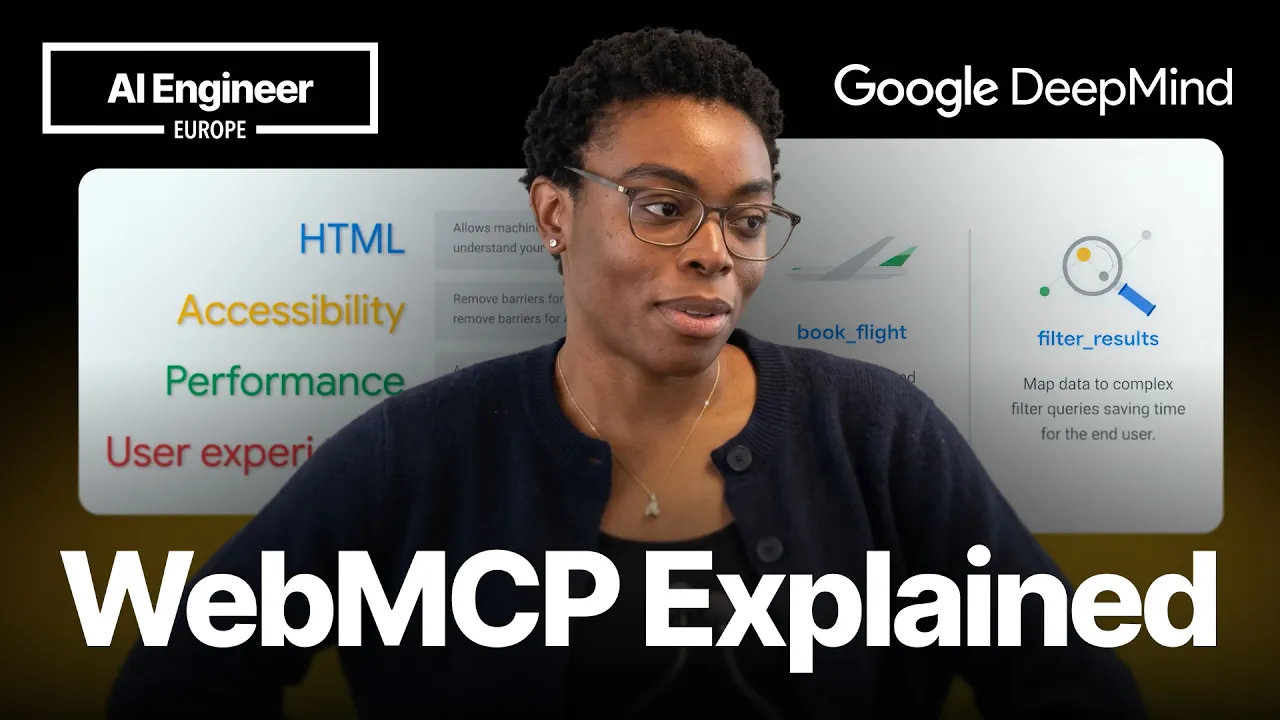
Exposing structured in-browser tools via HTML and JavaScript eliminates layout-shift failures and token waste from visual scraping, turning live web pages into direct APIs for autonomous agents.
AI-assisted summary of The agent-ready web: Simplify user actions with WebMCP — Tara Agyemang, Google — original source. Check the original for full context.
Source published:
Key ideas
- Google Chrome developer Tara Agyemang introduced WebMCP, a proposed web standard enabling sites to expose structured, typed client-side tools directly to in-browser AI agents instead of forcing them to rely on fragile DOM scraping and coordinate-based clicks. (2:30)
- WebMCP offers two integration pathways: a declarative API that auto-generates JSON schemas from annotated HTML forms, and an imperative JavaScript API (`registerTool`) with an `execute` block that runs normal DOM code for complex multi-step workflows. (12:30)
- Unlike standard MCP which connects AI agents to backend servers arbitrarily, WebMCP executes exclusively within active browser sessions against live client DOMs while keeping user interfaces visually synchronized. (10:00)
- WebMCP is currently in an experimental early preview starting in Chrome 146, supported by an open-source evaluation CLI, six reference applications, and a Model Context Tool Inspector extension on the Chrome Web Store. (18:00)
Detailed notes
## Background Published by the AI Engineer channel on YouTube on June 11, 2026, this presentation features Tara Agyemang from the Google Chrome team introducing WebMCP. According to the page description, WebMCP is a proposed web standard designed to replace fragile pixel math, full DOM parsing, and layout-shift-prone agent clicks with structured, typed tool calls exposed directly to in-browser AI assistants.
## TL;DR Tara Agyemang outlines the operational friction autonomous AI agents face when navigating modern websites built exclusively for human visual interaction, such as layout shifts and token-heavy DOM parsing. She introduces WebMCP (Web Model Context Protocol), often called the 'USB-C of AI agent interactions,' which lets developers expose client-side capabilities via declarative HTML form annotations or an imperative JavaScript `registerTool` API. Across live demonstrations featuring a browser maze game and a three-step concert ticketing workflow, she illustrates how WebMCP keeps DOM state synchronized while dramatically cutting token consumption. Currently available as an early preview in Chrome 146 Canary with an inspector extension and evals CLI, WebMCP is positioned as a foundation for turning the web into a high-performance, deterministic API for agents while preserving intuitive human control.
## Atmosphere & style The presentation carries an energetic, pragmatic, and approachable tone typical of front-line developer advocacy, blending technical candor with lighthearted humor about vibe-coding and company credit cards. Agyemang guides the audience through live Chrome extension side-panel demos with unhurried confidence, letting the models navigate the UI in real time while candidly acknowledging early preview quirks and weekly API shifts. Watching the session feels like sitting in on an intimate, forward-looking engineering workshop where an emerging web primitive is demoed live before the broader standard solidifies.
## Bulletin - [02:30](https://www.youtube.com/watch?v=ghJmWQCIHRM&t=150s) Google Chrome developer Tara Agyemang introduced WebMCP, a proposed web standard enabling sites to expose structured, typed client-side tools directly to in-browser AI agents instead of forcing them to rely on fragile DOM scraping and coordinate-based clicks. - [12:30](https://www.youtube.com/watch?v=ghJmWQCIHRM&t=750s) WebMCP offers two integration pathways: a declarative API that auto-generates JSON schemas from annotated HTML forms, and an imperative JavaScript API (`registerTool`) with an `execute` block that runs normal DOM code for complex multi-step workflows. - [10:00](https://www.youtube.com/watch?v=ghJmWQCIHRM&t=600s) Unlike standard MCP which connects AI agents to backend servers arbitrarily, WebMCP executes exclusively within active browser sessions against live client DOMs while keeping user interfaces visually synchronized. - [18:00](https://www.youtube.com/watch?v=ghJmWQCIHRM&t=1080s) WebMCP is currently in an experimental early preview starting in Chrome 146, supported by an open-source evaluation CLI, six reference applications, and a Model Context Tool Inspector extension on the Chrome Web Store.
## Key takeaways - [00:00](https://www.youtube.com/watch?v=ghJmWQCIHRM&t=0s) Current AI web navigation is fragile because agents must parse the entire DOM, traverse accessibility trees, take viewport screenshots, and calculate exact pixel coordinates that fail when late-loading ads shift page layouts. - [02:30](https://www.youtube.com/watch?v=ghJmWQCIHRM&t=150s) Sound web fundamentals like semantic HTML, ARIA attributes, fast load times, and minimal layout shift provide essential baseline accessibility for both human users and AI models before adding specialized protocols. - [02:30](https://www.youtube.com/watch?v=ghJmWQCIHRM&t=150s) WebMCP acts as the 'USB-C of AI agent interactions' by giving models a menu of named, typed, and described tools instead of forcing them to guess website structure. - [04:55](https://www.youtube.com/watch?v=ghJmWQCIHRM&t=295s) The Chrome DevRel team's Model Context Tool Inspector extension detects registered WebMCP tools on active pages and allows both conversational and manual execution via browser side panels. - [04:55](https://www.youtube.com/watch?v=ghJmWQCIHRM&t=295s) Tools can be scoped dynamically based on application lifecycle, exposing new actions and removing irrelevant ones as page states transition. - [08:35](https://www.youtube.com/watch?v=ghJmWQCIHRM&t=515s) Structured tool returns allow AI agents to enter autonomous execution loops, querying state and invoking actions iteratively to achieve multi-step objectives. - [08:35](https://www.youtube.com/watch?v=ghJmWQCIHRM&t=515s) WebMCP fosters a hybrid browsing model where users retain direct visual control, delegate repetitive subtasks to browser agents, and resume manual navigation seamlessly. - [10:00](https://www.youtube.com/watch?v=ghJmWQCIHRM&t=600s) While MCP operates on the server side, WebMCP brings the tools component of the protocol directly into open browser tabs to manipulate client-side sessions. - [12:30](https://www.youtube.com/watch?v=ghJmWQCIHRM&t=750s) The declarative WebMCP API lets developers annotate existing HTML forms with attributes like tool-name and tool-description, allowing the browser to construct JSON schemas automatically. - [12:30](https://www.youtube.com/watch?v=ghJmWQCIHRM&t=750s) Declarative form submissions include contextual metadata such as an agent-invoked boolean to help backend systems distinguish between automated agents and human users. - [12:30](https://www.youtube.com/watch?v=ghJmWQCIHRM&t=750s) The imperative API (`registerTool`) requires clear natural-language descriptions so agent models understand precisely when and how to invoke each capability. - [15:00](https://www.youtube.com/watch?v=ghJmWQCIHRM&t=900s) A live concert ticketing demonstration completed a search, page navigation, and ticket purchase in three deterministic tool calls using Gemini 3.1. - [15:00](https://www.youtube.com/watch?v=ghJmWQCIHRM&t=900s) Tool implementations must maintain tight visual synchronization with the underlying DOM so users can clearly observe programmatic changes and manually confirm sensitive actions like financial payments. - [18:00](https://www.youtube.com/watch?v=ghJmWQCIHRM&t=1080s) Developers can test WebMCP in Chrome Canary version 146 or higher by enabling experimental browser flags and utilizing the project's GitHub evaluation tools. - [20:00](https://www.youtube.com/watch?v=ghJmWQCIHRM&t=1200s) WebMCP aims to transform websites into high-performance APIs for autonomous agents while preserving rich, intuitive experiences for human visitors.
## Detailed walkthrough ### [00:00](https://www.youtube.com/watch?v=ghJmWQCIHRM&t=0s) The Fragility of Agent Interactions on the Human Web
Tara Agyemang, a Developer Relations Engineer on the Google Chrome team, opens her talk by surveying the room to see who has already experimented with WebMCP. Noting that only a handful of attendees raise their hands, she remarks that those few have a head start, but the rest of the audience will get a comprehensive look at the background, mechanics, and purpose of the protocol. Agyemang introduces herself and mentions that several of her colleagues from Google Chrome and Google DeepMind are in attendance and available at the DeepMind booth to discuss the intersection of web platforms and artificial intelligence.
Setting the stage for why WebMCP is needed, Agyemang reflects on how web development has evolved over the past few decades. Websites have traditionally been engineered exclusively for human eyes and human interactions. Today, however, an increasing number of autonomous AI agents are navigating and operating the web on behalf of human users. The fundamental friction is that these sites were never designed for non-human operators. As Agyemang summarizes: “The problem is... the agents are having to do so much work to do simple actions on the sites that we've built.”
To illustrate this inefficiency, she presents a concert ticketing website she coded, paired with a Gemini side panel in Chrome. If a user asks the agent to purchase two tickets to an Afrobeats festival with specific details, the agent must execute an exhausting, fragile multi-step inspection routine: 1. Parse the entire HTML DOM just to deduce what is happening on the page. 2. Traverse the accessibility tree to infer structural hierarchy and relationships. 3. Take a visual screenshot of the viewport to inspect visual elements omitted from the DOM or accessibility trees. 4. Calculate exact pixel coordinates—measuring how far down and across to target the click target. 5. Dispatch a synthetic click event to those coordinates.
This pipeline consumes immense token budgets and breaks easily. A late-loading banner advertisement at the top of the page can instantly shift the visual layout down, causing the agent’s calculated pixel click to miss its target completely.
```mermaid flowchart TD accTitle: Fragile Agent Pipeline vs Layout Shifts accDescr: Diagram showing how an AI agent inspects a page using DOM, accessibility tree, and screenshots, and fails when ads shift layout.
subgraph Inspection["Page Inspection & Coordinate Math"] A["Agent receives user prompt"] --> B["Parse entire HTML DOM"] B --> C["Inspect accessibility tree"] C --> D["Take viewport screenshot"] D --> E["Calculate pixel coordinates"] end
subgraph Execution["Interaction Failure"] E --> F["Attempt coordinate click"] G["Banner ad loads late & shifts layout"] -.->|"Moves target element"| F F --> H["Click misses target / Action fails"] end ```
---
[02:30](https://www.youtube.com/watch?v=ghJmWQCIHRM&t=150s) Web Foundations and WebMCP: The USB-C of Agent Actions
Before diving into WebMCP as a technical specification, Agyemang emphasizes that standard web hygiene remains the critical first step for any developer aiming to make their site agent-friendly. Good web fundamentals naturally benefit AI models without requiring bespoke tooling. As Agyemang points out: “So making your site accessible for everyone makes it accessible to AI agents by default.” Developers who establish semantic HTML, maintain robust accessibility standards, optimize page performance, safeguard Core Web Vitals, and design clear user flows have already done half the work required for agent readiness.
Only once those foundations are established does WebMCP enter the architecture. The Web Model Context Protocol (WebMCP) is a proposed web standard that allows web developers to formally expose their site’s functional capabilities as structured, typed tools for AI agents. Rather than forcing models to guess intent by scraping markup, WebMCP equips the agent with an explicit operational contract. Agyemang highlights that industry observers often refer to the protocol as the "USB-C of AI agent interactions." As Agyemang puts it: “And that's because instead of any agent guessing what your website does, you're kind of giving the AI agent a menu of tools that it can use and actions that it can take.” By standardizing this interface, WebMCP dramatically improves execution reliability and reduces latency and token waste.
- **Prerequisites for Agent Readiness**: - Semantic HTML markup and native element usage. - Comprehensive accessibility tree coverage (ARIA attributes, roles, and labels). - Fast load performance and stable Core Web Vitals (minimizing Cumulative Layout Shift). - Intuitive, frictionless user experience flows. - **WebMCP Value Proposition**: - Replaces heuristic visual and DOM scraping with explicit, structured API tools. - Drastically cuts model token consumption during web navigation. - Immune to visual layout shifts caused by dynamic content or late-loading ads.
---
[04:55](https://www.youtube.com/watch?v=ghJmWQCIHRM&t=295s) Live Demo: Navigating a Maze with the Model Context Tool Inspector
Agyemang transitions to a live demonstration using a browser-based maze escape game developed by the Chrome Developer Relations team. To interact with WebMCP tools on the page, she utilizes the Model Context Tool Inspector, a standard Chrome extension that operates within the browser’s side panel. The extension automatically detects and lists all WebMCP tools exposed by the active webpage. It also provides two execution interfaces at the bottom of the panel: a conversational prompt field for natural-language agent instructions, and an interface for triggering tools directly via raw parameter inputs.
```mermaid flowchart LR accTitle: Model Context Tool Inspector Architecture accDescr: Flow of user prompt through Gemini agent and Model Context Tool Inspector to execute tools on the webpage.
U["User Prompt in Side Panel"] --> G["Gemini 2.5 Model"] G -->|"Selects tool & arguments"| I["Tool Inspector Extension"] I -->|"Invokes registered tool"| P["Webpage WebMCP Registry"] P -->|"Executes logic & returns state"| G G -->|"Displays response"| U ```
Agyemang points out that this particular maze game cannot be navigated by clicking around the traditional user interface; it can only be explored through AI tooling. On the landing page, the inspector discovers only one tool available in scope: `start_maze_game`. Selecting Gemini 2.5 as her driving model, Agyemang issues the prompt: `"start a new maze game"`. The agent inspects the available schema, invokes `start_maze_game`, receives the initial state payload from the page, and loads the active maze environment.
Once the maze initializes, the tool inspector immediately reflects a dynamic change in scope: the initial `start_maze_game` tool disappears, replaced by a suite of contextual gameplay actions: - **`move`**: Accepts cardinal directions (north, south, east, west) to traverse open pathways. - **`look`**: Queries current tile coordinates and inspects which surrounding directions are unobstructed. - **Item interaction tools**: `pick_up`, `drop`, and `use` for manipulating items discovered throughout the labyrinth.
To test movement, Agyemang enters: `"Move down. Then right."` Gemini maps the conversational concepts of "down" and "right" to the formal cardinal parameters expected by the registered `move` tool, executes the calls sequentially against the page, and advances the player token. She demonstrates that the agent handles concise shorthand just as reliably; typing `"R, up, right"` causes the agent to interpret `"R"` as east, call the `move` tool accordingly, and execute the subsequent steps without hesitation.
---
[08:35](https://www.youtube.com/watch?v=ghJmWQCIHRM&t=515s) Autonomous Tool Loops and the Hybrid User-Agent Workflow
Expanding beyond single-step commands, Agyemang demonstrates autonomous execution loops by issuing a high-level goal: `"complete the maze"`. Because all necessary affordances—movement, inspection, and item management—are exposed through explicit tools with structured returns, the agent can enter an iterative cycle: querying state, selecting actions, inspecting outcomes, and repeating until it satisfies the objective.
While the agent can navigate autonomously, Agyemang observes that naive prompts can produce suboptimal wandering, with the model occasionally backtracking to the entrance before resuming forward progress. However, providing domain hints immediately optimizes execution paths; telling the agent that `"the exit is in the bottom right corner"` allows it to calculate far more direct navigational sequences toward the goal.
Concluding the demonstration, Agyemang highlights that the Model Context Tool Inspector extension used during the talk was built by the Chrome DevRel team and is publicly available on the Chrome Web Store for developers to evaluate their own sites. More broadly, WebMCP establishes a flexible, hybrid human-agent paradigm for using the web. Users are not forced into an all-or-nothing dichotomy between manual clicking and full autonomous delegation. Instead, users can browse visually, delegate complex or tedious intermediate steps to an agent, and resume manual control at any point. As Agyemang explains: “Essentially, WebMCP kind of unlocks this new approach to using the web where your users don't have to spend a lot of time trying to figure out how to use more complicated sites.”
- **Agent Autonomous Looping**: - The model repeatedly invokes navigation and inventory tools based on runtime state returns until it reaches the exit. - Performance and path efficiency scale with prompt specificity (e.g., providing spatial hints like exit location). - **The Hybrid Browsing Model**: - **Human-driven**: Users navigate websites conventionally when they want direct visual control. - **Agent-delegated**: Users invoke browser agents via WebMCP tools to handle repetitive or intricate operational workflows. - **Interoperable**: Control can pass back and forth seamlessly without desynchronizing application state.
[10:00](https://www.youtube.com/watch?v=ghJmWQCIHRM&t=600s) WebMCP vs. MCP and Client-Side Use Cases
To explain why this new standard has drawn significant attention, Tara pauses to clarify a foundational question: how WebMCP differs from the original Model Context Protocol (MCP). While MCP enables agents to connect to backend applications on the server side—requiring developers to host a server that agents query independently at any time—WebMCP is focused purely on client-side execution. Tara compares the relationship to how JavaScript was inspired by Java: “WoMCP is the implementation of the tools part of the MCP.” It gives developers a standard way to expose tools directly to in-browser AI agents, meaning the browser tab must actually be open and the execution environment lives entirely within the client session.
This client-centric model unlocks websites that are notoriously tedious for humans to navigate manually. Rather than forcing a user through rigid, multi-step flows like flight booking engines, intricate healthcare questionnaires, tax and financial forms, or hunting down hidden interface elements, an agent can perform the legwork directly in the active session. Tara shares a relatable e-commerce scenario: trying to find a specific black faux-leather clutch bag large enough to hold a mobile phone. Instead of manually clicking through dozens of faceted filter dropdowns and checkboxes, the user simply delegates the query to their AI agent, which executes the required browser interactions on their behalf.
- **MCP vs. WebMCP architecture**: MCP connects agents to server-side applications at arbitrary times; WebMCP runs exclusively inside an active browser session where all tools execute client-side against the live DOM. - **Form and filter automation**: Eliminates manual input entry and multi-checkbox filtering on high-friction sites such as travel aggregators, financial portals, and shopping catalogs.
---
[12:30](https://www.youtube.com/watch?v=ghJmWQCIHRM&t=750s) Declarative vs. Imperative APIs
```mermaid flowchart TD accTitle: WebMCP Implementation Pathways accDescr: Flowchart contrasting the declarative HTML form approach against the imperative JavaScript registerTool method.
subgraph Declarative["Declarative Path (HTML Forms)"] A["Standard HTML Form"] --> B["Add Attributes:<br/>tool-name, tool-description"] B --> C["Browser generates<br/>JSON Schema automatically"] C --> D["Agent executes form submit<br/>(agent-invoked boolean set)"] end
subgraph Imperative["Imperative Path (JavaScript)"] E["Complex UI Flow"] --> F["Define Custom JSON Schema"] F --> G["Call registerTool() with<br/>name, description & schema"] G --> H["execute() Block runs DOM code<br/>& returns state to agent"] end ```
WebMCP introduces two distinct implementation paths depending on the complexity of the interaction: a declarative API and an imperative API. The declarative approach caters to standard HTML form elements. A developer simply annotates existing HTML forms with attributes such as `tool-name` and `tool-description`. The browser then inspects the input fields and automatically constructs the corresponding JSON schema that the agent reads to understand input parameters. The declarative spec also incorporates contextual metadata, such as an `agent-invoked` boolean attribute that lets backend systems discern whether a form was submitted by an automated agent or an actual human user.
For intricate, multi-step flows that go beyond basic forms, developers rely on the imperative API, which Tara notes is the variant most engineers will end up using. Through a client-side `registerTool` function, developers register custom tools by providing a manually authored JSON schema, a tool name, and a rich natural-language description. Tara emphasizes the necessity of writing explicit, high-quality descriptions: “You want to make sure you have really descriptive descriptions that enable the AI agent to know when it should be calling this tool.” The registration includes an `execute` block containing standard JavaScript. This function can run existing helper logic, validate and sanitize text inputs, manipulate DOM elements or create new nodes, and finally return structured execution results to the agent so it has the state information required for subsequent actions.
- **Declarative API**: Ideal for basic forms; browser infers the JSON schema from input elements and supports agent-detection attributes like `agent-invoked`. - **Imperative API**: Uses `registerTool()` with explicit schemas and descriptive metadata to handle complex UI workflows. - **The `execute` block**: Contains normal client-side JavaScript that validates parameters, modifies DOM nodes, and passes structured feedback back to the agent.
---
[15:00](https://www.youtube.com/watch?v=ghJmWQCIHRM&t=900s) Live Demo: Three-Step Ticket Purchase Flow
Tara transitions to a live demonstration using a concert ticketing web app she describes as "vibe-coded." Running the agent on Gemini 3.1—which she finds handles tool calling significantly better—she instructs the assistant to buy two VIP tickets to the "Summer Vibes Festival," joking, “let's see, two VIP tickets because it's VIP only for me.” The agent immediately inspects the available tools on the home page, identifies `search_concerts`, and runs it with the festival name to retrieve the event's unique identifier.
Using that concert ID, the agent triggers a second tool, `open_concert_page`, navigating the active browser tab to the dedicated festival listing. Once on the new URL, the agent discovers page-specific tools and initiates a third call to `purchase_ticket`, passing `{ quantity: 2, section: "VIP" }`. The browser updates to display a confirmation message indicating the tickets were booked for £356, prompting Tara to joke, “Great, I'll put that on the Google's credit card.” Crucially, Tara highlights that every tool call visibly adjusted the underlying user interface—selecting the VIP tier button and picking the quantity in real time. She stresses that maintaining tight visual synchronization between tool execution and UI state is non-negotiable, and recommends that real applications pause before payment: “You'll probably want your user to manually do that step so they know that they're spending real money.”
- **Model selection**: Gemini 3.1 demonstrated the highest reliability when sequencing these multi-step tool calls. - **Three-step execution sequence**: 1. `search_concerts(name)` returns concert metadata and unique ID. 2. `open_concert_page(concertId)` transitions the client to the targeted event URL. 3. `purchase_ticket(quantity, section)` executes checkout on the dynamic page-level tool set. - **UI state synchronization**: Every programmatic action updates the visible DOM controls so users retain visual visibility into the agent's work.
---
[18:00](https://www.youtube.com/watch?v=ghJmWQCIHRM&t=1080s) Developer Setup, Tooling, and Early Preview Status
Tara gives a realistic assessment of the standard's current readiness, warning that WebMCP remains in an experimental early preview. The API has shifted significantly week over week as the Chrome team gathers community feedback, meaning code written today will likely evolve. For developers eager to experiment, WebMCP is supported in Chrome version 146 and newer. Tara strongly advises installing Chrome Canary rather than modifying flags on a daily driver: “I recommend using Chrome Canary just so you can keep things separate otherwise in the normal Chrome, you have to enable experimental flags.”
Once Canary is installed, developers must activate the dedicated WebMCP testing flag via the URL flags configuration page and install the Model Context Tool Inspector extension from the Chrome Web Store, which allows live debugging and inspection of registered tools. Tara directs developers to two primary resources: the official Google early preview blog post—which provides sign-ups, foundational documentation, implementation guidelines, and API references—and the project's GitHub repository. The repository contains the inspector source code, an evaluation CLI tool for benchmarking WebMCP on existing websites, and roughly six or seven interactive reference applications, including the maze demonstration.
- **Browser requirements**: Chrome version 146 or higher; Chrome Canary is recommended to isolate experimental flags. - **Required settings and tools**: Enable the WebMCP testing flag in the browser configuration and install the Model Context Tool Inspector extension for client-side tool debugging. - **Ecosystem resources**: Google early preview program blog post with documentation; GitHub repository featuring 6–7 demo implementations and an evals CLI tool for testing custom sites.
---
[20:00](https://www.youtube.com/watch?v=ghJmWQCIHRM&t=1200s) Transforming the Web into an Agent-Ready API
Tara closes by reiterating that the Chrome team needs real-world developer feedback during this early preview phase to uncover friction points, identify bugs, and refine the API before broader rollout. AI agents are fundamentally here to stay and are already actively navigating the web, but the industry does not need to rely indefinitely on brittle, expensive visual scraping: “Instead, we can use WebMCP tools to turn every website into a high-performance API for agents, and at the same time, build incredible user experiences for the users of our sites.” By equipping sites with explicit, typed tool declarations, developers can streamline automated workflows while keeping human users firmly in control of their browsing experiences.
- **Moving beyond fragile scraping**: WebMCP eliminates pixel-based computer vision math, DOM dumps, and layout-shift failures in favor of structured, deterministic execution. - **Dual benefit**: Transforms web interfaces into fast, typed endpoints for autonomous systems while preserving human usability and visual state awareness.
## Notable quotes > [20:00](https://www.youtube.com/watch?v=ghJmWQCIHRM&t=1200s) we can use WebMCP tools to turn every website into a high-performance API for agents, and at the same time, build incredible user experiences for the users of our sites. — Tara Agyemang
> [02:30](https://www.youtube.com/watch?v=ghJmWQCIHRM&t=150s) So making your site accessible for everyone makes it accessible to AI agents by default. — Tara Agyemang
> [02:30](https://www.youtube.com/watch?v=ghJmWQCIHRM&t=150s) instead of any agent guessing what your website does, you're kind of giving the AI agent a menu of tools that it can use and actions that it can take. — Tara Agyemang
> [08:35](https://www.youtube.com/watch?v=ghJmWQCIHRM&t=515s) Essentially, WebMCP kind of unlocks this new approach to using the web where your users don't have to spend a lot of time trying to figure out how to use more complicated sites. — Tara Agyemang
## Mentioned Tara Agyemang, Google, Google Chrome, Google DeepMind, WebMCP, Model Context Protocol (MCP), Gemini, Gemini 2.5, Gemini 3.1, Model Context Tool Inspector, Chrome Canary, Chrome Web Store, HTML DOM, JSON Schema, Core Web Vitals, JavaScript
## Video description Buying two concert tickets costs an AI agent the entire DOM, the accessibility tree, a screenshot, pixel coordinate math, and then a click that might miss because an ad just loaded and shifted the layout. Tara Agyemang from the Google Chrome team introduces WebMCP, a proposed web standard that replaces that process with structured tools: instead of guessing what your site does, agents get a menu of named, typed, described actions they can call directly.
The talk covers two implementation paths. The declarative API adds a few HTML attributes to existing forms and the browser generates the JSON schema automatically. The imperative API lets you register custom tools in JavaScript for complex multi step flows, with an execute block that runs normal DOM code and returns state back to the agent. The live demo completes a concert ticket purchase in three tool calls: search by name, open the concert page, call purchase with quantity and section. Still experimental and in early preview on Chrome 146, but an eval CLI and inspector extension are available now for testing your own sites.
Speaker info: - https://x.com/tara_ojo - https://uk.linkedin.com/in/taraojo - https://github.com/taraojo
---
Watch along with the corrected transcript, summary, timestamps and resources on this talk's official AIE page: https://ai.engineer/talks/ghJmWQCIHRM-the-agent-ready-web-simplify-user-actions-with-webmcp
Join our upcoming AI Engineer conferences (see https://ai.engineer landing page):
- AIEi Shanghai, November 5–6 — the first for meeting top Chinese labs and engineers - AIE CODE in SF, November 10–12 — the top AI Coding conference returns - AIEi Sydney, December 7–8 — the first AIEi run alongside NeurIPS 2026 in Sydney
---
[Source](https://www.youtube.com/watch?v=ghJmWQCIHRM)