Microsoft's Noring Replaces IDE Coding With Multi-Agent CLI Systems
AI Engineer
Engineers must shift from manual syntax production to orchestrating background agents behind strict repository guardrails, or risk drowning codebases in unmaintainable AI slop.
AI-assisted summary of From Writing Code to Designing Systems: How the Developer Role is Changing — Chris Noring, Microsoft — original source. Check the original for full context.
Source published:
Key ideas
- The developer bottleneck has transitioned from keyboard code production to strategic oversight, systems design, and guardrail creation to prevent generative AI tools from creating unconstrained slop. (0:00)
- Developers are shifting from text editors to the command-line interface as their primary starting point, running parallel terminal sessions to generate MVPs, triage issues, and run agents. (3:15)
- Repositories require strict constraints via agents.md files, repeatable skill contracts, and scoped custom agents to bound autonomous AI behavior. (6:47)
- Background delegation through the /delegate CLI command or GitHub issue assignments allows agents to run in sandboxes and produce draft pull requests for human review. (15:00)
Detailed notes
## Background Published by the AI Engineer channel on YouTube on July 11, 2026, this talk features Microsoft's Chris Noring examining how the developer role is fundamentally shifting from manual code production to systems architecture, planning, and agent orchestration. The presentation outlines practical patterns for structuring projects with GitHub Copilot CLI, Copilot Chat, and repository-level 'agents.md' files to ensure architectural consistency and prevent AI-generated fragmentation at scale.
## TL;DR Chris Noring proposes a modernized three-phase developer workflow where the command line serves as the initial staging ground for MVPs, the code editor transforms into an overarching mission control board, and tasks are scaled across autonomous agents. To prevent unguided generative tools from producing architectural 'slop,' he demonstrates how to enforce strict guardrails using baseline `agents.md` repository contracts, deterministic step-by-step skills, and scoped custom agents. Developers can delegate complex jobs asynchronously via the CLI or GitHub issue assignments, leaving agents to run isolated tasks that always culminate in draft pull requests governed by human review.
## Atmosphere & style Speaking to a packed, at-capacity conference hall, Noring brings an upbeat, pragmatic, and collaborative energy that immediately unites users across both GitHub Copilot and Claude ecosystems. His delivery blends relatable engineering humor—comparing unpredictable agent outputs to the behavior of toddlers and framing modern tooling as trading hand axes for chainsaws—with grounded, screen-based demonstrations. The overall feel is deeply reassuring and empowering, transforming anxieties about developer obsolescence into practical excitement for amplified leverage and system-level stewardship.
## Bulletin - [00:00](https://www.youtube.com/watch?v=GdvKNwMcfd0&t=0s) The developer bottleneck has transitioned from keyboard code production to strategic oversight, systems design, and guardrail creation to prevent generative AI tools from creating unconstrained slop. - [03:15](https://www.youtube.com/watch?v=GdvKNwMcfd0&t=195s) Developers are shifting from text editors to the command-line interface as their primary starting point, running parallel terminal sessions to generate MVPs, triage issues, and run agents. - [06:47](https://www.youtube.com/watch?v=GdvKNwMcfd0&t=407s) Repositories require strict constraints via agents.md files, repeatable skill contracts, and scoped custom agents to bound autonomous AI behavior. - [15:00](https://www.youtube.com/watch?v=GdvKNwMcfd0&t=900s) Background delegation through the /delegate CLI command or GitHub issue assignments allows agents to run in sandboxes and produce draft pull requests for human review.
## Key takeaways - [00:00](https://www.youtube.com/watch?v=GdvKNwMcfd0&t=0s) Progress in traditional software development was linear and bottlenecked entirely by individual human typing speed and keyboard capacity. - [00:00](https://www.youtube.com/watch?v=GdvKNwMcfd0&t=0s) Without architectural guardrails, generative AI spews low-quality code that creates more rework and maintenance burden than it saves. - [03:15](https://www.youtube.com/watch?v=GdvKNwMcfd0&t=195s) The CLI is replacing the IDE as the primary entry point for software tasks, serving as the staging ground for MVPs, pull request triaging, and issue management. - [03:15](https://www.youtube.com/watch?v=GdvKNwMcfd0&t=195s) Engineering teams deliver working prototypes and functional demos directly to stakeholders rather than relying on abstract slide decks. - [05:22](https://www.youtube.com/watch?v=GdvKNwMcfd0&t=322s) The code editor evolves from a manual input canvas into a mission control board for monitoring telemetry and concurrent agent outputs. - [06:47](https://www.youtube.com/watch?v=GdvKNwMcfd0&t=407s) Placing an agents.md file in repositories acts as a baseline contract outlining stack specifications, architectural constraints, and operational boundaries. - [06:47](https://www.youtube.com/watch?v=GdvKNwMcfd0&t=407s) Existing codebases can be refactored into architectural compliance by adding an agents.md file and instructing agents to align code against its rules. - [10:00](https://www.youtube.com/watch?v=GdvKNwMcfd0&t=600s) Skills function as deterministic, repeatable recipes constrained within strict Markdown contracts so agents execute processes without creative improvisation. - [10:00](https://www.youtube.com/watch?v=GdvKNwMcfd0&t=600s) Major industry platforms, including GitHub Copilot and Anthropic Claude, have converged on similar directory structures and front matter conventions for defining skills. - [13:00](https://www.youtube.com/watch?v=GdvKNwMcfd0&t=780s) Custom agents operate at a higher architectural tier than individual skills, incorporating explicit personas, reasoning capabilities, and MCP tool access. - [13:00](https://www.youtube.com/watch?v=GdvKNwMcfd0&t=780s) Restricting an agent's available tools, such as granting search access while denying file editing rights, prevents unintended repository modifications. - [15:00](https://www.youtube.com/watch?v=GdvKNwMcfd0&t=900s) The /delegate CLI command sends development tasks to an isolated GitHub sandbox to execute tools and generate draft pull requests. - [20:00](https://www.youtube.com/watch?v=GdvKNwMcfd0&t=1200s) Assigning GitHub issues directly to agents triggers asynchronous background work that developers can inspect through work-in-progress status indicators. - [20:00](https://www.youtube.com/watch?v=GdvKNwMcfd0&t=1200s) Autonomous agent workflows mandate explicit human-in-the-loop approval gates where generated draft PRs are reviewed before merging. - [20:45](https://www.youtube.com/watch?v=GdvKNwMcfd0&t=1245s) AI agent systems act like moving from an axe to a chainsaw, dramatically multiplying developer leverage rather than replacing the human engineer. - [21:28](https://www.youtube.com/watch?v=GdvKNwMcfd0&t=1288s) Achieving 20x developer output requires strict harnesses and agent definitions to ensure high execution velocity does not degrade into 20x more architectural slop.
## Detailed walkthrough ### [00:00](https://www.youtube.com/watch?v=GdvKNwMcfd0&t=0s) The Shift from Writing Code to Systems Architecture
Opening the session slightly ahead of schedule due to a packed, at-capacity room, Chris Noring introduces his day job in AI engineering at Microsoft and asks the audience for a quick show of hands on who is still writing code the traditional way. Observing only a tiny scattering of hands, he notes that most engineers in attendance have already begun pivoting toward a higher-level systems approach. When polling the room on their tool of choice—asking who uses Anthropic's Claude versus GitHub Copilot—he finds the audience roughly split down the middle, perhaps leaning slightly toward Claude. Noring warmly welcomes both camps, highlighting that Microsoft and Anthropic are close partners who frequently co-present at industry conferences.
He reflects on how the core software engineering dynamic has fundamentally transformed over the past few years. In the traditional paradigm, progress was strictly linear: individual developers wrote 100% of the code on their keyboards, meaning that human capacity was the sole bottleneck deciding whether a feature was built or abandoned. While developers retain their jobs, the center of gravity has shifted from raw code production to strategic oversight. Engineers still cherish writing code, but they have learned to become exceptionally protective of their time. Early experiences with unfiltered "AI slop"—where generative tools spewed poorly structured code that required exhausting rewrites—taught teams that unconstrained AI generates more work than it saves. Consequently, establishing guardrails has become the defining challenge for developers choosing between platforms like Claude Code, Claude Desktop, the GitHub Copilot CLI, or IDE extensions.
> “You know that your world has changed. You know that in the old days, 100% on keyboard, and you might still be on the keyboard. You just do different things with your own time. But we all knew that we were the limitation, right? We were brilliant engineers. We did 100% of the code, but linear progress, it was just you trying to advance things.” — Chris Noring
---
[03:15](https://www.youtube.com/watch?v=GdvKNwMcfd0&t=195s) A New Mental Model: The CLI as the First Entry Point
To address this evolving paradigm, Noring proposes a three-stage developer workflow centered on shifting away from opening an editor right away. For roughly nineteen and a half of his twenty years in the industry, text editors and IDEs served as his unquestioned home and starting point. However, he now advocates starting projects and day-to-day tasks directly inside a command-line interface (CLI). Rather than being the exclusive domain of shell scripting, Bash, or PowerShell specialists, the CLI has emerged as an ideal staging ground for drafting MVPs, managing GitHub issues, triaging pull requests, and initiating checks without the overhead of spinning up VS Code.
```mermaid flowchart LR accTitle: Three-Stage Developer Workflow accDescr: Flowchart illustrating the transition from CLI drafting to editor oversight and scaling via agent orchestration.
subgraph Entry ["1. Entry Point"] CLI["CLI Tooling\n(Copilot CLI / Claude Code)"] end
subgraph Refine ["2. Control & Guardrails"] IDE["Text Editor / IDE\n(Control Board & Agent Config)"] end
subgraph Scale ["3. Scale & Orchestration"] Agents["Agentic Scale\n(CLI & GitHub UI)"] end
CLI -->|"Draft MVP & manage issues"| IDE IDE -->|"Set guardrails & run agents"| Agents ```
Noring emphasizes that this shift accelerates business turnaround times. Business stakeholders no longer expect engineers to present abstract PowerPoint decks; instead, developers bring back working prototypes and functional demos in fraction of the time. Once the initial draft is conceived in the terminal, the workflow transitions to the editor for structuring, before expanding into the third phase: scaling the workload across autonomous agents through both the CLI and GitHub user interfaces.
> “What my engineers are no longer bringing me PowerPoints, they're bringing me working demos.” — Chris Noring
- **Phase 1 (CLI Entry):** Rapid creation of first drafts, basic MVP generation, triage of GitHub issues, and PR management without launching an IDE. - **Phase 2 (Editor Staging):** Applying architectural guardrails, configuring custom agents, and retaining fine-grained human oversight. - **Phase 3 (Scale):** Delegating tasks across multiple autonomous agents through terminal streams and GitHub UI automation.
---
[05:22](https://www.youtube.com/watch?v=GdvKNwMcfd0&t=322s) Parallel Terminals and the Editor as a Mission Control Board
Describing his day-to-day work environment, Noring illustrates a setup dominated by multiple open terminal windows executing parallel agentic workflows. Instead of writing boilerplate in languages like Java, JavaScript, or Python, modern developer interaction revolves around targeted natural language prompts: "build me an app," "add this new feature," or "fix this issue." Developers can trigger separate autonomous tasks across concurrent terminal sessions and monitor them in the background while sipping coffee or tea.
Despite spending less hands-on time manually writing syntax, Noring insists that the code editor remains essential. Rather than serving as an input canvas where an engineer types line-by-line, the editor evolves into an overarching "control board" or mission control dashboard. Because modern developer tools stream inputs and outputs across CLIs, local editors, and remote GitHub repositories, the IDE acts as the central vantage point where developers maintain situational awareness, monitor agent output, and enforce project integrity.
> “It doesn't make sense anymore for us if we've got 15, 20 agents that do our bidding, that we sit there and, you know, trying to figure out what code to write.” — Chris Noring
- **Prompt-Driven Parallelism:** Managing multiple terminal panes simultaneously targeting bug fixes, feature extensions, and MVP spikes. - **The IDE as Control Board:** Repurposing VS Code or text editors from manual code-generation boxes into telemetry dashboards that ingest streams from GitHub repositories, local agents, and CLI sessions.
---
[06:47](https://www.youtube.com/watch?v=GdvKNwMcfd0&t=407s) Enforcing Architectural Boundaries with `agents.md`
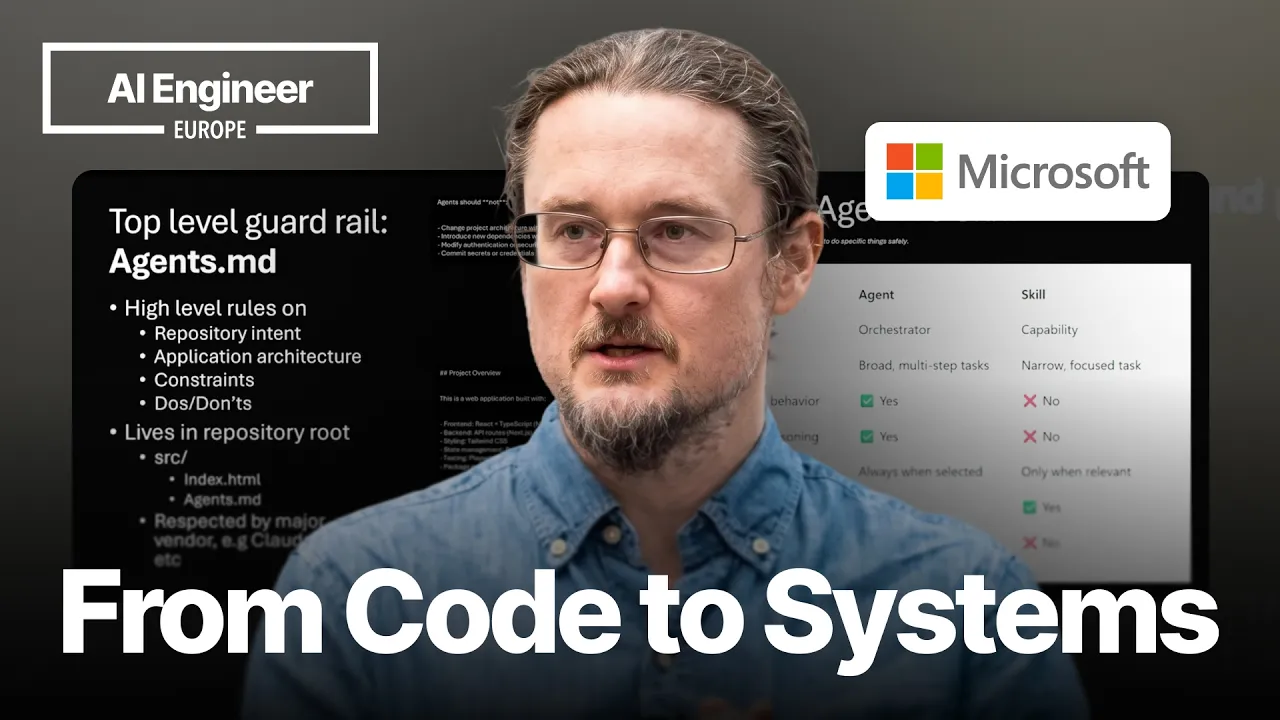
To protect against the chaos of unguided agents generating "AI slop," Noring stresses the absolute necessity of repository-level constraints. Without strict rules, agents will drift off course, hallucinate patterns, or rewrite established architectures without permission. He introduces `agents.md` as the bare minimum guardrail that must be placed in every software repository. This document acts as the high-level contract defining project intent, technology stack specifications (such as React and Tailwind CSS for a finance application), architectural constraints, and explicit lists of do's and don'ts—such as forbidding agents from altering project architecture unless explicitly instructed.
Noring walks through an example repository featuring a "vibe-coded" finance tracker equipped with an extensive `agents.md` file. The document outlines distinct project overviews and delineates agent boundaries. He demonstrates that a developer can query the environment directly about the agent file's contents, or copy an existing `agents.md` into a legacy code base, prompting the agent to refactor and align existing components to match those codified guidelines. While `agents.md` establishes fundamental rules of engagement, Noring notes that agents still struggle with execution accuracy, naturally pointing toward the need for dedicated agent skills.
> “Guardrail number one. This is the absolute bare minimum, right? Agents MD. You should have this in all your GitHub repos or whatever kind of repo structure you have. This is your high level guidance explaining repository intent, application architecture constraints, the do's and don'ts, right?” — Chris Noring
- **Core Contents of `agents.md`:** Repository intent, architectural constraints, approved component libraries and styling systems, and explicit operational rules (e.g., prohibition of spontaneous architectural redesigns). - **Adoption Strategy:** Dropping a battle-tested `agents.md` into legacy or fresh codebases to instruct AI tools to refactor existing code into compliance. - **Next-Level Precision:** Overcoming near-miss agent implementations by layering specialized skills on top of global markdown instructions.
[10:00](https://www.youtube.com/watch?v=GdvKNwMcfd0&t=600s) Constraining Agents with Skills
Chris Noring emphasizes that when dealing with autonomous agents, the goal is not to unleash unconstrained improvisation, but to enforce strict guardrails. He jokes about not singing for the audience, then dives straight into the concept of a skill: it is essentially a repeatable recipe that the agent must invoke consistently every single time, without making things up. Because developers are in the business of mitigating risk, agents must be kept inside a tight harness.
> “So the idea with the skill is to give it a recipe, something that’s repeatable and you want the agent to use this one each time. Do not make things up. We want to constrain the agents as much as humanly possible.”
Noring points out that skills are self-contained, live inside dedicated folders, and act as rigid contracts for repetitive tasks that must happen in a specific order:
> “We know that the agent should have a harness around it and say, don’t do things that I don’t want you to do. Don’t be creative. Don’t do anything. Right?”
Whether using GitHub Copilot or Anthropic's Claude—which Noring notes makes up roughly half the room—the structural pattern remains widely aligned across major tech vendors. In Claude setups, developers typically place folders under `.claude/skills/`, where each skill folder contains a `skill.md` file featuring front matter (`name` and `description`) alongside extended Markdown instructions outlining the exact execution steps. Noring appreciates this cross-industry consensus because developers do not always get to choose the vendor forced upon them. In VS Code or IntelliJ, authoring these instructions can even be outsourced right back to the assistant:
> “And one of my favorite things to do, because I’m really bad at writing these instructions, is simply to ask Copilot, how do you write a better instruction for what I aim to do?”
To trigger skills, developers can either explicitly invoke `/skills` in the interface to configure them, or supply a prompt that closely matches the skill's declared name or description.
[13:00](https://www.youtube.com/watch?v=GdvKNwMcfd0&t=780s) Custom Agents vs. Skills
While a skill is great for deterministic, repeatable workflows, it has strict limits. It cannot orchestrate itself across broader system boundaries or reason through high-level goals. That is where GitHub Copilot custom agents come into play.
```mermaid flowchart TD accTitle: Skill vs Custom Agent Architecture accDescr: Diagram showing how a custom agent with tools, persona, and reasoning orchestrates multiple skills and MCP servers. subgraph AgentScope["Custom Agent (High Autonomy & Orchestration)"] Persona["Persona & Role<br/>(e.g., Security, Backend, Researcher)"] Tools["Tool Declarations<br/>(Read, Search Web, Todo Lists)"] MCP["MCP Servers<br/>(External Integrations)"] Reasoning["Planning & Reasoning Engine"] end
subgraph SkillsExecution["Deterministic Execution"] Skill1["Skill: Recipe A<br/>(Strict Markdown Contract)"] Skill2["Skill: Recipe B<br/>(Repeatable Steps)"] end
Persona --> Reasoning Tools --> Reasoning MCP --> Reasoning Reasoning --> Skill1 Reasoning --> Skill2 ```
> “So what I’m saying is that a skill is limited in what it can do. It can’t really orchestrate itself with others. That’s when you need an agent, right? You need something that’s able to... reason.”
A custom agent operates at a distinctly higher tier than an individual skill: - **Role and persona:** It possesses a distinct identity and scope, such as a specialized security expert, backend architect, frontend engineer, or dedicated web researcher. - **Skill execution:** An individual custom agent can consume and trigger *n* number of skills. - **MCP server integration:** It can plug directly into Model Context Protocol (MCP) servers. - **Planning and autonomy:** Unlike isolated skills, agents carry out multi-step planning, maintain broad situational scope, and coordinate with other agents.
Noring walks through the filesystem conventions in a demo. Custom agents live by default under `.github/agents/`, recognized by the `.agent` naming convention. In the front matter, where a skill would simply declare a name and description, a custom agent defines configuration options like `argument-hints` and explicit `tools`.
> “Tools is an important concept because that’s able to constrain the agent what it can do or not, right? So in this case the agent can read, it can search the web, it can create to-do lists and much more.”
Demonstrating a "researcher" custom agent, Noring illustrates how tool access can intentionally be scoped down. Because this persona is built strictly to gather information—such as looking up details on the Microsoft Agent Framework—it is granted web searching capabilities while being barred from editing or generating local repository files.
[15:00](https://www.youtube.com/watch?v=GdvKNwMcfd0&t=900s) Scaling Development and Delegating to Background Agents
Transitioning to the third chapter of his talk, Noring shifts from local command-line tasks toward massive organizational scale. He jokes about how developers perceive agent behavior:
> “I have heard people refer to them as toddlers. I don’t know if you’ve heard the same. But the idea with agents is that sometimes we think they’re super smart and sometimes they’re just plain dumb. They literally go between genius and ‘Oh my God, I can’t believe you did this.’”
That wild variance between brilliance and catastrophic blunders is precisely why human-imposed harnesses, `AGENTS.md` rules, and custom instructions are mandatory. Once those guardrails are secured, individual developers can achieve extreme leverage, evolving into 10x, 20x, or 100x developers through parallel delegation across two main modalities:
```mermaid flowchart LR accTitle: Agent Delegation Modalities accDescr: Diagram illustrating the two workflows for delegating work to agents via the CLI or GitHub Web UI into a draft PR. subgraph Trigger["Delegation Triggers"] CLI["CLI Command:<br/>/delegate [prompt]"] WebUI["GitHub Issue UI:<br/>Assign issue to Agent"] end
subgraph Platform["GitHub Sandbox & Execution"] GH["GitHub Backend Job"] ToolsRun["MCP Tools Running<br/>(Playwright, GitHub MCP)"] end
subgraph Review["Human-in-the-Loop"] PR["Draft Pull Request (PR)"] Human["Human Reviewer"] end
CLI --> GH WebUI --> GH GH --> ToolsRun ToolsRun --> PR PR --> Human ```
1. **The CLI Modality (`/delegate`):** From a terminal session inside an active Git repository, a developer can run `/delegate` followed by a request, such as asking it to build a finance tracking app using HTML, CSS, and JavaScript. The CLI will refuse to run if the project is not a valid GitHub repository. Once validated, it hands off the session to GitHub, launching a background job in an isolated sandbox. The agent uses external tooling (like Playwright and GitHub MCP servers) and eventually yields a draft pull request. The human remains firmly in the loop to review the output without having given the agent uncontained access to production environments.
2. **The GitHub Web UI Modality (Issue Assignment):** Developers working inside the GitHub web interface can open an issue (for example, "add dark mode to my app"), write a title and description, and set the assignee field directly to the agent.
> “So essentially, if I’m in the user interface for a repo, I can just say, oh, here’s a bunch of issues. Each of these issues are a next feature or a bug fix or whatever. Delegate, delegate, delegate, delegate, and I go have a coffee, right?”
[20:00](https://www.youtube.com/watch?v=GdvKNwMcfd0&t=1200s) Delegating to Background Agents and the Power of Human-in-the-Loop
Chris Noring demonstrates assigning an issue directly to an agent within GitHub. After creating the issue, he clicks to assign the agent, noting that developers can provide additional custom instructions right at that moment if needed. Once assigned, GitHub Copilot picks up the task, marked by an icon signaling that it has been summoned. The agent works asynchronously on the task, surfacing its status as an active work in progress (WIP) that the developer can click into and inspect at any point.
The critical architectural step in this workflow is the draft pull request produced at the end of the run. Rather than merging changes automatically, the agent surfaces a draft PR for review, explicitly prompting: “hey, Chris, what do you think of this? Is this something we can ship?” Because this entire cycle executes entirely in the background, developers are free to context-switch to other high-value engineering challenges without stalling their velocity.
```mermaid flowchart LR accTitle: Issue Delegation to Pull Request Flow accDescr: Flow diagram showing how a GitHub issue is assigned to an agent, executed in the background, and returned as a draft PR with human approval gates. subgraph GitHubWorkflow["GitHub Task Workflow"] A["Create Issue & Assign Agent"] --> B["Agent Starts VIP / WIP Task"] B --> C["Background Execution"] C --> D["Draft PR Generated"] end subgraph HumanReview["Human-in-the-Loop"] D --> E{"Developer Reviews & Merges"} end ```
- Developers retain full visibility into running background tasks via the work-in-progress status interface. - Agents act autonomously during generation but always terminate at an explicit approval gate before code reaches production branches.
[20:45](https://www.youtube.com/watch?v=GdvKNwMcfd0&t=1245s) The Chainsaw Analogy: Scaling Developer Leverage Without Replacement
Reflecting on how software engineering is evolving, Noring frames agentic workflows as an evolution of tool leverage rather than an existential threat to developers. He draws an analogy to historical shifts in labor: “I usually compare this whole age, the strange age we live in to people who used to cut down trees with axes. I see we are now at the point where we're throwing the axis, we're using a chainsaw instead because we are so much faster.” Developers have always adapted to faster, sharper tools, and this shift represents the natural progression of building systems with higher leverage.
Retaining the human in the loop is essential because engineers are the ones designing the operational guardrails. Noring emphasizes, “We are still important because we have built the system, right? We have built the system that instructs the agents to run amok within our harness.” By controlling the instruction harness and establishing mandatory approval gates, the human engineer maintains ultimate authority over what gets approved and merged into the codebase.
[21:28](https://www.youtube.com/watch?v=GdvKNwMcfd0&t=1288s) Guardrails Over Slop: Becoming 20x Developers with agents.md
Summarizing his guidance, Noring urges developers to step outside conventional code editors and embrace multi-terminal setups using the GitHub Copilot CLI and the GitHub UI. While the code editor remains valuable for fine adjustments and targeted polishing, spinning up six or more concurrent CLI terminals allows engineers to build, scaffold, and iterate on projects at unprecedented scale, whether in solo side projects or large enterprise settings.
However, raw speed introduces severe architectural risks if left unconstrained. As Noring warns, “Providing, of course, we provided the right guardrails, right? Because 20 times more code, that could be 20 times more slop, and we don't want that.” To prevent flooding repositories with low-quality code, engineers must institute strict constraints using agent specifications like `agents.md`, defining specialized skills and custom agents to encode architectural intent. Concluding his talk, Noring reassures the audience that these tools exist solely to amplify human judgment: “And all about this is about scaling you now that we have AI, not replacing you. So hopefully I'm landing you with a good message to say, we want the engineering brain. So please stay in this industry, right?”
- The Copilot CLI allows developers to scale their productivity roughly 20x by coordinating tasks across multiple active terminal sessions simultaneously. - Traditional code editors shift from being the primary environment for raw code production to a secondary tool reserved for high-precision edits and fine adjustments. - Frameworks like `agents.md`, custom skills, and tailored agents establish the guardrails necessary to convert rapid generation into clean, maintainable software rather than architectural slop.
## Notable quotes > [21:28](https://www.youtube.com/watch?v=GdvKNwMcfd0&t=1288s) 20 times more code, that could be 20 times more slop, and we don't want that. — Chris Noring
> [05:22](https://www.youtube.com/watch?v=GdvKNwMcfd0&t=322s) It doesn't make sense anymore for us if we've got 15, 20 agents that do our bidding, that we sit there and, you know, trying to figure out what code to write. — Chris Noring
> [20:45](https://www.youtube.com/watch?v=GdvKNwMcfd0&t=1245s) We are still important because we have built the system, right? We have built the system that instructs the agents to run amok within our harness. — Chris Noring
> [10:00](https://www.youtube.com/watch?v=GdvKNwMcfd0&t=600s) The idea with the skill is to give it a recipe, something that’s repeatable and you want the agent to use this one each time. Do not make things up. We want to constrain the agents as much as humanly possible. — Chris Noring
## Mentioned Chris Noring, Microsoft, GitHub Copilot, GitHub Copilot CLI, Copilot Chat, Anthropic, Claude, Claude Code, Claude Desktop, VS Code, IntelliJ, Playwright, Model Context Protocol (MCP), Microsoft Agent Framework, React, Tailwind CSS, Bash, PowerShell, Java, JavaScript, Python, HTML, CSS, GitHub
## Video description For decades, developers have been valued primarily for how much code they could write and how quickly they could write it. That model no longer scales. As AI becomes a first-class collaborator, the bottleneck is no longer syntax or implementation speed—it’s clarity of intent, architectural thinking, and the ability to coordinate work across many autonomous contributors.
Today’s challenge is not "How do I write this code?" but "How do I ensure this system is built correctly, consistently, and to company standards—across dozens of moving parts?" Without structure, AI-assisted development risks fragmentation: inconsistent patterns, duplicated logic, and solutions that technically work but fail architectural, security, or organizational expectations.
This talk introduces a new mental model for modern development: the developer as planner, system designer, and orchestrator of agents. Using GitHub Copilot, GitHub Copilot CLI, and custom Copilot agents driven by agents.md, we’ll explore how developers can decompose large problems, delegate implementation to specialized AI agents, and encode standards, constraints, and intent directly into the workflow. Instead of prompting ad-hoc, we define explicit instructions per layer—frontend, backend, infrastructure, testing—so every agent builds the right thing in the right way.
The result is not less control, but more leverage: faster delivery, higher consistency, and systems that reflect deliberate design rather than accidental outcomes.
What you’ll learn:
How the developer role is shifting from code producer to system designer, planner, and agent orchestrator
How to structure projects for agent-driven development, using GitHub Copilot CLI, Copilot Chat, and agents.md to encode standards and intent
How to ensure architectural consistency and quality at scale by giving agents clear responsibilities, constraints, and ownership boundaries
---
Watch along with the corrected transcript, summary, timestamps and resources on this talk's official AIE page: https://ai.engineer/talks/GdvKNwMcfd0-from-writing-code-to-designing-systems-how-the-developer-role-is-changing-chris-noring-microsoft
Join our upcoming AI Engineer conferences (see https://ai.engineer landing page):
- AIEi Shanghai, November 5–6 — the first for meeting top Chinese labs and engineers - AIE CODE in SF, November 10–12 — the top AI Coding conference returns - AIEi Sydney, December 7–8 — the first AIEi run alongside NeurIPS 2026 in Sydney
---
[Source](https://www.youtube.com/watch?v=GdvKNwMcfd0)