GitHub Embeds Sandboxed Web UIs in VS Code Chat via MCP
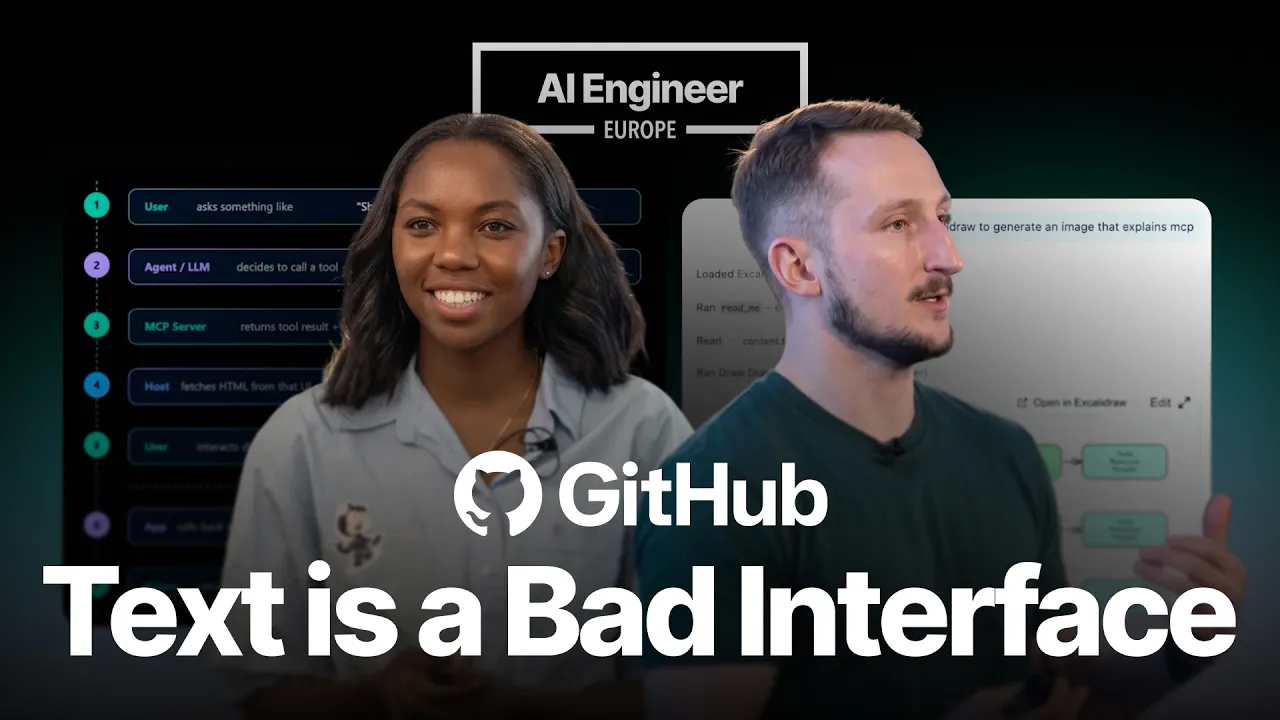
AI Engineer
Returning bundled HTML resource references from MCP tools enables live, interactive webviews inside chat while iframe sandboxing prevents third-party code from altering editor settings.
AI-assisted summary of Building Interactive UIs in VS Code with MCP Apps — Marlene Mhangami & Liam Hampton, GitHub — original source. Check the original for full context.
Source published:
Key ideas
- Model Context Protocol (MCP) has expanded beyond raw text and ASCII diagrams to support 'MCP apps'—interactive UI components rendered directly inside host chat streams such as VS Code. (3:19)
- Rather than returning inline HTML, an MCP tool returns execution data alongside a resource reference URI pointing to bundled HTML assets, which the host renders inside an isolated, sandboxed iframe. (5:15)
- Real-world implementations include Shopify executing full e-commerce checkouts inside conversational interfaces with complete brand parity, and Excalidraw rendering editable architecture diagrams in editor panels. (8:06)
- A live demo demonstrates a Go runtime profiling bubble sort and Fibonacci with native pprof, transforming raw performance metrics into a scrollable, navigable React flame graph rendered inside VS Code chat. (12:35)
Detailed notes
## Background Published on YouTube by AI Engineer on June 6, 2026, this conference presentation features GitHub developer advocates Marlene Mhangami and Liam Hampton demonstrating how to construct interactive graphical user interfaces inside VS Code using Model Context Protocol (MCP) apps. The video description highlights a live demo where a Go profiling tool renders an interactive, sandboxed flame graph directly within the VS Code chat panel instead of dumping static text or external links.
## TL;DR Marlene Mhangami and Liam Hampton explain the evolution of the Model Context Protocol from returning raw text and ASCII diagrams to delivering rich, interactive web applications directly in chat interfaces. They detail the underlying architecture where an MCP server returns structured data alongside a resource URI that the host environment renders inside an isolated iframe. After examining real-world production use cases from Shopify, Excalidraw, and Figma, Hampton walks through building an MCP app from scratch using agentic skills. The demo showcases a TypeScript MCP server profiling a Go application running bubble sort and Fibonacci sequences, instantly displaying a navigable, sandboxed React flame graph inside GitHub Copilot in VS Code.
## Atmosphere & style The presentation carries an energetic, pragmatic, and approachable tone typical of live developer conference talks, balancing structured architectural breakdowns with lighthearted humor. Mhangami and Hampton transition smoothly between macro concepts and code-level execution, keeping the audience engaged with relatable developer quips about overcompensating with emojis and likening iframes to hamsters in cages. Watching the session feels both instructional and immediate, grounded by the tactile satisfaction of seeing complex profiling data transform into a responsive UI right before the audience's eyes.
## Bulletin - [03:19](https://www.youtube.com/watch?v=_xIwFcnHqp4&t=199s) Model Context Protocol (MCP) has expanded beyond raw text and ASCII diagrams to support 'MCP apps'—interactive UI components rendered directly inside host chat streams such as VS Code. - [05:15](https://www.youtube.com/watch?v=_xIwFcnHqp4&t=315s) Rather than returning inline HTML, an MCP tool returns execution data alongside a resource reference URI pointing to bundled HTML assets, which the host renders inside an isolated, sandboxed iframe. - [08:06](https://www.youtube.com/watch?v=_xIwFcnHqp4&t=486s) Real-world implementations include Shopify executing full e-commerce checkouts inside conversational interfaces with complete brand parity, and Excalidraw rendering editable architecture diagrams in editor panels. - [12:35](https://www.youtube.com/watch?v=_xIwFcnHqp4&t=755s) A live demo demonstrates a Go runtime profiling bubble sort and Fibonacci with native pprof, transforming raw performance metrics into a scrollable, navigable React flame graph rendered inside VS Code chat.
## Key takeaways - [00:14](https://www.youtube.com/watch?v=_xIwFcnHqp4&t=14s) MCP establishes a standardized context delivery protocol consisting of three tiers: hosts (like VS Code), clients (like GitHub Copilot), and lightweight servers providing tools and resources. - [01:15](https://www.youtube.com/watch?v=_xIwFcnHqp4&t=75s) Unvetted public MCP servers can introduce security risks, making curated discovery mechanisms—such as searching @mcp in the VS Code extensions panel—crucial for safe adoption. - [03:19](https://www.youtube.com/watch?v=_xIwFcnHqp4&t=199s) Early MCP implementations suffered from graphical limitations, relying on ASCII art and emojis before the protocol evolved to deliver interactive UI components. - [05:15](https://www.youtube.com/watch?v=_xIwFcnHqp4&t=315s) In an MCP app workflow, the server provides a resource reference URI rather than raw markup, leaving the host responsible for retrieving and mounting the HTML assets. - [06:00](https://www.youtube.com/watch?v=_xIwFcnHqp4&t=360s) MCP apps enable a bidirectional lifecycle where user interactions inside the iframe trigger server updates that push fresh data back to the UI without conversational reprompting. - [08:06](https://www.youtube.com/watch?v=_xIwFcnHqp4&t=486s) Shopify, Excalidraw, and Figma illustrate industry adoption of MCP apps for full in-chat checkouts, editable whiteboard canvases, and dynamic UI component previews. - [09:35](https://www.youtube.com/watch?v=_xIwFcnHqp4&t=575s) Every functional MCP app consists of three architectural components: the Tool (invocation contract), the Resource (bundled frontend HTML), and the Link (associating data to the view). - [10:15](https://www.youtube.com/watch?v=_xIwFcnHqp4&t=615s) Developers can automate the scaffolding of diverse MCP apps using prebuilt skills from Anthropic's official MCP repository executed through the GitHub Copilot CLI. - [11:15](https://www.youtube.com/watch?v=_xIwFcnHqp4&t=675s) Tool visibility settings govern access permissions, specifying whether a given MCP tool can be invoked strictly by the model, strictly by the application UI, or by both. - [11:45](https://www.youtube.com/watch?v=_xIwFcnHqp4&t=705s) Using a local TypeScript MCP server to bridge native Go pprof profiling allows complex algorithmic analysis (e.g., bubble sort and Fibonacci) to execute on demand. - [12:35](https://www.youtube.com/watch?v=_xIwFcnHqp4&t=755s) Displaying profiling data via an interactive React flame graph replaces tedious, multi-turn prompt iterations with direct, visual bottleneck exploration. - [14:21](https://www.youtube.com/watch?v=_xIwFcnHqp4&t=861s) VS Code mounts MCP app UIs within sandboxed iframes to strictly quarantine third-party code, preventing it from hijacking workspace settings or making unauthorized external API requests.
## Detailed walkthrough ### [00:14](https://www.youtube.com/watch?v=_xIwFcnHqp4&t=14s) Introduction to MCP Architecture
Marlene Mhangami and Liam Hampton introduce themselves as senior developer advocates working across Microsoft and GitHub, with Hampton focusing heavily on the Visual Studio Code and GitHub Copilot side of developer advocacy. Mhangami outlines their session agenda: an explanation of what the Model Context Protocol (MCP) is, an exploration of why MCP apps are needed and how they function, followed by a live build-and-run demo in VS Code led by Hampton.
Polling the conference room, Mhangami confirms that a significant portion of the audience is already familiar with MCP before walking through a baseline architectural refresher. Originally created by Anthropic as an open protocol, MCP standardizes how applications deliver relevant context—such as tools, prompts, and resources—to large language models. Mhangami breaks MCP's functional ecosystem down into three distinct tiers:
```mermaid flowchart LR accTitle: MCP Architecture Overview accDescr: Diagram illustrating the three-tier MCP system consisting of Host, Client, and Server. subgraph HostEnv["Host Environment (VS Code)"] H["Host<br/>(e.g., VS Code)"] C["Client<br/>(e.g., GitHub Copilot)"] end S["MCP Server<br/>(Lightweight context/tool provider)"]
H <--> C C <-->|"Maintains 1:1 connection"| S ```
1. **Hosts**: Programs such as VS Code that need to fetch, ingest, or present data originating from MCP servers. Hosts accommodate various client implementations. 2. **Clients**: The specific layer maintaining the direct one-to-one link to individual servers. While the client and host can theoretically be the same program, they often diverge; in the context of their demonstration, VS Code functions as the host, while GitHub Copilot acts as the client. 3. **Servers**: Lightweight executable programs exposing discrete capabilities, system context, or tools through the MCP specification.
Mhangami cautions attendees regarding server discovery and safety: while developers are free to construct their own custom servers or search open repositories, unvetted public MCP servers can harbor security exploits. She advises developers to discover vetted servers directly inside the VS Code extensions panel by searching `@mcp`.
---
[03:19](https://www.youtube.com/watch?v=_xIwFcnHqp4&t=199s) The Text-Only Limitation and the Rise of MCP Apps
Mhangami reflects on the frustrating graphical constraints that defined early MCP tools and LLM interfaces. When MCP first debuted, tool executions returned purely raw textual strings. When prompting an LLM to produce an explanatory architecture diagram, systems routinely fell back on rudimentary ASCII art or strings of text surrounded by excessive emojis. “I feel like we were overcompensating with emojis because we actually couldn't generate diagrams or interesting rich text with MCPs or the tools that we had available to us,” Mhangami notes.
To solve this shortfall, the MCP ecosystem evolved to include **MCP apps**—mechanisms that allow server-side tools to deliver fully interactive, live UI components that render straight into the chat stream. Mhangami demonstrates this shift by comparing an early ASCII diagram prompt against an interactive Excalidraw MCP app. Rather than dumping an inert SVG or static text preview, the Excalidraw server renders a complete canvas inside the chat interface where users can drag nodes, rearrange shapes, and edit label text in place.
---
[05:15](https://www.youtube.com/watch?v=_xIwFcnHqp4&t=315s) Technical Workflow of an MCP App
Mhangami walks through the execution pipeline that powers live components inside host interfaces, showing the distinct separation of responsibilities between the client, host, and server:
```mermaid flowchart TD accTitle: MCP App Execution Lifecycle accDescr: Sequence diagram mapping user chat queries to MCP resource references, sandboxed iframe loading, and bi-directional server updates. subgraph HostLayer["Host Environment (VS Code)"] U["User Prompt"] --> AG["Agent / Client (GitHub Copilot)"] Iframe["Sandboxed iframe (App UI)"] end
subgraph ServerLayer["MCP Server"] Tool["Tool Execution"] Res["Bundled HTML Resource"] end
AG -->|"1. Tool call"| Tool Tool -->|"2. Results + Resource URI"| AG AG -->|"3. Resolve UI reference"| HostLayer HostLayer -->|"4. Fetch HTML"| Res Res -->|"5. Render component"| Iframe Iframe <-->|"6. Bi-directional state/data sync"| Tool ```
- **Query & Tool Selection**: A user submits a query (e.g., “Show me analytics”). The agent (GitHub Copilot) queries the MCP server and selects the appropriate tool. - **Resource Reference Return**: Rather than emitting pure text or an HTML payload inline, the MCP server responds with the standard tool execution output along with a specialized MCP *resource reference* pointing to bundled HTML assets prepared on the server. - **Host Retrieval & Sandboxing**: Crucially, the host itself (VS Code)—not the client—resolves that URI, retrieves the referenced HTML payload, and mounts it within an isolated, sandboxed `<iframe>`. - **Bidirectional Lifecycle**: The rendered iframe application establishes an ongoing communication loop directly back to the MCP server. When users click controls or change inputs inside the iframe, the app queries the server, the server delivers updated data payloads, and the webview updates its views dynamically without forcing the user to leave chat.
Mhangami underlines two primary applications for this workflow: - **Interactive Data Exploration**: Instead of repeatedly typing conversational prompts to query facets of a database or adjust chart parameters, users toggle controls, filter metrics, or switch dimensions directly on rendered interactive charts. - **Integrated E-Commerce**: Rather than forcing a buyer to click out to an external browser tab to purchase items, the chat interface hosts the entire transactional journey.
---
[08:06](https://www.youtube.com/watch?v=_xIwFcnHqp4&t=486s) Real-World Implementations: Shopify, Excalidraw, and Figma
Highlighting industry adoption, Mhangami points to companies deploying live interactive MCP apps:
- **Shopify**: Shopify builds MCP interfaces that preserve complete visual brand parity inside third-party conversational chats: > “If the user is in the chat, the elements that are rendered should be the same and it should give the same brand feel. So, they're really working on the UI elements that are returned so that the user can literally go through the full checkout experience like I was mentioning to be able to actually buy in the chat.” - **Excalidraw**: Extensively used across cloud-diagramming tooling (such as Cloud Code), Excalidraw uses MCP apps to convert LLM output into fully editable whiteboard canvases directly inside editor panels. - **Figma**: Leverages MCP apps to generate and iterate upon editable UI component previews dynamically within chat windows.
---
[09:35](https://www.youtube.com/watch?v=_xIwFcnHqp4&t=575s) Building MCP Apps with Agentic Skills
Liam Hampton takes over to transition from architecture to practical implementation. Surveying the audience on who has already started building MCP apps, only a minimal handful raise their hands.
Hampton explains that the core objective of an MCP app is to maximize developer productivity by keeping the engineer entirely within a single unified workspace like VS Code. To generate and structure the apps he demonstrates, Hampton pulled a scaffolding "skill" from Anthropic's official Model Context Protocol repository and customized it. Feeding this skill file through the GitHub Copilot CLI allows an engineer to automate the scaffolding of various MCP apps, including markdown viewers, live flight-status trackers, color pickers, and interactive flame graph analyzers.
Hampton reviews the foundational architecture laid out in the skill's README, detailing the three core building blocks required for any functional MCP app: 1. **The Tool**: The LLM interface and host environment handling tool discovery, invocation, and arguments. 2. **The Resource**: The bundled UI frontend (written in standard web frameworks such as React, Vue, Svelte, or vanilla JavaScript) compiled down to HTML assets that the server exposes. 3. **The Link**: The protocol contract allowing the host to associate a tool's programmatic data response directly with its corresponding UI resource view.
[11:15](https://www.youtube.com/watch?v=_xIwFcnHqp4&t=675s) Building the Profiler MCP Server in Go and TypeScript
Liam Hampton takes over the walkthrough to explain the mechanics of building an MCP App, starting with how tool invocation works. The generated documentation details exactly how to run the project, providing code examples for handlers and outlining tool visibility—which defines who can invoke a tool at any given moment, whether it is solely the model, both the model and the application, or just the application itself.
```mermaid flowchart TD accTitle: MCP App Profiler Architecture accDescr: Data flow from user prompt through LLM and MCP server to sandboxed iframe UI
subgraph Chat ["VS Code Chat Interface"] Prompt["User: 'Profile my app'"] IFrame["Sandboxed iframe UI<br/>(React flame graph)"] end
subgraph HostServer ["Host & MCP Execution"] LLM["LLM / Copilot"] MCPServer["MCP Server (TypeScript)"] Profiler["Go Profiler (pprof)<br/>5s bubble sort & Fibonacci"] end
Prompt --> LLM LLM --> MCPServer MCPServer --> Profiler Profiler -->|"raw profile data"| MCPServer MCPServer -->|"JSON data + resource ref"| Chat Chat --> IFrame ```
To ground the demo in a realistic development workflow, Liam uses a Go program featuring two classic interview algorithms: bubble sort (repeatedly comparing adjacent array values) and calculating the Fibonacci sequence. The objective is to run a local MCP server that profiles the Go application over a five-second duration to pinpoint where the runtime spends the most time. Under the hood, this leverages Go's built-in `pprof` profiler. The entry point is a local TypeScript server scaffolded via the MCP skill. Within this setup, a central TypeScript file orchestrates compiling, running, profiling the Go application, and outputting the execution data, which is subsequently tied directly to the frontend interface.
- Tool visibility determines access permissions: model-only, app-only, or shared between model and application. - The target code evaluates Big-O complexity using bubble sort and Fibonacci sequence algorithms. - Profiles are collected over a 5-second sampling window using native Go `pprof`. - The MCP server implementation is written in TypeScript on `localhost` to bridge the Go runtime and the client UI.
[12:35](https://www.youtube.com/watch?v=_xIwFcnHqp4&t=755s) Rendering the Flame Graph Inside VS Code Chat
The frontend layer is built as a React application (`flame app`) that utilizes React hooks to consume tool inputs and render profiling results. Profiling outputs are notoriously difficult to digest in raw form; as Liam quips, “Basically, it's a very nasty bit of data you get out at the end, and it's all jumbled up.” Instead of forcing developers into a tedious prompt-and-response cycle—asking the model questions like whether the profile looks acceptable or where time is being wasted—an interactive UI bypasses that friction entirely.
Liam opens GitHub Copilot in VS Code and verifies that the MCP server is running with its registered tool, `profile the app`. Copilot detects the installed flame graph profiler and invokes the tool. Within moments, an interactive UI appears directly inside the chat window. The embedded interface displays top functions, performance summaries, and an interactive flame graph that can be navigated, edited, and resized to fit the chat pane.
- The frontend is structured as a dedicated React application utilizing hooks to receive streaming tool inputs. - The UI exposes top-consuming functions and a navigable flame graph directly inside the chat panel. - Interactive rendering completely eliminates back-and-forth prompt iterations regarding where execution time was spent.
[14:21](https://www.youtube.com/watch?v=_xIwFcnHqp4&t=861s) Security Architecture: Why Sandboxed iframes Matter
Tracing the full lifecycle of the request, Liam recaps the path: the user's prompt ("profile my application") travels to the LLM, the model issues a tool call, the local MCP server runs the profile, and the server returns JSON along with a linked resource reference. The VS Code host catches this reference and dynamically mounts the UI inside a sandboxed `iframe`.
Liam explains the strict isolation model with an analogy:
> “The reason we're doing this in an iframe or the why the iframe is the same reason that you put a hamster in a cage, right? If you don't let it loose in a room, it's just going to chew things up.”
Without this sandbox, rogue UI code could tamper with user VS Code configurations, hijack workspace settings, or fire off unauthorized external network requests. Confining the application inside an iframe ensures that all interactive elements remain completely quarantined within the chat window.
[15:10](https://www.youtube.com/watch?v=_xIwFcnHqp4&t=910s) Closing Remarks and Community Resources
Marlene Mhangami and Liam Hampton conclude the session by inviting attendees to connect with the team. GitHub hosts an on-site booth across the conference floors, and Microsoft is actively showcasing coding-focused agent workflows and workshops at Microsoft Build. Marlene encourages attendees to stop by the GitHub booth or follow along with the developer workshops online before wrapping up the presentation.
- GitHub representatives were stationed on-site at the third and fourth floors. - Further deep-dive code workshops were highlighted for Microsoft Build (June 3–6).
## Notable quotes > [03:19](https://www.youtube.com/watch?v=_xIwFcnHqp4&t=199s) I feel like we were overcompensating with emojis because we actually couldn't generate diagrams or interesting rich text with MCPs or the tools that we had available to us — Marlene Mhangami
## Mentioned Marlene Mhangami, Liam Hampton, GitHub, Microsoft, Visual Studio Code, GitHub Copilot, Model Context Protocol (MCP), Anthropic, Shopify, Excalidraw, Figma, Cloud Code, Go, pprof, TypeScript, React, Vue, Svelte, Microsoft Build
## Video description The demo profiles a Go app running bubble sort and Fibonacci and the result renders as an interactive flame graph directly inside the VS Code chat window. Not a link. Not a text summary. A live iframe you can scroll and query, sandboxed for the same reason you put a hamster in a cage: so it cannot chew up your VS Code settings or call external APIs.
The mechanism: an MCP tool returns both data and a resource reference pointing to a bundled HTML UI. VS Code fetches the HTML and renders it in a sandboxed iframe in chat. The app calls back to the server, the server returns fresh data, the UI updates. Shopify uses this pattern for checkout flows inside chat. Excalidraw uses it for interactive architecture diagrams you can drag and edit. Marlene and Liam walk through building one from scratch using a skill from the MCP repository.
Speaker info: - https://x.com/marlene_zw - https://www.linkedin.com/in/marlenemhangami/ - https://github.com/marlenemhangami
- https://x.com/liamchampton - https://www.linkedin.com/in/liam-conroy-hampton/ - https://github.com/liamchampton
---
Watch along with the corrected transcript, summary, timestamps and resources on this talk's official AIE page: https://ai.engineer/talks/_xIwFcnHqp4-building-interactive-uis-in-vs-code-with-mcp-apps-marlene-mhangami-liam-hampton-github
Join our upcoming AI Engineer conferences (see https://ai.engineer landing page):
- AIEi Shanghai, November 5–6 — the first for meeting top Chinese labs and engineers - AIE CODE in SF, November 10–12 — the top AI Coding conference returns - AIEi Sydney, December 7–8 — the first AIEi run alongside NeurIPS 2026 in Sydney
---
[Source](https://www.youtube.com/watch?v=_xIwFcnHqp4)