Google, CopilotKit Set Generative UI Standards to Replace Static Web
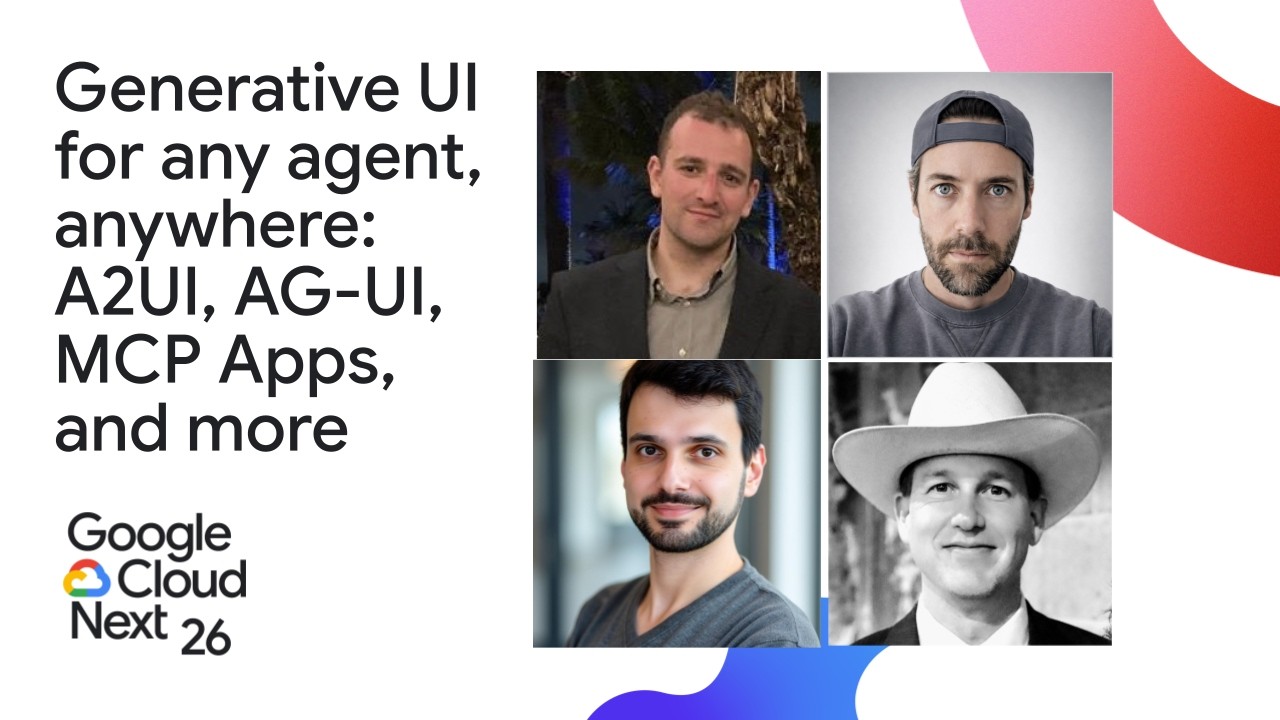
Generative UI for any agent, anywhere: A2UI, AG-UI, MCP Apps, and more — Google Cloud Tech

Google Cloud Tech

Traditional website navigation is collapsing as users migrate to reasoning engines, forcing enterprises to replace static pages with declarative component catalogs assembled dynamically around explicit visitor intent.

AI-assisted summary of Generative UI for any agent, anywhere: A2UI, AG-UI, MCP Apps, and more — original source. Check the original for full context.

Source published:

Key ideas

  • The agentic web is shifting from text chat to generative UI through emerging open standards, including MCP Apps for cross-platform app rendering, AG-UI for frontend-to-agent streaming protocols, and Google's A2UI for declarative UI payloads. (0:13)
  • Google's A2UI treats dynamic UI as declarative structured JSON-LD data mapped to client-side component catalogs, enforcing defense-in-depth security against clickjacking and rogue script execution. (12:06)
  • Generative user interfaces operate along a three-tier spectrum: controlled UI for pixel-perfect deterministic flows, declarative UI for composable component catalogs, and open-ended sandboxed execution for dynamic generation and MCP tools. (24:16)
  • Enterprise case studies show that intent-driven dynamic page generation can replace static website navigation hierarchies, cutting tailored pitch production from six hours of manual PDF authoring down to seconds. (36:03)

Detailed notes

## Background Published on YouTube by Google Cloud Tech on June 25, 2026, this Google Cloud Next 2026 session covers strategies for breaking the "chat wall" through adaptive, generative user interfaces. Featuring presenters Alan Blount, Ido Salomon, Atai Barkai, and Nicolas Le Pallec, the presentation details how protocols such as A2UI, AG-UI, and MCP Apps establish declarative, secure standards for agent-driven design across modern applications.

## TL;DR The speakers demonstrate how interactive generative UI is superseding text-only chat by deconstructing monolithic websites into dynamic, agent-driven components. Ido Salomon explains how MCP Apps standardizes graphical UI extensions across major AI hosts, while Alan Blount introduces Google's A2UI framework, which treats UI as declarative data using client-controlled catalogs to ensure defense-in-depth security. Atai Barkai maps out the AG-UI protocol and CopilotKit's three-part generative spectrum—controlled, declarative, and open-ended sandboxed interfaces—to connect agent backends to any frontend. Finally, Nicolas Le Pallec shows how enterprise architectures can parse multidimensional human intent to assemble tailored, high-converting web layouts in real time.

## Atmosphere & style The session has the energetic, collaborative feel of an industry milestone, flowing seamlessly across platform leads from Google, open-source protocol maintainers, and enterprise agency strategists. The tone balances visionary enthusiasm about dismantling traditional page navigation with rigorous technical precision, anchoring abstract paradigms in code hooks, schema diagrams, and live workflow demonstrations. It feels like an open invitation into an active working group, marked by warm peer rapport and a shared, earnest drive to define foundational web standards for the agentic era.

## Bulletin - [00:13](https://www.youtube.com/watch?v=UsMDkEsR-ok&t=13s) The agentic web is shifting from text chat to generative UI through emerging open standards, including MCP Apps for cross-platform app rendering, AG-UI for frontend-to-agent streaming protocols, and Google's A2UI for declarative UI payloads. - [12:06](https://www.youtube.com/watch?v=UsMDkEsR-ok&t=726s) Google's A2UI treats dynamic UI as declarative structured JSON-LD data mapped to client-side component catalogs, enforcing defense-in-depth security against clickjacking and rogue script execution. - [24:16](https://www.youtube.com/watch?v=UsMDkEsR-ok&t=1456s) Generative user interfaces operate along a three-tier spectrum: controlled UI for pixel-perfect deterministic flows, declarative UI for composable component catalogs, and open-ended sandboxed execution for dynamic generation and MCP tools. - [36:03](https://www.youtube.com/watch?v=UsMDkEsR-ok&t=2163s) Enterprise case studies show that intent-driven dynamic page generation can replace static website navigation hierarchies, cutting tailored pitch production from six hours of manual PDF authoring down to seconds.

## Key takeaways - [00:13](https://www.youtube.com/watch?v=UsMDkEsR-ok&t=13s) Text-only chat interfaces are an interim step; future software requires dynamic graphical affordances powered by background agents. - [00:54](https://www.youtube.com/watch?v=UsMDkEsR-ok&t=54s) MCP Apps standardizes rich interactive UI delivery over the Model Context Protocol, enabling host platforms like ChatGPT, Claude, and Gemini to render live client canvases. - [04:13](https://www.youtube.com/watch?v=UsMDkEsR-ok&t=253s) Traditional monolithic websites pack redundant menus for human browsing, whereas agents decompose sites into exact contextual slices based on user intent. - [09:14](https://www.youtube.com/watch?v=UsMDkEsR-ok&t=554s) A2UI separates presentation from agent logic by formatting interface layouts as declarative JSON-LD data payloads transmitted over any transport layer. - [14:55](https://www.youtube.com/watch?v=UsMDkEsR-ok&t=895s) By keeping the client frontend strictly in control of available component catalogs, A2UI defends against data exfiltration, rogue markup, and clickjacking. - [17:15](https://www.youtube.com/watch?v=UsMDkEsR-ok&t=1035s) A2UI supports cross-surface rendering across laptops, smartphones, tablets, smart TVs, and wearables, targeting a stable 1.0 LTS release in Q3. - [20:09](https://www.youtube.com/watch?v=UsMDkEsR-ok&t=1209s) Agents break the web's 30-year request-response architecture due to long-running streams, mid-run human steering, tool calling, and multimodal voice interactions. - [22:52](https://www.youtube.com/watch?v=UsMDkEsR-ok&t=1372s) AG-UI forms the user-facing third leg of the agent connectivity triangle, complementing tool protocols like MCP and agent-to-agent communication networks. - [24:16](https://www.youtube.com/watch?v=UsMDkEsR-ok&t=1456s) Controlled generative UI pre-registers concrete components in frameworks like React, delivering deterministic, brand-consistent experiences for core high-traffic flows. - [26:02](https://www.youtube.com/watch?v=UsMDkEsR-ok&t=1562s) Declarative generative UI employs modular component catalogs that agents assemble dynamically at runtime, addressing diverse long-tail business queries. - [28:00](https://www.youtube.com/watch?v=UsMDkEsR-ok&t=1680s) Open-ended generative UI runs raw generated code or third-party MCP utilities inside sandboxed iframes to display arbitrary tools safely. - [30:40](https://www.youtube.com/watch?v=UsMDkEsR-ok&t=1840s) Upstream conversational reasoning engines are replacing traditional website navigation, requiring corporate sites to parse explicit user intent upon arrival. - [33:48](https://www.youtube.com/watch?v=UsMDkEsR-ok&t=2028s) Enterprise systems must deconstruct messy user requests into structured intent objects spanning functional, emotional, and social dimensions. - [33:48](https://www.youtube.com/watch?v=UsMDkEsR-ok&t=2028s) Decoupling intent interpretation, enterprise brain governance, and design system layout assembly prevents unconstrained black-box code generation in corporate environments. - [36:03](https://www.youtube.com/watch?v=UsMDkEsR-ok&t=2163s) Replacing static sales pages with intent-driven dynamic composition eliminated hours of manual PDF collateral prep, serving customized web views instantly.

## Detailed walkthrough ### [00:13](https://www.youtube.com/watch?v=UsMDkEsR-ok&t=13s) Introduction and Moving Beyond Text-Only Interfaces

Alan Blount kicks off the session by welcoming the audience to a collaborative talk focused on generative UI, brought together by partners across several organizations. He acknowledges the shared, growing frustration with text-only chat interfaces and emphasizes the industry's direction: every user interface will soon have AI running behind it, unlocking far more interactive capabilities than walls of text allow. Rather than diving into Google's initiatives right away, Alan immediately passes the stage to Ido Salomon to introduce MCP Apps and lay the groundwork for how agent-driven interfaces are evolving.

[00:54](https://www.youtube.com/watch?v=UsMDkEsR-ok&t=54s) MCP Apps: Bringing Interactive Graphical Interfaces to Agents

Ido Salomon, creator of AgentCraft and co-creator and maintainer of MCP Apps, steps up (after briefly being introduced and joking through a slight name slip). Before jumping into the technical details, he gives a shout-out to the co-creators and contributors who made MCP Apps possible, including Liad, Olivier, Anton, and Nick.

```mermaid flowchart LR accTitle: MCP Apps Request and Response Flow accDescr: An agent queries an MCP server and returns interactive, branded UI components to the client. User["User ('Show me')"] --> Agent["AI Host / Agent"] Agent --> Server["MCP Server / Provider"] Server --> Component["Interactive UI Component"] Component --> Client["Client UI Canvas"] ```

Addressing the core theme, Ido asks what comes next when text falls short. MCP Apps was built as the official UI extension to the Model Context Protocol (MCP). It standardizes both the transmission of rich graphical user interfaces to clients and the underlying communication protocol between clients and their UIs. To illustrate the shift: * In the traditional approach, querying an agent about a sales or marketing funnel prompts the agent to call an analytics provider like PostHog, resulting in a dense, factual wall of text that fails to provide clear insights at a glance. * With MCP Apps support enabled on both the client (such as Claude) and the backend (such as PostHog), a simple prompt like "show me" renders an interactive, branded graphical UI component right inside the chat canvas.

[03:02](https://www.youtube.com/watch?v=UsMDkEsR-ok&t=182s) Bespoke Generative UI and Built-In Interactivity

Beyond rendering predefined dashboards from existing analytics tools, agents must have the creative freedom to construct bespoke UIs on the fly. When a user asks an agent to explain what a funnel is, rather than drafting an essay, the model can dynamically assemble an explanatory diagram and visual workflow.

Crucially, this is not just passive visual presentation. Ido highlights that interactive behavior is deeply embedded directly into the generated component. If a user wants to inspect a specific phase within the generated funnel, they do not need to construct a new prompt or guess what instructions to type next. The model pre-programs interactive actions into the element: clicking "show me" on a particular stage automatically triggers a prompt back to the agent, driving the conversational flow forward and generating the next contextual explanation without friction.

[04:13](https://www.youtube.com/watch?v=UsMDkEsR-ok&t=253s) Deconstructing the Monolithic Web for Agentic Workflows

Zooming out from the immediate technical plumbing, Ido argues that generative UI and MCP Apps represent a fundamental reimagining of how humans interact with the web, rather than just an aesthetic upgrade to chat. On the traditional web, planning an event or a special occasion forces a user to navigate across ten separate, highly complex websites—booking travel, selecting hotels, and ordering flowers individually. These websites are deliberately dense and convoluted because they are designed for human browsing; unable to know a specific user's exact intent, site designers pack every conceivable action and button onto a single screen.

Agents, by contrast, operate with precise knowledge of user intent. They can decompose those monolithic destinations, extract only the required slice of functionality—a single map view, a specific date picker, or a targeted checkout button—and assemble an ad-hoc, end-to-end flow directly within the conversation.

[06:14](https://www.youtube.com/watch?v=UsMDkEsR-ok&t=374s) The UI Spectrum and the Agent Distribution Surface

Ido outlines a three-part spectrum of agent interfaces: 1. **Predefined UI**: Traditional standalone app views and components served directly from platforms (e.g., PostHog). 2. **Declarative UI**: Experiences where the agent describes the semantic components it needs, leaving layout and design rendering to the host system. 3. **Generative UI**: Bespoke interfaces generated from scratch, where the model streams raw HTML and markup directly into the canvas.

MCP Apps is entirely agnostic to what is being rendered, making it uniquely interoperable. Frameworks like A2UI and AG-UI can run inside an MCP App container, or an MCP App can serve as a component rendered by those protocols.

Major host environments—including OpenAI's ChatGPT, Anthropic's Claude, and Google's Gemini—have adopted MCP Apps. ChatGPT alone hosts over 500 apps from enterprise brands like Walmart and Salesforce. Highlighting the scale of this paradigm shift, Ido notes that ChatGPT commands one billion weekly active users—roughly 12% of the world's population—representing over 160 times the audience the Apple App Store had at its launch. He challenges developers to rethink their core product architecture:

> “The question that you need to ask yourself now isn't why you need to develop an app. Why do you need to get your product ready for the gigantic web. It's what happens when users stop being the people that see my website. It suddenly becomes agents.” — Ido Salomon

Rather than building monolithic web destinations, teams must decompose their products into interconnected, agent-ready endpoints that can be authored once and deployed anywhere.

[09:14](https://www.youtube.com/watch?v=UsMDkEsR-ok&t=554s) Introducing A2UI: Architecture, Message Passing, and Remote Agents

Alan Blount returns to introduce A2UI (Agent-to-User Interface). Alan shares his background—20 years as a full-stack web application developer, followed by machine learning work in Google Cloud, and now building Google's agent platforms. The A2UI project represents a hybrid effort incorporating contributions developed over more than two years.

```mermaid flowchart TD accTitle: A2UI Communication Across Frontends and Remote Agents accDescr: Shows how A2UI messages pass from remote or local backend agents through an orchestrator to the frontend design system. subgraph Client["Frontend Client"] DS["Design System / UI"] end subgraph Orchestration["Application Backend"] BE["Backend Server / Orchestrator"] LA["Local Sub-Agents"] end subgraph External["Remote Mesh"] RA["Remote Agents"] end

DS <-->|"Any Transport (REST, WS, AG-UI, MCP)"| BE BE <--> LA BE <-->|"Secure A2UI Message Payload"| RA ```

A2UI targets three fundamental challenges in agent ecosystems: * Enabling clean communication when remote agents or meshes of distributed agents interact with an application. * Achieving true, dynamic generative UI. * Delivering these generative interfaces safely to end users across diverse platforms.

Alan maps out the architecture using a frontend design system connected to a standard backend. While local subagents attached directly to an application's server represent a straightforward path, remote agents introduce major security and identity hurdles, including complex access control lists (ACLs) and cross-boundary permissions.

To overcome this, A2UI treats user interfaces strictly as structured, declarative data. By turning UI into data payloads, message passing across remote orchestrators becomes simple and safe. Furthermore, the transport layer remains completely agnostic: A2UI payloads can travel over standard REST APIs, WebSockets, AG-UI, or MCP. Remote agents simply emit standard A2UI messages, and the central orchestrator passes those payloads straight through to the frontend design system for secure rendering.

[12:06](https://www.youtube.com/watch?v=UsMDkEsR-ok&t=726s) Declarative UI via Structured Output and Catalogs

Alan Blount describes alternative agent topologies, pointing out that an orchestrator can intercept, manipulate, or mutate an outgoing message if a remote agent does not natively generate an A2UI payload. Rather than relying on tool calling, A2UI operates on direct structured output using JSON-LD. Blount emphasizes that JSON-LD was chosen pragmatically because virtually all contemporary large language models handle JSON proficiently. While other declarative UI formats exist and the architecture could evolve in the future, JSON-LD solved the immediate requirement for constructing component layouts.

```mermaid flowchart LR accTitle: A2UI Pipeline Flow accDescr: LLM outputs JSON-LD into surfaces which hydrate frontend catalogs and render via streaming. subgraph Agent ["Agent Core"] A["LLM Output<br/>(JSON-LD)"] end subgraph Layout ["UI Layout"] B["Widget / Surface<br/>Assembly"] C["State & Variable<br/>Hydration"] end subgraph Client ["Client Device"] D["Custom Component<br/>Catalog"] E["Streaming UI<br/>Render"] end

A --> B B --> C C --> D D --> E ```

Within this pipeline, the model aggregates one or more existing components into what the team terms a "surface" or "widget layout," then populates and hydrates the designated variables. Transmitted as streaming message chunks, this architecture enables an exceptionally responsive user experience. Blount highlights a favorite design pattern: cacheable, configurable interfaces where the entire application UI is pre-configured, yet remains fully mutable on the fly through natural language agent interactions—such as having the agent adjust a button or eliminate interface elements the user never employs.

- **Component Catalog Contracts:** Teams define custom component catalogs that establish a strict contract between the client frontend and back-end agents; the back end is only permitted to invoke the components explicitly advertised by the client. - **Preserving Existing Design Systems:** Organizations are not required to adopt brand-new UI stacks: “You already have a design system. You already have a front end. You don't need to change that,” Blount reiterates, noting support for existing libraries such as Material Design. - **Terminology Evolution:** The team formally renamed their baseline component offering from "standard" to "basic" to eliminate confusion for developers bringing their own design systems.

---

[14:55](https://www.youtube.com/watch?v=UsMDkEsR-ok&t=895s) Cross-Surface Ambitions and Defense-in-Depth Security

While most enterprise users interact via web browsers on laptops, Blount stresses that modern workflows constantly transition between laptops, mobile phones during meetings, tablets, smart TVs, and smartwatches. A2UI is engineered from the ground up to support this device heterogeneity without locking rendering into the web DOM. Several enterprise customers with proprietary rendering pipelines and custom hardware interfaces are actively collaborating on using A2UI as a general declarative UI standard.

Blount outlines how this decoupled architecture inherently enforces UI security through defense in depth:

```mermaid flowchart TD accTitle: A2UI Defense-in-Depth UI Security Architecture accDescr: Client catalog boundaries isolate and secure components from agent execution. subgraph AgentBoundary ["Agent / Back-End Execution"] A["Agent Data Payload"] end

subgraph ClientBoundary ["Client Runtime Boundary"] B["Client Catalog Filter"] C["Decoupled Data Hydration"] D["Strict Native Component Rendering"] end

A --> B B --> C C --> D ```

Because the frontend client exercises strict ownership over the component catalog, teams eliminate classic generative vulnerabilities such as data exfiltration via rogue image tags, hidden form fields embedded within malicious click targets, and third-party UI supply-chain attacks. Blount emphasizes that agent constraints must start at the boundary: “The client is in charge of what components are available.”

- **Cross-Platform Target Devices:** Laptops, phones, tablets, television interfaces, and wearable watches. - **Security Defenses:** Controlled component rendering prevents malicious data exfiltration, mitigates clickjacking via hidden forms, and insulates applications from supply-chain compromises. - **Main Architectural Principle:** Defense in depth achieved by decoupling raw data values from native, client-controlled presentation components.

---

[17:15](https://www.youtube.com/watch?v=UsMDkEsR-ok&t=1035s) Current Ecosystem, Production Launches, and the 1.0 Roadmap

A2UI provides core plumbing libraries, message-passing protocols, real-time repair tooling for malformed generations, and specialized client renderers. Supported rendering libraries include Web Components (Lit), Angular, React, and Flutter, with direct contributions from their respective core maintainers alongside community implementations.

In production, A2UI is already deployed across Gemini Enterprise, Opal, and numerous internal Google tools, with experimental initiatives mixing Model Context Protocol (MCP) apps with dynamically generated A2UI widgets. Blount acknowledges that while current demos may look simple, the production utility of streaming actionable interactive affordances is monumental.

Regarding the future roadmap, the team is prioritizing stability and enterprise readiness over adding endless prototypes. A major milestone is bringing the core infrastructure into a formal 1.0 Long Term Support (LTS) release targeted for Q3, following developer experience refinements introduced in the 0.9 release:

> “I really want this to get to a 1.0 release this year so that we can have long term support and feel very consistent and stable on it.” — Alan Blount

---

[20:09](https://www.youtube.com/watch?v=UsMDkEsR-ok&t=1209s) CopilotKit, AG-UI, and Breaking the Request-Response Paradigm

Alan Blount introduces Atai Barkai, co-founder and CEO of CopilotKit, to introduce the AG-UI protocol. Barkai explains that CopilotKit focuses on building developer infrastructure specifically for "copilots"—human-in-the-loop, user-interactive agents—distinguishing them from entirely autonomous background agents. CopilotKit connects agentic backends directly to user-facing applications, powering tens of millions of user-agent interactions weekly across organizations including Cisco, DocuSign, Function Health, Deutsche Telekom, and the majority of both the Global 50 and Fortune 500.

CopilotKit also spearheaded the open AG-UI protocol, originating from collaborations with LangChain and CrewAI, which has seen adoption across Google, Amazon, Microsoft, Oracle, Mastra, Pydantic, and AG2. Barkai outlines the guiding thesis for this architecture: “We believe over the next few years all UI will be AI, which means that over the next few years, all interactions between people and technology are going to become increasingly mediated by agentic systems.”

Barkai illustrates this shift with both enterprise and everyday examples, from complex productivity tools like HubSpot, Figma, Cursor, and Cloud Code, to smart appliances: an electronics manufacturer approached them about embedding conversational agency into refrigerators so users can effortlessly say, "order the ingredients that are missing to make lasagna tonight."

```mermaid flowchart TD accTitle: The Agentic Protocol Paradigm Shift accDescr: Contrasting traditional request-response web requests with multi-modal streaming agent flows. subgraph Traditional ["Traditional 30-Year Web Paradigm"] Req["Client Request"] --> Res["Server Response"] end

subgraph Agentic ["User-Interactive Agentic Paradigm"] Stream["Long-Running Bi-directional Streams"] MidRun["Mid-Run Steering & Reconnections"] Hybrid["Structured Tool Calls + Unstructured State Updates"] Modal["Concurrent Text & Voice Modalities"] end ```

The friction in building user-interactive agents stems from a deep architectural incompatibility: “Many of you audience probably know that building great user interactive agents is very difficult. And the core reason is that agents break the request-response paradigm that's been powering the internet for the last 30 years.” Because software agents are long-running, maintain continuous streaming, require mid-run steering, handle sudden network reconnections, and simultaneously process unstructured text, structured tool calls, state synchronizations, and multimodal voice streams, existing RESTful web foundations prove wholly inadequate without a unified protocol layer.

[22:52](https://www.youtube.com/watch?v=UsMDkEsR-ok&t=1372s) CopilotKit, AG-UI, and Connecting Agents to Frontends

Atai Barkai introduces the mission behind CopilotKit and AG-UI, addressing the persistent hurdles developers face when building generative user interfaces. Traditional software paradigms retrofit interfaces from familiar request-response mechanics, but generative applications demand an entirely different approach optimized for agentic workflows. CopilotKit addresses this by offering open-source developer SDKs paired with a self-hostable cloud backend. Alongside it, the AG-UI (Agent User Interaction) protocol serves as a standard enabling agentic frameworks and harnesses to bridge their backends to arbitrary custom frontends without rewriting integration logic.

Barkai visualizes the emerging agentic ecosystem as an interconnected triangle. Model Context Protocol (MCP) occupies one edge, linking agents out to tools and external context. Agent-to-agent protocols handle communication between distinct autonomous systems. AG-UI represents the crucial third leg of this triangle, anchoring agents directly to user-facing applications. While AG-UI started with a primary focus on the web, its coverage has broadened rapidly to encompass platforms such as Slack, WhatsApp, mobile applications, and other interactive client endpoints. Atai pauses briefly on an architectural overview slide, inviting attendees to snap a picture and ask follow-up questions afterward.

```mermaid flowchart TD accTitle: The Agent Connectivity Triangle accDescr: Diagram showing how MCP, A2A, and AG-UI form a three-legged ecosystem linking tools, agents, and user frontends.

Agent["Agentic Core System"]

subgraph Triangle["Ecosystem Protocols"] direction TB MCP["MCP<br/>(Tools & Context)"] A2A["Agent-to-Agent<br/>(System Interop)"] AGUI["AG-UI Protocol<br/>(User Interfaces)"] end

subgraph Frontends["User Surfaces"] Web["Web Apps"] Mobile["Mobile Apps"] Chat["Slack / WhatsApp"] end

Agent --> MCP Agent --> A2A Agent --> AGUI AGUI --> Web AGUI --> Mobile AGUI --> Chat ```

- CopilotKit delivers open-source SDKs and self-hostable infrastructure built natively for agentic loops rather than legacy request-response patterns. - “AG-UI is the third leg of this triangle connects your agents to user facing services,” Atai Barkai points out when mapping out how MCP, agent-to-agent architectures, and AG-UI complement one another.

---

[24:16](https://www.youtube.com/watch?v=UsMDkEsR-ok&t=1456s) Pillar 1: Controlled Generative UI and Pixel-Perfect Surfaces

Reflecting on collaborations with industry leaders over the past several years, Barkai emphasizes that no single generative UI paradigm fits all enterprise requirements. Generative user interfaces exist along a broad continuum ranging from tightly controlled, deterministic designs to completely open-ended rendering. AG-UI intentionally spans this complete range, allowing developers to pick the appropriate mechanism for any given scenario. Barkai breaks down this continuum into three core pillars: controlled, declarative, and open-ended generative UI.

The first pillar is controlled generative UI. Under this model, engineers pre-build and register concrete components that an agent invokes on demand. In a code demonstration, Barkai shows a React hook (`useComponent`) defining explicit input parameters, a component purpose description, and a dedicated renderer—such as a pie chart. When a user asks for revenue split by category, the interface bypasses dense textual responses to instantly render the interactive pie chart. While Barkai acknowledges that pre-built elements might feel like the most conservative tier of the spectrum, they offer unmatched advantages in fidelity and reliability.

- Developers retain total authority over styling, layout, and component state by pre-registering renderers in frameworks like React. - High-visibility workflows, such as an airline displaying real-time flight cards, require guaranteed determinism and pixel-perfect brand alignment. - “To some extent controlled generative UI is the most boring part of this spectrum, but it does give you pixel perfect designs and maximal determinism, which makes it a really great fit for the few most used surfaces in your applications,” notes Atai Barkai.

---

[26:02](https://www.youtube.com/watch?v=UsMDkEsR-ok&t=1562s) Pillar 2: Declarative Generative UI and Component Catalogs

The second pillar represents declarative generative UI, the core domain of A2UI. In this pattern, software teams do not code static single-purpose views; instead, they publish a component catalog of composable, LEGO-like building blocks that the agent dynamically assembles at runtime to satisfy nuanced user prompts. Barkai displays an interactive sales dashboard demo where a user asks for revenue figures paired with customer churn metrics. Rather than producing text, the agent dynamically bundles independent cards, headers, pie charts, and bar charts into a cohesive single dashboard view tailored on the fly to that specific query.

Implementing this requires setting up catalog definitions detailing what each element is and what arguments it accepts, alongside corresponding catalog renderers (such as React components). The protocol's middleware layer takes care of the internal state handshakes between AG-UI and A2UI, insulating developers from synchronization and transport complexities. Teams deliberately trade away some rigid pixel-level perfection and total determinism, because components are arranged dynamically. In return, they achieve massive breadth: a one-time catalog definition can power an infinite variety of tailored dashboard configurations, making it exceptionally well-suited for long-tail enterprise applications where engineering efficiency is paramount.

| Spectrum Pillar | Determinism & Styling | Assembly Mechanism | Best-Fit Use Cases | |:--- |:--- |:--- |:--- | | **Controlled UI** | Pixel-perfect, maximum determinism | Pre-built components invoked directly by agent tools | Primary, high-traffic user journeys (e.g., flight status cards) | | **Declarative UI** | High brand consistency, dynamic layout | LEGO-style component catalogs assembled on demand by agent | Long-tail consumer queries and internal enterprise dashboards | | **Open-Ended UI** | Variable fidelity, open-ended | Live HTML rendering or external app embedding in sandboxed iframes | Third-party extensions (MCP Apps) and hyper-custom dynamic tools |

- Teams author component catalogs once, detailing available props and layouts, which agents compose dynamically to meet arbitrary prompt requirements. - The AG-UI and A2UI middleware handshake automatically coordinates schema parsing and visual rendering without requiring custom agent backend pipelines. - “With declarative UI you're giving up some pixel perfect perfection... but what you get in return is very broad support for different user queries with a one time definition of a component catalog,” Atai Barkai explains.

---

[28:00](https://www.youtube.com/watch?v=UsMDkEsR-ok&t=1680s) Pillar 3: Open-Ended Generative UI and Sandboxed Execution

At the far end of the continuum sits open-ended generative UI, where systems discard build-time layout constraints to allow agents to render entirely arbitrary content. This tier divides into two primary modalities: MCP Apps and live-generated HTML sandboxes. MCP Apps are optimized for pulling third-party interactive utilities—frequently built for super hosts like ChatGPT, Claude, and Cursor—directly into custom host applications. The second modality allows the agent to write and execute raw, customized HTML and JavaScript on the fly within an isolated, secure iframe sandbox.

Barkai demonstrates this dynamic execution through an agent that synthesizes a fully operational, highly specialized custom calculator from scratch based on idiosyncratic user specifications. While this process is slower to generate and less deterministic than pre-compiled components, it yields fully functioning, interactive mini-applications that designers could never have anticipated ahead of time. Under AG-UI, developers can toggle between third-party MCP apps and full open-ended generation by adjusting configuration flags or passing target application URLs, without restructuring their underlying backend agent systems. Concluding his segment, Barkai shares his email (`atai@copilotkit.ai`), points attendees to a hallway demo and a specialized Google Cloud Next onboarding offering, and introduces Nicolas Le Pallec from AKQA.

- Open-ended generative UI relies on sandboxed iframe isolation to preserve client-side security while executing agent-generated scripts and HTML. - MCP Apps provide ready-made bridges to third-party tools originally architected for major AI platforms without bespoke integration overhead. - “With open ended generative UI, you're opening the door for the agent to display anything at all,” states Atai Barkai.

---

[30:40](https://www.youtube.com/watch?v=UsMDkEsR-ok&t=1840s) Nicolas Le Pallec on the Collapse of Navigation and Structured Intent

Nicolas Le Pallec, CTO EMEA at AKQA (part of WPP), takes the stage to explain why global brands and Fortune 500 enterprises must urgently embrace generative UI. He contends that digital interaction is undergoing a seismic, structural shift away from traditional website mechanics. For decades, online experiences were engineered almost exclusively around hierarchical navigation and browsing across static pages, forcing analytics engines to passively infer customer desire based on clicks and page views. Today, discovery happens upstream within conversational reasoning engines like ChatGPT and Gemini. When consumers arrive at a company website, they arrive with a well-formed objective; if the page fails to immediately adapt to that objective, visitors abandon it and return to their AI assistants.

To survive in this emerging "intent economy," enterprise systems must treat explicit intent as their primary signal, deploy modular frontends that assemble adaptively, and rebuild digital trust by responding to stated needs rather than relying on covert tracking. However, raw human intent is messy, emotional, and unstructured, making it difficult for enterprise logic to process. To bridge this gap, Le Pallec revisits the classic "Jobs to Be Done" framework developed in the 1990s, categorizing intent into three distinct dimensions: functional requirements (the product, size, or color), emotional drivers (perceived risk, confidence levels, and urgency), and social dynamics (peer perception, company politics, and workplace pressure). To illustrate how enterprises can extract and operationalize these multi-dimensional signals, Le Pallec introduces a real-world case study centered on "Synthesis," a payments-level fraud detection platform built for banks, fintechs, and e-commerce merchants.

- Modern users conduct preliminary research inside LLM platforms and land on enterprise domains with specific, pre-formulated goals. - Websites can no longer rely on static content hierarchies; they must shift from inferring behavior to directly serving explicit human intent. - “For the past 20 decades, we have built websites which were optimized around navigation,” Nicolas Le Pallec argues, highlighting how browsing is rapidly giving way to intent-driven interaction. - “Human intent is rich, it's messy. It's nuanced. Enterprises can't work with messy elements like that. So we need structured intent,” Le Pallec notes while breaking down the functional, emotional, and social facets of user decisions.

[33:48](https://www.youtube.com/watch?v=UsMDkEsR-ok&t=2028s) From Visitor Intent to Real-Time Dynamic Interface Architecture

Nicolas Le Pallec illustrates how generative UI moves beyond simple text interactions by analyzing real-world visitor intent. In the example presented, a new security officer at a startup navigates recent spikes in cross-border payment fraud. A Gemini agent deconstructs the visitor's initial prompt into multiple operational dimensions: functional, personal, emotional, and social. Functionally, the user is looking for a robust fraud detection solution. Emotionally, the user needs reassurance and confidence in their decision. Socially, there is significant leadership pressure to make the right choice quickly. The system encapsulates these signals into a unified "intent object," which establishes the appropriate product matching, determines the precise tone of voice needed to communicate with that user, and dictates the experience design.

```mermaid flowchart TD accTitle: Intent to Generative Interface Pipeline accDescr: Three-stage architecture flowing from user intent deconstruction to enterprise brain governance, ending in design system layout assembly.

subgraph Interpret ["1. Interpretation Layer"] UI["User Intent Input"] --> Gemini["Gemini Agent"] Gemini --> Obj["Structured Intent Object<br/>(Functional, Emotional, Social)"] end

subgraph BrainLayer ["2. Brain / Knowledge Layer"] Obj --> Brain["Enterprise Brain"] VDB[("Vector DB<br/>Product Data")] --> Brain KG[("Knowledge Graph<br/>Enterprise Context")] --> Brain Comp["Compliance & Legal Layer"] --> Brain Brain --> ValidContent["Validated Content Object"] end

subgraph GenUI ["3. Generative Interface Layer"] ValidContent --> Assembler["Layout Assembler"] DS["Enterprise Design System<br/>(Components & Constraints)"] --> Assembler Assembler --> LivePage["Dynamic Tailored Webpage"] end ```

To transform that intent into a visual interface, Nicolas Le Pallec breaks the pipeline down into three decoupled stages: the interpretation layer, the enterprise brain, and the generative interface layer. The interpretation layer parses and categorizes incoming raw intent. That intent is handed off to the enterprise brain, which houses all product and brand data alongside governance and compliance rules. Finally, the generated, validated content object reaches the generative interface layer, which selects pre-built components from the enterprise design system and dynamically assembles the interface layout on the fly. Emphasizing why this strict separation of concerns matters for enterprise systems, Nicolas Le Pallec argues: “We don't want to be an agent in a black box where everything is controlled in prompt.”

- The enterprise brain combines a vector database storing product data with a knowledge graph that models complex enterprise relationships and contexts. - A dedicated compliance and legal validation layer checks all content before it reaches the rendering engine to prevent unauthorized claims. - The generative interface layer never generates unconstrained raw HTML/CSS from scratch; it works strictly within established design system constraints to preserve brand consistency and visual integrity.

---

[36:03](https://www.youtube.com/watch?v=UsMDkEsR-ok&t=2163s) Live Demos: Tailoring Experiences to Different User Pressures

Nicolas Le Pallec demonstrates this architecture in action on a mock homepage for a company named Synthesis. A standard visitor sees a traditional homepage highlighting product features and value propositions (USPs). However, an intent input field pinned at the top allows users to state their exact goal. In the first scenario, a visitor enters an intent asking how to improve fraud detection without hurting user conversion rates. The system triggers the interpretation and brain layers, instantly generating an entirely bespoke solution page. The content is rewritten specifically for conversion-conscious security buyers, pulling exact ROI statistics, fraud detection product overviews, and contextual customer quotes out of the design system components.

A second test run highlights how dramatically the output shifts when emotional and social pressures change. A different user enters a high-urgency query seeking to stop an active spike in fraud within weeks rather than months. Recognizing the acute urgency and emotional distress, the engine shifts away from a long, comprehensive product explanation. Instead, it constructs a compact, high-impact page focused entirely on driving the user directly toward the next best action.

```mermaid flowchart LR accTitle: Comparative Intent-Driven Rendering accDescr: Two divergent visitor intents resulting in completely different dynamically assembled interface layouts.

subgraph IntentA ["Low Urgency / Evaluative Intent"] IA["'Improve fraud detection without hurting conversion'"] --> ResA["Detailed Solution Page<br/>• Specific conversion ROI stats<br/>• Relevant customer testimonials<br/>• In-depth component breakdowns"] end

subgraph IntentB ["High Urgency / Crisis Intent"] IB["'Fix fraud spike in weeks, not months'"] --> ResB["Streamlined Action Layout<br/>• Immediate response plan<br/>• Next-best action callouts<br/>• Zero extraneous marketing fluff"] end ```

The business impact of dynamic assembly is substantial. Nicolas Le Pallec notes that the enterprise partner testing this platform previously produced bespoke pitches and collateral as manual human-compiled PDFs, a workflow that took upwards of six hours per inquiry. With intent-driven generative UI, hyper-personalized pages are generated in seconds directly inside the browser. Quoting the customer's reaction to this operational shift, Nicolas Le Pallec shares: “We're no longer spending hours preparing responses. We can focus on the strategy discussion from the start.” Looking toward the immediate horizon of agentic interfaces, he concludes: “Static pages needs to become dynamic system. So as enterprises for the next web experiences, you need systems that understand reason and Compose in real time.”

- Turnaround time for producing tailored collateral dropped from more than six hours of manual human PDF drafting down to mere seconds directly on the web. - Manual design and custom copywriting overhead for prospective leads was completely eliminated. - Navigational paradigms across corporate web properties are inverted: user intent replaces rigid static site menus and pre-baked informational funnels.

---

[39:20](https://www.youtube.com/watch?v=UsMDkEsR-ok&t=2360s) Closing Remarks and Community Collaboration for 2026

Alan Blount returns to wrap up the session, expressing deep gratitude to his co-presenters, the engineering teams behind the tools, and the audience. He underscores that while generative UI frameworks—such as A2UI, AG-UI, and MCP Apps—are pioneering foundational standards, establishing the future web architecture requires open, community-wide collaboration across developer ecosystems. He points out: “We are working on things that are new and we're coming up with really good foundational technologies and capabilities ourselves, but we're doing it together to build the new versions of the web.”

Alan Blount displays an on-screen QR code pointing to an anonymous feedback form, inviting attendees and remote viewers to shape the generative UI roadmap for 2026. The cross-team working group meets at least monthly—and often significantly more frequently—to iterate on interoperability standards across agent platforms, client frontends, and protocol layers. Alan Blount urges participants to share their exact needs and enterprise friction points, whether through the form or by talking to the team directly in the hallway after the presentation, reiterating in his closing sentence: “We are all in this together.”

- The feedback form is anonymous, with an optional field for contact details, designed to solicit community priorities for 2026 Generative UI projects. - Core maintainers and partner teams (spanning Google, CopilotKit, and MCP Apps) maintain a recurring cross-organizational cadence, meeting at least monthly to advance protocol standards. - Attendees are invited to engage directly in hallway discussions immediately following the session to discuss integration challenges and use cases.

## Notable quotes > [20:09](https://www.youtube.com/watch?v=UsMDkEsR-ok&t=1209s) We believe over the next few years all UI will be AI, which means that over the next few years, all interactions between people and technology are going to become increasingly mediated by agentic systems. — Atai Barkai

> [26:02](https://www.youtube.com/watch?v=UsMDkEsR-ok&t=1562s) With declarative UI you're giving up some pixel perfect perfection... but what you get in return is very broad support for different user queries with a one time definition of a component catalog — Atai Barkai

> [24:16](https://www.youtube.com/watch?v=UsMDkEsR-ok&t=1456s) To some extent controlled generative UI is the most boring part of this spectrum, but it does give you pixel perfect designs and maximal determinism, which makes it a really great fit for the few most used surfaces in your applications — Atai Barkai

> [30:40](https://www.youtube.com/watch?v=UsMDkEsR-ok&t=1840s) Human intent is rich, it's messy. It's nuanced. Enterprises can't work with messy elements like that. So we need structured intent — Nicolas Le Pallec

## Mentioned Alan Blount, Atai Barkai, Ido Salomon, Nicolas Le Pallec, A2UI, AG-UI, MCP Apps, Model Context Protocol, CopilotKit, AKQA, WPP, AgentCraft, PostHog, ChatGPT, Claude, Gemini, Gemini Enterprise, Opal, Google Cloud, Google Search, Anthropic, OpenAI, Walmart, Salesforce, Cisco, DocuSign, Function Health, Deutsche Telekom, LangChain, CrewAI, Mastra, Pydantic, AG2, HubSpot, Figma, Cursor, Cloud Code, Lit, Angular, React, Flutter, Material Design, JSON-LD, Synthesis

## Video description The future of the web isn’t just interactive – it’s adaptive. Break the “chat wall” with agents that customize UIs for any context. Join the core teams behind A2UI, a native-first standard that treats UI as declarative data for ultimate security and performance, establishing your design system as the “trust catalog.” This session also features CopilotKit’s CEO discussing AG-UI, which connects all frontends and agent backends, and one of MCP Apps’ co-creators promoting agent UI standardization everywhere. Learn when to choose which approach for brand-consistent, agent-driven, and agent-generated design. Discover how this powers Gemini Enterprise, Google Search, and the future of the agentic web.

Watch more Google Cloud Next 2026 Sessions → https://goo.gle/gcloud-next-2026 Subscribe to Google Cloud Tech → https://goo.gle/GoogleCloudTech

Speakers: Alan Blount, Atai Barkai, Ido Salomon, Nicolas Le Pallec

BRK2-094 #GoogleCloudNext

[Source](https://www.youtube.com/watch?v=UsMDkEsR-ok)

Reading summary

Presenters from Google Cloud, CopilotKit, and AKQA argue that software interfaces are transitioning from static web pages and text-only chat to generative, intent-driven user interfaces. They propose standardizing this shift through complementary protocols—MCP Apps, A2UI, and AG-UI—that balance developer control, platform security, and on-demand UI synthesis. Deconstructing Monolithic Websites for Intent-Driven Agents (4:13) Ido Salomon, co-creator of MCP Apps, explains that legacy websites are deliberately complex because they cannot predict a visitor's exact goal, forcing users to navigate across multiple platforms to execute compound tasks like booking trips. In contrast, conversational agents operate with explicit user intent and can isolate only the necessary interface fragments—such as a single date picker or checkout button—directly inside conversational canvases like Claude, Gemini, or ChatGPT. Standardizing Agent-to-User Interaction Across Surfaces (9:14) A2UI (Agent-to-User Interface) addresses the technical challenges of remote multi-agent architectures and cross-platform rendering by treating interfaces strictly as declarative data payloads rather than executable code. Alan Blount notes that A2UI utilizes JSON-LD output because modern large language models handle JSON reliably. Payloads pass through any transport layer (REST, WebSockets, AG-UI, or MCP) to be rendered by native client libraries like React, Angular, Flutter, or Web Components. Defense in Depth and Catalog Isolation (14:55) To counter security risks such as clickjacking via hidden forms, rogue image tracking, and third-party supply-chain exploits, A2UI enforces a defense-in-depth model where the frontend client maintains strict ownership of an approved component catalog. The model can assemble layouts and populate variables within defined surfaces, but it cannot inject arbitrary HTML outside the registered design system. Blount highlights that enterprise deployments in tools like Gemini Enterprise and Opal rely on these catalog boundaries, with an enterprise-ready 1.0 LTS release targeted for Q3. The Generative UI Continuum: Controlled, Declarative, and Open (20:09) Atai Barkai, CEO of CopilotKit, points out that agentic workflows break traditional 30-year-old request-response mechanics due to long-running streams, mid-run steering, and concurrent voice and tool updates. To accommodate varying enterprise requirements, the AG-UI protocol categorizes generative interfaces into three distinct pillars: controlled UI (pre-built, deterministic, pixel-perfect components like flight cards), declarative UI (LEGO-like catalogs assembled dynamically by the model), and open-ended UI (arbitrary HTML or third-party MCP Apps executed within sandboxed iframes). Translating Visitor Intent into Enterprise Layouts (33:48) Nicolas Le Pallec of AKQA presents a three-stage enterprise pipeline—comprising an interpretation layer, an enterprise brain, and a generative interface layer—that translates multidimensional visitor intent into dynamic layouts. By deconstructing queries into functional, emotional, and social factors, an enterprise brain backed by knowledge graphs, vector databases, and compliance checks dynamically selects design components. In a pilot platform for fraud detection, this automated, tailored page generation reduced manual response-pitch preparation from over six hours down to seconds. The presenters emphasize that establishing generative UI requires ongoing cross-industry collaboration rather than proprietary silos. Maintainers behind A2UI, AG-UI, and MCP Apps are holding monthly working groups to align their complementary protocols and gather community feedback to shape the generative web standards for 2026.

Source quotes

[20:09] Atai Barkai: We believe over the next few years all UI will be AI, which means that over the next few years, all interactions between people and technology are going to become increasingly mediated by agentic systems. [26:02] Atai Barkai: With declarative UI you're giving up some pixel perfect perfection... but what you get in return is very broad support for different user queries with a one time definition of a component catalog [24:16] Atai Barkai: To some extent controlled generative UI is the most boring part of this spectrum, but it does give you pixel perfect designs and maximal determinism, which makes it a really great fit for the few most used surfaces in your applications [30:40] Nicolas Le Pallec: Human intent is rich, it's messy. It's nuanced. Enterprises can't work with messy elements like that. So we need structured intent

Original transcript

[0:13] Hey, everybody, thank you very much for joining us. [0:18] My name is Alan. [0:18] I'm joined by several other peers. [0:20] This is a partnership conversation [0:23] with a lot of different players talking about generative UI. [0:26] I'm very excited to be here. [0:27] We have a lot of good content. [0:28] We're going to try and make it through all of these slides. [0:31] We're going to talk about my and many of your frustrations [0:36] with a text only interface, and how we believe [0:39] that all of the interfaces will soon have some sort of AI [0:43] behind them, and you can do a whole lot more with it. [0:45] But I'm actually not going to start this talk. [0:48] I'm going to hand it over to ido to come here and talk about MCP [0:51] apps to get us started. [0:54] Thanks, Ben. [0:59] So hi everyone. [1:00] Thank you. [1:01] Alan sorry. [1:06] So I'm Ira Solomon. [1:08] I am the creator of MCP and agent craft [1:10] and co-creator and maintainer of MCP apps. [1:14] Before we get started, I just wanted [1:15] to shout out to the amazing people that made MCP happen. [1:19] So these are co-creators. [1:20] We have liad and Olivier and Anton and Nick [1:23] and a bunch of other great people. [1:25] So as Ellen hinted at, is text isn't enough. [1:31] So what is. [1:32] How do we transition from text into rich graphical user [1:36] interfaces. [1:37] That's exactly why MCP apps was created. [1:41] It's the official extension to MCP. [1:43] It's how we do interactive apps over MCP, standardizing [1:47] transmission of UI to clients and the communication protocol [1:51] between clients and UI. [1:54] Let's see how it works just to get an impression. [1:58] So, for example, let's say that I have a product [2:01] and I want to understand the status of my funnel. [2:04] So I ask my agent and in the old world [2:06] it would reach out to my analytic provider, [2:09] like post hoc, and we'd get back this textual response, this wall [2:12] of text, which is nice and factually correct, [2:15] but doesn't really help me understand [2:17] what the hell is going on. [2:19] Luckily, because both Cloud in this instance and post hoc [2:23] support MCP apps. [2:25] Instead of that, I can just say, show me. [2:28] And now instead of getting that sorry, instead of getting those. [2:39] Sorry clickers messed up. [2:47] OK, so because they both support it, then we can say show me. [2:50] And now instead of text I can get this interactive UI [2:53] component created by post hoc with its own branding and user [2:56] experience, and I can see what's going [2:58] on with my funnel in a glance. [3:02] Now, we don't want to be constrained only [3:05] to things that are predefined in some application. [3:09] We do want to let the agent run free [3:10] and create a bespoke UIs for us. [3:13] For example, let's say that we want [3:16] to understand what a funnel is. [3:19] So what we can do is just tell the agent, [3:21] explain the funnel to me. [3:23] And now instead of writing something [3:25] that I need to read and understand, [3:28] it could just generate something on the fly. [3:30] This nice UI explaining to me what a funnel is [3:32] and how it works. [3:34] Now, this isn't just presentational. [3:37] As we said, apps also supports interactive interactivity. [3:40] So actually embedded into this UI component is interactivity. [3:46] So let's say that I want to understand more [3:48] about a particular phase in the funnel. [3:50] I don't need to prompt it anymore. [3:52] Don't need to figure out what I need to say to get what I want. [3:56] The model already embedded a behavior [3:59] that when I click on, show me one of these steps, [4:04] it will actually send a prompt to the agent [4:07] to drive forward the flow and give me that [4:10] explanation that I need. [4:13] So we saw technically what MCP apps [4:16] is capable of but if we Zoom out for a second, [4:20] it's not just nicer chat. [4:22] It's actually a fundamentally new way [4:24] to interact with the web. [4:26] If we look at the old web, for example, [4:29] even doing something simple like preparing for a special occasion [4:34] would require me to go to 10 different websites [4:37] and understand how do I book something, how [4:40] do I order some flowers. [4:43] How do I do a bunch of stuff. [4:45] And if you look at these apps or these websites, [4:50] they're really complex. [4:51] And the reason that they're so complex [4:54] is that they're meant for us humans. [4:57] And you don't know as a website, what [4:59] do you mean is actually trying to do. [5:01] So you just push everything that the human might [5:04] do into one screen, and you need to simplify it or build it [5:07] in some complex way. [5:09] So you'll be able to consume it reasonably. [5:14] But if you take these complex UIs and break them apart, [5:17] you suddenly realize that agents aren't like humans. [5:20] Agents know exactly what you want [5:22] to do so they can take just what they need. [5:25] Just a map, just a particular checkout button, [5:29] whatever, and present it to me directly. [5:32] So in this example, all we actually [5:35] needed to get this flow going is the map [5:38] to see where it is and maybe the hotel [5:43] and what that flow would actually [5:44] look like in an agent with MCP apps is [5:47] that it would surface the date for me, [5:50] just the UI of that date. [5:52] It would surface just the shopping aspect. [5:55] So just the flowers that I want to buy. [5:57] Same goes for the hotel itself, but I [6:00] would say it's not just limited to predefined applications. [6:03] We also want the agent to be able to run wild and create [6:06] bespoke UIs just for what I need to really complete that end [6:10] to end flow. [6:14] So if we look at what we just saw, [6:16] there's kind of a spectrum of UI like we have the predefined UI, [6:19] we start with post-hoc. [6:21] It's just an app. [6:21] It's just like a website that you've built until today. [6:26] The second step is going towards the decorative UI, which is more [6:30] of you describe basically what type of components you want, [6:33] and the host builds it the way that it sees fit. [6:37] And the third one is what we saw with clouds. [6:39] Generative UI is really have the model [6:42] create content from nothing. [6:44] Just stream that HTML into the Canvas, into the app [6:47] and display it. [6:49] The beautiful thing here is that MCP apps doesn't care. [6:52] MCP apps is agnostic to what's being rendered. [6:56] That's actually what makes it so powerful in interoperability [7:00] with other protocols. [7:01] And as you're going to see here soon, [7:04] you have a UI and UI that are practically built into it [7:08] because they can be rendered inside the MCP app [7:12] and conversely, they can be MCP app can be used as a component [7:16] that these frameworks, these protocols can render. [7:19] So you can have really rich experiences in the chat. [7:24] Now MCP apps are everywhere. [7:25] I don't know if you're aware of it, [7:27] but basically every major host supports it. [7:29] So we have OpenAI and Cloud and Gemini [7:32] and a bunch of others just looking [7:34] at ChatGPT and their apps. [7:36] They have over 500 apps from huge companies [7:39] like Walmart and Salesforce and you name it. [7:44] So this isn't something that this is just a concept. [7:48] It's much more than that. [7:49] It's just the new app distribution surface. [7:54] If you look at, again, ChatGPT, for example, [7:57] they have one billion weekly active users, [8:00] which is 12% of the world's population. [8:02] If you add Gemini and Claude and other hosts, [8:05] the number of users that are using chats is much bigger. [8:09] That's over 160 times the number of users [8:12] that the Apple App Store had when they launched. [8:16] So as you can see, it's a huge total addressable market. [8:19] And the question that you need to ask yourself now [8:22] isn't why you need to develop an app. [8:25] Why do you need to get your product [8:27] ready for the gigantic web. [8:29] It's what happens when users stop being [8:32] the people that see my website. [8:34] It suddenly becomes agents. [8:36] So I hope you look at this thing as a unique opportunity. [8:40] Just to take a step back, look at the products [8:43] that we're building, take them apart and build them back. [8:47] Not as a monolithic app, but actually [8:49] as part of a web of applications connected together by the models [8:54] and with MCP, apps and other protocols like E2E and agwe, [8:59] you can really build your product once [9:00] and run it everywhere. [9:02] Thank you. [9:14] Thanks ido. [9:19] Atoui before I get into that, my name is Alan blunt. [9:23] I was a full stack web application [9:25] developer for 20 years and then did some machine [9:27] learning stuff in Google Cloud, and now I'm [9:30] doing agent building platform. [9:33] And a lot of the protocols that you have heard of atoui [9:36] is one of that list. [9:39] We are actually a hybrid team collecting [9:41] a lot of people that have contributed [9:43] for over two years towards this initiative is [9:47] what you are seeing now. [9:49] This team is trying to solve basically [9:53] these three sets of problems. [9:56] When I create an agent on my application [9:59] and put it on my front end, it's a little bit easier. [10:01] But if I have a remote agent that is part of my system [10:04] or a mesh of agents, how can they communicate. [10:07] How do I do true generative UI. [10:10] And how do I get that to users safely, wherever they are. [10:15] It's sort of a complicated action space, [10:17] but this is what we're trying to solve for with atoui. [10:21] Let's start with remote agents, and let's start with a diagram. [10:25] This is just one configuration. [10:26] There are many configurations, but it sort of sets the stage. [10:29] So I've got my design system, my front end application [10:32] which is where my users are clicking and doing and typing. [10:36] That front end is connected to some backend, [10:39] some backend server. [10:40] That is my APIs, my agents, my whatever. [10:44] That's a very normal pattern that we all have. [10:47] But maybe I have these agents that [10:50] are not in my system, that are in some remote system. [10:52] That is a particularly hard part of this equation, especially [10:56] when you get into users and ACLs and all [10:58] of the other parts and pieces of the system that [11:00] need to be secure. [11:01] So we really needed a way to do message passing [11:04] across these entities in a way that we could secure to treat UI [11:09] as if it was just data. [11:12] So we don't need all of that. [11:14] Let's start with a simpler scenario. [11:17] If you have a front end and you have a back end, [11:20] and maybe that back end has some way [11:21] of generating a UI, an UI message, [11:26] you could just ship that across. [11:27] It doesn't matter if you have subagents [11:29] that are local subagents you're in the happy simple scenario [11:32] path totally works. [11:36] Ooh, I did want to point out that transport [11:38] is totally agnostic. [11:39] You don't need a two way you can do it over rest. [11:41] You can do it over web sockets. [11:43] You can use aighewi. [11:44] You can use MCP for your front end. [11:46] It doesn't matter. [11:48] But sometimes you may collaborate [11:50] with other remote agents. [11:52] Those remote agents are the ones actually generating [11:55] that E2E message, and you're just [11:56] passing it across through the orchestrator because it's [12:00] just a normal message payload. [12:02] And we'll get into that in a second. [12:03] It's very easy to simply pass across. [12:06] One other permutation is the remote agent [12:09] may be doesn't know how to generate an E2E message, [12:12] but your orchestrator does. [12:14] You can manipulate or mutate that message [12:16] as it comes across if you need to. [12:19] These are just a few of the patterns. [12:20] There's many, many, many others, but I wanted to set the context. [12:25] Now the generative UI part, this is not using tool calling. [12:29] This is just structured output. [12:31] We chose json-ld because many LLMs, [12:34] most LLMs are pretty good at JSON. [12:37] There are other types of declarative UI formats [12:39] that we could use. [12:41] We picked a thing that worked for us today. [12:43] It could certainly evolve if we needed to. [12:47] The LLM assembles these components together. [12:51] We'll talk more about the components in a second. [12:53] These symbols, these components together, [12:55] maybe one component, maybe multiple components [12:57] into a widget or a surface is what we call it, [13:00] some kind of a layout. [13:02] And then it hydrates those variables in that surface [13:06] or populates the variables. [13:08] These are streaming chunks of messages. [13:12] So it's a pretty good user experience. [13:14] And again, very flexible. [13:16] And one of the use cases I'm very excited about is cacheable [13:22] configurable UIs. So your UI is already configured full UI [13:27] application, but it can be mutated whenever you [13:31] need to mutate it by an agent. [13:33] That means you can customize your whole application just [13:36] by asking your agent to change a button [13:39] or I never need this thing before. [13:41] And it gives you the flexibility to control that UI. [13:46] So we start with the basic catalogs [13:49] that we used to call them standard. [13:50] Now we renamed it to basic to try and make this more clear. [13:53] It has a handful of components in it. [13:55] You can use them. [13:56] They help you get started quickly, [13:58] but we expect most of you already have a front end. [14:01] You already have your own button component. [14:04] We want you to be able to use your button component [14:06] and assemble it with all of the rest of your components [14:09] to make these widgets. [14:10] And you put the widgets together. [14:12] They're interactive and you don't have [14:14] to use just flat components. [14:16] You can use fancy components that are dynamic. [14:18] You hydrate them with whatever data sets are available to you. [14:22] You define a custom catalog of which are the components [14:25] that you're allowed to use. [14:27] And that kind of becomes a contract between the front end [14:29] and the back end. [14:31] Whatever the client advertises, the back end can use. [14:35] And I think I'm repeating myself, [14:37] but I'm just going to say it again. [14:38] You already have a design system. [14:40] You already have a front end. [14:42] You don't need to change that. [14:44] I want you to be able to make your front end. [14:47] Maybe it's material design, maybe it's [14:49] whatever accessible to your agents and remote agents. [14:55] All right. [14:55] And so we are largely talking about the web. [14:59] I often interact through the web, my laptop. [15:03] But let's face it, I'm in meetings all day [15:05] and I'm running around and I'm often on my phone, [15:08] and then occasionally I'm on a tablet. [15:10] And then every once in a while I have something on a TV [15:14] and then I'm on my watch. [15:16] And like, these are all different types of devices. [15:18] And while I love the web, and I have [15:22] built most of my career trying to build things for the web, [15:24] there are lots of other interfaces out there. [15:27] And we want to build a solution that works across all of them. [15:30] There are some very, very interesting developments [15:32] happening on all of these surfaces, [15:36] but I don't have dates and times yet. [15:38] But keep watching. [15:39] There's a lot of really interesting stuff happening [15:42] across Google and also customers. [15:44] I've talked to two or three customers that [15:46] have bespoke rendering pipelines and bespoke interfaces, [15:49] and they're very excited about a standard for declarative UI. [15:52] This is not new. [15:53] There have been standards for declarative UI before, [15:56] but this is a great moment to realize that. [16:00] So why do I care so much about the surface. [16:03] Security is one of the aspects we're all [16:05] familiar with data exfiltration and rendering an image that [16:09] allows an agent to accidentally leak data that's [16:11] a lot easier to protect against if you're in control of what [16:14] the image component is, and if you have structured out [16:17] or decoupled the values for that image, [16:20] you have layers of defense similarly. [16:26] Hidden forms inside of a click target [16:29] is another attack vector that you want to protect against. [16:31] And the reason, sorry, the way that you [16:33] can protect against this is by being [16:35] in control of your component library system. [16:39] Or we've seen a lot of different supply chain attacks. [16:45] One of the ways that you can protect against this [16:47] is by being in control of all of the front end [16:49] components that you have. [16:50] And again, this is on you to control. [16:52] But this allows you layers of defense. [16:55] And that's really what the security concerns are. [16:57] Are defense in depth in UI. [17:01] There's a contract between the agent [17:03] or all of the agents in the background and the client. [17:06] The client is in charge of what components are available. [17:09] There's lots and lots of other security concerns, [17:12] but know that was one of the main designing principles [17:15] in this. [17:15] So what you get is a set of core libraries [17:17] that handle a lot of the plumbing and the message passing [17:20] for you. [17:21] Some renderers that we maintain, you're [17:23] in charge of your client catalog and pass that in, [17:26] and your agent sends the message across [17:27] and it shows up for your user. [17:30] Where are we at today. [17:32] Do we have any transport, any catalog of components. [17:36] We do have some tooling that repairs generations if they mess [17:39] up a little bit on the fly. [17:41] We have a handful of libraries that [17:43] are renderers for Web Components or lit. [17:46] Angular React. [17:47] Flutter these are contributed to by the main owners [17:50] of these libraries. [17:52] And then we have an ecosystem of other renderers [17:55] that have happened around that people are contributing to us. [18:02] Today, a-to-I is launched in Gemini, enterprise and Opal [18:06] and many other internal tools. [18:08] There's lots and lots of teams exploring it. [18:12] These demos don't really show the full power. [18:14] I'm still pretty excited to get just an input, just a button. [18:18] I just want a little bit and I get excited, [18:20] but there's so much more that is coming, [18:23] as you'll see a little bit later. [18:25] We've got some people already exploring generative UI [18:27] and coming up with much more exciting demos than this, [18:30] but I personally am still very excited to see [18:32] this inside of our products. [18:34] Showing better information, coming back, [18:37] showing a few better affordances, [18:39] and rendering fancier components or widgets [18:42] whenever we need them. [18:45] We also have a few experiments going on, some of which [18:47] are public, and we'll make a few more about mixing and matching [18:51] between MCP, apps and atooi and some other dynamically [18:54] generated UI widgets. [18:57] Where else are we going tomorrow. [19:00] More integrations and more products. [19:01] Again, I'm not. [19:04] I cannot leak any of the names or things, [19:06] but there are things coming that I'm very excited about. [19:10] Stability is a big concern for me. [19:12] I really want this to get to a 1.0 release [19:15] this year so that we can have long term support [19:18] and feel very consistent and stable on it. [19:21] I do think that the core infrastructure is now [19:22] quite stable. [19:23] We're going to add some new features with the release, [19:26] and then we're probably going to try for av1 point 1.0, [19:29] hopefully. [19:30] Q3 and we're going to make it easier to use. [19:34] It has largely been get all the parts and pieces right [19:37] and make it work. [19:38] But we have not yet made it super, super easy for devs. [19:41] We made some big strides towards that and the 0.9 release, [19:44] but we certainly have more Polish [19:47] to do for the developer experience. [19:50] And speaking of making things easier for developers, [19:53] actually I would like to invite up a Ty to come explain. [19:57] Aigoo, aigoo to you. [20:09] Hey, everybody. [20:10] Thank you. [20:10] Alan can everybody hear me. [20:13] All right. [20:14] Great all right, I'm Ty. [20:18] I'm co-founder and CEO of copycat. [20:21] For those who don't know us, copycat [20:23] makes developer infrastructure for building [20:26] AI Copilot, co-pilot, which essentially [20:28] means user interactive agents as opposed [20:32] to fully autonomous agents. [20:35] We make the layers that connect the agentic world [20:39] with the user facing application world, and at this point powers [20:43] tens of millions of agent user interactions per week [20:47] in production from companies like Cisco, Docusign, function [20:50] health, Deutsche Telekom and in fact, the majority [20:53] of the global 50 as well as the Fortune 500 [20:57] are today Copilot users. [21:00] We're also the company behind the agwi protocol. [21:03] If you might heard of it. [21:04] It's a protocol that emerged from our partnership [21:07] with first chain and then kuii, and has since [21:10] been adopted by essentially all the top leaders in the space, [21:13] including Google, which has been incredible to collaborate [21:16] with in Amazon, Microsoft, Oracle, [21:19] and essentially all the top AI framework startups. [21:22] So master, pedantic, ag2 and so on, [21:27] I'm really excited to be here today and to work in this space. [21:30] And the reason is we believe over [21:32] the next few years all UI will be [21:35] AI, which means that over the next few years, [21:38] all interactions between people and technology [21:41] are going to become increasingly mediated by agentic systems. [21:45] And obviously, this is true of complex software like HubSpot [21:48] and Figma and productivity software like Cursor Cloud Code. [21:51] But it may even be true of your refrigerator. [21:54] And, the first time I heard this, [21:55] when we were approached by a large electronics manufacturer, [21:58] I thought it was a little bit funny. [21:59] But on second thought, wouldn't it [22:01] be nice if you could walk by your refrigerator [22:03] and tell it to order the ingredients that are missing [22:06] to make lasagna tonight. [22:08] So that's the world we're going to. [22:10] But where are we today. [22:12] Many of you audience probably know [22:14] that building great user interactive agents is very [22:19] difficult. And the core reason is [22:22] that agents break the request response paradigm that's [22:25] been powering the internet for the last 30 years, right. [22:28] So agents are, of course, just software. [22:30] But from the standpoint of software, [22:32] they're a little bit like a weird bird. [22:34] They have their long running, so they [22:36] have to stream their work over time and support reconnections [22:40] and even mid-run steerings. [22:42] They have to support structured and unstructured Data [22:45] Exchange at the same time. [22:46] So they have tool calls and state updates at the same time. [22:49] You have text and voice. [22:50] There's really a long list of these peculiarities [22:52] and difficulties which make it challenging to build [22:55] great generic applications. [22:57] And that's where Copilot and ag come in. [23:00] So Copilot provides open source developer SDKs [23:04] and a self-hostable Cloud for building generic applications [23:08] in a way that's optimized for the generic paradigm, [23:11] as opposed to retrofitted from request response [23:14] in AG, which again stands for the agent user interaction [23:17] protocol lets developers who build agentic frameworks. [23:20] And harnesses bring their generic backends [23:22] ends to any custom hygienic front end [23:25] by building to a robust standard. [23:26] So it makes it very easy, very simple to conform [23:28] to the requirements and everything just [23:30] works and continues to automatically [23:32] evolve with the ecosystem and to situate it in the landscape. [23:35] You obviously have MCP connecting agents [23:37] to tools into context and to connecting agents [23:40] to other genetic systems. [23:42] AGI is the third leg of this triangle connects your agents [23:45] to user facing services. [23:49] Our initial focus for AGI has been the web, [23:51] but as Alan mentioned, there's quickly [23:53] growing list of front services supported by AGI, [23:56] including Slack, WhatsApp, mobile and other services. [24:03] Here's an architectural overview of AGI. [24:05] We actually don't have time to get into this, [24:07] so you want to take a picture and ask me questions about it [24:09] afterwards, I'll leave it for a moment. [24:14] All right. [24:16] What's become very clear to us, working [24:19] with all these top leaders over the past couple of years [24:21] is that no single generative UI solution [24:24] is good for all different use cases, [24:26] and generative UI solutions really [24:28] live on a spectrum that extends from more [24:31] control to fully open ended. [24:34] And AGI supports this full spectrum, [24:37] which means you can bring the right tool for the right job [24:40] at any given time. [24:42] And now I'm going to speed through the three key pillars [24:45] of the generative UI spectrum controlled, declarative and open [24:49] ended generative UI. [24:51] So first control of UI wear developers [24:54] define a collection of pre-built components [24:56] which the agent can call upon when he wants to show the UI. [24:59] So first, let's just see it in action. [25:03] So here we see a user asking to see revenue split by category, [25:08] and instead of getting kind of an impenetrable long paragraph [25:11] of text, you see this beautiful pie [25:13] chart that is much more easy to understand from a code [25:18] standpoint. [25:19] It's extremely straightforward. [25:20] Here, for example, we have the use component hook in React [25:22] where you define the component and what [25:24] it's for the parameters. [25:26] Whoops the parameters that it requires [25:30] in just a React renderer. [25:31] In this case a pie chart. [25:34] To some extent controlled generative [25:36] UI is the most boring part of this spectrum, [25:39] but it does give you Pixel perfect designs [25:42] and maximal determinism, which makes [25:44] it a really great fit for the few most used surfaces [25:47] in your applications. [25:48] For example, if you're an airline, [25:49] you want your flight cards to be Pixel perfect and as [25:54] deterministic as possible, and for that reason, [25:57] we see control UI is the workhorse of the generative UI [26:00] spectrum. [26:02] Next, we have declarative UI where UI fits in [26:06] and where developers declare a component catalog of LEGO [26:10] like building blocks that the agent then assembles on demand [26:15] to answer any user queries. [26:17] So let's see that in action. [26:22] All right. [26:23] So here we see a user asking for a sales dashboard that includes [26:26] revenue and customer churn. [26:28] And it includes all the information [26:30] a salesperson might want to see instead of again [26:32] getting a block of text. [26:33] You see this beautiful sales dashboard [26:34] that combines cards with titles and pie charts and bar charts. [26:38] Each one of these components individually [26:40] was predefined by the programmer, [26:42] but the collection of them together as a sales dashboard [26:46] was assembled by the agent on demand. [26:49] And to look at some code to define this, you first [26:51] define the catalog definitions, what each component is [26:55] and what arguments it acquires from the outside. [26:57] You'd need a catalog renders to render those this data in React [27:01] in this case. [27:02] And that's it right things do the AG A2 UI handshake. [27:07] That's a mouthful. [27:09] That's all you need to do to get any AGI agent, which is again, [27:12] essentially all of them to speak to UI to your users [27:15] in your own custom application e.g. [27:18] middleware absorbs all the additional complexity, [27:22] and with declarative UI you're giving up [27:25] some Pixel perfect perfection. [27:26] You define the components, but every component [27:29] has to be an assembly of these pre-built building blocks. [27:32] And you're giving up some determinism [27:33] because the agent is assembling these components together, [27:36] typically. [27:37] But what you get in return is very broad support [27:40] for different user queries with a one time definition [27:43] of a component catalog. [27:44] And this profile trade offs makes it a really great choice [27:47] for the long tail of user facing services [27:50] in consumer applications, and also for internal enterprise [27:54] applications where the efficiency of implementation [27:57] is really important. [28:00] And finally, at the far end of the spectrum, [28:02] we have open ended UI. [28:04] So in the previous two approaches, [28:06] we at build time prescribe what types of UIs [28:10] the agent can show with open ended generative UI, [28:14] you're opening the door for the agent [28:15] to display anything at all. [28:17] And typically that's achieved via an embedded iframe. [28:19] And there are two kinds of open ended UIs [28:21] that are worth calling out. [28:22] Of course, MCP apps that I showed us before. [28:24] They're really optimized for third party tools [28:27] that you want to bring into your own application. [28:29] And again, there's a large collection [28:30] of these that are built for the Super host. [28:32] For ChatGPT for Cloud for cursor and so on. [28:35] And then the second kind is fully open [28:37] ended generative UI, where the agent actually [28:39] generates fully custom HTML live inside [28:42] of a secure sandbox for security purposes, [28:45] but they can show really anything at all. [28:47] So we already saw a demo of MCP apps. [28:49] So here's a demo of fully open ended generative [28:51] UI where the user asks for a specialized calculator [28:54] for some specific use case. [28:55] They have even a specific design that they want, [28:58] and the agent is building it on the fly. [29:00] And as you can see, it's a little bit slower. [29:02] It's less deterministic, but you do [29:03] get at the very end and actually fully functioning component [29:07] that nobody could ever think to design ahead of time. [29:12] And again, with AG Aggie MCP, apps and open [29:16] ended generative UI are just a configuration away [29:19] in your own custom full stack agents, [29:22] so you can pass the URL of any MCP apps [29:24] you want to use and just turn on the open generative UI flag. [29:27] And now any of your backend agents [29:29] without any further customization in the backend [29:32] can support these experiences. [29:35] So to sum up, we covered the three pillars [29:38] of the generative UI spectrum, starting [29:40] with controlled generative UI where [29:43] you define pre-built components that are good for your few most [29:47] used surfaces. [29:49] Then declarative generative UI of LEGO [29:51] like building blocks that are assembled together, [29:53] which are great for the long tail of UIs [29:55] and for internal enterprise applications. [29:57] And finally, fully open ended UIs, [30:00] which are really great for third party applications [30:02] and for fully custom experiences. [30:06] If you'd like to speak about this, [30:08] you can email me while we're all in town. [30:10] My email is atai at. [30:11] Capecchi also be outside here answering questions, [30:14] doing some impromptu demos. [30:15] And we actually have a special offering [30:17] for folks at Google Cloud Next to help your engineers ship [30:22] your applications to production so you can [30:24] scan the QR code if you'd like. [30:27] And now I'm really excited to bring Nico from Akka to show us [30:31] how all of this theory is put to practice. [30:40] Thanks, sati. [30:41] Hi, everybody. [30:42] So now I'm going to talk to you about why [30:44] brands and big enterprises needs to get into January. [30:50] I'm Nicolas, I'm the CTO EMEA at akaaka. [30:55] I'm part of WTP. [30:57] Why it's important. [30:59] There is a structural shift. [31:00] For the past 20 decades, we have built [31:03] websites which were optimized around navigation. [31:07] We take it for granted, right. [31:09] You navigate browse, Bryce. [31:10] You go to static pages. [31:12] And from that, companies were inferring your intent, [31:17] and we could personalize experiences. [31:19] But now this is changing. [31:22] You're doing the discovery of products and services [31:25] already in ChatGPT in Gemini. [31:28] And when you get onto a website, you already have a clear goal. [31:31] And either you find the answer from this goal on the page, [31:35] or you will move back to ChatGPT and Gemini [31:37] to continue your searches. [31:39] So navigation is not enough anymore. [31:41] We need solutions that can adapt. [31:44] That takes us to the content economy. [31:47] First of all, it's built intent is the primary signal. [31:53] Secondly, you need systems which are adaptive, which assemble, [31:56] which are not fixed. [31:58] And the last one is changing the trust [32:01] between the system and user. [32:03] Because now we are actually capturing real intent. [32:07] We're responding to an intent. [32:08] We're not trying to track you and infer what you want. [32:14] So if intent becomes the primary signals, [32:16] there is a fundamental challenge for enterprises. [32:19] Because human intent is rich, it's messy. [32:22] It's nuanced. [32:24] Enterprises can't work with messy elements like that. [32:27] So we need structured intent. [32:29] How do we do that. [32:31] Well, we go back to work that was done in the 90s as the jobs [32:36] to be done framework. [32:37] And it tells us that human intent is actually [32:41] built on three elements. [32:43] The functional part. [32:44] What are you looking for. [32:46] The size, the color of the object you're looking at. [32:49] But there's also the part which is super important. [32:53] What is the confidence level. [32:55] What is the risk level. [32:56] What is the urgency of your need. [32:59] Very importantly, the social part. [33:01] How do you want to be perceived. [33:04] The politics at play. [33:05] The pressure. [33:06] So real decisions are made with intent. [33:10] Object functional. [33:11] Emotional and social. [33:13] So we're going to look at how we do that with a real world [33:16] scenario with a company called synthesis. [33:20] It's a fraud detection platform which [33:23] helps banks, fintech and e-commerce e-commerce [33:26] detect fraud at payment level. [33:29] It's a fictional brand, but it's built on real work. [33:32] I can't share the real work because it's confidential, [33:35] but we rebuilt the demo with the synthesis. [33:40] So now I'm going to show you actually [33:42] in the backend how we're capturing [33:44] the intent of a future consumer. [33:48] So here, it's taking the intent from a new security [33:53] officer in a startup, which the recent rises [33:56] in cross-border payment. [33:58] And what we're doing here is our Gemini agent [34:01] is splitting that intent into functional, personal, Lord, [34:05] personal and emotional. [34:06] From a functional point of view, it's [34:08] telling us that person is looking from a fraud detection [34:11] solution, emotional point of view. [34:13] That person needs to feel competent in his choice [34:16] and from a social element. [34:18] Very importantly, we assume leadership pressure for him [34:21] to make this choice. [34:22] This solution is creating an intent object [34:27] that gives us product matching the tone of voice [34:30] that we need to use to talk to that user. [34:33] And the experience design we need to create. [34:36] So how do we go from intent to interface now. [34:40] Well, three elements. [34:42] The interpretation layer. [34:44] We've just seen it. [34:44] We've taken intent. [34:46] We break it down. [34:47] Then we pass that to a brain. [34:49] Brain this is where all of the product data, the brain data [34:52] is stored. [34:53] And it also has governance and compliance. [34:56] And finally, we pass this to the generative interface [35:00] which takes this content and assemble it on the fly. [35:04] The separation is very important because we [35:06] want enterprises to be able to control this system. [35:10] Let's look at the brand right now. [35:12] So brand brand at the core has a vector database which [35:15] has all of the product data. [35:17] But we also have a knowledge graph here, [35:19] which has all the complex enterprise context. [35:22] And finally, we have a layer dedicated [35:24] to compliance legal compliance for from the company. [35:30] And the separation of content is very important again. [35:33] So we give control to companies right. [35:35] We don't want to be an agent in a black box [35:37] where everything is controlled in prompt. [35:40] The output of the brain drain is a validated content object [35:43] that is given to the generative interface layer. [35:47] So it takes that intent structured content. [35:50] Then it will select the components from the design [35:53] system and assemble the layout and inject the content into it. [35:59] This is then always done within the design system constraint. [36:03] So let's look at a first demo of that website. [36:07] So here this is the synthesis homepage. [36:11] You can see standard homepage talking [36:12] about the actual product. [36:15] The USBs. [36:17] But at the top of that page we allow [36:20] that visitor to enter his real question his intent. [36:27] And here it's someone that wants to improve fraud detection [36:32] without hurting conversion. [36:35] So it's giving it that intent. [36:37] The system we're going through all the layers the brain, [36:40] brain, the interpretation layer. [36:42] And we actually generating a completely new page [36:47] with the right component to answer his needs. [36:49] So here we have generated a full solution pages [36:54] with our reassurances. [36:56] All of the content that is here has been rewritten by the brain, [37:00] but the components is used from the design system. [37:06] It has, as you can see, some Roi which [37:09] has been picked specifically based on that intent. [37:13] Some specific content about fraud detection. [37:17] Pull that quote that makes sense based on the user search. [37:24] So let's now look at a different intent from a different user. [37:28] In this case, it's someone which is [37:30] looking to fix fraud spike extremely fast. [37:33] They've seen fraud happening and they [37:35] want something that fix it in weeks, not months. [37:39] So the system gets that intent and will build the page. [37:44] At this point, the system understood the urgency, right. [37:47] The social and emotional aspect of that. [37:50] And it's been on the page with a decent system. [37:52] But here it's a much more focused response. [37:55] It's not full detailed page. [37:58] The pages is created to go straight to the next best [38:02] action for that consumer. [38:07] So for that team that we work with, what it means [38:11] is these type of responses. [38:14] They used to do it by hand create. [38:16] They created PDF created by humans. [38:19] It used to take them more than six hours. [38:22] Now, this is done in tens directly on their website. [38:26] So massive acceleration. [38:27] They've also clearly counted how much money [38:32] they were spending creating this dedicated response. [38:35] And that cost obviously now is gone. [38:38] And more importantly, they're telling us [38:40] that we're no longer spending hours preparing responses. [38:43] We can focus on the strategy discussion from the start. [38:46] It's really changing how this company [38:50] is engaging with its leads. [38:54] So now content and is infrastructure [38:58] for company navigation is replaced by intent. [39:03] Static pages needs to become dynamic system. [39:06] So as enterprises for the next web experiences, [39:11] you need systems that understand reason and Compose in real time. [39:18] And I will give it back to Alan. [39:20] Thank you. [39:29] It has been a privilege and a joy [39:31] to work with the other presenters [39:35] that you saw today, with all of the engineers that [39:39] have got us here. [39:40] And honestly, with all of you, we [39:42] are working on things that are new [39:45] and we're coming up with really good foundational technologies [39:48] and capabilities ourselves, but we're doing it together [39:51] to build the new versions of the web. [39:57] I'm putting this QR code here and on this [40:01] thank you slide at the end. [40:02] Same QR code to a form. [40:05] It's an anonymous form. [40:06] You can put in contact information if you want to. [40:11] This is what would you like from generative UI projects in 2026. [40:17] We are working together at least monthly, often [40:19] much more frequently. [40:21] We will continue to do so this year. [40:23] What would you like to see from any of these projects. [40:27] Please tell us. [40:28] We'll also be hanging out in the hallway or whatever, [40:31] and you can come find us here. [40:32] But I do want to hear from you. [40:34] We are solving our problems and the problems that we see [40:37] and the problems that we hear from you, [40:39] but this is an opportunity. [40:41] Please tell us what you want. [40:43] We are all in this together. [40:45] And thank you for joining me.