Google Cloud Launches BigQuery Data Agents as Virgin Media O2 Scales AI
Google Cloud Tech
Autonomous data agents eliminate business intelligence backlogs only when enterprise teams enforce certified data layers and automated schema context to prevent hallucinations.
AI-assisted summary of What's new with data agents — original source. Check the original for full context.
Source published:
Key ideas
- Google Cloud reached General Availability for its Data Engineering and Data Science Agents, while reporting a 30x annual surge in data processed by Gemini in BigQuery and a 20x job increase for its BigQuery Model Context Protocol (MCP) server. (4:14)
- The Conversational Analytics API (CA API) is now generally available, enabling organizations to embed governed conversational data agents across BigQuery, Looker, and AlloyDB into custom internal applications. (18:29)
- Google previewed the Cloud Data Agent Kit across VS Code and terminal agents like Gemini CLI, Claude Code, and Codex, bringing native Lakehouse catalog viewers, automated pipeline generation, and model comparison directly into developer environments. (22:17)
- Virgin Media O2 deployed its internal Gemini-powered agent platform, Parity, scaling from an initial 3-month proof of concept to spinning up certified domain agents in minutes across 750 active licenses, with plans to expand to 5,000 users. (35:23)
Detailed notes
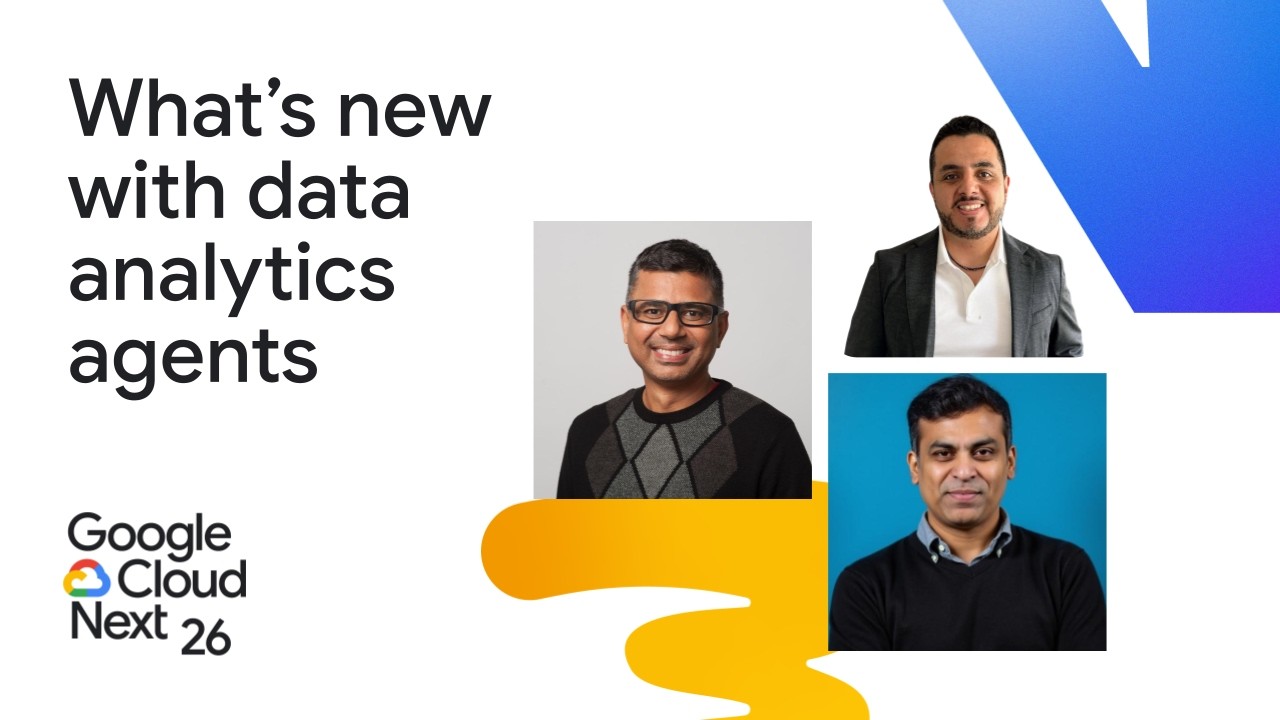
## Background This Google Cloud Next session was published by Google Cloud Tech on YouTube on June 25, 2026. The video features speakers Ganesh Kumar Gella, Manikandan Srinivasan, and Mauro Flores exploring recent enhancements in data analytics agents, including built-in capabilities across data engineering, data science, conversational analytics, and developer tools like the Agent Development Kit and Model Context Protocol integrations.
## TL;DR The presentation details Google Cloud's vision and product roadmap for the agentic era, focusing on assistive tools like BigQuery Assistant and specialized agents for data engineering and data science. It introduces developer extensibility features, including the General Availability of the Conversational Analytics API, remote BigQuery Model Context Protocol (MCP) servers, Agent Analytics, and the Google Cloud Data Agent Kit for VS Code and terminal coding agents. Finally, Mauro Flores outlines an enterprise deployment at Virgin Media O2 (VMO2), demonstrating how their custom 'Parity' platform built on Gemini Enterprise democratized certified business analytics across hundreds of employees while cutting agent deployment time from months to minutes.
## Atmosphere & style The session carries the crisp, polished tempo of a flagship tech keynote, balancing forward-looking executive vision with pragmatic, live-terminal demonstrations. Ganesh and Mani bring structured enthusiasm and fluid product expertise, turning complex multi-step SQL optimizations and pipeline scaffolding into effortless on-stage actions. Mauro Flores injects a candid, grounded warmth to close out the talk—countering corporate PR clichés with honest reflections on organizational friction, governance discipline, and genuine end-user delight from long-tenured telecom professionals.
## Bulletin - [04:14](https://www.youtube.com/watch?v=Z-AfOcWO_kk&t=254s) Google Cloud reached General Availability for its Data Engineering and Data Science Agents, while reporting a 30x annual surge in data processed by Gemini in BigQuery and a 20x job increase for its BigQuery Model Context Protocol (MCP) server. - [18:29](https://www.youtube.com/watch?v=Z-AfOcWO_kk&t=1109s) The Conversational Analytics API (CA API) is now generally available, enabling organizations to embed governed conversational data agents across BigQuery, Looker, and AlloyDB into custom internal applications. - [22:17](https://www.youtube.com/watch?v=Z-AfOcWO_kk&t=1337s) Google previewed the Cloud Data Agent Kit across VS Code and terminal agents like Gemini CLI, Claude Code, and Codex, bringing native Lakehouse catalog viewers, automated pipeline generation, and model comparison directly into developer environments. - [35:23](https://www.youtube.com/watch?v=Z-AfOcWO_kk&t=2123s) Virgin Media O2 deployed its internal Gemini-powered agent platform, Parity, scaling from an initial 3-month proof of concept to spinning up certified domain agents in minutes across 750 active licenses, with plans to expand to 5,000 users.
## Key takeaways - [00:13](https://www.youtube.com/watch?v=Z-AfOcWO_kk&t=13s) Gartner projects that over 50% of enterprise business decisions will be automated or augmented by agentic AI by 2027. - [00:13](https://www.youtube.com/watch?v=Z-AfOcWO_kk&t=13s) Google Data Cloud structures its agentic strategy across three distinct tiers: assistive tools, specialized persona agents, and open developer protocols. - [04:14](https://www.youtube.com/watch?v=Z-AfOcWO_kk&t=254s) The Data Engineering and Data Science Agents are officially in General Availability, automating natural language pipeline generation, pipeline repair, and end-to-end model training. - [13:45](https://www.youtube.com/watch?v=Z-AfOcWO_kk&t=825s) BigQuery Assistant's integrated chat panel in BigQuery Studio automates query generation, syntax fixes, SAFE_DIVIDE wrappers, and partition pruning optimizations. - [08:04](https://www.youtube.com/watch?v=Z-AfOcWO_kk&t=484s) Conversational Analytics natively inside BigQuery and Looker enables multimodal querying, anomaly detection, and forward-looking predictive forecasting without requiring SQL knowledge. - [10:31](https://www.youtube.com/watch?v=Z-AfOcWO_kk&t=631s) Deep Data Research (Deep Dive) synthesizes structured BigQuery tables, unstructured corporate documents, and live web sources into comprehensive multi-page diagnostic reports. - [18:29](https://www.youtube.com/watch?v=Z-AfOcWO_kk&t=1109s) The Conversational Analytics API reached General Availability, allowing developers to embed governed natural language analytics into external apps and chat services. - [18:29](https://www.youtube.com/watch?v=Z-AfOcWO_kk&t=1109s) The BigQuery Agent Analytics plugin provides single-line instrumentation for agent frameworks like ADK and LangGraph to log operational telemetry and tokens directly into BigQuery. - [23:35](https://www.youtube.com/watch?v=Z-AfOcWO_kk&t=1415s) The Google Cloud Data Agent Kit unifies catalog browsing, pipeline DAG creation, and ML model comparisons directly inside VS Code and terminal CLI agents. - [31:02](https://www.youtube.com/watch?v=Z-AfOcWO_kk&t=1862s) Telecommunications provider Virgin Media O2 migrated its enterprise data footprint across 16,000 employees onto Google Cloud to establish BigQuery business layers as a single source of truth. - [35:23](https://www.youtube.com/watch?v=Z-AfOcWO_kk&t=2123s) Virgin Media O2's internal platform, 'Parity', eliminated BI reporting backlogs by enabling non-technical stakeholders to query certified domain layers via Gemini Enterprise. - [37:52](https://www.youtube.com/watch?v=Z-AfOcWO_kk&t=2272s) Mandatory operational and safety onboarding training was enforced at Virgin Media O2 as a strict prerequisite for receiving generative AI licenses. - [38:49](https://www.youtube.com/watch?v=Z-AfOcWO_kk&t=2329s) Conversational agents for telecom operations actively clarify ambiguous terms (e.g., defining what constitutes a 'call') before executing queries against production datasets. - [42:16](https://www.youtube.com/watch?v=Z-AfOcWO_kk&t=2536s) Automating YAML schema generation and embedding verified 'golden query' benchmark pairs drastically curtails agent hallucination rates across production deployments. - [44:54](https://www.youtube.com/watch?v=Z-AfOcWO_kk&t=2694s) Virgin Media O2's data agents have generated over 12,000 validated operational answers across roughly 750 active licenses, with expansion targeting 5,000 enterprise users.
## Detailed walkthrough ### [00:13](https://www.youtube.com/watch?v=Z-AfOcWO_kk&t=13s) The Dawn of the Agentic Era in Google Data Cloud
Ganesh Kumar Gella opens the session by declaring that this year has officially become "the year of agentic AI," highlighting his tremendous optimism for what lies ahead at the crossroads of data and artificial intelligence. Joining him for the presentation are Manikandan Srinivasan, Director of Product, and Mauro Flores, Assistant Vice President at VMware, who will share real-world implementation stories of using data agents within enterprise operations. Ganesh argues that the industry has fully entered an agentic era where software agents are no longer just passive tools; they are proactive, autonomous entities capable of deriving valuable business insights from massive, highly complex datasets. Backing this up with industry research, Ganesh points out:
> “Gartner is predicting that by 2027, more than 50% of business decisions are going to be augmented or automated by the agent AI.”
Ganesh emphasizes that Google is uniquely positioned to deliver on this promise because it actively innovates across every tier of generative and agentic AI, from low-level AI infrastructure all the way up to user-facing agents and applications. In the Data Cloud portfolio, agents are tailored to a wide spectrum of user personas—data analysts, data engineers, machine learning scientists, and non-technical business users.
```mermaid flowchart TD accTitle: Three Pillars of Agentic Investment in Google Data Cloud accDescr: Diagram illustrating Google Data Cloud's agentic AI tiers spanning assistive capabilities, specialized agents, and developer APIs.
subgraph S1["Assistive Capabilities"] A["BigQuery Assistant<br/>(BigQuery Studio Side Panel)"] end
subgraph S2["Persona & Task-Specific Agents"] B1["Data Engineering Agent<br/>(Pipeline Generation & Repair)"] B2["Data Science Agent<br/>(Colab Notebooks & ML Modeling)"] B3["Conversational Analytics<br/>(Looker & BigQuery)"] end
subgraph S3["Developer Tooling & Primitives"] C1["Agent Development Kit (ADK)"] C2["Model Context Protocol (MCP) APIs"] end
S1 --> S2 --> S3 ```
Google's agentic investments fall into three specific pillars: - **Assistive Capabilities:** Productive built-in tools like BigQuery Assistant integrated directly into studio environments. - **Persona- and Task-Specific Agents:** Tailored agents designed for explicit responsibilities, including the Data Engineering Agent, the Data Science Agent, and Conversational Analytics Agents. - **Developer Primitives and Open Protocols:** Foundational APIs, SDKs, and Model Context Protocol (MCP) integrations allowing developers to construct custom agents and deploy them to any endpoint or IDE.
[04:14](https://www.youtube.com/watch?v=Z-AfOcWO_kk&t=254s) BigQuery Assistant and Task-Specific Engineering & Science Agents
Focusing first on assistive features, Ganesh highlights the BigQuery Assistant, embedded in the right-hand chat panel of BigQuery Studio. The assistant empowers analysts and engineers to author SQL from scratch, troubleshoot errors, and optimize sluggish queries, enabling a workflow Ganesh refers to as "vibe coding your SQL on BigQuery Studio." The impact of these features has been dramatic: data processed by Gemini in BigQuery grew by thirty times (30x) within a single year.
Moving into dedicated persona agents, Ganesh introduces the Data Engineering Agent, targeted at eliminating the friction of data residing in disparate systems or awkward formats. Using plain natural language prompts, data engineers can draft complete, sophisticated data pipelines in minutes while remaining firmly in control to review and adjust specifications. In addition to building new flows, it analyzes and repairs broken pipelines. Ganesh follows this with the Data Science Agent, built directly into Colab notebooks in BigQuery. The agent automates data exploration, feature engineering, and end-to-end model training, letting ML scientists test accuracy metrics and validate models in minutes rather than spending weeks or months manually writing boilerplate code.
- **BigQuery Assistant:** Assists with query authoring, troubleshooting syntax/runtime errors, and identifying slow-running queries to optimize execution. - **Data Engineering Agent (General Availability):** Translates natural language requirements into robust data pipelines and debugs existing ones; officially GA. - **Data Science Agent (General Availability):** Integrated with BigQuery Colab notebooks for exploration, feature engineering, and ML model generation; officially GA.
[08:04](https://www.youtube.com/watch?v=Z-AfOcWO_kk&t=484s) Conversational Analytics Across Looker and BigQuery
Turning to the business user persona, Ganesh covers Conversational Analytics Agents, which democratize access to corporate data so non-technical decision-makers can query information and take action immediately. Looker’s conversational analytics capabilities have been in General Availability since November, featuring visualizations and interactive dashboards that allow business users to chat directly with their live dashboard tiles. Extending this functionality, Google has brought conversational analytics natively into BigQuery. Business users are no longer confined to backward-looking metrics:
> “Business users can go beyond querying the past information, and they can perform advanced analytical capabilities like forecasting, key driver analysis, or anomaly detection with this ability.”
Users can transition from asking historical questions like revenue for the prior 12 months to requesting a six-month future projection—without knowing table schemas, underlying SQL syntax, or machine learning details. The system also supports multimodal querying over images and large blocks of unstructured text, and is available in General Availability.
```mermaid flowchart LR accTitle: Conversational Analytics Publishing and Deployment Flow accDescr: Flow diagram showing how conversational agents are constructed over datasets and published to end-user surfaces.
subgraph DataSources["Data Sources"] DS1["Looker Dashboards"] DS2["BigQuery (Multimodal & Structured)"] end
subgraph AgentCore["Conversational Analytics Agent"] AG["Analysis, Forecasting & Insights"] end
subgraph EndSurfaces["Publishing Surfaces"] P1["Looker / Data Studio"] P2["Gemini Enterprise"] P3["Custom Apps via API"] end
DataSources --> AG AG --> EndSurfaces ```
[10:31](https://www.youtube.com/watch?v=Z-AfOcWO_kk&t=631s) Enterprise Publishing, Deep Data Research, and Autonomous Workflows
Once conversational agents are configured, authors need frictionless distribution channels. Organizations can publish these agents directly to Looker / Data Studio, or expose them inside Gemini Enterprise so business teams can access data agents alongside other enterprise AI agents in a single interface. Access to publishing agents into Gemini Enterprise is currently open in an allowlist preview via a QR code.
Ganesh also debuts two advanced features: 1. **Deep Data Research ("Deep Dive"):** Designed for queries that cannot be solved by structured tables alone. Deep Dive runs long-running agent investigations that combine structured BigQuery records, unstructured corporate documents, and live web information to synthesize comprehensive, narrative multi-page reports rather than shallow single-turn answers. 2. **Agentic Workflows:** Moving past pure conversational interaction, these workflows configure agents to run proactively and autonomously. They can be scheduled or wired to execute against real-time operational system events without waiting for human prompts.
Furthermore, all conversational capabilities are exposed over APIs so enterprises can embed them directly into proprietary custom user interfaces or third-party workflows.
[13:45](https://www.youtube.com/watch?v=Z-AfOcWO_kk&t=825s) Demo: Automated SQL Debugging and Slot Optimization in BigQuery Studio
The session transitions to a live demonstration inside BigQuery Studio highlighting BigQuery Assistant. The demonstrator opens an existing SQL script that fails with an error stating that `item ID` cannot be found in the referenced table. Rather than manually digging through schema definitions, the user clicks the "Fix it" button in the Gemini panel.
Gemini analyzes the query and implements multiple corrections: - Replaced the mismatched `user_id` reference with the correct `order_id` in the order items join. Noting the gravity of that misstep, the presenter remarks, “Oh, that would have been a bug.” - Fixed a mismatched `product_id` and updated references to `product_category`. - Wrapped risky division operations in `SAFE_DIVIDE` to prevent potential divide-by-zero crashes.
Running the corrected query yields successful results, but the job details show it consumed approximately 13 minutes of slot time. The demonstrator triggers Gemini’s query optimization workflow. Gemini inspects the execution plan, rewrites the date filtering conditions to enable partition pruning across the target tables, and streamlines the aggregation syntax to lower computational overhead. The demonstrator sets up a side-by-side comparison to measure the performance improvement against the baseline query.
[15:18](https://www.youtube.com/watch?v=Z-AfOcWO_kk&t=918s) Investigating Spikes in Return Rates with Gemini and Deep Dive Reports
Continuing his hands-on investigation, Ganesh Kumar Gella takes on a new task triggered by operational anomalies: a recent spike in return rates. Rather than writing queries from scratch, he asks Gemini to compose a SQL query to calculate the overall return rate across the catalog and opens the results in a new tab. Finding an overwhelming volume of raw data, he refines his prompt interactively, directing Gemini to filter the dataset to the last quarter and roll it up to the brand level.
Upon reviewing the aggregated numbers, Ganesh notices a classic edge-case distortion: several brands show a 100% return rate simply because they sold only one item and had that single item returned. To remove the noise, he instructs the model to exclude brands with 10 or fewer sales and restrict the output to the top five brands. Running the adjusted query surfaces meaningful outliers, including brands suffering from return rates as high as 41%.
```mermaid flowchart TD accTitle: Return Rate Analysis and Deep Dive Workflow accDescr: Step-by-step pipeline from natural language query generation to root cause conversational analytics. subgraph DataExploration["Iterative SQL Refinement"] Q1["Initial prompt: Return rate for everything"] --> Q2["Filter: Last quarter rolled up to brand level"] Q2 --> Q3["Sanitize: Exclude sales <= 10, show top 5 brands"] Q3 --> Outliers["Surfaced outliers (e.g., 41% return rate)"] end subgraph DeepDive["Conversational Analytics Deep Dive"] Outliers --> Prompt["Multi-factor prompt: Profitability, returns, sentiment"] Prompt --> Outline["Generated analysis objectives"] Outline --> Report["Multi-dimensional diagnostic report"] end ```
Equipped with these preliminary findings, Ganesh shifts into Conversational Analytics to perform an end-to-end root-cause analysis using the new deep dive feature. He submits a comprehensive multi-factor business prompt:
> “So I'm going to ask it which brands within our portfolio are currently at risk due to a combination of declining profitability, high return rates and negative customer sentiment. And what are the primary operational and marketing drivers behind these issues.” — Ganesh Kumar Gella
The system first provides a clear outline of its diagnostic objectives before generating a detailed diagnostic report. The resulting breakdown highlights operational and supply chain friction: - **Brand risk:** The Euro brand is singled out for abnormally high return rates. - **Supply chain bottleneck:** The Philadelphia distribution center is flagged as an operational bottleneck directly tied to elevated returns. - **Channel attribution:** The report renders an analytical breakdown correlating return volume with specific marketing acquisition traffic sources.
Ganesh summarizes the end-to-end demonstration by noting how Google Cloud's data agent capabilities streamline work “all the way from web querying to the web reporting,” before handing the stage over to Manikandan Srinivasan to cover developer-facing architectures.
---
[18:29](https://www.youtube.com/watch?v=Z-AfOcWO_kk&t=1109s) Expanding Developer Extensibility: CA API, BigQuery SDK, MCP, and Agent Analytics
Manikandan ("Mani") Srinivasan takes over to explore how developers can build and embed custom data agents. While Ganesh demonstrated first-party capabilities hosted directly inside the Google Cloud Console, enterprise customers consistently request the ability to embed those same capabilities into their proprietary web services, custom software, and internal chat applications. Addressing this requirement, Mani announces the General Availability (GA) of the Conversational Analytics API (CA API). The API incorporates enterprise governance and access control mechanisms, providing secure, governed connectivity across Google Cloud data stores—including BigQuery, Looker, and AlloyDB.
```mermaid flowchart LR accTitle: Extensibility Architecture for Custom Data Agents accDescr: Overview of CA API, BigQuery SDK, and MCP integrations connecting client applications to core data services. subgraph Clients["Custom Apps & Developer Tooling"] CA["Chat / Enterprise Apps"] SDKApp["Custom Agents (ADK / LangGraph)"] OSS["Open Source MCP Frameworks"] end subgraph MiddleTier["Integration & Agent Layer"] CA --> CAAPI["Conversational Analytics API"] SDKApp --> BQSDK["BigQuery SDK Integration"] OSS --> MCP["Managed Remote BigQuery MCP Server / MCP Toolbox"] end subgraph Storage["Google Cloud Data & Observability"] CAAPI --> Engine["BigQuery / Looker / AlloyDB"] MCP --> Engine SDKApp -.->|"1 line of code: Agent Analytics Plugin"| Telemetry["BigQuery Telemetry (Tokens, Latency, Logs)"] end ```
Mani outlines several major GA milestones expanding developer access across custom codebases and open protocols: - **BigQuery SDK Integration:** Enables developers authoring agents via the Google SDK framework to directly leverage built-in BigQuery toolsets. - **BigQuery Model Context Protocol (MCP) Server:** A fully managed remote MCP server providing complete BigQuery access without requiring developers to write brittle custom glue code or API connectors. - **MCP Toolbox:** Designed for engineering teams relying on open-source agentic frameworks who prefer managing their own local or self-hosted MCP tool environments. - **Rapid Adoption Metrics:** BigQuery MCP adoption has seen explosive growth over the prior six months, processing millions of jobs and achieving a 20x year-over-year increase in job volume.
Turning to day-two operations, Mani highlights real-time agent observability. When running agents in production, teams must monitor operational health, token usage patterns, latency profiles, and qualitative end-user sentiment. To solve this, Mani introduces the General Availability of the BigQuery Agent Analytics plugin. With a single line of instrumentation code, developers using frameworks like the Agent Development Kit (ADK) or LangGraph can log all interaction telemetry, execution metrics, and performance signals directly into BigQuery tables. As an architectural tip, Mani suggests bootstrapping Conversational Analytics directly on top of those agent analytics tables, allowing engineers to audit agent runtime health and debug production behavior using plain natural language.
---
[22:17](https://www.youtube.com/watch?v=Z-AfOcWO_kk&t=1337s) Google Cloud Data Agent Kit and VS Code Integration
Mani transitions to address developer ergonomics across modern engineering teams. Data practitioners, analytics engineers, and data scientists operate across fragmented environments—some working inside graphical IDEs like VS Code, while others favor terminal-based coding agents such as Claude Code, Gemini CLI, or Codex. Historically, integrating enterprise data tools required developers to hand-craft bespoke skills, custom connectors, and local MCP configurations for each individual environment.
To unify and automate these workflows, Mani recaps the preview launch of the Google Cloud Data Agent Kit, delivered across two core formats: 1. **A VS Code Extension:** Available directly via the Visual Studio Code Marketplace for interactive development within the IDE. 2. **Terminal Agent Plugins:** Native plugins purpose-built for Gemini CLI, Claude Code, and Codex.
Emphasizing Google's open approach, Mani points out that the underlying skills and Model Context Protocol tools are open source, allowing engineering teams to audit, modify, and extend them to suit custom organizational environments.
> “And we are very confident that this is going to rapidly accelerate developer velocity.” — Manikandan Srinivasan
---
[23:35](https://www.youtube.com/watch?v=Z-AfOcWO_kk&t=1415s) Demo: Onboarding, Data Exploration, and Automated Pipeline Generation
Mani walks through a live demonstration of the Data Agent Kit in VS Code, starting with its onboarding flow. Upon installing the extension, users navigate a guided configuration pane where they can inspect and connect their choice of managed or local MCP servers. Once the protocol bridge is configured, developers select their target datasets and access a suite of predefined, open-source skills that can be reviewed and edited directly within the editor.
The extension functions as a centralized control plane for data exploration, packaging deep ecosystem visibility into dedicated native viewers: - **Catalog Viewer:** Unifies access across Lakehouse storage, BigQuery tables, AlloyDB, and Cloud Spanner, complete with fast search across schemas. - **Storage & Job Inspect:** Direct views into Google Cloud Storage (GCS) objects, historical and active BigQuery job executions, and saved SQL queries. - **Spark & Pipeline Viewer:** Gives data engineers direct insight into operational data pipelines and Apache Spark executions straight from the IDE panel.
Mani then demonstrates the natural language data chat integrated into the extension, powered directly by Conversational Analytics. Instead of writing boilerplate queries, developers can query datasets using ordinary phrasing—such as asking for Q4 revenue figures or exploring table profiles—and receive tabular results alongside auto-generated visual charts without leaving their editing environment.
To illustrate more sophisticated workflows, Mani initiates an automated fraud detection use case. Rather than requiring manual scripting, the Data Agent Kit takes a plain prompt, analyzes the available dataset metadata, and formulates an end-to-end execution plan using its configured skills. As code streams dynamically into the editor window, the agent cleanses the dataset, executes feature engineering, and synthesizes the entire operational data engineering pipeline automatically. Developers simply provide high-level intent, and the agent takes care of the implementation details.
[26:48](https://www.youtube.com/watch?v=Z-AfOcWO_kk&t=1608s) Streamlining Pipeline Creation, Testing, and Model Comparison
The live demonstration wraps up by detailing how the Agent Development Kit simplifies end-to-end data engineering and data science workflows directly inside the developer's environment. The tool does not simply output pipeline code; it renders the complete Directed Acyclic Graph (DAG) illustrating exactly how each pipeline component is assembled. Developers can execute and test their pipelines directly from the single interface without switching across multiple disparate dashboards or tools.
Once the pipeline execution finishes and verifies successfully, developers can jump immediately into machine learning workflows. Users can issue a single prompt instructing the agent to build or compare multiple models. The Agent Development Kit draws upon built-in data science skills to generate all the necessary scaffolding code and returns comparative evaluation metrics directly inside the IDE. Ganesh Kumar Gella summarizes the broader impact before handing over the stage: “So to summarize, we've actually vastly accelerated the developer productivity using data Agent Kit.”
```mermaid flowchart LR accTitle: Agent Kit Pipeline and ML Workflow accDescr: The workflow from prompting the Agent Kit to pipeline execution and comparative model evaluation within a single IDE interface.
subgraph Pipeline["Data Engineering"] A["Single User Prompt"] --> B["Agent Kit / Data Science Skills"] B --> C["DAG Generation & Scaffolding"] C --> D["Inline Pipeline Execution & Test"] end
subgraph ML["Model Evaluation"] D --> E["Model Creation & Comparison Prompt"] E --> F["Inline Model Metrics in IDE"] end ```
- Developers can view pipeline DAG assembly and run validation tests directly inside the unified interface without opening outside tools. - Data science skills embedded within the Agent Development Kit automate scaffolding generation for rapid model creation. - Multi-model comparisons and metric evaluations are rendered natively within the IDE from a single conversational prompt.
---
[28:10](https://www.youtube.com/watch?v=Z-AfOcWO_kk&t=1690s) Introducing Mauro Flores and Virgin Media O2's Scale
Ganesh invites Mauro Flores to the stage to present a real-world enterprise adoption story. Acknowledging his team in the audience and joking about the pressure of speaking last, Flores stresses that his presentation will avoid corporate public relations spin in favor of an honest breakdown of real implementations, tangible successes, and difficult challenges. Originally from Mexico and based in the UK for many years, Flores brings over 25 years of technology experience, spending the last three years in telecommunications—an industry historically dominated by customer churn concerns. Alongside his tech career, Flores has practiced martial arts for over three decades, though he emphasizes that his identity is rooted first and foremost in being a husband and father.
Flores explains the scale of Virgin Media O2 (VMO2), the UK's second-largest telecommunications and media provider, which was created by combining mobile and broadband networks. Handling roughly 45 million connections across broadband, mobile, and television services, VMO2 covers approximately 99% of the UK population on mobile and is driving an aggressive fiber-first deployment targeting 80% coverage by 2028 alongside net-zero sustainability goals. Flores notes that while telco used to focus almost exclusively on physical infrastructure—laying cables and mounting antennas—modern customer expectations require software, data, and agile digital technology to run the business.
- Mauro Flores leads data initiatives at Virgin Media O2 (VMO2), leveraging 25+ years in technology and 30+ years in martial arts. - VMO2 manages roughly 45 million connections spanning mobile, broadband, and television across the UK. - The company provides 99% mobile network coverage across the UK population and is targeting 80% fiber-first footprint completion by 2028 alongside net-zero targets.
---
[31:02](https://www.youtube.com/watch?v=Z-AfOcWO_kk&t=1862s) Migrating to Google Cloud and Establishing BigQuery Business Layers
Historically, telecom companies operated as passive utilities: a customer moved into a home, plugged in their router or mobile device, and paid their monthly bill. Flores explains that transforming this massive, rigid operational machine into an agile, customer-centric organization required a modern data strategy. Over the preceding two and a half years, VMO2 embarked on a company-wide migration to Google Cloud Platform (GCP) across 16,000 employees, consolidating systems from distinct historical entities onto BigQuery.
Flores underscores that cutting-edge AI tools are completely ineffective if fed bad data: “Again rubbish in, rubbish out.” To prevent this, VMO2 established BigQuery as their absolute single source of truth, structuring it into curated business layers tied to specific domains. Despite this clean data foundation, traditional BI and self-service dashboards created a significant bottleneck. Central teams faced never-ending sprint backlogs while building dashboards and visualization assets. Moreover, asset discovery became an uphill battle, limiting how quickly business users could turn data into decisions that improved customer retention and revenue.
- VMO2 migrated disparate legacy systems across a 16,000-employee enterprise onto a centralized Google Cloud Platform environment. - BigQuery was architected as the single source of truth, organized into certified business layers aligned with discrete operational domains. - Traditional dashboard self-service created massive backlogs, impeding rapid data democratization and discoverability.
---
[33:39](https://www.youtube.com/watch?v=Z-AfOcWO_kk&t=2019s) Conversational Analytics to Empower Curiosity Across 800 Data Professionals
Seeking to eliminate self-service bottlenecks, VMO2 partnered early with Google to develop conversational analytics capabilities. Across the wider organization, approximately 800 people work in data-related roles. Rather than spending their days answering repetitive metric requests, these specialists needed to be freed up for higher-value initiatives. The primary objective was providing non-technical stakeholders direct, natural-language access to certified metrics without intermediary support tickets.
Flores emphasizes that conversational analytics must do more than answer basic transactional questions like daily sales totals; it must stimulate deeper user curiosity. Technology that looks impressive during demos is useless if it fails to yield actionable business outcomes. Flores highlights this distinction sharply: “Don't you get normally people we're talking about great tech, great tech without deriving value means nothing.” By enabling stakeholders to ask spontaneous follow-up questions and explore data organically, the organization aims to transform how business teams analyze problems and discover growth opportunities.
- VMO2's extended data community encompasses roughly 800 specialists whose time was historically consumed by routine data requests. - Conversational analytics was designed to enable direct, unassisted stakeholder queries against curated business data. - The business objective centers on promoting iterative data exploration and genuine commercial value rather than deploying technology for its own sake.
---
[35:23](https://www.youtube.com/watch?v=Z-AfOcWO_kk&t=2123s) Building "Parity": Enterprise Agent Architecture on Gemini
To implement conversational analytics safely, Flores's engineering team built an internal platform named "Parity" on top of Google's conversational frameworks and powered by Gemini Enterprise. The biggest challenge with data agents in high-stakes enterprise settings is maintaining strict factual consistency. If a business leader queries critical key performance indicators—such as top-line revenue—and receives conflicting numbers across different queries, trust in the system collapses. Parity solves this by routing all conversational queries exclusively through certified BigQuery business layers via an analytics API, complete with features to store recurring queries as favorites.
```mermaid flowchart TD accTitle: Parity Agent Architecture accDescr: Architecture of the Parity platform showing certified BigQuery layers routed through an Analytics API to Gemini Enterprise, with governance controls and feedback loops.
subgraph DataFoundation["Certified Foundation Layer"] A["BigQuery Single Source of Truth"] --> B["Certified Business Domain Layers"] end
subgraph CoreEngine["Agent & API Orchestration"] B --> C["VMO2 Analytics API"] C --> D["Parity Agent Platform (Gemini Enterprise)"] D --> E["User Interface & Saved Favorites"] end
subgraph GovernanceFeedback["Control & Improvement"] D --> F["Governance, Privacy & Legal Gates"] D --> G["Continuous Feedback & Evaluation Loops"] G -.->|"Ongoing Model & Prompt Tuning"| D end ```
Flores highlights the dramatic acceleration of their development lifecycle: while their initial proof-of-concept took three months of exploratory effort to get production-ready, the mature framework now allows the team to spin up new, fully functional domain agents in a matter of minutes. Flores jokes about the reaction from internal colleagues: “Now if someone from VMO2 listening to this in days. Yeah, but minutes. I'm not. I'm not the PR guy. It's minutes.” However, he cautions that rapid technical deployment is only possible when foundational data quality, privacy controls, legal compliance, and governance frameworks are established in advance. The architecture is rounded out with rigorous continuous-feedback loops that capture interactions and maintain answer consistency over time, forming the basis for rapid prototyping and enterprise empowerment.
- The Parity agent platform is built on Gemini Enterprise, pulling from certified BigQuery business layers via an internal Analytics API to ensure consistent revenue metrics. - Agent creation time dropped from a three-month initial proof-of-concept phase to deployment within mere minutes once standardized foundational layers were in place. - Robust data governance, privacy compliance, and systematic feedback loops prevent hallucinations and regulatory roadblocks across production deployments.
[37:52](https://www.youtube.com/watch?v=Z-AfOcWO_kk&t=2272s) Securing Buy-In, Procurement, and Mandatory User Training
In technical and engineering environments, adopting generative AI tools often triggers hesitation and skepticism around whether the systems will actually perform reliably in production. Securing early business alignment and rapid procurement approvals was essential to overcoming these barriers. The engineering leadership adopted an assertive posture with procurement partners to accelerate the onboarding process while guaranteeing that governance and data safety standards remained uncompromised. To build credibility and satisfy internal compliance demands, the team introduced a non-negotiable policy: access to conversational analytics tools is conditioned upon formal safety and operational training.
Every employee assigned a license must successfully complete onboarding and training protocols before accessing the platform; failure to comply results in immediate revocation of their access credentials. This strict governance model laid the operational foundation for scaling the tool across hundreds of employees without exposing sensitive corporate data to unvetted usage patterns. As Mauro Flores put it: “So everyone that goes into one of the licenses that we have, they get onboarded and they have to get trained.”
- **Stakeholder Strategy:** Aggressive alignment with procurement teams to bypass approval bottlenecks while ensuring strict enterprise safety controls. - **Access Governance:** Completion of conversational analytics training is strictly mandatory; uncompleted training leads to immediate tool license forfeiture.
---
[38:49](https://www.youtube.com/watch?v=Z-AfOcWO_kk&t=2329s) Live Demo: Conversational Analytics on Customer Interaction Data
Demonstrating the practical value of these agents, Mauro Flores walked through a customer contact center use case common across telecommunications providers, where subscribers frequently reach out regarding mobile or broadband service issues. Interacting with customer contact teams constitutes the highest-frequency customer touchpoint for the telco, making customer contact operations a prime target for AI-driven analytics. Accessing the customer interaction agent through the enterprise portal, an analyst can initiate inquiry using everyday business language, such as asking for total call volumes over the past few months. While seemingly straightforward, the concept of a "call" carries multiple conflicting definitions across business units. Rather than hallucinating or producing an arbitrary calculation, the agent queries the underlying BigQuery business semantic layer and actively asks the user for clarification regarding the specific definition of "call" they intend to measure.
```mermaid flowchart TD accTitle: Conversational Analytics Agent Interaction Flow accDescr: Step-by-step interaction between an enterprise user, the conversational agent, and BigQuery.
subgraph UserInteraction ["User Interface"] A["User submits prompt: 'How many calls in last few months?'"] C["User specifies context & requests channel breakdown"] E["User switches view to line graph & saves to Favorites"] end
subgraph AgentLogic ["Conversational Agent"] B["Agent seeks disambiguation: 'What do you mean by call?'"] D["Agent validates assumptions, calculates results & explains methodology"] end
subgraph DataLayer ["Enterprise Data"] F[("BigQuery Business Layer")] end
A --> B B --> C C --> D D <--> F D --> E ```
Once the user provides disambiguating context, the agent retrieves the verified figures and supports intuitive follow-up queries, such as breaking down the volume across communication channels like voice calls and Messenger. Instead of forcing users to sift through complex dashboards or build custom drill-downs, the agent prompts the user to verify channel criteria, validates the query logic, and generates transparent explanations showing exactly how the numbers were calculated. Users can dynamically switch visualizations—such as rendering trends as a line graph—and save frequently executed prompts into a personal "Favorites" list that supports on-demand data refreshes. Reflecting on the transparency challenges inherent in conventional reporting, Mauro Flores observed: “Big part of the advantage of these agents as well is we are able to go back and explain it.”
- **Ambiguity Resolution:** The agent actively clarifies business terminology with the user before compiling queries against BigQuery. - **Multichannel Drill-Down:** Dynamic segmentation across voice calling and messaging platforms to assist resource deployment and operational scheduling. - **Explainability & Customization:** Provides step-by-step logic detailing how calculations were performed, along with flexible chart re-rendering (e.g., bar to line charts). - **Workflow Persistence:** Built-in favorites functionality allows analysts to store, rerun, and refresh recurring operational queries.
---
[42:16](https://www.youtube.com/watch?v=Z-AfOcWO_kk&t=2536s) Building Agents with Automated Context Generation and Golden Queries
To democratize agent creation beyond specialized engineering teams, the organization developed an internal self-service portal directly on top of Google Cloud's data agent APIs. When a business analyst requests a specialized agent, the creator provides a recognizable agent name and selects the specific data tables authorized for exposure. In the background, a dedicated secondary agent inspects the selected schemas, extracts metadata, and automatically constructs the detailed YAML configuration files required by the platform APIs. This backend automation enriches field-level context and property descriptions across the schema, drastically reducing the hallucination rates that typically emerge when schema descriptions are incomplete or manually drafted.
```mermaid flowchart LR accTitle: Automated Agent Generation Pipeline accDescr: Workflow showing automated schema profiling, YAML compilation, and Golden Query tuning.
subgraph ConfigStage ["Configuration & Enrichment"] T["Select Tables"] --> BG["Background Agent"] BG -->|"Auto-generates"| Y["Detailed YAML Schema & Field Context"] end
subgraph TuningStage ["Evaluation & Tuning"] Y --> GQ["Inject Golden Queries (Expected Q&A pairs)"] GQ --> TST["In-App Interactive Testing"] end
subgraph DeployStage ["Deployment"] TST --> DEP["Deploy to Gemini Enterprise with Access Controls"] end ```
To guarantee deterministic, production-grade output, the workflow incorporates "golden queries"—predefined pairs of standard natural language questions and their verified, expected SQL queries. By baking golden queries into the agent's property files, the engineering team effectively tunes the model to execute vetted queries when corresponding business questions are posed. Creators can interactively run test prompts directly within the management console to confirm precision before deployment. Once verified, the agent is published to Gemini Enterprise, where granular identity and access management controls govern departmental access. Emphasizing the criticality of automated field-level enrichment, Mauro Flores stressed: “This is where if you have the right context, then this works well. Where you don't have the right context then this completely fails.”
- **Schema Profiling Agent:** A background agent automatically generates YAML configuration files and populates detailed semantic descriptions field by field. - **Golden Query Calibration:** Incorporates verified question-and-query benchmarks to ensure accurate, repeatable SQL execution for mission-critical inquiries. - **Testing & Deployment:** Live sandboxed testing environment enables verification prior to publishing the agent directly into Gemini Enterprise.
---
[44:54](https://www.youtube.com/watch?v=Z-AfOcWO_kk&t=2694s) Enterprise Impact, Scaling Milestones, and Closing Remarks
The real-world business reception to these conversational analytics agents has surpassed expectations across long-standing operational teams. Users with decades of experience in the telecommunications industry have reached out directly to express their enthusiasm, praising the agent as an unprecedented breakthrough for internal tooling. One senior employee with over twenty years of service at Virgin Media O2 (VMO2) emailed leadership directly to state that the conversational agent represented the single best internal platform ever built at the company.
The program is executing a rapid enterprise expansion roadmap. While the deployment is still in its initial rollout phase, it has already scaled to approximately 700 to 750 active licenses, which have generated over 12,000 verified operational answers. The leadership team has committed to expanding the platform to 5,000 licensed users across the enterprise by the end of the year. Concluding the session, Ganesh Kumar Gella thanked the audience, reiterating the transformative potential demonstrated by autonomous data analytics agents and encouraging attendees to participate in upcoming deep-dive technical sessions across Google Cloud Next. Recalling user feedback from long-tenured personnel, Mauro Flores shared: “I got an email from one of the users that said, people that have been in telco for 20 plus years as well, right: ‘This is the best tool I've ever seen built in VMO2.’”
- **Current Adoption:** Between 700 and 750 enterprise licenses currently active, delivering more than 12,000 automated answers. - **Scale Target:** On track to reach 5,000 active licensed enterprise users by the end of the calendar year. - **User Validation:** Unsolicited feedback from 20-year telecommunications veterans citing the platform as the benchmark for internal tooling.
## Notable quotes > [00:13](https://www.youtube.com/watch?v=Z-AfOcWO_kk&t=13s) Gartner is predicting that by 2027, more than 50% of business decisions are going to be augmented or automated by the agent AI. — Ganesh Kumar Gella
> [08:04](https://www.youtube.com/watch?v=Z-AfOcWO_kk&t=484s) Business users can go beyond querying the past information, and they can perform advanced analytical capabilities like forecasting, key driver analysis, or anomaly detection with this ability. — Ganesh Kumar Gella
## Mentioned AlloyDB, Apache Spark, BigQuery, BigQuery Assistant, BigQuery Studio, Claude Code, Cloud Spanner, Codex, Colab, Conversational Analytics API, Ganesh Kumar Gella, Gartner, Gemini CLI, Gemini Enterprise, Google Cloud Data Agent Kit, Google Cloud Platform, Google Cloud Storage, LangGraph, Looker, Manikandan Srinivasan, Mauro Flores, Model Context Protocol (MCP), Parity, Virgin Media O2 (VMO2), VMware, VS Code
## Video description Discover the latest in data analytics agents. In this session, we’ll explore enhanced built-in capabilities designed to streamline workflows across data engineering, data science, and conversational analytics. Learn to build custom agents grounded in your enterprise data using new developer tools, including the Agent Development Kit (ADK) and Model Context Protocol (MCP) integrations. Find out how to access these powerful features seamlessly via the Gemini CLI, Claude Code, Codex, and IDEs like VSCode to supercharge your productivity.
Watch more Google Cloud Next 2026 Sessions → https://goo.gle/gcloud-next-2026 Subscribe to Google Cloud Tech → https://goo.gle/GoogleCloudTech
Speakers: Manikandan Srinivasan, Ganesh Kumar Gella, Mauro Flores
BRK2-037 #GoogleCloudNext
[Source](https://www.youtube.com/watch?v=Z-AfOcWO_kk)