Databricks Launches Omnigent to Standardize Fragmented AI Agent Stacks
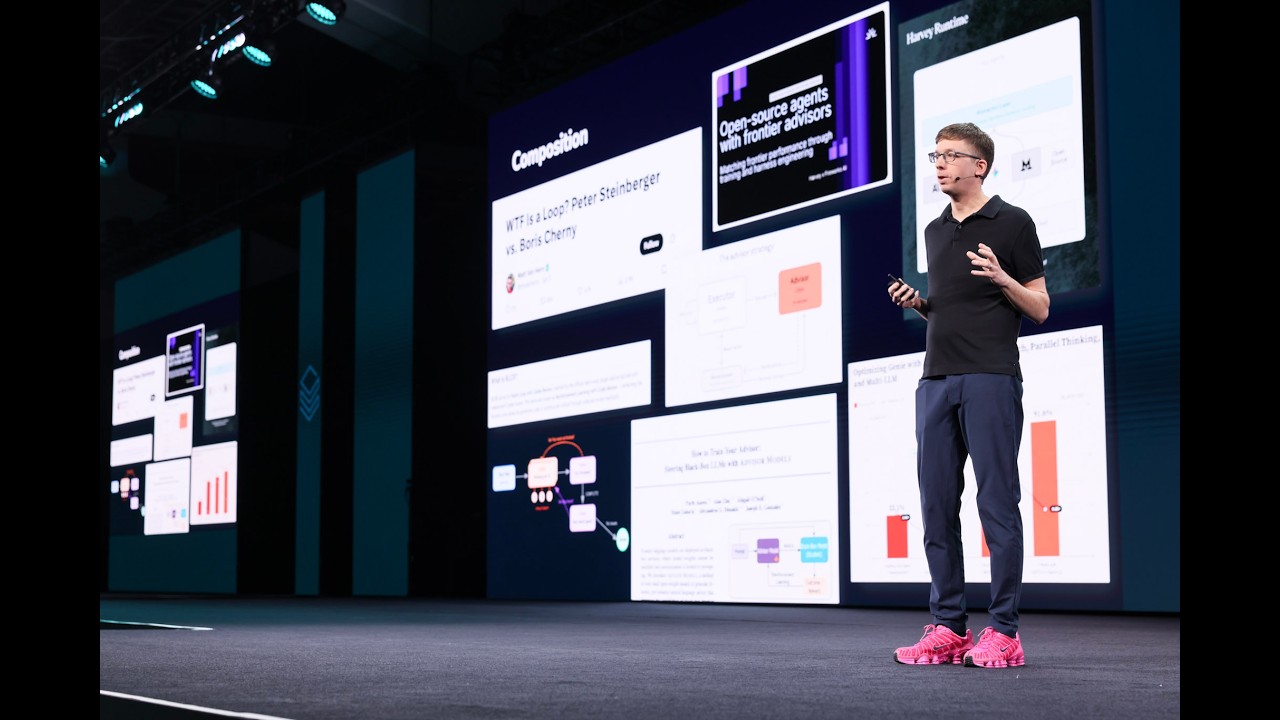
Introducing Omnigent: an open meta-harness – Matei Zaharia, Co-founder and CTO, Databricks — Databricks

Databricks

Advances in foundation models cannot scale enterprise automation without an open meta-layer to resolve the operational silos, security hazards, and fractured session states created by competing agent harnesses.

AI-assisted summary of Introducing Omnigent: an open meta-harness – Matei Zaharia, Co-founder and CTO, Databricks — original source. Check the original for full context.

Source published:

Key ideas

  • Databricks introduced Omnigent, an open-source "meta-harness" designed to provide a unified interface, sandboxing, and collaboration layer across disparate AI agent harnesses like Claude Code, Cursor, and OpenAI Codex. (0:00)
  • Omnigent tackles the multi-agent fragmentation problem across three core pillars: composition (multi-agent orchestration and session forking), collaboration (real-time shared sessions and handoffs), and control (contextual security policies and budget caps). (3:40)
  • Rather than relying on static per-tool permissions, Omnigent enforces stateful policies that track context over time—such as revoking external network access if sensitive data is touched or pausing execution when spend thresholds are reached. (9:40)
  • The open-source stack is architected around a local Runner and an optional central Server built on standard infrastructure like PostgreSQL, Docker, and OpenTelemetry, operating independently of the Databricks platform. (7:52)

Detailed notes

## Background Published on YouTube by Databricks on June 24, 2026, this keynote features Databricks Co-founder and CTO Matei Zaharia introducing Omnigent, an open-source meta-harness for AI agents. According to the page description, Omnigent makes agents interoperable so that user sessions, governance policies, and skills persist regardless of where an agent or foundation model is running.

## TL;DR Matei Zaharia introduces Omnigent, an open-source meta-harness designed to overcome the fragmentation, security risks, and collaboration barriers created by siloed AI agent software wrappers. Omnigent establishes a unified layer over diverse tools like Claude Code and OpenAI Codex, enabling seamless session forking, supervisor-driven multi-agent orchestration, and bi-directional terminal, web, and mobile interfaces. It also provides real-time multi-user collaboration and contextual, state-aware governance policies—such as dynamic spend caps and permission tracking. Zaharia emphasizes that open-sourcing Omnigent provides the broader AI ecosystem with a turnkey application scaffolding to safely manage, compose, and deploy agents across organizations.

## Atmosphere & style The talk carries the grounded, fast-paced energy of a developer-focused keynote, blending architectural diagrams with live, authentic terminal demonstrations. Zaharia speaks with an approachable, self-deprecating wit, bantering about pet-store dog harnesses, mocking overwhelming permission prompts, and spontaneously looping in a colleague supposedly on vacation to debate joke diffs in a README. It feels practical, unpretentious, and deeply informed by real-world engineering frustrations, shifting fluidly from multi-agent orchestration to live budget guardrail tripwires.

## Bulletin - [00:00](https://www.youtube.com/watch?v=3Xv0VjYhpCk&t=0s) Databricks introduced Omnigent, an open-source "meta-harness" designed to provide a unified interface, sandboxing, and collaboration layer across disparate AI agent harnesses like Claude Code, Cursor, and OpenAI Codex. - [03:40](https://www.youtube.com/watch?v=3Xv0VjYhpCk&t=220s) Omnigent tackles the multi-agent fragmentation problem across three core pillars: composition (multi-agent orchestration and session forking), collaboration (real-time shared sessions and handoffs), and control (contextual security policies and budget caps). - [09:40](https://www.youtube.com/watch?v=3Xv0VjYhpCk&t=580s) Rather than relying on static per-tool permissions, Omnigent enforces stateful policies that track context over time—such as revoking external network access if sensitive data is touched or pausing execution when spend thresholds are reached. - [07:52](https://www.youtube.com/watch?v=3Xv0VjYhpCk&t=472s) The open-source stack is architected around a local Runner and an optional central Server built on standard infrastructure like PostgreSQL, Docker, and OpenTelemetry, operating independently of the Databricks platform.

## Key takeaways - [00:00](https://www.youtube.com/watch?v=3Xv0VjYhpCk&t=0s) The bottleneck in agent usability and enterprise adoption is not model capability, but rather the fragmented software scaffolding surrounding models, known as harnesses. - [01:55](https://www.youtube.com/watch?v=3Xv0VjYhpCk&t=115s) Rapid, uncoordinated development of proprietary agent wrappers creates isolated silos that cannot be fixed by faster coding alone. - [03:40](https://www.youtube.com/watch?v=3Xv0VjYhpCk&t=220s) Multi-agent workflows struggle with composition, as cross-harness architectures like continuous loops and tiered advisor-executor models lack standardized orchestration protocols. - [03:40](https://www.youtube.com/watch?v=3Xv0VjYhpCk&t=220s) Collaboration between human engineers and agents is broken by fragmented desktop contexts and a lack of standardized session state for team handoffs. - [03:40](https://www.youtube.com/watch?v=3Xv0VjYhpCk&t=220s) Standard agent permission models overwhelm users with static approval dialogs that fail to prevent severe operational accidents or security breaches like prompt injection. - [07:52](https://www.youtube.com/watch?v=3Xv0VjYhpCk&t=472s) Omnigent introduces a meta-harness abstraction sitting directly above individual agent harnesses, standardizing inbound messages, outbound events, and tool execution. - [07:52](https://www.youtube.com/watch?v=3Xv0VjYhpCk&t=472s) Architecturally, Omnigent separates responsibilities into a local execution Runner for sandboxing and monitoring, and an optional central Server for team policies, history, and MCP registry management. - [09:40](https://www.youtube.com/watch?v=3Xv0VjYhpCk&t=580s) Users gain uniform access across the original terminal UI, web browsers, native desktop apps, mobile clients, and standard REST APIs without altering underlying agent code. - [16:08](https://www.youtube.com/watch?v=3Xv0VjYhpCk&t=968s) Omnigent enables session forking, allowing developers to switch underlying harnesses (such as moving from Claude Code to Codex) while keeping the full conversation and file diff history intact. - [16:08](https://www.youtube.com/watch?v=3Xv0VjYhpCk&t=968s) The included supervisor agent, Polly, demonstrates cross-harness task distribution by delegating sub-tasks to multiple local agent installations in parallel and synthesizing their outputs. - [18:40](https://www.youtube.com/watch?v=3Xv0VjYhpCk&t=1120s) Real-time session sharing allows remote team members to join live agent workspaces, review code diffs, submit inline feedback, and execute prompts collaboratively. - [20:24](https://www.youtube.com/watch?v=3Xv0VjYhpCk&t=1224s) Dynamic, stateful policy enforcement monitors model expenditure in real time, automatically pausing execution for approval or enforcing hard budget caps across primary and sub-agents. - [22:01](https://www.youtube.com/watch?v=3Xv0VjYhpCk&t=1321s) Databricks open-sourced Omnigent to establish an open industry standard for agent interoperability, comparable to open data formats and sharing protocols.

## Detailed walkthrough ### [00:00](https://www.youtube.com/watch?v=3Xv0VjYhpCk&t=0s) The Emergence of Agents and the Hidden Harness Problem

Matei Zaharia opens the second day of keynotes by announcing a brand-new open-source project that the Databricks engineering team released just days prior, over the weekend on Saturday. The project introduces an entirely new layer designed for developing and operating AI agents. Zaharia explains that this development stems directly from the patterns and obstacles Databricks observed across various agent deployments, which revealed that the existing agentic stack lacks a crucial abstraction to make agents truly effective. He calls this concept a "meta-harness"—essentially a harness of harnesses.

Acknowledging that agents have legitimately started to work, Zaharia points out that coding agents were the first major success story, to the point where almost every software engineer uses them regularly. Other specialized agents, such as Databricks Genie, have demonstrated that high-performing domain-specific agents are viable. Given how straightforward it has become to produce working code with these tools, one might logically question why dedicated agent infrastructure is even necessary. If an engineer dislikes an off-the-shelf agent, they could theoretically write their own. But Zaharia warns that reality is far messier: using agents in day-to-day work can be deeply frustrating, and from an engineering management standpoint, the security hazards and operational risks are genuinely alarming. Displaying an illustration of an agent, he observes with some amusement that the root of the problem is visible in the harness encasing the figure itself.

- Databricks launched this open-source meta-harness project on Saturday, just before the keynote. - Coding agents represent the first widely adopted agentic paradigm, followed by specialized tools like Genie. - The fundamental issue is not model capability, but rather the software layer wrapping around the model—the harness itself.

---

[01:55](https://www.youtube.com/watch?v=3Xv0VjYhpCk&t=115s) What Is an AI Agent Harness?

Zaharia unpacks the definition of an agent harness: it is the software scaffolding surrounding a large language model that acts as the agent's interface to the external world. While a foundational model like Claude merely consumes text and outputs tokens, an application like Claude Code functions as the harness. The harness grants the model access to files, handles the user interface, manages execution permissions, and mediates interaction with the operating system. The same relationship exists between foundational models and harnesses like Codex or custom-built agents.

Because building a harness is accessible and co-designing the harness software alongside the underlying model yields superior results, the industry has experienced an explosion of distinct harnesses. Pointing to a slide overflowing with agent software and SDKs, Zaharia compares the ecosystem to an experience he had visiting a pet store over the weekend, where every possible shape, size, and color of dog harness is on display. However, this hyper-fragmentation creates a core problem: agents inevitably need to interoperate, yet each remains isolated inside its custom-built wrapper. Zaharia emphasizes that unstructured rapid development will not bridge this divide: “If everyone is just vibe coding their own thing, uh they will still be incoherent. So so you know, there's no no amount of like faster coding will solve this problem.”

```mermaid flowchart TD accTitle: Agent Harness Architecture accDescr: Diagram illustrating how foundational language models sit inside software harnesses that interact with the external environment.

subgraph Harness["Agent Harness Layer (Software Scaffolding)"] UI["User Interface"] FS["File System & Execution Tools"] Sec["Security & Permission Engine"] LLM["Foundation Model (Predicts Tokens)"]

UI <--> LLM FS <--> LLM Sec <--> LLM end

Env["External World (Codebase, APIs, Cloud Infra)"] Harness <--> Env ```

---

[03:40](https://www.youtube.com/watch?v=3Xv0VjYhpCk&t=220s) The Interoperability Hurdle: Composition, Collaboration, and Control

Zaharia outlines the three core interoperability hurdles facing the multi-agent ecosystem: composition, collaboration, and control. Databricks confronts these challenges continually from two perspectives: internally across thousands of engineers who rely on coding agents, and externally as they develop and maintain customer-facing agent products like Genie.

The first challenge is composition. Modern workflows frequently require combining disparate agents to produce better outcomes. When engineers encounter bugs and an agent gets stuck, they often supply different inputs or invoke alternative agents in parallel. While orchestration works smoothly within a single walled garden like Claude Code or Codex, orchestrating across completely different harnesses remains broken. Zaharia details several emerging multi-agent paradigms: - **Loops:** Agent architectures where models supervise each other or iterate continuously until a task is solved. - **Advisors:** Tiered architectures where a small, fast, inexpensive model performs the bulk of repetitive execution while an expensive frontier model serves as an advisor—either directing the cheaper model or being summoned only when the smaller model gets blocked. Zaharia references research papers and technical blog posts exploring this pattern from Harvey AI, Anthropic, Databricks (specifically within Genie), and his own research lab at UC Berkeley.

The second challenge is collaboration across humans and agents. Zaharia shows an image of a cluttered desktop packed with multiple coding agent terminals, Slack, and Google Docs, remarking that his daily workflow consists of endlessly copy-pasting text from one window to another. The lack of standard session state prevents basic handoffs: if an engineer must step away from their desk, there is no straightforward way to export and hand over an active agent session with its full historical context to a teammate.

The third challenge is control and governance. Agents are vulnerable to prompt injection attacks and are prone to severe operational blunders, such as accidentally dropping a production database (an issue Zaharia notes could be reverted with Databricks Lakebase, but remains catastrophic elsewhere). Relying on user approvals is fundamentally flawed because interactive prompts are overwhelming. Zaharia mocks the standard Claude Code confirmation dialog: “Here's the average permission prompt when Claude asked me something. It's like, 'Do you want to run this hundred line Python script? Yes or no?' So, you know, it's it's a huge pain as a user. Just waiting, you know, just hoping that users will review every action is not enough either.”

---

[07:52](https://www.youtube.com/watch?v=3Xv0VjYhpCk&t=472s) Introducing Omnigent: The Meta-Harness

To resolve the fragmentation across composition, collaboration, and control, Zaharia argues that the industry needs an open layer positioned directly above the harness layer: a meta-harness. Databricks resolved to build this meta-harness and release it as an open-source project named Omnigent, allowing developers and enterprises to integrate any harness, custom workflow, or specialized tool.

Omnigent operates over a universal interface that abstracts away harness-specific quirks. It normalizes inputs into standardized inbound message streams, outbound event streams, and tool-calling interfaces. Zaharia notes that Omnigent already supports mainstream coding agents, and the team added integrations for Cursor and Antigravity immediately following Saturday's launch based on community demand. It similarly accommodates custom enterprise agents constructed with frameworks like the OpenAI Agents SDK.

Architecturally, Omnigent consists of two primary components: 1. **The Runner:** A local software component that wraps directly around an individual agent harness. It provides sandboxed execution, enforces security parameters, monitors health, and maintains operational stability. 2. **The Server:** An optional centralized service that provides team-level collaboration and policy governance. Connecting agents to the Omnigent server unlocks shared session histories, team-wide session sharing, and centralized management of Model Context Protocol (MCP) servers and reusable agent skills.

```mermaid flowchart TD accTitle: Omnigent Meta-Harness Architecture accDescr: Diagram depicting how Omnigent wraps around multiple agent harnesses and connects to an optional centralized server.

subgraph ServerLayer["Optional Centralized Omnigent Server"] History["Central History & Auditing"] Policy["Global Security Policies & Limits"] Skills["Central MCP & Skill Registry"] Collab["Session Sharing & Handoffs"] end

subgraph MetaLayer["Omnigent Meta-Harness Layer"] StandardAPI["Common Interface: Messages, Events, Tools"] Runner1["Omnigent Runner (Sandboxing & Monitoring)"] Runner2["Omnigent Runner (Sandboxing & Monitoring)"] end

subgraph Agents["Diverse Agent Harnesses"] A1["Claude Code"] A2["Cursor / Antigravity"] A3["Custom Agent (OpenAI Agents SDK)"] end

ServerLayer <--> MetaLayer Runner1 <--> A1 Runner1 <--> A2 Runner2 <--> A3 StandardAPI --- Runner1 StandardAPI --- Runner2 ```

[09:40](https://www.youtube.com/watch?v=3Xv0VjYhpCk&t=580s) Unified Access, Open-Source Architecture, and Core Tenets

Matei Zaharia explains that introducing Omnigent creates a uniform interface for every agent across multiple environments. Regardless of the underlying engine, users retain the agent's original terminal UI while simultaneously gaining web access, a native application, mobile interfaces, and standard REST APIs. Databricks built Omnigent strictly as open-source software that operates completely independently of Databricks itself. It is designed to scale flexibly from single-machine local development setups to enterprise clusters, utilizing standard infrastructure software:

```mermaid flowchart TD accTitle: Omnigent Architecture Overview accDescr: Diagram illustrating how Omnigent provides uniform interfaces, standard infrastructure, and three core pillars.

subgraph ClientInterfaces["Uniform Client Interfaces"] Terminal["Terminal CLI"] WebUI["Web Interface"] Native["Native App / Mobile"] API["REST API"] end

subgraph CoreEngine["Omnigent Meta-Harness Layer"] Server["Open-Source Server"] Infra["PostgreSQL / Docker / OpenTelemetry"] end

subgraph Capabilities["Core Value Pillars"] Comp["Composition\n(Multi-Harness / YAML / Forking)"] Collab["Collaboration\n(Shared Live Sessions)"] Control["Control\n(Contextual Policies & Cost Limits)"] end

Terminal & WebUI & Native & API <--> Server Server --- Infra Server --> Comp Server --> Collab Server --> Control ```

This meta-harness architecture delivers three core advantages:

1. **Composition:** Users can combine agents across disparate harnesses and LLMs using lightweight YAML definitions, or switch dynamically between active harnesses on the fly. 2. **Collaboration:** Teams gain real-time shared sessions, enabling colleagues to join an active agent stream, read progress, issue commands, and comment directly on workspace files. Zaharia admits that since building it, “once this is available, like all my work I I try to do through this.” 3. **Control:** Current industry tooling relies on static per-tool rules (allow, deny, or prompt). Omnigent introduces *contextual security policies* where permissions evolve dynamically according to previous state. Zaharia highlights this distinction: “Today, in most agent tools, the controller is always just for for each type of tool call, do I allow it or deny it or ask the user? They're very static.” Omnigent policies track context: if an agent reads a confidential document, subsequent external network access (such as sending emails outside the company domain) is revoked, whereas operations remain unrestricted if it only touches public marketing material. It also introduces budget-enforcing cost caps (e.g., hard-limiting an agent run to $5.00) and an isolated OS sandbox to safeguard the host machine.

- Server stack runs using standard PostgreSQL, Docker, and OpenTelemetry instrumentation. - Supports stateful, context-aware security authorization rather than static per-action lists. - Enforces runtime cost thresholds that prevent uncontrolled LLM expenditure.

[12:06](https://www.youtube.com/watch?v=3Xv0VjYhpCk&t=726s) Demo: Terminal, Web UI, and Interactive Code Review

Zaharia begins his live demonstration on his Databricks dev box mirrored to his laptop, launching an agent session wrapped by Omnigent:

```bash omni claude ```

Running Claude behind Omnigent boots Claude Code with Databricks-specific extensions, custom prompt settings, and MCP (Model Context Protocol) configurations already attached. Zaharia tests it by querying `what is this project?` from inside the Omnigent repository, which Claude responds to using Databricks' internal engineering jargon (referencing concepts like "Archiving").

The terminal session synchronizes bi-directionally with Omnigent's web UI. Zaharia opens the browser dashboard to reveal real-time logs, live file explorers, and markdown renders. After checking out `README.md`, he types a web prompt: `add a joke to the top of the readme`. The terminal reflects the incoming command instantly. The web interface visually surfaces the modified file in a dedicated diff viewer. Zaharia uses the inline code review interface to highlight the injected lines, add comments requesting changes (`delete the jokes`), and submit batch feedback directly to the agent. He also demonstrates a dedicated native desktop client, highlighting how it cuts through messy browser tab sprawl and routes native OS notifications when agent tasks finish.

[16:08](https://www.youtube.com/watch?v=3Xv0VjYhpCk&t=968s) Session Forking and Multi-Agent Orchestration with Polly

Demonstrating composition, Zaharia demonstrates how Omnigent can switch harnesses without losing contextual state. With Claude having already altered the `README.md`, he forks the existing session over to OpenAI Codex:

```bash # Forking context to a different harness omni --fork --agent codex ```

Codex boots in the terminal with the entire conversation and file diff history intact. Zaharia prompts it to `Add a second joke too`, which Codex carries out on top of Claude's earlier work.

Building on this, Zaharia showcases multi-agent orchestration through an included supervisor agent called **Polly**. Operating within the same directory, Polly can coordinate disparate agents to execute divided tasks:

```mermaid flowchart TD accTitle: Polly Multi-Agent Execution Flow accDescr: Flowchart showing how supervisor agent Polly orchestrates Claude and Codex workers to evaluate jokes.

A["User Task:\nEvaluate jokes in README.md"] --> P["Polly (Supervisor Agent)"] P -->|"Spawn sub-task worker"| W1["Worker 1: Claude Code"] P -->|"Spawn sub-task worker"| W2["Worker 2: OpenAI Codex"] W1 -->|"Run evaluation"| R1["Rating & Feedback 1"] W2 -->|"Run evaluation"| R2["Rating & Feedback 2"] R1 --> P R2 --> P P -->|"Synthesized Conclusion"| O["Output:\nJoke 1: pretty good\nJoke 2: not quite as good"] ```

When Zaharia asks Polly to have both models rate the jokes inside the `README.md`, Polly checks the environment for local Claude and Codex installations, spins up background worker processes for each, monitors their execution via child terminals, and aggregates their results. Polly summarizes their assessments, declaring that joke number one is "pretty good" while joke number two is "not quite as good." Zaharia shares how he uses this workflow in production: “Thing I was doing last night is I asked that like find all the open GitHub issues about something and then, uh, investigate them in parallel and see if they've been fixed in the code.”

[18:40](https://www.youtube.com/watch?v=3Xv0VjYhpCk&t=1120s) Real-Time Live Collaboration Demo

To illustrate collaboration, Zaharia invites Ankit, an engineer on Databricks' AI team, into the live workspace to review the modified documentation:

> **Ankit:** “Oh man, Matei's calling me on vacation? Hey Matei.” > **Matei Zaharia:** “Hey man, you busy?” > **Ankit:** “Not really.” > **Matei Zaharia:** “Okay, I got this important change to the readme. Can you take a look and tell me which version you prefer? Thanks, yeah, I shared my session with you.” > **Ankit:** “All right, let me take a look. I know the—I know the agent said that joke one is better, but I kind of like joke two.”

Ankit joins the running session in real time, inspects the active diff, leaves feedback, and issues prompts straight to Zaharia's agent. All collaboration steps, conversation threads, and artifact mutations are archived centrally on the Omnigent server for future auditing and analysis, after which Zaharia transitions to demonstrating execution policies.

[20:24](https://www.youtube.com/watch?v=3Xv0VjYhpCk&t=1224s) Stateful Policies and Budget Controls in Omnigent

Matei Zaharia turns his live demo to stateful policies, highlighting how Omnigent continuously tracks the exact dollar cost incurred by each agent in real time right at the top of the interface. Rather than relying on static permissions, Omnigent enables contextual, state-dependent policies. To demonstrate this capability live, Zaharia walks through setting a dynamic budget limit on an active session. Because the session has already accrued approximately $0.25 in model consumption, he jokes that he will configure a deliberately silly constraint: instructing the system to trigger a user confirmation prompt whenever the agent tries to spend more than 20 cents. He then assigns the agent a heavy task requiring extensive file reading, showing that as the model starts processing and exceeds the defined threshold, execution immediately pauses and requests explicit user permission before proceeding.

Beyond single-session safeguards, these stateful policies allow users to govern complex hierarchical workflows, such as dictating that a primary agent can spin up a sub-agent but cap that sub-agent's maximum expenditure at a single dollar. For organizations and enterprise environments, administrators can define and manage these governance rules centrally across an entire team. In the demo, approving the prompt allows the agent to resume its task, while a separate hard ceiling—such as stopping execution altogether once it hits $5—remains enforced in the background. Emphasizing the versatility of this meta-layer, Zaharia points out that this control mechanism functions uniformly across any underlying agent model, whether running Claude, Codex, or another system entirely, noting that these examples only scratch the surface of what contextual policy enforcement can do.

```mermaid flowchart TD accTitle: Stateful Policy and Budget Guardrail Flow accDescr: An illustration of Omnigent evaluating agent cost against dynamic budget rules and triggering user approvals.

subgraph AgentExecution["Agent Execution"] Task["Agent Task Assigned<br>(File Reading / Sub-Agent)"] SpendTracker["Spend & State Tracker<br>(Tracks Real-Time $)"] end

subgraph PolicyEngine["Stateful Policy Evaluation"] CheckLimit{"Spend > Configured Limit?<br>(e.g., $0.20 Prompt / $5.00 Hard Stop)"} end

subgraph Resolution["Action & Governance"] AskUser["Pause & Request User Permission"] Continue["Approved: Continue Task Execution"] HardStop["Hard Ceiling: Terminate Execution"] end

Task --> SpendTracker SpendTracker --> CheckLimit CheckLimit -->|"Under Limit"| Continue CheckLimit -->|"Threshold Exceeded"| AskUser CheckLimit -->|"Max Ceiling Reached"| HardStop AskUser -->|"User Approves"| Continue ```

- Real-time spend tracking is displayed directly within the Omnigent interface for every active agent. - Policies can be contextual and state-aware, such as requiring manual sign-off when a spend threshold is crossed or enforcing hard spend caps. - Budget restrictions can be delegated down to spawned sub-agents (e.g., granting a sub-agent a maximum allocation of $1.00). - Policies can be configured centrally by administrators to standardize cost and security guardrails across teams.

---

[22:01](https://www.youtube.com/watch?v=3Xv0VjYhpCk&t=1321s) Why Open Source Omnigent and What Comes Next

Stepping back into his presentation slides to conclude the talk, Zaharia addresses why Databricks decided to release such a feature-rich platform as open source rather than keeping it proprietary. In his view, agent development has reached a juncture where tooling must transcend individual, siloed harnesses and SDKs, requiring a shared meta-harness layer. “We think this meta harness layer is going to be needed and it'll benefit from being open the same way that data formats and uh, sharing uh, protocols and stuff like that benefit from being open because it's an ecosystem things where people sort of have to agree on a way to do it to make it work well,” Zaharia explains. Databricks already relies heavily on Omnigent internally, and the open-source repository received significant community contributions within days of its initial public appearance.

Another major motivation for open-sourcing Omnigent is solving the universal UI and management overhead faced by every team building custom AI agents. Regardless of whether an agent is designed for writing code or handling domain-specific business logic, developers invariably need an application layer equipped with real-time collaboration, sharing, access controls, and security. Omnigent supplies that complete, turnkey application layer out of the box, even supporting a mobile client interface for interacting with agents on the go. Looking ahead, Zaharia previews upcoming developments, including broader ecosystem integration and automated agent optimization techniques. He summarizes the project's core philosophy by emphasizing that working above the individual harness transforms organizational productivity, allowing not just core software engineers but also product managers and designers to collaborate with AI agents daily.

- Omnigent is open-sourced to establish a vendor-neutral, shared standard analogous to open data formats and data-sharing protocols. - The project provides an out-of-the-box open-source application framework featuring collaboration tools, security policies, and mobile interface access for any agent workflow. - Future roadmap milestones include expanded ecosystem support and automated optimization for agent execution. - Internal adoption at Databricks spans cross-functional teams, enabling product managers and designers as well as engineers to build and interact with agents directly.

## Mentioned Matei Zaharia, Databricks, Omnigent, Genie, Claude, Claude Code, Codex, Cursor, Antigravity, OpenAI Agents SDK, Polly, Ankit, Model Context Protocol, Harvey AI, Anthropic, UC Berkeley, PostgreSQL, Docker, OpenTelemetry, GitHub, Slack, Google Docs

## Video description Introducing Omnigent: A Meta-Harness for AI Agents

Omnigent makes AI agents interoperable, so sessions, policies, and skills stay with users regardless of where the agent or model is running.

Learn more about Omnigent: https://www.databricks.com/blog/introducing-omnigent-meta-harness-combine-control-and-share-your-agents

00:00 — Why the agentic stack needs a new layer 01:55 — What's an AI agent harness? 02:40 — The problem with too many harnesses 03:40 — The interoperablity hurdle 07:52 — Introducing Omnigent 10:19 — Composition, collaboration, and control 12:06 — Matei demos Omnigent 22:03 — Why open source Omnigent?

Presenters: Matei Zaharia, Co-founder and CTO, Databricks

[Source](https://www.youtube.com/watch?v=3Xv0VjYhpCk)

Reading summary

Databricks co-founder and CTO Matei Zaharia introduced Omnigent, an open-source 'meta-harness' designed to sit above fragmented AI agent wrappers and address fundamental challenges in composition, collaboration, and governance. The Agent Harness Problem and Ecosystem Fragmentation (1:55) An agent harness serves as the software scaffolding that connects a foundation model to files, execution tools, user interfaces, and permission systems. Because pairing custom harnesses with underlying models often yields superior performance, the industry has seen an explosion of siloed software wrappers, ranging from Claude Code and Codex to proprietary internal setups. Zaharia argued that raw coding speed and unstructured 'vibe coding' cannot fix this divide, as isolated harnesses prevent different agents from coordinating or exchanging state. Composition, Collaboration, and Control Deficits (3:40) Multi-agent workflows face three operational hurdles: composition, collaboration, and control. Modern setups increasingly rely on multi-model patterns—such as iterative loops or tiered architectures where inexpensive models handle bulk work and frontier models act as advisors—yet orchestrating these across distinct harnesses remains broken. At the same time, human-agent collaboration suffers from fragmented sessions, leaving engineers copying text across terminal windows without standard handoff mechanisms for team members. Governance and safety present further operational risks. Current security models rely primarily on static, per-tool permission prompts that overwhelm users with confirmation requests for large scripts. Relying on manual user approvals fails to stop prompt injection attacks or severe operational blunders, such as dropped production databases. Omnigent's Dual-Layer Architecture and Interface (7:52) Omnigent standardizes inbound messages, outbound event streams, and tool calling via a universal interface. Architecturally, it comprises two components: a local 'Runner' that wraps individual agent harnesses to supply sandboxed execution, health monitoring, and security controls, and an optional centralized 'Server' powered by PostgreSQL, Docker, and OpenTelemetry. The server maintains unified session histories, MCP server registries, and team-wide handoffs. This layer decouples the user experience from specific model backends, synchronizing terminal commands with web dashboards, native desktop apps, mobile interfaces, and REST APIs. In demonstrations, Zaharia showed bi-directional updates between a terminal running Claude Code and a browser-based code diff viewer that enables inline commenting, change requests, and desktop notifications. Multi-Agent Orchestration and Contextual Policy Enforcement (16:08) Omnigent enables dynamic harness switching without losing context through session forking, demonstrated by migrating an active Claude Code conversation and file diff state directly into OpenAI Codex. A supervisor agent named Polly coordinated parallel workloads, discovering local model installations, spinning up background processes, delegating tasks, and synthesizing ratings from both workers across local files. To move beyond static access lists, Omnigent introduces stateful, context-aware security and real-time cost ceilings. Permissions adapt dynamically: an agent reading confidential files can be blocked from subsequent external network operations, while public data access proceeds unrestricted. Administrators can enforce spend caps across runs or spawned sub-agents, such as pausing tasks to prompt for user approval when exceeding a 20-cent threshold or triggering hard shutdowns at a five-dollar ceiling. Databricks open-sourced Omnigent to establish an open standard akin to common data formats and sharing protocols, aiming to eliminate the UI and governance overhead of custom agent stacks. Future milestones include broader ecosystem integrations and automated agent optimization techniques across cross-functional enterprise workflows.

Original transcript

[0:00] Welcome to the stage, Databricks [0:02] co-founder, Matei Zaharia. [0:08] >> Hi. [0:15] All right. Hi everyone. Welcome to the [0:18] second day of keynotes. [0:19] So, I'm excited to kick off the morning [0:21] today and talk about a new open source [0:24] project we launched over the weekend. We [0:26] just released it Saturday. This is new [0:29] layer from our engineering team for [0:32] working and building with agents and [0:35] it's based on patterns and challenges [0:37] that we saw coming up everywhere where [0:39] people are using agents and and we [0:40] realized that [0:42] we're going to need this new layer on [0:43] top of the current agentic stack to make [0:46] it really effective. So, I'll talk about [0:48] what that means, but we call it a meta [0:50] harness [0:52] harness of harnesses, if you know what [0:53] an agent harness is. [0:55] Okay. So, as everyone probably knows, [0:58] agents are really starting to work. [1:00] Coding agents are the first type that [1:03] were really successful. Pretty much [1:05] every developer has probably used them [1:07] at this point, but the same is true in [1:09] other fields and you saw with Genie and [1:11] with you know, with other agents that [1:12] you can make very effective agents. And [1:15] especially because [1:16] coding you know, is is a lot easier now, [1:20] you might wonder do we even need agent [1:22] infrastructure at all? If I don't like [1:24] the current agents, can I just write [1:26] code my own? So, it seems like hey, [1:28] maybe we're kind of done with at least [1:30] simple software and and we're set and [1:33] this is what the world should look like. [1:34] You know, agents are everywhere, things [1:36] are working. [1:37] But actually when you use agents, it's [1:39] it can be quite annoying if you're [1:42] a manager, it can be very scary because [1:45] of security issues and stuff like that. [1:47] So, you know, the world isn't really [1:48] perfect yet. So, there is a problem and [1:51] actually I didn't realize until I was [1:52] making the talk and looked very [1:55] carefully at this image that we even see [1:57] part of the problem in the image. It's [1:59] the harness, the the thing around our [2:02] little agent there. [2:03] Um okay, so what's an agent harness? Um [2:06] so the agent harness is basically the [2:08] software around the language model that [2:13] is the agent's interface to the world. [2:15] So this is something like Claude Code as [2:17] a coding agent. There's Claude the [2:19] model, that's a thing that just predicts [2:21] uh that outputs tokens, and then there's [2:24] Claude Code the harness, which connects [2:26] it to files and a user interface and [2:28] security permissions and stuff like [2:30] that. Um and then there's Codex, and [2:32] then there's, you know, any custom agent [2:34] you make, you have some kind of software [2:36] around it called the harness. And [2:38] because it's so easy to build harnesses [2:40] and and because it actually helps to [2:41] co-design the harness with the language [2:44] model, uh everyone is building them uh [2:47] and indeed everyone has. So there so [2:49] many agent harnesses here. Uh these ones [2:51] here are just some of the popular ones [2:53] for coding, and then if you make custom [2:56] agents, there are lots of agent SDKs and [2:58] stuff like that. It's just a ton of [3:00] these out there. Um actually this [3:02] weekend I was at the pet store and this [3:04] reminded me a lot of it. Like pick the [3:06] harness for your agent, any shape, any [3:08] color, you can put it in there. [3:10] So what's the problem with these? Well, [3:12] the issue is that agents sometimes have [3:15] to interoperate, [3:16] um and there are also a lot of common [3:18] challenges that the harnesses have where [3:20] it help to have a common layer that lets [3:23] us interface across them. Um and that [3:26] requires people to sort of build the [3:27] layer and agree. If everyone is just [3:29] vibe coding their own thing, uh they [3:31] will still be incoherent. So so you [3:33] know, there's no no amount of like [3:34] faster coding will solve this problem. [3:37] Um so what are some of the challenges [3:38] with interoperability of these? Um so [3:41] the first is composing agents. Um when I [3:44] when I'm doing coding and when a lot of [3:46] the engineers at Databricks do coding, [3:48] they use many coding agents at the same [3:50] time. If there's a bargain, you know, [3:51] one of the agents is stuck, they ask [3:53] another one. Um they give them different [3:56] inputs. They ask them to work on [3:57] different things in parallel. So, how do [3:59] you compose agents with different [4:00] harnesses? Uh it's easy to do within one [4:03] of them like Claude code or Codex, but [4:05] like what if you want to use both? Um [4:07] and there's a lot of other techniques [4:08] for using multiple models to get better [4:11] cost, better quality, and so on. [4:14] Um the second one that's interesting is [4:15] collaborating across humans and agents. [4:18] You know, if I'm using one coding agent [4:20] and and someone else is using another [4:21] one, how do we collaborate? Cuz [4:23] ultimately we have to get stuff done [4:25] together. So, it's actually a huge [4:27] problem that um you know, that we think [4:29] we can uh we can improve on. Um and then [4:31] the final one is I've got all these [4:33] agents, all these different pieces of [4:35] software, the harnesses, how do I [4:37] control all of them for cost and [4:39] security? So, we saw these problems [4:41] repeatedly in Databricks actually from [4:43] two angles. First, the engineering side [4:45] where we have our own um infra around [4:48] coding agents. Uh and uh you know, all [4:51] all the thousands of engineers are using [4:53] them. And also on the customer-facing [4:55] side where we build agentic products [4:57] like Genie and we have to keep changing [4:59] how they work and we we build custom [5:01] agents for for our customers. So, let me [5:03] dive into each of them a little bit [5:05] more. [5:07] So, composition. There's so many [5:09] patterns emerging now for how to combine [5:11] agents to get a better result. So, if [5:14] you've looked at coding, maybe you've [5:15] heard of loops. This is how you have [5:17] some agents maybe supervise each other [5:20] or running in a loop to try to finish a [5:21] task. And there's all these patterns for [5:23] loops. Um another pattern that's [5:26] emerging that's really interesting is [5:27] called advisors. So, you can have a a [5:30] small, fast, uh cheap model that's doing [5:33] a bunch of the work and then an [5:35] expensive model and maybe the expensive [5:37] model is like driving the small one, [5:39] getting it to do the busy work, or maybe [5:41] the small one is calling to the [5:43] expensive one when it's stuck. So, [5:45] Harvey AI had this blog post on custom [5:48] train model with a frontier model as an [5:50] advisor. Anthropic has a post about it. [5:52] Cloud code actually uses multiple sizes [5:55] of models for different things. [5:57] Actually, my research lab at UC [5:58] Berkeley, we wrote a paper on advisor [6:00] models, too. [6:02] And then there's many other patterns [6:04] of composing them. We have a post about [6:06] how in Genie, if you use multiple LLMs, [6:09] you can get better quality and better [6:11] cost. So that's the composition that [6:14] does kind of continue to be an issue as [6:16] agents and models evolve. Second one is [6:18] collaboration. You know, whose desktop [6:20] looks like this? This is what my life is [6:22] like all the time. I've got all these [6:24] agent windows open plus things like [6:27] Slack and Google Docs. And all I'm doing [6:29] is copy-pasting text across them. This [6:32] is pretty ridiculous. It's you know, [6:34] it's [6:35] there should be an easier way to [6:36] collaborate, but each agent has its own [6:38] harness, its own app, and it's stuck [6:40] there. [6:41] And again, you know, your company [6:43] managing this, it's it's also a huge [6:45] pain to to manage everything. So just as [6:47] a simple thing, what I am working with [6:50] with one of these coding agents, and you [6:52] know, I have to go away or whatever, why [6:53] can't I just hand my session to another [6:56] engineer and have them continue with the [6:57] full context? That's a simple thing that [7:00] any harness would benefit from. [7:02] And then the final one is control. [7:05] Agents can [7:07] can be hacked through prompt injection. [7:09] So you know, [7:10] you shouldn't really trust them. [7:12] Agents will also make mistakes even [7:14] without being hacked like deleting [7:16] databases and so on. With Lake base, you [7:18] could just revert the database, but in [7:20] general, you know, it'll it'll be an [7:21] issue. [7:22] And they can also cost a lot. And people [7:25] might say, "Okay, well, agents are very [7:27] dangerous. Let's ask users for [7:29] permission." Here's the average [7:30] permission prompt when Claude asked me [7:32] something. It's like, "Do you want to [7:34] run this hundred line Python script? Yes [7:36] or no?" So, you know, it's it's a huge [7:39] pain as a user. Just waiting, you know, [7:41] just hoping that users will review every [7:44] action is not enough either. So this [7:46] control and security layer is another [7:48] common problem across harnesses that we [7:50] want to solve. [7:52] So we think that we need a new layer [7:54] above the harness level to manage and [7:56] build with agents. And we also think the [7:59] layer should be open. So anyone can plug [8:01] in their own harnesses, their own [8:02] workflows, their own tools. And we call [8:04] this layer the meta harness. [8:07] So that's what we decided you know, [8:08] across teams and Data Bricks. And then [8:10] we decided we have to make it open [8:12] source cuz that's that's going to be [8:14] much better if anyone can contribute and [8:16] it works with the latest things. And [8:18] that's what we just released with [8:20] Omnigen. So how does Omnigen work? So at [8:24] the bottom you've got existing agents. [8:26] It works with coding agents actually. [8:29] Just since Saturday we added two more [8:31] anti-gravity and coarser that it [8:33] supports cuz people were asking for [8:34] them. [8:35] It also works if you're building custom [8:37] agents with something like OpenAI agents [8:40] SDK, you get a lot of the same features [8:42] on top. Now all these harnesses are [8:44] different pieces of software sometimes [8:46] tailored to that LLM. [8:48] But what we do is on top of them them [8:50] all a common interface so we can do the [8:52] collaboration and composition and [8:55] sharing that you know, that that Omnigen [8:57] tried to to do. And the interface is [9:00] basically you know, you can send [9:01] messages in, you can get a stream of [9:03] events out. They can call tools. That's [9:05] what it is. [9:06] So Omnigen then has two pieces. First [9:09] there's a runner which wraps around your [9:11] agent and can enforce security and and [9:15] other types of controls by sandboxing it [9:17] and just monitors it and make sure it's [9:19] running. [9:20] And then you can also optionally connect [9:22] Omnigen to a server where you get [9:24] collaboration and central policy [9:27] features. So with your server if you [9:30] connect your agents to that, you get a [9:32] central history for everything. You can [9:34] get a a [9:35] to share agents with people. you can set [9:37] up MCPs and skills centrally. Uh you can [9:40] also set up security policies and and [9:42] share artifacts out. And then on top of [9:45] this, no matter what kind of agent you [9:47] have, you also get a uniform interface. [9:49] So, you still get the agent's terminal [9:52] UI if it has that, but any agent's also [9:54] accessible on the web, native app, [9:57] mobile, and also REST API. And [9:59] Omnigentes is open source. It's um it [10:02] does not, you know, require Databricks [10:04] in any way. We we we developed that so [10:06] you can just run it anywhere. Uh and we [10:08] can use it, you know, both at small [10:10] scale and large scale. So, it just uses [10:12] standard technologies like Docker and [10:14] Postgres and and Open Telemetry to run [10:17] the server. [10:18] Okay. So, what does this give you now [10:20] that you have this layer? Um so, there's [10:22] three different things. So, first for [10:24] composition, you can now easily combine [10:27] agents that use multiple harnesses and [10:29] LLMs. You can actually just write a [10:30] little YAML file to define an agent [10:33] that's uh using multiple of these [10:35] together. Uh it's also super easy to [10:37] switch agent harnesses while the agent [10:40] is running and continue with a different [10:41] one, uh which I'll I'll show in a bit. [10:44] Um second, uh you get collaboration. So, [10:47] we support live collaboration. Read, you [10:50] can even invite other people to write to [10:52] your session and talk to the agents um [10:54] and comment on files and things in in [10:56] real time. So, this this makes it way [10:58] easier to work with these. Uh once this [11:00] is available, like all my work I I try [11:03] to do through this. Um and then finally, [11:06] uh for control, uh we looked a lot at [11:08] how can we make security around agents [11:10] better? And we actually came up with [11:12] what I think is a much nicer, [11:14] more powerful model than what you have [11:16] today. Today, in most agent tools, the [11:18] controller is always just for for each [11:20] type of tool call, do I allow it or deny [11:23] it or ask the user? They're very static. [11:27] Uh we support contextual policies where [11:29] the permissions vary based on what the [11:31] agent did before. So, for example, if [11:33] the agent had a confidential document, [11:36] maybe we don't let it send an email [11:37] outside the company anymore. But, if it [11:39] only had, you know, public marketing [11:41] docs, then it's okay to send an email. [11:43] That's So, tracking state makes that [11:46] much more powerful. And we also have [11:48] policies on cost, which none of the [11:50] agent frameworks do. So, you can tell [11:52] her, you know, don't spend more than $5 [11:53] on this, for example. We also built [11:56] a very [11:58] flexible OS sandbox to protect the agent [12:01] from harming your machine. [12:03] So, that's three things that it does. To [12:06] show you a little bit of this in action, [12:08] I'd like to show a demo. [12:11] Okay. [12:13] >> [applause] [12:18] [applause] [12:19] >> All right, cool. So, I'm here [12:22] with [12:23] with Omnigen setup. So, this this here [12:25] is a This is actually my dev box inside [12:29] Databricks. It's like a machine that I [12:30] develop on. And then there's my laptop. [12:32] So, the first thing I'll show you with [12:34] it is how it just do apps existing [12:36] agent. So, I'm just going to start [12:38] Claude, but with this Omni in front of [12:40] it. [12:41] And that's just going to start it. It's [12:44] It's starting this liner. And then, as [12:46] you'll see, we'll basically just have [12:48] the standard Claude interface. So, this [12:50] is actually the instance of Claude in [12:52] Databricks that's been configured, [12:55] you know, with with all our settings. [12:57] It's It's got all these like MCPs and [12:59] you know, different things in there [13:01] specifically for Databricks. And I can [13:03] ask it to do stuff. So, [13:06] currently I'm in the Omnigen project. [13:08] So, what is this project? I can ask it. [13:13] And you'll see it's doing So, and even [13:15] we even customize these things that [13:16] Claude says. Archiving. If you don't [13:18] know what archive is, don't worry. [13:21] So, there it is. [13:22] It means something in Databricks. Okay. [13:24] So, now I'm just running Claude. So, [13:26] that doesn't seem that exciting. But [13:28] what what do I get through Omnigent even [13:29] as a individual developer with an [13:32] existing agent? One of the things I get [13:35] is a [13:36] web UI for my agent, too. So, the same [13:39] session I was doing, I have it on the [13:41] web. I can see all the files and things [13:43] in here if I want. [13:45] And um [13:47] you know, and I can see it here in a [13:49] nice chat form. I can even see the same [13:52] terminal in here if I want, so it's the [13:53] same thing. But let me let me ask the [13:55] agent to do something like uh [13:59] Actually, since I was doing this before, [14:01] I'm going to check out the readme first. [14:04] Uh [14:08] Oops, sorry. [14:11] Because uh I was trying this before, so [14:13] let let me do add a joke to [14:20] So, I'll just tell it to add a joke to [14:21] the top of the readme. Okay? So, I sent [14:24] a message from the web. Now, in the [14:26] terminal, [14:27] um you still see it here. So, like we we [14:29] do this mapping of user input and output [14:31] across the two interfaces. Um and okay, [14:34] it's saying, "Hey, I'm adding I've added [14:36] a joke in there." Um if I look here, it [14:38] says that it added it. Um now, the other [14:41] nice thing about the web UI is uh of [14:44] course it's it's much more visual. So, [14:45] if I look here, I can see there's a [14:47] changed file, the readme. Um I can see [14:50] there's a joke at the top, but this is [14:52] just like a markdown file, so I can just [14:54] view the whole thing. Um I'm going to [14:55] close this to make it a little bit [14:57] bigger here for you. [14:59] Um let's move this to Okay. [15:01] All right, so this is it. Um I can view [15:04] the diff. [15:05] And I can even uh put in comments uh [15:09] about it. So, um for example, uh all [15:12] right, I guess there were a few because [15:13] I was doing this before, but uh maybe I [15:16] can tell it like um I'll just tell it to [15:18] delete the jokes. [15:22] Um okay. Um and then I don't know. I I I [15:25] could try to change other things, but I [15:26] can I can leave some comments in here [15:27] and tell it to address all of the [15:29] comments. And this is just sending it. [15:31] So, I get this nice visual interface, [15:33] and it's it's doing its thing. Um, the [15:35] other thing we built for it that's like [15:37] very very helpful, [15:39] um, [15:40] uh, I'll just tell it [15:43] I'll tell it to just add one. Uh, the [15:45] other thing we built is actually a [15:47] native app. So, in my browser, sorry, [15:50] um, [15:51] yeah. [15:52] If I go here, um, in my browser, you [15:55] know, I've got all these tabs. It's [15:56] hidden all the time. I closed all my [15:58] tabs this morning. But in the native [16:00] app, it's like very easy to find it, and [16:02] you got notifications and stuff from the [16:03] system. Um, so let's look at this again. [16:06] Uh, okay, we we got a joke in there. [16:08] Okay. So, what else can I do? The other [16:10] thing I can easily do is I can switch [16:13] agents. So, this So, I can take the same [16:16] session and say, "Hey, let's actually [16:18] continue from here with Codex." And just [16:20] fork the session, and it's going to [16:22] start Codex here, and you'll see that it [16:25] has the same history. Um, [16:27] okay. So, now in the terminal, this is [16:29] actually OpenAI Codex, and I can just [16:32] tell it, "Add a second [16:36] joke too." [16:37] Um, [16:38] and um, you'll see it adding that in a [16:40] second. [16:42] This is a little bit slower, but it's [16:44] going to be in there. [16:46] Um, [16:46] so this is pretty cool. If I'm stuck [16:48] with one agent, I can switch to another [16:50] one, and then there are two of them. Um, [16:53] but then the super interesting thing [16:54] that that's that really is enabled by [16:56] composition is I can also use a multi [17:00] uh, multi-agent uh, coding. So, we [17:02] actually include an example here, Polly, [17:05] which is a multi-agent coding um, [17:08] uh, supervisor that can use both Cloud [17:10] and Codex to do sub tasks. And I'll [17:12] start it in the same folder and uh, and [17:14] tell it, "Ask uh, uh, [17:23] Okay. So, I'll I'll tell it to ask these [17:26] guys to both rate the jokes at the top [17:28] of the readme. And you'll see when it [17:30] starts that it's going to kick off, um, [17:33] a couple of them. [17:34] Um, it's checking to see if I have [17:36] Claude and Codex installed. Um, it's [17:38] it's launching some workers, okay? So, [17:40] in here you'll see some workers will pop [17:43] up. [17:44] Um, [17:45] uh, there's a Claude worker and then [17:47] it's going to start a Codex worker, too. [17:49] Um, and it's telling them to rate these [17:51] things. So, these are again, these are [17:52] just Claude, Code, and Codex. They do [17:53] the same things you could do otherwise. [17:56] I can I can click on these guys and even [17:58] see, you know, what they're doing. And [18:00] here there's the terminal. They're [18:02] trying to rate things, etc. [18:04] Um, if I go back at the top, you'll see [18:06] that the supervisor hears. And, uh, [18:08] eventually it's going to say, "Okay, so [18:10] first one, pretty good. Second one, not [18:14] quite as good." So, that's what Polly [18:15] thinks. Um, okay. So, obviously I could [18:18] do more things. I use these to do all [18:21] kinds of other stuff. Like, for example, [18:23] thing I was doing last night is I asked [18:25] that like find all the open GitHub [18:27] issues about something and then, uh, [18:30] investigate them in parallel and see if [18:32] they've been fixed in the code. Um, so [18:34] there's a lot of cool stuff you you can [18:35] do with, uh, with this, um, that, um, [18:38] you know, I don't have time to show. Um, [18:40] but the final thing is, uh, so so that [18:42] was like composition of agents. The [18:44] other thing you can do that's [18:46] collaboration. So, let's say I think I [18:48] have a great change to the project here [18:50] and, uh, I want to get an engineer to [18:53] review and commit this. I'm just going [18:54] to call one of our engineers. Uh, [18:58] Oops, sorry. [19:00] And, uh, this is Ankit. He's on He's on [19:03] the AI team and, uh, I think he's a good [19:05] reviewer for this readme. [19:07] Um, so I can just invite him to it. And [19:10] let me just give him a call. [19:12] Here, let's see. [19:19] >> Oh man, Matei's calling me on vacation? [19:25] Hey Matei. [19:27] >> Hey man, you busy? [19:29] >> Not really. [19:30] >> Okay, I got this important change to the [19:32] read me. Can you take a look and tell me [19:34] which version you prefer? [19:36] Uh thanks, yeah, I shared my session [19:37] with you. [19:38] >> All right, let me take a look. [19:43] I know the I know the agent said that [19:45] joke one is better, but I kind of like [19:46] joke two. [19:55] >> So so as you can see, so thanks Ankit. [19:57] Um that was uh very easy. So I invited [20:00] him, he can see the same session, he can [20:03] leave comments and things, um and he can [20:05] send a message in there and tell my [20:07] agent to do things. So I can hand off [20:09] work to someone else. Uh and obviously [20:11] all the history, all the sessions, any [20:13] agent, whatever, are also uh stored on [20:16] your server, so you can analyze them [20:18] later and do things. Okay, so final [20:20] thing I'll show is uh policies. [20:23] Actually, I guess I can show it in here, [20:24] too. Um so uh the stateful policies. So [20:27] notice um at the top here, we actually [20:30] track the cost of each agent, how much [20:32] it spent, uh and we also allow you to [20:35] set policies. And these are contextual, [20:37] they can depend on the current state. So [20:39] one of the policies we allow is um [20:42] set a budget on it uh as it's spending [20:45] in this session. Like you don't let it [20:47] spend more than say a dollar without [20:49] asking the user. So I'll just make [20:51] something very silly here. It already [20:53] spent um [20:54] it already spent 25 cents or whatever, [20:57] so I'll say ask me if you're trying to [20:59] spend more than 20 cents. And then uh [21:02] I'll tell it, you know, um how uh you [21:05] know [21:10] I'll just tell it to do something that's [21:12] going to involve, you know, reading a [21:14] lot of files. Um, and you'll see [21:17] as it's thinking, eventually when it [21:18] begins to do stuff, it's going to ask me [21:20] for permission because it's out of [21:22] budget. Um, so this is like pretty nice. [21:25] Um, [21:25] you can also tell it like launch a sub [21:27] agent, but only let that agent spend a [21:29] dollar. Uh, there's all kinds of things. [21:31] And if you're managing this for a team, [21:33] you can set policies centrally. And if I [21:36] approve it here, it's going to continue. [21:37] And eventually when it gets to $5, it's [21:39] just going to stop. Um, so this is a [21:41] really cool feature. Again, on top of [21:43] any agent, Claude, Codex, whatever it [21:46] is. And it's just scratching the [21:47] surface. You'll hear more about these [21:49] soon. Um, cool. So that's the demo. Um, [21:52] so let me just wrap up with a couple [21:54] more things [21:55] uh, in the slides. [21:57] >> [applause] [21:57] >> Thank you. [22:01] Cool. So, one thing you may be wondering [22:03] is there's a lot of functionality in [22:04] this. Why Why are we open sourcing it? [22:06] So, we really think uh, working with [22:09] agents has to go above the level of a [22:11] single harness and SDK and so on. We [22:13] think this meta harness layer is going [22:15] to be needed and it'll benefit from [22:17] being open the same way that data [22:19] formats and uh, sharing uh, protocols [22:22] and stuff like that benefit from being [22:24] open because it's an ecosystem things [22:26] where people sort of have to agree on a [22:28] way to do it to make it work well. Um, [22:30] so we that's why we're making it open [22:32] source. We're we use it a lot [22:33] internally. Uh, we hope you use it as [22:36] well. And uh, let's figure out together [22:37] how to build things with this. Uh, we [22:40] already got a lot of really great [22:41] contributions since Saturday. The other [22:43] cool thing about open sourcing this is [22:45] everyone we start building an agent [22:46] wants an app like what I showed. Maybe [22:48] not for coding, but with collaboration, [22:51] sharing, security, um, all that stuff. [22:54] So, now you got an open source app you [22:56] can use to build any agent with a great [22:58] interface. I didn't show it, but you can [23:00] even get a mobile interface to your [23:02] agent through this. [23:03] Um so we have a lot more coming up, more [23:06] ecosystem support, also auto [23:07] optimization of the agents, which you'll [23:10] hear about hopefully in uh future [23:12] events. Um so that's Omnigent. We really [23:14] think that AI needs a layer above the [23:17] harness. Uh it makes it way easier to [23:19] work. Suddenly, you know, our team has [23:21] been working with this all the time. We, [23:23] you know, developing and not just the [23:24] engineers, but product managers and [23:26] designers uh and so on. Um and we invite [23:29] you to check it out. It's early on, but [23:31] uh we think it'll be an important layer. [23:33] Thank you. [23:36] >> [music]