GitHub Overhauls Core Git Engine on Azure to Sustain AI Agent Surges
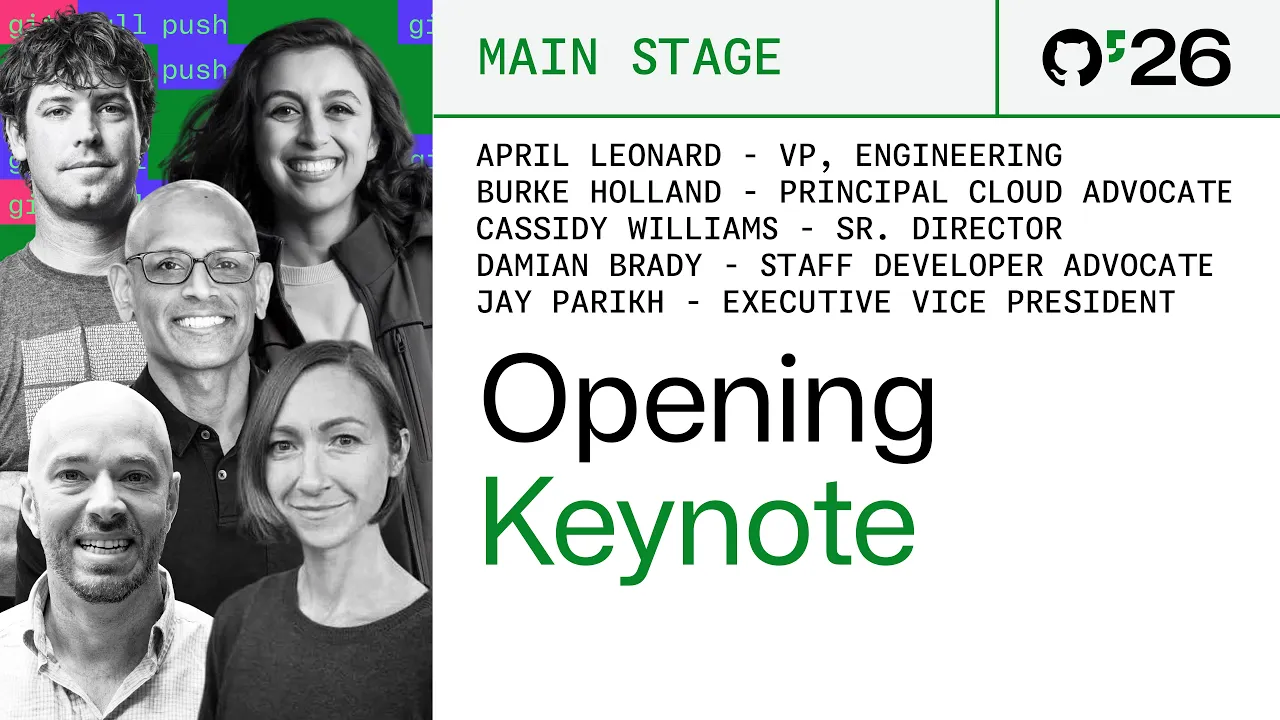
Opening keynote: building the next era of software at GitHub Universe 2026 — GitHub

GitHub

As autonomous coding agents collapse traditional development workflows and overwhelm legacy repositories, GitHub is rebuilding Git's underlying architecture on Azure while shifting enterprise access to usage-based AI credits.

AI-assisted summary of Opening keynote: building the next era of software at GitHub Universe 2026 — original source. Check the original for full context.

Source published:

Key ideas

  • GitHub has crossed 225 million registered developers and recorded 34.3 billion commits in 2026, driven by a structural shift toward agentic software development where developers orchestrate autonomous AI squads. (0:13)
  • GitHub unveiled Copilot Projects and Copilot Automations, expanding AI assistance from single-session coding into multi-repo orchestration that can triage incidents from Sentry alerts and generate PRs autonomously. (14:55)
  • Copilot Fusion coordinates dynamic model routing across single, cascade, and critique strategies, achieving near parity with frontier models while reducing compute costs by 50% and task execution times by 40%. (9:39)
  • To support intense agent concurrency, GitHub overhauled its core Git architecture to decouple compute from storage on Azure Blob Storage, hitting 7,200 writes per second in stress tests with 5,000 parallel agents. (33:22)
  • GitHub Enterprise accounts now receive access to all Copilot capabilities, including the Copilot app and automated code review, without dedicated seat licenses via a consumption-based AI credits model. (29:42)

Detailed notes

## Background Published on YouTube by GitHub on October 28, 2026, this opening keynote from GitHub Universe 2026 examines the next era of software development driven by autonomous agents. Presented by engineering leaders including Jay Parikh, Cassidy Williams, Burke Holland, Damian Brady, and April Leonard, the presentation showcases major updates across GitHub Copilot, agent orchestration workflows, and core developer tools.

## TL;DR Addressing an explosive surge to over 225 million developers and billions of agentic contributions, GitHub unveiled an end-to-end agentic delivery platform designed around a collapsing, non-linear software development lifecycle. Key product updates include the dedicated GitHub Copilot app, Copilot Fusion for dynamic multi-model routing, Copilot Dreaming and Memories for codebase instruction maintenance, Copilot Projects for multi-repo orchestration, and cloud-native Copilot Automations. To maintain quality and security at high velocity, GitHub introduced AI push protection, Agentic Autofix, Code Review Max, and a consumption-based pricing model for GitHub Enterprise. Finally, GitHub announced a fundamental overhaul of Git's underlying architecture, decoupling compute from Azure Blob Storage and introducing branch-level locking to handle thousands of concurrent agent writes per second.

## Atmosphere & style The presentation carries the polished, high-energy momentum of a flagship developer conference, blending rapid-fire live demos with playful stage banter about coffee puns, doomscrolling, and agents complaining about traffic. Presenters balance excitement over staggering growth statistics with candid humility regarding recent platform reliability challenges under intense load. The pacing moves briskly from developer UX features to deep storage infrastructure engineering, leaving listeners with an inspiring, forward-looking sense of developer empowerment in an agent-dominated era.

## Bulletin - [00:13](https://www.youtube.com/watch?v=AArI948SDz8&t=13s) GitHub has crossed 225 million registered developers and recorded 34.3 billion commits in 2026, driven by a structural shift toward agentic software development where developers orchestrate autonomous AI squads. - [14:55](https://www.youtube.com/watch?v=AArI948SDz8&t=895s) GitHub unveiled Copilot Projects and Copilot Automations, expanding AI assistance from single-session coding into multi-repo orchestration that can triage incidents from Sentry alerts and generate PRs autonomously. - [09:39](https://www.youtube.com/watch?v=AArI948SDz8&t=579s) Copilot Fusion coordinates dynamic model routing across single, cascade, and critique strategies, achieving near parity with frontier models while reducing compute costs by 50% and task execution times by 40%. - [33:22](https://www.youtube.com/watch?v=AArI948SDz8&t=2002s) To support intense agent concurrency, GitHub overhauled its core Git architecture to decouple compute from storage on Azure Blob Storage, hitting 7,200 writes per second in stress tests with 5,000 parallel agents. - [29:42](https://www.youtube.com/watch?v=AArI948SDz8&t=1782s) GitHub Enterprise accounts now receive access to all Copilot capabilities, including the Copilot app and automated code review, without dedicated seat licenses via a consumption-based AI credits model.

## Key takeaways - [03:26](https://www.youtube.com/watch?v=AArI948SDz8&t=206s) Developer workflows have transformed from AI-assisted code completion into orchestrating dozens of agentic workflows, causing the traditional sequential software development lifecycle to collapse. - [06:10](https://www.youtube.com/watch?v=AArI948SDz8&t=370s) The GitHub Copilot app serves as a central hub for agent workflows, utilizing verified enterprise Connectors (Slack, Sentry, Vercel) to eliminate manual context switching. - [09:39](https://www.youtube.com/watch?v=AArI948SDz8&t=579s) Copilot Fusion dynamically routes tasks across models using single, cascade, or critique patterns to maximize quality while significantly cutting compute cost and runtime. - [09:39](https://www.youtube.com/watch?v=AArI948SDz8&t=579s) Copilot Canvases provide interactive runtime surfaces where autonomous agents can operate web browsers, terminals, and custom user interfaces to test and verify code changes visually. - [12:46](https://www.youtube.com/watch?v=AArI948SDz8&t=766s) Copilot Dreaming addresses prompt and context drift by continuously opening pull requests in the background to keep agent instruction files aligned with codebase changes. - [14:55](https://www.youtube.com/watch?v=AArI948SDz8&t=895s) Copilot Projects is now generally available, enabling developers to feed multimodal inputs (design mocks, Slack logs, compliance notes) into an orchestrator that delegates tasks to subagents across multiple repositories. - [18:51](https://www.youtube.com/watch?v=AArI948SDz8&t=1131s) A shared Copilot harness ensures session continuity across GitHub Mobile, the desktop app, VS Code, and CLI environments, backed by persistent cloud sandboxes. - [22:15](https://www.youtube.com/watch?v=AArI948SDz8&t=1335s) Copilot Automations function as cloud-native engineering squads that trigger on schedules, webhooks, or telemetry alerts to autonomously reproduce bugs, triage issues, and propose remediations. - [24:53](https://www.youtube.com/watch?v=AArI948SDz8&t=1493s) AI push protection detects and blocks exposed credentials locally at the git push boundary without relying on manually configured regular expression patterns. - [26:23](https://www.youtube.com/watch?v=AArI948SDz8&t=1583s) Code Review Max achieved the highest F1 score on ReviewBench for high-severity defects, reviewing PRs automatically before human engineers step in. - [26:23](https://www.youtube.com/watch?v=AArI948SDz8&t=1583s) Agent Merge continuously works behind the scenes to update stale pull requests, resolve git merge conflicts, and fix failing CI checks before executing final merges. - [29:42](https://www.youtube.com/watch?v=AArI948SDz8&t=1782s) GitHub Enterprise commercial licensing shifted to unseat-bound access for all Copilot features, billing organizations solely through consumption-based AI credits. - [35:53](https://www.youtube.com/watch?v=AArI948SDz8&t=2153s) GitHub's core Git engine was redesigned around branch-level write locking, ephemeral caching compute, and durable Azure Blob Storage to prevent repository-wide lock bottlenecks under heavy agent traffic. - [37:49](https://www.youtube.com/watch?v=AArI948SDz8&t=2269s) All GitHub repositories are scheduled to migrate to the next-generation decoupled Git storage architecture by early next year. - [40:00](https://www.youtube.com/watch?v=AArI948SDz8&t=2400s) Even as agentic generation scales exponentially, developer judgment remains the foundational constraint and guiding force for defining problems and evaluating software impact.

## Detailed walkthrough ### [00:13](https://www.youtube.com/watch?v=AArI948SDz8&t=13s) GitHub's Explosive Growth & the Agentic Shift

Jay Parikh, head of the GitHub team and the broader CoreAI team at Microsoft, opens GitHub Universe in San Francisco by reflecting on the prophecy from the previous year: 2026 was supposed to be the moment developers brought their agents to work on GitHub. The data demonstrates that they arrived at staggering scale. GitHub now hosts over 225 million developers globally across every country, adding a new developer every single second for the second consecutive year.

The Octoverse metrics illustrate an unprecedented surge in code velocity. Commits rose to 34.3 billion, code pushes reached 17.9 billion, and pull requests climbed to 1.3 billion. Open-source activity similarly accelerated to 2.5 billion contributions across 566 million open-source and public repositories—a year-over-year increase exceeding 30%. Highlighting projects making an impact, Parikh points out Ersilia (open-source, AI-powered drug discovery tools), OpenQuake by the Global Earthquake Model Foundation (earthquake hazard assessment software), and AI Skills by Matt Pocock (reusable instructions for coding agents to avoid common mistakes). Reviewing the visual curve of GitHub Actions jobs, Parikh admits that the steepness of the curve is almost intimidating.

> “Now this type of growth rate is extremely rare. It's pretty scary. It's being driven by the shift to Agentic software development.” — Jay Parikh

- Over 225 million registered developers worldwide; 1 new user per second for two consecutive years - 34.3 billion commits, 17.9 billion pushes, and 1.3 billion pull requests recorded in 2026 - 566 million open-source and public repositories, growing over 30% year over year - Key featured projects: Ersilia (drug discovery), OpenQuake (hazard mapping), and AI Skills by Matt Pocock (agent instruction sets)

[03:26](https://www.youtube.com/watch?v=AArI948SDz8&t=206s) Evolving for the Agentic Era

Developer workflows have transformed from hand-crafted code to AI-assisted editing, and now into the orchestration of dozens or hundreds of agentic workflows. Because work is continuously triggered by external signals—such as production incidents or team requests—the traditional software development lifecycle is no longer a linear sequence; the stages are collapsing into one another. To support this paradigm, GitHub is rebuilding its stack around a central learning machine that addresses three pillars:

1. **Velocity:** Transitioning from concept to production rapidly, efficiently, and cost-effectively. 2. **Intelligence:** Gathering organization-wide context into a continuous learning loop that improves future runs. 3. **Quality:** Preventing security vulnerabilities and functional defects from reaching production while maintaining extreme speed.

Parikh asserts that GitHub is building the industry's most complete end-to-end agentic delivery platform, while keeping the platform extensible so teams can incorporate external tools like Datadog, Figma, and Cloudflare.

> “The SDLC is no longer linear. In fact, the SDLC is collapsing. Most of us jump between these different stages depending on the task.” — Jay Parikh

```mermaid flowchart TD accTitle: The Agentic Software Delivery System accDescr: Diagram illustrating how signals trigger collapsed SDLC stages around a central learning machine.

subgraph Triggers["Triggers & Context"] S["Signals & Events"] C["Colleague Requests / Production"] end

subgraph CoreEngine["Agentic Core Delivery System"] CLM["Central Learning Machine"] V["Velocity<br>(Idea to Production)"] I["Intelligence<br>(Platform-Wide Context)"] Q["Quality<br>(Security & Bug Prevention)"] end

subgraph Ecosystem["Open Ecosystem"] EXT["Datadog, Figma, Cloudflare, etc."] end

S --> CLM C --> CLM CLM <--> V CLM <--> I CLM <--> Q CLM <--> EXT ```

[06:10](https://www.youtube.com/watch?v=AArI948SDz8&t=370s) The GitHub Copilot App & Connectors

Cassidy Williams joins the stage to demonstrate these capabilities using a real project: building a "coffee passport" feature for a coffee shop chain's platform. The feature rewards customers who visit and collect stamps across all store locations with free treats. Opening the GitHub Copilot app—a unified workspace for managing agents across projects, integrations, and automations (which also includes a hidden Easter egg minigame)—Williams inspects an issue that contains unresolved requirements regarding repeat visits.

Instead of switching back and forth between messaging and task-tracking tools, Williams resolves these questions directly within the Copilot app. This is powered by Connectors: managed services that integrate external applications like Slack, Microsoft Work IQ, Vercel, Netlify, and Sentry. Once authenticated with a verified badge, Connectors allow agents to securely pull context and cross-reference answers across all development surfaces without forcing developers to leave their workspace.

> “We can use connectors, and connectors are these managed services that sit in the Copilot app or whatever surface... So you can authenticate one place and then use them across all of your surfaces.” — Jay Parikh

- GitHub Copilot app serves as a centralized hub for multi-project agent orchestration, tool integration, and automations - Managed Connectors link verified enterprise systems including Slack, Work IQ, Vercel, Netlify, and Sentry - Single authentication step allows agents to retrieve company-wide context, eliminating manual context switching

[09:39](https://www.youtube.com/watch?v=AArI948SDz8&t=579s) Copilot Fusion, App Canvases & Copilot Dreaming

To implement the issue, Williams must choose a model. Parikh advises selecting Copilot Fusion, a routing system that coordinates across multiple AI models using three distinct execution strategies: single, cascade, or critique. In benchmarks like the Artificial Analysis Coding Agent Index, Copilot Fusion Max scored 60—within two points of Claude 3.5 Opus Max—while cutting compute cost in half and finishing tasks 40% faster.

Switching to a live session with an end-to-end implementation ready for testing, Williams checks Parikh’s demo passport profile. When asked about his drink preference, Parikh jokes that his standard order is just "plain coffee, nothing in it." Williams demonstrates agent-driven visual testing inside what appears to be an embedded browser, but is actually an interactive Copilot Canvas. Canvases allow autonomous agents to operate terminal environments, web browsers, and custom user interfaces directly.

As the agent navigates the web interface, Williams mentions an underlying technical hurdle: the application had recently been migrated from Java to SvelteKit (drawing light laughter from the crowd over the coffee pun). While the underlying code had been completely rewritten, the original developer instructions had fallen out of sync. To show how GitHub handles stale context, Williams tees up the PR inspection and asks Parikh to explain a new Copilot capability called "Dreaming."

> “Fusion coordinates between multiple models to deliver frontier level results at a lower cost. In fact, it decides what task requires, and then it picks the optimal execution pattern.” — Jay Parikh

- Copilot Fusion dynamically selects from three patterns: single model, model cascade, or critique - Artificial Analysis benchmark: Copilot Fusion Max achieved a score of 60, achieving parity with frontier models at 50% lower cost and 40% less execution time - Canvases provide interactive runtime surfaces (browser, terminal, custom) where autonomous agents can execute live workflows and self-verify UI features

[12:46](https://www.youtube.com/watch?v=AArI948SDz8&t=766s) Copilot Dreaming and Memories

Keeping instructions effective for autonomous agents over time presents a common trap: teams write detailed guidance, but within a few weeks the codebase drifts, newer and more capable models arrive, and the outdated prompts begin degrading performance rather than helping. Copilot Dreaming tackles this problem directly by operating in the background to ensure instructions and persistent memories continuously match the developer's current preferences and the modern state of the code.

```mermaid flowchart LR accTitle: Copilot Dreaming Background Sync accDescr: Process showing Copilot Dreaming updating instructions and memories via pull requests. subgraph S1["Code Evolution"] A["New Models & Changes"] --> B["Codebase Drifts"] end subgraph S2["Copilot Dreaming"] B --> C["Dreaming Engine"] C --> D["Updated Instructions"] C --> E["Updated Memories"] end subgraph S3["Developer Review"] D --> F["Pull Request Diff"] E --> F F --> G["Up-to-Date Agent Guidance"] end ```

On stage, Cassidy Williams reviews a pull request automatically generated by Copilot Dreaming. The PR diff cleans up an outdated instructions file to align with their modern, non-Java-based environment. While Cassidy jokes about how descriptive and verbose agents have become when summarizing their work, the real benefit lies in team-wide consistency: any agent picking up a new task automatically inherits accurate architectural decisions. Alongside instruction files, Copilot updates its store of learned memories—the accumulated record of personal preferences and team coding practices. Cassidy highlights being exceptionally particular about code standards:

> “Dreaming goes back and ensures that your instructions and memories always reflect your preferences, which I think you have a few.” — Jay Parikh

> “I'm very picky about my code base, and so it's really nice to be able to have all of these so that I get better outputs.” — Cassidy Williams

After confirming that the "fresh out of the oven" feature is running and authenticated properly, Cassidy inspects the code directly in VS Code before pivoting from managing individual agent sessions to orchestrating higher-level work across multiple repositories.

- Copilot Dreaming opens pull requests to synchronize agent instructions with changing architectures and newer LLMs. - Copilot Memories capture individual and team coding preferences to tailor future agent completions automatically. - Developers retain full control, reviewing instruction diffs in PRs and opening changes directly inside VS Code.

---

[14:55](https://www.youtube.com/watch?v=AArI948SDz8&t=895s) Copilot Projects and Orchestrated Multi-Repo Workflows

Burke Holland joins Jay Parikh on stage with his new Surface Laptop to demonstrate Copilot Projects, a workflow designed to relieve developers from manually driving single agent sessions. Burke initiates a project directly from the GitHub Copilot desktop app sidebar and binds all Fourth Coffee repositories into the session context. His goal is building a "Your Usual" feature that lets customers reorder their favorite coffee with a single tap.

Instead of guiding one agent loop step-by-step, Burke feeds multi-modal context into the Copilot orchestrator in rapid succession: high-fidelity design mocks, a Slack thread hammering out the implementation details, and notes from a Microsoft Teams meeting with legal and compliance regarding personalization rules. The Copilot orchestrator absorbs the stream of requests without requiring the developer to wait for individual tasks to resolve, spinning up new subagents across repositories as needed.

```mermaid flowchart TD accTitle: Copilot Projects Orchestration accDescr: How Copilot Projects orchestrates multiple repos, context sources, and subagents. subgraph Inputs["Context Streams"] A["Fourth Coffee Repos"] B["Design Team Mocks"] C["Slack Technical Debates"] D["Teams Legal/Compliance Call"] end subgraph Engine["Copilot Projects"] Inputs --> E["Copilot Orchestrator"] E --> F["Subagent: Frontend"] E --> G["Subagent: Backend Services"] E --> H["Subagent: Marketing Demos"] end subgraph Outputs["Results"] F --> I["Automated PRs in Project Overview"] G --> I H --> J["Pixel-Perfect Video Artifacts"] end ```

Burke explains that shipping software requires far more than raw code. Copilot can also produce peripheral assets; using custom skills, it generates pixel-perfect demo videos for marketing teams before the pull request even merges. Burke configures an automation to produce these preview videos daily upon feature completion. Because agents execute both locally and inside cloud sandboxes, developers can simply close their laptops while the squad completes implementation and opens pull requests.

> “He's actually working with the Copilot orchestrator here so he can keep firing them off, and Copilot will spin up new Subagents to tackle these requests.” — Jay Parikh

> “Y'all, nobody likes micromanaging agents with Copilot projects. You get to get out of that business completely so that you can just focus on the results.” — Burke Holland

> “And I'm excited to announce that today GitHub Copilot projects is available to everyone.” — Burke Holland

- Copilot Projects natively spans multiple repositories, spinning up and assigning subagents based on the location of the codebase work. - Context injection handles diverse inputs in parallel, including design mocks, Slack chat logs, and compliance call notes. - Copilot generates non-code deliverables, such as pixel-perfect application demo videos for marketing teams. - Execution operates locally or across cloud environments, updating progress and pull requests in a unified project view. - Copilot Projects is announced as generally available to all developers.

---

[18:51](https://www.youtube.com/watch?v=AArI948SDz8&t=1131s) Copilot Fusion and Cross-Surface Continuity

Jay Parikh synthesizes the architectural pillars powering this agentic delivery system: the new GitHub Copilot desktop app acts as an agent-native environment, Copilot Projects sets broad goals across repositories, and Copilot Fusion dynamically selects the optimal model for each step of an assignment to deliver high performance at lower inference cost. To encourage adoption, Parikh announces that Copilot Fusion usage is discounted by 30% through the end of November.

Yet higher agent velocity introduces an operational dilemma: an explosion of code creates an overwhelming volume of pull requests, security audits, and deployment reviews that threaten to compromise engineering standards.

```mermaid flowchart LR accTitle: Cross-Surface Agent Continuity accDescr: Continuity flow across mobile, cloud sandboxes, and developer workstations. A["Phone (GitHub Mobile)"] -->|"Start agent triage"| B["Cloud Sandbox"] B -->|"Persistent Session"| C["VS Code / GitHub Desktop"] C -->|"Deploy / Delegate"| D["Copilot Automations"] ```

Damian Brady takes the stage to address maintaining quality and speed, walking out with his phone and joking that he is doing real work rather than doomscrolling. He demonstrates tackling a production bug in the Fourth Coffee ordering app: while the ordering system correctly halts orders before closing time, it fails to notify users. Brady triggers an agent triage session straight from his mobile device, which instantly initializes within a persistent cloud sandbox. Parikh notes that this seamless cross-device continuity—bridging mobile, the Copilot app, VS Code, and CLI workflows—is built upon the standardized Copilot harness deployed throughout Microsoft and now accessible to developers building custom agents on Microsoft Foundry.

> “Today, through the end of November, we want you to try Copilot fusion. So usage will be 30% off.” — Jay Parikh

> “So we want to make sure that you have strong continuity across all the surfaces. So you can start a task on your phone, pick it up from the app, move it to VS Code or the CLI or wherever you are.” — Jay Parikh

> “The agent has a clear direction forward, which means that I can pick up some other work and do something else that needs my focus because I'm not short on agents. J I'm short on attention and time.” — Damian Brady

- Copilot Fusion provides dynamic multi-model selection per task step to optimize inference costs and execution speed. - A 30% discount on Copilot Fusion runs through the end of November. - The shared Copilot harness guarantees session continuity across mobile devices, desktop apps, VS Code, and CLIs. - Microsoft Foundry now provides public developer access to the underlying Copilot agent harness.

---

[22:15](https://www.youtube.com/watch?v=AArI948SDz8&t=1335s) Copilot Automations and Autonomous Incident Remediation

Switching from his phone to VS Code on stage, Damian Brady demonstrates how the mobile session transitioned seamlessly to his desktop, complete with pre-generated architecture diagrams and proposed code patches. With a quick prompt instructing the agent to file a pull request upon completion, Brady delegates the fix and moves on, noting that human cognitive bandwidth is strictly single-threaded and the limiting factor in development.

Turning his focus to a broken "How ordering works" button on their web page, Brady encounters an instant HTTP 500 server error. Opening a custom troubleshooting canvas linked to Sentry production monitoring, he views the live error telemetry. Rather than manually clicking through dashboards to log tickets or draft fixes, Brady introduces Copilot Automations—a framework designed to let AI squads handle triage and delegation workflows independently. Jay Parikh explains that these cloud-native automations execute on schedules, ingest direct API triggers, or respond to repository and telemetry webhooks, functioning as an automated frontline engineering squad.

```mermaid flowchart TD accTitle: Copilot Automations Incident Response accDescr: Automated telemetry response via Copilot Automations from alert to PR. A["Production Error (HTTP 500)"] --> B["Sentry Monitoring Canvas"] B --> C{"Copilot Automation Trigger"} C -->|"Scheduled"| D["Cloud Agent Squad"] C -->|"Webhook / API"| D C -->|"Manual Run"| D D --> E["Triage & Root-Cause Diagnosis"] D --> F["Automated Pull Request & Remediation"] ```

> “Sure enough, that was a very fast 500 error. Okay, now I can see the details of that error in a custom canvas. So if I open this session, we are using Sentry in our production system to monitor these issues.” — Damian Brady

> “Copilot Automations lets you create AI powered workflows to work in your Repo. And they run in the cloud and you can respond to an event with it. You can run on a schedule, or it can be triggered manually to act as a squad of agents for you and your team.” — Jay Parikh

- Custom canvases integrate observability services like Sentry directly alongside Copilot agent workspaces. - Copilot Automations trigger via REST APIs, system webhooks, predefined schedules, or manual invocation. - Background agent squads run in the cloud to manage event-driven bug triage, issue tracking, and repetitive codebase chores.

[23:37](https://www.youtube.com/watch?v=AArI948SDz8&t=1417s) Orchestrating Cloud Automations and Specialist Agents

Damian Brady demonstrates how GitHub's new automations operate in the cloud, freeing developers from keeping laptops open overnight while maintaining strict operational guardrails. Developers can granularly configure permitted tool actions—such as granting an agent permission to draft pull requests while forbidding it from merging them. To prevent runaway costs, developers set explicit spend limits so agents do not exhaust allocated AI credits. Damian then showcases a subscriptions repository where an orchestrated chain of specialist agents works collaboratively to eliminate routine engineering toil. Rather than relying on a single monolithic model, the pipeline divides responsibilities across dedicated automations that handle each stage of the lifecycle.

```mermaid flowchart LR accTitle: Specialist Agent Automation Pipeline accDescr: Pipeline showing signals turning into verified fixes across specialist automations. A["Watch Signals & Create Issue"] --> B["Triage Issue"] B --> C["Reproduce & Capture Screenshots"] C --> D["Generate Fix"] D --> E["Verify Fix against Request"] ```

- Automations run fully in the cloud with strict spending caps to guarantee agents do not burn credits unexpectedly. - Specialist agents handle distinct tasks: monitoring incoming signals, triaging tickets, reproducing bugs with visual screenshots, generating code fixes, and verifying the resolution against original issue requirements. - Reflecting on how this shift changes day-to-day engineering, Damian notes: “Now, a process like this means that I can automate away a lot of the toil that I have, and so I can focus on the things that actually require my attention.”

[24:53](https://www.youtube.com/watch?v=AArI948SDz8&t=1493s) Proactive Security: AI Push Protection and Agentic Autofix

The demonstration transitions to security posture, highlighting enhancements to GitHub code scanning. Supported by broadened AI language capabilities, code scanning analyzes both legacy code and newly submitted changes to surface vulnerabilities alongside context on where the flaw exists, its vulnerability class, and standard remediation paths. Developers can delegate these alerts directly to Agentic Autofix, which ingests the diagnostic context and generates a pull request with an end-to-end fix ready for review.

To catch sensitive data even earlier in the developer workflow, GitHub incorporates AI push protection directly into git operations. Damian simulates accidentally committing a credential into a local file and running `git push`. Without relying on predefined regular expression patterns, the AI detects the secret and blocks the push locally before the commit ever reaches the remote repository.

- Code scanning surfaces vulnerability locations, classifications, and remediation steps, which Agentic Autofix converts into mergeable pull requests. - AI push protection prevents credential exposure proactively at the push boundary without requiring manually configured regex secret patterns.

[26:23](https://www.youtube.com/watch?v=AArI948SDz8&t=1583s) Copilot Code Review Max, Stacked PRs, and Agent Merge

Turning to code quality, Damian reviews a pull request created by Cassidy Williams' team for the coffee passport service endpoint, pointing out that GitHub Copilot acts as an automated reviewer on every pull request before any human engineer steps in. Jay Parikh steps in to provide context on the momentum behind Copilot Code Review and introduces its newest tier:

> “Copilot Code Review, we launched last year and so far it has surfaced 200 million findings for developers. And today we're introducing our deepest level of review yet. Code review Max. Now Max is a big step forward. It posted the highest F1 score on ReviewBench for high severity issues.”

Jay adds that Copilot Code Review is accessible even to developers without a standalone Copilot subscription through consumption-based AI credits. Damian then addresses the complexity of modern multi-part features by presenting stacked pull requests. Cassidy's feature is divided into three dependent PR layers—the UI changes, the service endpoint, and the data schema migrations—which can be reviewed and merged incrementally or all at once. Finally, Damian activates Agent Merge to combat stale pull requests. Agent Merge operates in the background to incorporate feedback, resolve merge conflicts, and remediate failing CI checks, automatically merging the PR once all checks pass. Damian remarks: “It's automated, it's organized, and it's secure from start to finish.”

```mermaid flowchart TD accTitle: Stacked Pull Request Architecture accDescr: Hierarchy of dependencies within a stacked pull request. subgraph Stack["Stacked Pull Requests"] PR1["Layer 3: UI Changes"] PR2["Layer 2: Service Endpoint Dependency"] PR3["Layer 1: Data Changes Dependency"] end PR1 --> PR2 PR2 --> PR3 ```

- Copilot Code Review has identified over 200 million findings since launch. - Code Review Max achieves the top F1 benchmark score on ReviewBench for high-severity defects and can be billed via AI credits. - Stacked pull requests organize complex interrelated code deliveries into manageable, dependent layers that can merge independently or as a complete stack. - Agent Merge continuously updates stale PRs by resolving git conflicts and resolving CI failures autonomously before executing the final merge.

[29:42](https://www.youtube.com/watch?v=AArI948SDz8&t=1782s) Enterprise Access Model and Infrastructure Scaling

Following the demos, Jay Parikh recaps the core capabilities powering fast, secure developer loops: seamless session continuity across developer surfaces, flexible automation harnesses triggered on-demand or via events, and Copilot Code Review filtering defects before they reach production. Jay then announces an update to GitHub's commercial model: starting immediately, GitHub Enterprise customers gain access to all Copilot capabilities—including the Copilot app, Copilot Code Review, and automations—without requiring individual seat licenses, paying strictly for the AI credits they consume.

Addressing platform stability, Jay acknowledges recent reliability issues driven by exponential platform growth, emphasizing that scale cannot be used as an excuse: “That's not meant to be an excuse, though. We will and we must do better.” To bolster the platform, GitHub has aggressively expanded hardware capacity and is progressing through a live migration to a multi-region deployment on Azure, targeting full completion early next year.

- GitHub Enterprise accounts can deploy all Copilot tools across their entire developer base without separate Copilot subscriptions, paying only for AI credit usage. - Capacity additions this year include over 4 million CPU cores, 160 petabytes of high-speed storage, and 50 terabits per second of network bandwidth. - Migration to a resilient, multi-region Azure hyperscale infrastructure is scheduled to wrap up early next year while maintaining continuous platform availability worldwide.

[33:22](https://www.youtube.com/watch?v=AArI948SDz8&t=2002s) A Next-Generation Git Architecture for the Agentic Era

Jay explains that raw capacity additions alone cannot solve the throughput challenges created by AI workloads, requiring GitHub to fundamentally rethink its operational primitives. To prepare for the agentic era, GitHub redesigned its core Git architecture around three principles: simplified primitives, complete decoupling of storage from compute, and minimal coordination overhead. To validate the architecture under extreme concurrency, engineers stress-tested a monorepo by dispatching 5,000 aggressive coding agents simultaneously, achieving a sustained 7,200 writes per second. In another benchmark, the team compressed 24 hours of traffic from GitHub's most active open-source repository into a single minute of playback, which the new stack processed effortlessly.

April Leonard joins Jay on stage to explain why this architectural overhaul is vital. As coding agents proliferate, every session initiates branches, inspects repository histories, and pushes commits concurrently, shifting the scale of Git activity dramatically. In September alone, developers and automated agents combined to generate more than 7 billion commits. April recalls an exchange with her own agents:

> “Now, the other day my agents complained about the traffic. I had to tell them, you're not in traffic, you are traffic, and we're already seeing it.”

- The revamped Git engine decouples compute from storage and minimizes state coordination to maximize throughput. - Stress testing demonstrated 7,200 sustained writes per second on a single monorepo under load from 5,000 simultaneous agents. - The platform sustained a 1,440x traffic acceleration, processing 24 hours of peak open-source traffic inside a one-minute window. - Overall platform activity reached more than 7 billion commits in the month of September alone, pushing the busiest repositories up against existing architectural thresholds.

[35:53](https://www.youtube.com/watch?v=AArI948SDz8&t=2153s) Rebuilding the Core Git Foundation for Agentic Scale

GitHub has embarked on a complete overhaul of the foundational infrastructure beneath Git to meet the demands of autonomous agents. The team began by tackling the immediate bottleneck: physical on-premises hosting. Over the past year, nearly every repository on GitHub was moved into Azure. However, for the roughly 100 busiest repositories, even a 25-millisecond latency penalty between data centers proved critical. To address this, the engineering team altered how Git coordinates write operations. Rather than locking an entire repository for every write, Git now locks only the specific branch being updated, allowing multiple agents targeting different branches to execute changes in parallel and yielding three to four times greater write throughput.

```mermaid flowchart TD accTitle: Decoupled Git Architecture on Azure accDescr: Git requests are served by ephemeral caching servers backed by Azure Blob Storage and a replicated log service.

subgraph Client["Write Coordination"] Agent["Autonomous Agents"] -->|"Branch-level lock"| Log["Replicated Log Service\n(Reference Transactions)"] end

subgraph StorageCompute["Decoupled Storage & Compute"] Log --> Ephemeral["Ephemeral Git Servers\n(In-memory caching)"] Ephemeral <-->|"Durable Source of Truth"| Blob["Azure Blob Storage\n(Git Object Data)"] end ```

To eliminate the scaling ceiling altogether, GitHub designed an entirely new architecture in deep partnership with the Azure Storage team. The effort was steered by three core engineering principles: simplify the primitives, decouple storage from compute, and minimize coordination. Under this model, source code resides durably in Azure Blob Storage as the ultimate source of truth. Ephemeral Git servers handle incoming requests and cache data for speed, allowing capacity to scale dynamically with demand. Critical-path coordination is stripped down to small reference transactions managed by a specialized replicated log service built for raw speed.

- The prior architecture capped out at dozens of pushes per second on any single repository, while the new architecture is designed to handle thousands. - In load testing, pointing 5,000 agents at a single repository sustained an unprecedented 7,200 writes per second—an increase of 180 times current production throughput. - On read benchmarks, GitHub's own load-testing harness reached its operating capacity before the new Git architecture showed any signs of degradation.

---

[37:49](https://www.youtube.com/watch?v=AArI948SDz8&t=2269s) Validating with Open Core and Upgrading the Global Platform Stack

To prove the architecture under live production conditions rather than synthetic benchmarks alone, GitHub teamed up with Open Core, one of the most active open-source projects hosted on the platform. Peter Steinberg, the creator of Open Core, evaluated the system just before departing for his TED talk, explaining: “GitHub change how the Git objects are stored, and it will affect us in a way that our agent will be able to operate much, much faster.” Steinberg highlighted that agents frequently waste cycles polling continuous integration systems, and the ability of the new infrastructure to proactively push events when tasks are ready will eliminate their primary operational bottlenecks. Every repository across GitHub is scheduled to migrate to this new storage architecture by early next year.

Beyond core repository storage, GitHub is aggressively scaling the broader operational platform to support agentic workflows:

- **GitHub AI Gateway:** The platform gateway currently processes trillions of tokens, with recent engineering efforts targeting aggressive prompt caching, latency reduction, and test harness execution. - **GitHub Actions:** Now processing billions of compute minutes each month, Actions is receiving a hardened control plane, simplified coordination layers, and expanded compute capacity to prevent workflow stalls. - **Global Network Infrastructure:** GitHub has deployed additional edge locations, quadrupled backhaul capacity connecting legacy GitHub data centers with Azure, and tuned TLS handshakes to ensure smooth transit for continuous agent traffic.

---

[40:00](https://www.youtube.com/watch?v=AArI948SDz8&t=2400s) The Next Era of Software Development

Closing out the keynote, the presenters reflected on how the rapid evolution across every layer of the GitHub stack—from the lower-level Git rebuild to developer-facing innovations like Copilot fusion, GitHub Copilot app, the CLI, and Visual Studio Code—converges into a single cohesive ecosystem. Even as agents step into automated coding, the engineering consensus remains clear: developer judgment is more vital than ever. As the speaker observed, “The hardest part of building has never been just writing code. It’s understanding a problem, imagining something better, and having the ability and the drive to make the work.”

The true leverage of the platform comes from communal collaboration, where an open idea shared by one engineer serves as the direct foundation for another creator's breakthrough. Looking ahead at the sheer trajectory of the industry, the speaker offered an expansive forecast: “In fact, I think all the software ever written may amount to just 1% of what humans and agents will build in the next five years.” The session concluded by underscoring that raw code volume is not the end goal, but rather the tangible impact the resulting software will deliver to the real world.

## Notable quotes > [40:00](https://www.youtube.com/watch?v=AArI948SDz8&t=2400s) The hardest part of building has never been just writing code. It’s understanding a problem, imagining something better, and having the ability and the drive to make the work.

> [40:00](https://www.youtube.com/watch?v=AArI948SDz8&t=2400s) In fact, I think all the software ever written may amount to just 1% of what humans and agents will build in the next five years.

> [03:26](https://www.youtube.com/watch?v=AArI948SDz8&t=206s) The SDLC is no longer linear. In fact, the SDLC is collapsing. — Jay Parikh

## Mentioned Agentic Autofix, Agent Merge, AI Push Protection, AI Skills, April Leonard, Artificial Analysis Coding Agent Index, Azure Blob Storage, Burke Holland, Cassidy Williams, Claude 3.5 Opus Max, Cloudflare, Copilot Automations, Copilot Canvases, Copilot Code Review, Copilot Code Review Max, Copilot Dreaming, Copilot Fusion, Copilot Memories, Copilot Projects, Damian Brady, Datadog, Ersilia, Figma, GitHub Actions, GitHub AI Gateway, GitHub Copilot, GitHub Enterprise, Global Earthquake Model Foundation, Jay Parikh, Matt Pocock, Microsoft Foundry, Microsoft Teams, Microsoft Work IQ, Netlify, Open Core, OpenQuake, Peter Steinberg, ReviewBench, Sentry, Slack, SvelteKit, Vercel, Visual Studio Code

## Video description Join us for the GitHub Universe 2026 opening keynote as we look at the next era of software, the developers building it, and the tools and workflows GitHub is creating to help them go further. Hear from engineering leaders April Leonard, Jay Parikh, Cassidy Williams, Burke Holland, and Damian Brady as they unveil major updates across GitHub Copilot, autonomous agent workflows, and core developer tools. Expect new announcements, live demos, and a few surprises along the way.

Speakers:

April Leonard, VP of Engineering for GitHub Copilot, GitHub Cassidy Williams, Sr. Director, Developer Advocacy, GitHub Burke Holland, Principal Cloud Advocate, Microsoft Jay Parikh, Executive Vice President, CoreAI, Microsoft Damian Brady, Staff Developer Advocate, GitHub

Watch more videos from GitHub Universe 2026: https://www.youtube.com/watch?v=AArI948SDz8&list=PLENrlACZ7mnU

— CHAPTERS —

00:00 GitHub's explosive growth & agentic shift 03:26 Evolving for the agentic era 06:10 GitHub Copilot app & connectors 09:39 Copilot fusion, Copilot app canvases & Copilot dreaming 14:55 Copilot projects & Copilot automations 19:59 Agent-powered quality & security 31:25 Rebuilding GitHub's core infrastructure 40:00 The future of software development

#GitHubUniverse #GitHubCopilot #SoftwareDevelopment

Stay up-to-date on all things GitHub by connecting with us:

YouTube: https://gh.io/subgithub Blog: https://github.blog X: https://twitter.com/github LinkedIn: https://linkedin.com/company/github Insider newsletter: https://resources.github.com/newsletter/ Instagram: https://www.instagram.com/github TikTok: https://www.tiktok.com/@github

About GitHub It’s where over 180 million developers create, share, and ship the best code possible. It’s a place for anyone, from anywhere, to build anything—it’s where the world builds software. https://github.com

[Source](https://www.youtube.com/watch?v=AArI948SDz8)

Reading summary

At GitHub Universe 2026, GitHub leadership argued that software development has entered an agentic era where autonomous coding tools are collapsing the traditional development lifecycle into concurrent, event-driven loops. To support this shift, GitHub is transforming its platform from a passive code repository into an end-to-end agentic delivery engine backed by an overhauled, decoupled Git architecture. The Collapse of Linear Development Lifecycles (0:13) Jay Parikh, head of GitHub and Microsoft CoreAI, reported that GitHub expanded to over 225 million registered developers, sustaining an addition rate of one developer per second for two consecutive years. Code activity in 2026 reached 34.3 billion commits, 17.9 billion pushes, 1.3 billion pull requests, and 2.5 billion open-source contributions across 566 million public repositories. Parikh attributed this steep acceleration to developers transitioning from manual editing to managing dozens or hundreds of autonomous agent workflows simultaneously. According to Parikh, the traditional, sequential software development lifecycle (SDLC) is collapsing as engineering tasks become continuously triggered by telemetry, incidents, and team inputs. In response, GitHub is refactoring its platform around a central learning machine designed to optimize velocity from concept to production, synthesize enterprise-wide context into an intelligence loop, and preserve code quality and security at extreme speeds. Multi-Repository Orchestration and Context Continuity (6:10) To eliminate manual tool coordination, GitHub introduced the Copilot desktop app and managed Connectors that link external services like Slack, Sentry, Vercel, and Microsoft Work IQ directly into the agent workspace. Model routing is managed by Copilot Fusion, which dynamically selects single-model, cascading, or critique execution patterns. Benchmarks from the Artificial Analysis Coding Agent Index showed Copilot Fusion Max achieving a score of 60—matching frontier-tier models like Claude 3.5 Opus Max—while cutting compute costs by 50% and task duration by 40%. To manage code drift, Copilot Dreaming works in the background to automatically open pull requests that update stale agent instruction files and team preferences captured in Copilot Memories. For broader initiatives, the generally available Copilot Projects enables developers to pass multi-modal context—such as design mocks, chat logs, and compliance call notes—across multiple repositories simultaneously. The system delegates subtasks to autonomous subagents operating in cloud sandboxes or local environments, producing code alongside auxiliary assets like automated marketing demo videos. Autonomous Quality, Security, and Incident Remediation (22:15) To prevent runaway code volume from overwhelming review processes, GitHub demonstrated automated quality and triage systems built on a shared agent harness accessible across mobile devices, desktop clients, and Microsoft Foundry. Copilot Automations run cloud-based agent squads on schedules, API calls, or telemetry webhooks to diagnose bugs and generate pull requests, governed by configurable tool permissions and explicit credit spend limits. Damian Brady illustrated this with a Sentry production error, where an automation triaged and drafted an architectural patch without developer micromanagement. Code governance is reinforced by proactive security features, including AI push protection that blocks committed credentials locally without regular expression rules, and Agentic Autofix, which turns code scanning findings into pull requests. On pull requests, Copilot Code Review Max achieved the top F1 score on ReviewBench for high-severity issues. To ease integration overhead, stacked pull requests organize multi-tier dependencies, while Agent Merge autonomously rebases stale branches, resolves merge conflicts, and repairs failing continuous integration checks before merging. Decoupling Git Architecture for Concurrent Agent Traffic (33:22) To handle agent-driven write concurrency—which generated over 7 billion commits in September alone—GitHub re-architected its core Git infrastructure. Addressing the limitations of whole-repository locks, the new architecture introduces branch-level locking to allow agents to execute parallel writes across different branches without contention, yielding a three-to-fourfold throughput increase. Starting immediately, GitHub Enterprise customers also gain access to all Copilot capabilities without individual seat licenses, paying solely for consumed AI credits. Engineered with the Azure Storage team, the overhauled Git engine decouples compute from storage, anchoring source code durably in Azure Blob Storage while ephemeral caching servers handle requests. Write reference transactions are processed via an independent, high-speed replicated log service. In stress tests simulating 5,000 concurrent coding agents on a single monorepo, the decoupled architecture sustained 7,200 writes per second—an estimated 180-fold increase over legacy production thresholds—and processed 24 hours of peak open-source traffic in 60 seconds without degradation. GitHub plans to migrate all hosted repositories to this architecture by early next year. While GitHub leadership forecasted that all software written to date may represent only 1% of what humans and agents will produce over the next five years, presenters maintained that engineering judgment remains the limiting factor. The keynote concluded that human domain expertise and communal open-source collaboration are essential to guide autonomous agents and deliver meaningful real-world software outcomes.

Source quotes

[40:00] The hardest part of building has never been just writing code. It’s understanding a problem, imagining something better, and having the ability and the drive to make the work. [40:00] In fact, I think all the software ever written may amount to just 1% of what humans and agents will build in the next five years. [3:26] Jay Parikh: The SDLC is no longer linear. In fact, the SDLC is collapsing.

Original transcript

[0:13] Please welcome Jay Parikh. [0:23] Good morning. [0:26] Good morning. [0:30] Welcome to Universe. It is great to be here with all of you in San Francisco [0:35] and with everyone who's tuning in online. [0:39] I'm Jay, I lead the GitHub team and the broader core AI team at Microsoft. [0:45] When we were here last year, [0:46] we talked about how 2026 was going to be the year for developers, [0:51] and all of their agents showed up for work on GitHub. [0:57] They definitely did. [1:00] There are now over 225 million developers on GitHub, [1:06] and that spans every country in the world. [1:10] In fact, a new developer joined GitHub every second last year [1:16] and that's the second straight year this has happened. [1:20] Now all of you have been extremely busy as well. [1:24] This is the latest numbers from our Octoverse report. [1:29] Code pushes increased to 34.3 or 17.9 billion. [1:36] Commits jumped to 34.3 billion and PRS jumped to 1.3 billion in 2026. [1:45] And the open source community is shipping and sharing more than it ever has. [1:51] There are now 2.5 contributions happening in the open source community. [1:57] Now, there are way too many amazing open source projects out there, [2:01] but I did want to recognize a few. [2:03] Ersilia is a nonprofit that is building open source, [2:07] AI powered tools for drug discovery for researchers around the world. [2:12] Open quake from the Global Earthquake Model Foundation has created [2:17] open source software that helps communities assess risks [2:21] and hazards due to earthquakes. [2:23] AI Skills by Matt Pocock is helping all of us with instructions [2:27] and skills that work across coding agents and address common mistakes that we have. [2:33] And these are just some of the most awesome projects. [2:36] But there are so many more out there. [2:38] In fact, now we're up to 566 million open source and public repos on GitHub today. [2:47] And that is up over 30% year over year. [2:51] But it's not just the scale of this activity. [2:53] It's also the growth rate. [2:56] Just look at these graphs. [2:59] Now this type of growth rate is extremely rare. [3:06] It's pretty scary. [3:09] It's being driven by the shift to Agentic software development. [3:13] The delta between 2024 and 2026 is remarkable. [3:18] As you can see from this visualization of actions jobs. [3:25] Now, this is an exciting moment, [3:27] and many of us are already seeing significant impact from using agents in our work. [3:33] But there is still a lot of things that we need to build. [3:38] And that's what I want to talk about today. [3:41] It's how we're evolving every layer of the GitHub Stack for this Agentic era. [3:47] We want to empower you, developers of the world, to spend more time creating, [3:53] collaborating, and completing software work using agents. [3:58] Later this morning, we're going [4:00] to show you how we're scaling the foundation of this new era as well. [4:05] But first, I want to walk you through all the work that we've been doing [4:09] to help you build with agents. [4:13] Our jobs as developers are changing rapidly. [4:17] In a couple of years, we've moved from typing lines of code by hand [4:22] to being assisted by AI to now managing dozens, [4:27] sometimes hundreds of Agentic workflows. [4:31] The end goal remains the same, though completing meaningful software work. [4:36] But the path, the mechanisms, and the systems we use are very different. [4:43] Things are now often triggered by a signal or an event, a request from a colleague, [4:49] maybe an event in production. [4:51] The SDLC is no longer linear. [4:53] In fact, the Sclc is collapsing. [4:57] Most of us jump between these different stages depending on the task. [5:02] Now agents are handling the bulk of the implementation and the verification work, [5:08] and everything feeds into and out of the central learning machine. [5:14] We can now build a truly Agentic software delivery system, [5:20] one that solves for velocity, intelligence, and quality. [5:26] Now it's worth taking a second to unpack these three. [5:30] Velocity is all about helping you with your agents get from idea to production, [5:37] and you want to do this quickly, efficiently, and cost effectively. [5:42] Intelligence is about assembling that context platform wide [5:47] and using a continuous learning engine [5:49] so that you can complete work better and better over time. [5:54] Quality. Now of course, as we increase velocity, [5:57] we want to keep the quality bar high. [5:59] We want to catch security issues before they land in production. [6:03] And we also want to find other bugs and issues before we ship. [6:09] Now at GitHub, we are building the most comprehensive end [6:13] to end Agentic software delivery system in the industry. [6:18] No other system can match what we are delivering to you. [6:23] And as always, we've done. [6:25] We are making the primitives available [6:27] so that you can make them into your own Agentic software delivery system. [6:33] And there's a broad ecosystem of tools that you can plug into your system. [6:38] This spans from Datadog to Figma to Cloudflare and much, much more. [6:43] Now we'll continue to add more, [6:45] and the GitHub platform will remain open and extensible. [6:50] And today we're going to show you some of these primitives at work. [6:53] So let's welcome Cassidy to the stage to take us through it. [7:02] How's everyone doing today? [7:06] Okay, I'll take it. [7:07] How's it. [7:07] Going? Good. How are you doing today? [7:09] Not bad. You ready? [7:11] I'm very excited to show everybody what we're gonna build, so. [7:15] Hello. Hello. Let's get some work done. [7:17] So this is the GitHub copilot app if you haven't seen it yet, [7:21] it's a really awesome single location for working [7:23] with agents across multiple projects, integration with external tools, [7:27] automations, and so much more. [7:29] Plus, if you don't know, there's a little game in here that you can play. [7:33] Jay, have you played it? [7:35] I have. [7:36] What's your high score. [7:37] For that today? Okay. But anyway, so we are going to head over to Issues. [7:45] Let me find my mouse here. [7:46] Okay, there we go. We are going to head over to Issues [7:48] and work on our task for the day, which is building a coffee passport. [7:52] Now there's going to be a lot of words here, but for some context, [7:56] my team and I have been building what's called a platform for a coffee shop chain. [8:02] And we're going to be building a coffee passport here. [8:04] So I'm going to kick this off right there. [8:06] Now this issue has a lot of locations. [8:09] And the coffee passport is for people who visit all of the different locations. [8:13] They get stamps. And then when you get all the stamps, you win. [8:17] You can get some cool treats and stuff. [8:19] So we want to find out what counts as a visit, [8:21] what happens after repeat visits and so on and so forth. [8:26] Now, I just asked my coworker Seth about this passport feature [8:30] because with these open questions, we need to get answers to them. [8:33] And how is it possible that we're able to get these answers right here in the app J. [8:38] We can use connectors and connectors. [8:40] Are these managed services that sit in the Copilot app or whatever surface. [8:44] And they connect to services like Slack work IQ, vessel Netlify and Sentry. [8:50] So you can authenticate one place and then use them across all of your surfaces. [8:54] Yes. So in the customized tab right over here, [8:58] these are all of the different connectors. [9:00] There's these features ones at the top. [9:02] And now if you want to have those GitHub managed ones where you don't have to log [9:06] in across multiple devices, you can see that cool little verified badge right there. [9:11] And that means once you've connected, you have done it once and it looks great. [9:15] And if I head over back to our issue and find our session, [9:19] it looks like we got the answers to all of our questions. [9:22] And I really love not dealing with context switching and going between multiple apps. [9:26] It's nice to not have to make assumptions. [9:28] We have the source of truth right here. [9:30] And because we now have the plan of everything all mapped out, [9:34] I can just start kicking off this session right here. [9:37] So we're going to start implementing this issue. [9:40] But what model do I pick. [9:42] We just have so many options. [9:46] I just love that, but J. What should I pick? [9:49] You should use Copilot fusion. [9:51] Ooh. Okay. [9:52] Fusion coordinates between multiple models [9:55] to deliver frontier level results at a lower cost. [9:58] In fact, it decides what task requires, [10:01] and then it picks the optimal execution pattern. [10:04] There's three. There's single cascade or critique. [10:07] Now, some serious engineering work is going on in the Copilot fusion, [10:11] and the results are super impressive. [10:14] In fact, recently in artificial analysis, [10:17] Coding agent index Copilot fusion Max scored 60. [10:22] And that's within two points of opus five five max. [10:26] Now it did all of this at half the cost per task and at 40% less time per task. [10:35] Well, I like that more of the boba tea budget. [10:38] So I really love geeking out about this. [10:40] And I admit this is a very large feature. [10:42] So I moved to our fresh out of the oven session [10:45] so you could see what we actually built. [10:47] We have some actual testing that happened. [10:50] We had everything built out and everything was fully baked. [10:53] So we can do some fun live testing to make sure that this all works. [10:57] So I'm going to be opening up your demo account and check out your passport. [11:02] What's your typical coffee order? [11:04] Plain coffee. Nothing in it. [11:07] You are super creative man. [11:09] Let's see. Let's see what Copilot picks for you. [11:12] Now as this goes, what is going to happen is the agent is going to start interacting [11:16] with the browser and testing out this feature. [11:20] And so we're going to see what happens as it starts moving. [11:22] The screen will start moving there. [11:24] Now this looks like a browser but it isn't. [11:27] This is where you all go ooh. [11:29] Ooh. [11:30] Yeah. It's not a browser. [11:32] So it is actually what's called a canvas. [11:35] Now this is a canvas browser. [11:37] But if I head over to the very top right there, there's a little plus sign. [11:42] And if I click that we have browser canvases, we have terminal canvases. [11:46] We also have custom canvases, which we will talk about later. [11:49] And this allows agents to interact with this browser in a bunch of different ways. [11:54] And so I have two browser canvases right here and it's moving around slowly [11:58] but surely. I think that some things are getting set up. [12:00] But while this is being tested, there's a lot happening behind the scenes. [12:05] Now. There's something that you wouldn't necessarily see as the agent is starting [12:10] to click around and move things. [12:11] We actually rewrote this app. [12:14] It was originally in Java. [12:16] Get it? [12:18] It's a coffee house. [12:19] It's too early, too early, but still. [12:22] So now it is in Sveltekit. [12:25] So even though the code may have moved on and once again, [12:28] it's doing some interactions here, you'll see it start logging in. The instructions [12:32] for how this is built did not necessarily move on. [12:35] But let me introduce you to Copilot J while I pull up the PR. [12:40] Would you mind explaining what dreaming is? [12:42] Absolutely so. Everyone here probably has written custom instructions [12:46] for their agents. They're great for about three weeks and then the code base moves. [12:51] More intelligent models show up [12:53] and the instructions end up hurting more than they help. [12:57] Dreaming goes back and ensures that your instructions [13:00] and memories always reflect your preferences, which I think you have a few. [13:05] Yes, I have so many. [13:06] I'm very picky. So in our particular case, [13:09] Copilot Dreaming opened up a pull request here [13:11] and I'm looking at the diff that it's cleaning up our instructions file [13:15] in this new non-java based world. [13:17] And I'll review all of these just like I would any other change. [13:21] But now any agent that picks up a task will be going from up to date guidance. [13:26] That's up to date with all of our decisions, our code base and so on and so forth. [13:30] And at the very bottom of this, once again, [13:32] lots of words just describing what happened here. [13:35] Everyone's so verbose now with agents. [13:37] You know, we have also some Copilot memories updated as well. [13:41] You can see all of your memories, [13:42] which are your preferences that Copilot has learned about you [13:45] and your teams practices, so you can see how much your outputs are tailored to you. [13:49] And you can actually see all of my memories here. [13:52] I'm very picky about my code base, [13:54] and so it's really nice to be able to have all of these so that I get better outputs. [14:00] Now, what's also cool, if I head back over to our feature, [14:04] I'm going to go back to our fresh out of the oven. [14:07] You can see that things have logged in. You saw his passport a little bit earlier. [14:10] Let's just say I liked what I saw. [14:13] Everything is working as expected, but I still wanted to dig into the code. [14:17] I can still go right up here and open this up in VS code [14:21] and see all of the code changes and dig into whatever I might need to. [14:25] Now J this was all very cool [14:27] and it's really fun to once again see all this happening live, [14:30] but I do have a whole lot of sessions over here on the side, [14:34] and it's just the way I like it. [14:35] Oh, I'm zooming in so far. [14:36] But anyway, I have a lot of sessions here and I like it. [14:40] I usually have piles of reposts, lots of things going on at once, [14:43] but there are other ways to do things. [14:46] Are you thinking of Copilot projects? [14:48] I am. [14:49] All right, thank you, Cassidy. [14:51] Let's bring on Burt to show us projects. [14:53] Thanks, everyone. [15:00] Hey, Jay. Good morning everybody. [15:02] Good morning. Thank you [15:03] so much for bringing me out here to talk about Copilot projects. [15:07] It is my favorite way to work with GitHub Copilot, [15:10] and I'm excited to show it to you on my brand new Surface Laptop. [15:15] Which can I try it? Okay. [15:18] Okay, that's too much. Sorry, sorry. [15:20] All right, so what I want to do to get started here is just create [15:22] a project right here in the sidebar of the GitHub Copilot app. [15:27] And then once we do that, [15:28] we can go ahead and add in the fourth coffee repositories right here as contexts. [15:35] Now once we do this, these are now available for context in this chat. [15:40] Now here's what I want to do. [15:42] I want to create a your usual feature [15:45] so that customers can easily reorder their usual with just one tap. [15:49] Easy peasy. So what I'm going to do is come down and just add this prompt. [15:54] And then just go ahead and send this. [15:56] So work like Burke is doing right now. [15:59] Often involves multiple repos, and with projects, [16:03] Copilot spins up as many agents as it needs to tackle this feature, [16:07] and it will assign those agents depending on whatever Repo the task needs [16:11] to be completed in. [16:12] Exactly. [16:13] And I'm going to send in some additional context here, [16:16] like these mocks that our design team provided. [16:18] We're going to need those. [16:20] Oh, and we did have a conversation [16:21] in Slack where we figured out kind of exactly how this would work. [16:25] So I'm going to send this as well. [16:26] Oh, and I forgot we also had a teams call with legal and compliance. [16:30] It's a personalization feature. [16:32] So we want to make sure that the agents also have that context. [16:35] Now Burke doesn't have to wait for the agents to finish [16:38] before he sends his additional Prompts he's not steering [16:41] an actual individual agent loop. [16:43] He's actually working with the Copilot orchestrator here [16:46] so he can keep firing them off, [16:48] and Copilot will spin up new Subagents to tackle these requests. [16:52] Answer the questions and it'll still have the context across the entire project. [16:57] And that's my favorite part of this. [17:00] Now, Jay, as you know, and as all of you know, [17:02] there's way more to shipping something than just the code, right? [17:06] Absolutely. For example, [17:08] marketing is for sure going to want to know how this feature works [17:12] so that they can promote, promote it. [17:14] Wouldn't it be cool if Copilot can generate the artifacts for us? [17:19] Believe it or not, Copilot can do that. [17:22] So I'm going to come over here to the library, [17:24] and we've got these little videos that we make for marketing, [17:27] and these are actually built by GitHub Copilot. [17:29] We've given it a skill and these are pixel perfect match to our application. [17:33] So marketing can get these little demos before the code, even ships. [17:38] And what I'd like to do here is I'd like to go ahead and create an automation [17:43] so that every day these videos automatically get created when a new feature ships. [17:50] So they just automatically show up over here in the library right there [17:56] in our automations. Beautiful. [17:59] Now, if we look at this, we've got what, five, six, [18:02] eight agents that have now been running on this project. [18:06] And these agents can run locally or they can run in the cloud. [18:10] So we can just shut the laptop and move on to other things. [18:13] Keep right on moving. And because I asked Copilot to create PR, [18:18] those are automatically showing up here in our project overview [18:22] as the agents finish their work. [18:24] Y'all, nobody likes micromanaging agents with Copilot projects. [18:30] You get to get out of that business completely [18:32] so that you can just focus on the results. [18:34] Exactly. And when we talk about increasing velocity, [18:37] this is a kind of thing we're talking about. [18:39] And I'm excited to announce that today GitHub Copilot projects is available [18:44] to everyone. [18:48] All right. [18:51] Thank you, Bert, and thank you, Cassidy. [18:53] That was super fun. So you just saw some of the newest building blocks from [18:59] and for your Agentic software delivery system, a few of them to call out, [19:03] specifically the GitHub Copilot app, which is a new agent native desktop, [19:08] bringing your agents and your work together, [19:11] and then projects where you can set the goal. [19:13] You can see what's moving, and you can direct what Copilot takes on next. [19:18] Across one Repo or many GitHub Copilot fusion automatically [19:23] selects the right models throughout the process [19:26] for completing the task that you're working on, [19:29] and it delivers better performance at a lower cost. [19:32] Now, one additional note today. [19:34] Today, through the end of November, we want you to try Copilot fusion. [19:39] So usage will be 30% off. [19:42] So give it a try. [19:47] Okay. So together all of these components empower, use, [19:52] empower you to use agents to move your work forward. [19:56] But you got to stay in control too. [19:59] But with agents also writing so much more code, we have way many more pull requests. [20:06] We have way many more security reviews, [20:08] and we have many more deployments to get done. [20:11] So how do you manage to do all of this [20:14] and ensure that you still keep the quality bar high? [20:18] This is another big area of focus for us. [20:20] We want to make sure that nothing slows you down day to day [20:24] and to take us through that. [20:25] Let's welcome to the stage. [20:35] Oh. Hi, Jay. [20:37] What's going. [20:37] On I promise I'm not doomscrolling. [20:40] Yeah, I'm not doomscrolling. [20:41] I'm sure. I need some work, I promise. [20:42] We can show you actually, on the screen. All right, we'll set that up. [20:45] There's a bug in the app, right? [20:47] So the order ahead feature stops taking orders before a cafe closes, which is right, [20:51] but the site doesn't tell the customer. [20:53] So I can start a Copilot session to fix this from my phone. [20:57] And it spins up a session in a cloud sandbox, which allows me to pick it up later. [21:01] Nice. [21:02] So we want to make sure that you have strong continuity across all the surfaces. [21:07] So you can start a task on your phone, pick it up from the app, [21:11] move it to VS Code or the CLI or wherever you are. [21:15] Now, this is all powered by the same Copilot harness, [21:18] which has also been rolled out across all of Microsoft. [21:22] And starting today, you can take this harness [21:25] and you can build an agent for whatever you want to do on Microsoft Foundry as well. [21:29] Yeah, it's one of my favorite things. I do this all the time. [21:31] Start on one device, come into another one. [21:33] So like right here, here is that same session I just started in VS Code. [21:38] Now I promise. Jay, while you were talking, [21:41] I read through all of this and I checked all the code. [21:43] We've even got diagrams here. Yeah. [21:45] It's great. It's ready to go. [21:47] So I'm just going to say looks good to me. [21:49] Let's do a PR when you're done. [21:51] And so the important thing here is that the agent has a clear direction forward, [21:56] which means that I can pick up some other work [21:58] and do something else that needs my focus because I'm not short on agents. [22:02] J I'm short on attention and time. [22:06] I'm very single threaded, right? [22:09] I know I've been I've been waiting for a firmware update, but they're not coming. [22:15] So I can move on to the next thing that needs my attention. [22:17] And it looks like there is an error with the how ordering works button. [22:20] So I'll just have a quick look how ordering works on our page. [22:24] Sure enough, that was a very fast 500 error. [22:27] Okay, now I can see the details of that error in a custom canvas. [22:32] So if I open this session, [22:33] we are using Sentry in our production system to monitor these issues. [22:37] And we can see right here there's an alert. [22:39] Now I don't want to just see an alert. [22:41] I want to do something about that alert so I could create an issue here [22:46] or fix it with Copilot. [22:47] But like, why am I clicking buttons? [22:50] It's the year 2000, right? [22:52] I should, this stuff should happen automatically. [22:56] So to get that happening automatically, [22:58] I'm going to use a feature called Copilot automations. [23:00] And while I open that, Jake, can you tell everyone about automations? [23:03] Sure. So Copilot Automations lets you create AI powered [23:07] workflows to work in your Repo. [23:10] And they run in the cloud and you can respond to an event with it. [23:13] You can run on a schedule, [23:15] or it can be triggered manually to act as a squad of agents for you and your team, [23:20] so you can let them take on triaging and delegation tasks while you focus elsewhere. [23:26] Yeah. So in this one that I'm showing everyone, [23:29] you can see that it runs via an API or I can manually trigger it, [23:33] but I've got all these automatic triggers that I can use as well. [23:37] It runs in the cloud, so I don't have to keep my laptop open when I go home. [23:41] And importantly, we can choose which tools it's allowed to use. [23:44] So for example, I can get it to create pull requests, [23:47] but it's not allowed to merge them. [23:49] So that's really handy. [23:50] Here's my prompt. One other really cool feature is that I [23:54] can control how much it spends. [23:56] So I know that my agents aren't going to go rogue and burn all my AI credits [24:00] because they're not free. [24:01] No. Now, this is just one isolated automation, right? [24:05] I want to show you something even cooler that we're doing in another repository. [24:09] This is my subscriptions repository. [24:11] And here we have a series of automations that all work together [24:14] to take a lot of the toil away from me. [24:16] So we have a series of automations that pick up, watch for signals and create issues. [24:22] Then we have an automation that triages those issues, [24:26] and then one that reproduces them and gives me screenshots. [24:29] Another one that fixes them, [24:30] and another one that verifies the fix against the against the original request. [24:34] And now these are all specialist automations that do just [24:38] that piece of work really well. [24:40] Now, a process like this means that I can automate away a lot of the toil [24:44] that I have, and so I can focus on the things that actually require my attention. [24:49] So that's what automation does for me. All right. [24:53] I'm going to do a quick pivot, and we're going to talk about some ways [24:55] to improve the security posture of our application. [24:59] All right. So GitHub code scanning can scan through our entire code base to look [25:05] for vulnerabilities in new and existing code. [25:08] Now we've even expanded the language support with AI here so we can find more issues. [25:13] So for example, when we find a vulnerability, [25:17] we get all of this information about where in the code, the vulnerability it is, [25:21] what type of vulnerability it is, and how we would typically fix that vulnerability. [25:26] So even if we don't have one of those fancy automations running, [25:29] we can just assign this to Agentic auto fix. [25:32] And all of that information is there for the agent to help fix it. [25:35] And what we end up with ultimately is just a pull request with a suggested fix. [25:41] Now this evaluates all the code in our repository, right? [25:44] But I want to show you a way we can help prevent security issues even earlier. [25:49] So here I have accidentally committed a secret to a file just on my local machine. [25:57] Right. So I'm going to git push this. [26:00] I wouldn't recommend anybody does this. [26:02] Nope. [26:03] Not a good idea. [26:04] However, this secret was detected by AI. [26:08] Now this is before it even reached our repository. [26:11] And I didn't even have to provide a pattern for it to match. [26:14] It just got picked up automatically. [26:17] So between secret scanning and AI push protection, [26:21] our security posture is a lot better. [26:23] But what about the quality of the work we're producing? [26:27] Let's jump back and have a look at a pull request, [26:30] which is one of the ones that Cassidy and team worked on for the coffee service. [26:34] Coffee passport service endpoint. [26:36] And we can see here one of the reviewers is GitHub Copilot. [26:39] So we make sure that every pull request, whether it comes from an agent or a person, [26:45] is reviewed by Copilot Code Review before any human does a code review. [26:50] Now there's a lot in this, so I'm just going to. [26:52] Well, there's one suggestion here [26:54] which I'm going to look at. So while I'm doing that, Jay, are you [26:56] able to tell people catch people up on what Copilot Code Review is. [27:00] Yeah, absolutely. So Copilot Code Review, [27:03] we launched last year and so far it has surfaced 200 million findings for developers. [27:09] And today we're introducing our deepest level of review yet. [27:13] Code review. Max. Now Max is a big step forward. [27:17] It posted the highest F1 score on review bench for high severity issues. [27:23] Now we're continuing to do work here and it's getting better and better over time. [27:27] Copilot Code review is also available to everyone without a Copilot subscription. [27:33] You just pay for the review with AI credits. [27:36] Yeah, it's something we use a lot and it helps me a huge amount. [27:41] Now I've reviewed those pull request. [27:43] I'm really efficient today. [27:44] If you noticed, I've reviewed all of those suggestions. [27:47] They look great. And so we are going to look at merging that pull request. [27:53] And actually it's more than just one pull request. [27:56] It turns out that this piece of work that Cassidy and team did is three different, [28:01] but very related pieces of work. [28:03] So we have organized this work [28:06] into using a new feature called pull stacked pull requests. [28:11] So here's the UI change. [28:13] Here's the endpoint, the service that it depends on. [28:15] And then the data changes as well that it depends on. [28:18] So this stack of pull requests can be merged all together, [28:22] or it can be merged one at a time. [28:26] The other side effect of these, [28:28] the amount of code that's flowing through our system these days is that sometimes [28:33] before I can get to do a code review, [28:35] the code changes underneath and that pull request becomes stale, right? [28:39] So here is that session we started at at the beginning on the phone. [28:44] And it's created a pull request. [28:46] Now I'm going to use a feature called Agent Merge to automatically resolve issues. [28:53] So it will look at background in the background. [28:57] It will look at addressing feedback. [28:58] It'll fix CI failures and it'll resolve conflicts. [29:01] And because we have all of that security and code quality process in place, [29:07] I feel confident enough to turn on merge pull requests as well. [29:11] So once every check passes and all of these issues have been resolved, [29:15] it will merge the pull request for me. [29:18] So that issue I started on at the start of the stage [29:21] when I was absolutely working on my phone. [29:23] It's effectively done. I can move on to something else. [29:26] That's amazing. [29:27] It is amazing. Yeah. So that's what my day looks like now. [29:30] It's automated, it's organized, and it's secure from start to finish. [29:34] Thanks, Jamil. [29:35] All right. See you later. [29:42] Now, the team is doing some great work here. [29:44] You just saw a bunch of features that will help you keep the quality [29:49] bar high while you ship. [29:51] And you don't have to slow down. [29:53] I want to just recap a couple of important things here. [29:56] So session continuity. You can continue your work across multiple surfaces. [30:02] And they're all powered by the same fast, [30:04] efficient harness automations allows you to define the job once [30:09] and run it on demand on a schedule or in response to some other activity. [30:14] And then Copilot Code Review is an important part [30:18] to keep that quality by quality bar high, [30:21] and it will serve as meaningful and actionable bugs [30:24] so that you can keep this stuff away from production. [30:28] Now, one more thing here. [30:29] We want to make it easier for GitHub enterprise customers [30:33] to take advantage of all of these copilot features. [30:36] So starting today, GitHub enterprise customers can use all the copilot [30:41] features without a separate subscription. [30:50] So this means that every enterprise developer can use the GitHub copilot [30:55] app Code review automations and much, much more. [30:58] And you just pay for the AI credits. [31:01] Okay, so across these three demos, [31:03] you've seen several of the building blocks that you can use [31:07] to ship completed software work. [31:10] And you can do it quickly, efficiently, and cost effectively. [31:15] Now there's a lot more to come in general. [31:17] Here we are, shipping features and improvements faster than we've ever done before, [31:21] and it's across the entire platform. [31:25] Now, of course, to do all of this, you need a super strong foundation, [31:30] an infrastructure that is performant and reliable. [31:34] Now, there are times this year when we struggled with these things, [31:39] but a lot of that was due to the growth and scale that you saw earlier. [31:45] That's not meant to be an excuse, though. [31:48] We will and we must do better. [31:52] The good news here is that we're doing a lot of work, [31:56] and the first thing that we've done is added a ton of capacity this year. [32:01] We've added 4 million CPU cores so far, [32:05] 160PB of high speed storage, and we've added 50 terabits, [32:11] a second of network capacity. [32:14] and the year isn't over. [32:17] We're also making steady progress on our migration [32:21] to a multi-region deployment in Azure. [32:24] One of the most powerful hyperscale infrastructures in the world. [32:29] Now we're doing that while continuing to serve every developer in the world. [32:34] And this is a massive engineering challenge, [32:37] but the payoff is going to be really significant. [32:40] And we expect the migration to be complete early next year. [32:46] This is good progress, [32:49] but on its own it's not enough. [32:52] And in my experience, every time your load increases this significantly, [32:57] you need to rethink all of your assumptions in terms of what you build [33:01] and how you operate it. [33:03] And that's exactly what we're doing. [33:06] We're evolving our infrastructure for this Agentic era, [33:10] starting with new primitives that will ensure we can provide a responsive [33:15] and reliable service to every developer on the platform, no matter what the scale. [33:22] One example of this next big evolution is our Git architecture. [33:27] We've been scaling Git steadily over the years as activity has increased, [33:32] but I'm really excited about our recent work here. [33:35] Our new architecture is designed to provide the highest throughput [33:39] and reliability possible. [33:42] To accomplish that. We've simplified the system's primitives, [33:46] we've decoupled storage from compute, and we've minimized coordination. [33:52] In testing, we found 5000 of the angriest coding agents, [33:58] and we sent them after a monorepo. [34:02] And this one, Repo, sustained 7200 writes per second. [34:08] And we have more Improvements coming. [34:11] So we'll take up this limit. [34:13] Now, another way to give context [34:15] to this scale is we took 24 hours of the busiest open source repo on GitHub, [34:24] took 24 hours of traffic. [34:26] We compressed it down to one minute and the new stack didn't break a sweat. [34:37] So let's welcome April to the stage for a deeper dive in the new git infrastructure. [34:54] Thanks, Jay. You just saw what one developer can do with a fleet of agents. [35:00] Now imagine that across every developer and every repository, [35:04] every agent session creates branches, reads history and pushes changes, [35:10] often all at the same time. [35:12] And all of that activity lands on Git at this scale. [35:17] You start to hit bottlenecks. [35:19] Now, the other day my agents complained about the traffic. [35:22] I had to tell them, you're not in traffic, you are traffic, [35:28] and we're already seeing it. [35:29] Over the past year, pushes and commits just keep growing. [35:34] In September alone, developers and agents made more than 7 billion commits. [35:40] September alone. Most repositories are comfortably within today's limits, [35:46] but the busiest repositories are reaching them. [35:49] And as agents scale, more will follow. [35:53] So we have been rebuilding the foundation underneath git. [35:59] First, we removed the immediate bottleneck physical hosting. [36:03] Over the past year, we moved nearly every repository on git into Azure. [36:08] But for roughly 100 of the busiest repositories, [36:13] even 25 milliseconds between data centers mattered. [36:17] So we changed how Git coordinates rights. [36:20] Instead of locking an entire repository for every write, [36:24] we lock only the branch being updated. [36:27] Agents working on different branches can now move in parallel, [36:30] delivering 3 to 4 times more write throughput. [36:34] Okay, so that raised the limit. [36:36] But we set out to remove the ceiling. [36:40] We designed the new architecture in deep collaboration with Azure Storage Team. [36:45] Rethinking Git for a world of agents and three principles guided us. [36:50] Simplify the primitives, decouple storage from compute, and minimize coordination. [36:55] So your code lives durably in Azure Blob storage. [36:57] As a source of truth. The server is responding to get requests cache that data [37:02] for speed, but they're ephemeral so we can add capacity as demand grows, [37:07] and then we minimize coordination. [37:09] Only the small reference transaction stays [37:12] on the critical path handled by a specialized replicated log service optimized [37:17] for speed. And the result? [37:19] A very different ceiling. [37:22] The old architecture topped out at a dozens of pushes a second [37:26] on a single repository. [37:27] This one is designed for thousands. [37:30] And as Jay noted earlier, we pointed 5000 agents at one repository, [37:35] and we sustained an incredible 7200 rates per second. [37:40] That's 180 times our current throughput. [37:43] And on reads, our own load testing harness hit its own limits [37:47] before the new architecture did. [37:49] But look, benchmarks only take you so far. [37:52] So we wanted real traffic. [37:54] We partnered with Open Core, one of the busiest open source projects on GitHub. [37:58] And we caught up with Peter Steinberg, the creator of Open Core, [38:01] right before he took off for his Ted talk. [38:04] And here's what he had to say. [38:09] GitHub change how the Git objects are stored, [38:12] and it will affect us in a way that our agent will be able to operate much, [38:17] much faster. I'm even more excited about all the things that we can do [38:21] once this change landed. [38:23] Many times our agents do silly things like the polling CI [38:26] and this is new infrastructure. [38:28] New changes like GitHub is being able to tell us when something's ready. [38:33] You're building the foundation for that right now, [38:35] and that will solve pretty much all our existing problems. [38:41] Thank you April. Really impressive work. [38:44] And also thank you to Peter for taking an early look at the new system. [38:49] We love working with Peter and his team, [38:51] so everyone should be migrated to the new architecture by early next year. [38:57] So this is just one example of the work that we're doing to scale the platform. [39:02] Other projects include the work that we're doing on GitHub's AI gateway, [39:06] which today processes trillions and trillions of tokens. [39:10] We've done a lot of work here to optimize the gateway prompt caching, [39:15] minimize latency, and improve the harness performance. [39:20] Now, actions is an area that we are very focused on. [39:24] Actions handles billions of minutes every month, and we're adding more capacity. [39:29] We're hardening the control plane, [39:31] and we're simplifying coordination [39:33] to ensure that the system keeps moving your work forward. [39:38] And on network, we're adding more edge sites. [39:40] We've quadrupled the backhaul between the GitHub legacy data centers and Azure, [39:46] and we've done optimizations in things like TLS [39:49] to keep all of your agent traffic flowing. [39:54] Now, we will continue to get better here, and you will see and feel the difference. [40:00] We've shown you a lot this morning, [40:02] and we've shown you how we're evolving every layer of the GitHub Stack [40:07] for this Agentic era. [40:10] We've shown you how it comes to life in our new Git architecture [40:15] and in new tools like Copilot fusion [40:17] and the continuity across all the surfaces you use, [40:22] like VS Code to the CLI to the new GitHub Copilot app. [40:28] The way we build software is changing, [40:32] but developers have never been more important [40:35] because the hardest part of building has never been just writing code. [40:42] It's understanding a problem, imagining something better, [40:47] and having the ability and the drive to make the work. [40:52] Make it work in the real world. [40:55] The best parts is that here on GitHub, nobody has to build alone. [41:01] Someone shares an idea. [41:03] Someone else makes it better. [41:06] A project becomes a building block for something its creator never imagined. [41:12] Creativity feels collaboration. [41:15] Collaboration unlocks creativity. [41:19] And that's the power of this community. [41:22] I believe that we're still scratching the surface, though. [41:26] In fact, I think all the software ever written may amount to just 1% of what humans [41:34] and agents will build in the next five years. [41:39] Think about that for a second. [41:41] But more software isn't the goal. [41:44] The impact that software will have on the world. [41:48] I can't wait to see what you build. [41:50] Thank you and have an awesome Universe.