GitHub Adds Repo Limits as AI Agents Generate 40% of Pull Requests
GitHub
Frictionless AI code generation risks swamping open-source maintainers with substandard submissions, requiring repository throttles and collaborative planning tools to keep human judgment in control of software development.
Global open-source activity hit historic highs on GitHub with over 225 million developers, 18 billion pushes in 12 months, and 40% of all pull request first drafts originating from AI agents. (0:03)
To curb the influx of unvetted AI-generated 'slop' and preserve maintainer time, GitHub introduced repository safeguard controls including work-in-progress (WIP) limits, interaction thresholds, and PR pausing. (10:56)
GitHub Next unveiled Chopin, a collaborative planning prototype that shifts AI interaction from siloed prompt dialogues into shared real-time canvases featuring proactive research, interactive prototypes, and human-attributed decision cards. (23:43)
Campus Expert Jocelyn Velarde demonstrated how assistive engineering leverages open research to develop brain-computer interfaces, translating motor intent into real-time prosthetic movement and synthesized speech for ALS patients. (30:34)
Detailed notes
## Background
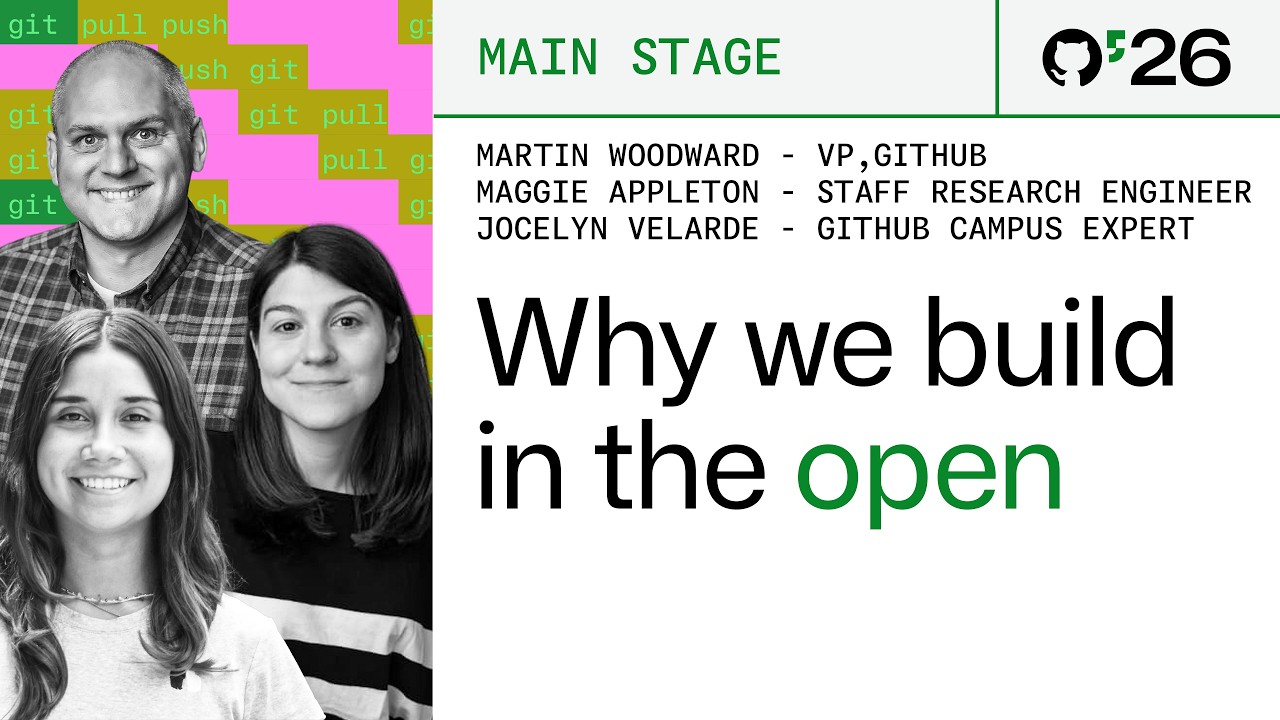
Published by GitHub on YouTube on October 30, 2026, this video captures the closing keynote of GitHub Universe 2026 presented by Martin Woodward, Maggie Appleton, and Jocelyn Velarde. According to the description, the session celebrates community-driven software, creative experiments, and the nerdy joy of building in the open to explore the future of software development.
## TL;DR
Martin Woodward opens by examining the explosion of open-source contributions on GitHub and the challenges AI-generated code introduces to maintainers, demonstrating defensive workflow controls alongside playful hardware badge hacks. Maggie Appleton from GitHub Next then showcases Chopin, an experimental collaborative canvas that replaces siloed text prompts with shared, human-attributed planning models and proactive agent research. After GitHub Campus Expert Jocelyn Velarde shares her work utilizing neural signal processing for assistive brain-computer interfaces, Woodward leads a raucous audience demonstration training edge ML models inside mascot plushies, concluding with a reminder that human judgment, creativity, and taste remain irreplaceable.
## Atmosphere & style
The keynote balances high-energy conference showmanship with thoughtful reflection, exuding a playful, deeply nerdy enthusiasm for tinkering. Woodward anchors the room with charming, self-deprecating humor—effortlessly transitioning from discussions of repository governance to pacing across the stage like someone who 'just merged to main on a Friday.' The pacing naturally ebbs into inspiring, earnest research segments with Appleton and Velarde before peaking in chaotic joy as plushies fly across the auditorium, leaving viewers energized about the enduring human craft of programming.
## Bulletin
- [00:03](https://www.youtube.com/watch?v=Gh-hg7lwA0o&t=3s) Global open-source activity hit historic highs on GitHub with over 225 million developers, 18 billion pushes in 12 months, and 40% of all pull request first drafts originating from AI agents.
- [10:56](https://www.youtube.com/watch?v=Gh-hg7lwA0o&t=656s) To curb the influx of unvetted AI-generated 'slop' and preserve maintainer time, GitHub introduced repository safeguard controls including work-in-progress (WIP) limits, interaction thresholds, and PR pausing.
- [23:43](https://www.youtube.com/watch?v=Gh-hg7lwA0o&t=1423s) GitHub Next unveiled Chopin, a collaborative planning prototype that shifts AI interaction from siloed prompt dialogues into shared real-time canvases featuring proactive research, interactive prototypes, and human-attributed decision cards.
- [30:34](https://www.youtube.com/watch?v=Gh-hg7lwA0o&t=1834s) Campus Expert Jocelyn Velarde demonstrated how assistive engineering leverages open research to develop brain-computer interfaces, translating motor intent into real-time prosthetic movement and synthesized speech for ALS patients.
## Key takeaways
- [00:03](https://www.youtube.com/watch?v=Gh-hg7lwA0o&t=3s) GitHub reached over 225 million active developers, recording more than 18 billion code pushes in a single year alongside surging regional growth such as Brazil adding 3 million developers.
- [02:10](https://www.youtube.com/watch?v=Gh-hg7lwA0o&t=130s) Hackable conference badges powered by RP2350 Cortex microcontrollers and in-browser simulators illustrate how modern AI tooling lowers the barrier to edge hardware experimentation.
- [05:17](https://www.youtube.com/watch?v=Gh-hg7lwA0o&t=317s) Effective agentic workflows depend on closed verification loops where agents run alongside execution and debug environments to inspect runtime states and self-correct.
- [08:14](https://www.youtube.com/watch?v=Gh-hg7lwA0o&t=494s) In-browser decision tree training and over-the-air deployment enable developers without deep machine learning backgrounds to build functioning on-device sensor classifiers.
- [10:56](https://www.youtube.com/watch?v=Gh-hg7lwA0o&t=656s) The proportion of GitHub pull requests originating from AI agent drafts grew from 17% in March to 40% by late 2026.
- [12:00](https://www.youtube.com/watch?v=Gh-hg7lwA0o&t=720s) Frictionless AI generation creates a maintainer burnout crisis by flooding repositories with unsolicited pull requests, prompting new repository controls like WIP limits and PR pausing.
- [15:43](https://www.youtube.com/watch?v=Gh-hg7lwA0o&t=943s) Organizations with mature DevOps foundations gain the greatest leverage from AI agents, as demonstrated by CNCF's Hive swarms automating container maintenance for OpenPrinting.
- [19:08](https://www.youtube.com/watch?v=Gh-hg7lwA0o&t=1148s) Developers are shifting from monolithic AI models to multi-model architectures, routing roughly 25% of tasks to lightweight models and alternating between deep reasoning and general-purpose systems.
- [22:07](https://www.youtube.com/watch?v=Gh-hg7lwA0o&t=1327s) Current isolated AI planning workflows cause prompt fatigue and produce late architectural misalignments that force teams to rewrite or discard generated code.
- [23:43](https://www.youtube.com/watch?v=Gh-hg7lwA0o&t=1423s) The Chopin prototype enables synchronous human-agent planning, generating interactive mockups, autonomous range research, and attributed architectural decision records before code generation begins.
- [28:47](https://www.youtube.com/watch?v=Gh-hg7lwA0o&t=1727s) Scientific and academic contributions to open source have grown fivefold, supported by GitHub platform integrations like native citations and ORCID iDs.
- [32:29](https://www.youtube.com/watch?v=Gh-hg7lwA0o&t=1949s) Brain-computer interface research under the Brain to Voice project combines neural implant arrays with low-latency hardware pipelines to restore natural vocal communication for individuals with ALS.
- [34:29](https://www.youtube.com/watch?v=Gh-hg7lwA0o&t=2069s) A live demonstration using motion sensors in plush toys proved that lightweight edge ML classifiers can be trained on just three sample passes and flashed over the air with high validation accuracy.
- [39:32](https://www.youtube.com/watch?v=Gh-hg7lwA0o&t=2372s) Despite rapid advancements in automated code generation, human judgment, intentionality, and creative taste remain the essential drivers of meaningful software engineering.
## Detailed walkthrough
### [00:03](https://www.youtube.com/watch?v=Gh-hg7lwA0o&t=3s) Welcome and Massive Open Source Growth
Martin Woodward takes the stage to close out GitHub Universe 2026, welcoming attendees to the final session of the conference. He reflects on his role supporting open-source maintainers, students, educators, and general developer experience across GitHub. Looking back over the preceding year, Woodward highlights the staggering, unprecedented growth seen across the global software landscape. While established hubs like the United States and India remain the two largest developer communities on GitHub, he draws particular attention to the surging momentum in Latin America, noting Brazil's addition of over 3 million developers and welcoming the community with an enthusiastic "Bienvenido a casa."
Woodward emphasizes that the sheer volume of global software contributions has felt overwhelming at times, with code being pushed more times in the past twelve months alone than in 2024 and 2025 combined. He admits that keeping pace with this rate of innovation can be intimidating even for experienced practitioners, noting: “Every other week we seem to have a new coding model and I'm kind of constantly feeling out of date.” He underscores that the only reliable way to master fast-evolving technology is by learning through direct experimentation and hands-on building.
- Over 225 million developers are actively collaborating on GitHub.
- Brazil added more than 3 million developers over the past year.
- Code was pushed over 18 billion times in the preceding 12 months.
- Pull request merges averaged over 3.5 million daily, surpassing 1.3 billion merges over the year.
---
[02:10](https://www.youtube.com/watch?v=Gh-hg7lwA0o&t=130s) The Hackable Badges and GitHub Culture
To foster the ethos of learning through playful experimentation, Woodward’s team produces hackable hardware badges for conference attendees each year. Designed deliberately to offer developers a sandbox separate from daily production pressures, the badges began years earlier as Woodward's personal passion project with a simple, hole-punched e-ink display. Supported by ARM, the project has evolved into a full-fledged portable computing device centered around an RP2350 Cortex processor and a suite of onboard sensors—a setup Woodward remarks is substantially more capable than the childhood computers his parents saved up to buy him. He jokes about his own shifting role, confessing, “I know I'm a manager. I mostly delete email and approve expenses,” leaving the technical triumphs of this generation's hardware to his team.
Woodward shares a behind-the-scenes contrast between this year's smooth distribution and the chaos of the previous year. Global supply disruptions coupled with a typhoon had shuttered the display manufacturer's facility for weeks, stranding components until the eve of the event. When boards and screens finally arrived at GitHub's San Francisco office late the night before opening, employees and community members stayed up all night hand-assembling badges to guarantee every attendee received one by 8:00 a.m. Reflecting on that spontaneous effort, Woodward remarks: “Well, I've always said that culture, culture is what happens when no one is looking.” He praises the community for already hacking their devices before the opening sessions, calling out attendees like Steve Francia for creating an NES emulator that runs *The Legend of Zelda* right on the lanyard, and another developer, Wes, for wiring up a receipt printer.
---
[05:17](https://www.youtube.com/watch?v=Gh-hg7lwA0o&t=317s) Browser Simulation and Canvas-Driven Development
Woodward turns to live development, demonstrating how both virtual and in-person attendees can program the conference badge. He displays the web simulator accessible via the badge's rear QR code, which emulates the RP2350 hardware right in the browser down to playing games like Flappy Mona. He credits the simulator entirely to GitHub summer intern Charlie Nicholson, highlighting the outsized leverage modern tooling provides: “It's amazing what he could do with, you know, his ridiculous levels of talent and like $95 of Copilot credits or something like that.”
Transitioning from traditional manual coding into modern AI-assisted engineering, Woodward previews the dedicated Copilot app running a live canvas environment. He demonstrates how a single prompt against the cloned repository instantly generated a fully playable Breakout clone. Because the Copilot app runs directly alongside the MicroPython execution context and debug environment, the agent can inspect system memory, run live tests, and self-correct. Woodward identifies this rapid, automated feedback as foundational for reliable agentic systems: “And that's the trick is to have a verification loop in your process, and then your agent can do amazingly impressive things.” He then quickly switches over to show off Super Mona, a retro platformer running smoothly through the canvas.
```mermaid
flowchart LR
accTitle: Copilot App Canvas Verification Loop
accDescr: Diagram illustrating the iterative verification loop inside the Copilot app between code prompts, canvas execution, and MicroPython inspection.
subgraph IterativeLoop["Copilot Agentic Loop"]
Prompt["Developer Prompt / Game Concept"]
Canvas["Copilot App Canvas Environment"]
Debug["MicroPython Debug & State Inspection"]
end
Prompt -->|"one-shot generation"| Canvas
Canvas -->|"inspect runtime state"| Debug
Debug -->|"feedback & auto-correction"| Canvas
Canvas -->|"verified deployment"| Badge["Hackable Badge / Simulator"]
```
---
[08:14](https://www.youtube.com/watch?v=Gh-hg7lwA0o&t=494s) Training an On-Badge Machine Learning Pedometer
To tackle his own lack of direct machine learning fundamentals, Woodward demonstrates building an edge AI pedometer directly on the badge. Copilot pairs with the badge's onboard accelerometer via Bluetooth to stream live movement and vibration telemetry directly into the browser. With the telemetry flowing in, Woodward initiates an interactive training routine to gather labeled sensor datasets for distinct physical behaviors.
```mermaid
flowchart TD
accTitle: Edge Machine Learning Pedometer Pipeline
accDescr: Step-by-step process of collecting real-time badge sensor data over Bluetooth, training an in-browser decision tree, and deploying it back to hardware.
subgraph DataCollection["1. Data Collection"]
Sensors["Badge RP2350 Accelerometer"]
BT["Bluetooth Live Telemetry Stream"]
Sensors -->|"stream vibrations & movement"| BT
end
subgraph Training["2. In-Browser Training"]
BT -->|"label walking vs. standing"| InteractiveUI["Guided Gait Calibration UI"]
InteractiveUI -->|"fit model"| DecisionTree["Simple Decision Tree Model"]
end
The browser UI vocalizes training instructions while Woodward navigates the conference stage. Despite interference on the crowded 2.4 GHz spectrum in the hall, the system logs the data over Bluetooth, buffering and resending packets when out of range. The app guides him through standing still, walking, intentionally fidgeting with the device ("That tickles," Woodward quips), stopping, and pacing around the podium with exaggerated arm movements, prompting the system voice to remark, “Now, that's the walk of someone who just merged to main on a Friday.” Once sufficient motion vectors are gathered, Woodward trains a lightweight decision tree classifier directly inside the browser engine, compiles it, and deploys it over the air onto the badge, immediately verifying that the device lights up green when he moves and halts step detection the moment he stands still.
[10:56](https://www.youtube.com/watch?v=Gh-hg7lwA0o&t=656s) The Impact of AI on the Open-Source Funnel
After demonstrating how the interface disambiguates steps from actions, Martin Woodward rallies the crowd to “do big Keynote energy” before diving into a broader reflection on software development. Having been among the early adopters playing with Copilot back in 2021, Martin confesses he remains continuously stunned by how quickly AI enables people to build. However, this immense acceleration across the world's codebase brings unintended consequences alongside its benefits, prompting him to confront a central dilemma: “The question I've been asking myself a lot is, how can we make sure that we're still building with heart in this age of AI because that's, that's why I'm here.”
According to the latest Octoverse numbers, 40% of all pull requests on GitHub today originate from an agent's first draft—a massive leap from 17% in March. While this speed unlocks enormous creative freedom, allowing developers to ship prototypes in minutes that previously took months or test out quick 10% proofs of concept, it also floods repositories with substandard work. Martin points out that not every pull request is a diamond: some are poorly conceived, barely qualify as ideas, or are outright "slop." Historically, open source relied on a natural contribution funnel where the vast majority consumed software and only a small fraction contributed, balanced by the inherent friction of having to master the codebase, learn community norms, and understand what maintainers valued. The elimination of friction has led well-meaning contributors to submit unsolicited pull requests—including questionable security fixes—that drain maintainers' precious personal time.
To protect open source as a joyful, volunteer-driven space, GitHub adopted a "ship to learn" approach by rolling out targeted repository controls:
- **Work-in-progress (WIP) limits:** Maintainers can restrict contributors to one or two active PRs at a time, requiring them to prioritize which contribution gets reviewed before opening another.
- **Interaction limits:** Projects can require contributors to have prior merged PRs before submitting new work.
- **PR pausing:** Maintainers can explicitly toggle pull requests off entirely.
Reflecting on the ethics of open source, Martin emphasizes: “Open source is the freedom to inspect, to remix, and to share without asking for permission. But it's not the freedom to impose your will on others.”
[15:43](https://www.youtube.com/watch?v=Gh-hg7lwA0o&t=943s) Scaling Projects with Agentic Workflows and DevOps Maturity
The impact of AI on open source is far from entirely negative; maintainers are aggressively deploying agentic workflows to handle incoming code and manage complex projects at scale. Pointing to Frank sitting in the front row, Martin highlights that the Home Assistant project has merged 5,000 pull requests over the period. Similarly, the Cloud Native Computing Foundation (CNCF) deployed a sponsored swarm of GitHub Copilot agents to coordinate maintenance across its massive ecosystem of repositories.
A prime illustration of this dynamic is OpenPrinting. Martin jokes that having an AI agent fix an uncle’s printer over the holidays would be a dream come true, but a conversation with CNCF staffer Jorge Castro revealed the real bottleneck. OpenPrinting maintainers genuinely love printer drivers and debugging print subsystems; their core pain point was maintaining the surrounding operational machinery—refreshing container images and running CI/CD pipelines. Jorge and the CNCF team deployed a framework called Hive across four printer repositories to automate that underlying container and CI/CD maintenance. This exemplifies an industry-wide principle: organizations with strong DevOps foundations gain the highest leverage from AI, while teams struggling with technical debt can leverage agentic tools to bring their practices up to par.
```mermaid
flowchart TD
accTitle: Maintainer Focus vs Agent Automation in OpenPrinting
accDescr: CNCF OpenPrinting workflow showing maintainers focusing on core printer drivers while Hive AI agents handle container refresh and CI/CD infrastructure.
subgraph Maintainers["Maintainer Core Focus"]
A["Driver Logic & Fixing Printers"]
end
subgraph Agents["Hive AI Agents (CNCF)"]
B["Container Image Refreshes"]
C["CI/CD Pipeline Maintenance"]
D["DevOps Safeguards"]
end
Maintainers --> E["Shippable OpenPrinting System"]
Agents --> E
```
- **GitHub Actions throughput:** Actions handled almost 1,500 job runs per second over the last year, translating to 124 million executions per day—double the volume seen in 2025.
- **Open-source compute donations:** GitHub donated over 115 trillion action core minutes in the previous 12 months to assist open-source maintainers in verifying and maintaining codebases.
- **Human judgment:** Martin stresses that raw delivery speed is useless without clear purpose: “It's your job to define what good is. And only then can AI help you get there.”
[19:08](https://www.youtube.com/watch?v=Gh-hg7lwA0o&t=1148s) The Evolving Developer Role and Multi-Model Tooling
The definition of a developer is undergoing rapid transformation, especially regarding how practitioners select and instruct AI models. Instead of relying on a monolithic general-purpose model, developers deliberately match specific models to specific tasks: lightweight, ultra-fast models account for roughly 25% of tasks, while developers alternate between deep reasoning engines and general-purpose models for the remainder. Martin observes that there is no single model family to rule them all, noting that developers show an unprecedented readiness to discard old models when superior ones debut.
Development surfaces have multiplied to support developer choice across the ecosystem:
- **Terminal and desktop tools:** GitHub CLI, the Copilot app, github.com, and mobile interfaces.
- **Supported IDEs:** VS Code, Visual Studio, Eclipse, JetBrains' IntelliJ family, and native Copilot support inside Xcode following Apple's WWDC announcements.
- **Beyond chat:** Developers are increasingly steering autonomous agents via physical controls—such as custom Logitech hardware devices and ambient hackable picture frames—rather than relying strictly on standard chat boxes.
Recognizing that coding remains fundamentally collaborative rather than an isolated dialogue between a single person and a machine, Martin introduces Maggie Appleton from the GitHub Next research team to reveal experimental collaborative planning tools designed for multi-agent software engineering.
[21:45](https://www.youtube.com/watch?v=Gh-hg7lwA0o&t=1305s) Maggie Appleton on Planning with Agentic Teams
Taking the stage, Maggie Appleton introduces herself as a designer and engineer at GitHub Next, the prototyping and research division responsible for foundational concepts like the original Copilot, Spec Kit, and agentic workflows. Maggie explains that their current research focuses directly on the frontier of agentic development, zeroing in on one of the most frustrating bottlenecks in modern development workflows: how poorly humans and autonomous agents currently plan together before jumping into code. Maggie remarks candidly, “And lately I've been thinking a lot about planning with agents and how bad it is when we plan.”
[22:07](https://www.youtube.com/watch?v=Gh-hg7lwA0o&t=1327s) The Pitfalls of Solitary AI Planning
Current workflows with AI coding agents typically force developers into a command-line interface or a desktop application, facing a relentless barrage of multiple-choice prompts. By the time prompt number nine rolls around, fatigue sets in, prompting developers to passively click the recommended option just to move forward. As Maggie Appleton argues: “This ends up being vibes based decision making, primarily because a very small, multiple choice question box is the wrong format to understand complex choices and trade offs.” Because developers lack the necessary context to explore the problem space thoroughly, the agent inevitably responds by dumping out a sprawling, verbose Markdown specification that is exhausting to read and reason through.
The deeper structural issue is isolation. Planning currently occurs in private silos where team members cannot inspect, critique, or influence the decisions being agreed upon with an agent. Teammates remain blind to backend schema choices or interface decisions until code has already been written. Developers end up building features and creating pull requests simply to initiate a discussion, which occurs much too late in the lifecycle. As Maggie points out: “We should have had that conversation much earlier, before I spent the tokens building something we might need to now rewrite or throw out altogether to explore better, real time collaborative planning with people and agents.”
```mermaid
flowchart TD
accTitle: Traditional Agent Planning vs Collaborative Planning
accDescr: Flow comparing isolated prompt-driven planning against shared collaborative planning in Chopin.
subgraph Isolated["Current Siloed Workflow"]
A["CLI / Desktop Prompts"] -->|"Fatigue / Option A"| B["Monolithic Markdown Plan"]
B -->|"Spend Tokens / Write Code"| C["Late Pull Request"]
C -.->|"Architectural Mismatch"| D["Rework or Scrapped Code"]
end
subgraph Collaborative["Chopin Workflow"]
E["Shared Real-Time Canvas"] <--> F["Proactive Agent"]
E --> G["Interactive Mockups & Trade-off Cards"]
G --> H["Attributed Decision Records"]
H --> I["Targeted Task PRs"]
end
```
[23:43](https://www.youtube.com/watch?v=Gh-hg7lwA0o&t=1423s) Chopin: Collaborative AI Planning and Proactive Research
To solve these coordination failures, GitHub built an exploratory prototype named Chopin, after the Polish composer Frédéric Chopin. In a live demonstration, Maggie Appleton and Martin Woodward collaborate within a shared planning document linked directly to the repository containing Martin’s hackable badge pedometer code. Rather than acting as a simple text completion bot, the Chopin agent functions as an active participant in the workspace, helping the developers conceptualize a multiplayer walking adventure where conference attendees pool their steps together toward a 10,000-step objective without relying on flaky conference Wi-Fi.
As Maggie and Martin debate features in the integrated chat—such as whether to render a graphical landscape or display a large readable number—Chopin synthesizes their conversation and surfaces concrete decision models. It generates interactive, clickable prototypes directly on the canvas, showing functional state transitions for step counts and badge synchronization. After exploring the interactive prototypes, Maggie opts for a hybrid layout combining the landscape with the large number. Chopin records this choice as an inline marker, stamping it with Maggie's name, date, and timestamp so future maintainers know exactly who made the call and why.
Chopin also demonstrates proactive behavior by anticipating technical hurdles. When Maggie asks whether Bluetooth can synchronize the totals, Martin questions how the system handles badge dropouts and range limits. Without being explicitly prompted, Chopin performs automated web research on hardware range constraints, compiles a summary report, and renders architectural data-flow diagrams illustrating input/output pairing and peer-to-peer sync flows. When configuring sync behaviors, Maggie selects an inline message while Martin overrides it to display a celebration screen; the interface dynamically reflects Martin’s avatar on the saved choice, attributing every architectural decision to its human author before the agent decomposes the finalized plan into modular tasks and issues separate pull requests.
On stage, Maggie and Martin put the newly generated code to the test on their hackable badges. Walking across the stage to sync their collected steps, they successfully trigger the celebration state on screen:
- **Project Goal:** Expand a standalone hardware pedometer badge into an offline, multiplayer walking game targeting 10,000 pooled steps.
- **Proactive Artifacts:** Interactive interface prototypes (landscape, map, radial dial, and numeric), Bluetooth range reports, and sync architecture diagrams.
- **Decision Provenance:** Inline decision cards capture timestamped, human-attributed design choices directly within the project plan.
- **Execution:** Automated decomposition of approved specifications into discrete pull requests for implementation.
[28:47](https://www.youtube.com/watch?v=Gh-hg7lwA0o&t=1727s) Open Source and Scientific Research Beyond Tech
Reflecting on the Chopin demo, Martin Woodward highlights the subjective shift in development when working alongside collaborative agents: “It feels a lot less, you know, like background backlog, grooming and a lot more like creating together.” This collaborative spirit is increasingly expanding far beyond traditional computer science departments into fields like physical and life sciences, where professional, technical, and scientific contributions to open source have grown fivefold. Repositories on GitHub have become the living paper trail supporting peer-reviewed research papers.
To accommodate this academic influx, GitHub has introduced specialized tools such as native citation support and ORCID iD integration, ensuring researchers receive formal academic credit for their software contributions while distinguishing between different contributors across published literature. Through the GitHub Campus Program, over 2,500 academic institutions across more than 60 countries collaborate on the platform, supported by a network of over 100 active GitHub Campus Experts and more than 500 alumni who mentor students in Git, GitHub Copilot, and modern software practices.
[30:34](https://www.youtube.com/watch?v=Gh-hg7lwA0o&t=1834s) Campus Expert Spotlight: Jocelyn Velarde on Brain-Computer Interfaces
Martin introduces Jocelyn Velarde, a GitHub Campus Expert, visiting undergraduate at the UC Davis Neuroprosthetics Lab, and machine learning fellow from Tec de Monterrey. Jocelyn traces her journey back to elementary school robotics competitions using Lego Mindstorms, where an early fascination with internal mechanisms crystallized into a life ambition: “I remember going to my first competition during elementary school and they asked me like this huge question, what do you want to do when I grow up? And I said, I want to build robots to help people.”
That early focus led Jocelyn to tackle brain-computer interfaces (BCIs) for her high school graduation research project. Lacking institutional mentorship in this specialized domain, she cold-emailed Dr. Miriam Alanís, a biomedical engineering professor at Tec de Monterrey. Under Dr. Alanís's guidance, Jocelyn engineered a functional 3D-printed prosthetic hand operated purely by brain activity. By capturing neural signals when a user imagines opening or closing their hand, the system classifies motor intent using a Linear Discriminant Analysis (LDA) machine learning model, translating thoughts directly into real-time prosthetic actuation.
[32:29](https://www.youtube.com/watch?v=Gh-hg7lwA0o&t=1949s) Jocelyn Velarde on Brain-to-Voice Research and Community Mentorship
Jocelyn Velarde discusses her current research as a visiting undergraduate at the UC Davis Neuroprosthetics Lab in California. The lab's primary mission is developing technology to restore speech using brain-computer interfaces (BCIs) paired with implanted electrode arrays. Specifically, Jocelyn works on the "Brain to Voice" initiative, which leverages artificial intelligence and machine learning algorithms to decode neural electrical signals when individuals with speech-affecting disabilities, such as ALS, attempt to vocalize. Within this ambitious project, her technical responsibility centers on low-level hardware systems across multiple computing platforms, optimizing pipelines to minimize audio streaming latency so synthesized speech can feel natural and immediate.
Reflecting on her trajectory, Jocelyn emphasizes the pivotal role grassroots communities played in her development. Her journey originated at Tec de Monterrey with RoBorregos, a student robotics team where she helped engineer an autonomous home-assistant robot designed to assist individuals in need. Driven by a desire to harness robotics and technology for assistive care, she sought out like-minded peers across various stages of her education. Offering guidance to aspiring developers and students, she underscores the importance of intentional goal-setting and active outreach. Jocelyn highlights how welcoming mentors across programs like the GitHub Campus Experts, Major League Hacking (MLH), and academic research groups have been whenever she reached out directly.
> “My direct advice to all students out there will be to map out your short, medium and long term goals and find communities along the way to support you.” — Jocelyn Velarde
> “If you are persistent enough and show interest, there will be people out there to help you.” — Jocelyn Velarde
- **Current affiliation:** Visiting undergraduate researcher at the UC Davis Neuroprosthetics Lab.
- **Core initiative:** Brain to Voice, decoding motor and speech intent from neural implants for individuals with ALS.
- **Engineering focus:** Optimizing low-level hardware architectures across varied compute hardware to lower end-to-end audio streaming latency.
- **Formative communities:** RoBorregos robotics team at Tec de Monterrey, Major League Hacking (MLH), and the GitHub Campus Expert program.
---
[34:29](https://www.youtube.com/watch?v=Gh-hg7lwA0o&t=2069s) Edge ML Demo: Training the "Ship It" Squirrel
Martin Woodward returns to the podium, reflecting on the evolving landscape of technology. He argues that while the mechanisms and tools of software engineering are transforming dramatically, the fundamental purpose behind building software remains untouched. Developers grow and master technology through hands-on exploration, collaborative problem-solving, and pushing existing constraints. Having trained a basic machine learning model using only a handful of AI credits to run inference directly on his conference badge, Martin decides to take the experiment to what he terms "ludicrous extremes" to demonstrate the sheer fun of edge computing.
```mermaid
flowchart LR
accTitle: Edge Machine Learning Squirrel Demo Pipeline
accDescr: Sequence showing data collection, edge model training, compilation to microcontroller badge, and physical gesture recognition.
subgraph DataCollection["Data Collection"]
A["Record 'Throw' Gestures<br/>(Motion & Catch)"]
B["Record 'Drop' Gestures<br/>(Freefall & Impact)"]
end
subgraph EdgeTraining["Model Compilation"]
C["Train Classifier<br/>(3 Sample Datasets)"]
D["Deploy to Badge<br/>(86% Reported Accuracy)"]
end
subgraph LiveTesting["Physical Inference"]
E["Toss Squirrel<br/>(Detect Throw)"]
F["Release Squirrel<br/>(Detect Drop)"]
end
A --> C
B --> C
C --> D
D --> E
D --> F
```
Martin slips his conference badge into the zippered pouch of a "Ship It" squirrel plushie to capture inertial sensor data for complex dynamic movements: throwing and dropping. With the stage software recording motion traces, he trains the model by physically tossing, catching, and holding the squirrel across three rapid sample passes. Next, he captures training data for freefalls by dropping the squirrel onto the podium—quipping "drop it like it's hot"—and letting it settle before picking it back up. Despite collecting just three brief data passes for each category, the training pipeline compiles the edge classifier and flashes the updated weights back to the microcontroller inside the plushie with an 86% validation accuracy. Testing the live model on stage, the squirrel successfully registers distinct audio and visual indicators for both mid-air tosses and podium drops.
> “As developers, we learn by doing. We learn by solving problems, by building things, by working with others, by pushing the limits of what we know how to do that.” — Martin Woodward
---
[37:13](https://www.youtube.com/watch?v=Gh-hg7lwA0o&t=2233s) The Plushie Airtime Race
To scale the edge ML experiment into an arena-wide multiplayer game, Martin reveals a collection of sensor-enabled mascot plushies, including Mona the Octocat, Copilot, and Ducky. He enlists stage assistants and begins tossing plushies into the front rows of the audience, instructing recipients to grip their plushies tightly until the official signal. The goal of the interactive demo is a crowd-powered competition to see which mascot can accumulate the longest sustained airtime as attendees fling them upward across different sections of the auditorium.
After playful warnings to attendees to watch their heads and reminders not to jump the gun, Martin counts down and launches the contest. Mona quickly takes an early lead on the live tracking display as attendees fling the plush toys back and forth across the seating banks. With the timer ticking down through the final ten seconds, the crowd frantically keeps the mascots airborne before Martin calls time, shouting over the chaos to tell everyone to hold fast to the plushies so the audio feeds can be safely muted.
- **Featured mascots:** Mona the Octocat, GitHub Copilot, and the debugging Ducky.
- **Interactive challenge:** Real-time crowd competition measuring aggregate airtime tracked via accelerometer telemetries flashed to internal badge boards.
- **Outcome:** Mona clinched the airtime lead in the final seconds of the audience countdown.
---
[39:32](https://www.youtube.com/watch?v=Gh-hg7lwA0o&t=2372s) Closing Reflections: Human Judgment, Taste, and 12 Months of Copilot Max
Catching his breath after the raucous demo, Martin addresses the audience with a serious reflection on the broader trajectory of software engineering. Having witnessed multiple generational shifts across his lengthy career, he characterizes the current rise of generative artificial intelligence as the most consequential technological pivot yet. While AI dramatically accelerates delivery times and empowers individuals to construct systems they previously lacked the specialized background to tackle, he insists that machine intelligence provides only execution power. Human perspective, intentionality, and creative voice remain the non-negotiable core of meaningful engineering.
Martin concludes the keynote with a challenge for attendees returning home: actively expand the circle of mentors and collaborators they learn from, boldly push the boundaries of their technical capabilities, and commit to learning by building in the open. As an unexpected closing gesture, Martin asks all attendees holding a plushie in the crowd to stand up, instructing GitHub staff wearing green lanyards to pass their plushies to nearby community members. Every audience member left holding a plushie is awarded a free 12-month subscription to Copilot Max, redeemable at the venue exits, before the conference officially draws to a close.
> “Remember this AI does not and cannot replace the human heart in this equation. You must continue to bring the creativity, the judgment, and the taste in this new era. AI doesn't write the story. You write the story.” — Martin Woodward
- **Keynote takeaways:** Expand learning circles, aggressively learn by direct hands-on implementation, and safeguard human creative agency.
- **Closing giveaway:** Attendees holding competition plushies at the session's conclusion received vouchers for 12 months of GitHub Copilot Max upon exiting through the VIP doors.
## Notable quotes
> [10:56](https://www.youtube.com/watch?v=Gh-hg7lwA0o&t=656s) Open source is the freedom to inspect, to remix, and to share without asking for permission. But it's not the freedom to impose your will on others. — Martin Woodward
> [15:43](https://www.youtube.com/watch?v=Gh-hg7lwA0o&t=943s) It's your job to define what good is. And only then can AI help you get there. — Martin Woodward
> [39:32](https://www.youtube.com/watch?v=Gh-hg7lwA0o&t=2372s) You must continue to bring the creativity, the judgment, and the taste in this new era. AI doesn't write the story. You write the story. — Martin Woodward
## Mentioned
Martin Woodward, Maggie Appleton, Jocelyn Velarde, Charlie Nicholson, Steve Francia, Jorge Castro, Dr. Miriam Alanís, Frédéric Chopin, GitHub, GitHub Universe 2026, GitHub Copilot, GitHub Next, GitHub Campus Experts, GitHub Campus Program, GitHub Actions, GitHub CLI, ARM, Raspberry Pi RP2350, MicroPython, Chopin, Hive, Cloud Native Computing Foundation (CNCF), OpenPrinting, Home Assistant, Tec de Monterrey, RoBorregos, UC Davis Neuroprosthetics Lab, Major League Hacking (MLH), VS Code, Visual Studio, Eclipse, JetBrains IntelliJ, Apple Xcode, Logitech, Lego Mindstorms, The Legend of Zelda, Flappy Mona, Super Mona, Breakout, Mona the Octocat, Ducky, ORCID
## Video description
We are ending GitHub Universe 2026 the way it started: with the people who build in the open. Join Maggie Appleton, Martin Woodward, and Jocelyn Velarde for a final closing keynote session of open-source voices, unexpected demos, and the kind of nerdy joy that reminds you why you got into coding in the first place. Explore how community-driven software, creative experiments, and open collaboration continue to shape the future of software development.
Speakers:
Maggie Appleton, Staff Research Engineer, GitHub
Martin Woodward, VP, Developer Relations, GitHub
Jocelyn Velarde, GitHub Campus Expert, Tec de Monterrey
Watch more videos from GitHub Universe 2026: https://www.youtube.com/watch?v=AArI948SDz8&list=PLENrlACZ7mnU
— CHAPTERS —
00:00 Welcome to GitHub Universe 2026
02:10 The hackable badges project
05:17 Learning with GitHub copilot
11:11 Ai's impact on open source
15:43 Scaling projects with AI agents
19:08 The evolving Developer role
21:27 Introducing chopin: collaborative AI planning
21:45 Maggie Appleton on chopin
28:47 Ai's impact beyond tech
30:34 Interview with campus expert jocelyn balanda
34:29 The craft of coding: final demo
39:32 GitHub Universe 2026 closing keynote
#GitHubUniverse #OpenSource #SoftwareDevelopment
Stay up-to-date on all things GitHub by connecting with us:
About GitHub
It’s where over 180 million developers create, share, and ship the best code possible. It’s a place for anyone, from anywhere, to build anything—it’s where the world builds software. https://github.com
At GitHub Universe 2026, GitHub's Martin Woodward argued that while generative AI and agentic workflows are accelerating global software output at unprecedented scale, developers must anchor engineering in active experimentation, disciplined human judgment, and intentional collaboration.
Surging Software Output and Repository Governance (0:03)
Global developer activity expanded rapidly over the preceding year, with more than 225 million developers on GitHub pushing code over 18 billion times and merging more than 1.3 billion pull requests. Latin America emerged as a high-growth region, highlighted by Brazil adding over 3 million developers. Concurrently, generative AI transformed contribution patterns: Octoverse data indicated that 40% of first-draft pull requests originated from automated agents, up from 17% in March.
Managing Agentic Friction and Maintainer Load (10:56)
The collapse of technical friction brought significant downsides alongside productivity gains. Influxes of low-quality automated PRs, unsolicited security fixes, and poorly conceived code threatened to overwhelm volunteer open-source maintainers. In response, GitHub introduced governance mechanisms including work-in-progress limits, merged-PR interaction prerequisites, and PR pausing controls. Woodward stressed that the open-source ethos permits remaking and sharing code without permission, but does not grant contributors license to impose maintenance burdens on others.
DevOps Foundations for Multi-Agent Leverage (15:43)
Maintainers and foundations are countering influxes by automating their own operational workflows. For example, the Cloud Native Computing Foundation deployed a Copilot agent swarm called Hive across OpenPrinting repositories to automate container image updates and CI/CD maintenance, freeing human developers to focus on core printer driver logic. Woodward noted that mature DevOps practices determine how effectively teams leverage AI, pointing to GitHub Actions processing 124 million jobs daily and GitHub donating 115 trillion action core minutes to open-source maintainers over the year.
Collaborative Multi-Agent Planning Beyond Siloed Chat (21:45)
Addressing common failures in agent-assisted planning—such as prompt fatigue, opaque Markdown plans, and late-stage pull request mismatches—GitHub Next designer Maggie Appleton presented Chopin. The research prototype moves planning out of private terminal prompts into a shared canvas where humans and agents co-design systems. During a live test expanding an RP2350 microcontroller badge into an offline peer-to-peer pedometer game, Chopin surfaced interactive UI prototypes, conducted autonomous hardware constraint research, and logged design choices with timestamped human attribution before decomposing tasks into pull requests.
Scientific Expansion and Student Engineering (28:47)
Open-source methodologies are expanding deeper into scientific disciplines, where contributions across technical and life sciences grew fivefold, supported by academic tools like native citation support and ORCID iD integration. Highlighting applied engineering, GitHub Campus Expert Jocelyn Velarde detailed her work translating brain-computer interfaces into assistive devices, progressing from a 3D-printed prosthetic hand powered by an LDA machine learning classifier to UC Davis's 'Brain to Voice' project, where she optimizes low-level hardware architectures to minimize audio streaming latency for patients with ALS.
Woodward concluded that machine learning models provide raw execution leverage but cannot substitute for human judgment, taste, and intent. The long-term challenge for software engineering remains mastering evolving models through hands-on experimentation without losing intentional project direction.
Source quotes
[10:56] Martin Woodward: Open source is the freedom to inspect, to remix, and to share without asking for permission. But it's not the freedom to impose your will on others.
[15:43] Martin Woodward: It's your job to define what good is. And only then can AI help you get there.
[39:32] Martin Woodward: You must continue to bring the creativity, the judgment, and the taste in this new era. AI doesn't write the story. You write the story.
Original transcript
[0:03] Please welcome Martin Woodward.
[0:17] Right. So thanks for coming.
[0:19] This is the very last
session of the conference,
[0:21] so I appreciate your taking the time.
[0:23] My name is Martin. I help look after open
source maintainers, students, teachers,
[0:29] and sort of developer
experience here at GitHub.
[0:32] Now it's been great. I've been got
to walk around these past two days,
[0:36] got to catch up with a lot of old friends.
[0:38] And you've got to make some new ones as well.
[0:41] And what a year it's been.
[0:42] If we look, you know, we see we've got
225 million developers on GitHub now.
[0:47] It's growing in go. Whoa, there we go.
[0:51] But as well,
[0:53] it's growing in every single
corner of the map, which is fantastic.
[0:57] So we have the United States and India.
[0:59] You know, there are two biggest
developer communities right now,
[1:02] but it's actually Brazil's
growth that's really stood out
[1:04] for me this year with Brazil.
[1:09] We've added over 3 million developers.
[1:11] Are you ready for this?
Tell me if I've done it right.
[1:13] Bienvenido a casa. Hey!
[1:17] Welcome home everyone. There we go.
[1:18] Thanks. I asked them what
to say. It's all right.
[1:21] All right. As you heard yesterday,
you know this growth,
[1:24] it's been unprecedented at times.
[1:26] It's been overwhelming.
[1:27] As you know, people have pushed
code 18 billion times in the last year.
[1:34] That's if you look that's more pushes
in 2024 and 2025 combined in one year.
[1:41] And pull requests have kept pace too,
[1:43] with an average of over
3.5 million mergers a day.
[1:49] That's over 1.3 billion
in the past 12 months.
[1:53] So things have been moving really fast.
[1:55] I don't know about you.
[1:57] It feels really fast for me too,
[1:59] But every other week we seem
to have a new coding model
[2:02] and I'm kind of constantly
feeling out of date.
[2:05] So for me, the way I learn is by doing.
[2:10] One of the things that my team does
[2:11] for Universe is the hackable badges
that you're all wearing around your neck.
[2:16] So thank you.
[2:18] There we go.
[2:20] Yeah, these were designed.
[2:22] These are designed to give you a place
to experiment, you know, to, to play
[2:25] and to work on things outside
of your usual day to day work.
[2:29] It's a very deliberate thing that we do.
[2:31] And I've seen loads of you playing
with them this week.
[2:33] I actually saw when you were walking into
the breakout, the first very first session,
[2:38] somebody had already hacked your badges
and we haven't even started yet,
[2:41] which was amazing. These badges started
as a as a passion project of mine
[2:46] and have evolved a lot over the years.
[2:48] We originally had this e-ink based device
with a little hole in. There's a few of you
[2:52] who have those. And then we moved up
to the full conference and had the ink.
[2:56] And now we have this, you know, small supercomputer
you're wearing around your neck.
[3:00] It's crazy. Working on this badge.
[3:03] It's still it's kind of.
[3:04] It's a fun project for the team.
[3:06] We get to build something
that's just nerdy and delightful.
[3:11] And that's why we all came
to work here in the first place.
[3:15] Now, with the help of our friends at ARM,
it's become this little annual gift to you.
[3:20] And then actually, funnily enough,
[3:22] this year has been the least
I've been involved in this patch,
[3:27] and yet it's the best one by far.
[3:29] Part of that is the I know I'm a manager.
[3:32] I mostly delete email and approve expenses.
[3:35] So most of that is because of all the technology
that we've packed in. You know,
[3:38] it's got like it's an RP 2350 cortex
processor stacked with sensors and the thing.
[3:45] You know, it's just, it's crazy
[3:47] when you think about it.
This is way more powerful than the computers.
[3:50] I learned to, to code
on that my parents saved up to buy me.
[3:54] It's fantastic. The badge has been getting.
[3:57] Getting the badge to you has been fantastically
smooth this year as well.
[4:00] Hopefully you all saw that last year.
[4:03] Not so much. We actually had.
[4:05] There's a few GitHub people kind
of smirking and laughing in there
[4:08] now because we we had these global
supply chain shortages last year,
[4:11] and then kind of a typhoon hit and took
out the screen manufacturer for a few weeks.
[4:17] So we ended up the shipments were delayed
getting in to the office.
[4:22] So we had all the parts
delivered to the San Francisco office,
[4:26] the boards and then the screens.
[4:28] And then the night before the
event is when they arrived,
[4:31] all the Hubbers came in and with loads
of some of the community folks as well.
[4:34] And we were hand assembling
badges for you so that
[4:38] when you rocked up
at 8 a.m. the following morning,
[4:40] people were able to get
their badges and walk out.
[4:43] Now no one was blaming me.
[4:45] No one was complaining.
[4:46] You know, no one had to be convinced
to come into the office
[4:50] with every any bit of free
time that they had.
[4:54] So why am I even mentioning this.
[4:56] Well, I've always said that culture, culture
is what happens when no one is looking.
[5:01] And it's been great for me
to see that that, that start up,
[5:05] that community focused spirit.
[5:07] It's still thriving here at GitHub.
[5:09] And I hope you felt
that as you've been here this week.
[5:12] And I hope you feel
that in all the interactions
[5:14] with all the Hubbers that you've had.
[5:16] Anyway, the reason I mention this badge
exists is because we learn best by doing.
[5:21] And I see you've all hacked badges.
[5:24] We've got badges in the hand
of community folks.
[5:26] And it's been amazing what everybody's built.
[5:28] Where's boss Ian? Where's.
[5:30] Can I hear? No. Okay. It's screw you.
[5:34] So we got Wes. I remember
that he did a receipt printer.
[5:39] We've got Steve. Steve.
[5:41] Francia. Yeah. Okay. Same to you.
[5:43] We've got. He bought an NES emulator for
his badge, and he, like, runs Zelda on it.
[5:49] Oh, there you are. Hey, I saw your front row.
Sorry, dude. I apologize.
[5:53] You're back on my Christmas card list anyway.
[5:57] In an effort for folks that haven't had a
chance to do this or folks joining online,
[6:01] I thought we would actually
quickly build an app for the badge
[6:04] and sort of show you around.
[6:06] So if we jump onto my laptop,
if you want to take a look,
[6:09] we've actually got the A website here
that's got all the websites for the badge.
[6:14] It's on the QR code
on the back and it's a full simulator.
[6:18] It's ridiculously good if
I just make it full screen.
[6:21] You can come in here
and this is look at this.
[6:23] This is mad. You come in here,
you can zoom out a bit.
[6:26] You can start playing flappy Mona
with your friends, you know,
[6:29] and do all this sort of stuff.
[6:30] That whole emulator, this whole experience,
[6:33] was actually built by an incredibly talented
summer intern called Charlie Nicholson.
[6:39] And it's amazing what
he could do with, you know,
[6:41] his ridiculous levels of talent
and like $95 of Copilot credits
[6:45] or something like that.
[6:46] But yeah, come in here.
[6:47] We're actually going to do a Hello world.
Let me switch this to low res for you just
[6:51] so you can see it. And then.
[6:52] Hello, Universe. Cool.
I mean amazing you came all this way.
[6:57] TA da! Thanks, everybody.
[6:58] Good night. No, no. Yeah, well that's cool.
[7:02] That's kind of like how we used
to code, you know?
[7:05] So let me show you what it's like
to do it with the the copilot app.
[7:08] So I'm going to come
in a bit of a sneak preview.
[7:11] There we go. And I come into the copilot app.
[7:13] And what you can actually do is if you
haven't done this already, clone down,
[7:17] bring down the home repository.
[7:19] And then you can just,
you know, type a single prompt.
[7:22] This was literally a one shot for me.
[7:24] And it created this breakout
game that I've got here.
[7:27] And I can press select to push and I
can play breakout and I can do it all here.
[7:31] I can do the keyboard and I can play
with that because it's the canvas.
[7:35] It's using a canvas
inside of the copilot app.
[7:38] It can access all the Micropython debug,
[7:41] and it can actually get in and inspect
things and debug things
[7:44] and really get that verification loop.
[7:47] And that's the trick is to have a
verification loop in your process,
[7:50] and then your agent can do
amazingly impressive things.
[7:53] For example, on my on my organization,
I've got the game of super Mona.
[8:00] Totally not infringing on anybody's IP.
[8:02] And I can come in here
and I can da da da da da da.
[8:05] Oh, no, I better not do
that or we'll get taken down.
[8:07] There we go. And I've died already amazingly.
[8:09] So that's just sort of a great
start of what you can do.
[8:14] I wanted to learn by doing,
and I don't know much about machine learning,
[8:19] which is problematic for somebody who stands
up here and talks about AI all the time.
[8:23] But I hadn't really played
with any of the fundamentals.
[8:26] I'd missed that bit out.
[8:27] So I wanted to teach
myself some machine learning,
[8:30] and I also wanted an app for my badge,
so I thought I'd build a pedometer.
[8:35] I've come in here and I've
hooked up to my badge.
[8:38] Here we go. So first of all,
what should a pedometer look like?
[8:42] So over Bluetooth, I had Copilot
hook up the accelerometer
[8:46] and actually give me live
telemetry over Bluetooth,
[8:49] showing me what's happening with the badge,
[8:51] with vibrations and all this sort of thing.
[8:53] So that's okay. So then I now need
to train a machine learning model.
[8:57] So I'm now gonna hit the walk button.
[8:59] And we're going to go through a set of training
steps so that we can build the app
[9:04] so that it can categorize my data.
[9:06] And so we hit walk
and then we have the audio,
[9:10] right? And still sounds.
[9:12] Still you can do that. This is me
standing still, which isn't very still.
[9:16] Start walking.
[9:17] Okay, so now what I'm
doing is collecting walking data
[9:20] so that it can then
talk to see what I'm doing.
[9:22] Walking detected.
[9:23] This is interesting with over 2.4GHz radio
in this room right now,
[9:27] it's not getting great data.
[9:28] So I'm going to walk down here a little bit.
[9:30] Here we go. There we go.
[9:33] Fidget with your badge.
[9:34] Okay. Fidget with my badge.
[9:36] That tickles.
[9:37] Oh, sorry.
[9:40] Okay.
[9:41] Stop.
[9:42] Okay.
[9:43] Walk again.
[9:44] Walk again. Now what it's smart enough
to do is actually send the telemetry back
[9:48] when you move out of range.
[9:50] Performing gait analysis.
[9:51] Starting to recognize your walk.
[9:53] Oh, wow.
[9:54] Okay.
[9:58] Stop swinging your arms.
[10:01] See my.
[10:02] Arms?
[10:03] Big Keynote energy. Okay.
[10:06] Stop!
[10:08] Walk again.
[10:09] Walk again. I'm just going
to walk around the podium.
[10:12] Now, that's the walk of someone
who just merged to main on a Friday.
[10:16] Yes it is.
[10:19] Stop!
[10:21] Stand still! Okay.
[10:25] Dah dah! Nice.
[10:26] Nice, right. So what I'm going to do now?
[10:29] Yeah. Well, yeah. Amazing.
[10:34] So now what I'm going to do is train
a machine learning model in my browser.
[10:38] Because it's 2026. We can do
that sort of thing now.
[10:40] And I'm going to deploy
that machine learning model.
[10:43] It's a simple decision tree to my badge.
[10:45] And now when I start to walk
you can already see it's actually
[10:49] detecting that I'm walking.
[10:51] And if I stop because it's calling it
in green, it should know I'm not walking.
[10:56] So now it can disambiguate
my steps from my actions.
[11:00] Let's do big Keynote energy.
[11:01] There we go. Amazing. So there we go.
[11:03] Yay! Now you can clap. Thank you.
[11:11] Now, I was one of the first.
[11:12] People to get to play with Copilot.
[11:15] Luckily enough back in 2021 and you know,
[11:18] even I'm constantly blown away by what AI
can do and how fast we can build things.
[11:24] Now, if I take a step back,
we can actually appreciate that the,
[11:28] the impact that this speed is having on,
on the entire world's code base.
[11:33] So I thought it would be good
to sort of look at a few things, you know,
[11:37] the good things that that gives us,
[11:38] but also some of the unintended
consequences and what we can do.
[11:42] The question I've been asking
myself a lot is,
[11:45] how can we make sure
that we're still building with heart
[11:48] in this age of AI because that's.
[11:50] That's why I'm here looking at Octoverse
40% of the pull requests
[11:57] on GitHub today started with an agent's
first draft, 40%, and that was 17% in March.
[12:04] This is unleashing huge
amounts of creativity.
[12:07] I think all of us here, because we're here,
[12:10] we've had that feeling
of shipping an idea in minutes
[12:13] when previously it
would have taken us months to build.
[12:17] But it's also that time that's just
as useful where you start an idea,
[12:21] maybe get 10% of the way there, and then
you're able to figure out, is it, you know,
[12:25] is this worth pursuing or not?
[12:26] Like, you know, you can prototype
things while this pace of innovation is huge.
[12:32] Let's be honest, not all
those PRS are diamonds, right?
[12:36] Just because it's easier to create
than ever doesn't mean what you have is ready
[12:42] to commit. Some are just bad ideas.
[12:44] Some are barely ideas at all. You know, slot.
[12:48] And we've seen a rise in low
quality contributions often.
[12:52] Oftentimes well-meaning, but it can be very,
[12:55] very time consuming for maintainers
of open source libraries
[12:58] to wade through that work.
[13:00] Traditionally, open source has worked
[13:02] because it's been aligned
with this contribution funnel.
[13:06] Most people consume, and then only
a small percentage actually contribute.
[13:11] And then that balance was in place
[13:13] because of all the friction
that kind of came with coding.
[13:16] You had to learn how to code.
[13:18] You had to learn how the community worked.
[13:21] And the great thing about GitHub was that
we helped make contributing easier.
[13:26] And that helped open source communities grow.
[13:29] But that same ease that helps me
create projects on the weekend.
[13:32] It also means that some people are now
contributing to projects without taking time
[13:36] to learn the culture, taking time
to understand what's valued and what's not.
[13:41] So those contributions,
especially if they're like, you know,
[13:45] things that look like
security vulnerabilities or whatever.
[13:48] They can take a chunk
of your free time as a maintainer.
[13:51] They can make it really hard to find
those meaningful contributions.
[13:56] At GitHub, we have a culture of ship
to learn, and we've learned a lot.
[14:00] We talked to a lot of maintainers,
[14:02] and we learned that more controls are needed
[14:04] to help make sure open source remains fun.
[14:07] And the thing that we want
to do with our spare time.
[14:10] So, for example, we added work
in progress limits for a repo.
[14:15] So that means that your contributors,
[14:17] they have to decide which of their pull
requests is the 1 or 2,
[14:22] however you set it that they would like
you to look at first,
[14:25] and they can't contribute
another one until you've, you know,
[14:28] until you've either merged
it or they take theirs down.
[14:31] We've also made it easier
for maintainers to set interaction limits.
[14:34] So maybe they want to set their project up
[14:37] so that you have to have
had a PR merge before,
[14:40] before you can contribute to a project.
[14:43] And then lastly,
and this one kind of, you know,
[14:46] made me pause for thought
before we did it because I'm,
[14:50] I've been open source forever,
[14:52] but we added the ability
for maintainers to just say, you know what?
[14:55] I don't want PR at this time.
[14:57] Thanks. It's I'm cool.
And these are just some of the features.
[15:01] We've been adding a ton of features.
[15:02] Try and make it easier
to reduce the workload for maintainers
[15:05] because you've got to remember,
[15:07] maintainers are volunteering often
in their spare time,
[15:11] volunteering their work to you
[15:13] to depend all that code
that we depend upon to maintain it.
[15:17] Now, as folks come new into the communities,
it's a lesson that people have to learn.
[15:22] Open source. It lets you fork.
[15:25] It lets you add your own features,
[15:27] but it's up to the maintainer if
they want to accept your changes or not.
[15:31] Right. Open source is the freedom
to inspect, to remix,
[15:35] and to share without asking for permission.
[15:38] But it's not the freedom
to impose your will on others.
[15:42] But it's not all doom and gloom.
[15:43] Our data shows us that maintainers
are increasingly using AI,
[15:47] including Agentic workflows,
[15:48] to actually manage contributions
and help scale their projects.
[15:52] I see Frank on the front row.
[15:54] The Home Assistant project has actually
merged 5000 pull requests this time.
[16:00] Now more open source has been created
[16:03] and shared than at any point
in our history in the last year.
[16:08] The Cncf has been a longtime partner of ours,
[16:10] and they've been actually using
a swarm of GitHub copilot agents
[16:14] that we we helped sponsor,
[16:15] and they use them to scale and manage
their network of projects, which,
[16:20] as we all know, is vast.
[16:21] The Cncf has been using AI
with a project called Openprinting.
[16:26] Now, I don't know about you.
[16:27] It sounds like an amazing use case.
[16:29] If I could go home at the holidays
[16:31] and it's my agent fixing my uncle's
printer. I'm all in for AI.
[16:34] Okay. But when I was chatting
with my friend Jorge Castro.
[16:38] Jorge. In oh, no. Yeah!
[16:40] Yay! There you go. It's Jorge.
[16:41] Yay! Right. So, George,
he's a staffer at the Cncf,
[16:45] and he was explaining to me that actually
what he found is that the maintainers,
[16:51] they knew how to maintain printer drivers.
[16:54] They actually enjoyed fixing printers.
[16:56] Like that's their core expertise.
[16:58] The gap was actually
around the infrastructure.
[17:01] They needed help getting their expertise
into something people could actually run.
[17:06] So the Cncf had this framework called hive,
[17:09] and George and the team have deployed
hive into to four of the printer repositories
[17:14] to help manage all that maintain kind
of container refresh work, CI/CD work.
[17:20] And that's actually a trend
that we've seen growing across the industry.
[17:23] Teams that do DevOps well, they're the best
equipped to take advantage of AI.
[17:29] The same safeguards that you put
in place to allow humans
[17:32] to operate safely at high velocity.
[17:35] They also help your agents.
[17:38] But we all know there's a there's a vast
spread in the maturity of DevOps practices
[17:43] in the companies that we work with,
you know, and like open printing.
[17:46] We see example after example where AI is,
[17:49] is helping teams pay down some of that
technical debt that was that was kind
[17:54] of stopping them from doing
good DevOps in the first place.
[17:57] Now, a huge part of this is
obviously GitHub actions.
[18:01] Actions has seen massive growth
in the last year.
[18:04] Actions run a job almost
1500 times a second last year.
[18:11] That's 124 million times a day.
[18:14] That's double what we were seeing
[18:16] in 2025. We've donated over 115 trillion
action call minutes in the past 12 months
[18:25] to help open source maintainers
maintain their projects and verify them.
[18:29] That's a lot of zeros. I got this wrong
when I was reading it out originally,
[18:33] and it's no good building
[18:34] and shipping things faster unless
you're building the right things, okay?
[18:38] And that's what we need humans for judgment.
[18:41] We need to understand exactly
what problems we're trying to solve,
[18:45] so that we can direct
our eyes to help us solve them.
[18:48] And then we need to reflect
and understand if what we're doing.
[18:51] Are we making the problem better or worse?
[18:54] That business judgment,
I'm afraid that's nothing I can give you.
[18:58] It's why they call it work.
[19:00] You know, it's your job
to define what good is.
[19:04] And only then can AI help you get there.
[19:08] That's one of the many reasons why
I firmly believe we're always going
[19:11] to need developers. But what a developer
is now that's changing massively for us.
[19:18] So is how we're interacting
with our AI models.
[19:21] If we look at the latest data we see
[19:24] with the rapid pace of development
of these AI models,
[19:27] developers are actually picking
the right model for the job now.
[19:30] You're actively choosing fast and lightweight
models for roughly 25% of your tasks,
[19:36] and then you kind of switch
between deep reasoning
[19:39] or general purpose models for the rest.
[19:42] It's clear from our data
there isn't one model
[19:45] or even one model family to rule them all.
[19:48] And the willingness to switch
to a new model when a new one is available,
[19:54] that that change is unprecedented.
[19:57] By balancing the speed, the cost, and the
complexity complexity of the task at hand,
[20:03] you're using the models
that work best for you.
[20:06] And then let's layer on the many,
many surfaces where you can use Copilot.
[20:10] Everyone has an opinion, right?
[20:12] We're all developers.
Every developer has an opinion.
[20:16] We're convinced our opinion
is the best because it is.
[20:19] But in reality, what we need is choice.
[20:21] We need the systems to work our way
from the terminal to the Copilot app
[20:26] to github.com or mobile.
[20:28] And many of us want
to code in our editor of choice.
[20:30] VS Code Visual Studio Eclipse.
[20:33] The IntelliJ family of editors is
incredibly popular with copilot
[20:37] and actually since Dub Dub DC
in the Summer Expo developers.
[20:41] They've now got native access to Copilot to.
[20:44] Most of the ways we talk to our Coding agents
today, though, is through chat.
[20:48] But in 2026, we're starting to see
Agentic coding go way beyond chat.
[20:53] We've seen an abundance of devices,
open source and commercial,
[20:58] like this one from Logitech
and Hackable picture frames.
[21:01] You know, all these things
that people are building to kind of keep
[21:05] on top ambiently of what
their agents are doing and help control them.
[21:09] And yet here we're still focused
on an individual developer talking
[21:13] to their team of agents.
[21:15] Software development is a team sport, right?
[21:17] GitHub is heavily focused on what,
like, what's the next of social coding?
[21:22] What does it look like? How can we work
with teams with our teams of agents?
[21:27] So what I'm going to do is introduce
Maggie from our research team.
[21:30] GitHub next, and we're going
to talk see about experimenting
[21:33] with how we plan collaboratively with AI.
[21:36] So, Maggie.
[21:44] Hi. Thank you. Martin. So, yes, I'm Maggie.
[21:48] I'm a designer and engineer at GitHub.
[21:50] Next. So we are a research
and prototyping team,
[21:53] figuring out what's possible
at the frontier of Agentic development.
[21:56] Some of you might know our past
projects like the OG GitHub Copilot spec Kit
[22:00] and Agentic workflows. And lately I've been
thinking a lot about planning with agents
[22:05] and how bad it is when we plan.
[22:07] Today, we usually start
in a CLI or desktop app,
[22:10] answering an endless series
of multiple choice questions.
[22:14] Somewhere around question nine,
[22:15] I personally get very tired and I
just start being like, sure, option.
[22:19] A recommended option sounds good to me.
[22:21] This does not feel like the best environment
for me to problem solve
[22:25] and to make hard decisions.
[22:26] This ends up being vibes based decision
making, primarily because a very small,
[22:31] multiple choice question box is the wrong
format to understand complex choices
[22:36] and trade offs. I don't
have enough information here
[22:39] and I can't properly explore
the problem once I'm finally done
[22:43] answering all these questions.
[22:45] The agent then dumps out a huge
markdown plan for me to read.
[22:49] These plans are so long
[22:50] and verbose I often get tired
reading page after page of walls of text.
[22:55] I think the bigger problem,
though, is that I'm doing all of this alone.
[22:59] My teammates can't see the plans
that I'm reading and approving,
[23:02] and I can't see theirs.
[23:04] I can't quickly ask them about
their opinion on my interface design
[23:08] or my backend schema choices.
[23:10] So we're all having
these private conversations
[23:12] with agents making decisions that affect
one another without involving one another.
[23:17] It's often easier for me
to just build the idea or feature
[23:20] and put up a PR in order
to get feedback on it.
[23:23] But opening a PR is way too late
in the process to ask, should I build this?
[23:28] Or is this the right architectural approach?
[23:31] We should have had that conversation
much earlier,
[23:33] before I spent the tokens building
something we might need to now rewrite
[23:37] or throw out altogether to explore better,
[23:40] real time collaborative planning
with people and agents.
[23:43] We built a prototype called Chopin,
named for the famous Polish composer,
[23:48] and it let me show you what it does.
[23:50] So here we are in Chopin in a new planning
document, and Martins in here with me.
[23:54] And we can both type into the document
or message each other in the chat.
[23:58] And this document is connected to the same
repository as Martins pedometer code.
[24:02] And we also have the Chopin agent in here
with us to help us think through our ideas,
[24:06] discuss options, and explore possibilities
before we commit to an approach.
[24:11] So we've taught these cool
little badges how to count steps.
[24:14] Now we want to extend that into a multiplayer
collaborative walking adventure.
[24:19] So we'll both walk around
with our badges and collect steps,
[24:21] and then we'll pull them together
to try to reach a goal amount.
[24:25] So I've described my idea here
in the project chat,
[24:28] and Martin has added that he thinks
it will need to work without Wi-Fi
[24:31] while we're walking around, because we all
know you can never trust conference Wi fi.
[24:35] And then I've added that I think
the interface should be like a little
[24:38] landscape that we can walk across together.
[24:40] But Martin has said he would prefer
a big readable number on the screen.
[24:44] So we're going to have to figure
out that decision later as we chat.
[24:48] Chapin is filling in our plan with notes,
and then based on what we said,
[24:51] it begins to identify
important decisions we'll need to make.
[24:54] We're using decision
models on the back end here.
[24:57] It also starts doing research
and building prototypes for us.
[25:01] So we can see here Chapin has made a bunch
of different interface mockups for us
[25:04] to pick from. We've got my landscape idea.
[25:07] We've got a big map, a radial dial, and that
big readable number that Martin wanted.
[25:12] If I open up this prototype,
you can see this is an interactive,
[25:15] clickable interface that's showing us
all the different states and options,
[25:18] like adding steps to each badge, or what
happens when we meet up and sync together.
[25:23] It's figured out all the different
events we need to see.
[25:26] This is really helpful to get a sense
of how our app would look by looking
[25:29] at actual mockups,
not just text descriptions.
[25:33] So after trying this out,
[25:34] I can come back to my decision card
[25:36] and decide that we want a mix
of the landscape and the big number.
[25:40] Chapin is going to update
the plan with that choice
[25:44] and adds a little inline marker here.
[25:47] If I open it, you can see my name and the
time and date that I made this decision.
[25:52] This gives us a record of who decided what.
[25:55] So if in a couple of months someone wants
to know why we chose this design approach,
[25:59] they can find the record and come ask me.
[26:02] Now that we've decided on our interface,
[26:04] I'm asking Chapin whether we can use
Bluetooth to keep our totals in sync.
[26:08] Martin he says. Martin says he wants to know
what happens when we walk out of range,
[26:12] and what range we could realistically
expect from these badges.
[26:15] After reading our chat,
[26:16] Chapin has gone off
and done some web research
[26:18] and put together a report
on Bluetooth support and range.
[26:23] Proactive agents are one of the big
ideas we're exploring here.
[26:26] How can agents anticipate what we'll need
and go do that work before we ask for it.
[26:32] This means that Martin and I can keep
chatting or making decisions elsewhere
[26:36] while Chapin preps material
for our next set of choices.
[26:41] You can see there are also lots of helpful
diagrams in line exploring I o pairing
[26:46] as an alternative, and showing how
syncing would work between our two badges.
[26:51] I personally find very large walls
of text difficult to reason about,
[26:55] and visual explanations like this are extremely
helpful in understanding data flow
[26:59] or architectural decisions.
[27:01] So now that we've got more context to help
make our decisions, we need to make some.
[27:06] So first it's asking when
should the badges share their steps?
[27:10] I'm choosing a deliberate
meet and sync system.
[27:13] We then need to decide how
should a successful sync feel.
[27:17] I initially select a quiet inline message,
[27:20] but Martin changes that selection
to be a little celebration,
[27:23] so you can see that his face appears
as he makes that change and saves it.
[27:27] So we can both make and save decisions.
[27:30] And the final choices are
attributed to each of us
[27:32] in the final plans decision records.
[27:35] Chopin then uses those changes
to expand our plan with more diagrams
[27:39] and explanations. Okay,
now that we like the look of this plan,
[27:43] we can tell Chopin that it's time to build.
[27:46] So Chopin has broken the plan
down into individual tasks
[27:49] and opened a pull request for each one.
[27:52] So let's try this game out.
[27:53] Now that it's finished building it,
[27:55] I've got my badge and I'm going to start
getting my steps in. We have to try
[27:58] and get to 10,000 together.
[28:00] Hey, Martin, can you help me out?
[28:03] Geez. Come on.
[28:07] All right then.
[28:07] What are you at?
[28:09] Let's do it. Okay. Are you ready?
[28:12] Oh!
[28:13] Oh. Okay. Closer. Closer to the.
[28:16] Well.
[28:18] How's it going?
[28:18] It's not good. But what they said
on the screen is.
[28:22] There we go. You've win.
[28:23] Oh! We won. Oh, well.
[28:26] Okay, we're gonna try.
[28:28] Hey! A demo success.
[28:32] Story. Previous live demos.
[28:33] That's amazing. Thanks, Maggie.
[28:35] It goes to show you the power of,
you know, teamwork and creativity.
[28:39] So let's give Maggie a big round of applause.
[28:41] Thanks. We're gonna get rid of him.
[28:43] Get rid.
[28:46] Now, what I love about working
with Siobhan is actually how it feels.
[28:50] It feels a lot less,
you know, like background backlog,
[28:53] grooming and a lot more
like creating together.
[28:56] And that's why we're all here.
[28:57] That's why we're here right now.
[28:59] Because of the power that comes
with working collaboratively with each other.
[29:04] Now we're actually seeing this start
to show up outside of computer science, too.
[29:09] More people are getting into coding and seeing
the benefits of sharing in the open.
[29:14] The scientific community,
[29:15] they've actually been a key part
of of driving this huge growth.
[29:19] The professional technical services
[29:21] and scientific sector
that's actually grown fivefold.
[29:24] And they're the leading group now
working on open source outside of tech.
[29:29] The open source repository.
[29:31] It's quietly become the part of the paper
trail behind published research.
[29:37] Now, to help the scientific community,
[29:39] we've added citation support
and we also added Orcid ID.
[29:43] This helps you identify
researchers so you know you can figure out
[29:47] which work is from the distinguished
computer scientist Doctor Martin Woodward,
[29:51] and which is the nonsense from me.
[29:53] All right. And you can reference
it correctly in all your papers.
[29:57] And we've seen a research bodies
[29:59] and universities from all across
the world pushing more and more on GitHub.
[30:03] Nearly 2500 academic institutions
[30:06] in over 60 countries are part
of our campus program.
[30:09] We've got over 100 campus experts.
[30:12] Give us a cheer. Hey, there they are.
[30:15] And over 500 campus experts, alumni.
[30:18] They are getting involved
[30:19] and they actually help students inside
their universities learn Git, GitHub,
[30:24] Copilot and just navigate this whole
world of AI that's changing.
[30:31] So yeah, you see them in the red hoodies.
[30:33] So say hi to me when you see them.
[30:35] To give you an idea how
amazing these campus experts are,
[30:37] let me introduce you to campus
expert Jocelyn Villani.
[30:41] Jocelyn is a visiting undergraduate
at UC Davis Neuroprosthetics lab
[30:46] and an MBL coach and fellowship.
[30:48] So welcome, Jocelyn.
[30:57] Hi there. How are you doing?
[30:59] So now you started getting
into Lego Mindstorms and things at school.
[31:03] Elementary school.
Well, what drew you into robotics?
[31:06] How did you realize that was more than just
a hobby? So you turned into a career?
[31:09] Yeah. So I would question
myself about the purpose of things
[31:12] and how they worked on the inside.
[31:14] Lego robots sounded like a fun
new activity at my school.
[31:17] I remember going to my first competition
during elementary school
[31:21] and they asked me like this huge question,
what do you want to do when I grow up?
[31:25] And I said, I want
to build robots to help people.
[31:27] I was pretty young and I had no
clue of what the future waited for me,
[31:31] but I guess little me
knew where I was headed.
[31:34] Yeah, I mean, well, you must have done
because this is you in high school
[31:38] and you built a brain computer interface.
[31:41] Yeah.
[31:42] How how does he how does this work?
[31:44] Like, how do you take all that messy
signals from our brain and actually turn them
[31:48] into action through a prosthetic?
[31:49] Yeah. So in high school, I had to do
a research project in order to graduate.
[31:54] So one of the main topics I wanted
to focus on was brain computer interfaces.
[31:58] This is a new area for me.
[31:59] So finding a mentor wasn't easy.
[32:01] By chance, I called
email doctor Miriam Alanis,
[32:04] a biomedical professor
at TEC de Monterrey, for the project.
[32:07] I built this BCI over here,
[32:09] which is basically a hand prosthetics that
you can control using your brain signals.
[32:14] So when the person this friend
thought about opening her hand,
[32:18] the prosthetic hand will open.
[32:20] And when he thought
on closing the hand, it will close.
[32:23] I used an ML model called linear
discriminant analysis in order to train her
[32:29] on her own signals.
And I believe this worked great
[32:32] because I only had two training classes.
[32:34] Well that's crazy. And so when you then
now you're at college, now you're at school.
[32:39] You're currently here in California.
[32:41] Yeah. What are you
actually studying right now?
[32:43] What are you working on?
[32:44] Yeah. So I recently started
a visiting undergrad position
[32:48] at the UC Davis Neuroprosthetics lab,
[32:50] where the main goal is to develop
technology to restore speech
[32:53] with BCI using implanted arrays.
[32:56] I'm working on a project called Brain to Voice
to help people with disabilities such
[33:00] as ALS, AI, and ML
algorithms decode electrical signals
[33:05] when the person is trying to speak.
[33:07] And my task there is specifically
to work on low level hardware systems,
[33:11] on multiple computing platforms
to reduce audio streaming latency.
[33:15] Amazing. Now, you've obviously
been involved in campus experts
[33:19] in ML community has been a huge part of your.
[33:21] Yeah. What advice would you give?
[33:23] There's lots of students watching
at home and think,
[33:25] what advice would you give
[33:26] to somebody who's starting out?
[33:27] Yeah, so my sense of community started
with Robert Rego's robotics community
[33:32] at TEC de Monterrey. So my hometown
where we built an autonomous robot,
[33:36] which is a home assistant to help people.
[33:38] Given my desire to learn
robotics to help people,
[33:41] I got involved in this community back home
to find people who shared my own passions.
[33:46] My direct advice to all students out
there will be to map out your short,
[33:49] medium and long term goals and find
communities along the way to support you.
[33:54] For me, it has been Robert Rego's,
[33:56] the Campus Expert Program Mlh
my lab community at UC Davis,
[34:00] or individual mentors communities,
of course, come in all shapes and forms,
[34:04] so do not be scared to ask for help.
[34:06] Send an email. That's what I did.
[34:08] If you are persistent
enough and show interest,
[34:11] there will be people out there to help you.
[34:13] You will help, won't you?
[34:14] Yeah, yeah. There we go.
[34:17] Amazing. Well. So. Thanks, Justin.
[34:18] Thanks. Give a big round of applause.
[34:28] Now the way we build
software is completely changed.
[34:32] But. But the why we build software.
[34:34] The why hasn't. As developers,
we learn by doing.
[34:38] We learn by solving problems,
by building things, by working with others,
[34:43] by pushing the limits of what
we know how to do that.
[34:47] That's what GitHub exists to support.
[34:50] With only a few AI credits,
[34:52] I learned how to build a machine learning
model and deploy it to my badge.
[34:55] That's just incredible.
[34:58] But I was thinking we could maybe, you know,
[35:00] push it to some more like ludicrous extremes,
do something a bit different.
[35:04] So we'll go back to the podium
all the way over here.
[35:07] Glad I brought my sweatband with me.
[35:10] There we go. Right.
So we've got obviously my badge.
[35:14] Here it is. We've got,
you know, walking down.
[35:17] But I thought it'd be cool
to some handle some other gestures
[35:19] like throwing and dropping.
[35:21] So with the help of my friend,
ship it squirrel.
[35:24] We're going to do exactly that.
[35:26] So I'm gonna pop my badge
inside of here, inside of ship it.
[35:31] And then what we're going to do is now some
training for we'll do throw first of all.
[35:37] So if I come to throw,
[35:39] get ready.
[35:42] Throw it.
[35:44] Hold it.
[35:45] I should hold it. Not dropped it. Never mind.
[35:47] Pop it.
[35:48] Pop it. Okay. Yeah.
[35:50] Hold it.
[35:51] Hold it.
[35:53] Through it.
[35:56] Hold it. Okay.
[36:00] Set it down. Okay.
[36:02] Cool.
[36:04] Done. Nice. Nice.
[36:06] Right. Let's do drop training now.
[36:09] I'm only doing three data sets here,
so it's not going to be perfect.
[36:12] Get ready.
[36:13] I'm ready.
[36:15] Drop it.
[36:18] Pick it up. Okay.
[36:23] Drop it, drop it,
[36:26] pick it up.
[36:30] Drop it like it's hot.
[36:31] Yeah.
[36:33] Pick it up. Got it.
[36:37] Leave it still. Okay.
[36:39] Still ish.
[36:41] Done. Done. Nice.
[36:42] Nice. Right. So we're gonna
train our machine learning model.
[36:46] We're going to deploy it
to the squirrel, and then
[36:48] we're going to give it a test.
[36:51] Training. Let's work. Go on.
[36:53] I'm gonna leave it very close.
Right. Deployed. Deployed 86%.
[36:56] That's pretty good. Right.
So what we're gonna do is we're going
[36:58] to try throwing it. Are you ready?
[37:01] Wow.
[37:02] Nice. And then we're gonna try dropping it.
[37:05] You ready?
[37:06] Wow.
[37:08] Oh, let's try one more time.
[37:10] Hey, there we go. Right.
[37:13] So now we've got that going.
[37:15] What I thought would be cool
would be to do a bit of a race.
[37:19] So let's get it. Squirrel. Okay.
[37:21] I'm trusting you here. Right?
[37:24] You're going to be good.
[37:25] Okay, so I'm going to pass you.
[37:27] Let me switch let me switch
the audio on for this one.
[37:30] Let's just try it again.
[37:33] Okay. Right. Yeah. Thanks, bro.
[37:35] So I'm going to pass some plushies out.
[37:37] Okay. Hold on to them. Okay.
[37:40] Until I say go, please.
[37:42] So there you go.
[37:43] Oh,
[37:45] there we go. Thanks. It's Mona.
[37:49] We've got Copilot. Hopefully.
[37:51] Come on. You can do it.
[37:53] There we go.
[37:56] Give her Mona a shake for me, Frank.
[37:58] There you go, Keisha.
[38:00] And then we. And then Ducky.
[38:04] Right. You got them?
[38:06] Hold them.
[38:09] Bring out the plushies.
[38:12] Okay, here we go. Let's have some more.
[38:16] All right. No, no,
don't throw them around yet.
[38:17] We want more. I told you you had one job.
[38:22] Come on.
[38:23] Right. Ready? On your marks.
[38:28] Get set. Go!
[38:31] What we're trying to do is find
who has the biggest air time.
[38:36] Okay. Watch your heads.
[38:40] Let's go. Make sure we get some over here.
[38:43] We haven't had a push yet.
[38:44] There we go. Watch your heads.
[38:47] Right. Are you ready?
[38:50] Count down.
[38:52] Let's go. Ten. Mona is in the lead.
[38:55] Come on! Mona. You can do it.
[38:59] Is Mona gonna be ready?
[39:01] Two, one! Hey!
[39:06] Hey! Hold on to your plushies, please.
[39:10] Hold on. Hold on! Hey! Come on.
[39:12] Hold on tight to those plushies for me.
[39:14] For crying out loud. Hold on tight.
[39:16] Promise. Hold on tight.
[39:18] thank you. I'm gonna mute.
[39:19] But hold on tight.
[39:21] Oh.
[39:21] All right. Okay.
[39:23] That was very, very silly,
[39:25] but delightful example of what can happen
[39:27] when we push the boundaries
of what we know to be possible.
[39:32] As I stand here, we're in the biggest
technological shift that I've seen
[39:37] in my long career.
AI. It undoubtedly makes us faster.
[39:43] It makes it even easier to create applications
that you've always wanted to create,
[39:47] but you've never had the time or the skills.
[39:50] You know, as you head home from Universe,
I want to ask you to do a few things.
[39:54] First of all, how can you how
can you expand the circle of the people
[39:59] that you learn from? How are you going
[40:02] to push the boundaries of what
you know and how are you?
[40:07] How are you going to learn by doing.
[40:10] Remember this AI does not and cannot
replace the human heart in this equation.
[40:16] You must continue to bring
the creativity, the judgment,
[40:20] and the taste in this new era.
[40:22] AI doesn't write the story.
[40:24] You write the story. Okay, right.
[40:27] Who have you got a plushy?
[40:28] Can you stand up for me
and hold your plushy in the air?
[40:31] Folks who stand up.
[40:33] Okay, Abby, throw yours to somebody else.
[40:38] If you've got a green lanyard and you've got
a plushy, give it to somebody else.
[40:41] Okay. Got it. Great. You all.
[40:45] You all get 12 months of Copilot Max on me.
[40:48] So congratulations.
[40:54] When you leave, if you can leave out this.
[40:56] This VIP X over here, somebody
will hand you a coupon for your 12,
[40:59] 12 months of Copilot max for everybody else.
[41:02] What we gonna do is we're gonna
march out of those doors.
[41:04] So safe home. And thank you
for being a part of the GitHub Universe.
[41:09] Thank you very much, everybody. Thank you.